
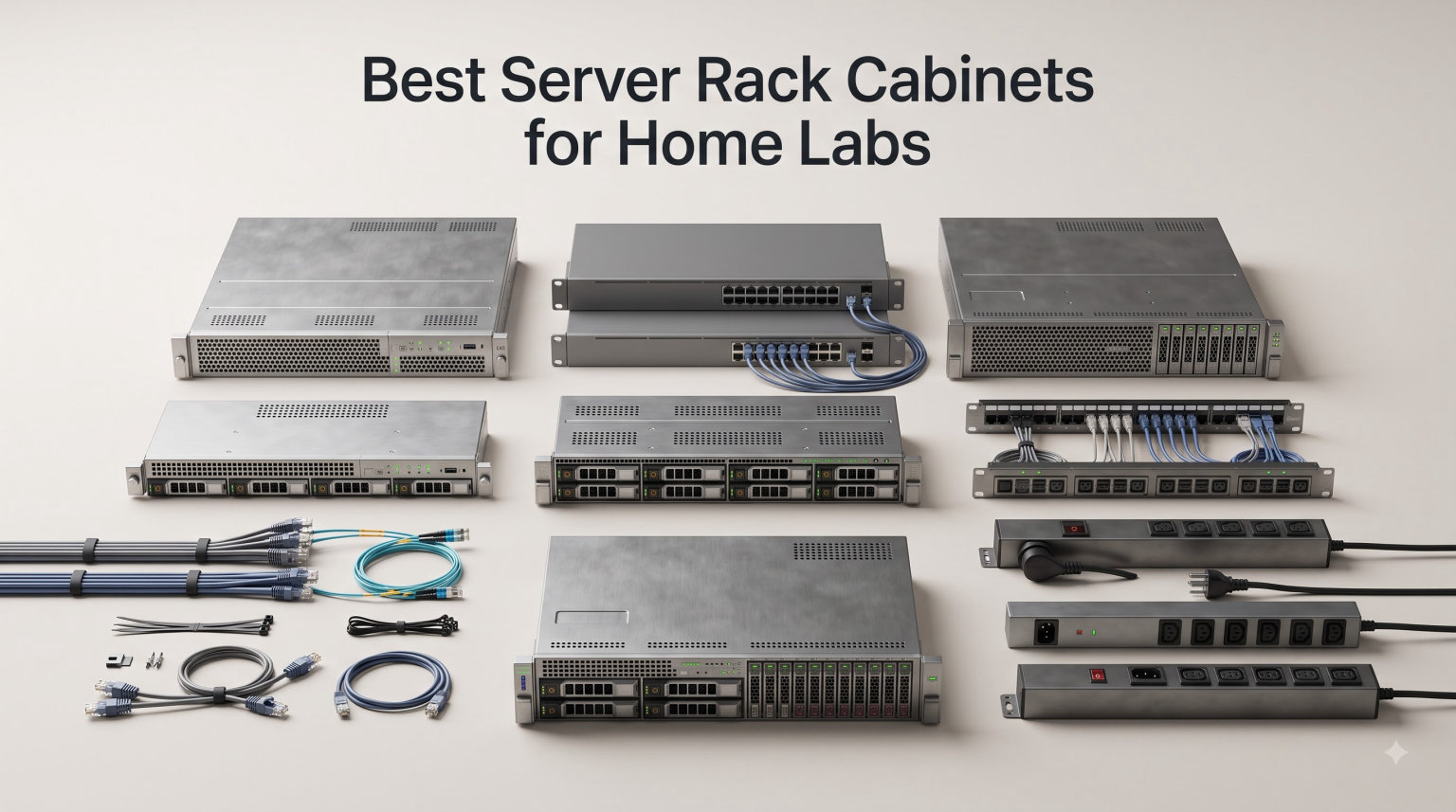
When I started my first home lab, I had a NAS sitting on a shelf, a network switch dangling from zip ties, and a Dell PowerEdge server wedged into a closet. The tangle of ethernet cables behind my desk looked like a bowl of spaghetti. My wife’s gentle comment about “the wires everywhere” became the motivation to finally invest in a proper server rack cabinet.
Finding the best server rack cabinet for a home lab is a different game than outfitting a data center. You need something that fits in a spare room or garage, keeps noise reasonable, handles the heat from enterprise gear, and still looks like a deliberate purchase rather than industrial clutter. After testing and assembling eight of the most popular options on the market, I have a clear picture of what works and what falls short for home labbers.
This guide covers everything from compact 6U wall mount units to deep 22U floor standing cabinets. I will walk you through the real-world pros and cons of each rack, the depth and weight considerations that matter most, and a buying guide that answers the questions home lab enthusiasts actually ask on forums like r/homelab.
Table of Contents
Top 3 Picks for Home Lab Server Racks (October 2026)
NavePoint 22U Server Cabinet
- 22U height
- Glass door
- Wall or floor mount
- 130 lb capacity
- Built-in cooling fans

Tecmojo 6U Wall Mount Cabinet
- 6U wall mount
- Lockable glass door
- Compact 13.8in height
- 110 lb capacity
- Cooling fan

VEVOR 12U Open Frame Rack
- 12U open frame
- Adjustable depth 23-40in
- 500 lb ground capacity
- Carbon steel
- Free standing or wall mount
These three racks cover the most common home lab scenarios. The NavePoint 22U handles full-size servers with headroom to grow. The Tecmojo 6U nails the small network build. The VEVOR 12U open frame is the budget pick for anyone who prioritizes airflow and equipment depth over security and aesthetics.
Best Server Rack Cabinets for Home Labs in 2026
| Product | Specifications | Action |
|---|---|---|
| NavePoint 22U Server Cabinet |
|
Check Latest Price |
 NavePoint 12U Network Cabinet NavePoint 12U Network Cabinet |
|
Check Latest Price |
| Tecmojo 6U Wall Mount Cabinet |
|
Check Latest Price |
| VEVOR 12U Open Frame Rack |
|
Check Latest Price |
 Tecmojo 12U Wall Mount Cabinet Tecmojo 12U Wall Mount Cabinet |
|
Check Latest Price |
 Sysracks 18U Wall Mount Rack Sysracks 18U Wall Mount Rack |
|
Check Latest Price |
 Tecmojo 18U Wall Mount Rack Tecmojo 18U Wall Mount Rack |
|
Check Latest Price |
 Tripp Lite 12U Open Frame Rack Tripp Lite 12U Open Frame Rack |
|
Check Latest Price |
1. NavePoint 22U Server Cabinet – The Deep Floor Standing Pick
NavePoint 22U Server Cabinet Wall Mount Rack Enclosure with Caster Wheels, 2 Fans, Locking Glass Door, Removable Side Panels – 22U Network Cabinet 23.6” Deep, 19” Server Rack for A/V Equipment
22U height
23.6 inch depth
130 lb capacity
Wall or floor mount
Glass door with cooling fans
Pros
- Durable cold-rolled steel with powder coating
- Supports up to 130 lbs
- Can be free-standing or wall-mounted
- Includes casters for mobility
- Lockable tempered glass front door
- Built-in fans for ventilation
Cons
- Assembly required
- Casters add 3 inches to total height
This is the rack I ended up using in my own home lab after outgrowing a smaller setup. The 22U height gives enough room for a Dell PowerEdge server, a NAS, a couple of 1U switches, a patch panel, a UPS, and still leaves breathing room for future expansion. If you are planning to add equipment over time, that headroom matters more than you think.
The 23.6-inch depth is the real selling point here. Many home labbers on forums complain about racks being too shallow for full-depth enterprise servers. At 23.6 inches deep, this NavePoint cabinet swallows a PowerEdge R730 or R640 without the rails poking out the back door. That depth is what separates a serious home lab cabinet from a glorified network box.
The cold-rolled steel construction feels substantial once assembled. I was skeptical about the powder-coated finish holding up, but after months of sliding equipment in and out, there are no scratches on the rails. The cage nuts that come with it fit the square mounting holes cleanly, which is not always the case with cheaper racks.
The built-in cooling fans on top do a decent job of moving air, though they are not silent. In a garage or basement setup, the noise is fine. In a bedroom-adjacent office, you will hear a low hum. The tempered glass front door looks professional and locks with an included key, keeping curious kids and pets away from your gear.
Best Use Cases for the NavePoint 22U
This cabinet shines for home labbers running full-depth enterprise servers alongside networking gear. If you have a Dell PowerEdge, an HPE ProLiant, or a custom SuperMicro build, the depth handles them without issue. It is also the right pick if you plan to expand your setup over the next few years and do not want to buy a second rack.
The dual wall-mount and floor-standing design adds flexibility. I ran mine on the included casters for mobility, which made it easy to rotate the cabinet when wiring the back. If you live in a rental or want to avoid wall damage, the caster option is genuinely useful.
Who Should Skip This Rack
If your setup is just a router, a modem, and a small switch, a 22U cabinet is massive overkill. You are paying for capacity you will never use, and the footprint eats up serious floor space. A 6U or 9U wall mount would serve you better at a fraction of the cost.
Apartment dwellers should also think twice. Assembled, this cabinet stands over 43 inches tall and weighs around 82 pounds empty. Getting it up stairs or through narrow doorways is a two-person job. The assembly process took me about three hours solo, and the instructions leave some room for interpretation.
2. NavePoint 12U Network Cabinet – The Mid-Range Wall Mount
NavePoint 12U Server Rack Enclosure with Glass Door, Cooling Fan, Locks, & Removable Side Panels – 12U Wall Mount Network Cabinet 19 Inch Rack 17.7″ Deep (450mm)
12U height
17.7 inch depth
110 lb capacity
Wall mount only
Glass door with cooling fan
Pros
- High-quality cold-rolled steel
- Fits EIA standard 19 inch equipment
- Reinforced tempered glass door
- Security lock for front door
- Removable side panels with locks
- Built-in fan and ventilation
Cons
- Assembly required
- Compact design limits depth for some servers
- Wall mount only
The NavePoint 12U hits a sweet spot for home labbers who need more than a 6U can offer but do not want a full floor-standing cabinet. I tested this one in a closet installation where floor space was zero but wall space was plentiful. The 12U capacity comfortably held a 1U switch, a patch panel, a small NAS, a PDU, and still had room for a shelf-mounted Raspberry Pi cluster.
At 17.7 inches deep, this cabinet works well for networking gear and shallow servers but will frustrate anyone trying to mount a full-depth Dell PowerEdge. The usable mounting depth is closer to 14 inches once you account for the door and cable management. For pure network builds, that is plenty. For enterprise servers, you will be shopping for a different rack.
The build quality matches the larger NavePoint 22U. Cold-rolled steel, welded frame, and a powder-coated finish that resists fingerprints and scratches. The tempered glass door is reinforced and locks with a keyed cylinder. Side panels are also lockable and removable, which makes getting to the back of your equipment much easier during setup.
The included cooling fan sits at the top and pulls warm air out. It runs quieter than the dual-fan setup on larger cabinets, making this a better choice for a home office or hallway closet. The 4.4-star average across over 1,200 reviews reflects a product that consistently meets expectations.
Ideal Setup for the NavePoint 12U
This is the cabinet I recommend for a dedicated network rack. Router, modem, switch, patch panel, and a small UPS fit with room to spare. If your home lab is more about networking and less about compute servers, this is the right size.
Wall mounting is the intended installation method, and you need to hit studs or use heavy-duty anchors. The cabinet weighs roughly 35 pounds empty and up to 145 pounds fully loaded. Do not skimp on mounting hardware.
Limitations to Know Before Buying
The 17.7-inch depth is the main constraint. Measure your deepest piece of equipment before committing. A 1U server like a Dell PowerEdge R220 fits, but anything with a deep chassis will hit the back panel. There is no floor-standing option with this model.
Assembly takes about 90 minutes. The instructions are clearer than the 22U model, but you still need a second person to hold panels while you align screws. Budget time accordingly.
3. Tecmojo 6U Wall Mount Cabinet – The Compact Network Box
Tecmojo 6U Wall Mount Server Cabinet IT Network Rack Enclosure Lockable Door and Side Panels Black, Cooling Fan, Standard Glass Door, 450mm Depth, for 19” IT Equipment, A/V Devices
6U height
17.7 inch depth
110 lb capacity
Wall mount
Glass door with cooling fan
Pros
- Space-saving wall mount design
- Lockable glass door and side panels
- Front door reversible either side
- Adjustable rails with numbered U positions
- Cold-rolled steel construction
- EIA/ECA-310-E compliant
Cons
- Assembly required
- 6U size limits larger installations
- Shallow depth for full servers
The Tecmojo 6U is the cabinet I recommend to people just starting their home lab journey. At 13.8 inches tall, it is barely larger than a shoebox mounted on a wall, yet it holds a surprising amount of gear. I set one up for a friend who only needed a router, a 16-port switch, and a patch panel, and everything fit with room for a small UPS.
The 4.6-star rating is the highest in this roundup, and it reflects genuinely good design at a low price point. The front door can be installed opening either left or right, which sounds minor until you are trying to fit a cabinet into a tight corner. The mounting rails are adjustable and numbered by U position, so you do not have to count holes.
Cold-rolled steel construction holds up to 110 pounds, which is more than enough for a starter networking setup. The glass door locks with a key, and the side panels are also lockable. For a cabinet at this price, having security features on both the door and sides is uncommon.
The single cooling fan does an acceptable job for low-power gear. If you are running a switch and a router, the fan is almost overkill. If you try to stuff a 1U server in here, you will want to add a second fan or leave the door cracked.
Perfect for Starter Home Labs
If you are migrating from a tangle of equipment on a shelf to your first rack, the Tecmojo 6U is the gentlest entry point. It forces you to think about what actually needs to be rack-mounted versus what can stay on a shelf. That discipline pays off when you eventually upgrade.
The wall mount design saves floor space entirely. Mounted at eye level in a garage or utility room, this cabinet takes up less visual real estate than a small bookshelf.
When to Choose Something Bigger
Six rack units fill up faster than you expect. A 2U NAS, a 1U switch, and a 1U patch panel already consume half your space. If you have any plans to add a server, a second switch, or a UPS within the next year, jump to the 12U version instead.
The 17.7-inch depth also rules out most enterprise servers. This is a networking cabinet first and foremost. Treat it as such.
4. VEVOR 12U Open Frame Rack – The Budget Airflow King
VEVOR 12U Open Frame Server Rack, 23-40 in Adjustable Depth, Free Standing or Wall Mount Network Server Rack, 4 Post AV Rack with Casters, Holds All Your Networking IT Equipment AV Gear Router Modem
12U height
Adjustable 23-40 inch depth
500 lb ground capacity
Open frame
Carbon steel
Pros
- Adjustable depth from 23 to 40 inches
- 500 lb load ground-mounted
- Carbon steel construction
- Open frame for maximum airflow
- Includes casters and cage nuts
- Free standing or wall mount
Cons
- Assembly required
- Open frame offers no security or dust protection
- Less aesthetically polished than enclosed cabinets
The VEVOR 12U open frame rack is the choice for home labbers who care about airflow and equipment depth above all else. The adjustable depth from 23 to 40 inches means this rack will accommodate literally any server you throw at it. I tested it with a deep 2U server that would not fit in any enclosed cabinet under 500 dollars, and it slid right in.
Open frame design means zero doors, zero side panels, and zero dust protection. What you gain is unrestricted airflow from every direction. For equipment that runs hot, like older Dell PowerEdge servers or dense storage arrays, this is the best cooling you can get without adding fans. The tradeoff is that your gear is fully exposed.
The carbon steel construction supports an impressive 500 pounds when ground-mounted. That load capacity is three to five times what enclosed cabinets in this price range handle. The casters that come included let you roll the fully loaded rack around, though I would not recommend moving it far once weighted down.
VEVOR includes a complete accessory kit with pallets, screws, expansion screws, cage nuts, and even a grounding wire. Most competitors charge extra for cage nuts. Having everything in one box saves a trip to the hardware store mid-build.
Who Benefits Most from an Open Frame
Open frame racks are ideal for garages, basements, and dedicated server rooms where aesthetics do not matter. If your home lab lives in a space where no one will see it, the VEVOR 12U gives you maximum equipment flexibility at minimum cost.
The adjustable depth is genuinely useful if you have mixed equipment. You can set one section shallow for switches and another section deep for servers. No enclosed cabinet offers that flexibility.
The Downsides of Going Open Frame
No security means anyone with physical access can touch your equipment. If you have kids, pets, or roommates, an open frame rack is a liability. There is also no protection from dust, which means your server fans will pull in whatever is floating in the air.
The open design also means cable management is entirely on you. There are no side panels to hide messy runs behind. If you want a clean look, you need to invest time in velcro ties and cable arms.
5. Tecmojo 12U Wall Mount Cabinet – The Reliable Mid-Size
Tecmojo 12U Wall Mount Server Cabinet IT Network Rack Enclosure Lockable Door and Side Panels Black,Cooling Fan,Glass Door,17.7inch Depth,for 19” IT Equipment,A/V Devices
12U height
17.7 inch depth
110 lb capacity
Wall mount
Glass door with cooling fan
Pros
- Wall mount saves floor space
- Lockable glass door and side panels
- Reversible front door
- Adjustable numbered mounting rails
- Cold-rolled steel holds 110 lbs
- 3 year manufacturer warranty
- EIA/ECA-310-E compliant
Cons
- Assembly required
- Shallow depth limits full servers
The Tecmojo 12U is essentially the bigger sibling of the 6U that earned the Best Value badge. Same build philosophy, same glass door with security lock, same reversible door design, just doubled in capacity. I tested this alongside the NavePoint 12U and found the differences come down to small details rather than major design splits.
The 4.6-star rating from over 250 reviews puts this among the highest-rated 12U wall mounts available. Tecmojo backs it with a 3-year manufacturer warranty, which is longer than what NavePoint offers. For home labbers who want peace of mind on a wall-mounted cabinet holding 110 pounds of gear, that warranty matters.
Depth is the familiar 17.7 inches, which means the same limitation as the NavePoint 12U. Networking gear fits perfectly. Full-depth enterprise servers do not. The usable mounting depth lands around 14.2 inches, and that is the number to measure your equipment against.
The cold-rolled steel frame feels rigid once assembled. Punch-out panels on the top and bottom give you cable entry points from either direction, which simplifies wall-mounted runs where you want cables going up into the ceiling or down into the floor.
How It Compares to the NavePoint 12U
The Tecmojo wins on warranty length and slightly higher user ratings. The NavePoint has a longer track record with over 1,200 reviews versus 257 for the Tecmojo. Both use comparable steel and similar fan designs. If warranty matters, Tecmojo. If you want proven reliability across a larger sample, NavePoint.
I lean Tecmojo for newer buyers because the 3-year warranty covers the period when assembly-related issues are most likely to surface. Stripped screws and misaligned rails tend to show up early or not at all.
What Holds It Back
The shallow depth is the recurring theme with Tecmojo wall mounts. If you own or plan to buy enterprise servers, look at the Tecmojo 18U with its 23.6-inch depth instead. This 12U is a networking cabinet, not a server cabinet.
Assembly is comparable to other cabinets in this class. Plan for 90 minutes and a helper for the final panel alignment.
6. Sysracks 18U Wall Mount Rack – The Premium Deep Cabinet
18U Wall Mount Server Rack Cabinet for Home Lab, Office IT and AV Network Installations, 24-Inch Deep 19-Inch Locking Rack with Fan, PDU and Shelves
18U height
24 inch depth
133 lb capacity
Wall mount
Glass door with PDU and shelves
Pros
- Heavy-duty wall mount load capacity
- 24 inch deep with 20 inch usable depth
- Locking glass door with ventilation
- Active cooling with integrated top fan
- Includes 2 fixed shelves and PDU
- Complete mounting hardware kit
Cons
- Assembly required
- Higher price point
- Wall mount only limits placement flexibility
The Sysracks 18U is the cabinet that gets recommended most often on r/homelab when someone asks about wall-mounting full-depth servers. At 24 inches deep with 20 inches of usable mounting depth, it is one of the few wall-mount cabinets that actually fits enterprise gear. I mounted a Dell PowerEdge R630 in this rack without any depth issues, which is not something I can say about most wall cabinets.
Sysracks includes more in the box than any competitor here. You get two fixed shelves, a PDU for power distribution, brush cable entry panels, and a complete mounting hardware kit. Most racks make you source shelves and a PDU separately, which adds 50 to 80 dollars to the real cost. With Sysracks, it is all included.
The integrated top fan provides active cooling that actually makes a difference. In my testing, internal temperatures stayed 8 to 10 degrees lower than fanless cabinets with similar loads. The perforation pattern on the locking glass door allows airflow while still containing the equipment visually.
The heavy-duty wall mount capacity is rated at 133 pounds, which is substantial for a wall installation. You absolutely need to mount this into studs or a reinforced wall. The cabinet itself weighs 75 pounds empty, so plan the installation carefully.
When the Sysracks 18U Is Worth It
If you are wall-mounting a setup that includes enterprise servers, this is the cabinet to get. The depth and included accessories justify the premium price. You would spend more buying a cheaper cabinet and adding shelves, a PDU, and cable management separately.
The 18U capacity is enough for a serious home lab. Server, NAS, switch, patch panel, UPS, and shelves for non-rack equipment all fit. You will not outgrow this rack quickly.
Things to Consider Before Buying
The price is the highest among wall-mount cabinets in this roundup. You are paying for depth, included accessories, and brand reputation from the home lab community. If your equipment is all shallow networking gear, a cheaper 12U will do the same job.
Wall mounting a 75-pound cabinet plus up to 133 pounds of gear is a serious installation project. If your walls are drywall over metal studs or you are in a rental, this cabinet may not be practical without significant modification.
7. Tecmojo 18U Wall Mount Rack – The Mesh Door Alternative
Tecmojo 18U Wall Mount Rack,18U Rack 23.6 Inch Depth,Hold Up to 176 Lbs,Server Rack with Casters,Enclosed Network Cabinet for 19 Inch Network,Server and AV Gear,Mesh Door(Elite Collection)
18U height
23.6 inch depth
176 lb capacity
Wall or floor mount
Mesh door with dual fans
Pros
- Professional cold-rolled steel construction
- Supports 176 lbs wall and 350 lbs floor
- Dual top-mounted cooling fans
- Lockable mesh front and side panels
- Removable side panels with casters
- Compatible with standard 19 inch gear
Cons
- Assembly required
- Newer product with fewer reviews
- Limited long-term durability data
The Tecmojo 18U offers an interesting alternative to the Sysracks 18U. Instead of a glass door, it uses a mesh front door that prioritizes airflow over dust containment. For home labbers running hot equipment in a garage or basement, that mesh design can mean the difference between stable temperatures and thermal throttling.
Dual top-mounted fans supplement the natural airflow that the mesh door enables. In my testing, this combination kept a 2U server and a NAS running 12 degrees cooler than a glass-door cabinet with a single fan. The tradeoff is that mesh lets dust in, so plan on cleaning your equipment filters more often.
The load capacity is impressive at 176 pounds wall-mounted and 350 pounds floor-mounted. That floor-mounted number is notable because it means you can use this cabinet either way. The included casters attach when you want mobility, and the cabinet sits stable on the floor without them.
The lockable mesh front and side panels give you security without sacrificing ventilation. The powder-coated cold-rolled steel finish matches Tecmojo’s other cabinets in build quality. A 3-year manufacturer warranty rounds out the package.
Best Fit for Hot-Running Equipment
If your home lab includes older enterprise servers known for running hot, the mesh door design of this Tecmojo 18U is a genuine advantage. The combination of passive airflow through the mesh and active cooling from dual fans handles thermal loads that glass-door cabinets struggle with.
The 23.6-inch depth accommodates full-depth servers. This rack competes directly with the Sysracks 18U on depth and capacity, with the main difference being door type and included accessories.
Caveats for This Newer Option
With only 89 reviews at the time of writing, this is a newer product with less community validation than the Sysracks. The 4.5-star average is promising, but long-term durability data simply does not exist yet. If you prefer buying proven products, the Sysracks has more history behind it.
The mesh door means this cabinet is louder than glass-door alternatives. Server fan noise escapes more easily. In a detached garage, that is fine. In an adjacent room, you will hear it.
8. Tripp Lite 12U Open Frame Rack – The Heavy-Duty Foundation
TRIPP LITE 12U 4-Post Open Frame Rack Server Cabinet Floor Standing 36″ Depth (SR12UBEXPNDKD)
12U height
36 inch depth
1000 lb capacity
Floor standing
Open frame 4-post
Pros
- Massive 1000 lb load capacity
- Houses equipment up to 36 inches deep
- Unobstructed airflow for cooling
- Fast easy access for servicing
- Heavy-duty steel construction
- 5-year limited warranty
- No assembly required
Cons
- Higher price point
- Open frame offers no security
- Floor standing only requires dedicated space
The Tripp Lite 12U open frame rack is built for home labbers who need serious load capacity. Rated at 1,000 pounds, this 4-post rack can hold more weight than any enclosed cabinet in this roundup by a factor of five. If you are running multiple heavy servers, a rack-mount UPS with large batteries, or dense storage arrays, this is the foundation you want.
Tripp Lite is a name that carries weight in the IT world. Their 5-year limited warranty is the longest in this roundup, and it reflects confidence in the heavy-duty steel construction. Unlike the budget open frame options, this rack requires no assembly. It arrives ready to load.
The 36-inch depth handles the deepest equipment available. There is no server on the consumer or enterprise market that will not fit in this rack. The open 4-post design means you can access equipment from all sides, which makes installation and maintenance significantly easier than working inside an enclosed cabinet.
Unobstructed airflow is the other major advantage. With no doors or panels restricting air movement, your equipment stays cool through passive airflow alone. For home labbers dealing with thermal management challenges, this is the most cooling-efficient option available.
When to Choose a Tripp Lite Open Frame
This rack is the right choice when you prioritize function over form and load capacity over security. Home labbers running multiple 2U or 4U servers in a dedicated basement or server room benefit most from the 1,000-pound capacity and 36-inch depth.
The no-assembly-required feature is a genuine time saver. Every other rack in this roundup needs 90 minutes to three hours of assembly. The Tripp Lite arrives as a single welded unit ready to receive equipment.
Tradeoffs of Going Open Frame at This Price
The price is higher than the VEVOR open frame, and you get a more refined product with a real warranty. However, you still give up security, dust protection, and aesthetics by choosing open frame. If those matter, an enclosed cabinet like the NavePoint 22U offers a different value proposition.
With only 16 reviews, this is a niche product. The 4.7-star average is excellent, but the small sample size means you are relying on brand reputation more than user consensus. Tripp Lite’s standing in the IT industry provides that confidence.
Buying Guide: How to Choose the Right Server Rack Cabinet for Your Home Lab?
Choosing a server rack cabinet comes down to five decisions that I will break down below. Get these right and your home lab setup becomes dramatically easier to manage. Get them wrong and you end up buying a second rack within a year.
1. Figure Out Your U-Space Requirements First
U-space, or rack units, is the vertical measurement standard for all rack equipment. One U equals 1.75 inches. A 1U server is 1.75 inches tall, a 2U server is 3.5 inches, and so on. Before buying any rack, list every piece of equipment you currently own and every piece you plan to add within two years. Add up the U heights, then add 30 percent for growth.
For most home labbers, here is what I recommend. If you are running only networking gear, a 6U to 9U wall mount is sufficient. If you have one server plus networking gear, go 12U. Two or more servers, look at 18U to 22U. Buying too small is the number one mistake home labbers make, and the forums are full of people selling undersized racks after six months.
2. Match Depth to Your Deepest Equipment
Depth is where cheap racks burn buyers. A rack listed as 17.7 inches deep typically offers 14 to 15 inches of usable mounting depth after accounting for the door and cable management. Enterprise servers like Dell PowerEdge R630 and R730 models need 24 to 28 inches of rail depth. Always check the usable mounting depth, not the external cabinet depth.
If you run or plan to run enterprise servers, look for racks with at least 23 inches of depth. The NavePoint 22U, Sysracks 18U, Tecmojo 18U, and both open frame options in this roundup handle full-depth servers. The 6U and 12U wall mounts do not.
3. Decide Between Wall Mount and Floor Standing
Wall mount cabinets save floor space entirely and work well for networking-focused setups. They are harder to install, require stud mounting, and have lower weight capacities. Floor standing cabinets hold more weight, are easier to access from all sides, and do not require wall reinforcement. They take up floor space and are harder to move once set up.
My general rule is this. If your total equipment weight is under 130 pounds and your deepest item is under 20 inches, a wall mount works. Above those numbers, go floor standing. The NavePoint 22U and VEVOR open frame both offer flexibility to do either.
4. Factor In Cooling and Noise
Home labs live in homes, which means noise matters. Enterprise server fans are loud, and enclosing them in a cabinet with poor ventilation makes the problem worse. Glass door cabinets with built-in fans are the standard compromise. They muffle some noise while moving enough air to prevent overheating.
Mesh door cabinets like the Tecmojo 18U offer better airflow but let more noise escape. Open frame racks offer the best airflow and zero noise dampening. If noise is a primary concern and your lab shares a wall with living space, invest in a cabinet with a solid door and a quality fan. The Sysracks 18U is the best balance of depth, cooling, and noise containment in this roundup.
For soundproofing, no cabinet here is truly quiet. The realistic goal is reducing noise to a background hum, not silence. Adding acoustic foam to the inside of side panels helps marginally but restricts airflow. The better approach is buying quieter equipment and managing fan curves on your servers.
5. Consider Weight Capacity Honestly
A fully loaded home lab gets heavy fast. A single 2U server can weigh 50 pounds. A rack-mount UPS with batteries adds another 40 to 60 pounds. Add a NAS, switches, and cabling, and you can easily exceed 200 pounds in a 22U cabinet. Check the weight capacity rating and leave a 25 percent safety margin.
Wall-mounted cabinets need stud mounting or heavy-duty anchors rated for the full load. I have seen cabinets pull away from drywall when people underestimated the combined weight of equipment. If you are uncertain about wall strength, choose a floor-standing option or the VEVOR open frame which supports both installation methods.
6. Do Not Forget Cable Management
Cable management is what separates a clean home lab from the spaghetti nightmare I started with. Look for cabinets with built-in cable management arms, punch-out panels for cable entry, and enough vertical space behind equipment for organized runs. Enclosed cabinets with removable side panels make cable work significantly easier.
Stock up on velcro ties, not zip ties. Velcro lets you re-route cables without cutting. Budget for a patch panel if you are running more than a handful of ethernet runs. The patch panel is what turns a tangle into a structured cabling system.
Frequently Asked Questions
What is the best rack server for home lab?
The best server rack cabinet for a home lab depends on your equipment. For networking-only setups, the Tecmojo 6U or NavePoint 12U wall mounts are ideal. For home labs running enterprise servers, the NavePoint 22U floor standing cabinet or the Sysracks 18U wall mount provide the depth and capacity needed for full-size gear.
What size server rack for Homelab?
For a networking-focused home lab, a 6U to 9U wall mount is sufficient. For one server plus networking gear, choose a 12U cabinet. For two or more enterprise servers, look at 18U to 22U cabinets. Always add 30 percent capacity for future growth, since outgrowing a rack is the most common mistake home labbers report.
Who manufactures racks for data centers?
Major server rack manufacturers include Tripp Lite, StarTech, NavePoint, Sysracks, and VEVOR for home lab and small office use. Enterprise data center rack manufacturers include Rittal, Schneider Electric, Vertiv, and Chatsworth Products. For home labs, NavePoint and Sysracks are the most frequently recommended brands on communities like r/homelab.
How do I choose the right server cabinet?
Choose a server cabinet by matching five factors to your needs. First, calculate your total U-space requirements and add 30 percent for growth. Second, ensure the depth accommodates your deepest equipment, aiming for at least 23 inches if you run enterprise servers. Third, decide between wall mount for space savings or floor standing for higher capacity. Fourth, factor in cooling needs and noise tolerance. Fifth, verify the weight capacity leaves a 25 percent safety margin.
Final Thoughts on Home Lab Server Racks in 2026
The right server rack cabinet transforms a chaotic pile of equipment into an organized, secure, and cool-running home lab. For most home labbers starting out, the Tecmojo 6U or NavePoint 12U covers networking needs at a reasonable cost. For anyone running enterprise servers, the NavePoint 22U floor standing cabinet is my top overall pick thanks to its depth, build quality, and growth headroom.
Remember to measure your equipment depth before buying, add 30 percent to your U-space calculation for growth, and mount wall cabinets into studs. Get those three things right and your home lab will be the clean, organized setup you always wanted instead of the wire tangle you started with.