
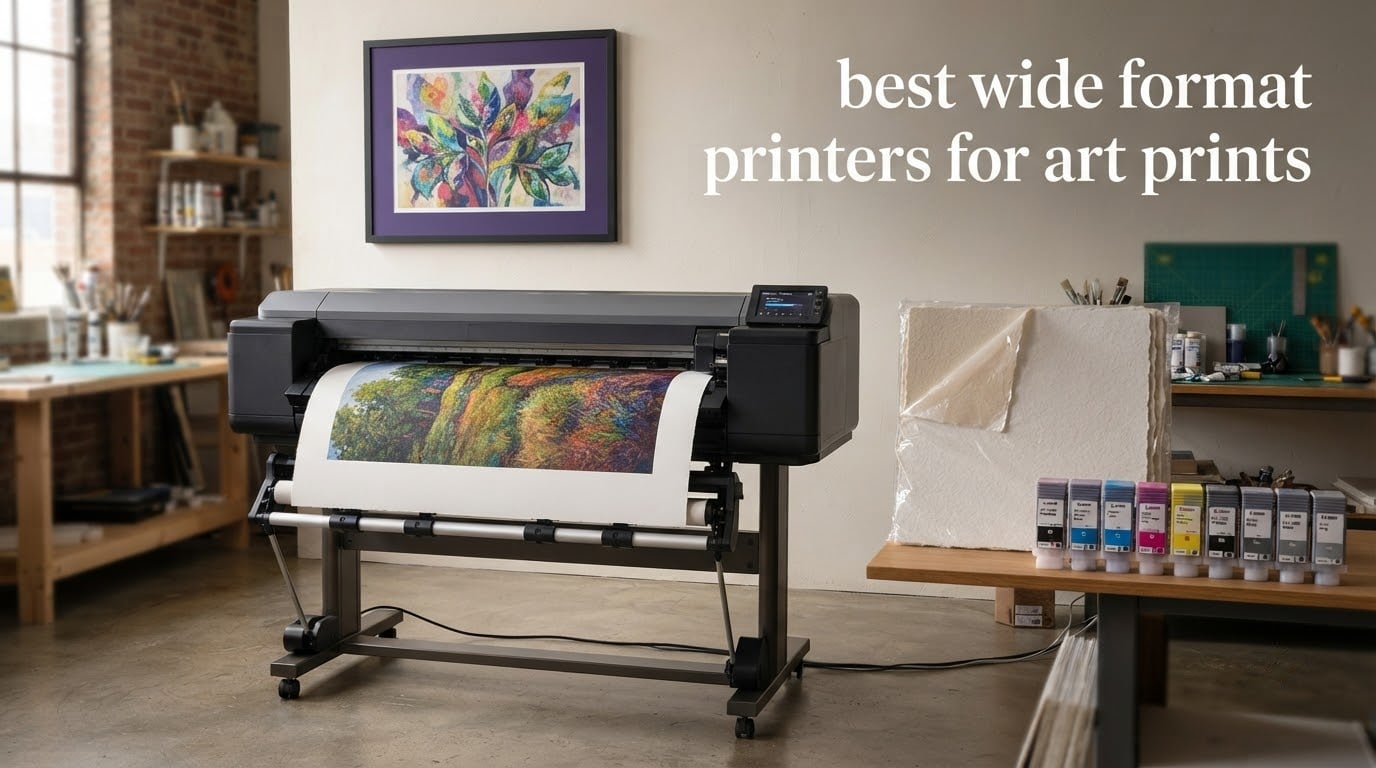
Choosing the best wide format printers for art prints comes down to two questions: how large does the work need to be, and does the image have to survive a decade on a gallery wall. Get those two answers right and the shortlist shrinks fast. Get them wrong and you end up with a machine that eats dye ink, cannot feed cotton rag, or prints beautifully but far too slowly to sell prints from.
Our team spends a lot of time with artist-grade inkjets, and the pattern we keep seeing is the same one that shows up in printing forums: the spec sheet matters far less than the ink and paper combination. Two printers with identical headline resolution can produce visibly different blacks, different gloss, and very different print costs. So we looked past resolution entirely and compared ink chemistry, paper handling, black-channel design, and running cost for the ten machines below.
This roundup covers everything from a 13-inch dye-ink all-in-one to a 44-inch pigment roll machine, including the honest reasons to skip each one. If you want the broader picture on the format first, our guide to wide-format printers covers CAD, signage and photo workflows separately. Updated for 2026.
Table of Contents
What Kind of Printer Is Best for Art Prints?
The best printer for art prints is a pigment-ink wide format inkjet at 13 inches wide or more, paired with archival cotton rag or baryta paper and a colour-managed ICC profile. Anything below 13 inches or running on dye ink is a photography printer, not a fine art machine.
Those machines fall into four practical classes, and the right one depends on what you are making rather than on price:
13-inch pigment photo printers — nine or ten pigment inks with a matte black channel. The sweet spot for digital art, illustration and colour photography up to 13 x 19 inches. The Epson SureColor P700 and Canon imagePROGRAF PRO-310 sit here.
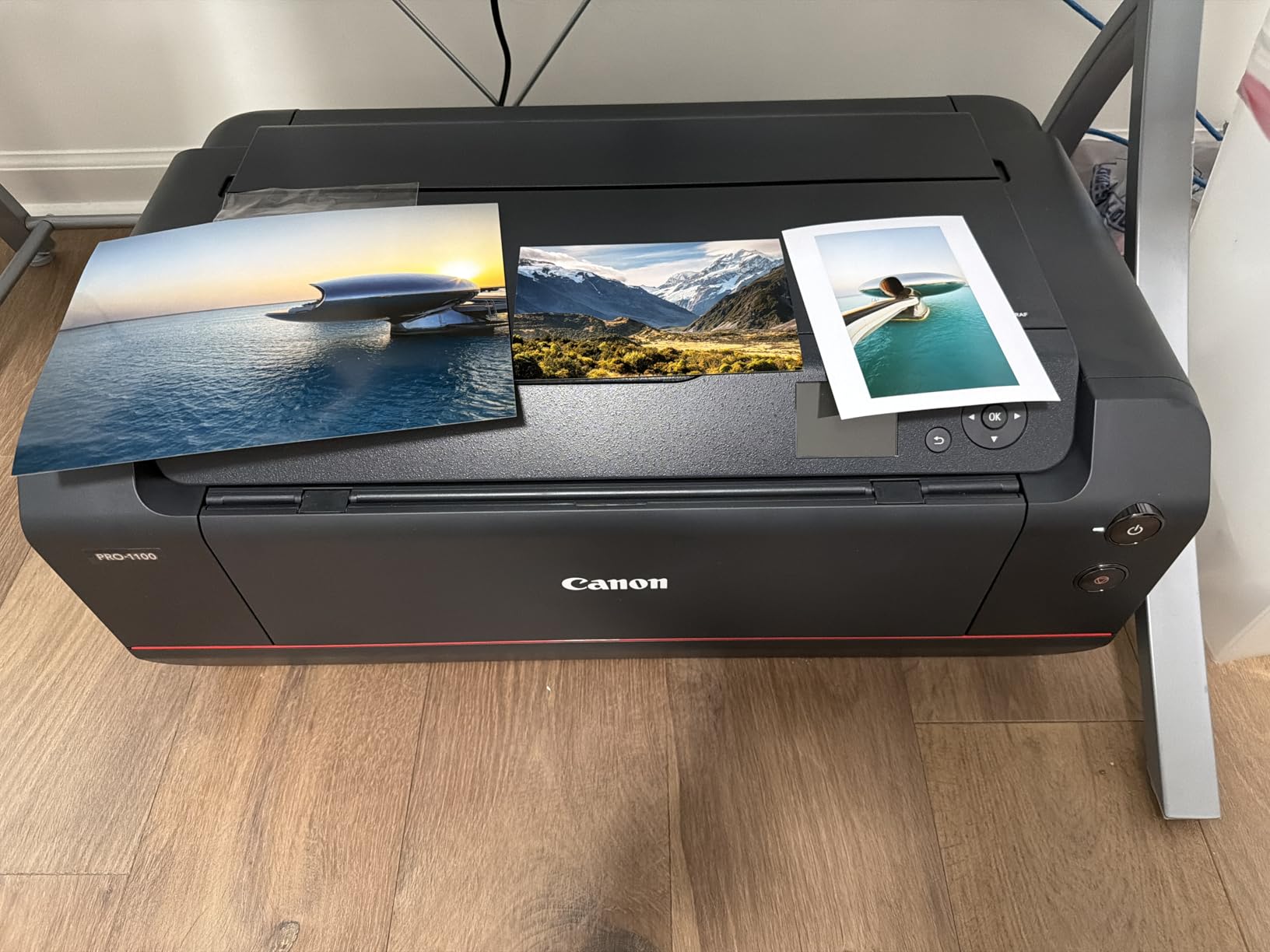
17-inch pigment printers — add A2 and 17 x 22 inch capability, air feeding for alignment, and larger paper trays. The Canon imagePROGRAF PRO-1100 is the class leader for exhibition work.
Tank-fed dye-ink all-in-ones — enormous ink volumes at low cost per print, ideal for high-volume colour prints you intend to sell cheaply. The Epson EcoTank Photo ET-8550 belongs here.
Budget dye-ink 13-inch photo printers — eight dye colours and a colour LCD at the lowest entry point. The Canon PIXMA PRO-200S is the cleanest example.
There is a fifth direction, roll-fed 24-inch and wider fine art machines, which we cover at the end because they answer a different question: exhibition scale output without tiling.
Top 3 Picks for Best Wide Format Printers for Art Prints (October 2026)


Epson SureColor P700
- 10-color UltraChrome PRO10 pigment
- matte and photo black nozzles
- 1.5 mm media

All three of these print 13 x 19 inch borderless output, which is the size that covers most print-selling work. Only two of them, the P700 and the PRO-200S path, are pigment-based, so only the P700 will sit in a humid room or behind glass for a decade without complaint.
Quick Comparison of All 10 Printers In 2026
| Product | Specifications | Action |
|---|---|---|
| Epson EcoTank Photo ET-8550 |
|
Check Latest Price |
 Epson Artisan 1430 Epson Artisan 1430 |
|
Check Latest Price |
| Canon PIXMA PRO-200S |
|
Check Latest Price |
| Epson SureColor P700 |
|
Check Latest Price |
 Canon imagePROGRAF PRO-310 Canon imagePROGRAF PRO-310 |
|
Check Latest Price |
 Canon imagePROGRAF PRO-1100 Canon imagePROGRAF PRO-1100 |
|
Check Latest Price |
 HP DesignJet T210 HP DesignJet T210 |
|
Check Latest Price |
 Canon PIXMA PRO-100 Canon PIXMA PRO-100 |
|
Check Latest Price |
 Canon PRO 2100 24-inch Canon PRO 2100 24-inch |
|
Check Latest Price |
 Canon imagePROGRAF PRO-4100 Canon imagePROGRAF PRO-4100 |
|
Check Latest Price |
Read that table with one caution: the ink column decides longevity, the size column decides framing options, and nothing else on the sheet matters as much for art prints. Resolution figures sit in the manufacturer listings but do almost nothing for how a print looks on a wall.
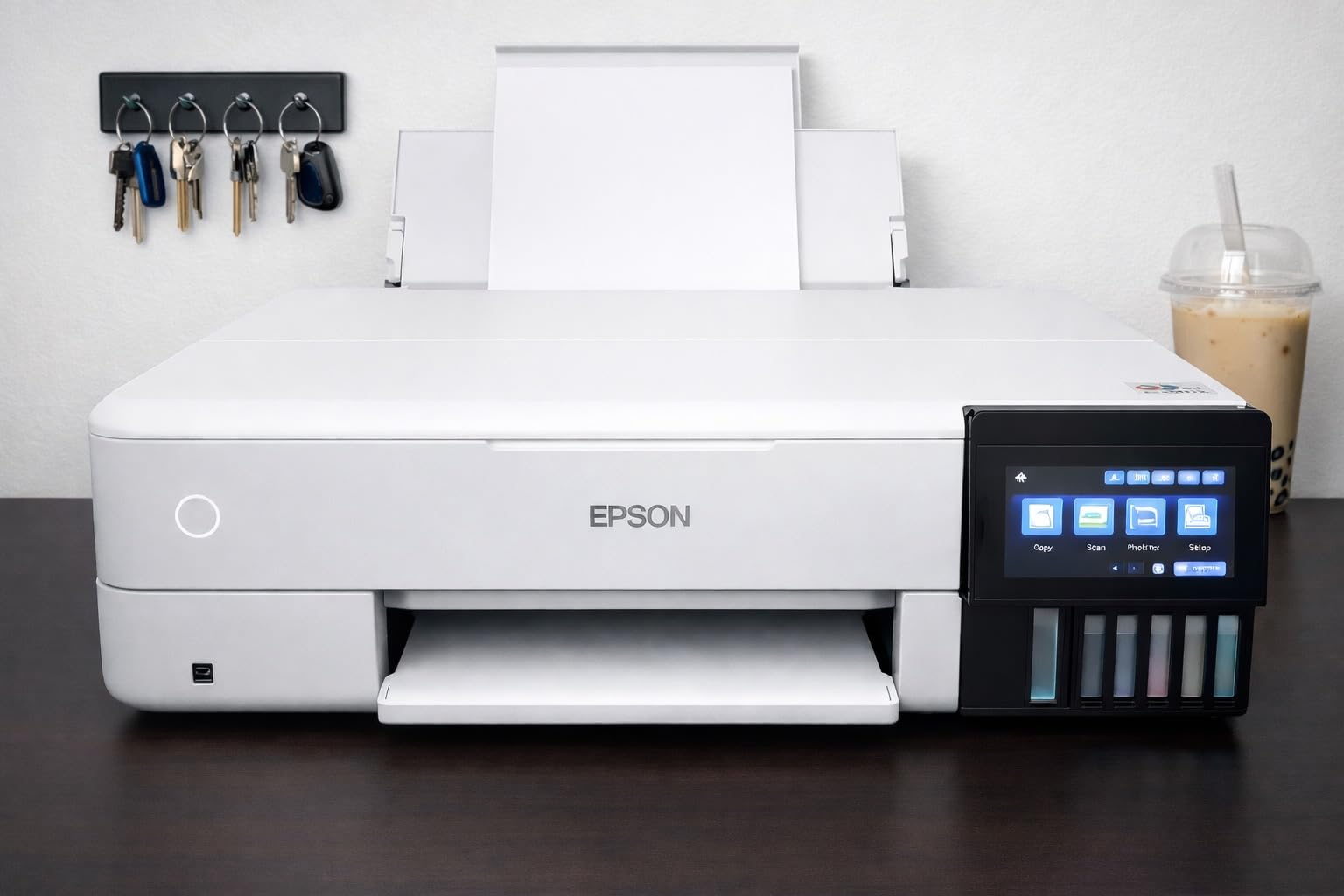
1. Epson EcoTank Photo ET-8550 — Best Overall for Print Sellers
Epson EcoTank Photo ET-8550 Wireless Wide-Format All-in-One Tank Printer
13 x 19 inch borderless
6-color Claria ET dye ink in refillable tanks
Built-in flatbed scanner and copier
100-sheet capacity
Pros
- Enormous ink volume from refillable tanks cuts cost per print sharply
- Transparent tanks show ink level at a glance
- Keyed nozzles make refilling simple
- Scanner and copier built in
- Wi-Fi and app printing work smoothly
Cons
- Dye ink fades faster and smears when wet than pigment
- Paper tray selection is unreliable and rear manual feed is finicky
- Flatbed scanner cannot handle 11 x 17 originals
- Head clogs occasionally leave ink droplets on output
The ET-8550 is the machine we recommend to anyone whose prints are going to be sold rather than displayed once. Epson ships five 70 mL bottles with it, and the dye tanks hold so much ink that cartridge replacement stops being part of your week. For an artist printing dozens of 13 x 19 colour reproductions a month, that difference in running cost is the whole argument.
Paper handling is the learning curve. Owners report that the automatic tray selection frequently picks the wrong tray, so most people disable it and choose the feed manually. The rear manual feed for heavy cotton rag also throws paper-absence errors more often than it should, and the flatbed scanner only reaches letter size even though the printer handles 13 x 19 sheets.
Colour quality is genuinely good once you stop trusting the driver and start using ICC profiles. Artists printing on Moab, Red River, Hahnemuhle and Epson own-brand papers report that a calibrated monitor plus a proper profile closes almost the whole gap between screen and print. Dye black on matte paper is never going to match pigment black density, and that is the trade you accept here.
One more real-world note: the rating distribution shows a heavy one-star tail, around nineteen percent, and the complaints cluster on reliability rather than image quality. False paper-present errors, head clogs after idle periods, and a torn-paper fault after maintenance cycles are the recurring themes. None of them are image quality problems, and all of them are solvable with a maintenance routine.
Who the ET-8550 suits best
This suits photographers and digital illustrators who produce colour work in volume and need a printer that also scans and copies. The all-in-one form factor means one machine replaces a printer, a scanner and a copier, which matters in a small studio.
It also suits anyone who prints sporadically but heavily when they do. Tanks do not dry out and crack the way cartridge heads can, and a refillable system means a two-month gap between prints is unremarkable.
Who should skip the ET-8550
Skip it if your work has to be archival. Dye ink in a Claria ET Premium set is not the same chemistry as UltraChrome PRO10 or LUCIA PRO II pigment, and the fade resistance difference is real over years, not months. Photographers selling limited-edition prints that clients frame and keep for a decade should look at the P700 or the PRO-310 instead.
Skip it too if you print black-and-white portraits as your main work. There is no matte black channel here, and dye black simply cannot hold the shadow density that pigment blacks reach on matte rag.
2. Epson Artisan 1430 — Best Value 13-Inch Borderless Printer
Epson Artisan 1430 Wireless Color Wide-Format Inkjet Printer (C11CB53201)
13 x 19 inch borderless printing
6-color Claria Hi-Definition dye ink
Wi-Fi and direct mobile printing
CD/DVD print tray
Pros
- Smooth photographic gradients and natural skin tones from six dye colours
- Borderless 13 x 19 output in a compact footprint
- Wireless printing straight from phone or tablet
- Dedicated CD/DVD tray still useful
Cons
- Cartridge ink is costly per page for sustained art volumes
- No duplex printing at all
- Single 50-sheet tray
- Very slow at 2.8 pages per minute
The Artisan 1430 is the odd one out in this list, and we include it deliberately. It is a long-running 13 x 19 dye-ink photo printer rather than a fine art machine, but owners rate it well above what its age would suggest, with a 68 percent five-star share across 881 reviews.
What you get is borderless 13 x 19 output with six Claria colours, which handles gradients and skin tones far better than a four-ink home printer. The dedicated CD/DVD tray still works and still has users. It is a capable machine for occasional large prints rather than an art production workhorse.
What holds it back is arithmetic, not quality. The T079 cartridge set is expensive relative to what it delivers, and at 2.8 pages per minute there is no sense in running batches through it. The 50-sheet single tray means you reload constantly when printing a series.
Wireless connections are broadly reliable, though owners mention occasional dropouts and print-head alignment issues that need a manual alignment pass. For a home user printing a handful of large photographs a year, none of that matters much.
When the Artisan 1430 makes sense
It makes sense when your printing is occasional and large-format, and your budget does not stretch to a pigment machine. Borderless 13 x 19 output from a compact footprint is genuinely useful for wall art and family photography.
It also works as a companion printer. Artists who own a pigment machine for their sellable work often keep something like this for colour proofs and everyday large prints, keeping the expensive pigment inks out of low-stakes jobs.
When to pass on it
Pass if you sell prints. Cartridge running cost at 13 x 19 will quietly eat any margin an artist is trying to make, and there is no duplex printing to save paper on double-sided work.
Pass if you print in series. At 2.8 pages per minute with a 50-sheet tray, a run of twenty prints becomes an afternoon of babysitting a paper tray. This machine rewards patience, and only patient jobs.
3. Canon PIXMA PRO-200S — Best Budget Entry Into Large Format Printing
Canon PIXMA PRO-200S Professional 13″ Wireless Inkjet Photo Printer, 3″ Color LCD, 8-Color Dye Ink, Black
8-color dye ink system
Borderless from 3.5 x 3.5 to 13 x 19 inches
3.0-inch color LCD
Bordered A3 plus in about 90 seconds
Pros
- Eight dye inks give smoother skin tones than four-ink machines
- Fast for a photo printer at 90-second A3 plus output
- Color LCD makes ink level checks quick
- Unusual paper formats including square and panorama
Cons
- Dye inks trail pigment models on fade and water resistance
- Print only with no scanner or copier
- Canon cartridge cost adds up over sustained art printing
The PRO-200S is the cheapest route to a proper 13 x 19 borderless print from a modern machine, and it is faster than anything else in this roundup. A bordered A3 plus sheet comes out in roughly 90 seconds, and an 8 x 10 in 53 seconds, which makes it comfortable for short runs.
Eight dye inks is a real step up from six. The extra photo cyan, photo magenta and grey inks smooth out skin tones and gradients, and reviewers consistently single out the 3.0-inch colour LCD as a genuine usability win compared with printers that force you to check ink levels on a computer.
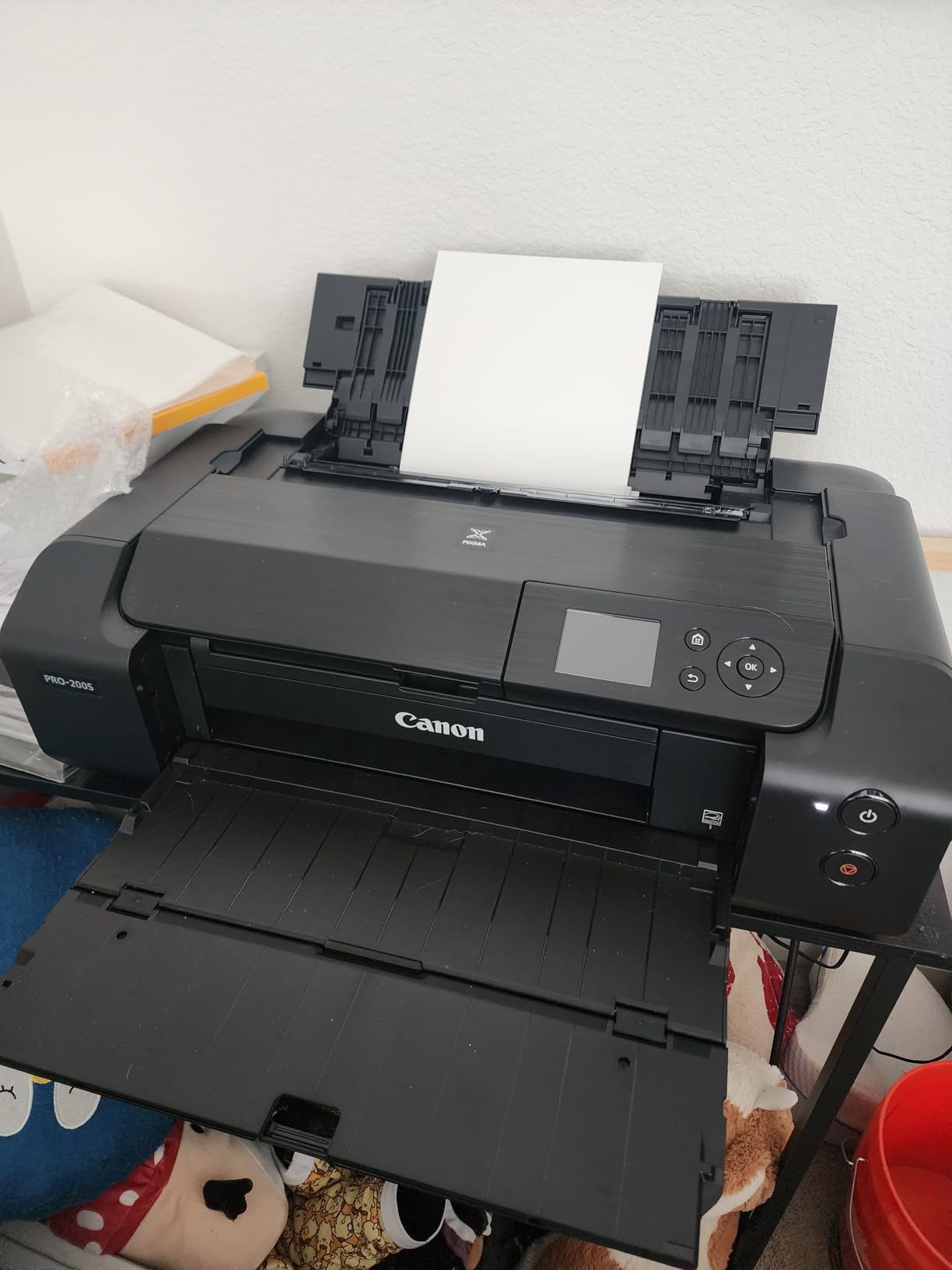
The compromise is chemistry. Dye inks are not pigment, so fade resistance and water resistance trail every pigment machine in this list. If a print is going to be handled, dampened or left in direct sunlight, that gap becomes the thing you notice first.
Paper flexibility is the quiet strength. Beyond standard sizes it handles square formats, 12 x 12 and 10 x 12, 11 x 17 ledger, and custom panorama lengths up to 13 x 39 inches. That range has real appeal for digital artists working in non-standard aspect ratios.
Who buys the PRO-200S
First-time buyers who want to see whether printing at home is worth it before committing to a pigment machine. The outlay is modest and the speed means you get feedback on a piece quickly rather than waiting for a slow pigment print to finish.
Colour photographers shooting weddings or events also suit it, because the eight-dye set handles skin tones better than cheaper six-ink alternatives and the speed keeps pace with a busy shoot.
Who should look elsewhere
Anyone planning to sell archival prints. The PRO-200S is a photography printer with a strong colour engine, not a fine art machine, and treating its output as gallery stock is a mistake people make.
Also skip it if you need to scan originals at large sizes. It is print only, so pairing it with a separate flatbed adds cost that a pigment all-in-one-style machine avoids.
4. Epson SureColor P700 — Best 13-Inch Pigment Printer for Fine Art
Epson SureColor P700 13-Inch Photo Printer with UltraChrome PRO10 Ink
10-color UltraChrome PRO10 pigment ink
Media up to 1.5 mm including rolls
4.3-inch touchscreen
Dedicated matte and photo black nozzles
Pros
- Ten pigment inks including violet for wide gamut and smooth gradations
- No ink-switching pause between photo black and matte black
- Handles thick fine art media and rolls up to 1.5 mm
- Touchscreen and interior LED simplify job setup
Cons
- UltraChrome PRO10 cartridges are costly to refill at 13 x 19 volumes
- Very slow at roughly 1 page per minute
- Only Epson cartridges accepted
- Minimal paper capacity for batch work
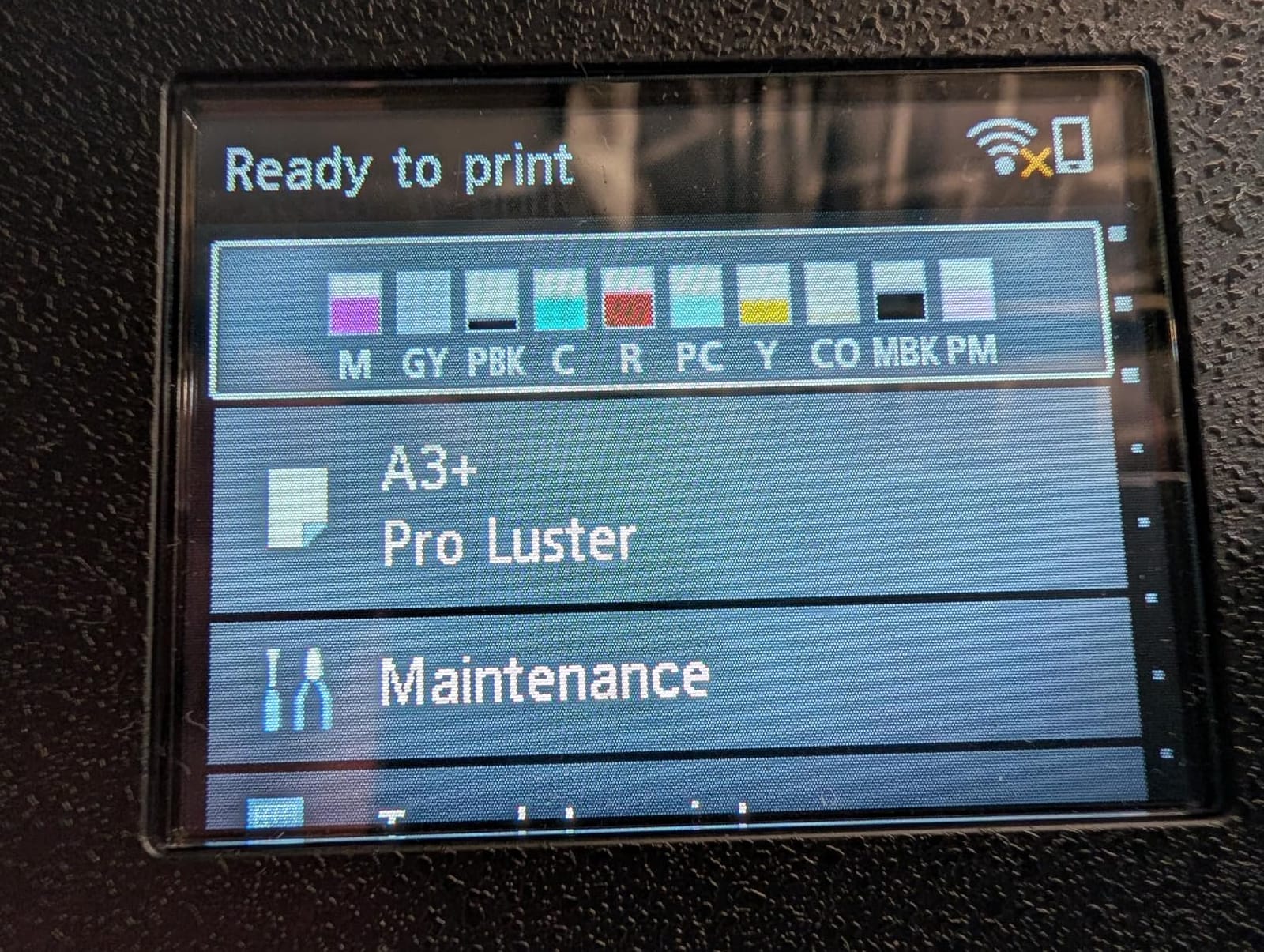
The P700 is the printer we recommend when someone has already decided pigment is non-negotiable and wants the best 13-inch option from Epson. Ten UltraChrome PRO10 pigment inks including violet give a wider gamut than eight-dye machines, and the dedicated matte black and photo black nozzles mean no purge cycle between media types.
That no-switch design has a practical payoff that artists notice immediately. Print a glossy sheet and then a matte rag sheet without watching the machine spend two minutes flushing black ink down the waste absorber. Owners who switched from a switching model describe the difference as the thing they notice most.
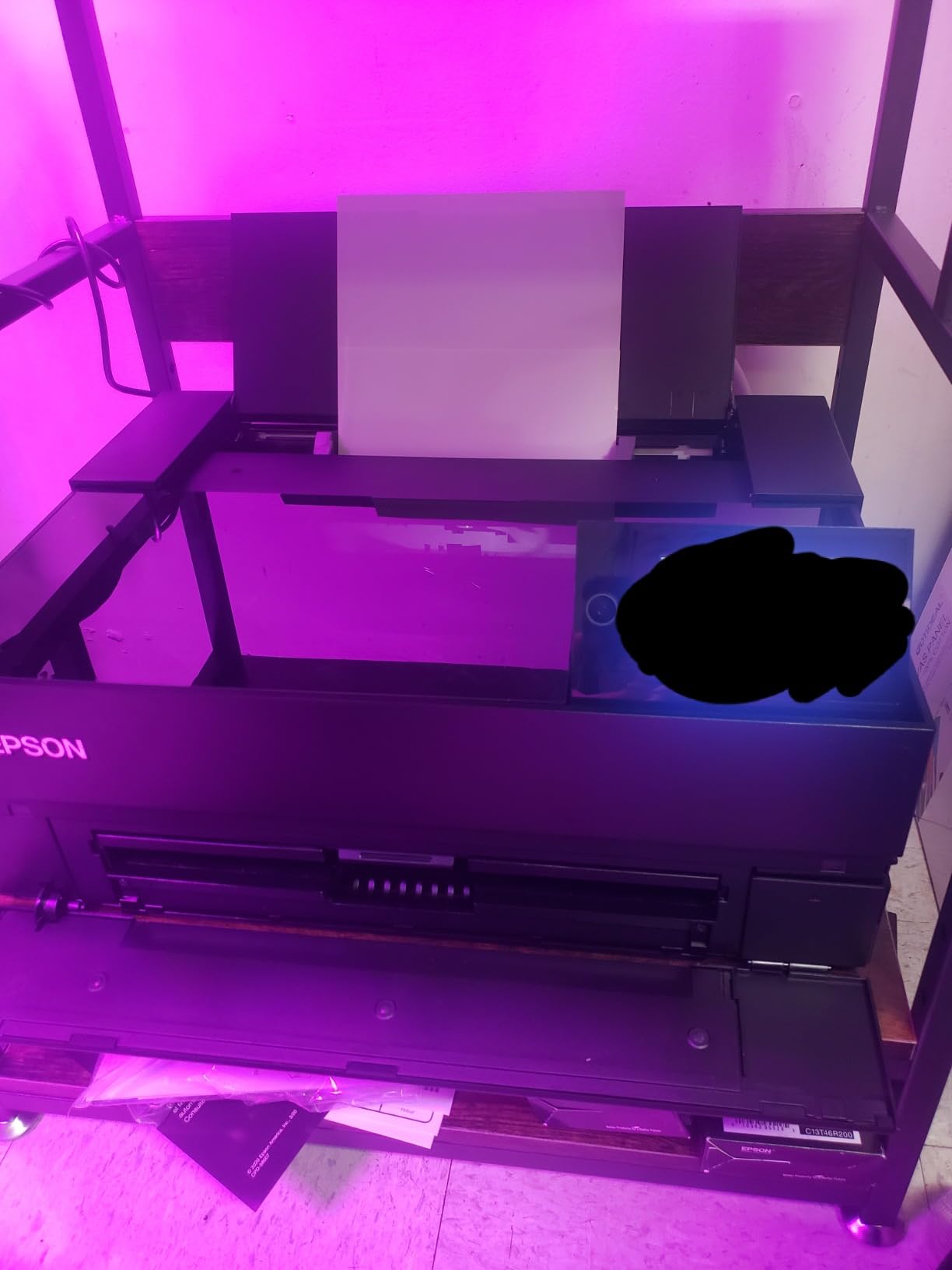
Paper handling is genuinely capable here. Rolls and sheets up to 1.5 mm thick go through, which covers heavier cotton rag and most canvas formats. The 10-channel MicroPiezo AMC head, Carbon Black Driver mode for deeper blacks on glossy stock, and a claimed permanence of up to 200 years in colour are all documented in the specifications.
The compromises are throughput and running cost. Roughly one page per minute makes this a printer for considered prints, not batches, and ten pigment cartridges at 13 x 19 is an expensive habit. Owners rate image quality very highly while rating ink cost as the reason they limit volume.
Where the P700 earns its place
It earns its place for fine art reproduction, especially mattes and fine art cotton rag where the matte black channel and violet ink both contribute visibly. The absence of black switching also makes mixed-media printing much more pleasant.
Exhibition and gallery photographers printing a limited edition number of larger sheets will find 13 x 19 a sensible ceiling. The touchscreen and interior LED make checking a print before committing paper a quick job.
Where the P700 disappoints
It disappoints anyone who tries to run a production schedule through it. One page per minute plus a compact chassis with minimal paper capacity means you are reloading and waiting constantly, and the ink cost per 13 x 19 sheet compounds that.
It also disappoints buyers hoping for open ink choice. The printer is designed for exclusive use with Epson cartridges, which locks your colour results to a supply chain you do not control.
5. Canon imagePROGRAF PRO-310 — Best 13-Inch Printer for Gloss and Black Density
Canon imagePROGRAF PRO-310 Professional 13″ Wireless Inkjet Photo Printer, 3″ Color LCD, 9 Color Pigment Ink, Black
9-color LUCIA PRO II pigment plus Chroma Optimizer
Dedicated matte black channel
Anti-clogging system and skew correction
3.0-inch color LCD
Pros
- Chroma Optimizer delivers even gloss uniformity across large sheets
- Matte black expands dark area reproduction on fine art paper
- Anti-clogging and skew correction reduce maintenance interruptions
- Print only chassis keeps the ink path dedicated to output
Cons
- 1200 x 1200 dpi trails 2400 x 1200 alternatives on fine detail
- Nine pigment cartridges are costly to keep fed at 13 x 19
- Print only with no scanner or copier
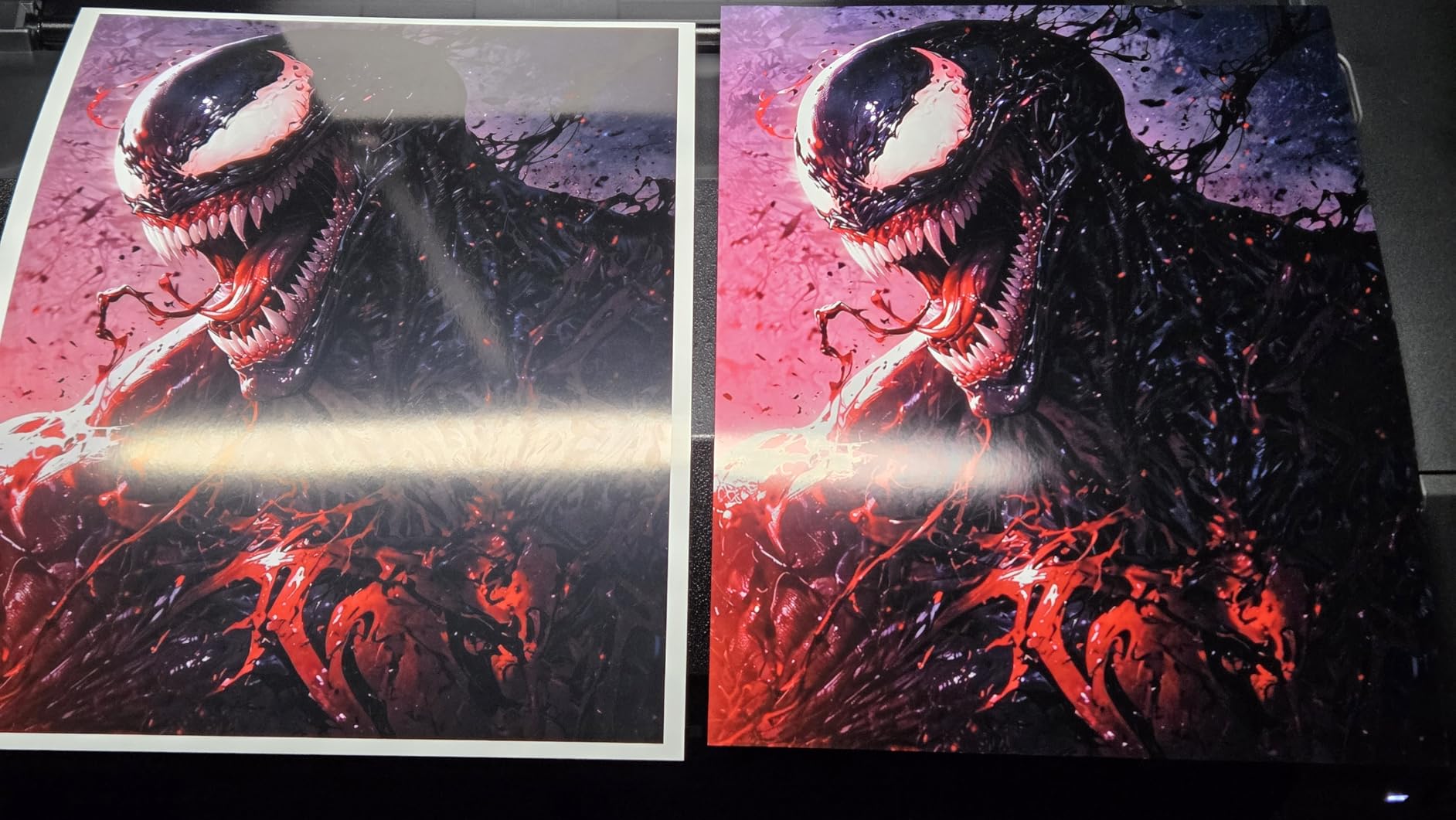
The PRO-310 is the 13-inch machine to beat on gloss uniformity and black density, and both come down to specific chemistry rather than marketing. Nine LUCIA PRO II pigment inks plus Chroma Optimizer produce even surface gloss across large areas, and the dedicated matte black ink extends the dark range on matte fine art papers.
The Anti-Clogging System is the other thing that matters in practice. Canon’s skew correction and clog mitigation are repeatedly credited in owner reviews with dependable operation, which is exactly the concern that print-selling artists raise about pigment machines they use intermittently.
The trade-off is resolution. The listed maximum of 1200 x 1200 dpi sits below the 2400 x 1200 dpi of several machines in this roundup, and at extreme magnification the difference can show on very fine detail. In normal viewing distance it rarely will, which is why reviewers treat it as a resolution-versus-gloss trade rather than a quality verdict.
Running cost is the other half. Nine pigment cartridges filled at 13 x 19 is a monthly commitment, and there is no scanner or copier, so you would need separate hardware if originals need digitising.
Why choose the PRO-310
It suits photographers printing large colour and monochrome images where tonal depth matters more than dot-level detail. The matte black channel shows most in deep shadow areas, which is precisely where portrait and low-key work live.
Anyone printing on semi-gloss or gloss photo papers for framed wall art also benefits from the Chroma Optimizer, which reduces the uneven sheen that gives large prints away under directional light.
Why not choose the PRO-310
Skip it if your work is extremely detailed line illustration or high-frequency texture where the 1200 x 1200 dpi ceiling could show. The Epson SureColor P700 is the better match for that.
Skip it if your business depends on a pigment black channel for matte and photo black switching. This machine has matte black but not photo black, so glossy work runs without a dedicated photo black ink.
6. Canon imagePROGRAF PRO-1100 — Best 17-Inch Printer for Gallery Work
Canon imagePROGRAF PRO-1100: 17” Professional Wireless Inkjet Photo Printer
17 x 22 inch maximum sheet size
11 pigment inks plus Chroma Optimizer
Air feeding system prevents paper skew
250-sheet paper capacity
Pros
- Eleven pigment inks plus Chroma Optimizer give broad gamut and anti-bronzing
- 2400 x 1200 dpi resolves fine art detail at A2
- Air feeding keeps long heavy sheets aligned
- Colour calibration and media configuration tools included
- Twelve starter ink tanks in the box
Cons
- High purchase price and costly PGI-4100 tank refills
- Eighty-three pound chassis needs a sturdy dedicated stand
- Print only with no scanner or copier
The PRO-1100 is the first machine in this roundup that answers exhibition framing sizes without compromise. It prints up to 17 x 22 inches, accepts A2 sheets, and takes media from 4 x 6 through to 17 x 25 inches. If you sell prints at standard gallery sizes, this is the format that matches the frames buyers actually use.
Eleven pigment inks plus Chroma Optimizer is a substantial ink set, and the Chroma Optimizer specifically targets anti-bronzing and gloss uniformity in dark areas. Built-in Color Calibration and Media Configuration tools let you set the printer up for a new paper profile rather than fighting the driver.
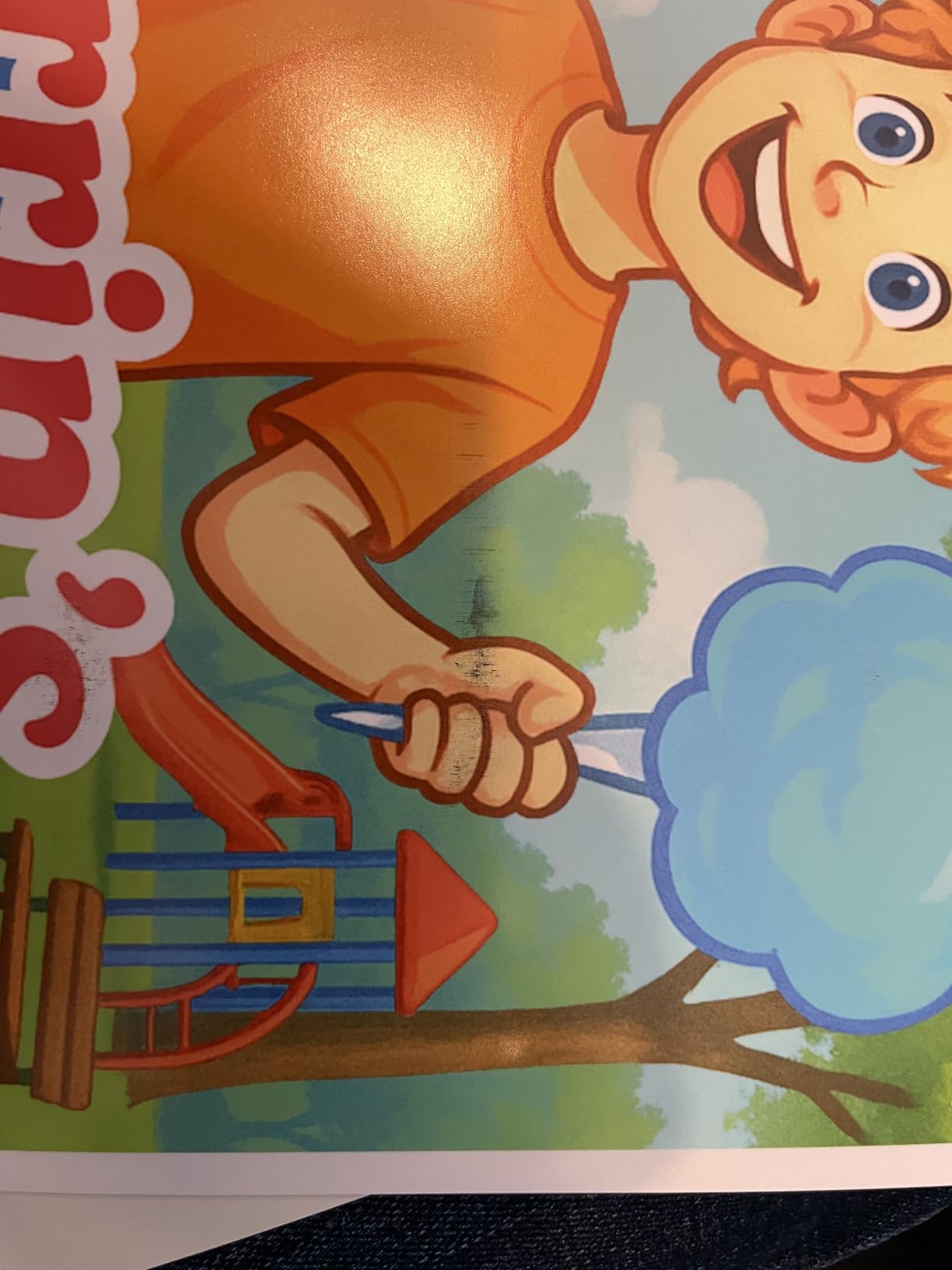
The air feeding system is an underappreciated feature. Long, heavy sheets at 17 x 22 inches skew easily on any path-fed machine, and skewed paper means misaligned ink placement. Canon’s approach is aimed squarely at that problem and is one of the reasons owner reviews focus on reliability rather than quality complaints.
The L-COA Pro image processing engine handles large image data, and the software works standalone or as a plug-in to Digital Photo Professional. The practical downside is physical: 83 pounds means a dedicated stand, and the 250-sheet capacity is a genuine convenience rather than a luxury.
Who the PRO-1100 is for
It is for artists and photographers whose work is framed at A2 or 17 x 22 inches, either for gallery shows or for wall art sales. The size alone eliminates the tiling compromises you get on a 13-inch machine.
Studios producing a consistent run of editioned prints also benefit from the 250-sheet tray and the calibration workflow, which reduce the per-job overhead of medium-sized batches.
Who should not buy the PRO-1100
Do not buy it if your largest intended print is 13 x 19 inches. You would be paying for width you cannot use, plus a heavier machine and a stand, in exchange for nothing visible on the output.
Also consider carefully if your budget is tight. The PGI-4100 tanks are costly to keep fed and eighty-three pounds is a real commitment for a home studio, even though the one-year warranty is standard.
7. Canon PRO 2100 — Best 24-Inch Fine Art Printer Without Tiling
CANON PRO 2100 24 WIDE, FORMAT FINE ART PRINTER
24 x 59 inch maximum output
12 ink channels including red, blue and Chroma Optimizer
48 bpp color at 2400 x 1200 dpi
Roll system RU-23 with rotary cutter
Pros
- Twelve ink channels with red and blue give exceptional color accuracy
- Rich deep blacks reported by professional photographers
- Prints directly from Photoshop with no RIP required
- Reseller provides on-site setup and service backed by Canon
Cons
- Very high purchase price for a home or small studio
- Ink refills are expensive though they last many prints
- Only small starter cartridges included
- Layout software has a learning curve
- Large 35 x 49 x 33 inch footprint
The Canon PRO 2100 is the machine for anyone who needs a genuine large art print rather than a tiled approximation. It prints up to 24 x 59 inches, and the twelve ink channels include red and blue alongside the Chroma Optimizer, which is why owner reviews describe colour accuracy as something they did not have to correct.
It is also the best-rated machine in this roundup, with an 89 percent five-star share and no one-star reviews recorded across 34 reviews. The sample size is small, and the feedback comes overwhelmingly from professional photographers and small studios, which tells you exactly what it is and is not for.
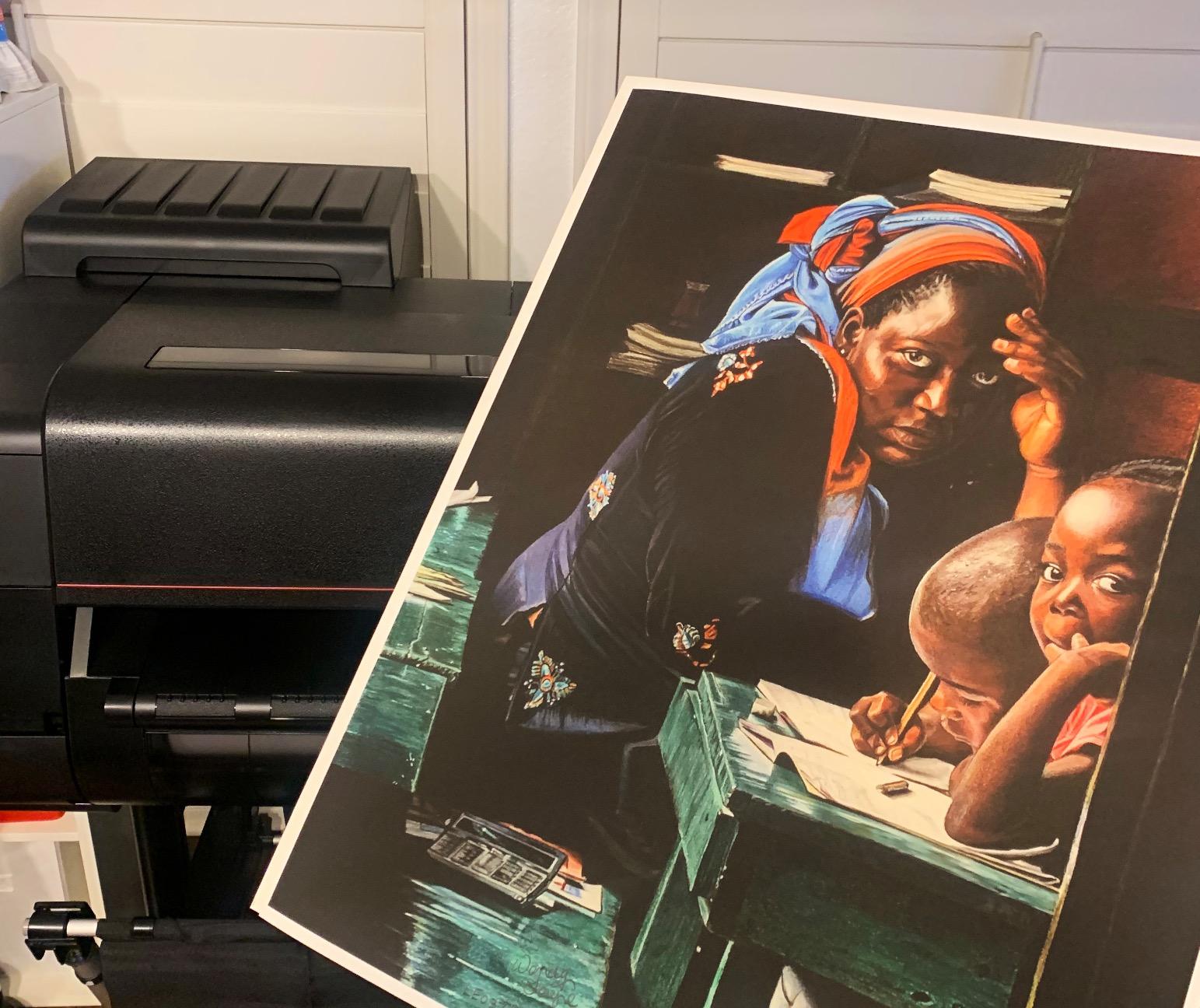
The roll handling is straightforward for a machine this size. The Multifunction Roll System RU-23 with rotary cutter takes both roll and sheet media, and the roll loading mechanism is described by owners as improved and effortless rather than fiddly. It prints straight from Photoshop or other applications without needing a separate RIP.
Every caveat is financial or spatial. This is a high-capital purchase, the ink is expensive even though it lasts many prints, and only small starter cartridges come in the box. At 35 x 49 x 33 inches it needs a real corner of a room, not a desk.
Where the PRO 2100 makes sense
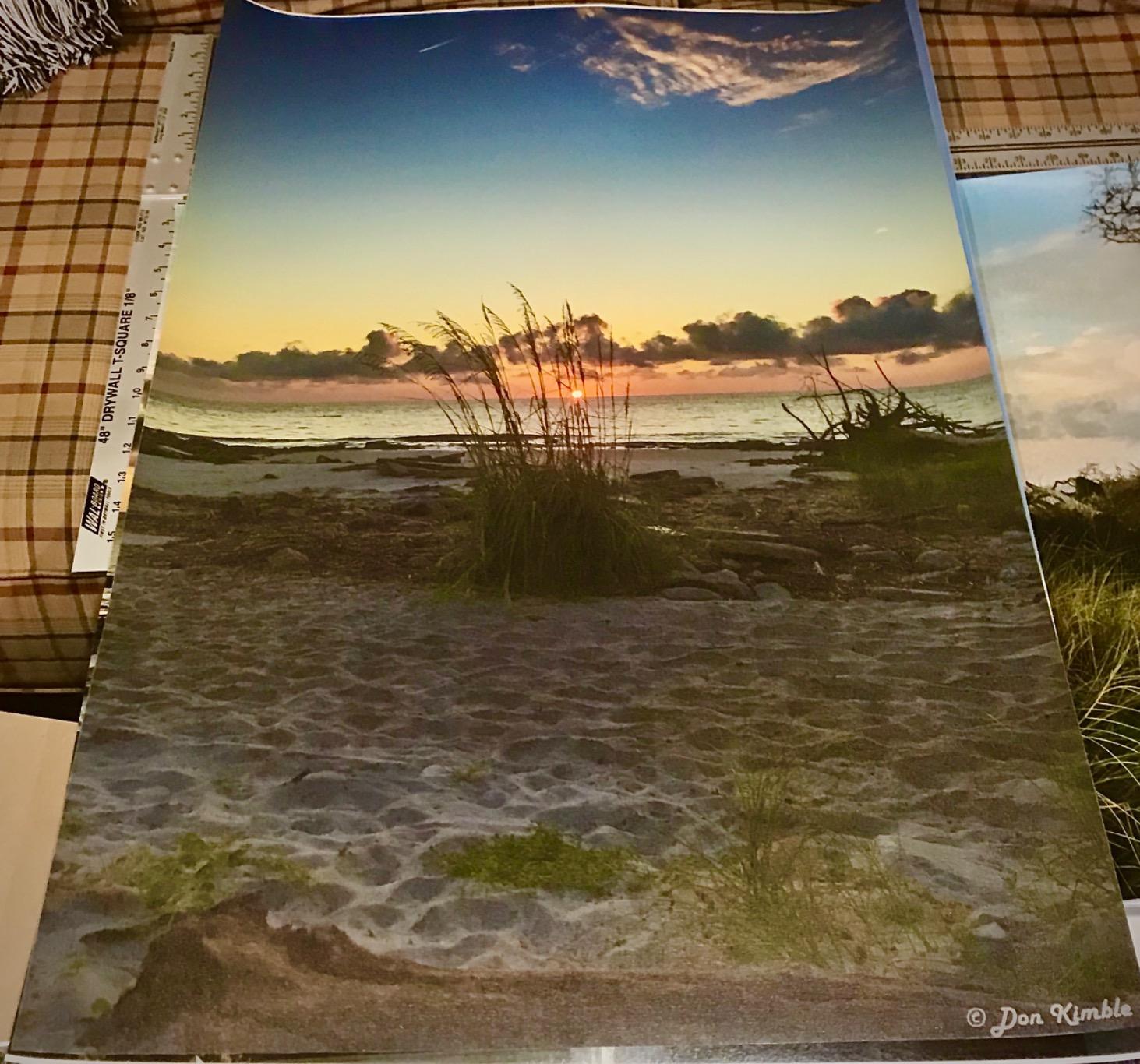
It makes sense for photographers and studios where a 24-inch print is the product. Whether that is large-format wall art, exhibition banners, or artwork that simply must be one continuous piece without seams, this is the machine that removes the tiling conversation.
It also suits anyone who has stopped fighting colour. Red and blue ink channels extend well past the CMYK gamut, and the Chroma Optimizer keeps those extra colours from looking plasticky by controlling gloss uniformity.
Where it does not
It does not suit occasional printers. The capital outlay, the refill cost and the physical footprint together make this a commitment, not a purchase. If you print a few sheets a month, a 17-inch machine delivers nearly the same result at a fraction of the burden.
It also does not suit buyers who want a plug-and-play experience. The layout software has a learning curve, and this listing is sold by a Canon Platinum Reseller who provides on-site setup and service, which is worth having but reflects the machine’s complexity.
8. HP DesignJet T210 — Best 24-Inch Printer for Posters, Plans and Sewing Patterns
HP DesignJet T210 Large Format 24-inch Plotter Printer, for Easy CAD & Poster Prints (8AG32D)
Up to 24-inch roll media width
2400 x 1200 dpi for sharp line work
Roll feed with automatic horizontal cutter
Four-ink HP 712 CMYK cartridge set
Pros
- 24-inch roll covers posters
- maps
- blueprints and sewing patterns
- Sharp line quality and crisp small text at 2400 x 1200 dpi
- Automatic cutter and multi-size switching reduce media handling
- Wi-Fi
- HP Smart app and AirPrint for remote submission
- Uses 95 percent less maintenance ink than competing plotters
Cons
- Four-ink CMYK set is unsuitable for photographic or fine art color
- Locked to HP 712 OEM cartridges with no third-party override
- 24-inch roll loading can refuse to load straight for some users
- Paper jams trigger repeated feed attempts that waste media
We include the DesignJet T210 for a reason that is easy to misread: it is a superb 24-inch machine that is absolutely not an art printer. Four CMYK inks with no grey, no photo inks and no eighth or ninth colour produce sharp technical output and dull photographs, and any fine art buyer should skip it.
What it does exceptionally well is line work and size. At 2400 x 1200 dpi, text on a technical drawing stays crisp, and the roll feed plus automatic horizontal cutter handle continuous media without manual trimming. It outputs an A1 or D sheet in about 45 seconds, roughly 59 prints an hour.
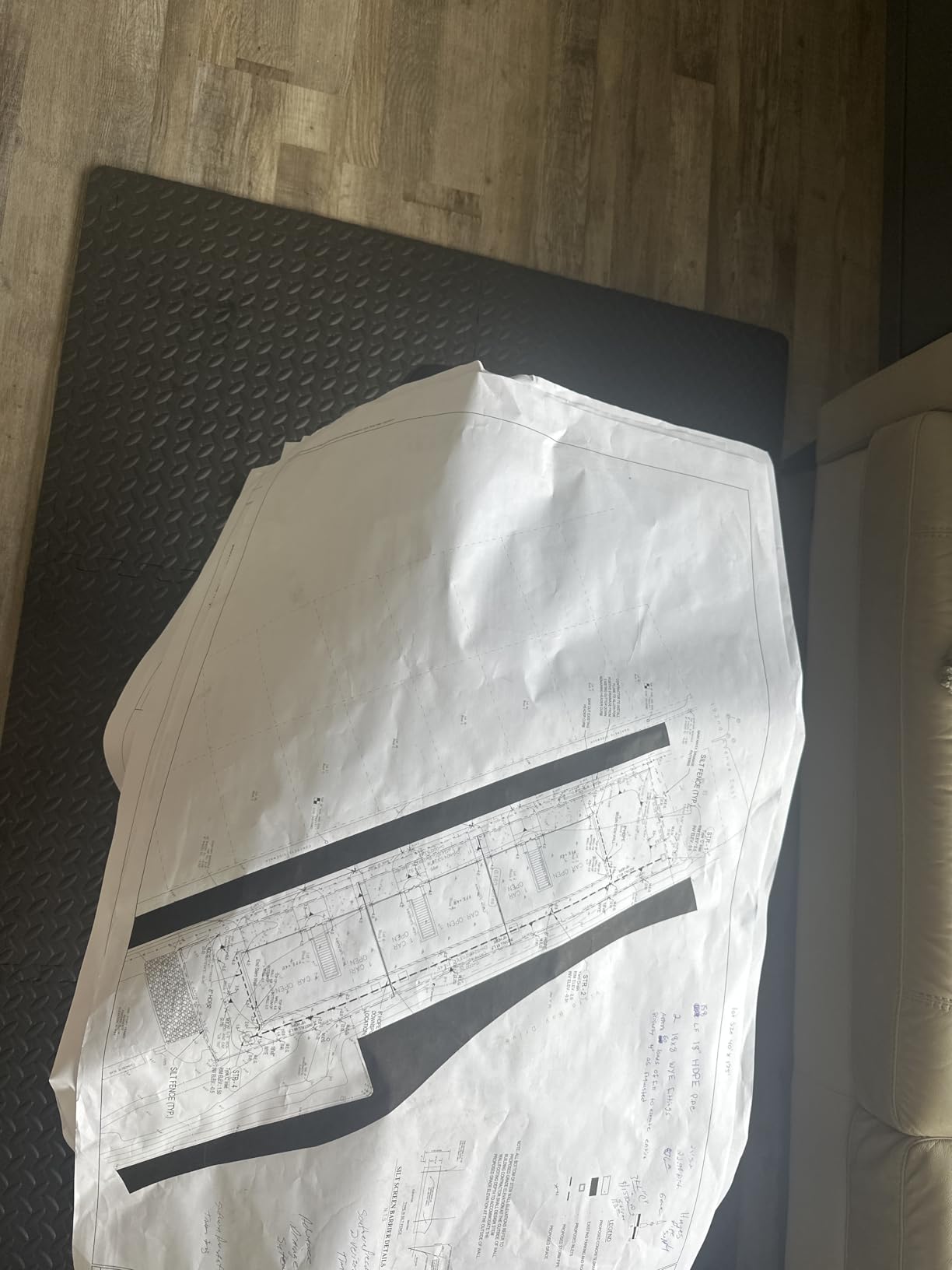
Owners in construction, in-house print shops and home design rate it highly, with a 78 percent five-star share. The 95 percent reduction in maintenance ink use compared with competing plotters is a genuine operational advantage when you run ink through a machine daily on drawings.
The two recurring problems are supply and loading. Only HP 712 OEM cartridges work, with no third-party override, and 24-inch roll loading frustrates a minority of owners who cannot get the media to feed straight. Jams can trigger repeated feed attempts that waste a good length of roll.
Who should actually buy the T210
Buy it if you make sewing patterns, maps, technical drawings, site plans or large posters. That is the job it was designed for and it does the job well for the money.
Small construction firms and studios that print CAD output regularly will appreciate the auto-nesting and PDF error checking in HP Click, plus Wi-Fi and AirPrint for submission from a phone or tablet.
Who should skip the T210
Skip it entirely for art prints. A four-ink CMYK set cannot produce the tonal range, gamut or gloss behaviour of any pigment fine art machine in this roundup, and no amount of ICC profiling fixes a three-colour-per-dot set.
Skip it if you want to avoid supply lock-in. The OEM cartridge requirement is absolute, and cartridge availability outside major retailers is the most common complaint in reviews.
9. Canon PIXMA PRO-100 — Best 13-Inch Printer for Black and White Art
Canon PIXMA PRO-100 Professional Photo Printer
8 dye inks including 3 dedicated grayscale inks
4800 x 2400 dpi with FINE technology
Built-in photo flatbed scanner
Individual CLI-42 ink tanks
Pros
- Three dedicated grayscale inks give an excellent monochrome tonal range
- 4800 x 2400 dpi resolves fine detail in photographic and art prints
- Individual tanks mean you replace only the colour that runs out
- Built-in scanner adds copy and scan utility
- Two trays load photo and plain paper simultaneously
Cons
- Dye inks fade faster and are not water resistant compared with pigment models
- Slow at roughly 1 page per minute
- Older design lacks the Chroma Optimizer found in current models
- Manual duplex only
The PRO-100 is an older machine and we treat it as such, but it holds one advantage that nothing else on this list matches: three dedicated grayscale inks. Black, grey and light grey give monochrome printing a tonal range that a mixed-ink approach cannot reach, and owners who come to it for black and white art say so consistently.
The Optimum Image Generating System chooses the optimal ink combination and placement for each area of the image, and at 4800 x 2400 dpi the detail resolution is the highest of any 13-inch machine here. Individual CLI-42 tanks are a quiet win, since you replace only the colour that has run out.
The scanner is worth mentioning because it is unusual at this size. The built-in photo flatbed lets you scan and copy rather than owning a separate device, and two trays mean photo paper and plain paper can be loaded at once. That is genuinely convenient for a working studio.
The limits are dye chemistry and age. The inks fade faster than pigment and are not water resistant, there is no Chroma Optimizer, and at one page per minute it is not a production machine. Reviewers treat it as a capable but aging 13-inch printer where monochrome quality matters most.
Where the PRO-100 still wins
It wins for black and white art printing on 13 x 19 sheets where you want maximum tonal separation and are comfortable managing dye ink yourself. Few current machines devote three channels to grey.
It also wins as an all-in-one, because the integrated scanner and dual trays remove a separate device from a small studio and let you scan as well as print at large format.
Where it falls behind
It falls behind on longevity. Dye black on fine art paper is the first thing that degrades, and an artist planning to sell editioned monochrome prints should not start here in 2026 without understanding the tradeoff.
It also falls behind on speed and media handling, with one page per minute, manual duplex only, and no modern anti-clogging or skew systems to help an intermittent user.
10. Canon imagePROGRAF PRO-4100 — Best 44-Inch Printer for Exhibition Scale
Canon imagePROGRAF PRO-4100 11-Color 44″ Large Format Inkjet Printer
44-inch wide pigment output
2400 x 1200 dpi with 12-channel print head
Integrated Color Density Sensor for auto calibration
Ink tanks in 160 mL, 330 mL and 700 mL sizes
Pros
- 44-inch width enables single-piece large format work without tiling
- 12-channel head with 18432 nozzles delivers exceptional detail
- Integrated Color Density Sensor handles automatic calibration
- Tank capacities up to 700 mL cut refill frequency on long runs
- L-COA Pro engine speeds up large format processing
Cons
- Very high purchase price
- Enormous 345-pound chassis requiring dedicated floor space
- Pigment refill cost is high for continuous large format runs
- Not a photographic laboratory workflow
The PRO-4100 is the largest machine here and exists for a narrow but legitimate purpose: producing genuine exhibition-scale work in a single pass. At 44 inches wide it stops tiling entirely, and studios producing banners, wall installations and large fine art pieces use it precisely for that reason.
The specification list is impressive in the ways that matter at this size. A 12-channel integrated print head that is 1.28 inches wide with 18,432 nozzles, an integrated Color Density Sensor that calibrates automatically, and the L-COA Pro engine for handling large image data volumes. Ink tanks come in 160 mL, 330 mL and 700 mL, and the larger sizes exist for a reason.
Owner feedback comes from studios and exhibition print operations rather than home users, and it is broadly positive with a 79 percent five-star share. Reviewers highlight exceptional detail, consistent colour from the automatic calibration sensor, and the 700 mL option for long runs that would otherwise mean constant refilling.
There are 30 reviews in total, so the picture is honest but thin. The critical note is not a complaint about quality. It is a reminder that this is production equipment: at 345 pounds and 41.75 x 68.5 x 36.25 inches, it needs dedicated floor space and a plan for the room around it.
Who the PRO-4100 serves
It serves studios and exhibition print operations that produce large continuous pieces. Wall art, installation pieces and event graphics at 44 inches need no tiling, no seam work and no compromise in colour continuity across the sheet.
Operations with a consistent throughput also benefit from the automatic calibration and the large tank sizes. Fewer manual colour interventions across a long run means more consistent output from first sheet to last.
Who should not consider it
Do not consider it unless large format is core to your business. At this size the ink refill cost on continuous runs and the space requirement make it a poor fit for anyone printing occasional pieces.
Do not consider it for a photographic laboratory workflow. It is built for exhibition and signage production at scale, which is a different job from producing colour-accurate prints one at a time on fine art paper.
Pigment vs Dye Ink: The Decision That Outlasts Every Other Spec
Pigment ink suspends colour particles in a resin binder that sits on the paper surface. Dye ink dissolves colour into the liquid and absorbs into the coating. That single structural difference is why pigment prints resist light, water and humidity while dye prints remain glossier and more colour-luminous right out of the box, and fade faster.
For colour photography printed for immediate display or sale at lower price points, dye ink is genuinely fine. The EcoTank ET-8550 and the Canon PIXMA PRO-200S both produce bright, attractive colour prints, and the speed difference matters when volume is the goal. Both carry a heavy one-star or mid-rating share, but the complaints are about paper handling and cartridge cost rather than image quality.
For anything intended to be kept, the answer changes. Dye ink in these machines is not archival in the sense print sellers need, and water resistance is limited enough that a single droplet can mark a finished print. Every pigment machine in this roundup uses either Epson UltraChrome PRO10 or Canon LUCIA PRO II, both of which are designed for permanence rather than vibrancy alone.
One refinement matters specifically for black and white artists: matte black versus photo black. Matte black delivers deep, neutral blacks on cotton rag, while photo black delivers dense, glossy blacks on luster and gloss papers. Machines with both channels, such as the Epson SureColor P700, avoid the purge cycle that switching costs, which is both a time and an ink waste issue.
13-Inch vs 17-Inch vs 24-Inch: Which Size Do You Need?
Thirteen inches is the right answer for most people. It covers 13 x 19 inch and A3 sheets, which is the format most print-on-demand services and standard frames use, and it keeps paper costs and ink costs manageable. Our wide format printer comparison covers how these sizes behave outside art printing too.
Seventeen inches covers A2 and 17 x 22 inch, which is the classic gallery format. It only pays off when exhibition or standard gallery framing is central to what you sell, because the paper is larger, the machine is heavier, and the ink costs rise with every sheet.
Twenty-four inches and beyond is for continuous work. If your pieces are banners, wall installations or very large single works, a 24-inch or 44-inch machine removes tiling entirely. If your largest print is a portrait, this is spending on a capability you will not use.
Paper Types That Actually Work, Canvas Included
Cotton rag is the default for fine art: matte, substantial, archival rated, and the reason matte black exists. It shows dot structure and paper texture more than gloss media, which is a feature for pigment work because the grain breaks up any visible pattern.
Baryta and glossy photo papers give density and contrast that cotton rag cannot reach, but they reveal every sign of over-inking and show fingerprints. They need a photo black channel and careful ink limiting, and they are unforgiving of heads that need cleaning.
Lustre sits between the two and is the most forgiving of the three. It is the paper most first-time fine art buyers should buy, because it rewards decent pigment output without demanding a professional workflow to avoid hotspots.
Canvas deserves its own note because no major art-print roundup covers it. Wide format printers handle canvas through the rear manual feed, usually with a carrier sheet or with canvas cut slightly under size so it clears the platen. The Epson SureColor P700 is documented to handle media up to 1.5 mm, which covers standard stretched and gallery wrap canvas. The risk is not the print quality but the feed: thick canvas on a short path skews, and canvas that touches the printhead will be ruined.
For monitor-dependent work, remember that screen brightness changes the perceived brightness of any print. Our guide to budget ultra wide monitors covers display calibration, which is the first half of matching a print to what you see.
Can a Home Printer Make 24×36 Inch Art Prints?
No desktop wide format printer makes a true 24 x 36 inch print. Every 13-inch and 17-inch machine in this roundup tops out at 13 x 19 or 17 x 22 inches, so a 24 x 36 print requires either a 24-inch or wider machine, or tiling across multiple sheets.
If you need 24 x 36 in one piece, your real options are a 24-inch fine art machine such as the Canon PRO 2100, a 44-inch machine such as the imagePROGRAF PRO-4100, or a roll-capable plotter. All three print continuous media, which is the point.
If you tile instead, you are accepting four panels at 17 x 22 inches, or a larger number at 13 x 19. Tiling produces visible seams, doubles your paper and ink cost, and requires overlapping profiles to avoid a visible grid. It is workable for a single piece you own and dislike.
For anything you intend to sell, a 24-inch machine is the correct answer rather than a compromise. The two entry points into that format in this roundup are the Canon PRO 2100 for fine art colour and the HP DesignJet T210 for technical and poster output.
A Six-Step Colour Management Workflow
Every good art print comes out of a workflow, not a printer driver default. Six steps separate a print that matches your screen from one that does not, and they work the same whether you own a 13-inch machine or a 44-inch one.
Calibrate your monitor to a known target such as D65 at 120 cd/m2 for print work. An uncalibrated monitor invalidates everything after it.
Work in a defined colour space, usually Adobe RGB for photography and illustration. sRGB clips colours you want in a print.
Load the ICC profile for the exact paper in the driver or RIP. Hahnemuhle, Canson, Somerset, Epson Velvet and Canson Baryta all publish their own profiles.
Soft proof in Photoshop with the same profile and a calibrated second display. Soft proofing shows you what the printer cannot reproduce.
Print a test strip rather than a full sheet. A narrow strip at different exposures takes seconds and tells you what the whole sheet will do.
Evaluate under the intended light, not under your desk lamp. A print that looks flat in a bright room often looks correct in a gallery.
Skip any step and the results get worse in a predictable order. Skipping monitor calibration makes everything downstream meaningless. Skipping the paper profile makes the driver guess. Skipping the test strip means finding out about a bad colour cast after the ink has already been laid down.
Ink Running Cost, Clogging and Irregular Use
Ink cost is the number that decides whether home printing is viable for you. A pigment 13 x 19 print on a nine or ten ink machine uses most of every cartridge, so the cost per finished sheet is high. A dye tank machine at the same size costs a fraction of that. Print sellers with volume need to know their real number before they commit.
Include the hidden costs that most comparisons ignore: maintenance cycles, test strips that do not sell, and sheets ruined by a feed error. A printer that fails one thick rag sheet in five is not saving money at any ink price.
Clogging is a real risk for irregular users, and it is the single most common complaint from artists who print in bursts rather than daily. The mitigations are unglamorous and effective: run the manufacturer’s maintenance cycle on a schedule, print a test pattern every few weeks to keep nozzles moving, and accept that some ink is spent keeping heads clean.
Some machines help more than others. The Canon imagePROGRAF PRO-310 has a documented Anti-Clogging System, and the PRO-1100 uses anti-clogging FINE printhead technology. The Epson P700 and PRO-310 class machines handle this differently, and owner reports generally describe the Canon machines as dependable and the Epson machines as frugal with maintenance ink. Neither brand is universally safe, and your printing rhythm matters more than the badge.
How to Choose a Wide Format Printer for Art Prints
Start with the largest print you actually intend to make, because that decision eliminates most of the field immediately. Then decide pigment or dye, honestly, based on whether the work will be kept.
Check the paper feed path before anything else. This is what buyers regret most. Confirm the maximum sheet thickness the printer accepts, whether your preferred cotton rag or canvas needs the rear manual feed, whether that feed is single-sided or double-sided, and whether borderless printing still works at that thickness.
Check ICC profile support for the papers you actually buy. A machine is only as good as the profiles available for the media you use, and this is where lesser-known paper brands quietly fall short.
Then model the running cost honestly. Ink, paper, maintenance waste, test strips and failed sheets all count. If the cost per sellable print exceeds what a local lab charges, and you are printing low volumes, the arithmetic says outsource. Our existing wide format printer roundup covers the non-art side of the same decision if you also print plans or signage.
Frequently Asked Questions
What kind of printer is best for art prints?
A pigment-ink wide format inkjet at 13 inches wide or more, paired with archival cotton rag or baryta paper and a colour-managed ICC profile. The Epson SureColor P700 and Canon imagePROGRAF PRO-310 cover 13 x 19 inches, while the Canon imagePROGRAF PRO-1100 covers 17 x 22 inches for gallery framing.
Can a home printer make a 24×36 inch art print?
No. No 13-inch or 17-inch desktop wide format printer produces a true 24 x 36 inch print. You need a 24-inch or wider machine, such as the Canon PRO 2100 at up to 24 x 59 inches or the imagePROGRAF PRO-4100 at 44 inches, or you tile the print across several sheets and accept visible seams.
Is the Epson SureColor P900 good for printing photos?
The Epson SureColor P900 is a strong 17-inch pigment photo printer with dedicated matte black and photo black channels plus Advanced Black and White mode, and it is among the highest-rated choices in this category. Its weaknesses are the purchase cost and the fact that it is excessive if you only print small sheets.
Is Canon a better printer than Epson for art prints?
Neither wins outright. Canon imagePROGRAF machines are frequently described as slightly more colour accurate and more solidly built, and Canon anti-clogging systems help intermittent users. Epson edges ahead on colour gamut, roll paper support, display quality and ink efficiency. Decide on paper support and workflow instead of brand.
Should I outsource my art prints or buy my own printer?
Outsource if you print low volumes, especially small sizes, because a pro lab can often beat your home cost per sheet once you add paper, maintenance waste, test strips and failed feeds. Buy when you print regularly at 13 x 19 or larger, when colour and paper control matter to your brand, or when your edition sizes make per-print cost fall in your favour.
Will an inkjet printer clog if I only use it occasionally?
Yes, the risk is real for irregular use, because ink sitting in the head can thicken or dry. Print a test pattern every few weeks, run the manufacturer’s maintenance cycle on a schedule, and expect some ink to be consumed keeping nozzles clean. Machines with documented anti-clogging systems are the safer choice for occasional users.
Conclusion: The One to Buy
If you buy only one of these, the Epson EcoTank Photo ET-8550 is our pick for 2026 because it combines the lowest running cost per print at 13 x 19 with the highest review count in the group and an integrated scanner. For work that must stay colour-fast, choose the Epson SureColor P700 for pigment quality or the Canon imagePROGRAF PRO-310 for gloss uniformity and black density. Go up to the Canon imagePROGRAF PRO-1100 when 17 x 22 inch framing matters, and above 24 inches there is no desktop substitute.
Whichever you pick, decide pigment or dye first and check the paper feed path second. Those two answers eliminate more bad purchases than any specification on the box.