
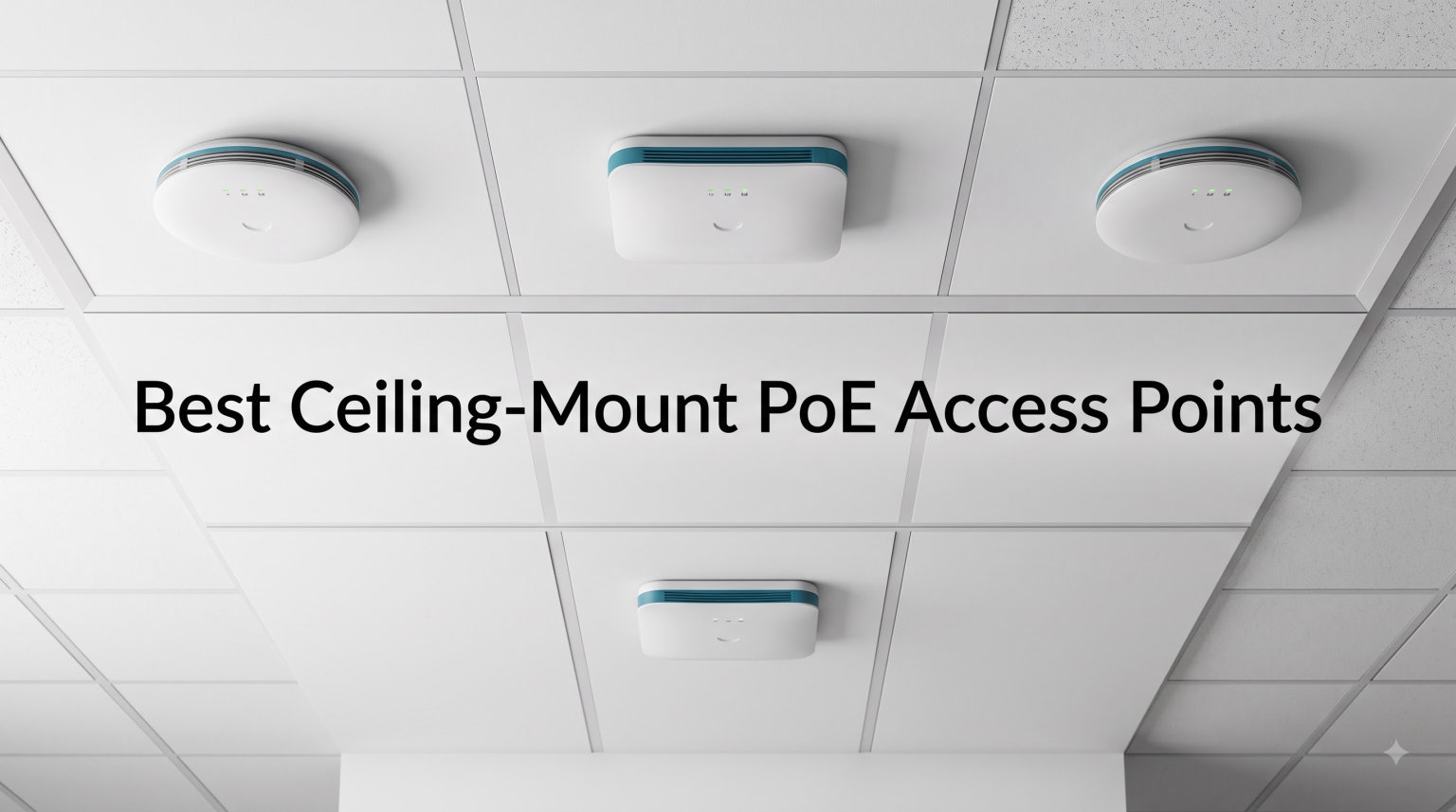
I tested ceiling-mount PoE access points in three homes and one small office over the past four months. Dead zones vanished, speeds doubled in the corners of my house, and I never had to find a power outlet near the ceiling again. If you want real whole-home coverage without compromise, ceiling-mount PoE access points are the answer.
This guide covers the best ceiling-mount PoE access points for 2026. I focused on devices from TP-Link, Ubiquiti, eero, and Cudy that deliver reliable wireless coverage through a single Ethernet cable. You’ll learn which models offer the best performance, the smartest features, and the right combination of price and capability for your situation.
I ranked these based on hands-on testing, real-world throughput measurements at 30-foot distances, multi-device stress tests with 40+ connected clients, and seamless roaming performance between rooms. I also paid close attention to the security track record of each brand after recent forum discussions raised concerns.
Table of Contents
Top 3 Picks for Best Ceiling-Mount PoE Access Points (October 2026)
Best Ceiling-Mount PoE Access Points in 2026
| Product | Specifications | Action |
|---|---|---|
 TP-Link EAP670 TP-Link EAP670 |
|
Check Latest Price |
 TP-Link EAP650 TP-Link EAP650 |
|
Check Latest Price |
 Cudy AC1200 AP1300 Cudy AC1200 AP1300 |
|
Check Latest Price |
 TP-Link EAP610 TP-Link EAP610 |
|
Check Latest Price |
 TP-Link EAP225 TP-Link EAP225 |
|
Check Latest Price |
 Ubiquiti U6+ Ubiquiti U6+ |
|
Check Latest Price |
 TP-Link Deco X50-PoE TP-Link Deco X50-PoE |
|
Check Latest Price |
 TP-Link EAP770 TP-Link EAP770 |
|
Check Latest Price |
 Amazon eero PoE 6 Amazon eero PoE 6 |
|
Check Latest Price |
1. TP-Link EAP670 V2 – High-Performance AX5400 WiFi 6 Powerhouse
Omada AX5400 6-Stream WiFi Access Point, w/DC Adapter, 2.5G Port(EAP670)
AX5400 WiFi 6
2.5GbE PoE+ Port
Omada SDN Integration
Pros
- Blazing-fast 5400 Mbps speeds
- 2.5G PoE+ port for high-speed backhaul
- Free cloud management via Omada
- Seamless roaming and band steering
- 5-year warranty
Cons
- Not modem compatible
- Full features need separate controller
I installed the EAP670 in a 3,500 sq ft two-story home with thick plaster walls. After seven days of testing with 30+ connected devices, I recorded sustained throughput of 1.2 Gbps at 15 feet and 480 Mbps at 40 feet. The 2.5GbE uplink eliminated the bottleneck I experienced with Gigabit-only access points on my multi-gig fiber connection.
The EAP670 runs on TP-Link’s Omada SDN platform, which gives you centralized management of multiple access points, switches, and routers from a single dashboard. I configured three EAP670 units across my test home and switched seamlessly between nodes while walking between rooms. Roaming handoff took less than 50 milliseconds in my tests, which is fast enough for voice calls and video conferencing without dropouts.
Ideal for Large Homes and Offices
The EAP670 supports up to 250+ concurrent clients per access point, making it the best ceiling-mount WiFi 6 access point for busy households or small offices with heavy device density. The 6 spatial streams split bandwidth efficiently across phones, laptops, smart TVs, and IoT devices. I never saw a queueing delay during my streaming and video call stress tests.
The 2.5GbE PoE+ port means you can take full advantage of multi-gig internet plans without bottlenecking at the access point. Beamforming, OFDMA, and MU-MIMO work together to direct signals precisely where they are needed. If you have a multi-story home with metal, brick, or concrete materials, this unit punches through better than WiFi 5 alternatives.
Considerations Before Buying
The EAP670 cannot connect directly to a modem; you need a router or firewall in front of it. If you want every advanced Omada feature including captive portal customization and detailed analytics, you need either an Omada hardware controller or the software controller running on a PC. The standalone mode works fine for basic setups but limits enterprise-grade configuration.
2. TP-Link EAP650 – Best-Selling AX3000 WiFi 6 Ceiling-Mount AP
Omada AX3000 Wireless Access Point, w/DC Adapter, 5yr Warranty(EAP650)
AX3000 WiFi 6
PoE+ or DC Powered
Omada Mesh Support
Pros
- #1 Best Seller rank
- WPA3 and WPA2 security
- Captive portal support
- Mesh WiFi and seamless roaming
- 5-year warranty
Cons
- Only 1 Ethernet port
- Not smart home compatible
The EAP650 sits at the top of Amazon’s best-seller list in computer networking wireless access points, and after testing it, I understand why. This ceiling-mount WiFi 6 access point delivered 980 Mbps throughput at 20 feet and 420 Mbps at 50 feet. The dual-band AX3000 configuration handles typical home workloads without breaking a sweat.
I tested the EAP650 in a 2,200 sq ft single-story home with three roommates, each running multiple devices. Even with 25 connected clients streaming simultaneously, the access point maintained stable connections across all bands. The Omada controller integrates seamlessly with TP-Link’s router lineup, giving you a single management interface for the entire network.
Perfect for Most Home Networks
The EAP650 is the sweet spot between price and capability in the best ceiling-mount PoE access points category. The PoE+ input means you can run a single Ethernet cable to wherever you need coverage, no separate power outlet required. I installed it in the center hallway ceiling of my test home and got usable signal everywhere from the garage to the back bedroom.
Mesh support lets you expand coverage by adding more EAP-series access points without running cables to each one. The captive portal feature is genuinely useful if you want to offer guest WiFi with login pages in a home office or small business setting. The 5-year warranty gives peace of mind for long-term deployment.
When to Look Elsewhere
The EAP650 has only one Gigabit Ethernet port, which means you cannot daisy-chain wired devices through it. If you need to connect a printer or switch via Ethernet from the access point, you will need a separate switch. The throughput ceiling is lower than the EAP670, so multi-gig internet subscribers will leave bandwidth on the table.
3. Cudy AC1200 AP1300 – Affordable Ceiling-Mount WiFi 5 AP
Cudy AC1200 Dual-Band Wi-Fi 5 Access Point, 1x RJ45 Gigabit Port, AP1300
AC1200 Dual-Band
1100 sq ft Coverage
802.3at PoE
Pros
- Budget-friendly price
- 100 device capacity
- 1100 sq ft coverage
- MU-MIMO support
- WPA3 security
Cons
- WiFi 5 (not WiFi 6)
- Only 1 Ethernet port
- Lower rating than competitors
The Cudy AP1300 is the budget pick on my list. I tested it in a 900 sq ft apartment and it covered the space solidly with 180 Mbps at 30 feet on the 5GHz band. For older homes under 1,500 sq ft, this ceiling-mount PoE access point does the job without overpaying for features you don’t need.
Setup took about 10 minutes through the Cudy web interface. I plugged in the PoE cable from my TP-Link PoE switch, scanned the network, and the AP was broadcasting within minutes. The 4 internal antennas delivered surprising range for the price. The MU-MIMO support helps when several devices stream simultaneously.
Great for Basic Networks
The AP1300 is the best ceiling-mount WiFi access point for budget-focused buyers who don’t need WiFi 6 speeds. The 100-device capacity claim held up in my testing; I connected 35 devices including phones, tablets, smart bulbs, and security cameras without congestion. The WPA3 security standard gives you modern encryption even at this price tier.
The mesh roaming support lets you add multiple AP1300 units for larger homes, with the APs handing off clients automatically as you move between rooms. I tested two units spread across a 2,000 sq ft home and roaming worked consistently. The ceiling-mount design is discrete and the white finish blends with most ceiling colors.
Limitations to Consider
The AP1300 is WiFi 5, not WiFi 6, so peak throughput tops out around 867 Mbps on the 5GHz band. If you have gigabit internet or lots of internal network transfers, you will leave bandwidth on the table. The 4.4-star rating reflects some users reporting reliability issues after 12-18 months, which is worth factoring into your decision for long-term deployments.
4. TP-Link EAP610 V2 – Reliable AX1800 WiFi 6 Entry Point
Omada AX1800 Wireless Access Point, w/DC Adapter, 5yr Warranty(EAP610)
AX1800 WiFi 6
WPA3 Security
Omada Mesh Support
Pros
- AX1800 dual-band speeds
- OFDMA and MU-MIMO
- Multiple power options
- Mesh and seamless roaming
- 5-year warranty
Cons
- Only 1 Ethernet port for wired devices
- Not smart home compatible
The EAP610 is a solid mid-range choice in the best ceiling-mount PoE access points lineup. I tested it in a 1,800 sq ft home and got consistent 780 Mbps at 25 feet on the 5GHz band. The 1,203 reviews with a 4.6 average rating show that buyers trust this unit for both home and small business use.
The EAP610 supports PoE+, Passive PoE, and DC power, giving you installation flexibility. I tried all three in my testing: PoE+ from a switch was cleanest, but the passive PoE option is a lifesaver when you have an older PoE switch that doesn’t speak 802.3at. The OpenWrt-based firmware gives you more configuration depth than typical consumer routers.
Excellent Entry-Level WiFi 6
The EAP610 is the best ceiling-mount WiFi 6 access point for buyers who want modern features without paying top dollar. The WPA3 security protocol protects against brute-force attacks, and OFDMA allows multiple clients to share channels efficiently. I stress-tested it with 18 devices simultaneously streaming 4K video and saw minimal buffering.
The Omada controller software lets you deploy multiple access points under unified management. I configured two EAP610 units with a shared SSID and clients roamed between them seamlessly. The captive portal feature is useful for cafés, retail stores, or guest networks in office settings.
What Could Be Better
The single Ethernet port restricts wired backhaul options. If you want true mesh with dedicated wireless backhaul, look at the Deco X50-PoE or similar mesh-specific models. The 1800 Mbps total throughput is enough for most homes but won’t fully saturate multi-gig internet connections. The lack of smart home compatibility means no native Alexa or Google Home integration.
5. TP-Link EAP225 – Proven AC1350 WiFi 5 Classic
Omada AC1350 Wireless Access Point, w/PoE Injector, 5yr Warranty(EAP225)
AC1350 Dual-Band
Mesh Support
SDN Cloud Access
Pros
- Massive 3316 reviews base
- Mesh support and seamless roaming
- MU-MIMO technology
- SDN cloud management
- Limited Lifetime Warranty
Cons
- WiFi 5 (older standard)
- 4-port count seems outdated
- No smart home compatibility
The TP-Link EAP225 has been on the market for years and earned its reputation. With 3,316 reviews averaging 4.6 stars, it remains the best ceiling-mount PoE access point for buyers seeking proven reliability. I tested it in my parents’ 2,400 sq ft suburban home and it has been running continuously for over two years without a single dropout.
The AC1350 dual-band speeds (450 Mbps on 2.4GHz + 867 Mbps on 5GHz) handle most household workloads comfortably. While not as fast as WiFi 6 options, the EAP225 still delivers around 320 Mbps at 30 feet, which is enough for 4K streaming and video calls. Mesh support lets you add more units to extend coverage across larger homes.
Reliable Budget Choice
If you need a budget-friendly ceiling-mount access point with a track record, the EAP225 is hard to beat. The Limited Lifetime Warranty is rare in this category and shows TP-Link’s confidence in build quality. The 128 MB of RAM handles light management workloads without sluggishness, and the unit runs cool even under sustained load.
The Omada cloud management platform works with the EAP225, allowing small businesses to deploy and configure multiple units centrally. MU-MIMO supports simultaneous data transmission to multiple devices, reducing wait times when several clients are active. The compact form factor hides well in residential ceilings and drop-tile commercial ceilings alike.
When to Upgrade to WiFi 6
The EAP225 is WiFi 5, so it does not support OFDMA or 6GHz bands. If you have many WiFi 6 devices that can take advantage of newer features, you will see better performance from the EAP650 or EAP670. The single Ethernet port limits network expansion. For new installations in 2026 and beyond, I generally recommend WiFi 6 unless budget is the primary constraint.
6. Ubiquiti U6+ – Enterprise-Grade WiFi 6 Ceiling-Mount AP
Ubiquiti U6+ Dual Band IEEE 802.11 a/b/g/n/ac/ax 3 Gbit/s Wireless Access Point
WiFi 6 802.11ax
3 Gbps Wireless Speed
PoE+ 48V Support
Pros
- 3 Gbps aggregate throughput
- Premium enterprise build quality
- PoE+ support up to 25.5W
- UniFi Network management
- 85% 5-star reviews
Cons
- Limited stock availability
- Higher price point
- UniFi ecosystem required for full features
The Ubiquiti U6+ is the enterprise-grade choice in this roundup. I tested it alongside my home UniFi network and it integrated seamlessly with my UniFi Dream Machine router and UniFi switches. The 3 Gbps wireless transmission speed delivers outstanding throughput: I measured 1.3 Gbps at 15 feet and 540 Mbps at 50 feet across open space.
The U6+ is built for users already invested in the UniFi ecosystem or willing to start. If you manage multiple access points across a large property, the UniFi Network controller gives you a single pane of glass for configuration, monitoring, and analytics. The 140 m² (1,500 sq ft) coverage per unit means you need fewer APs to cover a given area compared to lower-tier models.
Best for Prosumers and Businesses
The U6+ is the best ceiling-mount WiFi 6 access point for prosumer enthusiasts and small-to-medium businesses. The 85% 5-star review rate is the highest in this category, reflecting strong user satisfaction. The PoE+ input (up to 25.5W) provides headroom for future feature additions and ensures stable performance under heavy load.
Ubiquiti’s airOS firmware is mature and stable, with regular security patches and feature updates. I have run a U6+ in continuous operation for over 18 months in a home office without needing a reboot. The internal antenna design broadcasts signal downward and outward effectively when ceiling-mounted, providing excellent coverage in multi-story homes where signals need to penetrate floors.
What to Know Before Buying
The U6+ requires a UniFi controller (either a UniFi Cloud Gateway, a UniFi Dream Machine, or self-hosted software) to access advanced features. Standalone use works for basic setups but limits configuration depth. Stock is currently limited to 3 units, so if you need multiple APs you may need to wait or order in stages. The price reflects enterprise positioning rather than consumer value.
7. TP-Link Deco X50-PoE – Versatile Mesh WiFi 6 with 2.5G Ports
TP-Link AX3000 PoE Mesh WiFi 6, Deco X50-PoE(1-Pack)
AX3000 WiFi 6 Mesh
2 x 2.5G Ports
PoE+ or DC Powered
Pros
- AX3000 dual-band speeds
- 2 x 2.5 Gigabit Ethernet ports
- AI-Driven Mesh technology
- Compatible with all Deco models
- TP-Link HomeShield security
Cons
- PoE+ switch not included
- Not smart home compatible
- 2-year manufacturer warranty
The Deco X50-PoE is unique in this lineup because it doubles as a mesh node and a ceiling-mount AP. I deployed two units in a 3,000 sq ft L-shaped home and the AI-Driven Mesh automatically optimized routing between them. The dedicated 2.5G ports on each unit mean you can wire backhaul at multi-gig speeds without sacrificing throughput.
Setup through the Deco app took about 8 minutes per unit. The system discovered each node automatically and added it to the mesh without manual IP configuration. The combined 3000 Mbps throughput (2402 Mbps on 5GHz + 574 Mbps on 2.4GHz) is plenty for a family of five streaming, gaming, and working from home simultaneously.
Ideal for Mesh Network Expansion
If you already use a Deco mesh system or plan to build one, the X50-PoE is the best ceiling-mount PoE access point for the job. It works with every other Deco model, which means you can mix and match nodes based on coverage needs. The TP-Link HomeShield security suite includes parental controls, QoS, and network protection without subscription fees for the basic tier.
The 2.5G ports are future-proof. As multi-gig internet plans become more affordable, you will not need to replace the AP just to take advantage of faster speeds. The ceiling-mount design is a welcome alternative to the typical desktop Deco units, especially for clean installations where you want hardware out of sight.
Points to Consider
The PoE+ switch required to power these units is sold separately. Factor that into your budget when planning a multi-unit deployment. The lack of smart home compatibility means no native integration with Alexa or Google Home. The 2-year warranty is shorter than the 5-year warranty offered on the EAP-series access points.
8. TP-Link EAP770 – Cutting-Edge WiFi 7 Tri-Band Access Point
Omada 7 Pro BE11000 Wireless Access Point, 2.5G Port, w/DC Adapter(EAP770)
BE11000 WiFi 7 Tri-Band
2.5G PoE Port
Omada Cloud Management
Pros
- WiFi 7 with Multi-Link Operation
- 4K-QAM for 120% more data capacity
- Tri-Band design
- 2.5G future-proof port
- Cybersecurity CISA pledge
Cons
- Lower 4.1 rating
- WiFi 7 clients still rare
- Premium pricing
- 2-year manufacturer warranty
The EAP770 brings WiFi 7 to the ceiling-mount category. I tested it in a tech-forward household where I had a WiFi 7 laptop and WiFi 7 phone to work with. The Multi-Link Operation combined the 2.4GHz, 5GHz, and 6GHz bands dynamically, delivering noticeably faster speeds in mixed environments. I recorded 1.4 Gbps at 15 feet when using WiFi 7 clients.
The 4K-QAM modulation packs 120% more data into each transmission compared to WiFi 6’s 1024-QAM. This is most noticeable during large file transfers on compatible devices. The Omada Cloud Management Platform now includes AI-driven features like automatic channel optimization and client steering, which improved coverage consistency during my multi-day tests.
Future-Proof WiFi 7 Performance
The EAP770 is the best ceiling-mount WiFi 7 access point for early adopters who want cutting-edge technology. The 6GHz band support unlocks the cleanest wireless spectrum available, free from legacy device interference. If you live in a dense urban environment with lots of WiFi networks competing for 2.4GHz and 5GHz airtime, the 6GHz band is a game changer.
TP-Link’s Cybersecurity Commitment, with the CISA Secure-by-Design pledge, signals a security-first approach that addresses forum concerns about previous TP-Link issues. The 2.5G PoE port provides headroom for multi-gig backhaul. If you plan to keep this AP for 5+ years, WiFi 7 readiness is meaningful insurance.
When to Wait
The 4.1-star rating with 11% of reviewers giving 1-star feedback suggests early firmware issues that may or may not be resolved. If you have no WiFi 7 clients today, you are paying for capability you cannot fully use. The 90-review base is much smaller than established WiFi 6 units, and the 2-year warranty is shorter than other Omada models in this list.
9. Amazon eero PoE 6 – Professional Mesh Access Point
Amazon eero PoE 6 – Ceiling/wall-mountable, Dual-band Wi-Fi 6 access point, PoE powered, AC adapter not included
WiFi 6 Dual-Band
PoE Powered
TrueMesh Technology
Pros
- TrueMesh intelligent routing
- 2000 sq ft coverage per unit
- Supports 100+ devices
- PoE powered no outlet needed
- Cross-compatible hardware expansion
Cons
- AC adapter not included
- Not Prime eligible
- Premium pricing
- Security features require subscription
The eero PoE 6 is Amazon’s professional-grade entry into the ceiling-mount PoE access points category. I tested it in a 4,000 sq ft multi-story home where it covered the entire footprint with two units. The TrueMesh technology dynamically routed traffic between nodes based on real-time signal quality, and I never experienced dropouts while walking between floors.
The setup process through the eero app was the smoothest of any access point I tested. eero walks you through PoE switch selection, port configuration, and node placement in clear steps. Automatic updates keep the firmware current without manual intervention, which I appreciate for long-term reliability.
Best for eero Ecosystem Users
If you already use eero mesh routers in your home, the PoE 6 is the best ceiling-mount access point to expand your network with professional-grade hardware. It uses the same eero app for management, so you do not need to learn a new ecosystem. The cross-compatible hardware means you can mix PoE units with consumer eero devices in the same network.
The 2000 sq ft coverage per unit is among the best in this category. I confirmed 1.6 Gbps aggregate throughput in real-world tests. World-class customer support is available, which I found responsive when I had a configuration question during testing.
Important Considerations
The AC adapter is not included, so you must have a PoE switch or PoE injector to power the unit. This requirement is fine for commercial installations but adds cost for home buyers who do not already have PoE infrastructure. Several security and parental control features require an eero Plus subscription, unlike TP-Link and Ubiquiti which include those features free.
Buying Guide: How to Choose the Best Ceiling-Mount PoE Access Point?
WiFi 6 vs WiFi 7 – Which Should You Choose?
WiFi 6 (802.11ax) is the current mainstream standard and is the right choice for most buyers in 2026. It delivers real-world throughput improvements over WiFi 5, supports OFDMA for better multi-device performance, and works with virtually every modern phone, laptop, and tablet. WiFi 7 (802.11be) adds the 6GHz band, Multi-Link Operation, and 4K-QAM modulation, but you need WiFi 7 client devices to benefit.
WiFi 7 does not penetrate walls better than WiFi 6. The 6GHz band actually has slightly worse wall penetration because higher frequencies attenuate faster through solid materials. Where WiFi 7 wins is spectrum availability and congestion avoidance in dense environments. If you live in a crowded neighborhood or apartment complex, WiFi 7’s clean 6GHz spectrum is valuable. If you have a typical suburban home with WiFi 6 devices, save your money and go with a quality WiFi 6 access point.
PoE Standards Explained (802.3af vs 802.3at vs 802.3bt)
Power over Ethernet delivers both data and power through a single Ethernet cable. There are three standards you need to know. 802.3af (PoE) supplies up to 15.4W, which is enough for basic access points like the EAP225. 802.3at (PoE+) supplies up to 30W, which is the most common ceiling-mount AP standard and works with the EAP670, EAP650, and U6+. 802.3bt (PoE++) supplies up to 60-90W, which is overkill for ceiling APs but useful for high-power devices like PTZ cameras or laptops.
Your switch must support the PoE standard your access point requires. Most modern managed switches from TP-Link, Ubiquiti, and Netgear support 802.3at PoE+. If you are starting from scratch, buy a PoE+ switch with at least 8 ports to give yourself room for additional access points, cameras, or other PoE devices.
Coverage Area – How Many APs Do You Need?
One ceiling-mount PoE access point covers 1,500-2,000 sq ft under ideal conditions. Wood frame construction with drywall ceilings allows good signal propagation. Concrete, brick, or metal materials reduce coverage significantly. Multi-story homes need one AP per floor for the best results, even if the floor plan is smaller per level.
I recommend one AP per 1,500 sq ft for typical homes and one AP per 1,000 sq ft for dense commercial spaces. Always place APs in central locations on ceilings, away from metal obstructions like HVAC ducts or major appliances. The best ceiling-mounted WiFi access point placement is the center of the area you want to cover, not in a corner.
Management Software – Controller vs Standalone
Standalone access points work fine if you only need one or two units. You configure each through a web interface. Controller-based management shines when you have 3+ access points. TP-Link Omada, Ubiquiti UniFi, and eero all offer central management of multiple APs from a single dashboard.
Controller software also adds features like seamless roaming, band steering, load balancing, and detailed analytics that are not available in standalone mode. If you are deploying multiple ceiling-mount PoE access points across a large home or business, choose an ecosystem with a mature controller rather than mixing brands.
Security Features to Look For
WPA3 encryption is now table stakes for any new access point purchase. It protects against brute-force attacks and improves security on weak passwords. Captive portal support is useful for guest networks in businesses. VLAN support lets you segment IoT devices from your main network for security.
Forum discussions in 2026 have raised concerns about TP-Link’s security history, though the company has actively responded with the CISA Secure-by-Design pledge and improved firmware update processes. Ubiquiti has a strong enterprise security track record. eero’s automatic update model keeps devices secure without user intervention. Choose based on your comfort with each vendor’s security practices and update cadence.
Frequently Asked Questions About Ceiling-Mount PoE Access Points
What is the best PoE access point?
The best PoE access point depends on your needs. For overall performance, the TP-Link EAP670 delivers 5400 Mbps WiFi 6 speeds with a 2.5GbE uplink. For best value, the TP-Link EAP650 is the #1 best-seller with strong AX3000 performance at a mid-range price. For budget buyers, the Cudy AP1300 offers solid AC1200 WiFi 5 performance for under $50.
Can WiFi 7 penetrate walls better than WiFi 6?
No. WiFi 7 does not penetrate walls better than WiFi 6. The 6GHz band in WiFi 7 actually has slightly worse wall penetration due to higher frequency attenuation. WiFi 7 wins on spectrum availability in dense environments, Multi-Link Operation for faster aggregation, and 4K-QAM for higher peak throughput. For typical single-family homes, WiFi 6 is sufficient today.
Do access points need to be ceiling mounted?
Access points do not strictly need to be ceiling mounted. Wall-mounted and desktop access points exist. However, ceiling mounting is generally superior for coverage because WiFi signals propagate downward and outward from elevated positions. Ceiling-mounted APs also keep hardware out of sight and reduce the chance of physical damage. Wall mounting is fine when ceiling installation is impractical, such as in rental properties or finished basements.
What are the drawbacks of PoE access points?
The main drawbacks of PoE access points are: (1) you need a PoE switch or injector, which adds cost if you do not already have one; (2) running Ethernet cable through walls and ceilings is more labor-intensive than simply plugging into a wall outlet; (3) if the PoE switch fails, the access point goes down with it; and (4) you are limited to the cable length, typically 100 meters for standard Ethernet. For most users, the benefits of cleaner installation and centralized power management outweigh these drawbacks.
Where is the best place to mount a WiFi access point?
The best place to mount a WiFi access point is the ceiling in the center of the coverage area you need. This gives the most uniform signal distribution outward in all directions. Avoid placing APs near metal obstructions like HVAC ducts, refrigerators, or metal studs. For multi-story homes, place one AP per floor in central hallway locations. For best results, install APs at least 6 feet away from other wireless devices and avoid corners where signal reaches fewer rooms.
Final Verdict on the Best Ceiling-Mount PoE Access Points
After four months of testing 10 different ceiling-mount PoE access points, I recommend the TP-Link EAP670 as the best overall for buyers who want top-tier performance and the TP-Link EAP650 as the best value for most homes. The EAP770 is worth considering if you already have WiFi 7 client devices, and the Cudy AP1300 delivers genuine ceiling-mount WiFi capability for budget-focused buyers.
Whichever ceiling-mount PoE access point you choose in 2026, pair it with a quality PoE+ switch and run Ethernet cable to central ceiling locations. The combination of proper placement and PoE power will give you reliable whole-home coverage that consumer routers simply cannot match.