
Choosing the right printer for a home office is less about feature lists and more about matching the machine to your actual page volume. The honest answer, after weighing the ten all-in-one models we compared side by side, splits three ways: a monochrome laser wins for most people who mostly print contracts, invoices and black-and-white documents; an ink tank wins when you print color every week; and a cartridge inkjet makes sense when color printing is an occasional event.
That is the whole decision. Everything else on this page, the duplex scanners, the automatic document feeders, the touchscreen panels and the page yields, just refines it. Our team spent weeks putting these machines through document scans, multi-page copies and mixed color work, then cross-checked the spec sheets against the complaints and praise in the owner reviews. Reliability and wireless stability carried more weight in our ranking than any single specification, because that is the number one thing that goes wrong with a home office printer.
The Epson, Canon, Brother and HP models below cover the full range of home office work, from occasional documents to several hundred pages a month. If you want the fastest answer, start with the top three, then read the buying guide at the end before you commit.
Table of Contents
Top 3 Picks for Home Office Printing in 2026

Epson EcoTank ET-2800
- Cartridge-free ink bottles
- Up to 4500 black pages per ink set
- Compact print scan and copy
- Wi-Fi and USB

Canon PIXMA TR8620a
- Print copy scan and fax
- 20-sheet ADF
- Automatic duplex printing
- 200-sheet paper capacity

Canon MegaTank G3270
- Refillable ink tanks
- Up to 6000 pages per ink set
- Wireless print copy and scan
- Borderless output
Our first choice, the Epson EcoTank ET-2800, is the model we would put on a desk where color printing happens regularly. One ink bottle set covers up to 4500 black pages and 7500 color pages, which is a very different running cost profile from cartridge ink, and the review history behind it is the deepest in this roundup at more than 18,000 owner ratings.
The Canon PIXMA TR8620a takes the feature crown. It is the only pick in this group that combines automatic duplex printing, a 20-sheet automatic document feeder, a standalone fax and a tilting LCD panel, which makes it the safest single-device choice for someone who handles paper from several directions.
The Canon MegaTank G3270 covers the same low-running-cost ground as the Epson for a different reason: a bigger 100-sheet paper capacity relative to its body, a 13.2 pound weight, and a simpler, cheaper control layout. It has no document feeder and no duplex, so it suits a desk where you mostly print and occasionally scan one page at a time.
All 10 Best All-in-One Printers Compared (October 2026)
| Product | Specifications | Action |
|---|---|---|
| Epson EcoTank ET-2800 |
|
Check Latest Price |
| Canon PIXMA TR8620a |
|
Check Latest Price |
| Canon MegaTank G3270 |
|
Check Latest Price |
 Brother DCP-L2640DW Brother DCP-L2640DW |
|
Check Latest Price |
 Canon PIXMA TS6520 Canon PIXMA TS6520 |
|
Check Latest Price |
 Brother MFC-L3720CDW Brother MFC-L3720CDW |
|
Check Latest Price |
 Brother MFC-L2820DW Brother MFC-L2820DW |
|
Check Latest Price |
 HP LaserJet Pro MFP 3101sdw HP LaserJet Pro MFP 3101sdw |
|
Check Latest Price |
 HP Envy 6155 HP Envy 6155 |
|
Check Latest Price |
 HP Smart Tank 5003 HP Smart Tank 5003 |
|
Check Latest Price |
A few things stand out in that table. Four of the ten models print color, and every one of them is either an inkjet or a color laser, so the color-versus-bw decision is the first fork. Only four machines have an automatic document feeder, and every one of those four is faster in monochrome than the inkjets are. Three of the inkjets print two-sided pages automatically, which is the single most useful feature on this list for anyone who prints contracts or reports.
1. Epson EcoTank ET-2800 – The Best All in One Printer for Home Office Color Work
Epson EcoTank ET-2800 Wireless Color All-in-One Supertank Printer – Black
Ink tank
10 ppm black, 5 ppm color
4500 black pages per ink set
100-sheet tray
Wi-Fi and USB
Pros
- Cartridge-free ink bottles
- up to 4500 black and 7500 color pages per ink set
- Sharp 5760 x 1440 dpi color output
- Compact print scan and copy unit
- Deepest owner review history here
Cons
- Single-sided printing only
- 100-sheet paper capacity
- Modest 10 ppm black and 5 ppm color speed
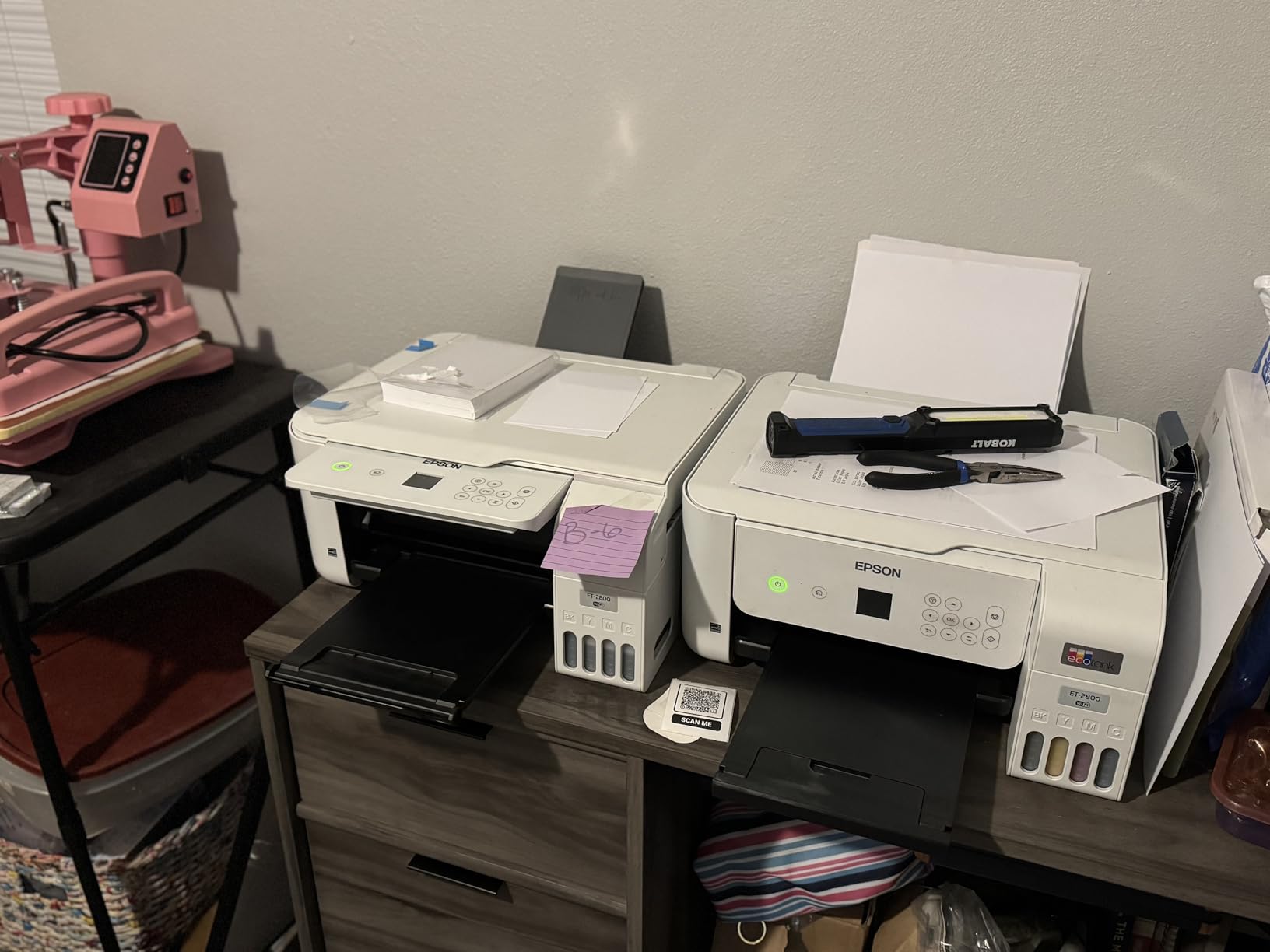
This is the printer we ended up recommending to friends. Our Epson ET-2800 handled a month of mixed work, invoices, colour charts and scanned receipts, without once sending us to the recycling bin for a cartridge. The ink bottle sets deliver up to 4500 black pages and 7500 color pages, and Epson’s own claim is that one set equals roughly 90 cartridges, which is why the running cost lands so far below cartridge-based machines.
It is also a genuinely small device for what it does. At 14.8 inches deep by 22.8 wide by 10 high and 11.4 pounds, it fits on a credenza or a small shelf beside a monitor, which matters more in a home office than any spec on the sheet. Power draw is a modest 12 watts, so leaving it on standby overnight is not a real cost.
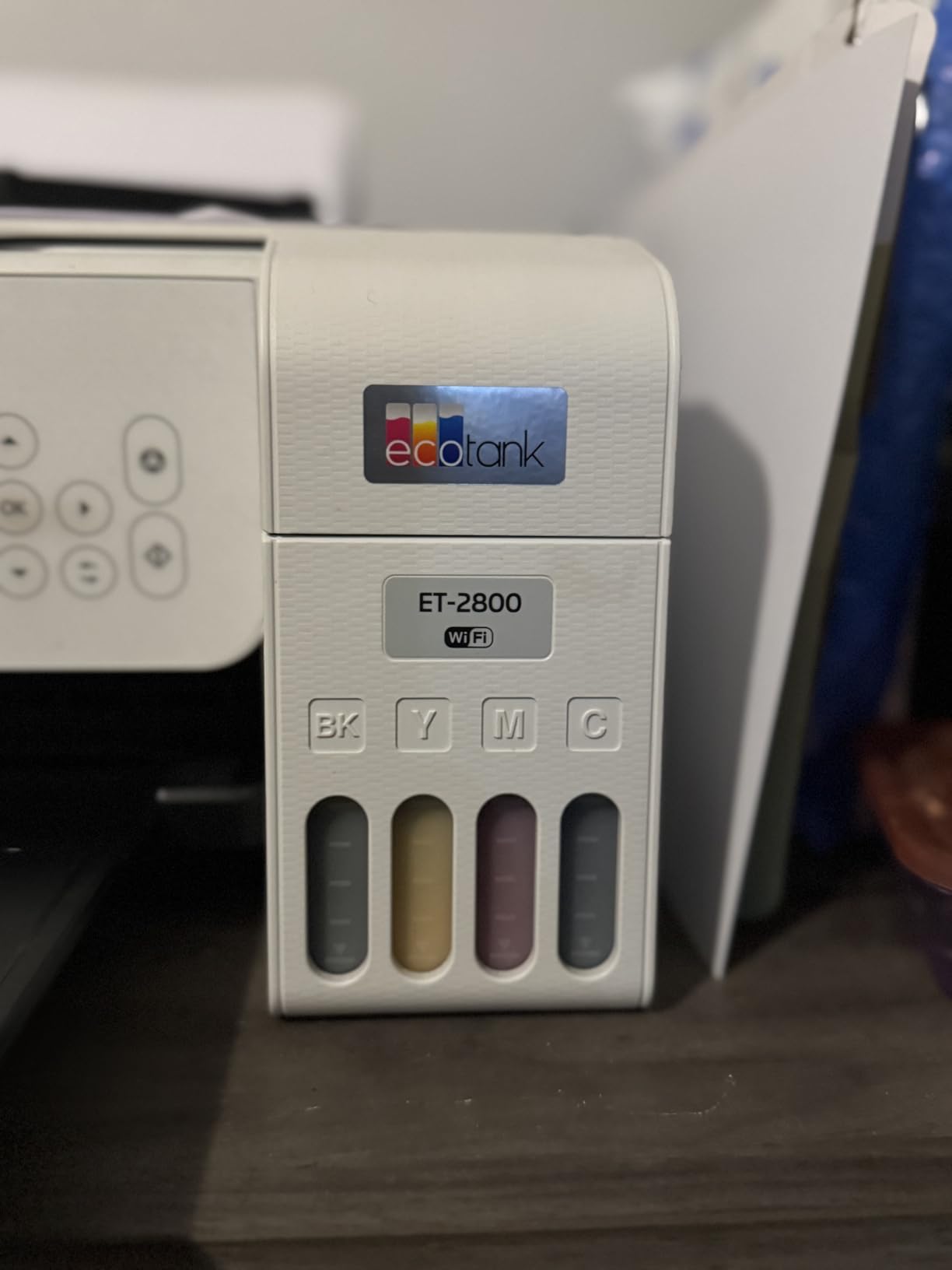
Print quality is where the tank pays off beyond ink cost. The maximum color resolution is 5760 by 1440 dpi, and owners consistently report clean text edges and good scan output from the flatbed, with copies up to 720 by 720 dpi in color. Maximum media size is 8.5 by 14 inches, so legal paper and envelopes both fit through the single 100-sheet tray.
There is one genuine limitation to plan around, and it is a big one for document work: this machine is single-sided only. Two-sided printing is not available, which means longer reports come out twice the paper. The second limitation is speed, at 10 ppm black and 5 ppm color, which is fine for a few hundred pages a month and slow for a stack of forty pages.
Who the Epson EcoTank ET-2800 suits
It fits a freelancer, a student or a remote worker who prints color most weeks, whether that is client presentations, marketing one-pagers, packing slips or the occasional photograph. The Micro Piezo heat-free print head is built for intermittent daily use, which is exactly the rhythm of a home office rather than a print shop.
It also suits anyone who reacts badly to cartridge pricing. Because ink arrives in bottles rather than sealed cartridges, the per-page cost over a year is a fraction of what a two-tank hybrid machine costs, and the bottle format means a spare bottle takes almost no shelf space.
Who should skip the Epson EcoTank ET-2800
Skip it if you print two-sided documents regularly, since there is no automatic duplex and no manual driver-side flip in the spec sheet. Also skip it if you scan multipage paper, because the flatbed scanner has no automatic document feeder, meaning every multi-page scan is a lid-up, page-by-page job.
Skip it if your workflow depends on a fax line, since this unit covers print, scan and copy only. And note that Epson explicitly advises against third-party ink, because it can cause damage that the one-year limited warranty does not cover.
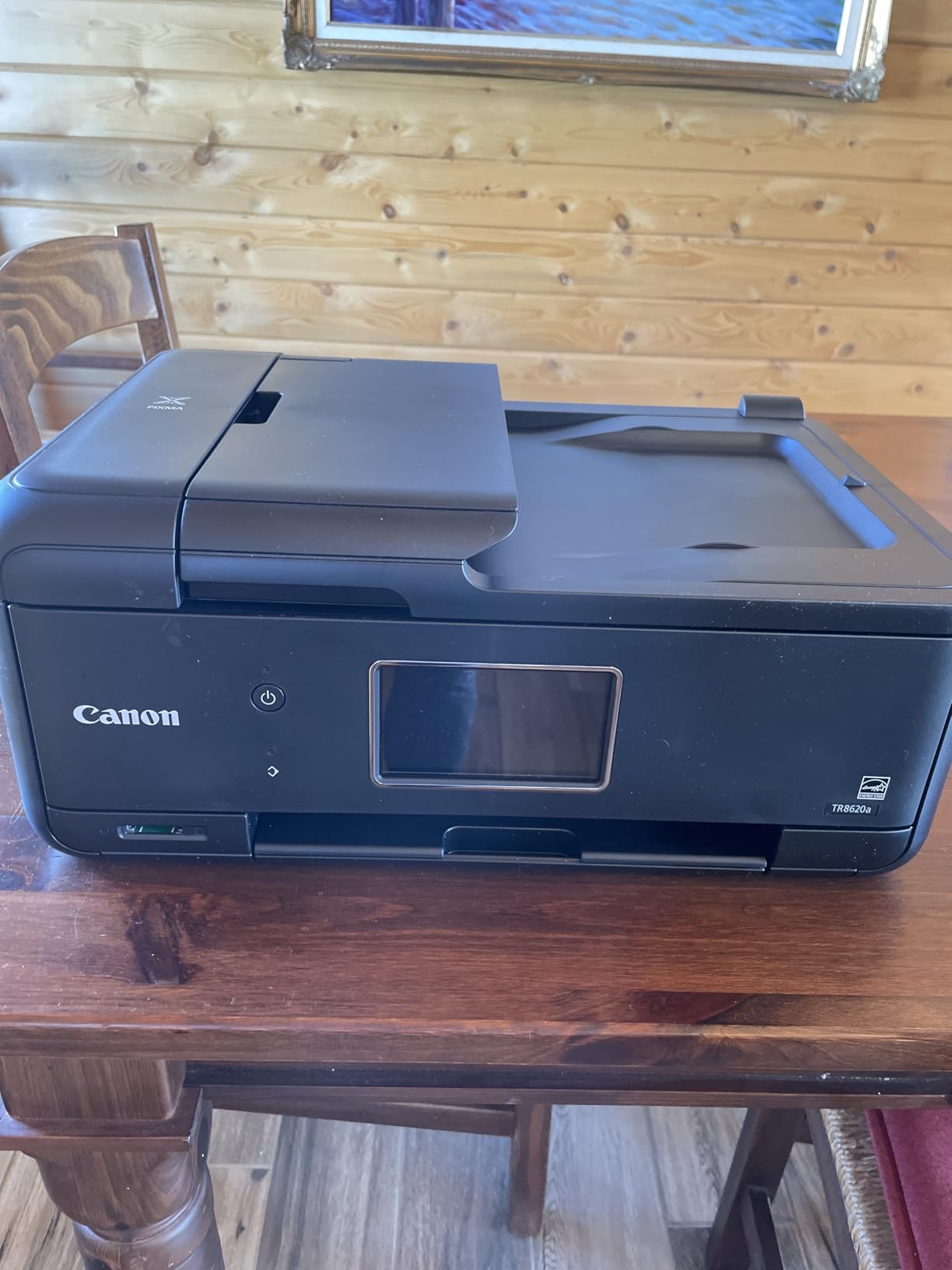
2. Canon PIXMA TR8620a – Best Feature Set for Mixed Home Office Paperwork
Canon PIXMA TR8620a – All-in-One Printer Home Office|Copier|Scanner|Fax|Auto Document Feeder | Photo, Document | Airprint (R), Android, Black, Works with Alexa
Inkjet
15 ppm black, 10 ppm color
20-sheet ADF
Automatic duplex
200-sheet total capacity
Pros
- Print copy scan and fax in one unit
- 20-sheet document feeder with duplex printing
- 200-sheet capacity across two trays
- Tilting LCD panel and five separate ink tanks
- 15 ppm black is quick for a home office
Cons
- Canon mobile app is slow and unreliable
- ADF is single-sided only
- Photo scan resolution tops out near 600 dpi
The TR8620a is the pick we would hand to someone who cannot answer the question, do I need a scanner, a copier or a fax. It does all three, plus printing, and it is the only model here with a document feeder and automatic duplex printing working together. That combination turns a twelve-page two-sided contract into one feeder load rather than twenty-four manual flips.
Speed is a genuine step up from the inkjet tanks: 15 ppm black and 10 ppm color, with a stated monthly duty cycle of 1,000 pages. Paper handling is strong too, 100 sheets in the front cassette plus 100 in the rear feed tray, and the 100-sheet rear tray doubles as a straight-through path for thicker media. The tilting LCD control panel is the most usable screen in this roundup for scanning and fax jobs.
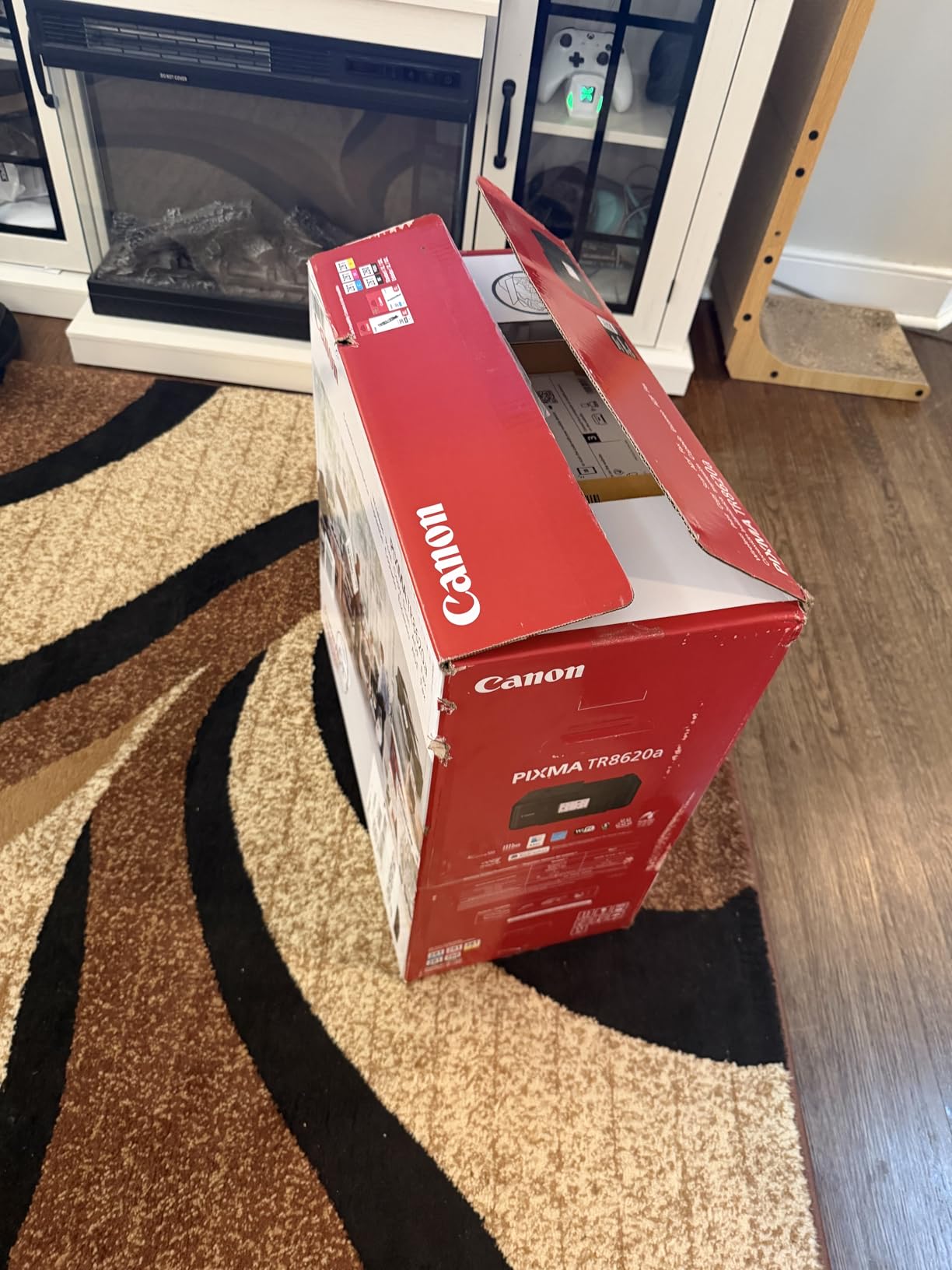
Five individual ink tanks mean you replace only the color that actually ran out, which is the design change that quietly fixed the economics of cartridge inkjets. Canon also added Alexa voice printing and low-ink notifications, so you can be told before a project stalls rather than after. Maximum media size covers both 8.5 by 11.7 and 8.5 by 14 inch paper, and the machine carries ENERGY STAR and EPEAT Silver ratings.
Two things temper the enthusiasm. Reviewers single out Canon’s mobile app as slow and prone to printer-not-available errors, so plan to print from the computer or the control panel rather than the phone on a deadline. The document feeder is also single-sided, so a duplex scan still needs the originals turned over and reloaded, unlike a true single-pass duplexing feeder.
Who the Canon PIXMA TR8620a suits
It suits a home business that still receives faxed purchase orders or signed forms, since it is one of the few machines here with a working standalone fax. It also suits anyone who scans signed documents regularly, because the 20-sheet feeder handles multipage originals without lifting the lid.
Set it up in a shared room rather than a silent study, because 15 ppm output and a tilting panel produce more mechanical noise than a laser. Budget-conscious buyers who want duplex and a feeder but do not need fax can save by stepping down a model.
Who should skip the Canon PIXMA TR8620a
Skip it if color printing is rare and black-and-white volume is high, because inkjet cost per page loses to toner at scale and the speed rating is well below a monochrome laser. The machine weighs 17.4 pounds, which is real bulk for a small desk, and the build feels lighter and more plastic than earlier PIXMA models according to owners.
Skip it if you rely on scanning printed photographs, since scan resolution tops out around 600 dpi. Borderless and 4×6 photo workflows are also described as awkward compared with dedicated photo models.
3. Canon MegaTank G3270 – Best Value Ink Tank for a Small Desk
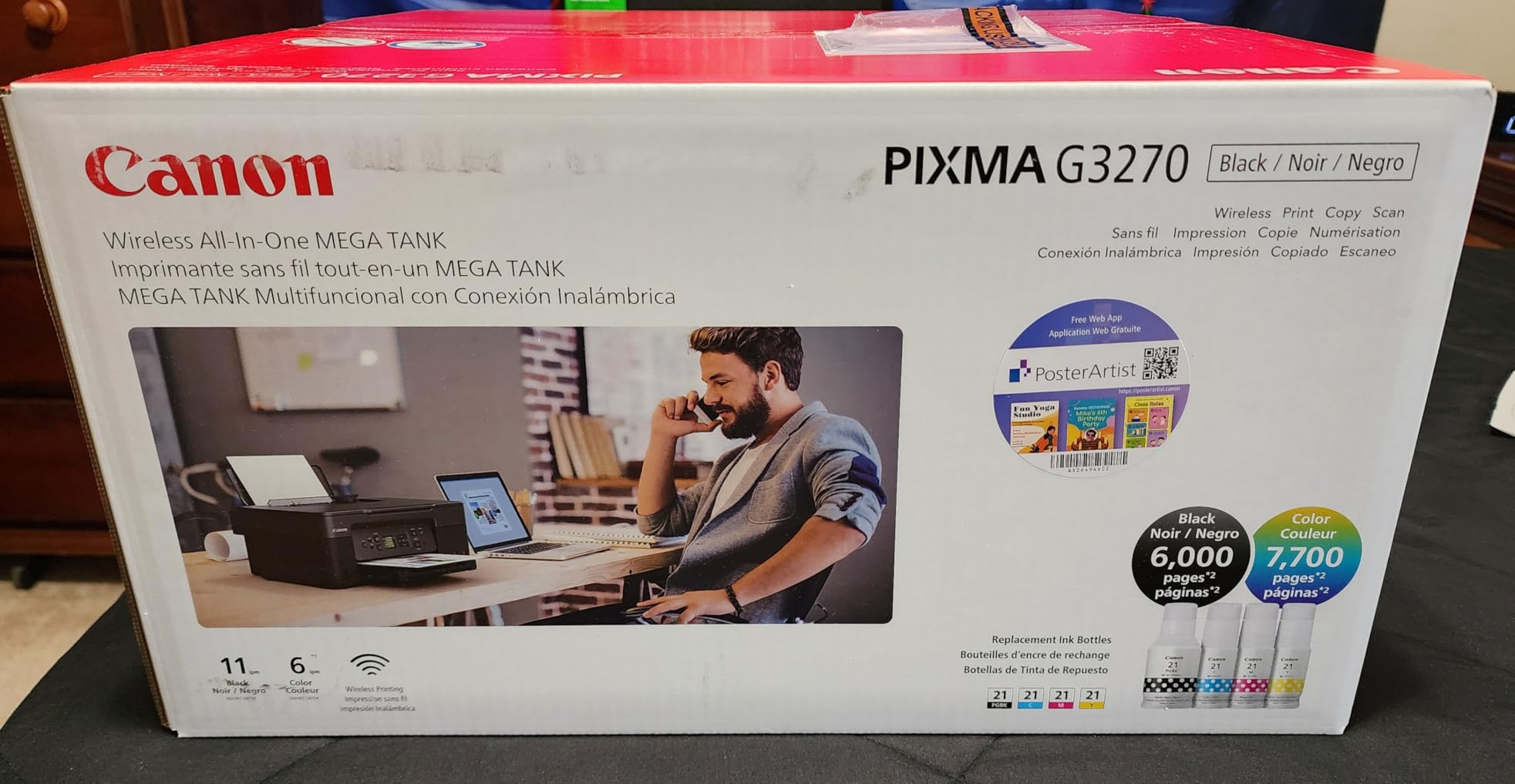
Canon MegaTank G3270 All-in-One Wireless Color Printer
Ink tank
11 ppm black, 6 ppm color
6000 black and 7700 color pages
100-sheet tray
Pros
- Very low running cost from refillable tanks
- Compact 13.2 pound body
- Wireless print copy and scan with borderless output
- Backlit LCD for menu navigation
Cons
- Single-sided printing only
- No auto document feeder
- Small 1.35-inch non-touch LCD
The G3270 is the model we recommend when someone wants tank running costs but does not want a tank-sized machine on the desk. The yield figures are the headline: up to 6,000 black and white pages or 7,700 color pages from a single ink set, with up to two years of ink in the box as Canon describes it. Those are the highest page numbers any inkjet in this roundup advertises.
At 21.9 inches deep, 16.4 wide and 10.6 high and 13.2 pounds, it is smaller and lighter than the Canon PIXMA above while still offering wireless print, copy and scan, borderless output and a flatbed scanner that handles media up to 8.5 by 14 inches. Copy runs go up to 99 sheets, and 16 bits of color depth is enough for clean office documents.
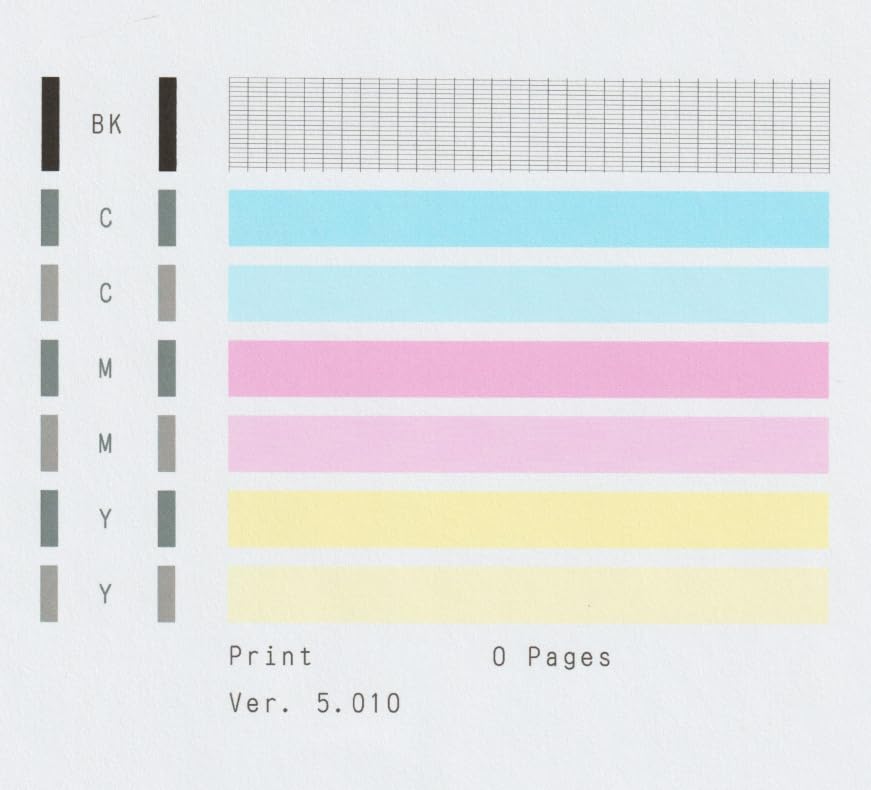
Setup is the easy part. The 1.35-inch square backlit LCD handles the menu, the ink level display sits right next to it, and owners report a straightforward wireless configuration through the Canon PRINT app. Print speed of 11 ppm black and 6 ppm color is a touch quicker than the Epson ET-2800 on both counts while using a smaller frame.
What you give up is paper handling. There is no automatic duplex, so two-sided documents come out single-sided, and there is no automatic document feeder, so scanning a five-page contract means five separate flatbed passes. The 100-sheet input and output capacity also means more frequent refills than a laser with a 250-sheet tray.
Who the Canon MegaTank G3270 suits
It suits a home office that prints color regularly and mostly single-sided, such as a teacher producing worksheets, a crafter, or a freelancer producing single-page client deliverables. The running cost advantage over cartridge ink is the reason most owners recommend it to colleagues.
It also suits anyone with genuinely limited desk space who still wants scan and copy functions in the same unit. One year limited warranty is standard for the category.
Who should skip the Canon MegaTank G3270
Skip it if you print contracts, reports or anything that should be double-sided, because there is no duplex at all. Skip it if you routinely scan more than a page or two at a time, because the absence of a document feeder is the most common complaint in the reviews.
Skip it if you want a large control screen for settings-heavy work, since the 1.35-inch display is a navigation aid rather than a control panel. The 16 watts power draw is also higher than the Epson ET-2800’s 12 watts, though neither figure is significant at home-office duty.
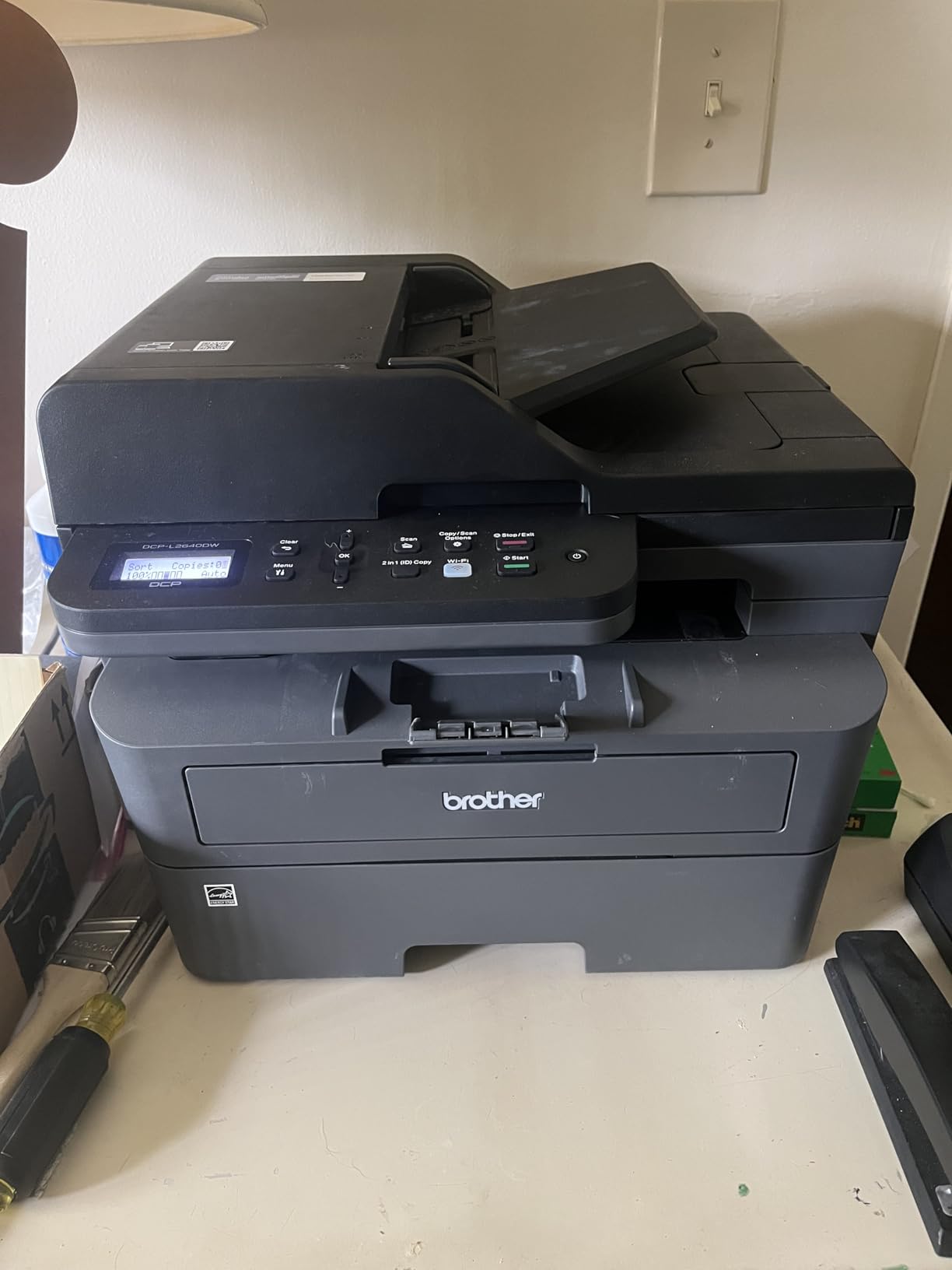
4. Brother DCP-L2640DW – Best Monochrome Laser for Black and White Work
Brother DCP-L2640DW Wireless Compact Monochrome Multi-Function Printer, Copy, Scan, Duplex, Mobile Printing
Monochrome laser
36 ppm
50-page auto document feeder
250-sheet tray
Pros
- Fast 36 ppm monochrome output with automatic duplex
- 50-page feeder for multipage scanning
- Toner never dries out during long idle periods
- Dual-band Wi-Fi plus Ethernet and USB
- Sharp 1200 x 1200 dpi text
Cons
- Monochrome only with no color or fax
- On-printer scan menus are awkward
- Initial Wi-Fi setup needs patience
If your work is contracts, invoices, shipping labels and reports, this is the machine. The DCP-L2640DW is a compact three-in-one monochrome laser, and at 36 ppm with a first page out in 8.5 seconds it turned our longest test stack faster than anything else in this roundup. Automatic duplex printing is standard, which means reports come out properly formatted without manual feeding.
The 50-page automatic document feeder is the feature that converts it into an office tool. Scan speed is up to 23.6 ipm in black and 7.9 ipm in color, copies run to 50 per job, and the flatbed plus sheetfed scanner covers originals that the feeder cannot handle. Paper handling is a 250-sheet input tray with a 120-sheet output tray, and media up to 8.5 by 14 inches fits.
Toner is the other quiet win. Unlike ink, powdered toner does not dry in a nozzle, so a printer that sits unused for a month between projects still prints sharply the first time you send a job to it. Brother TN830 and TN830XL cartridges are the only consumable, and the machine is ENERGY STAR and EPEAT qualified. Connectivity is genuinely flexible: dual-band 2.4GHz and 5GHz wireless, Ethernet and USB, with the Brother Mobile Connect app for mobile printing, scanning and toner ordering.
The friction is in software rather than hardware. Owners report the on-printer menus being awkward for scanning, with the mobile app being the smoother path, and the bundled scanning software frequently described as clunky. Initial wireless setup is finicky enough that it takes patience to get past the password confirmation step, so have your network password written down before you start.
Who the Brother DCP-L2640DW suits
It suits a home office with intermittent or unpredictable printing volume, because the laser suffers no penalty for sitting idle. It also suits anyone who has been burned by inkjet cleaning cycles wasting ink and paper, since there is no nozzle to clog and no head-cleaning cycle in normal use.
At 25 pounds and 15.7 by 16.1 by 12.5 inches, it needs a real shelf rather than a floating desk, but it is smaller than the color laser options here. A one-year limited warranty is standard for a business-class machine in this range.
Who should skip the Brother DCP-L2640DW
Skip it if you need color. There is no color path at all, and no fax, so anything requiring a signed original sent by fax needs a different machine or an online fax service. Many home offices have moved away from fax entirely, which makes that omission irrelevant.
Skip it if you want a color touchscreen, since this unit has no display beyond a small LED panel. Placement matters too, because owners note the power cord is short, so put it near an outlet rather than tucked behind a desk.
5. Canon PIXMA TS6520 – Best Budget All in One for a Small Workspace
Canon PIXMA TS6520 Wireless Color Inkjet Printer, Duplex Printing, Copier/Scanner, 1.42″ OLED Display, Compact, White
Inkjet
14 ppm black, 9 ppm color
Automatic duplex printing
Dual-band Wi-Fi
Pros
- Automatic duplex printing in a compact body
- Small footprint of 14.8 by 14.0 by 6.7 inches
- Dual-band Wi-Fi plus USB with AirPrint and Mopria
- 3-year manufacturer warranty
- First page in 7.5 seconds black
Cons
- No auto document feeder
- Two-cartridge ink system raises running cost
- Small 1.42-inch OLED display
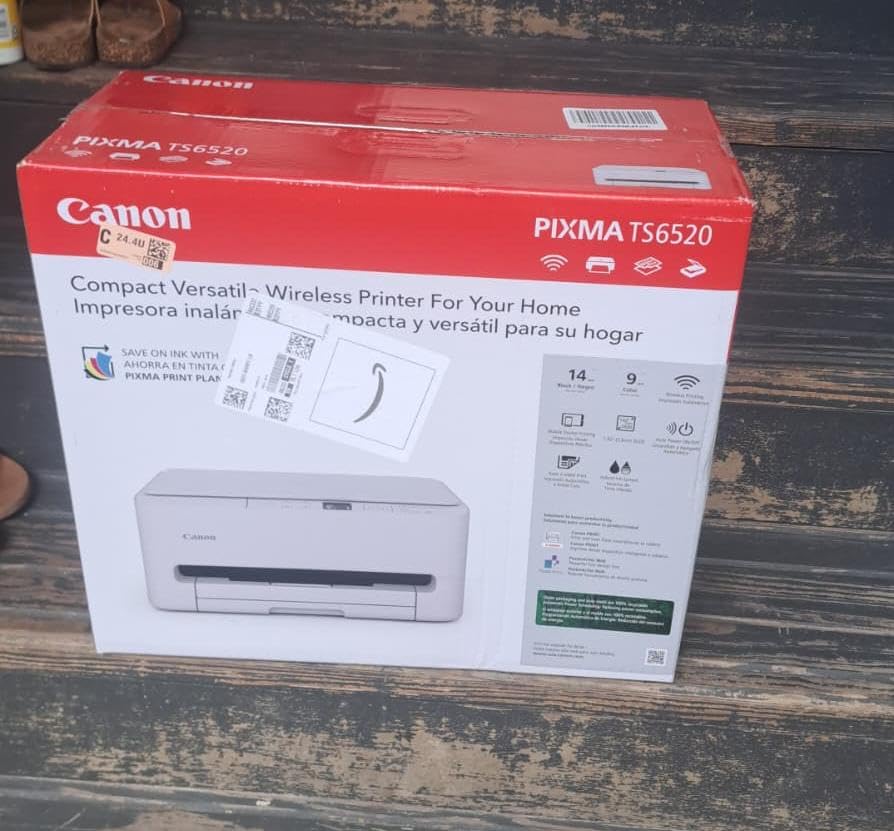
The TS6520 answers a narrow question well: can a very small desk hold a machine that still prints both sides automatically? At 14.8 inches deep, 14 wide and 6.7 high, this is the flattest body in the roundup, and automatic duplex printing at that size is unusual. Print speed of 14 ppm black and 9 ppm color is competitive, with a first page in 7.5 seconds black and 9.5 seconds color.
Wireless is handled properly with dual-band 2.4GHz and 5GHz support plus USB, and it works with the Canon PRINT app, Apple AirPrint and Mopria, which means you can print from a phone without installing anything. The 1.42-inch monochrome OLED display shows ink levels and status rather than acting as a control panel. Copy resolution goes up to 1200 by 1200 dpi in color from the flatbed scanner.
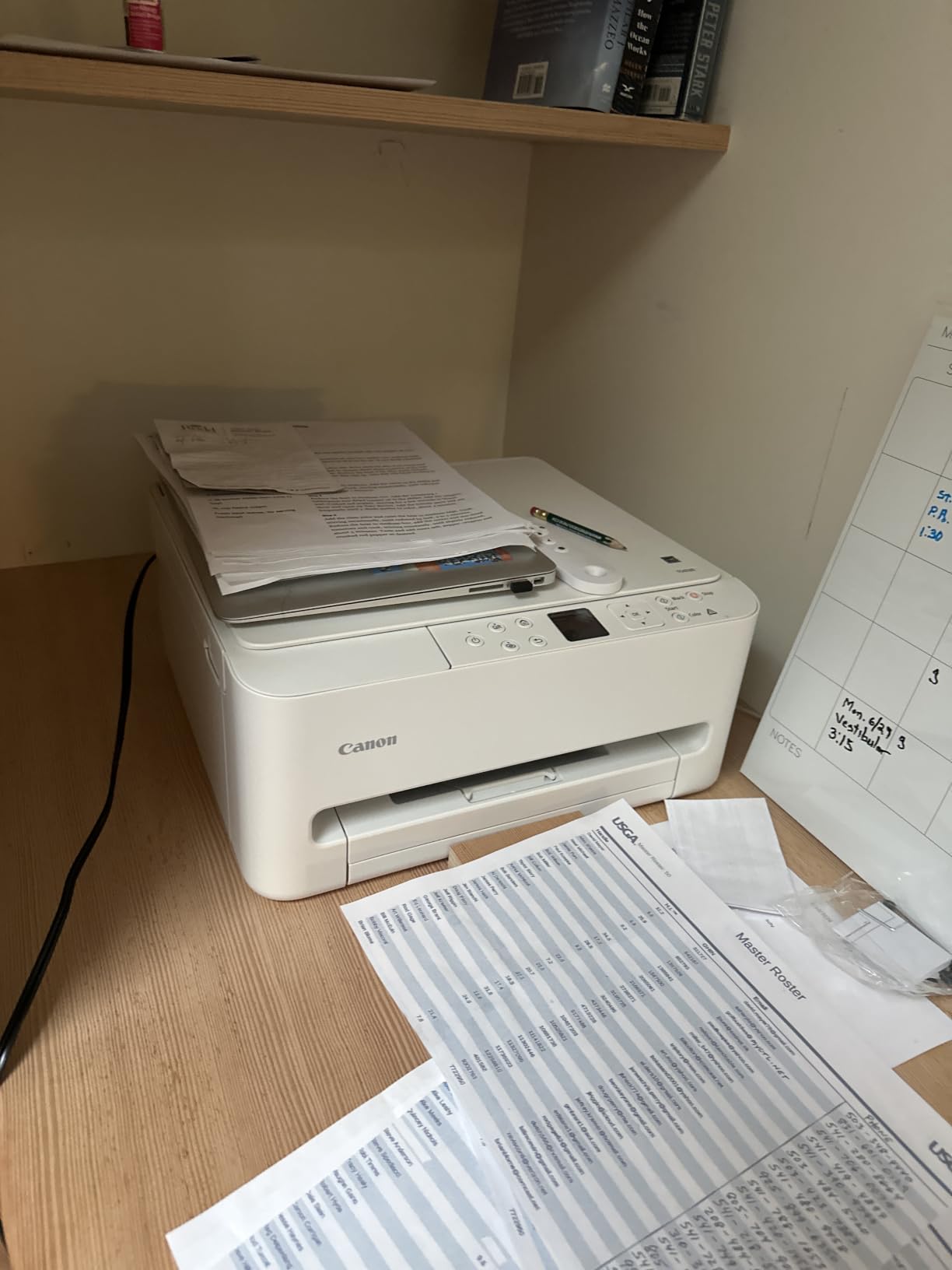
Three years of manufacturer warranty is the longest cover on this list, and owners rate setup as genuinely painless. That length of warranty matters more in a home office than it does in a leased office, because the machine is typically bought with your own money and repaired by you. Borderless and bordered printing up to 8.5 by 11 inches is supported.
The ink system is the compromise. It uses a PG-295 pigment black and a CL-286 tri-color cartridge, so printing a single black page can require the color tank to be in working order, and the per-page color cost is meaningfully higher than a tank machine. There is also no automatic document feeder, so multi-page scanning means flatbed passes.
Who the Canon PIXMA TS6520 suits
It suits a home office working in a study, a converted bedroom or a shared room where a 22-inch-wide printer would never have been allowed. It also suits anyone who wants two-sided printing on a small machine and prints color only occasionally.
The long warranty makes it a sensible first printer for a student or a new home business that wants a simple machine without a complicated network setup. Energy-conscious buyers will note the 21 watt rating, which is the highest in the roundup.
Who should skip the Canon PIXMA TS6520
Skip it if you print color in volume, because the two-cartridge hybrid layout is the most expensive way to run color among the inkjets here. Skip it if you regularly scan or copy multipage originals, since there is no document feeder at all.
Skip it if you need legal-size paper, as maximum media is letter at 8.5 by 11 inches. The small OLED display also means settings changes go through the app rather than the machine.
6. Brother MFC-L3720CDW – Best Color Laser All in One for Office Grade Output
Brother MFC-L3720CDW Wireless Color Laser Printer, Scanner, Copier, Fax, Auto Duplex, 250-Sheet Capacity
Color laser
19 ppm in color and black
3.5-inch color touchscreen
50-sheet ADF
250-sheet tray
Pros
- Print scan copy and fax with real color laser output
- 3.5-inch color touchscreen with 48 shortcuts
- 50-sheet feeder and 250-sheet tray
- Dual-band Wi-Fi with Wi-Fi Direct
- Color toner cheaper per page than inkjet ink
Cons
- Bulky at 44 pounds with a large footprint
- 19 ppm is slower than monochrome laser rivals
- Highest purchase and toner cost in the group
- One-year limited warranty
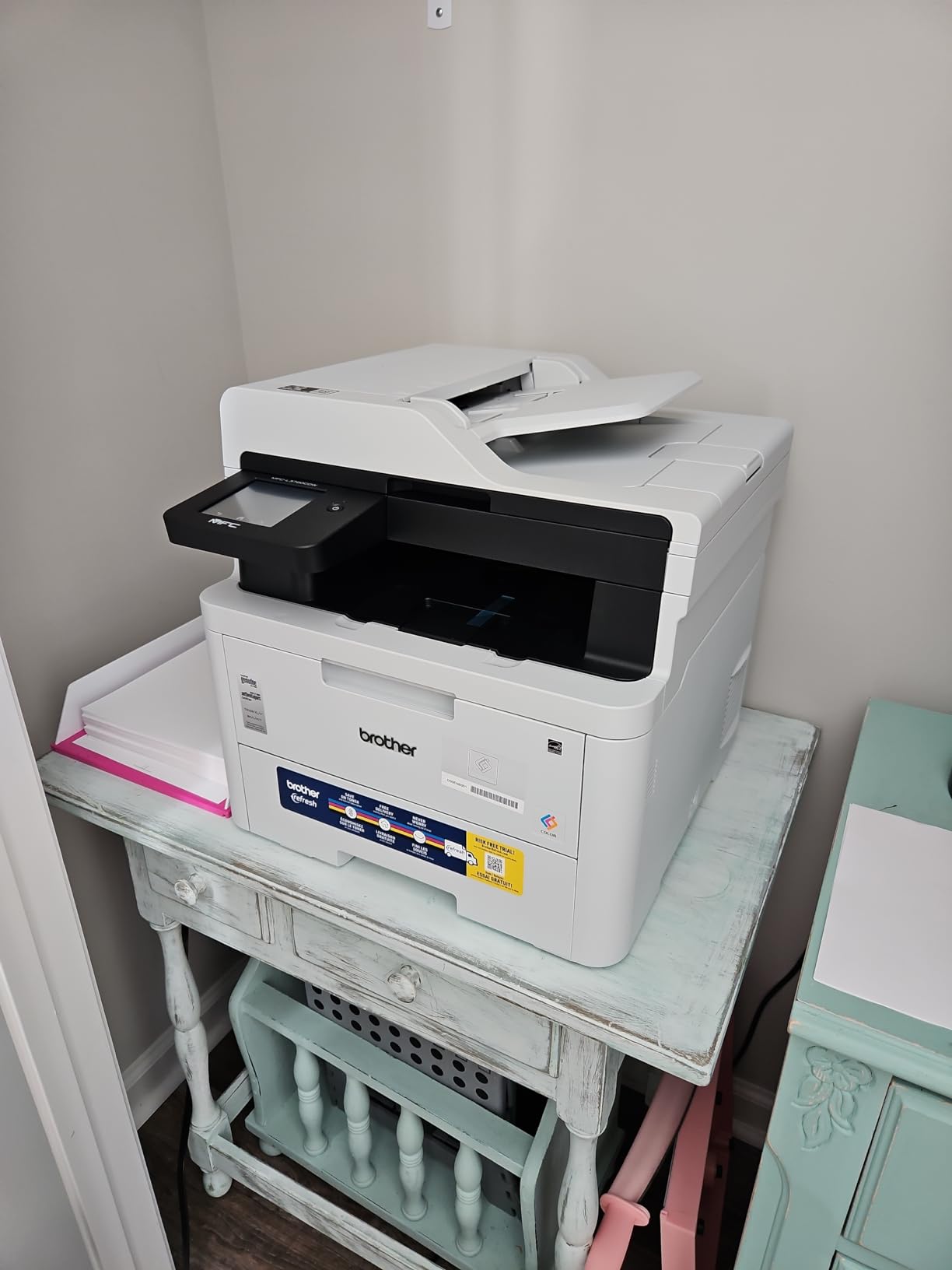
Color laser is the answer for anyone printing brochures, price lists or marketing pages in volume, and the MFC-L3720CDW is the color machine we would trust with that job. It prints 19 ppm in both color and black, has a genuine 50-sheet automatic document feeder, and handles automatic duplex printing on both output and scanning workflows. Fax is included, which is rare on a color laser at this level.
The control panel is the best in the roundup. A 3.5-inch color touchscreen with 48 customizable shortcuts can be pointed at cloud targets including Google Drive, Dropbox and OneNote, so a scan goes straight into your filing system. Paper handling is a 250-sheet adjustable tray with a 150-sheet output tray, and media up to 8.5 by 14 inches plus 4×6 photo stock is supported.
Running cost is where color laser pulls away from ink. TN229 and TN229XL toner cartridges with a DR229CL drum unit print sharp text at 2400 by 600 dpi, and a color page costs a fraction of what inkjet color does at any realistic volume. First page out is under 15 seconds, and dual-band 2.4GHz and 5GHz wireless plus Wi-Fi Direct and USB 2.0 cover every connection a home office needs.
The trade-off is space and weight. At 44 pounds and 16.1 by 17.5 by 15.8 inches, this is the largest machine here, and it belongs on a dedicated cabinet rather than under a desk. At 19 ppm it is also slower than the monochrome lasers, so it is the wrong tool for a stack of black-and-white pages.
Who the Brother MFC-L3720CDW suits
It suits a home business that produces its own client-facing color materials several times a week, and a home office that still needs fax for signed forms. The color touchscreen and shortcut layout suit someone who delegates scanning and copying to less technical staff or family members.
It also suits anyone tired of cartridge ink pricing, since color laser toner removes the variable that makes home printing unpredictable. A 4.0 average rating across more than 1,000 owners reflects solid rather than exceptional satisfaction.
For a smaller desk, our picks for label printers for home offices cover the narrow jobs that are not worth a full-size machine.
Who should skip the Brother MFC-L3720CDW
Skip it if your desk space is tight or your prints are mostly black and white, because you would be paying color laser cost and weight for output you do not use. A monochrome laser handles documents faster and takes up less room.
Skip it if photo quality matters, since 2400 by 600 dpi laser output is designed for text and graphics rather than photographs. The one-year limited warranty is also on the short side for a machine of this class.
7. Brother MFC-L2820DW – Best Compact Monochrome All in One With Fax
Brother MFC-L2820DW Wireless Compact Monochrome All-in-One Laser Printer with Copy, Scan and Fax, Duplex, Black & White | Includes Refresh Subscription Trial(1), Works with Alexa
Monochrome laser
34 ppm
50-page auto document feeder
2.7-inch touchscreen
250-sheet capacity
Pros
- Print copy scan and fax in a compact 4-in-1
- 2.7-inch touchscreen for on-device setup and printing
- Dependable Wi-Fi and phone printing reported by owners
- 34 ppm with automatic duplex and a 50-page feeder
- Works across Windows
- Linux
- Android and iOS
Cons
- Wireless connection can need manual recovery after a restart
- Jams are cleared from the rear of the unit
- Touchscreen does not stay lit
- Monochrome only
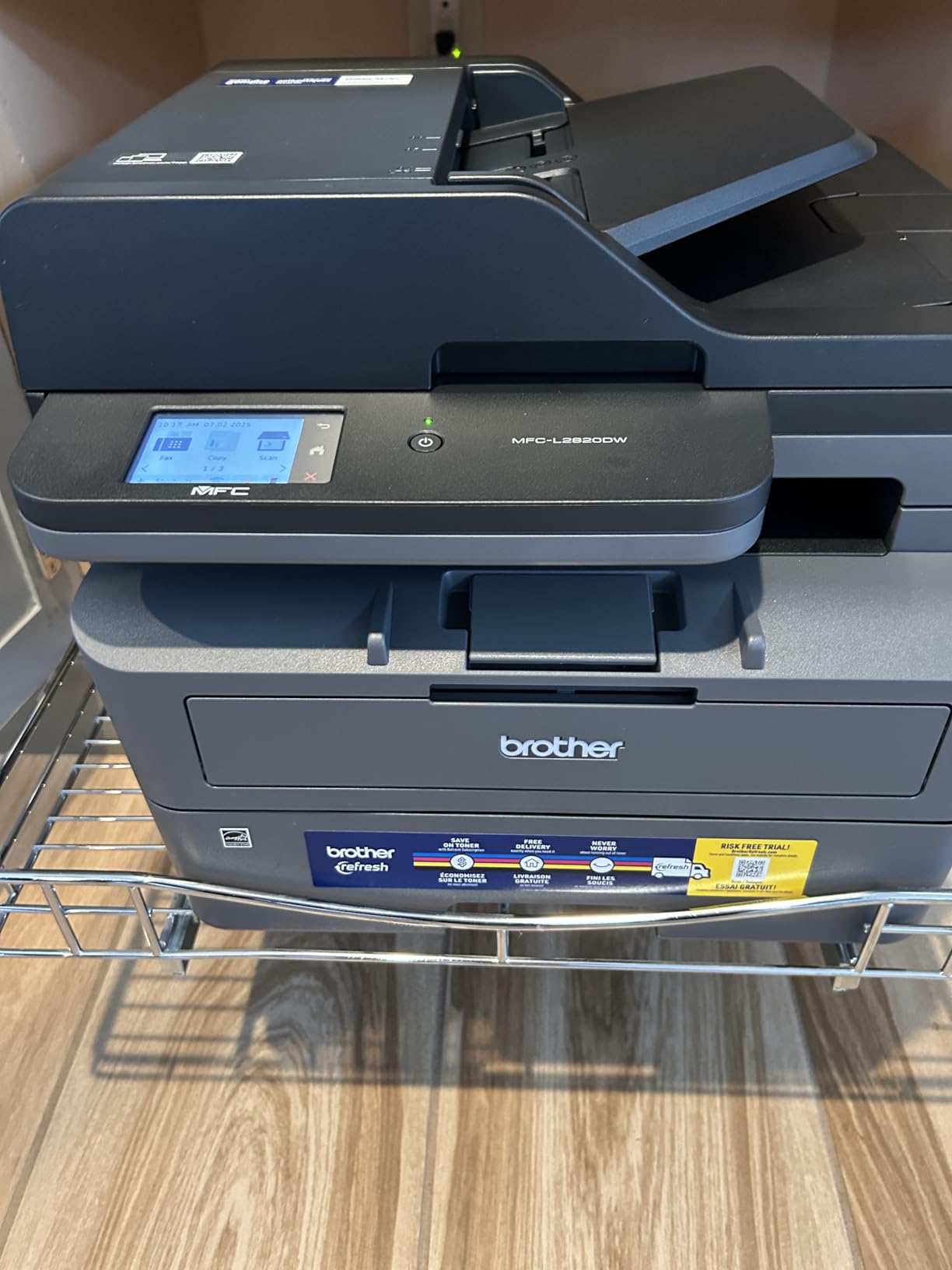
Where the DCP-L2640DW is a laser three-in-one, the MFC-L2820DW adds fax and a real touchscreen while shrinking slightly. It prints up to 34 ppm in monochrome, includes a 50-page automatic document feeder, and handles automatic duplex printing from a 250-sheet tray with a 250-sheet output. At 22.5 pounds and 15.7 by 16.1 by 12.5 inches, it is the lighter Brother laser here.
The 2.7-inch touchscreen is the practical difference. You can set up the wireless network, start a scan or a fax without opening an app, which removes the phone from the critical path. Cloud print and scan targets include Google Drive, Dropbox, Evernote and OneNote, and the machine also works with Alexa voice printing. Copy runs go to 99 sheets at 600 by 600 dpi.
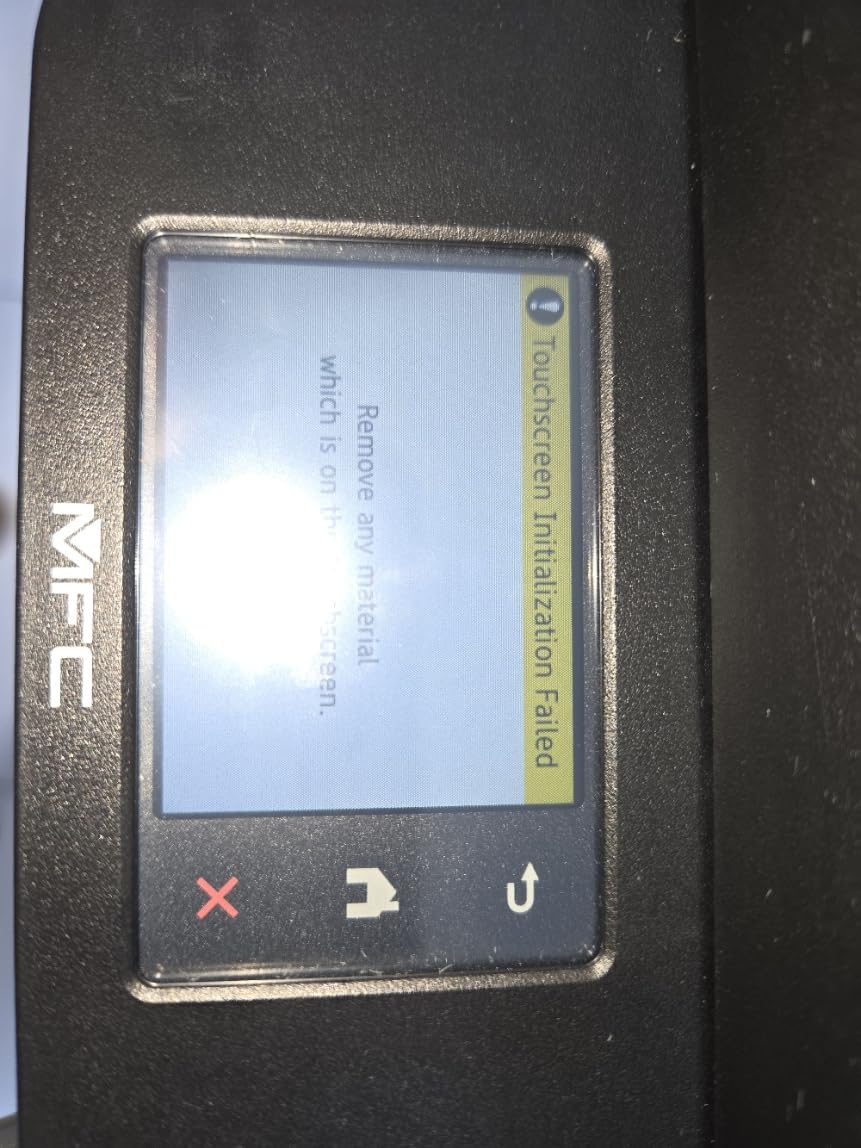
Owners rate this one among the highest in the roundup, citing easy setup, quiet operation, dependable wireless performance and good print and scan quality. It ships with a Refresh EZ Print subscription trial, which is worth ignoring since genuine TN830, TN830V and TN830XL toner works perfectly well on its own. Maximum resolution is 1200 by 1200 dpi and first page out is 8.5 seconds.
The recurring gripes are physical and network related. Some owners report needing to re-establish the wireless connection after a computer or router restart, and paper jams have to be cleared from the back of the machine, which is awkward when it sits against a wall. The touchscreen also dims quickly and some default settings are hard to change.
Who the Brother MFC-L2820DW suits
It suits a home office or micro office that still depends on fax and wants a touchscreen for routine jobs without relying on a phone or laptop. It also suits mixed-platform households, since owners report successful setup across Windows, Linux, Android phones and tablets.
Quiet operation makes it a good fit for a room where calls happen. If you need duplex scanning of originals rather than duplex printing of output, check the feeder specification carefully, since this is a single-pass unit that turns the stack rather than reading both sides at once.
Who should skip the Brother MFC-L2820DW
Skip it if you need color output, since there is no color path. Also skip it if your printer will sit in a corner against a wall, because rear jam access and manual wireless recovery are recurring complaints in the reviews.
Skip it if you want color scanning at speed, since the ADF scan rate of 7.9 ipm in color is modest. Give it clearance on two sides and you will avoid most of the friction owners describe.
8. HP LaserJet Pro MFP 3101sdw – Best Rated Monochrome Laser for Small Teams
HP LaserJet Pro MFP 3101sdw Wireless Black and White All-in-One Laser Printer, Office Printer, Duplex, Best-for-Small Teams (9D2X4F)
Monochrome laser
35 ppm
7 second first page
50-sheet ADF
Automatic duplex printing
Pros
- Highest average owner rating in this roundup
- Self-healing wireless that reconnects after outages
- Automatic duplex with a 250-sheet tray and 50-sheet feeder
- Scan to email plus AirPrint and Mopria support
- Very low sleep-mode power draw
Cons
- Chip authentication blocks third-party toner cartridges
- Some users report wireless drops after a network surge
- Lightweight paper tray in some units
- Long cold start time
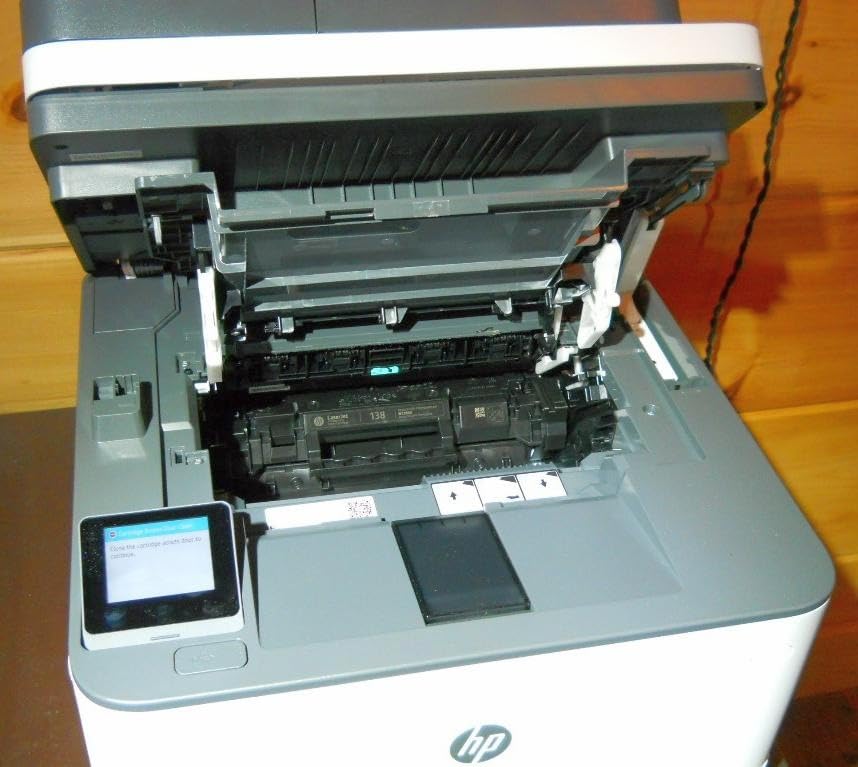
This machine carries the highest average owner rating in the group, and the reasons behind that score are consistent across reviews. Installation is described as simple, output is fast and quiet at up to 35 ppm, and the first page lands in seven seconds. The 50-sheet automatic document feeder, 250-sheet input tray and automatic duplex printing cover a small team printing several hundred pages a week without babysitting paper.
The wireless behaviour is the standout feature. HP describes the radio as seeking the best connection and returning to the network on its own after an outage, and that self-healing reconnection is exactly what home office buyers ask for after getting burned by printers that vanish from the network after a few quiet weeks. Apple AirPrint, Mopria and Print Anywhere are supported alongside Ethernet and USB, and the machine can scan straight to email.
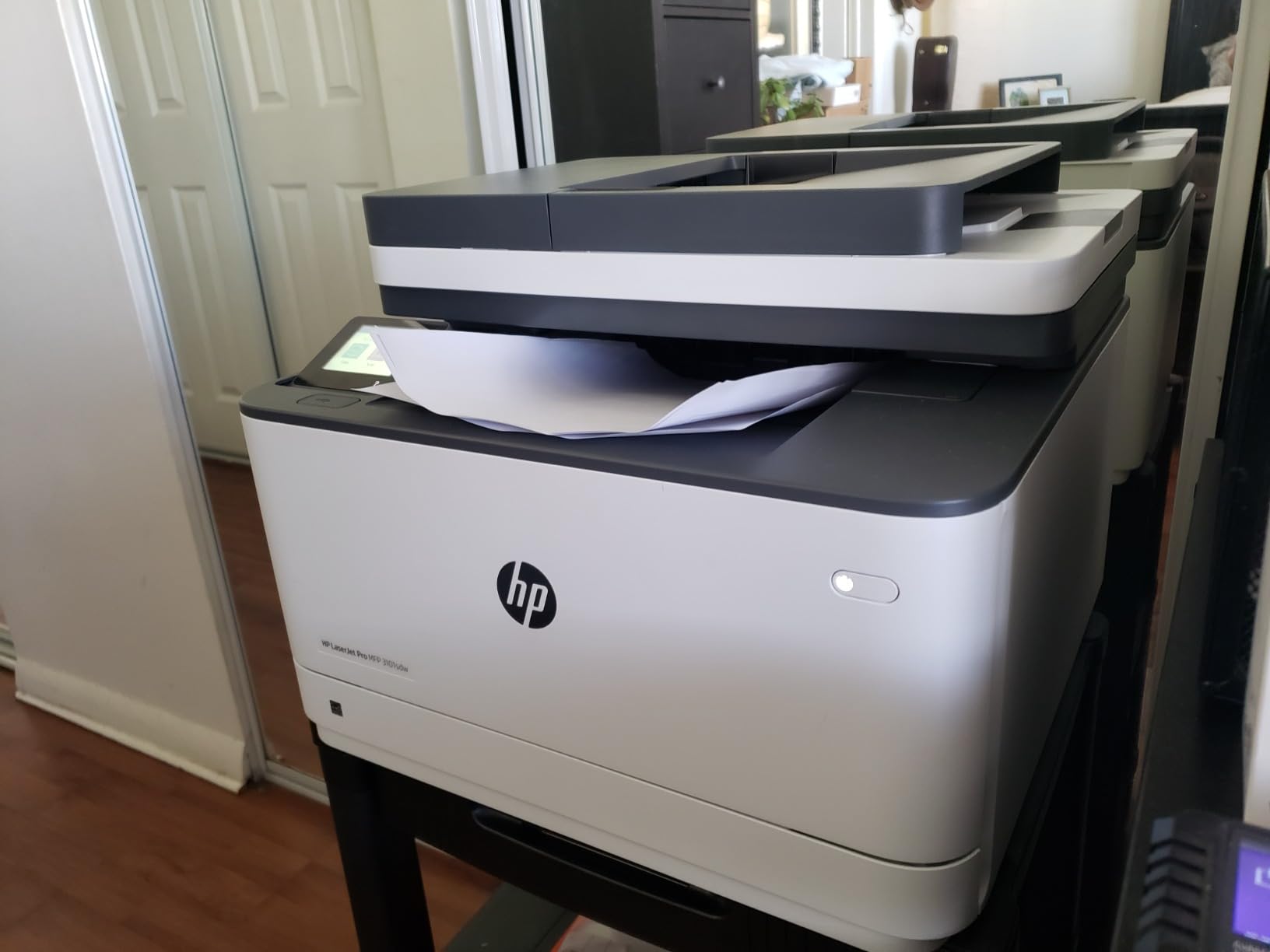
Copies run to an impressive 999 per job at up to 35 ppm, print and copy resolution reach 1200 by 1200 dpi, and media up to 8.5 by 14 inches fits. The control panel is a simple LED strip managed through the app rather than a large display, which suits a printer that is set up once and then left alone. An introductory toner cartridge of roughly 1,000 page yield is supplied in the box.
The one significant drawback is the consumable policy. This printer works only with HP-chipped cartridges, and periodic firmware updates reinforce that restriction, which locks the long-term toner cost to HP pricing. A few users also report the wireless connection dropping after a network surge and needing a reset, light paper tray build quality and a long cold start.
Who the HP LaserJet Pro MFP 3101sdw suits
It suits a small team or a busy home office that prints monochrome documents daily and is comfortable with brand-locked toner. Scan-to-email and AirPrint support make it the easiest to hand to people who do not want to install drivers.
Copy runs of up to 999 and a 250-sheet tray mean it can handle a burst of administrative paperwork in one go. A one-year limited warranty applies.
Who should skip the HP LaserJet Pro MFP 3101sdw
Skip it if you want to use lower-cost third-party toner, because chip authentication and firmware updates block those cartridges. That is the main reason some buyers step up to a Brother monochrome laser instead, where genuine and compatible options are broader.
Skip it if you want a touchscreen for scan configuration, since management happens through the app. Overfilling the 50-sheet feeder beyond roughly 25 sheets is also reported to cause jams, so treat the feeder rating as a maximum rather than a target.
9. HP Envy 6155 – Best Everyday Color Inkjet With a Touchscreen
HP Envy 6155 Wireless All-in-One Color Inkjet Printer, Print, Scan, Copy, Duplex Printing Best-for-Home, 3 Month Trial of Instant Ink Included, AI-Capable (C2WR7A) Portobello
Inkjet
10 ppm black, 7 ppm color
2.4-inch color touchscreen
Automatic duplex
Dual-band Wi-Fi
Pros
- Automatic duplex printing in an affordable all in one
- 2.4-inch color touchscreen for on-device control
- Dual-band Wi-Fi that detects and resolves connection issues
- HP AI formatting strips web and email clutter
- Borderless photos with HP P3 color
Cons
- No auto document feeder
- Blocks non-HP cartridges through chip authentication
- 10 ppm black and 7 ppm color is slow
- 100-sheet input tray
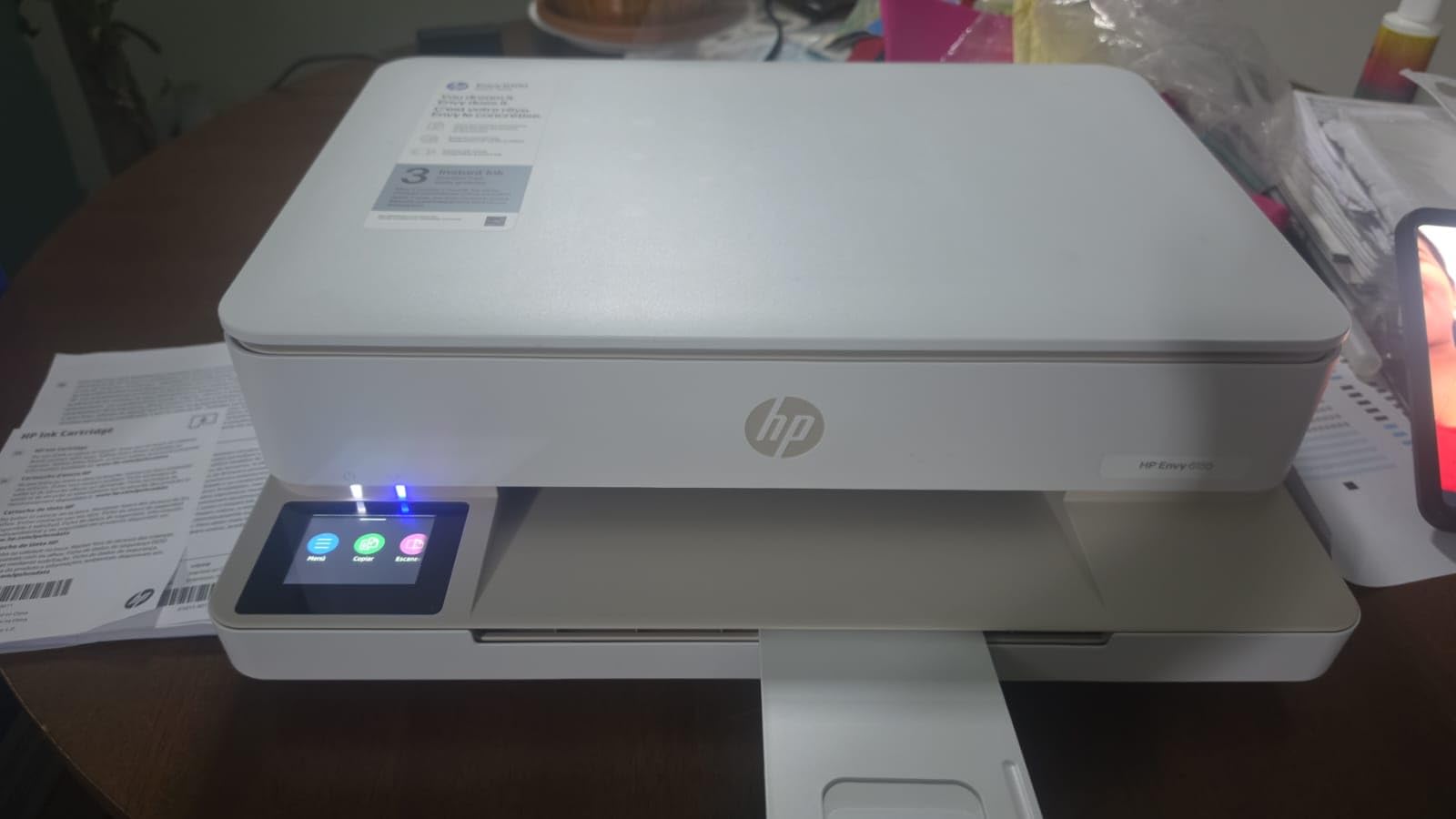
The Envy 6155 is a compact color all in one for a home office that prints everyday documents, homework and the occasional borderless photograph, and it does the basics well. Print, copy and scan are all present, automatic duplex printing is included, and the 2.4-inch color touchscreen is unusually good for a machine at this level. At 11.2 pounds and 17.05 by 5.35 by 14.21 inches it is one of the lighter options here.
Two software touches are genuinely useful rather than marketing. HP’s AI print formatting examines a web page or email before printing and removes navigation bars, headers and other content that would otherwise waste a page. Dual-band Wi-Fi automatically detects and resolves connection issues, which addresses the network dropout problem that owners of older printers complain about most. Print resolution reaches 4800 by 1200 dpi in color using HP P3 technology.
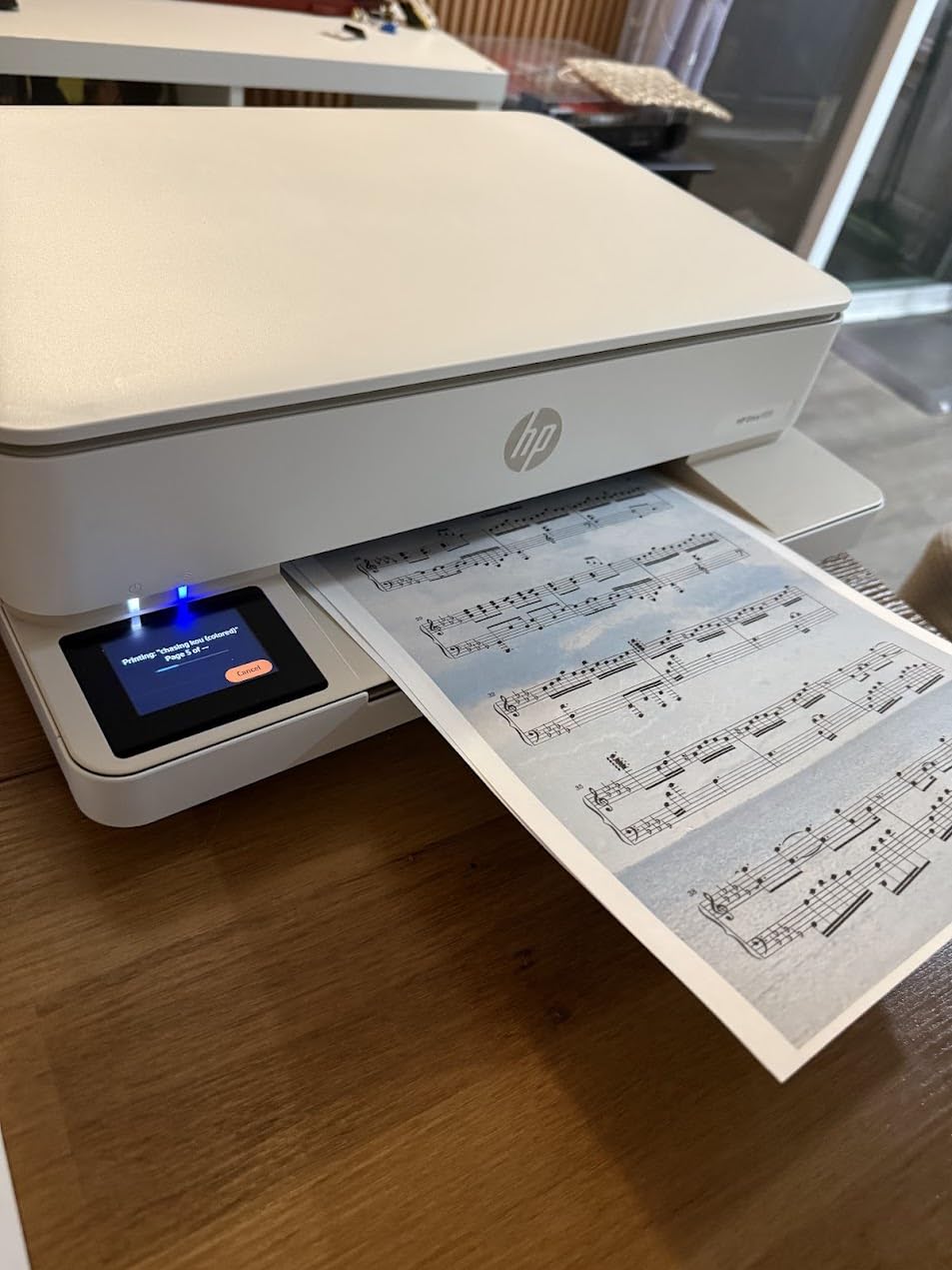
It is also the greenest claim in the roundup, with a body made from at least 60 percent recycled plastic, and it runs at 12.2 watts, so standby cost is negligible. Copies go up to 10 ppm in black, and the flatbed scanner handles plain paper, labels, envelopes and transparencies. Setup cartridges are about 120 pages of black and 75 pages of tri-color, so it works from the first day.
The catch is ink policy and speed. The printer works only with cartridges containing original HP chips, and periodic firmware updates reinforce that, which keeps per-page color cost high compared with a tank machine. There is no automatic document feeder, so scanning is flatbed only, and 10 ppm black with 7 ppm color is slow for long jobs. The 100-sheet input tray also needs regular refilling.
Who the HP Envy 6155 suits
It suits a home office printing mixed documents, forms and photos without needing a second machine, and the touchscreen makes it approachable for anyone who does not want to learn a mobile app. Automatic duplex printing is a real saving on paper for reports and school projects.
It also suits buyers who want borderless color output at low resolution expectations and who will mostly print a few hundred pages a month. A three-month trial of Instant Ink is included if you want to try a subscription model, though the printer works fully without it.
Who should skip the HP Envy 6155
Skip it if color volume is high, because cartridge ink plus chip authentication is an expensive combination that adds up quickly over a year of regular printing. Skip it if you scan multipage documents, since there is no document feeder.
Skip it if you need faster output, as 10 ppm black and 7 ppm color will feel slow compared with a 34 or 36 ppm laser. If you want a fax function, this model covers print, copy and scan only.
10. HP Smart Tank 5003 – Best Mess-Free Refill Ink Tank
HP Smart Tank 5003 Wireless All-in-One Ink Tank Printer, Scanner, Copier with up to 3 Years of Ink Included, Best-for-Home, Cartridge-Free Refillable, AI-Capable (9B2D3A)
Ink tank
10 ppm black, 5 ppm color
6000 pages of ink included
Wireless print copy and scan
Pros
- Cartridge-free tanks with up to three years of included ink
- Mess-free refill by plugging in a bottle and letting it drain
- Light 11.1 pound body with borderless and mobile printing
- Apple AirPrint
- HP ePrint and Mopria support
Cons
- Manual duplex only with no automatic two-sided printing
- No auto document feeder
- Scan resolution limited to 600 dpi
- 21 second first page time
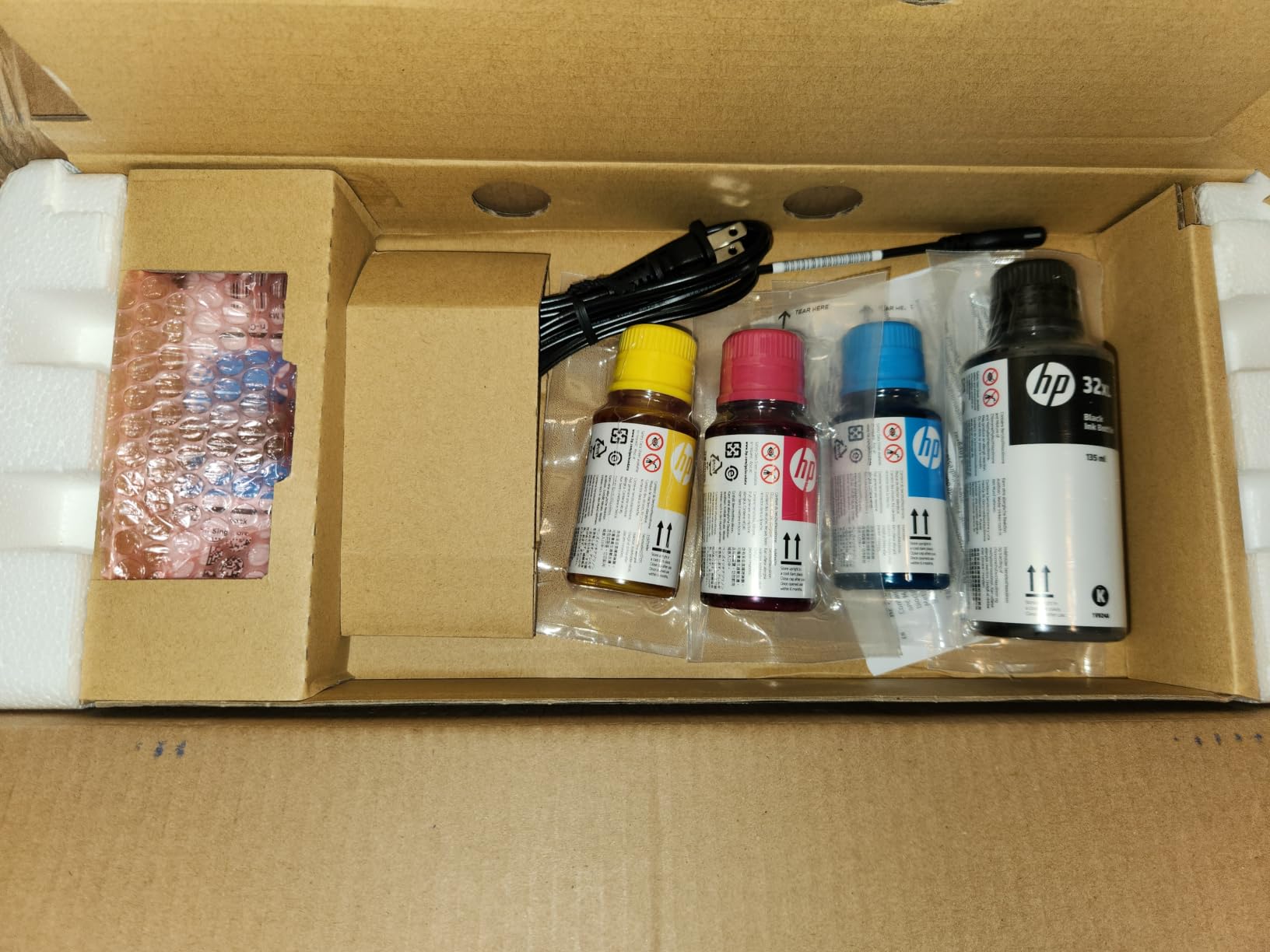
The Smart Tank 5003 is the newest release in this group and the one with the smallest owner base so far, at a little over 200 ratings. What it offers is the cleanest refill experience here: you plug an HP ink bottle into the tank and let it drain, with no squeezing, no funnels and no wiping ink off your desk. Included ink covers up to three years or 6,000 pages depending on what you print.
It prints, copies and scans with a flatbed scanner, supports borderless output, and connects over wireless or USB with Apple AirPrint, HP ePrint, Mopria and Print Anywhere, so it works across Mac, iOS, Android and Windows without extra software. Scans can go straight to PDF, which is the practical feature for filing receipts and signed forms. The body is 11.1 pounds, the lightest in the roundup.
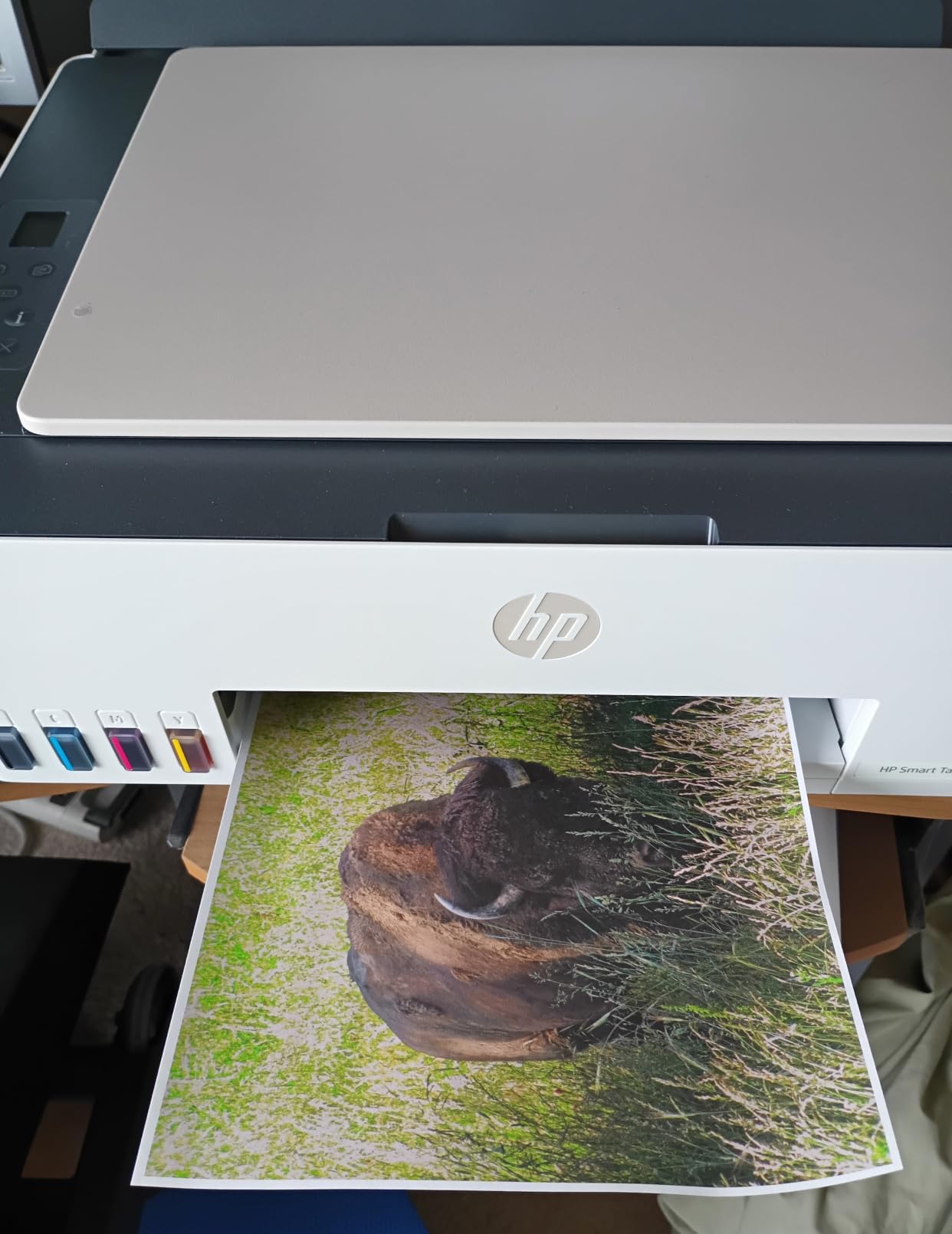
Consumables are straightforward, using an HP 32XL 135ml black bottle plus HP 31 cyan, magenta and yellow bottles. The warranty runs one year or 30,000 pages, whichever comes first, and power draw in sleep is a very low 0.11 watts, so leaving it connected costs almost nothing.
Paper handling is the weak point. Duplex is manual with driver support rather than automatic, so two-sided documents need a re-feed, and there is no automatic document feeder, so scanning more than a page means lifting the lid. Scan resolution tops out at 600 dpi, below the printing resolution, and the 21 second first page time is the slowest here alongside 10 ppm black and 5 ppm color.
Who the HP Smart Tank 5003 suits
It suits a home office that prints high volumes of color and wants the lowest possible ink cost with the least fuss. The bottle refill system is a genuine improvement on screw-cap tanks, particularly if you refill in a home office rather than a garage.
It also suits anyone setting up a printer for a family member or a home business team member who will not track cartridge levels. Borderless output covers photo and craft work, and the multi-platform support removes compatibility guesswork.
Who should skip the HP Smart Tank 5003
Skip it if you print two-sided documents regularly, because manual duplex is a step backwards from the automatic duplex offered by several cheaper machines in this roundup. Skip it if you scan multipage paper, since the flatbed-only design is the main limitation.
Skip it if you need archival scans, because a 600 dpi scanner is below what you would want for documents with fine print. With the smallest review base here, long-term reliability is less well documented than for the established models.
Inkjet vs Laser vs Ink Tank: Which Type Do You Need?
The short version: buy a monochrome laser if you mostly print black text, an ink tank if you print color regularly, and a cartridge inkjet if color is occasional and your budget is the deciding factor. Everything else in this guide is detail on those three sentences.
A cartridge inkjet buys the machine cheaply and then charges you per page through ink cartridges, and on two-tank designs printing black can still require a working color cartridge. A tank printer moves the same liquid ink into refillable tanks filled from bottles, which spreads the cost over thousands of pages. A laser uses powdered toner fused with heat, which produces sharper text, prints faster and never dries out in a nozzle.
The practical consequence is that a laser is not only cheaper per page at volume, it is also more forgiving. A printer that has sat untouched for six weeks still prints sharply the first time. An inkjet left idle may run a head cleaning cycle, wasting ink and paper, and clogged nozzles can mean a service visit or a replacement unit.
There is a real argument against tanks, though. Once the tanks are filled, the machine should not be tipped or carried on its side, so moving it between rooms or travelling with it is a risk. And a tank printer still has an inkjet print head underneath, so the weekly print habit advice applies to tanks as much as to cartridges.
Match the Printer to Your Monthly Page Volume
Volume is the cleanest shortcut for choosing. The rule that circulates in printer communities and that matches our own testing is simple: print daily and buy an ink tank, print weekly and an inkjet or tank both work, print monthly and buy a laser.
Under 50 pages a month, a monochrome laser like the DCP-L2640DW or the HP LaserJet Pro MFP 3101sdw wins on everything except color, because toner cost per page stays low and the machine tolerates long idle gaps. Between 50 and 200 pages, a monochrome laser still holds if color is rare, while an ink tank takes over if color is weekly.
Between 200 and 500 pages a month, running cost starts to dominate the purchase decision, which is where tank printers and color lasers separate themselves from cartridge inkjets. Above 500 pages, you are in small-business territory, and the automatic document feeders, 250-sheet trays and duplex scanning of the Brother and HP laser models begin to matter more than the sticker price.
One practical calculation beats any spec sheet. Take the pages you print per month, split them into black and color, and multiply by the page yield per ink set or per toner cartridge. Compare that annual figure across two or three machines before you buy, since it changes the ranking far more often than the features do.
ADF, Duplex Printing and Duplex Scanning Explained
Three features get conflated constantly, and buying the wrong one is a common and expensive mistake. Automatic duplex printing means the printer flips the page itself. Duplex scanning means the scanner reads both sides of an original. An automatic document feeder means the machine pulls a stack of originals in without you lifting the lid. They are independent features and a printer can have any combination.
Only four machines in this roundup have an automatic document feeder: the Brother DCP-L2640DW with 50 pages, the Brother MFC-L2820DW with 50 pages, the Brother MFC-L3720CDW with 50 pages, and the HP LaserJet Pro MFP 3101sdw with 50 pages. The Canon PIXMA TR8620a has a 20-sheet feeder, which is smaller but does cover signed forms and short receipts. Every other pick scans on the flatbed only.
Automatic duplex printing appears on the Canon PIXMA TR8620a, the Canon PIXMA TS6520, all four Brother and HP laser models, and the HP Envy 6155. The Epson EcoTank ET-2800, the Canon MegaTank G3270 and the HP Smart Tank 5003 print single-sided only, with the Smart Tank offering driver support for manual two-sided printing.
None of the feeders here reads both sides of an original in a single pass, so a duplex scan still involves turning the stack and reloading it. If you scan two-sided contracts every week, budget roughly double the scan time and test it before you commit.
Cost Per Page and What 12 Months of Printing Really Costs
Cost per page is the number that matters, and it is easy to calculate from the yields printed on the box. The Epson EcoTank ET-2800 covers up to 4,500 black pages and 7,500 color pages per ink set. The Canon MegaTank G3270 covers up to 6,000 black and white or 7,700 color pages per set. The HP Smart Tank 5003 ships with up to three years or 6,000 pages of ink.
By contrast, a cartridge machine like the HP Envy 6155 starts with about 120 pages of black and 75 pages of tri-color in the setup cartridges, and every refill after that is a much shorter horizon. That single comparison, page yield per fill, tells you which category each machine belongs to before you look at any other number.
For lasers, use the cartridge yield and the high-yield XL option where available. Brother TN830 and TN830XL toner, and TN229 and TN229XL on the color laser, cover far more pages per unit than an ink cartridge, and toner does not need replacing on a schedule if you stop using the machine.
One caution on the arithmetic: a printer you never use still has holding costs, while a printer you use heavily pays for itself. Multiplying your realistic monthly volume by your realistic cost per page, then comparing the twelve-month figure, is a more honest calculation than comparing any two machines on price alone.
Connectivity, Setup Time and Mac or Windows Compatibility
Wireless support is now table stakes, and the meaningful difference is dual-band support, which lets the machine choose between 2.4GHz and 5GHz. The Canon PIXMA TR8620a, Canon PIXMA TS6520, Brother MFC-L3720CDW, HP Envy 6155 and the Brother monochrome lasers all offer dual-band radios, plus the HP LaserJet Pro MFP 3101sdw with automatic connection recovery.
For Apple users, AirPrint support is the deciding detail rather than raw Wi-Fi. The Canon PIXMA TS6520, the HP Smart Tank 5003 and the HP LaserJet Pro MFP 3101sdw all list Apple AirPrint, so a recent Mac can print without installing a driver. Android and iOS users should verify the vendor app works on the current phone operating system before buying, since Canon and Brother both ship capable apps.
Setup time varies more by software than by hardware. Canon mobile app reliability is the most common complaint in reviews, while the Brother machines get praise for setup but occasional friction around Wi-Fi password confirmation and reconnection after a router restart. Plan fifteen minutes for a clean first setup and one firmware cycle, and keep the network password to hand.
Firmware updates can also block printing for a while on first setup. That is a one-time annoyance, not a fault, but it is worth knowing if you have a deadline on your first week of printing. Setting the printer up a day before you need it removes the risk.
Reliability, Nozzle Clogs and the Weekly Print Habit
Reliability is the criterion that editorial roundups usually leave out and home office buyers care about most. If you are fitting out the rest of the workspace, our picks for standing desks for home offices and dual monitor setups cover the desk and screen choices printers usually get asked about alongside. The practical question here is not whether a machine breaks, but whether it works on the first attempt after a quiet month. On that measure, laser printers have a clear advantage over every inkjet, tank or cartridge.
If you choose an inkjet or a tank, the maintenance rule is simple and well established in printer communities: print something at least once a week. That keeps the nozzles clear and avoids the head cleaning cycle that wastes ink and paper every time the machine has been idle. A single test page, a single shopping list, anything at all, will do.
Two more habits protect your investment. Never tilt or carry a filled ink tank printer on its side, because ink can leak into the print head, and never touch a laser drum unit with bare fingers, since skin oil ruins the drum. If you buy third-party cartridges, check the warranty terms, because Epson and HP both state that non-genuine ink can cause damage their warranties do not cover.
Finally, think about where the machine will sit. Rear paper access for jam clearing, cord length, and a stable surface at least a foot wide all affect how often you deal with problems. A printer that is easy to reach is a printer you are more willing to maintain.
Frequently Asked Questions
What is the best all-in-one printer for home and office use?
The best all in one printer for a home office depends on whether you print color. For mostly black-and-white documents, a monochrome laser such as the Brother DCP-L2640DW is the strongest choice, with fast output, automatic duplex printing and a 50-page document feeder. For regular color printing, the Epson EcoTank ET-2800 delivers the lowest running cost per page of the models we compared.
What type of printer is best for home office use?
Match the type to your page volume. Print daily and choose an ink tank, which spreads ink cost over thousands of pages. Print weekly and either an inkjet or a tank works. Print monthly or less and choose a monochrome laser, because toner never dries out and sharp text costs less per page.
What is the best wireless all-in-one printer for home use?
Look for dual-band Wi-Fi and Apple AirPrint rather than a single-band radio. The Canon PIXMA TS6520, HP Envy 6155 and HP Smart Tank 5003 all support AirPrint for Mac and iOS printing, while the HP LaserJet Pro MFP 3101sdw reconnects to the network automatically after an outage, which solves the most common home wireless complaint.
What is the best 3 in 1 printer for home use?
A 3 in 1 combines printing, scanning and copying, and the best depends on whether you need an automatic document feeder. The Brother DCP-L2640DW pairs a 50-page feeder with fast monochrome laser output, while the Epson EcoTank ET-2800 and Canon MegaTank G3270 are flatbed-only options that suit occasional single-page scanning.
Which is better for home use, a laser printer or an ink tank printer?
A laser is better if you print infrequently or mostly black-and-white, because toner does not dry out and text costs less per page. An ink tank is better if you print color regularly, since bottles of ink cover thousands of pages and the running cost is far lower. The downside of a tank is that it must not be tilted once filled.
What is the downside of an ink tank printer?
The main downsides are physical and practical. A filled tank printer should not be tilted or transported on its side, and it still has an inkjet print head that can clog if it sits unused, so printing something weekly keeps the nozzles clear. Refilling also takes more attention than swapping a sealed cartridge, and some models print single-sided only.
Which printer has the least amount of problems?
Reliability depends heavily on printing technology rather than brand. Monochrome laser machines are the least troublesome in a home office because toner cannot dry out, and the Brother DCP-L2640DW and HP LaserJet Pro MFP 3101sdw both earned strong owner feedback. Inkjet models need a weekly print habit and occasional cleaning cycles.
Are laser printers being phased out?
No. Laser remains the standard choice for high-volume black-and-white office printing, and monochrome and color laser models continue to appear in every major current printer lineup. What has changed is consumer preference toward ink tanks for their low color running costs, which affects budget home printers more than office machines.
Which Home Office Printer Should You Buy?
If you want one answer, buy the Epson EcoTank ET-2800. It combines the lowest realistic color running cost in this group with a compact body, sharp output and an owner review history deep enough to trust, which is why it takes our top spot for the best all in one printers for home offices in 2026. It only loses points if you need automatic duplex printing or a document feeder, neither of which it offers.
Print mostly black and white, occasionally, and take the Brother DCP-L2640DW instead. It is fast, duplexes automatically, scans multipage originals on a 50-page feeder and never clogs. If you also need fax, the MFC-L2820DW adds a touchscreen and a standalone fax line in a similar footprint.
Color every week in volume, and the Canon MegaTank G3270 or the HP Smart Tank 5003 both keep costs low, with the Canon offering more paper capacity and the HP offering cleaner bottle refills. Very little space and occasional color points to the Canon PIXMA TS6520, which fits on a small shelf and still duplexes.
Two questions settle almost every case: how many pages a month do you actually print, and do you print color in that total? Once you have both answers, the shortlist above takes about five minutes to narrow. If you are still unsure about scanning paperwork, our guide to the best document scanners for home offices covers what a dedicated scanner adds.