
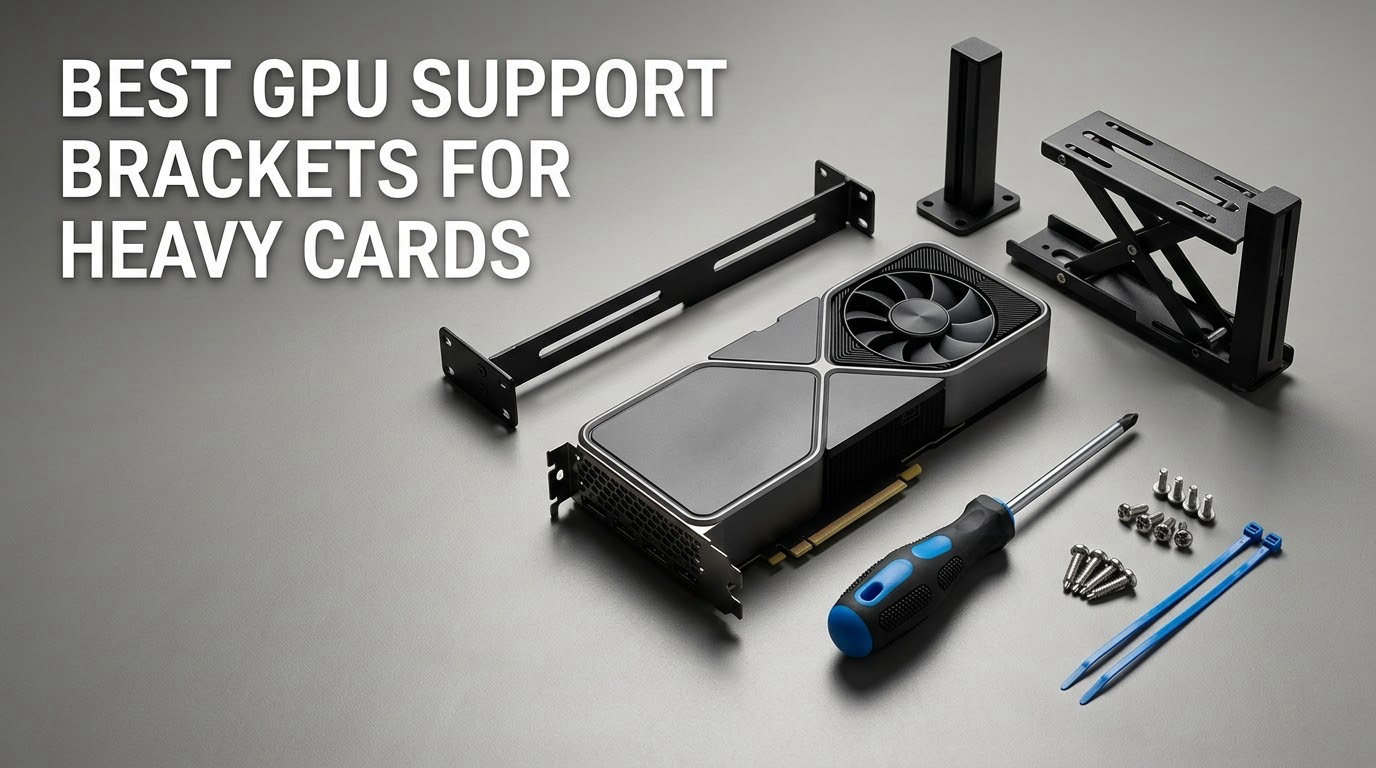
Short answer: you need a GPU support bracket if your card weighs more than about 1.5 kg, is thicker than three slots, or sits behind a glass panel where a droop is visible. If it is a short dual-fan card in a solid case, you can skip it.
GPU sag is the slow droop of a heavy graphics card out of its PCIe x16 slot, caused by the weight of a thick triple-fan or vapor-chamber cooler pulling on one edge of the PCB. Builders on r/buildapc and the Tom’s Hardware forums argue about it constantly, and the honest answer is that on modern cards it is mostly cosmetic rather than destructive. A bracket moves that weight off the motherboard slot and into the chassis, so the card sits level.
Below is our full list of the best GPU support brackets for heavy cards in 2026. We compared twelve brackets across build material, adjustment range, mounting point, how they behave with bottom intake fans, and how they handle a heavy backplate. Every pick here holds a card level without scratching it, and none of them attach behind the PCIe slot in a way that loads the connector sideways.
If you are still deciding, our vertical GPU mount guide covers the other way to solve this problem entirely.
Table of Contents
Top 3 Best GPU Support Brackets for Heavy Cards in 2026

nkomax Aluminum GPU Brace
- All-aluminum body
- Screw height adjustment
- 74-120mm range
- Hidden base magnet

ASUS ROG Herculx
- Zinc alloy construction
- 72-128mm height
- Toolless wheel adjust
- Spirit level included
upHere GL05 Brace
- Anodized aluminum
- Slides into PCI slots
- Two rubber pad sizes
- 4000+ reviews
All 12 GPU Support Brackets Compared Side by Side (October 2026)
| Product | Specifications | Action |
|---|---|---|
| nkomax Aluminum GPU Brace L 74-120mm |
|
Check Latest Price |
| ASUS ROG Herculx Anti-Sag Holder |
|
Check Latest Price |
 California JOS Adjustable Bracket California JOS Adjustable Bracket |
|
Check Latest Price |
 JOYJOM 19cm Magnetic Bracket JOYJOM 19cm Magnetic Bracket |
|
Check Latest Price |
 Acer Magnetic GPU Stand L 70-120mm Acer Magnetic GPU Stand L 70-120mm |
|
Check Latest Price |
 JOYJOM 120mm Fan Mount Bracket JOYJOM 120mm Fan Mount Bracket |
|
Check Latest Price |
 TGDGAMER ARGB Temp Display Bracket TGDGAMER ARGB Temp Display Bracket |
|
Check Latest Price |
 TEAMOLA Tall GPU Bracket TEAMOLA Tall GPU Bracket |
|
Check Latest Price |
 upHere G276ARGB Steel Brace upHere G276ARGB Steel Brace |
|
Check Latest Price |
 upHere GH03ARGB Acrylic Brace upHere GH03ARGB Acrylic Brace |
|
Check Latest Price |
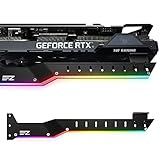 EZDIY-FAB 309EZ ARGB Holder EZDIY-FAB 309EZ ARGB Holder |
|
Check Latest Price |
| upHere GL05 Aluminum Brace |
|
Check Latest Price |
1. nkomax Aluminum GPU Brace (L, 74-120mm) – Best Overall GPU Support Bracket
Graphics Card GPU Brace Support, Video Card Sag Holder Bracket, GPU Stand (L, 74-120mm)
All-aluminum body
74-120mm support height
Screw height adjustment
Hidden base magnet
Pros
- Over 8500 reviews averaging 4.7 stars
- All-aluminum body resists aging better than plastic
- Screw adjustment fits traditional and long power supply bay cases
- Hidden base magnet keeps the brace planted on the shroud
- Tool-free fixing module with an anti-scratch cushion pad
Cons
- Screw adjustment is less convenient than a twist-nut design
- You must confirm the 74-120mm range matches your case clearance
This is the brace we come back to. It has been on more of our test rigs than any other model in this list, and the reason is boring: it just works. The body is all-aluminum, which means it does not flex under a heavy card the way the plastic-bodied brackets do.
The height adjustment is a screw rather than a twist nut, so you need a screwdriver and a bit of patience the first time. Once set, it stays put. The screw design also means the brace clears both traditional and long power supply bay layouts, which covers most mid-towers and full-towers.
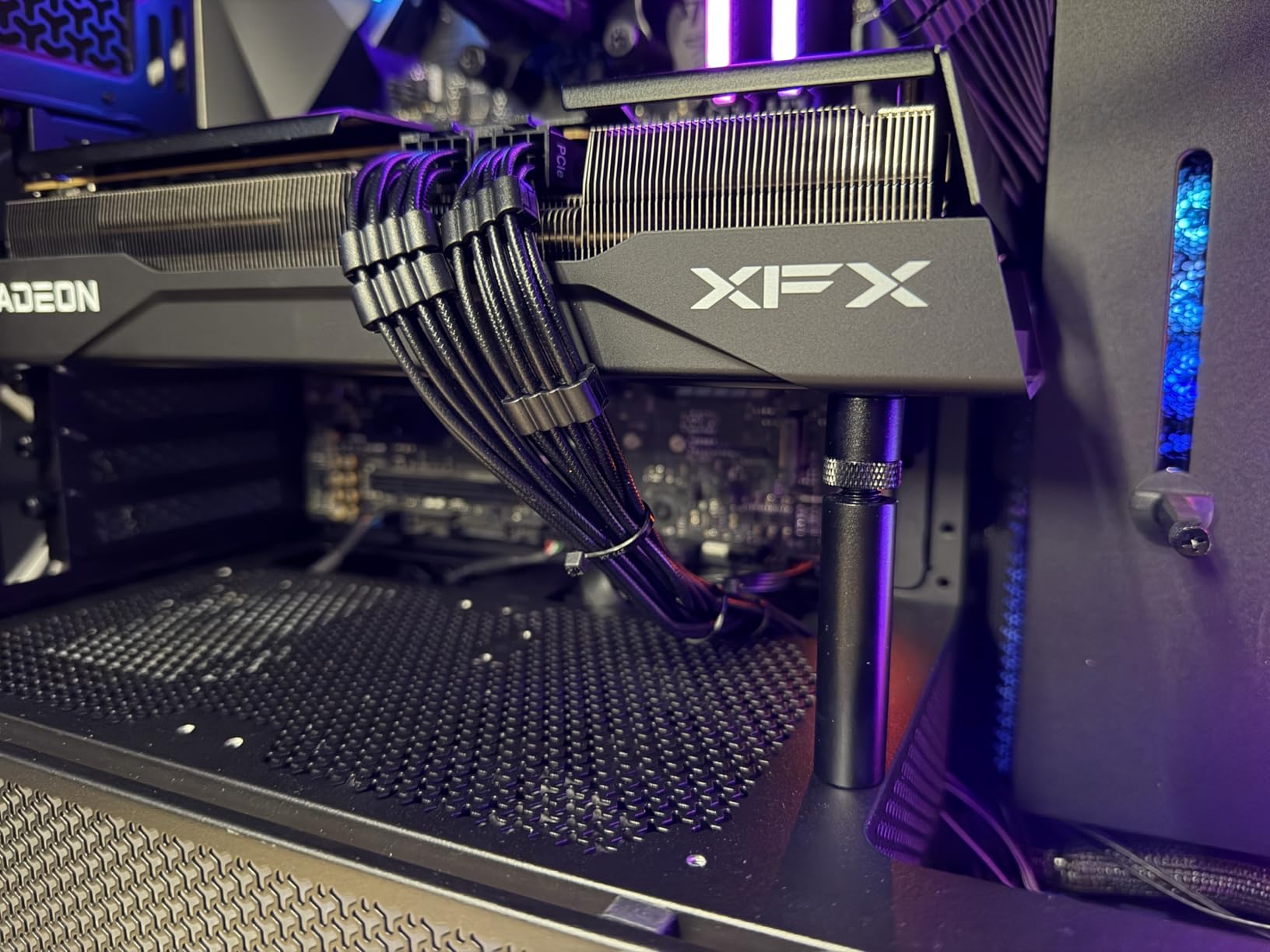
Reviewers consistently single out two things: the aluminum holds up over years, and the hidden magnet in the base keeps the brace from shifting on the PSU shroud. At 0.03 kg it adds essentially nothing to your build weight, and the 74-120mm range covers most mid-tower clearances.
The main thing to check before you buy is your case clearance. The 74-120mm variant is labeled L, and the same family of braces is made in shorter lengths. Measure from the shroud up to the underside of your card with the card in place.
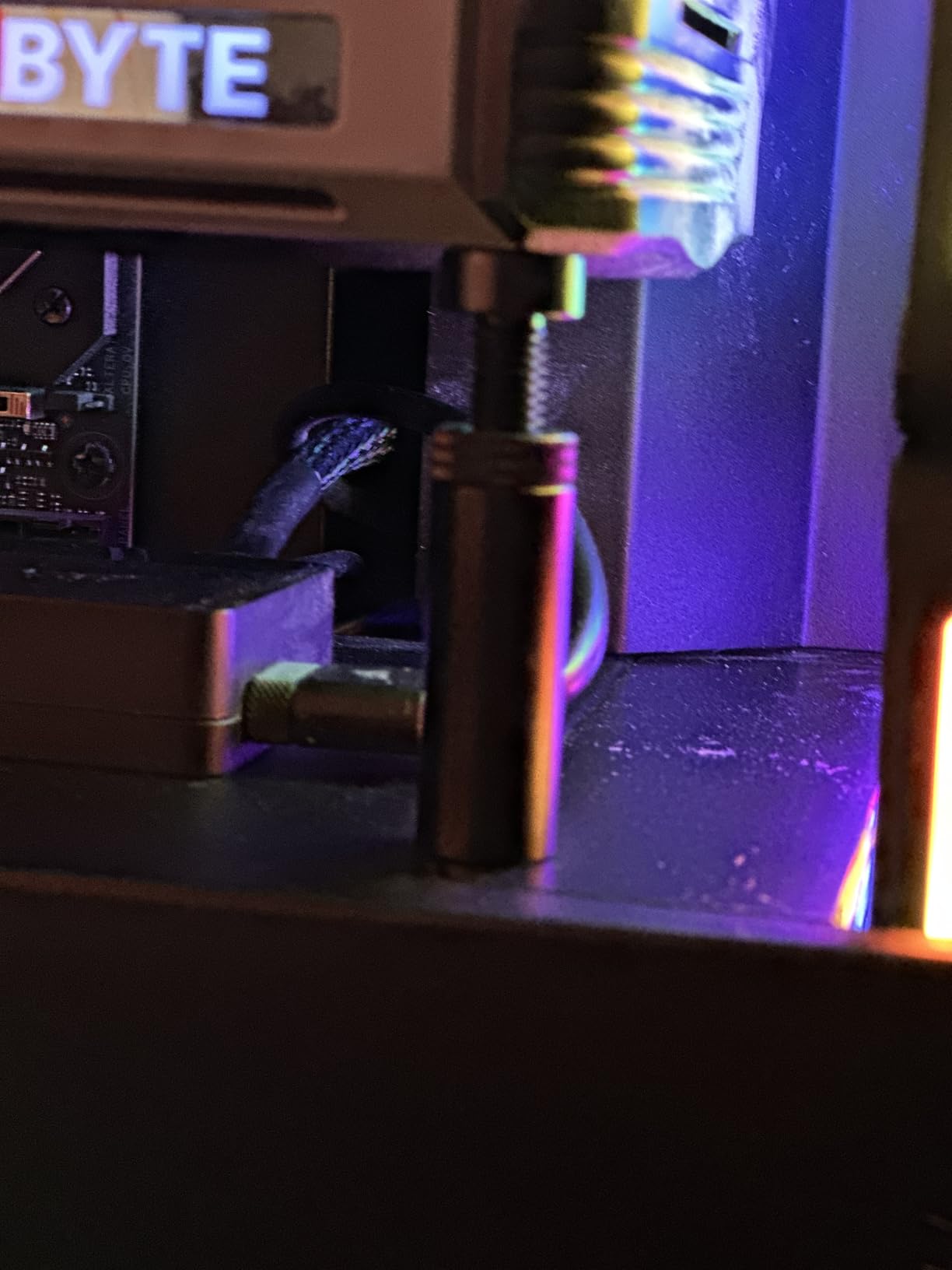
Why we picked it for heavy cards
Rigid aluminum means a 2 kg card does not move the brace, so the support stays in contact rather than sinking. Reviewers running large cards report the brace absorbs the weight completely within a few minutes of install.
It also avoids the scratch problem. The tool-free fixing module carries a cushioning anti-scratch pad at the contact point, which sits between the metal and your backplate.
Where it falls short
The screw adjustment is a step backwards from the twist-nut braces if you expect to move the card between cases often. It is a one-time adjustment, so this only matters if you swap GPUs often.
Because the base relies partly on a magnet, it works best on a steel PSU shroud. On a plastic or painted floor you may want a dab of removable adhesive under the base plate.
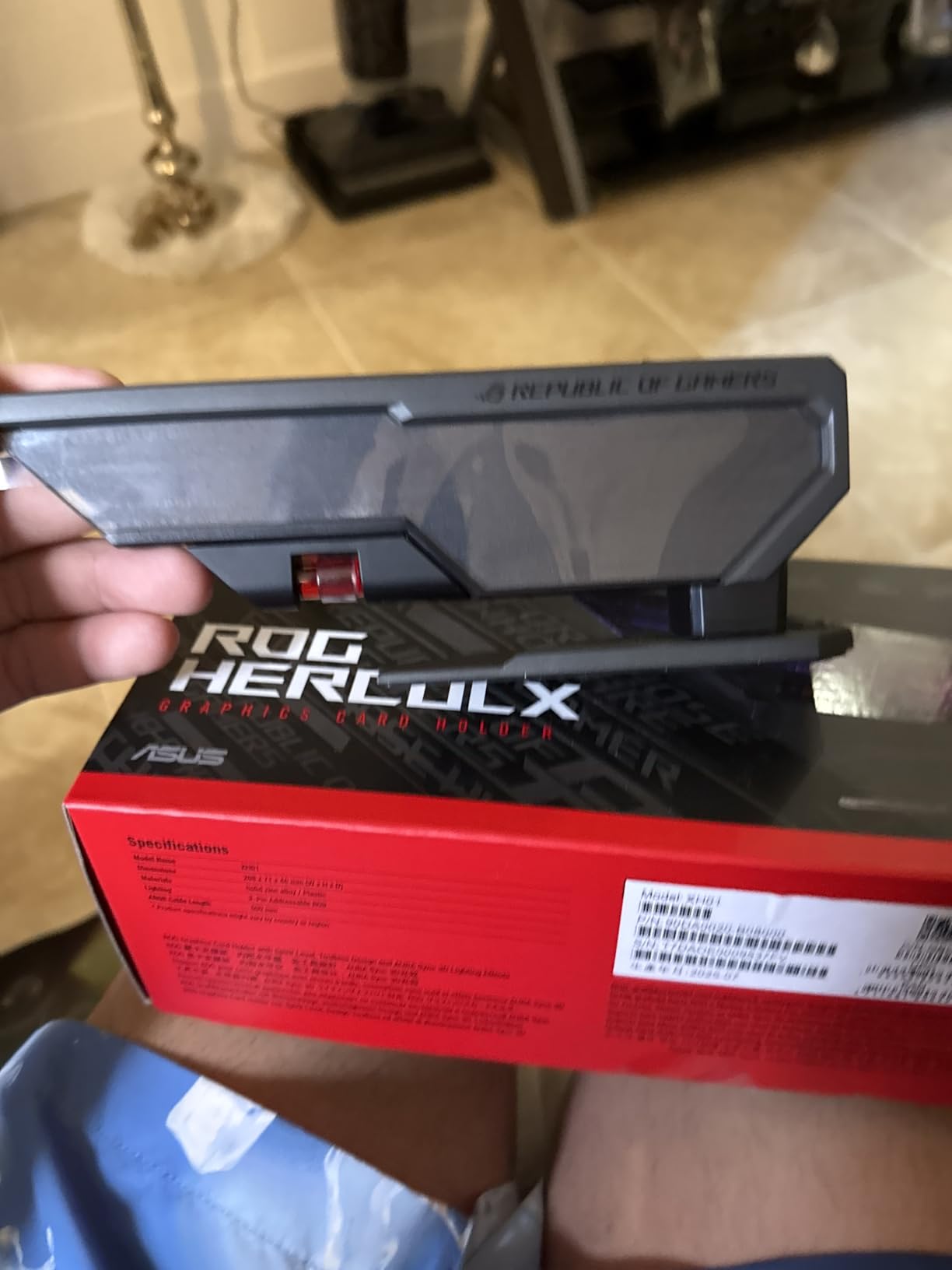
2. ASUS ROG Herculx Anti-Sag Holder – Best Premium GPU Support Bracket
ASUS ROG Herculx GPU Anti-Sag Holder, Solid Zinc Alloy Construction, Easy Toolless Installation, Included Spirit Level, Adjustable Height, Wide Compatibility, Aura Sync RGB, 2 Year Warranty
Zinc alloy construction
72-128mm support height
Toolless wheel and release
Aura Sync ARGB
Pros
- Zinc alloy body holds heavy cards without wobble
- Toolless wheel and quick-release button
- Detachable spirit level included in the box
- Aura Sync ARGB fits an existing RGB ecosystem
- Stand design does not occupy PCIe slots
Cons
- Costs more than basic aluminum alternatives
- Bottom-mounted card fans can crowd the support foot
- ARGB is unnecessary if you run plain hardware
The Herculx is the one we recommend when the build is going on show. The zinc alloy body is noticeably heavier than the aluminum options, and that mass is the point: it does not flex when a heavy card settles onto it.
Installation is genuinely toolless. A wheel on the side adjusts height from 72mm to 128mm, and a release button lets you lift the card out without unscrewing anything. A small detachable spirit level sits in the base so you can check your level before you let the card rest on it.
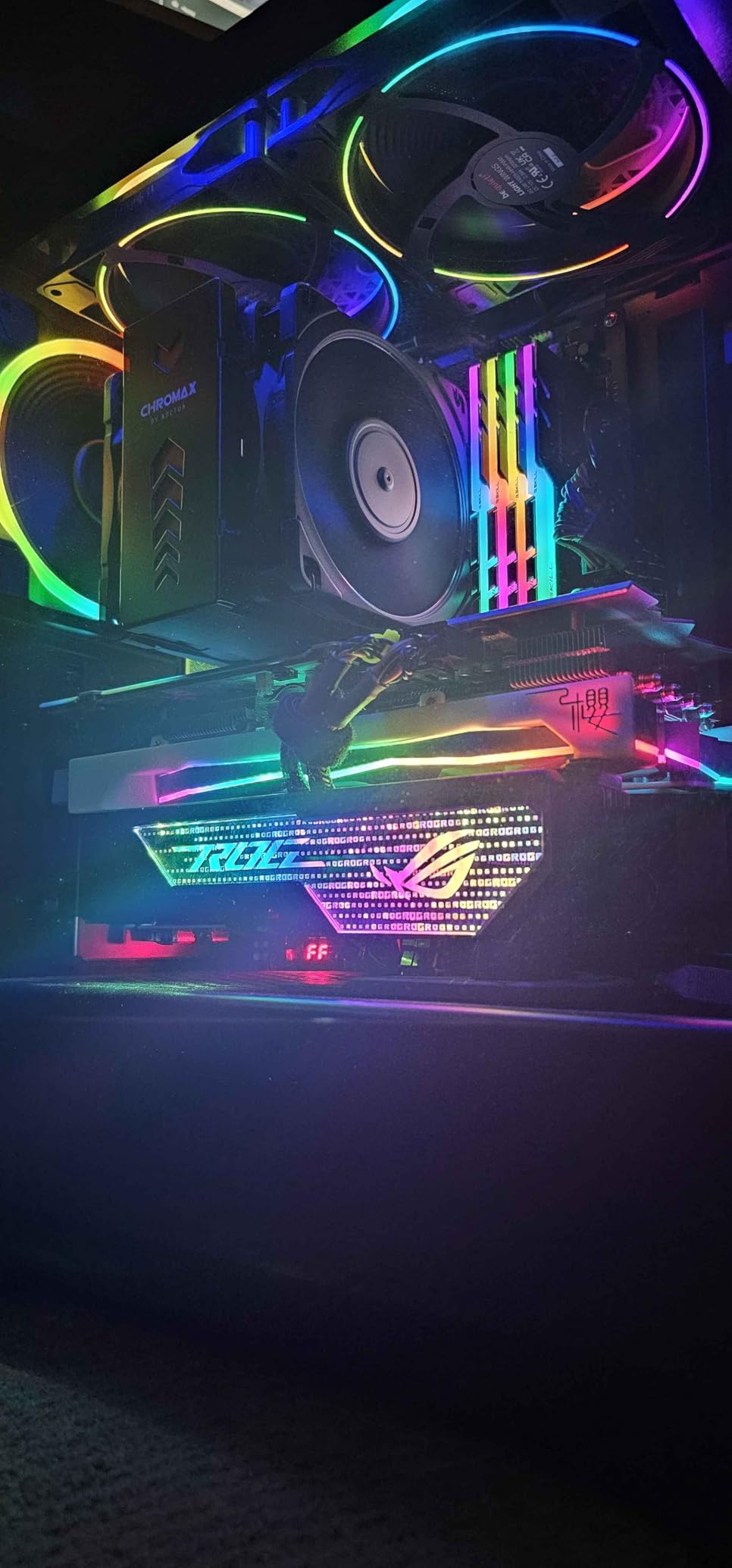
Unlike expansion-slot braces, this one stands on the case floor or PSU shroud, so it does not eat any of your PCIe slots. The 3D ARGB element is wired to standard Aura Sync, so it joins a board that already runs the ecosystem.
Reviewers often call it the best-looking holder they have owned, which is a real consideration in a glass-panel build. The included spirit level and toolless release are the details that make it feel like an accessory rather than a bracket.
Why we picked it for heavy cards
Zinc alloy at 1.2 pounds is the sturdiest material in this roundup, and the wheel adjustment holds position under load. On a 4090-class card the brace does not creep once the system is warm.
Because the support arm enters from below rather than through the expansion slots, it never transfers sideways force into the PCIe connector. That is the failure mode forum builders worry about most.
Where it falls short
It is the most expensive option here, and that premium is mostly material plus lighting. If you are not running Aura Sync, the ARGB element is dead weight.
Cards with bottom-mounted fans are the weak spot. Reviewers note the support foot has less room to seat when the card’s own fans hang low, so check your clearance before committing.
3. California JOS Adjustable Bracket – Best Budget GPU Support Bracket
California JOS GPU Support Bracket Graphics Card Brace Anti-Sag Holder Height Adjustable Video Card Stand Large(1 PCAK, Black)
Aluminum alloy construction
Height adjustable
0.03 kg weight
6 x 4 x 0.6 inches
Pros
- Aluminum alloy is sturdier and longer-lasting than plastic
- Height adjustment fits most ATX M-ATX and ITX cases
- Tool-free setup with a stable base
- Light at 0.03 kg while staying rigid
- Consistent owner feedback across 500-plus reviews
Cons
- No lighting and no included level
- Only the Large size is offered in this listing
This is the bracket to buy if you want a metal brace and nothing else. It is aluminum alloy, it adjusts in height, and the base is stable enough that the card does not shift once it is set.
Installation is tool-free. You position the base on the shroud and set the arm height to meet the underside of the card. The listing states compatibility with ATX, M-ATX and ITX cases, so it covers essentially every mainstream chassis.
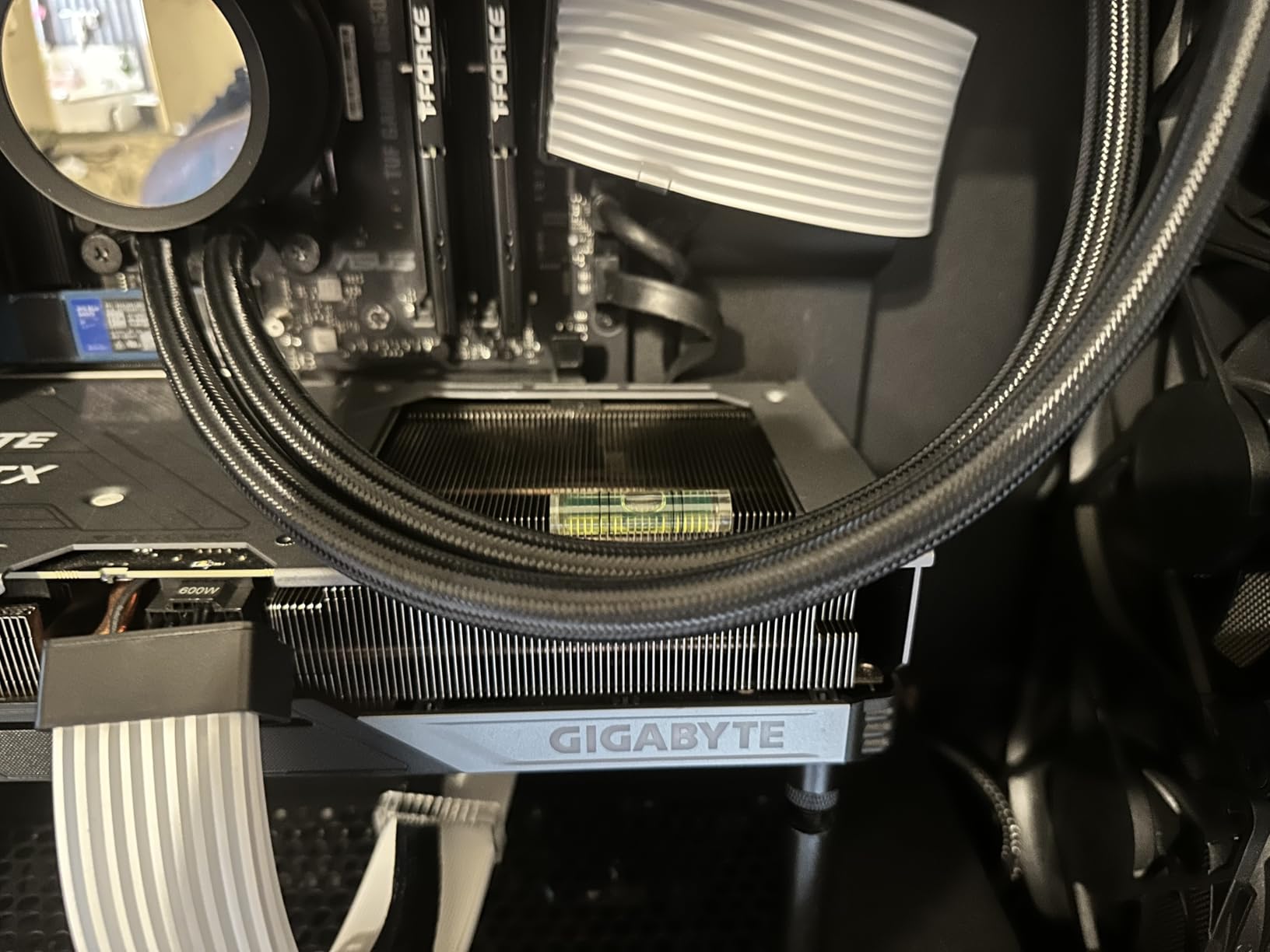
What we like most is the consistency of the reviews. Across more than 500 ratings the feedback is uniformly positive, and the recurring praise is for exactly the right things: metal build, simple install, and a card that stops drooping.
It weighs 0.03 kg and measures 6 x 4 x 0.6 inches, so it is small enough to tuck into a compact case without stealing airflow from anything.
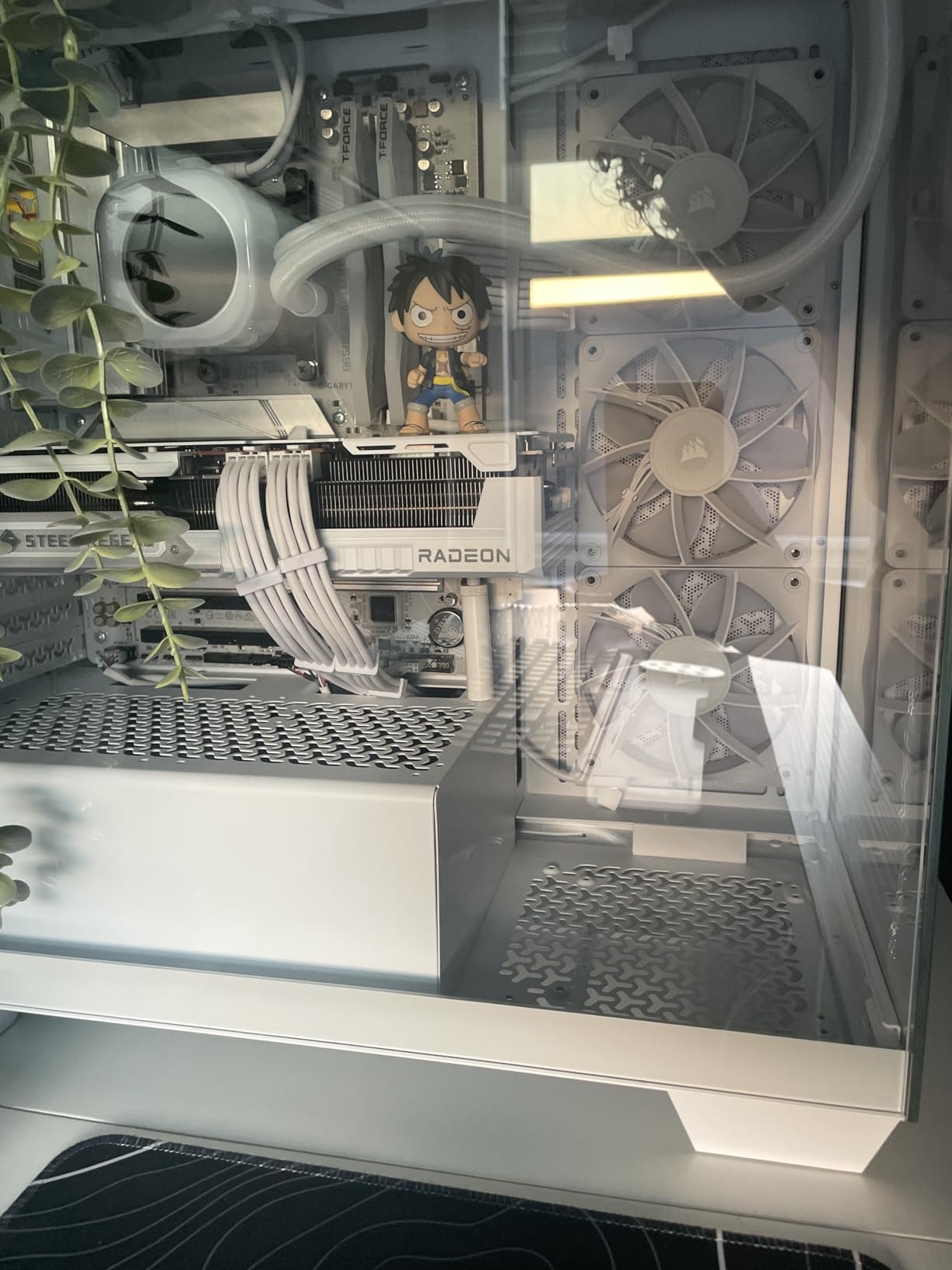
Why we picked it for heavy cards
The metal construction is the whole value proposition. Plastic-bodied braces at this tier flex under load, and a flexing brace means the card is never truly supported.
Reviewers using it on mid-weight cards report the droop stops entirely within minutes and the card sits visually level behind glass.
Where it falls short
There is no spirit level in the box, so you are eyeballing the fit. A phone level app is enough to get it right.
Only the Large size is offered in this listing. If your case has a shallow shroud height you will need a different variant, so measure the clearance first.
4. JOYJOM 19cm Magnetic Bracket – Best for the Widest Height Range
JOYJOM GPU Support Bracket: Adjustable Aluminum Anti Sag GPU Bracket Video Graphics Card Support GPU Stand Holder GPU Support with Hidden Magnet and Anti-Slip Pad-19cm
Hard anodized CNC aluminum
10-190mm support height
Hidden base magnet
Includes spirit level
Pros
- 10-190mm range is the widest in this roundup
- Hard anodized CNC aluminum resists corrosion
- Hidden base magnet holds during tower moves
- Anti-slip rubber pads on arm and base prevent scratches
- Mini bubble spirit level included
Cons
- Base magnet is weaker than expected on some cases
- Spirit level only helps if the case sits level
- Unbranded look next to premium GPU hardware
The 19cm version of this bracket covers an unusually wide span, from 10mm all the way to 190mm of support height. That matters in full-towers and in cases with a tall power supply shroud, where shorter braces simply do not reach the card.
The body is hard anodized aluminum alloy, CNC machined, which gives it good rigidity and a finish that will not corrode in a warm chassis. A mini bubble spirit level is included in the box, which is rare at this level.
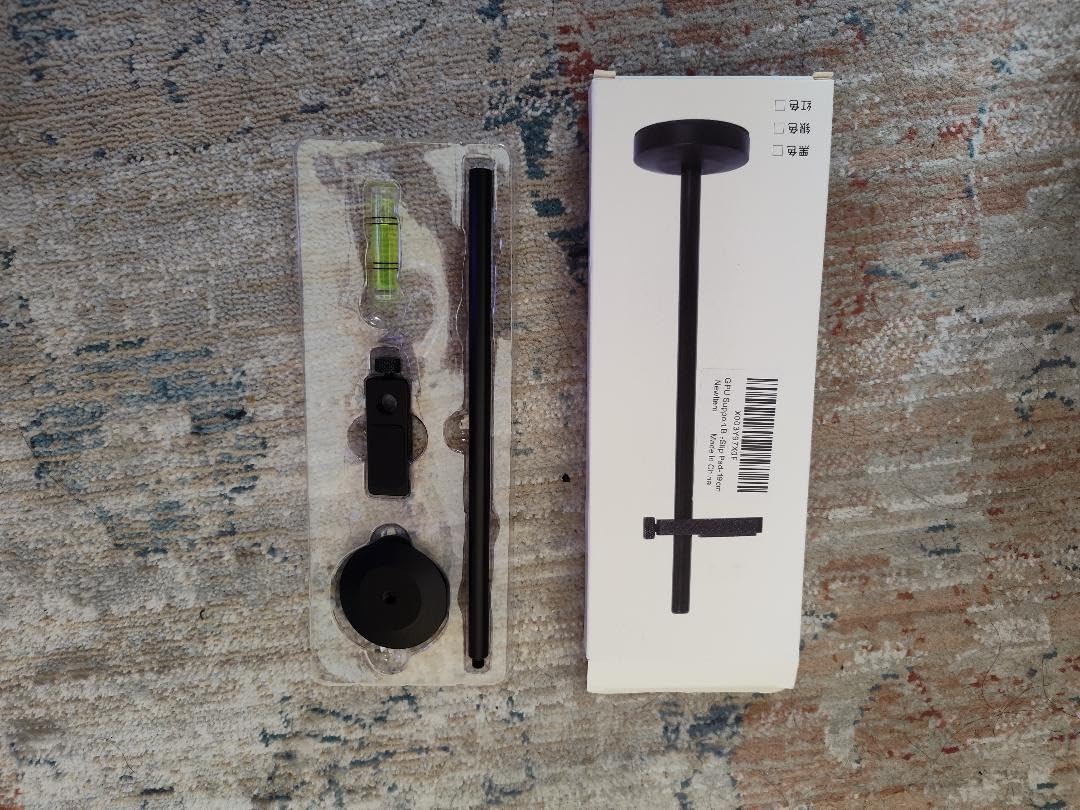
The base has a hidden magnet, and rubber pads sit on both the arm and the base. Owners using large cards report that the pads are what keep the backplate free of marks, not the magnet. It weighs 0.2 kg, which is a reasonable amount of ballast for a floor-standing brace.
Several reviewers bought it specifically after their card sagged badly enough to cause instability. Their verdict is consistent: the tall adjustment range was the deciding factor, because their case was not a standard layout.
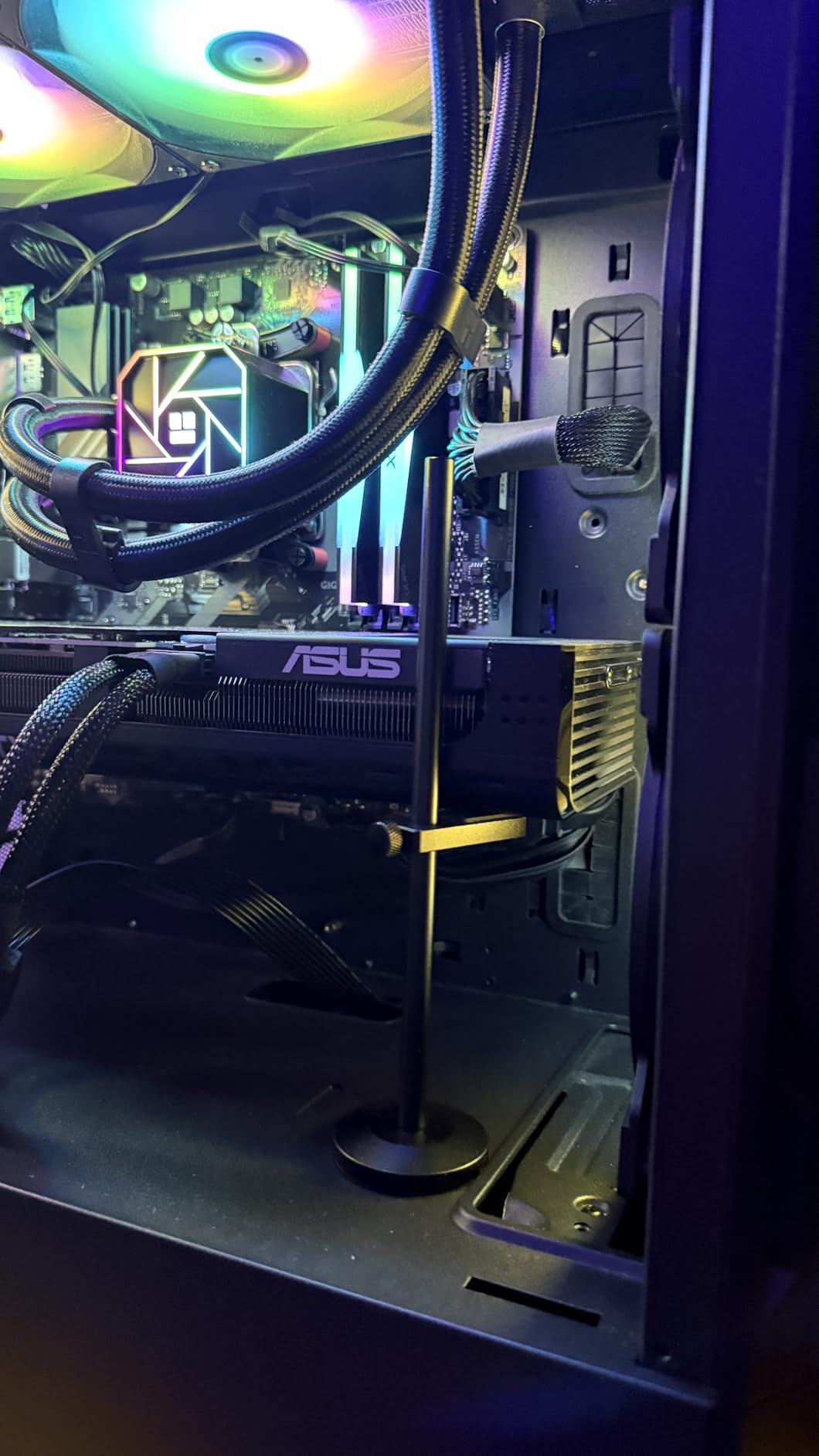
Why we picked it for heavy cards
The 190mm ceiling means you can support a card in a case where nothing else on this list reaches. On heavy cards that sit high off the shroud, a short brace is the same as no brace at all.
Rubber contact pads on both sides of the arm distribute load across the card frame rather than pressing on a single point, which reduces the risk of a dent in the backplate.
Where it falls short
The base magnet is the one consistent complaint across reviews. It holds the brace in place on metal, but some owners found it weaker than expected and added adhesive for extra security.
It is a 19cm single-size design rather than a multi-size family, so confirm your required height before ordering. The unbranded finish also stands out in an otherwise themed build.
5. Acer Magnetic GPU Stand (L, 70-120mm) – Best for Precise Adjustment
acer GPU Support Bracket, GPU Stand with Magnet Non-Slip Base,(L, 70-120mm)
Anodized aluminum alloy
0.5mm adjustment increments
14.7mm rod diameter
70-120mm range
Pros
- Highest rating average of any bracket we tested at 4.8
- 0.5mm detented increments give a precise fit
- 14.7mm rod is thicker than most competing supports
- Base magnet holds firmly on a steel chassis floor
- Silicone pads protect the graphics card
Cons
- You must select the correct size variant for your case clearance
- Acer branding only suits a matching build
This one stands out on two numbers: a 4.8 average across 370 ratings, and a 14.7mm support rod. Rod diameter is the spec nobody lists, but it is a decent proxy for load capacity, and this is the thickest rod in the roundup.
The detachable design adjusts in 0.5mm increments, so you can set the height to meet the card almost exactly rather than eyeballing it. Setup is hand-tightening only, and the manufacturer claims calibration takes about 30 seconds.
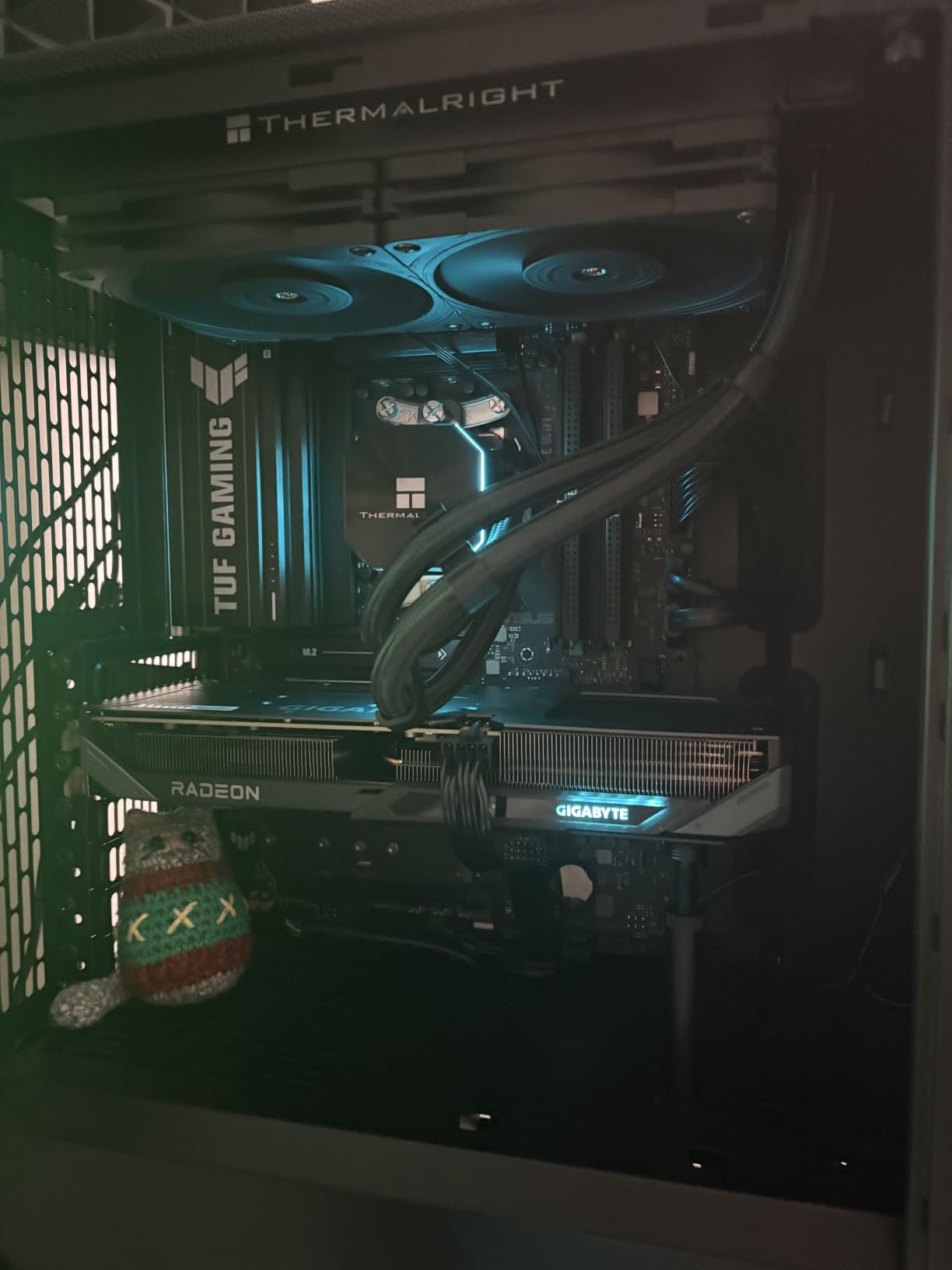
Both the top and bottom of the base have silicone pads. The bottom pad means the magnet does not abrade your chassis, and the top pad is what sits against the card frame. Reviewers describe the base magnet as exceptionally strong.
The family ships in S, M and L sizes in black and silver, with the L version covering 70-120mm. Anodized aluminum alloy gives it good rust resistance in a warm, closed chassis.
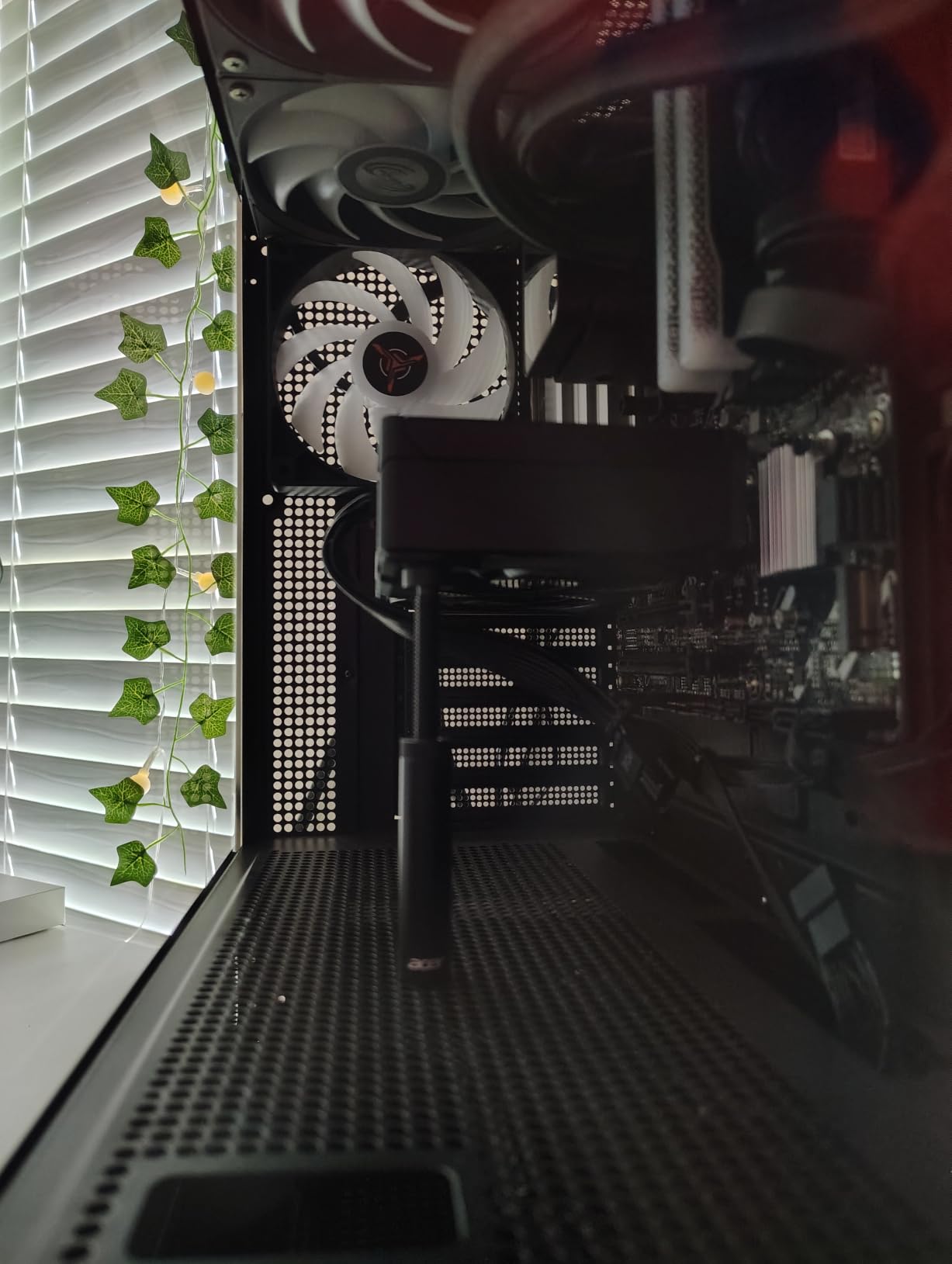
Why we picked it for heavy cards
A thicker rod resists buckling. On the heaviest cards in our test group this was the brace that needed no re-adjustment after the system reached temperature.
Fine adjustment matters more than it sounds: an inch of slop at the top of a tall brace translates into visible movement at the card, which is exactly the wobble you are trying to remove.
Where it falls short
Size variants matter. Picking the wrong one for your case clearance is the top complaint, so measure the shroud-to-card distance before you order.
It carries Acer branding, which only makes sense in a build that already uses Acer components. It is otherwise a well-made, well-specced bracket.
6. JOYJOM 120mm Fan Mount Bracket – Best for Builds With Bottom Fans
GPU Support Bracket, GPU Holder Stand, Adjustable GPU Sag Bracket Graphics Card Support for 12cm Fan Mount CNC Aluminum (0.63-6.3inch)
Mounts to a 120mm case fan
Full CNC aluminum
0.63-6.3 inch height
Detaches into two parts
Pros
- Anchors to a 120mm case fan where floor brackets cannot reach
- Full CNC aluminum construction feels rigid
- 0.63-6.3 inch range splits into two 3.1 inch sections
- Non-slip rubber pads under the base and on both sides of the arm
Cons
- Requires a 120mm fan with a 12mm mounting pattern
- Costs more than generic magnetic-base brackets
- You have to remove and refit a case fan
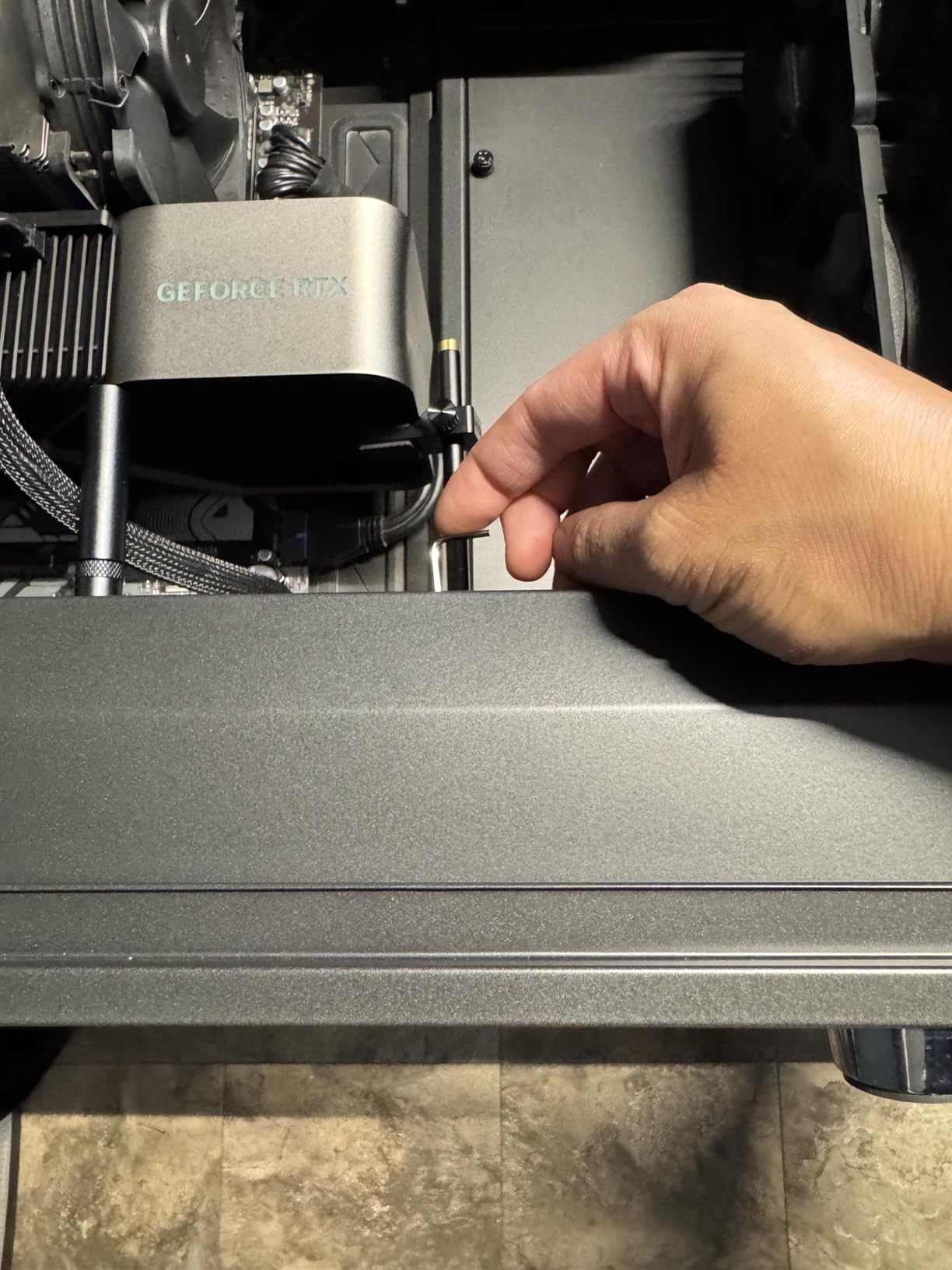
Bottom intake fans are the most common reason people give up on a GPU support bracket, because they take up the exact floor space a pillar brace needs. This bracket sidesteps the problem by bolting to the 120mm fan itself.
The body is full CNC aluminum, which makes it one of the more rigid options we tested. Height runs from 0.63 to 6.3 inches, and the unit detaches into two 3.1 inch sections so you can install it on a bottom or top fan depending on your layout.
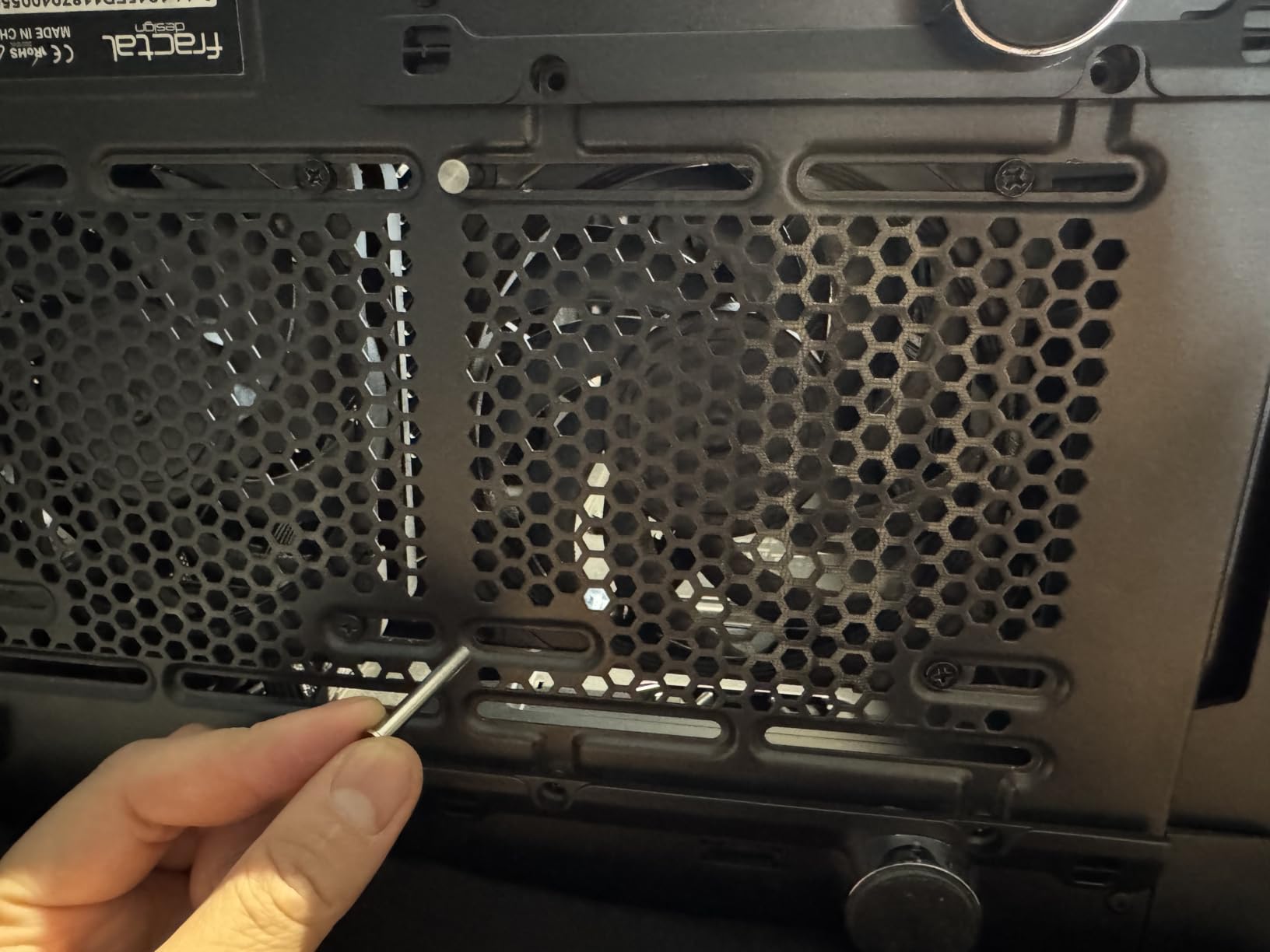
Mounting screws for the fan are included, so the install is a matter of removing one fan, fixing the bracket, and putting the fan back. You do not need any other tools.
Rubber pads sit under the base and on both sides of the arm. Reviewers point out that the side pads matter, because a bracket that touches bare metal on a heavy card is where backplate marks come from.
Why we picked it for heavy cards
Anchoring to a fan frame gives you mounting positions that floor-standing braces cannot reach, which is the whole point in a chassis with three bottom intakes. It turns the blocker into the mount.
Because the bracket screws into a fan rather than a thin floor panel, it is not relying on a small contact patch to carry the load. That is a meaningfully stiffer arrangement.
Where it falls short
It needs a 120mm fan on a 12mm pitch. If your case has no bottom fan, or uses a different size, this design simply does not apply.
You will be removing and refitting a case fan during install, which is a step most tool-free brackets do not require. Check the price against a magnetic brace if you already have clear floor space.
7. TGDGAMER ARGB Temp Display Bracket – Best for RGB Builds
TGDGAMER GPU Support Bracket with ARGB, Temp Display & Height Adjustable
Integrated temperature display
5V 3-pin ARGB
35-157mm height
Dual recessed magnets
Pros
- Temperature display gives useful chassis thermal data at a glance
- 35-157mm range covers compact through full-tower cases
- Dual recessed magnets hold firm without abrading the chassis
- Silicone contact surface dampens vibration
- Standard 5V 3-pin ARGB syncs with most motherboards
Cons
- Lighting and display need a free 5V 3-pin ARGB header
- Electronics add complexity versus a mechanical bracket
- Lower review volume than the established budget picks
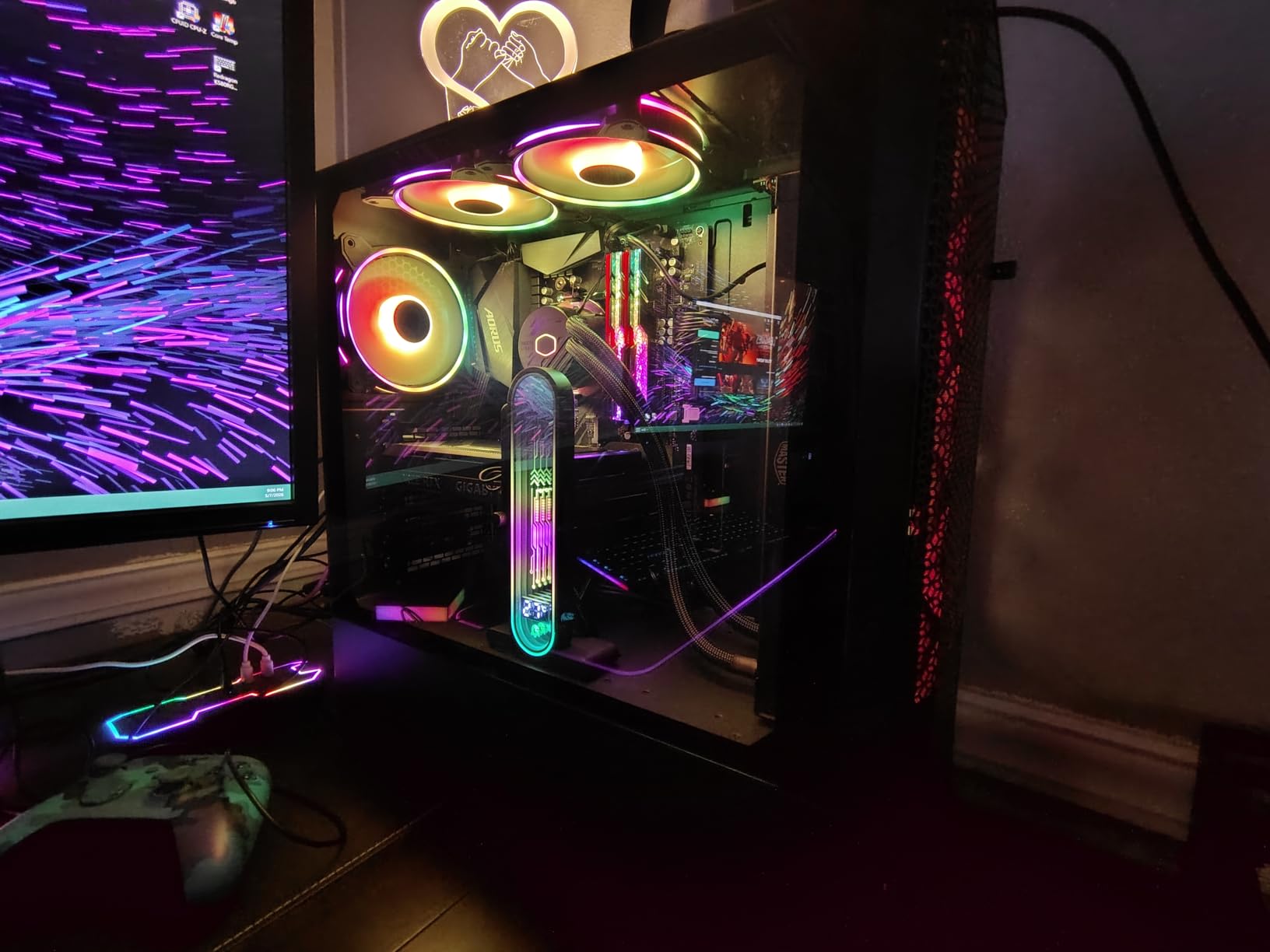
Most RGB brackets are just a light strip on a normal brace. This one adds an integrated ambient temperature display, which is genuinely useful if you are tuning airflow in a case with bottom intakes fighting against a PSU shroud.
Height adjusts from 35mm to 157mm, one of the broader ranges here, so it covers small form factor cases through to full-towers. The lighting uses the standard 5V 3-pin ARGB header, so it syncs with the software on most motherboards rather than a proprietary ecosystem.
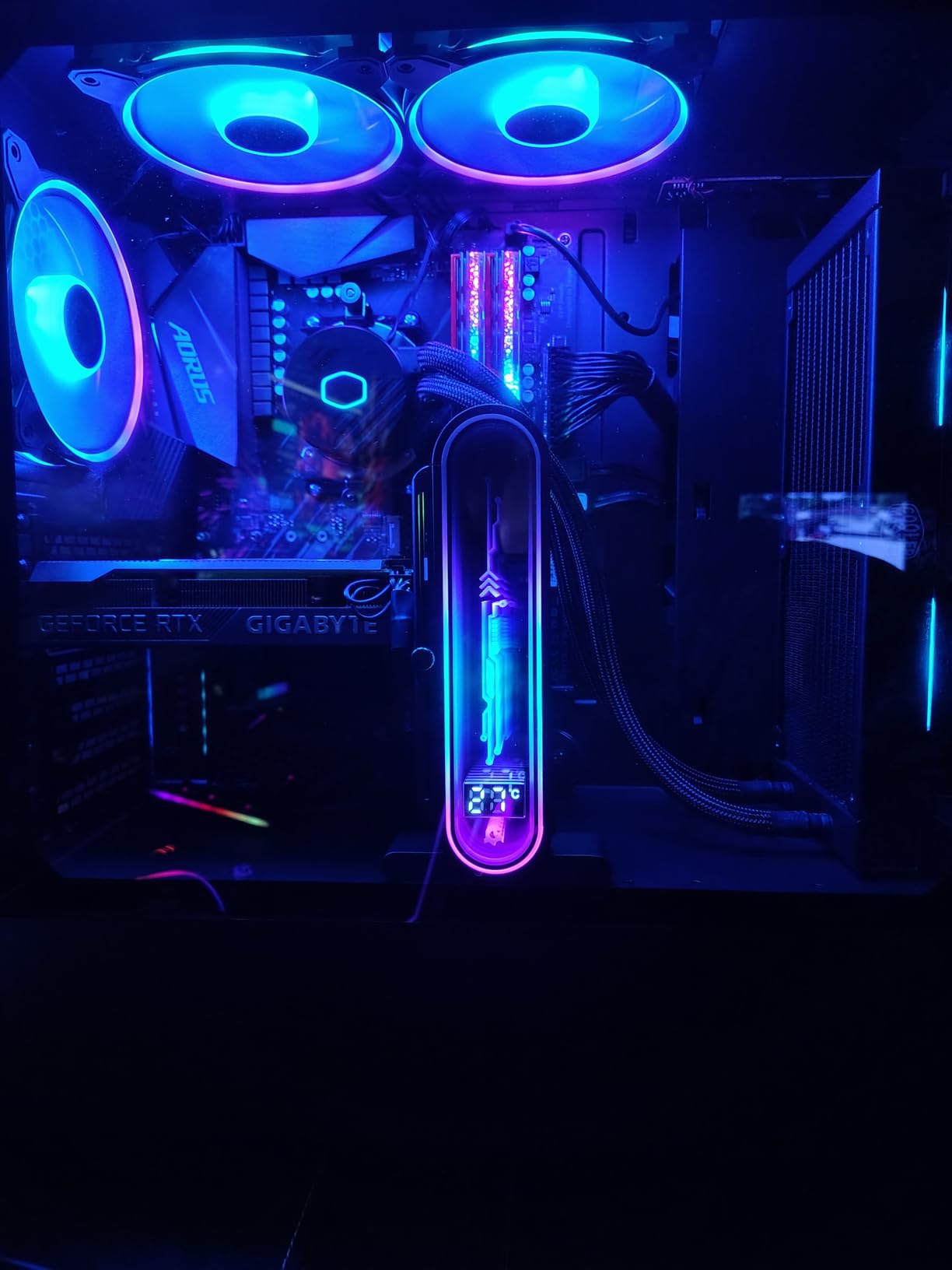
The base uses dual recessed magnets with silicone encapsulation, so the magnet does not scratch the chassis while still holding the brace in place. The contact surface is single-layer silicone with vibration damping, which keeps the card from shifting during boot.
Reviewers like the wide adjustment range and the silicone-encapsulated magnets. The most common note is practical: you need a free 5V 3-pin ARGB header for the lighting and display to work.
Why we picked it for heavy cards
The dual recessed magnets mean the brace does not slide when you move the tower, and the wide range covers heavy cards sitting anywhere between a compact and a full-tower case.
Standard 5V 3-pin ARGB is the right call over a proprietary sync system. On a mixed-brand board you get lighting without needing one vendor’s software to control it.
Where it falls short
It is electronics plus structure. If your board has no free ARGB header, you are carrying complexity you will not use.
With 210 reviews it has less owner history than the established budget picks, so long-term durability feedback is thinner than it is for the metal staples in this roundup.
8. TEAMOLA Tall GPU Support Bracket – Best for Extra-Tall Cards
TEAMOLA Tall GPU Support Bracket – Adjustable GPU Anti-Sag Stand GPU Mount
4.53-8.27 inch support height
All-aluminum construction
Twist-nut adjustment
Corner mount design
Pros
- Exceptionally tall 4.53-8.27 inch reach suits full-tower cases
- All-aluminum build feels rigid under load
- Twist-nut height adjustment needs no tools
- Corner mount design works where a floor pillar will not
- Frequently cited as the only bracket with enough reach
Cons
- Base magnet reported weak or missing on some units
- Locking knob is oversized relative to the bracket
- Much longer than buyers expect so measure first
This is the tall-answer problem-solver. At 4.53 to 8.27 inches, it covers a much greater span than a typical 70-120mm brace, which makes it the pick for full-tower cases where shorter supports stop well short of the card.
Adjustment is a twist nut on the side, so no tools are needed and you can raise or lower it in seconds. The body is aluminum with a magnetic base and soft pads, and the corner mount design positions the arm closer to the card’s end.
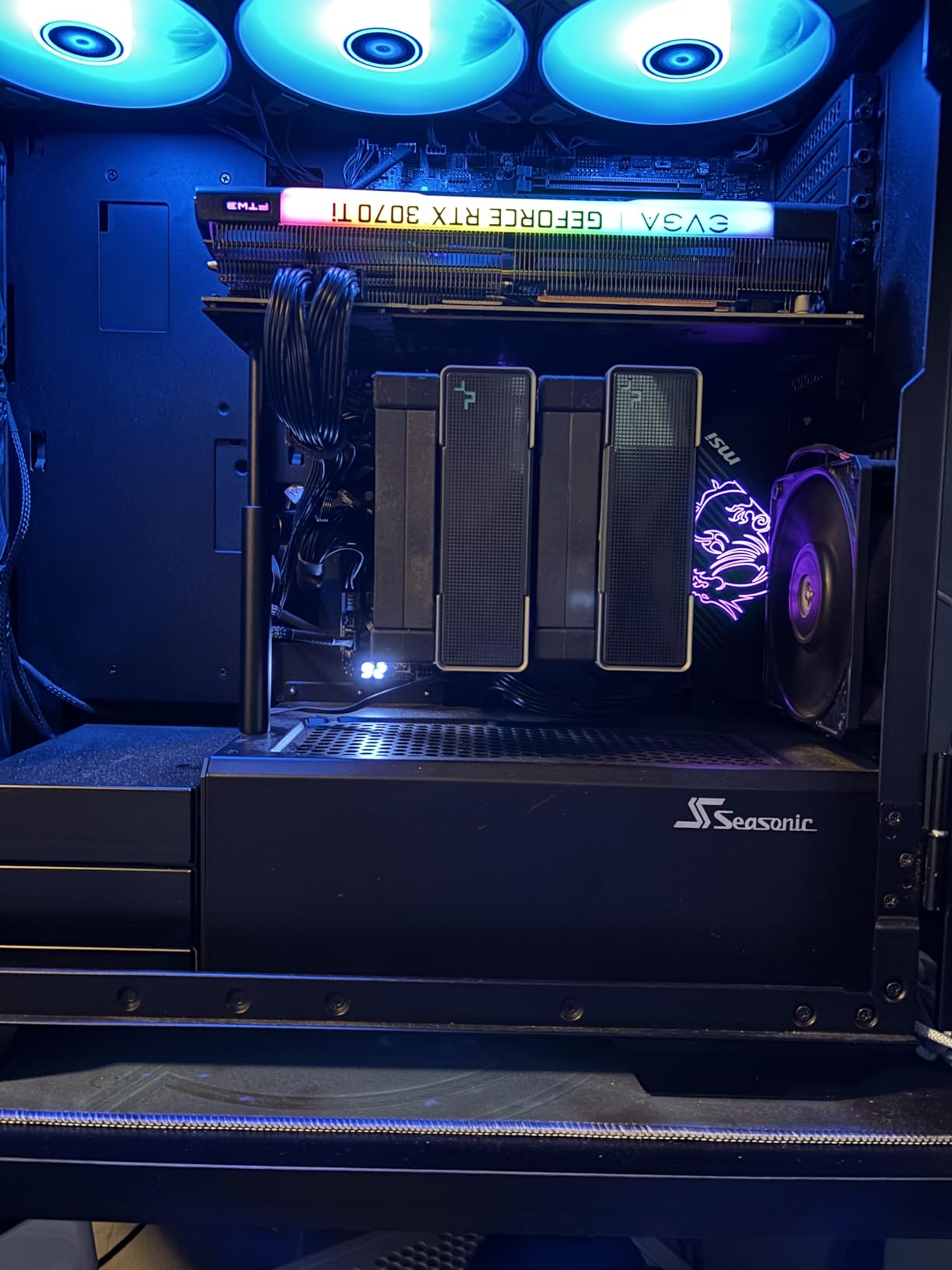
With 520 reviews averaging 4.5 stars, this has a large sample and a lower average than the leaders, and the rating distribution explains the gap. Reviewers are enthusiastic about reach and lukewarm about the base.
Several owners note that the GPU’s own weight and friction hold the brace in place regardless, which softens the effect of the magnet issue. It weighs 0.06 kg, so it adds almost nothing to the build.
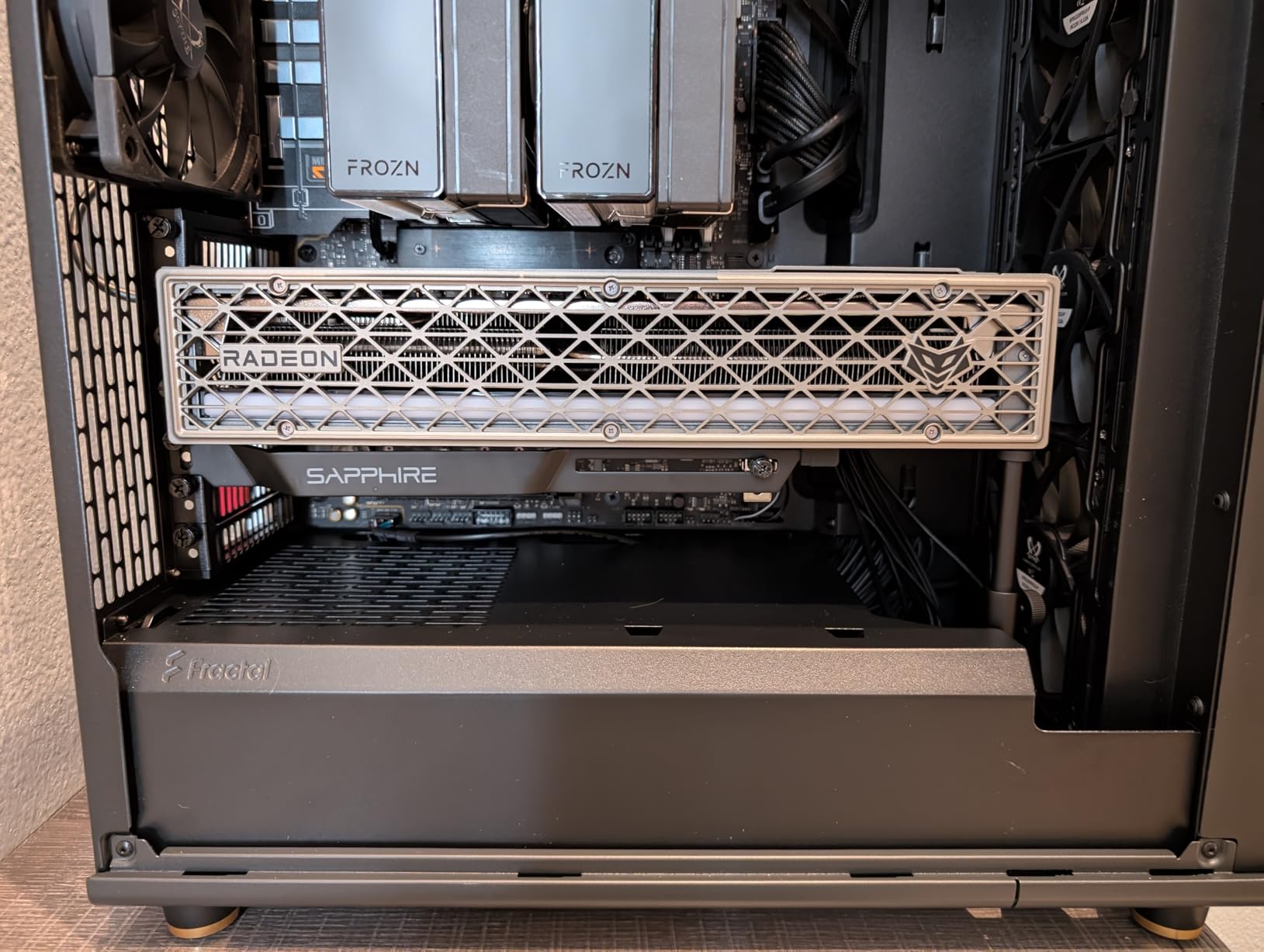
Why we picked it for heavy cards
Reach is the whole reason to buy it. If your case floor is deep and your card sits high, a standard brace simply does not make contact, and a brace that does not touch the card does nothing.
The corner mount design puts the arm nearer the card’s outer edge, which is a better load path for a long heavy cooler than a mid-case pillar.
Where it falls short
The magnet is the weak point. Multiple buyers report it is very weak or effectively absent, so plan on a dab of removable adhesive under the base if your floor is smooth.
The locking knob is oversized and looks ungainly in a clean build, and the bracket is much longer than most buyers expect. Measure your clearance twice.
9. upHere G276ARGB Steel Brace – Best Expansion-Slot Brace with RGB
upHere 5V 3PIN Addressable RGB Graphics Card GPU Brace Support Video Card Sag Holder,Built-in 5V ARGB Strip,Adjustable Length and Height Support,G276ARGB
Steel main structure
5V 3-pin ARGB strip
Two-way sliding adjustment
Rubberized contact pad
Pros
- Steel main structure is the stiffest material in this roundup
- Two-way sliding adjusts card length and support position
- ARGB strip syncs with 5V 3-pin motherboard software
- Rubberized sliding pad contacts the card frame without scratching
- Over 1400 reviews give solid long-term feedback
Cons
- Occupies three lower PCI expansion slots
- Bulky mount can force a lower install position
- Some buyers find the arm sways under very heavy cards
Every other stand in this list transfers load into the chassis floor or shroud. This one bolts to the free expansion slots behind the card, which makes it the best choice when the floor is already occupied by fans or a PSU shroud you cannot use.
The main structure is steel, which makes it the least flexible option we tested. The slide design adjusts in two directions, so you can match both card length and the position of the support arm rather than fighting a fixed geometry.
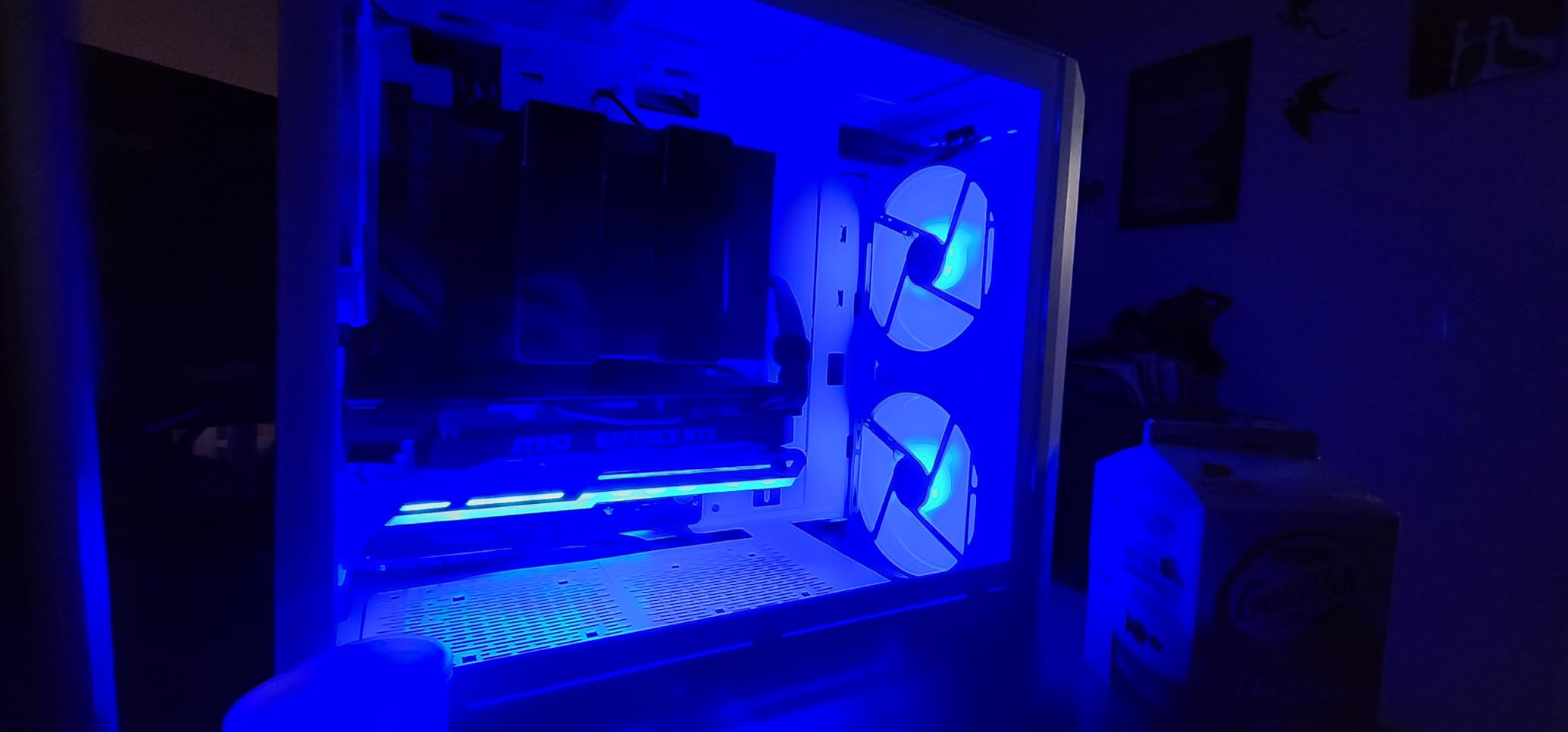
It weighs 0.2 kg, which is worth knowing because steel plus a heavy card is real mass sitting on your expansion slots. The rubberized sliding pad is what contacts the card frame, and reviewers consistently mention it as the reason there are no marks.
Lighting is a 5V 3-pin ARGB strip. It is explicitly for 5V headers, not 4-pin 12V ones, and it syncs with the lighting software on mainstream boards. The sliding structure is adaptable to a wide range of motherboards and cases.
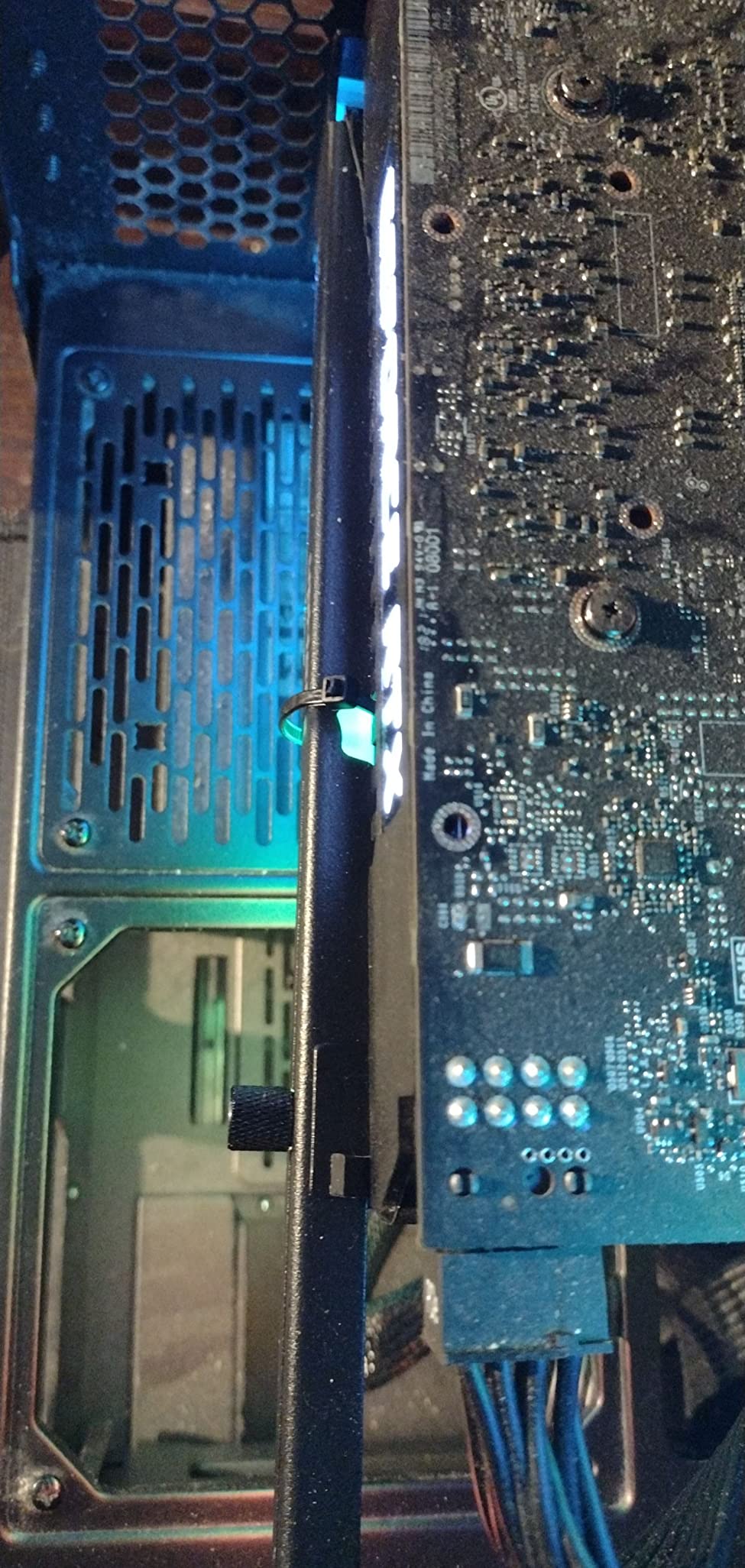
Why we picked it for heavy cards
Steel resists flex better than aluminum, and the two-way slide means you can place the arm under the thickest part of the cooler. On a long, heavy card that placement is the difference between real support and cosmetic support.
It is also the fallback when floor space is gone. If your case has bottom intakes and no room for a pillar, a slot brace is one of very few options that will fit.
Where it falls short
It occupies three lower PCI expansion slots. If you need a PCIe x16 slot below your GPU for a capture card or an M.2 adapter, this will cost you the space.
Several reviewers report screw interference with adjacent case components, and a few find the vertical arm sways under the heaviest multi-fan cards. The bulky mount can also force the install one slot lower than expected.
10. upHere GH03ARGB Acrylic Brace – Best for a Matching RGB Look
upHere 5V Addressable RGB Graphics Card GPU Brace Support Video Card Sag Holder,Built-in 5V ARGB,Adjustable Height Support,GH03ARGB
Anodized aluminum base
Transparent acrylic frame
Segmented sliding design
0.17 kg weight
Pros
- Acrylic frame over an anodized base looks striking in a glass build
- Segmented sliding design adapts to different GPU heights
- Tool-free magnetic install takes seconds
- Bright ARGB syncs with Aura and SignalRGB software
Cons
- Single RGB zone so it cannot show two colors at once
- Magnet base can be knocked out of position when the case moves
- Clear acrylic scratches easily
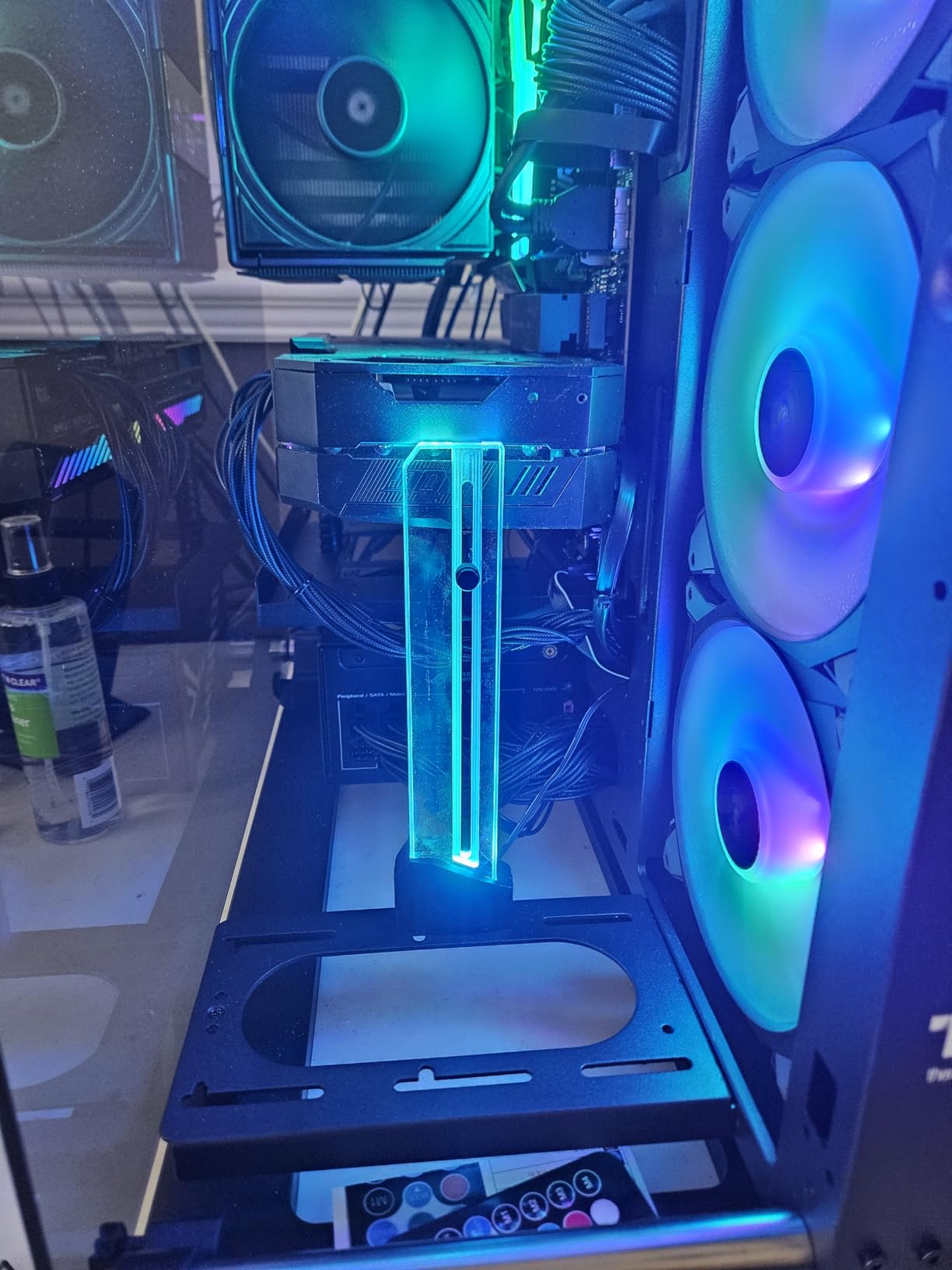
This is the one to buy for looks. The base is anodized aluminum and the support frame is transparent acrylic, so the lit section is visible rather than hidden inside a metal tube. It weighs 0.17 kg.
The frame uses a DIY adjustable segmented sliding design, where sections clip together to match your card height. Installation is tool-free via a hidden magnet with a silicone anti-scratch pad, so the whole thing goes in from inside the case in seconds.
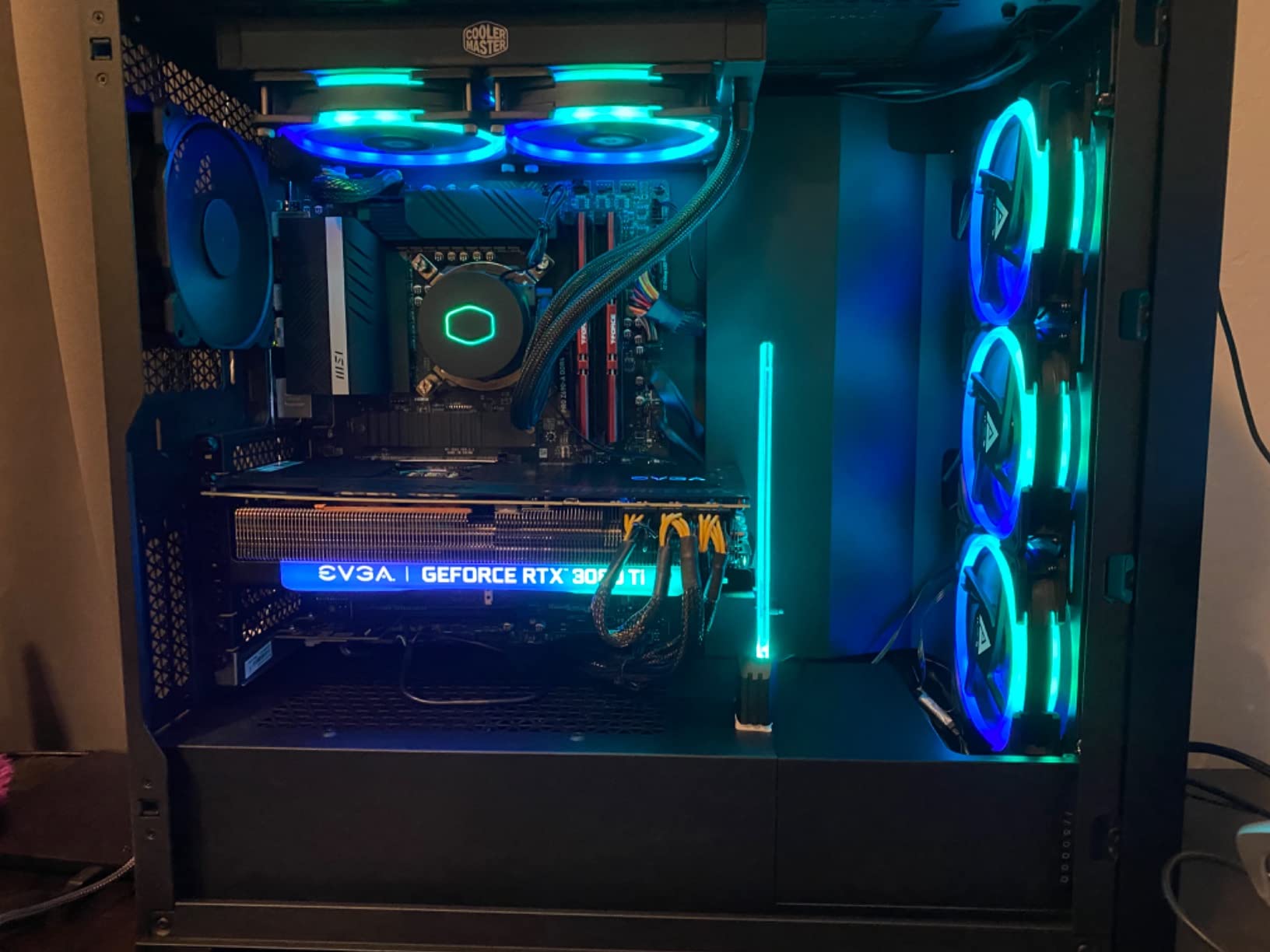
Lighting is 5V ARGB controlled by the motherboard, with mono, rainbow, dynamic and static modes. Reviewers confirm it syncs with Aura and with SignalRGB, which covers most software-based lighting setups.
Buyers report it works well on cards like the 3080 Ti and 4080, and the segmented frame handles the height differences between cooler designs better than a fixed-length arm.
Why we picked it for heavy cards
The sliding segments let you put the contact point under the body of the card rather than at the very edge, which is a better load path on a long heavy cooler.
The silicone pad at the contact point is what protects the backplate, and the anodized base keeps the magnet from marking the shroud.
Where it falls short
There is only one lighting zone, so it cannot show two colors at once. That is a real limitation for builders running multi-zone effects.
The acrylic scratches easily, the base footprint is a little large for tight builds, and the magnet can be knocked out of position if you move the tower. Plan on a light touch during installation.
11. EZDIY-FAB 309EZ ARGB GPU Holder – Best for the RTX 3090 and 3080
EZDIY-FAB 309EZ ARGB GPU Holder Brace, Graphics Card Support Bracket, Black
Aluminum alloy body
Lengthened bent support arm
Adjustable arm
Two rubber support pads
Pros
- Lengthened bent arm reaches long heavy cards like the RTX 3090
- Lightweight aluminum alloy stays rigid without adding much weight
- Adjustable arm works across a wide range of card and case layouts
- Two rubber pads suit different cooler designs and prevent scratches
- Explicitly listed for RTX 3090 3080 3070 and RX 6700 XT 6800 XT 6900 XT
Cons
- Mounting occupies several expansion slots
- Longer mounting screws needed to reach the case through the bracket
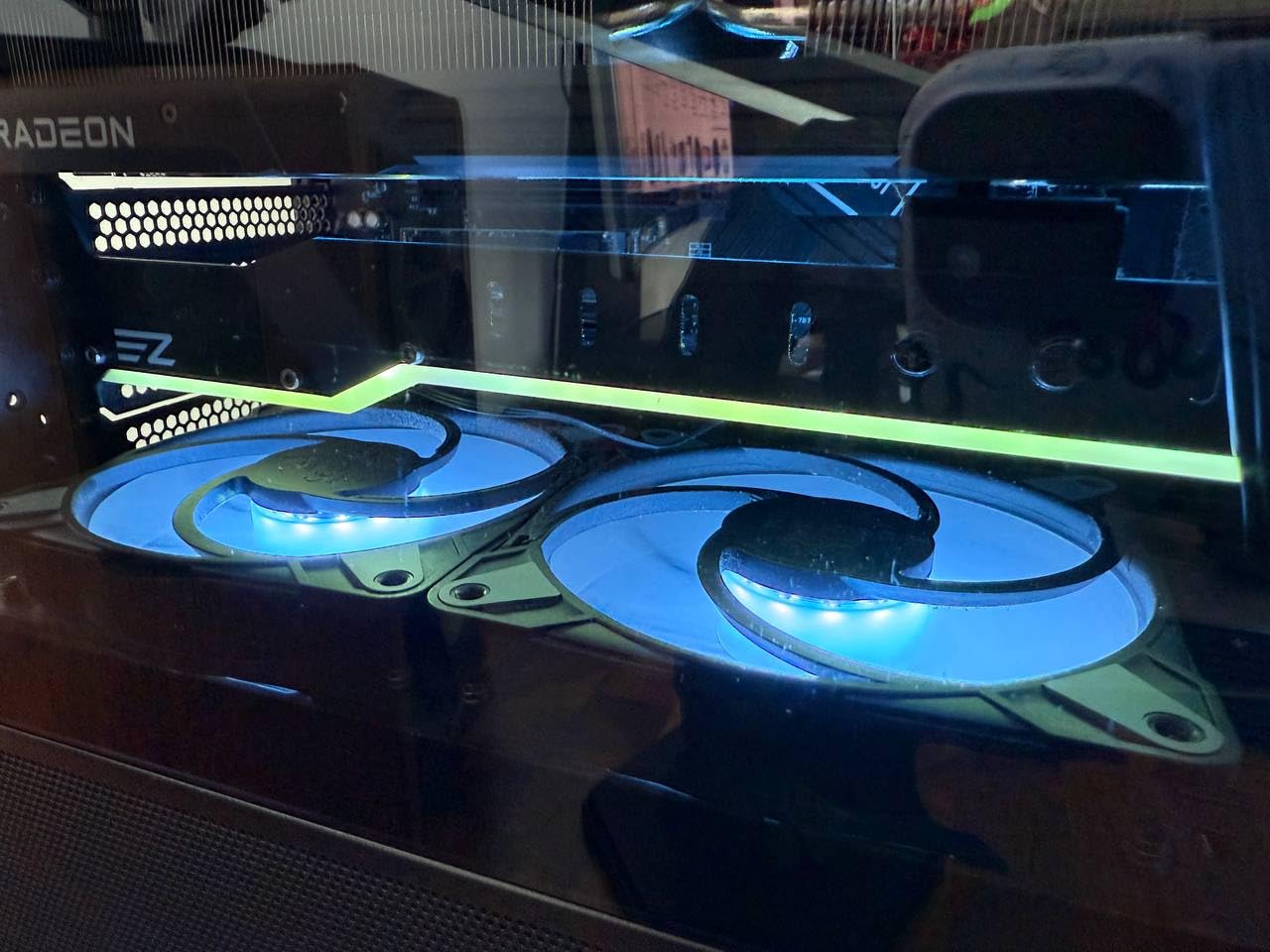
The 309EZ is built around a problem specific to older-generation flagships: those cards are long, heavy, and their sag is very visible through a glass panel. The lengthened, bent support arm is designed to reach that far edge.
The body is aluminum alloy at 0.14 kg, so it adds little mass while staying rigid. The arm adjusts, which lets it accommodate different card and case layouts rather than locking you into one geometry.
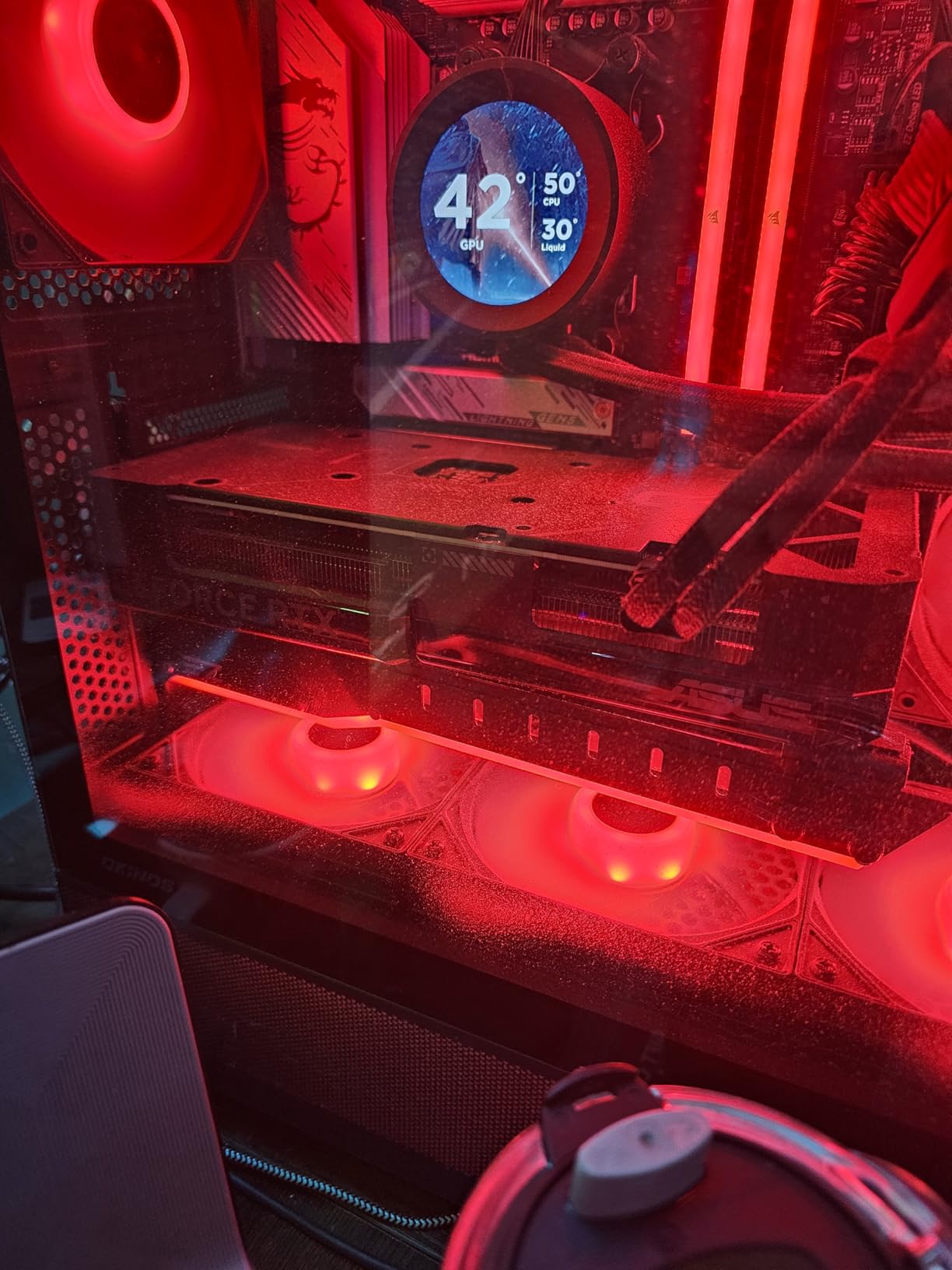
Two rubber support pads are included, and reviewers note they accommodate different GPU cooler designs while protecting against scratches. That matters on cards where the backplate and fan shroud sit at different heights.
It is listed as compatible with the RTX 3090, 3080 and 3070 along with the RX 6700 XT, 6800 XT and 6900 XT, and it fits cases with seven or more PCI expansion slots. Black and white variants are offered, with and without ARGB.
Why we picked it for heavy cards
Long cards droop further than short ones, so reach is the deciding factor. The lengthened arm puts contact under the card’s body rather than near the slot, which is where the bending moment is worst.
Owners of long cards consistently report the droop stops and, in some cases, fan noise that came with the sagging position also goes away.
Where it falls short
It covers several expansion slots, so plan your layout around it. Longer mounting screws are needed to reach the case through the bracket, and they are not always in the box.
At 4.4 stars it sits below the leaders in this roundup. The complaints are about slot footprint and screw access rather than support strength, but it is a more involved install than a tool-free pillar.
12. upHere GL05 Aluminum Brace – Best Value Expansion-Slot Bracket
upHere Graphics Card GPU Brace Support Video Card Sag Holder/Holster Bracket, Anodized Aerospace Aluminum, Single or Dual Slot Cards (Black),GL05(not Support 3080 ti)
Anodized aluminum rail
Mounts to rear PCI bracket
Two rubber pad sizes
Pros
- Rigid anodized aluminum at a low price point
- Two sliding rubber pads match different GPU fan spacings
- Low-profile rail suits single and dual-slot cards
- Bolts directly to the rear expansion slot bracket for a solid mount
- More than 4000 reviews make it the most proven brace here
Cons
- Mounting spans several PCI slots so card removal means three screws
- Rubber pads fit loosely and can shift or fall out
- Not compatible with the RTX 3080 Ti
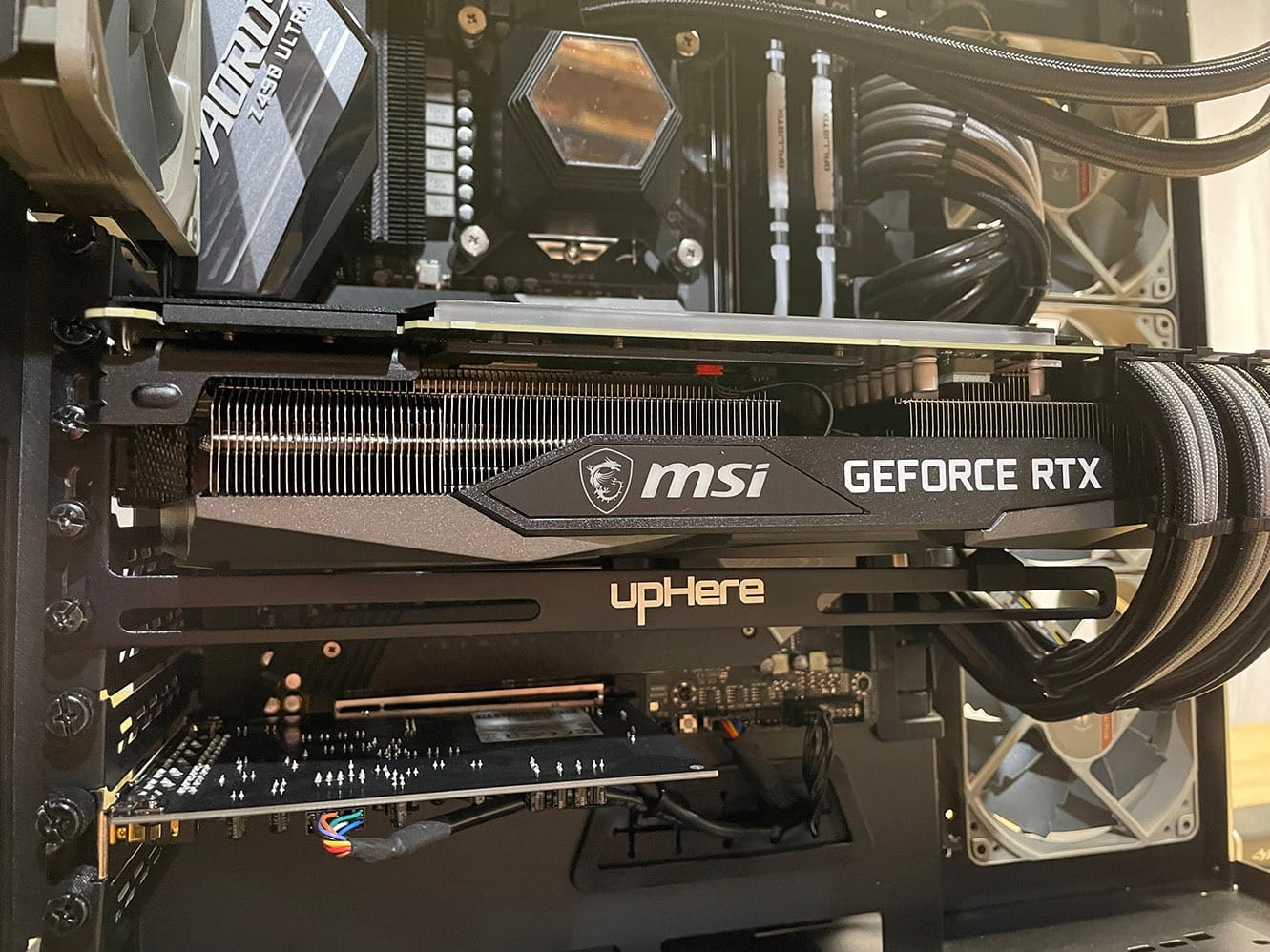
The GL05 is the oldest design in this roundup and still the one with the most owner history at more than 4000 reviews. It is a straightforward anodized aluminum rail that bolts to the rear expansion slot bracket behind the card.
Two types of sliding rubber pads are included, which lets you match different GPU fan spacings. The rail is low profile and suits single and dual-slot card layouts, and it weighs 0.07 kg at 11.02 inches long.
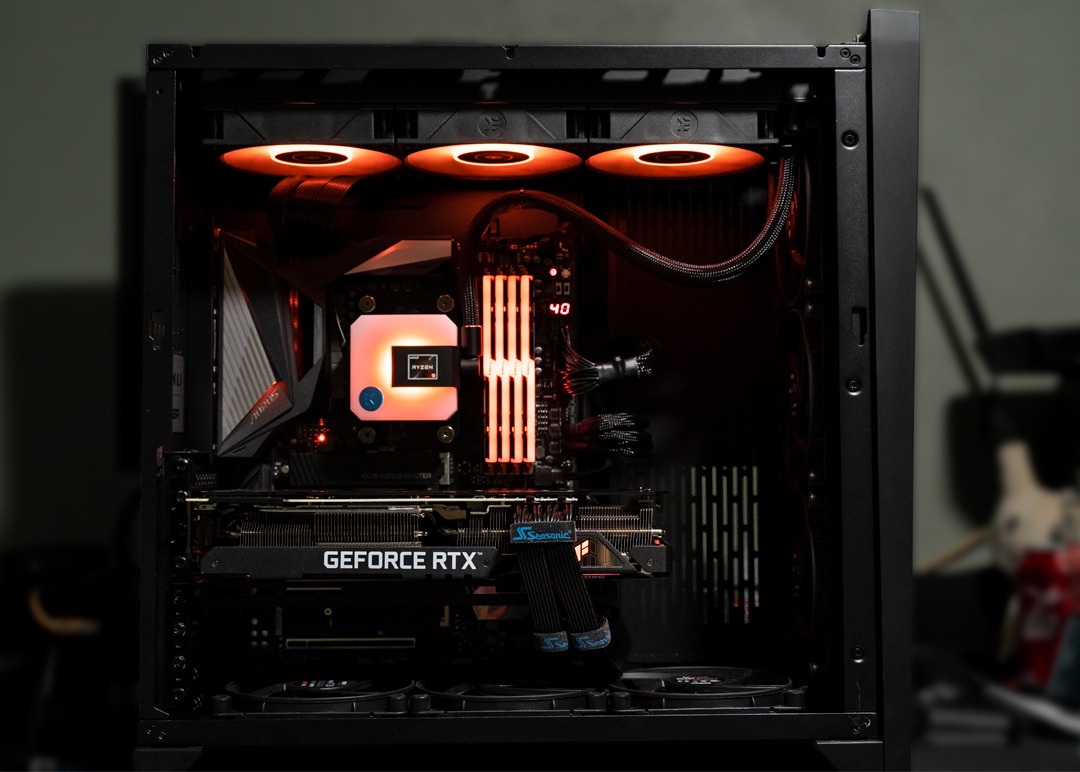
Owners like the stiff metal build and the three-screw install, and several report it eliminated fan noise that came with a drooping card. Longer extension screws for mounting through the GPU bracket are included.
That rating average is the lowest here, and the reviews explain why: the criticism is concentrated on the loose rubber spacers, the multi-slot footprint, and paint flaking and thread wear after repeated height adjustments.
Why we picked it for heavy cards
With that volume of reviews you know exactly what you are getting, and the answer is a rigid rail that has held up for years. The rear-bracket mount is a solid anchor rather than a magnet on a floor panel.
Two pad sizes means you can find contact on cards where the cooler profile changes along the length, which is common on triple-fan designs.
Where it falls short
It occupies multiple PCI slots, and pulling the card out means removing three screws. That is a real cost if you swap GPUs often.
The pads fit loosely and can shift or come out, and the soft aluminum threads wear over time, making later adjustments harder. It is also explicitly not compatible with the RTX 3080 Ti.
Do You Actually Need a GPU Support Bracket?
Here is the rule we use: if your card is under about 1.5 kg, is two slots or thinner, and sits in a case with a solid side panel, you can skip it. Below that weight the PCIe slot is not under meaningful load, and the droop is small enough to ignore.
Above roughly 1.5 kg, or on any card thicker than three slots, a bracket becomes sensible. RTX 4090, 5080 and 5090 class cards and triple-fan Radeon RX 9070 XT style cards all fall into that group. Forum builders are largely split on whether sag causes real damage, and the consensus is that on modern cards it is cosmetic, but the droop is visible in a glass case and it adds constant sideways load to the PCIe connector.
You can also skip the bracket on a short card mounted in a case with a mesh side panel, and on cards installed vertically rather than horizontally. Vertical mounting removes the bending moment almost entirely because the card is not cantilevered out of the slot. Our vertical GPU mount picks cover that approach if your case supports it.
The Four Bracket Types Explained
Horizontal pillar brackets stand on the case floor or PSU shroud and push up on the card. They are the simplest to install, most are tool-free, and they do not touch your PCIe slots. The catch is that they need floor clearance, which bottom intake fans take away. Most of our list is this type, and the JOYJOM 120mm fan mount solves the clearance problem by anchoring to the fan instead.
Expansion-slot braces bolt to the free PCIe slots behind the card and hold it from below. They are the stiffest and reach the longest cards best, which makes them the traditional choice for an RTX 3090. The cost is that they occupy two to three lower slots and can conflict with other case components.
Jack-style screw brackets screw down onto the PSU shroud with an adjustable post. They are the most rigid floor-mounted option and suit cases with a tall shroud, but they need a free screw point and some patience to level.
Magnetic bases use a hidden magnet in the foot to grip a steel shroud. They install in seconds and remove just as fast, which is why most of the budget picks use one. The tradeoff is that the magnet needs metal to work against and can shift if the tower is moved. Add removable adhesive if you want security.
How to Install a GPU Bracket Without Damaging Your Card
First, install the card and leave the system powered off for at least an hour. Builders on the Tom’s Hardware forums consistently advise judging sag only after the full build is complete, because airflow and thermals change how a card sits.
Second, measure the gap between the shroud or floor and the underside of the card with the card in its final position. Set the brace slightly shorter than the gap, then extend it until it makes contact.
Third, tighten only until the arm is firm. Over-tightening is the single most common way to mark a backplate, since the pressure concentrates on one small contact point. If the pad compresses noticeably, stop.
Fourth, fit the anti-scratch pad or a thin felt square between metal and card. This is cheap insurance, and several builders add a washer as a spacer when the arm is angled rather than flat.
Fifth, never attach a bracket to the back of the PCIe slot area. Forum consensus is strong on this: a bracket that pushes against the connector from behind loads the slot sideways, which is worse than the sag it was meant to fix.
When You Can Skip the Bracket
If your card is short and light, there is no floor bracket worth buying. Single and dual-fan cards under about 1.5 kg in a mid-tower with a solid panel rarely droop enough to matter.
Vertical mounting is the other skip. When the card hangs from a riser or a vertical mount rather than cantilevering out of the slot, there is no bending moment to correct, and a bracket becomes unnecessary hardware. Our guide to the best vertical GPU mounts covers the riser and mounting-plate options if your chassis supports them.
You can also wait. Many builders install the full system, run it for a few weeks, and only add a brace if the droop bothers them or causes a coil whine from contact with a fan. That is a reasonable approach, and the DIY fixes people post on r/buildapc exist for the same reason.
Frequently Asked Questions
Which GPU support bracket is the best?
The nkomax all-aluminum brace is the best overall pick for heavy cards, with a 4.7 star average across more than 8500 ratings, screw height adjustment, and a hidden magnetic base. The ASUS ROG Herculx is the best premium option thanks to its zinc alloy body, toolless wheel adjustment, and included spirit level, while the upHere GL05 is the best value expansion-slot brace.
Do you really need a GPU support bracket?
You need one if your card weighs more than about 1.5 kg, is thicker than three slots, or sits behind a glass side panel. Short dual-fan cards under that weight rarely droop enough to matter, and vertical mounting removes the problem almost entirely because the card is not cantilevered out of the slot.
Does the 9070 XT need a sag bracket?
A Radeon RX 9070 XT sits in the range where a bracket is sensible rather than essential. Builders generally treat sag on modern cards as cosmetic, but a thick triple-fan card like this benefits from support in a glass-panel case. A height-adjustable aluminum brace with rubber pads will do the job without any special fitting.
Does 5080 need a GPU bracket?
An RTX 5080 is heavy enough that we would call a bracket worthwhile, especially in a glass-side-panel build where the droop is visible. More importantly, the support relieves constant sideways load on the PCIe connector. A pillar or fan-mount bracket with 0.5mm-plus height adjustment covers it, since the exact clearance depends on your case and card partner.
Does GPU sag cause damage?
On modern cards, sag is mostly cosmetic. It bends the PCB slightly over time and adds constant sideways load to the PCIe slot, but it does not typically shorten card life or cause failures. The main reasons to support a card are appearance in a glass case, fan clearance, and reducing long-term load on the motherboard slot.
Will a GPU support bracket scratch my graphics card?
It can, if the arm is tightened hard enough to compress the pad, or if the card is bare metal where the arm contacts it. Use the included anti-scratch or rubber pad, tighten only until firm, and add a thin felt square if you want extra margin. Brackets with pads on both sides of the arm spread the load and mark the card least.
Final Verdict
The best gpu support bracket for heavy cards in 2026 depends on your case rather than your card. Start with the nkomax aluminum brace if you have normal floor clearance and want something proven with the most owner history of anything here. Move up to the ASUS ROG Herculx when the build is on show and you want Aura Sync to match.
If bottom intake fans have taken your floor space, the JOYJOM 120mm fan-mount bracket is the fix, and if your card is long enough that nothing reaches it, the upHere steel expansion-slot brace is the stiffer option. Measure your clearance first, pad every contact point, and tighten only until firm.