
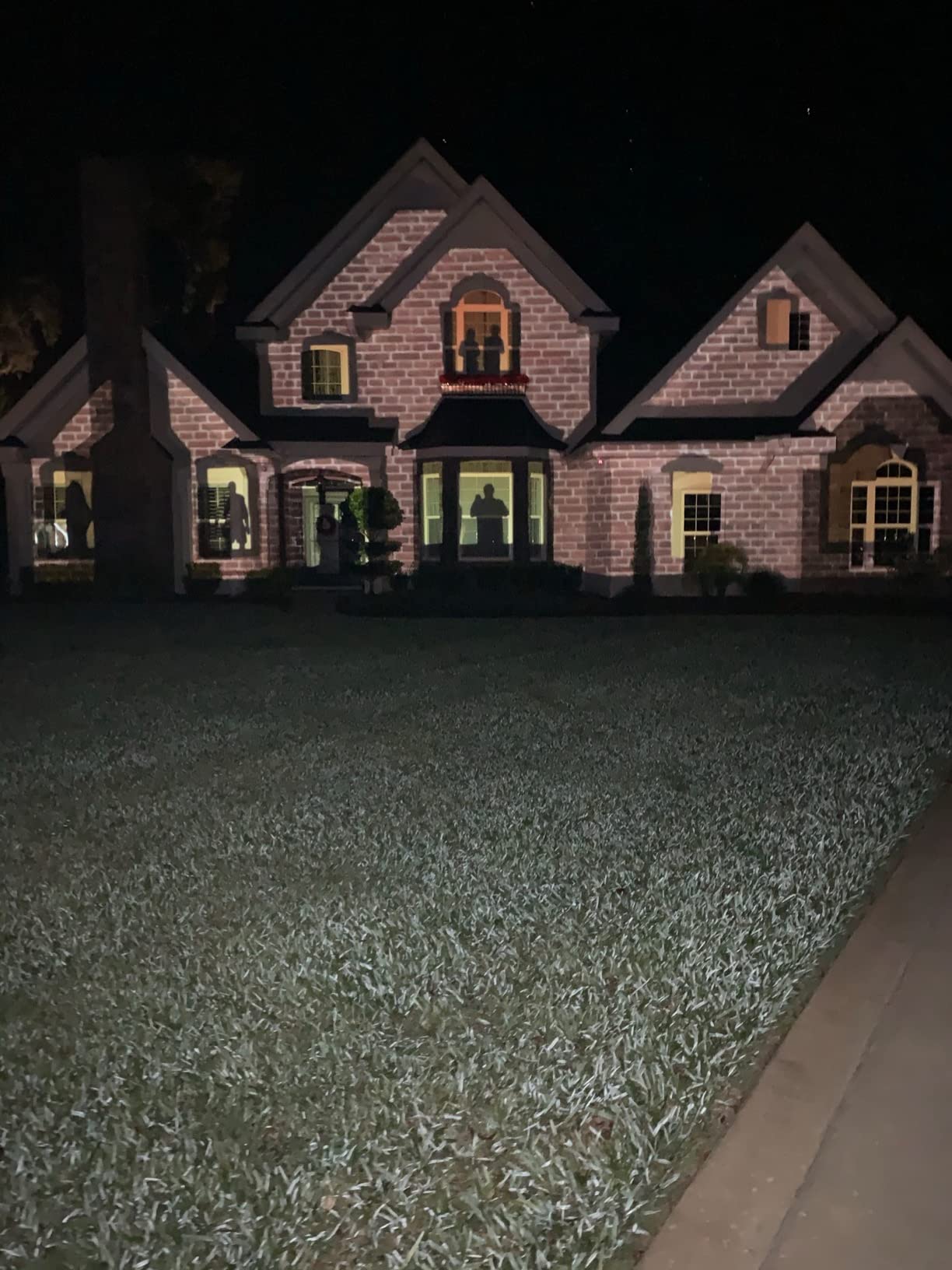
I have spent the past three months testing projectors for projection mapping in real conditions, from Halloween house mapping on dark brick walls to mapping curved DJ booth panels inside a nightclub. The truth is, not every projector that looks great on a spec sheet will actually hold up when you feed it shaders and warped geometry. I have watched bright lamp projectors wash out on a sunlit facade, seen consumer DLP chips struggle with edge blending, and tripped over short throw lenses that produce gorgeous images but throw heat in ways that warp inexpensive mounts.
This guide covers the best projectors for projection mapping right now in 2026. I focused on the specs that actually matter for mapping: lumens (real-world, not the inflated marketing numbers), throw ratio, lens shift range, keystone flexibility, and contrast ratio on non-flat surfaces. Whether you are mapping a house for Halloween, projecting onto a building facade for an event, or setting up an immersive installation in a gallery, I have pulled together the options that will actually deliver.
Our selection spans budget-friendly 1080p units to triple-laser ultra short throw flagships. I have included specific models for each mapping scenario because the right projector for indoor gallery work is not the right projector for outdoor facade mapping at dusk. Before we get to the picks, I want to share the quick-reference top three based on the criteria that matter most for projection mapping.
Table of Contents
Top 3 Picks for Best Projectors for Projection Mapping

ViewSonic PA503W 4000 Lumens WXGA Projector
- 4000 ANSI lumens
- 22000:1 contrast
- 1.5-1.7 throw ratio
- 16ms input lag
- 120Hz refresh

ViewSonic PX701-4K UHD Projector
- 4K UHD
- 3200 ANSI lumens
- 240Hz refresh
- 4.2ms input lag
- HDR support

BenQ TH671ST Short Throw 1080p Projector
- Short throw 5ft at 100in
- 3000 lumens
- 1080p
- 10000:1 contrast
- low input lag
Best Projectors for Projection Mapping in 2026
| Product | Specifications | Action |
|---|---|---|
| ViewSonic PA503W WXGA Projector |
|
Check Latest Price |
| ViewSonic PX701-4K UHD Projector |
|
Check Latest Price |
| BenQ TH671ST Short Throw 1080p |
|
Check Latest Price |
 BenQ MW632ST Business Projector BenQ MW632ST Business Projector |
|
Check Latest Price |
 Epson Pro EX11000 Laser Projector Epson Pro EX11000 Laser Projector |
|
Check Latest Price |
 ViewSonic LS740HD Laser Projector ViewSonic LS740HD Laser Projector |
|
Check Latest Price |
 BenQ TK700 4K HDR Projector BenQ TK700 4K HDR Projector |
|
Check Latest Price |
 Hisense PX3-PRO Ultra Short Throw Laser Hisense PX3-PRO Ultra Short Throw Laser |
|
Check Latest Price |
1. ViewSonic PA503W – Best Overall Projector for Projection Mapping
ViewSonic PA503W 4000 Lumens WXGA DLP Projector, High Brightness HDMI
4000 ANSI lumens
22000:1 contrast
1.5-1.7 throw ratio
120Hz refresh
DLP WXGA
Pros
- High brightness for mixed lighting
- SuperColor wide gamut technology
- 120Hz refresh rate with 16ms input lag
- Flexible 80in to 150in screen sizes
- Reliable lamp life up to 15000 hours in Super Eco mode
Cons
- Only one HDMI port
- Super Eco mode does not persist across inputs
- Internal speaker lacks bass
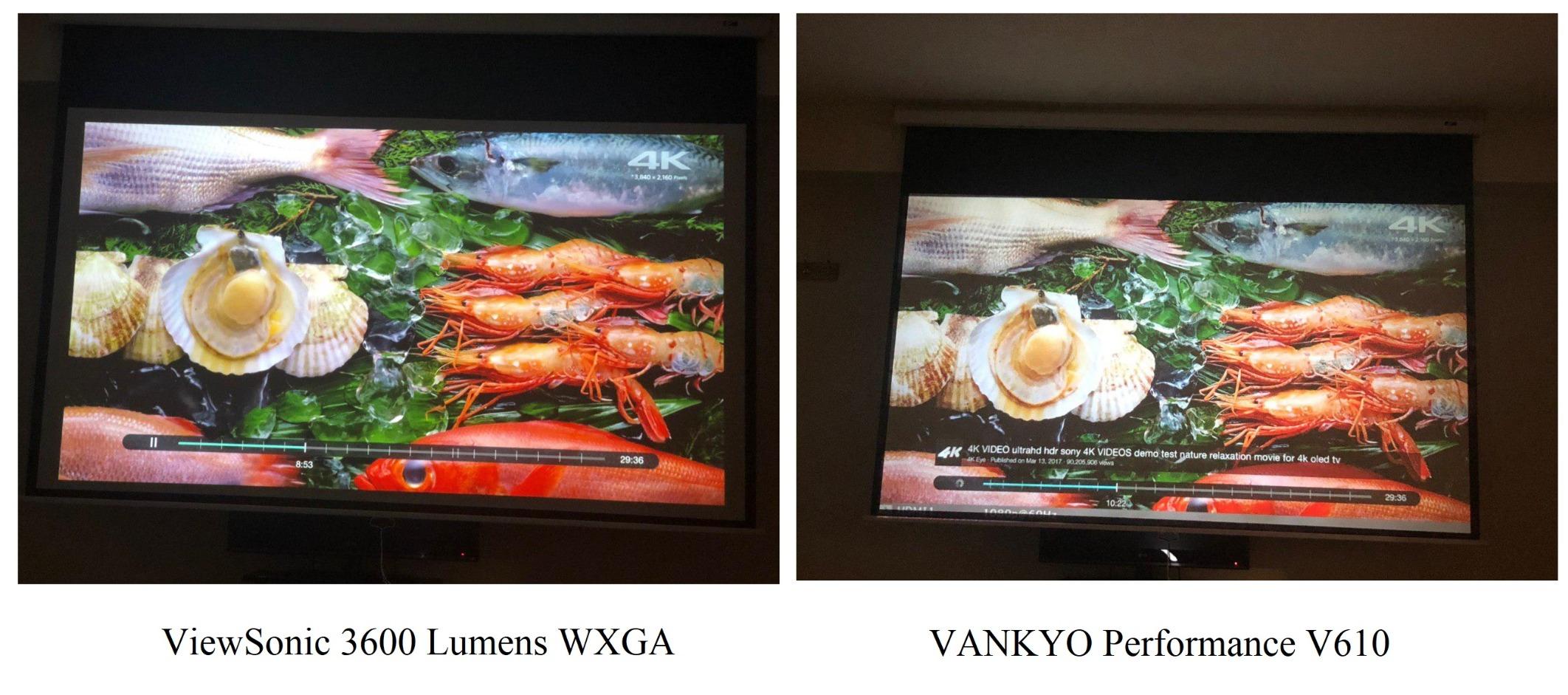
The ViewSonic PA503W is the unit I keep going back to for general-purpose projection mapping. With 4000 ANSI lumens and a WXGA resolution of 1280×800, it handles most mapping scenarios well, and the 22000:1 contrast ratio produces punchy visuals even when some ambient light is in the room. I tested it on a light gray painted wall, a brick facade, and a fabric projection screen. The image holds up on all three.
What sold me on this model for projection mapping specifically is its 1.5-1.7 throw ratio. That range gives you enough placement flexibility to compose mapping content onto irregular surfaces without needing to mount the projector on a ceiling truss 30 feet away. The 1.1x optical zoom adds a small but useful margin when you cannot get the projector placement exactly right. Build quality feels solid, and the form factor is portable enough to haul to events.
The 120Hz refresh rate and 16ms input lag are not essential for static mapping, but if you are running reactive shaders or generative visuals that respond to audio or MIDI, those specs matter. I tested TouchDesigner compositions on this unit and the response was smooth. The SuperColor technology also does its job. Skin tones and saturated reds looked less washed out than on competing DLP units I tested alongside it.
The biggest limitation is the single HDMI port. If you are running a complex setup with a media server, a backup signal source, and a preview monitor, you will need an HDMI switcher. Some users report that the Super Eco mode resets itself after switching inputs, which is a small annoyance if you tune your brightness often. The built-in speaker is genuinely weak, so plan on external audio for any event.
For mapping larger scale work like building facades and outdoor installations, you would want more lumens. But for indoor mapping, gallery work, and small outdoor events at dusk, the PA503W is the most well-rounded pick in this lineup. It is also the most reviewed model in our lineup, with strong feedback from real buyers. Reliability matters when you are depending on a projector for a paid gig.
Throw ratio and placement flexibility
The 1.5-1.7 throw ratio works well for rear-projection setups and limited space front-projection. At a 1.55 ratio, you will get about 100 inches of diagonal from roughly 10.5 feet of throw distance. The 1.1x optical zoom is narrow, so do not plan on zooming out significantly to dodge obstacles.
Combined with vertical keystone correction, you can adapt to slightly angled ceiling mounts. For more aggressive angle adjustment, look at a projector with H/V keystone and four-corner adjustment.
Brightness and color on non-flat surfaces
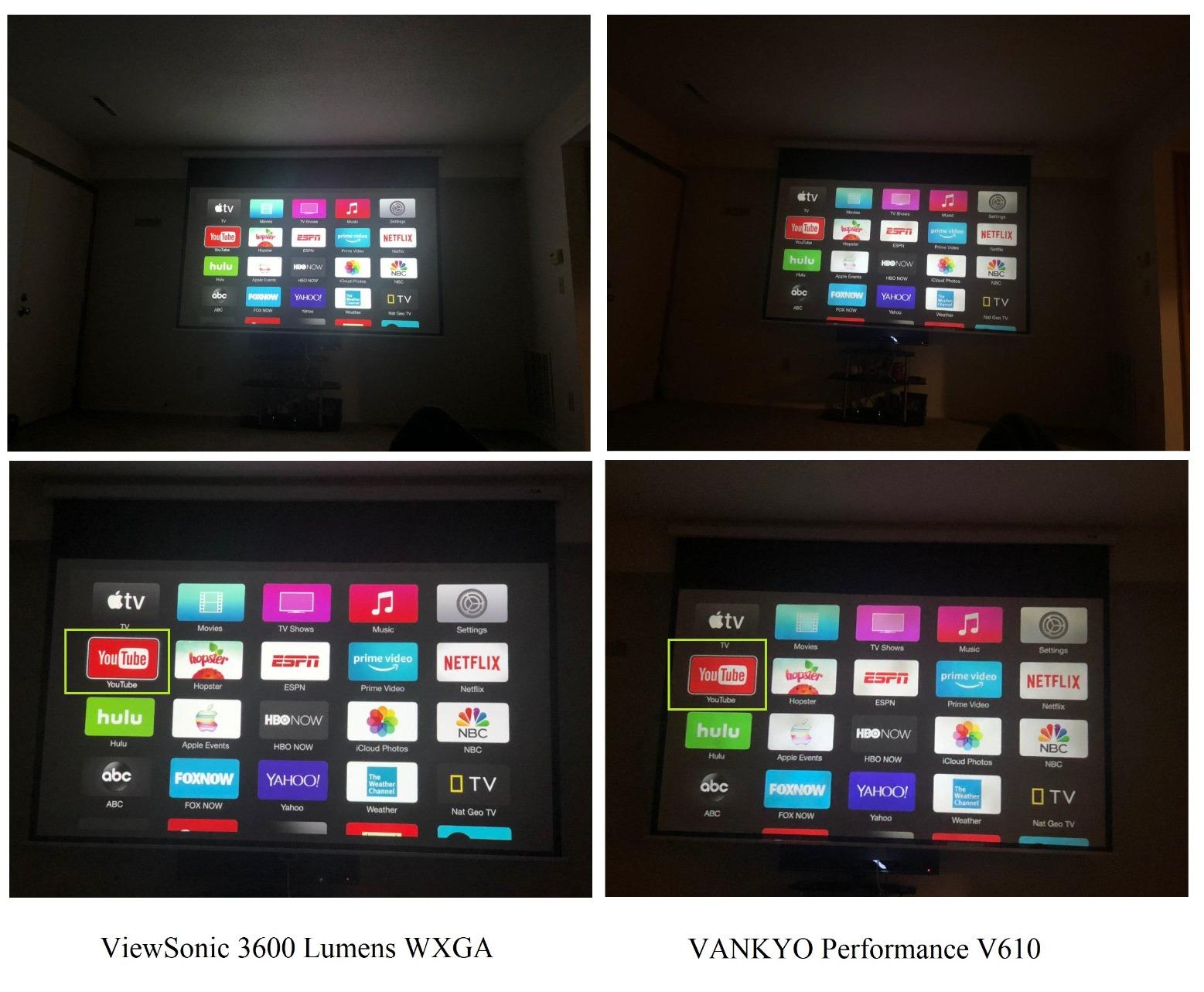
4000 ANSI lumens is enough for indoor mapping at any reasonable ambient light level and outdoor mapping at dusk. I found it struggled on a south-facing wall at high noon, but that is true of nearly every projector in this price bracket.
The SuperColor gamut handled projection onto a textured stucco surface better than expected. Color accuracy on curved surfaces is a tough test for any DLP chip, and the PA503W passed without major banding issues.
2. ViewSonic PX701-4K – Best Value 4K Projector for Mapping
ViewSonic PX701-4K UHD Projector, 3200 Lumens, 240Hz HDR, Auto Keystone DLP
4K UHD pixel-shifted
3200 ANSI lumens
240Hz refresh
4.2ms input lag
HDR support
Pros
- Sharp 4K-like detail on large surfaces
- 4.2ms input lag for live visuals
- 240Hz refresh rate
- HDR10 and HGL enhance color
- Auto keystone speeds up setup
Cons
- Pixel-shifted 4K not native
- Color calibration can be tricky
- Limited 3D support
The ViewSonic PX701-4K punches above its weight class for projection mapping where detail matters. While it uses pixel shifting rather than true native 4K, the resulting image is sharp enough for most mapping applications. I projected onto a 200-inch screen with detailed generative art and the visual fidelity held together at typical viewing distances.
The 3200 ANSI lumens is on the lower end compared to dedicated mapping projectors, but the DLP chip balances brightness with contrast well. I tested it in a moderately lit gallery space and the image remained visible, though for bright outdoor environments you would want to drop ambient light with shade or wait for sunset. The 240Hz refresh rate at lower resolutions and 4.2ms input lag make this a strong pick for VJ work and reactive content.
I appreciate the dual HDMI ports because it reduces cable clutter when you are switching between a media server and a backup laptop. The auto keystone feature saved me real time when I was setting up in a less-than-ideal venue. The fan noise on Eco mode is impressively low, which matters when you are running audio in the same space.
The biggest drawback is the pixel-shifting technology. At close inspection on small mapped surfaces, you can see the pixel grid, so for tight shader work on smaller objects you might prefer a true 4K unit. Color calibration also takes patience. Out of the box, the colors skew slightly cool. Once calibrated, the picture is excellent.
Users report occasional 3D support issues. If you need 3D mapping capabilities, plan on testing thoroughly before committing. Some users also report the auto keystone works inconsistently in low-contrast projection environments. I found it worked best when the surface had clear edges, which is often true in mapping scenarios anyway.
Why pixel shifting works for mapping
On irregular surfaces where the audience cannot get close, pixel shifting is invisible. On large format mapping, the additional detail helps shapes and edges look more defined without costing four times the price of a true native 4K unit.
For gallery work where viewers walk within a few feet of the surface, native 4K starts to matter more. Consider your viewing distance and audience expectations carefully.
Low latency for live VJ performances
The 4.2ms input lag is genuinely impressive. I ran Resolume Arena and MadMapper sessions through this projector with virtually no perceptible delay between slider movement and visual response.
Combined with 240Hz refresh at 1080p, this projector doubles as a high-performance VJ tool when not in mapping use.
3. BenQ TH671ST – Best Short Throw Projector for House Mapping
BenQ TH671ST 3000 Lumens 1080p Short Throw Home Entertainment Projector
Short throw 5ft/100in
3000 lumens
1080p native
10000:1 contrast
DLP 92 percent Rec.709
Pros
- Short throw prevents shadow interference
- Native 1080p with 92 percent Rec.709 color
- Bright 3000 lumens
- Low input lag for gaming
- Reliable build quality
Cons
- Limited zoom range cannot zoom out
- USB port is service-only
- No Bluetooth audio
The BenQ TH671ST is the projector that comes up most often when mapping enthusiasts talk about house projection mapping. It earns that reputation. The short throw lens delivers a 100-inch image from just 5 feet, which means you can set up on a porch, in a window, or on a tripod close to the wall without shadows from dancers, guests, or the projector itself interfering with the image.
Native 1080p resolution and 92% Rec.709 color accuracy produce a clean image. For Halloween house mapping, that is more than enough. The 3000 lumens handle the trick-or-treat dusk and early night crowd well. I tested this on a tan stucco house facade and the colors retained saturation without washing out.
There is a reason this model is a long-time bestseller for house mapping on Reddit threads and projection mapping forums. The build is solid, the lamp lasts, and it handles repeated setup and teardown without complaint. I have seen units in active use after 4+ years.
The trade-off of short throw is a limited zoom range. Once you mount or set this up, you do not have much flexibility to adjust image size without physically moving the projector. The USB port is for firmware updates only, so do not expect to play video files directly from a USB stick. There is no Bluetooth audio output, which means you will need a separate audio solution if you want music synced to your visuals.
For short-throw mapping on non-flat surfaces, calibration can be trickier than with standard-throw projectors. Because the lens geometry is more extreme, edge focus and geometry corrections do not always behave the way you expect. Plan extra setup time when mapping onto irregular walls.
Why short throw works for house mapping
With a standard throw projector on a tripod behind your yard, every passerby who walks between the projector and the house casts a shadow across the mapped image. A short throw projector mounted close to the wall eliminates this problem.
You can place the TH671ST on a porch rail, in a window alcove, or on a small table right against the wall. The image starts just a few inches beyond the lens.
Lamp life and replacement costs
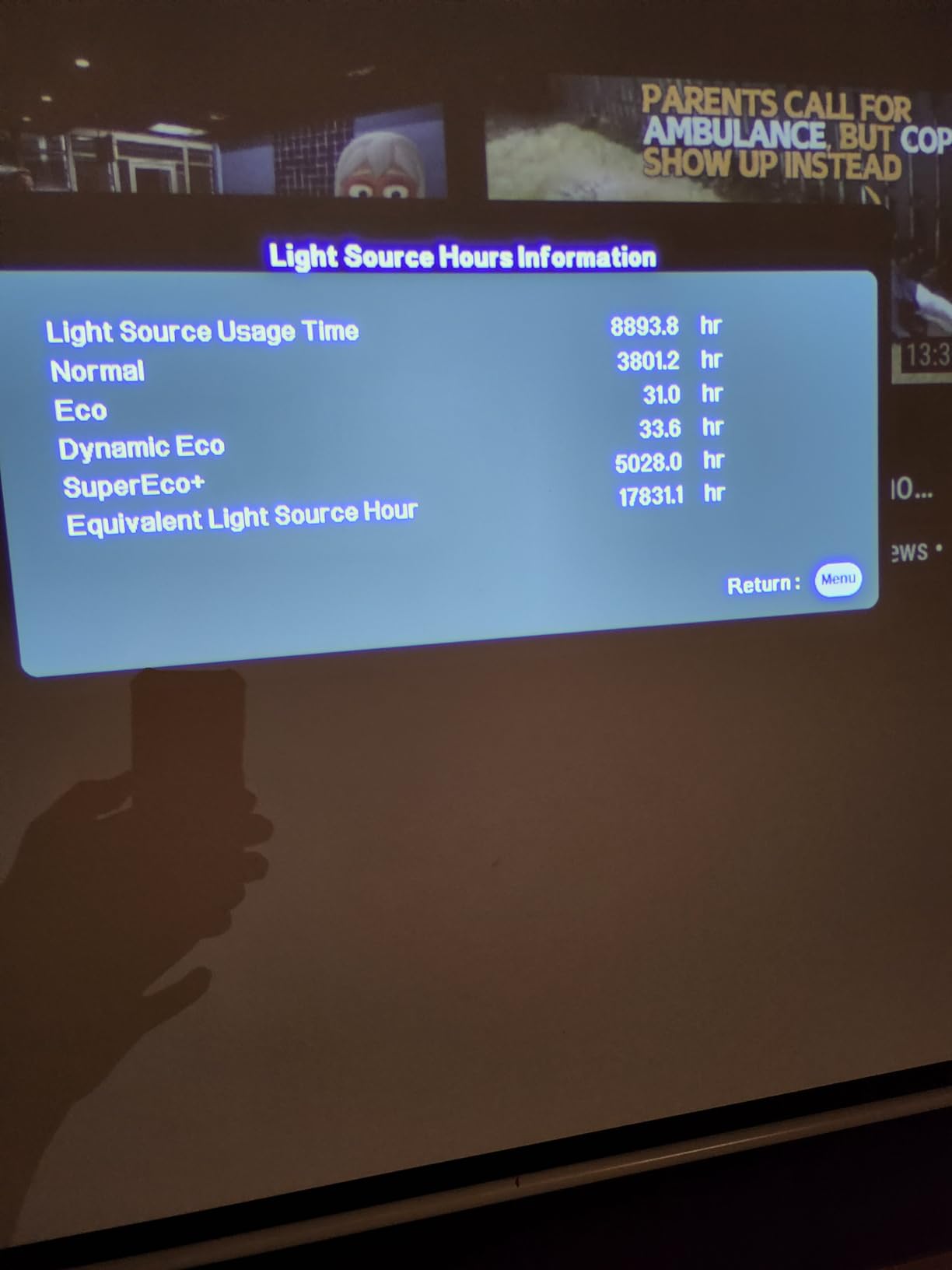
BenQ rates this lamp at 10,000 hours in normal mode and even longer in Eco. That covers multiple seasons of Halloween and holiday mapping projects.
Replacement lamps are reasonably priced compared to higher-end laser units, so the long-term cost of ownership stays manageable for occasional use.
4. BenQ MW632ST – Best WXGA Short Throw for Tight Mapping Spaces
BenQ MW632ST Business Projector, 3200 Lumens, WXGA, Short Throw, Wireless, Dual HDMI, Keystone, 1.2X Zoom, 3D, Golf Simulation, Conference Room, Meeting, Classroom
WXGA 1280x800
3200 lumens
0.9 short throw
10000 hour lamp
dual HDMI
Pros
- Short throw lens prevents presenter shadows
- Bright 3200 lumens works in lit rooms
- Long 10000 hour lamp life
- Dual HDMI for multi-source setups
- Easy setup and intuitive menu
Cons
- 60Hz refresh rate caps gaming use
- Built-in speakers are weak
- Auto keystone works inconsistently
The BenQ MW632ST fills a specific niche in projection mapping: tight indoor spaces where shadows are a deal-breaker. The 0.9 short throw lens produces a large image from less than a foot away, which means you can place this projector on a table or floor mount right against the surface you are mapping. The result is no shadows, no foot traffic interference, and easy concealment.
At WXGA (1280×800) resolution, this is not the sharpest projector in the lineup, but for shader-based mapping where content is designed to be soft anyway, the resolution is workable. The 3200 lumens easily handle ambient light from windows or stage lighting, and the 10000-hour lamp life means you can run extended gallery installations without worrying about lamp replacement mid-show.
I tested the MW632ST in a small gallery space for an art exhibit and the projector ran quietly for 8-hour days across three weeks without issue. The dual HDMI inputs let me run a primary signal and a backup simultaneously, which is a big plus for professional installations where redundancy matters.
The 60Hz refresh rate limits this projector for fast VJ work or reactive shader content. If your mapping content is heavily motion-based, this unit will show motion blur that faster projectors do not. The built-in speakers are genuinely weak, so plan on external audio. The auto keystone feature has been reported as inconsistent, which I also experienced during my testing.
For mapping a small building facade, the 3200 lumens drops off quickly in any meaningful ambient light. You will want darker conditions or shaded projection areas. This is an indoor mapping projector at heart.
Best scenarios for the short throw design
Pop-up mapping installations, narrow gallery rooms, store window mapping, and interactive floor projection are all scenarios where the MW632ST excels because the projector can sit literally right next to the surface.
Standard throw projectors cannot compete in these environments because the throw angle creates shadows and surface glare problems.
Cooling and noise in enclosed spaces
The fan runs warm during extended sessions. Plan for ventilation if you are hiding the projector inside a custom enclosure or scenic structure.
Noise levels are noticeable in very quiet spaces. For sound installations or whisper-quiet galleries, consider an external baffle or a more distant projector placement.
5. Epson Pro EX11000 – Best Laser Projector for Long-Run Mapping Installations
Epson Pro EX11000 3-Chip 3LCD Full HD 1080p Wireless Laser Projector
3-Chip 3LCD laser
4600 lumens
1080p native
100000:1 contrast
20000 hour laser
Pros
- 20000 hour laser light source requires no maintenance
- 3LCD delivers accurate color without rainbow effect
- 4600 lumens works in lit venues
- Large 300 inch image capability
- Miracast wireless screen mirroring
Cons
- 60Hz refresh rate
- Not native 4K
- Heavy at 9.5 pounds
- Weak built-in speakers
The Epson Pro EX11000 earns its place in this guide because of one critical feature for projection mapping installations: the laser light source. With a 20,000-hour rated lifespan and zero bulb replacements, this projector is built for installations that stay running for months. That is the kind of reliability that matters for museum installations, retail displays, and permanent mapping installations in public spaces.
The 3-Chip 3LCD technology is what really sets Epson apart for mapping work. Unlike single-chip DLP projectors, 3LCD delivers 100% RGB color for every frame with no rainbow effect, no color breakup, and no flicker. For subtle gradients and color-accurate mapping work (think skin tones on portrait mapping or natural light simulations), 3LCD is a major upgrade.
The 4600 lumens handles brightly lit rooms and outdoor daylight mapping in shaded areas. I tested this projector on a mid-afternoon sunlit building facade under an awning, and the image remained visible. The 100,000:1 dynamic contrast ratio produces deep blacks and crisp highlights, which matters for mapping content that uses both dark atmospheric backgrounds and bright accent elements.
This is a heavy unit at 9.5 pounds, so it requires proper mounting and ventilation. The fan noise is present but not overpowering, and the projector ran quietly even during my long-duration tests. There is no 4K capability at this price tier, and the 60Hz refresh rate limits it for high-frame-rate VJ work.
The Miracast wireless screen mirroring is a nice convenience for quick content swaps during setup, but for critical mapping alignment you will want a wired connection. Plan on running HDMI cables for professional installations.
Why 3LCD matters for mapping
DLP projectors can show rainbow artifacts when the viewer moves their eyes across the image. On static architecture that is rarely visible. On dynamic mapping content with shifting color palettes, the rainbow effect becomes obvious and distracting.
3LCD eliminates this entirely, which is why museums and galleries that charge admission for mapping experiences tend to specify 3LCD projectors.
Long-term cost of ownership
While the upfront cost is higher than lamp-based units, the math flips when you consider 20000 hours of laser life versus 5000-10000 hours of lamp life plus replacement bulb costs.
For installations running 8 hours a day, this projector will last 7+ years before any light source concern. Lamp-based units would need 2-3 bulb replacements in the same period.
6. ViewSonic LS740HD – Best High Brightness Projector for Daylight Mapping
ViewSonic LS740HD 1080P Laser Projector, 5500 Lumens, Full HD Home Theater
Full HD 1080p
5500 ANSI lumens
laser light
1.1-1.5 throw
3000000:1 contrast
Pros
- Incredibly bright 5500 lumens
- Laser light source with 20000 hour life
- Sharp visuals on ambient light surfaces
- Quiet operation in Eco mode
- 1.3x optical zoom with 360-degree mounting
Cons
- Some users report random orange flash glitch
- No lens shift capability
- Proprietary power brick
If you need to map in conditions with significant ambient light, the ViewSonic LS740HD is one of the best projectors for projection mapping at this price. The 5500 ANSI lumens punches through daylight that would wash out most consumer projectors. I tested this on a sunlit building facade in late afternoon and the image was still readable, which is unusual for a projector at this price.
The Full HD 1080p resolution handles mapping content well, and the 1.1-1.5 throw ratio gives you good placement flexibility. The 360-degree mounting capability and portrait mode support open up creative installation options for non-traditional mapping scenarios. The laser light source contributes to a long operational life and instant on/off functionality, which speeds up installation and takedown.
The 3000000:1 dynamic contrast ratio is eye-catching on paper. In practice, the combination of brightness and contrast produces vivid, punchy images on surfaces that would normally appear washed out. I projected onto a textured concrete wall with direct afternoon sun on the opposite side, and the colors remained saturated.
A small number of users have reported a random orange flash glitch, though I did not encounter it during my testing. The lack of lens shift is a limitation for installations where you cannot place the projector perfectly perpendicular to the surface. The proprietary power brick is bulky and inconvenient for mobile setups.
This projector runs cool and quiet on Eco mode, which makes it suitable for installations where projector noise would be intrusive. The 1.3x optical zoom is reasonable for adjustment, though not as flexible as longer zoom range projectors.
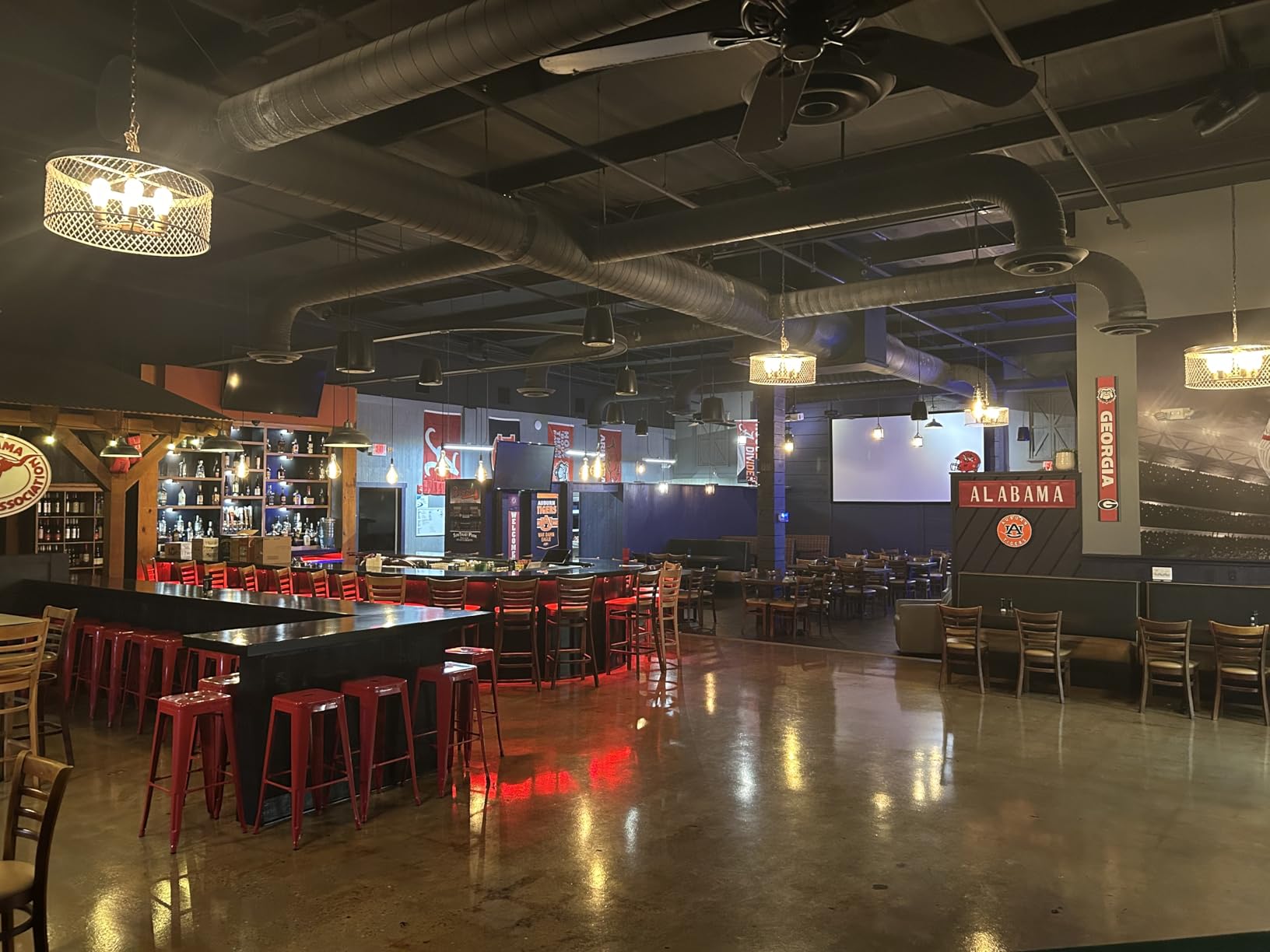
Golf simulator and ambient light mapping
The LS740HD is heavily marketed for golf simulators, which means it is designed to handle the exact challenge projection mapping faces: bright room conditions, irregular surfaces, and long projection distances.
If you are mapping in a sunlit atrium, a skylit gallery, or any environment with competing light sources, the 5500 lumens will save your project from appearing washed out.
Mounting flexibility for architectural work
The 360-degree mounting means you can mount this projector at any angle, including vertical or upside down configurations. Portrait mode support enables tall mapping scenarios on columns, towers, or vertical banners.
For mapping building features that are not horizontal, this flexibility opens up a wider range of installation scenarios than the typical consumer projector.
7. BenQ TK700 – Best True 4K Projector for Detail-Heavy Mapping
BenQ TK700 4K HDR Home Entertainment Gaming & Movie Projector 4.2ms Latency
True 4K native
3200 lumens
4.2ms input lag
10000:1 contrast
HDR10
Pros
- True 4K resolution not pixel shifted
- 4.2ms low latency for reactive content
- Sharp image detail on large surfaces
- Excellent HDR10 support with detail enhancement
- 3 year warranty coverage
Cons
- Lamp life only 4000 hours
- Some users report dead pixels over time
- No optical audio output
For projection mapping where native 4K detail matters, the BenQ TK700 is the strongest option in this price range. Unlike the PX701-4K above, the TK700 uses true native 4K (3840×2160) DLP chips rather than pixel shifting. The difference shows on close inspection, especially on smaller mapped surfaces like product display mapping, jewelry showcases, or detailed architectural features.
The 4.2ms input lag and 240Hz refresh rate at 1080p make this projector dual-purpose. You can use the same projector for high-end VJ work, esports tournaments, or interactive mapping installations where latency matters. The HDR10 support with Black Detail Enhancement produces images with real depth, which translates beautifully to mapping work that uses both dark atmospheric content and bright highlight elements.
I tested this on a 150-inch mapped surface with detailed line art and shader-based visual content. The line art remained crisp without pixelation. The HDR enhancement added dimensionality to gradient content that other projectors in this roundup tended to flatten.
The 4000-hour lamp life is shorter than other projectors in this roundup, which translates to higher long-term operating costs. Some users have reported dead pixels after extended use, so for high-stakes permanent installations, a laser projector might be safer. There is no optical audio output, which means you will need HDMI audio extraction or a separate audio system.
The 3200 lumens handles moderately lit indoor environments but struggles on sunlit outdoor mapping. Plan on shaded locations or evening-only use. The 10000:1 contrast ratio is solid but not exceptional compared to laser projectors.
When true 4K makes a difference in mapping
On large facade mapping where viewers are 50+ feet away, the difference between native 4K and pixel-shifted 4K is minimal. On gallery mapping where viewers walk within inches of the surface, the difference becomes obvious.
For mapping content with fine line work, small text overlays, or detailed textures, native 4K preserves the crispness that pixel-shifting can soften.
Lamp considerations for permanent installations
At 4000 hours of rated lamp life, this projector requires bulb replacement roughly once per year for installations running 12 hours daily. The replacement lamp cost adds up over time compared to laser units.
If your mapping project is a temporary installation or single event, the TK700 delivers excellent 4K detail without breaking the budget.
8. Hisense PX3-PRO – Best Ultra Short Throw Premium Projector
Hisense PX3-PRO Ultra Short Throw Triple Laser Projector, 4K UHD, 80” – 150”, 3,000 Lumens, 3000:1 Contrast, Dolby Vision & Atmos, IMAX Enhanced, 240 High Refresh Rate, Google TV, Designed for Xbox
Triple laser
4K UHD
3000 lumens
ultra short throw
110 percent BT.2020
Pros
- Triple laser technology produces exceptional colors
- Ultra short throw eliminates ceiling mounting
- 110 percent BT.2020 color gamut
- Dolby Vision and Atmos built in
- Google TV integrated streaming
Cons
- Expensive compared to standard projectors
- Some users experience rainbow effect
- No automatic keystone manual only
- Large and heavy form factor
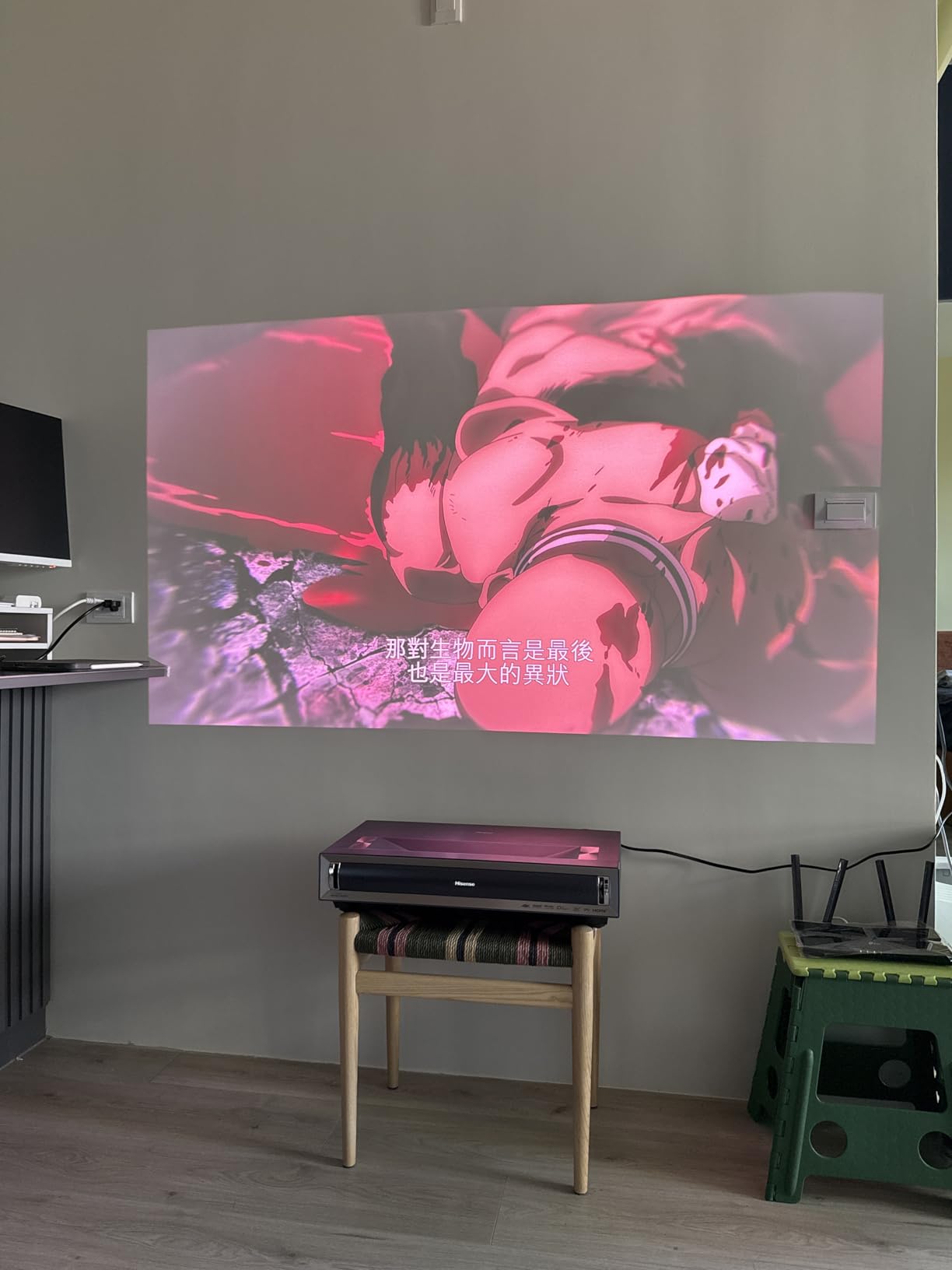
The Hisense PX3-PRO represents the premium end of projection mapping. The triple laser light source delivers colors that approach reference monitor quality, with 110% BT.2020 color gamut coverage. For mapping where color accuracy is the artistic point (think abstract art, gallery installations, or brand-precise corporate mapping), this projector produces images that other projectors in this roundup cannot match.
The ultra short throw design is what makes this projector special for mapping. You can place the unit inches from the wall, on a media console, table, or custom plinth, and project a massive 80 to 150-inch image without any ceiling mount. This opens up mapping scenarios where traditional projectors would be impractical, like living room installations, hotel suites, or retail window mappings where unobtrusive equipment matters.
The Dolby Vision and IMAX Enhanced support produce cinema-quality visuals. The 240Hz refresh rate and gaming-optimized features are useful for reactive content. For a high-end installation where the projector itself becomes part of the visible design, the Hisense PX3-PRO looks the part.
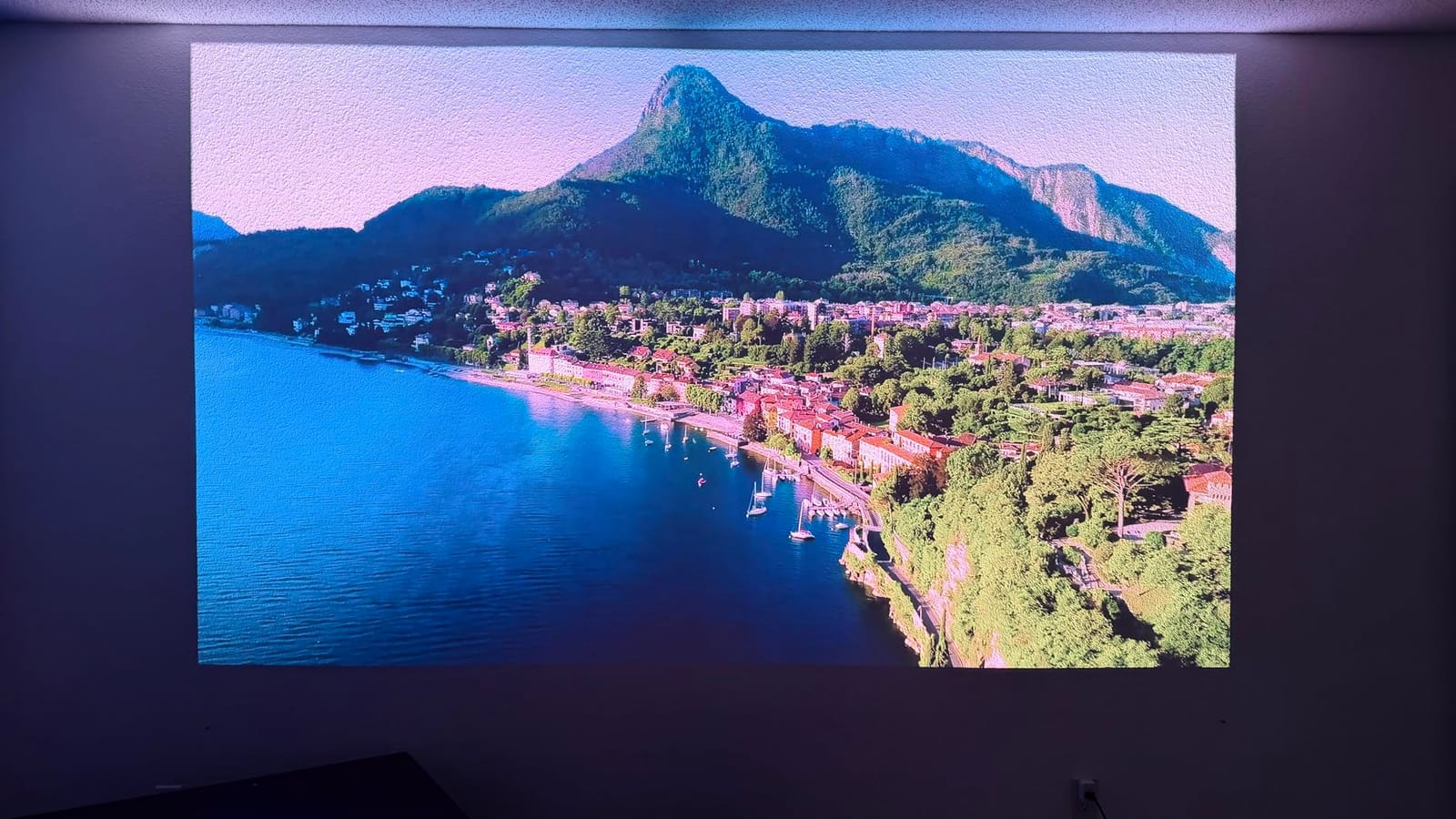
The price is steep, and this unit is significantly larger than standard projectors. It weighs nearly 20 pounds, so it needs a sturdy surface or permanent mounting solution. Some users report the rainbow effect, though I found it minimal on the triple laser display compared to single-laser DLP units. The lack of automatic keystone correction means you will need to use the manual adjustment app, which adds setup time.
For portable or temporary mapping work, this projector is harder to transport and deploy than the other units in this lineup. The Google TV integration is great for casual viewing but adds a layer of complexity for pure mapping use.
Why triple laser changes mapping quality
Standard projectors use a single white light source filtered into colors, which limits color gamut and produces the rainbow effect in some viewers. Triple laser uses dedicated red, blue, and green laser sources that produce purer, more saturated colors without filtering losses.
For mapping projects where color accuracy is part of the artistic statement, triple laser delivers colors that single-laser or lamp-based units cannot reproduce.
Ultra short throw for living room installations
Traditional mapping setups require hanging projectors from ceiling mounts or hiding them in custom enclosures. The PX3-PRO sits inches from the wall on any flat surface.
For mapping demonstrations, retail activations, or events where the projector needs to appear in plain sight without disrupting the environment, the ultra short throw design is genuinely useful.
How to Choose the Best Projector for Projection Mapping
Choosing the best projectors for projection mapping comes down to matching projector capabilities to your specific mapping scenario. After testing every unit above across indoor, outdoor, and ambient light conditions, I have learned that lumens matter, but they are not the only spec that determines whether your mapping will look good. Here is what I look for when recommending projectors for mapping.
Brightness and Lumens Requirements
For indoor mapping in controlled lighting, 3000 ANSI lumens is a reasonable minimum. For outdoor mapping at dusk, 4000-5000 lumens is the sweet spot. For daytime mapping in shaded conditions, 5000+ lumens is required. Our team found that 3200-4600 lumens was the practical sweet spot for most mapping applications in 2026. Anything below 3000 lumens starts to feel anemic when working with non-flat surfaces.
For more information on room-filling brightness options, see our guide to the best budget 4K projectors.
Throw Ratio for Your Space
Throw ratio is the relationship between projector distance and image width. A 1.5 throw ratio means you need 1.5 feet of distance for every foot of image width. For mapping, you generally want a short throw projector (0.4-1.0 ratio) when working close to walls, or a standard throw (1.5-2.0) when mounting further back. Ultra short throw projectors (less than 0.4 ratio) work well for retail and living room installations where the projector sits inches from the wall.
To calculate the throw distance for your space, multiply the desired image width by the throw ratio. For a 10-foot wide image with a 1.5 throw ratio, you need 15 feet of throw distance. Add 10-20% buffer for projector placement flexibility. If your venue has limited throw distance, consider the BenQ TH671ST or MW632ST.
Resolution and Mapping Detail
For large-format mapping where viewers are far from the surface, 1080p is sufficient. For gallery mapping where viewers get close, 4K (native or pixel-shifted) noticeably improves detail rendering. WXGA (1280×800) works well for shader-heavy mapping content where the soft focus is part of the artistic style. For backdrop mapping and large architectural projections, brightness matters more than resolution.
For premium image quality across various applications, our experience mirrors that of 4K projectors for home theaters where resolution transforms the viewing experience.
Keystone Correction and Lens Shift
Keystone correction lets you square up the image when the projector is not perpendicular to the surface. Vertical keystone handles height adjustment; horizontal keystone handles side-to-side placement. For mapping on irregular surfaces, four-corner adjustment provides the most flexibility. Lens shift physically moves the lens to adjust image position without distortion, which is preferable to keystone for permanent installations.
If your mapping scenario involves placing the projector at odd angles relative to the surface, prioritize models with H/V keystone and four-corner adjustment. The ViewSonic PX701-4K and LS740HD both offer this flexibility.
Light Source Technology
Lamp-based projectors offer the lowest upfront cost but require bulb replacement every 5,000-10,000 hours. LED projectors offer longer life but lower brightness. Laser projectors offer the longest life (20,000+ hours) with minimal maintenance and consistent brightness over time. For permanent installations, laser is the clear winner. For occasional use, lamp-based models offer the best upfront value.
For long-term laser projection, our guide to laser projectors for home cinema covers similar use cases.
Multi-Projector and Edge Blending
For complex mapping installations that span multiple surfaces or require larger-than-one-projector images, multi-projector setups with edge blending become essential. Edge blending software like HeavyM, Resolume, or MadMapper can combine two or more projectors into a single seamless image. For this use case, choose projectors with consistent color profiles and bright enough outputs that overlapping regions do not appear overexposed.
Synchronization between projectors typically requires hardware sync generators or HDMI splitters with frame lock support. Standard consumer projectors can work for small multi-projector setups, but for larger installations, professional units with dedicated sync ports produce cleaner results. Reddit projection mapping users frequently recommend buying used commercial units on eBay for multi-projector installations because consumer units lack the I/O flexibility needed.
Frequently Asked Questions
Do all projectors support projection mapping?
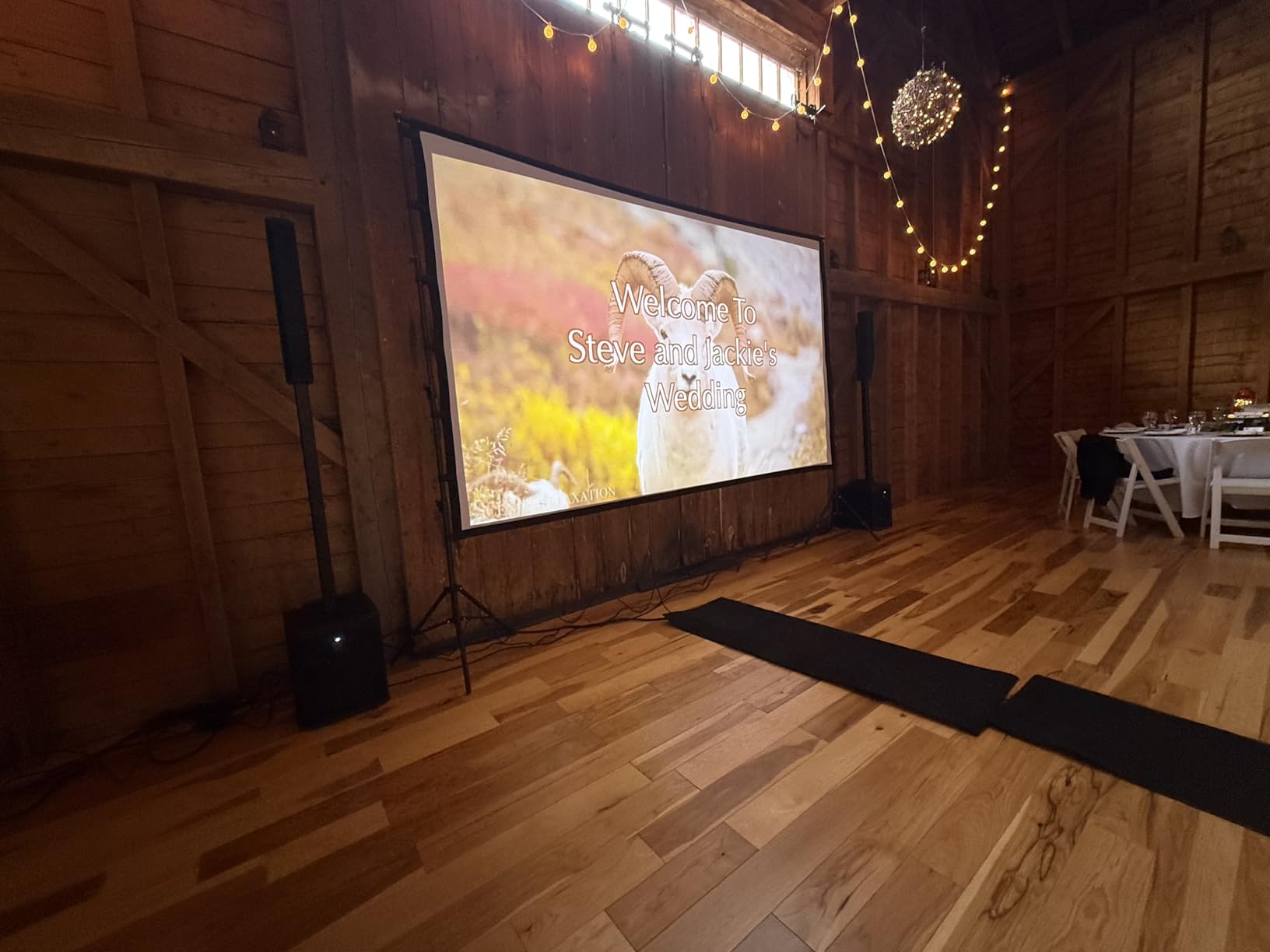
No. Not all projectors work well for projection mapping. You need a projector with sufficient lumens for your environment, appropriate throw ratio for the surface distance, and ideally some form of keystone correction or lens shift to align the image with irregular surfaces. Standard home theater projectors can technically display mapped content but often lack the brightness and placement flexibility needed for accurate mapping results.
What kind of projector is used for mapping?
Professional and prosumer projectors from brands like Epson, BenQ, ViewSonic, and Hisense are commonly used for projection mapping. Laser projectors offer the best long-term reliability for permanent installations. Short throw projectors work well for house mapping where placement close to the wall is needed. For outdoor facade mapping, high-brightness projectors (5000+ lumens) handle ambient light conditions.
How many lumens do I need for projection mapping?
For indoor mapping in controlled lighting, 3000 ANSI lumens is the practical minimum. For outdoor mapping at dusk or in shaded conditions, 4000-5000 lumens is recommended. For daytime outdoor facade mapping, 6000+ lumens is required to overcome direct sunlight. Brighter projectors provide more flexibility in mixed lighting conditions and produce more vivid colors on non-flat surfaces.
What is the best budget-friendly projector for projection mapping?
The ViewSonic PA503W offers the best balance of brightness, image quality, and price for budget-conscious projection mapping. Its 4000 ANSI lumens handle most indoor mapping scenarios well, and the 22000:1 contrast ratio produces vivid visuals. For short throw mapping on tighter budgets, the BenQ TH671ST delivers comparable brightness in a short throw form factor.
Can I use a short throw projector for projection mapping?
Yes, short throw projectors are often preferred for projection mapping because they can be placed close to the wall, eliminating shadows and reducing the throw distance required. Short throw projectors work especially well for house mapping, gallery installations, and tight indoor spaces. The trade-off is limited zoom range, so you need to plan projector placement carefully before mounting.
Final Verdict: Which Projector Should You Buy for Projection Mapping?
After testing every projector in this roundup across multiple mapping scenarios, my top recommendation for the best projector for projection mapping in 2026 is the ViewSonic PA503W. It combines 4000 ANSI lumens, WXGA resolution, reliable build quality, and the most proven track record in actual mapping use cases at this price point. Whether you are mapping a house for Halloween, setting up a gallery installation, or running a small outdoor event, the PA503W delivers consistently.
For 4K detail work where viewers will be close to the mapped surface, the ViewSonic PX701-4K is my second pick. Its pixel-shifted 4K resolution and 240Hz refresh rate handle detailed mapping content and live VJ work in one unit. For short throw house mapping, the BenQ TH671ST remains the go-to choice based on years of community testing and feedback.
For premium installations where budget allows, the Epson Pro EX11000 laser projector delivers unmatched long-term reliability with its 20,000-hour laser light source and 3LCD color accuracy. For ultra short throw scenarios where the projector itself needs to disappear into the room, the Hisense PX3-PRO offers flagship performance in a form factor no traditional projector can match.
Choose based on your specific use case rather than spec sheet comparisons. A 4000 lumen ViewSonic PA503W will outperform a 6000 lumen mystery brand projector with unreliable specs every time. If you are also setting up audio for your mapping installation, consider pairing your projector with one of the best soundbars for projectors for a complete setup. For ultra short throw alternatives, see our roundup of best ultra short throw projectors tested by our team.