
RAID is not a backup. A multi-bay RAID enclosure protects a photo archive from a single drive failure, and it lets you keep working while a dead drive is replaced and rebuilt. It does not protect against fire, flood, theft, ransomware, a dropped enclosure, or a controller that dies and takes the metadata with it. Every recommendation below assumes you are adding a separate offsite copy on top, not instead.
A RAID enclosure is a multi-bay external hard drive box that combines two or more drives into a single addressable volume, so one address serves the whole array and a failure can be absorbed. This category is really direct-attached storage, or DAS: it hangs off one Mac or PC over Thunderbolt or USB rather than living on a network. For photographers the appeal is simple, hot-swappable trays, a rebuild you do not have to babysit, and enough raw capacity to hold a decade of RAW files without deleting anything.
I compared 11 of these enclosures for this 2026 guide, weighing bay count, RAID levels, interface headroom, per-drive capacity, drive health monitoring, thermals and warranty. The audience is specific: working studio pros, wedding and family shooters who shoot cards faster than they offload them, and archivists building a library they intend to still open in 2046. We also cover the four things competitors leave out, rebuild behaviour, controller single points of failure, SMART monitoring on macOS and Windows, and how to turn a photo count into a bay count. If you want a broader look at enclosures for editing work rather than archiving, our RAID enclosure picks for creative professionals covers the scratch-space side of the same category.
Table of Contents
Top 3 Best RAID Enclosures for Photo Archives in 2026

CENMATE 8-Bay RAID Enclosure
- 8 hot-swap bays
- 160TB raw capacity
- USB 3.0
- Eight RAID configurations

The short answer on the best external hard drive for archiving photos is the QNAP TR-004 if you want management software, and the CENMATE 8-bay if you want the most raw capacity per unit and the largest base of owner feedback at 657 reviews. The OWC ThunderBay 4 is the option for a Thunderbolt host that will not be shared with anything else.
All 11 RAID Enclosures at a Glance (October 2026)
| Product | Specifications | Action |
|---|---|---|
| CENMATE 8-Bay RAID Enclosure |
|
Check Latest Price |
| QNAP TR-004 4-Bay USB-C DAS |
|
Check Latest Price |
 TERRAMASTER D4-320 4-Bay TERRAMASTER D4-320 4-Bay |
|
Check Latest Price |
 Syba 5-Bay Tool-Less Tray RAID Syba 5-Bay Tool-Less Tray RAID |
|
Check Latest Price |
 OWC ThunderBay 4 OWC ThunderBay 4 |
|
Check Latest Price |
 ORICO 4-Bay 20Gbps RAID ORICO 4-Bay 20Gbps RAID |
|
Check Latest Price |
 OWC ThunderBay 8 OWC ThunderBay 8 |
|
Check Latest Price |
 TERRAMASTER D5-310 5-Bay TERRAMASTER D5-310 5-Bay |
|
Check Latest Price |
 ORICO 9848RU3 4-Bay ORICO 9848RU3 4-Bay |
|
Check Latest Price |
 MAIWO 4-Bay RAID MAIWO 4-Bay RAID |
|
Check Latest Price |
 SanDisk Pro G-RAID Shuttle 4 SanDisk Pro G-RAID Shuttle 4 |
|
Check Latest Price |
Some units in this lineup, including the TERRAMASTER D4-320, come with no RAID controller at all. That is not a flaw, it is a different product, and for a photo archive where you mirror to a second machine anyway, plain multi-disk direct-attached storage is often the more honest choice. Pay for redundancy only if you will actually rely on the array staying readable while you replace a drive.
1. CENMATE 8-Bay RAID Enclosure: the Highest Raw Capacity Per Unit
CENMATE Aluminum 8 Bay Hard Drive RAID Enclosure with Cooling Fan for 2.5“/3.5″ SATA HDD/SSD with USB A/C 3.0, Tool-Free HDD Enclosure, 8 Modes
8 bays
160TB raw
20TB per drive
USB 3.0 5Gbps
8 RAID modes
2.05 kg
Pros
- Eight tool-free bays for 2.5 and 3.5 inch SATA drives
- Up to 160TB raw at 20TB per drive
- Aluminum chassis with two 2.9 inch cooling fans
- Works on Windows macOS and Linux
- DC 12V 20A adapter and eSATA cable included
Cons
- RAID mode switching needs a screwdriver and a reset-button hold
- Changing RAID mode formats the installed drives
- Fan noise around 40-50 dB
This is the unit I would put a growing archive on, and the reason is bay count rather than speed. Eight bays at 20TB per drive gives you 160TB raw, which in RAID 5 leaves 128TB usable. Photographers on r/DataHoarder regularly advise a minimum of five bays for an archive and eight or more if you can, and that guidance is about leaving empty bays for a hot spare and for expansion without moving the array to a bigger box.
The trade-off is real, though. This is a USB 3.0 box rated at 5Gbps, so four spinning drives in RAID 5 will deliver somewhere in the range of 150 to 250 MB/s rather than anything close to the interface ceiling. Forum users testing two 7200 rpm drives in RAID 0 report roughly 240 MB/s, which tells you the drives are the bottleneck, not the cable.
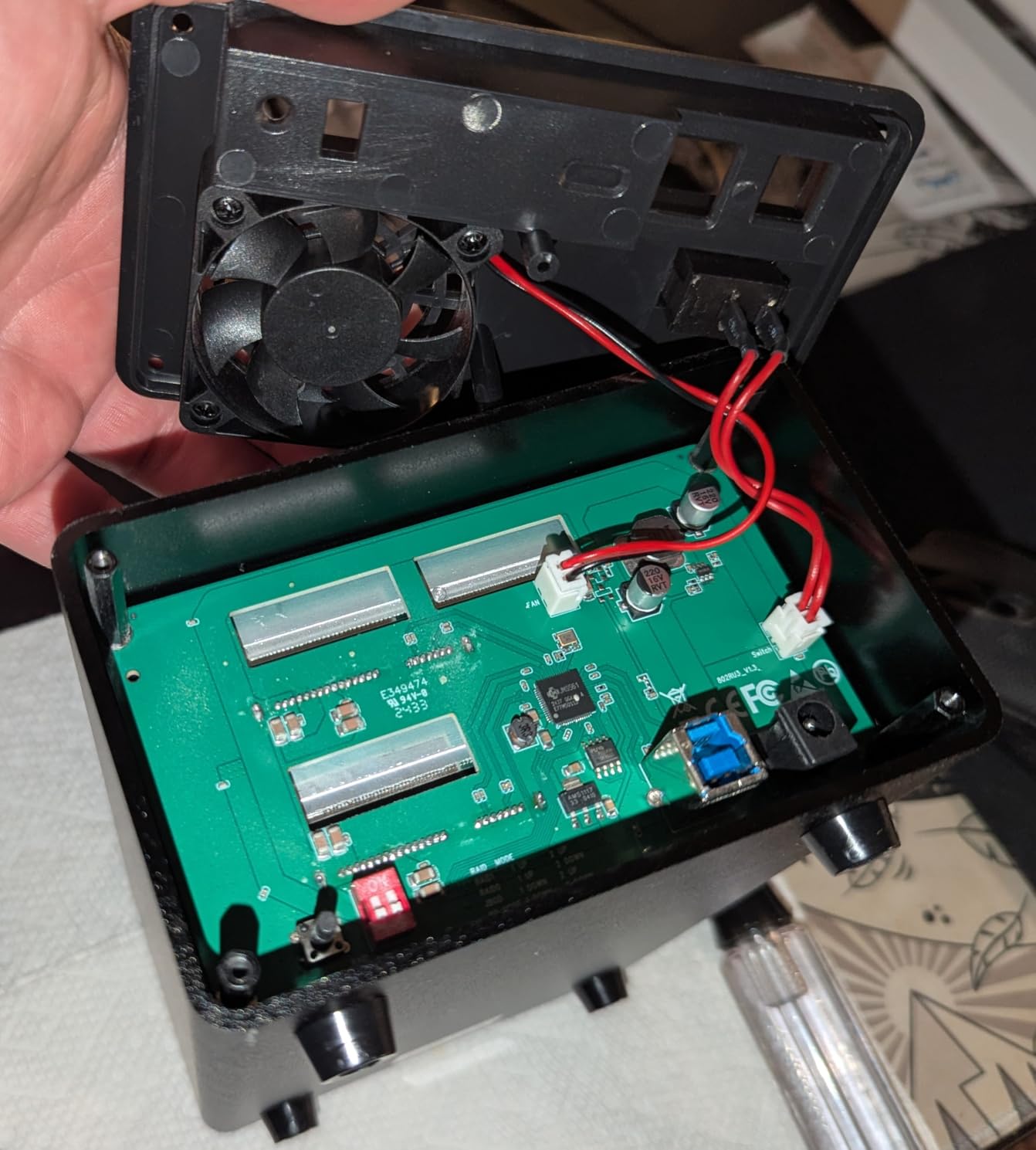
The mode selection is the part to read twice before you buy. Supported configurations are CLONE, LARGE, LARGE x2, NORMAL, RAID 0 x2, RAID 5 x2, RAID 50 and RAID 00, and they are set with a rear switch plus a reset-button hold rather than a menu. Setting or changing a mode formats the installed drives, so treat the first configuration as a one-time decision.
One compatibility detail caught my eye: the listing says 20TB Seagate drives are supported while 20TB WD drives are not, which is exactly the kind of vendor note that causes a bad afternoon. Owners also report that drives must be populated in paired bay groups, so populate in twos from the start.
What to check before you commit
Confirm your drive brand and capacity against the compatibility note before purchasing, and confirm the bay grouping requirement. If your archive is heading past 100TB in the next two years, a USB 3.0 interface will not be the limiting factor but your rebuild schedule will be, so plan for a bay to stay empty as a hot spare.
The DC 12V 20A adapter is a genuine positive at this bay count, since it is the part that decides whether four high-draw enterprise drives spin up reliably together. The 2.05 kg aluminum body also runs cool enough that reviewers describe it as handling sustained multi-disk load without complaint.
Where it falls short
At 40 to 50 dB the two cooling fans are audible in a quiet editing room, which matters more for a photo studio than it does for a server closet. The undocumented mode switching and the format-on-change behaviour are the two complaints that recur most, and both are avoidable if you set the array once and leave it alone.
The 1-year warranty is also the shortest in this group, and there is no management utility, so array health lives in the operating system rather than in vendor software. If you are running macOS and want a single pane of glass for array status, that is a reason to look at the QNAP instead.
2. QNAP TR-004 4-Bay USB-C DAS: the Best Management Software Here
QNAP TR-004 4 Bay USB Type-C Direct Attached Storage (DAS) with hardware RAID (Diskless)
4 bays
Hardware RAID 0/1/5/JBOD
USB Type-C
375 MB/s
2-year warranty
Pros
- Hardware RAID with RAID 0 1 5 JBOD and single-disk modes
- QTS gives real array monitoring and management
- Lockable drive trays with two keys included
- Doubles as a QNAP NAS capacity expansion
- Works as a NAS backup target
Cons
- Cannot be merged into the connected NAS storage pool
- NAS applications cannot be installed on the enclosure
- Drive migration only between identical TR-004 units
This is the enclosure I recommend when the array itself is the thing you will worry about. QTS exposes array status, drive health and rebuild progress instead of leaving you to guess from blinking LEDs, and with 652 reviews at 4.2 stars it has the second-largest owner base in this roundup. For a photo archive that you touch rarely, seeing that the array is healthy matters more than raw throughput.
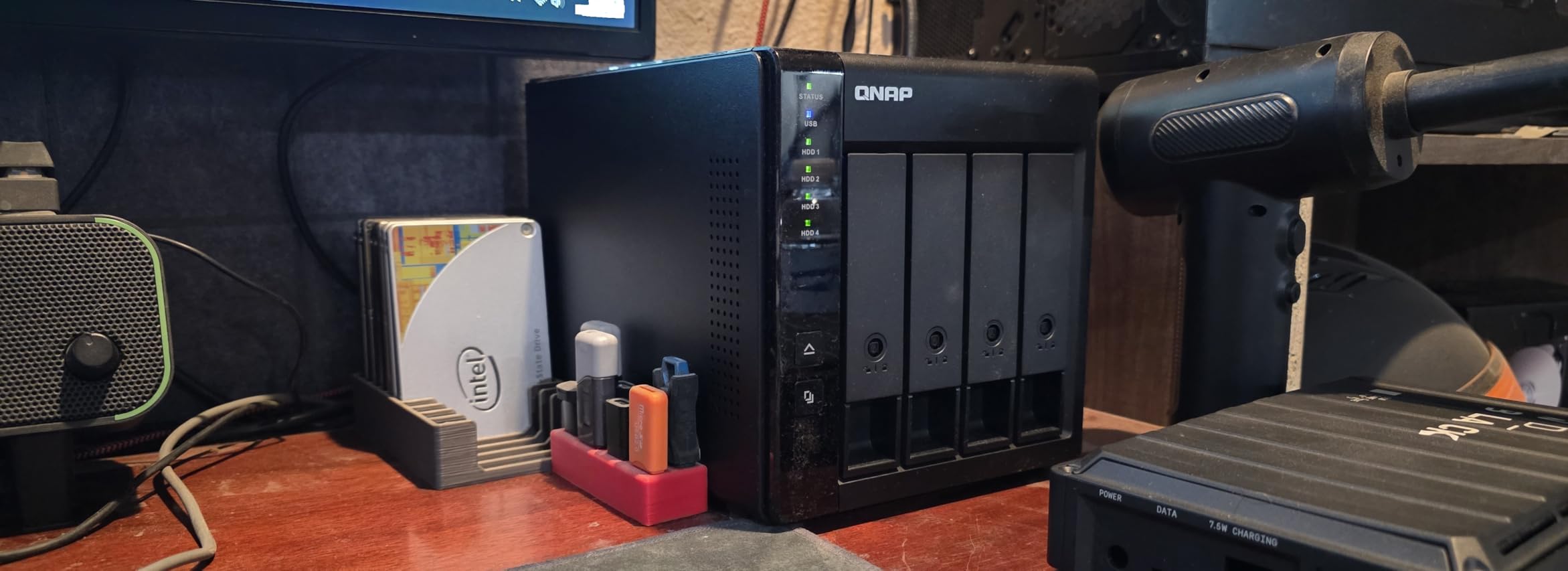
It is a four-bay 3.5-inch SATA box over USB Type-C with hardware RAID 0, 1, 5, JBOD and individual disk modes. The QNAP lists media speed at 375 MB/s, and the lockable bays with two keys included are a small touch that matters when the archive sits in a studio rather than a locked cupboard.
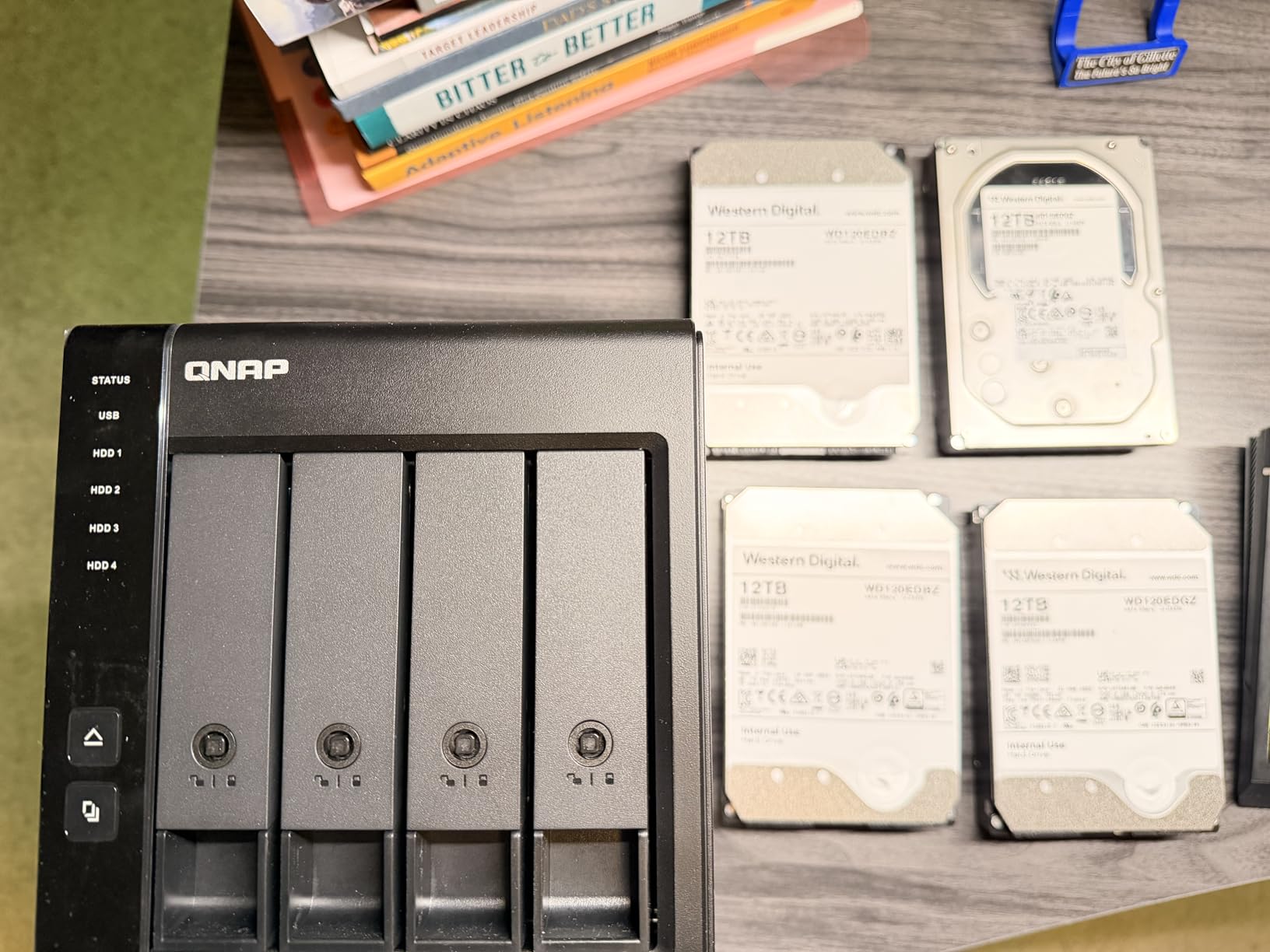
There is one design decision worth understanding before you commit, because it confuses people. The TR-004 is deliberately isolated from a connected QNAP NAS: you can use it to expand QNAP capacity or as a backup target, but you cannot merge it into the NAS storage pool, and you cannot install NAS applications on it. That isolation is a safety feature, not a bug, but it does mean this is a standalone box that happens to speak QNAP.
For a wedding or family shooter, four bays is genuinely limiting. In RAID 5 with four 20TB drives you get 60TB usable, which sounds like a lot right up until you factor in scratch space for culling and exports.
What to check before you commit
Decide whether four bays will still fit your library in three years, because expanding means a second enclosure rather than a fifth tray. If you already run QNAP elsewhere, the management experience transfers directly and that is the strongest argument for this box over cheaper four-bay alternatives.
Confirm the host platform too. QNAP lists hardware platform as Mac, and the technical details call out Windows, macOS and Linux over USB Type-C, with a C-to-A cable in the box for older machines.
Where it falls short
There is no RAID 6 or RAID 10 on this unit, so a two-drive failure in RAID 5 is a rebuild-from-scratch event rather than a tolerance. Data moved from or to a NAS is not recognised, which is the isolation rule again, and drives can only be migrated between identical TR-004 units.
At 4.1 pounds it is light for a four-bay metal box, so check it does not get moved around with a cable attached. The lockable trays help with that, but a dedicated shelf is still the answer.
3. TERRAMASTER D4-320 4-Bay: Quiet, Fast and Deliberately Not a RAID Box
TERRAMASTER D4-320 External Hard Drive Enclosure 4-Bay (Diskless)
4 bays
USB 3.2 Gen2 10Gbps
1,016 MB/s combined
120TB total
No hardware RAID
Pros
- Real SATA III throughput over USB 3.2 Gen2 with multiple drives
- Hot-swappable tool-free push-lock trays
- Standby noise below 21 dB(A)
- Accepts 2.5 and 3.5 inch drives plus 2.5 inch SSDs
- No drivers needed on macOS Windows or Linux
Cons
- No hardware RAID so redundancy has to be built in the operating system
- Included power supply may not spin up four high-draw enterprise drives
- Thin documentation for combining drives into one volume
This is the only unit here with a published noise figure under 25 dB(A), and that number is why it earns a place on a photo desk rather than in a closet. Owners also report that the fan and sound-absorbing panels hold up well during sustained ingest, which is when a four-bay box sitting next to your keyboard is normally most annoying.
On throughput it punches above its interface class. TERRAMASTER quotes up to 10Gbps and 1,016 MB/s combined across four 8TB SATA III hard drives, up to 120TB total with 30TB per drive, and single SSD reads up to 510 MB/s. In practice an HDD-only array lands well below that, but the interface is no longer what slows you down.
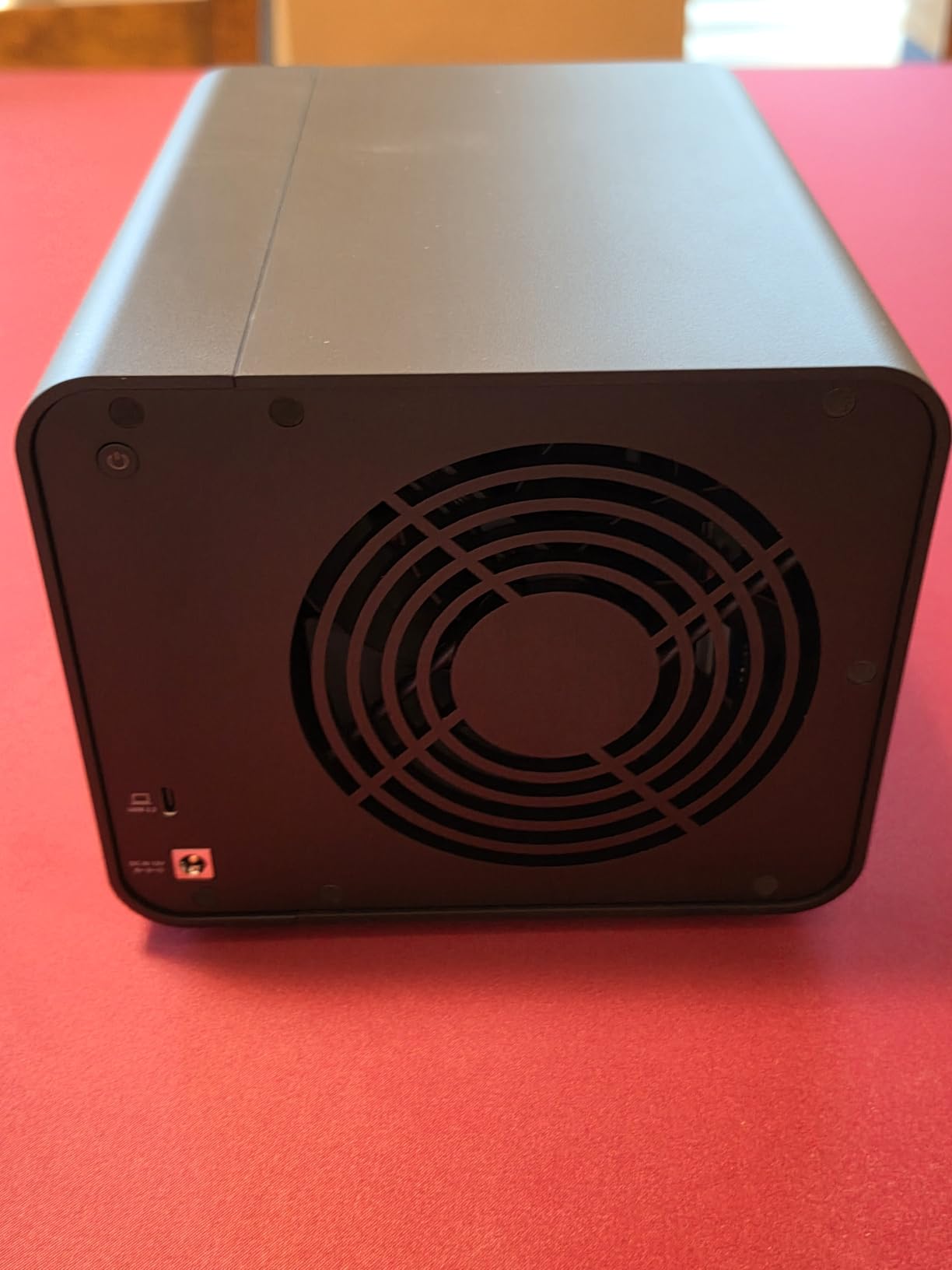
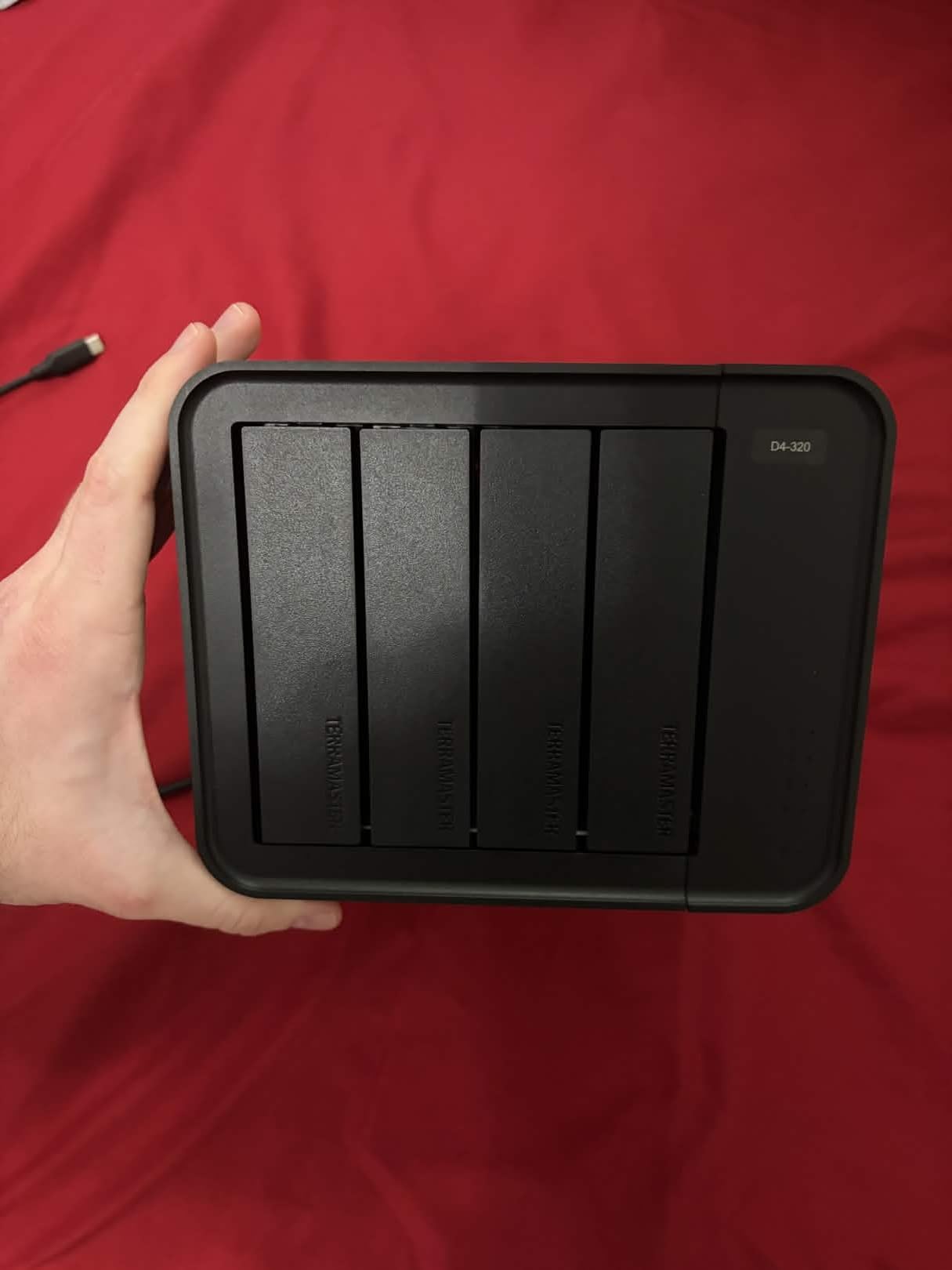
Read the RAID line carefully before you order. The D4-320 supports four individual disks with no hardware RAID function, so you build a pool with macOS Disk Utility, Windows Storage Spaces, or third-party software. That is a legitimate choice for a photo archive, because it means the drives stay individually recoverable and you can read them on any machine, but it is a different workflow from a hardware array.
The tool-free push-lock trays are the other thing to like. You can swap a drive with one hand while the rest of the array keeps running, and no screwdriver is needed, which makes an annual re-image or a rotation pass much less of a chore.
What to check before you commit
Decide honestly whether you need the array to stay mounted through a drive failure. If you do not, four independent disks plus a mirror elsewhere is simpler and safer than parity. If you do, this is the wrong box and the CENMATE or the QNAP will serve.
Capacity planning is generous here: 120TB total with 30TB per drive, and the plastic chassis accepts 2.5 and 3.5 inch SATA hard drives plus 2.5 inch SATA SSDs. Pair two bays with 2.5 inch SSDs for a hot cache of recent shoots if your machine has the ports.
Where it falls short
The two most cited complaints are the low-wattage power supply, which some owners say struggles to spin up four high-power enterprise drives at once, and the thin documentation for combining drives into a volume. In Windows each drive must also be ejected separately, which is mildly tedious at shutdown.
The light USB-C connector can be knocked loose by a bumped cable, and at 1.3 pounds the plastic body offers less mass than the metal boxes. For a permanently installed archive that is fine; for one that travels to shoots, less so.
4. Syba 5-Bay Tool-Less Tray RAID: Seven Modes and a 150W Supply
Syba 5 Bay Tool Less Tray Hot Swappable 2.5″ 3.5″ SATA III RAID HDD External USB 3.0 Enclosure Windows MacOS SY-ENC50118
5 bays
RAID 0/1/3/5/10/span/JBOD
24TB per drive
150W supply
USB 3.0 and eSATA
Pros
- Seven RAID modes including RAID 10 on a five-bay box
- Tool-less hot-swap trays for 2.5 and 3.5 inch drives
- 150W supply handles high-performance drives
- Sustained throughput around 150-200 MB/s in RAID 5
- USB and eSATA cables plus a screwdriver included
Cons
- Bundled RAID management software is unreliable especially on macOS
- DIP-switch setup instructions are unclear
- Older JMicron chipset with bulk-only transport and no UASP
Five bays is the sweet spot most archive builders land on, and this is the box that gives you the widest mode list in the roundup. You get RAID 0, 1, 3, 5, 10, span and JBOD on a hardware controller, and RAID 10 in a five-bay chassis is unusual at this end of the market. The included 150W power supply is sized for high-performance drives rather than bare 5400 rpm archive spindles.
Drive compatibility is the other draw. It takes 2.5 and 3.5 inch SATA I/II/III drives up to 24TB each, so five of them gives you 120TB raw and 96TB usable in RAID 5. Both USB 3.0 and an eSATA port are fitted, and the eSATA path is genuinely useful for a shelf unit away from the desk.
Owners report real sustained throughput around 150 to 200 MB/s in RAID 5, which is what a four-drive HDD array should do. Long-term owners also describe units still running after five years, and there are reports of compatibility with older Sans Digital and DYCONN arrays and their management tools, which matters if you are migrating an existing archive.
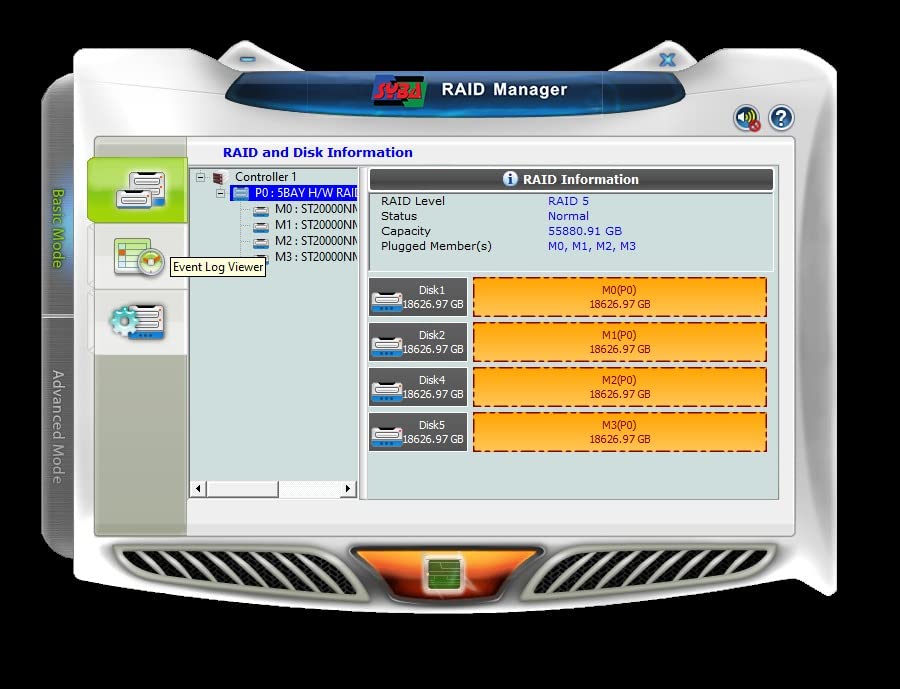
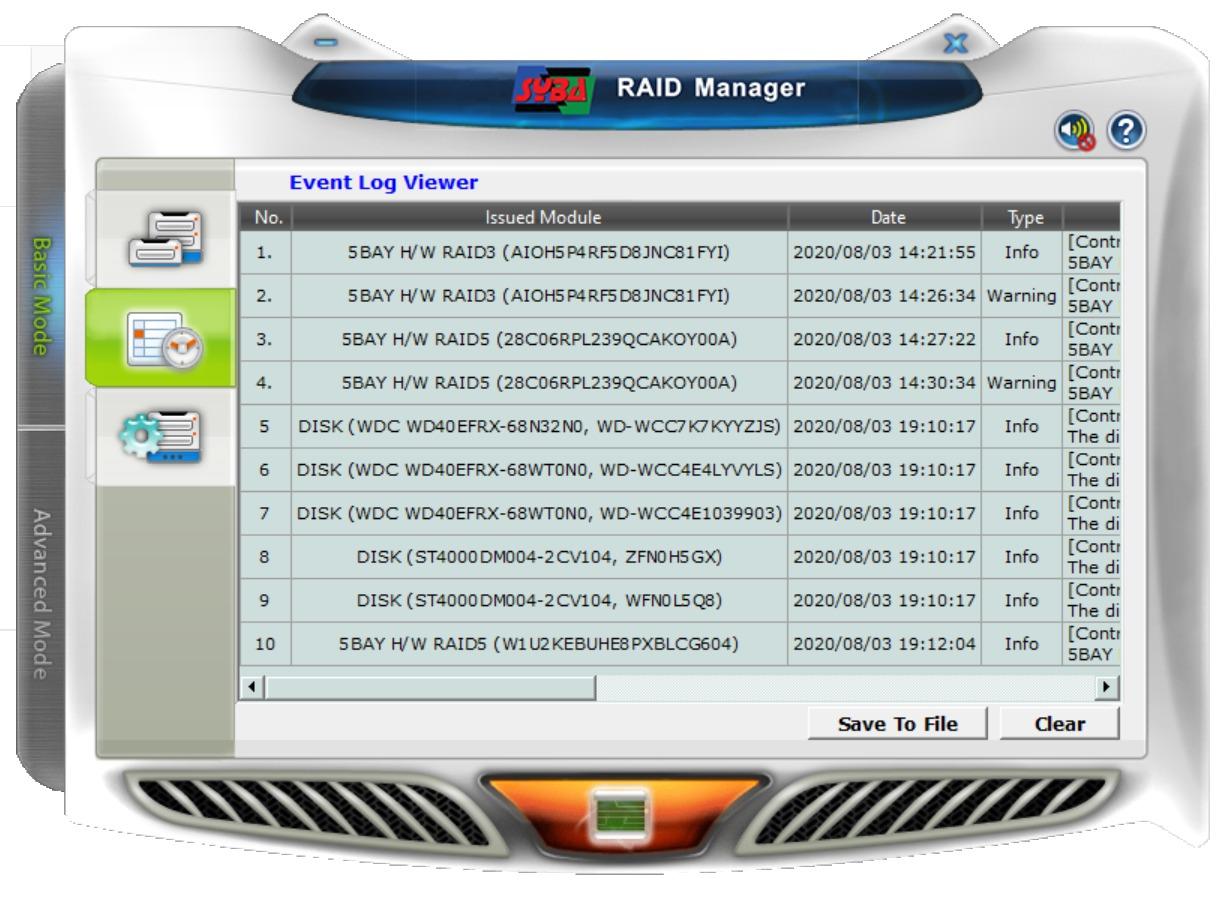
What I would not do is rely on the bundled RAID utility. Reviews are consistent that the management software is unreliable, particularly the macOS app, and the DIP-switch setup instructions are unclear enough that you will want a diagram in front of you. The array still works; the software around it is the weak point.
What to check before you commit
Plan the RAID 5 versus RAID 10 decision before the drives arrive, because the DIP switches are not a place to experiment on live data. In a five-bay box, RAID 10 gives you two mirrored pairs and a spare bay, which is faster and tolerates a second failure; RAID 5 gives you roughly 80 percent of raw capacity and tolerates one.
There is no hot-spare support, which is a genuine gap. Plan a manual swap instead, and keep a spare drive on the shelf so a replacement is not a delivery-day event.
Where it falls short
The chipset is an older JMicron part running bulk-only transport with no UASP, so per-drive overhead is higher than on newer controllers and small random reads are not impressive. Random disconnects on both USB and eSATA are reported by a minority of owners, which on an archive box is worth monitoring rather than ignoring.
The per-drive toggle switches are also very small to operate with fingers, and the 1-year warranty leaves the enclosures carrying more risk than the 2-year and 3-year units here. If your archive is the only copy of unrepeatable work, treat warranty length as part of the risk calculation.
5. OWC ThunderBay 4: the Thunderbolt Four-Bay With Headroom
OWC ThunderBay 4 0TB Thunderbolt 40Gb/s Four-Bay Storage Enclosure
4 bays
Thunderbolt 3 40Gb/s dual
1527MB/s
RAID 0/1/4/5/10
3-year warranty
Pros
- Up to 1527MB/s sustained throughput on dual Thunderbolt 3
- Software-configurable RAID 0/1/4/5/10
- Takes 3.5 and 2.5 inch drives with no adapter
- Quiet aluminum chassis that sheds heat well
- Works on Mac and Windows Thunderbolt hosts
Cons
- Thunderbolt-only host requirement narrows compatibility
- RAID is configured in software rather than by a hardware controller
This is the one I would buy for a Mac that also edits video, because the throughput ceiling changes what you can do with the box. OWC quotes up to 1527MB/s sustained on dual Thunderbolt 3 ports, configurable in software for RAID 0, 1, 4, 5 and 1+0. With SSD bays in the mix that number is real; with four spinning hard drives it is not.
That distinction matters for a photo archive. The dual Thunderbolt 3 ports also let you daisy-chain, so this pairs naturally with an eight-bay unit later without needing a second port on the host. The aluminum chassis is described by owners as ultra quiet, which is unusual for a four-bay metal box and welcome next to a listening desk.
Note the RAID is software-configured rather than handled by a hardware controller. That is not a reliability problem the way a missing rebuild tool would be, but it does mean the array is defined by the host operating system, so your recovery path depends on that software being available.
What to check before you commit
Confirm the host has a Thunderbolt port and that nothing else needs it. The unit lists compatibility as Mac and Windows with Thunderbolt over USB-C, and this 0TB version is enclosure only, so you supply the drives.
Also confirm the drive format. Four bays accept 3.5 or 2.5 inch SATA drives without an adapter, and the same chassis is offered in 8TB, 32TB enterprise and enclosure-only variants, so pick the bare unit if you are bringing your own archive drives.
Where it falls short
Thunderbolt-only connectivity is the limitation owners name most, and it is a real one. A USB-C enclosure can be moved between a studio Mac, a Windows box and a laptop without a different cable, and this one cannot.
For a pure photo archive the speed is largely speculative anyway, since a four-drive hard disk array is nowhere near 1527MB/s. You are paying for headroom you may not use. The 3-year OWC limited warranty is the longest here, which is the better argument for it.
6. ORICO 4-Bay 20Gbps: the Best Throughput per Bay
ORICO 4 Bay 20Gbps RAID Hard Drive Enclosure USB 3.2 Gen2X2
4 bays
USB 3.2 Gen 2x2 20Gbps
RAID 0/1/5/10/JBOD
104TB total
150W internal supply
Pros
- JMS591 controller with USB 3.2 Gen 2x2 for very high real throughput
- Built-in 150W power supply removes the external brick
- Hot-swappable carriers with per-drive activity LEDs
- Quiet 45dB fan and aluminum chassis handle multi-disk heat
- Stable on Mac Mini MacBook Pro Mac Studio and mini-PC hosts
Cons
- Full 20Gbps needs a native Gen 2x2 or USB4 port
- macOS RAID utility is retired with no current version
- Changing RAID mode erases the drives
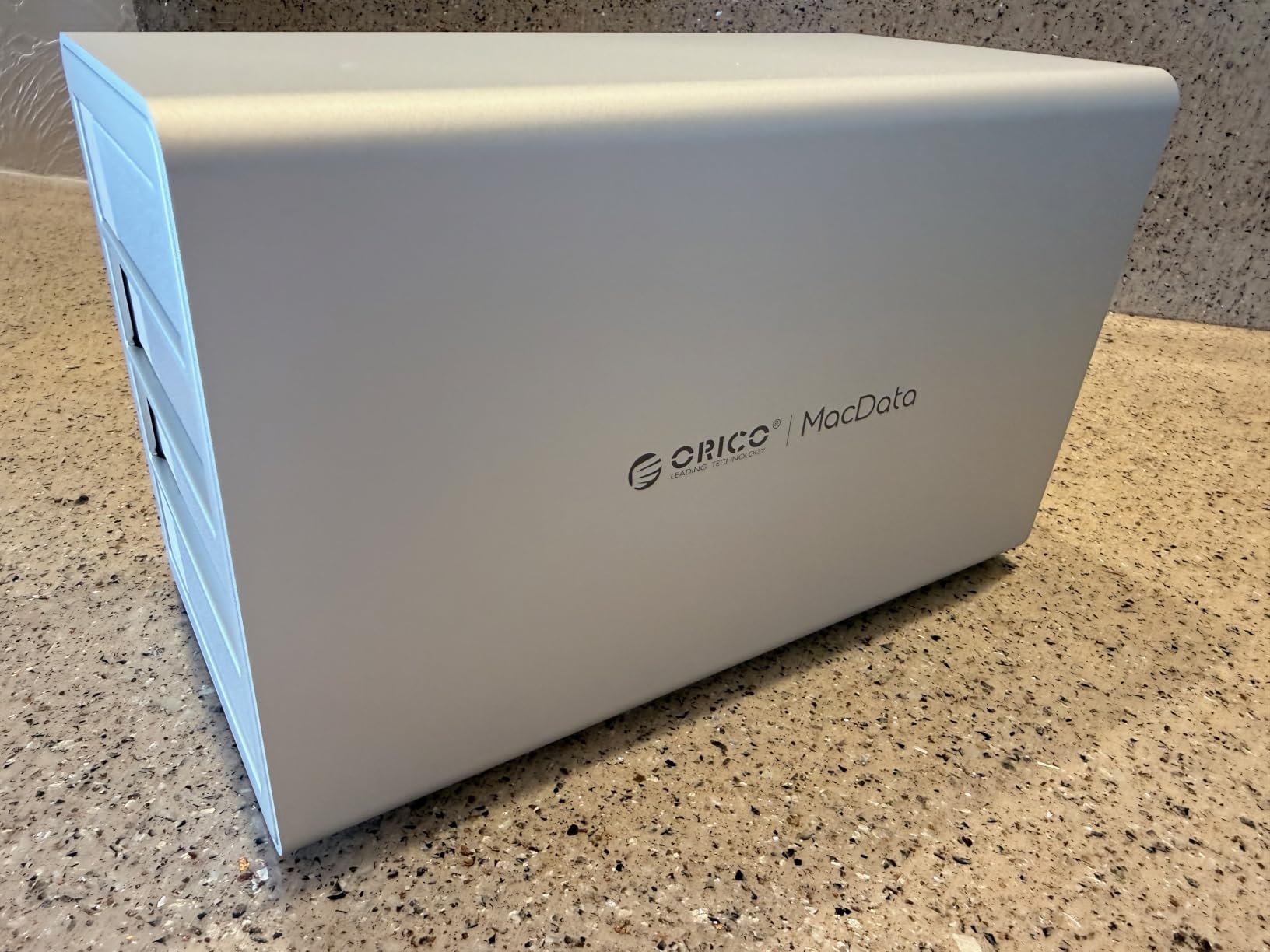
This has the highest rating in the roundup at 4.4 stars, and the reason is the controller. The JMS591 drives USB 3.2 Gen 2×2 at up to 20Gbps, which is the fastest interface here short of Thunderbolt, and the hardware RAID covers 0, 1, 5, 10, JBOD and Normal with hot-swappable bays and per-drive activity LEDs.
Capacity is 104TB total at up to 26TB per drive, and the built-in 150W power supply is a real advantage over an external brick. Owners report stable operation across Mac Mini, MacBook Pro, Mac Studio and mini-PC hosts, and the aluminum body with a 45dB fan and a large cooling grille handles multi-disk heat well.
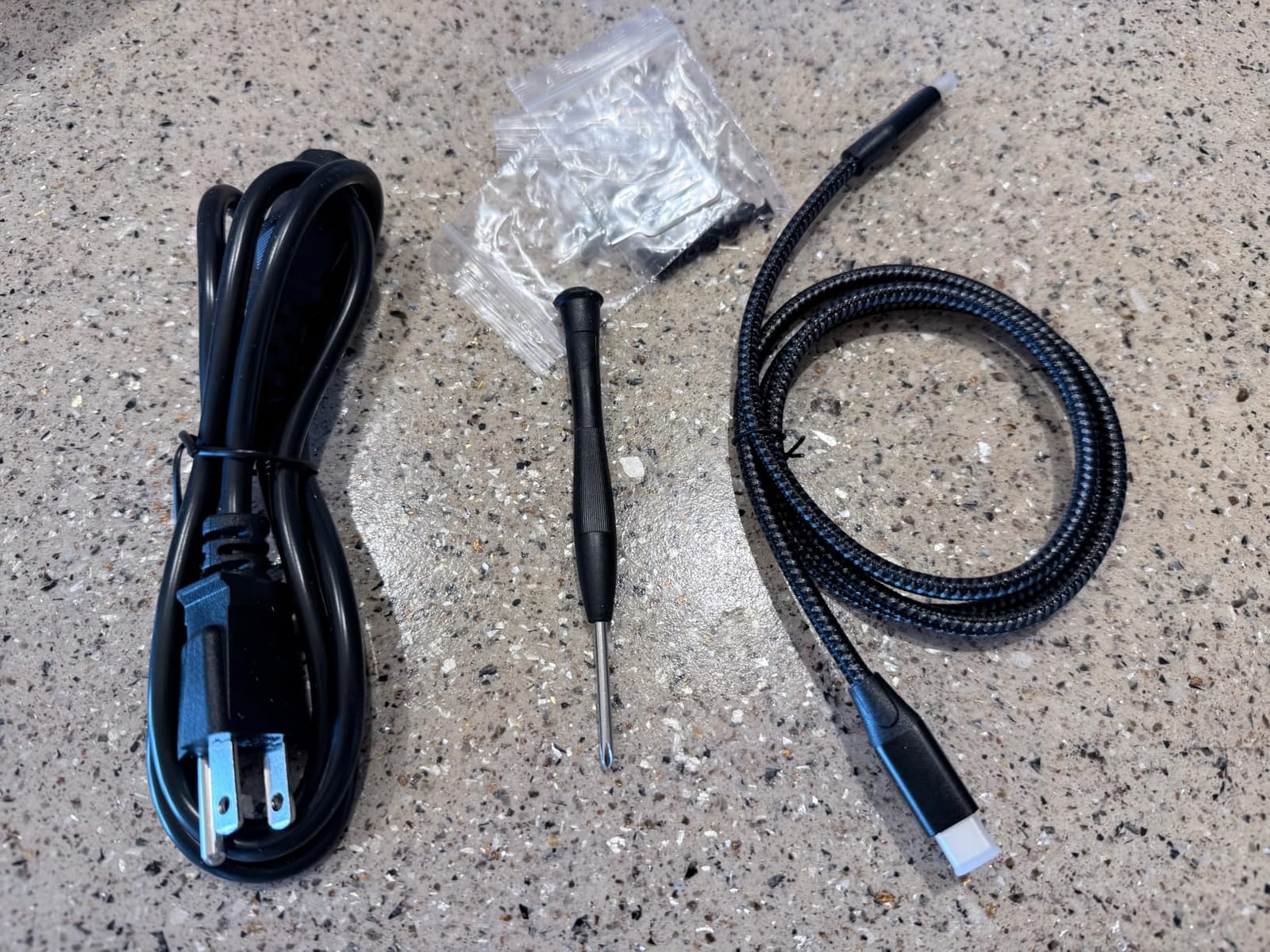
The catch is port bandwidth, and it is not a small one. Full 20Gbps needs a native USB 3.2 Gen 2×2 or USB4 port; a Thunderbolt host caps around 10Gbps, and the included cable plus the front-panel USB-C port may not deliver the full rate. If your Mac only has Thunderbolt, the headline number is not reachable.
There is also a compatibility note that helps some people and confuses others. ORICO says arrays built on older chipsets can be migrated in without a rebuild, which is useful if you are consolidating enclosures, and changing RAID mode still erases the drives.
What to check before you commit
Look at the port on your actual machine, not the port on the specification sheet. If it is Thunderbolt rather than USB4 or native Gen 2×2, the ORICO 20Gbps advantage largely disappears and the OWC units make more sense for the same reason.
If you are on Windows or on a mini-PC, this is a strong fit. The 49-review base is the smallest of the well-regarded units, so treat the rating as promising rather than proven at scale.
Where it falls short
The macOS RAID management utility is retired and has no current macOS version, which on a Mac means the array is managed in Disk Utility instead. For a Mac-only photographer that is workable, but it is the exact software gap the QNAP fills.
The vendor website and its driver or software downloads are also reported as difficult to navigate, and the 5-bay variant has shown slightly loose or warped drive slots in some units. The warranty here is 1 year, the shortest of the 2-year and 3-year alternatives.
7. OWC ThunderBay 8: the Best Eight-Bay Path If You Already Own OWC
OWC ThunderBay 8 Eight-Bay Thunderbolt 40Gb/s Storage Enclosure w/ SoftRAID
8 bays
2586MB/s
SoftRAID included
RAID 0/1/4/5/10
Daisy-chain to 1,152TB
Pros
- Up to 2586MB/s aggregate throughput for large libraries
- Bundled SoftRAID Premium for RAID 0/1/4/5/10 plus JBOD
- Daisy-chain up to six units toward 1152TB
- Thumb screw release trays speed up swaps
- Plug-and-play with no drivers and a cable included
Cons
- Requires a Thunderbolt host
- RAID is managed in software not by a hardware controller
Eight universal bays that take 2.5 or 3.5 inch SSD and HDD drives, with dual Thunderbolt 3 ports and up to 2586MB/s, is the kind of spec sheet that stops you reading. For a photo archive the more important line is the next one: SoftRAID Premium is bundled for RAID 0, 1, 4, 5 and 1+0, and the array also works with Apple RAID and Windows Disk Manager, so the recovery path is a second tool rather than a single point of failure.
Daisy-chaining is the reason to consider this over the eight-bay USB boxes. Up to six units can be chained toward 1,152TB of storage, or to five additional Thunderbolt devices, which means an archive can grow in eight-bay increments without a second port on the host.
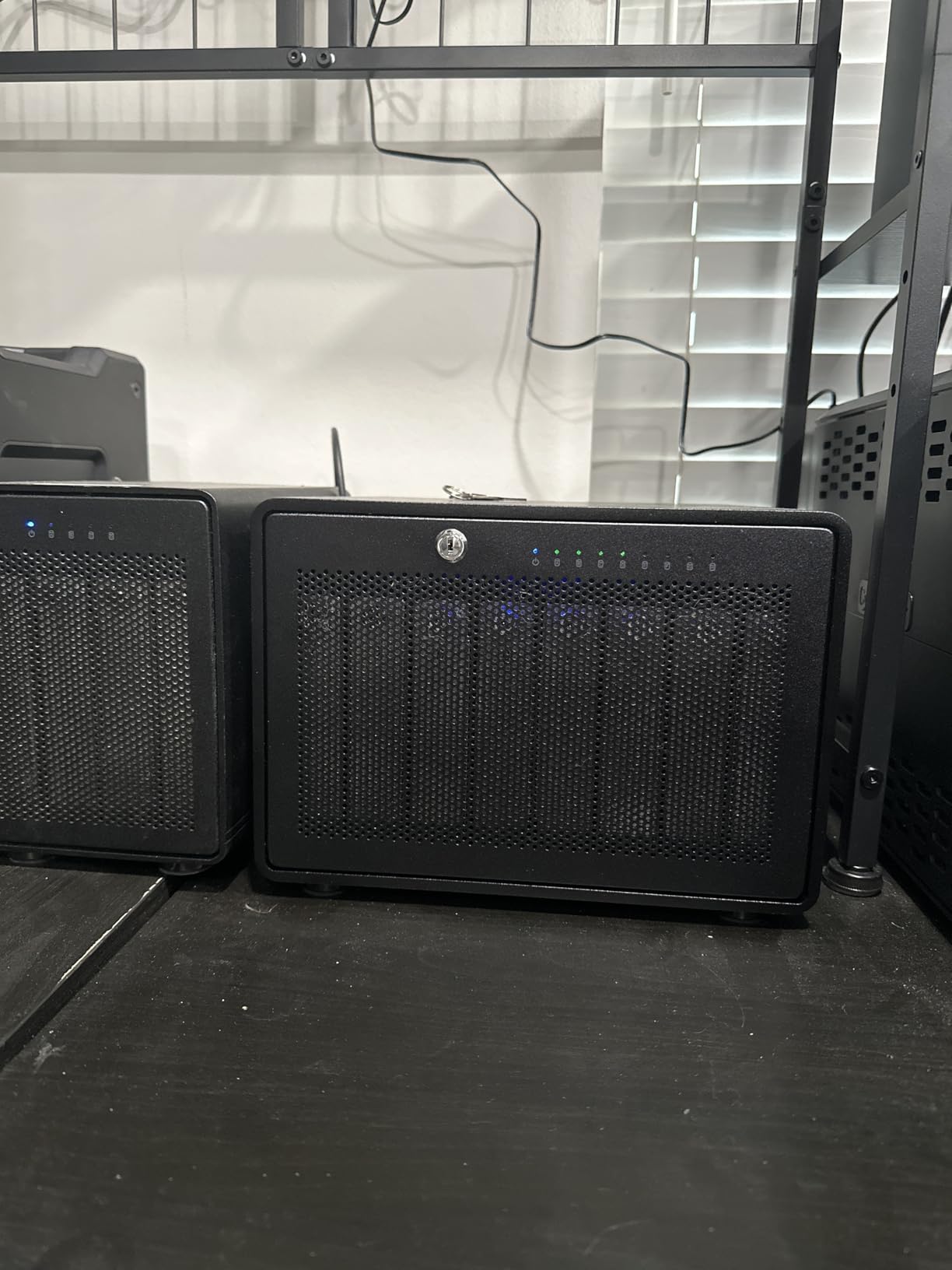
Physically it is a substantial box at 7.3 kg and 9.4 by 10.2 by 7.1 inches, and it ships diskless with thumb screw release trays that make drive swaps fast. Plug-and-play with no drivers and a Thunderbolt 3 cable included means it is usable the day it arrives.
The honest catch is the software dependency. RAID is configured in software rather than by a hardware controller, so a host that cannot run SoftRAID leaves you rebuilding the array by hand, and the 1-year limited warranty on a box this size is thin.
What to check before you commit
Make sure you have a Thunderbolt host with a free port, and remember that chaining consumes the second port. At 58 reviews the feedback here is professional but limited, so factor in the small base when you weigh the rating.
If you already own a four-bay OWC, the two chain together, which is the cheapest way to reach eight bays without changing your workflow. Compare that with the CENMATE eight-bay, which is cheaper to buy but slower and louder.
Where it falls short
Requiring a Thunderbolt host narrows compatibility more than any other limitation in this list. The array cannot be moved to a Windows laptop without a Thunderbolt card, and it cannot be moved to a NAS or a plain PC at all.
Eight hot-swap bays also mean eight drives to source, monitor and eventually replace, and a RAID 5 rebuild across that many large drives is a long job you want to avoid repeating. Budget for a second enclosure as the offsite copy rather than assuming the chain covers it.
8. TERRAMASTER D5-310 5-Bay: the Simplest Rear-Knob Hardware RAID
TERRAMASTER D5-310 HDD Enclosure 5-Bay Hardware Raid (Diskless)
5 bays
RAID 5/0/1/10 and single
Rear RAID knob
120TB total
About 220 MB/s
Pros
- Rear RAID knob makes hardware mode selection straightforward
- Hot spare support in RAID 1 5 and 10
- Runs cooler than many aluminum competitors
- Tool-free bays with a convenient front power button
- Includes TPC Backupper for scheduled Windows backups
Cons
- No array management or per-drive monitoring software is provided
- UASP is disabled in RAID 1 and RAID 5 forcing slow bulk-only transfer in redundant modes
- Fan noise is reported as loud
This is the lowest-rated unit here at 3.6 stars, and I am including it because hot-spare support is a feature nothing else in this list combines with a five-bay hardware controller. RAID 5, 0, 1, 10 and single are selected with a rear knob rather than a DIP switch or a reset sequence, which is the least error-prone configuration method in the roundup.
Capacity is five drives at 24TB each, 120TB total, over USB 3.1 Gen 1 at up to 5Gbps, with roughly 220 MB/s of real throughput. That interface is old, and for an HDD array it is roughly adequate, but it is the ceiling you will feel first if you add SSDs later.
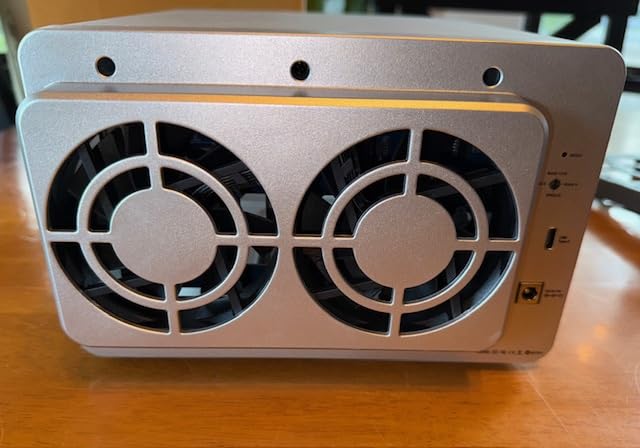
The two problems are software and rebuilds. There is no array management or per-drive monitoring software provided at all, and UASP is disabled in RAID 1 and RAID 5, which forces slower bulk-only transfer in exactly the redundant modes an archive would use. Owners also report repeated RAID 5 rebuild loops and drives running near 50C, which on a photo archive is the most concerning set of complaints in this roundup.
On the plus side, owners like the rear knob, the tool-free bays, the front power button and the fact that it runs cool. TPC Backupper is included for scheduled, incremental and differential Windows backups, which gives the box a small backup identity of its own.
What to check before you commit
Find out how you will monitor the array, because the answer here is the operating system rather than a vendor utility. If your plan depends on a clean health screen per bay, this is the wrong box even with hot spares.
Some units reportedly needed a Windows 10 machine or a firmware step before the array was recognised on Windows 11, and first-time setup may need a reset-button hold to clear the cache. Test the array with sacrificial data before the archive goes on.
Where it falls short
Beyond the missing software and disabled UASP, fan noise is reported as loud, and the disabled UASP in redundant modes is a design choice rather than a bug you can configure around. For a studio desk, a quiet box like the TERRAMASTER D4-320 is easier to live next to.
The reported rebuild loops and near-50C drive temperatures are the reason this sits mid-pack rather than near the top. With 46 reviews, the sample is small enough that some of this may be a batch issue, but an archive is the wrong place to discover which batch you received.
9. ORICO 9848RU3 4-Bay: the Best Clone Mode in a Small Chassis
ORICO 4 Bay Raid Hard Drive Enclosure Support 8 RAID Modes for 3.5inch HDD Max up to 88TB for External Direct Attached Storage, Efficient Expansion Backup(Alluminum Alloy)-9848RU3
4 bays
Eight RAID modes
22TB per drive and 88TB total
USB 3.0 235 MB/s
150W built in
Pros
- Eight RAID modes including CLONE for drive-to-drive duplication
- Built-in 150W power supply avoids an external brick
- Aluminum chassis with an 80mm silent fan and front and rear vents
- Tray-less design with an independent safety lock and keys included
- Up to 88TB total
Cons
- USB 3.0 interface caps throughput at roughly 235 MB/s
- One-year warranty is shorter than several competitors here
CLONE mode is the reason to look at this one, and for photo archives it is more useful than it sounds. Being able to duplicate one drive to another directly, without a host in the loop, makes a second copy of a finished shoot’s cards a two-minute job instead of a trip through the workstation.
The mode list is the widest in the roundup: RAID 0, 1, 3, 5, 10, JBOD, CLONE and CLEAR. Capacity is 22TB per drive and 88TB total, so 88TB is below what the eight-bay boxes reach but perfectly respectable for a working archive of RAW files plus exports.
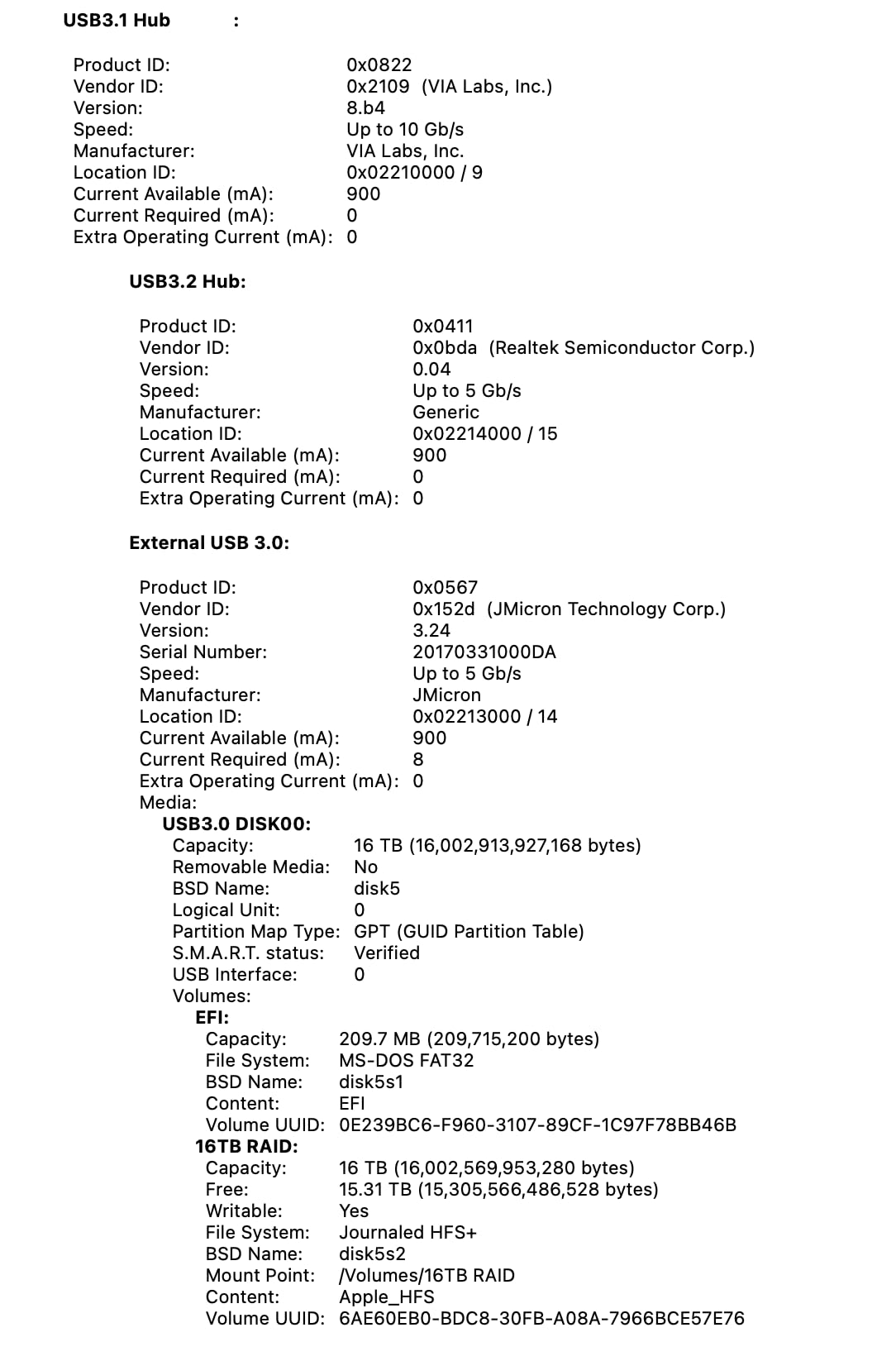
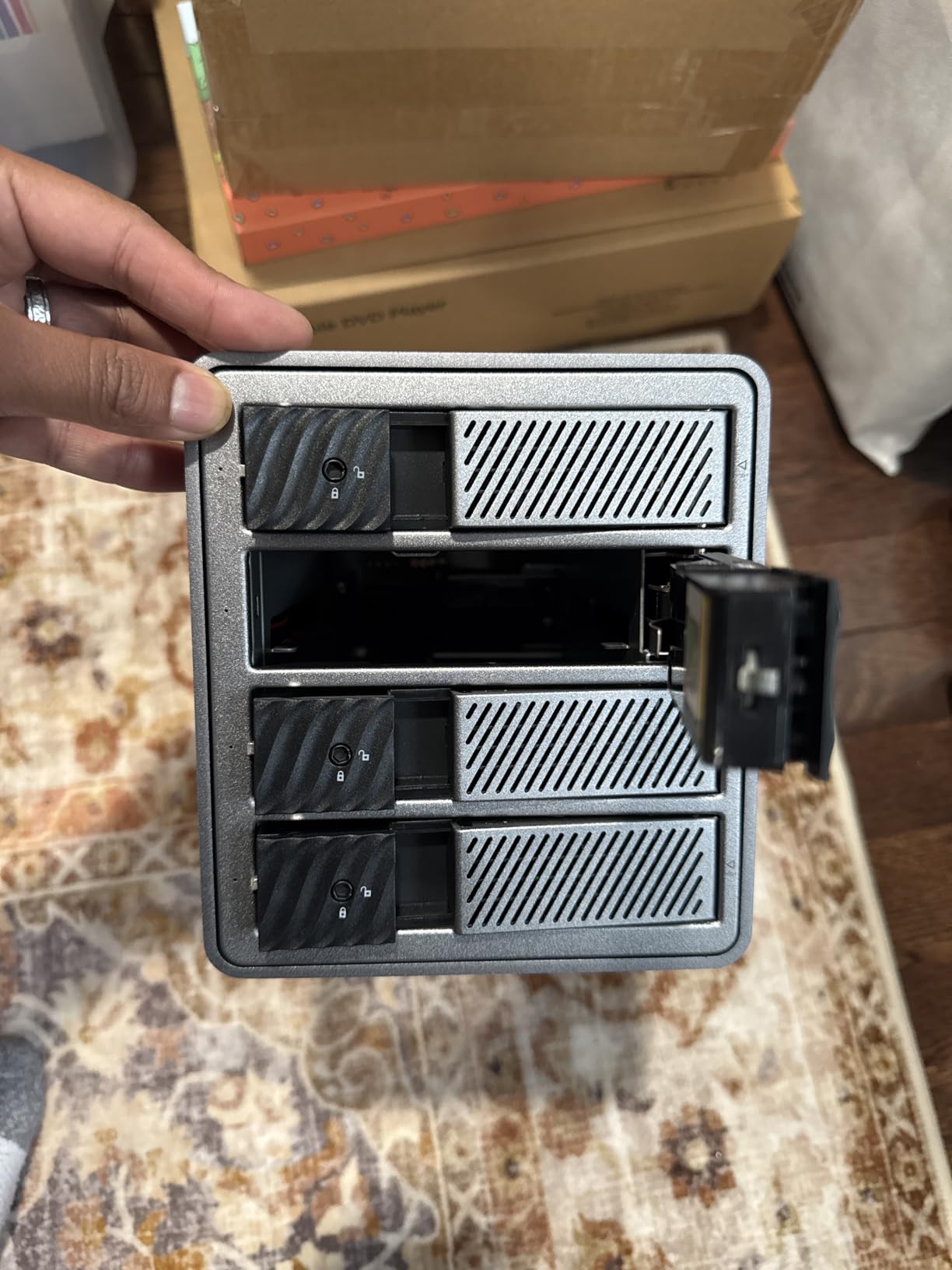
USB 3.0 with SATA at 6Gbps and up to 235 MB/s is the constraint, and it is a real one. The built-in 150W power supply means multi-disk read stability without an external brick, and the tray-less design with an independent safety lock protects against accidental ejection when the box is being moved.
Owners like the aluminum body and the 80mm silent fan with front and rear vents for multi-disk heat, and the box is recognised on Windows, macOS and Linux. For a permanent shelf unit rather than a portable one, that is a well-judged chassis.
What to check before you commit
Work out how much of your archive is archive versus active. If you are culling recent shoots daily you will feel the 235 MB/s ceiling on ingest, and a faster-interface four-bay is the better spend. If you are loading finished shoots and letting them sit, this is fine.
Confirm the CLONE workflow against your own habit. If you would not use it, the eight-mode list is marketing and the Syba five-bay, which also has CLONE and more bays, may suit you better.
Where it falls short
Throughput and warranty are the two soft spots. 235 MB/s is the slowest figure among the USB enclosures here, and the 1-year warranty is among the shortest. With 31 reviews the feedback base is also small, so the consensus is thin.
No noise rating is published for the fan, and there is no management software, so array health is an operating system question again. For a box you will only touch twice a year, that is an acceptable trade.
10. MAIWO 4-Bay RAID: the Most Compact Four-Bay Hardware RAID Start
MAIWO 4 Bay RAID Enclosure for 3.5″ SATA HDD with Cooling Fan, 8 RAID Modes
4 bays
Normal 0 3 5 1/10 Clone JBOD
96TB total
Two cooling fans
USB 3.1 5Gbps
Pros
- Seven RAID modes including Clone and Large JBOD in a compact body
- Two switchable cooling fans
- Recognised reliably on Windows macOS and Raspberry Pi Linux
- USB-A to USB-C and USB-C to USB-C cables both included
- Up to 96TB with four 24TB drives
Cons
- Some owners report persistent alarm beeps after reassembly
- Tray and SATA connector alignment can be imprecise
- Fans are not thermally controlled
This is the smallest box here at 184 by 127 by 115mm and 2.7 pounds, and it still gives you seven RAID modes: Normal, 0, 3, 5, 1/10, Clone and Large, which is JBOD. Four 24TB drives give 96TB total, and both USB-A to USB-C and USB-C to USB-C cables ship in the box, which removes the most common first-day problem.
For a photographer building a first archive rather than expanding one, the appeal is a complete hardware RAID box in a footprint that fits a small studio shelf. Two internal cooling fans with an on-off switch hold drive temperatures down under heavy load, and the aluminum-alloy chassis with ABS tray inserts is described by owners as quiet even with the fans on high.
Recognition is broad too. Owners report it working across Windows 7, 10 and 11, Raspberry Pi 5 Linux and macOS, which for a small box with no management software is better than you might expect.
What to check before you commit
Be aware of what the reviews flag hardest: several owners report repeating alarm beeps that persist after reassembly, and tray and SATA connector alignment can be imprecise to the point that a unit would not spin up all four drives. Test all four bays with sacrificial drives before the archive goes on.
Also note there is no downloadable manual and effectively no technical support, so the DIP or button sequence needs to be worked out from the paper insert. If you are not comfortable with that, the rear-knob TERRAMASTER is easier to live with.
Where it falls short
The fans are not thermally controlled, which is a problem for 24/7 NVR duty and arguably for a 24/7 archive too. The bay numbers on the labels also do not match the embossed tray numbering, an easy source of confusion when you are swapping drives under pressure.
USB 3.1 at up to 5Gbps is the older interface, and the 1-year warranty is short. One owner also reported an electrical shock through the USB cable, which is an isolated report but is the kind of detail worth raising with support before plugging in drives you care about.
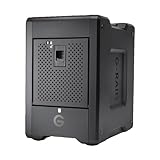
11. SanDisk Professional G-RAID Shuttle 4 80TB: the Only Box That Arrives Loaded
SanDisk Professional G-RAID Shuttle 4-Bay Thunderbolt 3 RAID Array with 80TB (4x 20TB) Removable HDD
4 bays with 4x20TB drives
80TB raw in RAID 5
800 MB/s write and 640 MB/s read
Thunderbolt 3
Pros
- Arrives with four 20TB enterprise Ultrastar 7200 RPM drives for 80TB immediately
- RAID 5 redundancy is configured out of the box
- Up to 800 MB/s write and 640 MB/s read for large media libraries
- Removable drive bays make media swapping straightforward
- Dual Thunderbolt 3 ports plus a USB-C port
Cons
- RAID is fixed to the enclosure controller not software-configurable
- Enterprise 7200 RPM drives add spin noise next to a listening desk
- There is no smaller starting configuration
Every other box in this roundup is diskless. This one ships with four 20TB enterprise Ultrastar 7200 RPM hard drives already installed, giving 80TB raw and a working RAID 5 array the moment it arrives. For a studio that needs capacity on a deadline, that convenience has real value.
It is the fastest quoted figure among the four-bay units here at up to 800 MB/s write and 640 MB/s read, on a hardware RAID controller supporting 0, 1, 5, 10 and JBOD with 20MB of cache. Dual Thunderbolt 3 ports plus a USB-C port give you flexibility, and the removable bays make media swapping straightforward.
It is built for 4K and 8K video editing, rendering and large file transfers, and the enterprise Ultrastar drives are the durability story: they are the same class of drive that people building a 30-year archive should be looking for anyway.
What to check before you commit
Accept that this is a single decision covering enclosure and storage. There is no version with fewer drives, so if your archive will not fill 80TB you are buying capacity you will not use, and if you outgrow it the four bays are the limit.
Also weigh noise. Four 7200 RPM enterprise drives produce more spin noise than 5400 rpm archive drives, which matters in a studio where you are listening to playback.
Where it falls short
The RAID is fixed to the enclosure hardware controller rather than being software-configurable, so the mode set is what the vendor allows and your recovery options are narrower than on the SoftRAID-based OWC units. The 27-review base is also the smallest here, which makes the 3.8 rating a thin signal.
One long-term shooter we read about abandoned RAID entirely after repeated dismount problems with an OWC enclosure and went back to discrete external drives for reliability. That is a legitimate outcome, and it is why we keep saying the RAID array cannot be the only copy.
Which RAID Level Should a Photo Archive Use?
RAID 1 is the right answer for a small archive you cannot lose. Two drives mirror each other, you lose half your raw capacity, and any single drive can fail. It is also the only level here that is trivially recoverable: pull one drive from a pair of identical SATA drives and the files are still on the other one, readable on any machine.
RAID 5 is the efficiency choice most photographers land on. One drive’s worth of capacity is held back as distributed parity, so you keep roughly 75 to 80 percent of raw capacity, and any single drive can be rebuilt. The cost is rebuild time: the array reads every remaining drive to rebuild the failed one, and at 100TB and above that is a full day of heavy read and write load with the array degraded the entire time.
RAID 6 holds back two drives’ worth of parity, giving roughly 75 percent of raw capacity at higher bay counts and surviving two simultaneous failures. For an archive that will sit untouched for a year and then be checked, surviving two failures is usually worth the extra cost. Rebuilds are longer, not shorter.
RAID 10 mirrors pairs then stripes, so it needs an even bay count and keeps about 50 percent of raw capacity. It is the fastest redundant option, and rebuilds stay local rather than array-wide, which is why editors reach for it on tight deadlines. None of the hardware units in this roundup offer RAID 6, and only the two software-managed OWC enclosures and the Syba box offer RAID 10.
One rule matters more than the level: a rebuild window is the moment your archive is most fragile. If you cannot tolerate a second failure during a day-long rebuild, the level is wrong for the size of your library, and more bays or a different topology is the fix.
How Many Bays and How Many TB Does Your Photo Archive Need?
Start from file count rather than from bay count. A RAW capture from a modern mirrorless body runs roughly 40 to 80MB per frame, a single DSLR body more like 25 to 35MB, and a wedding album export as JPEG runs 5 to 15MB. Ten thousand RAW frames is roughly 600GB; a hundred thousand is closer to 6TB.
Add the layers you are actually keeping. The full shoot, the culled edit, the export set, the catalogue with its preview cache, and the sidecar files can easily triple the number. Multiply by the number of years you plan to retain before re-culling, and add a bay for scratch during ingest rather than a bay for nothing.
Then convert to usable capacity. Divide the raw figure by 0.8 for RAID 5 or RAID 6, or by 0.5 for RAID 10, then divide by the capacity per drive you intend to buy. Leave one bay empty if you can, because a hot spare is the difference between a ten-minute swap and a rebuild.
As a rough guide: under 25TB usable, a four-bay box is enough. Between 25TB and 60TB, five or six bays. Above 60TB, eight bays with a second enclosure as the offsite copy, which is where the daisy-chainable OWC ThunderBay 8 or the CENMATE eight-bay start to make sense.
Thunderbolt or USB: an Interface Reality Check for Spinning Drives
The forum consensus is that Thunderbolt is frequently overkill when you are populating with hard drives, and the arithmetic supports it. A single mechanical drive tops out around 150 to 250 MB/s depending on rpm and transfer pattern, and a four-drive array in RAID 5 typically lands in the 200 to 400 MB/s range. USB 3.2 Gen 2 at 10Gbps is not the limiting factor.
USB 3.2 Gen 2×2 at 20Gbps, as on the ORICO 4-bay, only pays off if the host has a native Gen 2×2 or USB4 port. On a Thunderbolt host it caps around 10Gbps, and the included cable and front-panel port may not reach that, so check the port before you buy for the headline number.
Thunderbolt earns its place in three situations: when you are running SSDs in some bays as a working cache, when you are daisy-chaining several enclosures so the host keeps a single Thunderbolt port free, or when the same box handles video scratch between archive sessions. For a pure hard-drive photo archive, a good USB enclosure with hot-swap trays and a solid power supply is the better spend.
SMART Monitoring and Drive Health on macOS and Windows
SMART data is how you learn a drive is degrading before it fails, and getting it through a USB bridge is the single most common storage complaint in the forums. Bridges vary: some pass full SMART attributes through, some pass only a summary, and some pass nothing at all. Owners report a LaCie enclosure whose drive health was readable on macOS and caught an impending failure in time, which is exactly the outcome you are buying.
On macOS, drive health is available through Disk Utility, System Information and third-party tools such as Checkmate, and USB-attached arrays vary in how much detail they surface. On Windows, a vendor utility or a drive health tool that walks the USB bridge is the practical route. Check the enclosure’s support page for whether SMART passthrough is documented, because it is frequently not.
Apple Silicon adds a second question: does the vendor’s RAID utility still run? One ORICO unit’s macOS management software is retired with no current macOS version, and that is precisely the failure mode that leaves a healthy array unmanageable. Hardware controllers, like the one in the QNAP TR-004 and the SanDisk Professional G-RAID Shuttle, are immune to this because the array lives in the box.
Practical habit: check drive health monthly, log the reallocated sector and pending sector counts, and treat a rising pending sector count as a replacement trigger. Over a 30-year retention plan you will replace drives many times, and a slow drift in attributes is the earliest signal you get.
RAID Is Not a Backup: the 3-2-1 Layer to Add
The 3-2-1 rule is simple and it is the answer to every question in the comments. Keep three copies of your irreplaceable images, on two different media types, with one copy offsite. A RAID array gives you one copy that is resilient to a single drive failure, which is one copy on one set of drives in one building.
Layer it like this. The RAID enclosure is the working copy, the fast one you browse and cull from. The second copy is a separate machine or an independent set of drives, ideally a different brand and a different connection, written on a schedule. The third copy is offsite, and for a photographer that is the one that survives a studio fire, a flood or a theft.
For rotation, treat archive drives as consumables. Re-image on a cycle, verify checksums or file counts against the source, and retire a drive when its health attributes degrade even if it still spins. A 30-year archive is not one purchase; it is roughly six refresh cycles of hardware.
One more failure mode that RAID cannot touch: the controller and metadata on the enclosure. If the box fails, an array in RAID 5 can be a data recovery job rather than a ten-minute drive swap. That is the strongest argument for a plain multi-bay box with independent disks, like the TERRAMASTER D4-320, when your real protection is the second and third copies anyway.
Enclosure vs NAS: When a Network Box Wins
A NAS wins when more than one person needs the library, or when the archive has to serve a phone or a laptop away from the desk. It also wins on clean shutdown: a working pro in the forums put their server on a UPS specifically because power glitches force resynchronisation and produce filesystem-not-clean errors, and a desktop enclosure has no such protection of its own.
An enclosure wins when one machine owns the archive. There is no network overhead, no OS to maintain, no user accounts, and no second device to fail. It also keeps the drives swappable between boxes, which is what most photographers actually want when they are rotating media.
One useful middle ground appears repeatedly in the discussions: a small two-bay NAS for remote access while travelling, with a multi-bay enclosure at the studio as the master archive. The NAS is a convenience copy and the enclosure is the record.
If your scratch needs are cache-like, our NVMe SSD enclosure picks cover the fast tier that sits in front of an archive for culling and previews, while the units reviewed here hold the durable copy.
Frequently Asked Questions
What is the best external hard drive for archiving photos?
For a large irreplaceable library, the best answer is a multi-bay external RAID enclosure rather than a single drive, because it absorbs a drive failure without losing the array. The QNAP TR-004 wins on management software, while the CENMATE 8-bay gives the most raw capacity per unit. Whichever you choose, keep a second copy offsite, because RAID is not a backup.
What is the best way to store thousands of photos?
Convert the frame count to size first. Around 10,000 RAW frames is roughly 600GB, and 100,000 is closer to 6TB, before you add culled edits, exports, catalogues and previews. Divide your total by 0.8 for RAID 5 or RAID 6, then by the capacity of the drives you plan to buy. A four-bay box fits under about 25TB usable, five or six bays covers 25 to 60TB, and eight bays suits anything larger.
How should I store 30 years of photos?
Treat it as a refresh cycle, not a single purchase. Keep three copies on two media types with one offsite, run the RAID enclosure as the fast working copy, and keep independent archive drives on a rotation schedule. Check SMART attributes monthly, re-image on a cycle, verify file counts against the source, and retire a drive as soon as reallocated or pending sector counts start climbing. Expect to replace the hardware several times across three decades.
What is the best way to store archival photos?
Use enterprise or NAS-rated drives such as the WD Red and Red Pro class rather than consumer drives, keep them in a cool, ventilated enclosure, and never make the RAID array the only copy. Hardware RAID controllers are worth preferring because they do not depend on host software, which matters on Apple Silicon where vendor RAID utilities are sometimes retired. Keep one bay empty as a hot spare so a swap does not trigger a full rebuild.
Do I need RAID for a photo archive?
You need redundancy, and RAID is one way to get it. If you already mirror the archive to a second machine, RAID adds convenience rather than safety, and a plain four-bay box with independent disks may serve you better because each drive stays individually readable. RAID becomes clearly worthwhile once the array is large enough that a rebuild takes most of a day and the degraded window is genuinely risky.
How long does a RAID 5 rebuild take on 8 drives?
It depends on capacity and drive speed rather than bay count. A rebuild reads every surviving drive to reconstruct the failed one, so an eight-drive array of 20TB hard drives is reading on the order of 140TB before it writes the replacement data. At typical mechanical throughput that works out to well over a day, during which the array is degraded and a second failure means a full recovery. Leave a hot spare bay so a swap does not start that clock.
The Verdict on the Best RAID Enclosures for Photo Archives in 2026
Our pick for the best RAID enclosures for photo archives in 2026 is the CENMATE 8-bay, because bay count is what protects an archive over a decade: 160TB raw, eight tool-free bays, eight configurations including RAID 5 and RAID 50, and the largest owner feedback base here at 657 reviews. The trade-offs are real and worth knowing before you commit, since RAID mode changes format the drives and the 40 to 50 dB fans belong away from a listening position.
The QNAP TR-004 takes the award for management, with QTS array monitoring that no other unit in this price class matches. The OWC ThunderBay 4 is the choice when your host is Thunderbolt and you want the longest warranty alongside software-configurable RAID 0, 1, 4, 5 and 10.
Two boxes are deliberately not RAID. The TERRAMASTER D4-320 is the quiet, fast, hot-swappable four-bay you pair with a mirror elsewhere, and it is our pick for a desk in a studio. The SanDisk Professional G-RAID Shuttle 4 arrives with four 20TB enterprise drives and a working RAID 5 array for anyone who needs 80TB today.
Whichever you pick, run the array as your working copy rather than your only copy, keep one bay empty as a hot spare, check SMART attributes monthly, and put a copy somewhere the studio fire cannot reach. If you want a second opinion before you buy, our RAID enclosure roundup for creative professionals covers the editing side of the same hardware.