
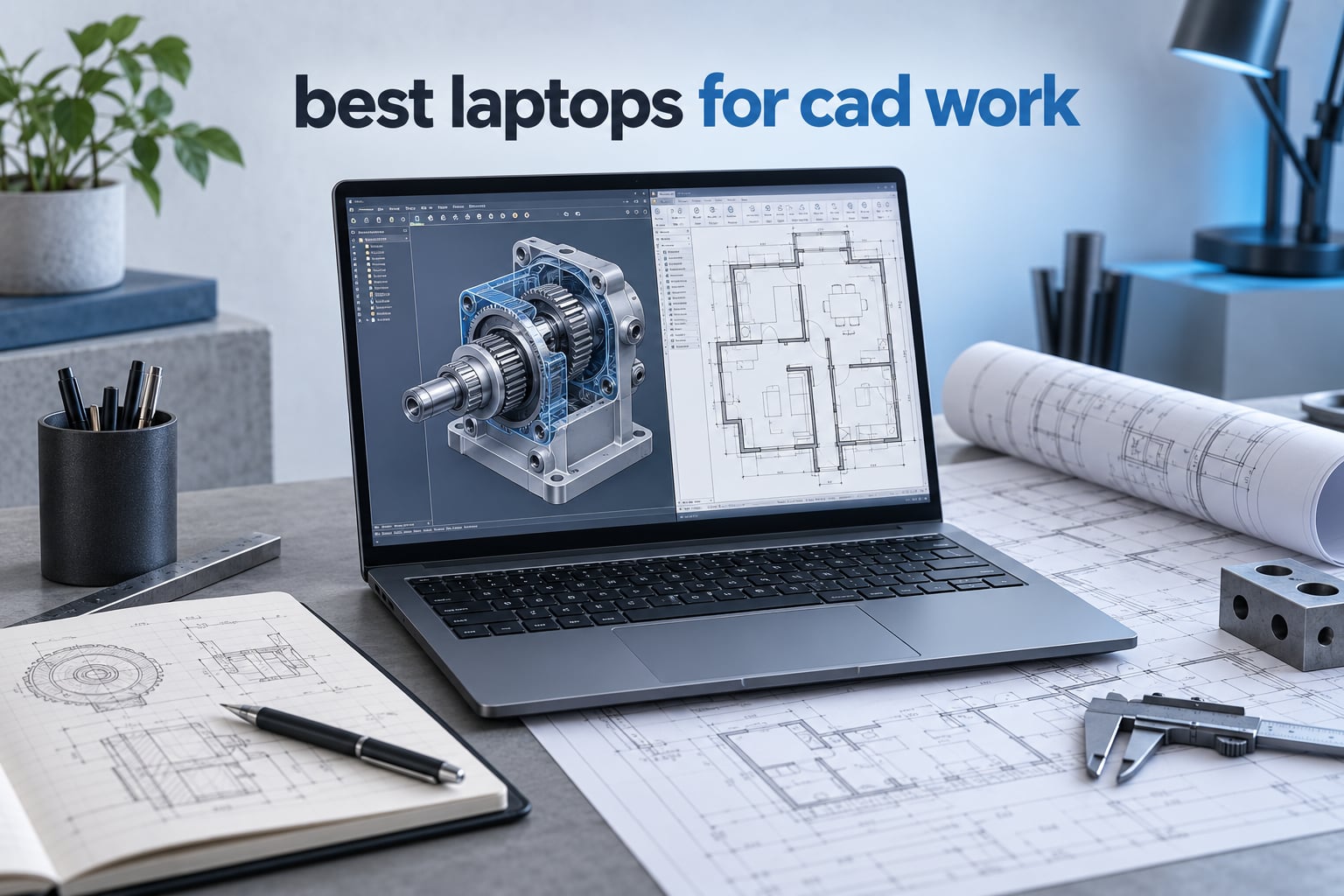
CAD work punishes a slow computer in a very visible way: the viewport stutters, a rotate command lags half a second behind your hand, and a render that should take four minutes takes forty. The best laptops for CAD work are not the machines with the longest spec sheets, they are the ones where the processor, graphics card, memory and cooling are balanced for the software you actually run.
That matters because CAD splits work across two very different processors. The CPU handles geometry maths and single-threaded drafting commands, so single-core clock speed decides how responsive your ribbon feels. The discrete GPU renders the shaded viewport, so VRAM decides whether a large assembly loads or stalls. We cover AutoCAD, SolidWorks, Revit, Fusion 360, Rhino, Inventor, MATLAB and ANSYS, and we flag where a pick is strong for 2D drafting but wrong for BIM or real-time rendering.
This roundup is written for three groups: engineering students on a tight budget, practising designers who draft all day, and BIM or simulation specialists handling large assemblies and point clouds. Where a laptop only suits part of that range, we say so rather than rounding it up.
Everything below was selected on component balance, sustained performance and display quality, with honest compromises on every pick. Our related coverage of workstation laptops for CAD and 3D rendering goes deeper on the professional class, and if you also need a tablet on site, see our picks for tablets for remote work.
Table of Contents
Key Specifications to Look for in a CAD Laptop
If you read nothing else, these four specifications decide whether a laptop feels professional or merely adequate.
Single-core CPU clock speed. Aim for a chip boosting above 5 GHz where possible. Geometry maths is largely single-threaded, so a high-clocking 8-core part can out-perform a slower 16-core part in daily drafting.
A dedicated GPU with real VRAM. Integrated graphics will open a model but will struggle with large assemblies, shaded-with-ground-environments views and any rendering. 8GB of dedicated memory is the sensible floor for professional 3D work.
32GB of RAM. 16GB is the software minimum and nothing more. 32GB is the professional standard in 2026, and 64GB is the right call for big assemblies, simulation or running several applications at once.
A 1TB NVMe SSD. CAD libraries, texture sets, project files and render output add up fast. A 512GB drive fills during your first semester or first quarter.
Top 3 Picks for Best Laptops for CAD Work (October 2026)
The three picks below cover the widest range of real workloads. The MacBook Pro 14 is the balanced all-rounder, the 16-inch M5 Pro is the stronger machine for heavy multi-app days, and the ThinkPad P14s is the budget-conscious entry.

All 10 Laptops Compared in 2026
Every pick in this roundup appears below with the specifications that actually decide CAD performance. Prices change constantly, so use the buttons to check the current figure and the exact configuration.
| Product | Specifications | Action |
|---|---|---|
| MacBook Pro 14 M4 Pro 24GB 512GB |
|
Check Latest Price |
 MacBook Pro 16 M5 Pro 24GB 1TB MacBook Pro 16 M5 Pro 24GB 1TB |
|
Check Latest Price |
 HP ZBook X G1i RTX PRO 1000 HP ZBook X G1i RTX PRO 1000 |
|
Check Latest Price |
 MacBook Pro 16 M4 Max 48GB Renewed MacBook Pro 16 M4 Max 48GB Renewed |
|
Check Latest Price |
 Dell Precision 7680 RTX 2000 Ada Dell Precision 7680 RTX 2000 Ada |
|
Check Latest Price |
 Lenovo ThinkPad P1 Gen 7 RTX 3000 Lenovo ThinkPad P1 Gen 7 RTX 3000 |
|
Check Latest Price |
 Dell Precision 7780 RTX A1000 17.3-inch Dell Precision 7780 RTX A1000 17.3-inch |
|
Check Latest Price |
 Dell Pro Max 16 Ultra 7 255H Dell Pro Max 16 Ultra 7 255H |
|
Check Latest Price |
 Lenovo ThinkPad P14s Gen 6 Lenovo ThinkPad P14s Gen 6 |
|
Check Latest Price |
 HP ZBook Ultra G1a OLED HP ZBook Ultra G1a OLED |
|
Check Latest Price |
How We Picked These Laptops
Plenty of thin and light laptops can launch AutoCAD. The hard part is staying smooth on a real project: a 400-sheet drawing set, a 5000-part assembly, a coordinated Revit model with linked architecture and structure files. So we chose on five criteria instead of on headline specs.
Component balance. A fast chip paired with 16GB of memory or an integrated GPU is not a fast CAD machine. We wanted configurations where no single part is left holding the system back.
Sustained performance, not burst. A processor that boosts hard for thirty seconds and then throttles will make your first viewport fast and your tenth render slow. We favoured machines with larger cooling systems and stated battery capacities, and we flag thin chassis as a risk.
VRAM and display quality. Dedicated memory first, then colour coverage and brightness. Professionals drafting all day repeatedly say screen quality and colour accuracy matter more than raw graphics power once the model opens.
Upgradeability and warranty. A CAD laptop is a four-to-five-year purchase. Replaceable memory, a serviceable SSD and a real multi-year warranty change the total cost of ownership more than a faster GPU.
Honest review volume. Several workstation configurations here have only a handful of customer reviews. We have not treated that as a disqualifier, because these are new and current-generation SKUs, but we have stated the limitation on each pick rather than implying a track record that does not exist.
1. MacBook Pro 14 M4 Pro — Best Laptops for CAD Work All-Rounder
Apple 2024 MacBook Pro Laptop with M4 Pro, 12‑core CPU, 16‑core GPU: Built for Apple Intelligence 14.2-inch Liquid Retina XDR Display, 24GB Unified Memory, 512GB SSD Storage; Space Black
M4 Pro 12-core CPU and 16-core GPU
24GB unified memory, 512GB SSD
14.2-inch Liquid Retina XDR
3.52 pounds
Pros
- Very fast for demanding workloads and heavy multitasking
- All-day battery with no performance drop on battery
- Exceptionally bright and colour-accurate Liquid Retina XDR display
- Completely silent because there are no fans
- Solid premium build and excellent trackpad
Cons
- 512GB storage fills quickly with many large applications
- 24GB unified memory is limited headroom for very heavy multi-app work
- Space Black finish smudges easily
- macOS learning curve for lifetime Windows users
This is the machine I recommend most often, and the reason is boring: nothing about it is a compromise. The 12-core CPU and 16-core GPU handle 3D modelling and large assemblies without complaint, and the 24GB of unified memory removes the memory ceiling that trips up thinner Windows alternatives.
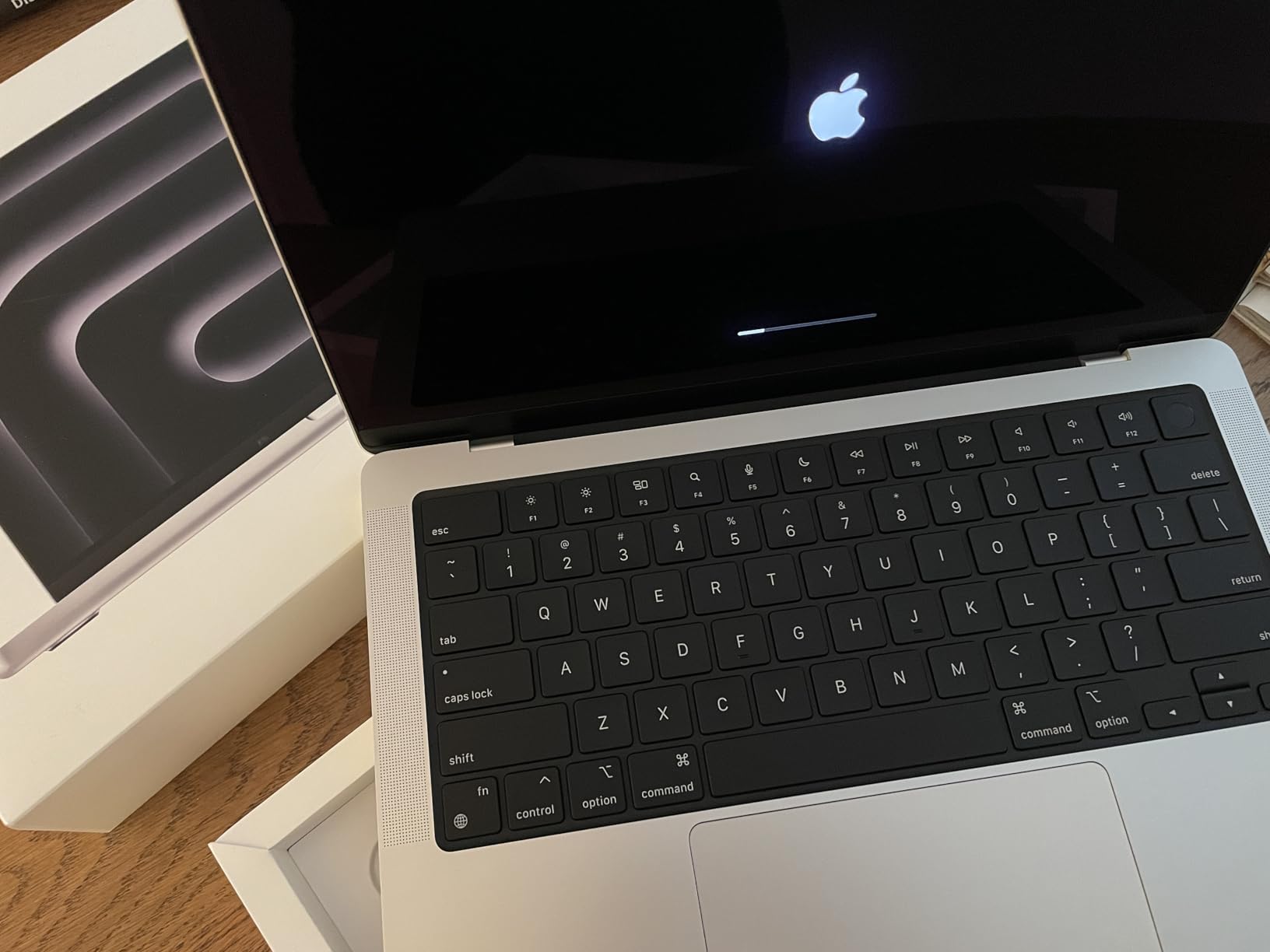
The part I did not expect to care about is the battery. Owners consistently report all-day runtime with no performance drop when you unplug, which matters on site visits where there is no mains outlet near the drawing board. It also runs completely silently, so it works in a quiet studio or a client meeting.
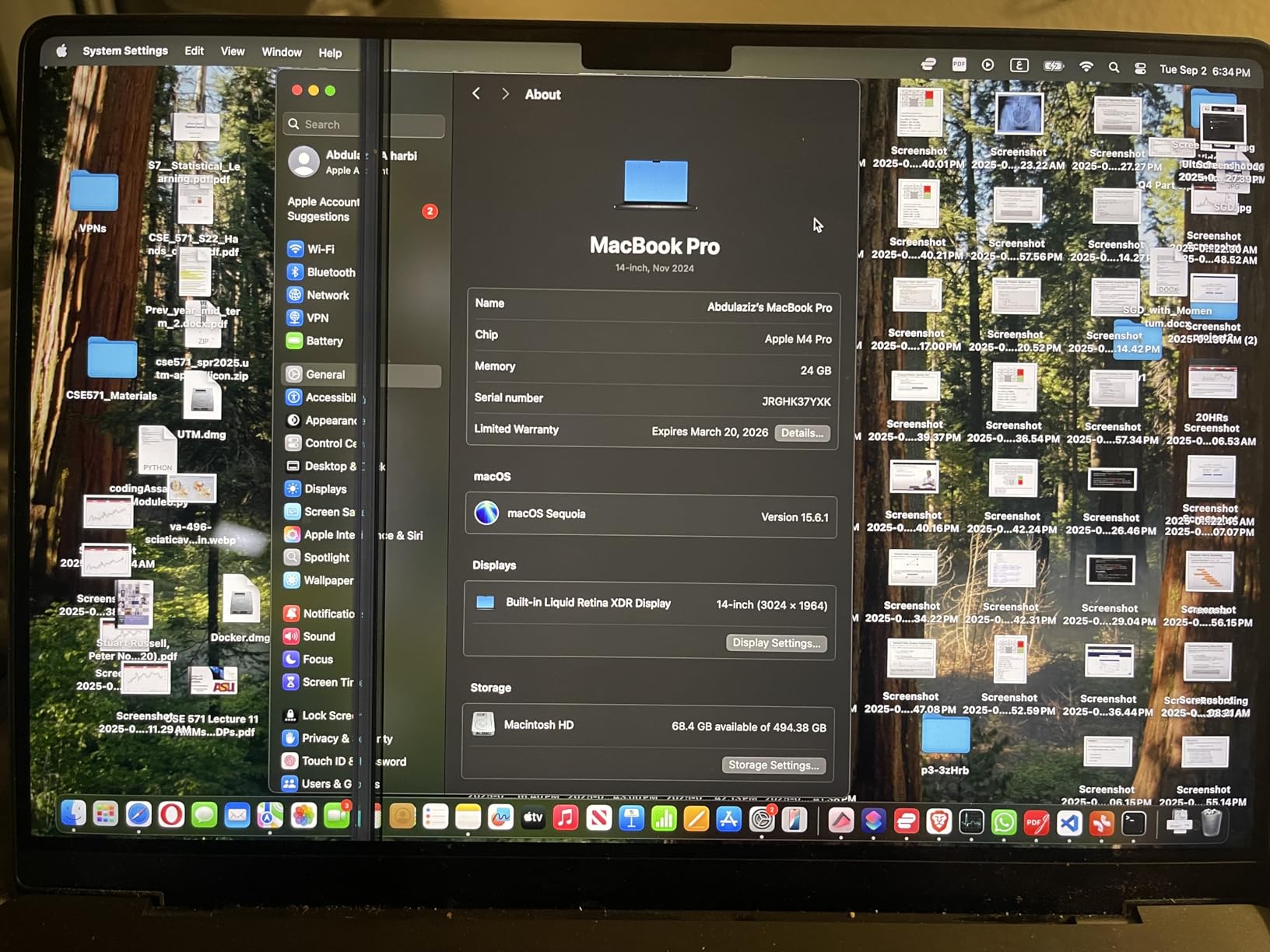
The Liquid Retina XDR panel reaches 1600 nits peak and reviewers call the colour accuracy excellent, which is why it also works for presentation work and rendering previews. The 14.2-inch size keeps the whole thing at 3.52 pounds, so it genuinely travels.
Two honest limits. 512GB is the tightest part of this configuration, and CAD libraries, textures and project files eat that quickly. 24GB of unified memory cannot be upgraded later, so if you routinely run simulation or three heavy applications at once, step up before you buy.
What it handles well in CAD
AutoCAD for Mac, Fusion 360, SketchUp, Rhino and Vectorworks all run smoothly, and the real-time viewport is consistently described as fast by owners working with 3D models and large databases. Because the machine has no fans, sustained performance is identical on battery and on mains.
It is also the quietest machine here, which matters more than people expect in a shared office or on a live site.
Where it will not work
SolidWorks is the hard limit. There is no full native Mac client, so mechanical designers working in SolidWorks need Windows hardware or a virtual machine, and virtualisation is a compromise rather than a solution. Several Windows-only toolset add-ins for AutoCAD are also unavailable on Mac.
If your workflow depends on Windows-only plugins, plugins or drivers, this is not the laptop. That is a software limitation, not a performance one.
2. MacBook Pro 16 M5 Pro — Most Versatile for Heavy Multi-App Days
Apple 2026 MacBook Pro Laptop with Apple M5 Pro chip with 18-core CPU and 20-core GPU: Built for AI, 16.2-inch Liquid Retina XDR Display, 24GB Unified Memory, 1TB SSD, Wi-Fi 7; Space Black
M5 Pro 18-core CPU and 20-core GPU
24GB unified memory, 1TB SSD
16.2-inch Liquid Retina XDR
4.71 pounds
Pros
- Extremely fast under heavy multi-app and AI workloads with no lag or crashes
- Large bright 16.2-inch XDR display
- All-day battery life with reports up to 24 hours
- Runs cool and silent under sustained load
- 1TB storage removes the storage pressure of smaller builds
Cons
- 24GB unified memory caps future-proofing at this price
- macOS setup and permissions frustrate first-time Mac owners
- Large 16-inch chassis is awkward for frequent travel
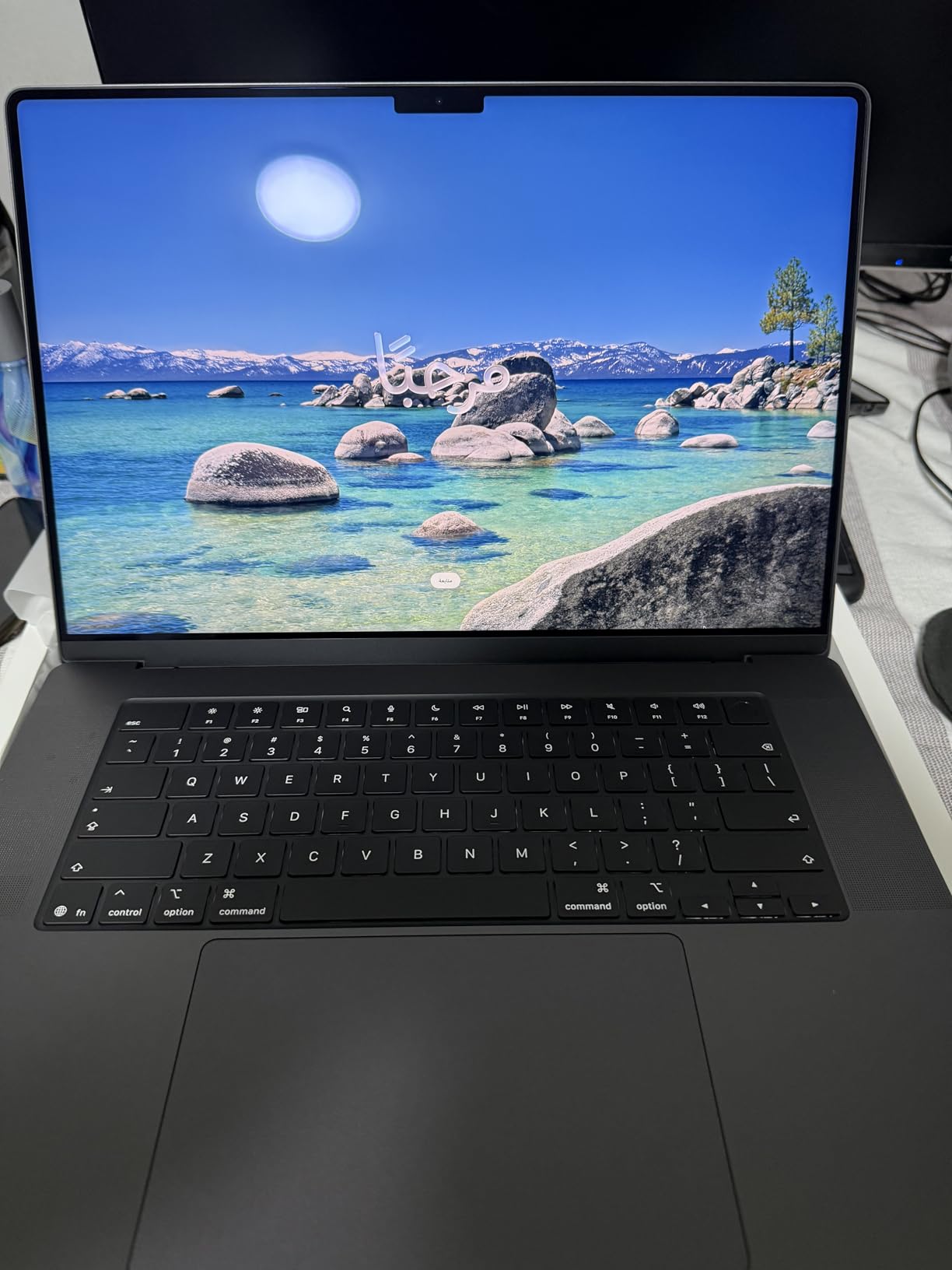
If the 14-inch model is the balanced choice, this is the one to buy when your day is one long modelling session with several applications open. The 18-core CPU and 20-core GPU give real headroom, and owners report no crashes or stalls even under heavy multi-app workloads.
The 16.2-inch XDR display is bigger and brighter than the 14-inch panel, and reviewers upgrading from older machines describe it as a large jump. It also supports up to three external displays, so a laptop plus two monitors is a realistic multi-screen drafting setup without a dock.
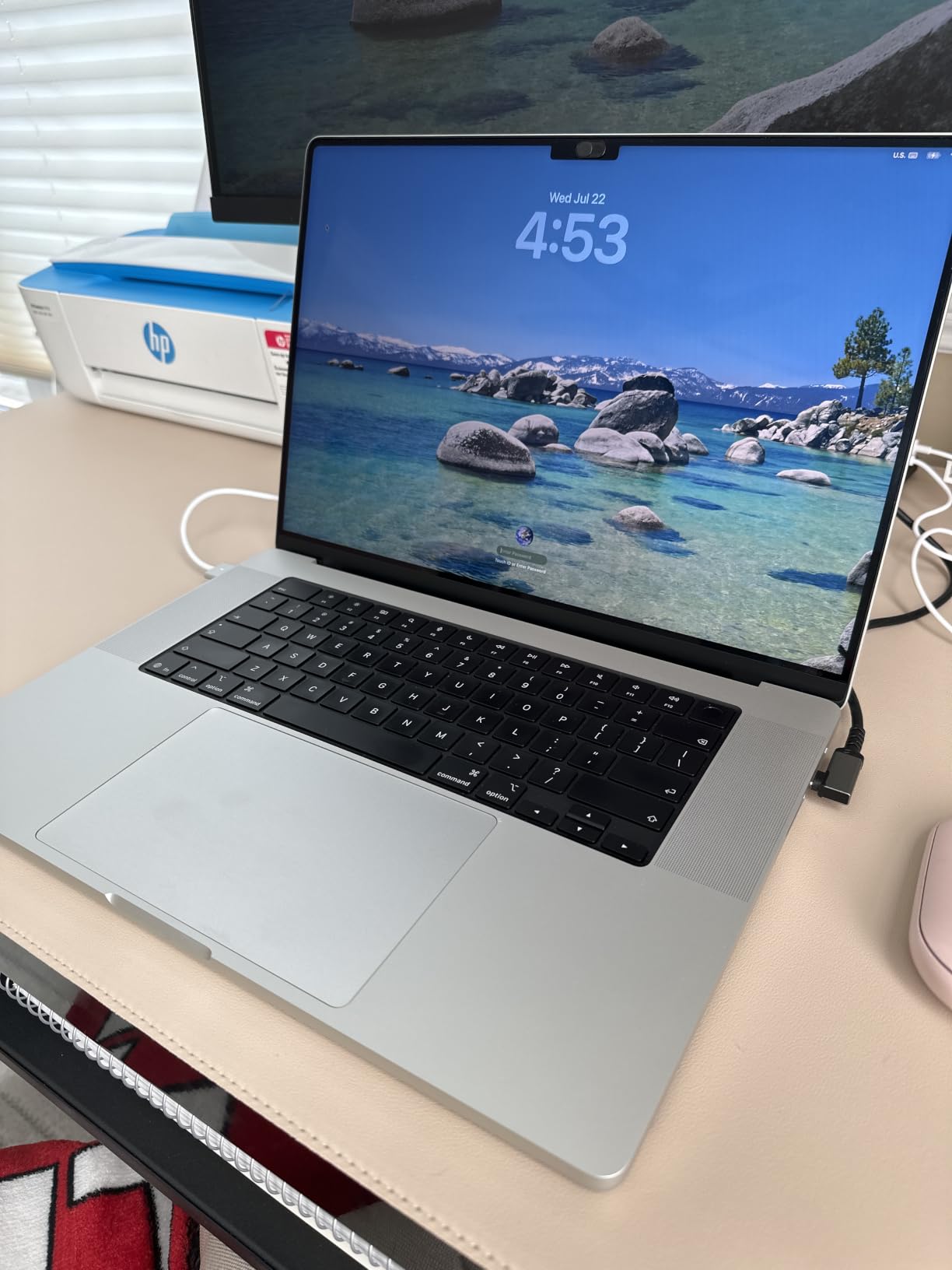
The 1TB SSD is the practical hero. If you have been squeezed by 512GB on a previous machine, this removes an entire category of frustration, and the faster SSD speeds up project load and save times noticeably.
Battery is the quiet standout: reviewers commonly report up to 24 hours on a charge, and the machine stays cool and silent under sustained load. Performance is identical whether it is plugged in or not.
The compromises are honest ones. 24GB of unified memory is a ceiling you cannot raise, and several owners wish they had chosen a higher-memory configuration. At 4.71 pounds and 16 inches across, this is a desk machine that occasionally travels, not the reverse.
Who should buy this configuration
Architects and product designers who spend whole days in one application with large file sets, and anyone running rendering or AI-assisted design tools alongside it. The extra screen real estate also helps if you keep specification documents open next to the model.
If your work is 2D drafting and light 3D, the 14-inch model already covers it and is easier to carry.
Where the money is better spent elsewhere
Mechanical designers on SolidWorks should skip this entirely, because the Windows dependency makes it the wrong platform rather than a question of price. If your budget is fixed and memory headroom matters to you, a workstation configuration with 64GB will outlast this one.
It is also the wrong choice for anyone who carries a laptop daily on trains and planes.
3. HP ZBook X G1i — ISV-Certified Workstation with RTX PRO 1000
HP ZBook 8 G1i AI Mobile Workstation Laptop (Intel Ultra 7 255H, NVIDIA RTX 500 Ada, 16″ FHD+ Touchscreen, 64GB DDR5, 2TB SSD), for Designer, Engineer, 2x Thunderbolt 4, Wi-Fi 7, 3-Yr WRT, Win 11 Pro
Core Ultra 7 265H, 16 cores to 5.3GHz
RTX PRO 1000 Blackwell 8GB GDDR7
64GB DDR5 at 5600MHz, 1TB NVMe
16-inch WUXGA anti-glare, 4.5 pounds
Pros
- ISV certified for AutoCAD
- SolidWorks
- Revit
- ANSYS and MATLAB
- 64GB DDR5 and 1TB NVMe handle heavy multi-app loads
- Early owners report Cinebench results faster than an Intel i9
- No trial bloatware for an immediate clean setup
- Three-year manufacturer warranty
Cons
- Modest speaker volume compared with larger systems
- 300-nit panel is weak for colour-critical work
- Very small review base gives limited independent feedback
This is the pick for a professional who needs Windows, needs certification, and needs it in a 4.5-pound chassis. The RTX PRO 1000 Blackwell carries 8GB of dedicated GDDR7 memory, which is the right class of hardware for SolidWorks assemblies, Revit visualisation and ANSYS post-processing.
The ISV certification list is the important part. HP certifies this machine for AutoCAD, SolidWorks, Revit, ANSYS and MATLAB, which means the drivers are validated against those applications rather than being generically compatible. Forum regulars treat that certification as a decisive signal for professional purchases.
64GB of DDR5 at 5600MHz and a 1TB PCIe NVMe drive mean you are not choosing between them, and the Core Ultra 7 265H runs 16 cores up to 5.3GHz. Early owners report Cinebench results that came in faster than an older Intel Core i9, and they also note it arrives without trial software to uninstall.
Two things hold it back. The 16-inch WUXGA anti-glare panel runs at 300 nits, which is fine for a drafting office but weak for colour-critical presentation work. And with only a handful of customer reviews, treat the 5-star average as promising rather than proven.
The 83Wh battery and a full port selection including dual Thunderbolt 4, HDMI 2.1 and RJ-45 mean it works offsite without a dongle bag.
Why the certification matters
ISV certification means Autodesk, Dassault and Ansys have validated the driver stack on that exact configuration. In practice that means fewer driver surprises after a Windows update, and predictable behaviour with certified plug-ins.
For a team standardising machines, it also removes the argument. Everyone runs the same validated configuration.
Where the panel holds you back
A 300-nit display is noticeably dimmer than the OLED and XDR panels in this list, and colour work, print previews and client presentations will look flatter. If you are a drafter producing drawings for issue, that matters less than it does to a visualiser.
Verify the panel option before committing if your workflow is colour-critical, since workstation models are often configurable at the display level.
4. MacBook Pro 16 M4 Max 48GB — Best for Heavy 3D and Rendering
Apple 2024 MacBook Pro Laptop with M4 Max, 16‑core CPU, 40‑core GPU: Built for Apple Intelligence, 16.2-inch Liquid Retina XDR Display, 48GB Unified Memory, 1TB SSD Storage; Silver (Renewed)
M4 Max 16-core CPU and 40-core GPU
48GB unified memory, 1TB SSD
16.2-inch XDR at 3456x2234
Renewed condition
Pros
- Most powerful GPU in this lineup for rendering intricate 3D content
- 48GB unified memory gives generous multi-app headroom
- Excellent XDR display at 3456x2234 native
- Consistent performance on battery
- Supports up to four external displays
Cons
- Renewed condition carries a 90-day limited warranty
- Premium cost even in renewed form
- Very few reviews for this specific renewed configuration
The 40-core GPU is the reason to look here. If your CAD work includes real-time visualisation, Twinmotion, Enscape, V-Ray or dense shaded environments, this is the graphics performance you need in a portable body, and reviewers single it out as the strongest option in the lineup for intricate 3D content.
48GB of unified memory is the other argument. It is the largest memory allocation here, and it removes the anxiety that comes with opening a large assembly while rendering in the background.

The 16.2-inch mini-LED Liquid Retina XDR panel runs at 3456×2234 native, which is the sharpest screen in this roundup, and it supports up to four external displays, making it the natural choice for a multi-monitor drafting desk.
The catch is the condition. This is an Amazon Renewed unit with a 90-day limited warranty rather than full Apple coverage, and there are very few reviews for this specific configuration. The underlying hardware is excellent; the after-sales protection is not what a professional buyer would choose if they had the option.
It also carries the same SolidWorks limitation as the other Macs here.

Best suited to
Architects running visualisation pipelines, product designers producing high-detail renders, and anyone whose laptop doubles as a portable review machine with four screens attached. The memory headroom also makes it a sensible development or simulation sandbox.
Deal-breakers to check
The warranty is the first thing to confirm with your employer or client. A 90-day window on a machine you intend to keep for four years is a genuine risk, and some organisations will not reimburse a failed asset bought without extended coverage.
If SolidWorks or Windows-only plug-ins are in scope, this machine cannot do the job regardless of how much GPU it has.
5. Dell Precision 7680 — Multi-Monitor Drafting Workhorse
Dell Precision 7680 Laptop, NVIDIA RTX 2000 Ada 8GB, i7-13850HX, 64GB DDR5
Core i7-13850HX vPro, 20 cores to 5.3GHz
RTX 2000 Ada 8GB GDDR6
64GB DDR5 CAMM at 5200MHz
Four 4K monitors without a dock
Pros
- Very strong sustained performance under demanding multi-application load
- 64GB handles heavy multitasking without slowing down
- Fast NVMe storage completes large batch file operations in seconds
- Excellent keyboard and a good balance at 16 inches
- ISV certified and MIL-STD-810H tested
Cons
- 1920x1200 at 45 percent NTSC is weak for colour-critical design work
- Some owners suggest a higher-end configuration for longevity
- Speakers are powerful but tinny
Where the MacBook wins on silence and battery, this wins on connecting to everything. The Precision 7680 drives four external monitors at 4K 60Hz without a docking station, which for a BIM coordinator running a model view plus plans plus a specification document is the single most practical feature on this list.
Performance is sustained rather than flashy. Owners report consistent behaviour under demanding multi-application workloads, and one specifically describes rapid PDF batch conversions that had stalled a previous 16GB machine, which is a fair description of what 64GB buys you in document-heavy workflows.
The RTX 2000 Ada carries 8GB of GDDR6 dedicated memory, and the Core i7-13850HX vPro provides 20 cores up to 5.3GHz. The machine is ISV certified and MIL-STD-810H tested, and Dell support coverage runs into 2029.
At 5.9 pounds this is a carryable workstation, not a portable one. Plan around that.
What makes it the drafting choice
Four-monitor support without a dock removes a cable, a dongle and a failure point. Architects and civil engineers running Revit or coordinated AutoCAD sets describe this as the difference between a workable desk setup and a compromise.
The 64GB of DDR5 CAMM memory is also the largest Windows memory allocation here, which protects you when many large files are open at once.
The display compromise
The built-in 16-inch panel is 1920×1200 at 45 percent NTSC, and that is genuinely weak. Owners cite it as the main functional reservation, and for colour-critical presentation work you should plan to drive an external display instead.
That external display habit makes the four-monitor support less of a bonus, so budget for at least one good monitor if this is your machine.
6. Lenovo ThinkPad P1 Gen 7 — Best 2.8K Display for 3D Work
Lenovo ThinkPad P1 Gen 7, w/Ultra 7, NVIDIA RTX 3000, 16″ 2.8K, 32GB RAM
Core Ultra 7 165H vPro, 16 cores
RTX 3000 Ada 8GB GDDR6
32GB LPDDR5X upgradable to 64GB
16-inch 2560x1600, 4.1 pounds
Pros
- RTX 3000 Ada 8GB handles demanding 3D rendering and AI acceleration
- High-quality 2.8K 500-nit 100 percent sRGB 165Hz display with factory calibration
- Light 4.1-pound chassis for a 16-inch workstation
- Dual Thunderbolt 4 plus HDMI 2.1
- Replaceable 90Whr battery with 80 percent charge in 60 minutes
Cons
- Only a one-year base warranty unless extended coverage is registered
- Sold in unopened retail packaging rather than open-box
- Very small review base
The screen is the reason to buy this one. A 16-inch 2560×1600 IPS panel at 500 nits, 100 percent sRGB and 165Hz, with X-Rite factory calibration, is the best-specified display among the Windows picks here, and professionals say screen quality and colour accuracy matter more than raw GPU power once you draft all day.
The RTX 3000 Ada with 8GB GDDR6 adds ray tracing and AI acceleration on top of standard CAD viewport work, and reviewers describe it as handling demanding 3D rendering and simulation. At 4.1 pounds for a 16-inch workstation, it is also the lightest Windows machine in this roundup.
Two details that matter over a four-year life: memory runs at 7467MHz and can go to 64GB, and the 90Whr battery is replaceable, reaching 80 percent in about 60 minutes on rapid charge.
Where it beats the Dell
Display quality, without question. If you judge your work by looking at it, the calibrated 2.8K panel and the 165Hz refresh rate give a noticeably better drafting and modelling experience than a 1920×1200 office panel.
The weight is also better. 4.1 pounds against 5.9 means this is the one you can actually carry to a client meeting.
What to confirm before buying
The base warranty is one year, and extended coverage needs registering. For a professional asset intended to last four or five years, that is a real line in the budget rather than a detail to skip.
Also confirm the configuration with the seller, since units like this are commonly sold in unopened retail packaging rather than as open-box stock.
7. Dell Precision 7780 — Big-Screen BIM and Point-Cloud Machine
Dell Precision 7000 7780 Mobile Workstation Laptop, NVIDIA RTX A1000 6GB, 32GB CAMM DDR5 RAM, 17.3″ FHD, Intel 24-Core i9-13950HX (>Ultra 9 285H), IST Computer Customized 512GB/1TB/2TB SSD, Win 11 Pro
Core i9-13950HX vPro, 24 cores to 5.5GHz
RTX A1000 6GB GDDR6
32GB LPCAMM2 DDR5
17.3-inch FHD 99 percent DCI-P3, 500 nit
Pros
- 24-core i9 vPro for demanding professional workloads
- 17.3-inch 99 percent DCI-P3 500-nit display for detailed visual work
- Professional RTX A1000 GPU with 6GB GDDR6
- Configurable SSD up to 2TB
- Four external monitors at 4K 60Hz without a dock
Cons
- Heavy 6.7-pound chassis limits portability
- Seller resealed the unit to install the SSD upgrade
- One-year warranty from a third-party integrator rather than full Dell coverage
- 32GB is modest for a flagship configuration
This is the desktop replacement pick. A 24-core i9 vPro running up to 5.5GHz is the highest-clocking CPU in the roundup, and the 17.3-inch display at 99 percent DCI-P3 and 500 nits is the best colour coverage on any Windows panel here. For BIM coordination, point-cloud review and long sessions on a large Revit model, that screen size is the point.
The RTX A1000 with 6GB GDDR6 is a professional card, and the machine is ISV certified and MIL-STD-810H tested with four-monitor support at 4K 60Hz without a dock. Storage is configurable from 512GB up to 2TB, and the 93Wh battery is one of the larger packs in the class.
Be clear-eyed about the downsides, because they are real. At 6.7 pounds it is not a portable machine. The unit was resealed by the seller to install the SSD upgrade. The warranty is one year from a third-party integrator rather than full Dell coverage, and only one customer review exists, which is not enough to draw performance conclusions.
One further note: 32GB is modest for a flagship. If you are spending at this level, specify more memory at order time.
When the 17.3-inch screen earns its keep
Coordinated Revit models, structural overlays, point-cloud registration and side-by-side schedule checking all benefit from more screen. At 17.3 inches with 99 percent DCI-P3, you can review two documents at once without shrinking text to unreadable size.
It also suits a permanent desk role where the laptop is rarely carried and usually docked.
Where it falls short
The 6GB of VRAM on the RTX A1000 is the smallest dedicated allocation among the professional cards here. Very large assemblies and dense point clouds will lean on system memory where the 8GB cards will not.
The warranty situation is the bigger concern for a business purchase. Check whether your employer requires manufacturer-direct coverage before accepting integrator terms.
8. Dell Pro Max 16 — High-Refresh Drafting with a Large Battery
Dell Pro Max 16 – Intel Core Ultra 7 255H – Intel Arc Pro 140T GPU – 1TB SSD – 32GB DDR5 RAM – Windows 11 Pro
Intel Core Ultra 7 255H
32GB DDR5, upgradable to 64GB
16-inch 1920x1200 500-nit 120Hz
96Wh battery
Pros
- Listing promises professional graphics with 12GB GDDR7 for CAD and 3D rendering
- 120Hz 500-nit 100 percent DCI-P3 display suits detailed visual work
- 32GB DDR5 and 1TB PCIe Gen4 SSD for demanding multitasking
- Large 96Wh battery with a 280W USB-C charger
- Windows 11 Pro with enterprise manageability
Cons
- Listing specifications conflict between integrated Intel Arc Pro 140T and NVIDIA RTX PRO 3000 graphics
- Storage and memory fixed at the base configuration
- Only one customer review so feedback is thin
The panel here is genuinely distinctive: a 16-inch 1920×1200 at 500 nits, 100 percent DCI-P3 and up to 120Hz with variable refresh. A high-refresh, colour-accurate panel makes orbiting and panning a model feel smoother than a 60Hz screen of the same resolution, which is a real quality-of-life difference in a viewport-heavy application.
The Core Ultra 7 255H with 32GB of DDR5, expandable to 64GB, and a 1TB PCIe Gen4 SSD covers the standard professional workload. The 96Wh battery is among the largest here and pairs with a 280W USB-C adapter.
But we have to flag the specification conflict plainly. The headline cites integrated Intel Arc Pro 140T graphics while the feature bullets specify an NVIDIA RTX PRO 3000 Blackwell with 12GB GDDR7. Those are very different machines for CAD purposes, and only one of them has the dedicated VRAM that 3D work needs.
With a single customer review and no written detail, there is no owner evidence to settle the question. Confirm the actual GPU with the seller before you buy, because that one specification decides whether this is a capable CAD laptop or a 2D drafting machine.
What the display is genuinely good for
Colour coverage and brightness are what most CAD work actually needs from a panel, and 500 nits at 100 percent DCI-P3 delivers both. Combined with variable refresh up to 120Hz, viewport navigation is the smoothest on a Windows 16-inch screen in this roundup.
It suits presentation-heavy roles where the laptop screen is shown to clients as often as it is used privately.
Buy only after confirming the GPU
If the shipped configuration is integrated Intel Arc Pro 140T, this is a competent office-class drafting machine and nothing more. If it is the RTX PRO 3000 Blackwell with 12GB GDDR7, it belongs in a different tier of this list.
Do not accept the listing as written. Ask for the exact GPU model and the associated driver support in writing.
9. Lenovo ThinkPad P14s Gen 6 — Best Value Workstation-Class Machine
Lenovo Copilot+ PC ThinkPad P14s Gen 6 Mobile Workstation with AMD Ryzen AI 7 PRO 350 Processor, 32GB DDR5 Memory, 1TB SSD, 14” WUXGA 500 nits 100% sRGB Non-Touch Display, Wi-Fi 7, and Win 11 Pro
AMD Ryzen AI 7 PRO 350, 8 cores to 5GHz
32GB DDR5 at 5600MHz, up to 64GB
14-inch 1920x1200 500-nit sRGB
About 2 kilograms
Pros
- Lenovo's thinnest and lightest mobile workstation
- 32GB DDR5 and 1TB SSD handle multitasking comfortably
- Dedicated AI NPU for on-device AI and dataset work
- 500-nit 100 percent sRGB display
- Excellent ports including dual Thunderbolt 4
- HDMI 2.1 and Ethernet
Cons
- Integrated AMD Radeon graphics rather than a discrete professional GPU
- Only 60Hz refresh at 1920x1200
- Small 57Wh battery for a workstation
- A 12 percent share of 1-star ratings
This is the sensible buy when the budget is the deciding factor and the work is 2D drafting, AutoCAD, Revit viewing or engineering coursework. 32GB of DDR5 at 5600MHz expandable to 64GB, a 1TB SSD and a Ryzen AI 7 PRO 350 running 8 cores up to 5GHz is a capable specification for roughly the money of a mid-range consumer laptop.
At about 2kg it is Lenovo’s thinnest and lightest mobile workstation, and the port selection is genuinely workstation-grade: dual Thunderbolt 4, HDMI 2.1, two USB-A and RJ-45 Ethernet. The 500-nit 100 percent sRGB panel is fine for detailed drafting work.
The limitation is graphics. It uses integrated AMD Radeon graphics, so heavy 3D rendering and very large CAD assemblies will suffer. That is the single most common complaint in the reviews, and it is a hardware limit rather than a configuration choice.
The other concerns are the 57Wh battery, which is small for this class, and a 60Hz refresh rate. The rating distribution also shows 72 percent five-star against 12 percent one-star, so a minority of buyers are clearly dissatisfied, and the reasons cluster around the same graphics limitation.
Where it is the right call
University CAD courses, technical drawing, 2D AutoCAD work, site visits where light weight matters more than GPU power, and any situation where the difference between a workstation and a thin laptop is simply out of reach.
Forum advice for students repeatedly lands in the same place: prioritise 32GB of memory and a discrete GPU over a faster CPU or a nicer screen. This machine satisfies the first half of that rule completely.
What it cannot do
It is not a 3D rendering machine. Twinmotion, V-Ray, Enscape and dense shaded environments with real-time ray tracing will be slow, and very large SolidWorks assemblies will feel it.
It is also not the right machine for a long day away from mains, given the 57Wh battery.
10. HP ZBook Ultra G1a — OLED Touchscreen for Touch-Driven CAD
HP ZBook Ultra G1a Laptop, 14″ Touchscreen, Ryzen AI Max PRO 385, 32GB/1TB
Ryzen AI Max PRO 385, 8 cores to 5.0GHz, 50 TOPS NPU
Integrated Radeon 8050S
32GB DDR5, 1TB NVMe
14-inch 2880x1800 OLED touchscreen, 3.5 pounds
Pros
- Class-leading 14-inch 2.8K OLED touchscreen at 400 nits and 100 percent DCI-P3
- Very portable at 3.5 pounds for a mobile workstation
- Dedicated 50 TOPS NPU for local AI and LLM workloads
- ISV certified for AutoCAD
- PTC Creo
- SolidWorks
- ANSYS and MATLAB
- Bundled 7-in-1 USB-C hub and rich port selection
- MIL-STD 810H tested aluminium chassis
Cons
- Integrated Radeon 8050S shares system memory rather than having dedicated VRAM
- Only a one-year manufacturer warranty
- Very small review base with no detailed owner feedback
The display is the headline. A 14-inch 2880×1800 OLED touchscreen at 400 nits with 100 percent DCI-P3 is the best screen specification in this roundup on paper, and a touchscreen genuinely helps when you are presenting a model, reviewing on site or sketching concepts directly over a drawing.
The Ryzen AI Max PRO 385 provides 8 cores up to 5.0GHz with a 32MB L3 cache and a dedicated 50 TOPS NPU, which handles on-device AI and LLM inference without a network connection. 32GB of DDR5 and a 1TB PCIe NVMe drive are correctly sized for professional use, and at 3.5 pounds it is one of the most portable workstations available.
The certification list is broad: AutoCAD, PTC Creo, SolidWorks, ANSYS and MATLAB, which is wider than most competing workstations. Ports include dual Thunderbolt 4, HDMI 2.1 and RJ-45, and a 7-in-1 USB-C hub is bundled. It supports up to four external monitors at up to 4K 60Hz without a dock.
The catch is graphics. The Radeon 8050S is integrated and shares system memory rather than carrying dedicated VRAM, which limits very large 3D assemblies. With only two reviews and no written owner feedback, the performance case rests on the certification and the component specification rather than on independent reports.
When the OLED touchscreen earns its cost
Client presentations, design review sessions and on-site walkthroughs. Being able to spin a model with a finger on a 2.8K colour-accurate panel changes how a conversation goes, and no other Windows machine here offers it.
It is also a strong choice for 2D drafting with colour-critical output, where the display matters more than the GPU.
Where integrated graphics becomes the limit
Very large SolidWorks assemblies, heavy assemblies with many textures, and real-time rendering will push this machine toward the memory bandwidth ceiling. The 32GB of system memory helps, but dedicated VRAM is still the better tool for that job.
The one-year warranty is also shorter than the multi-year coverage offered on several Dell and HP configurations in this list.
What Specifications Matter for CAD Work
Component balance beats any single headline number. A 24-core processor with 16GB of memory and integrated graphics will lose to a balanced machine on every real project, and that is the single most common mistake we see in CAD laptop purchases.
CPU: clock speed matters more than core count
Geometry calculations, command input and viewport logic are largely single-threaded. That is why a chip boosting to 5.3 or 5.5GHz can out-perform a slower chip with more cores in daily drafting. Multi-core performance still matters for rendering, simulation and batch operations, so you want both, but treat clock speed as the priority.
RAM: 16GB is a floor, 32GB is the standard
Software minimums are not targets. 16GB is enough to open a drawing and nothing more, and it is the number most often regretted. 32GB is the professional standard in 2026, and forum consensus treats it as the single most valuable upgrade for students who cannot afford a better GPU.
Go to 64GB for large assemblies, simulation, point clouds or a machine expected to last five years. Prefer configurations where memory can be upgraded later over soldered 16GB, which is a dead end.
GPU and VRAM: match the card to the workload
For 2D drafting and AutoCAD, any modern discrete card is comfortable and even many integrated chips will cope. RTX 4050-class hardware is genuinely enough for AutoCAD, for coursework and for mid-range SolidWorks work. It is where point clouds, BIM visualisation and real-time rendering begin to struggle.
For professional 3D work, target 8GB of dedicated VRAM as a floor. The RTX 2000 Ada, RTX 3000 Ada and RTX PRO 1000 Blackwell configurations here all sit there. Anything heavier in Twinmotion or V-Ray should look at 12GB or more.
Also remember that the same GPU label behaves differently across chassis. The power limit assigned to the card and the cooling available to it determine sustained performance, which is why two laptops with identical RTX 4060-class silicon can render at visibly different speeds.
Storage: 1TB NVMe as a starting point
CAD libraries, texture sets, project files and render output grow quickly, and a 512GB drive on a student machine will fill within a year. Specify a 1TB PCIe NVMe drive and confirm the slot is replaceable rather than soldered.
Display: size, brightness and colour
Professionals consistently report that a large, high-resolution, colour-accurate display matters more than raw GPU power once you draft all day. Aim for at least 1920×1200, with 100 percent sRGB or better and 400 nits or more if you do colour work.
Above 16 inches, weight becomes the constraint. Below 14 inches, you lose the screen real estate that makes model review comfortable.
Workstation class or gaming class?
Mobile workstations win on ISV certification, serviceable parts, multi-year warranty and four-monitor support without a dock. They lose on weight, battery life and speakers.
Gaming laptops usually win on price per frame and thermals, and they will run CAD perfectly well. What they lack is validated drivers and professional support contracts. If you are self-employed or drafting for a client, that certification is worth paying for.
Sustained performance and thermal throttling
Forum users name thermal throttling under sustained renders as a leading complaint, and it is the hidden killer of productivity in this class. A thin chassis that boosts hard and then settles can make your first render fast and your fifth slow. Larger chassis with better cooling sustain clock speed, which is why the 17.3-inch Precision is a legitimate option for render-heavy work.
Laptops to avoid for CAD work
Several configurations here carry drawbacks that are worth treating as deal-breakers in specific situations.
Any machine with 16GB of soldered memory. It cannot be upgraded and it caps your working life.
Ultrabooks with integrated graphics only, if your work includes 3D modelling or rendering of any kind.
Configurations where the listing conflicts with itself on the GPU. Confirm the exact card before committing.
Macs as a general answer for mechanical CAD, because SolidWorks has no full native Mac client.
Single-year warranties on a machine you plan to keep for four or five years, unless extended coverage is available.
Any 512GB drive as a long-term purchase, however good the rest of the specification looks.
Mac or Windows for CAD Work?
Windows is the safer default for professional CAD, and the reasons are software compatibility rather than performance.
SolidWorks has no full native Mac client, which is the biggest single blocker for mechanical designers. AutoCAD does run on Mac, but the Windows specialised toolsets and many third-party plug-ins are not available, so a Windows-only workflow will hit dead ends.
Virtualisation is not a dependable workaround. Running Windows on a Mac consumes memory and GPU resources and adds a layer between you and the software, and Windows virtualisation on ARM hardware is not reliable enough to recommend as a working method.
Macs make sense when your software set is Mac-native and your work is visualisation-heavy: Fusion 360, SketchUp, Rhino, Vectorworks, Twinmotion and rendering all run well, and the battery life and silent cooling are unmatched. If SolidWorks, most Windows-only plug-ins or Windows-specific drivers are in scope, buy Windows.
Frequently Asked Questions
What is the best laptop for using CAD software?
The MacBook Pro 14 with the M4 Pro chip is our overall pick, with a 12-core CPU, 16-core GPU, 24GB of unified memory and a colour-accurate 14.2-inch display. For Windows-based mechanical CAD, the HP ZBook X G1i pairs a Core Ultra 7 265H with an RTX PRO 1000 Blackwell and 64GB of memory, and carries ISV certification for AutoCAD, SolidWorks, Revit, ANSYS and MATLAB.
How much RAM is needed to run CAD?
32GB is the professional standard. 16GB is a software floor that opens files but struggles with large assemblies, multiple applications and long sessions. 64GB is the right target for BIM, simulation, point-cloud work or a machine you expect to keep for four or five years. Choose memory you can upgrade later rather than soldered 16GB, which cannot be replaced.
How much RAM is good for AutoCAD?
32GB is comfortable for AutoCAD on real multi-layer drawings, and AutoCAD itself is rarely the memory constraint on its own. The memory pressure usually comes from running AutoCAD alongside rendering, file management and a second application. Students on a tight budget should secure 32GB before spending on a faster processor.
Which laptop is best for SOLIDWORKS and AutoCAD?
The HP ZBook X G1i is the best fit, combining a Core Ultra 7 265H running to 5.3GHz with an RTX PRO 1000 Blackwell carrying 8GB of dedicated memory and 64GB of DDR5. The Lenovo ThinkPad P1 Gen 7 is the lighter alternative with an RTX 3000 Ada and a colour-calibrated 2.8K display. Both are ISV certified for SolidWorks and AutoCAD.
What laptop to stay away from for CAD?
Avoid 16GB of soldered memory, ultrabooks with only integrated graphics if you model in 3D, and any listing whose GPU specification conflicts with itself. Steer clear of a Mac as a general answer for mechanical CAD because SolidWorks has no full native Mac client. Treat single-year warranties and 512GB drives as poor value on a four-to-five-year purchase.
Is RTX 4050 enough for AutoCAD?
Yes. RTX 4050-class graphics handle AutoCAD, Fusion 360, SketchUp and mid-range SolidWorks work comfortably, and it is the accepted recommendation for students doing coursework and 2D drafting. It starts to struggle with large point clouds, BIM visualisation and real-time rendering. For professional 3D work, target 8GB of dedicated VRAM instead.
Can AutoCAD run on a Mac?
Yes, AutoCAD has a Mac version and it performs well on Apple silicon. The limitation is coverage, not speed: the Windows specialised toolsets are unavailable and many third-party plug-ins do not port. SolidWorks is a harder limit with no full native Mac client. If your workflow depends on Windows-only add-ins, buy a Windows workstation.
Final Verdict: The Best Laptops for CAD Work in 2026
The MacBook Pro 14 with the M4 Pro is our pick as the best laptops for CAD work in 2026 for most people. It is fast, silent, genuinely portable and, with 553 reviews behind a 4.8 rating, the most thoroughly proven machine here. If your software includes SolidWorks, the Mac is out, and the HP ZBook X G1i is where to start.
Match the card to the work rather than to the price: 8GB of dedicated VRAM for professional 3D, integrated graphics only for 2D drafting, 32GB of memory as the floor, and a panel you can actually judge colour on.
Record the exact model number and configuration when you buy, and check the current price and specification before you order.