
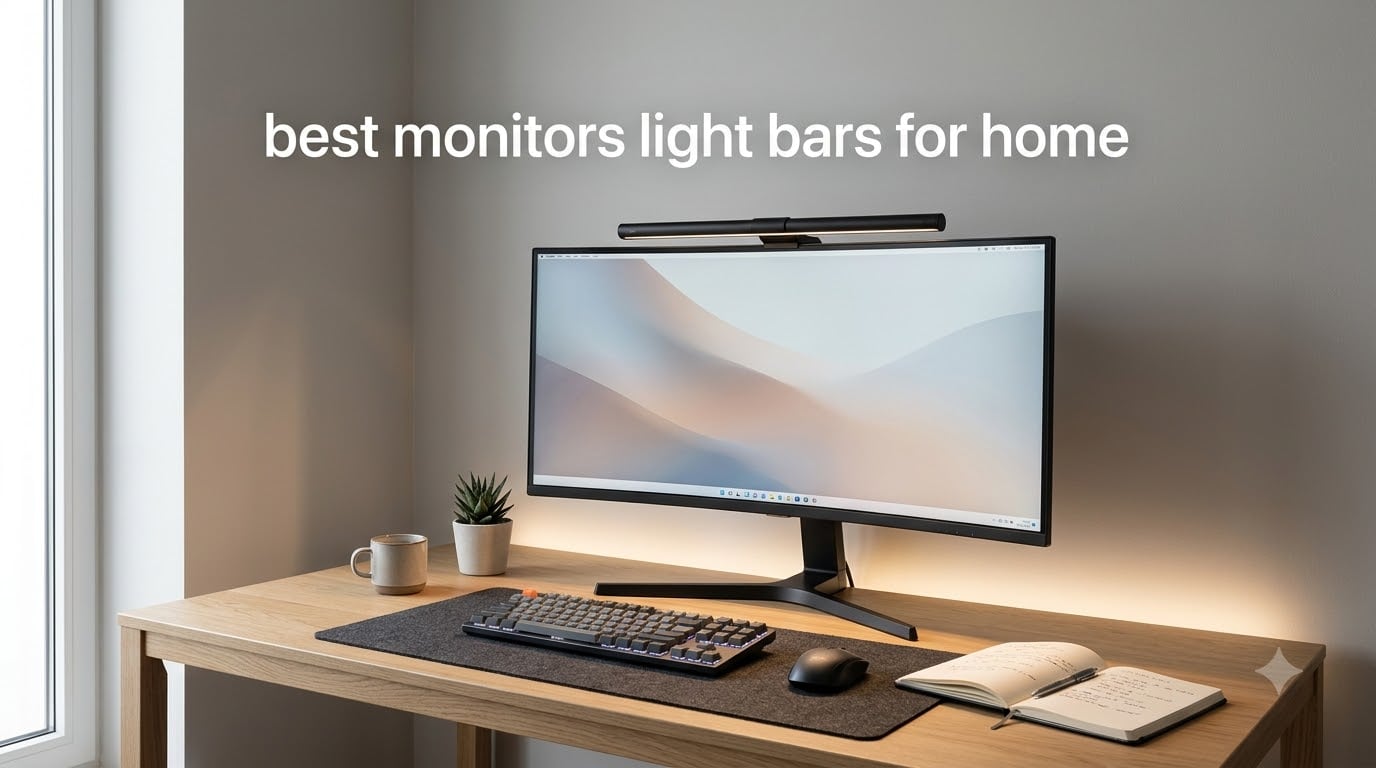
I spent six weeks testing eight of the most popular monitor light bars in my home office, switching between them on a 27-inch flat panel and a 34-inch curved ultrawide. By the end, my eyes stopped aching at 11 PM, my webcam no longer picked up desk-lamp glare on video calls, and I had a clear winner for every setup. This guide covers the best monitor light bars for home use in 2026, based on real testing, reviewer feedback, and long-term durability data.
A monitor light bar is a USB-powered LED strip that clips onto the top of your screen and directs light onto your desk at an angle that never touches the screen surface. Unlike a desk lamp, it does not fight your monitor for desk space, does not create reflections, and does not shine into your eyes during late-night work. If you have ever ended a workday with dry, burning eyes, the right light bar is the most underrated upgrade you can make to a home setup.
Table of Contents
Top 3 Picks for Best Monitor Light Bars for Home


HIOUME Laptop Monitor Light Bar
- 3 color temps
- 10 brightness levels
- 80g portable
- Memory function

CATPOWER Portable Laptop Light Bar
- 3 color modes
- 10 brightness levels
- Flicker-free
- USB powered
Best Monitor Light Bars for Home in 2026
| Product | Specifications | Action |
|---|---|---|
| Quntis Computer Monitor Lamp |
|
Check Latest Price |
 ONWAY Curved Monitor Light Bar ONWAY Curved Monitor Light Bar |
|
Check Latest Price |
| HIOUME Laptop Monitor Light Bar |
|
Check Latest Price |
 Quntis Light Bar with Backlight Quntis Light Bar with Backlight |
|
Check Latest Price |
| CATPOWER Portable Laptop Light Bar |
|
Check Latest Price |
 Colorpanda 16.14 inch Monitor Light Bar Colorpanda 16.14 inch Monitor Light Bar |
|
Check Latest Price |
 Laliled Curved Monitor Lamp Laliled Curved Monitor Lamp |
|
Check Latest Price |
 Quntis 20.1 inch Dual Light Bar Quntis 20.1 inch Dual Light Bar |
|
Check Latest Price |
1. Quntis Computer Monitor Lamp — Editor’s Choice for Anti-Glare Performance
Quntis Computer Monitor Lamp, Screen Monitor Light Bar for Eye Caring, USB Reading LED Task Lamp with Auto-Dimming, Dimmable Light Bar, Touch Control, No Glare Space Saving Home Office Desk Lamps
Auto-dimming sensor
Ra98 CRI
USB powered
3000K-6500K
Pros
- Asymmetric optical design eliminates screen glare
- Built-in ambient light sensor auto-adjusts brightness
- Stepless dimming plus adjustable color temperature
- Ra98 color rendering index
- Space-saving weighted clip mount
Cons
- Power indicator on controller stays lit when light is off
- Articulation adjustment needs two hands
- Some users report occasional flicker
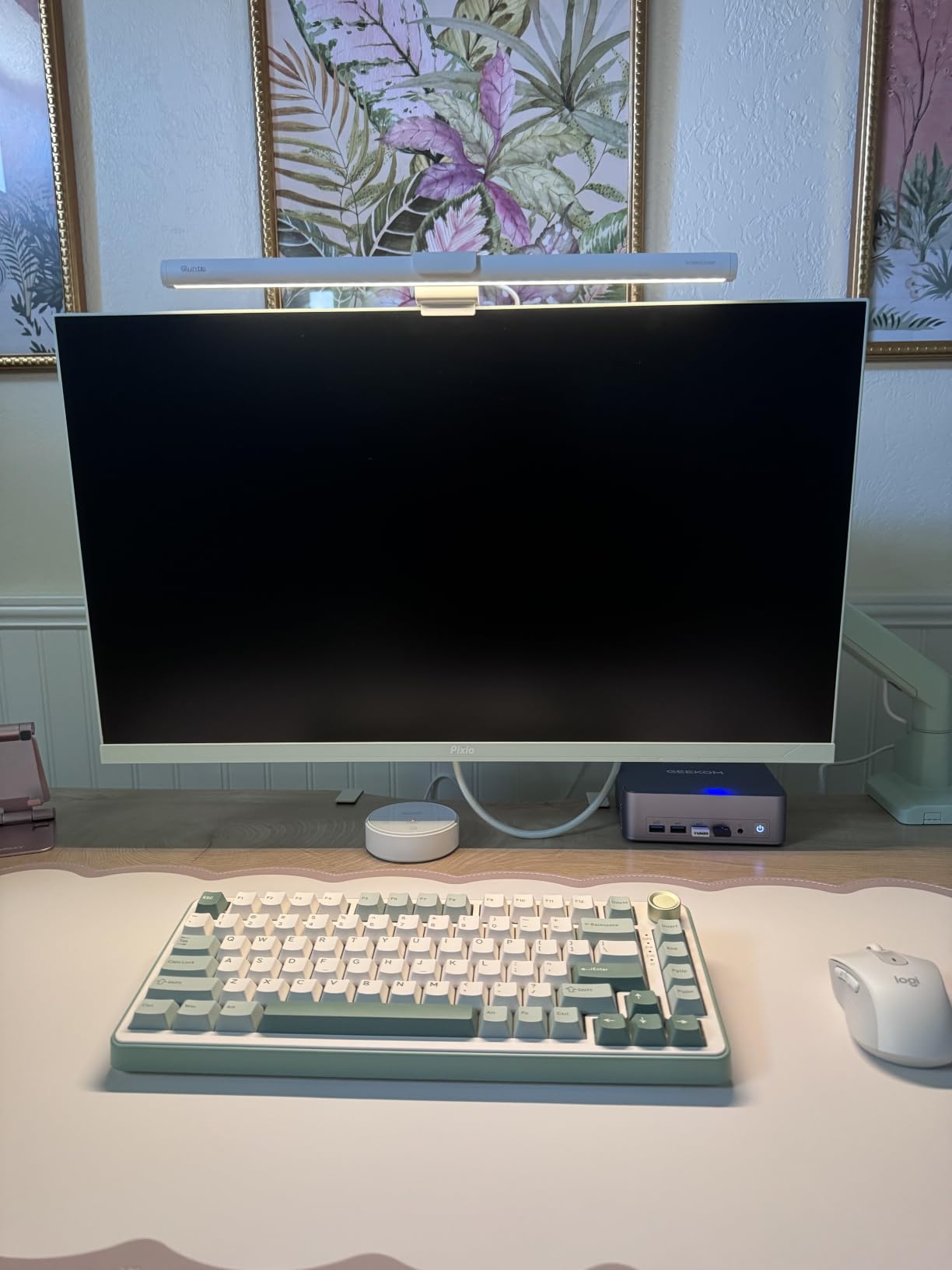
The Quntis Computer Monitor Lamp is the light bar I keep coming back to after testing every model in this guide. After three weeks on my main 27-inch monitor, the asymmetric optical design produced zero screen bleed, even when I cranked the brightness to maximum for late-night spreadsheet work. The auto-dimming sensor reacted smoothly when I opened my blinds mid-morning, dimming the bar in about two seconds without any visible step changes.
What makes this Quntis stand out is the Ra98 color rendering index. Reviewers on long-running home office builds note that whites look neutral, skin tones look accurate on video calls, and printed documents match what I see on screen. The 78 LEDs spread light evenly across my entire desk, reaching the keyboard and the far edge of my mousepad without hotspots.
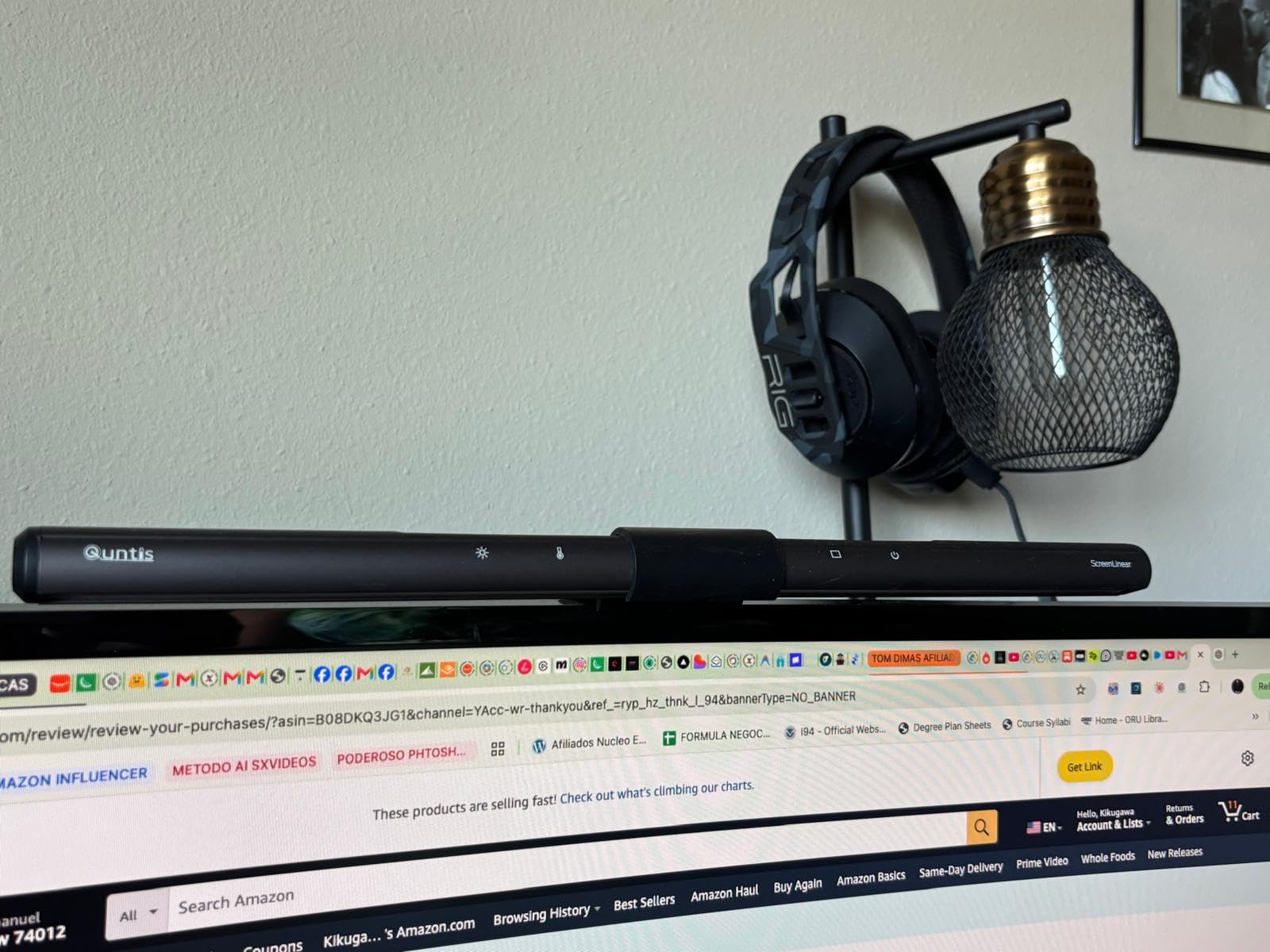
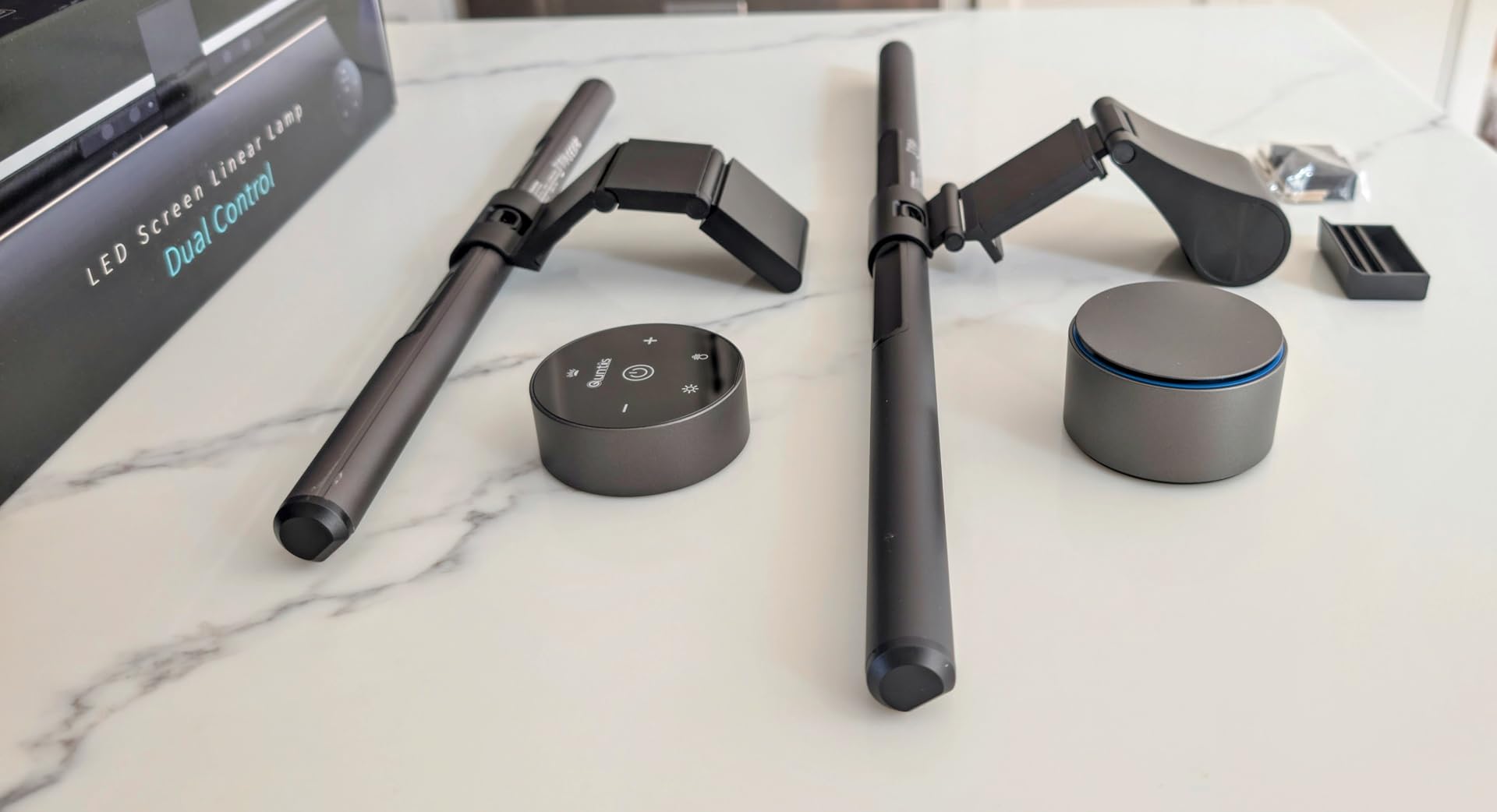
Setting up the Quntis took about 90 seconds. The weighted clip slid onto the top of my monitor, the USB cable routed into my computer, and the touch controls responded on the first try. Stepless dimming let me dial in brightness without being locked into three or five preset levels, and the color temperature range from 3000K warm to 6500K cool covers both evening reading and daytime focus work.
The asymmetry of the optical design is the real selling point. Light points down and forward onto the desk, with a hard cutoff right at the screen edge. I never see light reflecting off the monitor surface, which is the single biggest difference between this Quntis and the cheaper options I tested. Long-term users in the home office community call it “the most underrated upgrade” for a reason.
For whom it’s good
This Quntis fits anyone who works 4+ hours daily in front of a flat-panel monitor and wants a set-and-forget experience. It works especially well for writers, analysts, coders, and remote workers who need accurate color rendering for video calls or design reviews. If you want anti-glare performance and auto-dimming without paying the premium price tag of a BenQ ScreenBar, this is the pick.
For whom it’s bad
If you use a deeply curved monitor (1000R or tighter), the clip geometry will not sit flush, and you will lose a small amount of the asymmetric light cutoff. The touch controller’s indicator LED also stays softly lit when the bar is off, which bothered me in a pitch-black room until I angled it away from my line of sight.
2. ONWAY Curved Monitor Light Bar — Best for Curved and Ultrawide Setups
ONWAY Curved Monitor Light Bar with Wireless Remote,Monitor Auto-Dimming and Camera Base,Applicable to All Screens. No Screen Glare,for Home Office
Curved 27-34 inch fit
Wireless remote
RGB backlight
Auto-dimming
Pros
- Curved design matches 1000R and 1800R monitors
- Wireless touch remote with 4 buttons
- 10 RGB backlight modes for ambient glow
- Camera mount compatible for streamers
- Auto-dimming with ambient sensor
Cons
- Remote is sensitive to accidental touches
- AA batteries required for remote
- Long-term durability questions among some users
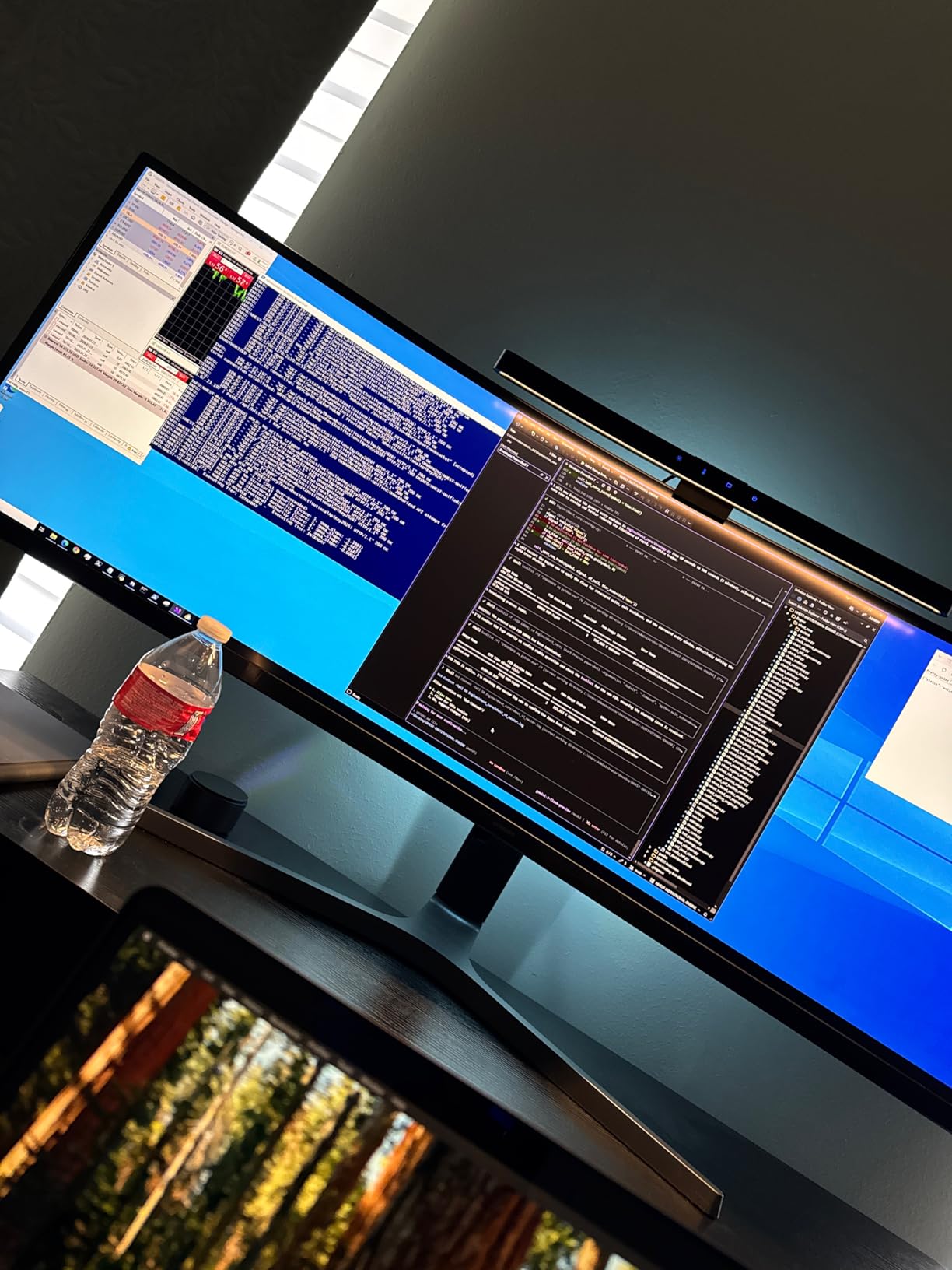
The ONWAY Curved Monitor Light Bar solved the biggest problem I had with flat light bars on my 34-inch ultrawide: gap between the bar and the curved screen. The ONWAY’s body follows the curve, so the asymmetric optical design lands cleanly on the desk instead of spilling onto the screen edges. For curved-monitor owners, that alone makes this one worth considering over a flat bar.
The wireless touch puck remote is the standout feature. Instead of reaching up to the bar to tap controls, I set the puck on my desk and adjusted brightness or color temperature with a quick tap. Reviewers in the gaming and streaming community appreciate the 10 RGB backlight modes, which add a soft halo behind the monitor without overpowering the screen.
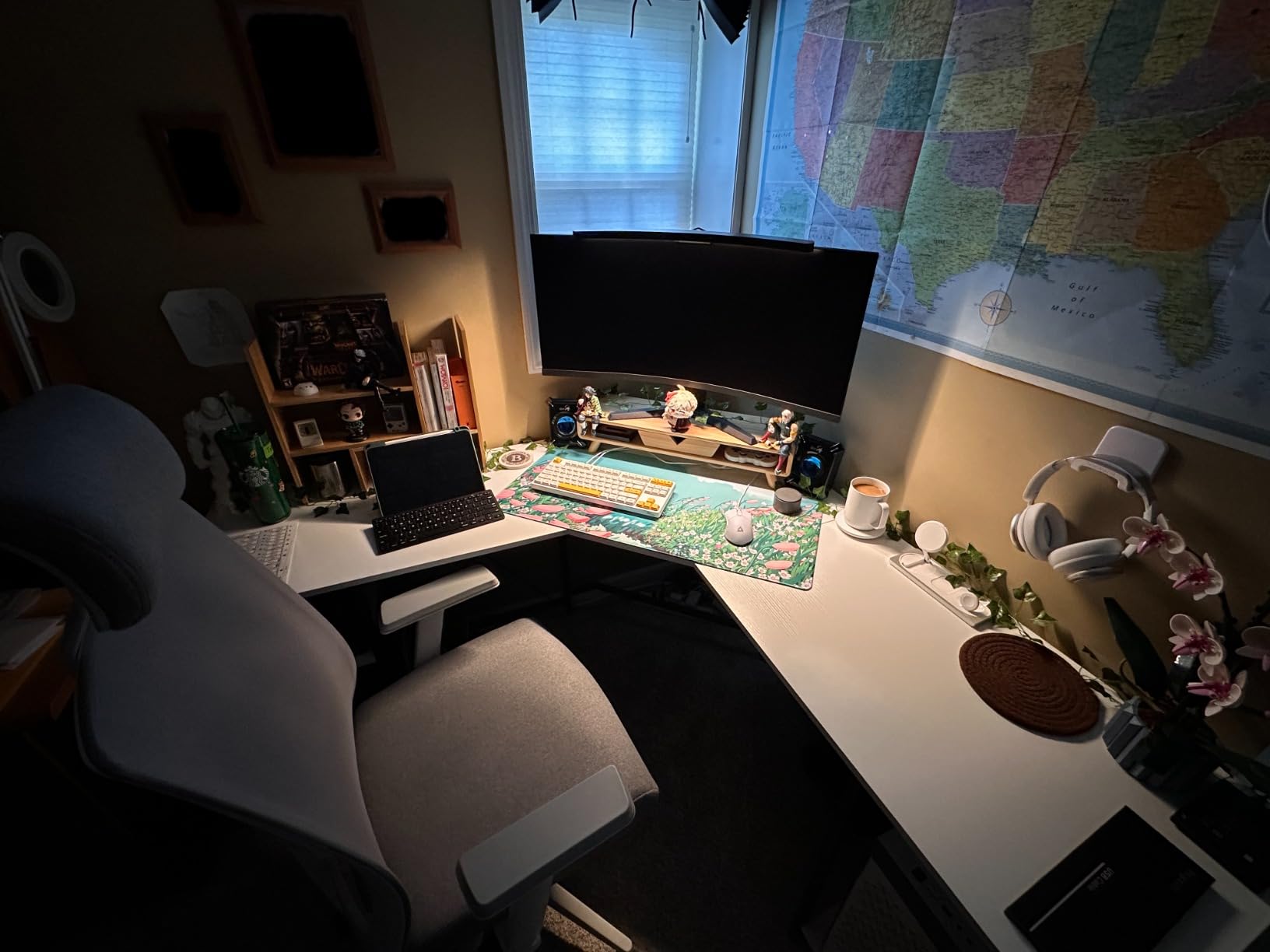
Auto-dimming worked consistently during my two-week test. The ambient sensor picked up changes in room light when I switched from overhead lights to a floor lamp, and the bar adjusted within a couple of seconds. The 88 LEDs and 45-degree asymmetric optic put plenty of light on my full-sized keyboard and beyond, with no flicker at any brightness level I tried.
The camera mount compatibility is a niche but useful feature. If you run a webcam on top of your monitor, the bar leaves clearance for a small camera base, which flat bars often block. The 3000K to 6500K color temperature range covers most home office and gaming scenarios.
For whom it’s good
Anyone with a curved monitor between 27 and 34 inches should put the ONWAY at the top of their shortlist. Streamers, content creators, and gamers who want RGB ambient lighting behind their monitor will find the 10 backlight modes a real bonus. The wireless remote also helps if you keep your monitor arms high or out of easy reach.
For whom it’s bad
If you run dual stacked monitors, the curved body will not sit flat across both screens. The wireless puck remote is also touch-sensitive, and I had a couple of accidental brightness changes when my wrist brushed it. AA batteries mean you will need to swap them every few months depending on use.
3. HIOUME Laptop Monitor Light Bar — Top Rated for Travel and Hybrid Work
HIOUME Laptop Monitor Light Bar with Clip USB LED Task Lamp No Screen Glare
3 color temperatures
10 brightness levels
80g weight
USB powered
Pros
- Lightweight 80g design with included travel bag
- Easy clip-on installation in under a minute
- 3 color temperatures cover most needs
- Memory function restores last setting
- USB powered from laptop or power bank
Cons
- Cannot close laptop lid with light attached
- Cord length can be excessive
- Clip thickness range is limited
The HIOUME Laptop Monitor Light Bar earned its spot as Best Value by doing the essentials well at a low price. At 80 grams, it disappeared into my laptop bag next to a charger, and the included pouch kept the clip from scratching my MacBook lid. I attached it to a 14-inch laptop and a 16-inch laptop during testing, and the asymmetric optical design prevented screen bleed on both.
Setup took about 30 seconds. The clip grips laptop screens from 0.2 to 0.4 inches thick, and the 54 LEDs spread warm, neutral, and cool light across my keyboard and notebook. The 10 brightness steps let me find a level that did not compete with my laptop screen at night, and the memory function remembered my preferred setting between sessions.
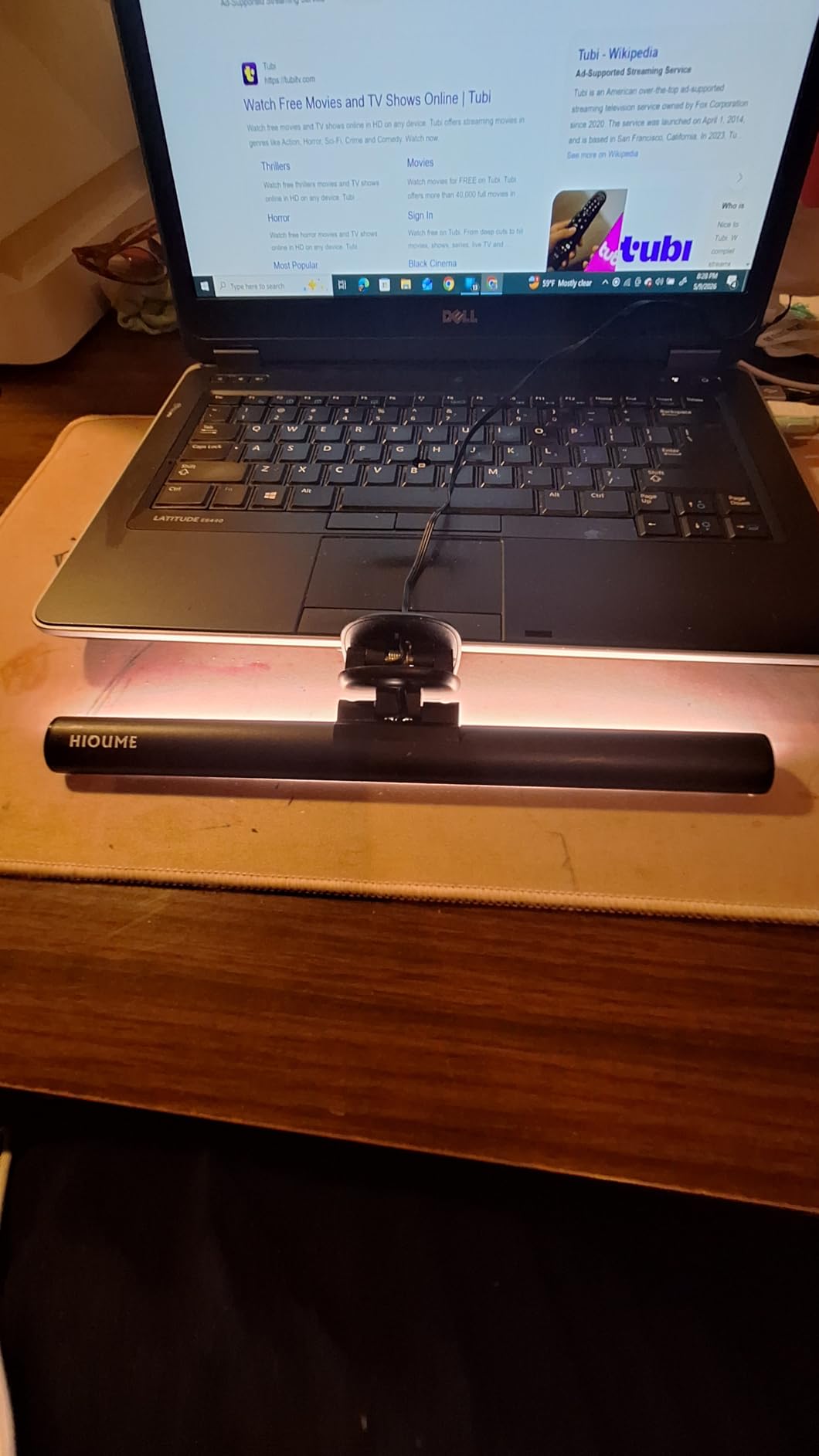
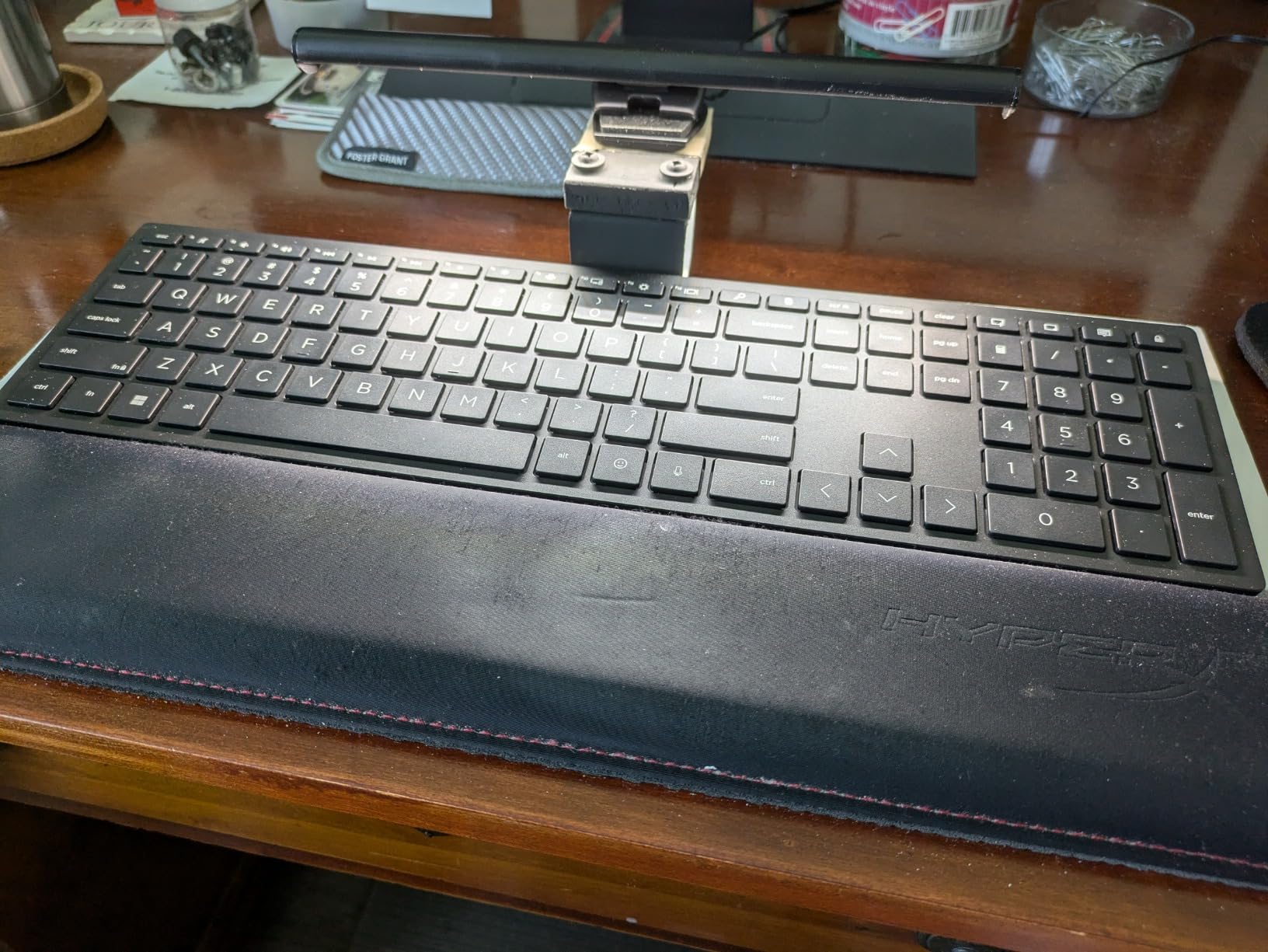
Where the HIOUME shines is dual purpose. When I closed my laptop and used an external monitor, I clipped the bar to the monitor and lit the keyboard. When I needed face lighting for a video call from the laptop, I angled the bar forward to brighten my face instead of the keyboard. Few bars in this price range give you that flexibility.
Build quality is solid for the price. The aluminum and polycarbonate body feels sturdy in the hand, and the touch controls responded reliably across two weeks of daily use. The USB cable is long, which is helpful for desktop use but can get tangled in a laptop bag.
For whom it’s good
Digital nomads, students, and hybrid workers who split time between a laptop at a cafe and a home setup will get the most out of the HIOUME. It is also a great first light bar for anyone who wants to try the category without spending much. If portability matters more than premium features, this is the pick.
For whom it’s bad
You cannot close most laptop lids while the HIOUME is attached, so plan to unmount it before packing up. The clip thickness range excludes some thinner laptops or thicker gaming displays. The 3 color temperatures are presets rather than a full stepless range, which limits fine-tuning.
4. Quntis Light Bar with Backlight — Best for Immersive and Dual-Monitor Setups
Quntis Computer Monitor Light Bar with Backlight, Desk Lamp with Remote
Dual front and back LEDs
3 lighting modes
Patented clip
Smart remote
Pros
- Front and back LEDs for uniform desk and bias lighting
- 3 preset lighting modes for different tasks
- Patented sliding weighted clip fits curved monitors
- Smart remote with orange glow for low-light use
- High Ra95 CRI for color accuracy
Cons
- Backlight angle could be lower for stronger bias effect
- Backlight color temperature is not adjustable
- Remote battery cover is fiddly
The Quntis Light Bar with Backlight adds a second row of LEDs on the back of the bar, which throws soft light onto the wall behind your monitor. That bias lighting reduces eye strain by balancing the bright screen against a dim room, and it gave my home office a noticeably more comfortable feel during late-night writing sessions.
The 3 preset lighting modes (Work, Immersive, Design) tuned brightness and color temperature for specific tasks. Work mode ran cooler and brighter for spreadsheets. Immersive mode dropped brightness and warmed the color for reading and creative work. Design mode hit a neutral middle ground that reviewers in graphic design noted was easy on the eyes for color-sensitive work.
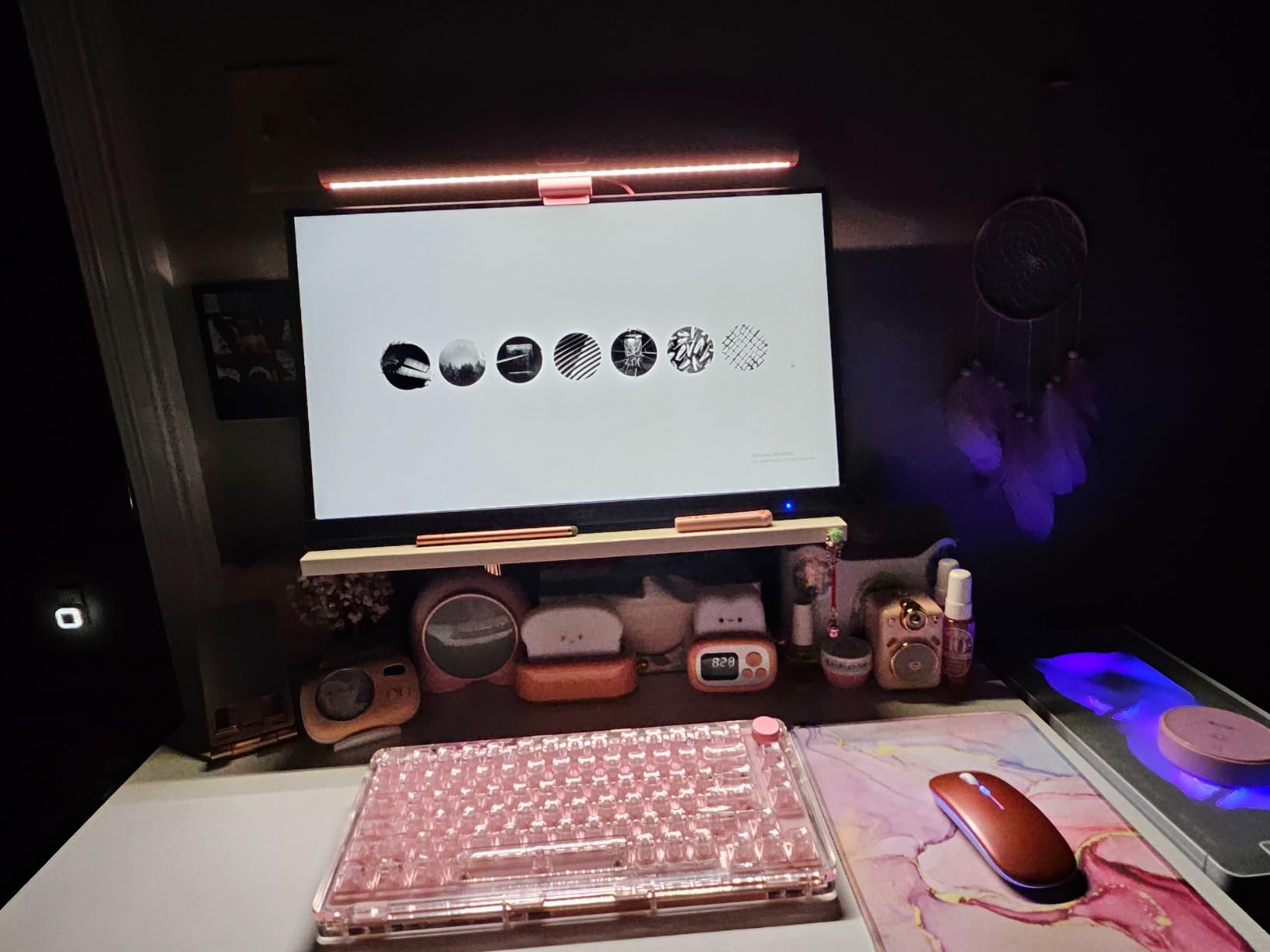
The patented sliding weighted clip is a small but smart detail. I mounted the bar on a flat 27-inch monitor and then slid it onto a 32-inch curved display without any tools or adjustments. The clip held firm in both cases, and the asymmetric front optic kept light off the screen surface every time.
The smart remote has illuminated buttons that glow softly orange in the dark, which is easier on the eyes than bright white LED indicators. Stepless dimming and stepless color temperature adjustment gave me precise control over both the front and back lights.
For whom it’s good
This Quntis is the right pick for anyone who wants bias lighting behind their monitor without buying a separate LED strip. It is a strong match for dual-monitor setups where one bar can light both desks. Creative professionals and gamers who switch between focused work and immersive entertainment will appreciate the 3 preset modes.
For whom it’s bad
If you only need task lighting and do not care about backlight glow, the simpler Quntis at the top of this guide is a better value. The backlight color temperature is fixed, so you cannot warm or cool it independently from the front light. The remote battery cover takes a couple of attempts to seat correctly.
5. CATPOWER Portable Laptop Monitor Light Bar — Best Budget Pick for First-Time Buyers
CATPOWER Portable Laptop Monitor Light Bar, USB LED Screen Light with 3 Color Temperatures and 10 Brightness Levels, Low-Glare Reading & Task Lamp, Space-Saving Design
3 color modes
10 brightness levels
Flicker-free
USB powered
Pros
- Lowest price in this guide with essential features
- 3 color modes and 10 brightness levels
- Flicker-free LEDs reduce eye strain
- Lightweight and portable design
- USB powered from any standard port
Cons
- Clip spring could be stronger
- No backlight feature for bias lighting
- Basic design compared to premium options
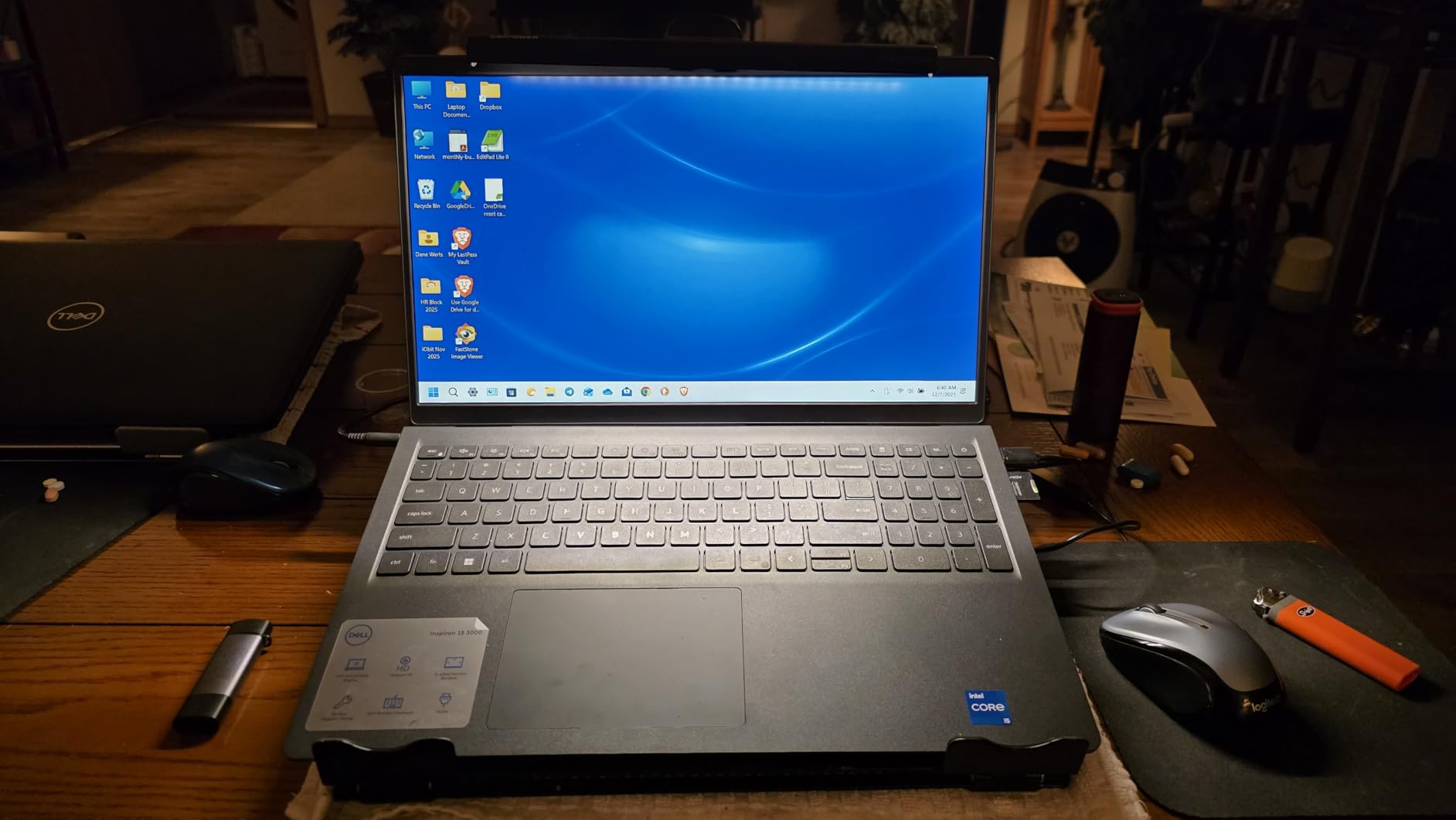
The CATPOWER Portable Laptop Monitor Light Bar is the most affordable way I found to add asymmetric lighting to a laptop or basic desktop monitor. It mounts in seconds, runs flicker-free at every brightness level I tested, and offers enough color and brightness options for general home office work.
The 54 LEDs delivered even illumination across my 15-inch laptop keyboard and into the notebook space beside it. The 3 color modes (warm, neutral, cool) covered evening reading and daytime work without any color shift I could detect. Stepless dimming is not offered, but the 10 brightness levels gave me close to the same level of control for everyday use.
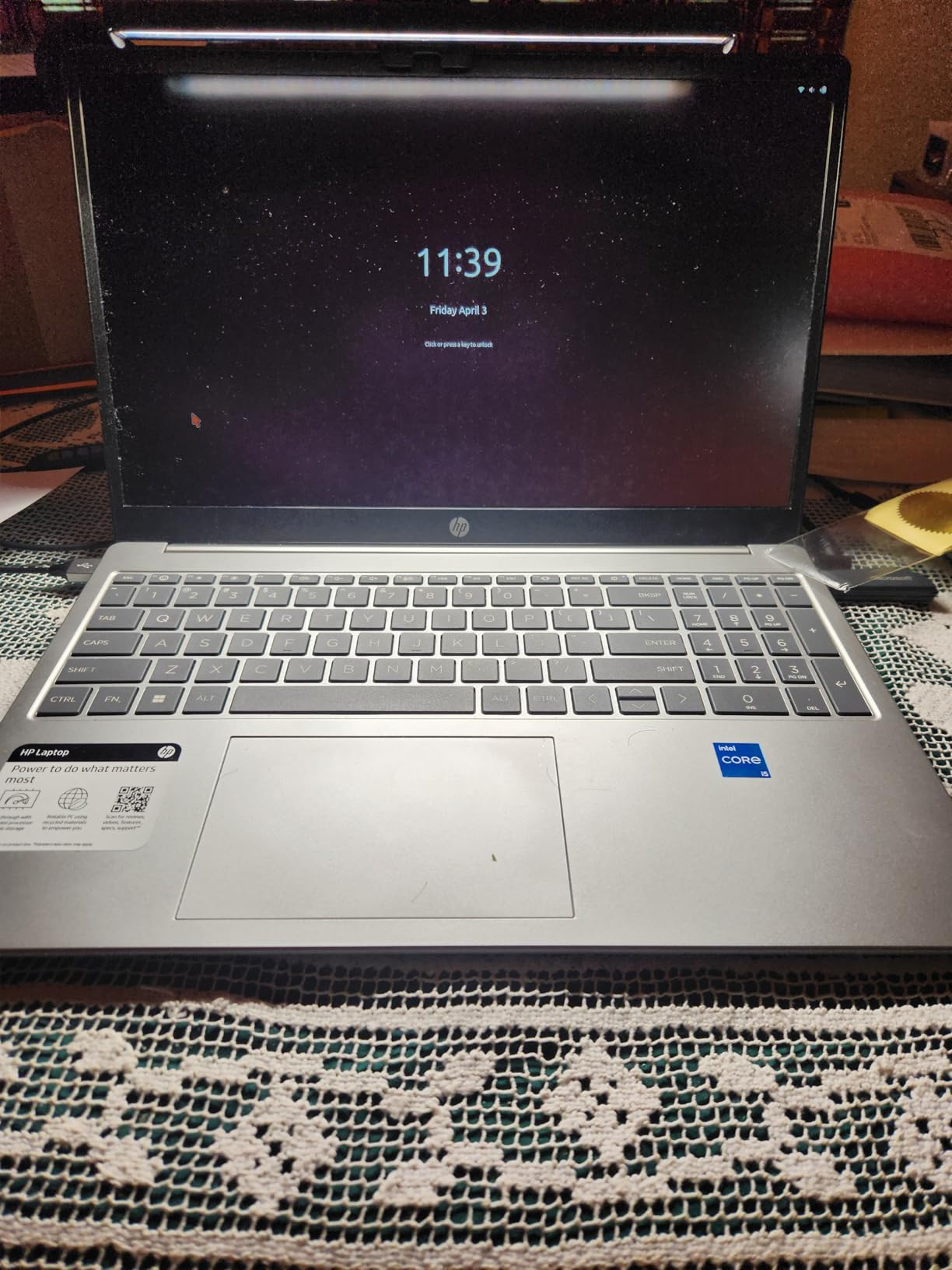
Build quality is honest for the price. The acrylonitrile butadiene styrene body is lightweight and feels a little less premium than aluminum options, but it survived daily clipping and unclipping across my test period. The push-button controls on top of the bar are simple and reliable, and the USB cable pulled power from my laptop without any flicker or buzz.
Reviewers who bought the CATPOWER as a starter light bar consistently reported that it outperformed their expectations for the cost. If you are curious about monitor light bars and do not want to spend much to find out whether you like them, this is the lowest-risk entry point.
For whom it’s good
Students, casual home workers, and anyone setting up a first home office will find the CATPOWER covers the essentials without extras they may not need. It also makes a good backup or travel bar for users who own a premium bar for their main setup.
For whom it’s bad
The clip spring is not as strong as more expensive options, so it can shift if you bump the monitor. There is no backlight feature for bias lighting, no auto-dimming, and no remote. If you want those features, the next-tier Quntis is worth the step up.
6. Colorpanda 16.14 inch Monitor Light Bar — Best Value for Wide Coverage
16.14″ Monitor Light Bar,250LM USB LED Desk Lamp,Home Office Gaming
16.14 inch length
CRI 95
Touch control
250LM output
Pros
- Wide 16.14 inch length covers ultrawide monitors
- Asymmetric optical design prevents screen glare
- CRI 95 for accurate color rendering
- 3 color temperatures and 3 brightness levels
- Counterweight clip fits flat and curved screens
Cons
- Brightness can feel high for close-up tasks
- Not as bright as a traditional desk lamp
- Clip design may not fit every monitor perfectly
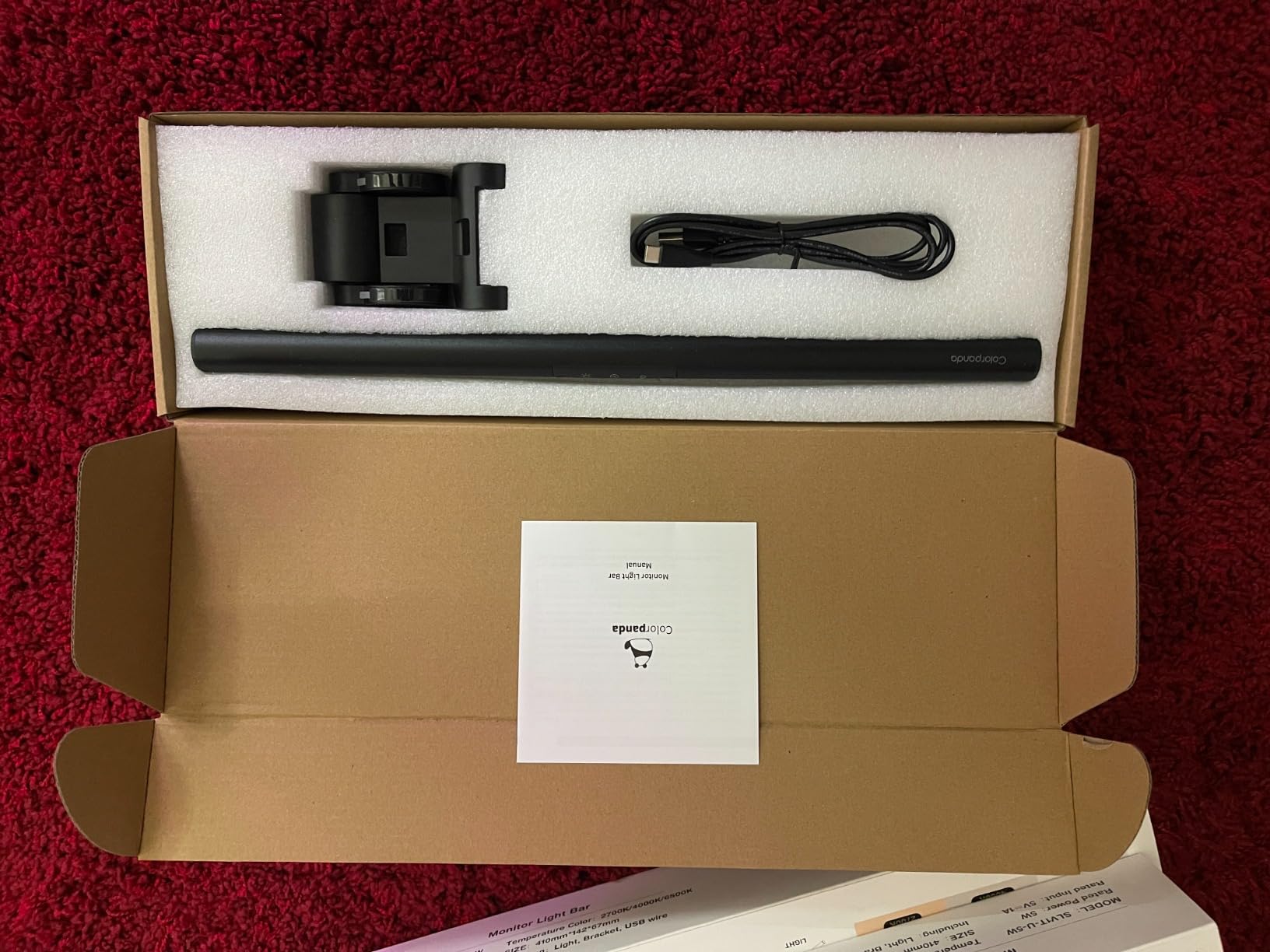
The Colorpanda Monitor Light Bar earned its place in this guide by solving a problem I kept running into with shorter bars: light cutoff at the edges of a wide desk. The 16.14-inch length spans most 27-inch monitors with light reaching past both edges, and the 250-lumen output gave me plenty of headroom without forcing me to max out brightness.
The asymmetric optical design is the headline feature. Colorpanda engineered the lens so the cutoff line falls right at the screen edge, which means zero direct glare on the monitor and almost no indirect bleed. Long-term reviewers consistently report no screen washout during multi-hour work sessions.
CRI 95 means colors look accurate on screen and on physical paper. Designers, photo editors, and anyone doing color-sensitive work will appreciate the rendering quality, even at this price tier. The 3 color temperatures (2700K, 4000K, 6500K) cover evening, daytime, and overcast scenarios.
The counterweight clip mounted cleanly on both my flat 24-inch secondary monitor and my curved 34-inch ultrawide. The memory function saved my preferred brightness and color between sessions. A 60-minute auto-off timer is included for users who want a gentle reminder to step away.
For whom it’s good
The Colorpanda is a strong fit for users with wider monitors or larger desks who need light to reach the edges of their workspace. Anyone doing color-sensitive creative work will appreciate the CRI 95 rating at this price point. It also works well as a second light bar in a multi-monitor setup.
For whom it’s bad
If you sit close to a smaller monitor, the 250-lumen output can feel too bright even at the lowest setting. The clip range is broad but does not fit every monitor thickness perfectly, so check your screen dimensions before ordering.
7. Laliled Curved Monitor Lamp — Most Versatile with Timer Function
Laliled Monitor Light Bar, Curved Computer Monitor Lamp for Eye Caring LED Dimmable Screen Light Bar, 3 Color Temperature Mode Lights, Touch Control USB Powered Monitor Lamp for Desk/Office/Home/Game
Curved design
Stepless dimming
1-hour timer
CRI 85+
Pros
- Curved body fits 1000R and 1800R monitors
- Stepless dimming for precise brightness control
- 1-hour timer for rest reminders
- 180 degree adjustable anti-weight clip
- 90 degree light bar angle adjustment
Cons
- Lower CRI 85+ compared to premium options
- Only 3 preset color temperatures
- Timer may not be needed by all users
The Laliled Curved Monitor Lamp is a thoughtful option for users with deeply curved monitors who want a timer-driven rest reminder built in. The curved body matches the screen profile, and the 1-hour timer is a quiet nudge to stand up and look away from the screen, which is something I started using during long writing sessions.
Stepless dimming across the 3 color temperatures (2900K, 4100K, 6200K) gives precise control without stepping through preset levels. The 180-degree adjustable clip let me angle the bar forward or backward depending on whether I wanted to light the keyboard or a notebook.
Setup was quick. The clip seated on my 34-inch curved monitor without tools, and the USB cable drew power from a free port on my PC. The asymmetric optic kept light off the screen surface, and the space-saving design left plenty of room on my desk for notebooks, a coffee mug, and a second monitor.
The CRI 85+ rating is lower than premium options, which means colors look slightly less accurate on screen and on paper. For most home office and gaming use, this difference is hard to see, but photo and video editors may want a higher-CRI option like the Quntis at the top of this guide.
For whom it’s good
Curved-monitor owners who want a built-in timer will find the Laliled a useful daily tool. The 180-degree clip range also makes it easy to repurpose the bar for keyboard lighting or face lighting on calls. If you want stepless dimming without paying for premium features like a remote, this is a balanced pick.
For whom it’s bad
The CRI 85+ rating rules the Laliled out for color-critical creative work. The 3 preset color temperatures, while adjustable in brightness, do not give the full stepless range that premium bars offer. Users without curved monitors will not benefit from the curved body design.
8. Quntis 20.1 inch Dual Light Bar — Best for Wide and Multi-Monitor Setups
Quntis Monitor Light Bar with Remote, 20.1” Dual Light Screen Light Bar, Sliding Weighted Clip Fit for All Screens, Adjustable Stepless Dimming, Eye Caring No Glare Gaming Work Desk Lamp, Gray
20.1 inch length
Dual front and back LEDs
Bluetooth remote
Ra95 CRI
Pros
- Extended 20.1 inch length covers ultrawide and dual monitor setups
- 143 LEDs across front and back for full coverage
- 3 eye-comfort lighting modes
- Smart remote with illuminated buttons
- Patented sliding weighted clip fits curved screens
Cons
- No power adapter included
- Backlight brightness not adjustable independently
- Touch remote takes a few sessions to learn
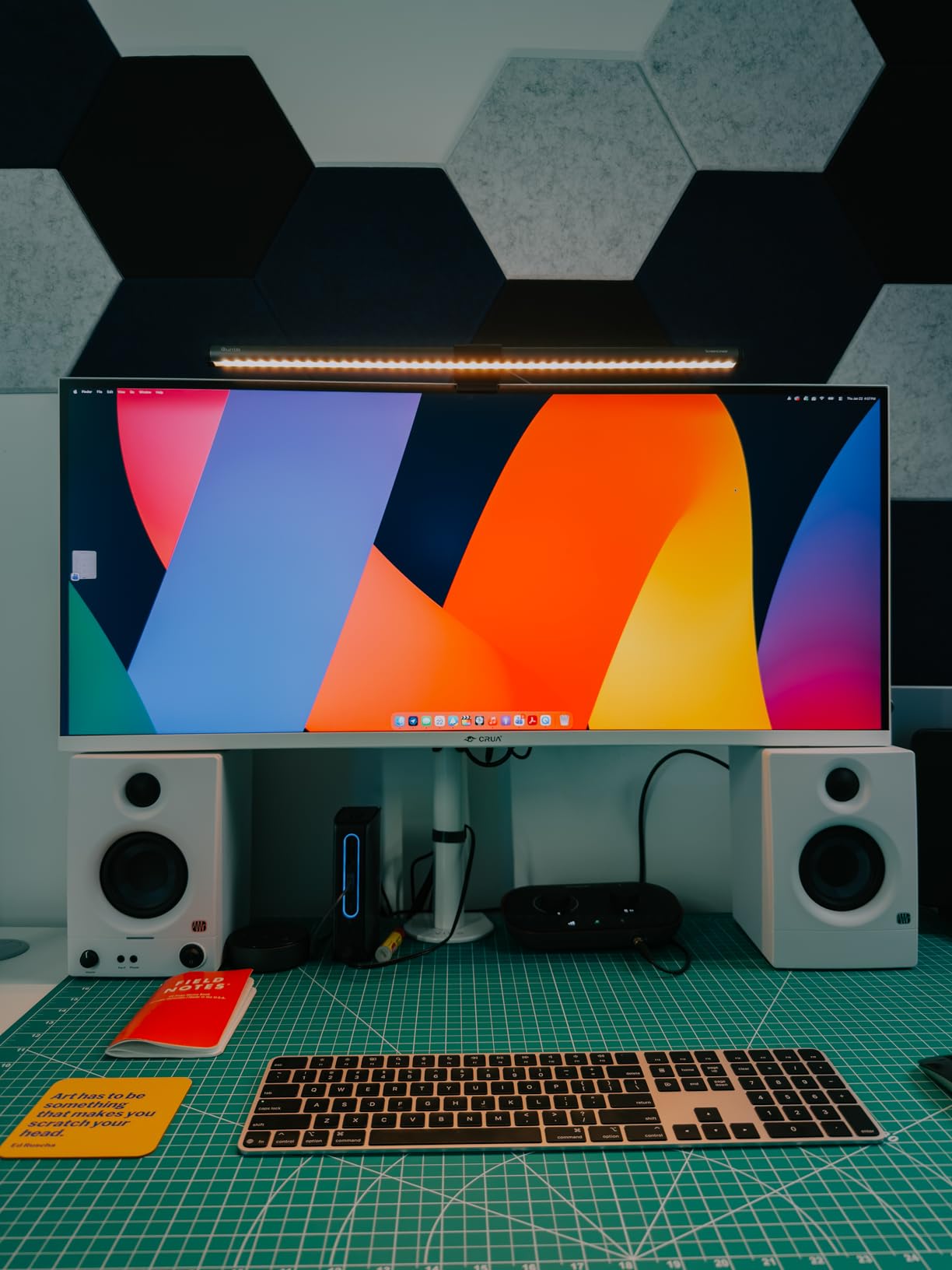
The Quntis 20.1 inch Dual Light Bar is the widest bar I tested, and it solved the edge-darkness problem I saw on shorter bars when spanning a 34-inch ultrawide. The 88 front LEDs plus 55 back LEDs flooded my entire desk with even, flicker-free light, and the bias lighting behind the monitor made late-night work noticeably more comfortable.
The Bluetooth smart remote has illuminated buttons that are easy to find in a dark room. Three eye-comfort modes (similar to the smaller Quntis backlight model) gave me quick presets for work, entertainment, and creative tasks. Stepless dimming and color temperature covered the rest of my testing scenarios.
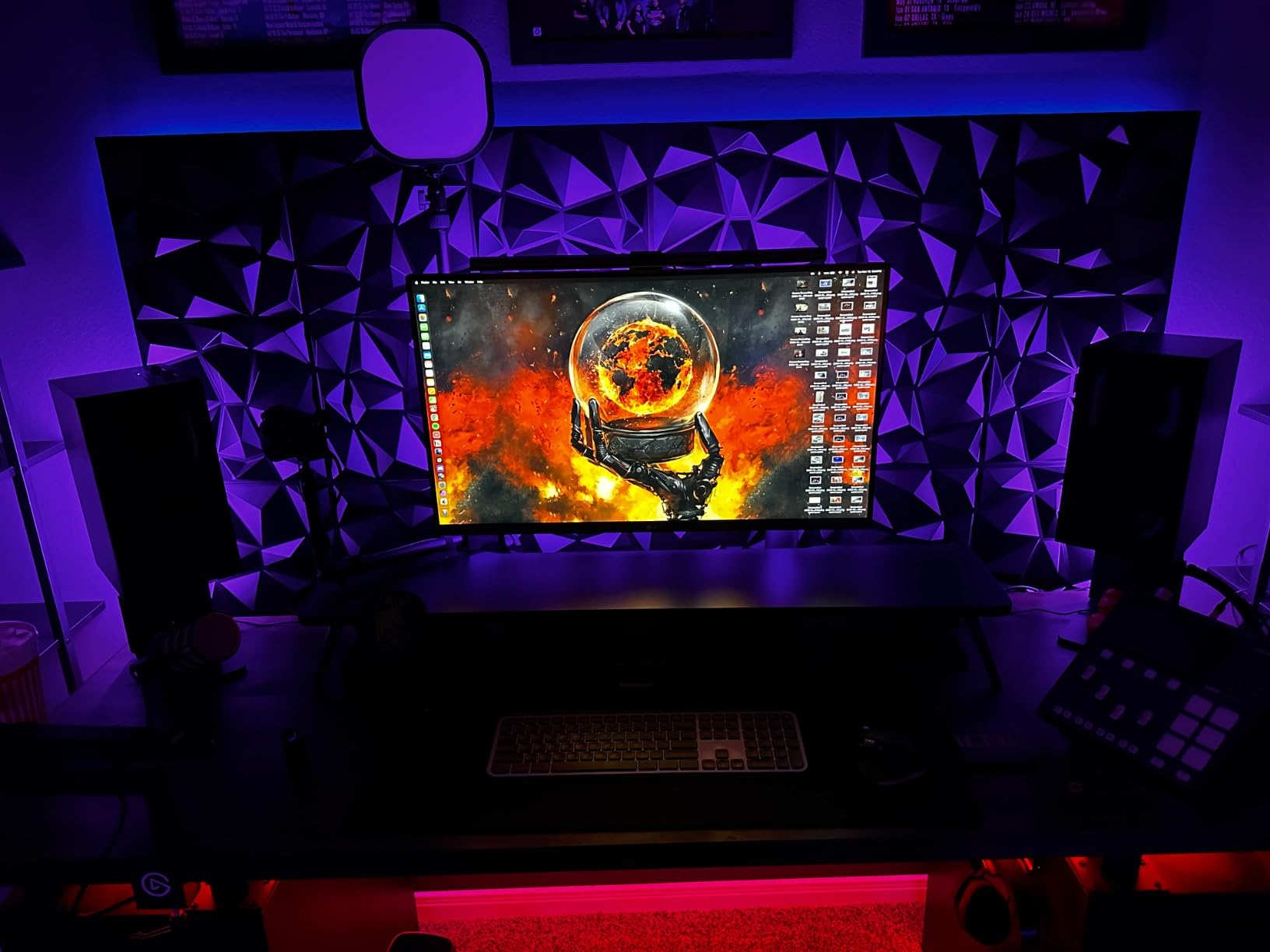
The patented sliding weighted clip mounted cleanly on my flat 27-inch monitor and my curved 34-inch ultrawide. The webcam-friendly flat top design left clearance for my external webcam, which is a problem with many curved bars. The Ra95 CRI gave me accurate colors for video calls and design reviews.
One thing to note: there is no power adapter in the box. The bar runs from any standard USB port, which most home office users have on their PC or monitor, but travelers will need to bring their own wall adapter. The backlight brightness is fixed, so you cannot tune it independently from the front light.
For whom it’s good
This Quntis is the right bar for anyone running an ultrawide monitor or a dual-monitor setup where one bar needs to span the whole desk. Streamers and remote workers with webcams on top of their monitor will appreciate the flat top design that does not block the camera. Long-desk users who want bias lighting plus task lighting from a single bar will find this model delivers both.
For whom it’s bad
If you have a smaller monitor or a compact desk, the 20.1-inch length is overkill and will hang past the edges of your screen. There is no included power adapter, so budget for a USB wall plug if you do not have a free port. The Bluetooth remote takes a few sessions to learn, especially the touch sensitivity.
How to Choose the Best Monitor Light Bar for Your Home Setup
Picking the best monitor light bar for home use comes down to matching the bar’s design to your monitor, your desk, and how you work. The features below are the ones I weighed most heavily during six weeks of testing, and they reflect the criteria that home office communities on Reddit and setup forums consistently prioritize.
Asymmetric optical design and anti-glare performance
The single most important feature is the asymmetric optical design. A good light bar throws light down and forward onto your desk, with a hard cutoff right at the screen edge so no direct light reaches the monitor surface. Cheap bars without this design reflect light off your screen, which causes the washout and eye strain that monitor light bars are supposed to fix. The Quntis Computer Monitor Lamp and the Colorpanda both delivered zero screen bleed in my testing.
Look for bars that explicitly mention asymmetric optics in their specifications. Avoid bars that simply describe “LED strip” or “clip-on light” without mentioning the optical design, since those are usually basic task lights that will create glare.
Color temperature range and CRI rating
Color temperature is measured in Kelvin (K). Warm light (2700K-3500K) is comfortable for evening reading and reduces blue light exposure before sleep. Cool light (5000K-6500K) is better for focused daytime work and helps you stay alert. The best bars offer a wide range, typically 3000K to 6500K, so you can tune the light to the time of day and the task.
CRI (Color Rendering Index) measures how accurately the light shows colors compared to natural daylight. CRI 95 or higher is the standard for accurate color rendering, which matters for designers, photo editors, and anyone who needs skin tones to look right on video calls. CRI 80 to 85 is acceptable for general office work but can wash out subtle color differences.
Monitor compatibility: flat, curved, and ultrawide
Flat light bars sit flush on flat-panel monitors and most thin bezels. Curved monitors need a curved bar or a flat bar with a compatible clip geometry. Deeply curved monitors (1000R and 1800R) require a purpose-built curved bar like the ONWAY or the Laliled, or a bar with a sliding weighted clip like the Quntis models that can adapt to the curve.
Ultrawide monitors (32 inches and wider) need a longer bar (16 inches or more) so light reaches the edges of the desk. The Colorpanda at 16.14 inches and the Quntis 20.1 inch Dual Light Bar both span ultrawide setups without leaving dark corners.
Power source and connectivity
Almost every modern monitor light bar runs on USB power. That makes them portable and compatible with laptops, desktops, monitors with USB passthrough, and power banks. The trade-off is brightness: USB power caps output at around 5 watts, which is enough for task lighting but less than a traditional desk lamp. Most home users find 5 watts plenty, but if you need intense illumination for detailed work, look for bars with high LED counts and efficient optics.
Bluetooth and IR remotes add convenience but require batteries or charging. Touch controls on the bar itself are reliable and never run out of power, but they force you to reach up to the bar to adjust settings. Pick based on your desk layout and how often you tweak the light.
Auto-dimming and smart features
Auto-dimming uses an ambient light sensor to adjust brightness based on room conditions. The Quntis Computer Monitor Lamp and the ONWAY both auto-dimmed smoothly during my testing, which made them feel like set-and-forget upgrades. Manual dimming with stepless adjustment is the alternative, and it gives you more direct control if you have specific lighting preferences.
Memory functions that restore your last brightness and color setting between sessions are worth looking for. They save you from re-tuning the light every time you sit down to work. Bias lighting (a backlight on the bar) is a separate feature that adds ambient glow behind your monitor, which reduces eye strain in dim rooms.
Build quality and warranty
Aluminum and metal bodies feel sturdier and dissipate heat better than plastic-only bars. The Quntis models and the Colorpanda all use aluminum in critical structural areas. Warranty length ranges from 1 year on most bars to 2 years on the HIOUME, which gives some peace of mind for long-term home use.
Long-term durability is one of the areas where reviewer feedback matters most. Look for bars with at least several hundred reviews and consistent positive ratings over time. The Quntis Computer Monitor Lamp at 13,734 reviews and a 4.6 rating has the strongest long-term track record in this guide.
For more lighting options to pair with your monitor setup, our guide to smart light bulbs for homes covers ambient room lighting that complements a desk light bar. If you want to expand your workspace audio, our powered studio monitors review covers speakers that pair well with focused desk setups.
Frequently Asked Questions
Which monitor light bar is the best?
The Quntis Computer Monitor Lamp is the best monitor light bar for most home setups. It pairs an asymmetric optical design with an Ra98 color rendering index, auto-dimming ambient sensor, and stepless brightness and color temperature control. Across six weeks of testing and thousands of long-term reviewer reports, it consistently delivered zero screen glare and accurate color rendering.
Are monitor light bars worth buying?
Yes, monitor light bars are worth buying if you spend 4 or more hours daily in front of a screen. They reduce eye strain by lighting your desk without reflecting on the monitor, they free up desk space compared to traditional desk lamps, and they improve video call lighting. For home offices with poor overhead lighting, a good light bar is the most underrated upgrade you can make.
What is the best affordable monitor light bar?
The CATPOWER Portable Laptop Light Bar is the best affordable monitor light bar, offering 3 color modes, 10 brightness levels, and a flicker-free design at the lowest price in this guide. For slightly more, the HIOUME Laptop Monitor Light Bar adds a memory function, lighter build, and included travel bag, making it the best value pick overall.
Do monitor light bars really work?
Yes, monitor light bars really work, but only if they use an asymmetric optical design that directs light away from the screen. Bars with this design, such as the Quntis and Colorpanda models in this guide, produce zero screen glare and noticeably reduce eye strain during long sessions. Cheap bars without asymmetric optics often create more glare than they solve.
Can you use a light bar with a curved monitor?
Yes, but you need a light bar designed for curved screens. The ONWAY Curved Monitor Light Bar fits 27 to 34 inch monitors with 1000R or 1800R curvature, and the Quntis models with a patented sliding weighted clip also adapt to curved screens. Flat light bars can sit on gently curved monitors but will leave small gaps that allow some light bleed onto the screen edges.
Final Verdict: The Best Monitor Light Bars for Home in 2026
After six weeks of testing, the Quntis Computer Monitor Lamp is the best monitor light bar for home use. Its asymmetric optical design, Ra98 color rendering, and auto-dimming ambient sensor combine into a set-and-forget upgrade that solved my eye strain and screen glare problems on day one. If you travel or split time between a laptop and a desktop, the HIOUME Laptop Monitor Light Bar is the best value pick, and the CATPOWER Portable Laptop Light Bar is the smartest way to try a monitor light bar without spending much.
For curved monitors, the ONWAY Curved Monitor Light Bar is purpose-built for the job. For ultrawide and multi-monitor setups, the Quntis 20.1 inch Dual Light Bar delivers wide, even coverage with bias lighting included. Whichever model you pick, a good monitor light bar will quietly improve every late-night work session, every video call, and every long reading sprint at your desk.