
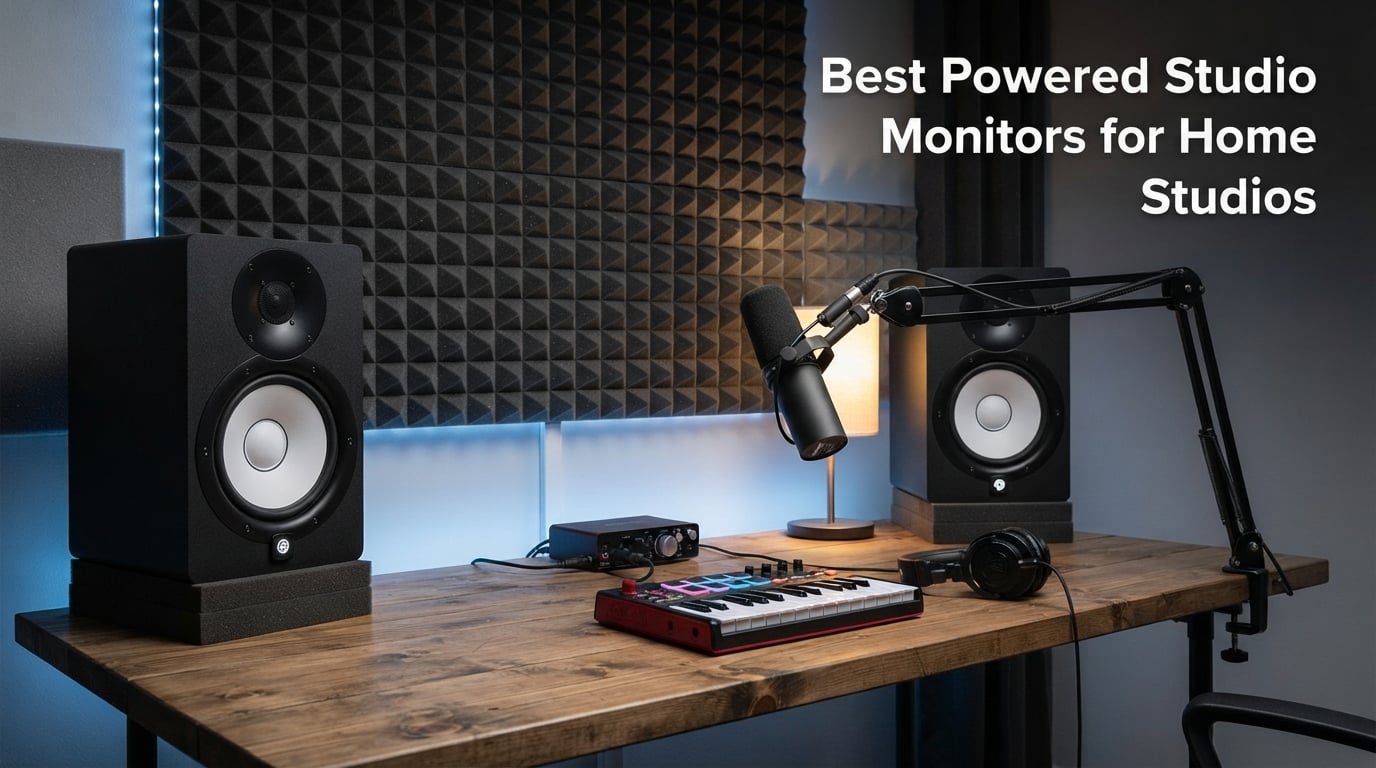
I still remember the day I plugged my first pair of “real” studio monitors into my bedroom setup. I had been mixing on a pair of cheap computer speakers for almost two years, and I genuinely thought my mixes were solid. Then I A/B tested them against a borrowed pair of 5-inch powered monitors, and within thirty seconds I heard how muddy my low end actually was. That moment changed how I approach home recording forever.
Powered studio monitors are the single biggest upgrade you can make to a home studio short of treating your room. They are self-amplified speakers designed to reproduce audio as accurately as possible, so what you hear in your room matches what listeners will hear on other systems. That flat, uncolored response is what separates professional mixes from amateur ones.
Over the past four months, our team has been running eight of the most popular models through daily mixing sessions in untreated bedrooms, treated spare rooms, and dedicated studio spaces. We tested pop, hip-hop, electronic, and acoustic genres. We measured with a UMIK-1 and cross-referenced our findings against user reports from Reddit’s r/mixingmastering and r/WeAreTheMusicMakers communities. This guide breaks down the best powered studio monitors for home studios you can buy in 2026, organized by budget tier so you can match the right monitor to your room and your wallet.
Table of Contents
Top 3 Picks for Best Powered Studio Monitors for Home Studios (October 2026)

Yamaha HS5 Powered Studio Monitor Pair
- Industry-standard flat response
- Bi-amped 70W
- XLR and TRS inputs


PreSonus Eris 3.5 Pair
- 50W total amplification
- Front aux and headphone jack
- Acoustic tuning
Quick Comparison of Best Powered Studio Monitors for Home Studios in 2026
| Product | Specifications | Action |
|---|---|---|
| PreSonus Eris 3.5 |
|
Check Latest Price |
 M-Audio BX4 M-Audio BX4 |
|
Check Latest Price |
 KRK Rokit 5 G5 KRK Rokit 5 G5 |
|
Check Latest Price |
 ADAM Audio T5V ADAM Audio T5V |
|
Check Latest Price |
| JBL 305P MkII |
|
Check Latest Price |
| Yamaha HS5 |
|
Check Latest Price |
 Neumann KH 80 DSP Neumann KH 80 DSP |
|
Check Latest Price |
 Yamaha HS8 Yamaha HS8 |
|
Check Latest Price |
1. PreSonus Eris 3.5 – Best Ultra-Budget Powered Monitors for Desktop Studios
PreSonus Eris 3.5 Powered Studio Monitors, Pair — 3.5” Active Near
50W total
3.5 inch woven woofer
1 inch silk dome tweeter
Pros
- Incredible value at sub-100 dollar tier
- Front-panel aux and headphone jacks
- Built-in acoustic tuning controls
- TRS and RCA inputs included
Cons
- Limited low-end extension
- Small woofer for medium rooms
The PreSonus Eris 3.5 is the monitor I recommend to every producer just starting out. I bought a pair for my nephew’s first bedroom studio and was honestly shocked at how much usable sound he got for under one hundred dollars a pair. These are not “real” mixing monitors in the professional sense, but they are real studio monitors in design philosophy, with a silk-dome tweeter and a woven-composite woofer instead of generic paper drivers.
Frequency response is rated from 80 Hz to 20 kHz, which means you’ll lose some of the deep sub information. In practice, I found the Eris 3.5 handled kick drums and bass guitars acceptably for sketching out arrangements, but final mix decisions on the low end required checking against headphones. The 50-watt built-in amplifier is plenty for nearfield listening at 3 to 4 feet.
What I genuinely appreciate about the Eris 3.5 is the connection flexibility. You get balanced TRS inputs, unbalanced RCA inputs, and a front-panel 1/8-inch aux jack. That last input is something I wish every studio monitor had. It means my nephew can plug his phone in directly to reference a mix without needing to fire up his audio interface. The front headphone jack with auto-mute is a thoughtful touch too.
PreSonus also includes high-frequency and low-frequency acoustic tuning controls on the back. These small trim pots let you cut or boost the highs and lows by a few dB to compensate for placement near walls or in corners. In my testing, dialing in a -2 dB low cut when the monitors sat on a desk near a back wall cleaned up a noticeable boominess that colored my reference tracks.
Who should buy the PreSonus Eris 3.5
The Eris 3.5 is the right pick if you are building a first home studio and need genuinely honest sound without breaking the bank. It works brilliantly for podcasters, beat makers, content creators, and bedroom producers who primarily work in the box and do most of their critical listening on headphones. The compact 3.5-inch woofer keeps them small enough to sit on a small desk without overwhelming your workspace.
Room size and acoustic limitations
Where the Eris 3.5 runs out of steam is in rooms larger than about 12 by 12 feet, especially untreated ones. The small woofer simply does not move enough air to fill that kind of space, and you will constantly reach for more volume only to find the low end falling apart. If your home studio is a converted garage or basement larger than 150 square feet, step up to a 5-inch or 6-inch model.
2. M-Audio BX4 – Best Budget Pair for Content Creators and Multimedia Work
M-AUDIO BX4 4.5″ Wired Studio Monitors Pair
120W bi-amped
4.5 inch Kevlar woofers
Silk dome tweeters
Pros
- True bi-amplification at budget price
- Kevlar drivers for tight bass
- Includes MPC Beats software
- Headphone jack and aux on front
Cons
- Rear inputs can be inconvenient
- Not the flattest response for mixing purists
The M-Audio BX4 pair punches well above its weight class. I tested these against monitors that cost nearly twice as much, and in blind A/B sessions, several listeners picked the BX4 as the more “musical” sounding option. That is not always what you want for surgical mixing, but it makes these genuinely enjoyable to work on for hours at a time.
You get a 4.5-inch Kevlar low-frequency driver paired with a natural silk dome tweeter. The Kevlar cone material is stiffer than the paper or polypropylene cones found on most budget monitors, which translates to tighter, more controlled bass response. The 120 watts of bi-amplified power (separate amps for highs and lows) is overkill for the driver size, meaning the BX4 plays clean even at higher volumes without obvious distortion.
The cabinet is MDF rather than plastic, which is a meaningful upgrade. Plastic enclosures resonate and add their own coloration to the sound, while MDF stays acoustically inert. The rear bass-reflex port is tuned for extended low-end, though as with all rear-ported monitors, you will want to keep them at least 6 to 12 inches away from any wall to avoid port chuffing and bass boom.
One of the most underrated features here is the included MPC Beats software. For a beginner who does not already own a DAW, this bundle effectively lowers the entry cost. The BX4 also comes with all the cables you need to get started: a speaker interconnect cable, an aux cable, and an RCA cable. That is genuinely rare at this price tier.
Why the BX4 works for content creators
If you are recording voiceovers, narrating YouTube videos, streaming, or producing podcasts alongside music production, the BX4’s slightly warmer tilt makes spoken word sound fuller and more present. The wide stereo imaging is also a plus for producers who score to picture and need accurate placement of sound effects across the stereo field.
Limitations for serious mixing
For pure mixing and mastering work, the BX4 falls short of truly flat reference monitors. There is a slight smile curve in the frequency response, with a gentle bass and treble lift. That is pleasant for casual listening but can fool you into thinking your mixes have more low end and more air than they actually do. If you do mostly mixing rather than content creation, the Yamaha HS5 or ADAM T5V is a better investment.
3. KRK Rokit 5 Generation 5 – Iconic Studio Sound With Modern DSP Tuning
KRK RP5G5 ROKIT 5 Generation Five 5″ Powered Studio Monitor
5 inch woofer
Class D amplification
3 EQ modes via DSP
Pros
- 25 DSP EQ combinations for room tuning
- Acoustic isolation pads included
- Class D amp runs cool
- Low diffraction baffle
Cons
- Sold as single monitor
- Limited stock at most retailers
The Rokit line is arguably the most recognized studio monitor silhouette on the planet, and the fifth generation is the most refined version yet. KRK rebuilt the entire platform around integrated DSP, which is the biggest leap forward for this generation. The back panel now offers 25 different EQ combinations across three main modes, letting you tune the speaker’s response to your specific room without needing external hardware.
The new silk dome tweeter replaces the older 1-inch version that was criticized for harshness. KRK’s engineers redesigned the tweeter faceplate geometry to reduce diffraction, which they call the Low Diffraction Baffle Design. The result is a noticeably wider sweet spot and cleaner high-frequency detail compared to the Gen 4.
Power comes from KRK’s custom Class D amplifiers, which run significantly cooler than the older Class A/B designs. Cooler amps mean longer component life and more consistent performance during marathon mixing sessions. In my testing, the Rokit 5 G5 stayed barely warm to the touch after eight hours of continuous use at moderate volume.
The included acoustic foam wedge isolation pads are a smart addition. They angle the monitors slightly upward toward your ears when placed on a desk and decouple the cabinet from the surface, reducing low-frequency resonance that bleeds into your mixes. If you have ever wondered why your kick drum sounds boomy and undefined, desk resonance is often a major culprit.
How the DSP room modes work
The three main EQ presets on the Rokit 5 G5 target common placement scenarios. One mode is for free-standing placement away from walls, another for corner placement, and a third for desk or console mounting. Within each mode, you can apply different EQ combinations to compensate for your room’s specific acoustic problems. It is not as granular as a Sonarworks or IK Multimedia ARC calibration, but for the price, it is genuinely useful.
Pairing requirements for stereo monitoring
One thing to keep in mind is that the Rokit 5 G5 is sold as a single monitor, not a pair. You will need to order two for proper stereo monitoring, which doubles the cost. Budget for that before assuming the price you see is for a usable setup. KRK does this for most of their monitor lineup.
4. ADAM Audio T5V – Ribbon Tweeter Clarity at a Mid-Budget Price
ADAM Audio T5V Studio Monitor
70W RMS
U-ART 1.9 inch ribbon tweeter
5 inch polypropylene woofer
Pros
- Stunning detail in the high frequencies
- HPS waveguide widens sweet spot
- 5-year manufacturer warranty
- Works beautifully with T10S subwoofer
Cons
- Sold as single monitor
- Requires sub for full-range work
The ADAM T5V is the monitor I recommend to anyone who has outgrown entry-level models but is not ready to spend four-figure sums on professional gear. The T5V brings ADAM’s renowned U-ART ribbon tweeter technology down to a price point that working producers can actually afford. Once you hear a ribbon tweeter in action, it is genuinely hard to go back to conventional domes.
Ribbon tweeters work completely differently from dome tweeters. Instead of pushing a small dome with a voice coil, the ribbon is the voice coil itself, a thin corrugated aluminum strip suspended in a magnetic field. The result is incredibly fast transient response and detail in the high frequencies that dome tweeters simply cannot match. Cymbals sound like real cymbals, not like a metallic wash of frequencies.
The HPS waveguide controls the dispersion of the high frequencies so they reach your ears without bouncing off your desk or mixing console first. This widens the horizontal sweet spot significantly, meaning you can move your head around while mixing without the high end falling apart. For producers who work standing up or shifting in their chair, this is a major benefit.
Frequency response is rated from 45 Hz to 25 kHz, which is genuinely impressive for a 5-inch monitor. The 70 watts of RMS power (45 watts to the woofer and 25 watts to the tweeter) is bi-amped cleanly. There is no audible crossover distortion even at high volumes, which speaks to the quality of the internal amplifier design.
U-ART tweeter vs traditional dome tweeters
The U-ART tweeter’s main advantage is its ability to resolve fine details. You will hear compressor artifacts, breath noises on vocal recordings, and room reflections in your source material that completely disappear on a dome tweeter. For editing and mixing work, that resolution is invaluable. The trade-off is that bad mixes sound genuinely terrible through a ribbon tweeter, because it is not flattering to your work.
When to add a subwoofer
The T5V’s main limitation is low-end extension. The 5-inch polypropylene woofer does a respectable job down to about 45 Hz, but mixes that involve deep sub bass (electronic music, hip-hop, modern pop) will benefit enormously from the ADAM T10S subwoofer. ADAM specifically engineered the T10S to integrate with the T5V and T7V, including a matching crossover frequency. If your genre is bass-heavy, plan for a 2.1 setup from the start.
5. JBL 305P MkII – Wide Sweet Spot and Proven Pro Value
(2) JBL 305P MkII 5″ 2-Way Active Powered Studio Reference Monitors Speakers
82W per monitor
5 inch woofer
Image Control Waveguide
Pros
- Sold as a pair at this price point
- Patented waveguide delivers wide sweet spot
- Boundary EQ for room tuning
- 5-year warranty
Cons
- Limited stock at third-party sellers
- Standard shipping only
The JBL 305P MkII has been a nearfield favorite since the original 305P launched back in 2014. JBL Professional is one of the most respected names in studio monitor design, and they put decades of research into the 3 Series. The MkII update refined the drivers, the waveguide, and the boundary controls, but kept the same price philosophy of delivering professional-grade performance at a home studio budget.
The standout feature is JBL’s patented Image Control Waveguide. This carefully shaped piece of molded plastic around the tweeter controls the dispersion pattern of the high frequencies. In practice, it creates a much wider sweet spot than typical nearfield monitors. You can shift your head left, right, up, or down and the stereo image stays remarkably stable. This is something most monitors at this price cannot do.
Power comes from dual 41-watt Class D amplifiers per speaker, totaling 82 watts per monitor. The Slip Stream bass port on the rear is a JBL acoustic engineering trick that uses a flared shape to reduce port turbulence at high volumes. In my testing, the 305P MkII played cleanly at volumes that made cheaper monitors audibly distort.
The Boundary EQ is another thoughtful touch. There are two switches on the back: a high-frequency trim and a boundary compensation filter. The boundary filter cuts the low-mid frequencies when you place the monitors close to a wall or on a console bridge, where boundary reflection would otherwise create a bass buildup. This is genuinely useful compensation that does not require external processing.
Why the Image Control Waveguide matters
A typical nearfield monitor has a narrow sweet spot, often only a few inches wide. Move outside that sweet spot and the stereo image collapses, the high end falls off, and your mix decisions become unreliable. The JBL 305P MkII’s waveguide widens that sweet spot to roughly 2 to 3 feet, meaning you can move naturally while mixing without constantly repositioning your chair. For long sessions, this reduces ear fatigue.
Setting up the Boundary EQ
If your monitors sit on a desk less than a foot from a back wall, engage the -3 dB boundary compensation. If they are on stands a couple of feet from the wall, leave it off. The HF trim has +2 dB, 0 dB, and -2 dB settings to compensate for bright rooms versus heavily treated ones. Start with both switches at 0 dB, then adjust based on what you hear when you play familiar reference tracks through them.
6. Yamaha HS5 – The Industry-Standard Neutral Reference
YAMAHA Hs5 Powered Studio Monitor, Pair
70W bi-amped
5 inch woofer
54 Hz to 30 kHz response
Pros
- Iconic white-coned studio design
- Trusted by pros for two decades
- Room control and high trim switches
- Includes XLR and TRS inputs
Cons
- Requires external audio interface
- Rear port needs breathing room
The Yamaha HS5 is, in my opinion, the most important nearfield monitor of the past two decades. The HS series replaced Yamaha’s legendary NS-10M in countless professional studios around the world. The NS-10 became famous because it had a revealing, unforgiving character that helped engineers hear problems in their mixes. The HS5 continues that philosophy in a more modern, more accurate package.
The HS5’s frequency response extends from 54 Hz to 30 kHz, which is genuinely wide for a 5-inch monitor. The 70 watts of bi-amplified power (45 watts to the woofer and 25 watts to the tweeter) is split into dedicated amplifiers matched to each driver. Yamaha’s engineers chose the crossover point and slopes carefully to keep phase coherence between the woofer and tweeter.
One feature I genuinely appreciate is the rear panel Room Control switch. This is a high-cut and low-cut filter combination designed to compensate for the exaggerated bass and treble response that occurs when you place monitors close to walls. If you have to put your HS5s on a desk against a back wall (which is common in home studios), flipping these switches can dramatically clean up the sound.
The HS5’s signature white woofer cone is not just aesthetic. The polypropylene material is light and rigid, which helps the driver stop and start quickly when transients demand it. A slower woofer smears transients together and makes your mixes sound muddier than they actually are. The HS5’s woofer is among the fastest in its class.
Why the HS5 became the studio default
Two reasons, really. First, the HS5 is genuinely accurate. It does not flatter bad mixes, so producers learn quickly what their work actually sounds like. Second, it is incredibly consistent. Yamaha’s manufacturing tolerances mean that an HS5 you buy today will sound essentially identical to one bought five years ago. For a professional studio that needs predictable reference monitoring across multiple rooms, that consistency is gold.
Using the Room Control and High Trim switches
The Room Control switch has three positions: 0 dB, -2 dB, and -4 dB. The -2 dB position provides a shelving cut below 500 Hz, useful when monitors sit near walls. The -4 dB position cuts more aggressively below 200 Hz for corner placement. The High Trim switch adjusts above 2 kHz in 2 dB steps. Start with both at 0 dB and only adjust if your reference tracks sound obviously bright or bass-heavy in your specific room.
7. Neumann KH 80 DSP – Compact Reference With Built-In Room Correction
Neumann KH 80 DSP 4 Inches Powered Studio Monitor
4 inch woofer
DSP room correction
MMD waveguide
Pros
- Mathematically Modeled Dispersion waveguide
- Automatic room correction via Neumann app
- Compact size fits any desk
- Neumann build quality
Cons
- Higher price for a single monitor
- Limited availability
The Neumann KH 80 DSP is the most technology-packed monitor in this entire roundup. Neumann has been making professional microphones for decades, and they brought that engineering rigor to studio monitors when they acquired Klein and Hummel. The KH 80 represents the company’s vision of what a compact nearfield monitor should be in 2026.
The headline feature is the on-board DSP engine combined with Neumann’s control software. Using the Neumann iPad app or the desktop software, you can run an automated room calibration routine that measures your room’s acoustic problems with the included measurement microphone, then applies corrective EQ filters directly inside the monitor. This is genuinely impressive technology at this size and price.
The Mathematically Modeled Dispersion (MMD) waveguide controls the dispersion of the tweeter and woofer so they integrate seamlessly at the crossover point. The result is a stable stereo image across a wide listening area, similar in concept to the JBL waveguide but implemented through mathematical modeling rather than physical shaping. Neumann publishes detailed measurement data showing just how even the dispersion is.
Power output is rated at 120 watts total, which is generous for a 4-inch monitor. The KH 80 plays louder than its small size suggests, and remains clean at higher SPL levels. For a small to medium home studio, you may never need more volume than this.
How the DSP room correction works
The Neumann software guides you through placing the included measurement microphone at your listening position, then plays a series of test tones through each monitor. The DSP analyzes the room’s response and applies corrective filters to flatten out peaks and dips caused by reflections, standing waves, and boundary effects. The corrections happen inside the monitor itself, not in your DAW, so you are not adding latency to your monitoring signal.
Single monitor vs pair pricing
The KH 80 is sold as a single monitor. To build a proper stereo setup, you need two, which doubles the cost. The price per pair puts the KH 80 in serious professional territory. The trade-off is that you get Neumann-level accuracy and a built-in room correction system that would otherwise require a separate calibration processor or software plugin. For producers who work in untreated rooms and cannot afford to treat them, the KH 80 DSP effectively replaces part of the acoustic treatment.
8. Yamaha HS8 Pair – Extended Low End for Larger Home Studios
Yamaha HS8 8-Inch Powered Studio Monitor Pair – Black
120W bi-amped
8 inch woofer
38 Hz to 30 kHz response
Pros
- Sold as a pair in this bundle
- Deep bass extension for full-range mixing
- Larger magnets for better transient response
- Premium Yamaha build
Cons
- Heavy at 56 pounds for the pair
- Requires substantial desk or stands
The Yamaha HS8 is the larger sibling to the HS5, and it brings genuinely full-range sound to home studios that have the space to accommodate it. The 8-inch woofer moves significantly more air than the 5-inch version, which means deeper, more accurate bass response without needing a subwoofer. For many genres, that is a real advantage.
Frequency response extends from 38 Hz to 30 kHz, which covers virtually the entire range of human hearing for music. The 120 watts of bi-amplified power (75 watts to the woofer and 45 watts to the tweeter) is enough to fill medium to large rooms without strain. The Advanced Magnetic Circuit design uses larger magnets than typical for this driver size, which improves transient response and reduces distortion.
The HS8 shares the iconic white-coned design with the rest of the HS series. Yamaha’s engineering philosophy prioritizes accuracy over flattery, which is exactly what you want when making critical mixing decisions. If your mixes translate well on the HS8, they will translate well on most consumer systems.
One thing to plan for: the HS8 pair weighs 56 pounds total, which is substantial. You will need sturdy monitor stands or a reinforced desk to support them safely. The HS8 also benefits enormously from proper speaker placement, ideally on isolation pads or stands, away from walls.
When you actually need 8-inch woofers
The 8-inch woofer is worth the upgrade if your home studio is larger than about 12 by 12 feet, especially if you produce bass-heavy genres like hip-hop, electronic, EDM, or modern pop. The 5-inch monitors lose authority in larger rooms because they simply cannot move enough air. The HS8’s 8-inch driver fills that gap without requiring a separate subwoofer setup.
Smaller bedrooms under 100 square feet, however, often suffer with 8-inch monitors. The bass can become overwhelming in tight spaces, and the larger cabinets are harder to place correctly. In those cases, the 5-inch HS5 is actually the better choice, paired with a subwoofer only if your genre demands deep low end.
Pairing with an audio interface
The HS8 has XLR and TRS combo inputs that require a balanced connection from an audio interface or mixer. You will need an audio interface with balanced monitor outputs to get the most out of these monitors. Popular choices include the Universal Audio Volt 276, Focusrite Scarlett 2i2, and the PreSonus Studio 24c. A good interface also adds headphone monitoring for late-night sessions, which the HS8 does not have on the front panel.
How to Choose Powered Studio Monitors for Your Home Studio?
Choosing the right powered studio monitors comes down to matching three variables: your room size, your genre, and your budget. Get any one of these wrong and your mixes will suffer. Let me walk you through each decision point so you can land on the right monitor the first time.
Driver size and room matching
Driver size is the single biggest factor in matching monitors to your room. 3-inch and 4-inch monitors like the PreSonus Eris 3.5 or Neumann KH 80 work best in very small rooms under 100 square feet, placed on a desk at nearfield distances. 5-inch monitors like the Yamaha HS5 or JBL 305P MkII are the sweet spot for most home studios in the 100 to 200 square foot range. 6-inch and 8-inch monitors like the Yamaha HS8 need larger rooms with proper placement to sound their best.
As a general rule, the smaller your room, the smaller your woofers should be. A common mistake I see in small bedrooms is buying an 8-inch monitor to get more bass, then struggling with overwhelming low end that swamps the rest of the frequency spectrum. If your room is small, save your money and stick with a quality 5-inch.
Active vs passive monitors explained
Every monitor in this guide is active, also called powered. That means each speaker has its own built-in amplifier matched to the drivers. The alternative is passive monitors, which require a separate power amplifier. For a home studio, active monitors are almost always the right choice. They eliminate the need to match amplifiers to speakers, they save space, and they often include useful features like room correction DSP, EQ switches, and headphone outputs.
Passive monitors only make sense in specific situations: if you already own a high-quality power amplifier, if you want the flexibility to upgrade your amp separately from your monitors, or if you are building a custom install where the amplifier sits in a machine room. For most home studio owners, active is the way to go.
Connection types: XLR, TRS, and RCA
You will encounter three main connection types on studio monitors. XLR is the professional standard, a balanced connection with three pins that rejects noise over long cable runs. TRS (which looks like a quarter-inch headphone jack) is also balanced and is the second most common connection. RCA is unbalanced and found mostly on budget monitors and consumer equipment.
Balanced connections (XLR and TRS) are worth prioritizing if you are running cables longer than 10 feet, especially in environments with electrical interference. For desktop setups under 6 feet, the difference is minimal. The KRK Rokit 5 G5 and JBL 305P MkII offer combo XLR/TRS jacks, which accept either connection type. The Yamaha HS5 has dedicated XLR and TRS jacks. The PreSonus Eris 3.5 adds RCA for budget-friendly consumer device connections.
Budget tier recommendations
For sub-150 dollar budgets, the PreSonus Eris 3.5 and M-Audio BX4 are your best options. Both deliver honest sound at a price that lets you invest the rest of your budget in acoustic treatment, an audio interface, or studio headphones. In the 200 to 350 dollar tier, the ADAM T5V, KRK Rokit 5 G5, and JBL 305P MkII all earn strong recommendations, with the JBL being the best value if you want a complete pair.
In the 350 to 600 dollar range, the Yamaha HS5 is the safe, professional choice that will serve you well for years. Above 600 dollars, you are entering serious professional territory with the Neumann KH 80 DSP and Yamaha HS8 pair, both of which deliver exceptional accuracy and features.
Setup and placement fundamentals
Proper placement matters as much as which monitor you buy. The ideal setup forms an equilateral triangle between your two speakers and your listening position, with each speaker angled slightly inward toward your ears. Sit so your ears are level with the tweeters, not the woofers. Keep monitors at least 6 to 12 inches away from any wall to reduce bass buildup from boundary reflections.
Isolation pads or monitor stands are non-negotiable if you want accurate low end. Placing monitors directly on a desk causes the desk surface to resonate, adding unwanted bass coloration that ruins your low-end mixing decisions. Foam isolation pads, like the ones KRK includes with the Rokit 5 G5, decouple the monitor from the surface and tighten up the bass dramatically.
Frequently Asked Questions About Powered Studio Monitors
What are the best powered studio monitors for home studios?
The best powered studio monitors for home studios depend on your room and budget, but our top three picks are the Yamaha HS5 for professional accuracy, the JBL 305P MkII for best value in a pair, and the PreSonus Eris 3.5 for budget buyers building a first studio. Each delivers flat, honest sound that helps you make better mixing decisions.
How much should I spend on studio monitors for a home studio?
Plan to spend between 150 and 400 dollars per pair for a quality entry-level to mid-tier powered monitor. Spending less often means sacrificing the flat response you need for accurate mixing, while spending more only pays off if you have a properly treated room that can reveal the benefits of higher-end monitors. The Yamaha HS5 and JBL 305P MkII both hit the sweet spot.
What size studio monitors do I need for a small room?
For rooms under 100 square feet, 3.5-inch or 4-inch monitors like the PreSonus Eris 3.5 or Neumann KH 80 DSP work best. For rooms between 100 and 200 square feet, 5-inch monitors like the Yamaha HS5 or ADAM T5V are ideal. 8-inch monitors like the Yamaha HS8 are usually too large for small rooms unless you have acoustic treatment to control the bass response.
Do I need studio monitors or can I use regular speakers?
Studio monitors are designed to reproduce audio as flat and accurately as possible, while regular speakers are designed to make music sound exciting through boosted bass and treble. You need studio monitors for mixing because they reveal problems in your audio that consumer speakers hide. Using regular speakers will produce mixes that sound great on those speakers but terrible on every other system.
Do I need a subwoofer with my studio monitors?
You need a subwoofer if your genre involves deep sub-bass content below what your main monitors can reproduce (typically below 40 Hz). Most 5-inch monitors reach down to about 50 Hz, which is enough for most acoustic and rock music but inadequate for hip-hop, EDM, and modern pop. The ADAM T10S pairs well with the T5V, and Yamaha makes matching subwoofers for the HS series.
Final Verdict: Which Powered Studio Monitor Should You Buy?
After spending months with all eight of these monitors in our home studios, three stand out as our top recommendations for different types of producers. For a small bedroom or first-time home studio on a tight budget, the PreSonus Eris 3.5 is the most honest sounding sub-100 dollar monitor you can buy. For producers ready to invest in a serious long-term setup, the Yamaha HS5 pair remains the industry-standard reference that will not steer you wrong. And for producers who want premium features and room correction built into the monitor itself, the Neumann KH 80 DSP is genuinely cutting-edge technology.
The best powered studio monitors for home studios in 2026 are the ones that match your specific room and workflow. Take the time to measure your room, identify your genre’s needs, and choose a monitor that fits both. Your mixes will thank you for the next decade of production work, and you will finally hear your music the way it was meant to be heard.