
The best gaming laptops under 1200 dollars in 2026 are no longer a compromise shelf. A full-power mobile GPU, a 16:10 high refresh panel and 16GB of DDR5 memory can now be had in the same chassis, and that changes which machine deserves your money. We went through every configuration that clears the 1,200 dollar line, checked the published specifications against the owner reviews, and pulled out the eight that are worth a real shortlist.
Our list refreshed for October 2026. Every machine below has a verified configuration inside the ceiling, and every rating and review count is copied straight from the listing rather than estimated. Where a spec is not published by the manufacturer, we say so instead of guessing.
One warning before we start. The gap between a good budget gaming laptop and a bad one is no longer the GPU name on the sticker. It is power delivery, memory configuration and panel quality. Two laptops with the same RTX 4050 can feel like different machines, and one of the picks below runs that card at 115W while the others leave the figure unpublished. If you want the wider picture on cheaper tiers, our best budget gaming laptops under 1000 dollars covers the floor of the range.
If your budget can stretch rather than shrink, our picks for the best gaming laptops under 1500 dollars cover the next tier up, and the best gaming laptops for high-end performance roundup covers the enthusiast end of the market.
Table of Contents
Top 3 Picks Under 1,200 Dollars

Acer Nitro V 15.6 RTX 4050
- Intel Core i7-13620H
- 10 cores up to 4.9 GHz
- RTX 4050 with 6GB GDDR6
- 15.6-inch 144Hz IPS
- 16GB DDR5 with 2 M.2 slots

Acer Nitro V 15.6 165Hz
- Intel Core i5-13420H
- RTX 4050 with 6GB GDDR6
- 15.6-inch 165Hz matte 300 nit
- 8GB DDR5 across 2 slots

ASUS TUF Gaming F16
- RTX 4050 at 115W max TGP
- 16-inch 16:10 144Hz at 100 percent sRGB
- 16GB DDR5 at 5200 MHz
- Advanced Optimus switching
Those three make up the top 3 for the best gaming laptops under 1200 dollars in 2026, with the full eight-machine shortlist below and a buying guide that explains how we ranked them. If you only have time for one machine, take the Acer Nitro V with the Core i7. Every rating and review count in this roundup is copied directly from the listing rather than estimated, so you can weight the owner evidence yourself.
Best Gaming Laptops Under 1,200 Dollars at a Glance (October 2026)
| Product | Specifications | Action |
|---|---|---|
| Acer Nitro V i7 RTX 4050 |
|
Check Latest Price |
| Acer Nitro V i5 165Hz |
|
Check Latest Price |
| ASUS TUF Gaming F16 |
|
Check Latest Price |
 ASUS TUF Gaming A16 ASUS TUF Gaming A16 |
|
Check Latest Price |
 MSI Thin 15 i7 MSI Thin 15 i7 |
|
Check Latest Price |
 Acer Nitro V RTX 5050 Acer Nitro V RTX 5050 |
|
Check Latest Price |
 HP Victus 15.6 Ryzen 7 HP Victus 15.6 Ryzen 7 |
|
Check Latest Price |
 MSI Thin 15 RTX 4060 MSI Thin 15 RTX 4060 |
|
Check Latest Price |
Every pick above shares a modern entry GPU class and at least a 144Hz panel. The differences that actually matter are in the memory, the VRAM and the screen finish, so those are the columns worth reading twice.
What This GPU Class Actually Delivers
Every laptop here pairs an RTX 4050, RTX 5050 or RTX 4060 with a 1080p-class panel, and that combination defines the ceiling. None of these cards wants a 1440p screen, so you should ignore advice that pushes 1440p gaming at this budget. What you get instead is high frame rates at native 1080p, which is a better outcome than it sounds.
In competitive shooters at 1080p, frame rates in the high hundreds are realistic, well above what a 144Hz panel can show. In modern AAA titles, expect smooth, repeatable frame rates at high settings rather than the slide-show behaviour older budget cards produced. Turning on DLSS upscaling adds headroom in the heaviest scenes, and ray tracing on the Ada-based cards costs a visible slice of performance, so treat it as a choice per game rather than a default.
There is one important caveat about resolution. A 1920 by 1200 panel at 16:10 renders slightly more pixels than 1920 by 1080, which means the 16-inch ASUS models ask a little more of the GPU than the 15.6-inch machines do. In practice both stay comfortably playable, but if you are frame-rate chasing in competitive play, the smaller 1080p panels are the marginally smarter choice.
The other thing worth internalising is that VRAM, not raw speed, is what limits these machines over time. The 6GB cards in this roundup handle today’s releases fine. The 8GB configurations, whether it is the RTX 5050 with GDDR7 or the RTX 4060, will age better because texture-heavy scenes have somewhere to put their data.
1. Acer Nitro V 15.6 (Core i7-13620H, RTX 4050) – Best Overall
acer Nitro V Gaming Laptop | Intel Core i7-13620H Processor | NVIDIA GeForce RTX 4050 Laptop GPU | 15.6″ FHD IPS 144Hz Display | 16GB DDR5 | 512GB Gen 4 SSD | WiFi 6 | Backlit KB | ANV15-51-73B9
Core i7-13620H 10 cores
RTX 4050 6GB GDDR6
16GB DDR5 max 32GB
512GB NVMe 2 M.2 slots
4.7 pounds
Pros
- Ten-core i7 handles CPU-heavy titles better than any other pick here
- Two M.2 slots and two memory slots make upgrades painless
- Thunderbolt 4 with charging and display output
- 793 owner reviews give the widest view of long-term behaviour
Cons
- Battery life is short in real use
- Loud fans on performance settings
- Barrel-style charging port
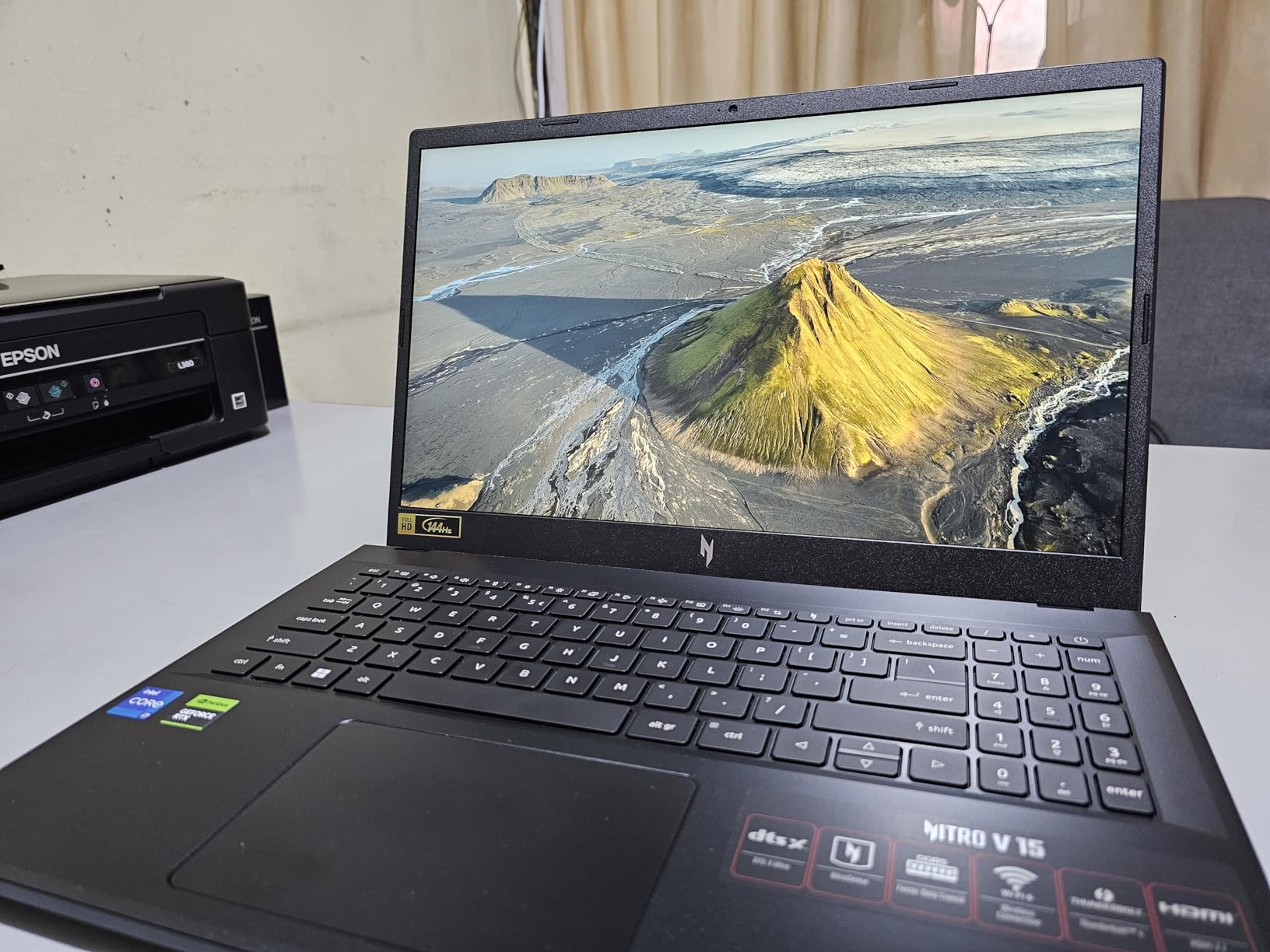
This is the machine we keep coming back to, and it is the first one we would tell a friend to buy. The Core i7-13620H is a ten-core part that boosts to 4.9 GHz, which matters more in a budget laptop than the spec sheet suggests because most of the alternatives here ship with eight-core chips. When a game is limited by the processor rather than the card, this one holds its frame rate while the rest drop.
The RTX 4050 carries 6GB of GDDR6 and brings DLSS 3 upscaling with it, which is enough for 1080p AAA play at high settings and comfortable frame rates in competitive shooters. The listed figure of 194 AI TOPS is the neural hardware that drives the upscaling, and it is a meaningful part of why a card from an older generation still feels current at this price. The 15.6-inch IPS panel runs at 144Hz with an 82.64 percent screen-to-body ratio, so the display is not the weak link here.
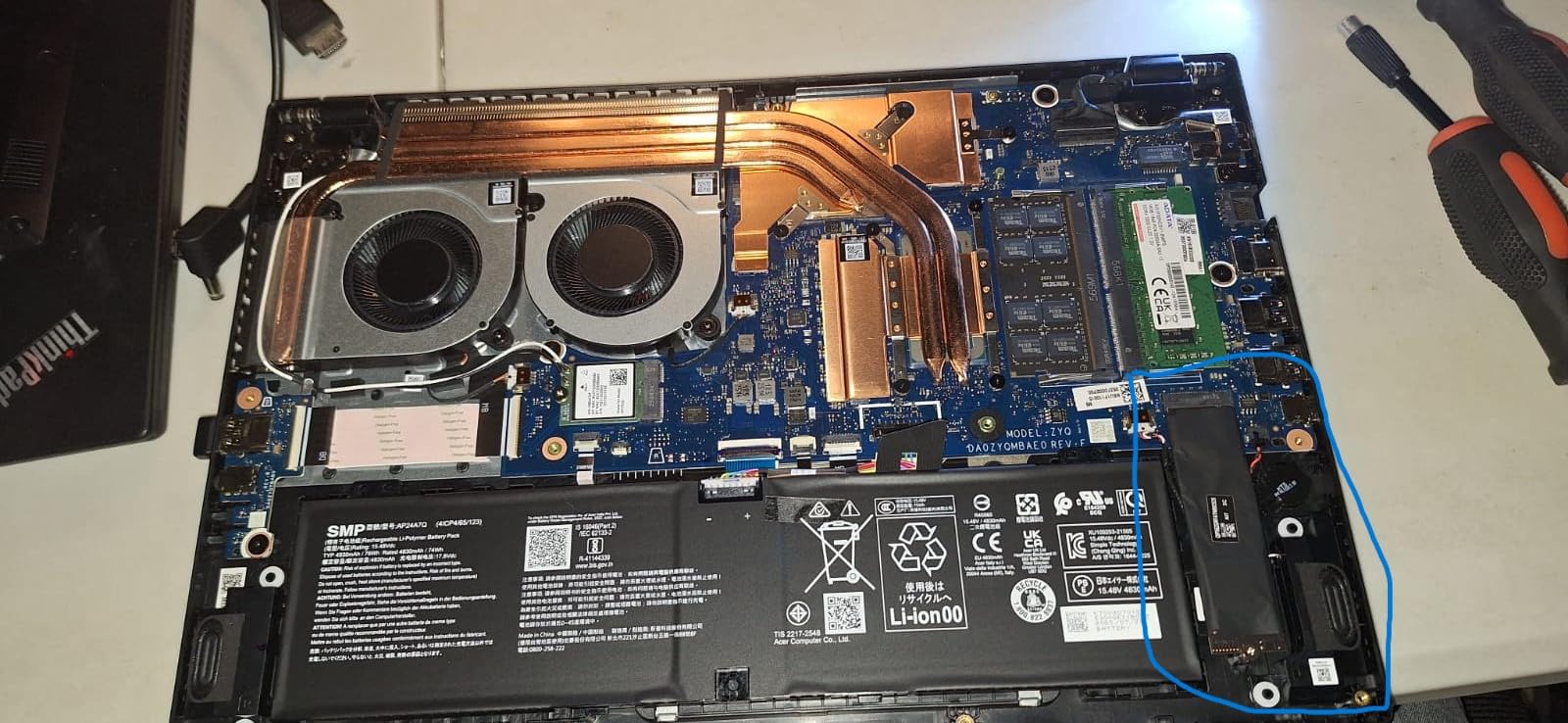
Storage and memory are where this chassis wins outright. You get 16GB of DDR5 across two slots, a ceiling of 32GB, and two M.2 SSD positions, so storage expansion does not mean giving up the drive you already have. That combination is rare at this price and it makes the machine a five-year buy rather than a two-year one.
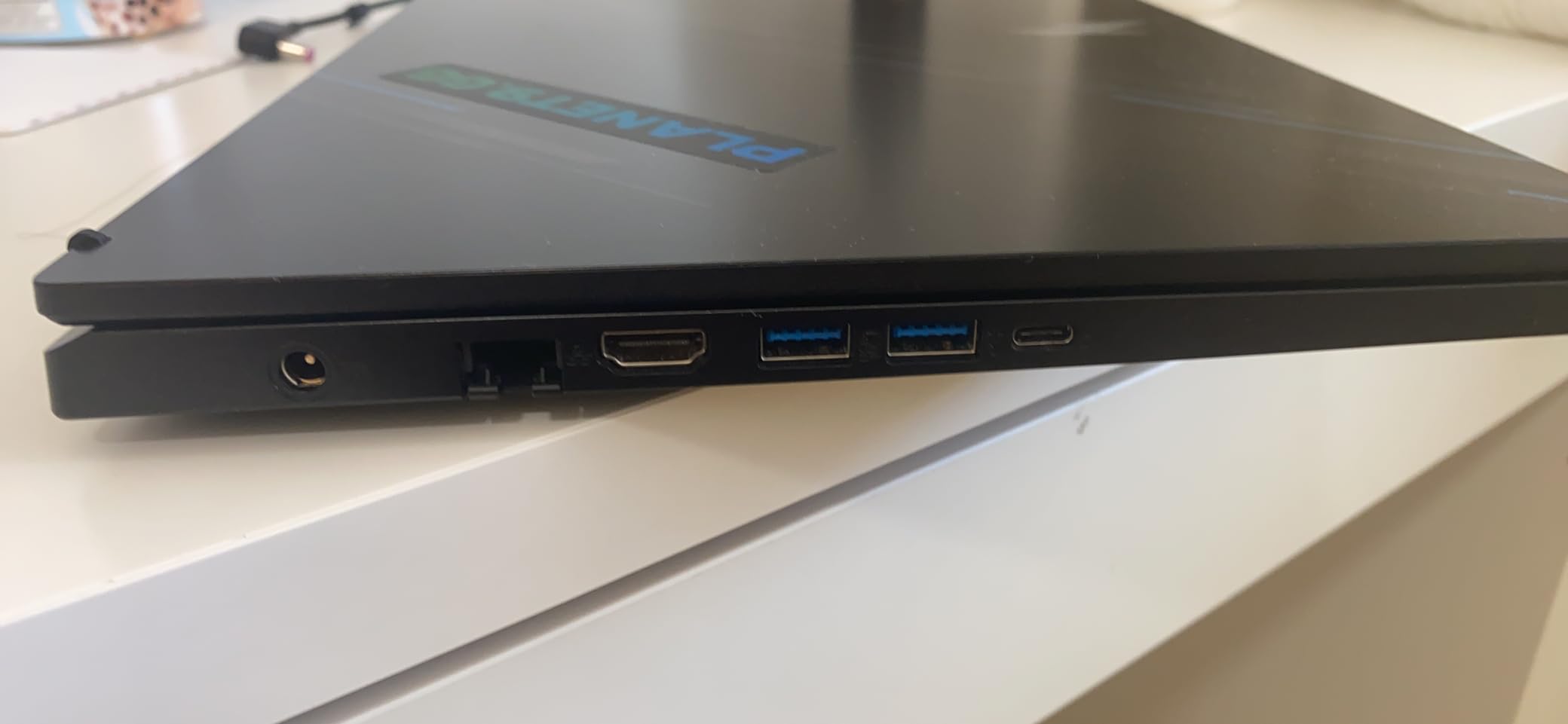
Port selection is genuinely good for the class: Thunderbolt 4 USB-C, four USB ports, HDMI 2.1 and Gigabit Ethernet, plus Wi-Fi 6. The 57Wh battery is rated at six hours by the manufacturer, though owners report closer to two to four hours of real mixed use, and the barrel-style charger is an older choice next to the USB-C charging on some rivals. NitroSense is included for fan and performance control, and a three-month PC Game Pass subscription comes in the box.
One more detail that matters for anyone who mods games or stores a large library: the machine ranks in the top of the Traditional Laptop Computers category, which tells you these configurations move in volume and get restocked across different storage and memory options. That is good news for finding a matching 1TB configuration if the 512GB drive is too tight.
Why this one earns the top spot
It combines the largest review base in the group with the most upgrade headroom, and the specification sheet backs up the owner sentiment rather than contradicting it. Around 793 owners have rated it, and the recurring notes are consistent: strong 1080p performance, a smooth panel, and easy upgrades.
Where it falls short for you
If you need to carry the machine through a workday away from a socket, short battery life and a 4.7 pound chassis work against you. Fans also get loud when you push the performance profile, and a small number of owners report charging problems once the one-year warranty has passed, which is worth remembering given the manufacturer offers only a one-year International Travelers Limited Warranty.
2. Acer Nitro V 15.6 (Core i5-13420H, 165Hz) – Best Value
Acer Nitro V Gaming Laptop | Intel Core i5-13420H Processor | NVIDIA GeForce RTX 4050 Laptop GPU | 15.6″ FHD IPS 165Hz Display | 8GB DDR5 | 512GB Gen 4 SSD | Wi-Fi 6 | Backlit KB | ANV15-52-586Z
Core i5-13420H 8 cores
RTX 4050 6GB GDDR6
15.6-inch 165Hz 300 nit
8GB DDR5 max 32GB
4.7 pounds
Pros
- 165Hz panel is among the fastest in this class
- Stays cool and runs quietly for a gaming laptop
- Two memory slots and a 32GB ceiling
- NitroSense gives real fan and performance control
Cons
- 8GB of RAM causes stutter and slow multitasking
- Some owners report micro-stutters and ghosting on the panel
- Performance fan mode is very loud
- Battery degrades faster than expected
This is the cheapest route into a genuinely fast panel, and the 165Hz matte display at 300 nits is the spec you notice first in person. Esports players who care about motion clarity rather than resolution should look here before anywhere else in the roundup.
Under the hood it is an eight-core Core i5-13420H boosting to 4.6 GHz paired with the RTX 4050 and its 6GB of GDDR6. That is enough for modern titles at 1080p with high frame rates, and the DLSS 3.5 support gives you headroom in heavier scenes.
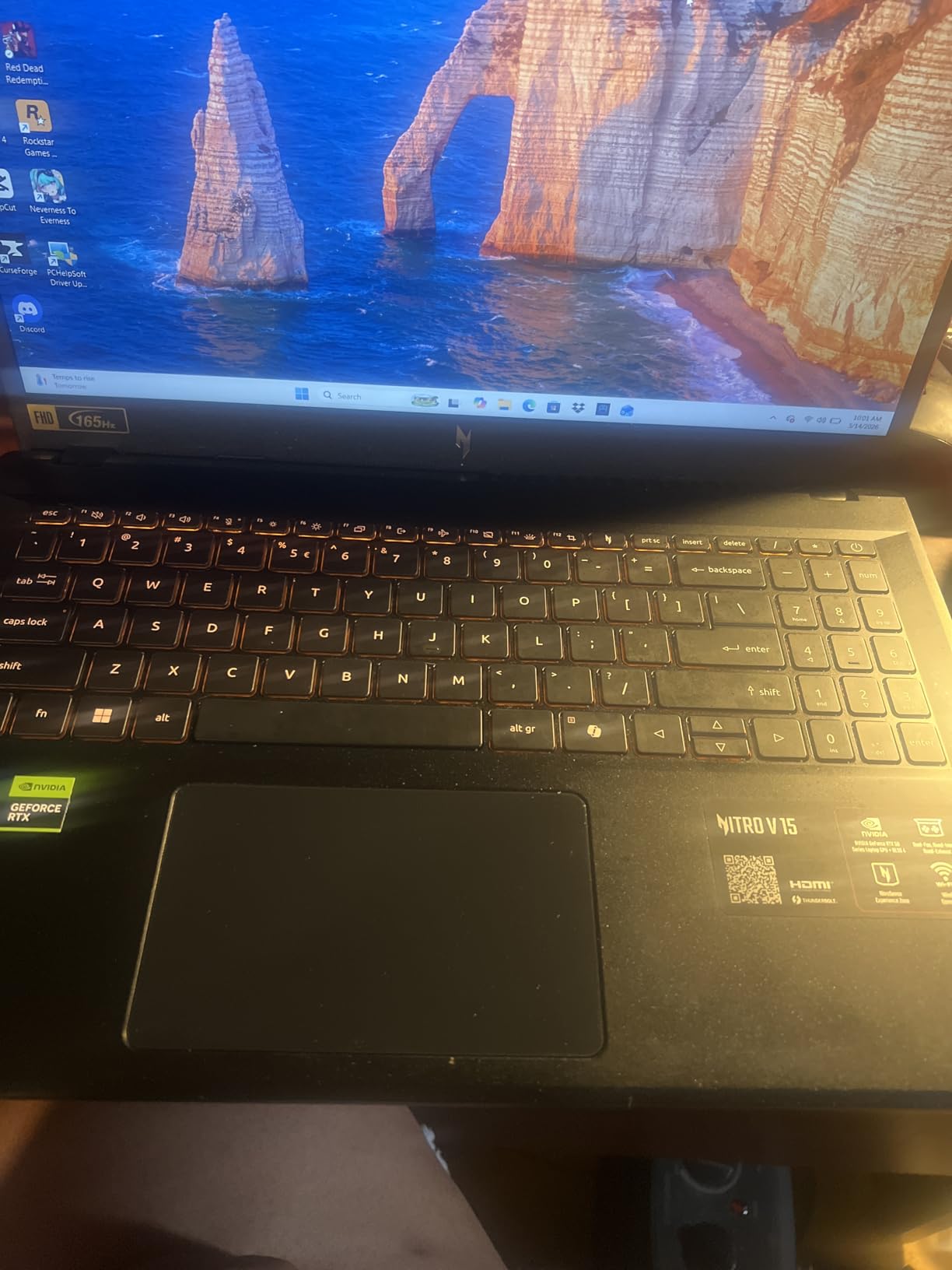
The thermal behaviour is the quiet surprise. Owners repeatedly describe it as cooler and quieter than most gaming laptops in this bracket, and NitroSense gives you direct control over fan curves and performance modes if you want to push further. The box also includes a 135W adapter, a power cord and a protective sleeve.
The memory configuration is the real problem. It ships with 8GB of DDR5 at 4800 MHz across two slots, and nearly every long-term review flags that as the limiting factor, recommending an upgrade to 32GB. Budget for that as part of the purchase rather than discovering it later.
It is also worth noting where this configuration sits in the Nitro V range. The 165Hz matte panel at 300 nits is a step up from the 144Hz panel in our top pick, so if you are torn between the two Acer machines, the honest summary is that the i7 model wins on processor and storage expansion while this one wins on the screen and on running cool.
Why this one earns the value badge
You get a faster panel and cooler, quieter operation than most rivals at this level, and the 4.7 pound chassis stays portable. For a player who wants competitive refresh rates and does not want to think about memory, it is the cleanest entry point here.
Where it falls short for you
The 8GB configuration is a genuine bottleneck rather than a minor complaint, showing up as stutter and slow multitasking in heavier titles. A small number of owners also report micro-stutters, some panel ghosting, and a spacebar with no backlight, and the performance fan mode is loud when you select it.
3. ASUS TUF Gaming F16 (RTX 4050 at 115W) – Best for Big Screens
ASUS TUF Gaming F16 Gaming Laptop, 16” FHD+ 144Hz IPS-Level 16:10 Display, Intel® Core™ 5 210H, NVIDIA® GeForce RTX™ 4050, 16GB DDR5, 512GB PCIe Gen4 SSD, Wi-Fi 6, Win11 Home, FX607VU-SS53
RTX 4050 at 115W max TGP
16-inch 16:10 144Hz sRGB
16GB DDR5 at 5200 MHz
Arc Flow fans 5 heat pipes
Pros
- Only pick that publishes a 115W GPU power limit
- 16-inch 16:10 144Hz panel at 100 percent sRGB
- Arc Flow cooling with four exhaust vents and five heat pipes
- MIL-STD-810H tested chassis
Cons
- Only 512GB of storage for a 16-inch machine
- Published specs cap memory at 16GB
- Battery is modest for the chassis size
- Build is sturdy without feeling premium
The screen is the reason to buy this one. It is a 16-inch IPS-level panel at 1920 by 1200 in a 16:10 ratio, running at 144Hz with full sRGB coverage and Adaptive-Sync. At this size and colour accuracy it doubles as a media and work display, which no other pick in the roundup manages.
More importantly for frame rates, this is the only listing in the group that states its GPU power limit: 115W max TGP on the RTX 4050, paired with NVIDIA Advanced Optimus for hybrid graphics switching. When two laptops share a GPU name and one tells you the wattage, you know which one is being fed properly.
The cooling hardware is the other differentiator. Arc Flow fans feed five heat pipes and four exhaust vents, with an anti-dust filter, and owners single out thermal and noise behaviour as a strength rather than a compromise. The anti-dust filter is worth calling out because it is the part that quietly degrades on machines that skip it, and it means less maintenance two years in. The Core 5 210H is an eight-core chip rated up to 4.8 GHz, and the 16GB of DDR5 runs at 5200 MHz, faster than the memory in most rivals.
Storage is where it disappoints. 512GB on a PCIe Gen 4 drive is thin for a 16-inch machine, and the published specifications cap memory at 16GB, so buyers who want more will want to confirm the socket situation with ASUS before ordering. Battery life is described as modest given the chassis, which is not surprising at 56Wh.
Why the 16:10 panel matters
The taller 16:10 shape gives you noticeably more vertical space in menus, browsers and creative work than a 16:9 panel, and the 100 percent sRGB coverage means colours look right rather than washed out. Add 144Hz and Adaptive-Sync and you have a panel that works for both work and competitive play.
Where it falls short for you
If you play at your desk and never carry the machine, the 2.2 kg chassis and modest 56Wh battery work against you on the road. The published 16GB memory ceiling is the detail to check first if you plan to stream or run heavy multitasked software, and around 9 percent of ratings are one star, mostly around storage expectations.
4. ASUS TUF Gaming A16 (Ryzen 7 7445HS) – Best for Upgradability
ASUS TUF Gaming A16 Laptop: AMD Ryzen 7 7445HS, 16″ Full HD+ 145Hz Display, NVIDIA GeForce RTX 4050, 16GB DDR5 RAM, 512GB SSD, Backlit Keyboard, Windows 11
Ryzen 7 7445HS Zen 4
RTX 4050 6GB
16-inch 16:10 144Hz IPS
16GB DDR5 max 64GB
Pros
- 64GB memory ceiling gives the longest upgrade runway here
- Zen 4 Ryzen 7 is a strong gaming CPU
- 16-inch 16:10 IPS at 100 percent colour coverage
- Anti-glare coating and spill-resistant chassis
Cons
- Heavy at roughly 7 pounds
- Only 512GB of storage
- Just two USB ports listed in the specifications
- Limited connectivity detail published
The Ryzen 7 7445HS is a Zen 4 part with six listed cores boosting to 4.7 GHz, and it pairs well with the RTX 4050 for CPU-limited scenarios. Owners consistently praise the CPU-side performance for the money, and with a 64GB memory ceiling this is the machine in the roundup you are least likely to outgrow. It is also one of only two picks here built around an AMD processor, which matters if you prefer how Zen 4 handles background tasks alongside a game.
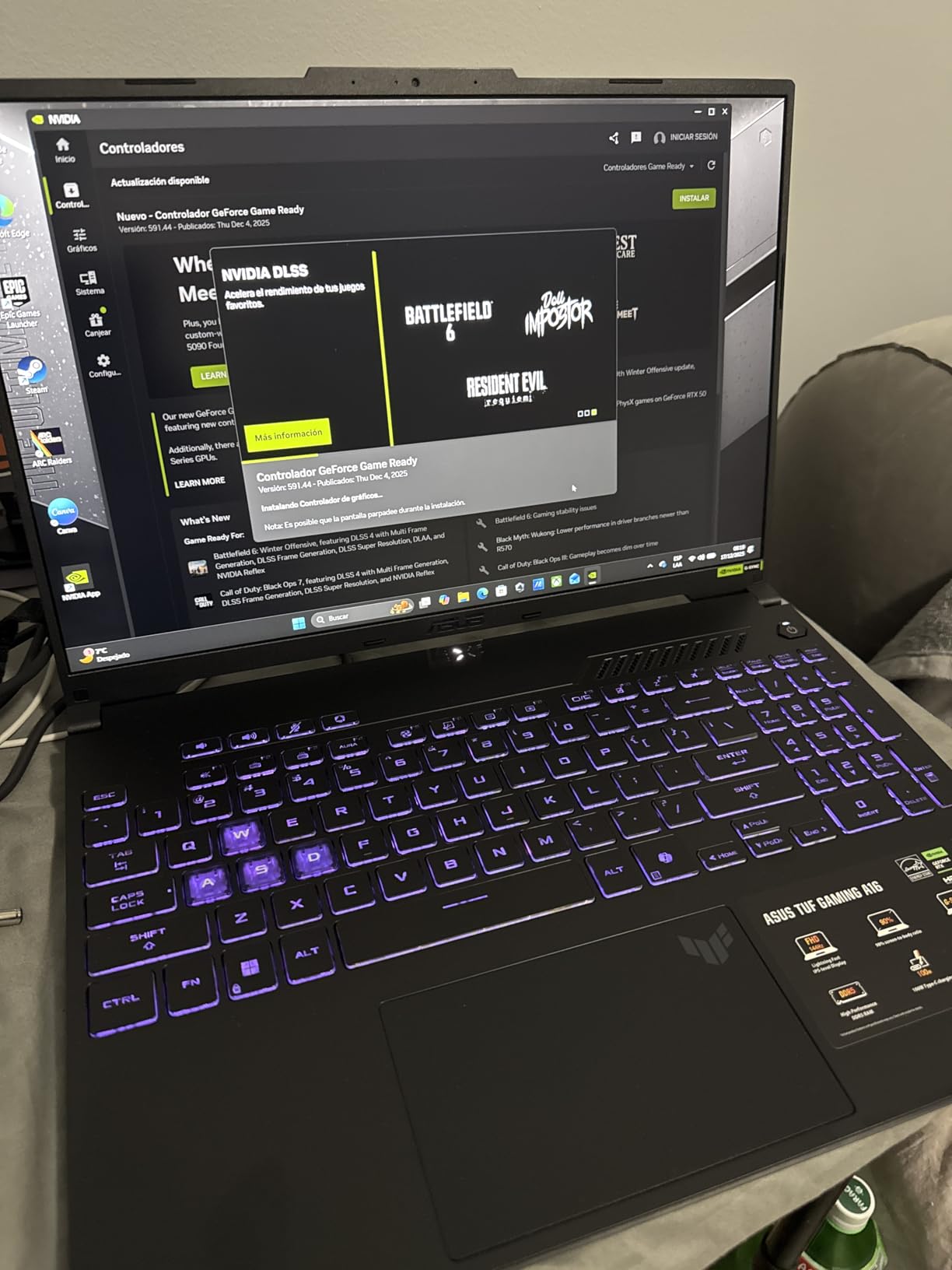
The display is a 16-inch IPS LED at 1920 by 1200 in 16:10, running at 144Hz with 100 percent colour coverage and an anti-glare coating. That combination of size, ratio and finish is rare at this budget, and it makes the machine as useful for editing and study as it is for gaming.
There are practical touches too. The chassis is spill-resistant, the keyboard is backlit, and there is a TrackPoint alongside HD Audio. The RTX 4050 handles 1080p gaming smoothly, and 16GB of DDR5 out of the box means you are not starting from the 8GB floor that trips up some rivals.
The catch is physical. At roughly 7 pounds this is one of the heaviest laptops in the roundup, and the listed connectivity is thin, with only two USB ports and one HDMI port shown in the specifications. Confirm the full port layout before you commit if you regularly plug in external drives.
Why the 64GB ceiling matters
Everyone else in this roundup caps out at 32GB or does not publish a ceiling. A 64GB maximum means this machine can absorb a decade of increasingly memory-hungry games, streaming software and creative tools without ever becoming the bottleneck.
Where it falls short for you
Weight is the first issue. Seven pounds is a real cost if the machine lives in a backpack, and the 51Wh battery does not change that equation. Second, 512GB of storage fills quickly with modern titles, and the limited published port detail makes it harder to plan a desk setup around.
5. MSI Thin 15 (Core i7-12650H, RTX 4050) – Best for a Light Chassis
msi Thin 15 15.6” 144Hz FHD Gaming Laptop: Intel Core i7-12650H, NVIDIA Geforce RTX 4050, 16GB DDR5, 512GB NVMe SSD, Cooler Boost 5, Win 11: Black B12VE-2023US
Core i7-12650H 12th Gen
RTX 4050 6GB with ray tracing
15.6-inch 144Hz FHD
16GB memory max 64GB
Pros
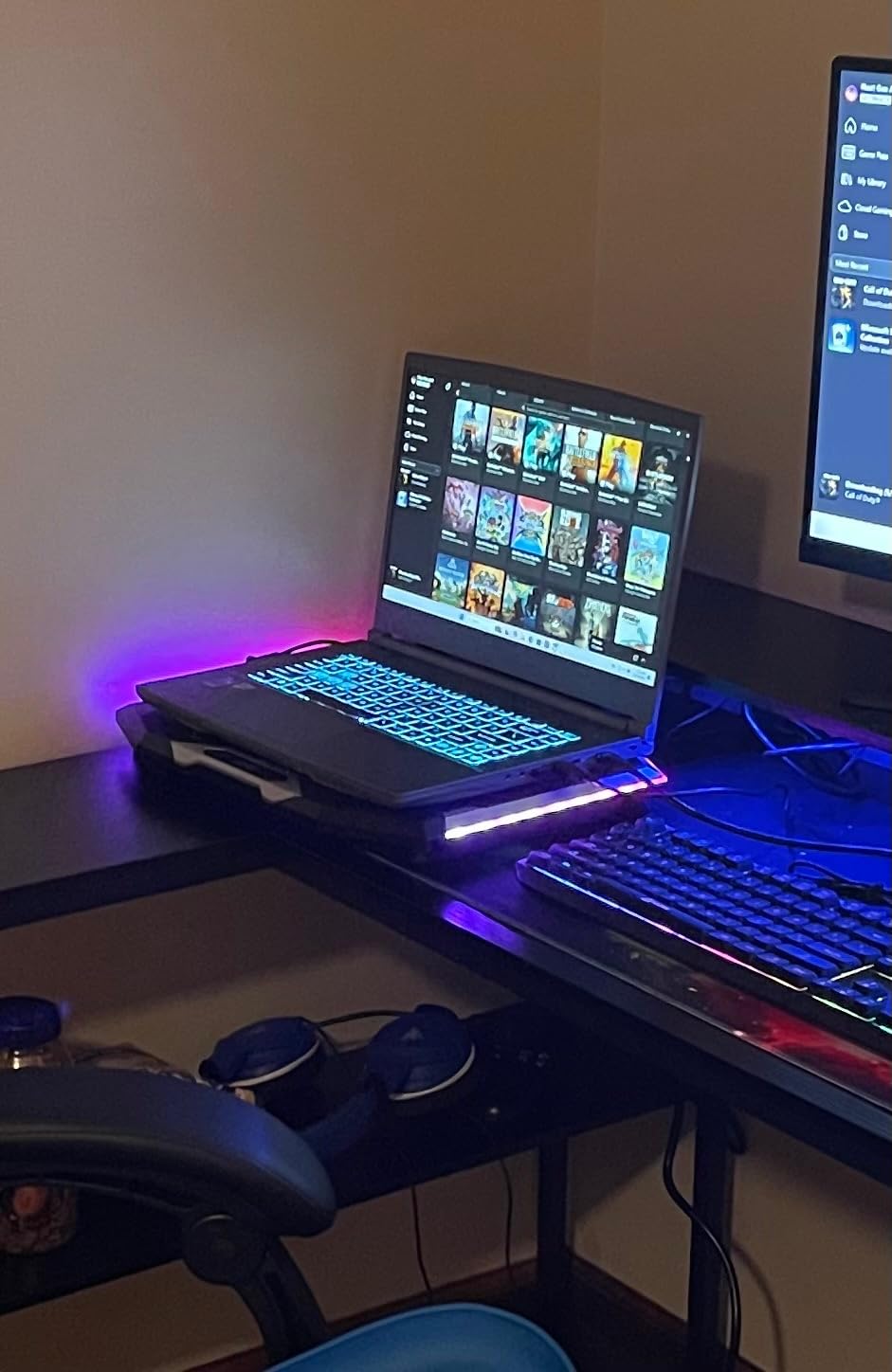
- Thin and light chassis compared with most gaming laptops
- 16GB out of the box with room to grow to 64GB
- Wi-Fi 6E and Bluetooth 5.3 are uncommon at this price
- Face recognition for quick login
Cons
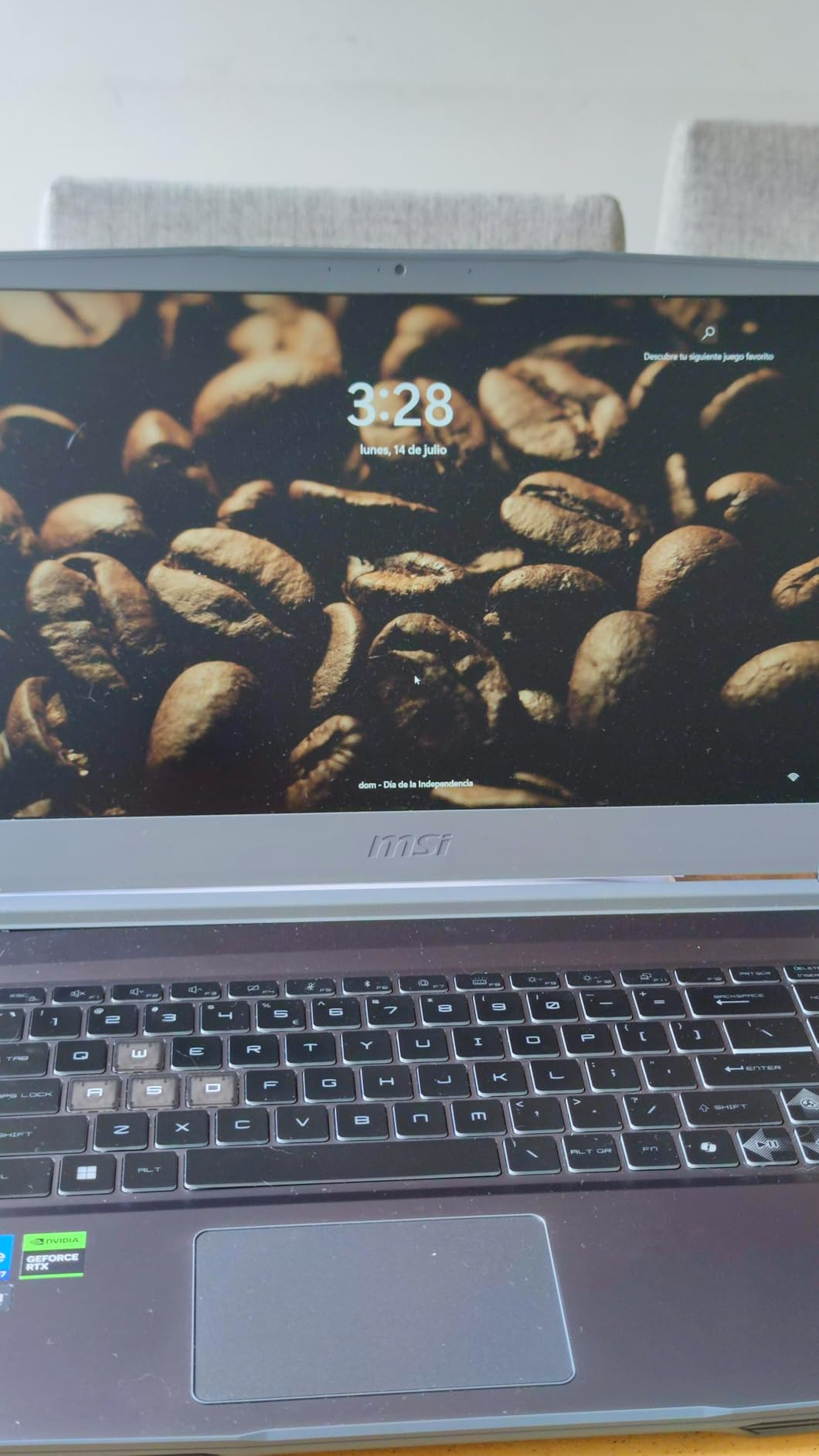
- Glossy display collects fingerprints and reflections
- Colour gamut listed at only 45 percent
- Thin chassis runs warm and fans get audible
- Older 12th generation processor
Most gaming laptops at this price are bulky. This one is not, and buyers treat the slim chassis as the main selling point. The RTX 4050 here is an Ada architecture card with hardware ray tracing, which is a nice extra for the ray tracing capable titles at this price. Cooler Boost 5 handles thermals, and HD Audio covers the speaker side.
Memory is handled better than on most rivals. It ships with 16GB across two slots with a stated ceiling of 64GB, so you start at a reasonable capacity and can go much higher later. Connectivity is a step up too, with Wi-Fi 6E, Bluetooth 5.3, Gigabit Ethernet, HDMI and face recognition.
The panel is the weak link. It is a 15.6-inch 144Hz FHD LCD with a glossy finish, and the colour gamut is listed at 45 percent, which means it will look flat next to the sRGB panels in the ASUS TUF models. Gloss also means the screen reflects whatever is in front of it.
Thermals are the other compromise. A thin chassis on an older 12th generation Core i7-12650H runs warm, and owners report the fans becoming audible under load. Cooler Boost 5 does the work, but expect noise in long sessions.
Who should buy the thin chassis
If you move between desks, dorm rooms and lecture halls, the lighter build and 16GB starting memory make this the most sensible pick here. The 144Hz panel also suits competitive shooters, where the taller alternative panels are wasted.
Where it falls short for you
If you edit video or play single-player games in a dark room, a 45 percent gamut glossy screen is a real downgrade from the sRGB matte and anti-glare panels elsewhere in this list. The warm-running chassis also makes it a poor choice for long unattended sessions.
6. Acer Nitro V 15.6 (RTX 5050, 8GB GDDR7) – Best New-GPU Value
acer Nitro V 15.6” FHD IPS 165Hz Gaming Laptop, Intel Core i5-13420H, NVIDIA GeForce RTX 5050 with 8GB GDDR7 VRAM, Win11H, w/Mouse pad (16GB RAM, 512GB PCIe SSD)
RTX 5050 with 8GB GDDR7
Core i5-13420H 8 cores
15.6-inch 165Hz IPS
Thunderbolt 4 with 65W charging
Pros
- Only RTX 5050 pick here with 8GB of GDDR7 VRAM
- 165Hz FHD IPS display
- USB-C with Thunderbolt 4 and 65W charging
- Ten ports including four USB
Cons
- Entry-level i5 is a bottleneck in CPU-heavy games
- 512GB storage is small next to the GPU capability
- Highest one-star rating share in the roundup at 10 percent
- Typical Nitro V fan noise under load
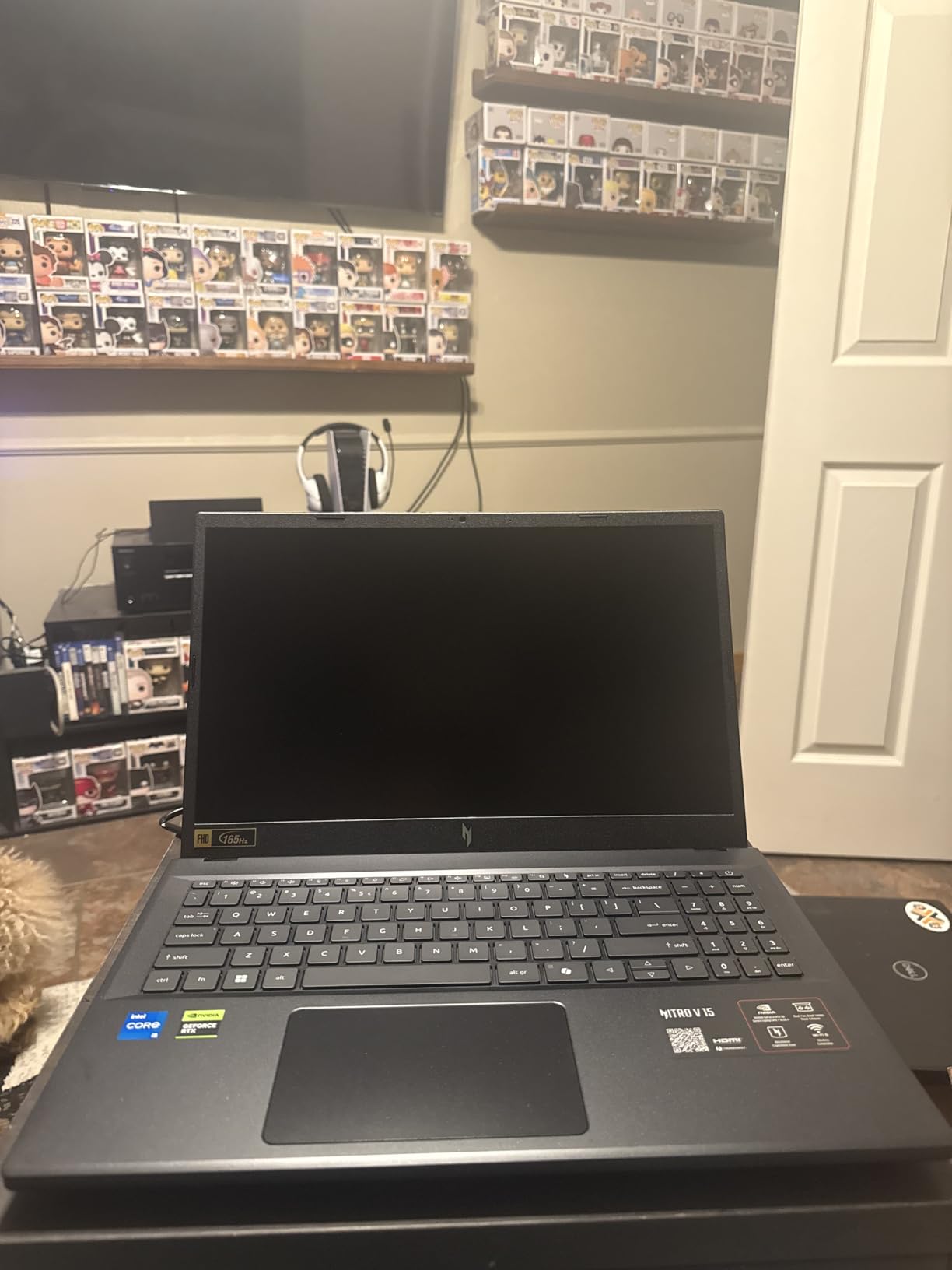
This is the newest GPU generation in the roundup, and the 8GB of GDDR7 is the number that matters. Every other RTX 4050 here carries 6GB, and that extra headroom is what keeps texture-heavy and future titles from stuttering when VRAM runs out.
The rest of the specification sheet is solid for the money. You get a 165Hz FHD IPS LED-backlit panel, 16GB of memory with a 64GB ceiling, 512GB of PCIe Gen 4 storage and a full complement of ten ports including four USB, HDMI and DisplayPort output.
Charging is modern, which is more than we can say for some picks in this list. The USB-C port carries Thunderbolt 4, DisplayPort and 65W charging, and the machine weighs 4.7 pounds with a bundled mouse pad in the box. Wi-Fi 802.11ax, a backlit keyboard, HD Audio and a webcam round out a generous package.
The processor is the compromise. The Core i5-13420H is an eight-core, twelve-thread entry chip, and in CPU-limited games it will hold back what the RTX 5050 could otherwise deliver. Storage at 512GB also feels small next to a card with this much VRAM.
Why the VRAM argument wins
Graphics memory is the resource that cannot be upgraded later. Six gigabytes is workable now but increasingly tight, while 8GB of GDDR7 gives you room for higher texture settings and for the next few years of releases without a hardware swap.
Where it falls short for you
Around 10 percent of ratings are one star, the highest negative share of any laptop in this roundup, and the pattern in reviews points at the entry-level CPU rather than the GPU. If you play competitive shooters or simulation games where the processor leads, pair this with a stronger CPU instead.
7. HP Victus 15.6 (Ryzen 7 7445HS) – Best for School and Play
HP Victus 15.6″ 144Hz Full HD Gaming Laptop | AMD Ryzen 7 7445HS |NVIDIA GeForce RTX 4050|Copilot |Backlit| 16GB RAM DDR5 | 512GB SSD |Mica Silver |Windows 11 Home |Bundle with Mouse Pad
Ryzen 7 7445HS Zen 4 8 cores
15.6-inch 144Hz sRGB IPS
FreeSync Premium
16GB DDR5 max 64GB
Pros
- Zen 4 Ryzen 7 with 8 cores and 16 threads is a strong gaming CPU
- 144Hz sRGB IPS with AMD FreeSync Premium
- Cleanest rating distribution in the roundup
- Fingerprint reader and spill-resistant build
Cons
- Heavy at roughly 7 pounds
- 512GB storage is small
- Some listings show a small port count with no USB-C detail
- Inconsistent packaging dimensions in the spec sheet
HP built this one for the hybrid student who games in the evening, and the result is a balanced machine. The Ryzen 7 7445HS is a Zen 4 part with eight cores and sixteen threads, which is more CPU muscle than any Intel-based pick above except the i7 in our top choice.
The display is the standout: a 15.6-inch IPS micro-edge anti-glare panel at 1920 by 1080 and 144Hz, in sRGB, with AMD FreeSync Premium for smooth, low-latency play. Colour coverage and a matte finish together are rarer at this budget than a raw resolution number would suggest.
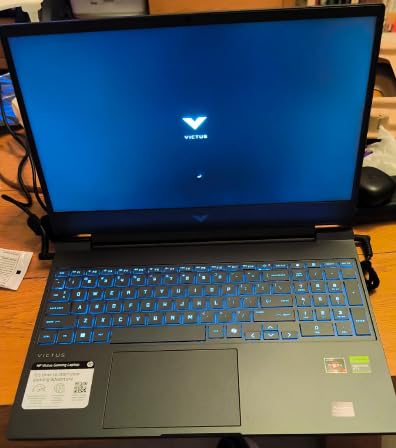
Extras push it further. A fingerprint reader is uncommon at this price, the chassis is spill-resistant, and DTS:X Ultra audio with AI noise reduction is a genuine benefit for voice chat and streaming. Memory starts at 16GB DDR5 with a stated 64GB ceiling, and a mouse pad is bundled.
The weight is the main drawback at roughly 7 pounds, and 512GB of storage is small. Some listings also show a limited port count without USB-C detail, so confirm the full port layout for your desk, and note the packaging dimensions in the spec sheet are inconsistent.
Why it suits a mixed workload
The sRGB anti-glare panel is comfortable for documents, video and browsing in a bright room, and the Zen 4 processor handles coursework alongside a game without the stutter an entry dual-core alternative would give you. The fingerprint reader keeps logins quick when you are moving between spaces.
Where it falls short for you
If you need to game away from a desk regularly, seven pounds is a burden and the 51Wh battery will not rescue you. The rating spread is the cleanest in the group, but the small sample of owner reviews means long-term reliability data is thinner here than for the Nitro V models.
8. MSI Thin 15 (RTX 4060, 8GB) – Best Graphics Choice
MSI Thin 15.6 inch FHD 144Hz Gaming Laptop Intel Core i5-13420H NVIDIA GeForce RTX 4060-16GB DDR4 512GB SSD Gray (2025)
RTX 4060 with 8GB VRAM
Core i5-13420H
15.6-inch 144Hz thin bezel IPS
16GB DDR4 max 64GB
Pros
- Only RTX 4060 in the roundup and the strongest GPU here for 1080p
- Highest average rating in the group at 4.6
- Runs cool under load without overheating
- Thin bezel 15.6-inch screen is well liked
Cons
- No numeric keypad
- Fans can be loud
- Some machines reported with non-factory components and a missing warranty sticker
- Only 48 reviews so the sample is small
This laptop has the most capable graphics card in the entire roundup, and it is not close. The RTX 4060 Laptop GPU with 8GB of VRAM sits a full tier above every RTX 4050 here, and 8GB of video memory is the most generous amount on offer.
Owners confirm the silicon delivers, describing strong 1080p performance, cool thermals under load and a well-liked 15.6-inch 144Hz thin bezel IPS display. The 4.6 average rating is the highest of any pick in this list, with 79 percent of ratings at five stars.
You also get 16GB of DDR4 expandable to 64GB, a 512GB NVMe SSD, HDMI, three USB ports, Wi-Fi 802.11ax and Bluetooth on a 52Wh battery. It handles schoolwork and creative software alongside gaming, and it suits Xbox Cloud Gaming sessions where a stronger GPU helps.
Two cautions sit alongside the strong rating. The memory here is DDR4 rather than the DDR5 found in most of this roundup, which costs some bandwidth in memory-limited scenes even though the capacity ceiling is a healthy 64GB. And the processor count is listed as one, which reflects how the manufacturer groups the hybrid CPU rather than a genuine single-core machine, but it is a fair signal that this is an entry configuration rather than a performance one.
Why the GPU advantage decides it
At 1080p, an RTX 4060 delivers more frames than an RTX 4050 in nearly every title, and the extra VRAM reduces stutter in texture-heavy scenes. If your priority is frame rate rather than screen size or panel finish, this is the pick.
Where it falls short for you
There is no numeric keypad, fans can be loud, and only 48 reviews support the rating, so treat the 4.6 as encouraging rather than settled. A small number of buyers reported machines arriving with non-factory memory and storage or a missing warranty sticker, so inspect the box on arrival.
How to Choose a Budget Gaming Laptop Under 1,200 Dollars
At this ceiling the buying decision is about four things: how the GPU is powered, what the memory configuration looks like, what the panel actually is, and how much you will want to upgrade later. Everything else is detail. Work through these in order and the specification comparison stops being confusing.
1. Judge the GPU by power, not by name
Total Graphics Power, or TGP, is the wattage budget the manufacturer gives the graphics chip. The same GPU name appears on laptops running at 60W, 80W and 115W, and the higher-wattage version is meaningfully faster. That is the single most useful number most listings hide. Among the picks here, only the ASUS TUF Gaming F16 publishes its limit at 115W, which is exactly why it earns its place near the top.
For this budget, treat any listing without a published wattage as unverified and check owner reports before committing. If you want the thinnest possible chassis, expect the power budget to be squeezed, and if you want maximum frame rates, the number should be stated plainly.
The practical tiers you will encounter in this price range run roughly from 60W at the low end, through 80W and 100W, up to about 115W at the top. The spread between the lowest and highest of those is not a rounding error. A card given 60W has to run its processor at lower clocks to stay within the envelope, and frame rates fall with them, most noticeably in CPU and GPU co-bound games like strategy titles and open world action games. The same card at 115W holds boost clocks for longer before thermal limits bite.
That gap is why we treat a missing TGP figure as a real information gap rather than a minor omission. It means the manufacturer is asking you to assume the lower end, and the buyer who assumed wrong ends up with a slower laptop at the same model name. Ask the question early and the answer usually appears quickly in owner forums.
2. Treat 16GB of RAM as the floor
Eight gigabytes is no longer enough. One pick in this roundup ships with it, and owner reviews describe stutter and slow multitasking as the direct result. Buy 16GB as a minimum, and check whether the memory sits on SO-DIMM slots you can reach, since several slim designs solder it down.
Going to 32GB later is the most worthwhile post-purchase upgrade at this tier, and buyers put the cost in the region of 50 to 80 dollars for a matched pair of modules. That is a small number next to buying the wrong machine.
Memory speed matters less than capacity here. The picks in this roundup range from 4800 MHz to 5200 MHz and from DDR4 to DDR5, and none of the owner reviews describe a difference in game frame rates that traces back to memory speed. What owners do describe, repeatedly, is stutter and slow multitasking that traces directly to having only 8GB. Buy capacity, then treat the rest as detail.
3. Read the panel specification closely
Resolution, refresh rate, brightness, finish and colour gamut are separate things, and cheap laptops trade one away to hit a headline number. A glossy panel with narrow colour coverage will look worse in daylight than a matte 144Hz screen at the same resolution, even if the specifications read identically.
Our priorities in order: at least 144Hz, matte or anti-glare finish, sRGB or better coverage, then brightness. A 16:10 panel gives you more vertical space than 16:9, which matters for both browsing and menus.
4. Check ports and charging before you commit
At least one Thunderbolt 4 or USB-C port with display output and charging, three or more USB ports, HDMI, and Gigabit Ethernet if you are not purely on Wi-Fi. Barrel-style charging is still common here, and it means carrying a proprietary brick rather than using a single USB-C charger for phone and laptop.
5. Weigh thermals and noise honestly
A gaming laptop that throttles after twenty minutes is slower than one that holds its boost for an hour. Dual-fan designs with multiple heat pipes and rear exhaust vents sustain performance better than single-fan thin chassis designs, and the owner reviews in this roundup consistently separate the two groups. If you play long sessions, favour the cooler-running Nitro V and TUF models over the thin MSI designs.
Noise is the number nobody publishes. A machine that is quiet at idle can still be loud in a sustained CPU-heavy game, because the fan curve only matters once the heat arrives. The reviews here give you the honest version of this: the Nitro V models are described as cool and quiet in general use with a loud performance mode, the TUF F16 has the most elaborate cooling hardware, and the thin MSI chassis runs warm with audible fans. Those are three different thermal designs and you can predict the experience from that alone.
6. Plan the upgrade path before you buy
Two things on a gaming laptop cannot be replaced later: the graphics card and most soldered components. Everything else, memory, storage and usually Wi-Fi, can usually be swapped. So check the storage bay count and the memory ceiling before purchase, and factor that cost into your budget on day one rather than treating it as an afterthought.
Work the numbers before you commit. A matched 32GB DDR5 kit and a 1TB PCIe Gen 4 NVMe drive together represent the single largest post-purchase cost most buyers in this bracket will pay, and doing both at once is cheaper than doing them separately. Against the 50 to 80 dollar memory figure above, add the cost of a 1TB drive on top and you have the complete upgrade bill in front of you. If that total changes which model you would otherwise buy, it should, because it is money that buys nothing if you put it into a laptop with 256GB of storage and no second slot.
Two machines in this roundup make that calculation especially easy. The Nitro V with the Core i7 has two memory slots and two M.2 positions, so neither upgrade requires sacrificing anything you already own. The TUF Gaming A16 has the highest published memory ceiling at 64GB, which spreads the cost over more years.
If you want the wider shape of the market, our best thin and light gaming laptops guide covers the portability trade-off in depth, and the best 18-inch gaming laptops roundup covers the opposite end of the size spectrum.
What to Avoid at This Budget
A handful of specification patterns disqualify a laptop almost immediately at this price. Knowing them saves money and time.
8GB of RAM. It is the most common failure in this category and the easiest to avoid. If a listing shows 8GB, either pick a different configuration of the same model or plan the upgrade as part of the purchase.
256GB of storage. Modern titles routinely demand well over 100GB each, so 256GB leaves room for one or two games. Aim for 512GB minimum and prefer a machine with a second M.2 slot.
A 60Hz display. If a gaming laptop ships with a 60Hz panel at this budget, you are paying a gaming tax for hardware that will not feel like it. Look for 144Hz or better, and treat 120Hz as the absolute floor.
An unpublished GPU power limit. You are being asked to pay for a GPU name without knowing what it is being fed. Ask, check owner posts, or pick a manufacturer that publishes the figure.
A glossy, low-gamut panel dressed up as a feature. A glossy finish with 45 percent colour coverage is a downgrade, not a bonus, no matter how high the refresh rate.
Bloatware and trial software. Several brands ship these preloaded, and they slow boot times and add background load. Budget ten minutes to clear them, and check reviews for how bad it is on that specific model.
A 720p webcam presented as a feature. It is the standard part at this price, which means it is not a differentiator. If video calls matter to your use, treat it as a purchase you may need to solve separately rather than a reason to choose one model over another.
A warranty shorter than the machine’s useful life. Every pick here carries a one-year warranty, which is the industry norm but covers less of the machine’s likely service life than most buyers assume. Keep the packaging and confirm the warranty start date on purchase, because the recurring reports of post-warranty charging faults on one model in this roundup make that point concrete.
What owner communities agree on
Community owners at this tier converge on a simple set of rules, and they match our findings. GPU wattage matters more than GPU name, memory capacity beats memory speed, and long sessions favour the cooler and heavier chassis over the thin and light option. Buyers also repeatedly report that the most worthwhile thing they did after purchase was adding memory, which is why we priced that into the relevant picks above rather than leaving it as a footnote.
Frequently Asked Questions
What are some good laptops under 1200 dollars?
The strongest picks in this range are the Acer Nitro V with a Core i7-13620H and RTX 4050 for upgrade headroom, the Acer Nitro V with a 165Hz panel for competitive play, and the ASUS TUF Gaming F16 for its 16-inch 16:10 sRGB display and published 115W GPU power limit. Each has 16GB of memory except the cheaper Nitro V configuration, which needs an immediate upgrade.
What are the top 3 gaming laptops?
Among the picks we reviewed, the top three are the Acer Nitro V 15.6 with the Core i7-13620H as the best overall option, the Acer Nitro V 15.6 with the 165Hz display as the best value, and the ASUS TUF Gaming F16 as the best choice for screen quality and a known GPU power limit.
What is the best gaming laptop under 1000 dollars on sale?
Below 1000 dollars you are choosing between fewer memory slots, smaller storage and more 8GB configurations, so check the spec sheet more carefully than usual. Our dedicated guide to the best budget gaming laptops under 1000 dollars covers that tier separately, including which trade-offs are worth accepting and which are not.
What is the best gaming laptop if I can stretch to 1300 dollars?
An extra 100 to 200 dollars at this tier typically buys a faster GPU generation or more VRAM rather than a better screen, and the gains are most visible in heavier titles. Our roundup for the best gaming laptops under 1500 dollars maps out which upgrades matter and which are cosmetic at this price band.
Is 16GB of RAM enough for a gaming laptop at this price?
It is the practical minimum at this budget and the point where most modern games stop stuttering. Buy 16GB as a floor, prefer machines with two memory slots and a published ceiling of 32GB or 64GB, and note that going from 16GB to 32GB later usually costs 50 to 80 dollars for a matched pair of modules.
Final Verdict
If you want one clear recommendation for the best gaming laptops under 1200 dollars in 2026, take the Acer Nitro V 15.6 with the Core i7-13620H. It has the most upgrade headroom in the group with two memory slots and two M.2 positions, a ten-core processor that handles CPU-limited games well, and the deepest owner review base we could verify.
Buy the 165Hz Nitro V instead if competitive refresh rate matters more than processor cores, and add the memory upgrade to your budget. Choose the ASUS TUF Gaming F16 if you want the best screen and a manufacturer willing to publish its GPU power limit, and the MSI Thin 15 with the RTX 4060 if raw 1080p frame rate is the only thing you care about.
Check the current configuration for each machine before ordering, then pick the one whose weaknesses you can live with.