
A touchscreen laptop for teachers is a laptop with a capacitive touch panel that lets you tap, scroll and write directly on the display, so you can annotate a slide mid-lesson, mark up a student’s paper and hand it straight back, or drive an interactive whiteboard without carrying a separate tablet. Most of the models below are 2-in-1 convertibles with a 360-degree hinge, which means the same machine works as a laptop on a desk, in tent mode for a group of students, or flat in tablet mode for handwriting.
That matters because the work of teaching is rarely keyboard-only. You circle a phrase in a PDF, sketch a diagram on a whiteboard, scroll back through a video, then type notes into a gradebook. Every one of those steps is faster with a finger or a pen on the screen. The catch is that a touchscreen adds weight and a fragile panel to a machine you carry between rooms, and a convertible keyboard is never as good as a dedicated one.
We compared ten touchscreen laptops for teachers across display quality, battery claims, memory, ports, weight and convertible design, then ranked them by how well each one survives a real teaching day. The shortlist covers Google Classroom Chromebooks, Windows 11 Home and Windows 11 Pro machines, and one premium convertible for lecturing and large-screen grading. All findings below come from published specifications and owner review data, updated for 2026.
Table of Contents
Top 3 Picks for Best Touchscreen Laptops for Teachers In 2026

Acer Chromebook Spin 311
- 11.6 inch HD touch IPS
- 360-degree convertible
- 10-hour stated battery
- 2.6 pounds

Lenovo Yoga 7i 16-inch
- 16 inch 1920 x 1200 touch
- Core Ultra 7 155U
- 16GB DDR5 and 1TB SSD
- Windows 11 Pro

HP 15.6-inch Touch
- 15.6 inch HD anti-glare touch
- Ryzen 3 7320U and 8GB LPDDR5
- 256GB NVMe SSD
- Full-size keyboard with numpad
Quick Overview – All 10 Picks Compared (October 2026)
The table below lists every model in the roundup with the details that decide a purchase: screen size and resolution, convertible design, memory, battery claim and weight. Pen status is called out separately later in this guide, because it is the one specification most buyers miss.
| Product | Specifications | Action |
|---|---|---|
| Acer Chromebook Spin 311 |
|
Check Latest Price |
| Lenovo Yoga 7i 16-inch |
|
Check Latest Price |
| HP 15.6-inch Touch Laptop |
|
Check Latest Price |
 Lenovo IdeaPad Slim 3 Chromebook Lenovo IdeaPad Slim 3 Chromebook |
|
Check Latest Price |
 ASUS Chromebook Flip CX1 ASUS Chromebook Flip CX1 |
|
Check Latest Price |
 Dell Chromebook 11 3100 Renewed Dell Chromebook 11 3100 Renewed |
|
Check Latest Price |
 Lenovo 14-inch FHD Touch Chromebook Lenovo 14-inch FHD Touch Chromebook |
|
Check Latest Price |
 HP 14b 2-in-1 Chromebook Renewed HP 14b 2-in-1 Chromebook Renewed |
|
Check Latest Price |
 Samsung 12.2-inch Chromebook Plus Samsung 12.2-inch Chromebook Plus |
|
Check Latest Price |
 Dell Inspiron 15 Touch Pro Dell Inspiron 15 Touch Pro |
|
Check Latest Price |
How We Picked and Ranked These Laptops
Every machine here has a genuine capacitive touchscreen – we did not include a standard clamshell laptop with no touch panel, which is a common flaw in other teacher roundups. We scored each one out of ten across five categories that decide whether a device works in a classroom rather than on a desk.
Touch and pen input carried 30 percent of the score, because a responsive digitizer with usable palm rejection matters more than raw processing power once you are annotating in real time. Battery claims counted for 25 percent. We used the manufacturer figure as a reference point rather than a promise, and treated it as optimistic. Memory and storage counted for 20 percent, portability at 15 percent, and ports plus classroom connectivity at 10 percent.
Owner review volume also informed the ordering. A machine with tens of thousands of reviews tells you far more about long-term reliability than one with a few hundred. Where a spec is missing from the listing, we say so instead of estimating it. Last updated for 2026.
1. Acer Chromebook Spin 311 – The Convertible With the Most Owners
Acer Chromebook Spin 311 Convertible Laptop, Intel Celeron N4020, 11.6″ HD Touch, 4GB LPDDR4, 32GB eMMC, Gigabit Wi-Fi 5, Bluetooth 5.0, Google Chrome, CP311-2H-C679
11.6 inch HD touch IPS
360-degree convertible
Intel Celeron N4020
4GB RAM and 32GB eMMC
2.6 pounds
Pros
- Responsive convertible touchscreen
- Very light at 2.6 pounds
- 10-hour stated battery for a full teaching day
- Backlit keyboard
- Chrome OS with automatic updates
Cons
- 1366 x 768 resolution is low for detailed work
- Only 32GB local storage
- Celeron N4020 struggles with heavy multitasking
I keep coming back to the Spin 311 because of its review count: more than ten thousand owners have rated it, and the 4.5 average has held steady over a long shipping run. That kind of sample size tells you something a spec sheet cannot. When you buy one for a classroom, you are buying into a device that other teachers have already bashed, bagged and carried between rooms for years.
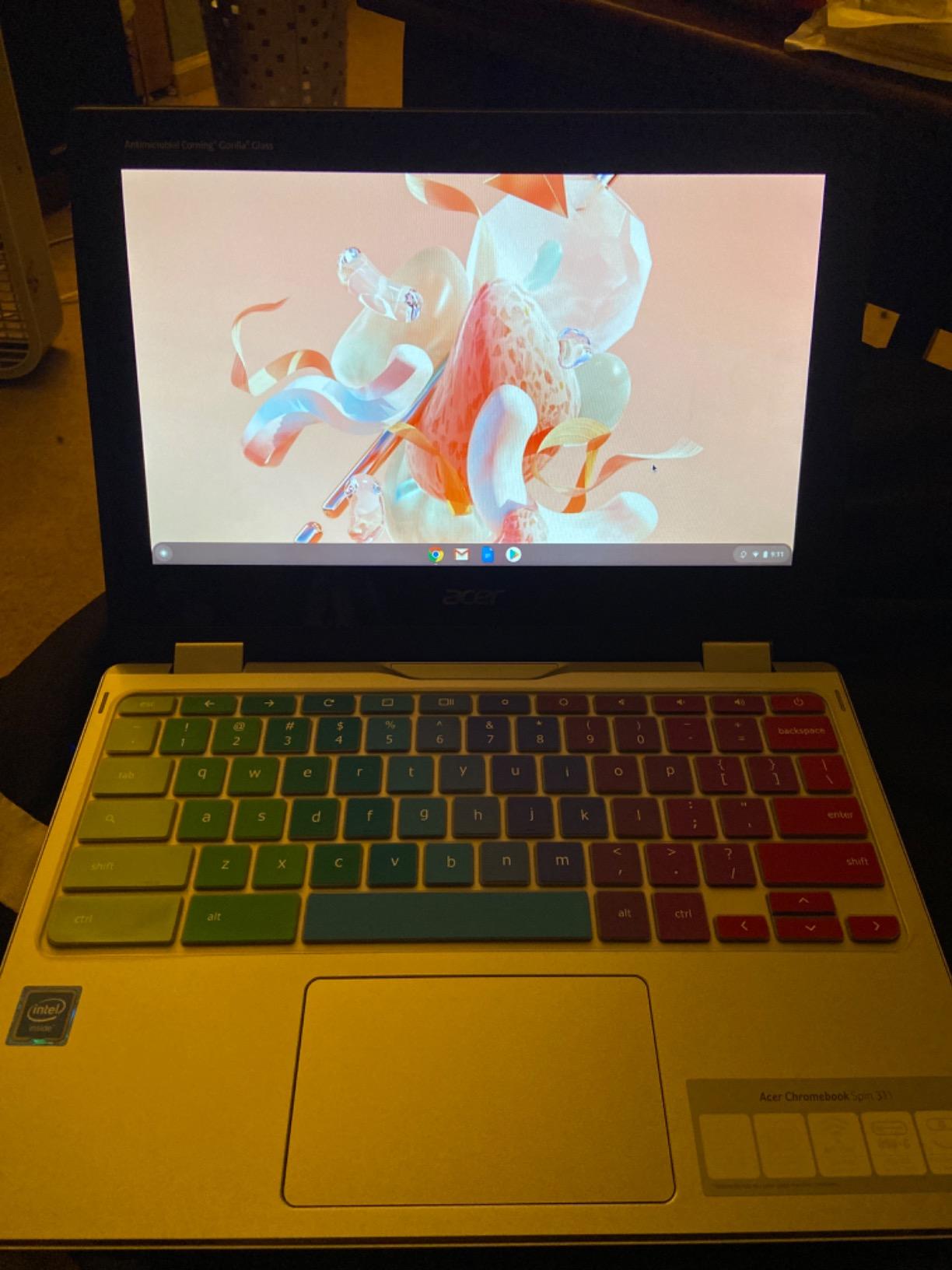
The hardware is deliberately plain. You get an 11.6-inch HD IPS touchscreen at 1366 x 768, an Intel Celeron N4020 with integrated graphics, 4GB of LPDDR4 memory and 32GB of eMMC storage. The 360-degree hinge folds the panel all the way back for tablet mode and into tent mode for showing a small group at a table. The backlit QWERTY keyboard matters more than it sounds for teachers marking work in a dim room at the end of a day.
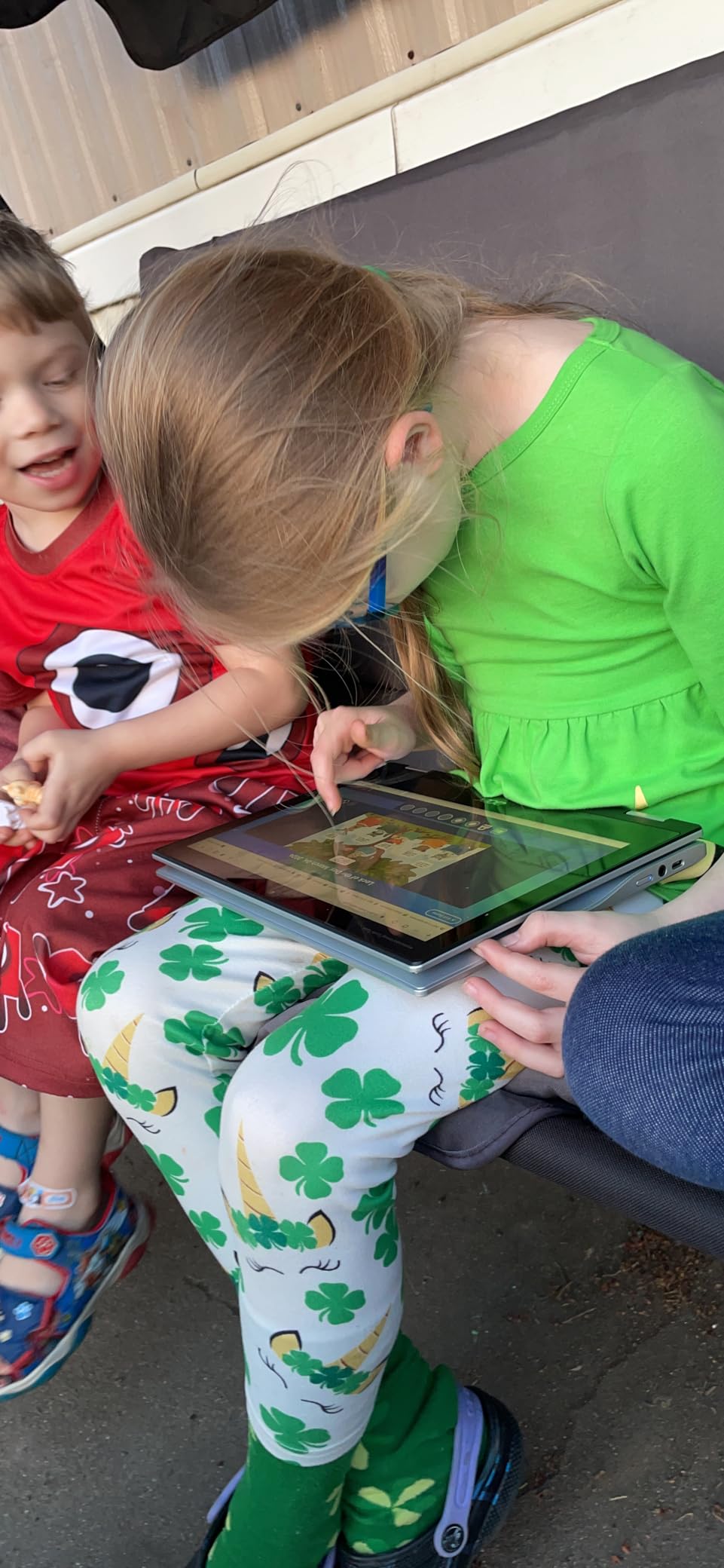
Weight is the headline spec here. At 2.6 pounds it is one of the lightest convertibles in this roundup, and for a teacher who moves between three or four rooms a day that difference adds up fast. Acer lists a 10-hour battery figure with a 38 watt-hour cell, which covers a standard day of slides, timers and form-filling without hunting for a socket.
Connectivity is the compromise. There is one HDMI port and two USB ports, which is enough for a projector and a mouse, but not enough for a document camera, an external drive and charging all at once. You will be carrying a dongle if your room is fixed-installed with AV gear. That is a small inconvenience when weighed against the flexibility of a full 2-in-1 at this weight.
When the Spin 311 fits your teaching week
This is the machine for a Google Classroom school where lessons live in web apps. Opening assignments, writing on a shared whiteboard and pushing work back to students all happen in the browser, and Chrome OS handles that without the memory overhead of a full desktop. A 32GB drive is fine here because files live in your Google account.
It also suits anyone teaching younger students who wants to hand the device over for a drawing or handwriting exercise. Folding it flat takes one movement, and the light body means you can put it on a table in front of a child without it sliding away.
When the Spin 311 is the wrong choice
The 1366 x 768 panel is the limitation you will notice first if you project from the laptop or grade dense PDFs. Marking up text at that resolution gets tiring over a full afternoon of paper. Teachers who annotate heavy reading lists or maths worksheets should look at a Full HD panel instead.
The Celeron N4020 is also a limit. Eight browser tabs plus a video call will slow it down, and owners regularly report lag in that situation. It is not a machine for video editing, CAD or running a local virtual lab.
2. Lenovo Yoga 7i 16-Inch – Best for Lecturing and Large-Screen Grading
Lenovo Yoga 7i 2-in-1 Laptop, 16″ 2K Touchscreen Display, Core Ultra 7 155U
16 inch 1920 x 1200 IPS touch
Intel Core Ultra 7 155U, 12 cores
16GB DDR5 and 1TB SSD
Windows 11 Pro
4.6 pounds
Pros
- Highest-rated option in this roundup
- Large 16-inch touch panel suits lecturing and markup
- Core Ultra 7 155U handles demanding classroom software
- Four-mode convertible including tent mode as a third display
- Backlit keyboard with numeric keypad and fingerprint reader
Cons
- Heavy at 4.6 pounds
- Speakers are mediocre despite the Dolby Atmos label
- Most expensive machine in the roundup
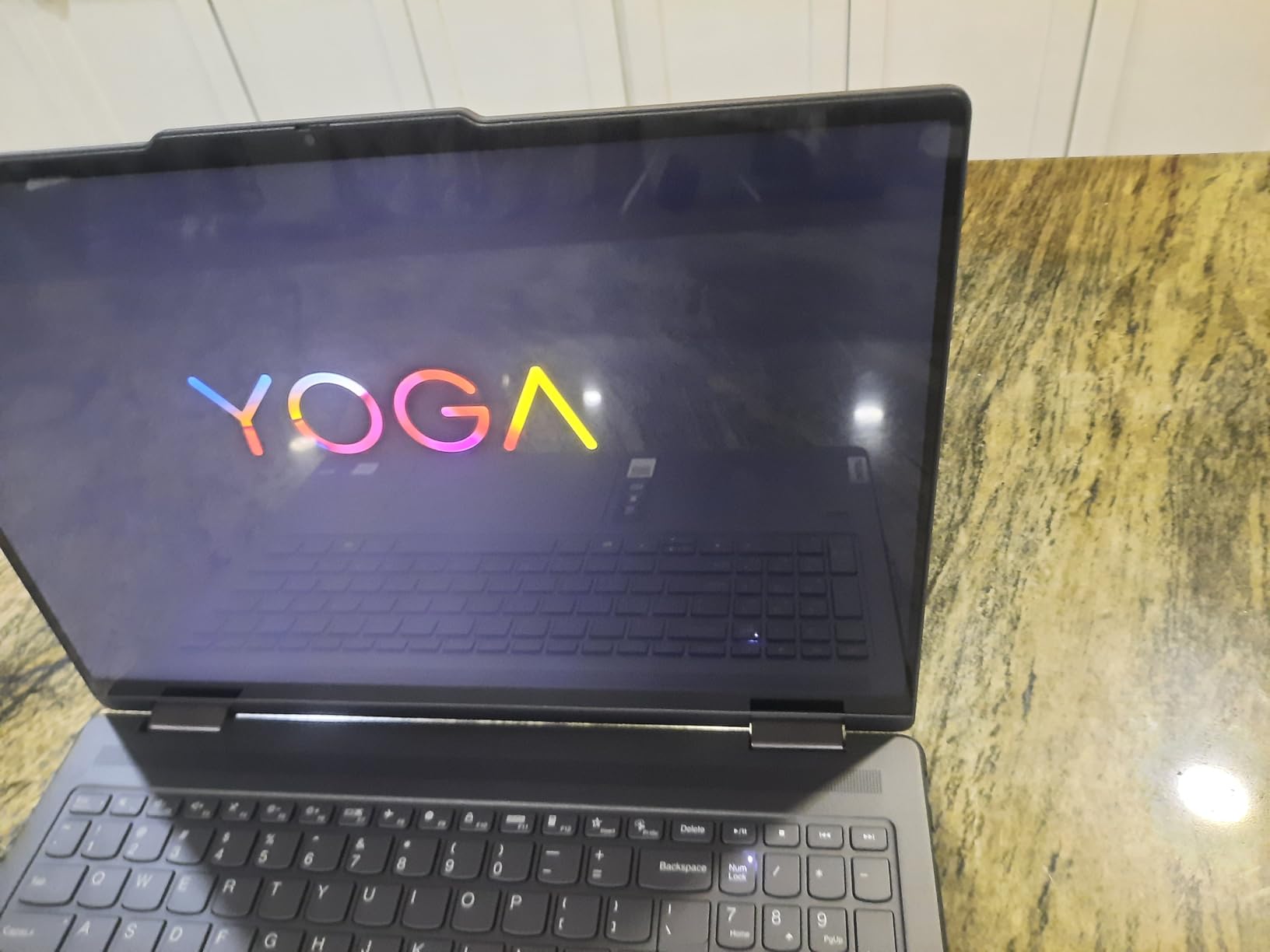
The Yoga 7i is the pick for a teacher who marks work for hours rather than minutes. A 16-inch 1920 x 1200 IPS touchscreen at 300 nits gives you roughly four times the writing area of an 11.6-inch panel, and that extra room is the difference between scrolling constantly and seeing a whole rubric at once. Owners rate it at 4.7 stars, the highest average in this group, with 83 percent five-star ratings.
Underneath, this is a full Windows 11 Pro machine rather than a Chromebook. You get an Intel Core Ultra 7 155U with 12 cores boosting to 4.8 GHz, 16GB of DDR5 memory on SO-DIMM modules and a 1TB PCIe 4.0 SSD. Owners report it running Microsoft Access alongside normal Office and browser workloads without complaint, which matters if your gradebook or scheduling software is legacy Windows.
The 360-degree flip-and-fold hinge gives you laptop, tablet, tent and stand modes, and Lenovo’s Transition software handles the mode change cleanly. Tent mode is the one to know about: folded forward at roughly half, the screen faces the students while you write on it, which effectively turns the laptop into a second display for a small group. At 1920 x 1200 it is a genuinely useful second board rather than a novelty.
Ports are the strongest in the roundup: two USB-A, two Thunderbolt 4 USB-C, HDMI, a microSD reader and a headphone combo. Windows 11 Pro also brings BitLocker, domain join and remote management, which matters if your district manages devices centrally.
Who should buy the Yoga 7i
Buy this if you annotate PDFs for a living, teach from a lectern with a big screen, or run Microsoft-centric software that will not run properly in a browser. Sixteen gigabytes of memory and a 1TB drive mean you will not be fighting storage for the life of the device.
It also suits a teacher who wants one machine to serve as laptop and board during a parent evening or a group supervision session, because the number of modes is genuinely useful rather than decorative.
Who should look elsewhere
At 4.6 pounds this is not a carry-every-day machine. A teacher who walks between buildings all day will feel every one of those ounces by the third room. Consider a lighter option and keep this one for desk-based teaching.
The speaker quality is also a step below what the Dolby Atmos label suggests. If your lessons depend on clear audio playback in an empty room, bring an external speaker or pick a different machine. Review volume here is the smallest of the top three, so you have less owner history to lean on than with the picks above.
3. HP 15.6-Inch Touch Laptop – Best for Gradebooks and Data Entry
HP 15.6 inch Laptop, HD Touchscreen Display, AMD Ryzen 3 7320U, 8 GB RAM, 256 GB SSD, AMD Radeon Graphics, Windows 11 Home, Natural Silver, 15-fc0399nr
15.6 inch HD anti-glare touch
AMD Ryzen 3 7320U
8GB LPDDR5 and 256GB NVMe
HDMI 1.4b and numpad
3.5 pounds
Pros
- Smooth performance for everyday schoolwork
- Responsive HD touchscreen with anti-glare finish
- Fast startup from the NVMe SSD
- Full-size keyboard with numeric keypad for gradebook data
- HDMI output for classroom projection
Cons
- 1366 x 768 resolution rather than Full HD
- Not suited to gaming or advanced video editing
- Some owners report slow Windows updates
- A few complaints about touchpad sensitivity and port placement
This is a plain laptop with a touchscreen, not a convertible, and that is a deliberate choice rather than a compromise. If you want a big screen, a real keyboard and a numeric keypad for entering marks and attendance, this design does more for you per pound than a folding hinge would. It runs Windows 11 Home, so any desktop software you already have will install normally.
Inside sits an AMD Ryzen 3 7320U with four cores and eight threads boosting to 4.1 GHz, paired with 8GB of LPDDR5-5500 memory and a 256GB PCIe NVMe M.2 SSD. The NVMe drive is the reason startup and app loads feel quick; it is a bigger practical difference than the processor generation. Wi-Fi 6 and Bluetooth 5.3 are current-generation.
The 15.6-inch display is HD at 1366 x 768 with micro-edge bezels, an anti-glare finish and 250 nits of brightness. Anti-glare matters more in a fluorescent-lit classroom than raw brightness does, because a glossy panel at this brightness level becomes a mirror when the lights are on. It also has an HP True Vision 720p camera with a dual-array microphone for video calls with remote students, and if you regularly run recorded lessons rather than live calls, our live streaming laptop guide covers what bandwidth and encoder headroom look like in practice.
Port selection is solid for classroom work: one USB-C, two USB-A, HDMI 1.4b and a headphone and microphone combo. HDMI means you can connect to a projector or a wall display without a dongle, which removes the most common classroom complaint about thin ultraportables.
Why this works for a secondary-school teacher
The numeric keypad is the feature that gets missed on convertibles. If you type attendance, scores and deadlines into a gradebook, a dedicated keypad turns a five-minute job into a two-minute job, and no folding design gives you that.
The 3.5-pound weight is manageable for a teacher who stays near one room, and the touchscreen lets you scroll a long class list or a document without moving to the trackpad. Reviewers report smooth performance for browsing, streaming and schoolwork generally.
Where it falls short
The HD resolution is the same limitation as the Acer, and on a 15.6-inch panel it is more noticeable because text is larger. If you plan to grade dense PDFs or display detailed diagrams, step up to a Full HD panel.
Some owners report Windows updates installing slowly, and a few mention touchpad sensitivity or awkward port placement. If your district manages devices through Windows Update for Business, check with IT before buying, because a consumer Home licence handles management differently from a Pro device.
4. Lenovo IdeaPad Slim 3 Chromebook – Best Value Anti-Glare Touchscreen
Lenovo IdeaPad Slim 3 Chromebook, 14″ FHD IPS Anti-GlareTouchscreen, MediaTek Kompanio 520, 4GB LPDDR4X, 224GB Storage(64GB eMMC+160GB Docking Station Set), Webcam, WiFi 6, Chrome OS, Blue
14 inch FHD anti-glare touch
MediaTek Kompanio 520
224GB combined storage
2.9 pounds
Kensington lock slot
Pros
- Anti-glare Full HD touch screen readable under classroom lighting
- Light and portable at 2.9 pounds
- Bundled docking station set adds expandable storage
- Owners report good battery life and fast charging
- Kensington lock slot for classroom security
Cons
- Not built for gaming or graphics-heavy work
- Needs manual storage management to stay responsive
- Some owners report it struggles with light apps
- Single USB-C port used for charging with no video out
The IdeaPad Slim 3 solves the resolution problem that stops many teachers from buying a budget Chromebook. You get a 14-inch Full HD IPS anti-glare touchscreen at 1920 x 1080 running at 60Hz, which means dense text and detailed marking are workable in a way an HD panel is not. For a school buying on a tight budget, that single specification upgrades the whole machine.
Underneath is a MediaTek Kompanio 520 with integrated graphics and 4GB of LPDDR4X memory. Storage is the unusual part: 64GB of eMMC plus a bundled docking station set containing a 128GB SSD and a 32GB microSD card, giving 224GB in total. Lenovo also fitted a Kensington lock slot, which is rare at this level and matters if devices stay in a shared classroom overnight.
Battery life is a genuine strength. Lenovo lists 13.5 hours, and owners report long battery life and fast charging in practice. Combined with a 2.9-pound body, this is a machine that survives a full day of teaching plus an after-hours marking session away from an outlet.
The 14-inch size also helps with tent mode and stand mode for small-group work, even though the hinge does not fold fully flat into a large tablet. For whiteboard annotation at a table, folded into a tent with the touch panel active, it is more usable than most 14-inch clamshells.
Where this Chromebook earns its place
For a Google Workspace for Education school, this is a straightforward fit. Chrome OS updates itself, Google Classroom runs natively, and the anti-glare panel stays readable in a room where a glossy screen would catch every overhead light.
It also suits a teacher who marks work digitally and needs storage for scanned assignments, photos of student work and media files, because the docking station set removes the immediate storage ceiling.
What to watch for
Four gigabytes of RAM and a Kompanio 520 chip are the constraint. Owners note the machine struggles with many apps open at once and sometimes lags while browsing, so treat it as a two-window-at-a-time device rather than a multi-monitor workstation.
There is only one USB-C port, and it is used for charging with no video output, so projecting means using HDMI or a wireless casting adapter. The combined storage also relies on a bundled accessory, which can be separated from the laptop in transit.
5. ASUS Chromebook Flip CX1 – Best for Durability and Four-Mode Versatility
ASUS Chromebook Flip CX1 Convertible Laptop, 14″ FHD NanoEdge 360-degree Touchscreen, Intel Celeron N4500 Processor, 128GB eMMC Storage, 8GB RAM, ChromeOS, Transparent Silver, CX1400FKA-AS88FT
14 inch FHD NanoEdge touch
Four modes including tent and stand
Intel Celeron N4500
8GB RAM and 128GB eMMC
MIL-STD 810H
Pros
- Full HD 14-inch NanoEdge touchscreen in a slim convertible
- Four usage modes suit lecturing and flat annotation
- 8GB RAM gives more headroom than most Chromebooks at this level
- Built to the US MIL-STD 810H durability standard
- Dual USB-C with display output plus two USB-A
Cons
- Celeron N4500 is an entry chip with modest multicore performance
- 128GB eMMC storage is small by current standards
- Heaviest Chromebook here at 3.6 pounds
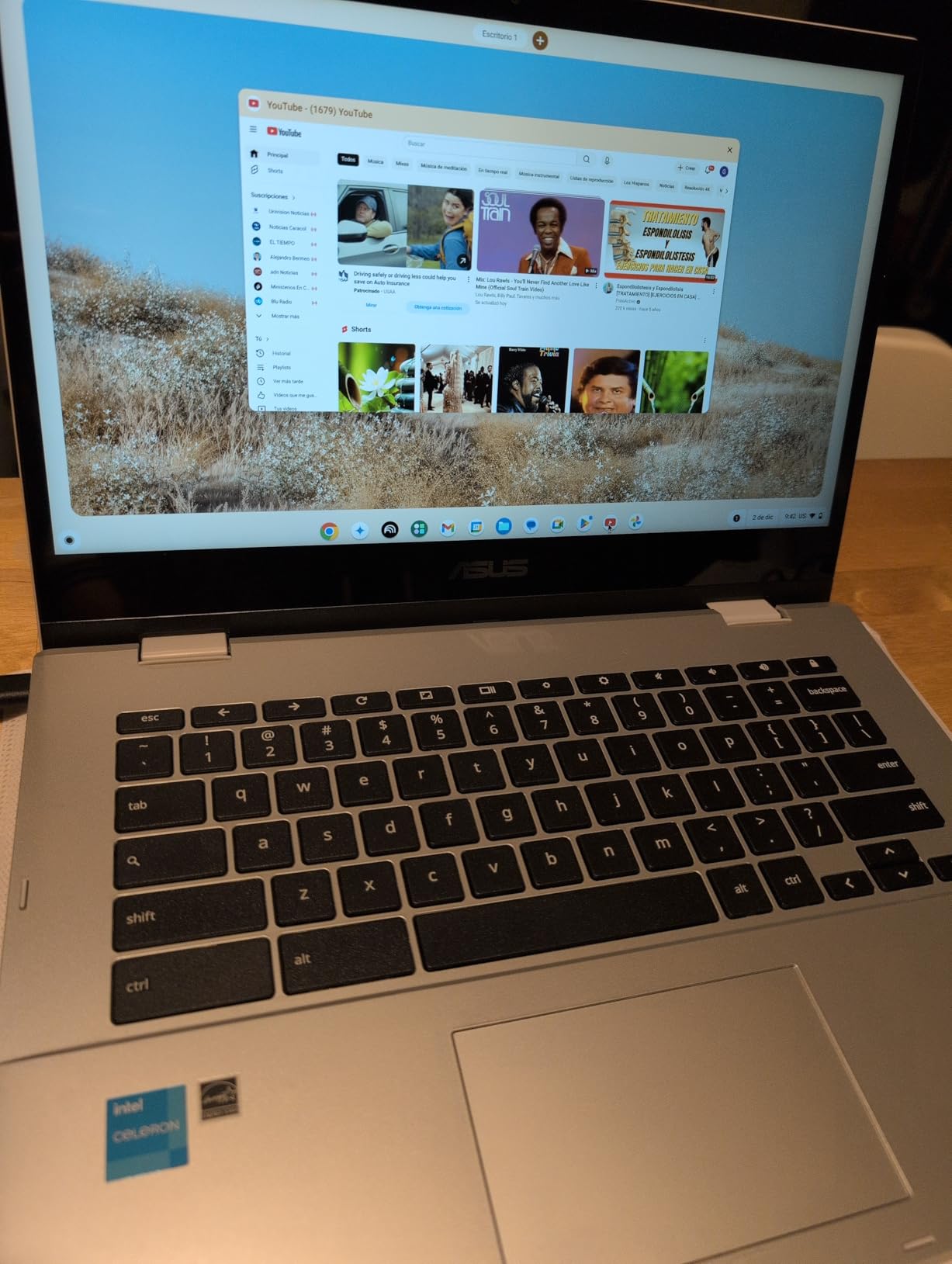
The CX1 is the only machine in this roundup with a published military-grade durability rating, tested to the US MIL-STD 810H standard. That matters more than it sounds in a primary classroom, where a device goes into a bag, onto a trolley and into small hands several times a week. It is the pick if you are buying for younger students or for a shared device pool.
The 14-inch Full HD NanoEdge touchscreen at 1920 x 1080 is one of the larger panels in this set, framed in narrow bezels. The hinge flips 360 degrees into four modes: clamshell, tent, stand and tablet. Stand mode, which holds the screen upright at a low angle, is the one most teachers underestimate because it is ideal for hands-on maths work with a group on the floor.
Memory is where the CX1 pulls ahead of its rivals. It ships with 8GB of LPDDR4X, which is double what most Chromebooks at this level carry and enough to keep a dozen tabs plus a video call responsive. Storage is 128GB of eMMC, better than the 32GB common on smaller machines but still modest. ASUS also bundles three months of Google One AI Premium.
Ports are unusually good for a Chromebook: two USB-C 3.2 Gen 1 with display and power delivery, two USB-A, a microSD reader and an audio jack. Wi-Fi 6 and Bluetooth 5.2 round out a current specification sheet.
Why teachers pick the Flip CX1
Durability plus memory is a rare combination below the premium tier. If your device lives in a bag, gets carried between rooms and has to survive being handed to a nine-year-old, the MIL-STD 810H chassis and the 8GB of memory both pay for themselves in fewer support calls.
The four modes also make it a genuinely portable whiteboard. Fold it flat, draw with a finger or stylus, hand it round a table. That single feature removes the need to book out a separate tablet for group activities.
The compromises to accept
At 3.6 pounds it is the heaviest Chromebook in this roundup, and you feel that if you carry it all day. The Celeron N4500 is a dual-core entry chip; it will not run anything demanding, and the 128GB drive fills up quickly if you store video locally.
There is no stated active pen digitizer in the specification, so treat pen support on this model as finger touch only unless you confirm it with the manufacturer.
6. Dell Chromebook 11 3100 Renewed – Budget Pick for a Touch Convertible
Dell Chromebook 11 3100 11.6″ Touchscreen 2 in 1 Chromebook – HD – 1366 x 768 – Intel Celeron N4020 Dual-Core (2 Core) – 4 GB RAM – 32 GB Flash Memory (Renewed)
11.6 inch HD IPS touch
360-degree 2-in-1 chassis
Intel Celeron N4020
4GB RAM and 32GB storage
3.1 pounds
Pros
- Very low cost for a touchscreen convertible Chromebook
- Compact 11.6-inch size is easy to carry and store
- Responsive touchscreen for everyday navigation
- Four total USB ports with USB-C connectivity
- Many owners report near-new condition
Cons
- Renewed items may arrive dirty or lightly scratched
- Some were not factory reset and still enrolled to a previous organisation
- 32GB storage and modest performance for heavy multitasking
- A few reports of units freezing shortly after arrival
This is a renewed Dell Chromebook 11 3100, and it exists because of a real budget constraint that most roundups ignore. Schools and departments buying hardware at the end of a funding cycle can get a genuine 360-degree touchscreen convertible for a fraction of new-unit cost. Owners rate it 4.3 stars across 742 reviews, and many describe the units as like-new.
The specification is an 11.6-inch IPS LCD glossy touchscreen at 1366 x 768, an Intel Celeron N4020 dual-core chip up to 2.8 GHz, 4GB of LPDDR4 memory (8GB maximum) and 32GB of storage. Four total USB ports with USB-C connectivity is unusual at this level, and a 65W adapter comes in the box. Dell lists a 14-hour battery figure.
The glossy screen is worth flagging. In a brightly lit classroom it picks up reflections from overhead lighting, and a fingerprint-prone surface means you will be cleaning it regularly. If your rooms have heavy glare, an anti-glare panel like the IdeaPad Slim 3 is a better long-term choice despite costing more.
Renewed purchases also carry a 90-day limited warranty rather than a full manufacturer warranty, so the practical difference between this and a new Chromebook is the length of the safety net, not the machine itself.
Who this works for
This suits a teacher whose school device is supplementary rather than primary, a temporary or replacement machine, or a parent buying a first touchscreen convertible for a child at home. It is also a sensible spare to keep in a department cupboard.
For basic navigation, browsing, Google Classroom work and light documents, owners report it does everything asked of it. The 360-degree hinge means you still get tent mode for small-group instruction.
What to check before you commit
The recurring caution in reviews is condition and setup. Some renewed items arrived dirty or with light screen scratches, and some were not factory reset and remained enrolled to a previous organisation, which matters if your school has a Google Workspace account. Confirm the reset status and inspect the display before rollout.
Accessories or paperwork are sometimes missing, and a few owners report units freezing shortly after arrival. That is the normal risk profile of buying refurbished, and it is the reason to buy from a seller with a return window rather than a fixed-price listing.
7. Lenovo 14-Inch Full HD Touch Chromebook – Sharp Panel on a Budget
Lenovo Flagship Chromebook, 14” FHD Touchscreen Slim Thin Light Laptop Computer, 8-Core MediaTek Kompanio 520 Processor, 4GB RAM, 64GB eMMC, WiFi 6,Chrome OS, Abyss Blue
14 inch 1920 x 1080 IPS touch
MediaTek Kompanio 520 octa-core
4GB DDR4 and 64GB eMMC
Wi-Fi 6
2.9 pounds
Pros
- Sharp 1920 x 1080 Full HD touchscreen at a budget level
- Well-regarded touchscreen sensitivity
- Very light at 2.9 pounds
- Owners report strong battery life
- Fast Google account setup makes it quick to deploy
Cons
- Struggles with many tabs or apps open at once
- Occasional lag when browsing
- Some owners report weak touchpad response and a plastic-feeling keyboard
- Chrome OS limits non-Play-Store desktop software
The main argument for this Lenovo Chromebook is simple: a 14-inch Full HD IPS touchscreen with wide viewing angles and an LED backlight, in a 2.9-pound chassis. At this budget most machines give you HD, and the difference in how long you can comfortably read a document on that panel is significant for a teacher who marks digitally all afternoon.
The processor is a MediaTek Kompanio 520 octa-core with four A73 and four A53 cores at 2.0 GHz and integrated ARM Mali-G52 graphics. Memory is 4GB of DDR4 with 64GB of eMMC storage. Ports are thinner here: one USB-A, one USB-C, a microSD reader and a 3.5mm headphone and microphone combo, so plan on a dongle for classroom AV.
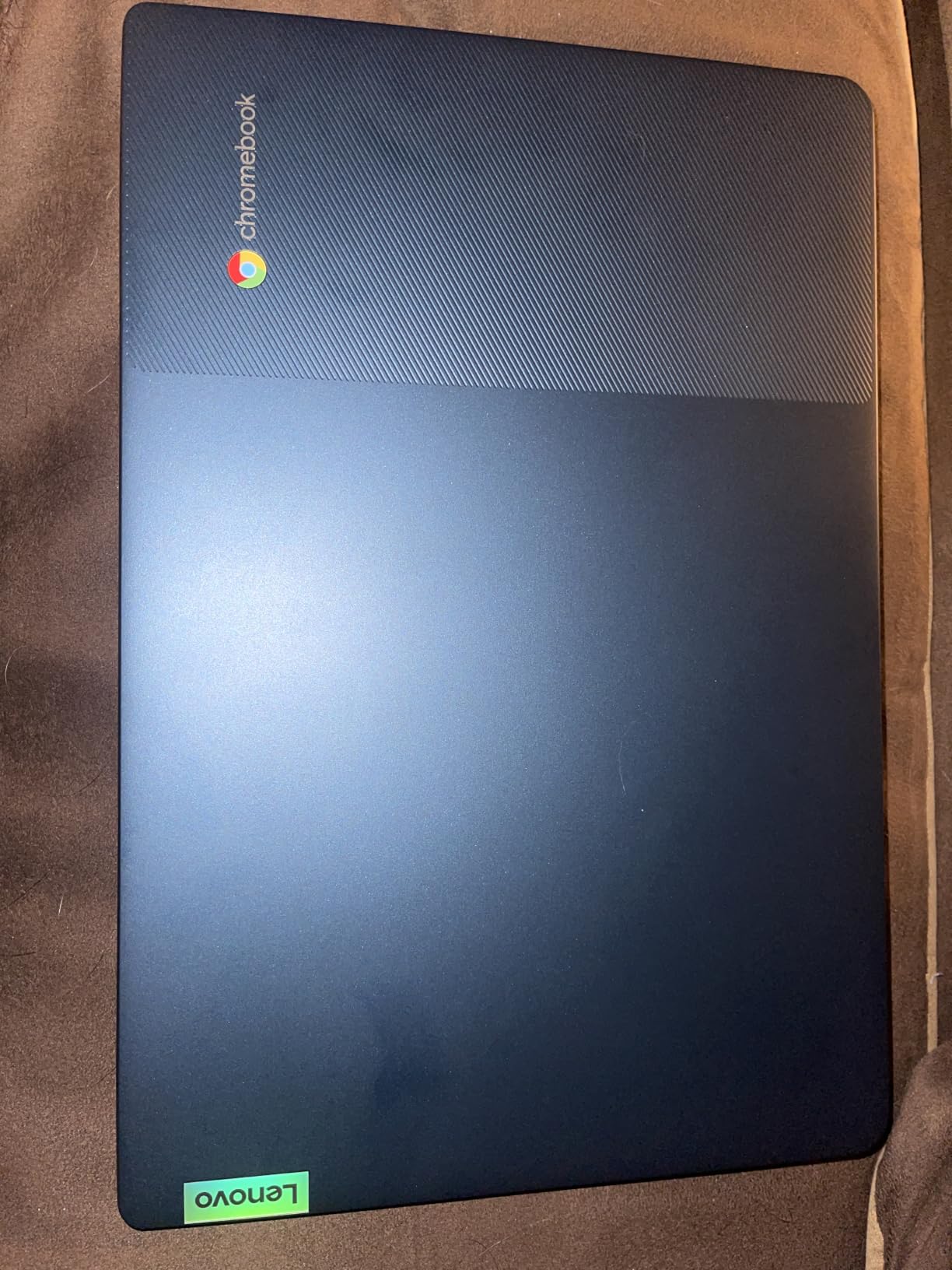
Two details set it apart from similar-budget rivals. The 720p webcam has a physical privacy shutter, which is genuinely useful in a room where devices are shared and where families may be sensitive about camera access. Lenovo also lists 13.5 hours of battery life, which owners corroborate.
The touchscreen itself gets specific praise in reviews for sensitivity, which matters when you are tapping through a quiz or scrolling a long reading list with a child beside you rather than carefully with a stylus.
A good fit for a Google Classroom school
Setup speed is a real advantage in a school context. Owners report that adding a Google account and getting into Classroom takes minutes, which matters when a new cohort arrives and thirty devices need to be working on the first morning.
At 2.9 pounds with a 13.5-hour battery claim, this is one of the easiest machines here to move between rooms and use for a full day plus evening preparation without charging.
Limitations to plan around
Performance is the weak point. Owners consistently flag lag when many tabs are open and difficulty running more than a few apps at once. If your teaching involves multiple dashboards, a gradebook and a video call simultaneously, plan for 4GB to be the bottleneck rather than the screen.
Some owners also mention a weak touchpad and a plastic-feeling keyboard, and the single USB-C port means no wired display output. For desktop-class workarounds, our portable monitor guide covers what this port situation means in practice.
8. HP 14b 2-in-1 Chromebook Renewed – Convertible With Stylus Support
HP 14 2-in-1 Chromebook 14in FHD Intel CPU 4GB 64GB Storage (14b-Renewed)
14 inch FHD IPS touch
360-degree flip hinge
Intel N100 quad-core
4GB DDR5 and 64GB storage
Wi-Fi 6
Pros
- Full HD 14-inch display in a 360-degree convertible chassis
- Intel N100 is smoother than typical entry Chromebooks
- Listed stylus support suits whiteboard-style annotation
- Lightweight design that folds into a tablet
- 4.5-star average from owners
Cons
- Only 4GB RAM and 64GB storage limits multitasking
- Glossy screen finish picks up glare in bright rooms
- Limited port selection for a convertible of this size
- Renewed condition carries a 90-day warranty
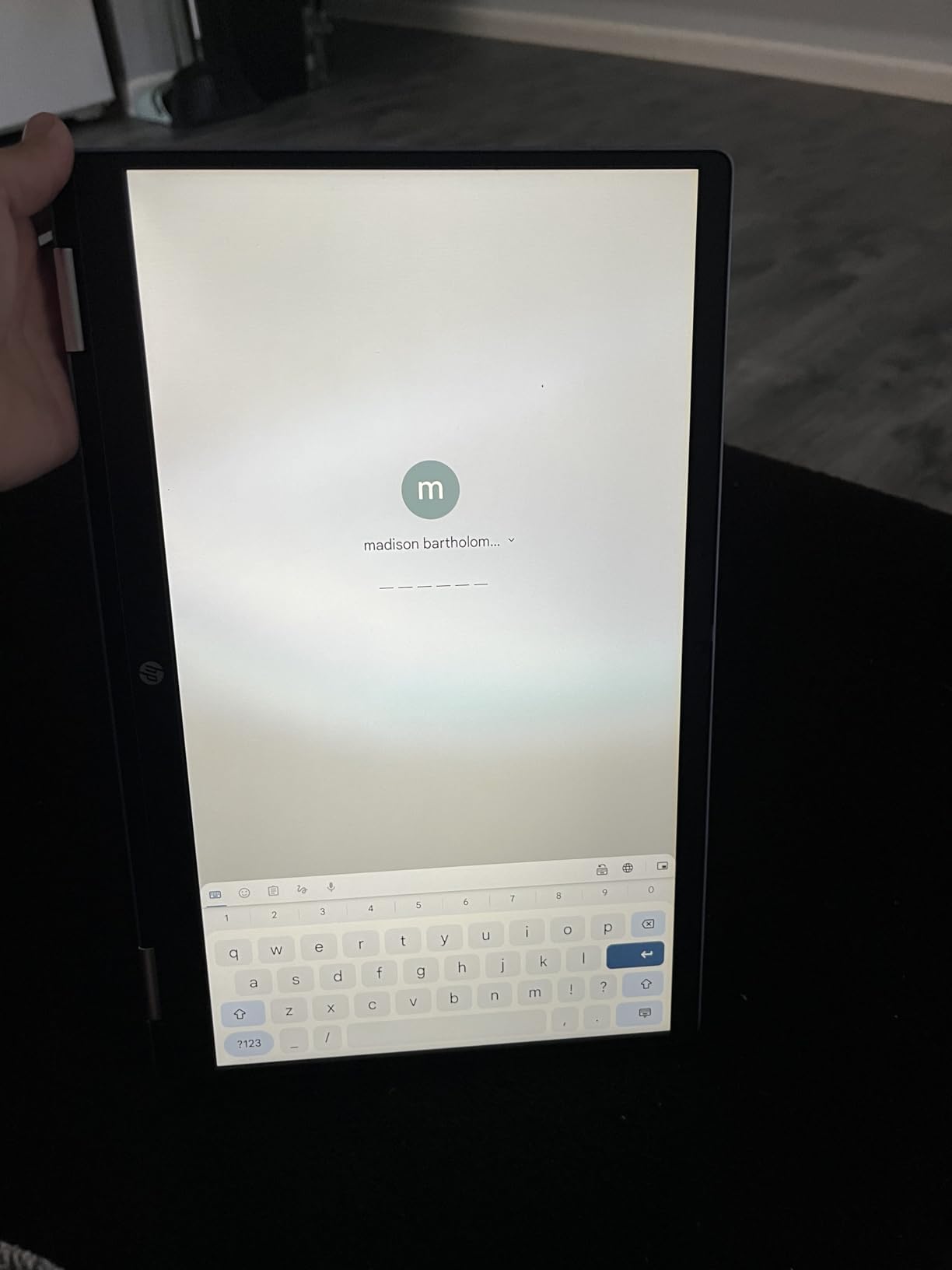
This HP 14b is the pick to look at if writing on the screen is central to how you teach. Its listing explicitly states stylus support, which means the digitizer is built to accept pen input rather than finger touch alone. Owners highlight stylus capability alongside the large Full HD panel, and 80 percent of reviews are five-star.
The processor is an Intel N100 quad-core chip reaching 3.40 GHz, which is a genuine step up from the Celeron parts elsewhere in this roundup. You get 4GB of LPDDR5 memory and 64GB of eMMC storage, Wi-Fi 6 and Bluetooth 5, and a 720p webcam with dual-array digital microphones. The 360-degree flip hinge folds the 14-inch FHD IPS touchscreen into tablet and tent configurations.
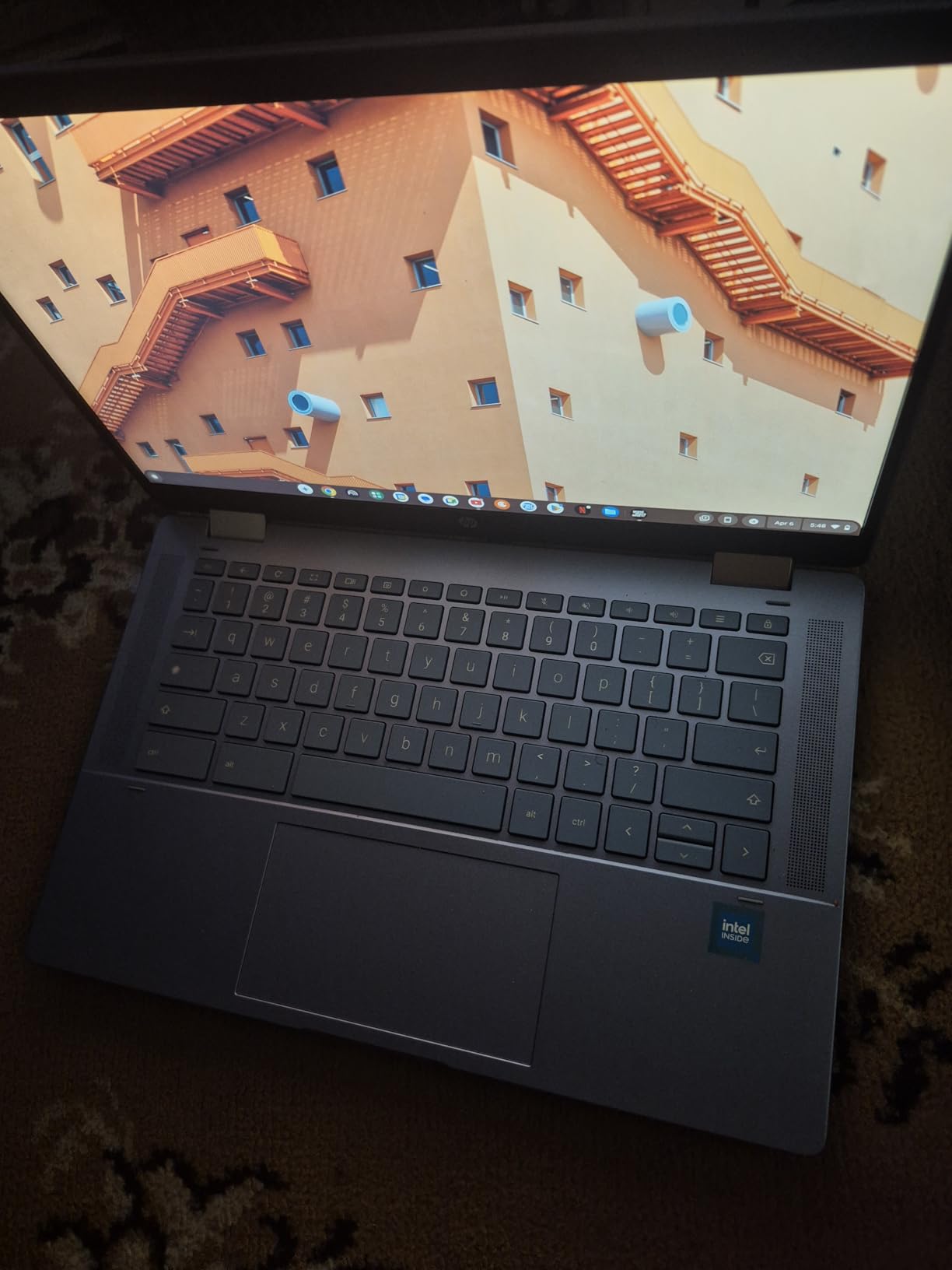
For writing-heavy work, a 14-inch Full HD panel plus pen input is a strong pairing. Annotating a shared document, drawing a diagram during explanation and writing on student work all happen at a scale where you can see what you are doing, which is not true on an 11.6-inch HD screen.
One note on expectations. The listing confirms stylus input is supported, but it does not specify an active digitizer with pressure sensitivity and palm rejection. If fine handwriting accuracy is the deciding factor, test it in store or confirm the digitizer specification before committing a department budget.
When this HP 14b suits you
It works for a teacher whose marking is mostly handwritten markup on digital files, or for anyone who wants the tablet-plus-laptop benefit of a convertible without carrying two devices. Folding it flat for a floor activity with younger students is the common use case owners describe.
The Intel N100 also makes it the most responsive Chromebook here for anything beyond web browsing, which helps when a lesson involves a heavier web app or an Android app from the Play Store.
Where it falls short
The glossy display finish picks up glare in bright rooms. If your classroom has strong overhead lighting or windows along one wall, an anti-glare model will serve you better even at a lower resolution.
Port selection is thin: one USB-C, one USB-A and a headphone and microphone jack, with no HDMI. That means classroom projection requires wireless casting or a dock. As a renewed unit it also comes with a 90-day warranty, and weight is not listed by the manufacturer, which matters if you planned to carry it all day.
9. Samsung 12.2-Inch Chromebook Plus – The Only Pick With a Pen in the Box
Samsung 12.2″ FHD 2-in-1 Touchscreen Chromebook Plus Laptop for Business&Students, Intel Dual-Core, 4GB RAM, 224GB Storage(64GB eMMC+160GB Docking Station Set), Stylus Pen, Wireless Mouse, Silver
12.2 inch 1920 x 1200 touch
360-degree hinge
Stylus pen and mouse included
224GB with docking station
3 pounds
Pros
- Bundle includes a stylus pen
- wireless mouse and 7-in-1 docking station
- 12.2 inch Full HD 1920 x 1200 touchscreen is crisp and responsive
- 360-degree hinge converts smoothly to tablet and stand modes
- Light 3-pound body suits moving between classes
- HDMI port included
Cons
- Intel Celeron 3965Y is a low-power chip with limited performance
- Owners report apps freezing during heavier tasks
- 4GB of LPDDR3 memory is dated
- Lowest average rating in this roundup at 4.1 stars
Almost every other convertible in this roundup expects you to buy a pen separately. This Samsung Chromebook Plus comes with a stylus pen in the box, alongside a wireless mouse and a 7-in-1 docking station containing a 128GB SSD and a 32GB microSD card. That bundle is the single biggest reason to pick it if handwriting is part of your lesson design.
The screen is a 12.2-inch Full HD panel at 1920 x 1200 with a 360-degree hinge, which is an unusual aspect ratio and gives you a taller writing area than a 16:10 laptop. Owners consistently describe the display as crisp and responsive, and the hinge conversion to tablet and stand modes as smooth.
Storage is generous in the way the Lenovo models above manage it: 64GB of eMMC plus the docking station set, giving 224GB combined. You also get one USB 3.0, two USB-C, a microSD reader, a headset jack and HDMI, which is the best port list of any Chromebook in this roundup.
At roughly 3 pounds, this is one of the more portable options, and owners report it working well for online classes, meetings and travel.
Why the bundled pen changes the decision
If you are buying for a whole department, the economics of pens matter. Active pens get lost, end up at the bottom of a school bag and break, and buying them individually across a teaching team adds an ongoing cost that nobody budgets for. A machine that arrives with a pen in the box removes that line item entirely.
It also removes the compatibility guesswork. Vendor-locked pen protocols are a common source of frustration, and a pen supplied with the machine is guaranteed to work with the digitizer.
The performance problem to weigh
The Intel Celeron 3965Y is a low-power dual-core chip topping out at 1.5 GHz, and owners report apps freezing and forcing restarts during heavier tasks. Combined with 4GB of LPDDR3 memory, this is the least powerful machine here despite the richest bundle.
It also carries the lowest average rating in the roundup at 4.1 stars across 322 reviews. For light teaching work it is fine. For anything demanding, add one of the faster picks above rather than expecting the bundle to compensate.
10. Dell Inspiron 15 Touch – Windows 11 Pro for Managed School Fleets
Dell Inspiron Touchscreen Laptop, 15.6″ Business & Student Laptop Computer, Windows 11 Pro Laptop 16GB RAM 1TB SSD, Intel i5-1155G7 Processor, Full HD IPS Display, Numeric Keypad, Carbon Black
15.6 inch Full HD IPS touch
Intel i5-1155G7 quad-core
16GB DDR4 and 1TB SSD
Windows 11 Pro 64-bit
HDMI 1.4
Pros
- Windows 11 Pro unlocks domain
- BitLocker and school management features
- 16GB RAM and 1TB SSD suit classroom deployment
- Full HD 1920 x 1080 anti-glare IPS touchscreen is easy on the eyes
- Numeric keypad and SD card reader for practical tasks
- HDMI 1.4 supports a 1080p external display
Cons
- 11th-generation i5 and 220-nit panel are dated for the price
- Heavier than comparable 15-inch laptops
- Wi-Fi 5 only with no Wi-Fi 6 support
- Smallest review base in this roundup at 142 reviews
The Inspiron 15 is here for district IT buyers rather than individual teachers. It ships with Windows 11 Professional 64-bit, which brings BitLocker encryption, domain join and the remote management tooling that a school fleet needs. A Home licence does not give you those, and on a managed estate that difference decides the purchase before any screen specification matters.
The specification is generous where it counts for deployment: 16GB of DDR4 memory, expandable up to 40GB, and a 1TB SSD. The touchscreen is a 15.6-inch Full HD 1920 x 1080 IPS narrow-bezel panel with an anti-glare finish at 220 nits. An Intel Core i5-1155G7 quad-core with eight threads boosts to 4.5 GHz.
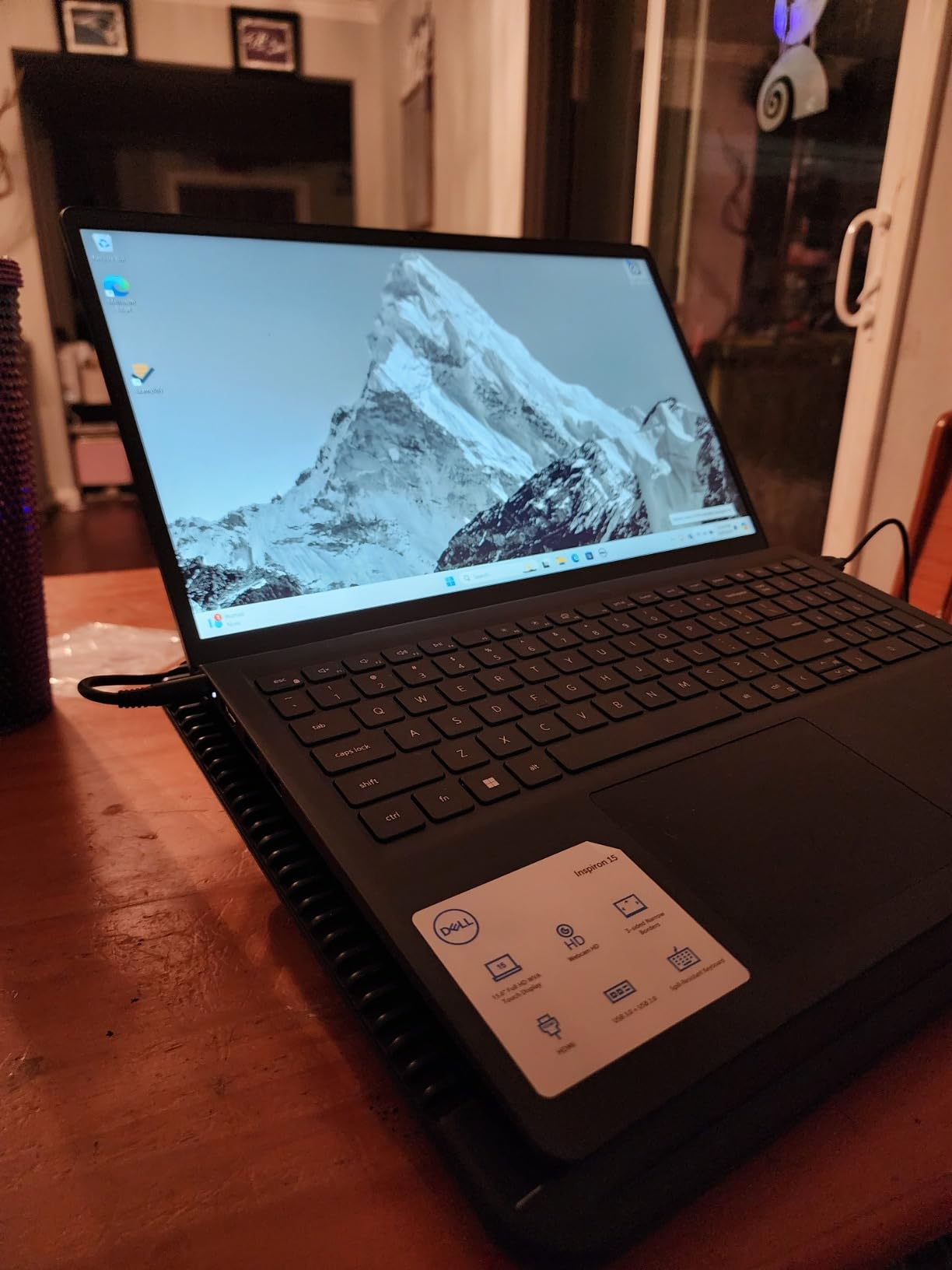
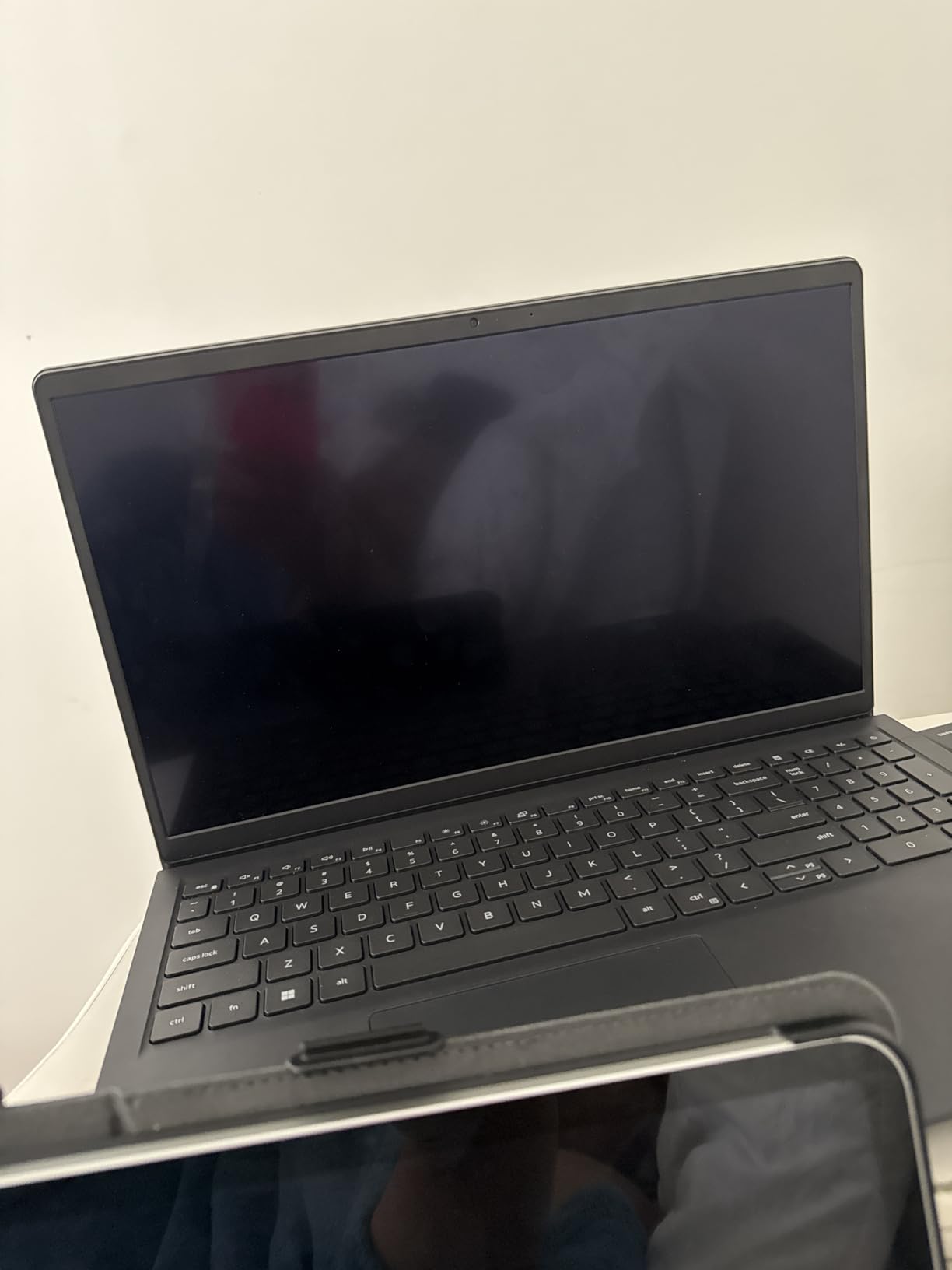
Ports cover classroom AV without a dongle: two USB 3.2 Type-A, one USB 2.0 Type-A, HDMI 1.4 supporting 1920×1080 external monitors, a headphone and microphone combo and an SD card reader. A full-size keyboard with numeric keypad and a 720p webcam round out a practical teacher device. Dell includes a one-year manufacturer warranty.
The anti-glare IPS panel is worth noting for the same reason as the IdeaPad Slim 3. In a lit classroom, an anti-glare coating at moderate brightness beats a glossy screen at high brightness, because you are not fighting reflections while reading student work.
Where the Inspiron earns its place
Buy this for a Microsoft 365 school where staff devices need to join a domain, be encrypted and be supported remotely. The memory and storage headroom means it will still be comfortable in four years, which matters when a device refresh cycle runs to a school funding term.
For an individual teacher, the same Pro licence and configuration are useful if you run desktop software that does not live in a browser, or if you want a machine that can be handed to students during a workshop without a separate tablet.
What you accept for it
An 11th-generation Core i5 and a 220-nit panel are both dated for this price, and the machine weighs 2.59 kg, heavier than comparable 15-inch laptops. Wi-Fi 5 with no Wi-Fi 6 support will feel old in a building that has been upgraded for newer devices.
It also has the smallest review base here at 142 reviews, so you have the least owner history to draw on. If you want a larger screen, more modern processor and a stronger warranty, the Yoga 7i at number two covers that ground.
How to Choose a Touchscreen Laptop for Teaching
Start with pen support, because it is the specification that changes how you teach and the one most often misread. A touchscreen only registers fingers and, on some models, an active pen. Touch and pen are separate capabilities of the digitizer, and a machine can do one without the other. If your lessons involve handwriting, circling errors on a PDF or drawing a diagram in front of students, confirm active pen support before you buy rather than after.
Next, size the screen for the work rather than for the desk. Eleven-inch panels are light and cheap but make you scroll constantly when marking. Fourteen-inch Full HD panels are the sweet spot for document work, and 15 to 16-inch panels suit lecturing and grading sessions where you want a rubric and a student essay visible together. Our college laptop guide covers the non-touch alternatives if portability outweighs annotation.
Treat battery claims as a ceiling, not a promise. Manufacturer figures are measured under light load; a teaching day of video calls, screen brightness near maximum and a constant touch digitizer draws considerably more. Treat anything above eight hours as realistic and below six as a warning sign, and buy the fast-charging option if you are away from an outlet regularly. If you also intend to play back recorded lessons or media files during downtime, our budget laptop guide for streaming compares the graphics headroom that adds.
Memory and storage are the two places budget machines cut first. Sixteen gigabytes of RAM and a 512GB SSD is the comfortable floor for Windows work; 8GB is fine for Chrome OS. Anything with 32GB of storage on board will fill up with media and student work within a year.
Check the ports against your actual room. HDMI saves you a dongle at a projector, a USB-C port with display output lets you use one cable for charging and video, and at least two USB-A ports means you can plug in a mouse and a document camera simultaneously. Count what you need in the room before you choose the machine.
Finally, weigh the 2-in-1 tradeoffs honestly. A convertible adds a hinge and a second screen layer, which means more weight, more panel fragility and a repair that costs more than a standard laptop panel. In tent mode the keyboard is under the machine and unusable, so typing during a whiteboard session is not possible. If your teaching is keyboard-first and you only tap occasionally, a plain laptop with a touchscreen is the more durable choice.
Do You Need a Stylus – Included, Supported, or Sold Separately?
You need a stylus if you handwrite, underline, circle errors on a document, draw diagrams during explanation or want students to write on a shared screen. If your teaching is typing and tapping only, a finger on a touch panel is enough and you can save the money. Here is where each pick stands.
The Samsung Chromebook Plus is the only machine here that arrives with a stylus pen in the box, alongside a wireless mouse and a docking station. The HP 14b 2-in-1 lists stylus support, meaning the digitizer accepts pen input, though the specification does not confirm pressure sensitivity or palm rejection. Every other model in this roundup is documented as touch-capable without a supplied or confirmed active pen, so budget for a compatible pen separately if you need one.
That budget line is where most buying regret happens. Active pens have pressure sensitivity and palm rejection, so you can rest your hand on the panel while writing without smearing the ink. Passive styluses are cheaper and simply act as a finger. If you plan to write for a full lesson, pay for the active one and test palm rejection on the actual machine before committing a department budget.
There is also a fleet consideration. If you buy for a team, standardise on one pen type. Mixing vendor pen protocols across models means more spares, more charging docks and more support calls when a pen stops pairing.
Choosing a Touchscreen Laptop by Teaching Role
Practitioners rarely recommend one device for everyone. The pattern that comes up most often in school IT discussions is to segment by teaching role: younger-year and primary teachers get a pen-driven convertible, secondary and specialist teachers get a larger keyboard-first machine with a numeric keypad, and administrative staff who mostly type get almost nothing from a touchscreen.
For early-years and primary teaching, prioritise a lightweight convertible with a Full HD panel and pen support. Pick number five or number eight from this roundup, depending on whether you need a rugged chassis or a stylus-capable digitiser. For secondary teaching with heavy marking, prioritise screen area and memory: numbers two and three are the strongest fits.
For multi-room teachers, weight is the deciding factor. Anything above about 3.5 pounds becomes tiring by the fourth room, so the Acer Spin 311 at 2.6 pounds, the Lenovo 14-inch at 2.9 pounds and the IdeaPad Slim 3 at 2.9 pounds are the practical choices. For Microsoft-fleet schools, number ten covers the management requirements that a Home licence cannot.
If you are making the purchase decision for a whole school rather than for yourself, check the standardisation question first. Teachers usually want the device that fits their teaching; IT usually wants one brand and one configuration so imaging, support and spare pooling stay simple. Buying one model per role band resolves that tension better than a single compromise machine for everyone.
Frequently Asked Questions
What brand of laptop is best for teachers?
There is no single winning brand, because it depends on your school’s software. Choose Microsoft for a Microsoft 365 fleet managed with Intune, Google for a Google Workspace for Education school, and Apple if your district is already standardised there. For durability, look at business lines rather than consumer models, and check warranty length and parts availability before committing.
What is the best touch screen laptop for school?
The Acer Chromebook Spin 311 is the strongest all-round choice for most schools: an 11.6-inch touchscreen, a 360-degree convertible hinge, a 2.6-pound weight and over ten thousand owner reviews. It suits Google Classroom schools that need a device light enough to carry between rooms all day. Teachers who mark dense documents should step up to a Full HD panel instead.
What is the best 2-in-1 touchscreen laptop with a pen?
The Samsung 12.2-inch Chromebook Plus is the only pick that includes a stylus pen in the box, and it also bundles a wireless mouse and a 7-in-1 docking station with 224GB of combined storage. For a listed stylus-capable alternative, the HP 14b 2-in-1 supports stylus input on a 14-inch Full HD convertible, though its processor and memory are entry-level.
What are the downsides of having a 2-in-1 laptop?
The main downsides are added weight, a more fragile screen panel, a keyboard you cannot use in tent mode, a less stable grip when folded flat, and higher repair costs if the panel or hinge fails. Touch panels also add digits to the chassis, so a machine built for annotation often carries a slightly larger frame than a plain laptop with the same screen size.
Can teachers use a touchscreen laptop without a stylus?
Yes, if your teaching is typing and tapping. Finger touch handles scrolling, selecting, pinning and operating on-screen controls comfortably. You only need a stylus for handwriting, underlining, circling errors on documents or drawing diagrams. Most models in this roundup work fine with a finger alone; check active pen support separately if handwriting matters to your lessons.
How much battery life does a teacher laptop need?
Eight hours of real use is a workable floor for a full teaching day, because manufacturer figures assume light load and a teacher runs video calls, a bright screen and a touch digitizer all day. Every pick here lists between 10 and 14 hours, though treat those as ceilings rather than promises and keep a charger in your bag for after-school marking.
Final Recommendations
The best touchscreen laptops for teachers depend on which job the machine has to do. For most schools, the Acer Chromebook Spin 311 at number one is the safe all-round pick, because it is light, convertible, cheap to support and backed by the largest owner review base of any machine here. For a teacher who annotates for a living, the Lenovo Yoga 7i gives you a 16-inch touch panel, 16GB of memory and Windows 11 Pro in one chassis.
If budget is the binding constraint, the Lenovo IdeaPad Slim 3 delivers a Full HD anti-glare touch panel at a Chromebook price, and the ASUS Flip CX1 adds a MIL-STD 810H chassis and 8GB of memory. If handwriting is non-negotiable, buy the Samsung Chromebook Plus and stop budgeting for pens. Whichever you choose for 2026, confirm pen support, panel brightness and battery expectations against your own timetable before you order for a whole department.