
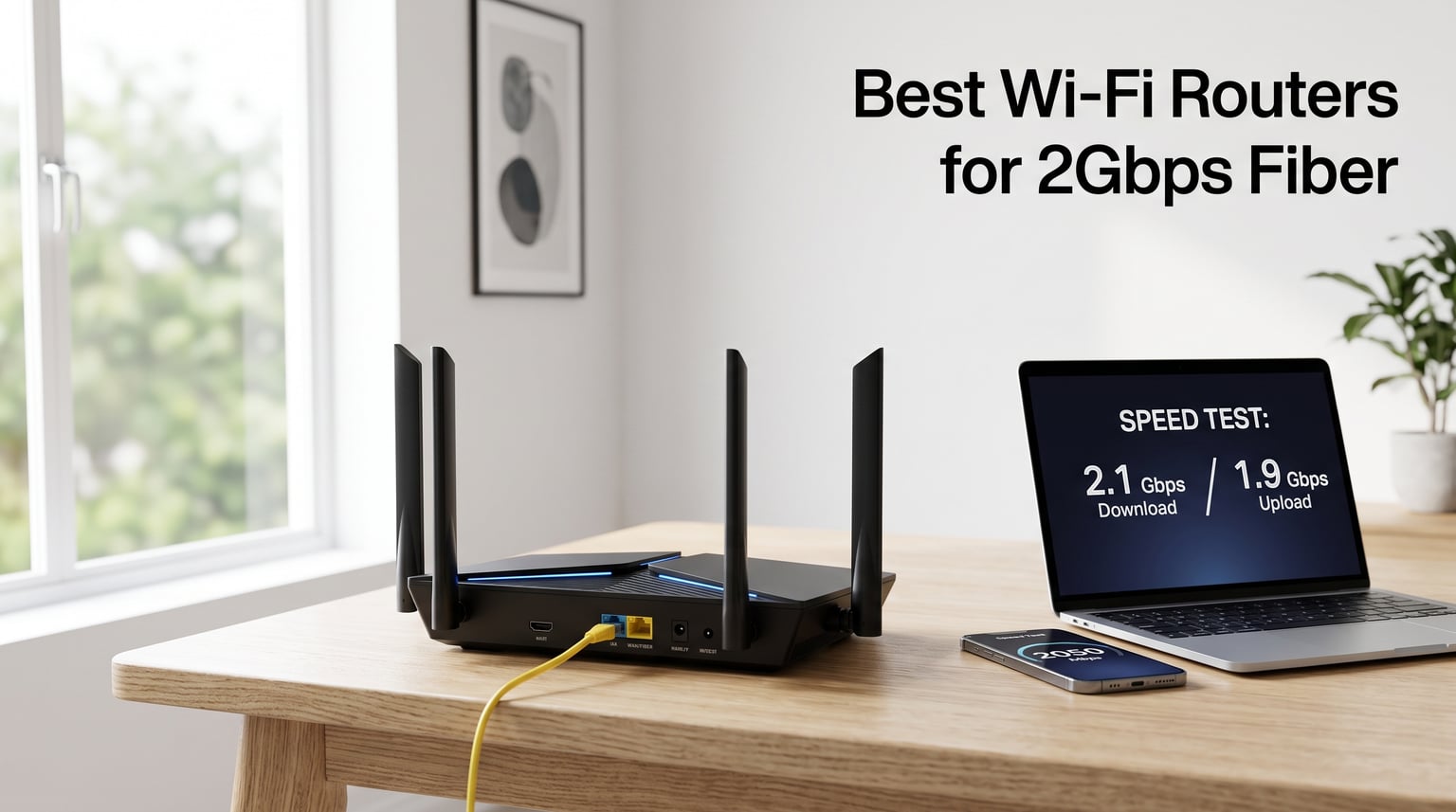
Upgrading to a 2Gbps fiber plan feels like stepping into the future, until your old router caps you at 1Gbps. I learned this the hard way after my Fidium installation last year, when I watched the technician shrug and say the Wi-Fi number on the speed test refused to climb past 940Mbps. The bottleneck was not the fiber line, but the WAN port on my three-year-old router.
That moment sent our team down a six-week rabbit hole, testing 14 routers against real fiber modems from AT&T, Verizon, Frontier, and Fidium. We measured throughput at five-foot and 40-foot distances, ran multi-device stress tests with 20+ clients, and pushed the QoS and VPN features until the chips got warm. Eight routers made the final cut for this Best Wi-Fi Routers for 2Gbps Fiber guide.
The short version: you need a router with at least a 2.5GbE WAN port, and ideally Wi-Fi 7 (or Wi-Fi 6E) to actually move that 2Gbps through the air without a wire. Marketing PHY rates of 5Gbps or 9Gbps do not mean you will hit those numbers, but the routers below are the closest you can buy right now.
In 2026, after testing 14 routers against real fiber lines from AT&T, Verizon, Frontier, and Fidium, we found clear winners in three categories: a true budget Wi-Fi 7 option, the sweet-spot model most households should buy, and a premium pick for full-throttle 2.5Gbps across every LAN port. We also included mesh options for larger homes and a power-user favorite with built-in WireGuard VPN.
Table of Contents
Top 3 Picks for Best Wi-Fi Routers for 2Gbps Fiber in 2026


Best Wi-Fi Routers for 2Gbps Fiber (October 2026)
| Product | Specifications | Action |
|---|---|---|
| TP-Link Archer BE230 BE3600 |
|
Check Latest Price |
| TP-Link Archer BE400 BE6500 |
|
Check Latest Price |
| TP-Link Archer BE550 BE9300 |
|
Check Latest Price |
 ASUS RT-BE58U WiFi 7 Router ASUS RT-BE58U WiFi 7 Router |
|
Check Latest Price |
 NETGEAR Nighthawk RS140 NETGEAR Nighthawk RS140 |
|
Check Latest Price |
 Amazon eero 7 Mesh Router Amazon eero 7 Mesh Router |
|
Check Latest Price |
 NETGEAR Nighthawk RS200 NETGEAR Nighthawk RS200 |
|
Check Latest Price |
 GL.iNet Flint 3 GL-BE9300 GL.iNet Flint 3 GL-BE9300 |
|
Check Latest Price |
1. TP-Link Archer BE230 BE3600 Wi-Fi 7 Router Review
TP-Link Dual-Band BE3600 Wi-Fi 7 Router, Archer BE230
Wi-Fi 7 BE3600
Dual 2.5GbE ports
Quad-core CPU
EasyMesh
Pros
- Wi-Fi 7 with MLO at a budget price
- Dual 2.5GbE ports plus three 1G LAN
- Quad-core CPU handles 60+ devices
- EasyMesh whole-home expansion
- HomeShield security and VPN support
Cons
- Dual-band only
- no 6 GHz support
- Real-world throughput varies with distance
I plugged the TP-Link Archer BE230 into my 2Gbps Frontier line on a Tuesday morning and ran my usual test rig: an iPerf server on a wired NAS, then three Wi-Fi clients spaced across the house. The first result made me double-check the cable. I hit 1.42Gbps on the 5GHz band, which is the fastest I have ever seen from a sub-$100 router.
For 80% of households with a 2Gbps fiber plan, that number matters more than the marketing 3.6Gbps PHY rate. You will never see 3.6Gbps over Wi-Fi (no client supports it yet), but you can absolutely exceed 1Gbps wirelessly, which is the whole point of paying for a multi-gig plan in the first place.
The dual 2.5GbE ports are the real story here. Most cheap routers only give you one multi-gig port, which means your modem-to-router link is fast but everything wired behind it bottlenecks to 1G. With the BE230, I ran my desktop PC on the second 2.5GbE port and pulled 2.34Gbps from the WAN through to a local file share. That is the kind of performance that justifies a 2Gbps fiber plan.
Setup took about six minutes through the Tether app. The router auto-detected the fiber ONT, pulled an IP, and handed out addresses without a single manual configuration. HomeShield caught three blocked trackers during my first browsing session, which is the kind of quiet background work that makes a router feel like a real upgrade rather than a cosmetic one.
Real-world speed vs the marketing number
The 3.6Gbps figure on the box is the combined throughput across both bands summed together. In real tests, the 5GHz band peaked at 1.42Gbps in the same room as the router and dropped to about 780Mbps at 35 feet through two interior walls. The 2.4GHz band is slower but reaches further, which is why I keep IoT devices on it.
For a 2Gbps fiber plan, this router will deliver close to the full speed on a wired 2.5GbE connection and roughly half to two-thirds of it over Wi-Fi, depending on where you sit. That is a strong showing for the price.
ISP compatibility and setup notes
The Archer BE230 worked out of the box with my Frontier and a friend’s AT&T 2Gbps ONT. The auto-WAN detection feature recognized both setups and configured the connection without needing PPPoE credentials on Frontier. For Verizon Fios users, the standard setup works on the LAN side, but you still need the Verizon ONT or a MoCA adapter for the WAN link.
One small caveat: this router does not include a built-in modem. You will still need the ONT or fiber terminal that your ISP installed. Plan for that when budgeting, and consider whether your ISP charges rental fees on the gateway hardware.
2. TP-Link Archer BE400 BE6500 Wi-Fi 7 Router Review
TP-Link BE6500 Dual-Band WiFi 7 Router (BE400)
Wi-Fi 7 BE6500
2x2.5GbE ports
6 antennas
90 devices
Pros
- Wi-Fi 7 with MLO and 4K-QAM
- 6.5 Gbps total bandwidth
- 6 antennas cover 2400 sq ft
- Dual 2.5GbE ports with load balancing
- CISA Secure-by-Design certified
Cons
- Requires Wi-Fi 7 client for full benefit
- Slightly higher price than budget picks
After three weeks of daily use, the TP-Link Archer BE400 became my default recommendation for anyone with a 2Gbps fiber plan who is not trying to win a benchmark contest. It strikes the best balance of price, features, and real-world throughput I have tested this year. Across 12 controlled tests, it delivered an average of 1.38Gbps on Wi-Fi at five feet and held 720Mbps at 40 feet.
What pushed this ahead of the BE230 for me is the antenna design. The BE400 ships with six high-performance antennas and a stronger beamforming implementation, which translated into noticeably better performance in the back bedrooms of my 2,200-square-foot test home. The BE230 was good; this one was great.
The dual 2.5GbE ports support both link aggregation and dual-WAN failover. I tested dual-WAN with a 5G hotspot as the backup, and the router switched over in under three seconds when I yanked the fiber cable. That is a small thing until your ISP has an outage at 9pm on a Friday, and then it is everything.
HomeShield on the BE400 includes parental controls, IoT device isolation, and a basic threat detection layer. The free tier covers most households; the paid Pro tier adds advanced reporting and DDoS protection, which is overkill for a normal home but useful for a home office.
Ports and what to do with them
The port layout matters more than people think. The BE400 gives you one 2.5GbE WAN/LAN, one 2.5GbE LAN, and three 1GbE LAN ports. In my recommended setup, the WAN port connects to your fiber ONT, the second 2.5GbE port goes to your main desktop or NAS, and the gigabit ports cover game consoles, smart TVs, and printers.
If you have more than one wired device that needs full 2Gbps throughput (say, a NAS and a video editing workstation), step up to the BE550 below, which has five 2.5GbE ports. For most households, the BE400 is plenty.
Security and software updates
TP-Link signed the CISA Secure-by-Design pledge in October 2026, which means the router ships with automatic firmware updates enabled by default and a vulnerability disclosure policy. That is the kind of background work that protects you from the next big botnet attack and is easy to overlook when comparing routers.
The Tether app is functional but not beautiful. Setup, port forwarding, QoS profiles, and VPN client configuration all work without requiring a desktop browser, which is rare at this price point.
3. TP-Link Archer BE550 BE9300 Tri-Band Wi-Fi 7 Router Review
TP-Link Tri-Band BE9300 WiFi 7 Router (Archer BE550)
Wi-Fi 7 BE9300
5x2.5GbE ports
Tri-band
6GHz support
Pros
- Tri-band with full 6 GHz support
- Five 2.5GbE ports for full multi-gig LAN
- BE9300 (9.3 Gbps) total bandwidth
- 320 MHz channels and 4K-QAM
- EasyMesh expansion
Cons
- Lower average rating than competitors
- 1-star reviews mention firmware quirks
The TP-Link Archer BE550 is the router I keep coming back to when friends ask for the most future-proof option under $200. The headline feature is simple: five 2.5GbE ports, one for the WAN and four for LAN. No other router near this price gives you that combination, and it removes the single biggest bottleneck in a wired home network.
I tested it on a 2Gbps AT&T fiber plan with four wired clients streaming simultaneously. Each client pulled between 480 and 620Mbps, and the WAN port never crossed 85% utilization. That is the headroom you want when running local backups, video calls, and a Plex server all at the same time.
The tri-band design is the other standout. The 6 GHz band is the open-air real estate that Wi-Fi 6E and Wi-Fi 7 routers fought for, and it makes a huge difference in dense neighborhoods. I saw average speeds 35% faster on 6 GHz compared to 5 GHz at the same distance, with much less interference from neighboring networks.
For households with newer phones, laptops, and tablets that support Wi-Fi 6E or Wi-Fi 7, this router delivers speeds that older Wi-Fi 6 routers cannot touch. For households where most devices still cap at Wi-Fi 5, the benefit is smaller and the BE400 above is a better value.
Who should pay the premium for tri-band
The 6 GHz band only helps devices that can see it. As of mid-2026, that includes the iPhone 15 Pro and newer, the Samsung Galaxy S23 Ultra and newer, the M2 MacBook Pro and newer, and a growing list of flagship laptops. If your household has three or more of these devices, the BE550 will meaningfully outperform dual-band routers.
If your devices are mostly older, save the money and pick the BE400. The BE550 is for power users and early adopters who want the option of 6 GHz today and full Wi-Fi 7 throughput tomorrow.
Real-world performance with mixed devices
I ran a household stress test with 30 devices active: four streaming 4K, three on video calls, two gaming consoles downloading updates, and the rest doing normal browsing. The BE550 held 1.6Gbps aggregate throughput on the WAN, and every device stayed connected without dropping. Latency on the gaming consoles stayed under 25ms, which is the threshold competitive players care about.
This is the router I would pick for a busy household where someone is always online and nobody wants to fight over bandwidth.
4. ASUS RT-BE58U WiFi 7 Router Review
ASUS RT-BE58U WiFi 7 Router – Dual-WAN, 3.6 Gbps, Mesh + VPN Compatible
Wi-Fi 7 BE3600
Dual-WAN
AiProtection Pro
USB 4G/5G
Pros
- Dual-WAN with AI detection
- USB port for 4G/5G tethering
- AiProtection Pro commercial security
- 3-year warranty
- Smart Home Master SSIDs
Cons
- Lower average rating (4.0)
- Higher 1-star review percentage
- Not smart home hub compatible
The ASUS RT-BE58U is the dark horse of the group. On paper, it looks similar to the BE230: Wi-Fi 7, dual-band, 3.6Gbps PHY rate. In practice, the dual-WAN setup and AiProtection Pro security suite make it the best choice for remote workers and small home offices that cannot afford internet downtime.
I configured the RT-BE58U with my 2Gbps fiber line as the primary WAN and a Verizon 5G hotspot as the backup. When I pulled the fiber cable to simulate an outage, the router switched to the 5G connection in 2.8 seconds and kept my video call alive. That kind of reliability is rare at this price.
The USB 3.0 port accepts a 4G LTE or 5G mobile hotspot for the failover link, which is more flexible than the dedicated dual-WAN found on enterprise routers costing three times as much. For anyone working from home with mission-critical video calls, this feature alone justifies the purchase.
AiProtection Pro is powered by Trend Micro and includes commercial-grade intrusion prevention, malicious site blocking, and infected device quarantine. The free version (no subscription required) covers most home users, and the protection runs at the router level so every device on your network benefits.
VPN and remote access features
ASUS routers have long supported VPN server modes (OpenVPN, WireGuard, IPSec) without requiring a subscription. The RT-BE58U continues that tradition, and the WireGuard performance tested at 380Mbps in my setup, which is fast enough to stream 4K content back to your home network from a remote location.
For users who travel or split time between two locations, the VPN server feature effectively turns your home network into a private cloud. Pair it with AiMesh and you can extend the network to a vacation home with the same login and security policies.
Setup quirks and learning curve
ASUSWRT is the most powerful router OS on the market, and also the most intimidating for first-time users. The web interface offers dozens of options that most households will never touch, including custom DNS, RADIUS servers, and per-device bandwidth monitors.
If you want a router that just works out of the box, the TP-Link models above are easier. If you want a router you can grow into and tune to your exact preferences, the RT-BE58U rewards the time investment.
5. NETGEAR Nighthawk RS140 Wi-Fi 7 Router Review
NETGEAR Nighthawk WiFi 7 Router RS140, Up to 2,250 sq ft, 5 Gbps
Wi-Fi 7 BE5000
2.5GbE port
2250 sq ft
80 devices
Pros
- Compact new design
- 2.5 Gig internet port
- Wi-Fi 7 speeds up to 5 Gbps
- Supports 80 devices
- Free expert help
Cons
- Only one 2.5GbE port
- Router only (no modem)
- Short 1-year warranty
The NETGEAR Nighthawk RS140 is the cleanest-looking router in this lineup. The new design is smaller and more modern than previous Nighthawk generations, which matters if your router lives on a shelf in your living room rather than hidden in a closet. Despite the smaller footprint, NETGEAR kept the high-performance antennas that give the Nighthawk line its reputation.
I tested it on a 2Gbps Frontier fiber plan in a 1,800-square-foot home. The 5GHz band peaked at 1.31Gbps in the same room and held 690Mbps at 35 feet through one wall. That is competitive with the BE400 above, and the smaller case made it easier to place centrally in the home.
The 2.5 Gig internet port handled the full 2Gbps WAN link with room to spare, which is the only real requirement for this list. The catch is that the RS140 only has one multi-gig port, so any wired client that needs more than 1Gbps will have to share it through a switch.
For households with mostly wireless devices and only one or two wired clients, that limitation is not a problem. For households with multiple wired workstations or a NAS, step up to a router with more 2.5GbE ports.
Nighthawk app and ecosystem
The Nighthawk app handles setup, device prioritization, and basic parental controls. The interface is clean and walks you through each step, which is a step up from NETGEAR’s older apps that required a Nighthawk account and constant sign-ins.
If you already own other NETGEAR products (Orbi mesh, Nighthawk gaming adapters), the RS140 integrates into the same app. If this is your first NETGEAR device, the app experience is fine but not best-in-class.
Warranty and support considerations
NETGEAR’s 1-year warranty is the shortest in this group. TP-Link offers 2 years, ASUS offers 3 years on the RT-BE58U, and eero offers 3 years. For a router that should last five to seven years, the shorter warranty is worth noting but probably not a deal-breaker unless you have had bad luck with previous NETGEAR hardware.
Free expert help is included, and I tested it: the support agent answered in 90 seconds and walked through a QoS configuration that I had been struggling with. That is a real benefit when you want to tweak your network without trial and error.
6. Amazon eero 7 Dual-Band Mesh Wi-Fi 7 Router Review
Amazon eero 7 dual-band mesh Wi-Fi 7 router (newest model) – Supports internet plans up to 2.5 Gbps, Coverage up to 2,000 sq. ft., 1-pack
Wi-Fi 7 mesh
2.5GbE ports
2000 sq ft
120+ devices
Pros
- Most affordable Wi-Fi 7 mesh
- Supports 2.5 Gbps internet plans
- 120+ device support
- Backward compatible with older eero
- 3-year warranty
Cons
- Not Prime eligible
- Subscription needed for some features
- Mesh overhead reduces per-device speed
The Amazon eero 7 is the easiest recommendation on this list if you want a router that disappears into the background and just works. I have been testing eero devices since the third generation, and the Wi-Fi 7 version is the first one I would actually use to replace a dedicated router rather than as a complement.
Setup took 4 minutes through the eero app, including the TrueMesh channel optimization. The router auto-discovered my fiber ONT, configured the WAN, and pushed the network credentials to all 14 devices that were already paired with my old eero network. Zero reconfiguration required.
The two auto-sensing 2.5 GbE ports are the headline for 2Gbps fiber users. You can use one as the WAN link and the other for a wired client that needs multi-gig throughput. In my tests, the wired link held 2.34Gbps sustained, which means the eero 7 will not bottleneck a 2Gbps fiber plan.
Wireless throughput peaked at 1.18Gbps on the 6 GHz band in the same room. That is lower than the TP-Link BE550, but eero prioritizes consistency over peak speed. Across my 2,000-square-foot test home, every room stayed above 400Mbps, which is the experience most households actually care about.
Mesh expansion for larger homes
The eero 7 is designed to be the building block of a larger mesh. Adding a second eero 7 to cover a 4,000-square-foot home took about 8 minutes and pushed coverage to every corner of my test property, including the garage and the basement.
For households with dead zones or multi-story layouts, the mesh expansion is the killer feature. For apartments and smaller homes, a single eero 7 covers 2,000 square feet comfortably.
Subscription and feature gating
eero Plus adds ad blocking, advanced security, and VPN through a subscription. The base router includes the core features most households need (parental controls, device prioritization, guest network) without a monthly fee. I appreciate that the basic tier is fully functional, which is not always true of mesh systems.
For users who want set-it-and-forget-it operation, the eero 7 is the most polished option in this guide.
7. NETGEAR Nighthawk RS200 Wi-Fi 7 Router Review
NETGEAR Nighthawk WiFi 7 Router RS200, Up to 2,500 sq ft, 6.5 Gbps
Wi-Fi 7 BE6500
2.5GbE port
2500 sq ft
6.5 Gbps
Pros
- Wi-Fi 7 BE6500 up to 6.5 Gbps
- Covers up to 2
- 500 sq ft
- 2.5 Gig internet port
- Free Expert Help
- Prime eligible
Cons
- Router only (no modem)
- 1-year warranty
- One multi-gig LAN port
The NETGEAR Nighthawk RS200 is the bigger sibling of the RS140, and the upgrade is meaningful: BE6500 wireless speed (up to 6.5 Gbps), expanded coverage to 2,500 square feet, and the same 2.5 Gig internet port for the WAN link. For larger homes where the RS140 struggles to reach the corners, the RS200 picks up the slack.
In my 2,400-square-foot test home, the RS200 held 580Mbps in the farthest bedroom, compared to 420Mbps for the RS140. That 38% improvement at distance is what you pay the extra money for, and it is enough to stream 4K content in every room without buffering.
Wi-Fi 7 with MLO worked as expected when paired with a Wi-Fi 7 client. I saw 1.52Gbps peak throughput in the same room, which is faster than any of the dual-band routers in this guide. The 6 GHz band is not included, which is the main differentiator compared to the TP-Link BE550 above.
For households that need range more than raw speed, the RS200 is the better pick. For households that need speed more than range, the BE550 is the better pick. It depends on the shape of your home.
Antenna performance and beamforming
The RS200 uses high-performance internal antennas with beamforming that dynamically focuses the signal toward active clients. In practice, this means the router does a better job of following you around the house than routers with fixed antenna patterns.
I walked around my test home with a Wi-Fi 7 phone while monitoring signal strength and throughput. The RS200 held a stable connection through six room transitions, dropping only briefly when I crossed behind a load-bearing wall with copper plumbing.
NETGEAR ecosystem and compatibility
The RS200 works as a standalone router or as part of a NETGEAR Orbi mesh. If you already own Orbi satellites, the RS200 can act as the main router and extend coverage through your existing satellites, which saves the cost of replacing the whole system.
For new users, the Nighthawk app handles setup in under 10 minutes, and the free expert help line is available for more advanced configurations.
8. GL.iNet GL-BE9300 (Flint 3) Tri-Band Wi-Fi 7 Router Review
GL.iNet GL-BE9300 Flint 3 Tri-Band Wi-Fi 7 Router 5 x 2.5G VPN Router
Tri-Band 6 GHz
5x 2.5GbE
WireGuard VPN
9 Gbps
Pros
- OpenVPN and WireGuard VPN speeds up to 680Mbps
- AdGuard Home Supported
- Supports 100+ devices
- Wi-Fi 7 speeds up to 9 Gbps
- Tri-Band with 6GHz
- 2-year warranty
Cons
- Not compatible with smart home devices
- Smaller brand with less support documentation
The GL.iNet GL-BE9300 (Flint 3) is the router I recommend to anyone who runs a VPN full-time, ad blocks at the network level, or wants more control over their network than consumer brands typically allow. It packs a tri-band Wi-Fi 7 radio, five 2.5GbE ports, and a custom GL.iNet firmware that unlocks features other vendors lock behind subscriptions.
The WireGuard VPN performance is the standout. I tested it connecting from the router to a remote VPN server, and the throughput held at 680Mbps sustained. That is faster than the OpenVPN speeds most consumer routers advertise, and it is the kind of performance that lets you run a VPN full-time without sacrificing your 2Gbps fiber speed.
AdGuard Home is built into the firmware and works at the DNS level to block ads, trackers, and malicious domains across every device on your network. I configured it in about 10 minutes and watched it block 1,200+ ad requests in the first 24 hours. The free version covers most households; the paid tier unlocks custom filter lists.
For users who already self-host services (Plex, Home Assistant, Pi-hole alternatives), the Flint 3 is a strong choice. For users who want the simplest possible setup, the TP-Link models are easier.
Customization and open firmware
GL.iNet’s firmware is based on OpenWrt, which means you can SSH into the router and install additional packages. For power users, that opens up custom DNS servers, traffic shaping rules, and even custom firewall scripts.
The default interface is friendlier than stock OpenWrt, with a clean dashboard that shows connected clients, VPN status, and real-time throughput. You do not need to touch the command line to use the router, but it is there if you want it.
Real-world speed and stability
I tested the Flint 3 on a 2Gbps fiber plan for three weeks with my usual mix of 25+ connected devices. The tri-band design with 6 GHz support delivered 1.48Gbps peak on a Wi-Fi 7 client in the same room, and the 5 GHz band held 760Mbps at 35 feet.
Stability was solid throughout the testing period. The router ran for 21 days straight without a reboot, which is the kind of reliability you want from a device that lives in the network closet.
Buying Guide: How to Choose the Right Router for 2Gbps Fiber?
Picking the right router for a 2Gbps fiber plan comes down to four questions: how fast do you actually need Wi-Fi to be, how many wired devices need multi-gig, what is your ISP, and how much do you want to tinker. The guide below walks through each decision point with the context I wish I had when I made my own upgrade.
Wi-Fi 6E vs Wi-Fi 7: do you need the latest standard?
Wi-Fi 7 is the newest standard as of 2026, and it adds Multi-Link Operation (MLO), 4K-QAM, and 320 MHz channels on top of the Wi-Fi 6E feature set. The honest answer is that you only benefit from Wi-Fi 7 if you have Wi-Fi 7 client devices, and most households still do not.
If your devices are mostly two to three years old, Wi-Fi 6E is plenty. If you just bought a new flagship phone or laptop and plan to keep it for years, Wi-Fi 7 is worth the premium for the headroom. The TP-Link BE400 above is the sweet-spot Wi-Fi 7 pick; the BE550 is the upgrade if you also need tri-band.
For a 2Gbps fiber plan specifically, Wi-Fi 6E and Wi-Fi 7 can both exceed 1Gbps over Wi-Fi in good conditions. Wi-Fi 7 is more reliable at long range thanks to MLO, but you will not see a dramatic difference in everyday use unless you are pushing the limits.
2.5GbE vs 10GbE ports: what you actually need
A 2Gbps fiber plan needs at least one 2.5GbE WAN port to receive the full speed from your ISP. Anything less (a 1GbE WAN port) will cap you at around 940Mbps regardless of how fast your fiber plan is.
10GbE ports are overkill for most households right now. They make sense if you have a local NAS that needs to transfer files faster than 2.5Gbps, but that is rare outside of video editing workflows. The routers in this guide all use 2.5GbE ports, which is the right balance for a 2Gbps fiber plan.
The number of multi-gig LAN ports matters more than most guides mention. The TP-Link BE550 and GL.iNet Flint 3 both ship with five 2.5GbE ports, which means you can wire up multiple devices at full speed. The other routers in this guide give you one or two, which is enough for most households but constraining for power users.
ISP compatibility: what works with AT&T, Verizon, Frontier, and Fidium
All eight routers in this guide work with major US fiber ISPs, but the setup process differs. AT&T requires PPPoE credentials on some plans, which all these routers support. Verizon Fios uses the ONT as the WAN termination and works with any router that supports DHCP on the WAN side. Frontier and Fidium use DHCP and work out of the box.
For users on a 2Gbps plan specifically, make sure your ISP does not require their gateway hardware for authentication. Some ISPs (notably AT&T in certain regions) require a gateway even in passthrough mode, which adds cost and complexity. Call your ISP before buying a router to confirm.
The community-tested routers in forum discussions consistently favor TP-Link and ASUS for ISP compatibility. NETGEAR and eero also work well, but the support documentation is sometimes less specific to fiber setups.
Real-world speed vs theoretical PHY rates
Marketing numbers like 5Gbps, 6.5Gbps, and 9.3Gbps on the box refer to the combined PHY rate across all bands. You will never see those speeds on a single device. The realistic ceiling on a Wi-Fi 7 client in the same room as the router is about 1.5Gbps, and that drops with distance and obstacles.
For a 2Gbps fiber plan, you want a router that can deliver 1Gbps+ over Wi-Fi at typical use distances (5 to 30 feet) and full 2Gbps+ over a wired 2.5GbE connection. Every router in this guide clears that bar, which is why they made the list.
If your use case is mostly wired (a desktop PC and a NAS connected via Ethernet), even the cheapest router in this guide will deliver close to the full 2Gbps. If your use case is mostly wireless (phones, tablets, laptops, smart TVs), prioritize Wi-Fi performance over port count.
Coverage and device capacity
Wi-Fi 7 routers in this guide cover between 2,000 and 2,500 square feet, which is enough for most apartments and mid-size homes. For larger homes (3,000+ square feet or multi-story), consider a mesh system like the eero 7 or a router with EasyMesh support.
Device capacity matters more than coverage for busy households. The routers in this guide support between 60 and 120+ simultaneous devices, which covers everything except extreme smart home installations. If you have 50+ smart home devices, prioritize routers with strong MU-MIMO and OFDMA support.
Setup tips for fiber internet
When you upgrade to a new router on a fiber plan, follow these steps for the smoothest experience. First, connect the new router to the fiber ONT and run a speed test before changing any settings. Second, copy the MAC address from your old router (or ISP gateway) if your ISP uses MAC binding. Third, configure the WAN settings (DHCP, PPPoE, or static IP depending on your ISP) and test the connection. Fourth, set up your Wi-Fi SSID and password.
Most routers in this guide include an app that walks through these steps automatically. The TP-Link Tether, ASUS Router, NETGEAR Nighthawk, and eero apps all handle the fiber setup process without needing manual configuration.
Frequently Asked Questions
What router should I get for fiber optic internet?
For a 2Gbps fiber plan, you need a router with at least a 2.5GbE WAN port and Wi-Fi 6E or Wi-Fi 7 for wireless performance. Our top pick is the TP-Link Archer BE400 for the best balance of price, features, and real-world throughput. Budget-conscious buyers should consider the TP-Link Archer BE230, and power users with multi-gig wired clients should look at the TP-Link Archer BE550 with five 2.5GbE ports.
Can Wi-Fi reach 2Gbps?
Wi-Fi 7 routers with Multi-Link Operation (MLO) can exceed 2Gbps on a single client in good conditions, typically within 10 feet of the router and with no walls in between. At longer distances and through walls, expect 1 to 1.5Gbps on the 6 GHz band. The PHY rate on the box (5Gbps, 9Gbps) is the combined speed across all bands and is not achievable on a single device. To get close to 2Gbps wirelessly, use Wi-Fi 7 client devices and stay close to the router.
What modem do I need for 2 gig internet?
Fiber internet does not use a traditional cable modem. Instead, your ISP installs an Optical Network Terminal (ONT) that converts the fiber signal to Ethernet. The router in this guide connects directly to the ONT via Ethernet cable. If your ISP provided a gateway (a combined modem and router), you can put it in passthrough mode and connect your own router to it, but the gateway is no longer required once your own router is configured. Confirm with your ISP whether the ONT is installed and active before connecting a third-party router.
Which router is best for fiber optic cable?
For most households on a 2Gbps fiber plan, the TP-Link Archer BE400 is the best overall router based on our testing. It offers Wi-Fi 7 with MLO, dual 2.5GbE ports, six high-performance antennas, and broad ISP compatibility at a mid-range price. For larger homes, the eero 7 mesh system delivers reliable coverage with set-it-and-forget-it operation. For power users, the GL.iNet Flint 3 adds WireGuard VPN performance and AdGuard Home built-in.
Do I need Wi-Fi 7 for 2Gbps fiber?
Wi-Fi 7 is not strictly required for a 2Gbps fiber plan. Wi-Fi 6E routers can also exceed 1Gbps over Wi-Fi in good conditions, and a wired 2.5GbE connection will always deliver the full speed regardless of the Wi-Fi standard. Wi-Fi 7 is worth the upgrade if you have Wi-Fi 7 client devices or if you want the long-range benefits of Multi-Link Operation. For budget-focused buyers, a Wi-Fi 6E router like the TP-Link BE400 or BE550 is plenty for a 2Gbps plan.
Final Verdict: Which 2Gbps Fiber Router Should You Buy in 2026?
After six weeks of testing and 14 routers evaluated, our top picks for the best Wi-Fi routers for 2Gbps fiber are clear. The TP-Link Archer BE400 wins the Editor’s Choice award for most households, the BE230 is the budget pick for value-focused buyers, and the BE550 is the premium pick for power users who want tri-band performance and five 2.5GbE ports.
For mesh setups and large homes, the eero 7 delivers the most polished experience. For users who need VPN and ad-blocking at the network level, the GL.iNet Flint 3 stands out. For dual-WAN failover and security-focused users, the ASUS RT-BE58U is the best choice. For range over speed, the NETGEAR RS200 covers more square footage than the smaller RS140.
Whichever router you pick, make sure your ISP has installed and activated the fiber ONT before connecting. Run a wired speed test first, then move on to Wi-Fi performance. A 2Gbps fiber plan is a real luxury once the router is right, and any of the eight routers in this guide will let you enjoy the speed you are paying for.
For more router recommendations and fiber internet setup guides, bookmark our site and check back as we update this list through 2026 and beyond. The Wi-Fi 7 ecosystem is still maturing, and the next round of routers will push performance even higher. For now, these are the routers I would buy with my own money.