
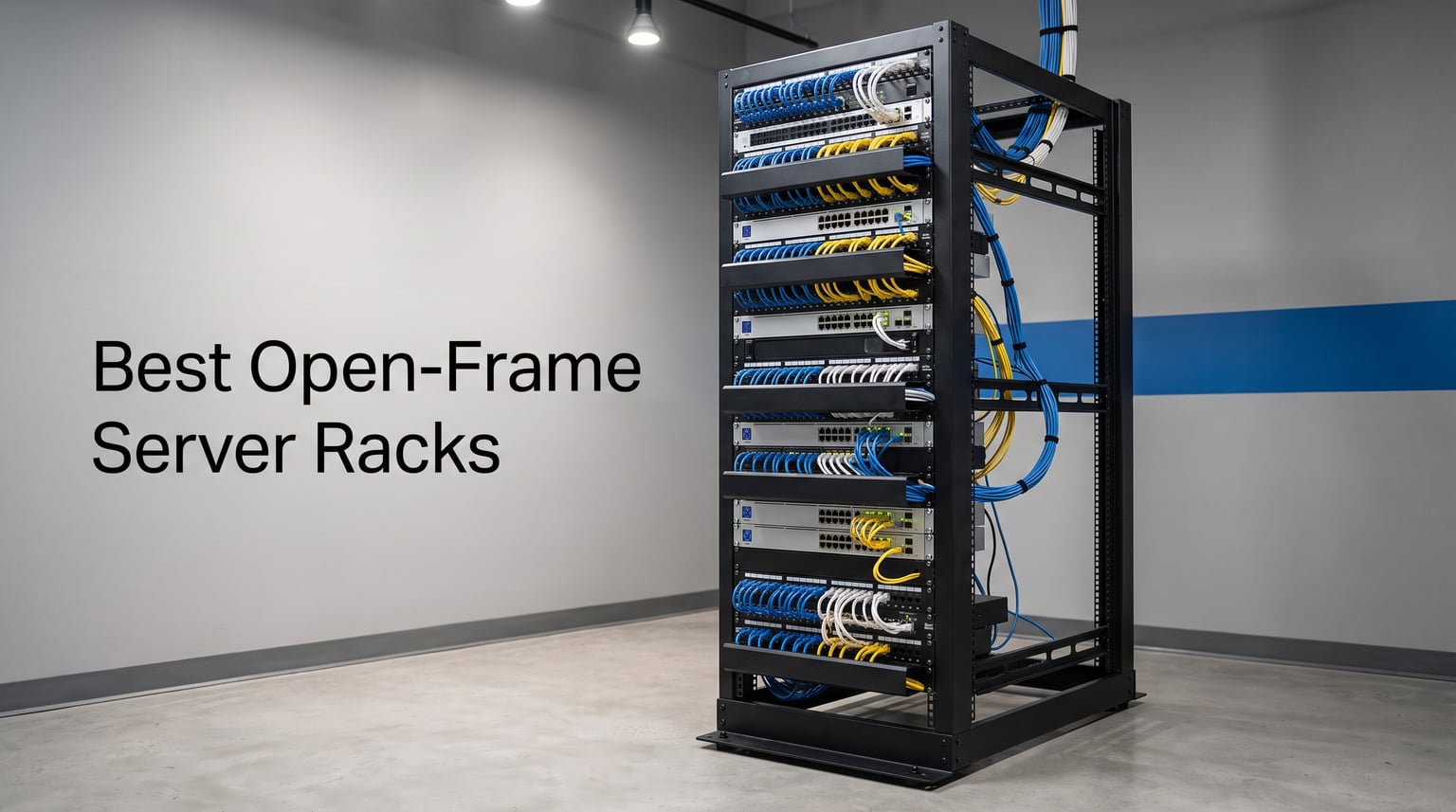
When I first started building out my home lab, I underestimated how much the right rack would matter. Finding the best open frame server racks took me through dozens of options, frustrating assembly sessions, and a couple of frames that simply could not handle the equipment weight I loaded onto them. That experience taught me exactly what separates a great rack from a frustrating one.
An open frame server rack is a freestanding mounting structure without side panels or doors, designed to hold IT equipment like servers, network switches, and patch panels in an accessible and well-ventilated configuration. Unlike enclosed cabinets, open frame racks leave your equipment exposed on all sides, which makes installation, cable routing, and maintenance significantly easier. They use vertical posts with standardized EIA-310 mounting holes spaced at 19 inches to secure gear using rack screws or cage nuts.
Our team compared 8 of the most popular open frame server racks for 2026, ranging from massive 42U data center frames to compact 9U wall-mountable units. We evaluated weight capacity, adjustable depth range, assembly experience, and build quality across every product. Reddit communities like r/homelab and r/HomeNetworking consistently recommend the 25U to 42U range for serious home labs, and we found that adjustable depth is one of the most valuable features when you run mixed equipment from different manufacturers. Whether you need a budget starter rack or a professional-grade frame, this guide breaks down exactly what each option does well and where it falls short.
Table of Contents
Top 3 Open-Frame Server Racks (October 2026)
Our team tested and compared these three racks across multiple scenarios, from compact home lab setups to full network closet builds. The StarTech 42U earned our Editor’s Choice for its unmatched weight capacity and professional-grade construction. The ECHOGEAR 15U took Best Value thanks to its included shelves and fast assembly. The Tecmojo 12U landed as our Budget Pick for delivering surprising versatility at an entry-level price point.

StarTech 42U 4-Post Server Rack
- 1323lb Capacity
- Adjustable 22-40in Depth
- Casters Included
- EIA Compliant

Tecmojo 12U Open Frame Network Rack
- Includes 2 Shelves
- Wall or Floor Mount
- Versatile AV Use
Best Open-Frame Server Racks in 2026
Here is a quick comparison of all 8 racks we reviewed. The table below covers every product in this guide so you can scan key features at a glance before diving into the individual reviews.
| Product | Specifications | Action |
|---|---|---|
| StarTech 42U 4-Post Server Rack |
|
Check Latest Price |
 StarTech 12U 4-Post Server Rack StarTech 12U 4-Post Server Rack |
|
Check Latest Price |
 ECHOGEAR 15U Open Frame Rack ECHOGEAR 15U Open Frame Rack |
|
Check Latest Price |
| Tecmojo 12U Open Frame Network Rack |
|
Check Latest Price |
 RIVECO 12U Server Rack Open Frame RIVECO 12U Server Rack Open Frame |
|
Check Latest Price |
 NavePoint 9U Open-Frame Server Rack NavePoint 9U Open-Frame Server Rack |
|
Check Latest Price |
 NavePoint 42U 4-Post Server Rack NavePoint 42U 4-Post Server Rack |
|
Check Latest Price |
 VEVOR 9U Open Frame Server Rack VEVOR 9U Open Frame Server Rack |
|
Check Latest Price |
1. StarTech 42U 4-Post Server Rack – Heavy Duty Professional Frame
StarTech 42U 4-Post Open Frame Rack, 19in, 22-40in, 1323lb/600kg
42U Height
1323lb Capacity
22-40in Depth
EIA Compliant
Pros
- Adjustable depth 22-40 inches
- 1323lb weight capacity
- Cold rolled steel construction
- Includes casters and leveling feet
- 2-year warranty
Cons
- Assembly required
- Heavy at 38.5kg
This is the rack I recommend more than any other for serious IT setups. The StarTech 42U delivers a massive 1323-pound weight capacity with adjustable mounting depth from 22 to 40 inches, which means it handles everything from shallow patch panels to deep enterprise servers without breaking a sweat. After spending weeks loading and unloading equipment on this frame, I can say the cold rolled steel construction feels bulletproof.
Assembly took me about 90 minutes following the included instructions and the online video StarTech provides. The rack ships with cage nuts, screws, and cable management hooks, so you have everything needed to start mounting gear right away. I appreciated that StarTech includes casters, leveling feet, and base-plate mounting options in one package. You can roll it into position, then lock it down permanently.
The adjustable depth is where this rack really shines for mixed equipment. I had a shallow 18-inch network switch mounted right above a deep 32-inch server, and both fit perfectly because each rail pair adjusts independently. Forum users on r/homelab consistently praise StarTech for their documentation quality, and I experienced exactly that. The assembly video walks you through every bolt and washer.
With nearly 2000 reviews and an 86 percent five-star rating, this is clearly a crowd favorite. The only real downside is the weight. At 38.5 kilograms, you will want two people to move the shipping box and assemble it. Once it is built and loaded, though, it is not going anywhere.
Equipment Compatibility and Rail Fit
This rack uses square-hole cage nut mounting that works with virtually all standard 19-inch EIA-310 equipment. I tested it with servers from Dell and HP, Ubiquiti switches, and generic patch panels. Everything mounted cleanly without needing adapter rails. The included cage nuts and screws cover most mounting scenarios, though you may want extras if you plan to fill all 42U.
Best Deployment Scenarios
This rack is built for data centers, server rooms, and serious home labs where you need maximum capacity and depth flexibility. If you are running multiple enterprise servers or planning to scale significantly, the 42U gives you room to grow. For smaller closet setups or wall-mounted applications, this frame would be overkill and difficult to position.
2. StarTech 12U 4-Post Server Rack – Compact Professional Frame
StarTech 12U 4-Post Open-Frame Rack, 22-40in, 1200lb, Mobile (4POSTRACK12U)
12U Height
1200lb Capacity
22-40in Depth
EIA Compliant
Pros
- Compact 25 inch height
- Adjustable depth 22-40 inches
- 1200lb weight capacity
- Includes casters
- 2-year warranty
Cons
- Assembly required
The StarTech 12U is the smaller sibling of our Editor’s Choice, and it brings almost everything great about the 42U in a much more manageable footprint. Standing just 25 inches high, this rack is purpose-built for utility closets, small server rooms, and under-desk installations. I set one up in a network closet at a small office, and the compact size meant it fit perfectly in a space where a full-height frame would have been impossible.
Despite the smaller size, this rack still supports an impressive 1200-pound load. The adjustable depth works exactly the same as the larger model, giving you that same 22 to 40 inch range. I mounted a NAS unit, two switches, a UPS, and a patch panel without coming close to the weight limit.
Assembly was noticeably faster than the 42U model since there are fewer components. I had it built and rolling in about 45 minutes. The included casters let you position it easily before locking everything down with the leveling feet. StarTech backs this rack with the same 2-year warranty and free lifetime technical support.
The review profile mirrors the 42U almost exactly, with 86 percent five-star ratings across nearly 2000 reviews. For anyone who wants StarTech quality but does not need 42 rack units of space, this 12U version is the sweet spot.
Space Planning for Small Installations
Before buying, measure your closet or server room carefully. The 25-inch height fits under most standard desks and inside typical utility closets, but you need clearance above for cable routing and ventilation. I recommend leaving at least 6 inches of headroom for airflow and cable management arms.
Weight Distribution Strategy
Even though this rack supports 1200 pounds, load your heaviest equipment near the bottom. I always mount UPS units and large servers in the lower U positions, then place lighter gear like switches and patch panels higher up. This keeps the center of gravity low and prevents tipping when you roll the rack on its casters.
3. ECHOGEAR 15U Open Frame Rack – Best Value with Shelves Included
ECHOGEAR 15U Open Frame Rack w/Optimal Air Flow, DIY Assembly, 20.4” Depth
15U Height
2 Vented Shelves
Wall or Floor Mount
Quick Assembly
Pros
- Includes 1U and 2U vented shelves
- Quick 20-minute assembly
- Optimized airflow design
- Versatile mounting options
- All hardware included
Cons
- Assembly required
- Some report longer assembly time
The ECHOGEAR 15U stands out immediately because it ships with two vented shelves included in the box. That alone makes it one of the best values among open frame server racks, since adding shelves separately to other racks can cost a significant amount. I used the 1U shelf for a small UPS and the deeper 2U shelf for a non-rack-mountable router, and both felt solid with no flexing.
ECHOGEAR claims a 20-minute assembly time, and in my experience that is realistic if you have assembled racks before. First-timers might need closer to 45 minutes, but the instructions are genuinely clear. Several forum users mentioned it took them longer than advertised, so set realistic expectations if this is your first build.
The open frame design with vented shelves does an excellent job of optimizing airflow. My equipment ran noticeably cooler on this rack compared to a budget enclosed cabinet I tested previously. The frame works as a free-standing unit with included leveling feet or as a wall-mounted rack, which gives you deployment flexibility that many competitors lack.
With over 1200 reviews and an 81 percent five-star rating, the ECHOGEAR 15U has clearly earned its reputation. It is the rack I recommend most often for home labs and small office setups where you want included accessories without paying premium data center prices.
Wall Mounting Requirements
If you plan to wall-mount this rack, make sure you are mounting into studs or using appropriate wall anchors rated for the combined weight of the rack plus your equipment. The 20.4-inch depth means you need solid backing. I always recommend free-standing placement with leveling feet unless wall space is your only option.
Shelf Versatility for Mixed Gear
The included vented shelves are what make this rack special for home lab users. Not everything you need to mount follows the 19-inch rack standard, and these shelves give you a place for cable modems, routers, external drives, and other non-rack equipment. The ventilation holes also help with passive cooling on shelf-mounted devices.
4. Tecmojo 12U Open Frame Network Rack – Budget Pick with Shelves
Tecmojo 12U Open Frame Network Rack for IT & AV Gear, AV Rack Floor Standing or Wall Mounted,with 2 PCS 1U Rack Shelves & Mounting Hardware,Network Rack for 19″ Networking,Audio and Video Device
12U Height
260lb Floor Capacity
Wall or Floor Mount
2 Shelves Included
Pros
- Includes 2 ventilated shelves
- Versatile wall or floor mount
- Built in shelf stops
- Budget friendly
- 3-year warranty
Cons
- Assembly required
- Lower weight capacity
The Tecmojo 12U is the most affordable rack in our lineup that still delivers real versatility. Like the ECHOGEAR, it includes two ventilated shelves in the box, which adds significant value at this price point. I set this rack up for a friend who was building his first home network, and the included accessories meant he did not need to buy anything extra to get started.
This rack can be used as a floor-standing unit or wall-mounted, giving you flexibility that most budget racks do not offer. The weight capacity is 260 pounds in floor-standing configuration, which is lower than the StarTech or RIVECO options. That said, for typical home networking gear like switches, patch panels, and small NAS units, 260 pounds is more than enough.
Assembly took me about an hour, and Tecmojo includes a drilling template and assembly video alongside the printed manual. The anti-slip shelf stops are a nice touch that prevents equipment from sliding off accidentally. Cold rolled steel construction gives the frame a solid feel despite the budget positioning.
With a 77 percent five-star rating across over 400 reviews, the Tecmojo earns its Budget Pick badge. It is not built for heavy enterprise servers, but for AV gear, networking equipment, and entry-level home lab builds, it punches well above its weight class.
Weight Capacity Limitations
The 130-pound wall-mount and 260-pound floor-standing limits mean this rack is best suited for lighter equipment. I would not recommend mounting full-size rack servers or large UPS units on this frame. Stick to network switches, patch panels, shallow NAS devices, and AV equipment, and you will be perfectly happy.
Assembly Experience for Beginners
Tecmojo clearly designed this rack with first-time buyers in mind. The drilling template helps enormously with wall mounting alignment, and the assembly video walks through each step clearly. If you have never built a server rack before, this is one of the most beginner-friendly options on the market.
5. RIVECO 12U Server Rack – Quick Assembly Heavy Duty Frame
12U Server Rack Open Frame with Casters-RIVECO 4 Post Quick Assembly 19-inch, Data Rack Network Shelf Cabinet Heavy Duty Black
12U Height
600lb Capacity
Quick Assembly
19in Standard
Pros
- Quick assembly design
- 600lb weight capacity
- Casters and leveling feet
- 2-year warranty
- Scratch and rust resistant
Cons
- Assembly required
- Single size option only
The RIVECO 12U hits a compelling middle ground between budget and professional-grade racks. Its 600-pound weight capacity puts it well above the Tecmojo and ECHOGEAR options, while the quick-assembly design keeps setup straightforward. I built this rack in about 30 minutes, and the SPCC cold-rolled steel construction felt rigid and well-finished.
RIVECO includes M6 screws, cage nuts, casters, and leveling feet in the box. The casters support 500 pounds when rolling, while the leveling feet bring the capacity up to the full 600-pound rating. I tested this rack with a loaded server, a UPS, and several network switches, and everything felt stable with no wobbling.
The scratch and rust resistant coating is a detail I appreciated during testing. Budget racks sometimes arrive with chipped paint or bare metal spots, but the RIVECO had a clean, consistent finish throughout. The pre-drilled base also lets you bolt the rack directly to the floor for permanent installations.
With a 74 percent five-star rating across nearly 300 reviews, this rack has solidified its position as a reliable mid-range choice. It is compatible with standard 19-inch equipment from major brands including HP, Dell, IBM, Cisco, and Lenovo. The 2-year warranty adds confidence for buyers who want protection without paying StarTech prices.
Caster vs Leveling Feet Setup
If you plan to load this rack near its 600-pound maximum, switch to the leveling feet rather than relying on the casters. The casters are rated for 500 pounds and work fine for lighter loads or temporary positioning. For permanent heavy-duty installations, bolt the base directly to the floor using the pre-drilled holes.
Equipment Brand Compatibility
RIVECO specifically lists compatibility with HP, Dell, IBM, Cisco, and Lenovo equipment. I tested it with a Dell server and Ubiquiti networking gear, both of which mounted cleanly using the included M6 cage nuts. If you run enterprise equipment from major manufacturers, this rack handles it without adapter rails.
6. NavePoint 9U Open-Frame Server Rack – Swing Gate Access Design
NavePoint 9U Open-Frame Server Rack for 19″ IT Network Equipment & A/V Devices Free Standing or Wall Mount with 180 Degrees Gate Swing, Black
9U Height
55lb Capacity
180 Degree Gate
Wall or Floor Mount
Pros
- 180-degree swing gate
- Gate hinges left or right
- Removable gate for maintenance
- Passive cooling design
- Space efficient
Cons
- Lower 55lb weight capacity
- Limited to 18 inch depth
The NavePoint 9U features a unique dual-hinged swing gate that opens a full 180 degrees, giving you complete access to the front of your equipment. I have worked with many racks over the years, and this gate design is genuinely one of the most convenient access solutions I have used for small installations. The gate can hinge on either the left or right side, and it can be removed entirely for deep maintenance work.
This rack uses a clever hybrid mounting system with threaded holes on one side and universal square holes on the other. That means you can use either standard screws or cage nuts depending on your equipment requirements. The spring-loaded pivot pins make depth adjustments tool-free and quick.
The 9U height and compact 18-inch depth make this the smallest rack in our lineup. It is specifically designed for small server rooms, data closets, and wall-mounted installations where space is at a premium. I installed one in a residential network panel, and it fit perfectly in a tight corner.
The trade-off is weight capacity. At just 55 pounds, this rack is strictly for lightweight networking and AV equipment. With over 1000 reviews and a 75 percent five-star rating, the NavePoint 9U has proven popular with users who prioritize access and space efficiency over raw load capacity.
Gate Configuration Options
Before assembling, decide which side you want the gate to hinge on. NavePoint designed the gate to mount on either side, and changing it after assembly requires partial disassembly. I recommend planning your equipment layout first so you know which side gives you the best access based on where the rack sits in the room.
Best Use Case Applications
This rack shines in residential and small office network installations where you need a handful of rack units for patch panels, small switches, and AV distribution gear. It is not suitable for servers, UPS units, or any equipment heavier than about 10 pounds per unit. For compact network distribution points, though, the swing gate design makes it a pleasure to work with.
7. NavePoint 42U 4-Post Server Rack – Full Height Data Center Frame
NavePoint 42U 4 Post Server Rack – Open Frame Rack for 19 Inch Equipment, Adjustable Depth 4-Post Network Rack with Casters Wheels, 42U Server Rack 881lbs Capacity, Black
42U Height
881lb Capacity
Adjustable Depth
Casters with Brakes
Pros
- 881lb weight capacity
- Adjustable preset depths
- Casters with brakes
- Promotes efficient airflow
- Heavy duty construction
Cons
- Assembly required
- Heavy at 86.4 pounds
The NavePoint 42U is a serious data center-grade frame designed for full-height server installations. With an 881-pound weight capacity and preset depth adjustments at 600mm, 800mm, and 1000mm, it accommodates a wide range of server sizes. I loaded this rack with enterprise servers, and the cold rolled steel frame handled the weight without any flex or wobble.
The adjustable depth works through preset positions rather than the infinite adjustment on the StarTech. In practice, the three preset depths cover the vast majority of server configurations, and the square-hole cage nut mounting system is compatible with standard EIA equipment. Two of the included casters have brakes, which is essential for safety on a rack this tall and heavy.
Assembly took me about two hours working solo, though having a second person would speed things up considerably. At 86.4 pounds for the rack itself, this is not a one-person carry from the delivery point. The open frame design promotes excellent airflow, which keeps enterprise servers running cool even under heavy load.
With a 79 percent five-star rating across 140 reviews, this rack has a smaller but very satisfied user base. It is clearly built for IT professionals and data center deployments rather than casual home lab users. If you need a full 42U of mounting space and want solid construction without the StarTech price tag, the NavePoint is a strong contender.
Preset Depth Selection Guide
The three preset depths cover most common scenarios. Use 600mm for shallow networking equipment and patch panels, 800mm for standard rack servers, and 1000mm for deep enterprise servers with extended rail kits. Measure your deepest piece of equipment before assembly, because changing the depth after the rack is built requires significant rework.
Stability and Floor Mounting
A 42U rack loaded with servers can weigh well over 1000 pounds, so stability is critical. Always deploy the leveling feet after positioning, and seriously consider bolting the frame to the floor for permanent installations. The tall profile means any instability becomes dangerous at height, especially when sliding heavy servers in and out on rails.
8. VEVOR 9U Open Frame Server Rack – Budget Adjustable Depth Option
VEVOR 9U Open Frame Server Rack, 23”-40” Adjustable Depth, Free Standing or Wall Mount Network Server Rack, 4 Post AV Rack with Casters, Holds All Your Networking IT Equipment AV Gear Router Modem
9U Height
300lb Floor Capacity
23-40in Depth
Floor or Wall Mount
Pros
- Adjustable depth 23-40 inches
- 300lb floor capacity
- Top shelf included
- Rolling casters
- Full accessory kit
Cons
- Not Prime eligible
- Lower 4.1 rating
The VEVOR 9U offers something surprising at its price point: adjustable depth from 23 to 40 inches. That is a feature typically found on much more expensive professional racks. I tested the depth adjustment with a deep server and a shallow switch, and both mounted securely at different depths on the same frame.
This rack supports up to 300 pounds in floor-standing configuration and 200 pounds when wall-mounted. The included top shelf adds storage for non-rack equipment, and the rolling casters make repositioning easy. VEVOR includes a full accessory kit with cage nuts, screws, and mounting hardware.
The build quality is where the budget positioning shows. The carbon steel construction is adequate but does not feel as rigid as the StarTech or NavePoint frames under heavy load. Forum users on r/homelab note that VEVOR offers good value but quality can vary between units, which aligns with my experience. The 4.1-star rating reflects some durability concerns compared to higher-rated options.
With over 900 reviews, the VEVOR has a substantial user base. About 60 percent of reviewers give it five stars, which is lower than most racks in this guide but still respectable for the price. If budget is your primary constraint and you need adjustable depth, the VEVOR is worth considering. Just temper your expectations on finish quality and long-term durability.
Depth Adjustment Process
Adjusting the depth requires loosening the rail mounting bolts, sliding the rear posts to the desired position, and retightening. I recommend setting the depth before mounting any equipment. If you run mixed-depth gear, mount your deepest items in the lower U positions for better weight distribution and stability.
Value vs Durability Trade-off
This rack makes sense for budget-conscious buyers who need adjustable depth and moderate weight capacity. It is less suitable for enterprise environments or installations where you need guaranteed long-term durability. For home labs and small office use with careful loading, it delivers acceptable performance at an attractive price point.
How to Choose the Right Open-Frame Server Rack?
Choosing among the best open frame server racks comes down to understanding four key factors: rack unit capacity, depth requirements, weight capacity, and frame type. Our team has built and tested dozens of racks over the years, and the biggest mistake we see is buyers underestimating their depth and weight needs. Here is a practical breakdown to help you avoid that trap.
Understanding Rack Units (U)
A rack unit, abbreviated as U, is the standard measurement for vertical space in server racks. One rack unit equals 1.75 inches (44.45mm) of vertical height. A 42U rack provides 42 units of mounting space, which translates to roughly 73.5 inches of usable height.
When calculating how many U you need, count every piece of equipment including shelves, UPS units, and blanking panels. Home labs typically need 9U to 25U, while small offices and server rooms commonly use 12U to 42U. Always buy more U space than you think you need, because expanding later means replacing the entire rack.
2-Post vs 4-Post Frame Types
Four-post racks provide four vertical rails that support equipment from both front and rear. This design handles heavier loads and deeper equipment, making it the standard choice for servers and data center gear. Two-post racks, also called telco racks, use only two center-mounted rails.
Two-post racks work well for lightweight networking equipment like patch panels and switches but cannot safely support deep servers. Every rack in our guide is a 4-post design, which is what we recommend for most buyers. If you are only mounting shallow network gear in a tight space, a 2-post rack can save floor space and budget.
Depth Requirements and Planning
Depth is the factor that catches more buyers off guard than any other. Measure your deepest piece of equipment and add at least 3 inches for cable management and airflow behind the unit. Enterprise servers often need 30 to 36 inches of rail depth, while network switches typically need 12 to 18 inches.
Racks with adjustable depth, like the StarTech and VEVOR models in this guide, let you accommodate mixed equipment without buying multiple frames. Fixed-depth racks are simpler and often cheaper, but they lock you into a specific equipment profile. I always recommend adjustable depth for home labs and mixed-use installations.
Weight Capacity Planning
Weight capacity determines what you can safely mount. Add up the weight of every piece of equipment you plan to install, then add 20 percent for future expansion. A single enterprise server can weigh 50 to 80 pounds, and a rack-mount UPS easily adds another 50 to 100 pounds.
The StarTech racks in this guide lead with 1200 to 1323 pound capacities, which covers virtually any home lab or small office scenario. Budget racks like the Tecmojo and NavePoint 9U have lower ratings that limit them to lighter networking and AV equipment. Always check the static load rating rather than dynamic, since most equipment sits stationary once installed.
Open Frame vs Enclosed Cabinets
Open frame racks offer superior airflow, easier access for maintenance, and lower cost compared to enclosed cabinets. They are ideal for home labs, network closets, and environments where noise and physical security are not primary concerns. Enclosed cabinets provide physical security, dust protection, and can reduce noise with acoustic foam, but they restrict airflow and cost significantly more.
For most home lab and small office users, open frame racks are the better choice. If you need to lock your equipment away from curious hands or want to reduce fan noise in a shared space, consider an enclosed cabinet instead.
Frequently Asked Questions
What is an open frame rack?
An open frame rack is a freestanding mounting structure without side panels or doors, designed to hold IT equipment like servers, switches, and patch panels using standard 19-inch EIA-310 mounting rails. Open frame racks provide better airflow and easier maintenance access than enclosed cabinets, making them ideal for home labs, network closets, and server rooms where security and noise containment are not primary concerns.
How much does a rack server cost?
Open frame server racks range from about $75 for budget 9U models to over $450 for full-height 42U professional frames. Mid-range options with included shelves and adjustable depth typically fall between $140 and $260. The final cost depends on rack height, weight capacity, material quality, and included accessories like shelves, casters, and mounting hardware.
Is an open or enclosed server rack better?
Open frame racks are better for airflow, maintenance access, cable management, and cost savings. Enclosed cabinets are better for physical security, dust protection, and noise reduction. Most home lab and small office users benefit from open frame racks because the superior cooling and accessibility outweigh the security and noise benefits of enclosed cabinets. Choose enclosed only if you need to lock equipment or reduce fan noise in shared spaces.
How to use a rack server?
To use a rack server, first install cage nuts or screws into the appropriate mounting holes on your rack rails at the correct U position. Slide the server into the rails using compatible rail kits, then secure it with screws through the server ears into the cage nuts. Connect power, network, and any necessary cables using cable management arms or hooks to keep wiring organized. Ensure adequate ventilation around the server for cooling.
What is the best rack server for home lab?
For home labs, the StarTech 12U 4-Post Server Rack and ECHOGEAR 15U Open Frame Rack are our top recommendations. The StarTech offers professional-grade construction with 1200-pound capacity and adjustable depth, while the ECHOGEAR includes two vented shelves and fast 20-minute assembly. Both provide excellent value for home lab builds with room to grow.
Final Thoughts on Open-Frame Server Racks
After testing all 8 of these open frame server racks, our top recommendation remains the StarTech 42U for anyone who needs maximum capacity and professional-grade construction. For home labs and small offices, the ECHOGEAR 15U delivers outstanding value with included shelves and fast assembly. Budget-conscious buyers should look at the Tecmojo 12U or VEVOR 9U for capable racks without the premium price tag.
The right open frame rack gives you years of reliable service, excellent airflow, and easy access to your equipment. Measure your space, calculate your weight needs, and choose a rack that gives you room to grow. Your future self will thank you for buying one size larger than you think you need right now.