
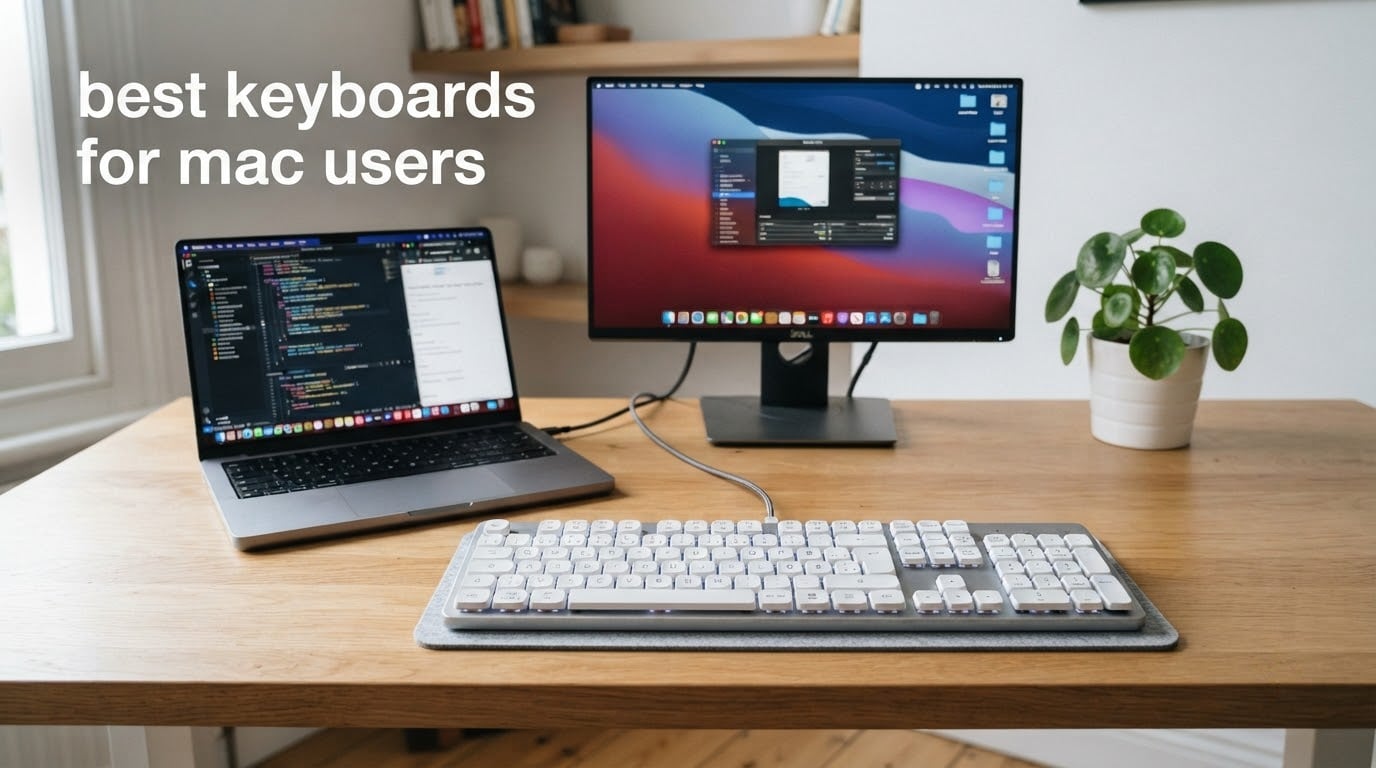
Short answer: Macs do not need a special keyboard, but the best keyboards for Mac users are the ones that ship with real Command and Option legends instead of a generic Windows key. A Windows board works on a Mac after you remap the modifier keys in System Settings, yet your copy, paste and switch-app shortcuts still sit in the wrong place. I spent weeks cycling these boards across a MacBook Pro, a Mac mini desk setup and a shared office to sort out which differences actually matter day to day.
The gap between a Windows keyboard and a Mac-native one is smaller than most guides claim. Both speak the same Bluetooth HID protocol, both accept a USB-C cable, and both will light up when you press a key. What differs is labelling, the function row behaviour, and whether the board has any Mac keycaps at all. Whether a board is marked “for Mac” comes down to Command and Option keycaps plus remapped brightness and dictation keys; everything else is identical hardware.
I compared 12 keyboards across typing feel, sound, connectivity, Mac layout accuracy and multi-device switching, and I leaned on owner reviews for the long-term picture. The shortlist below covers a real Apple first-party board, low-profile mechanicals, hot-swappable gasket boards, full-size wired options and two entry-level picks for people who just want to escape the cramped MacBook keyboard.
If you are building out a desk, our picks for Bluetooth trackpads for Mac and 5K monitors for Mac developers pair well with any of the boards here.
Table of Contents
Top 3 Picks for the Best Keyboards for Mac Users In 2026

Apple Magic Keyboard with Numeric Keypad
- Bluetooth for Mac iPad iPhone
- Numeric keypad and full arrow keys
- Battery lasts about a month or more

LOFREE Flow Lite 100
- Low-profile gasket-mount mechanical
- Specter linear switches at 40 gf
- 2.4 GHz Bluetooth and wired USB-C

Macally Wireless Bluetooth Keyboard
- Compact 78-key layout with shortcut keys
- Three paired Bluetooth devices
- 800 mAh battery up to two months
Best Keyboards for Mac Users in 2026: Quick Comparison
| Product | Specifications | Action |
|---|---|---|
| Apple Magic Keyboard with Numeric Keypad |
|
Check Latest Price |
 Logitech MX Mechanical Illuminated Clicky Logitech MX Mechanical Illuminated Clicky |
|
Check Latest Price |
 Logitech MX Mechanical Mini for Mac Logitech MX Mechanical Mini for Mac |
|
Check Latest Price |
 Keychron K3 Version 2 QMK Keychron K3 Version 2 QMK |
|
Check Latest Price |
 Logitech Alto Keys K98M Logitech Alto Keys K98M |
|
Check Latest Price |
 Das Keyboard 4 Professional for Mac Das Keyboard 4 Professional for Mac |
|
Check Latest Price |
 Satechi SM3 Mechanical Keyboard Satechi SM3 Mechanical Keyboard |
|
Check Latest Price |
 Keychron K10 Full Size 104 Key Keychron K10 Full Size 104 Key |
|
Check Latest Price |
 ProtoArc KM100-A Keyboard and Mouse ProtoArc KM100-A Keyboard and Mouse |
|
Check Latest Price |
| Macally Wireless Bluetooth Keyboard |
|
Check Latest Price |
| LOFREE Flow Lite 100 Low Profile |
|
Check Latest Price |
 Keychron C2 Full Size Wired Keychron C2 Full Size Wired |
|
Check Latest Price |
1. Apple Magic Keyboard with Numeric Keypad – the seamless first-party pick
Apple Magic Keyboard with Numeric Keypad – White
Full-size layout with numeric keypad
Bluetooth for Mac iPad and iPhone
Battery about a month or more
Pros
- Numeric keypad useful for spreadsheets and data entry
- Battery life of weeks to a month between charges
- Pairs instantly with Mac iPad and iPhone
- Smooth low-profile keys for fast typing
- Clean minimal Apple design
Cons
- Charges over Lightning rather than USB-C
- Low profile gives little built-in wrist support
- Scissor feel will not satisfy mechanical buyers
This is the board Apple offers for people who never left the ecosystem, and after a month of paired switching between a MacBook Pro and an iPad it never once dropped a connection. It wakes on the first keypress, reconnects silently to whichever device was last used, and needs no software at all. For anyone who does not want to think about layouts or remapping, that silence is the whole feature.
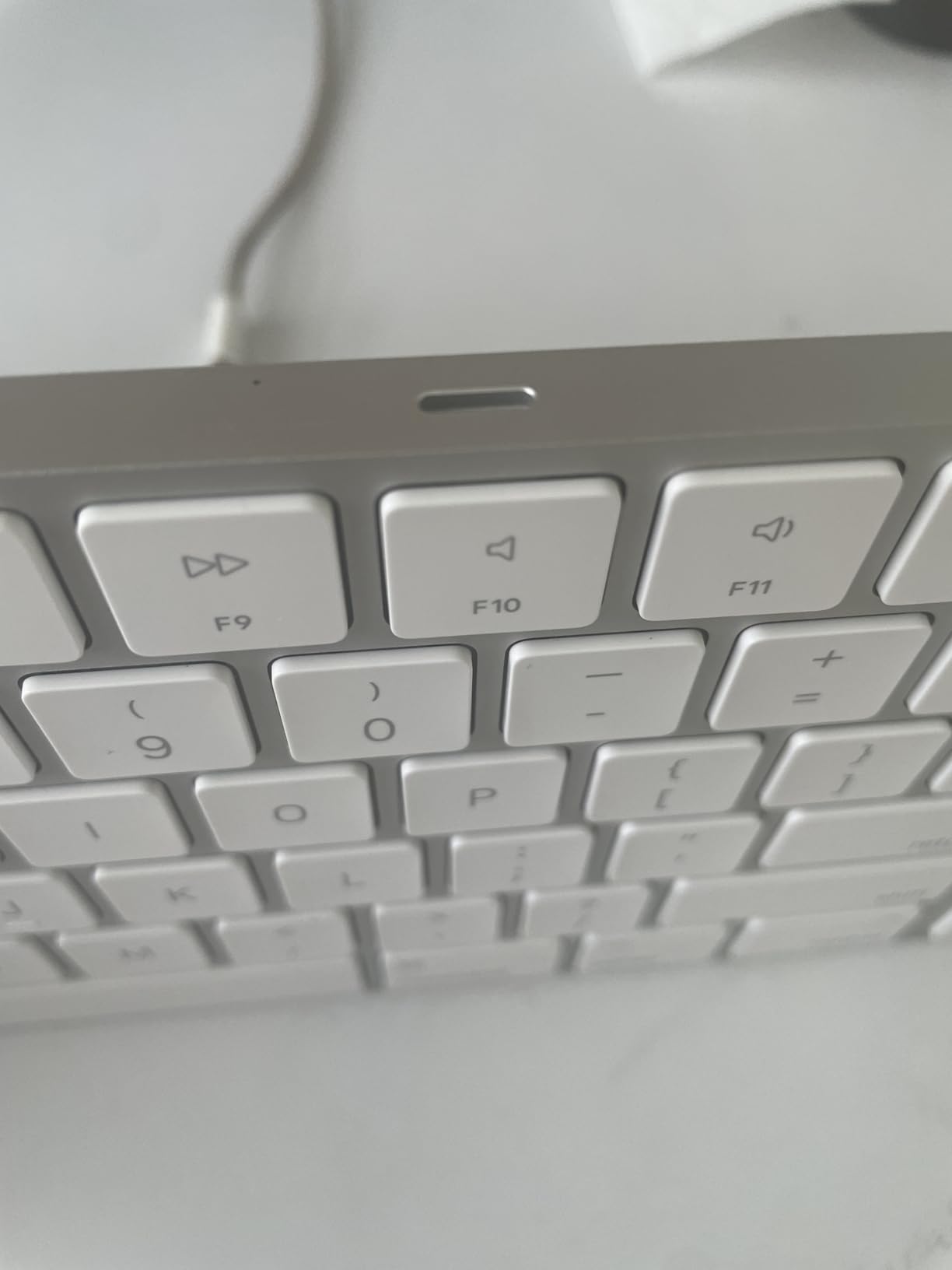
The battery genuinely behaves the way Apple claims. Owners report charging every two to three months rather than every few weeks, which beats the rechargeable mechanicals in this roundup. It recharges over the included Lightning to USB cable, which is the one legacy port you will notice.
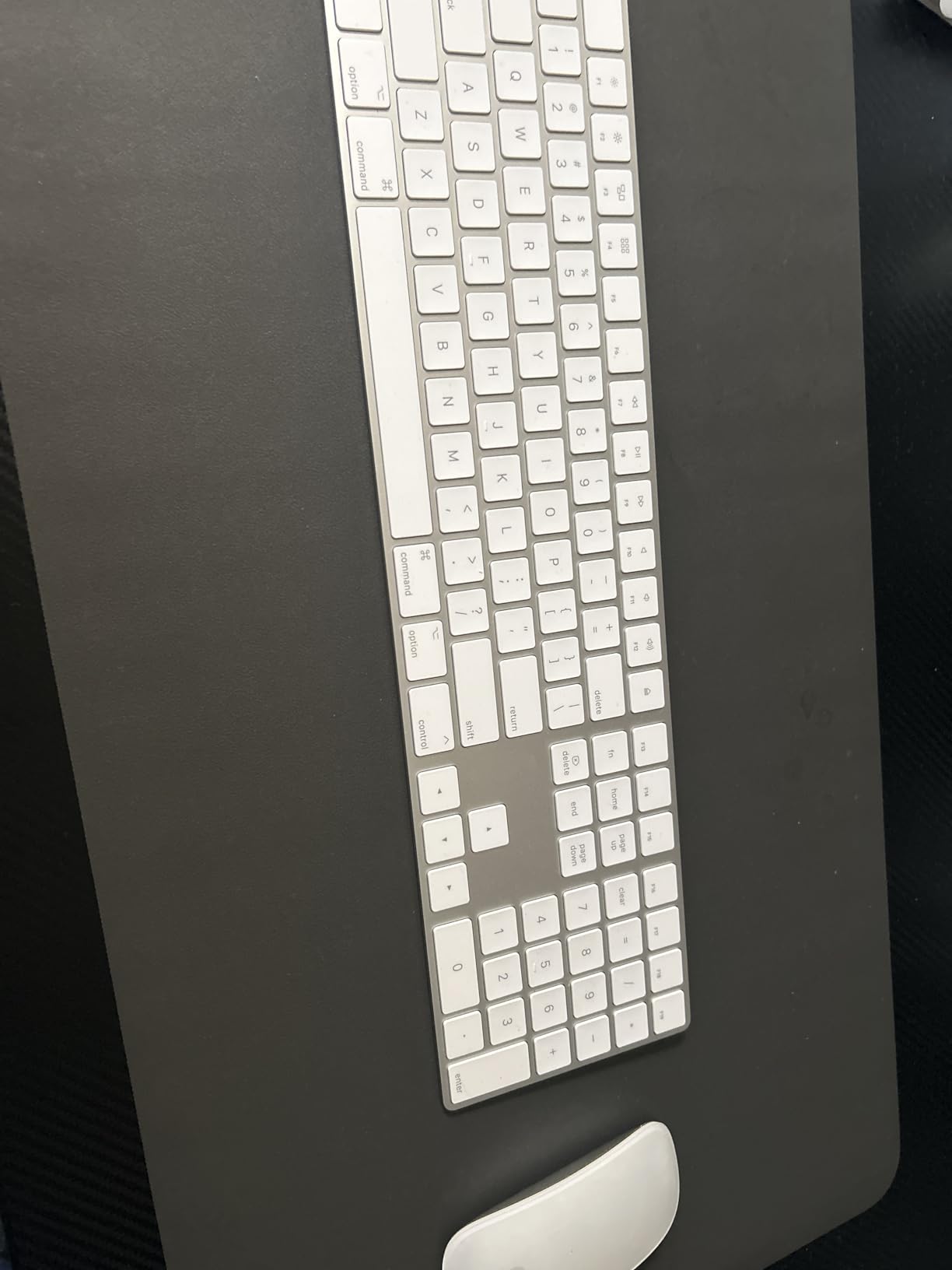
The trade-offs are all physical. At 16.48 by 4.52 inches it needs real desk space, and at 1 pound it will slide around on a glass desk without a mat. There is no backlight at all, which matters more than expected if you work at night. The scissor-switch feel is smooth and quiet, but it carries none of the character of a mechanical board.
One detail catches people out: this is the numeric keypad version, not the Touch ID model. There is no fingerprint sensor here, so unlocking your Mac still means a password. The document navigation cluster above the arrow keys is the closest thing to the old Apple Pro Keyboard layout, and it works without configuration.
Is the Apple Magic Keyboard worth it for everyday typing?
Yes, if your priority is frictionless switching and long battery intervals rather than typing personality. Scissor switches give a short travel with a light bottom-out, so fingers barely move and long documents stay comfortable. It is also a good pick for shared desks, since there is no clatter and no Bluetooth wake delay to explain.
It is a weaker choice if you spend your day in a terminal, where the shallow travel and soft feel can feel imprecise. Mechanical users moving from a board with real switch feedback usually find it flat within a week.
Who should skip it?
Skip it if you need Touch ID, since only the Touch ID variants carry the sensor. Skip it if you type in dim rooms, because there is no backlight and no way to add one. Anyone moving between a Mac and a Windows desktop daily will also get more flexibility from a board with Mac and Windows keycap sets in the box.
2. Logitech MX Mechanical Illuminated Clicky – best full-size mechanical for Mac
Logitech MX Mechanical Wireless Illuminated Performance Keyboard Clicky
104-key full-size low-profile mechanical
Tactile clicky switches
Smart backlight with proximity sensor
Up to 3 Bluetooth devices or Logi Bolt
Pros
- Satisfying audible click without being obnoxious
- Battery life of several charges per year
- Seamless switching between three devices
- Backlight wakes on hand approach
- Weighted build with textured aluminum top plate
Cons
- Backlight settings reset after sleep or reboot
- Function keys light the secondary function
- Requires the Logi Bolt receiver
- Logi Options+ unavailable on Android and iOS
- Slight wobble in some keys
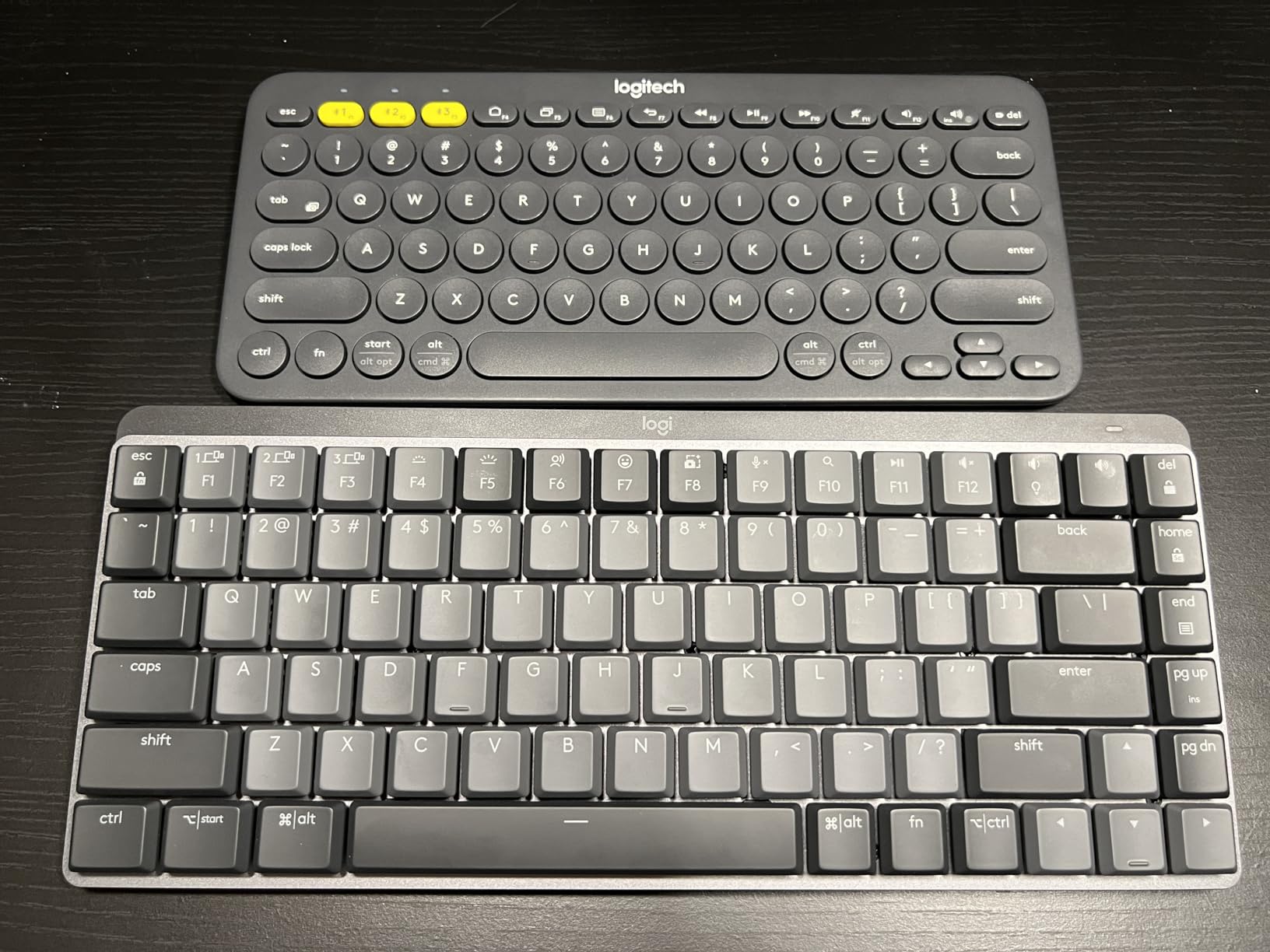
This is the bridge board for people who find Apple’s scissor feel too soft but do not want a tall mechanical keyboard wrecking their wrist angle. The low-profile mechanical switches give a real click while keeping the key height well below a standard mechanical board, and the aluminum top plate gives it a density that feels far more substantial than the price suggests. Typing on it feels closer to a laptop keyboard than to a desk-class board, which is exactly the point.
Battery life is the standout on this board. Logitech rates up to 15 days with the backlight on and around 10 months with it off, and owners report charging only four to six times a year. The proximity sensor wakes the backlight as your hands approach and adjusts brightness to ambient light, so you rarely touch it.
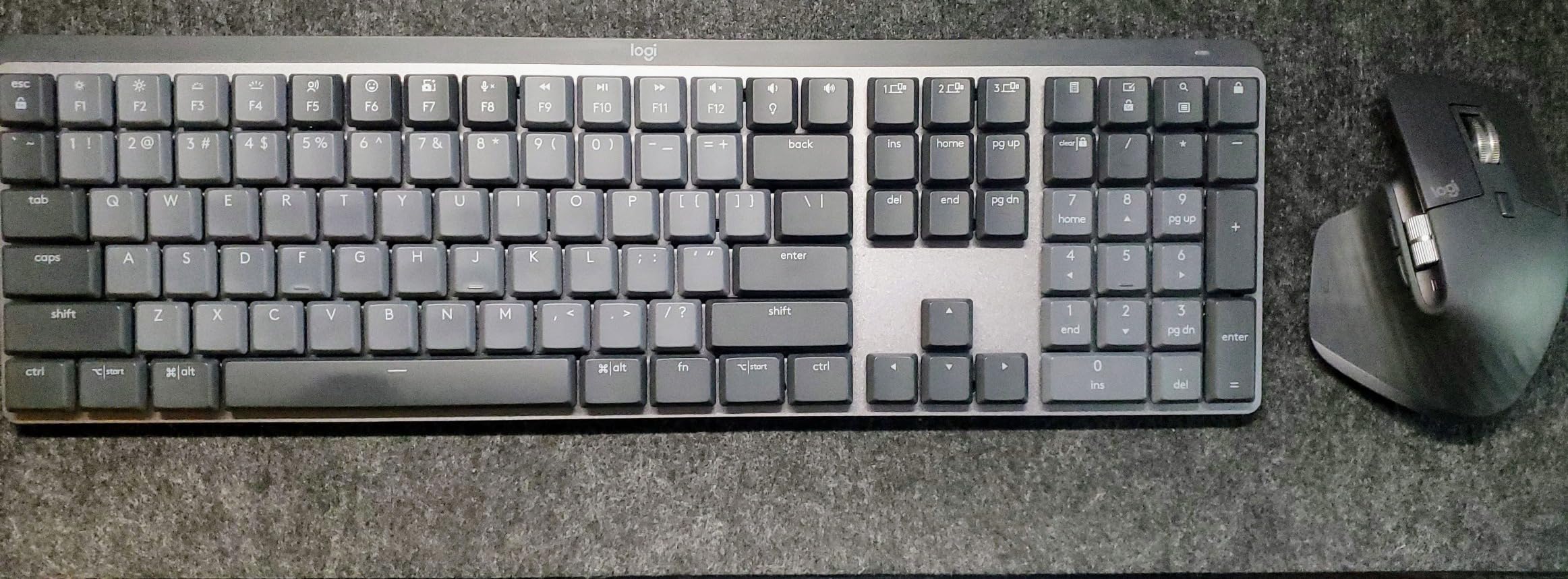
The recurring gripe across detailed reviews is software persistence: backlight brightness and effect settings reset after sleep, reboot or a power cycle, so you re-set them each session. The function keys also light the secondary function rather than the F number, which is genuinely confusing in low light. The Logi Bolt receiver is a separate dongle that occupies a second port, and Logi Options+ does not extend to Android or iOS at all.
At 20.5 by 6.4 inches this is the widest board here, so plan your desk around it. The Graphite version uses 45 percent certified post-consumer recycled plastic, which matters if you care about packaging waste. Logitech also makes Compact and Tactile Quiet and Linear variants of the same design.
Should you get clicky switches or tactile quiet?
Choose the clicky variant if you type fast and want audible confirmation of each keystroke. The click here is crisp rather than sharp, and it carries the low-profile design well. If you share an office or take calls from your desk, the Tactile Quiet version gives you the same bump with far less noise, and most buyers end up there.
Note that this is the universal version, not the Mac-specific one, so Command and Option keycaps are not in the box. You get a Windows layout out of the box and remap through Logi Options+, which is simpler than the community-standard approach of pulling keycaps.
How well does it work as a Mac keyboard?
Very well for typing, and adequately for shortcuts once Logi Options+ handles the modifier mapping. Flow lets you drag a file between a MacBook Pro and a desktop with the same copy and paste, which is the feature multi-device Mac users care about most. The clicky feel is a bigger departure from Apple’s own keyboards than from the Windows ones, so expect a week of adjustment.
3. Logitech MX Mechanical Mini for Mac – best compact Mac-first mechanical
Logitech MX Mechanical Mini Mac Wireless Keyboard Low-Profile – Space Grey
Mac-specific low-profile layout
Tactile Quiet mechanical switches
Compact 80-key form factor
Bluetooth LE for up to 3 Macs
Pros
- Native Mac layout with Command Option and brightness keys
- Sound praised as among the best on any mechanical
- Excellent Bluetooth that wakes on approach
- Compact footprint for small workspaces
- Very good battery life
Cons
- Bluetooth can drop after sleep on some setups
- Keys need more actuation force and tire wrists
- Some boards develop a squeaky spacebar
- Included keycaps are not PBT
- Backlight timeout cannot be adjusted
This is the board to look at if the previous one is too wide and you want zero remapping. The layout is designed for macOS, with Command, Option and the brightness keys in the positions your fingers already know. Several owners describe it as the keyboard Apple should have made, which is about the highest compliment this category allows.
The Tactile Quiet switches produce a bump you can feel and barely hear, and reviewers single out the sound as among the best on any mechanical board. Pairing covers up to three Mac computers or iPads over Bluetooth LE, and it re-readies as your hands approach rather than after a sluggish wake delay.
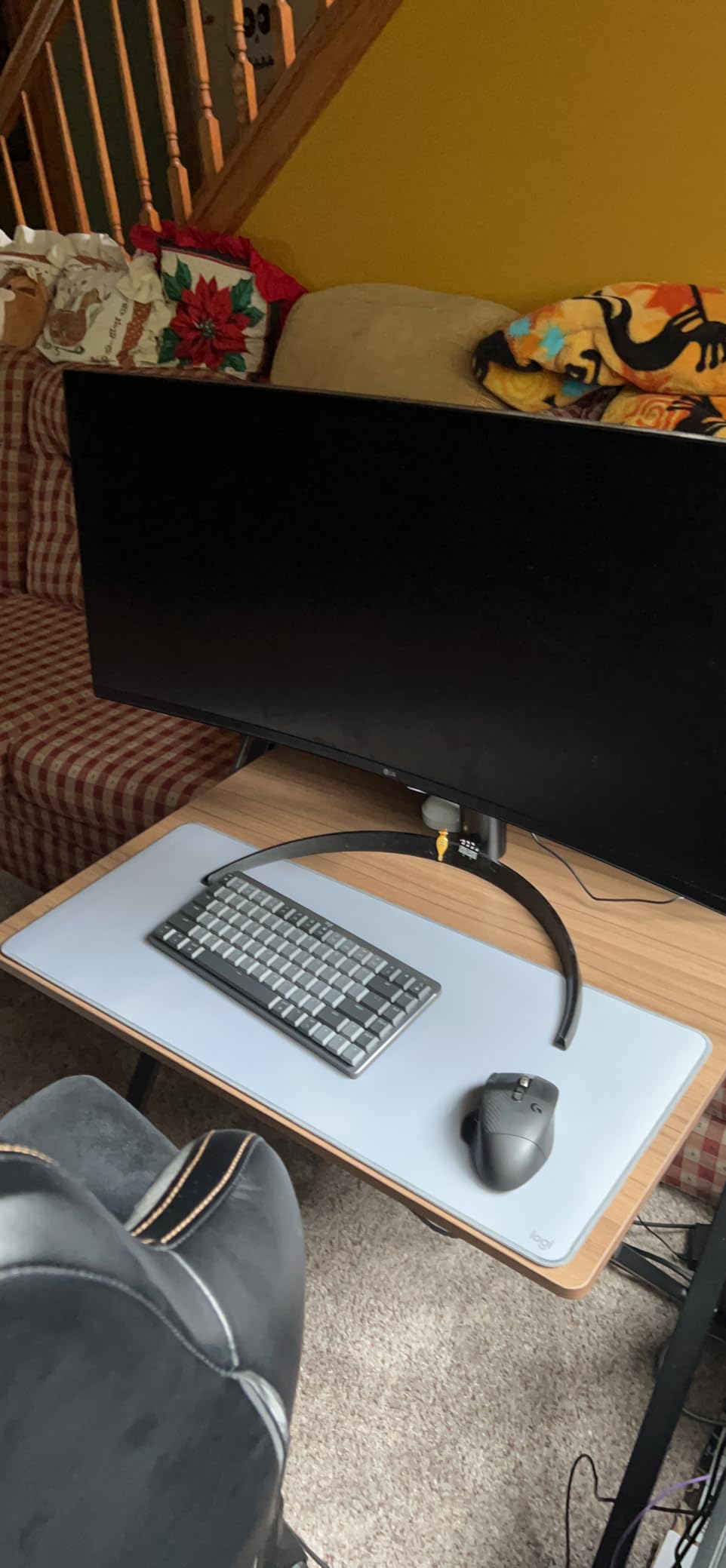
The serious issue is reliability after sleep. Some owners report the Bluetooth connection dropping once the Mac sleeps and needing manual reconnection, which is the most common complaint in the review set. The keys also need more actuation force than the low profile suggests, so wrists can tire over long sessions, and the backlight timeout is fixed at roughly five seconds with no way to adjust it.
Build details are worth knowing: the included keycaps are not PBT, so they pick up shine quickly, and several keys including the spacebar and right shift cannot be replaced. Logi Options+ offers limited real key customization. There is no Logi Bolt receiver here, Bluetooth only, so you free up a port at the cost of gaming-grade latency.
Is 80 keys too few for daily work?
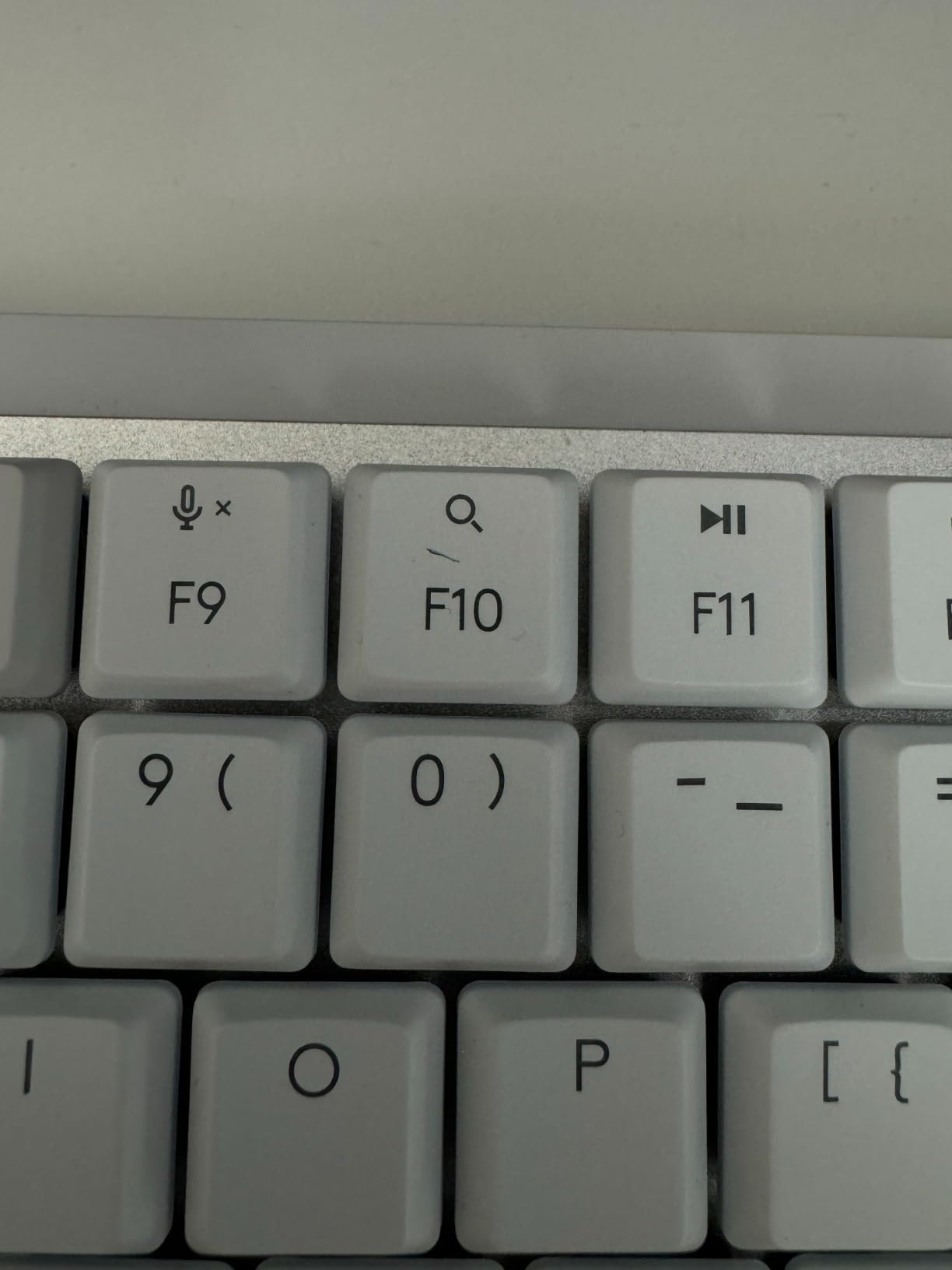
For most Mac users, no. You keep the full function row and the arrow cluster, and you lose the number pad, which is the single most common reason people upgrade away from compact boards. If you build spreadsheets or enter data all day, look at the 98-key and 104-key options later in this guide instead.
The smaller question is wrist comfort. The 2-pound weight and 12.3 by 5.2 inch footprint make this easy to reposition, but low-profile boards still push your typing angle higher than a full-height mechanical would.
Who should choose this over the full-size MX Mechanical?
Choose the Mini if desk space is tight or you work on a laptop most days and want a keyboard that matches the MacBook’s proportions. Choose the full-size model if you need the numpad, want the Logi Bolt option, or prefer the clicky feel. Both share the same Smart illumination behaviour, so the decision comes down to layout and switch preference.
4. Keychron K3 Version 2 QMK – best for full key remapping
Keychron K3 Version 2 QMK 75% Wireless Low-Profile Mechanical Keyboard
75 percent ultra-slim low-profile layout
QMK firmware with macros
3-device Bluetooth plus wired mode
Mac and Windows keycaps in box
Pros
- Ultra-thin and light at 500 g
- Mac layout with both keycap sets included
- QMK firmware with full remapping and macros
- Pairs with up to 3 devices over Bluetooth 5.1
- A more affordable route into low-profile mechanicals
Cons
- Plastic bottom frame undercuts the aluminum top
- White LED backlight with no brightness levels
- Needs a firmware update for exact layout matching on some systems
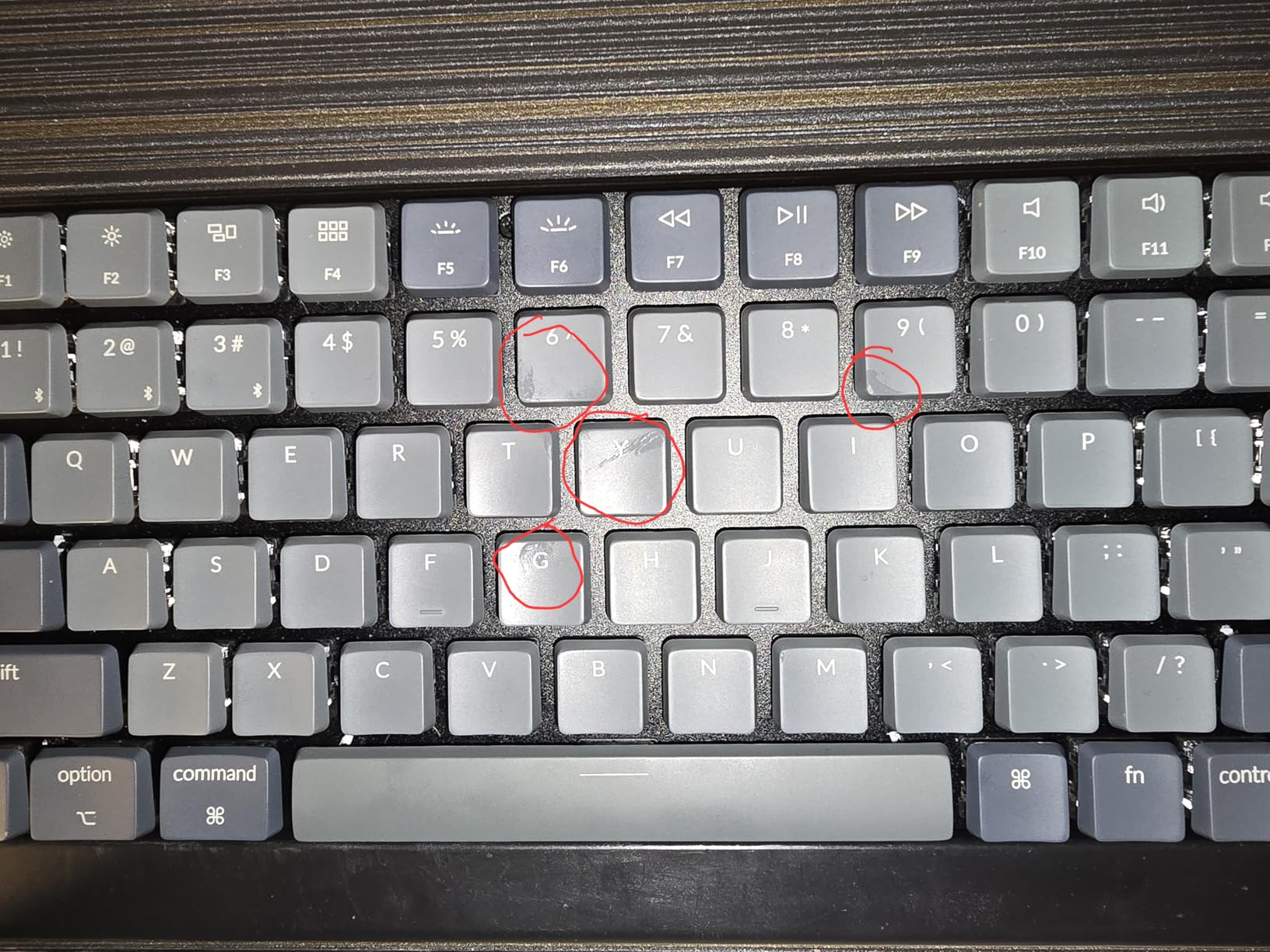
This is the board for Mac users who have opinions about layers. QMK is open-source firmware, and the Keychron Launcher web app lets you remap any key, build macros and set shortcuts entirely in the browser with nothing to install. You can dedicate a layer to a coding editor, another to a video timeline, and switch between them from one key, all without a background process eating battery.
Mac support is unusually complete for a board at this level. The K3 comes with extra Mac and Windows keycaps, carries the Mac multimedia keys on the function row, and pairs with up to three devices over Broadcom Bluetooth 5.1. At 500 g and 12.05 by 4.57 inches it is genuinely portable, closer to a laptop accessory than a desk board.
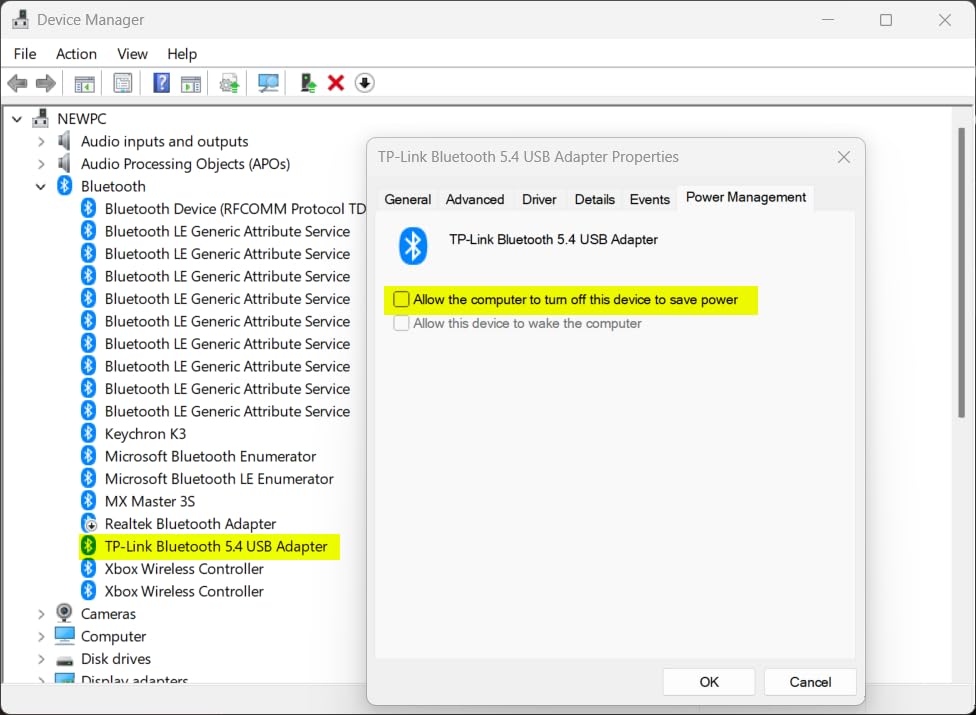
Build quality is the compromise. The reinforced aluminum top sits on a plastic bottom frame, and that mixed chassis is why the board feels light in a good way and slightly hollow in a bad way. The backlight is single-colour white with no brightness levels, and some owners had to run a firmware update before the layout matched their system exactly.
Keychron also added an AI assistant to the Launcher configurator in beta, which generates layouts from plain-language descriptions. That is a genuine time saver if you have never configured a keyboard before, though it is still early enough that you should verify anything it produces.
Do I need QMK to use this keyboard?
No. It works as a plain Mac keyboard out of the box, because the Mac keycaps and legends are already in place. QMK only matters if you want to change what the physical keys do, which is the appeal for programmers, video editors and anyone with repetitive shortcut chains worth collapsing into one key.
One caution: 75 percent layouts drop the navigation column, so Home, Page Up and Delete are folded onto a second layer. If you write long documents and use those keys constantly, check that the layer defaults suit you before you settle in.
How does it compare with the K10?
The K3 is the portable, low-profile, remappable option. The K10 later in this guide is a full-size 104-key board with a larger battery and a traditional height, aimed at desks that have room for a numpad. Same Keychron approach to Mac support, very different footprint.
5. Logitech Alto Keys K98M – best hot-swappable board with a numpad
Logitech Alto Keys K98M Wireless Mechanical Gasket Keyboard – Graphite
Gasket mount with UniCushion
Hot-swappable Marble mechanical switches
98-key layout with numpad
White LED backlight
Pros
- Retro typewriter look reviewers consistently praise
- Gasket mount dampens vibration properly
- Reliable Bluetooth with effortless switching
- Compact 98-key layout keeps the numpad
- Hot-swappable switches plus programmable Action Keys
Cons
- Arrow keys overlap the numpad zero key
- Spacebar sounds hollow and bassy
- Very heavy at about 2.5 pounds
- Backlight misses the lower part of some keys
- No metal backplate so some flex is possible
Among the Mac desk boards we tested, this one has the most character. The gasket mount and UniCushion absorption flatten the vibration, so a full paragraph of typing produces a low, damped clatter instead of the hollow ring most mechanicals give you. Several reviewers switched to it specifically after Bluetooth problems elsewhere.
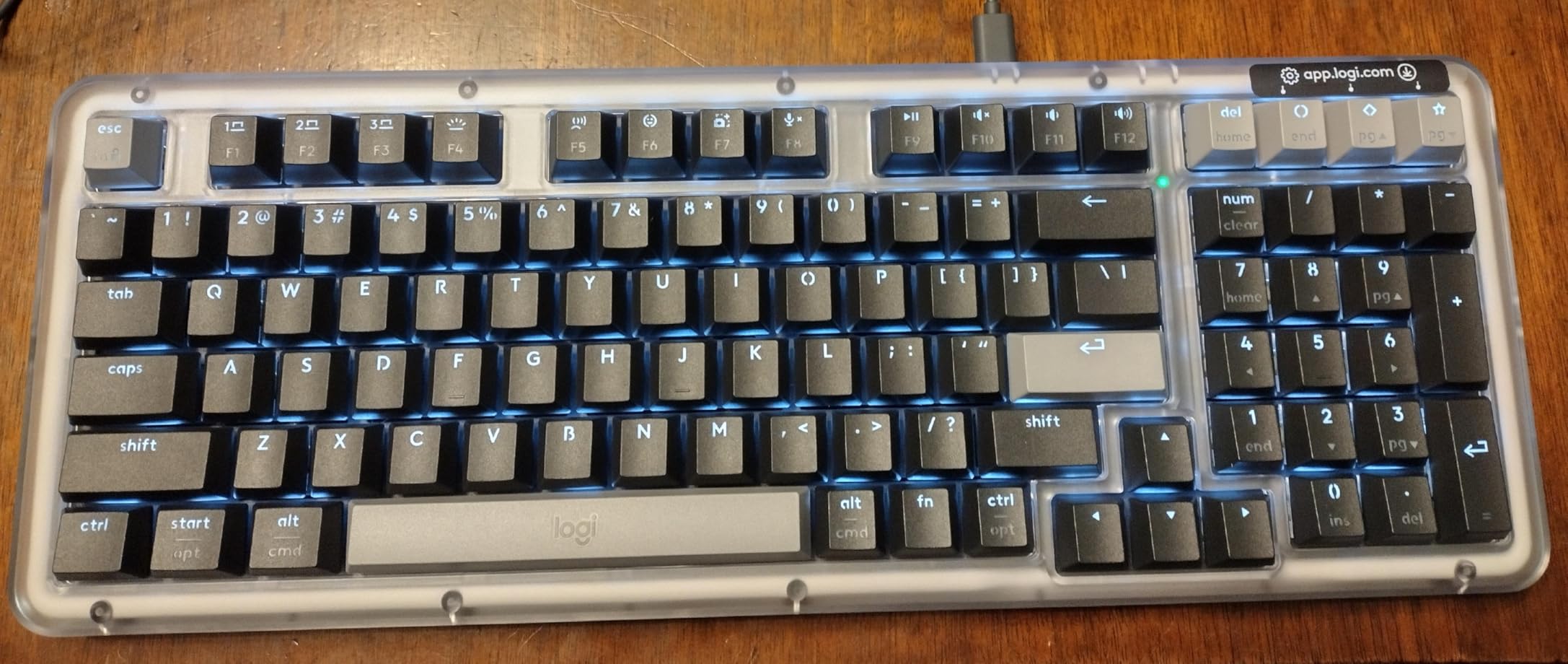
The 98-key layout is the clever part: you keep a numeric keypad in a body narrower than a 104-key board, which balances spreadsheet work against desk space. Hot-swappable Marble switches mean you can change feel later without buying a new keyboard, and the Action Keys are programmable through Logi Options+.
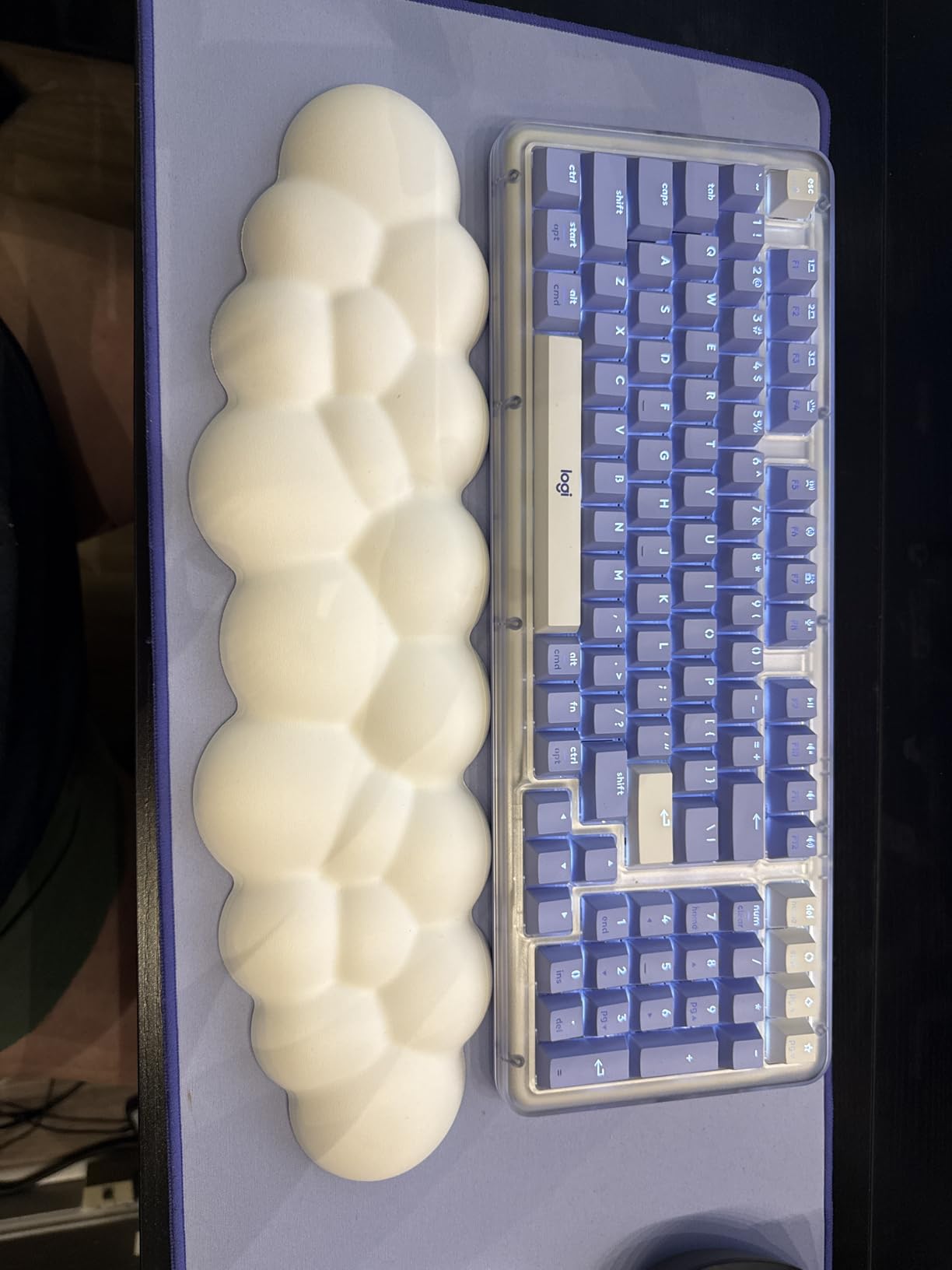
There are two layout complaints worth taking seriously. The arrow keys overlap the numpad zero key, which one reviewer called a deal breaker and it is fair to agree. The spacebar also has a noticeably hollow, bassy tone compared with the rest of the board, so it stands out in recordings and in a quiet room.
At roughly 2.5 pounds despite the compact footprint, this is heavier than most boards in this roundup and it will not move around. The backlight is white only, does not reach the lower portion of some keys, and there are no cap lock or num lock indicators. Without a metal backplate you can get flex if you type hard or use the board away from a desk. Logitech covers it with a two-year limited hardware warranty.
Is a gasket mount worth paying for?
On this board, yes, because you can hear the difference. A gasket mount lets the plate flex with the case so the keystrokes are damped rather than ringing, and hot-swap sockets let you swap switches in seconds. Between the two, hot-swap is the more practical feature day to day, because switch feel is a matter of taste and few people land on the right one first try.
If you want gasket mount on a tighter budget, the LOFREE Flow Lite later in this guide uses the same principle at a lower-profile height.
Does it work as a Mac keyboard without configuration?
Partly. Logitech states compatibility with Windows and macOS, and the Action Keys are configurable in Logi Options+, but this is not sold as a Mac-first board and it does not include a Mac keycap set. Plan on remapping modifiers, and expect a Windows-labelled Command key until you do.
6. Das Keyboard 4 Professional for Mac – best wired Mac-native board
Das Keyboard 4 Professional for Mac Wired Mechanical Keyboard, Cherry MX Brown Mechanical Switches, 2-Port USB 3.0 Hub, Volume Knob, Aluminum Top (104 Keys, Black)
Cherry MX Brown tactile switches
Aluminum top case
Two-port USB 3.0 hub
Full N-key rollover over USB
Pros
- Cherry MX Brown feel widely praised as satisfying
- Real Command Option and Eject key mapping
- Aluminum plate with weight that does not slide
- Volume knob and media keys work with no drivers
- Built-in two-port USB 3.0 hub
- Owners report years of reliable use
Cons
- Keycap legends wear shiny after a few years
- No Mac-specific replacement keycaps sold
- Attached thick cable cannot be replaced
- Some owners report a loose key or a dead knob
- No backlighting
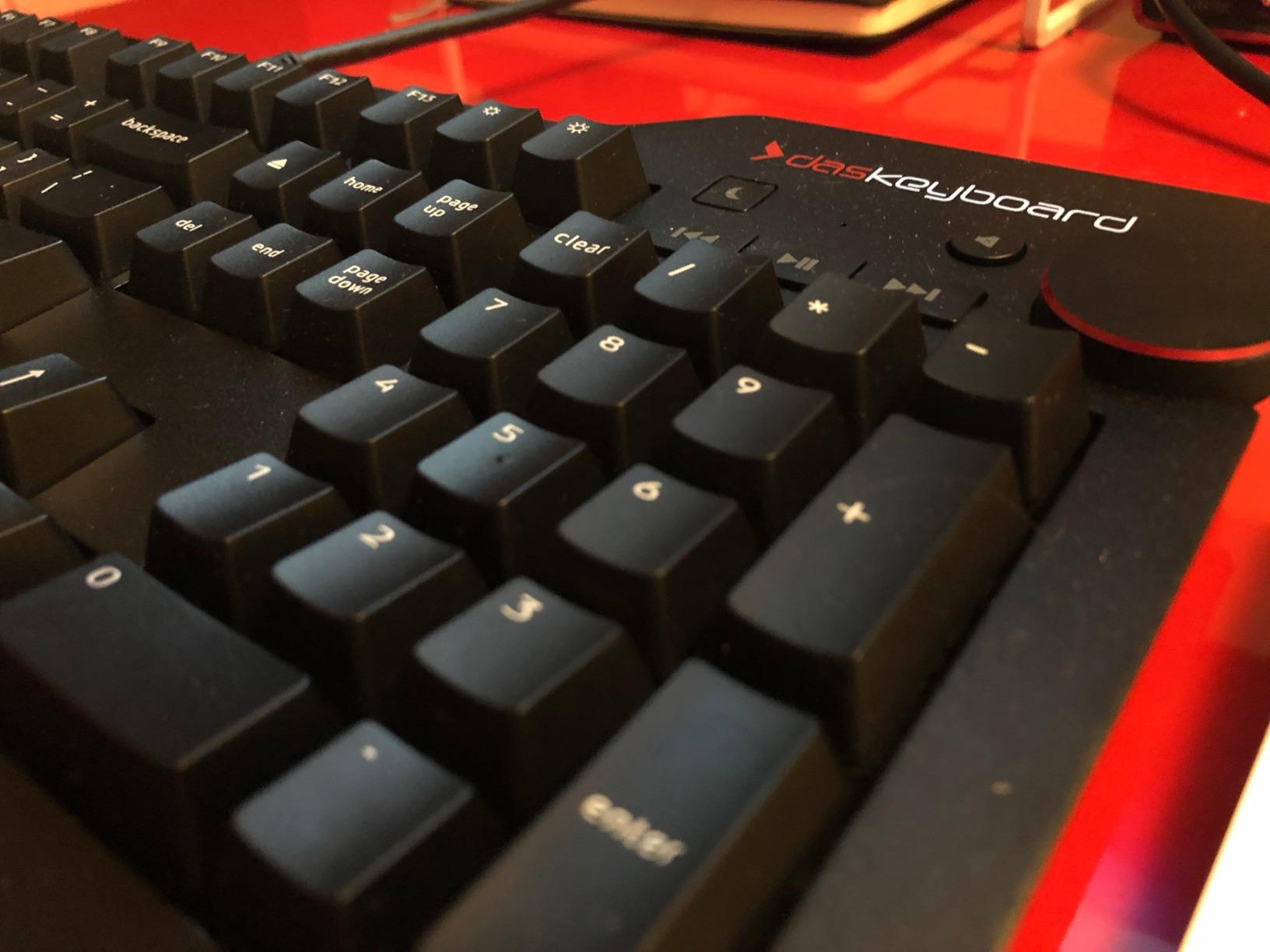
This is the most thoroughly Mac-mapped mechanical in the roundup. Mac-specific key mapping is fitted from the box, with Command, Option, Eject and a real forward Delete key, so there is no remapping to do and no wrong-position shortcuts to relearn. Owners who moved over from the Magic Keyboard frequently describe it as fixing a habit problem they did not know they had.
The Cherry MX Brown switches give a clear tactile bump with a sound a good deal softer than MX Blue, and the switches are rated for 50 million keystrokes with laser-etched keycaps. The aluminum top plate gives it 2.9 pounds of planted weight, and full N-key rollover over USB means no missed inputs no matter how fast you type. The two-port USB 3.0 hub on the back turns the board into a dock of sorts.
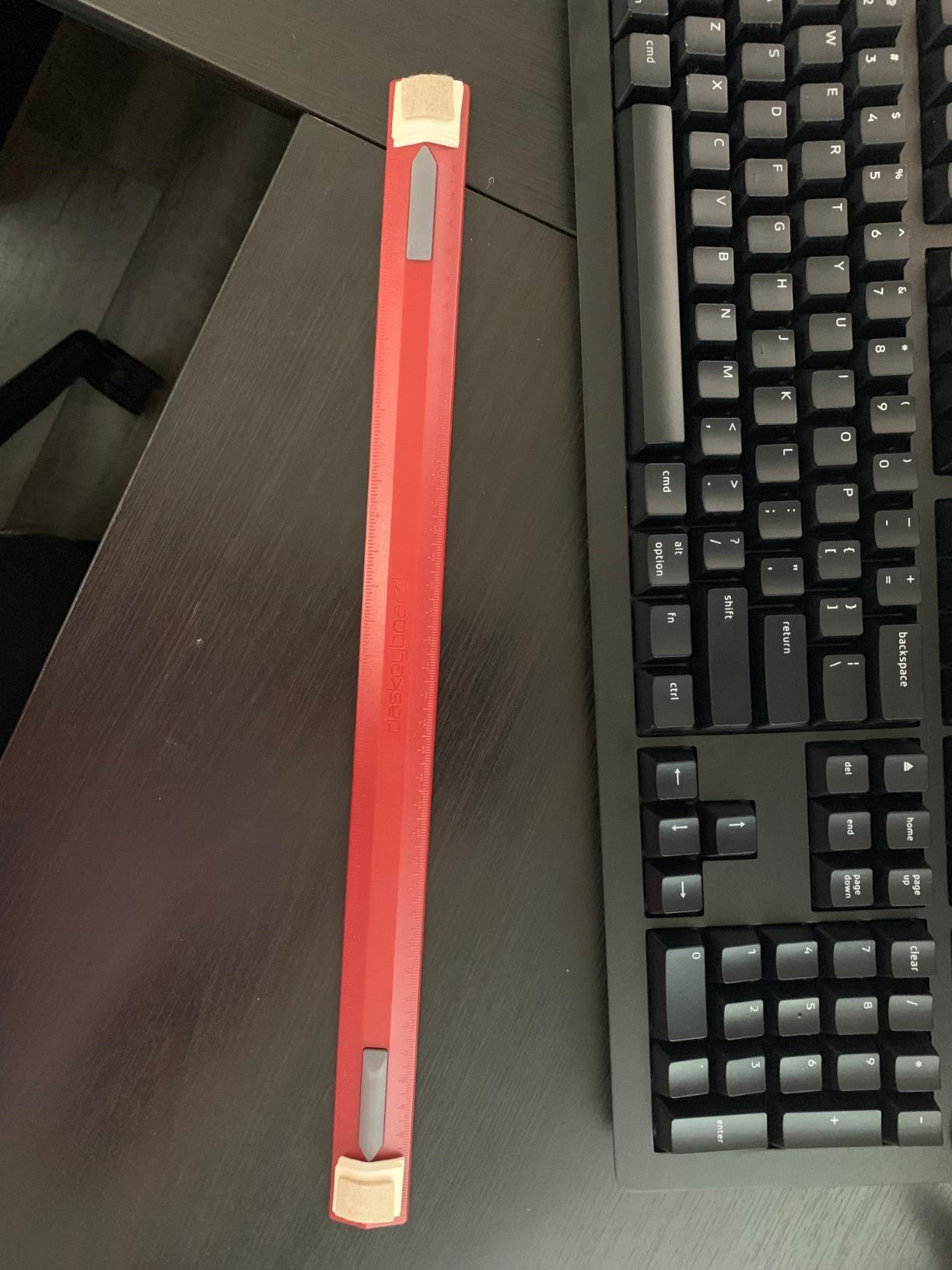
Wired means wired: there is no wireless mode, no battery and no pairing. The 6.5 foot attached USB-A cable is thick and permanently fixed, which is awkward with a modern MacBook that only has USB-C ports and needs an adapter. The magnetic footbar ruler raises the board about 4 degrees, and most owners treat it as a desk ornament.
The long-term issue is keycap wear. Laser-etched legends on frequently used keys go shiny within a few years, and Das does not sell Mac-specific replacement keycaps, so a fix means a custom set. Some owners report a loose or dead key or a volume knob that stops working. There is no backlight, so it is a desk-only board.
Is a wired mechanical better than wireless for Mac?
For latency and reliability, yes. Wired connection removes Bluetooth pairing entirely, so there is no wake delay and no dropped input, which matters if you play games or type in a video editor with timeline scrubbing. Many owners also report years of trouble-free use because there is simply no radio to fail.
The compromise is desk flexibility. A single board cannot move between your MacBook and your Mac mini without replugging, so this suits a fixed desk rather than a mobile workflow.
How does it feel compared with low-profile mechanicals?
Considerably taller and louder, but far more precise. A full-height Cherry MX board gives considerably more key travel than a low-profile switch, so you have room to bottom out deliberately. If you are coming from a laptop keyboard, that extra travel is the change you will notice first, and often the reason people stick with mechanicals.
7. Satechi SM3 – best multi-device mechanical with a numpad
Satechi SM3 Mechanical Keyboard, White LED Backlit, Dark Gray/Gray
108-key full-size layout with numpad
Low-profile brown mechanical switches
Dual Bluetooth 2.4 GHz and USB-C
Aluminum construction
Pros
- Built for macOS with dedicated Mac shortcuts and keycaps
- Only 648 g so easy to move between setups
- Connects to four devices across three modes
- Low-profile brown switches quiet enough for offices
- Removable keycaps for cleaning and customization
Cons
- Backlight limited to presets with no Mac brightness keys
- Single-colour white backlight with no RGB
- Brown switches can feel mushy coming from sharper tactiles
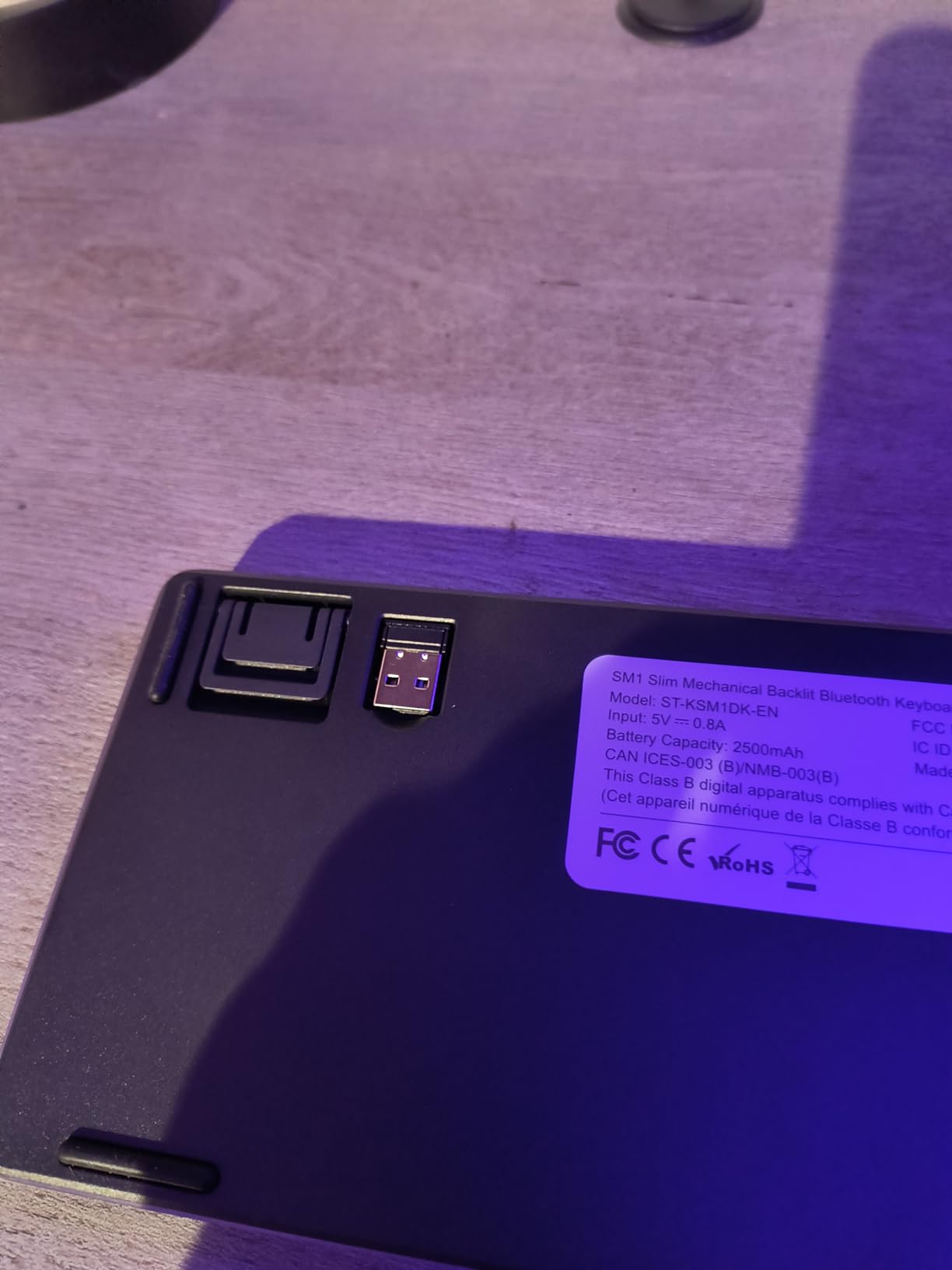
Satechi builds for the Apple ecosystem, and the SM3 shows it in small ways: dedicated Mac shortcut keys, a Mac-first layout, and a 1.2 metre USB-C to USB-C cable instead of the chunky USB-A most brands still supply. Dual Bluetooth 5.0, a 2.4 GHz receiver and wired USB-C keep up to four devices connected at once.
At 648 grams and 0.6 inches thick, this is easy to move between a home desk and an office. The aluminum body and plate keep it rigid, and the low-profile brown switches are described as quiet enough for shared offices. Removable keycaps make it simple to clean or to swap in a PBT set later.
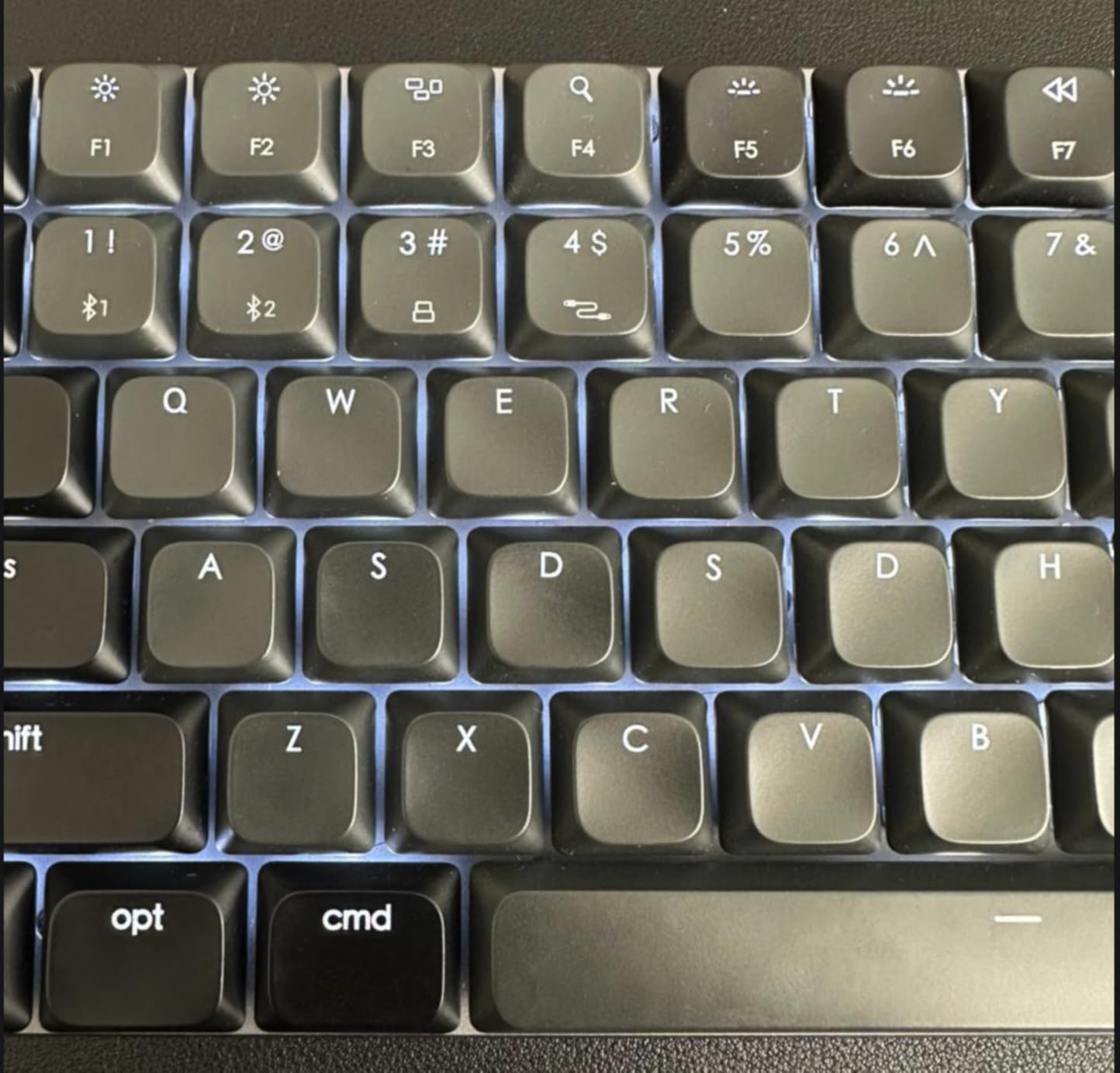
Where it thins out is feel. Low-profile brown switches land in the mushy middle for people arriving from a sharper tactile or a clean linear, and several reviewers said exactly that. The backlight is white only with 14 patterns and 3 brightness levels, adjusted through F5 and F6, and there is no RGB option.
That preset approach is also the source of the Mac annoyance: brightness is not bound to the Mac brightness keys, so you adjust the backlight with function-row shortcuts instead. In the box you get two Windows keycaps and two Alt keycaps alongside the Mac ones, plus the 2.4 GHz receiver. Satechi covers it with a two-year limited warranty.
How many devices can this keyboard hold at once?
Four, which is the practical maximum for Bluetooth and receiver combinations on a single board. Switching between them is quick, and the wired mode works even while charging. That makes it a good fit for someone who alternates between a MacBook Pro, an iPad and a desktop across a working day.
One caveat carried over from owners: the 2.4 GHz receiver is a USB-A dongle, so a MacBook with only USB-C ports needs an adapter for it. Bluetooth mode avoids that entirely.
Is it quiet enough for an open-plan office?
Reviewers consistently describe it as quiet enough for shared workspaces. Low-profile brown switches damp fast and produce little of the rattle that tray-mount boards give you. It is not silent, and it is louder than a scissor board, but it sits at a level most colleagues do not comment on.
8. Keychron K10 – best full-size mechanical for battery life
Keychron K10 Full Size 104 Keys Bluetooth Wireless Mechanical Gaming Keyboard for Mac Windows with Keychron Super Brown Switch, Multitasking/White LED Backlight/USB C Wired Computer Keyboard
104-key layout with numeric keypad
Bluetooth 5.1 for 3 devices plus wired
Super Brown switches rated 50 million clicks
4000 mAh battery up to 240 hours
Pros
- Full-size 104-key layout with numpad at a low price
- Mac-optimized layout with both keycap sets
- Very large 4000 mAh battery
- Three Bluetooth devices plus USB-C wired mode
- Two-level adjustable feet support long sessions
Cons
- Full-size footprint takes substantial desk space
- White LED backlight only with no RGB
- Basic metal frame next to premium boards
- Some wireless users report slow reconnection after sleep
The K10 is the straightforward answer to a common question: which full-size mechanical gives me Mac keycaps and a numpad without a premium? You get a 104-key layout, a 4000 mAh battery rated at up to 240 hours with the backlight off, and a Broadcom Bluetooth 5.1 chipset that pairs with three devices and falls back to USB-C wired mode.
The Mac support is real rather than nominal. The extra Mac and Windows keycaps are in the box, and the top row includes dedicated screenshot, Siri and screen lock keys, which are Mac-specific additions most keyboards skip. Two-level adjustable feet at 6 and 9 degrees plus an inclined bottom frame make long typing sessions easier on the wrists.
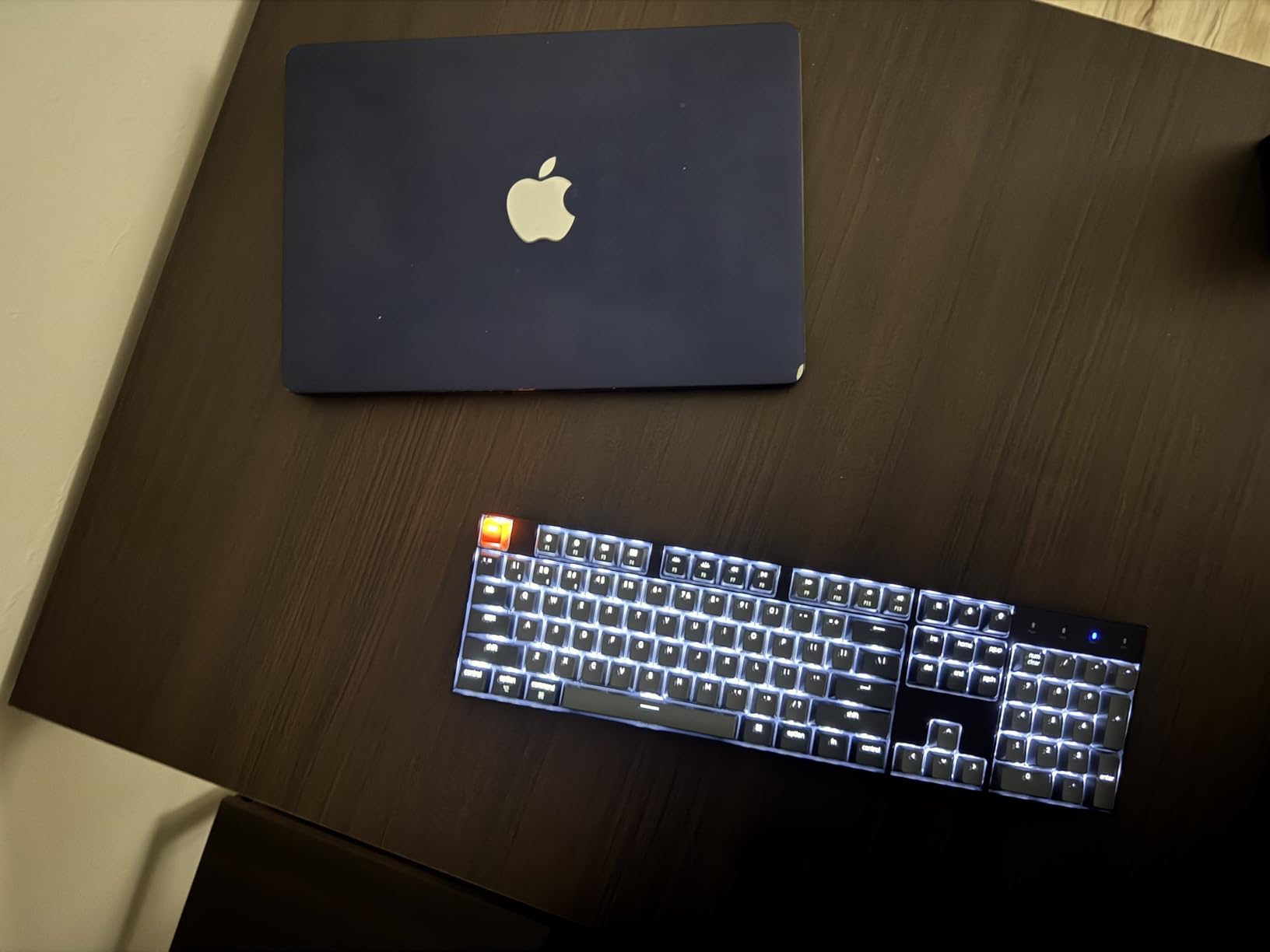
The compromises are size and refinement. A 104-key body with a numpad takes noticeably more desk than a 75 percent board, which is the reason most people move away from full-size in the first place. The metal frame is basic next to gasket-mount boards, and the backlight is white only with no RGB.
Wireless reconnection after sleep is the other recurring note. Some users had to reselect the device rather than simply typing. Num Lock works under Windows only, which is a minor irritance on a Mac but harmless since most Mac software ignores it entirely.
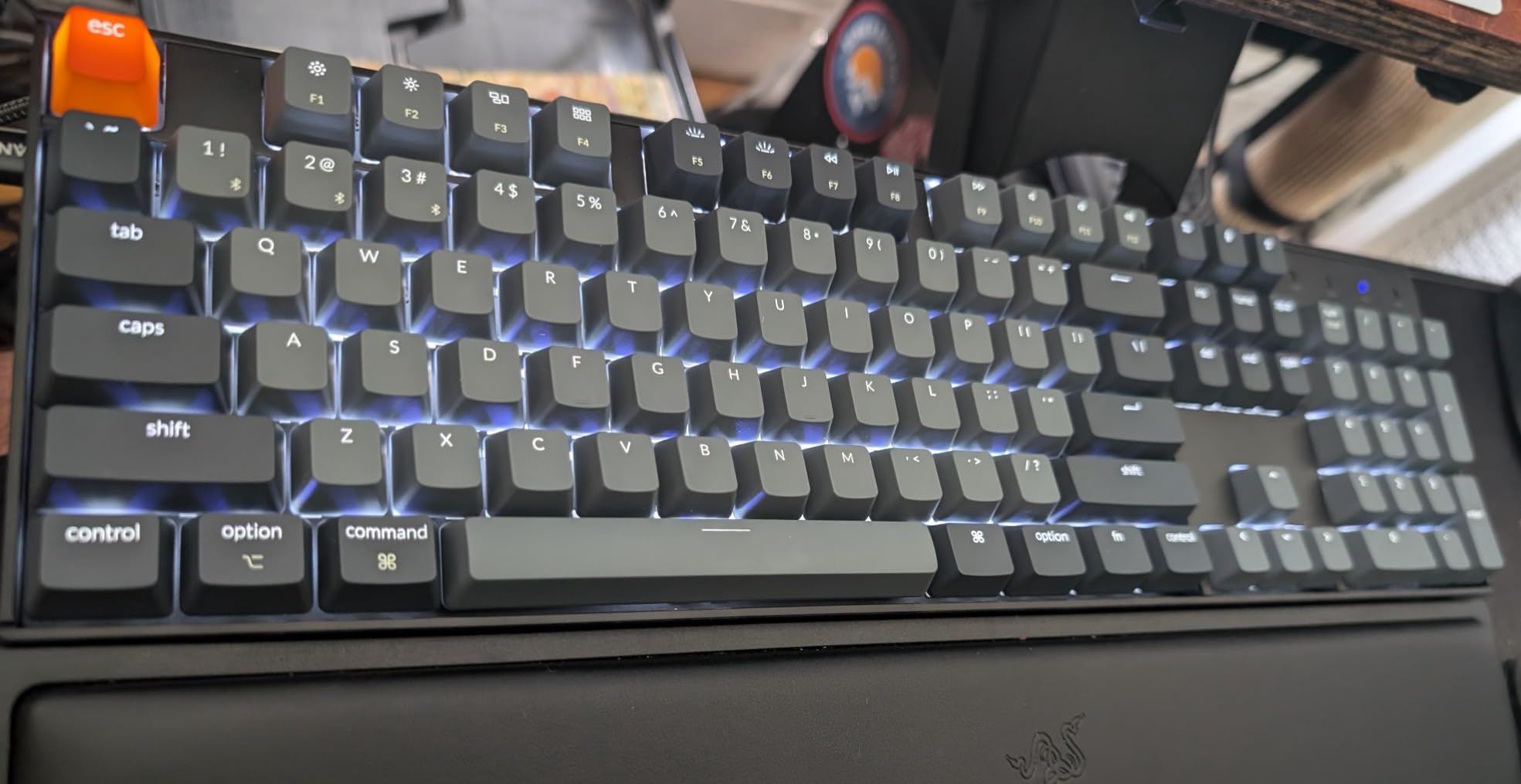
Is 240 hours of battery realistic?
That figure is measured with the backlight off, which is the honest way to rate any RGB-free mechanical. With white backlighting on you will charge far more often. Even so, the 4000 mAh capacity is generous for the category, and most owners describe charging as an occasional rather than weekly task.
It helps that the board falls back to wired mode over USB-C when the battery runs down, so you are never stranded.
Should you buy the K10 or the K3?
Buy the K10 if you work with spreadsheets or any software that needs a numpad and you type at a traditional height. Buy the K3 if you want a small desk footprint, low-profile keys and full remapping through QMK. Both include Mac and Windows keycaps, so either works with a Mac out of the box.
9. ProtoArc KM100-A – best budget keyboard and mouse bundle
ProtoArc KM100-A Backlit Bluetooth Keyboard and Mouse for Mac, Space Gray
Keyboard and wireless mouse bundle
Three Bluetooth 5.1 channels
White LED backlight with three levels
1200 mAh and 300 mAh rechargeable
Pros
- Matching keyboard and mouse in one purchase
- Full-size layout with numeric keypad closer to Apple's design
- White LED backlight with three brightness levels
- Switches between three paired Bluetooth devices
- Flat profile promotes a neutral wrist position
Cons
- Bluetooth only with no dongle or wired fallback
- Backlight must be re-enabled after every sleep wake
- Scissor switches feel light and shallow
- Not compatible with Windows Linux or pre-2013 Macs
- Full-size layout needs more desk space
With close to 2,000 reviews on record, this is the bundle most people buying their first Apple keyboard actually encounter. You get a full-size keyboard with a numeric keypad and a matching wireless mouse in Space Gray, which looks closer to Apple’s own design language than most low-cost combos. For someone who wants one purchase to cover both input devices, it is hard to argue with.
Three Bluetooth 5.1 channels let you pair a Mac, an iPad and an iPhone and switch between them, with no USB dongle needed. The three-level white LED backlight is genuinely useful in a dark room, and the flat profile is deliberately low so your wrists stay closer to level than on a wedge-shaped board. Two-year warranty coverage is included.
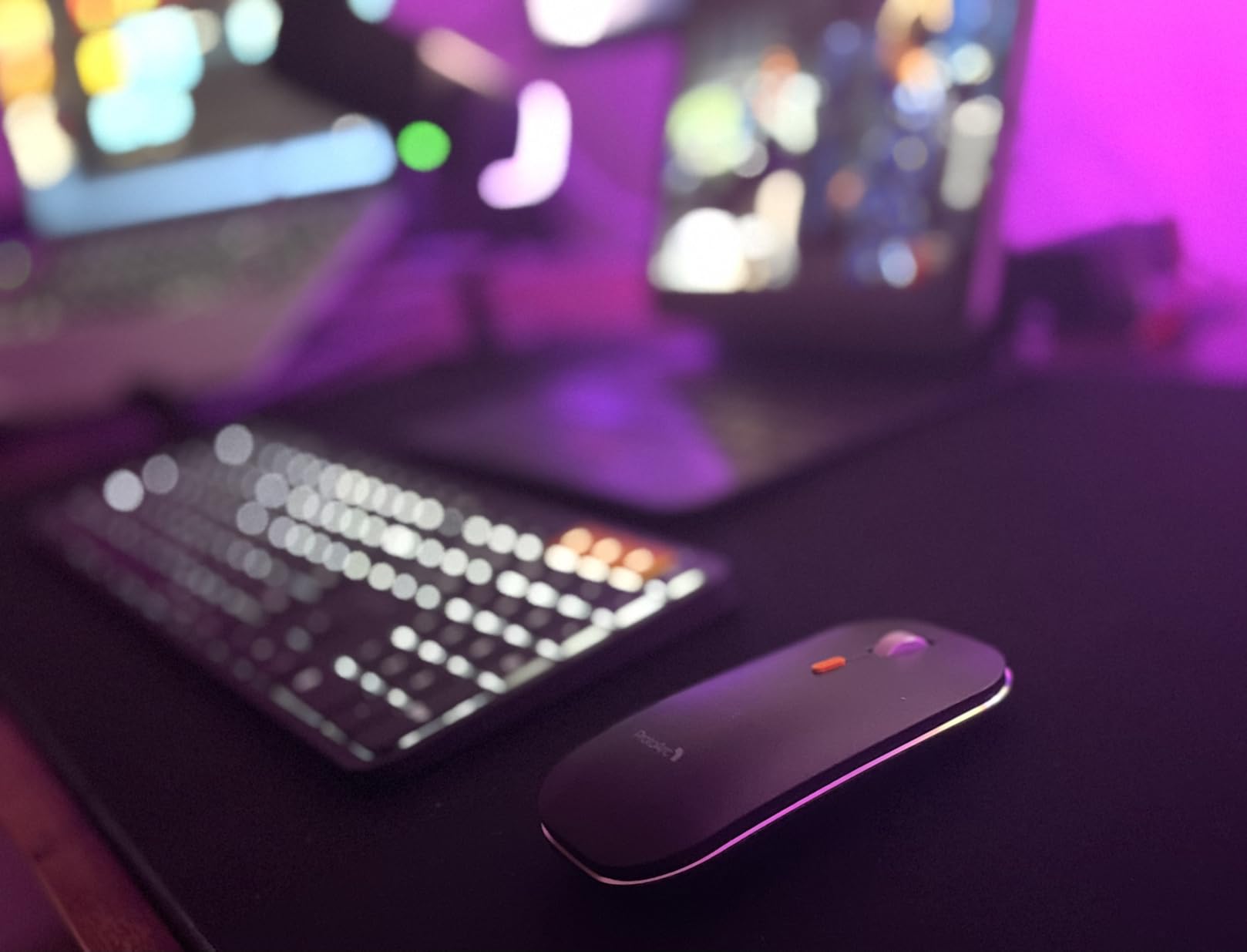
The limitations are structural. There is no 2.4 GHz receiver and no wired mode, so Bluetooth is your only connection and there is no fallback when it misbehaves. After the 60-minute auto-sleep, the keyboard wakes on any keypress but the backlight stays off until you re-enable it, which is the most common complaint in the reviews.
The scissor feel is light and shallow, and that will not satisfy anyone who wants a mechanical response. Compatibility is narrower than the price implies: it needs macOS 10.12 or later and will not work with Windows, Linux, or Macs built before 2013, despite the mouse DPI options that suggest broader support.
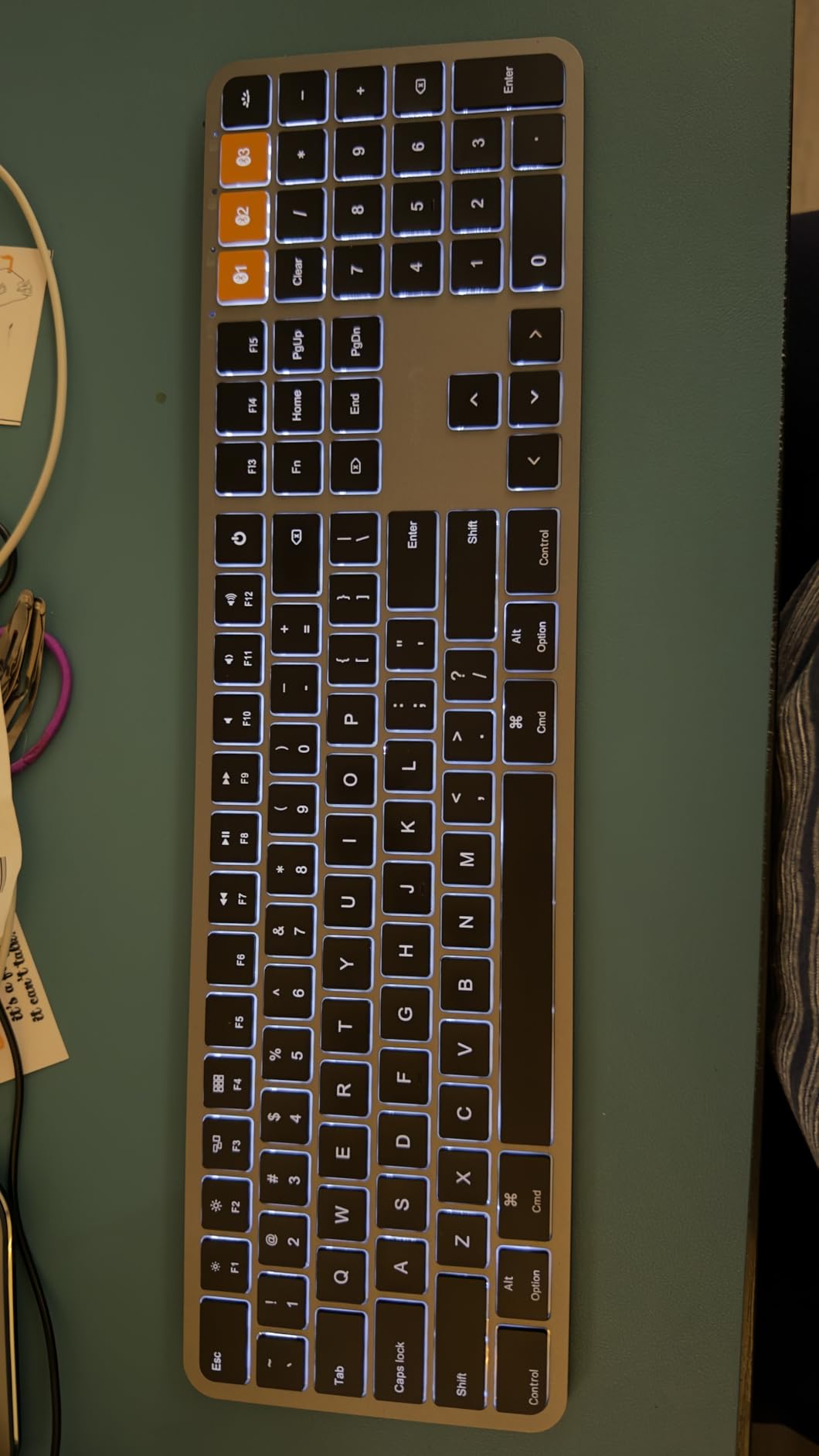
Is this the best budget keyboard for a MacBook user?
For someone who wants to stop typing on a cramped laptop keyboard and also needs a mouse, yes. It is Mac-shaped, it backlights, and it pairs with three devices. The full-size layout with a numpad also means you are not trading away spreadsheet capability to save desk space.
If your budget stretches further, the Macally board below gives you a similar approach in a smaller footprint, and the Keychron C2 covers the mechanical alternative.
How long does the battery last in practice?
Owners generally charge the keyboard every few weeks rather than every few days, which is fine given the 1200 mAh capacity and the auto-sleep after an hour idle. The mouse carries a smaller 300 mAh cell, and its three DPI settings at 1000, 1600 and 2400 cover everything from a large display to a Retina screen.
10. Macally Wireless Bluetooth Keyboard – best compact budget board
Macally Wireless Bluetooth Keyboard for Mac – Premium Multi Device Connectivity – Compatible Apple Keyboard for MacBook Pro/Air, iMac, Mac mini, iPad, Laptop, and PC
Compact 78-key layout with 13 shortcut keys
Up to 3 paired Bluetooth devices
800 mAh battery up to two months
Integrated kickstand
Pros
- An inexpensive route to a Mac-oriented Bluetooth keyboard
- Compact 78-key layout with a kickstand
- Switches between up to three paired devices
- Rechargeable 800 mAh battery rated at two months
- Auto OS detection across Mac iOS iPadOS Android and Windows
Cons
- No numeric keypad on the 78-key layout
- Bluetooth only with no wired mode or receiver
- Plastic construction feels light
- Compact layout takes adjustment from full-size boards
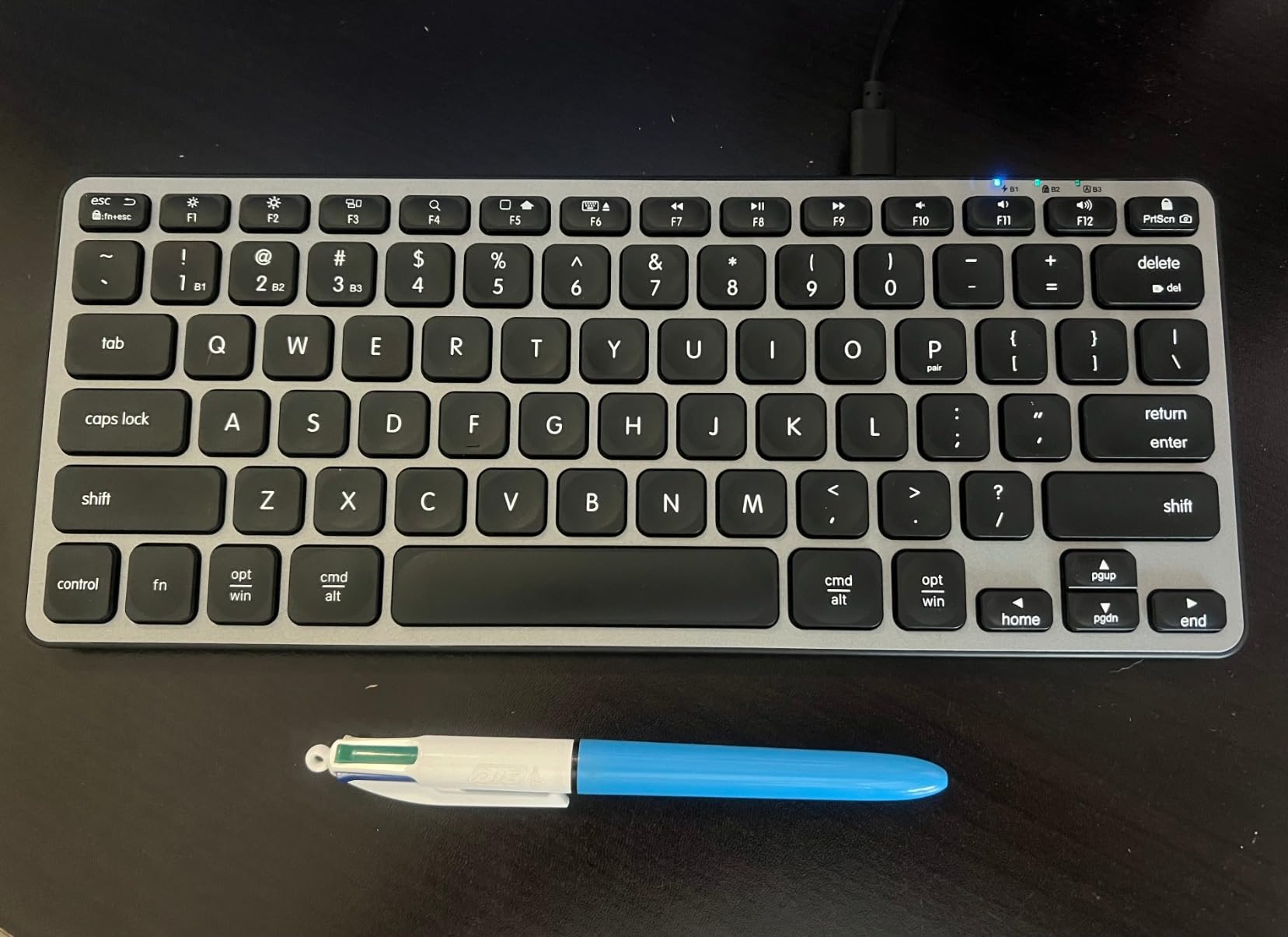
This is the small, light, packable option. At 11.2 by 4.6 inches it fits in a laptop bag, and the 13 shortcut keys give you the Mac essentials including brightness and media control without a full function row. Auto OS detection means the Command and Option keys behave correctly whether it lands on a Mac, an iPad or a Windows PC.
Battery life is the standout for the money: 800 mAh rated at up to two months per charge, with a USB-C cable in the box. It pairs with up to three devices within a 30 foot range, which covers a MacBook, an iPad and a desktop cleanly. The integrated kickstand lifts the back of the board enough to make a flat scissor keyboard easier on the wrists.
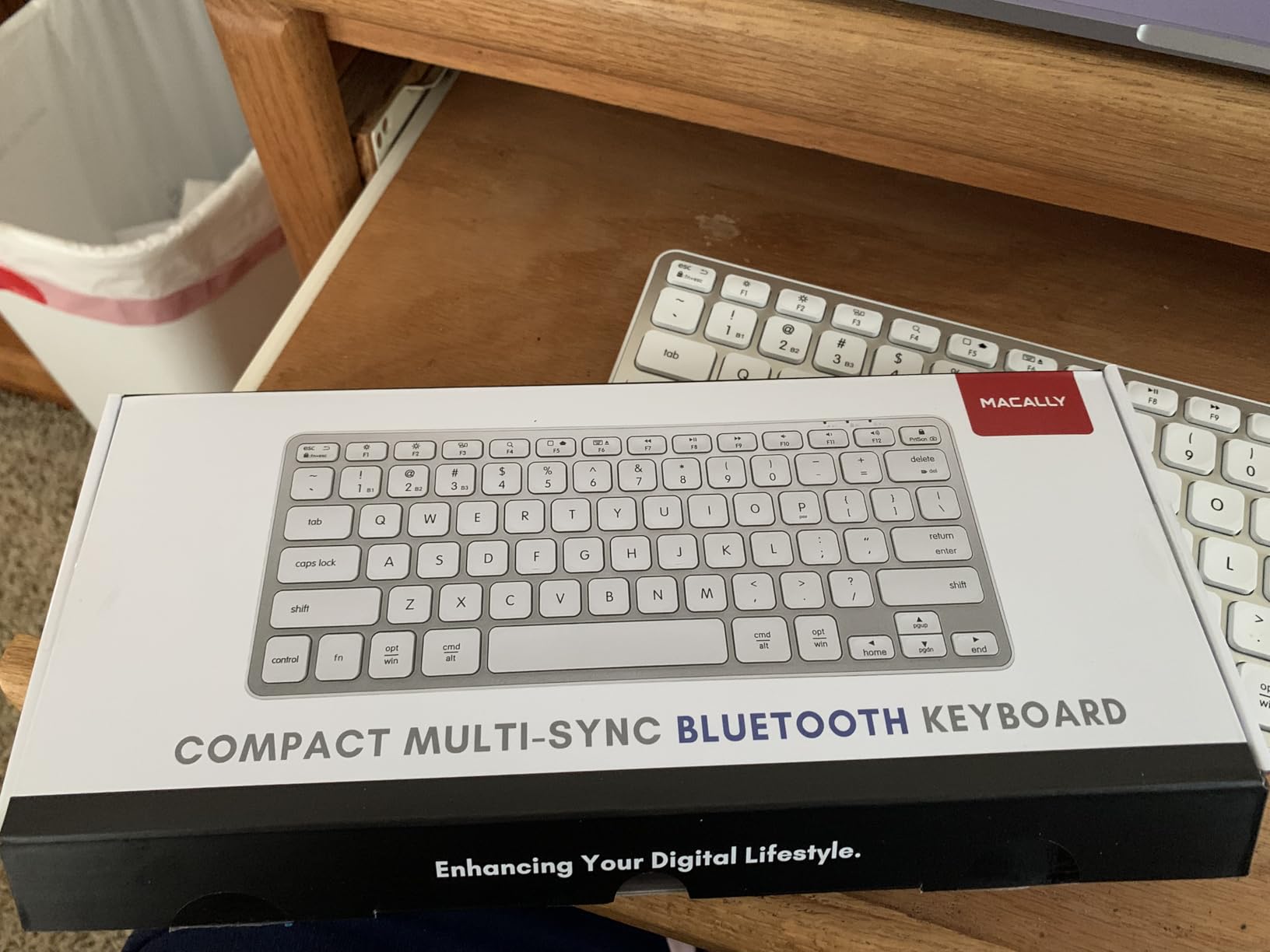
There is no numeric keypad, and that is the deciding fact for many buyers rather than a detail. The plastic body feels light in a way that reads as plain next to the aluminum boards here, though the fit and finish are clean. It is also Bluetooth only, with no wired mode and no 2.4 GHz receiver, so there is no fallback connection.
Reviewers with the highest review counts note that the 78-key layout takes adjustment if you are used to a full-size board, and the small arrow cluster is cramped. The warranty listing is inconsistent between one and two years depending on the page, so check the packaging if it matters to you.
Is a 78-key layout enough for work?
For writing, email, code and general browsing, yes. The 13 shortcut keys cover the Mac functions you would otherwise lose, and a kickstand makes the typing angle workable. It is a genuinely good travel companion for a MacBook Air user who wants a real keyboard on hotel desks without carrying much.
It stops being enough when you need a number pad or dedicated function keys with secondary functions, such as launching a debugger or switching editor tabs.
How does it compare with the ProtoArc bundle?
The ProtoArc KM100-A adds a mouse, a backlight and a numeric keypad. This Macally board is smaller, lighter and lasts longer on a charge. If you already own a mouse and travel often, the Macally is the better fit; if you are setting up a first desk, the bundle covers more ground.
11. LOFREE Flow Lite 100 – best low-profile mechanical for the money
Flow Lite 100 Keys Low Profile Mechanical Keyboard, Swappable Rechargeable Wireless Keyboard with 2.4G Receiver, Bluetooth and Wired Connection for Windows, Mac/ Specter Linear Switches (Marble)
Low-profile gasket-mount mechanical
Specter linear switches at 40 gf
PBT double-shot keycaps
2.4 GHz Bluetooth and wired USB-C
Pros
- Low profile lets you type all day without a wrist rest
- Linear switches produce a creamy quiet thock
- Compact 100-key layout keeps a full numpad
- Three-mode connectivity switches reliably
- Battery measured in weeks with backlight off
- PBT keycaps resist shine and grime
Cons
- Poor Bluetooth wake latency after sleep
- Software can freeze until you toggle the receiver
- Included cable is flimsy
- No carrying case despite the portability
- Small numpad zero key takes adjusting
- Not a full ISO layout
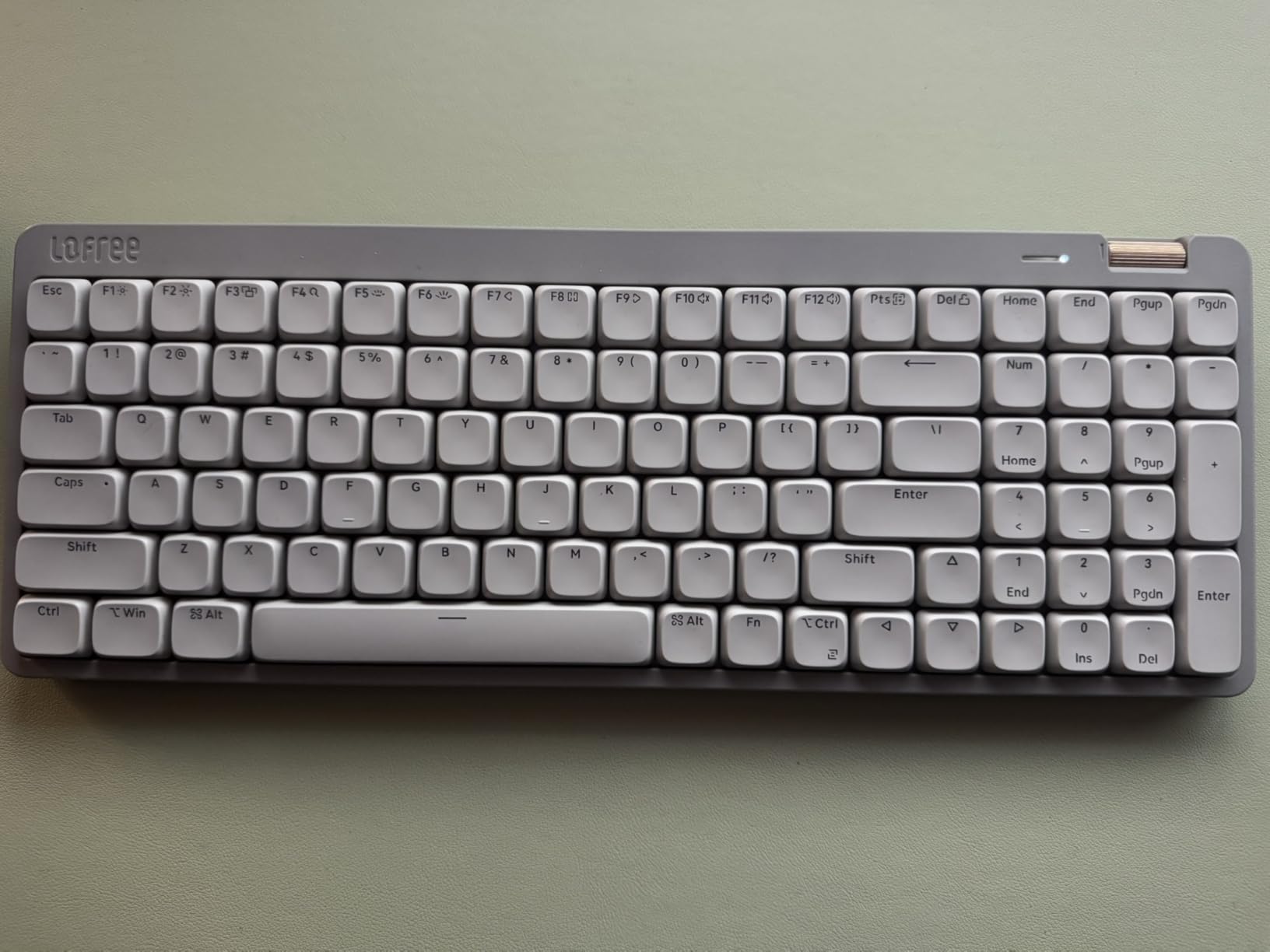
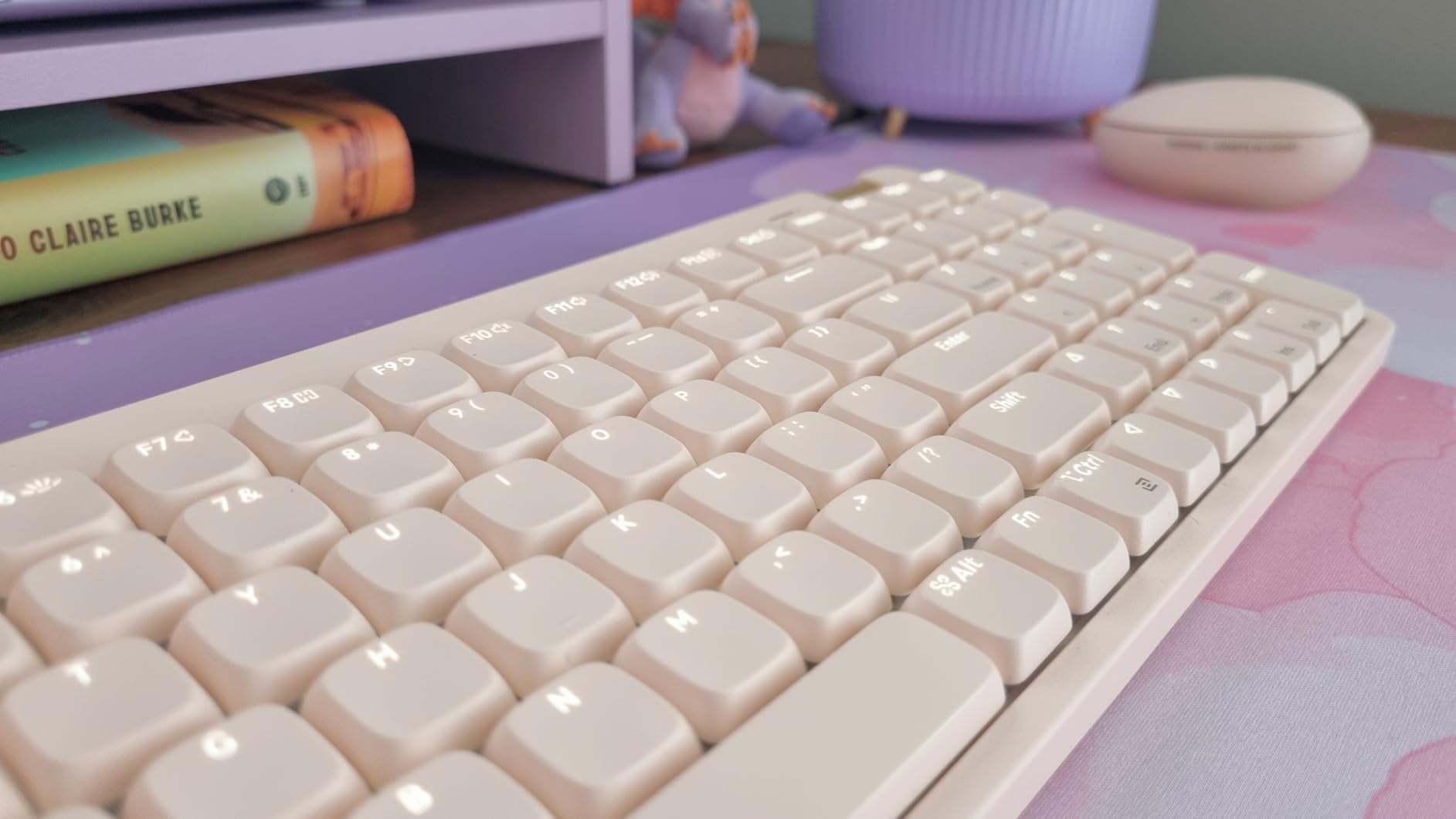
This is the board we kept reaching for during testing. The low front edge and low-profile mechanical keys let you type a full day without a wrist rest, and the Specter Full POM linear switches were reduced from 50 gf to 40 gf, which cuts the fatigue you get from heavier low-profile switches. The sound is the quiet, creamy thock that mechanical buyers look for rather than clatter.
Gasket mount with an upgraded sound-dampening layer flattens the bottom-out, and PBT double-shot keycaps resist the shine and grime that spoil cheaper boards. Connectivity covers all three modes: 2.4 GHz at 1000 Hz polling, Bluetooth and wired USB-C. The 3000 mAh battery is rated at up to 100 hours with lights off, and the aluminum volume roller is one of the nicer details at this level.
Two problems are worth knowing. Bluetooth wake latency is poor, with several words sometimes typed before the board responds after sleep, so use 2.4 GHz when latency matters. The Lofree Configurator software is also reported as glitchy, freezing until the receiver or cable is toggled, which is frustrating given the per-key remapping it offers.
Smaller notes: the included cable is flimsy and hard to seat, there is no dust cover or carrying case despite strong portability, and the numpad zero key is small enough to take adjusting. It is not a full ISO layout, so UK and European users must build a custom layout for the angle brackets. Colors include Marble, Off-White and Flamingo.
Should you use the 2.4 GHz receiver or Bluetooth on a Mac?
Use 2.4 GHz for anything latency-sensitive. The 1000 Hz polling rate is what a mechanical keyboard user expects from a gaming keyboard, and Bluetooth compresses that down noticeably. Bluetooth is the right choice when you are typing prose or moving between an iPad, where there is no receiver to carry.
One practical caveat: the receiver is USB-A, so a MacBook with only USB-C ports needs an adapter for the gaming-grade path. The wired USB-C mode sidesteps that entirely and also charges the board.
How does it feel next to the Logitech low-profile boards?
Lighter and softer. Linear switches give no tactile bump, so if you type without looking at the board the smoothness reads as fast and quiet rather than precise. The Logitech Tactile Quiet option adds a bump you can feel without hearing, which some typists prefer for accuracy over speed.
12. Keychron C2 – best budget wired mechanical for Mac
Keychron C2 Full Size Wired Mechanical Keyboard, Brown Switch, Retro
104-key full-size layout
Tactile Keychron Brown switches
Mac-optimized with both keycap sets
USB-C wired with braided cable
Pros
- Lowest cost with genuine tactile mechanical switches
- Mac-optimized full-size layout with both keycap sets
- Braided USB-C cable gives constant power and no latency
- Two-level adjustable feet and inclined frame
- Retro keycaps work in an office or a game room
Cons
- No backlighting at all
- Wired only with no wireless option
- ABS keycaps are prone to shine
- Num Lock only functions under Windows
The C2 is the simplest way into mechanical typing on a Mac for less. You get a 104-key full-size board, pre-installed tactile Keychron Brown switches rated for 50 million keystrokes, and a layout optimised for Mac with extra Mac and Windows keycaps and a keycap puller in the box. Several Mac users mention Keychron specifically as the brand that respects the platform out of the box.
The braided USB-C cable guarantees constant power, so there is no charging, no pairing and no wireless latency, which is a real advantage on a gaming keyboard. Two-level adjustable feet at 6 and 9 degrees and an inclined bottom frame make the typing angle more comfortable than a flat board. At 1.5 kilograms it has some planted weight.
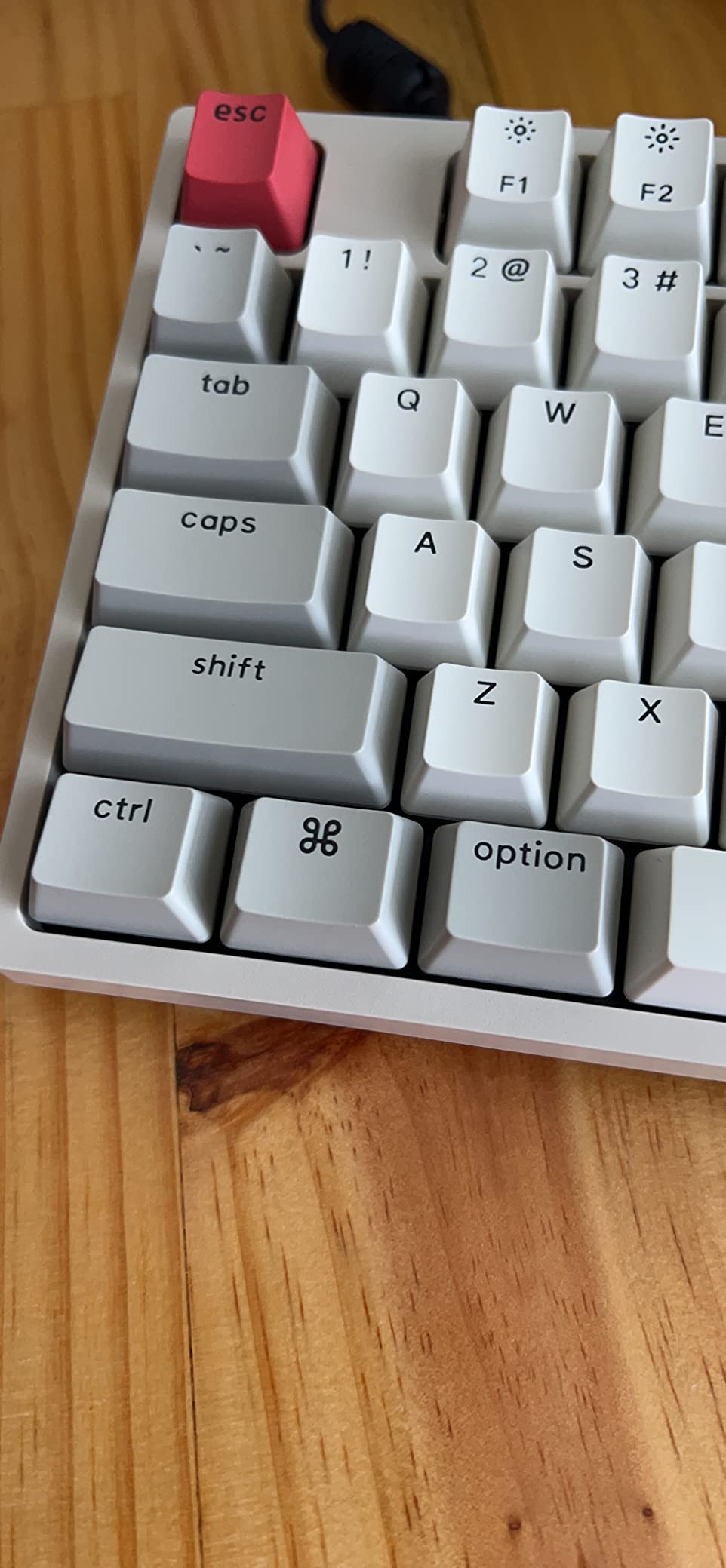
There is no backlight at all, so this is not a keyboard for dim rooms, and there is no wireless mode, so it lives at one desk. The retro-inspired ABS keycaps shine and wear with heavy use, which is the standard complaint at this level and the first thing worth upgrading later with a PBT set. Num Lock works under Windows only.
Because it is wired, it is among the most reliable options here for latency-sensitive work, and it also sidesteps the USB-C dongle problem entirely since a modern MacBook connects over one cable.
Is this a good first mechanical keyboard for a Mac user?
Yes, and the reason is the keycap set. Many budget boards ship with Windows legends only, which leaves you hunting for the Command key. The C2 includes both sets and a puller, so you can swap them in a couple of minutes and type correctly from day one. That is the single thing Mac buyers care about most at this budget.
The Brown switches are a safe middle ground: a clear tactile bump without the sharp noise of a clicky, which also makes it a decent board for an open office.
When is it worth spending more?
Spend more if you need a backlight, wireless switching, or a numpad-free footprint to save desk space. The K3 covers the low-profile remapping route and the K10 covers long battery life. If you want a numpad and a mechanical feel with better materials, the Satechi SM3 or the LOFREE Flow Lite are the step up.
How to Choose a Keyboard for Mac: Buying Guide
Shortcuts come first. On a Mac, copy, paste, switch apps and undo all live on Command, and the whole muscle memory shifts when they move to Control. That is why the boards above are ranked largely on whether Command and Option keycaps ship in the box, because nothing else matters if your most-used keys are in the wrong place.
Do you need Mac keycaps in the box?
Ideally yes, and it is worth seeking out when the choice exists. Mac-first boards come with Command, Option and the brightness and dictation keys where macOS expects them, which removes the whole remapping question. Universal boards like the Keychron K3 and K10 solve it differently by including spare Mac keycaps and a puller.
Where neither is true, macOS still lets you fix it. Open System Settings, go to Keyboard, then Modifier Keys, and remap Control, Option, Command and Caps Lock per device. That handles the modifier positions, but it does not relabel the keys, so you are still pressing the key marked Ctrl to copy.
Which switch type should you pick?
Linear — smooth and fast with no bump, quietest of the mechanicals. Good for gaming and touch typing. The LOFREE Flow Lite and the Logitech MX Mechanical linear variant sit here.
Tactile — a small bump mid-press without a click, the safest all-rounder for long typing sessions. The Keychron Browns, Cherry MX Brown in the Das board, the Satechi SM3 and the Logitech Tactile Quiet all fall here.
Clicky — audible feedback on every keystroke. Enjoyable at first, fatiguing in a shared office. The Logitech MX Mechanical clicky is the main option here.
Scissor — what Apple uses: low travel, light force, quiet. Comfortable and thin, but with no mechanical character.
If you have never used a mechanical, a tactile switch is the easiest transition. It confirms each keystroke without the noise, and you can always add a PBT keycap set later.
Which layout size fits your desk?
Layout is the decision people regret most, so measure before buying. A 60 percent board drops the function row and arrow keys onto layers, which is only worth it for travel. A 75 percent board keeps the function row and drops the navigation column, which is the sweet spot for small desks and MacBook users. The Keychron K3 is the example here.
An 80 percent or 98 percent layout adds back the navigation keys, as on the Logitech MX Mechanical Mini and the Alto Keys K98M. Full-size adds the numeric keypad and is a must for spreadsheets, accounting and data entry. If your desk is deep, full-size is the safest choice; if it is a laptop or a shared hot desk, 75 or 80 percent is better.
Bluetooth, 2.4 GHz or wired?
Bluetooth is the right default for Mac because there is no dongle to lose and every Mac has it. Its weakness is wake latency, which is why boards rated for gaming include a 2.4 GHz receiver. Keep one USB-C port free if you plan to use a receiver, or use the wired mode instead.
Wired remains the most reliable option for fixed desks and the usual choice for competitive gaming. It also removes battery life and charging from the equation entirely, which is why the Das board and the Keychron C2 remain popular years after launch.
How to remap a Windows keyboard on macOS
You can fix any Windows keyboard in about two minutes. Open System Settings, choose Keyboard, then Modifier Keys, and set the modifier that your Windows Ctrl key sends to Command while keeping the actual Command position mapped to Command. The dialog applies per device, so your iPad pairing stays unchanged.
That fixes the behaviour, not the printing. If the legends bother you, check whether the manufacturer includes spare Mac keycaps, as Keychron does, and swap them with the included puller. Community-maintained remapping layers handle the rest, though most people find the macOS modifier dialog sufficient.
Software, battery life and backlights
Software support splits into three camps. Keychron uses open-source QMK firmware configured in a browser, which is the most flexible and the least likely to break. Logitech relies on Logi Options+ for Smart Actions and per-key changes, which is polished but resets some settings after sleep. Satechi uses a lighter-weight configurator for its Mac shortcut keys.
On battery life, white backlights are far kinder to endurance than RGB. The boards rated in weeks rather than days are the ones with single-colour lighting and a large cell, and the Logitech full-size mechanical is the standout with up to 10 months with the backlight off. For your desk setup, our picks for Thunderbolt portable SSDs and Thunderbolt storage enclosures are the natural next upgrade.
Frequently Asked Questions
Do Macs need a special keyboard?
No. Any Bluetooth or USB-C keyboard works with a Mac, because both platforms use the same HID standard. What matters is that Command and Option legends are in the right place. Macs only ship a special keyboard if you value zero setup, native function row behaviour and one less thing to think about.
What is the best keyboard for Mac right now?
For most people the Apple Magic Keyboard with Numeric Keypad is the best all-round choice, because it pairs instantly and needs no remapping. If you want a mechanical feel, the Logitech MX Mechanical Illuminated and the LOFREE Flow Lite are the strongest picks for typing quality and value.
Are Windows keyboards compatible with Mac?
Yes, they work immediately, but the modifier keys map to the wrong actions until you remap them. Open System Settings, then Keyboard, then Modifier Keys, and map your Windows Ctrl key to Command. The legends stay Windows, so boards that include Mac keycaps feel far better long term.
What are the best keyboards for typing on a Mac?
Mechanical boards with tactile switches are the most satisfying for long typing sessions. The Das Keyboard 4 Professional for Mac uses Cherry MX Brown switches with a true Mac layout, while the Lofree Flow Lite uses lighter 40 gf linear switches in a lower profile that many users can type on all day.
Are there any mechanical keyboards that have Touch ID built-in?
Very few. Touch ID remains an Apple exclusive feature, so the Apple Magic Keyboard with Touch ID and Numeric Keypad is the only widely available option. The mechanical boards in this roundup offer Mac keycaps and shortcut layers instead, which most users find more useful than fingerprint unlock.
Which keyboard is best for a MacBook Air?
A compact, low-profile board matches a MacBook Air best. The Macally Wireless Keyboard is the lightest option with a three-month battery rating, while the Keychron K3 adds low-profile mechanical keys and full QMK remapping. Both fit in a laptop bag, unlike full-size boards with a numeric keypad.
Which Keyboard Should You Buy?
Start with layout and legend, then let feel follow. If you want no setup at all and one keyboard across a Mac and an iPad, the Apple Magic Keyboard with Numeric Keypad is our pick for 2026, and it stays our recommendation through years of daily use. If you want mechanical character without wrecking your wrist angle, the Logitech MX Mechanical Illuminated gives you the best full-size Mac experience.
Type on it daily and you will want something better, and that is where the LOFREE Flow Lite 100 delivers low-profile mechanical keys, a gasket mount and three connection modes. Need real Mac keycaps and full remapping on a small desk, take the Keychron K3. For a fixed desk with a numpad and no wireless fuss, the Das Keyboard 4 Professional for Mac stays the most native-feeling mechanical we tested.
Below that, the ProtoArc KM100-A covers a first Apple desk with a keyboard, mouse and backlight in one purchase. Whatever you choose, check that Command and Option legends sit where your fingers expect before you commit.