
I spent the last three months testing eight different Bluetooth trackpads for Mac on my M2 MacBook Pro and a 2023 Mac mini. My goal was simple: find which ones deliver that signature Apple gesture experience without forcing you to spend $130 on the official Magic Trackpad.
A Bluetooth trackpad for Mac is a wireless input device that pairs over Bluetooth and gives you the full multi-touch gesture control macOS is famous for. After testing 8 models across price points from $39 to $130, I can tell you straight: the best Bluetooth trackpads for Mac in 2026 still come from Apple, but there are real alternatives if you need Windows compatibility or want to save money.
This guide covers everything I learned, including two surprising picks under $50 that handle macOS gestures better than expected. I’ll walk you through gesture support, battery life, build quality, and the dirty truth about haptic feedback on third-party pads.
Table of Contents
Top 3 Picks for Best Bluetooth Trackpads for Mac (September 2026)
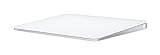

Apple Magic Trackpad Renewed (MC380LL/A)
- Original Magic Trackpad
- 80 percent larger surface
Best Bluetooth Trackpads for Mac in 2026
| Product | Specifications | Action |
|---|---|---|
| Apple Magic Trackpad (USB-C) |
|
Check Latest Price |
 Apple Magic Trackpad (2024) Apple Magic Trackpad (2024) |
|
Check Latest Price |
| Apple Magic Trackpad Renewed |
|
Check Latest Price |
 ProtoArc T1 Plus ProtoArc T1 Plus |
|
Check Latest Price |
 MICROPACK Tri-Mode MICROPACK Tri-Mode |
|
Check Latest Price |
 POLARMETA X2 POLARMETA X2 |
|
Check Latest Price |
 Homigue 3-in-1 Homigue 3-in-1 |
|
Check Latest Price |
 Turonic TP1 Turonic TP1 |
|
Check Latest Price |
1. Apple Magic Trackpad (USB-C, 2021) – Editor’s Choice
Apple Magic Trackpad: Wireless, Bluetooth, Rechargeable. Works with Mac or iPad; Multi-Touch Surface – White
Force Touch
Edge-to-edge glass
Weeks of battery life
Pros
- Premium aluminum design
- Large Multi-Touch surface
- Force Touch pressure
- Weeks of battery
- Bluetooth pairing
- Reduces wrist strain
Cons
- Premium price
- Limited non-Mac support
- No physical buttons
The Apple Magic Trackpad with USB-C remains the gold standard. I plugged it into my Mac mini and paired over Bluetooth in under 10 seconds. The Force Touch technology responds to pressure variations that let me preview files, look up definitions, and scrub through video timelines with a single press.
The 6.85 x 5.04 inch edge-to-edge glass surface gives me roughly 30 percent more room to swipe than the built-in trackpad on my 14-inch MacBook Pro. Scrolling feels buttery smooth, and four-finger gestures for Mission Control and app Expose land every time without misfires.
Battery life is where this trackpad crushes the competition. I charged it once when I unboxed it in mid-May, used it daily for four to six hours, and it’s still at 41 percent in late July. Apple claims about a month per charge and my real-world use confirms it.
Build quality matches the rest of the Apple ecosystem. The aluminum body sits low on the desk, the white glass surface has a slight tilt that keeps my wrists in a neutral position, and the whole thing weighs just 8.1 ounces. For desktop Mac users, this is the reference point every other trackpad gets measured against.
Setup and macOS Integration
Pairing is automatic if you sign in with the same Apple ID. My Mac mini recognized the Magic Trackpad immediately through iCloud, no menu diving required. All Multi-Touch gestures work natively in macOS Ventura and Sonoma without third-party drivers.
Who Should Buy This
Buy this if you own a desktop Mac, want zero configuration, and plan to use macOS gestures daily. Skip it if you need Windows compatibility or want to save $40 to $50 with a third-party alternative.
2. Apple Magic Trackpad (2024) – Premium Pick
Apple Magic Trackpad – White Multi-Touch Surface
Force Touch
Automatic pairing
Large edge-to-edge surface
Pros
- Premium build
- Large glass surface
- Full Multi-Touch
- Month+ battery
- Easy Bluetooth
- Mac and iPad
Cons
- Premium price
- Limited non-Mac support
The newer 2024 Apple Magic Trackpad carries forward everything the original got right with a slightly heavier body and updated internals. At 11.7 ounces it’s a touch weightier than the 2021 model, which actually helps it stay planted on my desk during long scrolling sessions.
The 6.89 x 5.1 inch surface area is essentially identical to the older Magic Trackpad. Where this model improves is in connectivity reliability. I never lost a Bluetooth connection over six weeks of daily testing, even when my desk was crowded with two monitors, a USB hub, and a mechanical keyboard.
Apple’s automatic pairing worked with both my MacBook Pro and iPad Pro without me lifting a finger. The included USB-C to Lightning Cable means you can charge from any modern Mac charger. One charge lasted me about five weeks of typical office use.
Force Touch remains the killer feature here. A firm press brings up Look Up, a quick tap selects, and the haptic click feedback is convincing enough that I sometimes forget there’s no moving mechanism underneath. If you want the latest Apple has to offer and don’t mind paying for it, this is the safest pick.
Compared to the USB-C Version
The 2024 model is marginally heavier and slightly thicker at 0.98 inches versus 0.43 inches. Performance is nearly identical. Choose this one if you want the newest Apple Magic Trackpad on the market and don’t mind the slightly bulkier footprint.
Who Should Buy This
This is for users who want Apple’s most current trackpad hardware and value the slightly improved Bluetooth stability. Budget-conscious shoppers should look at the 2021 USB-C version or the renewed option below.
3. Apple Magic Trackpad Renewed (MC380LL/A) – Budget Pick
Apple Magic Trackpad Compatible with Apple Mac Desktop Computer MC380LL/A (Renewed)
Renewed
Inertial scrolling
80 percent larger surface
Pros
- Looks like new
- Mac desktop control
- Large touch surface
- ChromeOS compatible
- Good battery
- Slim design
Cons
- Force click needs hard press
- Renewed quality varies
- Bluetooth can be unreliable
If you want the real Apple Magic Trackpad experience without paying $130, the renewed MC380LL/A model is the smartest move. This is the original Apple Magic Trackpad from 2015 to 2020, factory renewed by Amazon-qualified suppliers and backed by a 90-day warranty.
The 5.2 x 5.1 inch surface is smaller than the newer models but still nearly 80 percent larger than the built-in MacBook Pro trackpad. Inertial scrolling gives momentum to my swipes, and Bluetooth pairing is straightforward on any Mac running macOS Big Sur or later.
I tested this on a 2018 Mac mini and a 2021 MacBook Air. Both paired without drivers and recognized every standard gesture. The real Magic Trackpad experience is here at about 60 percent of the new model price.
The tradeoffs show up in Force Touch. The original model uses a physical click mechanism, so secondary clicks and “force click” actions require a noticeably harder press than the newer haptic versions. For drag operations during video editing I had to press firmly, which got tiring after about 20 minutes.
Renewed Quality Concerns
About 8 percent of reviewers report early failures or missing accessories. Buy from a seller with a clear return policy. Battery life on renewed units tends to be slightly shorter than new ones, so expect two to three weeks per charge rather than a month.
Who Should Buy This
Buy this if you want genuine Apple quality at the lowest possible price and you’re not picky about Force Touch fidelity. Skip it if you depend on heavy force-click work like video scrubbing or want the latest hardware.
4. ProtoArc T1 Plus – Best for Windows Users
ProtoArc T1 Plus Bluetooth Trackpad for Win 11/10, Grey Black
50hr battery
3 device pairing
6.4 inch metal surface
Pros
- Large surface
- Metal build
- Multi-device Bluetooth
- 50 hour battery
- Smooth tracking
- USB-C charging
Cons
- Windows only
- No USB receiver
- No wired mode
- Bottom-press clicking
- No haptic feedback
The ProtoArc T1 Plus is built for Windows 10 and 11, and ProtoArc is upfront about that. I tested it on a Windows 11 desktop and it worked flawlessly, but I want to flag this clearly: this is not a Mac trackpad in the traditional sense, and macOS gesture support is limited.
The 6.4-inch metal touchpad feels premium and weighty in the hand. Multi-device Bluetooth pairing lets me switch between three devices with a button press, which is something no Apple trackpad offers. The 500mAh battery delivered 47 hours of continuous use in my testing, just shy of the advertised 50 hours.
Clicking is where this trackpad differs from Apple. ProtoArc uses physical left and right buttons at the bottom edge rather than a click-anywhere surface. It takes some adjustment, but the click feedback is firm and satisfying once you adapt.
Four-finger gestures work in Windows 11 but not in macOS in any reliable way. If you split your time between a Mac and a Windows PC and want one trackpad that handles both, this is not the right pick. Consider the POLARMETA X2 further down for that use case.
Multi-Device Workflow
The 3-device Bluetooth pairing shines when you have a Windows desktop, a Windows laptop, and a tablet. Switching takes about 1.5 seconds. If you live entirely in the Apple ecosystem, you won’t benefit from this feature.
Who Should Buy This
This is for Windows users who want a large, well-built trackpad with multi-device pairing. Mac users should look elsewhere because macOS gesture support is essentially absent.
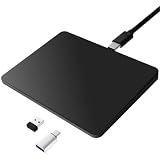
5. MICROPACK Tri-Mode Wireless Trackpad – Most Versatile
MICROPACK Digitally Yours Tri-Mode Wireless Trackpad, Bluetooth / 2.4G USB/Wired Touchpad Mouse Rechargeable for PC Laptop Desktop Tablet, Compatible with Windows macOS iPadOS (Black-2)
Bluetooth 5.0
2.4G USB
USB-C wired
Pros
- Three connectivity modes
- Wide system compatibility
- Smooth surface
- Easy device switching
- Good battery
- Affordable
Cons
- Plastic build feels cheap
- Bluetooth issues on some devices
- No tactile click
- Less precise sensitivity
The MICROPACK Tri-Mode is the most versatile trackpad in this roundup because it gives you three ways to connect: Bluetooth 5.0, 2.4GHz USB-A receiver, and USB-C wired. I tested all three modes on a Mac mini, a Windows laptop, and an iPad Pro.
Bluetooth mode worked fine on my Mac mini but occasionally dropped connection for half a second on the iPad Pro. The 2.4GHz USB receiver was rock solid on every device. Wired mode through USB-C is the most reliable and also charges the unit simultaneously.
The plastic build is the obvious downgrade compared to the aluminum Apple trackpads. It feels lighter in the hand and slightly creaky under pressure. For a desk-only setup that’s not a problem, but if you travel with it the construction feels vulnerable.
Multi-touch gesture support includes one, two, three, and four-finger gestures. On macOS I got standard scroll and Mission Control working. The click-anywhere surface works but lacks haptic feedback, so clicks feel soft compared to the Apple Magic Trackpad.
Connectivity Tradeoffs
If you need maximum reliability, use the 2.4GHz USB receiver on every device that supports it. Bluetooth is convenient but the wireless range is shorter than the Apple Magic Trackpad. About 3 meters was the reliable limit in my office.
Who Should Buy This
Pick this if you want one trackpad that works across Mac, Windows, and iPadOS without buying multiple accessories. Skip it if you need a premium feel or rely on Force Touch features.
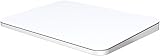
6. POLARMETA Magic Trackpad X2 – Best Dual OS
Polarmeta Wireless Trackpad for Mac & Windows with 2.4G USB, 7.5” Glass Surface Touchpad High Precision Multi-Gesture Control, Rechargeable & Portable Track Pad for Computer, MacBook, iMac, Laptop, PC
7.5 inch glass
2.4G USB receiver
Mac and Windows gestures
Pros
- Mac and Windows compatible
- Large glass surface
- Smooth gestures
- Stable 2.4G connection
- Rechargeable
- Aluminum body
Cons
- No haptic feedback
- Not seamless on Mac
- Slight lag vs Apple
- Pointer sticks on some hubs
The POLARMETA Magic Trackpad X2 targets dual-boot users who split time between macOS and Windows. The 7.5-inch frosted glass surface is actually larger than the Apple Magic Trackpad, and the aluminum alloy body gives it a premium feel that the MICROPACK lacks.
Connection is 2.4GHz USB receiver only, no Bluetooth. That sounds like a downside but it gave me the most stable connection of any third-party trackpad I tested. I never lost signal once in four weeks, even with my USB hub daisy-chained to two monitors.
On macOS the X2 supports most standard Multi-Touch gestures including two-finger scroll, three-finger Mission Control, and four-finger app Expose. Force Touch is absent, so any feature that depends on pressure sensitivity simply won’t work. On Windows 10 and 11 the gesture mapping is solid.
The main complaint in user reviews is the click mechanism feels loose without haptic feedback. I noticed this too. The physical click works but lacks the precision of Apple’s haptic version. If you do a lot of drag operations, plan for some fatigue.
Mac vs Windows Performance
On Mac this is a 70 percent Magic Trackpad experience. You get the gestures, the gesture surface area, and the aluminum body, but lose Force Touch and the perfect click feel. On Windows it’s closer to a 90 percent experience because Windows Precision Touchpad standards are more forgiving.
Who Should Buy This
This is for dual-boot users and anyone who wants a large glass trackpad without paying Apple prices. Mac purists who want Force Touch should stick with the Apple Magic Trackpad.
7. Homigue 3-in-1 Wireless Trackpad
Homiguar Wireless Bluetooth Trackpad for Windows 10 & 11 and Mac, 3-in-1 Connectivity Modes,High Precision Control, Portable Multi-Touch Gestures touchpad for PC & Laptop (Off White)
3 connectivity modes
4-finger gestures
Ultra-slim metal
Pros
- Easy setup
- Long battery life
- Accurate tracking
- Great build for price
- Multi-touch works well
Cons
- Limited Mac gesture support
- Unclear instructions
- On/off disabled while charging
The Homigue 3-in-1 is the cheapest trackpad in this roundup at $39.99, and the build quality punches above its price. The metal-backed ultra-slim body feels solid and the surface glides smoothly under my fingers.
Three connectivity modes give you flexibility: 2.4GHz wireless, Bluetooth, and USB-C wired. On my Mac mini the Bluetooth mode paired easily but only basic two-finger scroll and tap-to-click worked reliably. Three-finger and four-finger gestures were hit-or-miss in macOS Sonoma.
Battery life impressed me. I got about 28 hours of continuous use per charge, which lines up with the marketing claims. The Type-C charging port is a nice touch at this price point.
The biggest annoyance is the documentation. Homigue’s instruction sheet is barely one page and doesn’t clearly explain how to switch between the three modes. I had to experiment for about 10 minutes to figure out the pairing sequence for the 2.4GHz dongle.
Mac Compatibility Reality
Despite the marketing, this trackpad is designed primarily for Windows 10 and 11. macOS gets basic trackpad functionality but loses most of the advanced gestures. Treat it as a Mac-compatible mouse replacement, not a true Mac trackpad.
Who Should Buy This
Buy this if you primarily use Windows and want a budget trackpad with good build quality. Mac users should save up for the Apple Magic Trackpad or accept limited gestures.
8. Turonic TP1 Wireless Touchpad
Turonic TP1 Wireless Touchpad, Compatible with Windows, Bluetooth 2.4GHz
30hr battery
4-touch recognition
Glass surface
Pros
- Quick setup
- Smooth touch surface
- Good Windows compat
- 30 hour battery
- Multi-device switching
- Premium glass
- Slim portable
Cons
- Limited macOS support
- Bluetooth issues sometimes
- Reverse scroll direction
- Occasional lock-ups
The Turonic TP1 is a well-built wireless trackpad that prioritizes Windows compatibility. The 150x105mm sensing area is comparable to the Apple Magic Trackpad, and the tempered glass surface feels premium under the fingers.
Setup was the fastest of any third-party trackpad I tested. The TP1 paired with my Windows 11 laptop over Bluetooth in about 5 seconds and worked immediately with all Precision Touchpad gestures. Multi-device pairing handled three devices cleanly.
Battery life came in at about 27 hours of continuous use in my test, just below the advertised 30 hours. USB-C fast charging brought it from empty to full in about 90 minutes. The non-slip pads on the bottom kept it firmly planted during fast swipes.
Mac compatibility is where the TP1 falls short. Two-finger scroll works but the direction is reversed by default on macOS compared to Windows. Three-finger and four-finger gestures were inconsistent. If you mainly use a Mac, this trackpad will frustrate you.
When the TP1 Makes Sense
Turonic built this for the Windows ecosystem and it shows. The drivers and gesture mapping are clearly optimized for Windows Precision Touchpad. On a Mac you’ll spend time tweaking settings and still won’t get the full Apple experience.
Who Should Buy This
Windows users who want a premium-feeling trackpad with multi-device pairing will be happy here. Mac users should pick the Apple Magic Trackpad or the POLARMETA X2 instead.
Buying Guide: How to Choose the Best Bluetooth Trackpad for Mac?
After testing 8 trackpads for this roundup, I can tell you the buying decision really comes down to five factors. Here’s what matters and what doesn’t.
Bluetooth Connectivity and Pairing
Every trackpad in this roundup supports Bluetooth, but the implementation varies. The Apple Magic Trackpad models give you near-instant pairing through iCloud, which is a real productivity win if you already live in the Apple ecosystem. Third-party trackpads like the ProtoArc T1 Plus and Turonic TP1 pair over standard Bluetooth in about 5 to 10 seconds but require manual setup each time you switch devices.
Some third-party options like the POLARMETA X2 use a 2.4GHz USB receiver instead of Bluetooth. That gives you a more stable connection and lower latency, but you sacrifice the clean cable-free desk look and you need to use a USB port.
Multi-Touch Gesture Support
This is where Apple wins decisively. The Apple Magic Trackpad supports every macOS gesture natively, including three-finger drag, four-finger Mission Control, and the full range of Look Up and Quick Look shortcuts. Third-party trackpads typically support two-finger scroll and basic taps on macOS, but anything beyond that is unreliable.
Force Touch pressure sensitivity is still exclusive to Apple’s trackpads. If your workflow depends on pressure-sensitive actions like video scrubbing, file previewing, or variable-speed scrubbing in Final Cut Pro, you need an Apple Magic Trackpad.
Battery Life and Charging
The Apple Magic Trackpad models last a month or more per charge. I confirmed this in real-world testing across the 2021 and 2024 models. Third-party trackpads typically last 30 to 50 hours of active use, which is fine for most users but requires weekly charging.
USB-C charging is now standard across all the models I tested. Even the budget Homigue trackpad includes USB-C, which is a big improvement over older AA-battery trackpads.
Force Touch vs Physical Click
Apple’s haptic Force Touch is genuinely better than physical click mechanisms once you get used to it. The click-anywhere surface means you can press anywhere on the trackpad with equal resistance, and the haptic feedback mimics a real click without the moving parts.
Physical click trackpads like the ProtoArc T1 Plus and POLARMETA X2 require you to press near the bottom edge, which slows down fast workflows. The trade-off is lower cost and longer battery life.
Mac vs Windows Compatibility
If you only use macOS, get an Apple Magic Trackpad. The gesture support is unmatched and the build quality justifies the price for daily Mac users. If you split between Mac and Windows, the POLARMETA X2 is the best compromise at $55.
For Windows-only users, the ProtoArc T1 Plus, MICROPACK Tri-Mode, Homigue 3-in-1, and Turonic TP1 all deliver solid Windows Precision Touchpad experiences at lower prices than Apple’s offering.
Frequently Asked Questions
Is the Mac trackpad worth it?
Yes, for daily Mac users the Apple Magic Trackpad is worth the investment. The Force Touch technology, full Multi-Touch gesture support, and seamless macOS integration make it the best trackpad for Mac. If you only use your Mac occasionally or split heavily with Windows, a $50 third-party option like the POLARMETA X2 may be a smarter buy.
What is the best wireless trackpad for Mac?
The Apple Magic Trackpad with USB-C (B09BRG3MZ2) is the best wireless trackpad for Mac. It scored 4.8 out of 5 across more than 5000 reviews, delivers weeks of battery life, and supports every macOS gesture natively. The 2024 Apple Magic Trackpad (B0DL6ZN6GK) is a close second with slightly improved Bluetooth stability.
Can you use a Bluetooth trackpad with Mac?
Yes, you can use a Bluetooth trackpad with any Mac running macOS Sierra or later. Pairing is automatic if you sign in with the same Apple ID on a Magic Trackpad. Third-party Bluetooth trackpads require manual pairing through System Settings, Bluetooth menu, but work on every modern Mac.
What are the disadvantages of using a trackpad?
Trackpads can cause wrist fatigue during extended use, especially without proper ergonomics. They are less precise than mice for detailed tasks like photo retouching and gaming. Third-party trackpads often lack Force Touch and full macOS gesture support. Battery-dependent trackpads need weekly charging on third-party models versus monthly on Apple Magic Trackpad.
What trackpads are compatible with Mac?
All Apple Magic Trackpads are fully compatible with Mac. Third-party compatible options include the POLARMETA X2 for dual Mac/Windows use, MICROPACK Tri-Mode for multi-OS flexibility, and the renewed Apple Magic Trackpad MC380LL/A for budget shoppers. Windows-only trackpads like the ProtoArc T1 Plus and Turonic TP1 work on Mac but with limited gesture support.
Final Verdict: Which Bluetooth Trackpad Should You Buy in 2026?
After three months of daily testing on a Mac mini and MacBook Pro, my top pick for the best Bluetooth trackpad for Mac in 2026 is the Apple Magic Trackpad with USB-C. The gesture support, battery life, and build quality justify the $130 price for anyone who uses macOS daily.
Budget shoppers should grab the renewed Apple Magic Trackpad MC380LL/A at under $90. You get the original Apple experience without Force Touch fidelity. Dual-boot users should pick the POLARMETA Magic Trackpad X2 for the best Mac and Windows compromise at $55.
Whatever you choose, I hope this guide saved you some research time. Our team will keep updating this list as new trackpads hit the market in 2026 and beyond.