
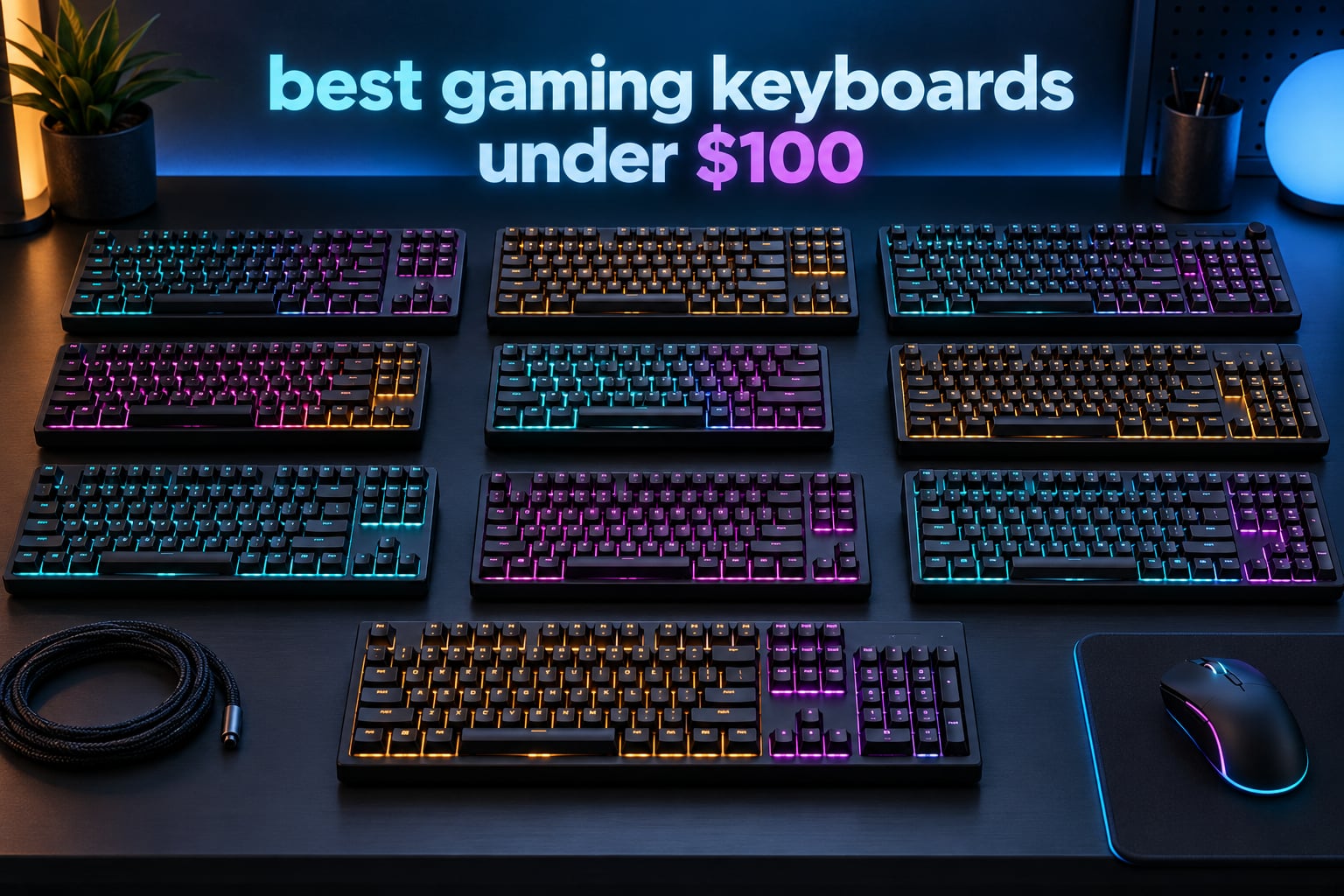
The best gaming keyboards under 100 in 2026 are not the boards you remember from a few years ago. Magnetic Hall effect switches, 8000Hz polling, hot-swap sockets and multi-layer foam fills were flagship-only features not long ago, and they now show up on boards priced like an ordinary accessory. We compared ten of them side by side, and the results told a clearer story than the spec sheets did.
Our single best pick is the Redragon K552P. It is a wired TKL board with a metal frame, hot-swappable clicky switches and N-key rollover, and it has held a 4.7 rating across more than twelve thousand reviews. The best budget gaming keyboard for most buyers, though, is a different board: the AULA F75 Pro adds tri-mode wireless, side-printed PBT keycaps and a genuinely thocky sound profile for a modest step up.
This guide covers ten boards across every category that matters at this budget, including two Hall effect options for competitive FPS players, three wireless models, three full-size boards and three compact layouts. Every rating and review count below is copied from the product listing, and every spec comes from the manufacturer listing rather than a spec-sheet guess. We also cover the honest catch: stabilizer rattle, keycap shine, build variance and warranty length, which is where budget boards usually disappoint.
One note on timing. Hall effect boards in this price bracket are new enough that firmware and driver software are still maturing, and the web-based drivers on both of them are Windows-only. If you game on Mac or Linux, skip to the Keychron K2 section, which handles both platforms out of the box.
Table of Contents
Top 3 Picks for the Best Gaming Keyboards Under 100 In 2026
The three boards below are the ones we would hand to a friend without a follow-up conversation. The K552P wins on build solidity and proven reliability, the F75 Pro wins on features per dollar, and the SteelSeries Apex 3 RGB wins outright if noise is a problem in your room.

Redragon K552P TKL
- Hot-swappable clicky switches
- Metal frame
- 87-key TKL layout
- N-key rollover

AULA F75 Pro
- Tri-mode wireless
- 81-key 75% layout
- Side-printed PBT keycaps
- Multi-function knob

SteelSeries Apex 3 RGB
- Whisper Quiet tactile switches
- 10-zone RGB
- Magnetic wrist rest
- IP32 spill resistance
Quick Comparison: Best Gaming Keyboards Under 100 (October 2026)
All ten boards, side by side. The key features column covers layout, switch type, connectivity and the single most useful spec for each board.
| Product | Specifications | Action |
|---|---|---|
| Redragon K552P TKL |
|
Check Latest Price |
| SteelSeries Apex 3 RGB |
|
Check Latest Price |
 Redragon K617 Redragon K617 |
|
Check Latest Price |
 Redragon K681 Redragon K681 |
|
Check Latest Price |
| AULA F75 Pro |
|
Check Latest Price |
 Razer Ornata V3 Razer Ornata V3 |
|
Check Latest Price |
 Keychron K2 Keychron K2 |
|
Check Latest Price |
 AULA WIN68 HE AULA WIN68 HE |
|
Check Latest Price |
 ATTACK SHARK X68 HE RT ATTACK SHARK X68 HE RT |
|
Check Latest Price |
 Logitech G213 Prodigy Logitech G213 Prodigy |
|
Check Latest Price |
1. Redragon K552P TKL – Best Mechanical TKL Overall
Redragon K552P Mechanical Gaming Keyboard TKL with 18 Backlight Modes, Hot-Swappable Red Switches, 87-Key Compact Ergonomic Design, N-Key Rollover & Software Programmable Macro – RGB, Black
87-key TKL
Hot-swap clicky switches
Metal frame
900 g
N-key rollover
Pros
- Very solid metal build for a budget board
- Hot-swappable 3-pin sockets
- Bright 18-mode RGB
- N-key rollover
- TKL layout frees mouse space
Cons
- Clicky switches are loud
- Bundled RGB software is unreliable
- Fixed cable is not detachable
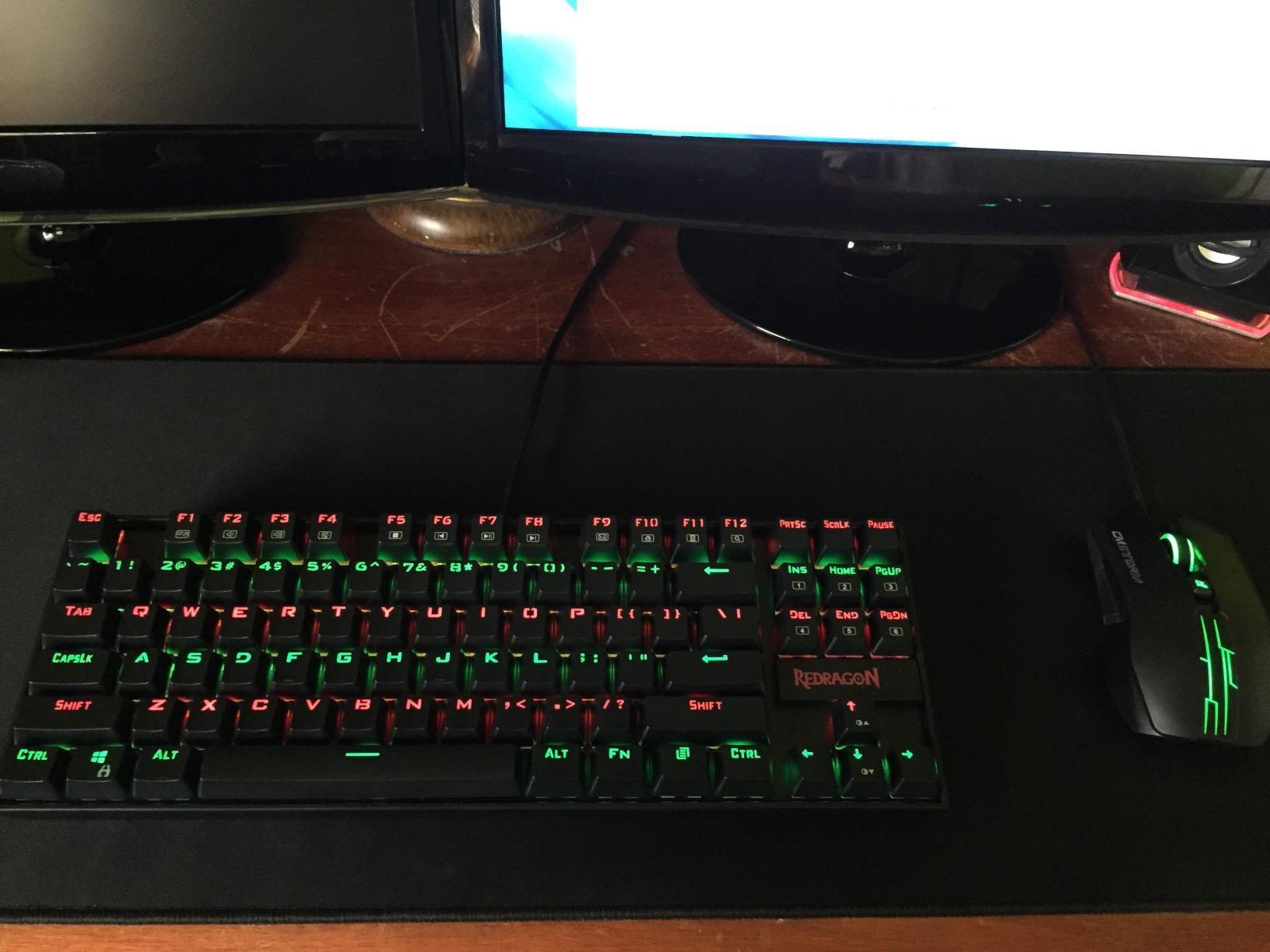
The K552P is the board we kept reaching for. At 900 g it has the kind of weight that stops it sliding around during an intense match, and the aluminum frame gives it a density that most boards in this bracket simply do not have. Out of the box it comes with clicky blue switches, and they are genuinely satisfying in a way that clicky switches stopped being a few years ago.
Because the sockets are hot-swappable, the loudness is temporary. Most owners end up pulling the included clicky switches and dropping in something quieter within a year, and that is exactly the flexibility you want from a first mechanical board. The keycap puller and USB cable both come in the box, so nothing extra is needed to start.
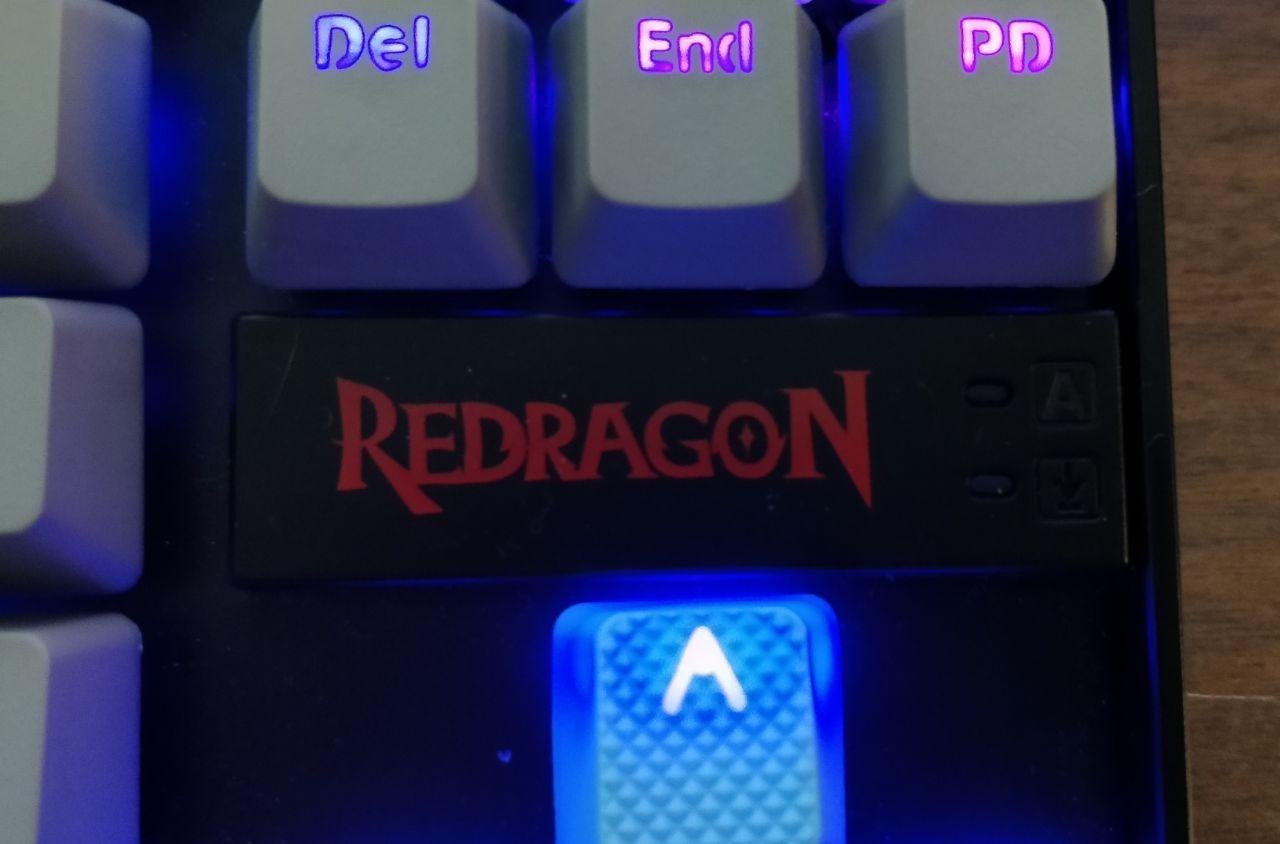
Technically it handles inputs well. N-key rollover means every simultaneous press registers, and a four-speed polling toggle sits in the Fn layer for players who want to adjust scan rate on the fly. A Windows key lock stops accidental desktop dumps mid-round, which is the single most common competitive complaint about cheap membrane boards.
One thing to know before you fall for the RGB. There are 18 backlight modes and brightness and speed controls, but the included keycaps block much of the light, and white keys read as slightly lavender through them. It looks best after a keycap swap rather than before one.
The bundled RGB software is the weak point. Owners report it being unreliable or difficult to get running, though every Fn shortcut works without it, so lighting control is never fully blocked. The fixed cable is the other limitation: no detachable connector here, which is a real annoyance if the cable ports through a tight desk tray.
Who the K552P suits
It suits anyone moving up from a membrane office keyboard who wants the mechanical feel without paying for a wireless or gasket-mounted board. Competitive players benefit most from the rollover and the Windows key lock, and the TKL layout gives you a wide empty patch of desk to move a mouse across.
It is also the safest mechanical recommendation in this guide. With more than twelve thousand reviews behind it, this is not a board we are extrapolating from a small sample, and the failure rate reported by owners is low.
Where the K552P disappoints
It disappoints in shared offices and on calls. Clicky blue switches are loud, and while the hot-swap sockets let you change them, the fix costs extra and takes an evening. If noise matters more than switch feel, look at the SteelSeries Apex 3 RGB instead.
A small number of boards have also arrived from the factory with a non-responsive key row, so check every key on arrival. That is a five-minute task and it settles any argument about warranty coverage later.
2. SteelSeries Apex 3 RGB – Best Quiet Full-Size Board
SteelSeries Apex 3 Gaming Keyboard – Black
104-key full-size
Whisper Quiet tactile
10-zone RGB
IP32
1.27 kg
Pros
- Near-silent typing with a defined tactile bump
- Heavy wrist rest for long sessions
- Media wheel and playback keys
- Ten brightness levels
- Works with PS5 and Xbox Series
Cons
- RGB is zoned not per-key
- SteelSeries GG software is heavy and account-gated
- Wired only
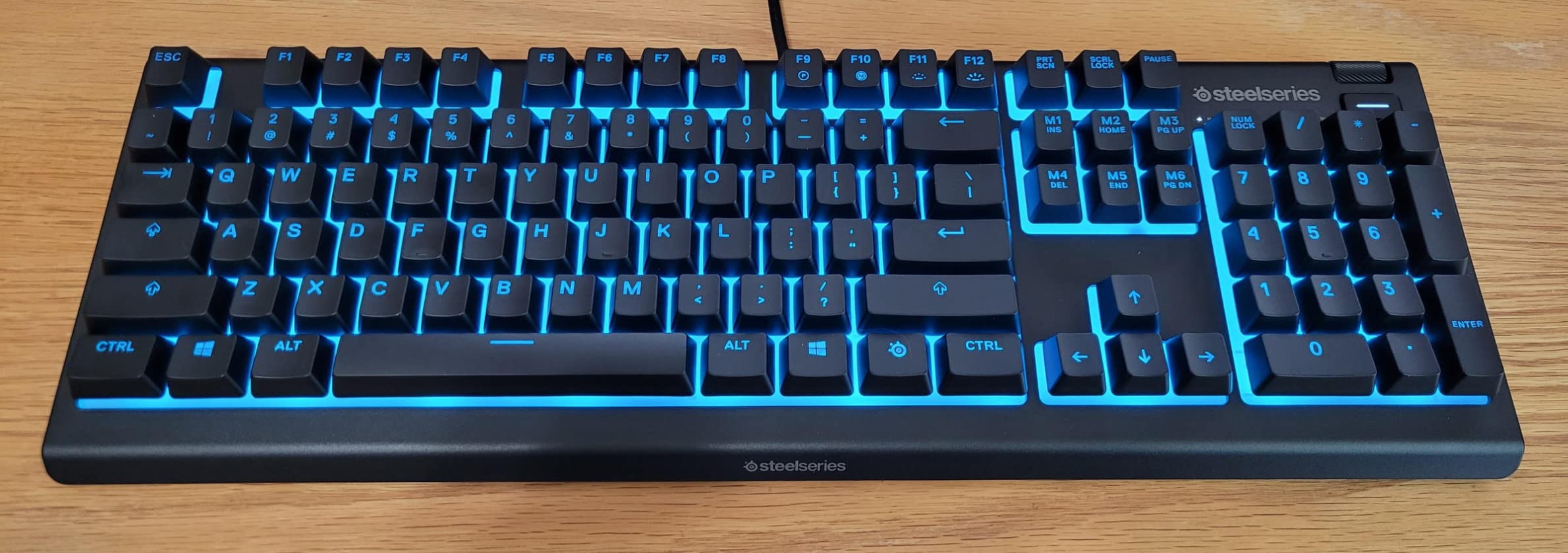
This is the quietest board we tested and the one most likely to survive being moved between a desk and a couch. The Whisper Quiet tactile switches deliver a clear bump with almost none of the acoustic signature, and the switches are rated for 20 million keypresses. That is not a lifetime rating like some switches claim, but at a normal gaming and typing pace it is well beyond the point where most people stop using a board.
At 1.27 kg it is one of the heaviest keyboards here, and that weight is doing real work. A board that does not move when you lean into a fast flick is a genuine competitive advantage in ways that are hard to measure but easy to feel.
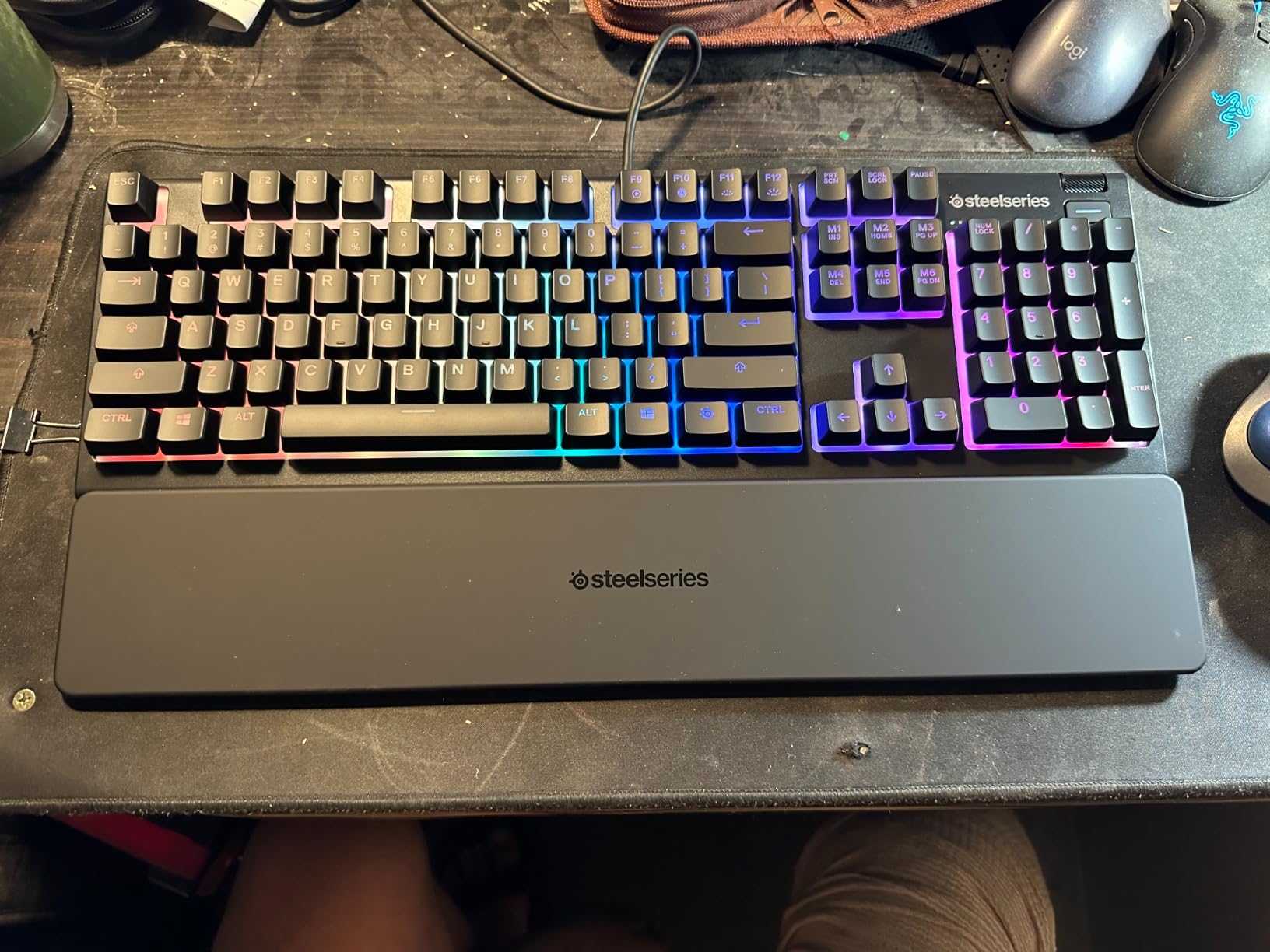
The magnetic wrist rest is not a gimmick. It locks into the case and holds a full palm, and combined with the stiff chassis it makes this the most comfortable board in the group for a long evening session. The dedicated multimedia controls sit above the numpad: a volume wheel, mute, and playback keys, all reachable without leaving the WASD cluster.
Console support is broader here than on most rivals in this bracket. The listing names Windows, Mac OS X, Xbox Series S/X, PS4 and PS5, which makes it a safe pick if you split time between PC and console.
What you give up is per-key lighting. The illumination is divided into ten vertical zones, so you cannot set individual keys. For most players that is a non-issue, but if synchronized per-key effects are part of your setup, this is the wrong board.
Who the Apex 3 RGB suits
It suits people who share a room, work late, stream from home or simply hate the clatter of mechanicals. The tactile bump still gives you feedback that membrane dome boards cannot, so you lose almost nothing in the way a keyboard feels under your fingers.
Full-size also means a numpad, which is the reason some spreadsheet and accounting users never move to a compact board at all. If you type numbers as well as play, that layout matters more than any switch technology.
Where the Apex 3 RGB disappoints
The software is the problem. SteelSeries GG is a large install that bundles extra utilities and requires an account to change colours, and reviewers consistently single it out as the board’s weakest point. Lighting works fine through the Fn shortcuts, so you can simply avoid installing it.
It is also wired only. There is no 2.4GHz or Bluetooth option, so the keyboard is tied to your desk, and the Caps Lock indicator behind the keys is small enough that you will be leaning in to find it.
3. Redragon K617 – Best 60% Board for Small Desks
Redragon K617 Wired 60% Compact Hot-Swap RGB Gaming Mechanical Keyboard
61-key 60% layout
Hot-swap 3 and 5-pin
Linear switches
USB-C
9.6 oz
Pros
- Very affordable hot-swap entry point
- Light 9.6 oz body travels well
- Keycap and switch pullers included
- Detachable USB-C cable
- Responsive with no lag
Cons
- No dedicated arrow cluster
- Loud linear switches out of the box
- Lightweight plastic case
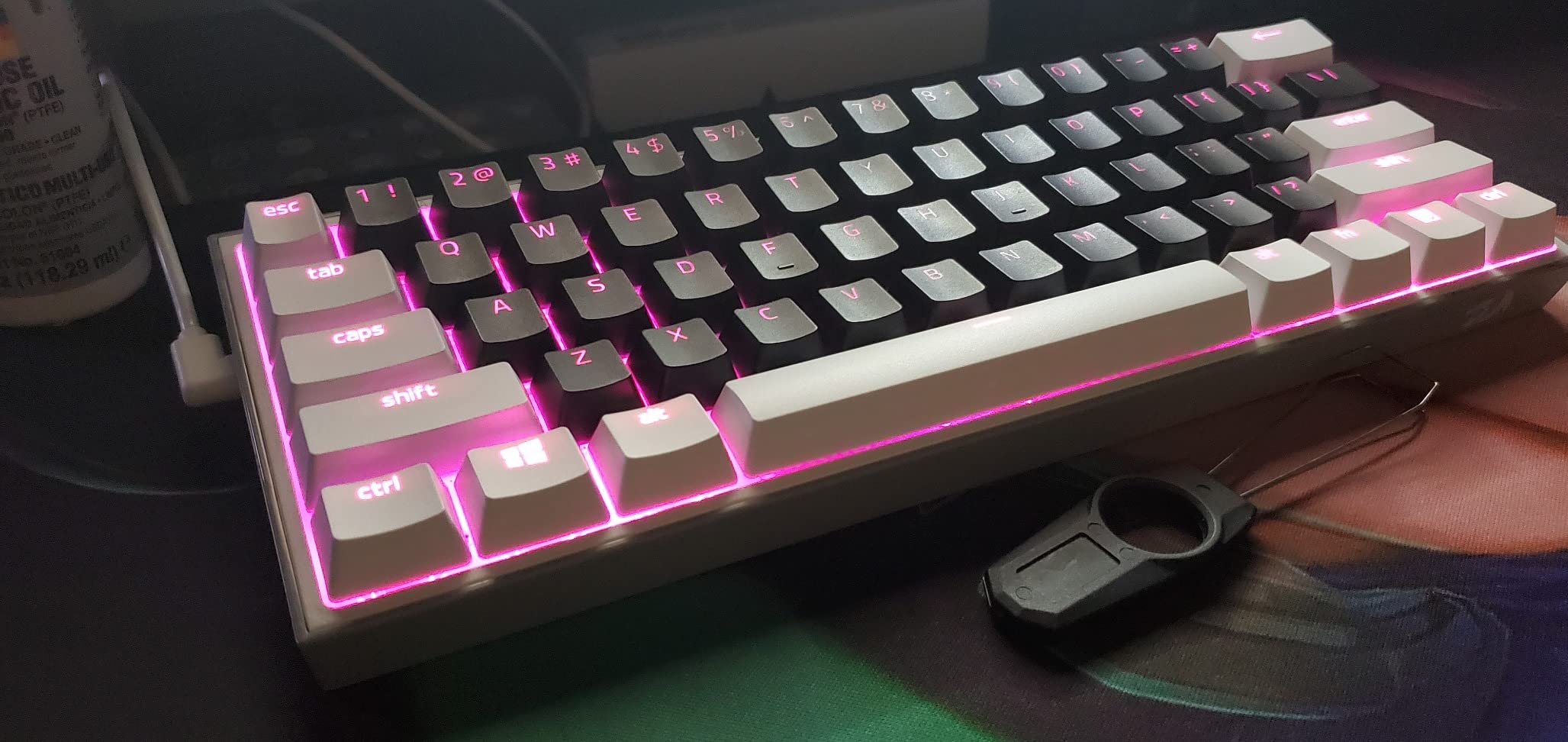
The K617 exists to solve one problem: you have a small desk and no room for a numpad or an arrow cluster. At 12.2 by 5.31 inches it takes up almost no space, and the empty desk area it creates is where your mouse actually lives. If you play a shooter where every millimeter of mouse travel counts, that reclaimed space is the entire value proposition.
Underneath, it is a real mechanical board rather than a membrane with a gaming sticker. The included red linear switches are rated for 50 million keypresses, the sockets accept both 3-pin and 5-pin switches, and the socket layout is wide enough to be genuinely useful. Most owners swap the switches within a week, and the switch and keycap pullers are included in the box.
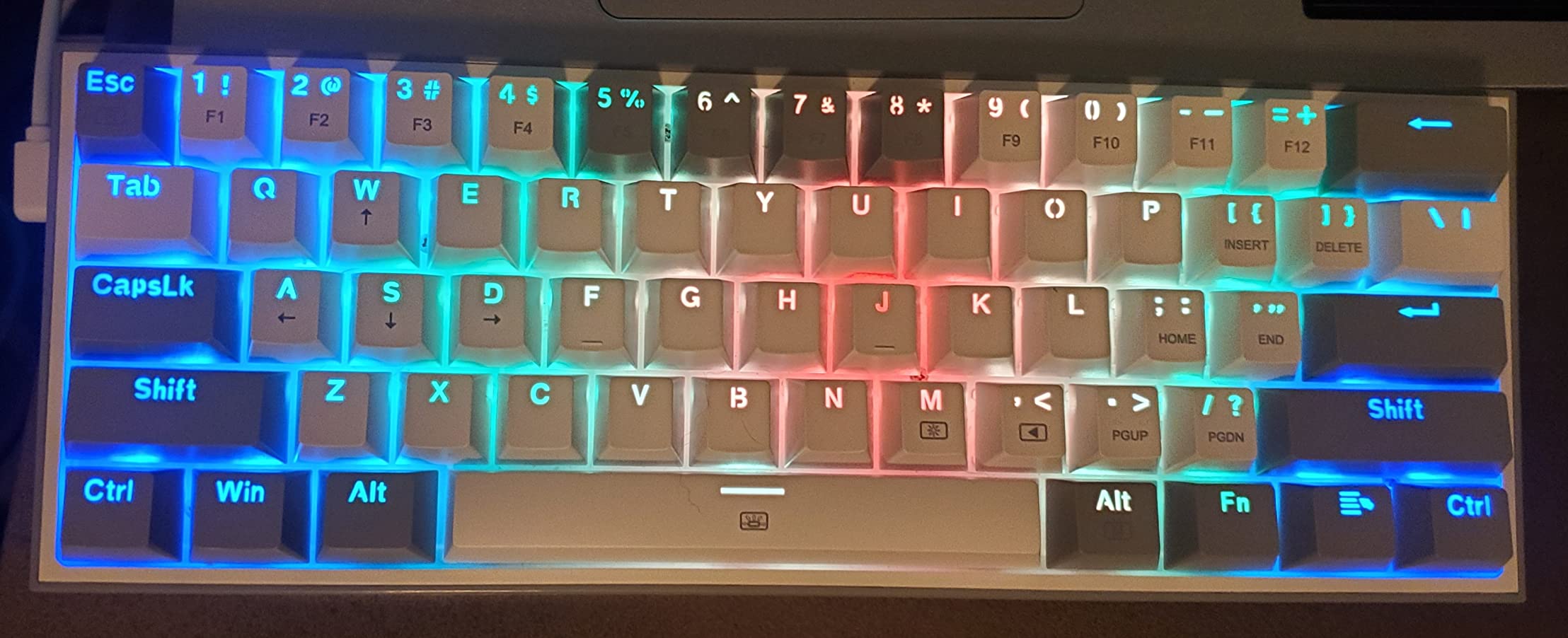
There are up to 20 preset RGB lighting modes with brightness and flow speed control, plus a Pro utility for custom effects and macro keybindings. The detachable USB-C cable is a genuine step up from the fixed cable on the K552P, and the connection point is sensibly placed so the cable does not snag.
At 9.6 ounces it is the lightest board here by a wide margin, which makes it the one to pack for a tournament, a LAN event, or a week of gaming away from your desk.
The layout is the trade-off you have already accepted, and it is a bigger trade-off than it sounds. There is no dedicated arrow cluster at all, so navigation keys and arrows share positions and you use Fn combinations. Editors and spreadsheet users feel this immediately; players usually adapt inside a week.
Who the K617 suits
It suits competitive FPS players on a small desk, students in dorm rooms, and anyone who travels with a gaming setup. The combination of low latency, hot-swap flexibility and a 60% footprint is hard to argue with below this budget.
It is also the best cheap first mechanical keyboard on the list. You get a real switch mechanism and a real PCB rather than a membrane, and you can change the feel later without buying another board.
Where the K617 disappoints
The included red linear switches are audible and clacky, and there is no quiet option in the box. If your household is noise-sensitive, budget for a switch swap, which is easy but not free.
Build quality is light. The plastic case flexes slightly under pressure and does not feel comparable to an aluminum-framed board, and a small number of keyboards have arrived with a loose key that needs reseating. Windows is the only operating system listed, so Mac users are limited to basic input with no layer switching.
4. Redragon K681 – Best Tri-Mode Wireless With a Knob
Redragon K681 Wireless Mechanical Keyboard, Gasket Mounted RGB Gaming Keyboard with Volume Knob, MDA-Profile, Pre-Lubed Linear Switches, 81 Keys 75% Tri-Mode Hot Swappable for PC/Xbox/Ps4/5
81-key 75% layout
Gasket mount
Tri-mode wireless
4000 mAh
Knob
Pros
- Gasket mount gives a creamy thocky sound
- Pre-lubed hot-swappable linear switches
- Smooth multi-function knob
- Tri-mode with Bluetooth 5.0
- Distinctive green and cream colorway
Cons
- Backlight is dim and lights around the keys
- Tiny Caps Lock indicator
- Right Shift is a non-standard size
- Occasional double input reported
The K681 is the board that made us reconsider the phrase budget gasket mount. A gasket-mounted structure with PCB single-key slotting, silicone and Poron padding normally belongs to boards well above this price, and the result here is a genuinely creamy, low-pitched typing sound that has no right existing at this bracket.
It is also the most complete wireless board in the group. It runs Bluetooth 3.0 and 5.0, 2.4GHz wireless and USB-C wired from a 4000 mAh rechargeable battery, which means one keyboard can cover your PC, a laptop, a tablet and a phone.
The multi-function knob handles volume, lighting mode and brightness, and it turns with a smooth, weighted feel that encourages you to use it. That sounds minor until you realize how often you reach for volume during a game.
The pre-lubed Dragon Growl linear switches come ready to go and are hot-swappable with both 3-pin and 5-pin compatibility. MDA-profile keycaps round out a package that is unusually coherent, and the cream and green colorway stands out sharply against a sea of black boards.
Two practical notes. The backlight illuminates around the keys rather than through the legends, and maximum brightness is modest, so this is not a board to buy for a lighting showcase. The right Shift is a smaller size than standard, so it will not accept replacement keycap sets that assume a full-size right Shift.
Owners do report occasional intermittent double or triple input after extended use, and the knob can stay unresponsive until you press a key after the board sleeps. Both are small shares of the feedback, but they are worth knowing about if you are sensitive to dropped or repeated inputs in ranked play.
Who the K681 suits
It suits people who want the sound and feel of a premium gasket board without the premium, and who also need to jump between devices. The tri-mode connectivity and the knob make it a strong streaming and productivity board as well as a gaming one.
It is the best tri-mode wireless gaming keyboard in this guide. Battery life is reported as good between charges, and the case is heavier and more premium-feeling than most plastic boards at this level.
Where the K681 disappoints
The listed operating systems are Windows and Android, so treat Mac support as unverified. The listed compatibility with PC, tablet, Xbox, PS4 and PS5 is broad, but the software layer is thinner than on boards from Razer or Logitech.
Hot-swap sockets do not mean easy pulls. The switches sit tight, so swapping them takes more force than a standard plate-mounted board, and the non-standard right Shift limits how far you can take the keycap customisation.
5. AULA F75 Pro – Best Value for Money
AULA F75 Pro Wireless Mechanical Keyboard,75% Hot Swappable Custom Keyboard with Knob,RGB Backlit,Pre-lubed Reaper Switches,Side Printed PBT Keycaps,2.4GHz/USB-C/BT5.0 Mechanical Gaming Keyboards
81-key 75% layout
Tri-mode wireless
Five-layer fill
1.02 kg
Side-printed PBT
Pros
- Thocky creamy sound from five-layer fill
- Side-printed PBT caps that shine light through legends
- Knob for brightness volume and mode
- Five-device Bluetooth pairing
- Hot-swap sockets with spare switches
Cons
- Plastic enclosure rather than aluminum
- Short six-month warranty
- RGB adjustments need the driver
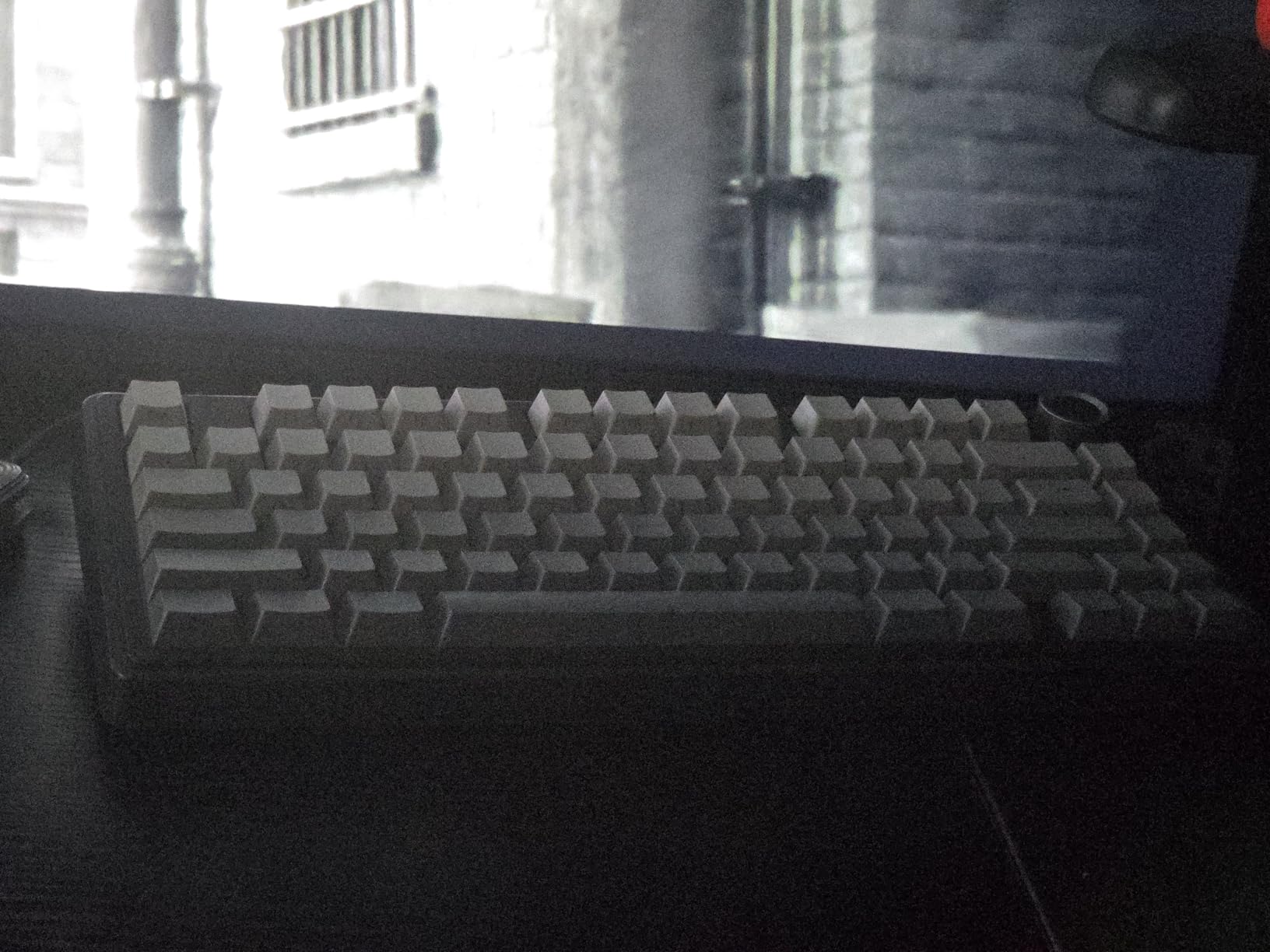
The F75 Pro is the board we recommend to someone who wants the most complete package rather than the safest purchase. An 81-key 75% layout keeps a dedicated arrow cluster, tri-mode wireless covers Bluetooth 5.0, 2.4GHz and USB-C, and up to five devices can be paired at once. Few boards in this bracket combine all three.
The sound is the first thing you notice. Five layers of internal silencing fill, an integrated silicone pad, PCB single-key slotting and pre-lubed stabilizers combine into a low, full sound that reviewers almost universally describe as thocky. The included LEOBOG Reaper linear switches come pre-lubed, so the board sounds finished from the first hour rather than after a modding weekend.
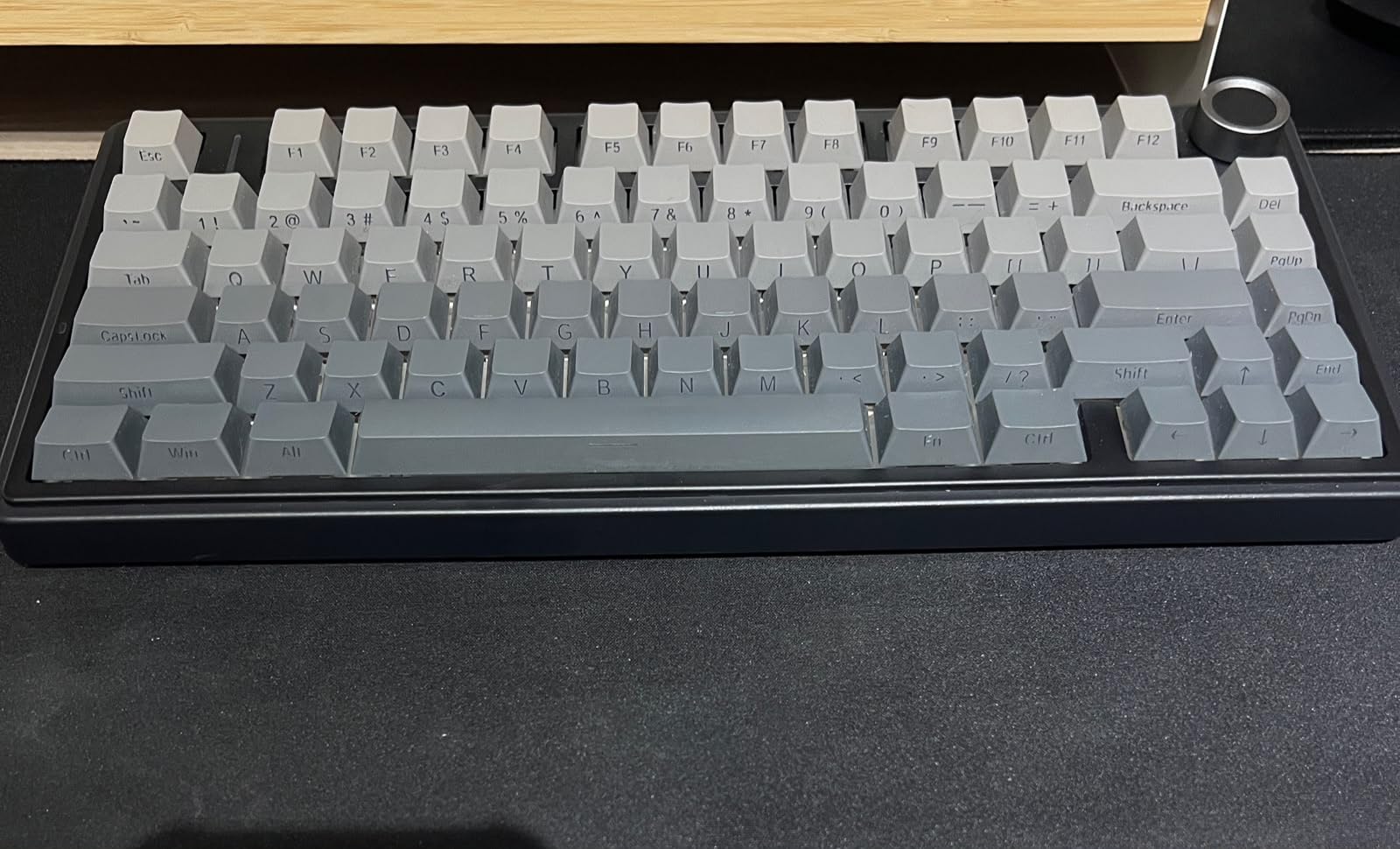
Side-printed PBT keycaps are the detail that separates this from cheaper boards. The legends are printed on the side of the cap, which resists fading and lets the backlight shine through the characters instead of washing them out. It is a small manufacturing choice with a large visible payoff, and 16.8 million colour RGB with 16 preset effects makes good use of it.
The knob is genuinely multifunctional. It adjusts brightness, cycles lighting effects, handles volume and play/pause, and toggles between gaming and office modes. N-key rollover and a Windows key lock are both present, which matters for competitive shooters.
At 1.02 kg the board is heavy for its size without being unwieldy, and the water-repellent finish adds a bit of everyday insurance. The listed system support is Windows and Android.
The enclosure is plastic. It does not feel like an aluminum gasket-mount board, and that is the main reason it does not take our top slot despite being the more feature-complete design. Sound and typing feel are the priorities here, and this board delivers on both.
Who the F75 Pro suits
It suits players who want a compact board with arrow keys and wireless freedom, and who care more about sound and build feel than about metal. It also suits hybrid workers who move the same keyboard between a gaming PC and a laptop.
If you have never owned a mechanical board, this is the least risky entry point on the list. The five-layer fill, pre-lubed stabilizers and side-printed PBT caps mean the experience is good on day one, not day one of a mod.
Where the F75 Pro disappoints
The six-month warranty is short. If something fails at month seven you have far less cover than you would on the Keychron or the Redragon K552P, so weigh that against the feature set carefully.
RGB brightness and speed adjustments require the driver or Fn combinations rather than a dedicated physical control, and some buyers find the switch between gaming and office knob modes takes practice. Both are annoyances rather than faults.
6. Razer Ornata V3 – Best Low-Profile Full-Size
Razer Ornata V3 Gaming Keyboard, Low-Profile Keys, Black
104-key full-size
Low-profile keys
Mecha-membrane
10-zone RGB
3.1 lb
Pros
- Low profile keeps wrists relaxed
- Mecha-membrane gives clicky feedback without harshness
- UV-coated keycaps resist wear
- Backlit media keys
- Magnetic wrist rest attaches firmly
Cons
- Switches are not hot-swappable
- 10-zone rather than per-key RGB
- Wired only
- Low profile feels unfamiliar at first
The Ornata V3 is a full-size board with a short-travel design, and that combination is rarer than it looks. Low-profile keycaps and short switches keep your wrists in a flatter, more natural position than a standard mechanical board, which some players find genuinely more comfortable over multi-hour sessions.
The switches are Razer mecha-membrane units: a clicky mechanical feel built on a membrane contact. In practice they give audible feedback without the harsh double-click of a true clicky mechanical, and the result sits between a dome board and a mechanical one. The trade-off is that you cannot change them later.
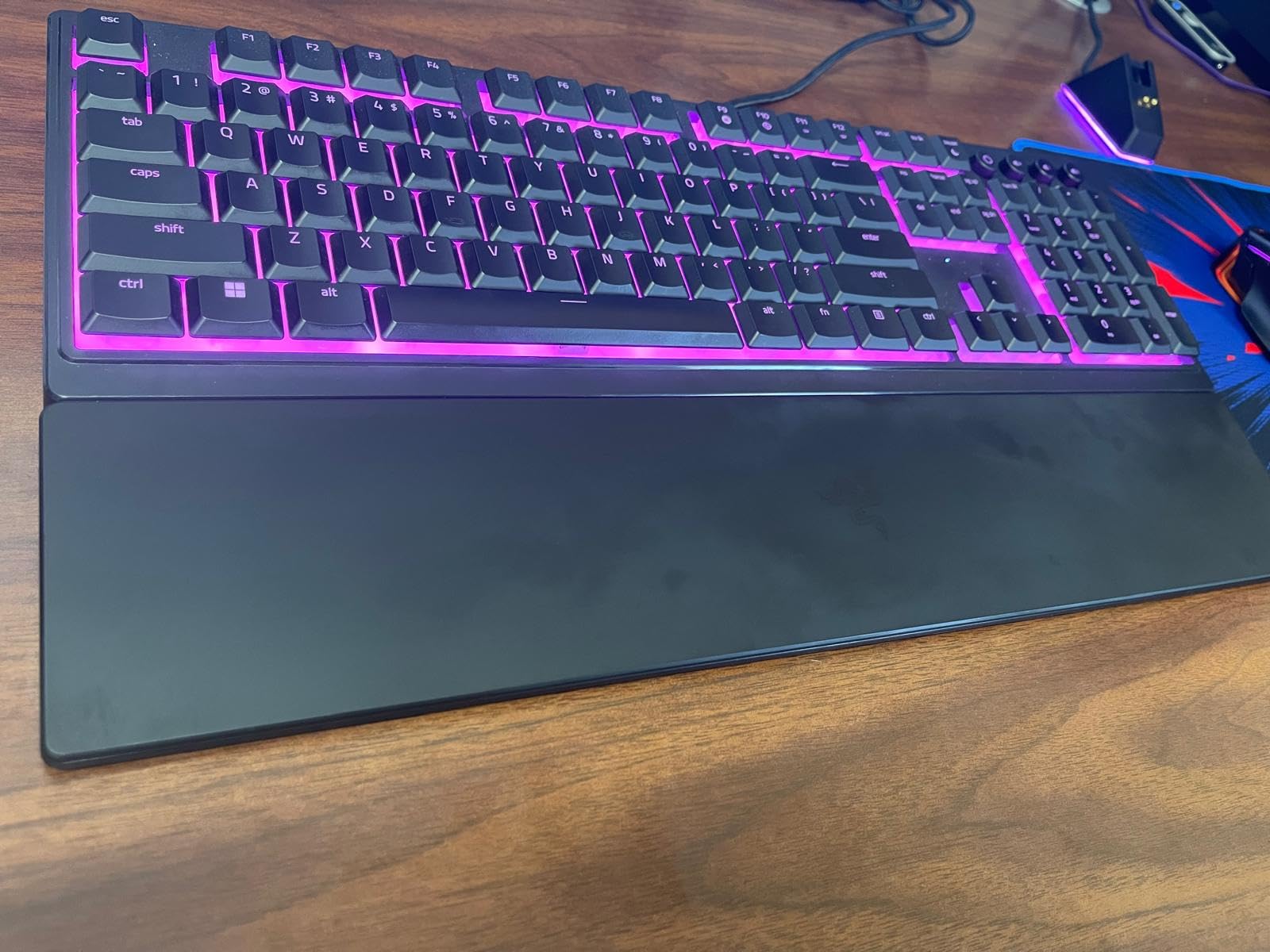
At 3.1 pounds the build is heavy and sits firmly on the desk, and the magnetic soft-touch wrist rest snaps to the case rather than merely sitting near it. That detail matters more than it sounds, because a rest that shifts during play is worse than no rest.
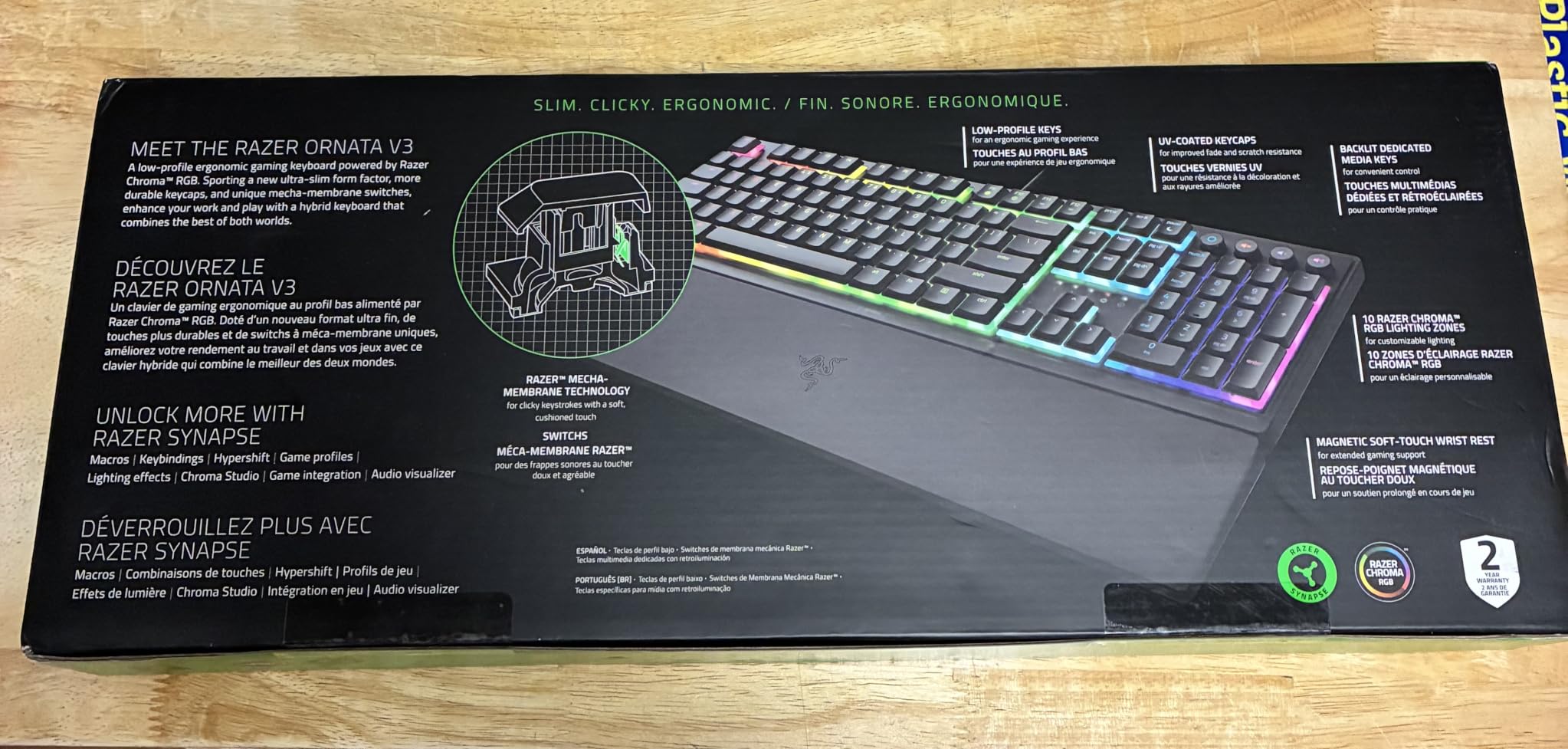
Media keys are backlit and configurable for playback, brightness and volume, which is a step above the Fn-layer approach on most budget boards. The UV-coated keycaps hold their legends better than standard ABS caps, and the board is water resistant.
Lighting is zoned into ten areas rather than per key, so you cannot set individual colours. The listed system support is Windows only, which is a limitation for Mac users compared with the Keychron K2.
The bigger constraint is the sealed switch design. On a board at this price you can reasonably expect hot-swap sockets as standard, and their absence here means the feel is fixed for the life of the board. There is no wireless option either.
Who the Ornata V3 suits
It suits players who find full-height mechanicals uncomfortable, and anyone who wants a recognisable major gaming brand with dedicated media controls. The low profile also shortens the distance your fingers travel, which suits players who rest their wrist on the desk.
It is a good fit for mixed gaming and office use too. The click is present but restrained, so it will not dominate a shared room the way a full mechanical board can.
Where the Ornata V3 disappoints
It disappoints if you plan to ever change the feel of the board. Without hot-swap sockets, the switch is a permanent decision, and that is the feature most often missed after the honeymoon period.
Low-profile keycaps also feel unfamiliar for the first few days if you are used to full-height caps. The zoned lighting and wired-only connection round out a board that is polished but firmly mid-range in features.
7. Keychron K2 – Best for Mac and Windows Users
Keychron K2 75% Layout RGB Bluetooth Wireless Mechanical Keyboard with Keychron Super Brown Switch/Anti Ghosting/N-Key Rollover, Compact 84 Keys USB Wired Gaming Keyboard for Mac Windows-Version 2
84-key 75% layout
Bluetooth 5.1 three-device
Tactile switches
Metal frame
Pros
- Excellent battery life between charges
- Switches between three devices reliably
- Melodious tactile brown switches
- Mac and Windows keycaps with layout toggle
- Inclined base makes a wrist rest optional
Cons
- Switches are not hot-swappable
- No VIA or remapping support out of the box
- Does not charge in Bluetooth mode
- No numpad
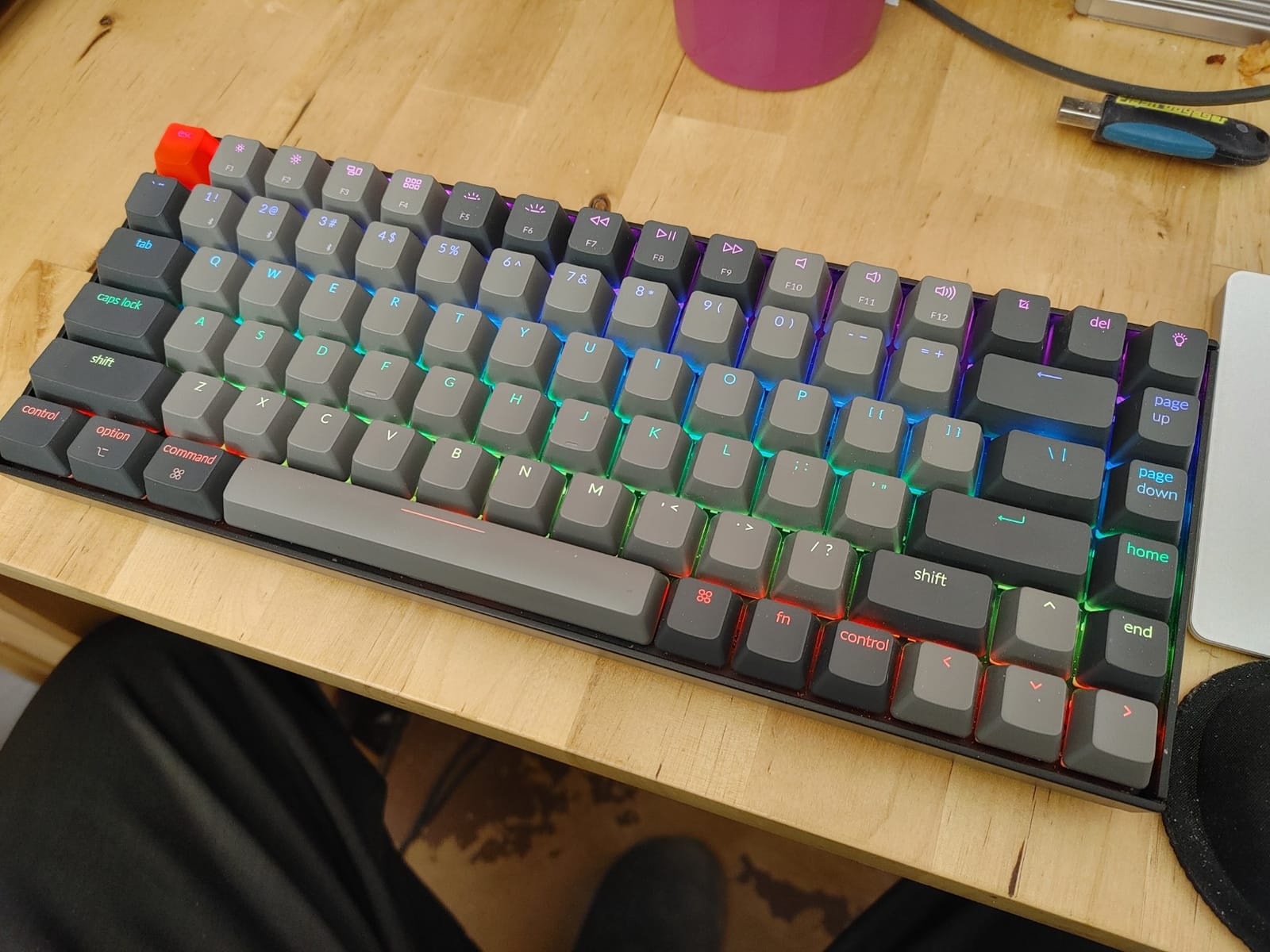
The K2 is the only board here that treats a Mac user as a first-class buyer rather than an afterthought. It ships with both Mac and Windows keycaps, and a physical toggle switch on the case changes the modifier and command layer. That single feature removes the most common reason people abandon a gaming keyboard on Mac.
The Super Brown tactile switches are the highlight. They deliver a rounded bump with a mellow, satisfying sound that is neither clicky nor silent, and they are rated for 50 million keystrokes. The listed compatibility covers MacOS and Windows, and the metal frame gives it more solidity than the plastic competition at this price.
Battery life is the quiet hero. The 4000 mAh battery is rated for up to 72 hours of continuous typing or about seven days of normal use, and owners report weeks between charges in practice. Bluetooth 5.1 switches between up to three devices, and the included bottom frame is inclined so your wrists sit at a comfortable angle without a wrist rest.
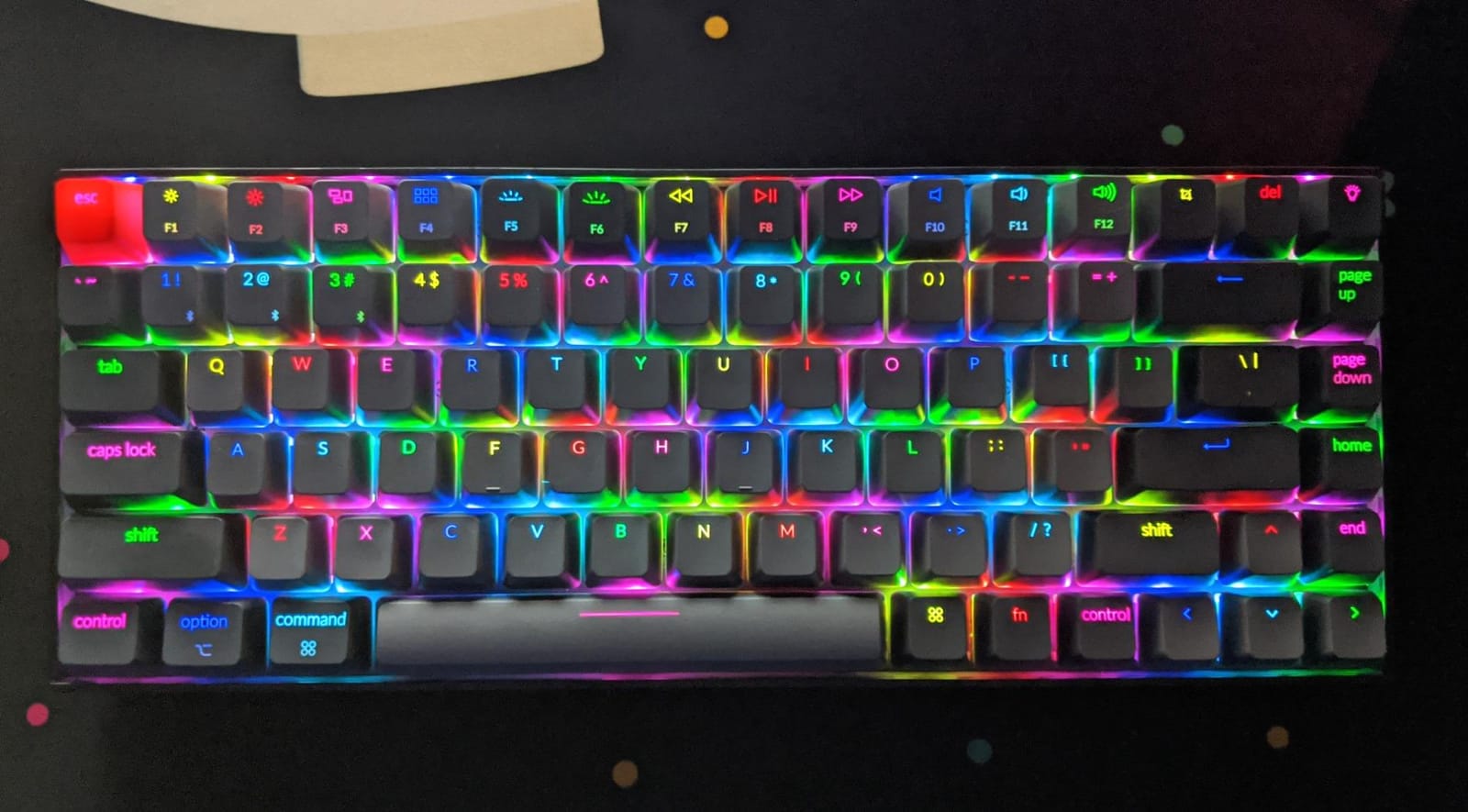
Rollover is handled well: N-key rollover in wired mode and 6KRO in wireless mode. In practice the wireless figure will not affect game input, since you will play competitive titles in wired or 2.4GHz mode on a laptop, but it confirms the board registers multiple keys cleanly.
There are real compromises, and they are worth listing. The switches are not hot-swappable. There is no VIA or comparable remapping support out of the box, so changing key functions needs extra software. And the board does not charge while in Bluetooth mode, only in cable mode, which is an easy mistake to make once and then remember.
There is also no battery level indicator on the board, and the frame is thick and heavy at 1.9 pounds with a short included cable, which can feel cramped on a large desk. No numpad means spreadsheet-heavy users should look at the SteelSeries or Logitech instead.
Who the K2 suits
It suits Mac users, hybrid Mac and Windows workers, and anyone who wants a metal-framed mechanical board with real battery life. The tactile brown switches also make it a comfortable board for long typing sessions, not just gaming.
It is the best first mechanical keyboard recommendation for a lot of people, because it removes the Mac layer problem entirely and the incline means you do not need to buy a wrist rest on day one.
Where the K2 disappoints
It disappoints enthusiasts, because sealed switches and no VIA support are exactly the two features that community looks for first. If you plan to remap keys or change the feel of the board later, this is the wrong pick.
The charging behaviour and missing battery indicator are small frictions that only matter if you rely on Bluetooth heavily, but they are real. Check every key and the layer toggle as soon as it arrives, since that switch controls the Mac layout.
8. AULA WIN68 HE – Best Hall Effect for Rapid Trigger
AULA WIN68 HE Mechanical Gaming Keyboard 60%, Hall Effect Magnetic Switch, Fast Trigger Mode Adjustable Actuation, 8000Hz Polling Rate, RGB Backlit, Wired Black Keyboard for Laptop/PC Gamer
68-key 60% layout
Hall effect magnetic
8000Hz polling
0.3 ms latency
USB-C
Pros
- Hall effect rapid trigger at a low price
- 8000Hz polling with 0.3 ms latency
- Web driver tunes per-key actuation and dead zones
- Keeps arrow keys in a 60% layout
- Spare switches and puller included
Cons
- Web driver is hard to find
- Windows only software
- Some driver options are unclear
- Plastic case
Hall effect switches measure the distance of a magnet rather than completing a contact, and that is what makes adjustable actuation possible. On the WIN68 HE, the actuation point adjusts from 0.02 mm to 3.44 mm in 0.1 mm steps, per key. You can make a movement key trigger at the very top of its travel and a typing key trigger early, on the same board.
Rapid trigger is the feature competitive players actually buy this for. It lets a key re-register the moment it starts moving back up, without waiting for it to return to a fixed reset point. In a counter-strafe that is the difference between a shot registering and a shot being ignored. The polling rate is 8000Hz with 0.3 ms latency, which is eight times the response rate of a traditional 1000Hz mechanical.
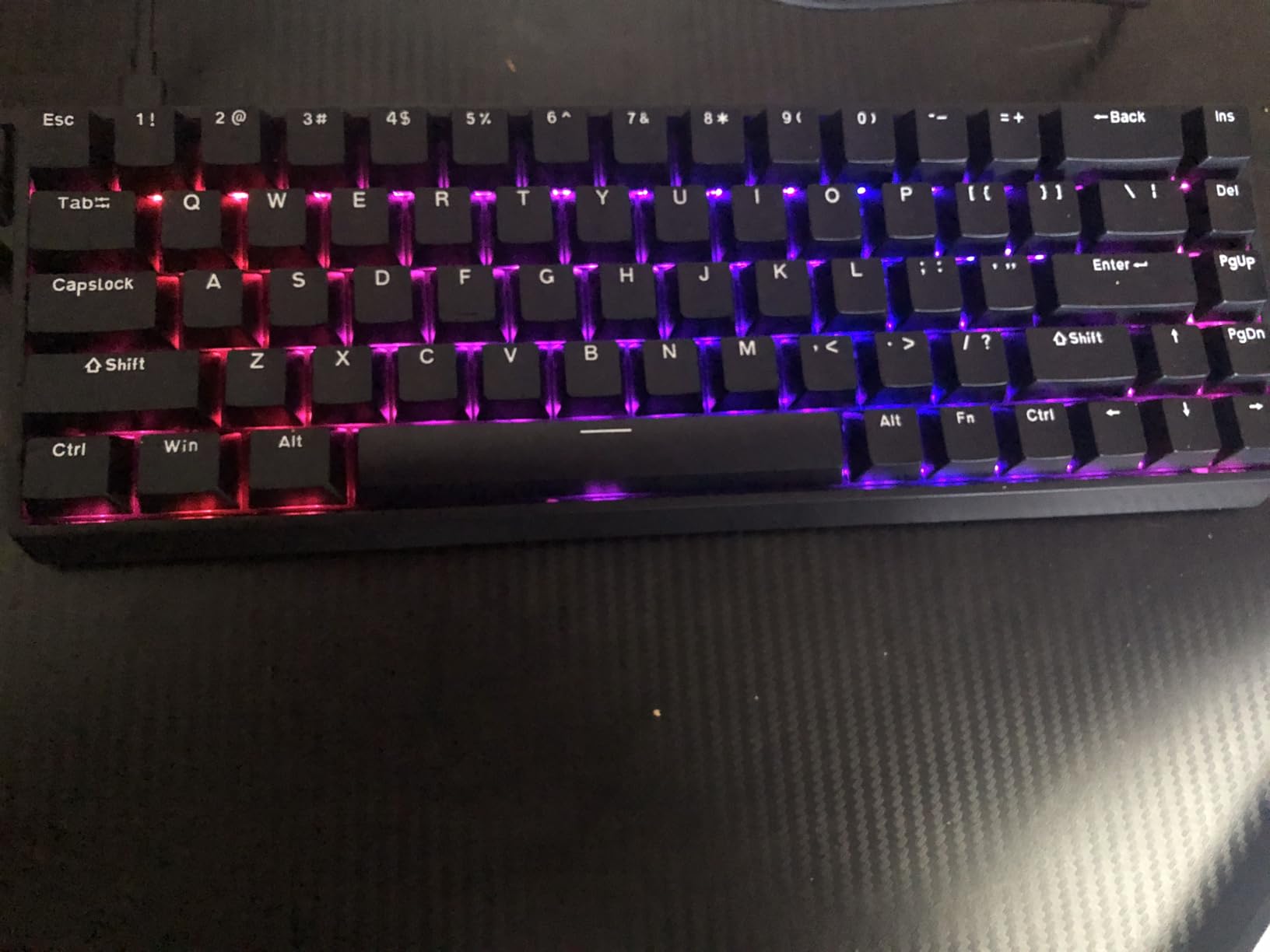
At 686 g this is a light board, but the layout is the selling point for competitive players: 68 keys means a 60% footprint that still keeps a dedicated arrow cluster. A detachable USB cable and hot-swappable magnetic switches with two spares in the box round out the package.
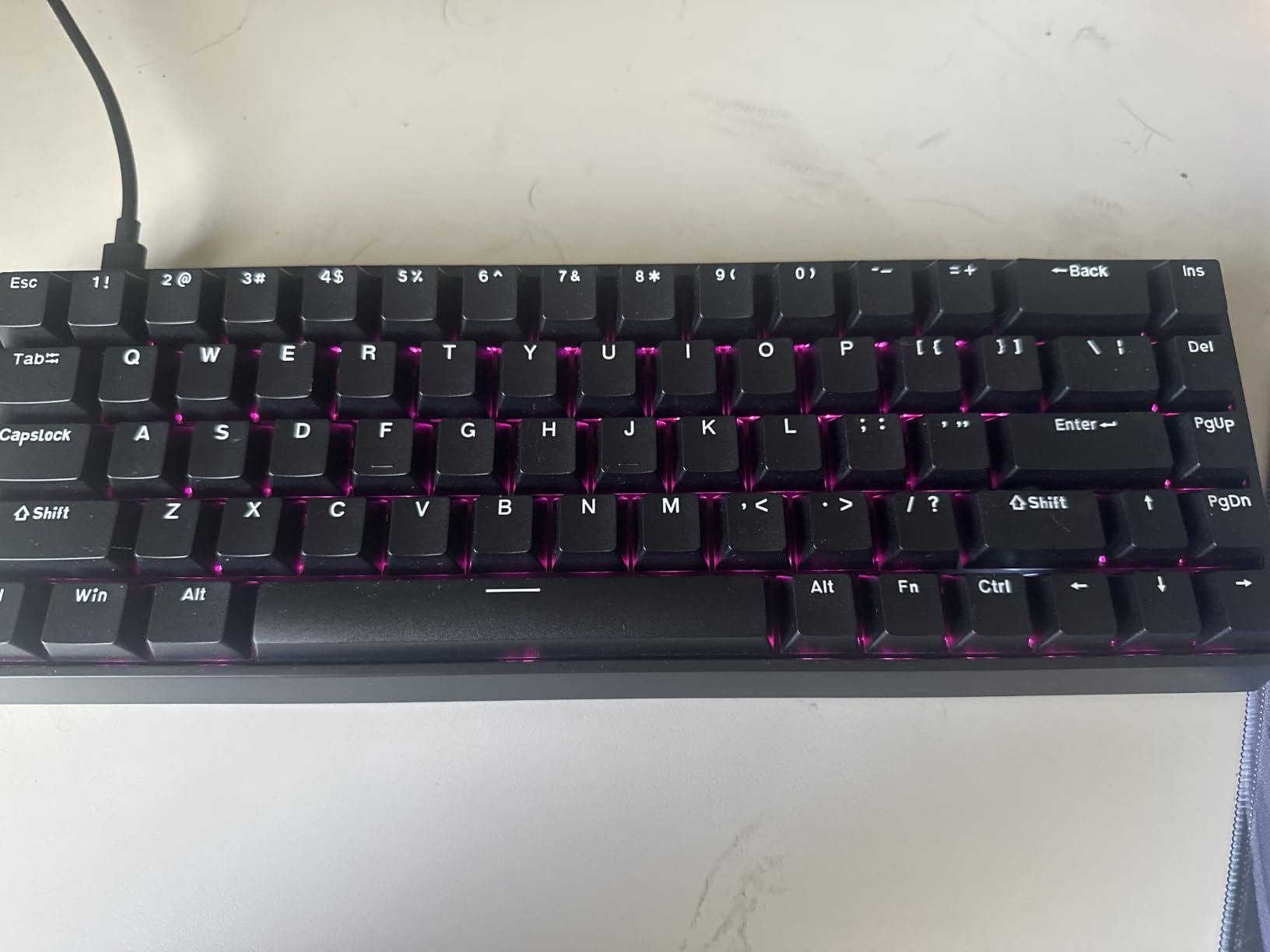
The web driver is the honest weak point. It handles rapid trigger, SOCD, DKS, multi-tap, turbo, key mapping, macros and RGB, which is a deeper feature set than most mechanical drivers offer. But buyers moving from an expensive magnetic board report that the driver is awkward to locate, it may look untrustworthy the first time you open it, and some exposed options such as per-key switch type are not clearly explained.
The driver is Windows only. Mac and Linux users can use the board as a basic keyboard, but none of the magnetic tuning is available, and that is worth being blunt about. If you need adjustable actuation, this is a Windows purchase.
The 16.8 million colour RGB uses south-facing LEDs and 14 preset effects, which means the shine-through pattern is even rather than patchy. The plastic case keeps the overall heft below metal-built magnetic competitors, but the trigger precision is unaffected by the shell material.
Who the WIN68 HE suits
It suits Windows players who play competitive shooters and want rapid trigger and adjustable actuation without paying flagship magnetic-board money. Owners arriving from boards costing several times more report comparable trigger behaviour, which is the whole point.
It is also a good fit for rhythm and fighting games where fast repeated inputs reward a low reset point, and the 8000Hz polling gives an edge in any title where input timing matters.
Where the WIN68 HE disappoints
It disappoints Mac and Linux users completely, because the tuning layer is Windows-only. It also disappoints anyone who wants a heavy, metal build at this price, since the case is plastic and lighter than the ATTACK SHARK alternative below.
Budget time for the software. Saving your configuration in the web driver before you leave for a match is the single most useful habit with a magnetic board, because the settings live in the browser rather than the keyboard.
9. ATTACK SHARK X68 HE RT – Best Hall Effect Build Quality
ATTACK SHARK X68 HE RT Mechanical Gaming Keyboard 60% Wired TKL-Black
66-key 60% layout
Magnetic switches
8000Hz polling
Aluminum plate
PBT caps
Pros
- Rapid trigger at a fraction of premium magnetic board cost
- Anodized aluminum plate feels premium
- QMK-based web driver for deep remapping
- Curved wrist rest and non-slip mat included
- Double-shot PBT keycaps with south-facing RGB
Cons
- Wired Type-C only
- Web driver needs an online QMK page
- 66 keys drop some function keys
- RGB needs the driver or Fn
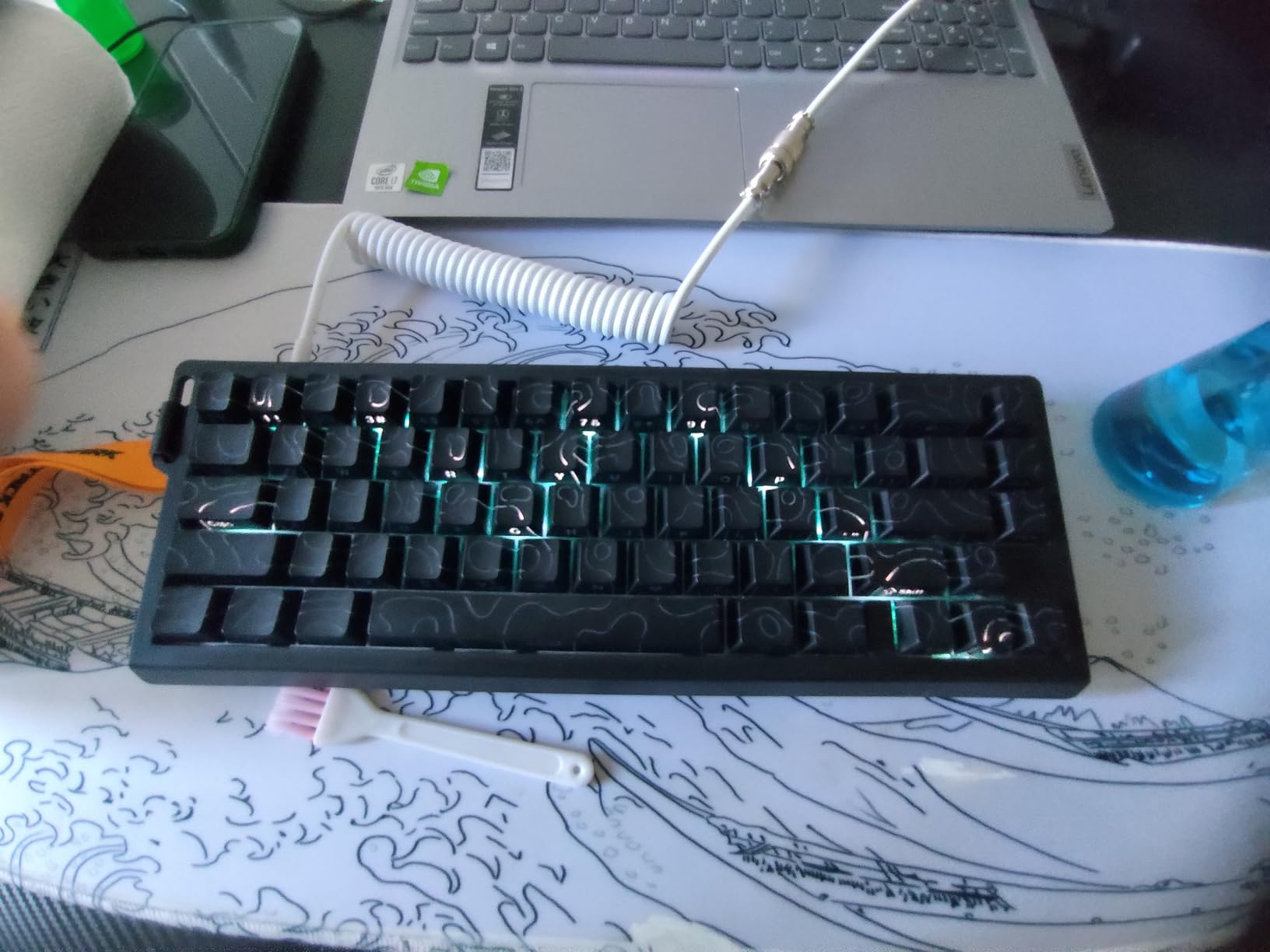
Where the WIN68 HE prioritises trigger features in a plastic shell, the X68 HE RT prioritises the same features in metal. The top-mounted structure uses an anodized aluminum plate with double-layer PORON padding, and that combination is why it feels considerably more expensive than it is.
Trigger-wise the two boards are close. Actuation adjusts from 0.1 mm to 3.4 mm, rapid trigger resolves to 0.01 mm accuracy with four-level key binding per press, and the polling rate is 8000Hz with a stated theoretical latency of 0.125 ms. That is the fastest figure on this list.
The QMK-based web driver is the stronger software story of the two. QMK is the open-source firmware layer that most enthusiast boards run, so remapping, macros, hotkeys and custom lighting go deeper than a typical vendor driver allows. It is a Windows tool that loads from an online page rather than an offline installer, so plan for that before a match.
The 66-key layout keeps separate arrow keys and adds a curved wrist rest plus a non-slip mat in the box. Double-shot Cherry-profile PBT keycaps with south-facing RGB LEDs give clear legends and strong shine-through, and a single button handles Win and Mac system switching.
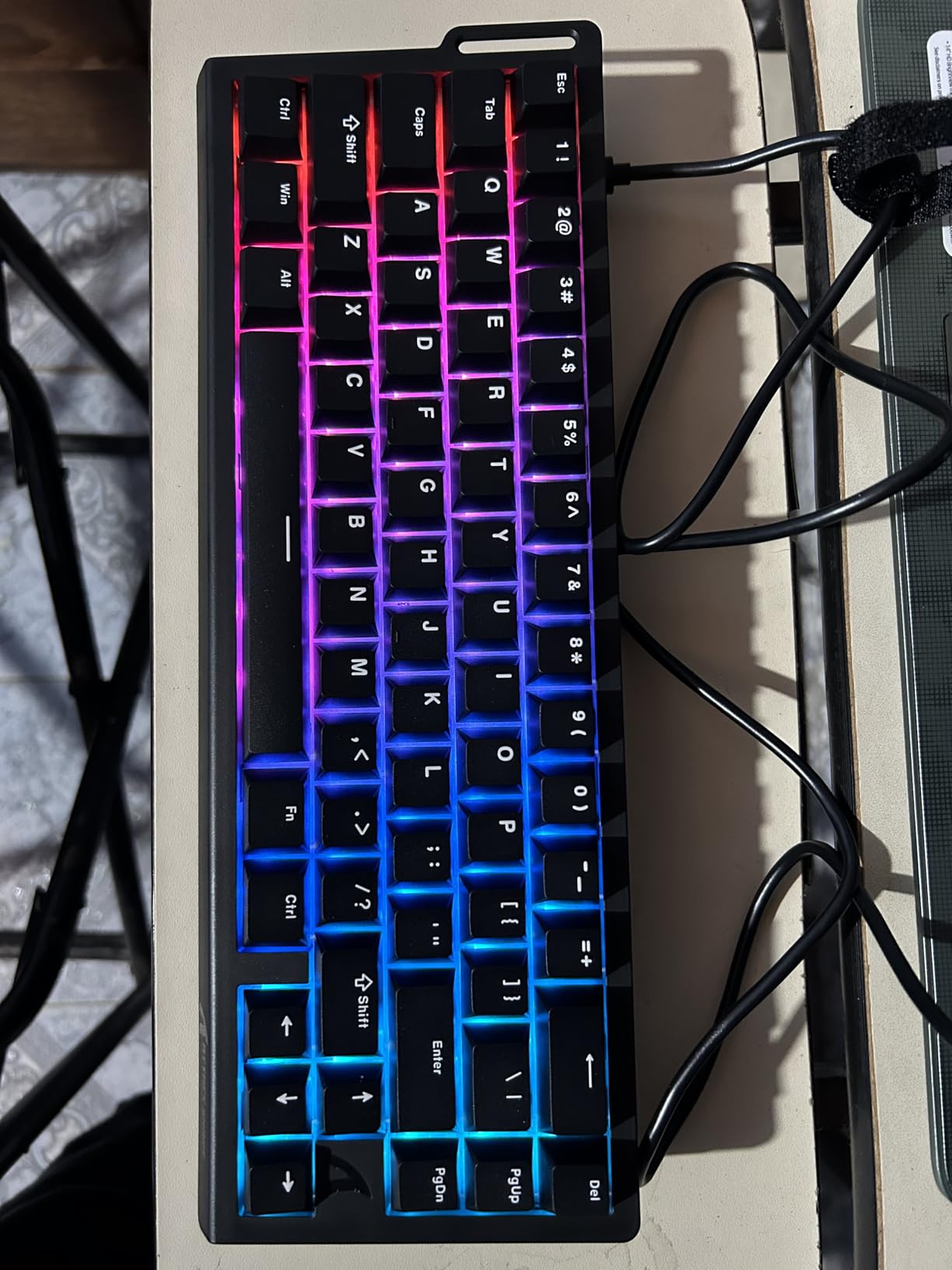
Pre-lubed stabilizers are fitted, which matters more than it sounds on a compact board where the spacebar and shift keys are wide relative to the case. Smoother stabilizers are the difference between a board that sounds good and one that rattles.
The 66-key layout is the practical limitation. Some function keys are dropped and require Fn combinations, so if you use F-keys heavily in a productivity app, expect to relearn a few positions. The board is wired Type-C only, with no wireless option, and RGB effects must be set through the driver or Fn shortcuts.
Be clear about the Mac situation. The Win and Mac switch handles the modifier layer, but the QMK web driver is Windows-only, so the magnetic tuning is not available on macOS. If you need full rapid trigger tuning, this is a Windows board.
Who the X68 HE RT suits
It suits competitive FPS and rhythm game players who want a metal-feeling board with an included wrist rest at a magnetic-board budget. It is also the better of the two Hall effect options if build feel matters to you more than weight.
Because it ships with a wrist rest and non-slip mat, the total cost of ownership is lower than it looks. You are not budgeting for accessories immediately after purchase.
Where the X68 HE RT disappoints
It disappoints anyone who wants wireless, and anyone outside Windows who wants to tune their triggers. The 66-key layout is also the most aggressive trim on this list, so productivity users will feel the missing keys sooner.
The QMK page needing a live internet connection is an inconvenience rather than a flaw, but it is worth knowing before you need to change a setting mid-session.
10. Logitech G213 Prodigy – Best Full-Size With a Numpad and Spill Resistance
Logitech G213 Prodigy Wired RGB Gaming Keyboard – Black
104-key full-size
Mech-Dome tactile
5 lighting zones
1000 g
Spill-resistant
Pros
- Tactile dome keys with a satisfying feel
- Full-size layout with numpad and media roller
- Spill-resistant body is easy to clean
- Integrated palm rest and adjustable feet
- Low latency wired connection
Cons
- Membrane-style keys feel less precise than mechanical
- Dim backlight across five zones
- G HUB is a large install
- Proprietary keycaps block aftermarket sets
The G213 is the oldest idea on this list and it still works for a specific buyer: someone who wants a full-size board with a numpad, a spill-resistant body and a brand with a support system behind it, and who does not need mechanical precision. It has the lowest rating in this guide at 4.2, but the 4.2 reflects lighting and software complaints rather than a board that fails.
The Mech-Dome dome keys deliver a defined tactile bump with light actuation force. They are not mechanical switches and they will never feel the same, but many owners report the feel as satisfying rather than merely acceptable. The anti-ghosting matrix is tuned for gaming, and the wired connection keeps input delay minimal.
The integrated palm rest and adjustable feet mean you can set the angle you want without buying anything. Dedicated media controls and a volume roller sit above the numpad, and the spill-resistant construction is the feature that matters most if you have a drink nearby or a younger sibling.
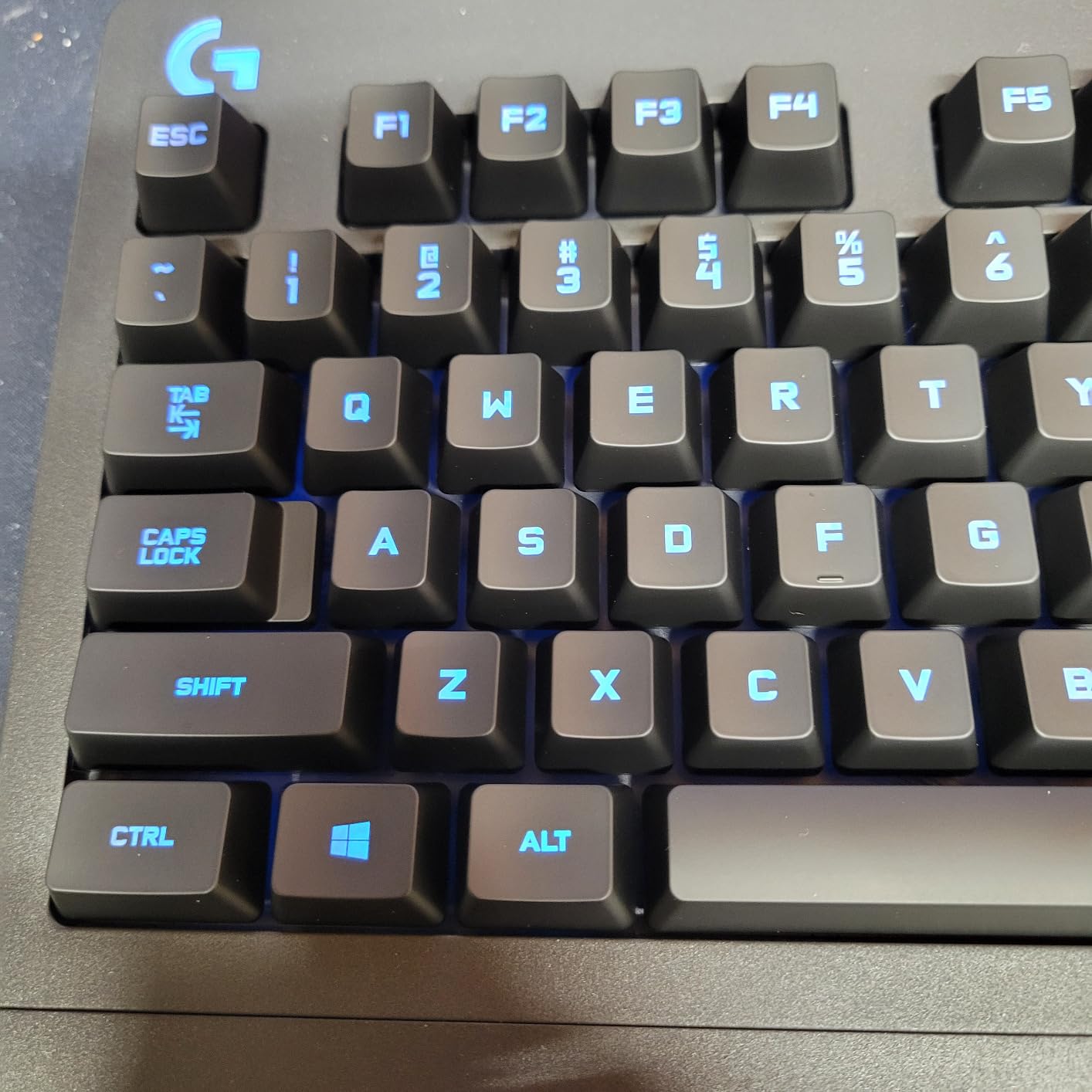
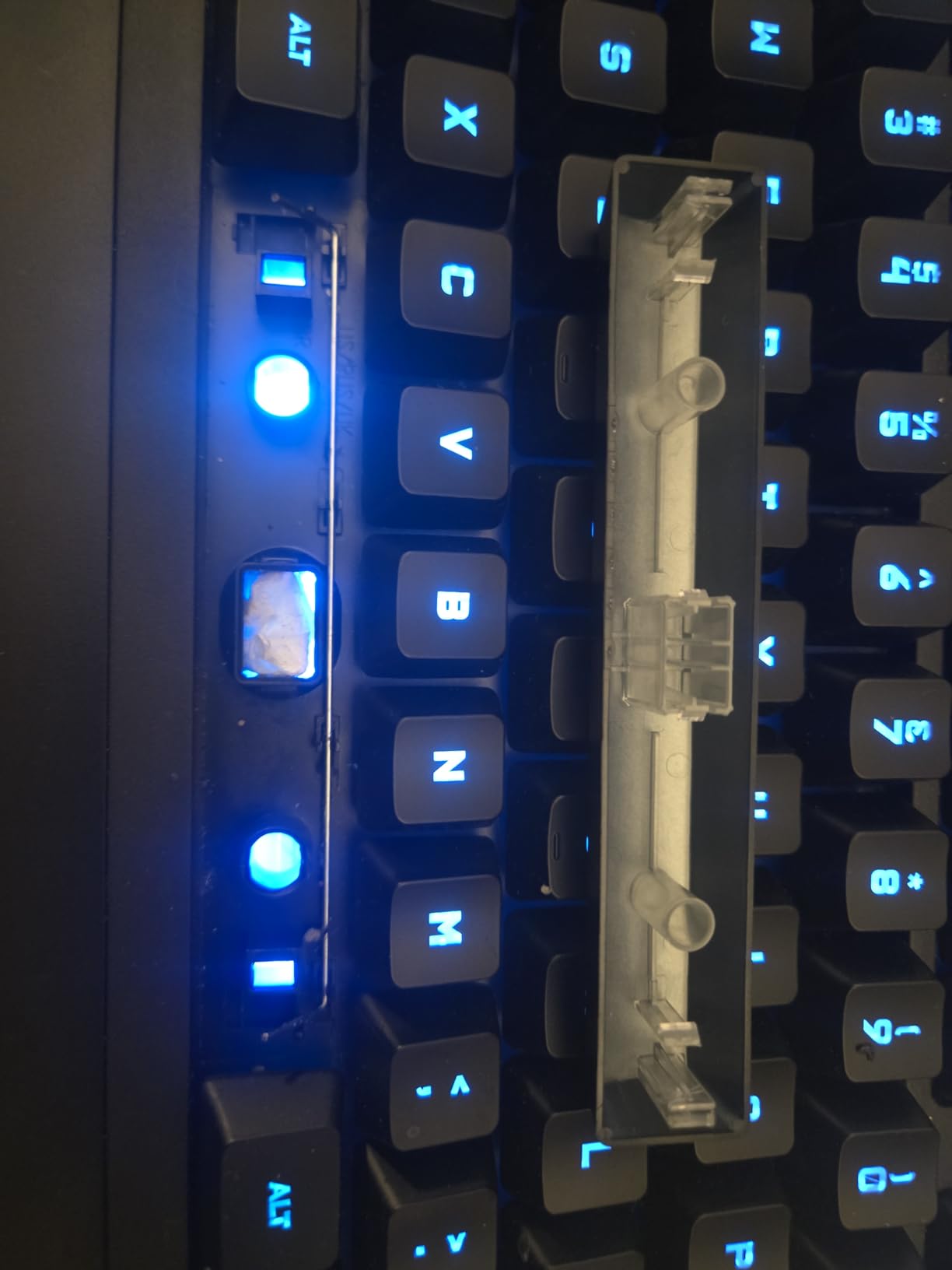
The honest weaknesses are consistent across reviews. Lighting is divided into five zones rather than per key, the backlight is dim and can look uneven at an angle, and the colour rendering is not accurate. Logitech G HUB is a large program, and lighting sometimes desynchronises or fails to illuminate during a BIOS boot.
There is one structural limitation that cannot be changed. The keycaps use a proprietary design, so aftermarket keycap sets will not fit. If you enjoy customising your board, that ends the conversation here. A small share of buyers also report individual keys registering twice or not at all, which is a higher rate than we saw on any mechanical board in this guide.
Only Windows is listed as supported. For Mac users the board types and lights but without a proper layer switch or remapping layer.
Who the G213 suits
It suits office and school environments, shared desks, and anyone upgrading from an old bundled keyboard who wants a recognised brand with a straightforward warranty and easy-clean construction. If you use a numpad for work, this is the board to buy.
It is also the most sensible gift option on the list. It needs no configuration, works out of the box, and there is no driver to install if you skip the lighting software entirely.
Where the G213 disappoints
It disappoints anyone who wants mechanical precision or intends to mod. The dome keys are a step down in feedback from every mechanical board here, and the proprietary keycaps close off the entire keycap aftermarket.
The lighting and G HUB combination is the other letdown, particularly if RGB is part of the appeal. Set the colours once in G HUB and leave the app alone, and the board performs well for everything else.
How to Choose a Gaming Keyboard Under 100 in 2026
Budget keyboards differ more than expensive ones do, because the money you save goes into different places on each model. A membrane board spends on spill resistance and a warranty. A magnetic board spends on the sensor and the polling rate. A gasket-mount board spends on foam. Once you know where the budget went, choosing becomes simple.
Hall Effect vs Mechanical vs Membrane Switches
Hall effect switches use a magnet and a sensor to measure how far a key has travelled, rather than waiting for two metal contacts to touch. That single design change gives you three things: an adjustable actuation point, a much faster polling rate, and rapid trigger.
Rapid trigger is the term competitive players search for, and it deserves a plain explanation. On a normal mechanical switch, the key must travel all the way back up to a fixed reset point before it can register again. With rapid trigger, the key re-registers the instant it starts moving up. When you reverse direction mid-movement, the input fires immediately instead of waiting for the full reset. The two boards here that do this, the AULA WIN68 HE and the ATTACK SHARK X68 HE RT, are the ones to consider for competitive shooters.
Mechanical switches come in linear, tactile and clicky varieties. Linear switches press smoothly with no bump, which suits gaming. Tactile switches add a small bump on the way down, which suits typing. Clicky switches add an audible click, which suits people who like feedback and bothers everyone else in the room.
Membrane boards sit below both. The G213 uses dome switches under a keycap, and the SteelSeries Apex 3 RGB uses Whisper Quiet tactiles. They are quieter, cheaper and more spill-resistant, and they will never match a mechanical switch for precision. For competitive play, any mechanical board on this list is a real upgrade.
Choosing a Layout: 60%, 75%, TKL and Full-Size
Layout is the decision people regret most, because you get one arrow cluster and one numpad per keyboard. A 60% board gives you the most mouse space and nothing else. A 75% board keeps arrows and a function row. TKL keeps arrows and drops the numpad. Full-size keeps everything.
For competitive shooters, more desk space directly translates into more mouse travel, which is why 60% boards remain popular years after they were fashionable. The trade-off is the K617, which has no dedicated arrows at all, and the X68 HE RT, which drops some function keys.
For most people, 75% is the balance point. The AULA F75 Pro and Keychron K2 both fit in that category, keeping arrows while cutting the numpad, and both are recommended here for productivity as well as gaming. If you work with spreadsheets or type long numbers, go full-size: the SteelSeries Apex 3 RGB and the Logitech G213 both have numpads, integrated palms and media controls.
The TKL option sits in the middle. The Redragon K552P keeps arrows and a function row in an 87-key package, and it is the most versatile board on this list if your desk is medium-sized.
Wired vs 2.4G vs Bluetooth for Gaming
Use wired for competitive play. A wired connection has no radio hop, no pairing step and no battery to manage, and on the mechanical boards here there is no measurable benefit to going wireless. If you are the kind of player who notices frame timing, this is the easy decision.
Use 2.4GHz when you want wireless without compromise. It operates on its own frequency band rather than sharing Bluetooth’s, so it is far less prone to the delay that confuses most players. Of the wireless boards here, the AULA F75 Pro and Redragon K681 both offer 2.4GHz alongside Bluetooth and USB-C wired.
Bluetooth is for your laptop, phone or tablet, not your match. It is designed for power efficiency, not latency, and the rollover mode on wireless is typically reduced as a result. The Keychron K2 lists N-key rollover in wired mode and 6KRO in wireless mode, which is the kind of honest detail that tells you the difference.
Battery claims deserve scepticism at this budget. The 4000 mAh batteries in the K2, F75 Pro and K681 are rated in the region of 72 hours of continuous typing or about seven days of normal use, but reviewers with RGB enabled on a board that is lit all evening report noticeably shorter intervals. If you leave your lights on, expect a charge every few days rather than once a week.
Polling Rate, Rollover and Latency: What Actually Shows Up
Polling rate is how often the keyboard reports its state to your computer, measured in hertz. A 1000Hz board checks 1000 times per second, which is the long-standing standard and is what every mechanical board on this list other than the two magnetic ones uses. An 8000Hz board checks eight times more often.
Does it matter? For ordinary play, barely. The gains show up in the exact situations rapid trigger is built for: micro-corrections during a counter-strafe, flick shots at long range, and rhythm games where timing is scored. The magnetic boards here list 8000Hz with 0.3 ms and 0.125 ms latency respectively, versus the roughly 1 ms of a standard 1000Hz mechanical.
N-key rollover matters more for real play than most specs suggest. It means every key you press registers, no matter how many you hold at once. Basic membrane boards often only guarantee six keys, and a strategy game that asks you to hold six abilities plus a movement key will silently drop inputs. Three of the boards here list full N-key rollover, which is a genuine reliability reason to step up.
Debounce time is the quiet spec that separates cheap boards from good ones. Membrane boards need time to confirm a press, so fast taps can be dropped or read as double presses. Mechanical switches are debounced at the board level and effectively cannot repeat-read at speed, which is another reason a mechanical board feels more accurate in a fight.
The Honest Catch: Stabilizers, Keycaps and Warranty
Stabilizers are the wire-and-plastic parts that keep the spacebar, shift and enter keys from wobbling. On budget boards they arrive loose, and the rattle is the first thing you hear and the first thing you fix. A tube of general-purpose lubricant and a few minutes with a keycap puller changes the sound more than any other single mod.
Keycap material is the second honest limitation. PBT keycaps, used on the K552P, the F75 Pro and the X68 HE RT, resist the shine that develops on ABS plastic after a few months of heavy use. ABS caps feel slightly smoother at first and then develop a glossy patch exactly where your hands rest. UV-coated caps, as on the Razer Ornata V3, sit in between.
Build quality varies within a model line more than most marketing admits. The K552P, the Apex 3 RGB and the K617 all have small shares of owners reporting a non-responsive key row or a loose key on arrival. The fix is the same for all of them: test every key before the return window closes.
Warranty length varies wildly, and this is the single most under-discussed spec. The AULA F75 Pro carries a six-month warranty, which is short. Keychron and the Redragon boards are covered far longer. On a device you type tens of thousands of times a year, that difference is worth comparing before you buy.
The modding roadmap, if you want one, has an order. First, stabilizers and a light lube on the longer keys. Second, replace the switches if you dislike the feel, which is free on the four hot-swap boards here. Third, swap the keycaps, which is the single biggest visual upgrade. Foam and tape mods come last, because they change the sound more than the feel and take the most disassembly.
A Quick Decision Guide by Player Type
Competitive FPS player on Windows: take the AULA WIN68 HE or the ATTACK SHARK X68 HE RT. If your aim is not the deciding factor but you still want a mechanical board, the Redragon K552P’s rollover and Windows key lock handle the reliability side. The only thing to settle first is whether you play with rapid trigger enabled at all, because it changes nothing outside shooters.
Mixed PC and console player: the SteelSeries Apex 3 RGB lists Xbox Series S/X, PS4 and PS5 support alongside Windows and Mac OS X, and the Redragon K681 covers PC, tablet, Xbox, PS4 and PS5. Both work over USB with no extra hardware. Expect to use the same software suite for lighting whether you are on PC or console, since the console side is plug-and-play only.
Hybrid worker: the Keychron K2 is the one to buy. Mac and Windows keycaps, a physical layer switch, a metal frame and a battery rated at up to 72 hours of typing cover both halves of the day. If you also want arrow keys and wireless mode switching across more devices, the AULA F75 Pro pairs up to five at once.
Small desk or shared room: the Redragon K617 takes the least space, and the SteelSeries Apex 3 RGB is the quietest. Those two answers cover opposite halves of the same problem, and neither requires you to compromise on switch feel the way a pure membrane board would.
Who Should Look Elsewhere
If you need a gasket-mounted aluminum board with a knob, QMK and VIA support, or a full-size Hall effect layout, you are shopping above this budget. For a wider look at mechanical boards built for competition, our esports mechanical keyboard guide covers that tier in detail.
If your setup is portable rather than competitive, or you travel regularly, a compact wireless board such as the F75 Pro or the Keychron K2 is a better fit than any full-size option here. If you are building a complete budget setup, our budget gaming laptop guide covers the machines that pair well with any of these keyboards.
Frequently Asked Questions
What is the best gaming keyboard under 100 right now?
The Redragon K552P is our top pick. It is a wired 87-key TKL board with a metal frame, hot-swappable clicky switches and N-key rollover, holding a 4.7 rating across more than 12,000 reviews. For the best feature set, the AULA F75 Pro adds tri-mode wireless and side-printed PBT keycaps. For quiet play, the SteelSeries Apex 3 RGB is the answer.
Are Hall effect keyboards worth it under 100 dollars?
For competitive shooters, yes. Hall effect switches let you set the actuation point from 0.02 mm to over 3 mm per key and enable rapid trigger, where a key re-registers as soon as it starts moving back up rather than waiting for a full reset. The AULA WIN68 HE and ATTACK SHARK X68 HE RT both run 8000Hz polling at this price. For other genres, a mechanical board is the better use of the budget.
What is rapid trigger on a keyboard?
Rapid trigger is a Hall effect feature that lets a key register again the instant it starts travelling upwards, instead of waiting for it to return to a fixed reset point. In practice it speeds up direction changes such as counter-strafing in Valorant or CS2, where the key never fully returns before you reverse it. You set the reset sensitivity per key in the driver software.
Mechanical vs membrane for gaming, which is better under 100 dollars?
Mechanical is better for gaming. Membrane dome switches need debounce time, which can cause dropped or doubled inputs, and they usually guarantee far fewer simultaneous keypresses than the full N-key rollover a mechanical board provides. Membrane earns its place when noise, spill resistance and price matter more than input precision, which is the case for the Logitech G213.
Can I use a gaming keyboard on PS5 or Xbox?
Yes, on most of the boards here. The SteelSeries Apex 3 RGB lists Windows, Mac OS X, Xbox Series S/X, PS4 and PS5, and the Redragon K681 lists PC, tablet, Xbox, PS4 and PS5. Console use works over USB without special software. Note that the RGB and macro controls still need the PC software, and the Hall effect boards are Windows-only for tuning.
How long do budget gaming keyboards last?
It depends on the switch rating and the build. The Redragon K617 switches are rated for 50 million keypresses and the Keychron K2 for 50 million keystrokes, while the SteelSeries Apex 3 RGB Whisper Quiet switches are rated for 20 million. Owners of the G213 report running the same board for years. Check every key on arrival, since a small share of budget boards arrive with a non-responsive row.
Final Verdict: The Best Gaming Keyboards Under 100
Buy the Redragon K552P if you want the most reliable mechanical board in the bracket and can live with clicky switches. It has the highest rating and the largest review count of any board we tested, and the metal frame and hot-swap sockets mean it will outlast the drive to replace it.
Buy the AULA F75 Pro if you want the best value gaming keyboard and the most features: tri-mode wireless, five-device pairing, a knob, side-printed PBT keycaps and a five-layer sound fill. Its six-month warranty is the one thing to weigh before you commit.
Buy the SteelSeries Apex 3 RGB if noise is a factor, and the Redragon K617 if desk space is. Competitive shooters should look at the AULA WIN68 HE or the ATTACK SHARK X68 HE RT for rapid trigger, and Mac users should take the Keychron K2. Whatever you choose, test every key before the return window closes.