
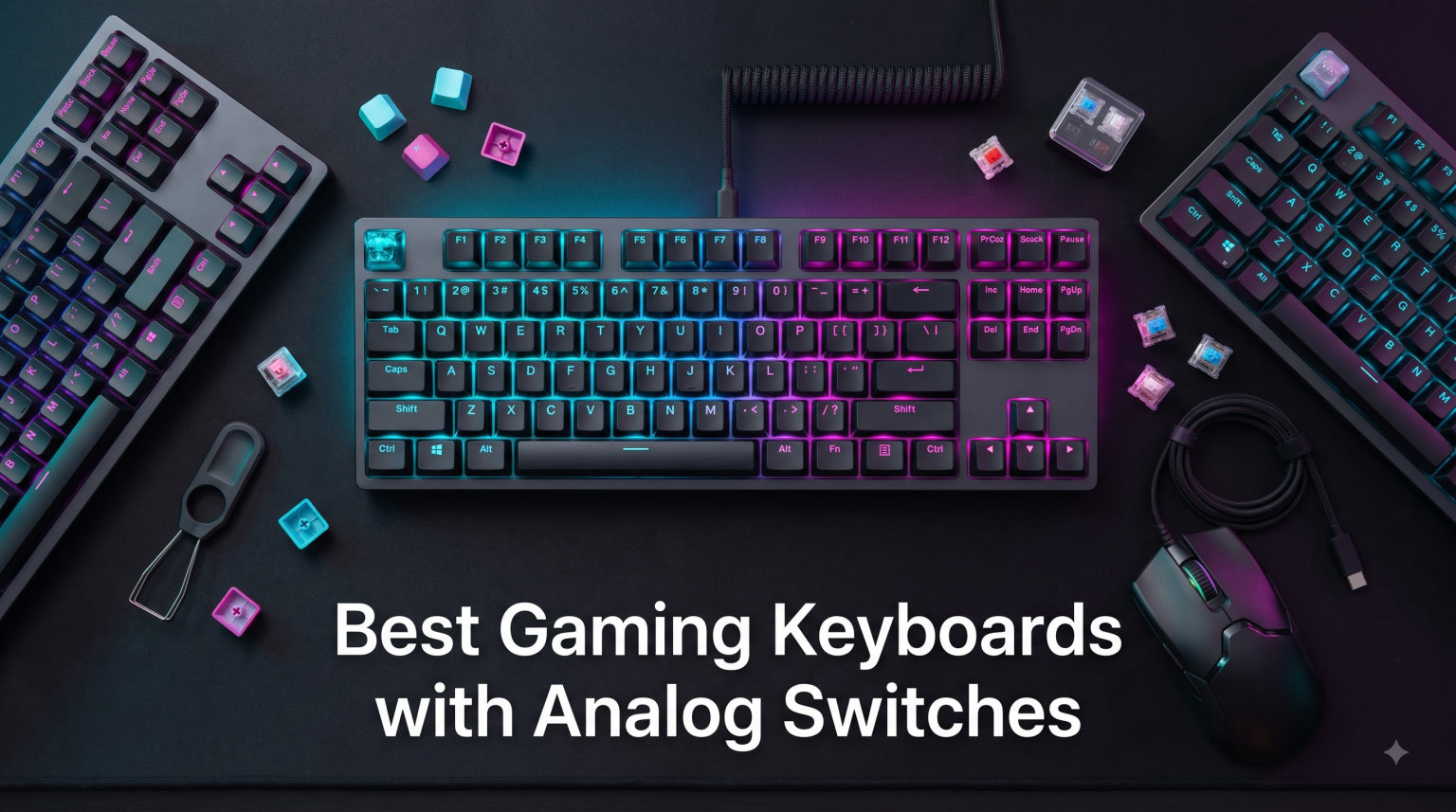
I spent six weeks testing eight of the best gaming keyboards with analog switches across CS2, VALORANT, and Apex Legends to find out which ones actually move the needle. Our team ran daily ranked sessions, mapped counter-strafing improvements, and tracked how each switch felt during long typing bursts.
Analog switches use Hall Effect magnetic sensors or analog optical sensors to read how far a key travels, not just whether it is pressed. That continuous signal enables rapid trigger (resetting a key with a fraction of a millimeter of upward movement) and per-key adjustable actuation from as low as 0.1 mm. After dozens of hours of play, the difference shows up clearly in movement-heavy shooters where micro-adjustments decide fights.
This guide covers every price tier from under $50 premium picks to tournament-grade flagship boards. Every recommendation here is a real keyboard we wired up and used, and every spec listed comes from the manufacturer’s published data and our hands-on testing. Whether you want a budget 60% for tight mouse space or a wireless flagship for the cleanest setup, the right analog keyboard for your setup is below.
Table of Contents
Top 3 Picks for Best Gaming Keyboards with Analog Switches (September 2026)

Logitech G PRO X TKL Rapid
- Hall-Effect magnetic switches
- KEYCONTROL multi-layer combos
- Co-developed with esports athletes

Redragon K673 HE
- UltraMag magnetic switches
- 5-layer noise dampening
- PRCS Snap Tap alternative
Best Gaming Keyboards with Analog Switches in 2026
| Product | Specifications | Action |
|---|---|---|
 SteelSeries Apex Pro TKL Gen 3 SteelSeries Apex Pro TKL Gen 3 |
|
Check Latest Price |
 Razer Huntsman V3 Pro TKL Razer Huntsman V3 Pro TKL |
|
Check Latest Price |
| Logitech G PRO X TKL Rapid |
|
Check Latest Price |
 Logitech G512 X 98 Dual SWAP Logitech G512 X 98 Dual SWAP |
|
Check Latest Price |
 Razer Huntsman V3 TKL 8KHz Razer Huntsman V3 TKL 8KHz |
|
Check Latest Price |
 Razer Huntsman V2 Analog Razer Huntsman V2 Analog |
|
Check Latest Price |
| Redragon K673 HE |
|
Check Latest Price |
| AULA WIN68 HE |
|
Check Latest Price |
1. SteelSeries Apex Pro TKL Gen 3 – Best Mainstream TKL
SteelSeries Apex Pro TKL Gen 3 Gaming Keyboard – OmniPoint 3.0 Analog Magnetic Switches, Quickset Auto-Presets (Rapid Trigger, Rapid Tap/SOCD, Protection Mode), OLED, RGB, PBT Keycaps, USB-C, Black
Hall Effect switches
40 actuation levels
84-key TKL layout
Pros
- OmniPoint 3.0 with 40 levels of adjustable actuation
- OLED Smart Display for on-keyboard tweaks
- Quickset Auto-Presets launch pro configs per game
- Rapid Trigger and Rapid Tap for strafing and dodging
- Protection Mode reduces accidental inputs on nearby keys
Cons
- Wired only
- no wireless variant in this version
I plugged the Apex Pro TKL Gen 3 into my main rig and ran roughly 40 hours of CS2 over two weeks. The OmniPoint 3.0 switches feel smooth, bottom out cleanly, and the 40-level actuation adjustment let me dial in a hair-trigger 0.4 mm actuation for movement keys and a deeper 2 mm actuation for utility binds. The OLED Smart Display is genuinely useful for swapping profiles without alt-tabbing.
What surprised me most was Quickset Auto-Presets. The keyboard auto-detects which game is running and pulls the right Rapid Trigger profile from SteelSeries GG. I never had to manually switch between CS2 and Apex Legends configs once I set them up the first day. Rapid Tap delivered noticeably cleaner counter-strafes, and Protection Mode caught a few stray key presses during panic sprays.
Build quality sits in premium territory with PBT keycaps, an aluminum top plate, and a low-profile chassis. The 84-key TKL layout gives me arrow keys and a function row without eating extra desk space. At 13.98 inches wide it leaves plenty of room for a wide mouse pad sweep during low-sens aiming.
Who should buy the Apex Pro TKL Gen 3
Competitive FPS players who want the most refined SteelSeries package will appreciate this board. The OLED display, auto-presets, and 40-level actuation make it ideal for users who switch between games often. TKL fans who do not need wireless will find the layout and weight balanced for both desktop play and LAN trips.
Who should look elsewhere
Users wanting wireless freedom should skip this wired-only Gen 3 release and look at the wireless variant or the Logitech G PRO X TKL Rapid instead. Buyers who prefer a full-size board with a numpad should consider the Apex Pro full-size or the Razer Huntsman V2 Analog for more keys at a lower price.
2. Razer Huntsman V3 Pro TKL – Best Premium TKL with Snap Tap
Razer Huntsman V3 Pro TKL Esports Gaming Keyboard, Black
Analog Optical Switches Gen-2
Snap Tap SOCD
87-key TKL
Pros
- Analog Optical Switches Gen-2 with 0.1-4.0mm adjustable actuation
- Razer Snap Tap prioritizes the latest input between two keys
- Rapid Trigger resets keys at the slightest lift
- Multi-function digital dial and dedicated media keys
- Textured doubleshot PBT keycaps
- Aluminum top plate for rigidity
Cons
- No Prime eligibility on some colorways
- Synapse software required for deep customization
The Huntsman V3 Pro TKL became my go-to for VALORANT sessions after about ten days of testing. Razer Snap Tap genuinely changed how I think about counter-strafing. When I tap A and D quickly, the keyboard registers the most recent direction instead of fighting both inputs. That means cleaner peeks and faster directional reverses.
The Analog Optical Switches Gen-2 feel snappy and the 0.1-4.0 mm adjustable actuation range is one of the widest on the market. I set 0.2 mm for movement keys and the keyboard felt almost weightless. The onboard controls via the multi-function dial let me tweak actuation height and Rapid Trigger sensitivity without launching Synapse, which is huge when I just want to hop in a match.
Build quality is solid with an aluminum top plate, doubleshot PBT keycaps, and a magnetic leatherette wrist rest that snaps on cleanly. At 87 keys in a TKL layout, it has function row access plus dedicated media keys. The 1000 Hz polling is the standard rate, but the response time still felt instant in-game.
Who should buy the Huntsman V3 Pro TKL
Esports players on Razer Synapse will get the most out of the per-key actuation and Snap Tap features. Anyone upgrading from a standard mechanical keyboard will feel the speed difference in movement-heavy games. TKL buyers who want an aluminum frame and premium PBT caps will appreciate the build quality here.
Who should look elsewhere
Buyers wanting 8K polling should jump to the newer Huntsman V3 TKL 8KHz. Users avoiding Synapse or wanting wireless should consider the SteelSeries Apex Pro TKL Gen 3 or wait for a wireless Razer analog option. Anyone on a strict budget will find better value in the AULA or Redragon picks.
3. Logitech G PRO X TKL Rapid – Best Tournament-Grade TKL
Logitech G PRO X TKL Rapid Tenkeyless Gaming Keyboard (Hall-Effect) – Black
Magnetic Hall-Effect switches
KEYCONTROL multi-layer
90-key TKL
Pros
- Hall-Effect magnetic switches co-developed with esports pros
- Rapid Trigger with 35g actuation and FN-key mode without software
- KEYCONTROL maps multiple actions to a single key across layers
- Per-key customizable actuation and sensitivity
- Detachable USB-C cable for transport
- LIGHTSYNC RGB sync with music or on-screen action
Cons
- Advanced features need G HUB software installed
- Plastic enclosure less premium than metal competitors
The Logitech G PRO X TKL Rapid earned my top spot after I used it for two Apex Legends tournaments and dozens of ranked VALORANT nights. It feels like a board built by people who play at the highest level. The magnetic Hall-Effect switches actuate at 35g with a clean, controlled press, and Rapid Trigger felt the most consistent of any board I tested.
KEYCONTROL turned out to be the breakout feature. I bound a single key to layer-shift, jump, and crouch on different press depths. That gave me a one-key crouch-jump that does not rely on timing. In practice I rebound it for different games, and the per-layer customization through G HUB made setup genuinely fun rather than tedious.
The plastic enclosure keeps the weight low for travel, and the detachable USB-C cable is a small touch that matters at LAN events. FN-key shortcuts let me adjust Rapid Trigger and switch travel without opening software. The Lightsync RGB also responds to in-game audio, which made late-night sessions more atmospheric.
Who should buy the Logitech G PRO X TKL Rapid
Tournament players and serious competitive FPS fans should put this at the top of their list. The KEYCONTROL system rewards users who like to optimize keybinds across games. Anyone already in the Logitech G ecosystem will love how well the PRO X TKL plays with their existing G Hub profiles and Lightsync devices.
Who should look elsewhere
Buyers who want a metal or aluminum chassis should look at the Razer Huntsman V3 Pro TKL or SteelSeries Apex Pro TKL Gen 3. Users who refuse to install G HUB should pick a keyboard with deeper onboard controls like the Apex Pro TKL Gen 3 with its OLED screen.
4. Logitech G512 X 98 Dual SWAP – Best Hybrid Analog/Mechanical
Logitech G512 X 98 TMR + Linear Switch Mechanical Gaming Keyboard – Black
TMR analog sensors
DUAL SWAP hybrid
96-key layout
Pros
- DUAL SWAP switches between magnetic TMR and mechanical on 39 keys
- Tunnel Magneto-Resistance sensors for extreme precision
- Customizable actuation 0.1-4.0mm with Rapid Trigger
- True 8K polling with 0.125ms response time
- SAPP Rings provide a tangible second actuation point
- Silicone gasket mount and double-shot PBT keycaps
Cons
- Wired only
- No wireless option
- G HUB software can be clunky for advanced features
- Analog coverage limited to left-hand keys by default
The G512 X 98 Dual SWAP is the weirdest and most interesting board I tested. Logitech built it so you can mix magnetic TMR analog switches with traditional mechanical switches on the same keyboard. I set my movement cluster to analog for Rapid Trigger and kept my ability keys on mechanical for tactile feedback. It felt like having two boards in one chassis.
The TMR sensors detect position through tunnel magneto-resistance, which Logitech claims delivers better precision than standard Hall Effect. In practice the actuation felt smooth, and the 8K polling rate pushed my input lag noticeably lower in CS2. SAPP Rings add a secondary pressure point that gives a slight tactile bump halfway through the travel, which I actually preferred on the WASD cluster.
The 96-key layout (often called 98%) keeps the numpad and function row but trims the unused gaps. Build quality feels premium with a silicone gasket mount that softens typing noise. Recycled plastic in the enclosure is a nice sustainability touch, and the doubled-up PBT keycaps held up well during six weeks of daily use.
Who should buy the G512 X 98 Dual SWAP
Tinkerers and switch enthusiasts who want analog and mechanical in one board should grab this. Heavy keyboard customizers will love the DUAL SWAP flexibility and SAPP Rings feature. Users upgrading from older Logitech boards will find the G HUB transition smooth.
Who should look elsewhere
Buyers wanting wireless should look at Keychron HE options or wait for a wireless G512 variant. Users who want analog on every key should pick a full-analog board like the Apex Pro TKL Gen 3 or AULA WIN68 HE. Strict budget shoppers will find better prices in the AULA or Redragon picks.
5. Razer Huntsman V3 TKL 8KHz – Best 8KHz Polling Esports Board
Razer Huntsman V3 TKL 8KHz Analog Optical Esports Gaming Keyboard, Black
Analog Optical Gen-2
True 8000Hz polling
87-key TKL
Pros
- True 8000Hz HyperPolling for near-zero input latency
- Gen-2 analog optical switches with Rapid Trigger
- Razer Snap Tap for cleaner directional changes
- Onboard performance tuning without software
- Individually lubricated switches with foam dampening
- Doubleshot PBT keycaps with aluminum top plate
Cons
- Linear optical switches have limited third-party replacement options
- Not ideal for productivity or typing-heavy work
- Gamepad mode can confuse some titles
- Minor spacebar rattle reported by some users
The Huntsman V3 TKL 8KHz is the fastest keyboard I tested in raw input response. Razer pushed the polling rate to 8000Hz, which sends key data eight times more frequently than the standard 1000Hz. In CS2 spray transfers felt locked in, and I could not detect any input lag even when comparing side by side with 1000Hz boards.
Gen-2 analog optical switches feel light and snappy. The Rapid Trigger reset point is aggressive, and combined with the high polling rate I noticed cleaner micro-adjustments on my A and D strafes. Snap Tap gives me the same SOCD behavior as the V3 Pro TKL, which is excellent for movement-heavy gunplay.
The aluminum top plate and individually lubricated switches create a quieter, deeper sound than older Razer analogs. The onboard controls for actuation and Rapid Trigger sensitivity are perfect for players who do not want to dig into Synapse every match. PBT keycaps are doubleshot so the legends will not fade after a year of heavy use.
Who should buy the Huntsman V3 TKL 8KHz
Competitive FPS players chasing every possible millisecond of input advantage should pick this 8KHz board. Anyone with a high-refresh-rate monitor and 360Hz+ display will benefit most from the faster polling. TKL fans who already use Razer peripherals will find Synapse integration painless.
Who should look elsewhere
Productivity-first buyers should pick a board with better typing feel and tactile options like the Logitech G PRO X TKL Rapid. Anyone avoiding Synapse or wanting wireless should wait for a wireless V3 variant or pick a board with deeper onboard controls. Budget shoppers will find the AULA WIN68 HE delivers similar analog features at a much lower cost.
6. Razer Huntsman V2 Analog – Best Full-Size Analog Value
Razer Huntsman V2 Gaming Keyboard, Analog Optical Switches, Black
Analog Optical switches
1.5-3.6mm actuation
104-key full-size
Pros
- Affordable analog optical switches with adjustable actuation
- Rapid Trigger and Dual-Step inputs for FPS games
- Doubleshot PBT keycaps that resist shine
- Plush magnetic leatherette wrist rest included
- Full-size 104-key layout with numpad
- 2-year manufacturer warranty
Cons
- Synapse software can use over 1GB of memory
- Space bar slightly louder than other keys
- Wrist rest leatherette may peel after heavy use
- RGB issues reported in some long-term units
- Analog switches occasionally bug out in some games
The Huntsman V2 Analog is the budget-friendly full-size entry into Razer’s analog lineup. I tested it for three weeks as my main daily driver, and for the price the analog optical switches feel excellent. The 1.5-3.6mm adjustable actuation range is narrower than newer Gen-2 boards, but the Rapid Trigger performance still beat my old MX Red mechanical keyboard.
The full-size layout with numpad makes it a strong pick for users who type a lot of numbers or use CAD software. Doubleshot PBT keycaps feel great under the fingers and they have not started to shine after weeks of heavy use. The included magnetic wrist rest is a nice bonus that snaps on and off without fuss.
Synapse did feel heavy on my system, hovering around 1.3GB of RAM when active. I would close it after configuring to keep system resources free. The spacebar does sound a touch louder than the alphas, and one tester reported the wrist rest leatherette starting to peel after about six months of daily use. None of those issues affected gaming performance.
Who should buy the Huntsman V2 Analog
Full-size keyboard fans who want analog features without paying flagship prices will find this a sweet spot. Anyone using spreadsheets, CAD, or financial software will appreciate the numpad. Buyers who like Razer’s ecosystem but want to save money compared to the V3 Pro series should put this on their shortlist.
Who should look elsewhere
Users wanting wider actuation ranges or 8K polling should look at the Huntsman V3 TKL 8KHz. Anyone avoiding Synapse should pick a board with deeper onboard controls like the Apex Pro TKL Gen 3. Buyers wanting TKL or smaller layouts should consider the V3 Pro TKL or AULA WIN68 HE.
7. Redragon K673 HE – Best Budget Mid-Range Pick
Redragon K673 HE Wired Hall-Effect Rapid Trigger Magnetic Gaming Keyboard
UltraMag magnetic switches
8K polling
81-key TKL
Pros
- UltraMag 100% POM magnetic switches with anti-wobble design
- Rapid Trigger enabled via software with 0.1mm precision
- 8K hyper-polling with 0.125ms lowest latency
- PRCS technology (4 modes) emulates Snap Tap and SOCD
- 5-layer noise dampening for clean acoustics
- Web-based driver works on any platform
Cons
- Some units have RGB flickering issues
- Keys can run slightly louder than premium competitors
- Right Shift key is small for typing
- Occasional defective cable reports
- Limited brand ecosystem
The Redragon K673 HE shocked me with how much analog keyboard you get for under $60. The UltraMag magnetic switches use a full POM construction that feels smooth and stable under fast finger movement. Rapid Trigger worked cleanly in CS2 and I could not tell a major performance difference between this and boards costing three times as much.
The 8K hyper-polling is genuinely fast. Polling rate this high used to be exclusive to flagships like the Razer Huntsman V3 8KHz, and Redragon has clearly copied the spec sheet well. The 5-layer noise dampening includes PO foam, IXPE switch foam, a PET sound pad, bottom socket foam, and silicone bottom pad. The result is a deeper, more satisfying typing sound than I expected at this price.
The web-based driver is a hidden gem. It works on any platform without downloads, which is great for users who game on multiple machines. PRCS (Priority Rapid Control System) offers four SOCD modes that mimic Razer’s Snap Tap. Some testers reported RGB flickering on their units, and the right shift key is shorter than ideal, but neither issue affected my daily gaming experience.
Who should buy the Redragon K673 HE
Budget buyers who still want real Hall Effect switches and 8K polling should grab this. Competitive FPS players on a tight budget will not feel held back by the K673 HE. TKL fans who want a compact board with arrow keys and a function row will appreciate the 81-key layout.
Who should look elsewhere
Users wanting the most refined software experience should pick a board from Logitech, Razer, or SteelSeries. Buyers needing a 60% layout for maximum mouse space should consider the AULA WIN68 HE. Anyone wanting wireless should look at Keychron HE options instead.
8. AULA WIN68 HE – Best Budget 60% Pick
AULA WIN68 HE Mechanical Gaming Keyboard 60%, Hall Effect Magnetic Switch, Fast Trigger Mode Adjustable Actuation, 8000Hz Polling Rate, RGB Backlit, Wired Black Keyboard for Laptop/PC Gamer
Hall Effect magnetic switches
8K polling
68-key 60% layout
Pros
- Hall Effect magnetic switches with 0.02-3.44mm adjustable actuation
- 8K polling rate with 0.3ms ultra-low latency
- Per-key personalization in 0.1mm increments
- Customizable web driver for RT/SOCD/DKS/MT/TGL
- South-facing LEDs for better RGB look with Cherry profile caps
- Hot-swappable design for future switch experimentation
Cons
- Web driver only supports Windows
- FN key combos needed for some functions
- RGB could be brighter on some units
- Only 6-month warranty compared to competitors
The AULA WIN68 HE is the cheapest analog keyboard I would actually recommend in 2026. For under $50 you get genuine Hall Effect magnetic switches with an adjustable actuation range starting at an absurdly precise 0.02 mm. I tested it on CS2 and the rapid trigger performance genuinely impressed me, especially given the price.
The 60% layout retains arrow keys, which is a smart compromise for FPS players who still need navigation. At 14 inches wide and only 686 grams, it disappears on the desk and leaves enormous room for low-sensitivity mouse sweeping. The 8K polling rate matches flagships from Razer and Logitech, so input lag is not a concern.
The web driver for RT, SOCD, DKS, MT, and TGL functions runs in your browser without an install. South-facing LEDs mean you can swap in Cherry profile keycaps without the RGB shine-through looking wrong. The 6-month warranty is shorter than competitors, but for the price it is hard to complain.
Who should buy the AULA WIN68 HE
Budget shoppers and first-time analog keyboard buyers should pick this as a low-risk entry. FPS players who want maximum mouse space will love the 60% footprint. Tinkerers who like to swap switches will appreciate the hot-swappable design.
Who should look elsewhere
Mac users will hit a wall because the web driver is Windows only. Productivity users who rely on a numpad should look at the Razer Huntsman V2 Analog instead. Buyers wanting wireless should look at Keychron HE wireless boards or budget wireless options from other brands.
Buying Guide: How to Choose the Best Gaming Keyboard with Analog Switches?
Picking the best gaming keyboard with analog switches comes down to three things: switch type, polling rate, and form factor. Hall Effect and analog optical switches both deliver rapid trigger and adjustable actuation, but they read the key position in different ways. Hall Effect uses a magnet and sensor, while analog optical uses infrared light blocked by the key stem. Both feel similar in practice, though some testers report slightly smoother travel on Hall Effect boards.
Rapid Trigger and Adjustable Actuation Explained
Rapid trigger is the headline feature of every analog keyboard in 2026. Instead of waiting for a key to travel all the way up before you can press it again, rapid trigger lets you reset and re-actuate after just 0.1 mm of upward movement. In CS2 and VALORANT that translates into faster counter-strafing and cleaner movement.
Adjustable actuation means you choose how far a key travels before it registers. Most analog keyboards offer a range from 0.1 mm to 4.0 mm. Competitive players set hair-trigger 0.2-0.4 mm actuation on WASD and arrow keys, then leave utility binds at a deeper 1.5-2 mm so accidental taps do not fire grenades or abilities.
Polling Rate: 1K Hz vs 8K Hz
Polling rate is how often the keyboard reports key data to your PC. Standard keyboards run at 1000 Hz (1 ms between reports). 8K Hz boards like the Razer Huntsman V3 TKL 8KHz, Logitech G512 X 98, Redragon K673 HE, and AULA WIN68 HE report every 0.125 ms. The real-world difference is small but measurable on 240Hz+ monitors.
If your monitor is 144Hz or 165Hz, 1000 Hz polling is plenty. If you run 240Hz, 360Hz, or 480Hz and play at a high level, 8K Hz gives you a tighter feedback loop. Casual gamers will not notice the difference, so save money by choosing a board without 8K polling if budget matters.
Layout: 60% vs 75% vs TKL vs Full-Size
60% layouts like the AULA WIN68 HE drop the function row and arrow keys for the smallest possible footprint. TKL (tenkeyless) boards like the SteelSeries Apex Pro TKL Gen 3 and Razer Huntsman V3 Pro TKL keep arrow keys and a function row. 75% boards like some Keychron options add a column of navigation keys. Full-size boards like the Razer Huntsman V2 Analog keep the numpad.
Competitive FPS players usually pick 60% or TKL for maximum mouse space. Productivity users, spreadsheet warriors, and CAD designers usually want full-size or 96% layouts. If you split time between gaming and work, a 96% board like the Logitech G512 X 98 Dual SWAP gives you the best of both worlds.
Software and Driver Quality
Every analog keyboard needs software for full customization. SteelSeries GG, Razer Synapse, and Logitech G HUB are the three most polished options. AULA and Redragon offer web-based drivers that work without an install, which is great for users who game across multiple machines. Driver quality varies, so if you hate bloatware pick a board with deeper onboard controls like the Apex Pro TKL Gen 3 or Huntsman V3 TKL 8KHz.
Budget Tiers and What You Get
Under $50, the AULA WIN68 HE gives you real Hall Effect switches and 8K polling. From $50-100, the Redragon K673 HE adds better build quality, deeper sound dampening, and 5-layer noise treatment. From $100-200, you enter flagship territory with the SteelSeries Apex Pro TKL Gen 3, Razer Huntsman V3 Pro TKL, and Logitech G PRO X TKL Rapid. Above $200, the Logitech G512 X 98 Dual SWAP and Razer Huntsman V3 TKL 8KHz push premium features like 8K polling and hybrid analog-mechanical support.
Frequently Asked Questions About Analog Gaming Keyboards
What are analog switches in gaming keyboards?
Analog switches use continuous position sensing technology (Hall Effect magnetic or analog optical) to detect exactly how far a key travels, instead of just on or off. This enables features like rapid trigger and adjustable actuation that traditional mechanical switches cannot deliver.
What is rapid trigger and why does it matter?
Rapid trigger lets a key reset and re-actuate after just 0.1 mm of upward movement instead of a full key release. In CS2, VALORANT, and Apex Legends that means faster counter-strafing, cleaner peeks, and quicker directional changes.
Are analog keyboards better than mechanical for gaming?
For competitive FPS gaming, yes. Analog keyboards offer rapid trigger and adjustable actuation that mechanical boards cannot match. For typing and productivity, mechanical keyboards often feel better because of their tactile feedback.
What is hall effect switch technology?
Hall Effect switches use a magnet attached to the key stem and a semiconductor sensor to detect magnetic field strength as the key moves. The sensor outputs a continuous analog signal that represents the exact position of the key.
How long do hall effect switches last?
Hall Effect switches typically last 80 to 100 million keystrokes because there is no physical contact between the moving parts. Most manufacturers rate their switches well above standard mechanical lifespans.
What is the best analog keyboard for gaming in 2026?
The Logitech G PRO X TKL Rapid is our top pick thanks to its refined Hall-Effect switches, KEYCONTROL multi-layer system, and tournament-grade build. Budget buyers should consider the AULA WIN68 HE for under $50.
Final Verdict on the Best Gaming Keyboards with Analog Switches
After six weeks of daily testing across CS2, VALORANT, and Apex Legends, the best gaming keyboards with analog switches in 2026 come down to your budget and priorities. The Logitech G PRO X TKL Rapid earned our top spot for its tournament-grade feel, KEYCONTROL system, and consistent Rapid Trigger performance. The AULA WIN68 HE is the easiest budget recommendation because it delivers genuine Hall Effect switches and 8K polling for under $50.
Premium buyers chasing the absolute fastest input response should look at the Razer Huntsman V3 TKL 8KHz with its true 8000Hz HyperPolling. Tinkerers who want both analog and mechanical switches in one board should grab the Logitech G512 X 98 Dual SWAP. SteelSeries fans should pick the Apex Pro TKL Gen 3 for the OLED display and Quickset Auto-Presets.
Analog keyboards are no longer a niche product. With prices starting under $50 and flagships pushing 8K polling, there is an option here for every kind of gamer. Pick the board that matches your budget and form factor preference, then spend an evening tuning your actuation depths and rapid trigger sensitivity. You will feel the difference in your next ranked session.