
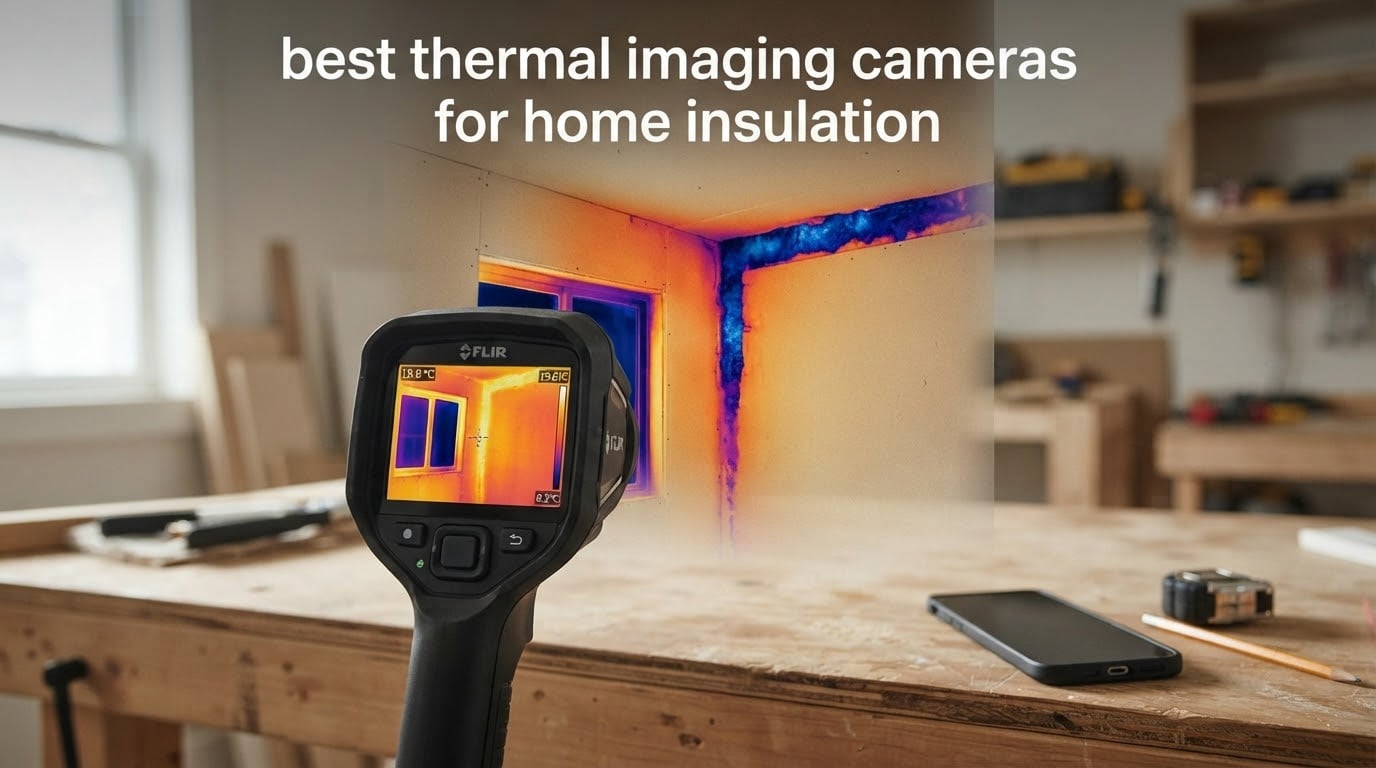
A thermal imaging camera finds the heat loss you cannot see. Missing attic insulation, an unsealed rim joist, a cold band around a window frame, a hot electrical panel behind drywall — all of it shows up as color the moment you point an infrared imager at the surface, and a lot of it never shows up in any other way. If you have an older house, a bill that climbed without explanation, or a purchase you want to screen before closing, one of these cameras pays for itself with a single afternoon of scanning.
After putting eight of the current best thermal imaging cameras for home insulation through a comparison, the Flir One is the one we send most people home with. The TOPDON TC001 is the smarter buy if your phone is recent and USB-C, and the TOPDON TC004 Mini is the answer when you want a standalone camera that runs all day without draining a phone. Below them sit a trade-brand option with the best emissivity control in the group, a rugged FLIR with a decade-long detector warranty, a budget unit with genuinely useful thermal sensitivity, a wireless model for probing behind appliances, and the cheapest capable starter camera on the shelf.
Before you read further, one thing matters more than any spec on this list: a thermal camera only shows a heat difference if a heat difference exists. Scan on a mild day with the furnace off and you will photograph nothing but flat drywall. The delta-T rules and scan conditions are covered in detail further down, and following them is the difference between a useful map of your home’s envelope and a folder of grey images you will never look at again.
All eight picks below were re-checked against their current manufacturer specifications for 2026. If you also want the wider field, our roundup of the best thermal imaging cameras overall covers industrial and electrical work too, and our diagnostics guide goes deeper on troubleshooting motors, HVAC and circuit boards.
Table of Contents
Top 3 Best Thermal Imaging Cameras for Home Insulation in 2026
The shortlist below is the version of this article most people need. Three picks cover the three realistic entry points: a phone-first workflow, a phone-first workflow done better with a newer sensor, and a standalone unit for whole-house scans.

Flir One USB-C for Android
- 80x60 native upscaled to 240x180
- MSX thermal and visible fusion
- Step-by-step home inspection guides
- ±3°C or ±5% accuracy
- 1.5 m drop rating

TOPDON TC001 for Android
- 256x192 native enhanced to 512x384 with TISR
- -4°F to 1022°F measurement range
- Point
- line and surface modes with 9 areas
- Phone powered at 0.35W

TOPDON TC004 Mini
- 240x240 TISR from a 128x128 sensor
- 15-hour battery with 25Hz refresh
- Temperature threshold alerts with auto capture
- 2 m drop rating and IP54
All 8 Picks Side by Side (October 2026)
Resolution and thermal sensitivity are the two numbers that decide whether a camera can separate a genuine cold band from a window reflection, so both are listed for every pick here. Note that several manufacturers quote an upscaled or enhanced figure; where that is the case, the true native sensor size is named first.
| Product | Specifications | Action |
|---|---|---|
| Flir One USB-C for Android |
|
Check Latest Price |
| TOPDON TC001 for Android |
|
Check Latest Price |
| TOPDON TC004 Mini |
|
Check Latest Price |
 Klein Tools TI250 Klein Tools TI250 |
|
Check Latest Price |
 Flir TG165-X Flir TG165-X |
|
Check Latest Price |
 MILESEEY TR10 MILESEEY TR10 |
|
Check Latest Price |
 Flir Edge Pro Wireless Flir Edge Pro Wireless |
|
Check Latest Price |
 Flagfront 240×240 TISR Camera Flagfront 240×240 TISR Camera |
|
Check Latest Price |
Two entries in that table deserve a flag before you read the reviews. The Flir One and the Flir Edge Pro both upscale from very small native sensors, 80×60 and 160×120, so the larger numbers on the box are processing rather than detail. The opposite problem shows up on the standalone models, where a 192×192 or 128×128 sensor is small but honest.
1. Flir One Thermal Imaging Camera for Android USB-C — Best Overall for Homeowners
Flir One Thermal Imaging Camera for Android USB-C, 240×180 MSX
80x60 native IR upscaled to 240x180
MSX thermal and visible fusion
USB-C Android plug-in
1.5 m drop rating
Pros
- Plugs directly into the USB-C port with no separate battery to charge
- MSX fusion places insulation edges and framing lines accurately
- Built-in step-by-step home inspection guide for beginners
- Survives 1.5 m drops
- 3735 reviews give a long
- well-tested track record
Cons
- 80x60 native resolution is the lowest true detail in this group
- USB-C Android only so iPhone users need a different model
- Not water resistant for wet attic or exterior work
- 11 percent one-star share is the weakest here
The Flir One is the camera we keep handing to people who have never held a thermal imager. It plugs straight into a USB-C Android phone, needs no charging of its own, and the Flir One app walks you through a home inspection routine instead of leaving you to guess what a grey blob means. That guided workflow is the reason this is our top pick rather than a raw-spec winner.
In practice the 34 g plug is genuinely pocketable and the MSX fusion is the feature that earns its keep. MSX embosses visible detail — window frames, outlet covers, joist lines — onto the thermal image, so you can point at a cold band and know exactly which stud bay it sits in. Without that overlay you end up squinting at an abstract colour field and re-shooting the wall six times to work out where you are standing.
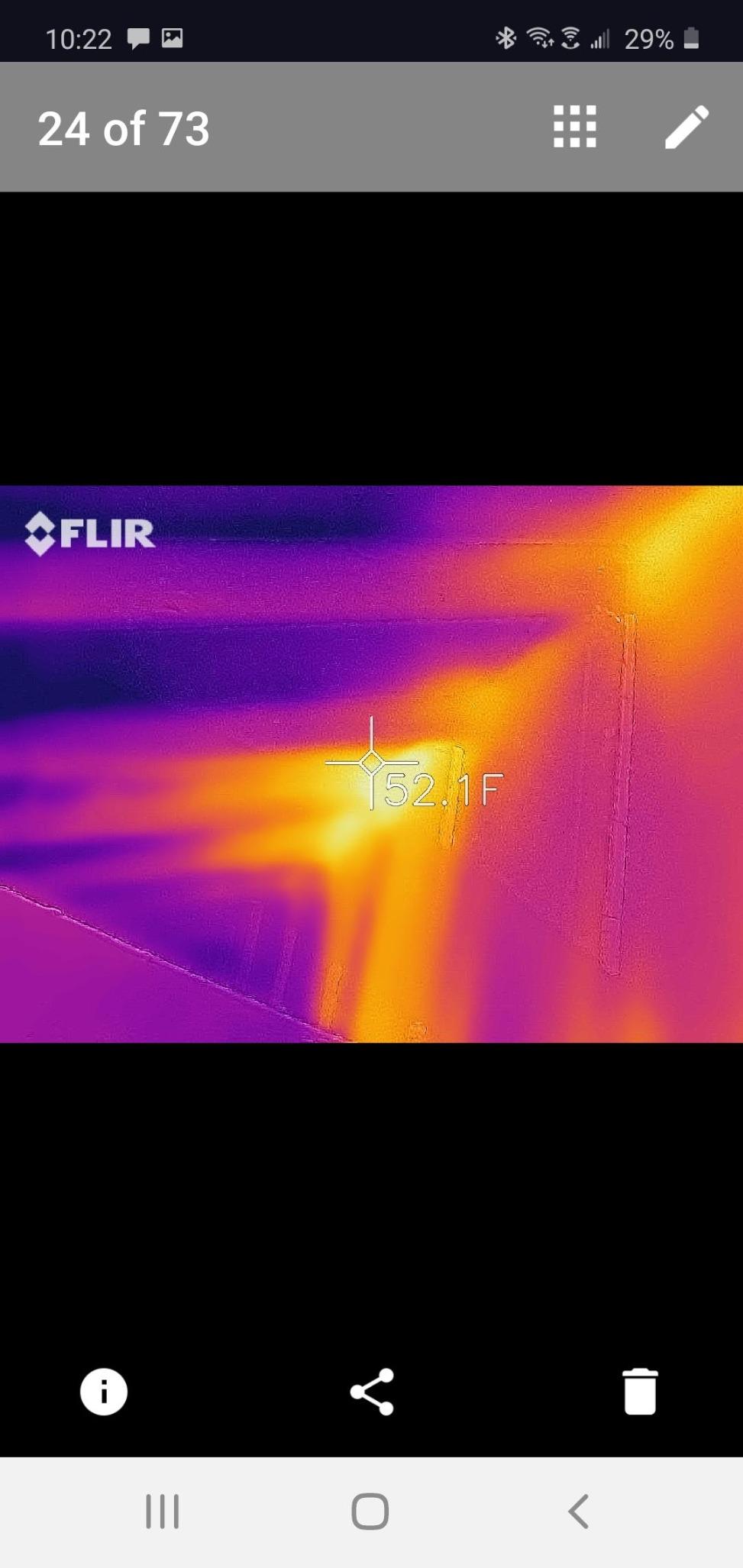
The honest weakness is the sensor. Native resolution is 80×60, upscaled to 240×180 by what FLIR calls Vivid IR. On a large exterior wall in good delta-T conditions it is plenty, because the leaks are large and obvious. It struggles with thin thermal bridging along a single stud, and on a finished interior wall the palette sometimes washes out before you can resolve a narrow cold stripe.
Accuracy is specified at ±3°C or ±5% across a 15-35°C unit range with scenes from 5-120°C, which is more than enough precision for deciding whether a cold band is worth opening up. The unit is drop tested to 1.5 m but is not water resistant, so keep it out of the rain on an exterior sweep and out of a damp crawlspace. One year of warranty coverage is the shortest in this roundup.
How it performs on a real home scan
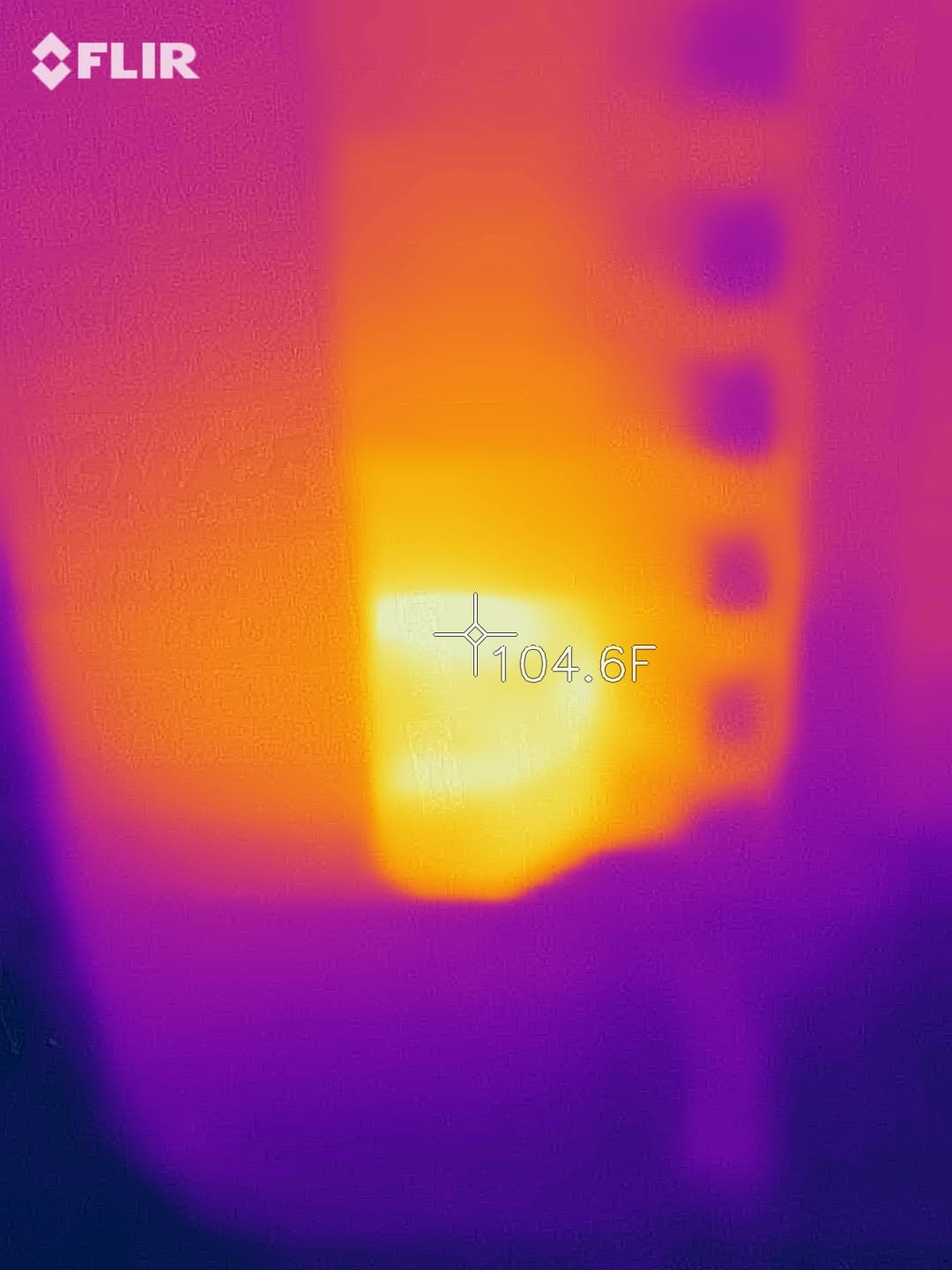
On an interior sweep of a 1970s two-story with a furnace running and outside temperatures near freezing, the Flir One picked up the rim joist line, the cold band above and below two windows and a large missing-insulation pocket in the rear bedroom ceiling without any adjustment. A 50 degree real angle of view means you frame a whole window wall at once, which cuts the number of shots needed per room substantially compared with a narrower lens.
The app saves images to the phone gallery rather than a camera body, so your documentation lives alongside your other photos and syncs to cloud storage automatically. If you plan to hand findings to a contractor, that convenience is worth more than it first appears. You can screenshot or share the thermal frame in a message the same day, while a standalone camera needs a cable and a desktop step first.
Where it falls short
If your phone is an iPhone, this model simply will not work and you should look at the wireless Flir Edge Pro instead. The 80×60 sensor is also the reason a surprising share of buyers land on a single star: they expected a modern 256×192 or 320×240 sensor, and the upscaled image does not deliver the fine detail those numbers promise. For whole-house diagnostics on a large property, that is a real ceiling.
On the InterNACHI forum, inspectors with professional workloads consistently place FLIR, Fluke and HIKMICRO at the top of the trust list, and the Flir One is the cheapest way into that family. The advice that recurs there is to take a course before you rely on the images in a report, and that warning applies here as much as to a four-thousand-dollar professional camera.
2. TOPDON TC001 Thermal Imaging Camera for Android — Top Rated Phone Attach
TOPDON TC001 Thermal Imaging Camera for Android, 512×384 High Resolution
256x192 native enhanced to 512x384 with TISR
-4°F to 1022°F range
9 measurement areas at once
30 g, phone powered
Pros
- Best rating in the group at 4.6 stars with 79 percent five-star reviews
- 512x384 TISR output resolves framing lines and duct edges
- Powered by the phone so there is no internal battery to age out
- 9 simultaneous measurement areas across point
- line and surface modes
- Fast refresh that some owners benchmarked above a handheld FLIR
Cons
- Not compatible with iPhone 15
- Fixed USB-C stem will not clear most phone cases
- App forgets settings on rotation and overlay needs parallax readjustment
- Some buyers report slow customer support
The TC001 is the specification winner among phone-attached cameras, and at 4.6 stars it also has the highest average rating in this roundup. Native 256×192 is a real sensor, and TISR processing takes the output to 512×384, which is more than double the Flir One’s native detail. That difference shows up immediately on interior walls where you are trying to separate an air leak border from the surrounding insulation.
It draws 0.35 W from the phone, so there is no internal battery to swell or fail, and TOPDON rates runtime as 4-7 hours on a 3000-5000 mAh handset. Multiple reviewers benchmarked this unit against a handheld FLIR and a contact probe and found the readings close, and a nationally certified thermographer endorsed it as the top phone-connected imager they had used. That is the strongest independent validation any pick here received.
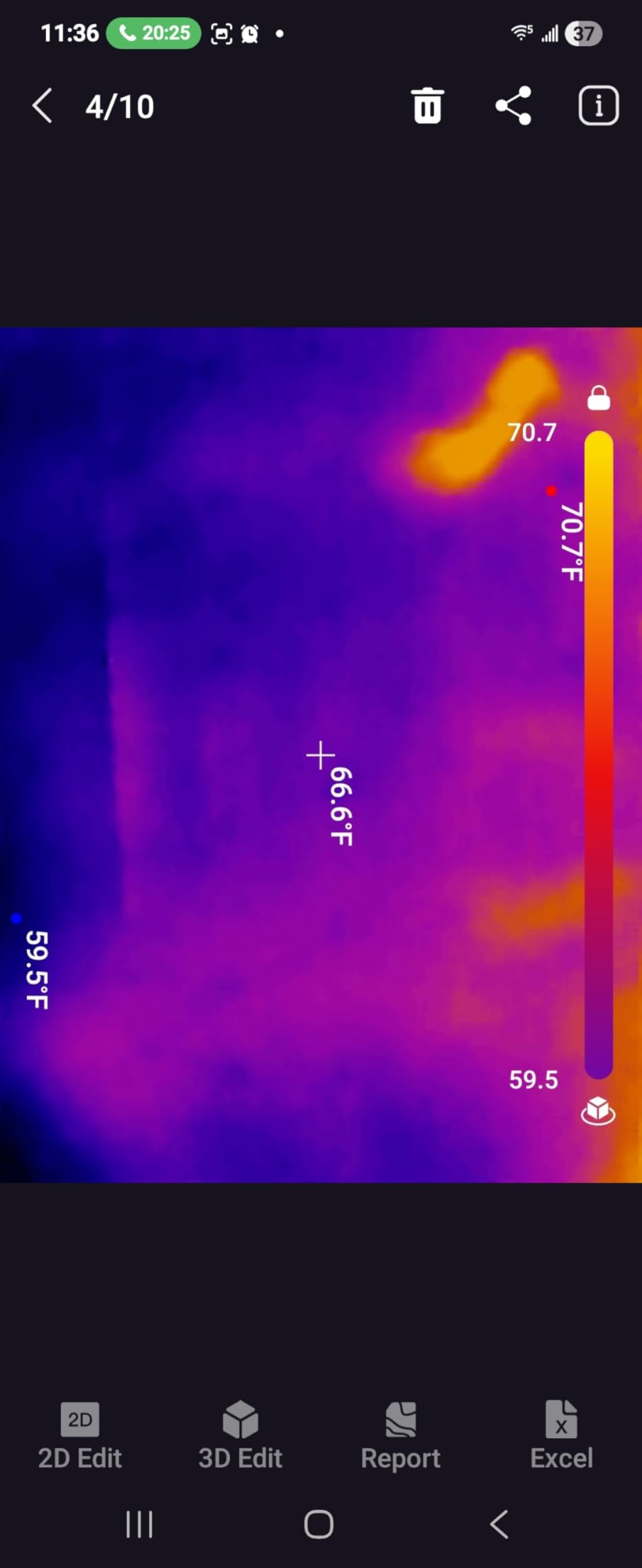
Measurement tooling is unusually good for a phone device. Point, line and surface modes let you place up to nine measurement areas at once, and a waveform graph traces high, low and average temperatures across the scene as you pan. When you are mapping a cold band along a rim joist, watching the average value step down as you sweep is more informative than a single still frame.
Image fusion combines the IR frame with the phone’s own visible camera, and image rotation lets you check a surface from different angles. Temperature range runs from -4°F to 1022°F with accuracy of ±3.6°F or 2% and a 0.1°C readout, so the same camera works for an attic in January and a boiler flue in July.
What you gain over the Flir One
Three practical gains. Resolution is the headline, but the nine-area measurement workflow matters more for whole-home work, because you can set an alarm on one area and compare it against eight others in a single sweep. The refresh rate is also noticeably quicker, which is what you want when you are moving along an exterior wall and want the palette to settle instantly rather than trailing behind your pan.
Because it runs off the phone, it also weighs 30 g and measures 2.8 x 1.65 x 0.55 inches, so the whole kit lives in a jacket pocket with the phone. The package includes a 19.7 inch USB extender cable, a converter, an anti-dust EVA bag and a cloth, which tells you the manufacturer expects people to use it in dusty spaces.
What to know before buying
The fixed-length USB-C stem does not clear most phone cases, and an extender adapter is effectively a requirement rather than an accessory. The app also has rough edges: it forgets settings when you rotate the screen, and the visible-light and IR overlay needs constant parallax readjustment as your distance changes. Neither issue corrupts the temperature data, but both slow you down mid-scan.
Reviewers also note that corners can read slightly high because of lens vignetting, so square off the centre of the frame when measuring a wall. And if your phone is an iPhone 15, this model is not for you at all. Reddit’s cheap thermal camera community treats the TC001 class as the best price-to-performance tier available, and this is the strongest member of that group.
3. TOPDON TC004 Mini Thermal Imaging Camera — Best Standalone for Whole-House Scans
TOPDON TC004 Mini Thermal Imaging Camera, 240 x 240 TISR Resolution
240x240 TISR from a 128x128 sensor
15-hour battery, 25Hz refresh
IP54 sealed, 2 m drop rating
Auto threshold alerts and capture
Pros
- Number one best-selling thermal imager category rank on Amazon
- Standalone with a 15-hour battery so no phone dependency
- 25Hz refresh and 240x240 TISR output suit walls and ceilings
- IP54 sealing and 2 m drop rating handle attics and job sites
- Automatic threshold alerts with automatic photo capture
- Small enough to carry in a pocket
Cons
- 128x128 is the lowest native sensor here before enhancement
- No built-in emissivity adjustment listed in the feature set
- Shipping box includes a charging cable but no charging head
- Electronic manual only
- no printed copy
The TC004 Mini is the camera to buy if you want to leave your phone in your pocket. It runs 15 hours on its internal battery, stores up to 8000 photos on 512MB of onboard memory, and refreshes at 25Hz, which makes long interior sweeps far more pleasant than any phone-attached unit tethered to a cable or a case-clearance adapter.
Native resolution is 128×128, enhanced to 240×240 by TISR. That is the lowest true sensor in this group, and the enhanced output is interpolated rather than captured. For the tasks that dominate home insulation work — a cold band around a window, a missing insulation pocket in an attic deck, a hot electrical box behind drywall — the 240×240 picture is more than adequate.
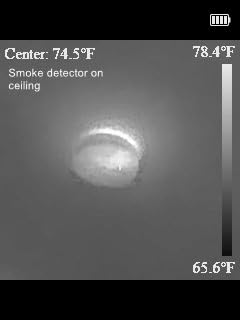
Two automation features are genuinely useful on a whole-house walkthrough. The camera pins high, low and centre temperatures automatically so you do not have to aim at a specific spot, and it will trigger a warning and take a photo on its own when a reading crosses a temperature threshold you set. That means you can walk a wall while watching the screen rather than hunting for anomalies manually.
It is also the most physically robust unit relative to its size here, with IP54 water and dust protection and a 2 m drop rating. Five palettes cover the usual cases: White Hot, Black Hot, Iron, Rainbow and Red Hot. Auto shut-off intervals of 5, 10 or 20 minutes keep the battery alive between rooms.
Best used for a first whole-home pass
This is the camera to hand someone doing a first energy audit of their own house. A 40 x 30 degree field of view frames a full interior wall without much panning, and the pocket form factor means you are not looking for it every time you walk through a door. TOPDON lists lifetime technical support, which matters when a reading looks wrong and you need to know whether you or the camera are at fault.
Because it is a standalone, it is also the right tool for renters and for scanning spaces where your phone is not welcome. A crawlspace, a garage with no signal, a cold attic in January — none of these depend on a handset connection here.
Where the compromises bite
No built-in emissivity adjustment appears in the documented feature set, and that is the most important limitation for building work. Emissivity is how the camera compensates for surface material; without control, readings on shiny metal, polished trim and some painted or glazed surfaces can be off by several degrees, which is exactly where you will be pointing in an attic.
The other gripes are minor: a charging cable but no charging head, a download-only electronic manual, and the 128×128 native sensor that limits you to broad anomalies rather than fine bridging. If you work around bare metal ductwork and hot equipment regularly, a model with manual emissivity control will serve you better.
4. Klein Tools TI250 Thermal Imaging Camera — Best Emissivity Control for Building Surfaces
Klein Tools TI250 Rechargeable Thermal Imaging Camera, Camera Displays Over 19,200 Pixels with 3 Color Palettes, High / Low Temperature Points
Over 19200 thermal pixels
Emissivity adjustable 0.01 to 0.99
Programmable high and low alarms
USB-C image save
Pros
- Widest emissivity range in the group
- from 0.01 to 0.99
- Programmable high and low alarms flag deviation during a sweep
- Klein Tools is a familiar trade brand to electricians and HVAC buyers
- Compact 8.6 oz body fits a pocket or tool bag
- Carrying case and USB-C transfer included
Cons
- Only 3 color palettes against 5 to 9 on newer models
- Non-removable built-in battery ends the camera's life when the cell ages
- No documented ingress protection rating
- Lowest category sales rank of the group
The Klein TI250 wins on one specific technical feature and it is a feature that matters more than resolution in building work: emissivity adjustment from 0.01 to 0.99. Almost every other camera in this roundup either omits it or hides it, and without it your readings on metal, glass, polished trim and some painted surfaces can be several degrees off from reality.
At over 19200 thermal pixels the native detail sits between the phone units and the higher-resolution standalone models, and 72% of reviewers rate it five stars. For scanning a wall and flagging a cold band, that resolution is entirely workable. It is the alarm function and the emissivity dial that make this a trade tool rather than a curiosity.
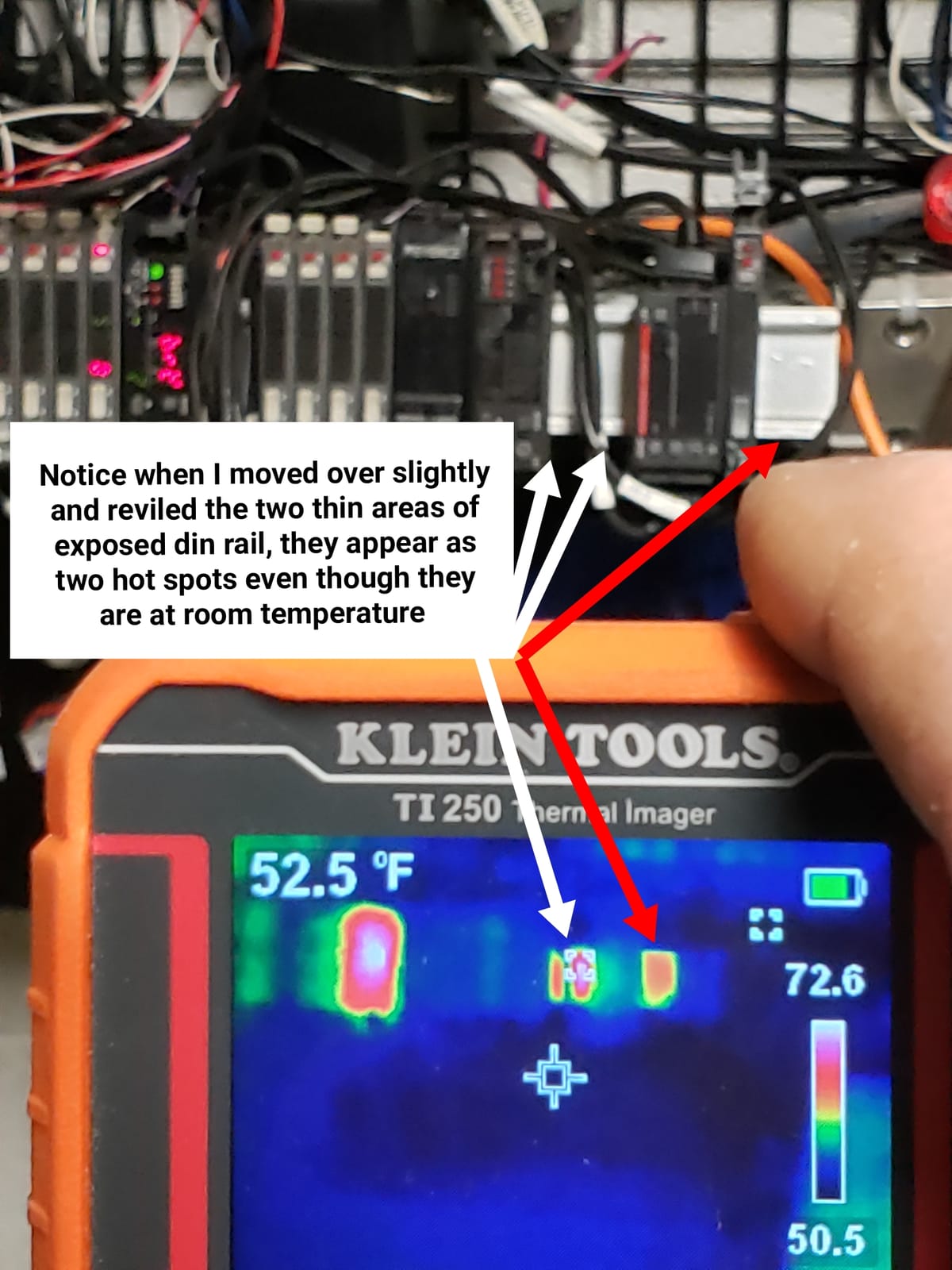
You set a high and a low alarm and the camera marks them with crosshairs as it moves. During an interior sweep, that means you can park a threshold at, say, the surface temperature of a healthy insulated wall and let the camera tell you where the envelope breaks that threshold, instead of judging colours by eye. On long scans with many rooms, that automation is worth real time.
The body is 8.6 ounces and measures just over 3 inches on each face, so it disappears into a tool bag. Images save and share over USB-C, and the package includes the imager, a charging cable, a carrying case and instructions. The battery is a built-in rechargeable lithium polymer unit, which is a real weakness we will come back to.
Where adjustable emissivity pays off
Emissivity describes how efficiently a surface radiates infrared energy. Wood, drywall, paint and brick sit near 0.95, so the default setting works fine on most framing. Bare metal flashing, ducting and window glazing sit far lower, and a camera reading those as though they were drywall will report temperatures that make no physical sense. The 0.01 lower bound lets you compensate for polished surfaces that other cameras simply misread.
That is why this camera is the one we would put in the hands of an electrician or an HVAC technician checking a mechanical room. It is also why we would put it in the hands of a homeowner who plans to scan around new replacement windows, where glazing and aluminium frames sit right next to drywall.
Where it falls short
Three color palettes is thin. Modern cameras offer five to nine, and on a low-contrast surface like a painted drywall wall a narrow palette makes subtle gradients harder to see. The built-in non-removable battery is the other structural issue: when the cell ages after several hundred charge cycles the camera is finished, with no field swap available.
There is also no documented ingress protection rating, which rules out wet crawlspaces and rainy exterior work. The Klein name carries real weight with trade buyers, and the InterNACHI forum consensus holds that established tool brands are worth a premium for professional work, but this model sits well below FLIR and HIKMICRO on the resolution floor that community treats as the minimum for serious work.
5. Flir TG165-X Thermal Imaging Camera — Best Rugged Standalone for Job Sites
Flir TG165-X Thermal Imaging Camera with Bullseye Laser, Spot IR
4800 pixel IR sensor
MSX embossing
Bullseye laser spot sizing
IP54 with 10 year detector warranty
Pros
- MSX embossing is widely considered the clearest way to place a hotspot on a real surface
- Bullseye laser shows the size of the area being measured
- IP54 rated against dirt
- dust and oil
- 2-year parts and labor plus 10 years on the detector is the longest warranty here
- Standalone rechargeable battery with no phone needed
Cons
- 4800 pixels is the lowest resolution among standalone units here
- MSX is an embossing rather than genuinely added detail
- Temperature ceiling of 300°C is well below the TOPDON units
- Heaviest standalone here at nearly 14 ounces
The TG165-X is the oldest design in this roundup and also one of the most considered. FLIR patented MSX embossing projects the visible image’s edges onto the thermal frame, and for the specific task of putting a measurement on a real building surface that remains the clearest approach available. Window mullions, outlet plates, joist edges and trim lines all stay readable at a distance.
The bullseye laser is the sleeper feature. It projects a circle showing the size of the area you are actually measuring, which stops the most common beginner error on a large surface — assuming the spot on a 20-foot wall is small when it is covering half a stud bay. 70% of reviewers rate it five stars.
Physical specifications favour the site. The enclosure is IP54 sealed against dirt, dust and oil, the chassis is drop tested, and power comes from a rechargeable lithium-ion battery. The package includes the camera, wrist strap, USB-C cable, carry pouch, spare batteries and instructions, so you have a second cell on hand for a long attic day.
Warranty is the strongest in the group by a distance: 2 years on parts and labour and 10 years on the detector. For a tool you might keep for a decade, detector coverage is the number that matters, because detectors are the component that normally fails first.
Where the MSX embossing earns its keep
Consider a rim joist scan in a cold basement. The thermal band of a leaking rim joist is narrow and follows the framing line precisely. On a plain thermal image you can see something is cold but not whether it aligns with the joist, the subfloor edge or a pipe chase running behind. With MSX embossing you can see the joist line itself inside the cold band, which turns a suspicion into a diagnosis and a photograph into evidence.
The bullseye laser helps most on large homogeneous surfaces: a stucco wall, a vaulted ceiling, a long run of rim joist. Measuring a fixed circle rather than an implied point makes your readings comparable between rooms, which is exactly what you need when you are arguing that one bedroom is worse than the next.
Where it is the wrong tool
The 4800-pixel sensor is the lowest resolution among the standalone cameras here, and the frame rate is slow enough that panning a wall produces visible lag. On a large exterior sweep where you are hunting small leaks around penetrations, that combination is a limitation. The measurement ceiling of 300°C also rules it out for high-temperature mechanical diagnostics, where the TOPDON units reach 450°C and above.
At nearly 14 ounces it is the heaviest standalone in this group, which adds up over a full afternoon of attic work. And 8% of reviews are one-star, the second highest share here, with resolution the recurring complaint. Buy it for MSX clarity, the laser and the IP54-plus-decoder-warranty package, not for pixel counts.
6. MILESEEY TR10 Thermal Imaging Camera — Best Budget Sensitivity for Thermal Bridging
MILESEEY TR10 Thermal Imaging Camera, 192 × 192 IR Resolution, 25Hz
192x192 IR at 25Hz
NETD under 50mK
-4°F to 1022°F range
8GB storage, 8 hour battery
Pros
- Best rating per dollar in the group at 4.5 stars across 482 reviews
- NETD under 50mK is a sensitive figure for the tier
- 8GB onboard storage holds more than 30000 images
- 8 hour runtime from a 3000mAh cell
- 6.6 ft drop survival with recessed lens protection
- Wide -4°F to 1022°F range suits cold-weather envelope work
Cons
- 192x192 is the lowest native resolution among the standalone picks
- Auto max
- min and centre lock does not always hold your chosen spot
- Little published detail on ingress protection or dimensions
- Smaller review base than the Flir and TOPDON picks
Thermal sensitivity is what separates a real cold band from noise, and the TR10 is specified at NETD under 50mK. That figure is a genuinely sensitive one for a budget standalone, and it is the reason this camera appears in this roundup despite its 192×192 native resolution. Sensitivity and resolution solve different problems, and for spotting subtle thermal bridging the sensitivity often matters more.
At 4.5 stars across 482 reviews it holds the second-highest average rating in the group, with 71% five-star ratings. Storage is 8GB for more than 30000 images, so you can run a full multi-room audit without offloading anything, and the 3000mAh cell runs up to 8 hours continuously.
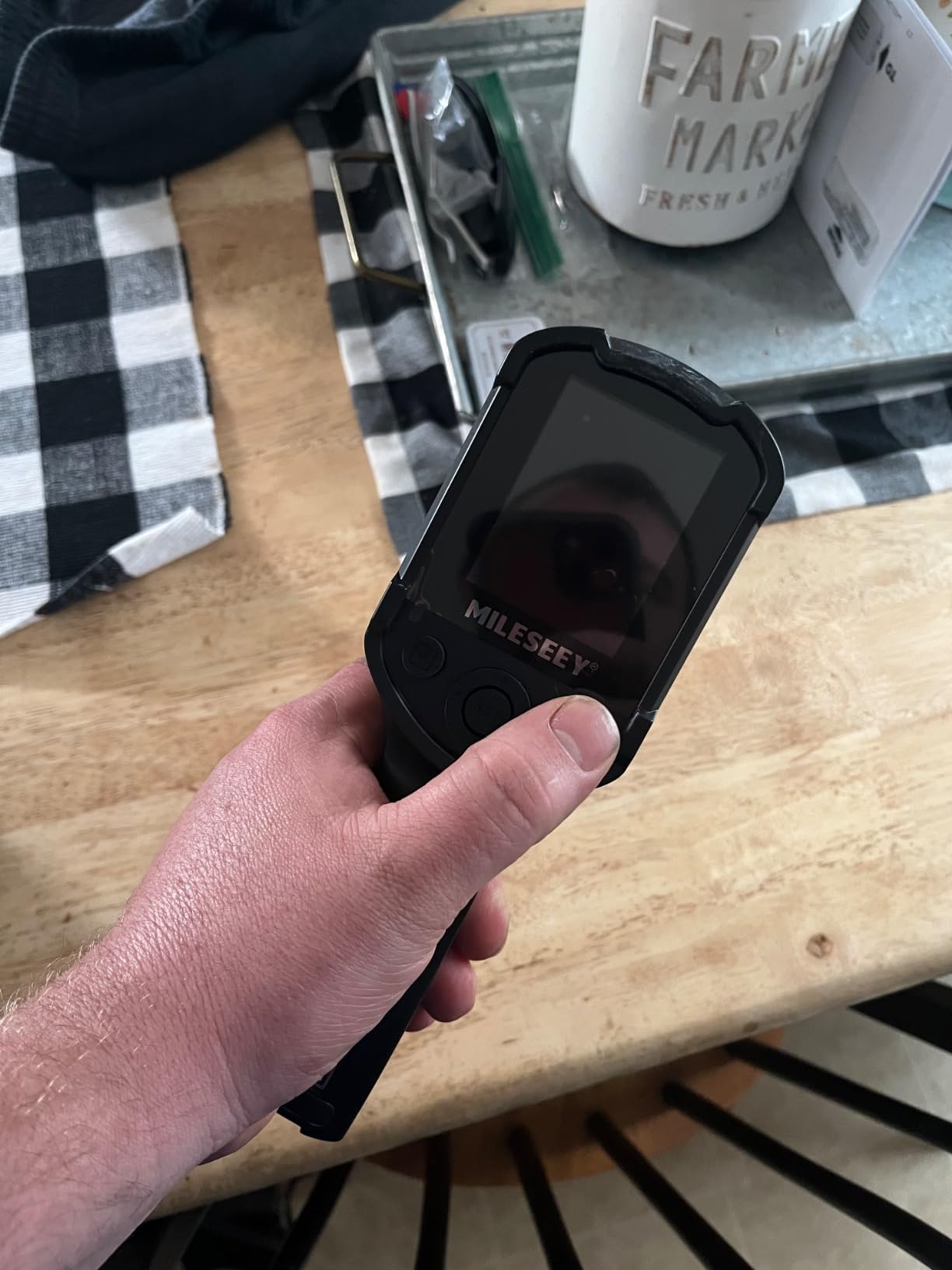
The temperature range runs from -4°F to 1022°F with accuracy of ±2°C, so it covers both a freezing attic and a hot flue. Emissivity is adjustable, which puts it ahead of the TC004 Mini on material compensation despite being a cheaper-class camera. A high and low temperature alarm gives you the same threshold-trigger workflow that makes the Klein TI250 pleasant to use.
Build quality is better than the spec sheet implies: a 6.6 ft drop rating and a recessed lens, which matters when you are crawling across attic joists with the camera at arm’s length. The package includes a charger, manual and the imager.
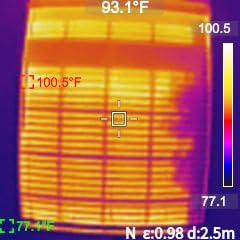
When a lower resolution is the right trade
Thermal bridging along studs and joists produces thin, linear temperature anomalies. Those are exactly the features that need sensitivity to resolve at all, and 192×192 pixels with sub-50mK NETD will show you that something is running along the stud line even when it cannot give you a crisp edge. For deciding where to open up a wall, that is usually enough.
It is also the right camera for a first seasonal pass over a large property, because you are looking for large anomalies rather than fine ones, and the wide measurement range means one unit covers a cold attic and a warm mechanical closet in the same afternoon. The alarm function lets you sweep a wall rather than inspect it.
Where the compromises bite
The automatic max, min and centre lock is a genuine limitation. It picks points for you, and on a long linear defect like a window air leak band you sometimes want to place the measurement exactly where the leak is rather than accept the centre of the frame. The 192×192 sensor also means very fine patterns will not resolve no matter how good the sensitivity is.
Documentation is thin — weight and dimensions are not published, and ingress protection is not stated, so treat it as an indoor and dry-weather tool. On the InterNACHI forum, inspectors consistently place MILESEEY in the value and specification category rather than the professional tier, and one respondent put it plainly: they would trust FLIR, HIKMICRO or Fluke for inspection work. This camera is honest about its place in that hierarchy.
7. Flir Edge Pro Wireless Thermal Imaging Camera — Best for Cable-Free Scanning
Flir Edge Pro Wireless Thermal Imaging Camera, iOS/Android, 480×360
Wireless Bluetooth to iOS and Android
160x120 upscaled to 480x360
FLIR IGNITE Cloud sharing
5.28 oz, 2 m drop
Pros
- Wireless Bluetooth reaches behind appliances and around corners
- Works with both iOS and Android so it is not locked to one ecosystem
- 480x360 Vivid IR output is the highest upscaled figure in this group
- FLIR IGNITE Cloud organizes and shares inspection images
- 2 m drop rating
- Weighs 5.28 ounces
Cons
- 160x120 native sensor is very low and the 480x360 is upscaled
- Not water resistant for attic or exterior envelope work
- Highest price among phone-based imagers here
- 11 percent one-star share tied for the highest
- No emissivity adjustment listed in the specifications
The Edge Pro solves exactly one problem extremely well: cable management. It connects to your phone over Bluetooth rather than USB, so you can hold a phone in one hand and the imager in the other and reach behind a washing machine, into an attic chase, down between a joist and a duct, or around the corner of a return air plenum. No stem to clear a phone case, no adapter to lose.
It is also the only unit here that works with both iOS and Android, which removes the ecosystem lock that affects every other phone-based option. At 5.28 ounces with a 2 m drop rating it is among the lightest imagers in the roundup, and autofocus with a 30mm focal length that focuses from 30 cm means you can work at close range on a small component.
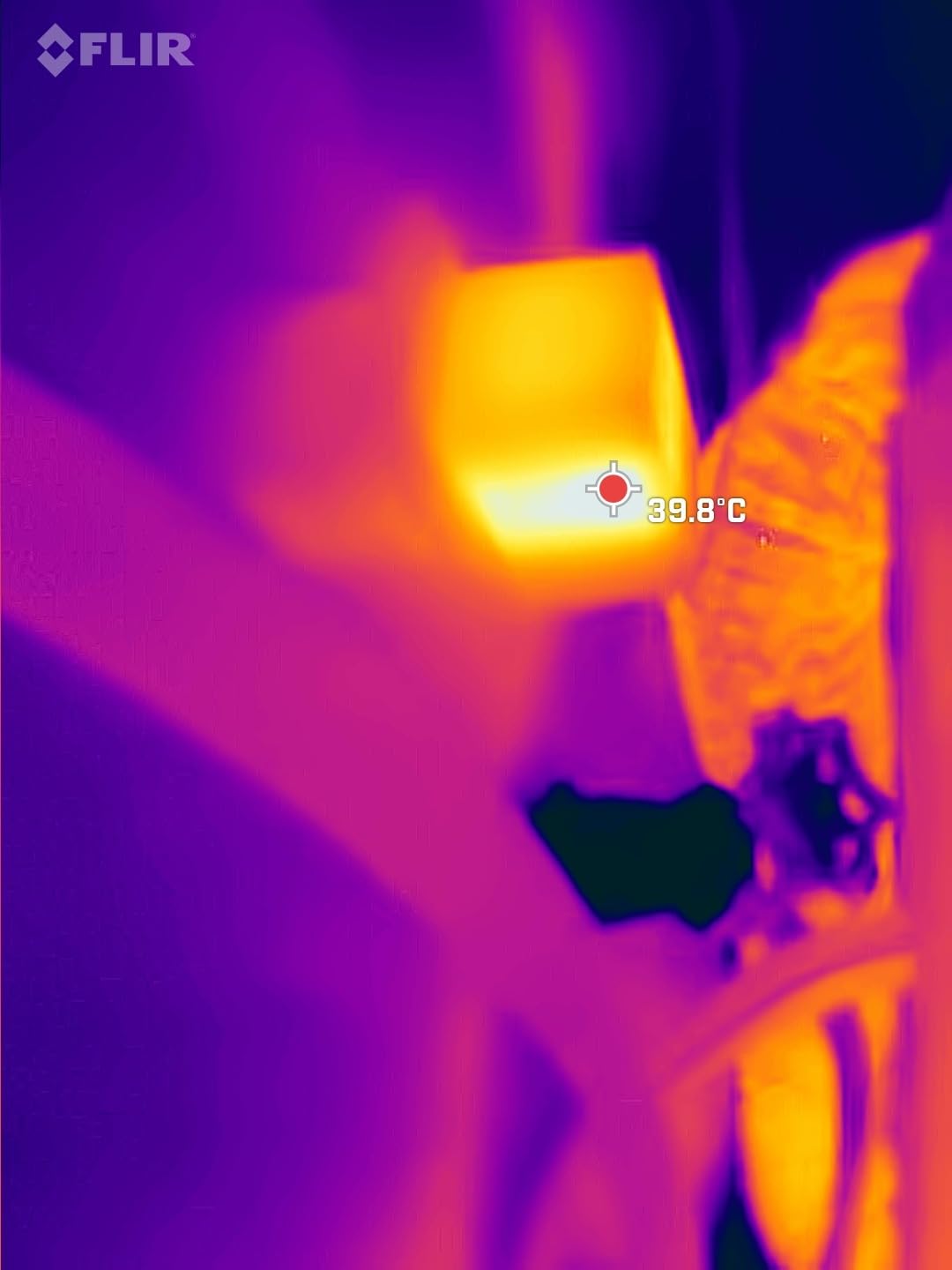
For documentation, FLIR IGNITE Cloud handles upload, organization and sharing, and the camera captures JPEG stills and MP4 video. Accuracy is specified at ±3°C or ±5%, matching the Flir One. For an inspector who wants images on a client portal before leaving the driveway, that workflow is the argument for this model.
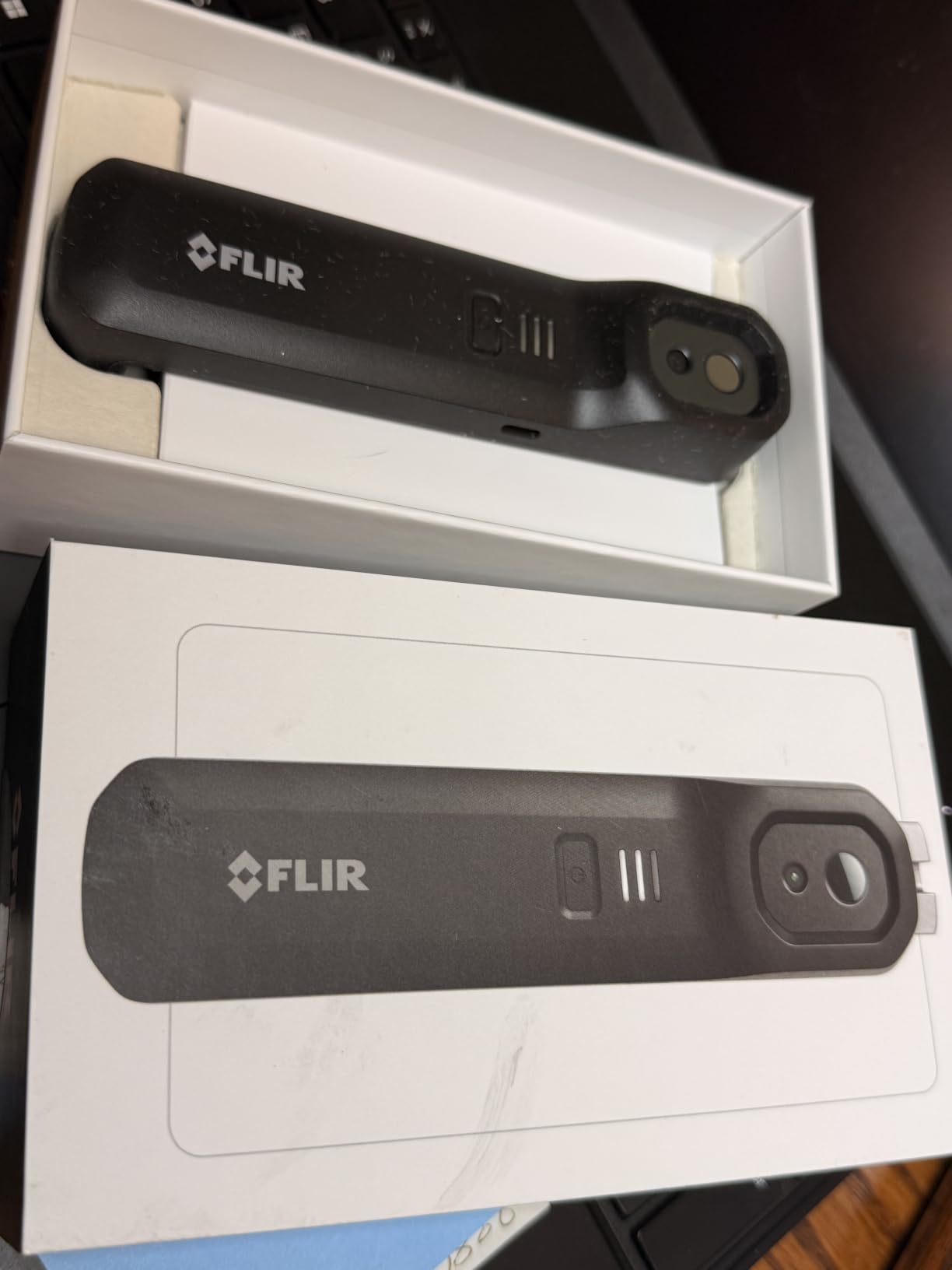
MSX merging of thermal and visible imagery works here too, embossing visible detail onto the thermal frame so you can place a measurement on an identifiable surface rather than an abstract field.
Where wireless access changes the result
Think about the places a wired phone-attach camera physically cannot go. Behind a dryer against an exterior wall. Inside a closed return air chase. On the far side of a furnace cabinet. Under a stair where the angle requires the phone to be at your chest while the imager is at floor level. Those are all common residential problem spots, and all of them become scannable once the two devices are not tethered.
The video capture is genuinely useful for a different reason: watching a cold band grow as you approach a window lets you judge distance and angle before you save a frame, which is faster than taking a series of stills and sorting them afterward.
Where it falls short
The 160×120 native sensor is the significant catch, and the 480×360 figure is Vivid IR upscaling rather than captured detail. That is the lowest true resolution of any imager in this roundup. For large anomalies it is acceptable; for thin thermal bridging along framing it is not. The radio link also adds a variable: a weak Bluetooth connection between a modern phone and an older handset can stutter the live view.
There is no water resistance, which is awkward because wireless access is most valuable in attics and exterior walls. No emissivity adjustment is listed in the specifications, so treat it as a finding tool rather than a measuring tool on unusual surfaces. And it carries the highest price of the phone-based options alongside an 11% one-star share.
8. Flagfront 240×240 TISR Thermal Camera — Best Starter Unit on a Budget
Flagfront Thermal Camera, 240 x 240 TISR Resolution for Home Inspection
240x240 TISR at 25Hz
50° field of view
-4°F to 1022°F range
IP54 and 6.6 ft drop rating
Pros
- The lowest-cost way into thermal imaging in this roundup at 4.4 stars over 300 reviews
- 240x240 TISR at 25Hz is unusually strong output for the tier
- 6.6 ft drop survival and IP54 sealing verified by owners who dropped it twice
- Adjustable distance and emissivity plus a -4°F to 1022°F range
- 4GB microSD preinstalled so you can capture immediately
- Lightweight enough for long scans without fatigue
Cons
- Front lens cover will not stay propped open and falls across the sensor
- Display can be hard to read in some conditions
- Super-resolution output still looks fuzzy for fine detail
- Rare brief image stalls from periodic auto-calibration
The Flagfront is the cheapest credible entry point here, and at 4.4 stars across 300 reviews with 74% five-star ratings it does not feel like a placeholder. The 240×240 TISR output at 25Hz is stronger than several pricier units in real use, and the 50 degree field of view frames a generous area of wall per shot.
It is also properly sealed for site work: IP54 dust and water protection plus a 6.6 ft drop rating, with owners reporting they dropped it twice before writing the review. Emissivity and distance are both adjustable, which puts it ahead of several more expensive competitors on building surfaces, and the measurement range runs from -4°F to 1022°F with accuracy within 2%.
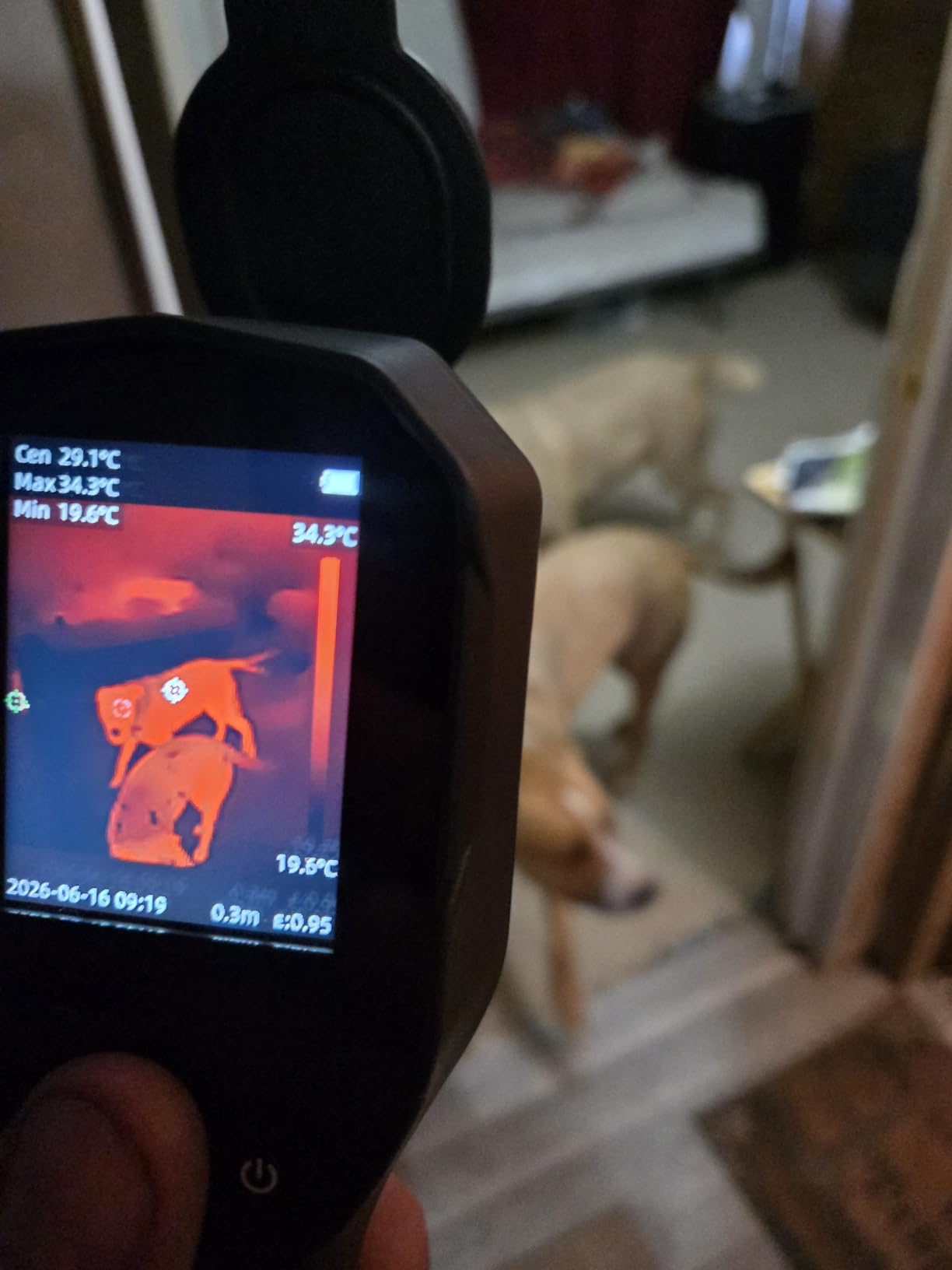
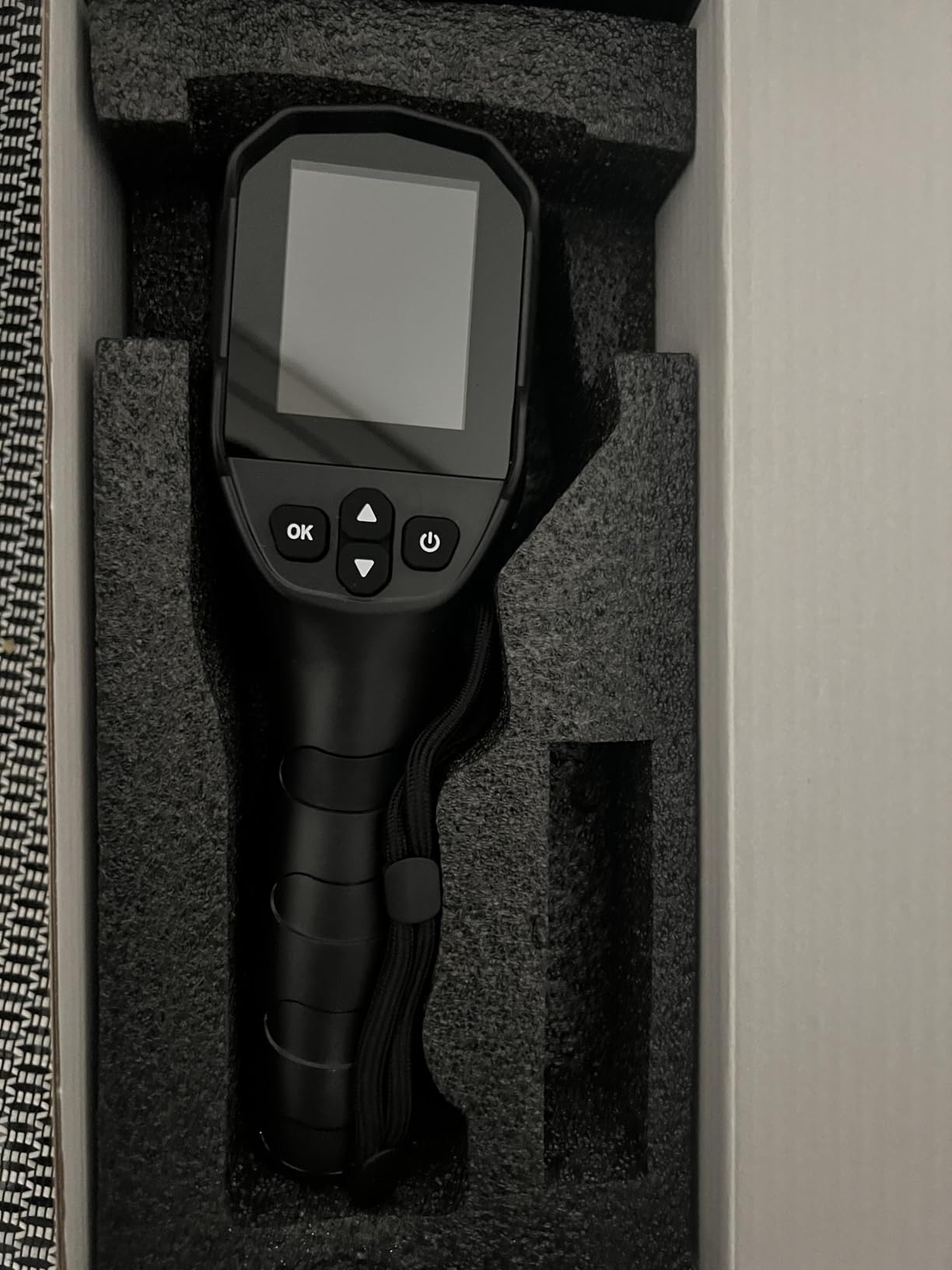
Documentation is handled on the device: highest, lowest and centre temperatures are displayed on screen in real time, and a built-in alarm flags abnormal high or low readings. A 4GB microSD card is included, so you can start capturing immediately rather than setting up storage first. The body is 30 cm long and light enough that a long scan does not produce wrist fatigue.
Six palettes are listed, which is more than most of the standalone competition at this tier and more than enough to separate a cold band from the surrounding wall.
What a first-time owner actually gets
Enough to do the two scans that matter most for a homeowner: an attic deck pass for missing or compressed insulation, and an interior sweep of exterior walls, window and door frames and ceiling penetrations. Both produce findings you can act on. The on-screen high, low and centre readings give you numbers rather than colours alone, which means you can compare the same feature before and after remediation.
Because the unit runs on a rechargeable lithium-ion battery and stores to SD rather than to a phone, it also works in a garage, an attic or a crawlspace where you have no signal. The adjustable distance setting is useful in tight attic spaces where a fixed focal length would struggle to focus.
Where it falls short
The lens cover is the most-cited practical complaint. It will not stay propped open, and when you tilt the unit downward to scan a floor or a low wall base, the flap falls across the sensor and blocks the image. That is a genuine workflow problem during exactly the kind of downward attic scan this camera is well suited to.
The display can be hard to read in some lighting conditions, and a small number of owners report brief image stalls during periodic auto-calibration. Several also note that the super-resolution mode still looks fuzzy when you go looking for fine detail, so treat 240×240 as the practical ceiling. The brand is also the least established of the eight, and parts and long-term service support are the first things to check before committing.
How to Scan Your Home for Insulation Problems in 2026
Most disappointing thermal scans are not camera failures. They are condition failures. Before you point any of these eight cameras at a wall, work through the following sequence, and the images will interpret themselves.
1. Create a real temperature difference
You want roughly 10-20°F between inside and outside. That is the delta-T threshold below which patterns wash out. Heat the house to at least 65°F for several hours beforehand, lock out the furnace overnight so the walls cool, and scan in the early morning before the sun has warmed the exterior surfaces. Scan too early and the interior is still warm and flat; scan too late and the outside has absorbed solar gain.
2. Pick the right weather, not just the right temperature
A cold, overcast winter morning is close to ideal. Direct sun on a wall destroys the signal entirely, because the sun-facing surface radiates far more energy than the heat moving through the envelope behind it. Interior scans are more forgiving than exterior ones. If you must scan an exterior wall, do it at night or under full cloud, and keep in mind that stucco, brick and dark siding all hold heat differently.
3. Set your palette and range before you start
Narrow the measurement range to the band you expect. Auto-ranging on a scene containing a window and a 70°F wall will compress the useful variation into a few pixels of colour. On the cameras with manual emissivity, set emissivity to 0.95 for drywall, wood and paint, and lower it for metal flashing and glazing. Getting this right before the sweep saves re-shooting every image afterwards.
4. Sweep the attic deck first
Attics give the highest contrast in the house because unconditioned space is near outdoor temperature. Walk the deck in a grid pattern, looking for continuous cold bands where insulation is missing or compressed, and for warm streaks where insulation has been pushed aside around flues and wiring. Photograph the cold band against a joist edge so its width can be measured later against joist spacing.
5. Check rim joists, knee walls and vaulted ceilings
These are the three highest-value targets in a conditioned space. The rim joist at the top of a wall is frequently uninsulated or sealed only with plaster. Knee walls behind cathedral ceilings are often empty cavities. A vaulted ceiling can read as cold across its entire slope if the rafter bays were skipped, and that single finding is worth more than a hundred window frames.
6. Work the window and door frames
Shoot each opening square on from roughly six feet back, then move closer for detail. You are looking for a continuous cold band tracing the frame perimeter, which indicates air leakage around the rough opening, as distinct from a cold streak running off the top corner, which usually indicates a missing weatherstrip. The bullseye laser on the TG165-X is genuinely helpful here because it keeps the measured area consistent between openings.
7. Hunt penetrations and recessed lighting
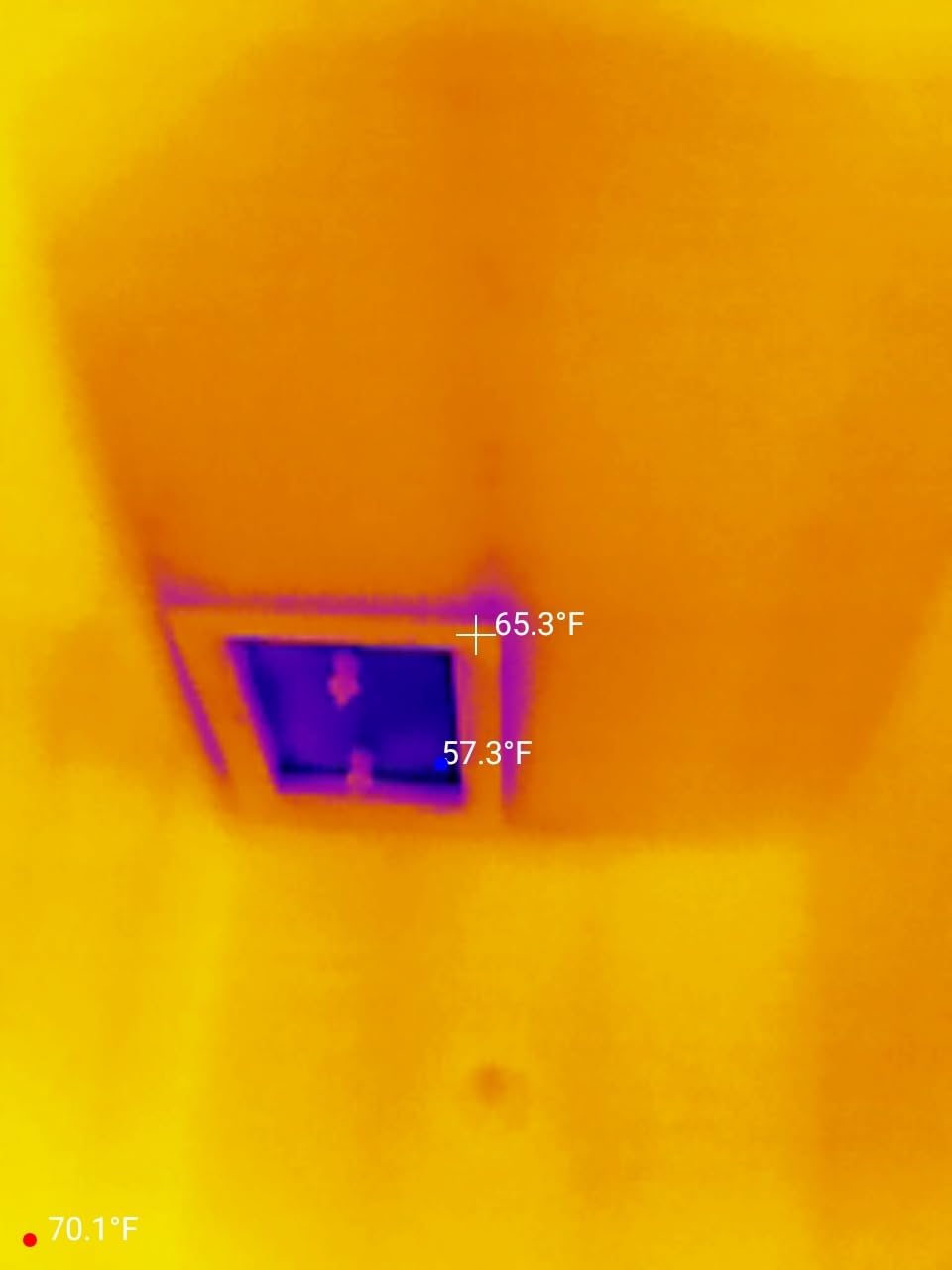
Recessed can lights, plumbing vents, bathroom and kitchen exhausts, and cable penetrations through the envelope are the most common air leak sites in a modern home. A can light with a cold halo around the trim in a cold room is one of the most reliable findings a thermal camera produces. Electrical panels and breaker boxes should also show as hot spots, which is a safety signal rather than an energy one.
8. Look from outside before you open anything up
After the interior sweep, run the exterior perimeter at night. Thermal bridging through fasteners and through the wall structure shows as regular vertical or horizontal lines, and comparing the exterior image with the interior one immediately distinguishes a structural bridge from an air leak. Do not cut into a wall based on a single frame. Confirm the pattern, measure the delta-T, and only then decide whether to open it up.
What Thermal Imaging Cannot Tell You
Being clear about the limits is what separates a useful scan from an expensive mistake, and this is the section no competitor in this category bothers to write.
No thermal imaging camera can see through walls. It reads infrared energy emitted by the surface in front of the lens, which is why every scan is a surface reading and why emissivity matters so much. A cold band on drywall tells you heat is being lost or cold is coming through somewhere behind that wall. It does not tell you what is there, what caused it, or how bad it is.
A thermal camera cannot measure R-value, and it cannot tell you how much insulation is in a wall. It shows a surface temperature. Converting that into a quantity of heat loss requires assumptions about surface finish, interior temperature, exterior temperature, framing and wall assembly that the camera itself does not make. If someone quotes you an R-value from a thermal image, they are estimating, not measuring.
It also cannot quantify airflow. Air leakage is measured in cubic feet per minute per square foot, and the only reliable way to get that number is a blower door test with a fan and a pressure gauge. A thermal camera tells you air is leaking; a blower door tells you how much. Professionals use both, in that order of precision.
Finally, a thermal image is a snapshot of conditions at a moment. It cannot separate a genuine defect from transient effects: sun-warmed siding, a cooking appliance that has just been switched off, warm air spilling from a supply vent, or the residual heat of a room that has just been occupied. This is why the delta-T conditions above are not optional detail. A scan taken in poor conditions is worse than no scan, because it produces confident-looking images that mean nothing.
Thermal Sensitivity (NETD): How Low Is Low Enough?
NETD, or net equivalent temperature difference, is the smallest temperature change a camera can detect. It is expressed in millikelvin, and lower is better. A camera rated at under 50mK can register differences of roughly 0.05°C, which is what allows it to pick out a faint thermal bridge rather than only large cold patches.
For home insulation work, under 50mK is the useful threshold and it is where the community floor sits. A certified thermographer quoted on the InterNACHI forum described MILESEEY TR20-series units at 320×240 and 40mK NETD as offering impressive thermal clarity, and inspectors there repeatedly argued that 320×240 is the minimum resolution they would consider. Sensitivity and resolution are separate arguments, but the same professional consensus applies to both: the number has to be in the range where thin features are real rather than imagined.
The awkward part is that many budget cameras publish no NETD figure at all, so you are buying on resolution and trusting the brand. Among the eight picks here, the MILESEEY TR10 is the one that states a sensitivity figure at under 50mK. If subtle thermal bridging is your main concern and no manufacturer is publishing the number, that is a reasonable tiebreaker.
Resolution: What 160×120 Through 256×192 Means for Insulation Work
Resolution determines how small a feature can be before it blurs into its surroundings. The categories you will see are 160×120, 192×192, 256×192 and 320×240, and any figure larger than those is usually processing rather than capture.
For whole-wall scanning and attic decks, 160×120 is workable. For thin thermal bridging along framing, or for resolving the boundary of an air leak band around a window, 256×192 is where you want to be. 320×240 is the professional floor. Critically, when a manufacturer quotes an enhanced figure, the native sensor is what counts: the Flir Edge Pro’s 480×360 output comes from 160×120 pixels, and the TC004 Mini’s 240×240 comes from 128×128.
This is also where a modest upscaling technology is not a fraud. TISR and Vivid IR make a low native sensor considerably more usable by smoothing and sharpening. They do not create detail that was never captured, so they cannot rescue a genuinely low native sensor on fine linear features, but they make broad anomalies considerably easier to read in the field.
Smartphone-Attached vs Standalone Thermal Cameras
Phone-attached cameras are cheaper, lighter and give you a large display and cloud backup for nothing. They also constrain you: a fixed stem may not clear your case, a depleted phone ends the scan, and the phone itself cannot be at the right angle while you hold the imager where it needs to be.
Standalone cameras cost more and weigh more, but they run on their own battery, store their own images, and give you a screen you can angle however you like while the camera sits against a joist or behind an appliance. For whole-house work that takes hours, the standalone option is the one that will actually get finished.
The wireless category sits between them and solves a specific problem. It is more expensive than a wired attach, and the native sensors tend to be smaller, but nothing else here reaches behind a machine or into an attic chase without a cable in the way. If your scans involve tight spaces more than wide walls, that capability is worth paying for.
Is It Worth Buying a Thermal Camera for Your Home?
Worth it, if you own an older home with an attic, suspect a heat loss problem you cannot find, are air sealing before adding insulation, or are screening a house before you buy it. A single afternoon of scanning will typically produce a list of specific locations, which turns a vague suspicion about your energy bill into a defined remediation order.
The economics are simple. One professional scan costs several hundred dollars for a couple of hours of an engineer’s time. If you have more than one problem to diagnose, or you intend to verify contractors’ work repeatedly, owning a camera reaches that break-even point quickly.
Not worth it if you have no attic access, no suspicion of heat loss, and no plans to do remediation. The camera finds problems; it does not fix them, and a scan without a plan to act on the findings is an afternoon spent photographing drywall. If you are at the stage where you would like a professional assessment first, hiring one is a better use of the same money.
If you decide to buy, the sequence on this list runs from phone-attach entry level to rugged standalone. For professional diagnostic work rather than home scanning, our diagnostics roundup covers the higher-end tier, and our thermal monocular guide is worth reading if you also want to spot wildlife and heat sources outdoors.
Frequently Asked Questions
What is the best thermal imaging camera for homeowners?
The Flir One is the best thermal imaging camera for most homeowners because it plugs into a USB-C Android phone, needs no separate battery, and its app walks you through a home inspection routine. The TOPDON TC001 offers more resolution for the same phone-first approach, and the TOPDON TC004 Mini is the pick if you want a standalone camera with a 15-hour battery.
What’s the difference between an infrared camera and a thermal camera?
They are the same technology. An infrared camera detects infrared energy radiated by surfaces, measures the temperature of every pixel, and maps the temperature difference between hot and cold areas onto a colour palette. A thermal camera is simply the common name for an infrared imager built for temperature measurement rather than for night vision.
Is there a thermal camera that can see through walls?
No. A thermal camera reads infrared energy emitted by the surface in front of the lens, so it only ever shows you surface temperature. A cold band on drywall tells you heat is moving through or around something behind that wall, but not what it is or how much insulation is there. Seeing inside a wall requires a borescope, not an imager.
Is it worth buying a thermal imaging camera?
It is worth it if you have an older home, plan to air seal an attic, suspect a heat loss you cannot locate, or want to screen a house before buying it. It is not worth it if you have no attic access and no plan to act on findings, because the camera diagnoses problems rather than fixing them. Renting a professional scan is better if you need one assessment only.
What is a good thermal sensitivity for a thermal camera?
Under 50mK is the useful threshold for home insulation work, and it is the figure professional inspectors treat as the practical floor. NETD is the smallest temperature change a camera can detect, expressed in millikelvin, and lower is better. Below 50mK a faint thermal bridge becomes a readable signal rather than noise, which matters for finding framing bridges and air leak borders.
What is the best thermal imaging camera for home inspections?
For home inspections, the Flir TG165-X is the strongest choice in this group because MSX embossing places measurements on identifiable surfaces, the bullseye laser shows the measured area size, and the warranty runs 2 years plus 10 years on the detector. Inspectors doing full-time diagnostic work generally step up to 320×240 resolution from the professional FLIR, Fluke or HIKMICRO tiers.
Do cheap thermal imaging cameras work?
Yes, for most homeowner tasks. Budget cameras handle moisture checks, temperature logging, attic deck scans and broad cold spot detection competently. They fall short on fine thermal bridging, manual emissivity control and report quality, so professionals treat budget units as adequate for verification rather than for serious diagnostic work.
Conclusion
Start with the Flir One if you want the simplest path to your first scan, and it stays the best of the eight for most homeowners in 2026. Buy the TOPDON TC001 instead if you have a recent USB-C Android phone and want real 256×192 detail rather than an upscaled sensor. Choose the TOPDON TC004 Mini when you would rather not manage a phone during a long sweep, and the Flir TG165-X when the work is dirty, wet and needs to survive years of use.
Whichever you pick, get the conditions right before you get the results. Ten to twenty degrees of delta-T, no direct sun, the house heated and then allowed to cool, and manual emissivity set for the surface you are looking at. A well-conditions scan on a budget camera beats a poor-conditions scan on a flagship every single time. For background on the wider category, our complete thermal imaging camera roundup goes further into industrial use.