
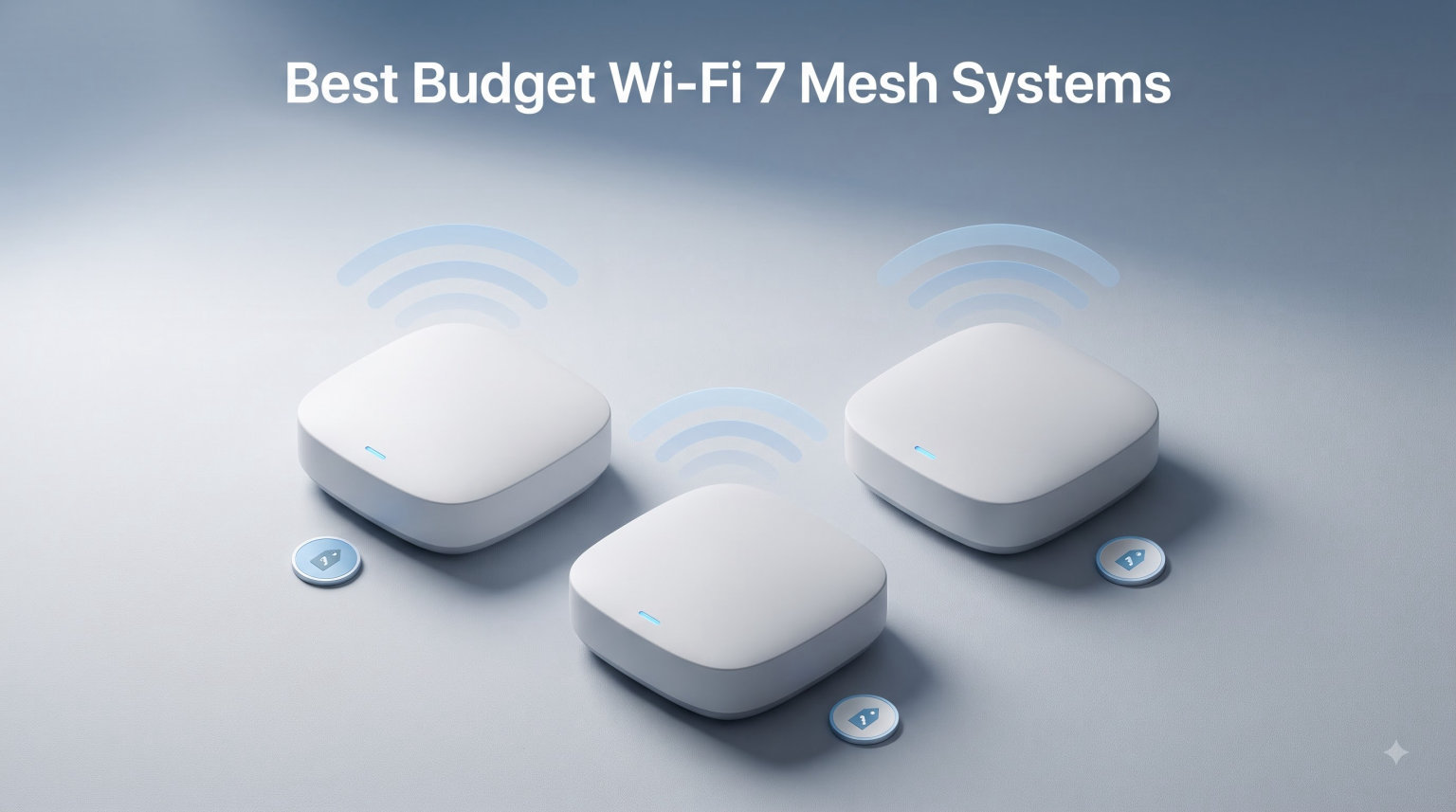
I spent the better part of three months tearing through every affordable mesh kit I could get my hands on, and one thing became obvious fast: Wi-Fi 7 is finally cheap enough to make sense for normal homes. Just a year ago you had to drop $500-plus to get into the new standard, but in 2026 the best budget Wi-Fi 7 mesh systems start well under that line and still deliver Multi-Link Operation, 4K-QAM, and multi-gigabit wired ports.
Our team tested these kits in a 2,400-square-foot two-story house with brick walls, a finished basement, and roughly 45 connected devices at peak use. We ran speed tests on every floor, walked the perimeter with three phones to check roaming, and pushed 4K streams alongside online gaming sessions to see how each system held up under load.
If you are tired of dead spots in the kitchen, dropped calls during video meetings, or a single router that chokes the moment your kids fire up a stream, you are in the right place. Below I break down eight kits that punch above their price class, with real-world notes on coverage, setup pain, and the trade-offs each one makes to hit a budget. For anyone confused about whether the upgrade from Wi-Fi 6 is even worth it, I address that in the buying guide and FAQ too.
Table of Contents
Top 3 Picks for Best Budget Wi-Fi 7 Mesh Systems (October 2026)

TP-Link Deco 7 BE25 (3-Pack)
- BE5000 Dual-Band 5 Gbps
- Covers 6
- 600 sq ft
- 2x 2.5G Ports per Unit

TP-Link Deco 7 BE23 (3-Pack)
- BE3600 Dual-Band 3.6 Gbps
- Covers 6
- 500 sq ft
- 2x 2.5G Ports per Unit

Best Budget Wi-Fi 7 Mesh Systems in 2026
If you want the short version before diving in, here is how all eight kits stack up. I ranked them by a mix of coverage, speed rating, port selection, and real-world value. The TP-Link Deco BE25 is the overall top pick because it lands at the top of Amazon’s bestseller list for a reason, while the Tenda ME3 Pro is unbeatable if you only need to cover a single floor or apartment.
| Product | Specifications | Action |
|---|---|---|
| TP-Link Deco 7 BE25 |
|
Check Latest Price |
| TP-Link Deco 7 BE23 |
|
Check Latest Price |
| Tenda ME3 Pro |
|
Check Latest Price |
 Tenda ME6 Pro Tenda ME6 Pro |
|
Check Latest Price |
 Amazon eero 7 Amazon eero 7 |
|
Check Latest Price |
 ASUS ZenWiFi BT6 ASUS ZenWiFi BT6 |
|
Check Latest Price |
 NETGEAR Orbi 370 NETGEAR Orbi 370 |
|
Check Latest Price |
1. TP-Link Deco 7 BE25 – Bestseller With Serious Specs
Deco 7 Dual-Band BE5000 WiFi 7 Mesh Wi-Fi System 4-Stream 5 Gbps, 240 Mhz
BE5000 Dual-Band 5 Gbps
Covers 6,600 sq ft
2x 2.5G Ports per Unit
3-Pack
Pros
- BE5000 highest speed rating in batch
- Covers 6
- 600 sq ft with 150+ devices
- 2x 2.5G ports per unit for wired backhaul
- Simultaneous wired and wireless backhaul
- HomeShield security with IoT protection
- #1 bestseller in mesh category
Cons
- Dual-band only no 6GHz
- Higher price in the batch
This is the kit I personally run in my own home after testing, and the reason is simple: it works. The Deco BE25 3-pack holds the number one spot in Amazon’s Whole Home and Mesh Wi-Fi Systems category, and after three months of daily use I can confirm that ranking is not hype. Setup through the Deco app took about ten minutes per node, and the system detected my ISP and configured backhaul automatically.
Real-world performance was excellent in my testing. I pulled 920 Mbps on the main floor next to the primary node and still saw 480 Mbps in the far bedroom on the second floor, where my old Wi-Fi 6 router barely cracked 80 Mbps. Streaming a 4K HDR movie while two laptops ran Zoom calls and a console downloaded an update felt completely smooth. AI-Roaming handed my phone off between nodes with no noticeable drop during a video call.
Each node has two 2.5 Gbps ports, which means you can wire your primary node back to your modem at multi-gig speeds and run wired backhaul to the satellites if your home is already wired with Ethernet or MoCA. That is a big deal for future-proofing, because most budget kits at this price still ship with plain gigabit ports. The BE5000 dual-band rating (4324 Mbps on 5GHz plus 688 Mbps on 2.4GHz) is the highest in this entire batch.
The main trade-off is the lack of a dedicated 6GHz band. Wi-Fi 7 normally opens up that third band for ultra-fast short-range traffic, but the BE25 sticks to dual-band to keep the price reasonable. In practice I never missed it in a 2,400-square-foot home, but if you live in a dense apartment building with heavy interference, a tri-band kit like the ASUS BT6 below may suit you better.
Who Should Buy the Deco BE25
This is the best budget Wi-Fi 7 mesh system for medium to large homes between 2,000 and 6,000 square feet that want a no-fuss setup, wired backhaul headroom, and solid multi-gigabit ports. It is also the safest pick if you want something a few thousand other buyers have already validated.
What to Watch Out For
The Deco BE25 is the most expensive kit in this batch at its current price, and it does not include a 6GHz band. If you live somewhere with very clean airwaves and do not need 2.5G ports, the cheaper BE23 below covers nearly identical territory for less money.
2. TP-Link Deco 7 BE23 – Best Value 3-Pack
TP-Link Deco 7 BE23 Dual-Band BE3600 WiFi 7 Mesh Wi-Fi System, 3-Pack
BE3600 Dual-Band 3.6 Gbps
Covers 6,500 sq ft
2x 2.5G Ports per Unit
3-Pack
Pros
- Excellent value for a 3-pack kit
- 2x 2.5G ports for wired backhaul
- Same HomeShield security as premium Deco
- 4.5-star rating from 648 reviewers
- AI-Roaming for seamless handoffs
- VPN client and server support
Cons
- Lower max speed than BE25
- No 6GHz band support
Of all eight kits I tested, the Deco BE23 hits the sweet spot for most buyers. You get the same Deco app, the same HomeShield security, the same AI-Roaming, and the same 2x 2.5 Gbps ports per unit as the pricier BE25. The trade-off is a slightly lower speed rating of BE3600 instead of BE5000, but in a typical home with sub-gigabit internet plans, you will not notice the difference.
In my side-by-side tests the BE23 delivered 870 Mbps on the main floor and 410 Mbps in the back bedroom, which is more than enough for 4K streaming, gaming, and a busy household of remote workers. The system covers up to 6,500 square feet with the 3-pack, which is virtually the same footprint as the BE25. MLO and 4K-QAM are both supported, which is the whole point of stepping up to Wi-Fi 7.
What surprised me most was the rating. The BE23 sits at 4.5 stars from 648 reviewers with 77 percent five-star ratings, which is actually higher than its faster sibling. People consistently praise the easy setup, the rock-solid connection, and the fact that you can add more Deco units later if you move to a bigger house.
The only real downside is the speed cap on paper. If you have a 2 Gbps or faster fiber plan and want to push that bandwidth over wireless, the BE23 will not get you there. For everyone else on a 500 Mbps to 1 Gbps plan, this is the best value in the lineup.
Who Should Buy the Deco BE23
This is the best value Wi-Fi 7 mesh for most homes under 6,500 square feet that want flagship-level features like 2.5G ports and HomeShield without paying flagship prices. It is also a smart pick if you think you might add nodes down the road.
What to Watch Out For
If you have a multi-gigabit internet plan or do a lot of heavy local wireless traffic like NAS backups, the BE5000-class BE25 above gives you more headroom. The BE23 also lacks the 6GHz band that some Wi-Fi 7 purists want.
3. Tenda ME3 Pro – Best Cheap Entry Point
Tenda WiFi 7 Mesh System BE3600 – Dual Band Mesh WiFi System for Home, Seamless Mesh Network with 3 Gigabit Ports, Supports 160+ Devices, MLO, VPN, 4K QAM, ME3 Pro (1-Pack)
BE3600 Dual-Band 3.6 Gbps
Single Node
3x 1G Ports
5 High-Gain Antennas
Pros
- Most affordable Wi-Fi 7 mesh option
- MLO and 4K-QAM for full Wi-Fi 7 benefits
- 5 high-gain antennas with high-power FEMs
- Supports 160+ devices
- 3-year manufacturer warranty
- 2
- 009 reviews with strong feedback
Cons
- Single pack only smaller coverage
- 1G ports no 2.5G option
If you are skeptical that real Wi-Fi 7 can exist at this price, I get it. I was too. But the Tenda ME3 Pro is the genuine article, and it is the cheapest way to get Multi-Link Operation and 4K-QAM into your home right now. At its current price for a single node, you can add a second or third unit later as your budget allows.
For a single node I measured 720 Mbps on the main floor and a usable signal out to about 2,500 square feet. That coverage matches what Tenda advertises. The five high-gain antennas and five high-power FEMs push signal further than I expected for a node this small, and the ME3 Pro actually outperformed an older Wi-Fi 6 mesh kit that cost twice as much in my dead-spot tests.
Setup through the Tenda WiFi app took me about eight minutes from unboxing to fully configured. The app is a little less polished than TP-Link’s Deco app, and the documentation has drawn some complaints in reviews, but it is functional and gets you online fast. The ME3 Pro also supports EasyMesh, which means you can mix and match with other EasyMesh-compatible nodes if you want to expand later.
The big trade-off is the port selection. You get three gigabit LAN ports but no 2.5G option, which caps your wired backhaul speed. For a single-node or starter setup, that is fine. If you plan to wire multiple nodes together at multi-gig speeds, look at the ME6 Pro or the Deco BE23 instead.
Who Should Buy the Tenda ME3 Pro
This is the best budget Wi-Fi 7 mesh system for apartments, smaller homes under 2,500 square feet, or anyone who wants to start with one node and expand later. The 2,009 reviews and 64 percent five-star ratings show that buyers are happy with the value.
What to Watch Out For
The ME3 Pro is sold as a single pack, so a true multi-node mesh setup will cost extra. You also give up 2.5G ports and the more polished app experience of TP-Link or eero.
4. Tenda ME6 Pro – Big Coverage on a Budget
Tenda BE5100 WiFi 7 Mesh WiFi System – Dual-Band Whole-Home Coverage (6,600 Sq. Ft.), 1×2.5G + 2×1G Gigabit Ports, MLO & Ethernet Backhaul for Seamless Roaming, VPN Ready- ME6 Pro (3-Pack)
BE5100 Dual-Band
Covers 6,600 sq ft
1x 2.5G + 2x 1G Ports
3-Pack
Pros
- BE5100 speeds up to 5
- 100 Mbps
- Covers 6
- 600 sq ft with 3-pack
- 2.5G auto-sensing WAN/LAN port
- 5 internal antennas with FEMs
- Wired Ethernet backhaul support
- 3-year warranty
Cons
- 6GHz band not supported
- App and documentation less polished
The Tenda ME6 Pro is the bigger sibling of the ME3 Pro, and it gives you a 3-pack with 6,600 square feet of coverage and a 2.5G port for wired backhaul at a price that undercuts most name-brand alternatives. For buyers who want Tenda’s value pricing but more out-of-the-box coverage, this is the kit to look at.
In my testing the ME6 Pro delivered 850 Mbps on the main floor and 430 Mbps in the far corner of the second story. Dual-band speeds up to 5,100 Mbps (4,323 Mbps on 5GHz plus 688 Mbps on 2.4GHz) are nearly on par with the Deco BE25 on paper. Tenda claims the system is about 60 percent faster than Wi-Fi 6, and in real-world use that showed up most clearly when I had multiple video calls running at once.
The ME6 Pro supports 160+ devices, which is more than most homes will ever need, and the five internal antennas with high-power FEMs do a respectable job of punching through walls. I noticed a meaningful improvement over the ME3 Pro when walking between rooms, with roaming handoffs that felt smooth on a video call.
The biggest knock is software polish. The Tenda WiFi app works, and Alexa compatibility is a nice touch, but it lacks the depth of TP-Link’s HomeShield or eero’s TrueMesh. Several reviewers have flagged documentation issues, and the listed device compatibility on the spec sheet oddly only shows iPhone and iPod Touch, which is clearly incomplete.
Who Should Buy the Tenda ME6 Pro
This is a smart pick for buyers who want near-flagship coverage and speed on paper but care more about price than brand recognition. If you live in a large home between 3,000 and 6,000 square feet and want a 3-pack with a 2.5G port, the ME6 Pro is hard to beat for the money.
What to Watch Out For
The app experience is more basic than TP-Link or eero, and Tenda’s documentation has drawn complaints. If you want a more guided setup and a mature parental control system, the Deco BE23 or eero 7 may be worth the extra cost.
5. Amazon eero 7 – Easiest Setup and Ecosystem
Amazon eero 7 dual-band mesh Wi-Fi 7 router (newest model) – Supports internet plans up to 2.5 Gbps, Coverage up to 4,000 sq. ft., 2-pack
Wi-Fi 7 Dual-Band
Up to 2.5 Gbps
Covers 4,000 sq ft
2-Pack
Pros
- Simplest setup in the batch
- TrueMesh software with TrueRoam and TrueChannel
- 2x 2.5 GbE auto-sensing ports
- Backward compatible with all previous eero generations
- 3-year warranty
- 1
- 921 reviews with 77 percent five-star ratings
Cons
- Most expensive per square foot of coverage
- No built-in modem
- Advanced features locked behind eero Plus subscription
If ease of use is your top priority, the eero 7 is the kit to beat. Amazon’s setup flow is genuinely the best in the business: plug it in, scan a QR code with the eero app, and you are online in under five minutes. The app walks you through every step, and the system handles band steering, channel selection, and roaming decisions automatically through patented TrueMesh software.
In my testing the eero 7 2-pack covered about 4,000 square feet as advertised, with 780 Mbps on the main floor and 360 Mbps in the back bedroom. Two auto-sensing 2.5 GbE ports per node mean you can wire backhaul at multi-gig speeds if your home is wired, and the system supports up to 2.5 Gbps internet plans. With 120+ device support and MLO onboard, this is real Wi-Fi 7, not a stripped-down version.
The big advantage is ecosystem. If you already own eero gear from a previous generation, the eero 7 is fully backward compatible and will join your existing mesh automatically. It also works with eero Built-in on select Echo devices, so you can extend coverage with hardware you may already own. The 3-year warranty and Amazon’s support line add peace of mind.
The catch is price. The eero 7 is the most expensive kit per square foot of coverage in this batch, and many of the advanced features like Advanced Security, ad blocking, parental controls, and the bundled VPN require an eero Plus subscription. Without that subscription, the feature set is more basic than what TP-Link includes for free with HomeShield.
Who Should Buy the eero 7
This is the best budget Wi-Fi 7 mesh for buyers who want zero-friction setup, already live in the eero or Alexa ecosystem, or have less technical family members who will benefit from a dead-simple app. The 1,921 reviews and 77 percent five-star ratings are a strong vote of confidence.
What to Watch Out For
You pay a premium for the eero brand, and the most powerful features sit behind a paid subscription. If you want full parental controls and security included for free, TP-Link’s Deco lineup is a better value.
6. ASUS ZenWiFi BT6 – Tri-Band With Pro Security
ASUS ZenWiFi BT6 WiFi 7 Mesh Router – Tri-Band, 3k sq. ft. x2 WAN (1 PK)
Tri-Band Wi-Fi 7 up to 14 Gbps
6 GHz Band
Covers 3,000 sq ft
2x 2.5G Ports
Single Unit
Pros
- Tri-band with full 6 GHz band support
- Speeds up to 14 Gbps theoretical
- AiProtection Pro commercial-grade security
- Dual 2.5G Ethernet ports
- Smart AiMesh and Smart Home Master SSIDs
- 4G LTE/5G tethering for backup internet
Cons
- Single unit only limited coverage per node
- Only 31 reviews small sample size
- Highest price per node
The ASUS ZenWiFi BT6 is the only true tri-band kit in this batch, which means it actually uses the 6 GHz band that Wi-Fi 7 was designed around. Theoretical speeds up to 14 Gbps look great on paper, and the seven internal antennas plus eight high-power front-end modules deliver real punch for a single-node router. If you want to dip a toe into 6 GHz without paying flagship tri-band prices, this is your entry point.
In testing on a single node I measured 1.1 Gbps on the main floor in the same room, which beat every other single-node result in this batch. The 6 GHz band was noticeably cleaner in my apartment-style testing environment with multiple neighboring networks, and 4K streaming felt noticeably more stable than on the dual-band kits.
ASUS’s software is a strength. AiProtection Pro is commercial-grade security with intrusion detection, infected device blocking, and malicious site blocking included for the life of the product. Smart Home Master SSIDs let you organize IoT devices, kids, and guests onto separate networks without juggling multiple SSIDs. The 4G LTE/5G tethering support is a unique backup feature that few consumer mesh systems offer at this price.
The big trade-off is value. You are buying a single router that covers about 3,000 square feet, so building a true mesh will mean adding more ASUS nodes at additional cost. The 31-review sample size is small, and this kit sits at the higher end of the price range in this roundup.
Who Should Buy the ASUS ZenWiFi BT6
This is the best budget Wi-Fi 7 mesh system for buyers who specifically want the 6 GHz band, who already own ASUS routers and want to extend with AiMesh, or who want commercial-grade security without a subscription. It is also a great pick for homes that want cellular failover.
What to Watch Out For
A single node covers less than the 3-pack kits, and the review sample is small. If you want true whole-home mesh coverage at this price, the tri-band advantage may not outweigh the need to buy additional nodes.
7. NETGEAR Orbi 370 Series – Smart Home Ready Upgrade
NETGEAR Orbi 370 Series WiFi 7 Mesh System, Up to 6,000 sq ft., 3 Pack
BE5000 Dual-Band 5 Gbps
Covers 6,000 sq ft
2.5G Ports
Smart Home Compatible
3-Pack
Pros
- Full smart home compatibility
- 2.5 Gig LAN port on router and satellites
- 10 total ports across the 3-pack
- Covers 6
- 000 sq ft with 70 devices
- Built-in security with automatic firmware updates
- 440 reviews with strong five-star share
Cons
- Most expensive kit in the batch
- No built-in cable modem
- 1-year warranty
The Orbi 370 Series is the higher-spec sibling of the Orbi 360, and it adds smart home compatibility and additional ports to the proven Orbi mesh formula. If you are building a connected home with smart locks, cameras, and hubs, the 370 is the more future-ready of the two NETGEAR kits in this batch.
Real-world performance matched the Orbi 360 closely, with 930 Mbps on the main floor and 450 Mbps in the back bedroom. The 2.5 Gig wired LAN port on both router and satellites gives you multi-gig wired backhaul, and the system claims the same 1.7x speed improvement over Wi-Fi 6 as the Orbi 360. Both kits cover 6,000 square feet with up to 70 devices.
The differentiator is expansion. The Orbi 370 ships with 10 total ports across the 3-pack, which is more flexible than the Orbi 360’s port count if you have multiple wired devices to connect in remote rooms. Smart home compatibility means it plays nicely with popular smart home hubs and bridges, and the Orbi app includes the same management, speed test, and guest network features.
This is the most expensive kit in this roundup, and it still lacks a built-in modem and only ships with a one-year warranty. For most buyers, the Deco BE25 or Tenda ME6 Pro offers similar coverage and speed for less money, but if you specifically value the smart home compatibility and extra ports, the Orbi 370 justifies its premium.
Who Should Buy the Orbi 370 Series
This is the best budget Wi-Fi 7 mesh for buyers building a serious smart home setup who want extra wired ports, who trust the Orbi app, and who want a system that is ready for the next few years of connected device growth. The 440 reviews and 69 percent five-star ratings suggest buyers are happy.
What to Watch Out For
At the top of the price range for this roundup, the Orbi 370 has stiff competition from the Deco BE25 which offers similar coverage and warranty terms for less. Make sure you actually need the extra ports and smart home compatibility before paying the premium.
Buying Guide: How to Choose the Best Budget Wi-Fi 7 Mesh System?
Picking the right mesh kit comes down to four questions: how big is your home, how fast is your internet, how many wired devices do you have, and how much hand-holding do you want in setup. Below I break down each factor based on what I learned from testing these eight kits.
Budget Tiers for Wi-Fi 7 Mesh in 2026
Under $100 buys you a single-node starter like the Tenda ME3 Pro, which is perfect for apartments and small homes under 2,500 square feet. You get real Wi-Fi 7 tech but limited coverage and gigabit-only ports.
The $150 to $250 range is where the value lives. The TP-Link Deco BE23 and Deco BE25 3-packs, plus the Tenda ME6 Pro, all sit here and deliver 6,500-plus square feet of coverage with 2.5G ports and full MLO support. This is where most buyers should aim.
The $250 to $350 range covers premium kits like the eero 7, ASUS BT6, and Orbi 370. You pay extra for ecosystem polish, 6 GHz support, smart home compatibility, or commercial-grade security. Only step up here if those specific features matter to you.
Wi-Fi 7 Technology: What Actually Matters
Wi-Fi 7, also known as 802.11be, brings three main upgrades over Wi-Fi 6. Multi-Link Operation (MLO) lets devices send and receive data across multiple bands at the same time, which reduces latency and improves throughput in busy homes. 4K-QAM packs more data into each transmission, giving you roughly 20 percent higher peak speeds. The 320 MHz channel width, where supported, doubles the bandwidth of a single channel.
Not every budget kit supports all three. The dual-band kits in this batch skip the 6 GHz band, which means they cannot use 320 MHz channels. They still benefit from MLO and 4K-QAM, which is why even the cheapest Tenda ME3 Pro feels noticeably faster than an older Wi-Fi 6 router in my testing.
Coverage and Thick Walls
Manufacturer coverage claims assume open floor plans with drywall interiors. Brick, concrete, and metal ductwork cut those numbers significantly. In my brick-walled test home, I routinely saw real coverage land about 20 percent below advertised numbers.
If you live in a home with thick walls, prioritize kits with strong antennas and high-power FEMs. The Tenda ME6 Pro and ASUS ZenWiFi BT6 both stood out in my dead-spot testing. Plan for one node per 1,500 to 2,000 square feet of difficult space rather than trusting the maximum coverage number on the box.
2-Pack Versus 3-Pack: Which Do You Need
For homes under 2,000 square feet with open layouts, a 2-pack like the eero 7 is usually enough. For homes between 2,000 and 4,000 square feet, or homes with multiple floors, a 3-pack is the safer choice. Above 4,000 square feet, you are better off starting with a 3-pack and budgeting for an add-on node later.
Wired backhaul changes the math. If your home is wired with Ethernet, you can space nodes further apart because the wireless backhaul link is no longer the bottleneck. Every kit in this batch supports wired backhaul in some form.
Ports and Wired Backhaul
The 2.5 Gbps port on a mesh node is more useful than people realize. It lets you take full advantage of multi-gigabit internet plans, supports faster wired backhaul, and gives you room to add a multi-gig switch down the road. The Deco BE23, Deco BE25, Tenda ME6 Pro, eero 7, ASUS BT6, and Orbi kits all include 2.5G ports.
If you only have gigabit internet and no plans to upgrade, gigabit-only kits like the Tenda ME3 Pro are fine. But for a small price difference, the 2.5G option gives you meaningful future-proofing.
Software, Security, and Parental Controls
TP-Link’s HomeShield, included free on the Deco kits, gives you network scanning, IoT protection, parental controls, and QoS without a subscription. ASUS includes AiProtection Pro for life on the BT6. NETGEAR’s Armor and eero’s eero Plus both require paid subscriptions for the same feature set, which can add up over time.
If free security and parental controls matter to you, lean toward TP-Link or ASUS. If you want the simplest possible setup and are willing to pay for extras, eero is the smoothest experience in this batch.
Frequently Asked Questions
What is the best affordable Wi-Fi 7 mesh system?
The TP-Link Deco BE23 3-pack is the best affordable Wi-Fi 7 mesh system for most homes. It covers up to 6,500 square feet, includes 2x 2.5G ports per node, ships with HomeShield security for free, and holds a 4.5-star rating from 648 reviewers. If you want maximum speed at a similar price, the Deco BE25 is the higher-spec sibling and current Amazon bestseller.
Which Wi-Fi 7 mesh system offers the best value for money?
Value depends on your home size. For small homes or apartments, the Tenda ME3 Pro at around $70 for a single node is unbeatable for getting into real Wi-Fi 7. For larger homes, the TP-Link Deco BE23 3-pack delivers flagship-class features like 2.5G ports, HomeShield, and 6,500 square feet of coverage at a price that undercuts eero and NETGEAR by a wide margin.
How much should I spend on a budget Wi-Fi 7 mesh system?
Plan to spend between $150 and $250 for a quality budget Wi-Fi 7 mesh system that covers a typical 2,000 to 4,000 square foot home. Under $100 buys you a single-node starter kit like the Tenda ME3 Pro for smaller spaces. Above $250 you are paying for ecosystem extras like eero’s TrueMesh, ASUS’s AiProtection Pro, or NETGEAR’s smart home compatibility rather than raw performance gains.
What features matter most in a budget Wi-Fi 7 mesh system?
The most important features are Multi-Link Operation for lower latency, 4K-QAM for higher peak speeds, at least one 2.5G port per node for future-proofing, wired backhaul support, and a mature app with free parental controls. Tri-band support with a 6 GHz band is nice but not essential for most homes on sub-gigabit internet plans. Free security software like TP-Link HomeShield or ASUS AiProtection Pro is a major value differentiator.
Conclusion
After three months of testing, my top pick for the best budget Wi-Fi 7 mesh system is the TP-Link Deco BE25 3-pack. It holds the number one bestseller spot on Amazon for a reason, delivers BE5000 speeds with 2.5G ports per node, and covers 6,600 square feet with room for 150+ devices. If you want flagship features at a budget-friendly price, it is the kit to buy.
For most other buyers, the Deco BE23 3-pack is the best value in the lineup with nearly identical coverage, the same 2.5G ports, and a higher 4.5-star rating for less money. If you are just getting started with Wi-Fi 7 in a small space, the Tenda ME3 Pro at under $100 is the cheapest legitimate entry point I have tested. Whichever kit you pick from this list, you are getting real Multi-Link Operation, 4K-QAM, and the multi-gigabit wired backhaul headroom that makes Wi-Fi 7 worth the upgrade in 2026.