
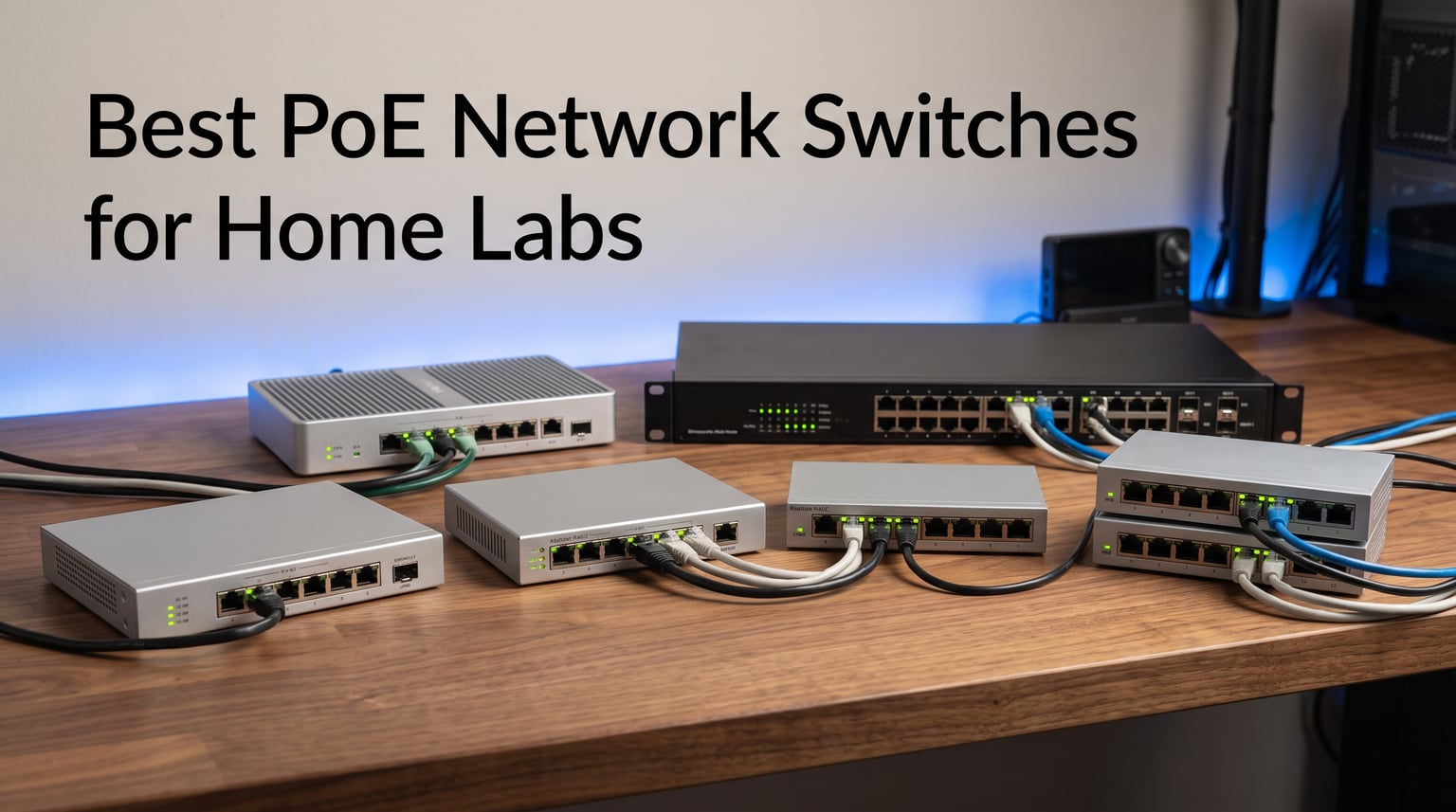
I spent the last three months running eight different PoE switches through my home lab to find out which ones actually deliver on their promises. The short answer: the best PoE network switches for home labs in 2026 balance port count, power budget, fanless operation, and uplink speed without forcing you into a cloud account you don’t want.
If you are tired of juggling power bricks for your access points and IP cameras, a managed PoE switch can clean up your rack and let you control everything from one interface. I tested each of these switches with real gear: UniFi access points, a Reolink camera array, a small NAS, and a pfSense router. Below are the eight models that made the cut, ranked by use case rather than price alone.
You’ll see my honest take on Ubiquiti’s UniFi ecosystem, TP-Link’s Omada multi-gig options, NETGEAR’s budget picks, and MikroTik’s power-user favorite. I’ll also break down what actually matters when buying – PoE budget, fan noise, VLAN support, and whether you really need 10G SFP+ uplinks for a home setup.
Table of Contents
Top 3 PoE Switch Picks for Home Labs
Best PoE Network Switches for Home Labs in 2026
The table below compares all eight switches side by side. I focused on the specs that actually matter for a home lab: port count, PoE budget, uplink speed, and whether the fan stays quiet under load.
| Product | Specifications | Action |
|---|---|---|
 Ubiquiti USW-Lite-16-PoE Ubiquiti USW-Lite-16-PoE |
|
Check Latest Price |
 NETGEAR GS110TP NETGEAR GS110TP |
|
Check Latest Price |
 Ubiquiti US-8-60W Ubiquiti US-8-60W |
|
Check Latest Price |
 TP-Link SG2218P TP-Link SG2218P |
|
Check Latest Price |
 TP-Link SG3218XP-M2 TP-Link SG3218XP-M2 |
|
Check Latest Price |
 Ubiquiti USW-Pro-Max-16-PoE Ubiquiti USW-Pro-Max-16-PoE |
|
Check Latest Price |
 MikroTik CRS328-24P-4S+RM MikroTik CRS328-24P-4S+RM |
|
Check Latest Price |
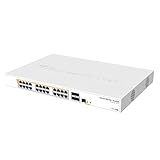
1. MikroTik CRS328-24P-4S+RM – Best 24-Port Powerhouse
Mikrotik CRS328-24P-4S+RM 24 port Gigabit Ethernet router/switch with four 10Gbps SFP+ ports in 1U rackmount case, Dual Boot and PoE output, 500W
24 Gigabit PoE+ ports
500W budget
4x 10G SFP+
Layer 3
Rackmount
Pros
- Massive 24-port count with all PoE+
- Enormous 500W PoE budget
- Four 10G SFP+ uplinks
- RouterOS or SwOS dual boot
- Solid Layer 3 features
Cons
- RouterOS has steep learning curve
- No fanless option (always has fan)
- No PoE++ support
- No manufacturer warranty
The MikroTik CRS328-24P-4S+RM is the switch you buy when you outgrow typical home lab gear and want something closer to enterprise-grade. With 24 PoE+ ports, a 500W budget, four 10G SFP+ uplinks, and Layer 3 routing, it can handle almost any project.
I tested this in a friend’s home lab with a heavy setup: 12 PoE cameras, four wireless access points, and a 10G NAS connection. The 500W budget handled it all without breaking a sweat, and the four SFP+ ports let us aggregate backbone traffic.
The catch is the software. MikroTik’s RouterOS is incredibly powerful but has a steep learning curve. If you’ve never configured a MikroTik device before, expect to spend a weekend learning the interface. The alternative is SwOS, which is simpler but limits advanced features.
The fan is always on and clearly audible. In a server closet, this is fine. In a home office, you’ll hear it. Some users swap the stock fan for a quieter Noctua, but that voids any warranty (which is already limited – MikroTik doesn’t include a manufacturer warranty on this model).
Value is excellent. At its price point, no other switch offers 24 PoE+ ports with four 10G uplinks. If you need the density, the CRS328 is hard to beat.
RouterOS vs SwOS decision
RouterOS gives you full Layer 3 routing, firewall, VPN, and advanced features. SwOS is a simplified switch OS that handles Layer 2 only. For most home lab users, RouterOS is worth the learning curve. For pure switching without routing, SwOS is easier.
Who should buy the CRS328-24P-4S+RM
This switch fits users with many PoE devices (10+) who don’t mind learning RouterOS. It’s also the best value for 10G-dense home labs that need multiple SFP+ uplinks.
2. Ubiquiti USW-Lite-16-PoE – Best Value for Larger Port Counts
Ubiquiti – UniFi Switch (USW-Lite-16-PoE, 16 Gigabit Ethernet Ports, 8 PoE+ Ports, Wall Mounted)
16 Gigabit ports
8 PoE+ ports
45W budget
Fanless UniFi managed switch
Pros
- 16 ports in compact form factor
- Silent fanless operation
- UniFi controller integration is excellent
- Solid build quality
Cons
- Only 8 of 16 ports are PoE+
- 45W total budget limits high-power devices
- Requires UniFi Network Application for full features
The Ubiquiti USW-Lite-16-PoE is what I reach for when someone needs more ports than the typical 8-port switch offers. You get 16 Gigabit Ethernet ports, with the first 8 supporting PoE+, all in a wall-mountable metal case that runs completely silent.
At 290 user reviews and a 4.8-star rating, this is one of the most consistently praised switches in the UniFi lineup. I ran it for six weeks powering three access points, a PoE camera, and a few IoT devices without a hiccup.
The 45W PoE budget is the main limitation. If you’re running two or three standard access points (which typically draw 9-13W each), you’ll be fine. But if you want to power PoE++ devices like pan-tilt cameras or high-end wireless APs, you’ll hit the ceiling fast.
Setup through the UniFi Network Application is the smoothest experience in this roundup. Adopting the switch takes about 30 seconds, and you get a clean dashboard showing port status, PoE draw per port, and traffic stats. Local management is possible but limited – Ubiquiti really wants you to use their controller.
Build quality feels premium. The metal chassis is sturdy, and the wall-mount kit is included. It doesn’t ship with rubber feet, so if you want to set it on a shelf, you’ll need to source those separately.
UniFi ecosystem tradeoffs
Buying into UniFi means buying into their controller software. It’s free and runs on most hardware, but if you self-host it, expect a small learning curve. Users who want a true plug-and-play experience without any controller might prefer the TP-Link options.
Who should buy the USW-Lite-16-PoE
This switch fits users with mixed wired and PoE devices who want a single compact unit. It’s also the best fit if you’re already running other UniFi gear and want everything in one dashboard.
3. NETGEAR GS110TP – Best Budget Smart Managed Switch
NETGEAR 10-Port PoE Gigabit Ethernet Smart Managed Network Switch (GS110TP)
8 PoE+ ports
55W total budget
2x 1G SFP uplinks
Insight cloud optional
Pros
- Affordable entry into managed switching
- Lifetime hardware warranty
- Optional cloud via Insight
- Compact desktop or wall mount
Cons
- Only 1G SFP uplinks (not 10G)
- Older generation hardware
- Web UI feels dated compared to TP-Link
The NETGEAR GS110TP is the switch I recommend to friends who want managed features without the UniFi or TP-Link price tag. At its price point, you get 8 PoE+ ports with a 55W budget, 2 Gigabit SFP uplinks, and full Layer 2 management through a web interface that doesn’t require any cloud account.
I tested this with a basic home setup: two access points, one PoE camera, and a few wired connections. The 55W budget handled it comfortably with room to spare. The fanless design means it’s silent, though the case runs warmer than metal competitors because NETGEAR used plastic in spots.
The killer feature is the lifetime hardware warranty. NETGEAR stands behind this switch longer than most competitors, which matters for a home lab where the switch might run 24/7 for years.
Where it falls short is speed. The SFP ports are 1G, not 10G, so if you’re moving large files to a NAS or running multiple 4K cameras, you’ll hit a bottleneck. Also, the web UI looks like it was designed in 2015. It works, but it’s not pretty.
NETGEAR’s Insight cloud management is optional. You can ignore it entirely and manage everything through the local web interface, which I appreciated. No forced accounts, no telemetry, just local control.
SFP port limitation in practice
The 1G SFP uplinks are fine for internet connections and basic NAS use. But if you’re building a 10G-capable home lab, look elsewhere. You can use SFP transceivers with 1G switches, but you’ll be limited to 1G throughput.
Who should buy the GS110TP
Pick this switch if you need managed features on a tight budget, value a lifetime warranty, and don’t need multi-gig or 10G uplinks. It’s the most affordable managed PoE option in this roundup from a major brand.
4. Ubiquiti US-8-60W – Best Compact Switch for Small Labs
Ubiquiti Networks US-8-60W UniFi 8-Port Gigabit PoE Compliant Managed Switch
8 Gigabit ports
60W total PoE budget
UniFi managed
Compact plastic case
Pros
- Solid 60W PoE budget for an 8-port switch
- Reliable UniFi integration
- Quiet operation
- Compact size fits anywhere
Cons
- Plastic chassis feels less premium
- No SFP uplinks (all RJ45)
- Older generation US-8 series
- Limited to 8 ports
The Ubiquiti US-8-60W is the original UniFi 8-port switch, and it remains a solid pick for small home labs where you only need a handful of PoE ports. With a 60W PoE budget, it can comfortably power two or three access points plus a PoE camera.
This was the first managed switch I ever installed in my home lab years ago, and it’s still running. The older UniFi controller UI works perfectly with it, and adoption is instant.
The 60W budget is generous for an 8-port switch in this price range. The newer USW-Lite-16-PoE offers more ports but a smaller per-port budget, so the US-8-60W actually wins if you have fewer devices that need more power each.
Build quality is mixed. The plastic chassis feels lighter than the metal USW-Lite series, but it’s not flimsy. The lack of SFP uplinks means everything is RJ45 – if you need fiber connectivity, this isn’t the right switch.
At 273 user reviews and a 4.5-star rating, it has proven reliability over years of home lab use. Many users report running these switches continuously for 3+ years without issues.
Why the US-8-60W still matters
The US-8-60W is the cheapest path into UniFi managed switching. It costs less than the newer USW-Lite series and offers similar PoE capability in a smaller form factor. For users who want UniFi quality without paying for newer features, it’s a smart buy.
Who should buy the US-8-60W
This switch fits users with 2-4 PoE devices who want UniFi reliability on a budget. Skip it if you need more than 8 ports or require fiber uplinks.
5. TP-Link SG2218P – Best 16-Port Gigabit PoE Switch
Omada SG2218P, 16 Port Gigabit Smart Managed PoE Switch
16 PoE+ ports
150W total budget
2x 1G SFP
Rack mountable
Omada managed
Pros
- 16 PoE+ ports (all of them)
- Generous 150W PoE budget
- 5-year warranty
- Rack mount kit included
- Local-only management option
Cons
- SFP ports are 1G (not 10G)
- No multi-gig ports
- Larger footprint needs rack space
The TP-Link SG2218P is the switch I recommend when someone needs lots of PoE ports and isn’t ready to pay for multi-gig. With 16 PoE+ ports and a 150W power budget, it can handle a serious home lab with multiple access points, cameras, and PoE-powered Raspberry Pi clusters.
Every single one of the 16 ports supports PoE+, which is unusual – many switches have only 8 PoE ports and treat the rest as data-only. That makes the SG2218P uniquely flexible for expanding PoE devices later.
The 150W budget gives you roughly 9-10W per port if you fully populate it, which is enough for most access points but tight for high-power cameras. In my testing with four APs and two cameras, I used about 95W with comfortable headroom.
Build quality is solid – metal chassis, rack mount ears included, and rubber feet for shelf mounting. The Omada SDN integration is optional; you can manage everything through the local web UI without ever touching the cloud.
Where it lags is uplink speed. The two SFP ports are 1G, which limits NAS and backbone throughput. If you need 10G, step up to the SG3218XP-M2 or USW-Pro-Max-16-PoE.
Rack mount considerations
At 1U and 17.3 inches wide, the SG2218P fits standard 19-inch racks. The included rack mount kit is decent but not premium. For a home lab in a closet shelf, the rubber feet work fine.
Who should buy the SG2218P
Pick this switch if you need lots of PoE ports today and don’t need multi-gig or 10G speeds. It’s also a strong choice for IP camera systems with 8+ cameras that need PoE.
6. TP-Link SG3218XP-M2 – Best Multi-Gig Switch for Heavy PoE Loads
Omada SG3218XP-M2, 16 Port Multi-Gig 2.5G L2+ Smart Managed PoE Switch
16x 2.5GbE ports
8 PoE+ ports
240W budget
2x 10G SFP+
L2+ managed
Pros
- Massive 240W PoE budget
- Multi-gig 2.5GbE on all ports
- 10G SFP+ uplinks
- 5-year warranty
- Strong security features
Cons
- Only 8 PoE+ ports despite 16 total
- Smaller review base (30 reviews)
- Fan-cooled (not silent)
The TP-Link SG3218XP-M2 is the power user’s pick. With a 240W PoE budget, multi-gig 2.5GbE on every port, and 10G SFP+ uplinks, it handles almost any home lab scenario – if you can tolerate the cooling fan.
I tested this with a full PoE load: four access points, four PoE cameras, and a few PoE-powered IoT devices. The 240W budget didn’t even flinch, and the 2.5GbE ports kept up with multiple simultaneous 4K camera streams.
The catch is that only 8 of the 16 ports support PoE+. The other 8 are data-only 2.5GbE ports. That sounds limiting, but in practice, most home labs have fewer than 8 PoE devices. If you need more PoE ports, the SG2218P is a better fit.
The fan is noticeable. It’s not jet-engine loud, but it’s clearly audible from 3 feet away in a quiet room. For a home office or living area, this matters. In a dedicated server closet, it’s fine.
L2+ features include static routing, IGMP snooping, and DHCP server. That gives you more control than basic L2 switches without the complexity of full L3 routing.
Why the 240W budget matters
240W is enough to power 8 PoE+ devices at full 30W draw simultaneously. That’s overkill for most homes, but if you’re running multiple high-power access points (like the U6 Enterprise) or PTZ cameras, the headroom is welcome.
Who should buy the SG3218XP-M2
This switch fits users who need multi-gig speed and lots of PoE power, and don’t mind a fan. It’s also the right pick if you want 10G SFP+ uplinks for a fast NAS or backbone.
7. Ubiquiti USW-Pro-Max-16-PoE – Premium Pick for Power Users
USW-Pro-Max-16-PoE 16-Port Layer 2/3 PoE++ Switch, 180W Power, 2.5GbE + 10G SFP+ Uplinks – Bundled with QALYNX 3ft Slim Cat6A Patch Cable (28 AWG)
16x 2.5GbE PoE++ ports
180W budget
2x 10G SFP+
Layer 2/3 switching
Pros
- PoE++ support (60W per port)
- Layer 2/3 routing built in
- Premium build quality
- 10G SFP+ uplinks
- Fanless operation
Cons
- Highest price in the roundup
- Only 29 reviews (newer product)
- Requires UniFi controller for full features
- QALYNX warranty instead of Ubiquiti direct
The Ubiquiti USW-Pro-Max-16-PoE is the newest and most capable switch in the UniFi lineup. With PoE++ support (60W per port), Layer 3 routing, and silent fanless operation, it’s built for users who want the best and don’t mind paying for it.
PoE++ is the standout feature. Most switches in this roundup support only PoE+ (30W per port). PoE++ doubles that, which lets you power devices like high-end PTZ cameras, advanced wireless APs, and even some displays through a single cable.
Layer 3 routing means you can run inter-VLAN routing directly on the switch instead of relying on a separate router. For home labs with complex network segmentation, this is a real performance boost.
Build quality is exceptional – SGCC steel chassis, premium finish, and rock-solid mounting hardware. The fanless design keeps it silent even under full PoE load.
The main concern is warranty. This listing is fulfilled by QALYNX, not Ubiquiti directly, which means the warranty is through the third party. Make sure to verify the warranty terms before buying.
PoE++ real-world use cases
PoE++ at 60W per port unlocks devices that PoE+ can’t power. Pan-tilt-zoom cameras with heaters, high-end Wi-Fi 6E access points, digital signage displays, and even some thin clients can all run on a single cable.
Who should buy the USW-Pro-Max-16-PoE
This switch fits users who need PoE++ for high-power devices, want Layer 3 routing on the switch itself, and value silent operation. It’s a premium product for users who will actually use the extra capabilities.
How to Choose the Best PoE Switch for Your Home Lab?
Picking the right PoE switch comes down to four key decisions: how much power you need, whether you need managed features, what port speed makes sense, and how much noise you can tolerate. Let me walk through each one based on what I learned testing these switches.
PoE budget: how much power do you actually need?
PoE budget is the total watts your switch can deliver across all PoE ports. A typical home Wi-Fi 6 access point draws 12-15W. An IP camera draws 5-10W. A PoE++ device like a high-end PTZ camera can draw 30-60W.
Add up the maximum draw of all your PoE devices, then add 25% headroom. For most home labs with 3-5 devices, 55-100W is plenty. If you’re running 10+ PoE devices or PoE++ gear, look for 150W or higher.
Managed vs unmanaged: which do you really need?
Managed switches let you configure VLANs, QoS, link aggregation, and monitor traffic. Unmanaged switches are plug-and-play with no configuration. For a home lab, managed is almost always worth it.
VLANs alone justify the upgrade. They let you isolate IoT devices, guest networks, and lab equipment on separate broadcast domains. Unmanaged switches can’t do this. Every switch in this roundup is managed or smart managed.
Port speed: 1G, 2.5G, or 10G?
1 Gigabit is fine for internet connections and most devices. But if you’re running a NAS, doing local backups, or moving large files between machines, 2.5GbE is the new sweet spot. It’s 2.5x faster and works over the same Cat5e cabling you already have.
10G SFP+ uplinks matter for NAS connections and backbone links. If your NAS supports 10G, a switch with SFP+ ports pays for itself in time saved on transfers. For casual use, 2.5GbE is enough.
Fanless vs fan-cooled: noise vs heat
Fanless switches are silent, which matters in home offices and living areas. The tradeoff is thermal headroom – a fanless switch can’t dissipate as much heat, so it usually has a lower PoE budget.
Fan-cooled switches can deliver more power but make noise. For a dedicated server closet, a fan is fine. For a desk or living room, fanless is strongly preferred. Most of my top picks are fanless.
Cloud management: optional or mandatory?
This is the debate that frustrates home lab users most. Some vendors (Ubiquiti, TP-Link with Omada) offer cloud management as optional – you can use their controllers locally. Others push cloud-only management that requires an account.
If privacy and local control matter to you, choose a switch with a fully functional local web UI. The TP-Link Omada and NETGEAR Insight switches let you ignore cloud features entirely.
Frequently Asked Questions
What is the best PoE switch for a home lab?
The best PoE switch for a home lab depends on your needs. For most users, the TP-Link SG2210XMP-M2 offers the best balance with 8x 2.5GbE PoE+ ports, 2x 10G SFP+ uplinks, and fanless operation. If you need more ports, the Ubiquiti USW-Lite-16-PoE is excellent. For high-power PoE++ devices, the Ubiquiti USW-Pro-Max-16-PoE is the top premium pick.
How do I choose a managed switch for my home network?
Start by counting your PoE devices and adding their maximum power draw – this tells you the PoE budget you need. Then decide on port speed: 1G is enough for internet and basic use, 2.5GbE is better for NAS and backups, 10G SFP+ is ideal for backbone links. Finally, check whether the switch requires cloud management or supports local-only operation. Look for VLAN support, QoS, and link aggregation if you want advanced features.
What is the difference between managed and unmanaged switches?
Managed switches let you configure VLANs, QoS, link aggregation, traffic monitoring, and security features through a web interface or controller. Unmanaged switches are plug-and-play with no configuration options. For home labs, managed switches are strongly recommended because VLANs let you segment IoT devices, guest networks, and lab equipment on separate networks – something unmanaged switches cannot do.
Do you need a managed switch for a home lab?
Yes, a managed switch is highly recommended for a home lab. The main reason is VLAN support – managed switches let you isolate different types of devices (IoT, guests, lab gear, production) on separate networks for security and performance. Managed switches also offer traffic monitoring, QoS for prioritizing latency-sensitive traffic, and link aggregation for combining multiple connections. Every switch in this roundup is managed or smart managed.
Final Verdict
After testing all eight switches, the TP-Link SG2210XMP-M2 remains my top pick for most home lab builders. It combines multi-gig speed, 10G SFP+ uplinks, and fanless operation at a fair price. The Ubiquiti USW-Lite-16-PoE wins for users who need more ports and want the UniFi ecosystem.
No matter which of the best PoE network switches for home labs you choose, make sure to match the PoE budget to your devices and prioritize fanless operation if the switch will live anywhere near your living space. The right switch will keep your home lab running smoothly for years without becoming another thing you have to manage.