
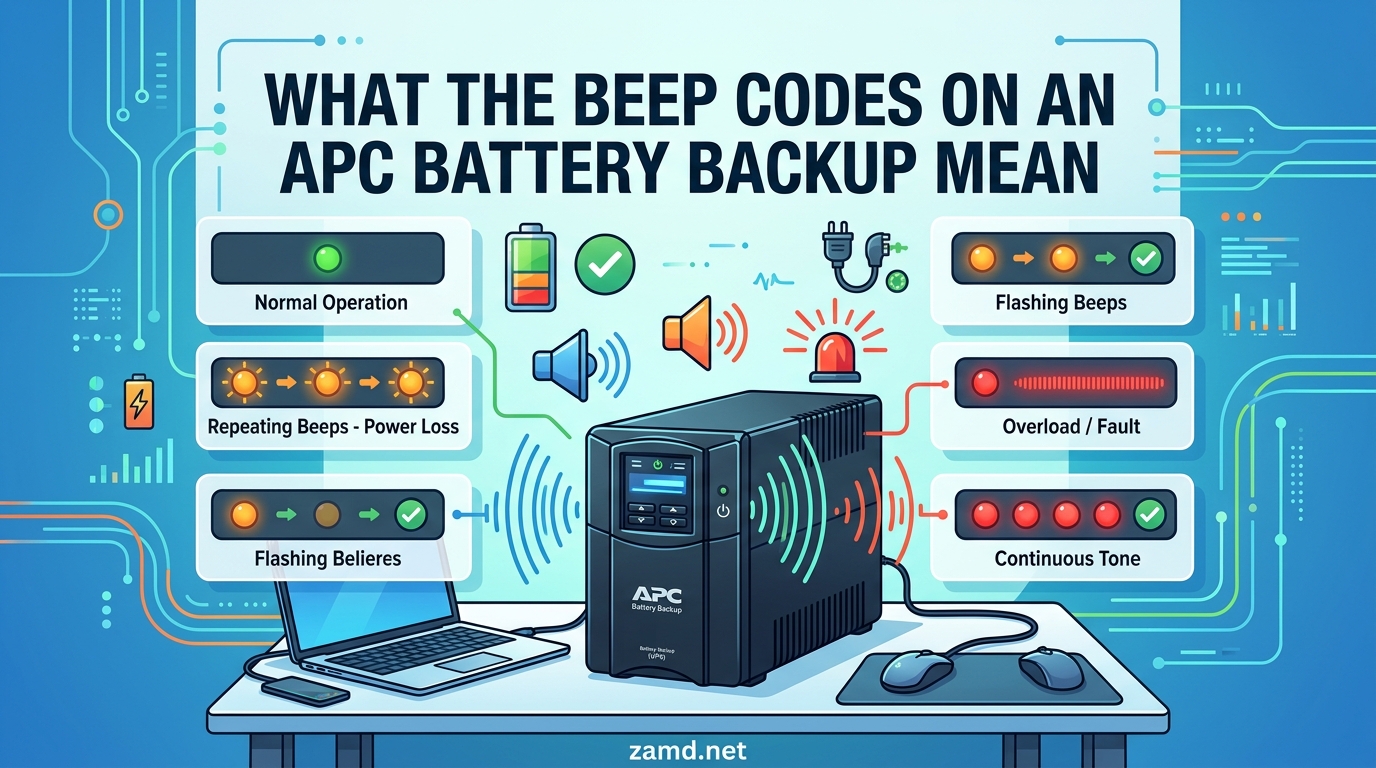
It is 2 a.m., the house is dark, and your APC battery backup starts screaming at you with a beep pattern you have never heard before. If that scenario sounds familiar, you are in good company. Our team has spent years supporting home offices and small server rooms, and the single most common panic message we get is some version of “my APC UPS is beeping, is my gear about to die?”
APC battery backup beep codes are audible alert patterns (short beeps, long beeps, or continuous tones) that an APC UPS uses to tell you exactly what is happening with incoming power, battery health, and internal hardware. The good news is that once you know how to read them, those beeps stop being scary and start being genuinely useful diagnostic information.
This guide covers every common APC beep code, for both the consumer Back-UPS line (BVX, BE, BR series) and the enterprise Smart-UPS line (SMT, SMX, SRT). We will decode each pattern, explain what the LED indicators mean alongside the beeps, walk through step-by-step fixes for the scenarios users actually hit, and finish with a clear call on when you need a new battery versus a whole new unit. If you are setting up a new unit, our guide to setting up an APC battery backup covers initial configuration and placement tips that can prevent many of the issues covered here.
Table of Contents
APC Battery Backup Beep Codes
Quick Reference: APC Beep Codes at a Glance
Here is the table we wish we had the first time a UPS started beeping at us. It maps the most common APC battery backup beep codes to their meaning and the action you should take.
| Beep Pattern | What It Means | Urgency | Immediate Action |
|---|---|---|---|
| 4 short beeps every 30 seconds | On battery power (utility power is out or unstable) | Normal | Save work and shut down non-essential gear. Beeping stops when power returns. |
| 1 beep every 2 seconds (Back-UPS) or continuous rapid beeping | Battery is low and runtime is almost gone | High | Shut down protected equipment immediately. Expect a graceful shutdown within minutes. |
| Continuous solid tone | Internal fault, overload, or (on Smart-UPS) output/inverter failure | Critical | Unplug excess load first. If it continues, power off the UPS and contact APC support. |
| 2 short beeps (Back-UPS) | Battery disconnected or battery error detected | Medium | Reseat the battery connector. If unresolved, replace the battery. |
| Short beep every 5 hours | Replace battery reminder (some Back-UPS models) | Low | Order a replacement RBC cartridge. The UPS still works but battery runtime is degraded. |
| Rapid beeping plus flashing red LED | Overload: connected equipment exceeds capacity | High | Unplug devices until load drops below the rated capacity. Reset if needed. |
| Single long beep, repeated | On battery during an extended outage, battery nearly depleted | High | Shut down protected equipment now. Battery will be exhausted shortly. |
| Beeping plus solid red Replace Battery LED | Battery failed the last self-test and needs replacement | Medium | Replace the battery cartridge. Do not ignore, as runtime is compromised. |
| Beeping plus amber Site Wiring Fault LED | Wall outlet has a wiring problem (missing ground, reversed neutral) | Medium | Have a qualified electrician inspect the outlet. Do not use a cheater plug adapter. |
| Beeping plus red Overload LED on Smart-UPS | Equipment load exceeds rated capacity for too long | High | Reduce load or move some equipment to another circuit. |
Bookmark this section. When a UPS starts yelling at you at an inconvenient moment, the table above is the fastest way to figure out what is actually happening.
Common APC Beep Patterns Explained
Now let’s walk through each APC UPS beep code in detail. We will cover what triggers it, how it sounds, and what the difference is between a Back-UPS consumer model and a Smart-UPS enterprise model where relevant.
Four Beeps Every 30 Seconds (On Battery Power)
This is the most common beep pattern and it is completely normal. When your APC UPS detects that utility power from the wall has dropped below a safe voltage threshold (or disappeared entirely), it switches to battery power and alerts you with four short beeps repeated every 30 seconds. On Back-UPS models, you will also see the green On Battery LED illuminate. On Smart-UPS models, the LCD will display “ON BATTERY” along with the estimated runtime remaining.
This pattern is your cue to save work and begin an orderly shutdown of any equipment that does not absolutely need to stay up. It is not an error. The beeping will stop the moment utility power is restored and the UPS switches back to normal operation.
One important nuance: if the beeps happen even when your lights and other household devices are working fine, the UPS may be reacting to a brownout or voltage sag that other devices tolerate. APC UPS units are sensitive by design, and they will go on battery to protect your gear from undervoltage that could damage a power supply over time. Understanding when to replace your APC UPS battery can help you avoid unexpected failures during these events.
Continuous Tone (Internal Fault or Severe Overload)
A continuous, unbroken tone is the most alarming sound an APC UPS can make, and it deserves immediate attention. On Back-UPS models, a solid continuous beep typically means one of two things: the connected equipment is drawing more than the rated capacity (overload), or there is an internal hardware fault that the unit cannot clear on its own. On Smart-UPS models, a continuous tone combined with an LCD fault code (such as P.06 for output relay failure or F. codes for inverter errors) points to a serious internal failure.
The first move is always the same: unplug everything from the battery-backed outlets. If the tone stops, you were overloading the unit. If it continues even with nothing plugged in, the UPS itself has an internal fault and should be powered off, unplugged from the wall, and replaced or serviced.
Do not ignore a continuous beep hoping it will resolve on its own. Internal faults can progress to the point where the UPS stops passing power through to your equipment entirely, leaving connected devices dead even when wall power is fine.
Single Beep Every Few Seconds (Low Battery Runtime)
When the UPS has been running on battery for a while during an outage and the remaining runtime drops to a critical level (typically under two minutes), the beep pattern changes. On Back-UPS models you will hear a single beep roughly every two seconds. On Smart-UPS models the beep rate speeds up and the LCD shows a low-runtime warning.
This is your final warning. The battery is about to be exhausted and the UPS will cut power to protected outlets shortly. If you have not already initiated a shutdown of computers, NAS devices, or network gear, do it now. Once the battery is fully depleted, the UPS will turn off its inverter and your equipment will lose power.
If the UPS reaches low-battery beeping very quickly (say, within 30 seconds of an outage starting on a unit that should give you 10 minutes of runtime), that is a strong sign the battery has aged and lost capacity. Plan for a battery replacement soon.
Two Beeps (Battery Disconnected or Battery Error)
On many APC Back-UPS models, two short beeps indicate that the UPS cannot detect a healthy battery. This usually means one of three things: the internal battery connector has come loose, the battery has failed completely, or a brand new battery was installed but the connector was not fully seated.
The fix is straightforward. Power off the UPS, unplug it from the wall, and open the battery compartment. Pull the connector apart and push it back together firmly until you feel it click. Then reconnect the UPS to wall power and run a self-test (hold the power button for a few seconds until the unit clicks and beeps). If the two-beep error persists after reseating the connector, the battery itself is bad and needs replacement.
We have seen this pattern on brand new Back-UPS units where the battery shipped slightly disconnected from the factory. A quick reseat resolves it without any parts needed.
Periodic Short Beeps (Replace Battery Reminder)
Some APC Back-UPS models emit a single short beep every five hours as a maintenance reminder that the battery is due for replacement. This is different from the four-beep on-battery pattern and from a fault beep. It is a gentle nudge that the battery has crossed its expected service life (typically three to five years) or has failed a self-test.
You will usually also see the red Replace Battery LED illuminate when this happens. The UPS will continue to provide surge protection and pass-through power, but battery runtime during an outage will be severely reduced or nonexistent.
The fix is simple: install a fresh APC RBC (Replacement Battery Cartridge) matched to your model. We cover model matching in the replacement section below.
Rapid Beeping (Overload Warning)
Rapid, persistent beeping (faster than the on-battery four-beep pattern) combined with a flashing or solid red LED indicates that the connected load exceeds the UPS’s rated capacity. Every APC UPS has a maximum wattage rating printed on the front or back. If you plug in more gear than the unit can handle, the UPS will warn you with rapid beeps.
The immediate fix is to unplug devices from the battery-backed outlets until the total load drops below the rated capacity. On Smart-UPS models with an LCD, the screen will show the current load as a percentage. Anything above 80 percent on a continuous basis is asking for trouble.
If you consistently need more capacity, the right answer is a larger UPS rather than trimming your load. Running a UPS near its maximum shortens battery life and increases the chance of an overload trip during startup surges. Choosing a UPS with adequate capacity is part of selecting the right power protection for your home setup.
LED Indicators and Beep Codes Together
Beeps are only half the story. Every APC UPS also uses LED indicators to confirm what the beep pattern means. Reading the two together gives you a much faster and more confident diagnosis.
| LED Color and State | Meaning |
|---|---|
| Solid green | UPS is on, utility power is normal, battery is healthy |
| Flashing green | On battery power (paired with 4-beep pattern) or running a self-test |
| Solid green plus amber | AVR boost or AVR trim active: incoming voltage is out of range and the UPS is correcting it |
| Solid red (Replace Battery) | Battery failed self-test and needs replacement |
| Flashing red | Overload or internal fault, depending on beep pattern |
| Solid amber (Site Wiring Fault) | Wall outlet has a wiring issue (missing ground, reversed hot/neutral) |
| All LEDs off | UPS is off or has no utility power and the battery is fully depleted |
The combination of beep pattern plus LED state is what gives you a definitive answer. Four beeps with a flashing green LED means “on battery during an outage.” Four beeps with a solid red Replace Battery LED means something very different. Always check both.
On Smart-UPS models with an LCD, the screen provides even more detail. You will see specific alarm text such as “REPLACE BATTERY,” “OVERLOAD,” “SITE WIRING FAULT,” or a numeric fault code like F017 or P.06. The LCD eliminates most of the guesswork that comes with beep-only Back-UPS models. Proper APC UPS setup and configuration ensures your LED indicators are working correctly from the start.
APC Back-UPS vs Smart-UPS Beep Codes
This is the biggest gap in most APC beep code guides online. The top-ranking competitors focus almost exclusively on Smart-UPS enterprise models, but the vast majority of users searching for help own a consumer-grade Back-UPS unit. The two product lines use different alarm systems, and mixing them up causes real confusion.
| Feature | Back-UPS (BVX, BE, BR series) | Smart-UPS (SMT, SMX, SRT series) |
|---|---|---|
| Primary alarm method | Beep patterns only | Beep patterns plus LCD text and numeric fault codes |
| On-battery signal | 4 beeps every 30 seconds | 4 beeps every 30 seconds (configurable), LCD shows runtime |
| Replace battery signal | Red Replace Battery LED plus periodic beep | LCD “REPLACE BATTERY” text plus fault code (often F017 or similar) |
| Overload signal | Rapid beeping plus flashing red LED | LCD “OVERLOAD” text with load percentage, audible alarm |
| Internal fault detail | Continuous beep only, no detail | Numeric fault code on LCD (P. codes, b. codes, G. codes) |
| Audible alarm muting | Quick Mute available on select models | Alarm silence via front panel or PowerChute software |
| Fault history | Not available | Retrievable from LCD menu or via network management card |
If you own a Back-UPS, you rely entirely on beep patterns and LED colors. If you own a Smart-UPS, the LCD gives you a precise alphanumeric code that maps to a specific hardware fault. The Smart-UPS fault code families are P. codes (output and power faults such as P.06 for relay failures), b. codes (battery faults such as b.07 for a weak battery), and G. codes (site and general faults such as G.00 for an internal error).
When in doubt, look for a model number label on the back or bottom of your unit. If it starts with BVX, BE, BR, or BRG, you have a Back-UPS consumer model. If it starts with SMT, SMX, SRT, or SUA, you have a Smart-UPS enterprise model.
How to Silence the Beeping (Quick Mute, Hard Reset, Self-Test)
Sometimes you just need the noise to stop. Maybe the UPS is in a bedroom and the outage is short, or maybe you have diagnosed the problem and now you need silence while you order parts. Here are the three legitimate ways to quiet an APC UPS.
Quick Mute on Back-UPS Models
Many APC Back-UPS models from the BVX, BE, and BR series support a feature called Quick Mute. To activate it, briefly press and release the power/on button while the UPS is beeping. This silences the on-battery alarm for the current power event only. The beeping will resume if a new power event occurs or if the battery runs low during the same outage.
Quick Mute does not disable the replace battery alarm or overload alarm permanently. It only mutes the current on-battery notification. Some users confuse this with disabling alarms entirely, which APC does not support on most consumer models for safety reasons.
Hard Reset (Brain Dead) Procedure
If your UPS is stuck beeping after you have already resolved the underlying issue, a hard reset can clear it. The procedure is the same across most Back-UPS and older Smart-UPS models.
Step 1: Turn off the UPS using the front power button.
Step 2: Unplug all connected equipment from the battery-backed outlets.
Step 3: Unplug the UPS from the wall outlet.
Step 4: Press and hold the power button for 10 to 15 seconds. You should hear a click and see the LEDs flash briefly. This discharges the internal capacitors and clears the logic.
Step 5: Wait 60 seconds, then plug the UPS back into the wall (nothing else connected yet).
Step 6: Turn the UPS on. If it powers up with a solid green LED and no beeping, the reset worked. Reconnect your equipment one device at a time and watch for any return of the alarm.
On Smart-UPS models with a network management card, you can also perform a logic reset from the web interface. This is useful for rack-mounted units that are physically hard to reach.
Running a Self-Test
A self-test forces the UPS to switch to battery for a few seconds and verify that the battery can hold up under load. On Back-UPS models, press and hold the power button for a few seconds until you hear a click and the unit switches to battery briefly. On Smart-UPS models, initiate a self-test from the front panel menu or through PowerChute Network Shutdown software.
If the UPS passes the self-test, the Replace Battery LED will turn off and any battery-related beeping should stop. If it fails, the LED stays on and you need a new battery cartridge. Running a self-test after installing a fresh battery is the standard way to confirm the replacement was successful and clear any lingering fault state. For a detailed walkthrough, see our APC UPS setup and self-test guide.
Troubleshooting APC Beep Codes by Symptom
The forum research surfaced five specific scenarios that trip people up repeatedly. Here is how we approach each one based on real fixes from the APC community and our own field experience.
Brand New UPS Beeping After a Few Weeks
This is one of the most common and most frustrating scenarios. A user buys a new APC Back-UPS (often a BVX700LUI or similar), it works fine for two weeks, and then it suddenly starts a long beep with a flashing green light. The manual says “replace battery,” but the unit was manufactured recently and the battery is brand new.
In most cases this is not a defective battery. It is a battery that was not fully seated at the factory, or a battery that discharged during long warehouse storage before the unit reached you. The fix is to reseat the battery connector and run a self-test. Power off the UPS, unplug it, open the battery door, disconnect and reconnect the battery firmly, then plug it back in and run a self-test.
If the beeping persists after the reseat and self-test, the battery may have been stored too long before sale and genuinely cannot hold a charge. In that case, contact APC support for a warranty battery replacement. APC batteries typically carry a two- to three-year warranty from the date of purchase.
Beeping With No Power Outage
If your UPS is beeping the four-beep on-battery pattern but your lights are on and the rest of your house has power, the issue is almost always localized to the outlet or circuit the UPS is plugged into. The UPS is more sensitive to voltage drops and sags than other household devices, and it will go on battery to protect your equipment.
Start by plugging the UPS into a different outlet on a different circuit breaker. If the beeping stops, the original outlet or circuit has a wiring problem or is overloaded by other devices on the same breaker. Common culprits include space heaters, microwaves, laser printers, and air conditioners that share a circuit with the UPS.
If the beeping continues on a known-good outlet, check the Site Wiring Fault LED on the back or front of the UPS. If it is illuminated, the outlet has a wiring issue (missing ground, reversed neutral, or similar) that should be inspected by a qualified electrician. For more on electrical safety, read our guide on home electrical safety basics.
Still Beeping After Battery Replacement
You installed a fresh battery, but the Replace Battery LED stays on and the UPS keeps beeping. This happens when the UPS has not yet recognized the new battery because no self-test has been run. The unit is still operating on the stored result of the last failed self-test.
The fix is simple: run a self-test. On Back-UPS models, hold the power button until the unit clicks and switches to battery for a few seconds. On Smart-UPS models, initiate the self-test from the front panel or PowerChute software. A successful self-test clears the Replace Battery state and stops the beeping.
If the self-test fails again with a brand new, correctly seated battery, the charging circuit inside the UPS may be faulty. At that point the UPS itself (not the battery) needs replacement or professional service. This is relatively rare but does happen on older units that have been through many battery cycles.
Circuit Breaker Tripped on the UPS
This is an overlooked cause that most beep code articles miss entirely. Many APC Back-UPS models have a small circuit breaker on the back, usually a push-button reset. If too much current was drawn (often from a laser printer warming up or multiple devices starting simultaneously), the breaker trips and the UPS may beep or behave erratically.
Check the back of the UPS for a small button that has popped out. Press it back in firmly. If it stays in, the breaker has reset. If it immediately pops back out, you have a persistent overload or short circuit on the connected equipment that needs to be resolved before resetting.
We have seen cases where users were about to throw away a UPS as defective, only to discover the side circuit breaker had tripped. Always check this before assuming the worst.
Intermittent Beeping Every Few Hours or Weeks
Intermittent beeping with no obvious pattern is the hardest scenario to diagnose. The UPS beeps once, stops, then does it again hours or days later. There is no continuous alarm and no obvious trigger.
The most common cause is brief voltage sags or spikes on the utility line that are too short to notice but long enough to trigger the UPS to switch to battery momentarily. Each switch produces a short beep. Other causes include a failing battery that passes some self-tests but fails others, or a UPS that has accumulated internal dust causing intermittent thermal issues.
Start by plugging the UPS into a different circuit to rule out localized power quality issues. If the intermittent beeping follows the UPS to the new outlet, run a self-test and check the battery age. For units older than four years, replacing the battery often resolves intermittent alarms that no other fix can explain. Being prepared for a power outage with a properly functioning UPS can make all the difference when it matters most.
When to Replace the Battery vs Replace the UPS
APC UPS batteries typically last three to five years under normal use. If your unit is within that window and the only symptom is a Replace Battery LED and related beeping, a new battery cartridge is the right call. If the unit is older than five years and has already had one battery replacement, it is usually time to replace the entire UPS.
APC uses a standardized RBC (Replacement Battery Cartridge) numbering system. Common examples include RBC2 for older Back-UPS 350 to 500 models, RBC17 and RBC48 for various Back-UPS models, RBC43 for rack-mount Smart-UPS units, and RBC55 for larger Smart-UPS models. Check the label inside your battery compartment or use the APC replacement battery finder tool on the manufacturer’s website to confirm the correct cartridge for your specific model number.
Replace the entire UPS (not just the battery) if any of the following are true: the unit emits a continuous tone even with nothing connected, the unit smells like burnt electronics, the battery compartment shows signs of battery swelling or leakage, the unit repeatedly trips its circuit breaker with a light load, or the unit is more than seven years old and has gone through multiple battery cycles. In these cases the charging circuitry or inverter has likely failed and a new battery will not help.
One more practical tip: if you are replacing the UPS entirely, do not throw the old battery in the trash. APC and most electronics retailers offer battery recycling programs, and sealed lead-acid batteries are required by law to be recycled in most jurisdictions.
When to Call a Technician
Most APC beep code issues can be resolved with the steps above. Some situations, however, require professional service and should not be tackled as a DIY project.
Call a technician or contact APC support if you experience any of the following:
1. The UPS emits a burning smell or visible smoke at any time. Disconnect it from wall power immediately and do not attempt to use it.
2. The battery is visibly swollen, bulging, or leaking any fluid. A swollen battery is a fire hazard and must be handled carefully.
3. A Smart-UPS displays a repeating P. code or G. code fault after a hard reset and battery replacement. These indicate internal hardware failures in the inverter, output relay, or control board.
4. The UPS sparks or makes a loud pop when plugged in. This indicates an internal short that can damage connected equipment.
5. The unit repeatedly trips the household circuit breaker it is plugged into, even with no load connected. This suggests an internal short in the UPS power supply.
For APC Smart-UPS units under warranty or with an active service contract, the fastest path is to open a support case with Schneider Electric and provide the LCD fault code. For out-of-warranty enterprise units, a third-party UPS service provider can often repair the unit at a lower cost than full replacement.
FAQs
What does it mean when an APC battery backup beeps?
When an APC battery backup beeps, it is communicating a specific status or fault condition. Four short beeps every 30 seconds means the UPS is running on battery power during an outage. A continuous tone signals an internal fault or overload. Two beeps indicate a battery connection error. Short beeps every few hours mean the battery needs replacement. Always check the LED indicators alongside the beep pattern to confirm the exact meaning.
Why is my APC backup beeping?
Your APC backup is beeping because it detected a condition that requires your attention. The most common reasons are: utility power has failed or sagged and the UPS is on battery, the connected load exceeds the UPS capacity (overload), the battery has failed a self-test and needs replacement, the battery connector is loose, the internal circuit breaker has tripped, or there is an internal hardware fault.
How to tell if an APC battery is bad?
An APC battery is likely bad if the red Replace Battery LED is illuminated, the UPS fails a manual self-test, runtime during an outage is much shorter than when the battery was new, the unit emits periodic replace-battery beeps, or a voltmeter reads significantly below the rated battery voltage. Batteries typically last three to five years. If yours is older than that and showing any of these symptoms, replacement is the next step.
How do I get my APC UPS to stop beeping?
To stop the beeping, first identify the cause using the beep pattern and LED indicators. For on-battery beeping during a short outage, press the power button once to activate Quick Mute (on supported Back-UPS models). For a replace-battery alarm, install a fresh battery and run a self-test to clear the fault. For overload beeping, unplug devices until the load drops below capacity. For a stuck alarm after resolving the issue, perform a hard reset by powering off, unplugging, and holding the power button for 10 to 15 seconds.
What does 4 beeps mean on an APC UPS?
Four beeps every 30 seconds on an APC UPS means the unit has switched to battery power because utility voltage from the wall outlet has dropped below a safe threshold or failed entirely. This is normal behavior during a power outage or brownout. The beeping will stop when utility power is restored and the UPS switches back to normal pass-through operation.
Why is my new APC UPS beeping?
A brand new APC UPS that starts beeping after a few weeks usually has a battery connector that was not fully seated at the factory or a battery that discharged during extended warehouse storage. Power off the unit, unplug it, open the battery compartment, disconnect and firmly reconnect the battery, then plug it back in and run a self-test. If the beeping persists, contact APC support for a warranty battery replacement.
Conclusion
Understanding what the beep codes on an APC battery backup mean turns a midnight panic into a 30-second diagnosis. The beep pattern plus the LED state tells you almost everything you need to know: four beeps is on battery, a continuous tone is a fault, two beeps is a battery connection issue, and a periodic chirp means it is time for a fresh RBC cartridge. The next time your UPS starts beeping, check the quick reference table, match the pattern to the LED, and follow the troubleshooting steps for that specific symptom. If a hard reset and self-test do not clear it, that is your signal to replace the battery or contact APC support.