
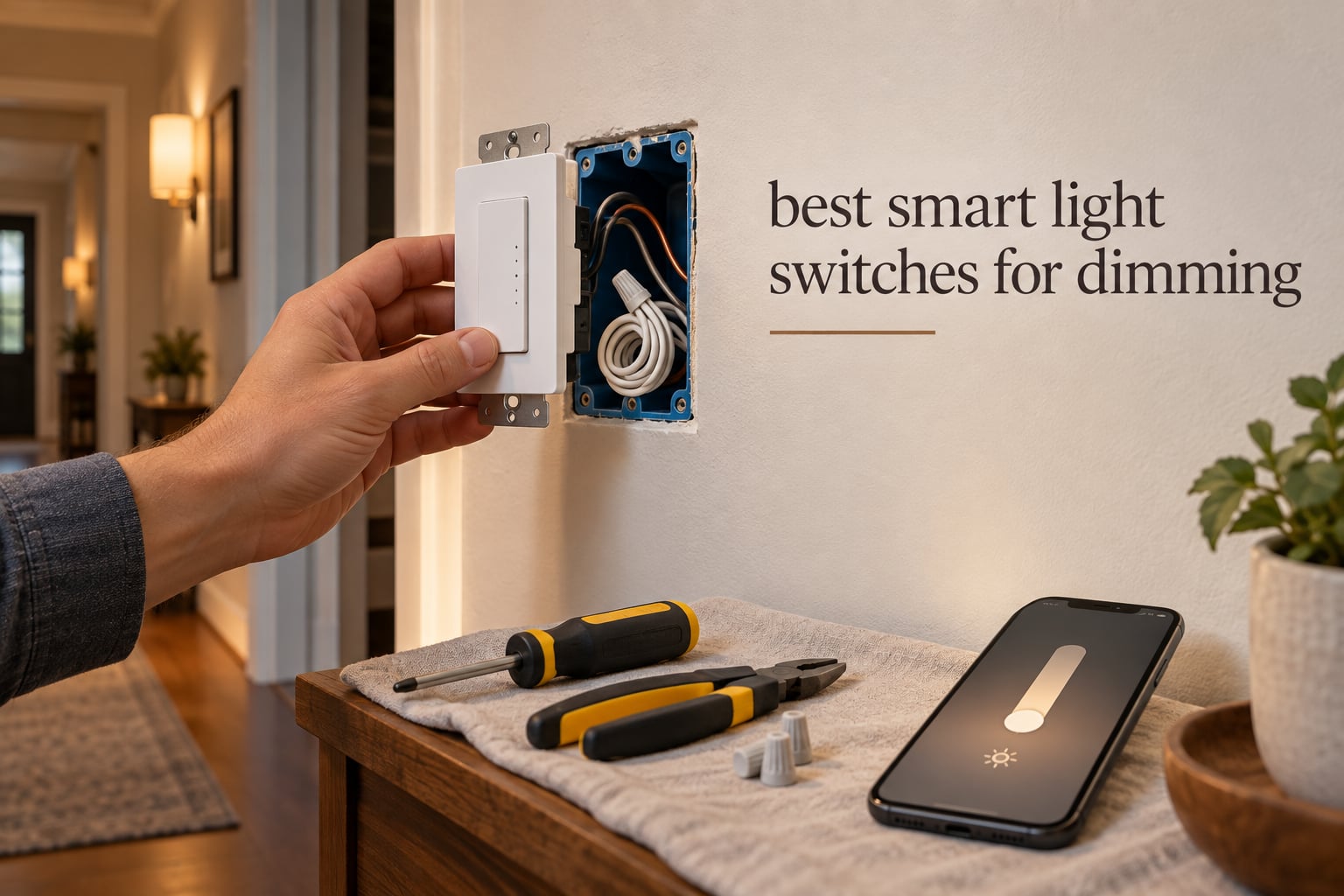
Dimming a hard-wired light used to mean one thing: a big round knob on the wall, and a trip to the hardware store when it buzzed. Today the best smart light switches for dimming put a brightness slider in an app, a fade timer on your wall, and a voice command in every room of the house. But the category is crowded, and the wrong switch can mean a dimmer that flickers, a box that will not close, or a device that stops answering the moment your router reboots.
We spent weeks putting ten of the most popular in-wall smart dimmers through their paces, reading owner reviews, and comparing exactly what each one can do. The short version: the Kasa HS220 is the most convincing all-round pick for anyone with a neutral wire, while the Lutron Caseta PD-6WCL solves the problem most smart dimmers ignore, the older home with no neutral at all.
Three variables decide almost everything before you start shopping. Do you have a neutral wire in the switch box? Will you run a hub, or do you want the switch to talk to your router directly? And is the box single-pole, or does that hallway have a 3-way setup with two switches on the same circuit? Get those three answers right and the rest of the list narrows fast. If you want the wider picture first, our smart light switch picks for automation covers on/off switches and the protocol side in more detail.
Table of Contents
Top 3 Smart Dimmer Switches (October 2026)
Three picks stand out above the rest: a smooth everyday dimmer, a hub-based option that keeps working offline, and a wired 3-way kit for hallways. Each one trades something, and we spell out what below.

Kasa HS220
- 300 watt maximum load
- 2.4 GHz Wi-Fi no hub needed
- Neutral wire required
- Fade on and Gentle Off

Lutron Caseta PD-6WCL
- No neutral wire required
- 150W LED load
- Works without Wi-Fi
- Pico remote 3-way

Best Smart Light Switches for Dimming in 2026 at a Glance
Every switch below is a real in-wall dimmer, not a smart bulb. Protocol, neutral-wire requirement and load ceiling differ more than the marketing suggests, so this table is the fastest way to rule options in or out.
| Product | Specifications | Action |
|---|---|---|
| Kasa Smart Dimmer Switch HS220 |
|
Check Latest Price |
| Lutron Caseta Smart Dimmer PD-6WCL |
|
Check Latest Price |
 TREATLIFE Smart Dimmer DS01 TREATLIFE Smart Dimmer DS01 |
|
Check Latest Price |
| Kasa Smart 3-Way Dimmer Kit KS230 |
|
Check Latest Price |
 Amazon Basics Smart Dimmer SD29-01 Amazon Basics Smart Dimmer SD29-01 |
|
Check Latest Price |
 Tapo Matter Smart Dimmer S505D Tapo Matter Smart Dimmer S505D |
|
Check Latest Price |
 Tapo Matter 3-Way Dimmer Kit S515D Tapo Matter 3-Way Dimmer Kit S515D |
|
Check Latest Price |
 Leviton Decora Smart Dimmer D26HD-1RW Leviton Decora Smart Dimmer D26HD-1RW |
|
Check Latest Price |
 Enbrighten Zigbee Paddle Dimmer 43080 Enbrighten Zigbee Paddle Dimmer 43080 |
|
Check Latest Price |
 Zooz ZEN72 800LR Z-Wave Dimmer Zooz ZEN72 800LR Z-Wave Dimmer |
|
Check Latest Price |
Three of the ten need a hub or a bridge of some kind, and one of them runs its own radio network that keeps dimming even when your broadband drops. That distinction matters more than any feature list, so read on.
What Is a Smart Dimmer Switch?
A smart dimmer switch is a wall-plate device that replaces your existing toggle and adds electronic dimming circuitry plus a wireless radio. Instead of a knob that physically changes resistance, a triac or hybrid circuit chops the power delivered to the fixture, and the radio relays commands from your phone, your voice assistant, or a schedule you set in an app.
That is the whole reason to choose a dimmer switch over a smart bulb. Guests keep flipping a real switch, the dimming works with whatever dimmable bulb you already own, and it works in fixtures where the bulb cannot be swapped, such as integrated LED chandeliers, track lighting, and ceiling fan light kits.
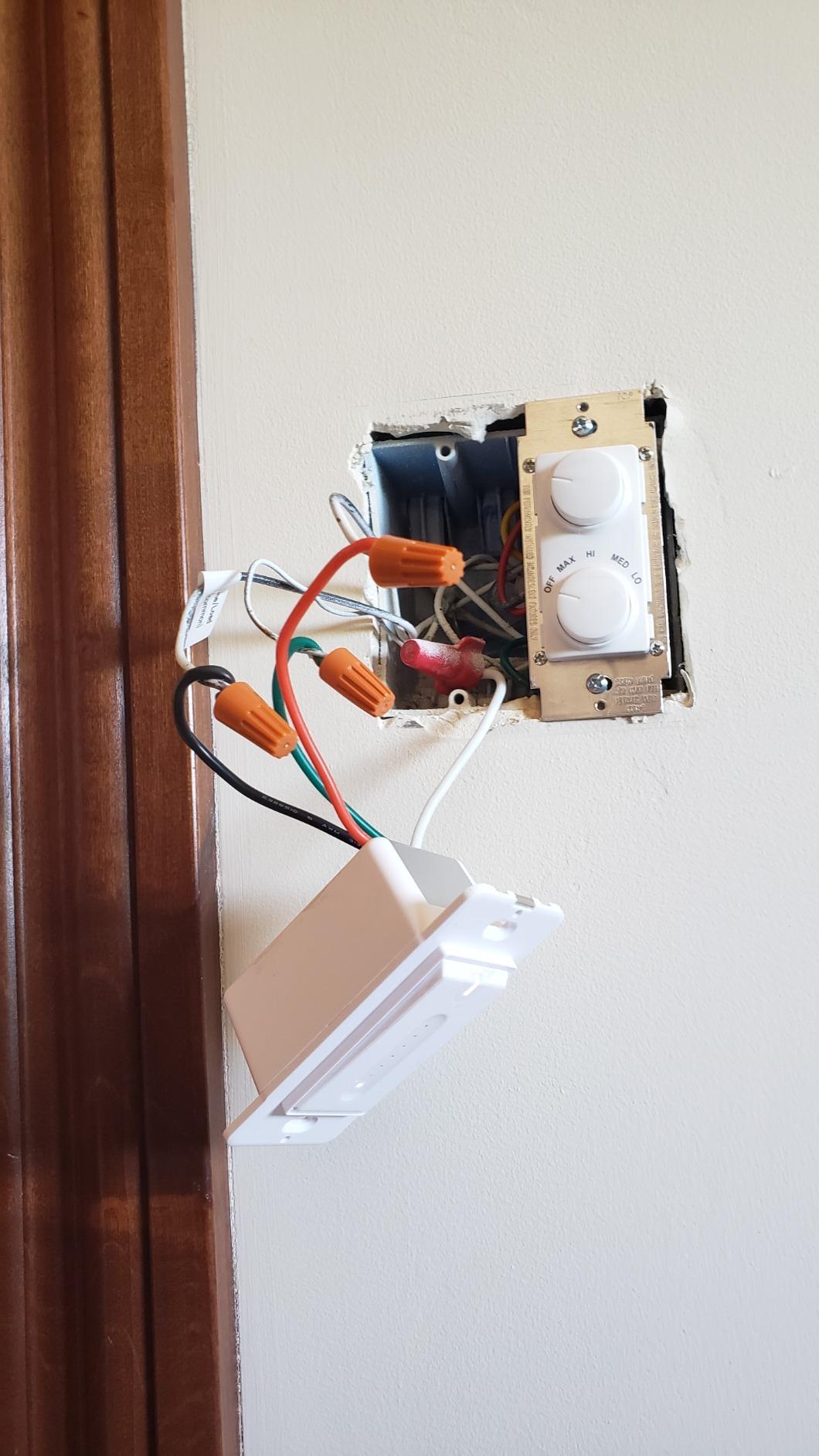
Almost every in-wall smart dimmer needs a neutral wire, the white wire that keeps the switch electronics powered when the light is off. Older homes frequently lack one at the switch box, which is the single biggest reason people give up on in-wall smart dimmers. One pick here works without it.
1. Kasa Smart Dimmer Switch HS220: The Best All-Round Smart Dimmer
Kasa Smart Dimmer Switch HS220, Single Pole, Needs Neutral Wire
300 watt max load
2.4 GHz Wi-Fi, no hub
Neutral wire required
2-year warranty
Pros
- Smooth consistent dimming across mixed LED bulbs
- Custom fade speed and low-end calibration in the app
- No hub needed on 2.4 GHz Wi-Fi
- Reliable schedules timers and Away Mode
- Top-mounted controls stay out of the way
Cons
- Requires a neutral wire
- Bulky module is hard to fit in shallow boxes
- Some units squeak when the button is pressed
- Needs setup twice when adding to Google Home
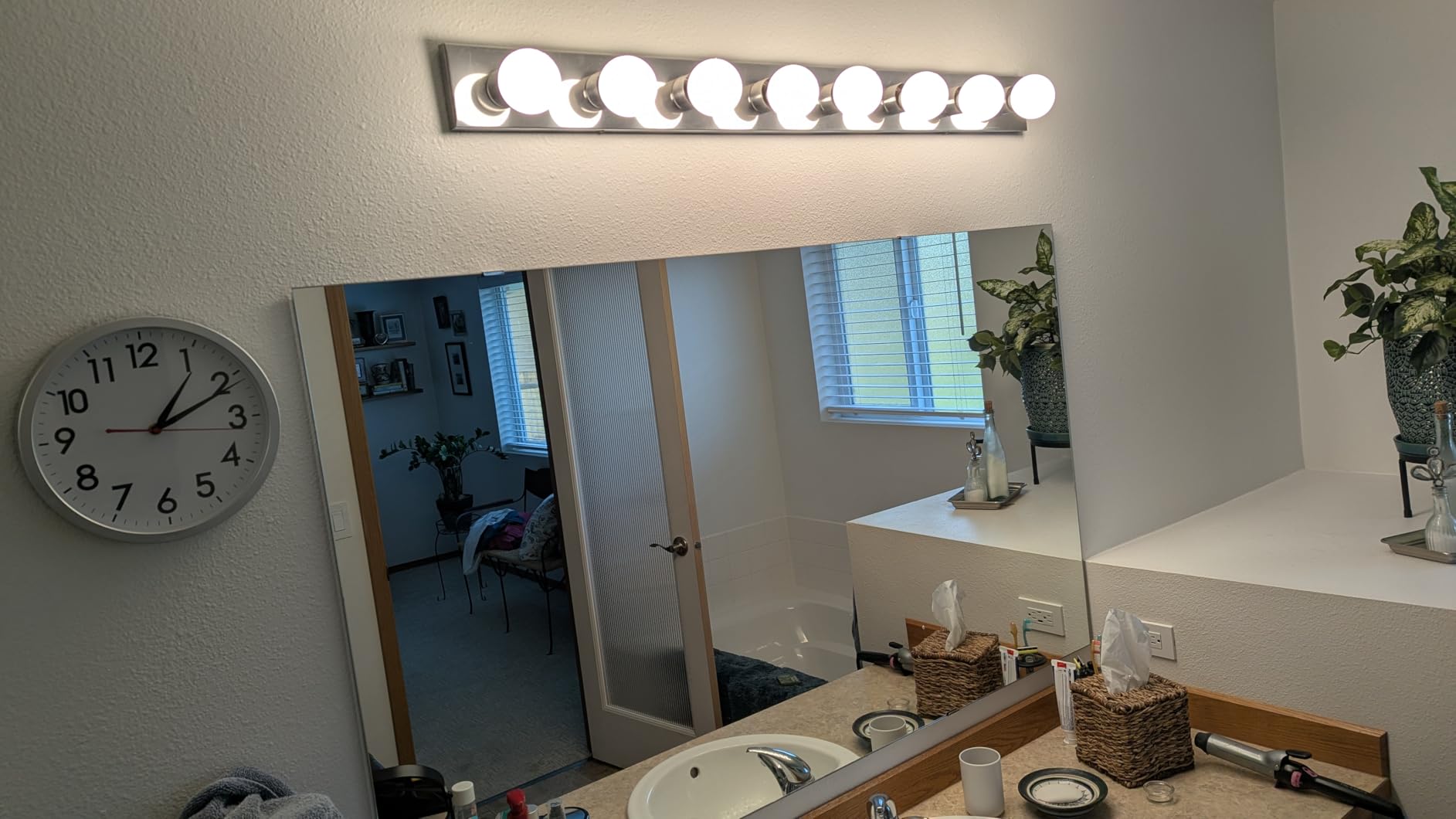
The HS220 is the switch we keep coming back to. It carries a 300 watt ceiling, dims across the full range, and connects straight to a 2.4 GHz router with no hub anywhere in the chain. Owners running many of them report the connection simply stays up, which is the opposite of what cloud-locked brands tend to deliver.
Dimming quality is the standout. Reviewers consistently describe smooth transitions across mixed LED bulb types with no flickering and no dead zone at the bottom of the range, and the app lets you tune the fade speed and calibrate the low end for your specific bulbs. Owners who switched to this from an older dimmer report the change is night and day.
The hardware is rated for 300 watts, which covers most ceiling fixtures and multi-bulb chandeliers without a second thought. The wall plate, wire nuts, and a labelling sheet are all in the box, and the app walks you through wiring step by step.

The controls sit at the top of the switch rather than on the paddle itself, so the rocker still feels like a normal switch. Tap for on and off, and use the app slider for a specific brightness. There is no physical dimmer bar, which some people miss and others appreciate because nothing accidental happens when someone leans on the wall.
Gentle Off is a double tap away, so the lights fade down rather than snapping off. Timers, schedules, and Away Mode all live in the Kasa app, and device grouping lets you control several rooms at once. The switch also works with the Tapo app, which matters if you are standardising across TP-Link gear.
When the HS220 is the right call
Choose it for a modern room with a neutral wire and a standard single-pole box, especially a living room, main bedroom, or dining room where you will actually use the dimming. It is also the pick for anyone starting a first smart room and wanting no extra hardware, no hub, and no monthly anything.
Pair it with the Kasa app and you get schedules, timers, and voice control through Alexa or Google Assistant within a couple of minutes. The 300 watt ceiling means most people never approach the limit.
Where it falls short
Two real constraints. The module is noticeably bulkier than a standard switch, so in a shallow or crowded box you may need a deeper electrical box, and the neutral wire requirement rules out a lot of older homes without rewiring.
Smaller annoyances exist too: a faint squeak from some units when the button is pressed, a second or two of delay while the switch works out a double tap, and having to configure the switch in the Kasa app and then again in Google Home. None of these are deal breakers, but they are the reason it is not a flawless pick.
2. Lutron Caseta Smart Dimmer PD-6WCL: Best for Homes Without a Neutral Wire
Lutron Caseta Smart Dimmer Switch (Smart Hub Required), No Neutral Required
No neutral wire required
150W LED, 600W incandescent
Lutron Smart Hub required
1.13 inch slim body
Pros
- Works with no neutral wire for older home retrofits
- Reliable response that does not depend on Wi-Fi
- Adjustable minimum and maximum dim levels
- Works with existing bulbs of any type
- Strong Alexa HomeKit Google and Home Assistant support
Cons
- Lutron Smart Hub sold separately
- Higher cost than Wi-Fi dimmers
- No default dim level on the in-wall switch
- Flat switch face can be hard to find in the dark
The Caseta dimmer draws years of owner feedback without hedging, and it is the only mainstream in-wall dimmer here that installs in a box with no neutral wire, which makes it the answer for the oldest homes on our list.
Lutron runs its own proprietary radio rather than Wi-Fi or Zigbee, and the Smart Hub handles the commands locally. Owners repeatedly point out that because the hub does the work, response is fast and stays fast even when the internet connection drops. The lights still dim, the switch still works, the automations still fire.
Load ratings are 150 watts for LED and 600 watts for incandescent or halogen, which covers a normal room easily. The dimming range is fully adjustable, with separate minimum and maximum levels you can tune to match your bulbs, and that calibration is why the Caseta rarely hums or flickers on difficult LEDs.
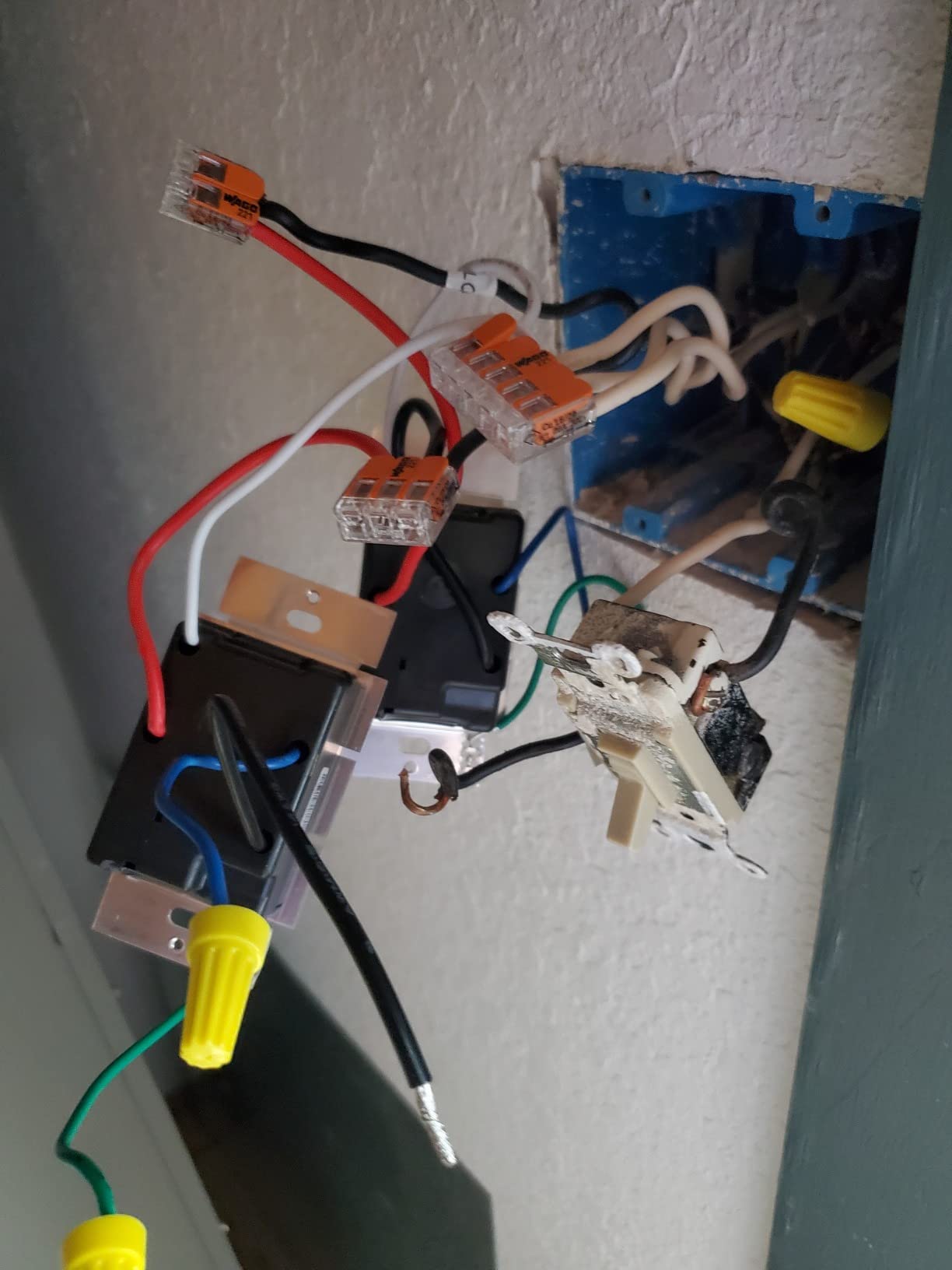
Because there is no neutral, the switch fits boxes that other smart dimmers physically cannot reach. It installs in as little as fifteen minutes for anyone comfortable with basic switch wiring, and the design is a standard rocker faceplate that matches ordinary switches in the house.
The Pico remote is the reason serious owners stay. Add one on a nightstand or hallway wall and you have a wireless switch anywhere in the home, which also solves 3-way setups without a second wired box. Long-standing owners describe Caseta as by far the most reliable dimmer on the market, with the rocker style singled out as the nicest smart dimmer going.
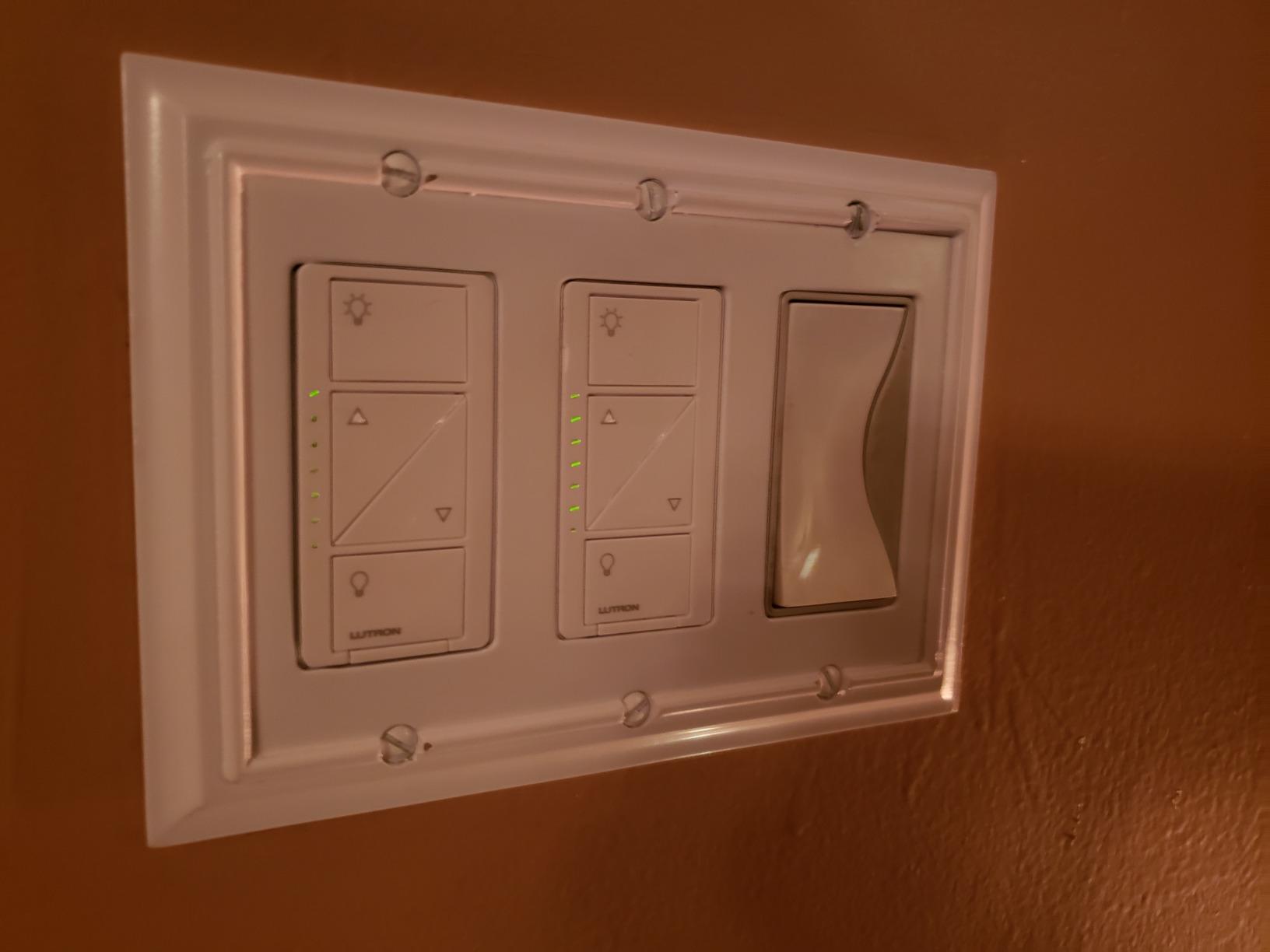
When the Caseta is the right call
It suits older houses with no neutral wire, and anyone who refuses to have walls opened. It also earns its place in new builds if you want dimming that keeps working when the internet does not, and if you run Apple Home, since HomeKit support is built in rather than added later.
Pick it for the master bedroom or a formal living room where the light quality genuinely matters, and pair it with a Pico for bedside control. The app handles scenes, schedules, geofencing, and timers.
Where it falls short
The hub is not optional. Buy the switch alone and you have a dimmer with no smart features, so factor the Smart Hub into the total before committing. The in-wall switch also cannot be programmed with a default dim level, which means lights come on at full power until you bring the level down.
Two small limits: on older revisions the flat switch face is hard to locate in a dark hallway, and the Caseta is not the right tool for non-dimmable loads such as fan motors. If you need dimming without a neutral wire, this is the only pick on the list.
3. TREATLIFE Smart Dimmer Switch DS01: Best Touch Dimmer for Single-Pole Rooms
TREATLIFE Smart Dimmer Switch, Single-Pole Smart Switch for Dimmable Bulbs, 2.4GHz WiFi Smart Light Switch Works with Alexa and Google Home, APP Remote Control, Neutral Wire Required
400 watt halogen, 150W LED
Touch slider on the dimmer
2.4 GHz Wi-Fi, no hub
Single-pole only
Pros
- Touch slider gives direct brightness control on the wall
- No hub required on 2.4 GHz Wi-Fi
- Remembers the last brightness after a power cut
- 400 watt halogen ceiling above the Kasa dimmers in this group
- Standard 1-gang wallplate included in the box
Cons
- Neutral wire required
- Single-pole only so no 3-way use
- No HomeKit or Matter support
- Will not drive non-dimmable or smart bulbs
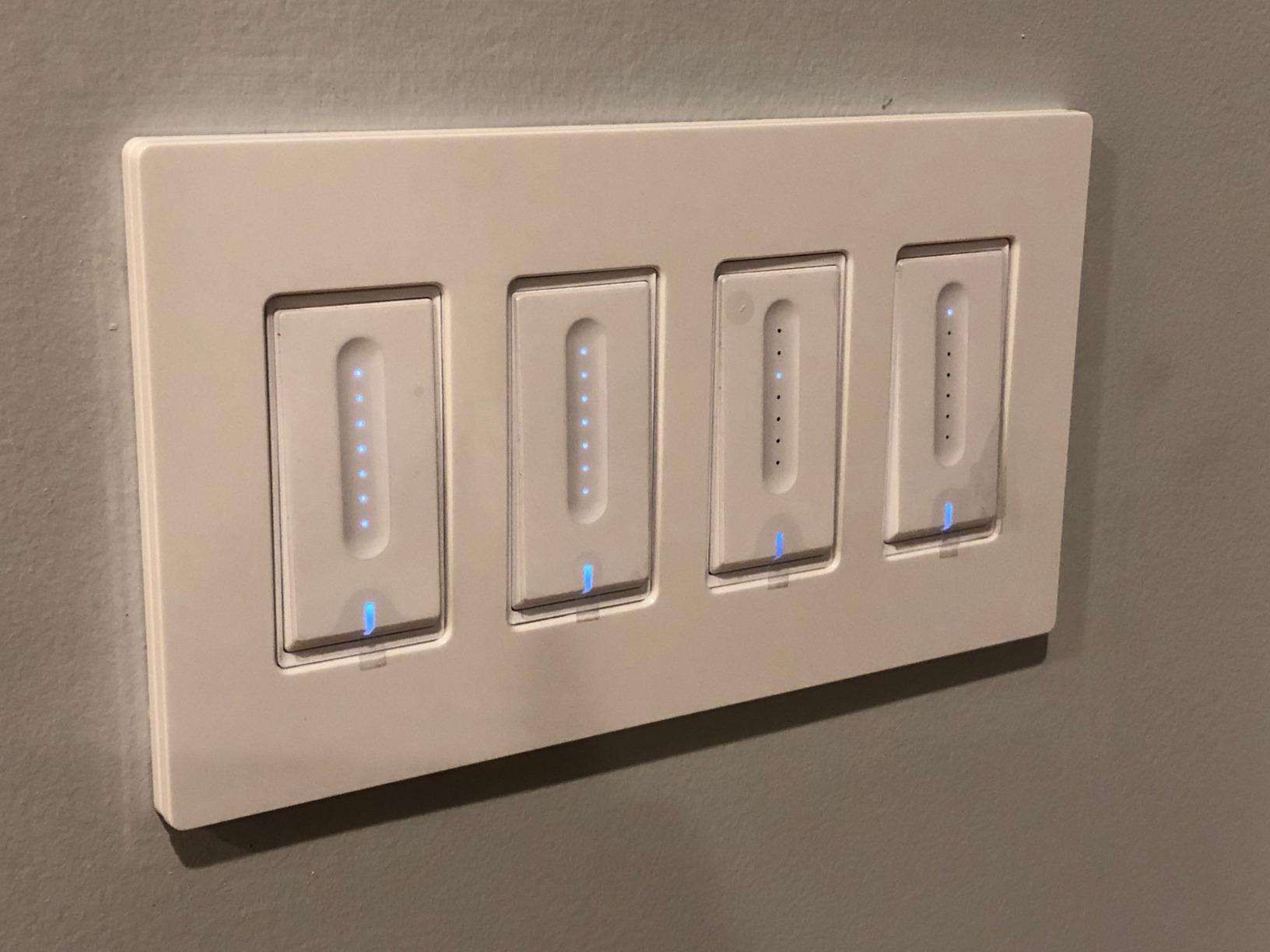
The TREATLIFE DS01 answers a question most switches here do not: how do you set brightness without opening an app? The answer is a touch slider right on the dimmer face. Drag your finger up the strip and the light level follows, which is faster and more satisfying than tapping a button four times.
Load handling is a real strength here. The dimmer is rated for 400 watts of halogen or incandescent and 150 watts of LED, so it covers larger fixtures than the Kasa HS220 next to it in this list. It also remembers the brightness level you were using, so a power cut does not reset the room to full blast.
It connects to 2.4 GHz Wi-Fi directly, needs no hub, and works with Alexa and Google Assistant. Scheduling, device groups, and family sharing are handled in the app, and custom brightness levels can be tied to a schedule, so a hallway drops to a low glow at night on its own.
The physical switch is a push button rather than a rocker, and the touch strip sits beside it. A standard 1-gang wallplate is included, which is worth noting because several competitors in this category ship the switch without one and leave you to buy a separate plate.
Owners highlight smooth dimming and a responsive app. If your household actually uses wall dimmers rather than only voice control, the tactile slider is the feature that turns a smart switch into a switch people do not stop using.
When the DS01 is the right call
It fits a single-pole room with a neutral wire where people will dim lights constantly, such as a living room, master bedroom, or dining room. It is a good first smart switch for a household that is not ready to commit to a hub or an ecosystem.
Choose it for a high-wattage fixture such as a halogen-heavy pendant, where the 400 watt ceiling gives you headroom, and for anyone who wants app scheduling without learning a new platform.
Where it falls short
It is single-pole only, so it cannot replace a 3-way switch in a stairway or hallway. It also requires a neutral wire, and there is no HomeKit or Matter support, which locks you into the TP-Link app experience plus the voice assistants it supports.
One more limitation: it will not work with non-dimmable bulbs or with most smart bulbs, since those dim internally and confuse the switch. Stick it on conventional dimmable LEDs or halogen.
4. Kasa Smart 3-Way Dimmer Kit KS230: Best 3-Way Dimmer for Hallways and Stairways
Kasa Smart 3-Way Dimmer Switch Kit, KS230 KIT v2, Need Neutral Wire
3-way kit with satellite switch
1-100% brightness control
Requires neutral at both boxes
300 watt ceiling
Pros
- Real dimming from two locations
- not just on and off
- Full 1-100% range from the switch or the app
- Scheduling with set brightness levels for night use
- Works with Alexa Google Assistant and SmartThings
- ETL certified with a 2-year warranty
Cons
- Neutral wire needed at both switch locations
- 2.4 GHz Wi-Fi only
- Satellite switch and two plates add bulk
- Costs more than a single-pole dimmer
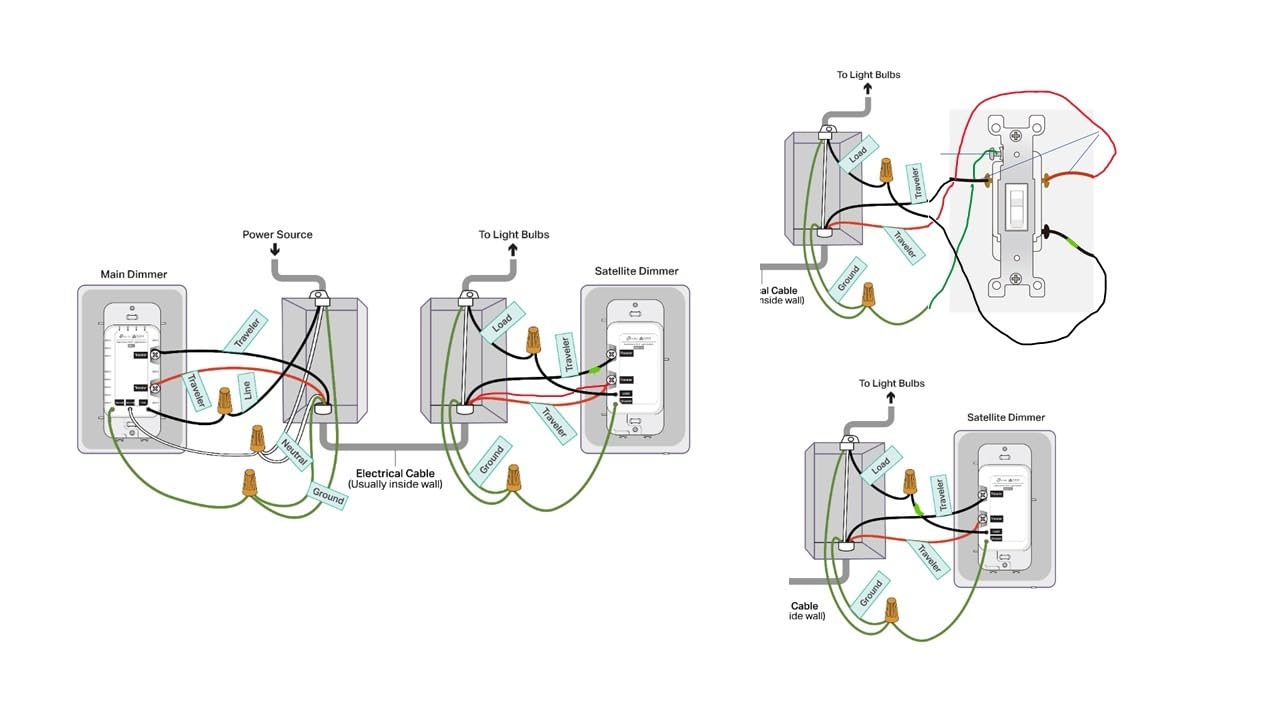
A 3-way circuit is the setup that defeats most smart dimmers, and the KS230 kit handles it properly. The box contains the main Wi-Fi dimmer, a wired satellite switch, two wall plates, and five wire nuts, so you can dim a light from either end of a hallway, a stairway, or a long room.
Both locations give you brightness control, not just on and off. The range is 1% to 100%, adjustable from the switch itself or from the Kasa app, and schedules can carry a specific brightness level, so a stairwell can come on at a dim glow at night and rise to full for a busy evening.
Load capacity is 300 watts for incandescent and 150 watts for dimmable LED, which is the same ceiling as the HS220. It works with Alexa, Google Assistant, and SmartThings, and the app handles the install walkthrough alongside the wiring diagram.
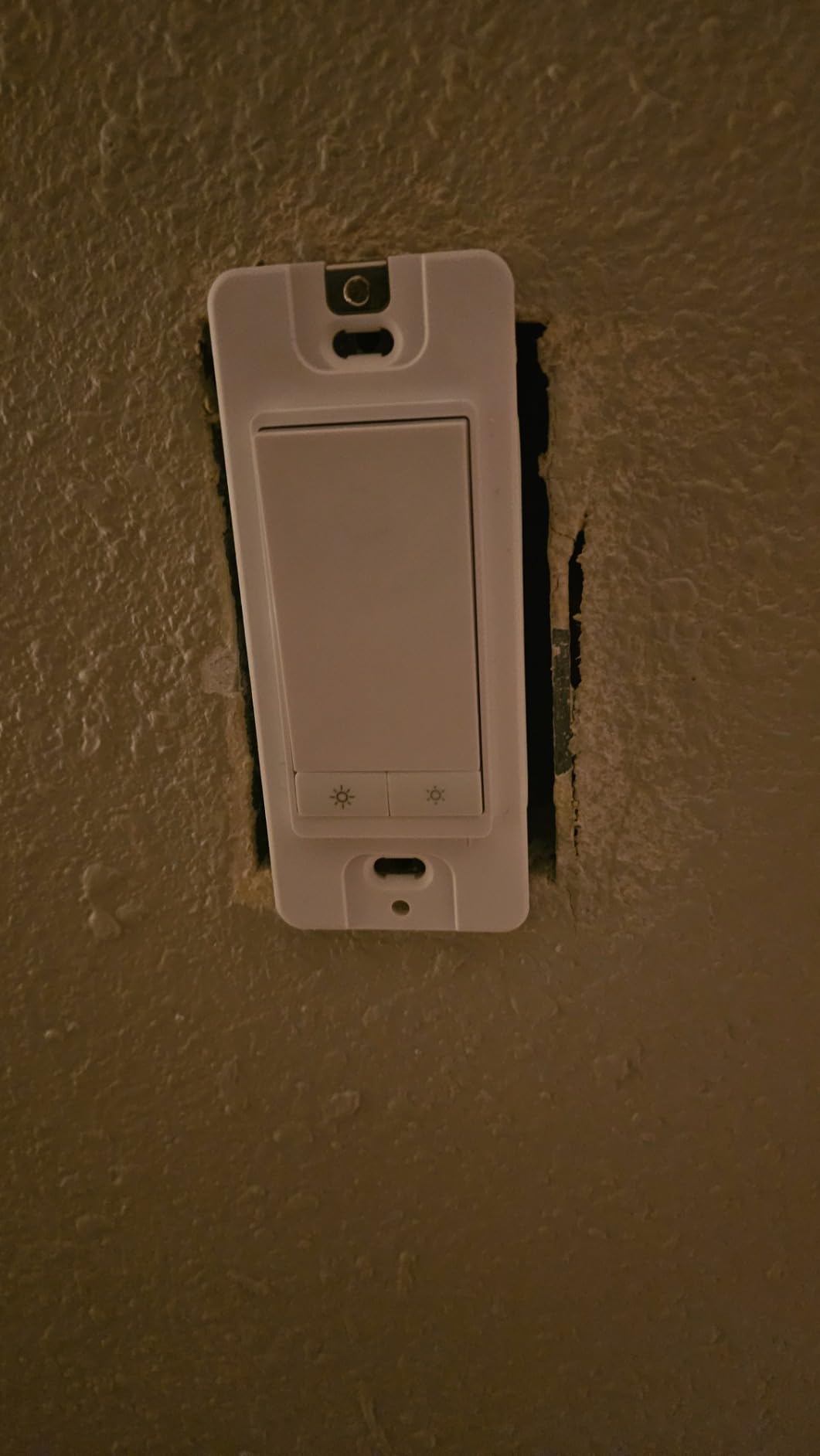
Installation is a genuine two-box job. You replace the existing 3-way pair with the main dimmer and the satellite, and both boxes need a neutral wire for the setup described in the product documentation. If the second box lacks one, this kit is not the answer and you should look at a wireless companion approach instead.
Owners who installed it report the practical win: a hallway or stairway that dims from both ends, which is the one thing a smart bulb cannot do and a single smart switch cannot either. The extra hardware at the second box is the visible trade-off.
When the KS230 kit is the right call
It is built for two-location control in a hallway, stairway, entrance hall, or a room with two doors. It is also a strong choice if you want one app and one ecosystem across both single-pole and 3-way rooms, since it shares the Kasa platform with the HS220.
Pick it when dimming at the far end of a corridor genuinely matters, such as in a house with kids or anyone who gets up at night.
Where it falls short
Both switch boxes need a neutral wire, and that is where a lot of installs stop. It is 2.4 GHz Wi-Fi only, it costs more than a single-pole dimmer because you are buying two switches, and the satellite takes extra room in the second box.
It also has no Matter certification in this version, so Apple Home and newer SmartThings setups are not part of the picture. If you need Matter and 3-way in one product, the Tapo S515D kit is the alternative to look at.
5. Amazon Basics Smart Dimmer SD29-01: Best for Alexa-Only Households
Amazon Basics Smart Dimmer Switch, Single Pole, Works with Alexa Only, Voice Control, 2.4 GHz Wi-Fi, No Hub Required, Neutral Wire Required, White
Alexa voice control
160 watt dimming load
2.4 GHz Wi-Fi, no hub
Neutral wire required
Pros
- No hub or extra smart device required
- Simple guided installation with a video walkthrough
- Works with Alexa routines for scheduling
- Compact single-pole form factor
- ETL certified
Cons
- Works only with Alexa with no Google or Apple support
- Neutral wire required
- 2.4 GHz Wi-Fi only
- Modest 160 watt dimming ceiling
The Amazon Basics dimmer exists for one situation: a house that runs entirely on Alexa and nothing else. It sets up in the Alexa app without a separate app, no hub, and no account juggling, and the whole thing can be running from voice in a few minutes.
Dimming runs to 160 watts, which is lower than most of the switches here. That is fine for a single lamp or a small ceiling fitting, and it is the reason this sits mid-table rather than higher. Anything bigger, and you are pushing the limit the manufacturer did not design for.
Scheduling happens through Alexa routines, so you can set lights to come on at a set time or fade with a routine, and the switch reports its state back in the Alexa app from anywhere. The hardware is compact, and installation is supported by a video walkthrough and a troubleshooting guide in the box.
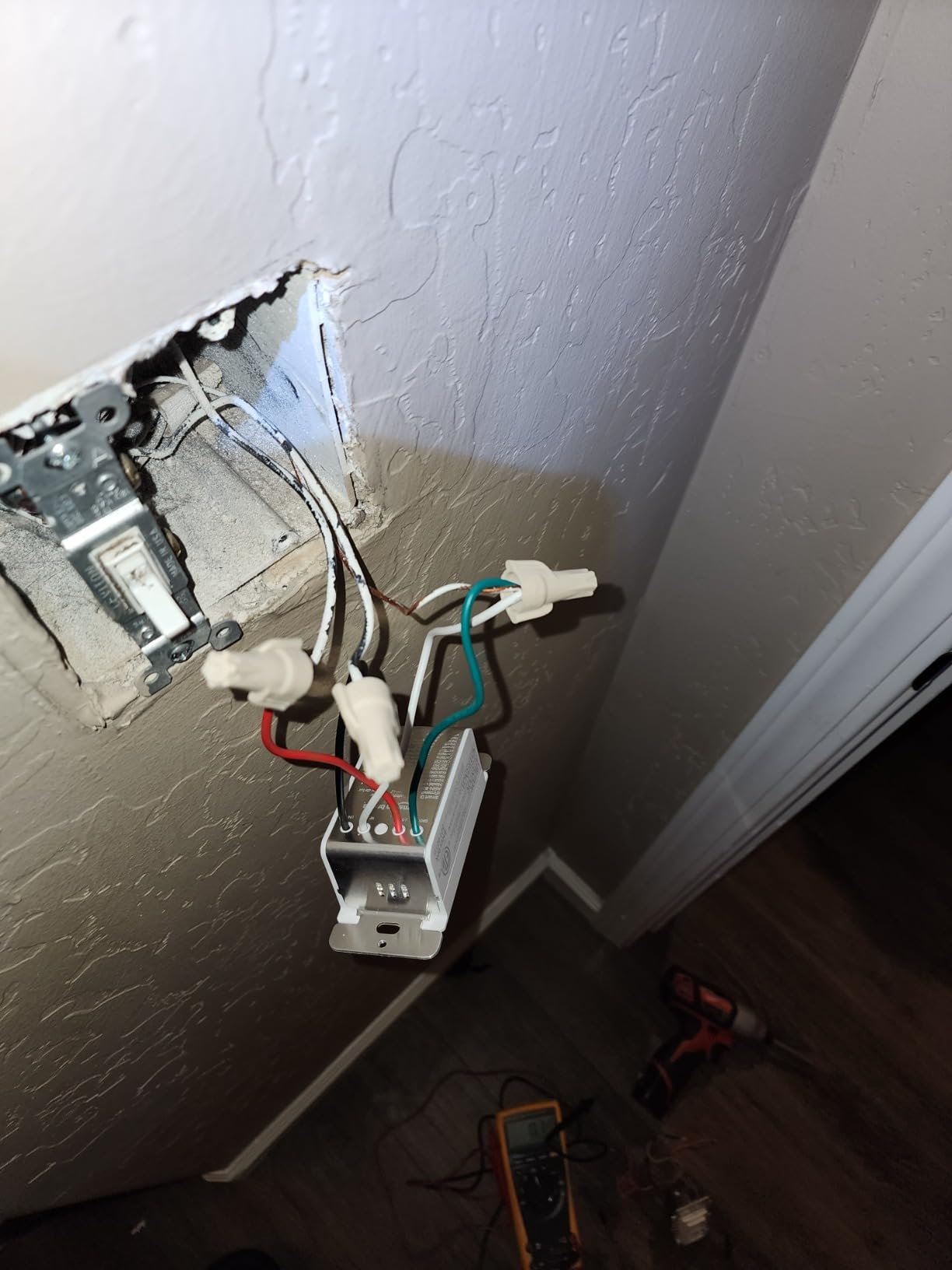
It is a plain single-pole dimmer with screw terminals, rated to 120 volts, and it requires neutral wiring and a 2.4 GHz network. There is no brightness slider on the wall itself, so dimming happens by voice, by app, or by the button on the device.
Owners pick it for exactly what it is: fewer moving parts. If your household already talks to Alexa for everything, having a dimmer that joins the same app is a genuine convenience rather than a compromise.
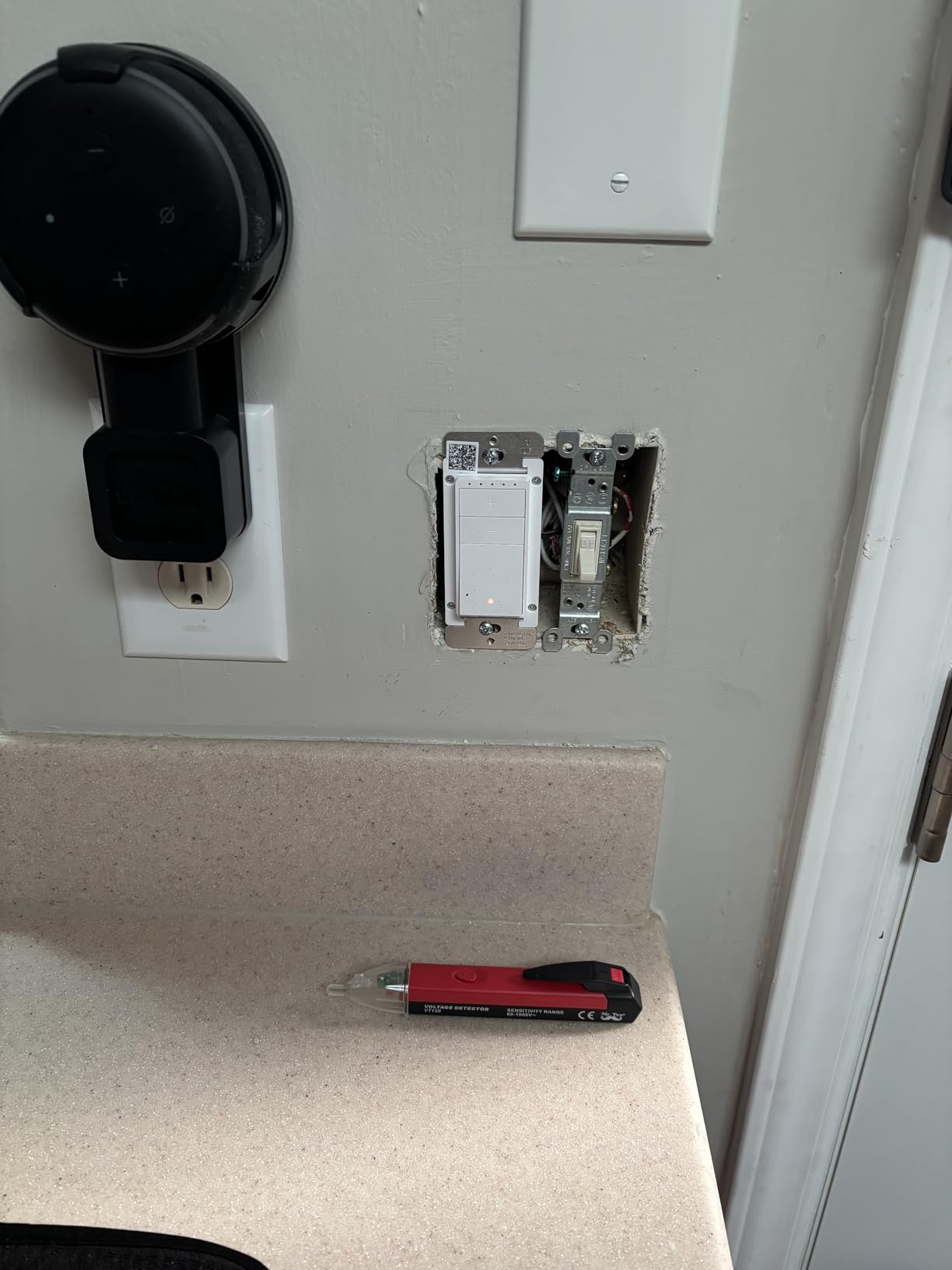
When the SD29-01 is the right call
It suits a single-pole room in an Alexa-only household where the goal is simple voice dimming with no new hardware. Small bedrooms, a home office, a downstairs hallway with one switch, or a first room in a rental you are improving quietly.
Pick it when you do not care about Matter, HomeKit, Google Home, or local control, and when the fixture is comfortably under 160 watts.
Where it falls short
The ecosystem ceiling is the whole story. It works with Alexa and nothing else, with no Google Home, no Apple Home, and no Matter, which makes it a poor buy if anyone in the house prefers another assistant or plans to switch later.
The 160 watt limit, the neutral wire requirement, 2.4 GHz-only Wi-Fi, and the absence of a standalone app all narrow where it works. The 4.2 star average across more than a thousand reviews reflects that narrowness more than any defect.
6. Tapo Matter Smart Dimmer S505D: Best Matter-Certified Dimmer for Multi-Platform Homes
Tapo Matter Smart Dimmer Switch, S505D, Single Pole, Need Neutral Wire
Matter certified
0-100% dimming
150 watt max load
Neutral wire and 2.4 GHz needed
Pros
- Matter certified so it joins Alexa Apple Home Google and SmartThings
- Full 0-100% dimming from the switch app or voice
- Fade on and fade off transitions
- Randomised Away Mode to simulate occupancy
- App-guided install makes the wiring approachable
Cons
- Neutral wire required
- 2.4 GHz Wi-Fi only
- Single-pole only
- Modest 150 watt maximum load
The Tapo S505D is the one to buy if you want a dimmer that speaks the new common language. It is Matter certified, so it joins Apple Home, Amazon Alexa, Google Home, and Samsung SmartThings without a bridge, and it stays put in those ecosystems as they change.
Dimming is the full 0% to 100% range, adjustable from the switch, the Tapo app, or voice. It also has fade on and fade off, which matters more than it sounds: a light that ramps gently at bedtime is far easier on the eyes than one that goes from off to full instantly.
Away Mode randomly switches lights on and off to mimic occupancy while you are away, and custom schedules can turn lights on, off, or dim to a specific level at specific times. All of it is configured in the Tapo app with a guided install flow.
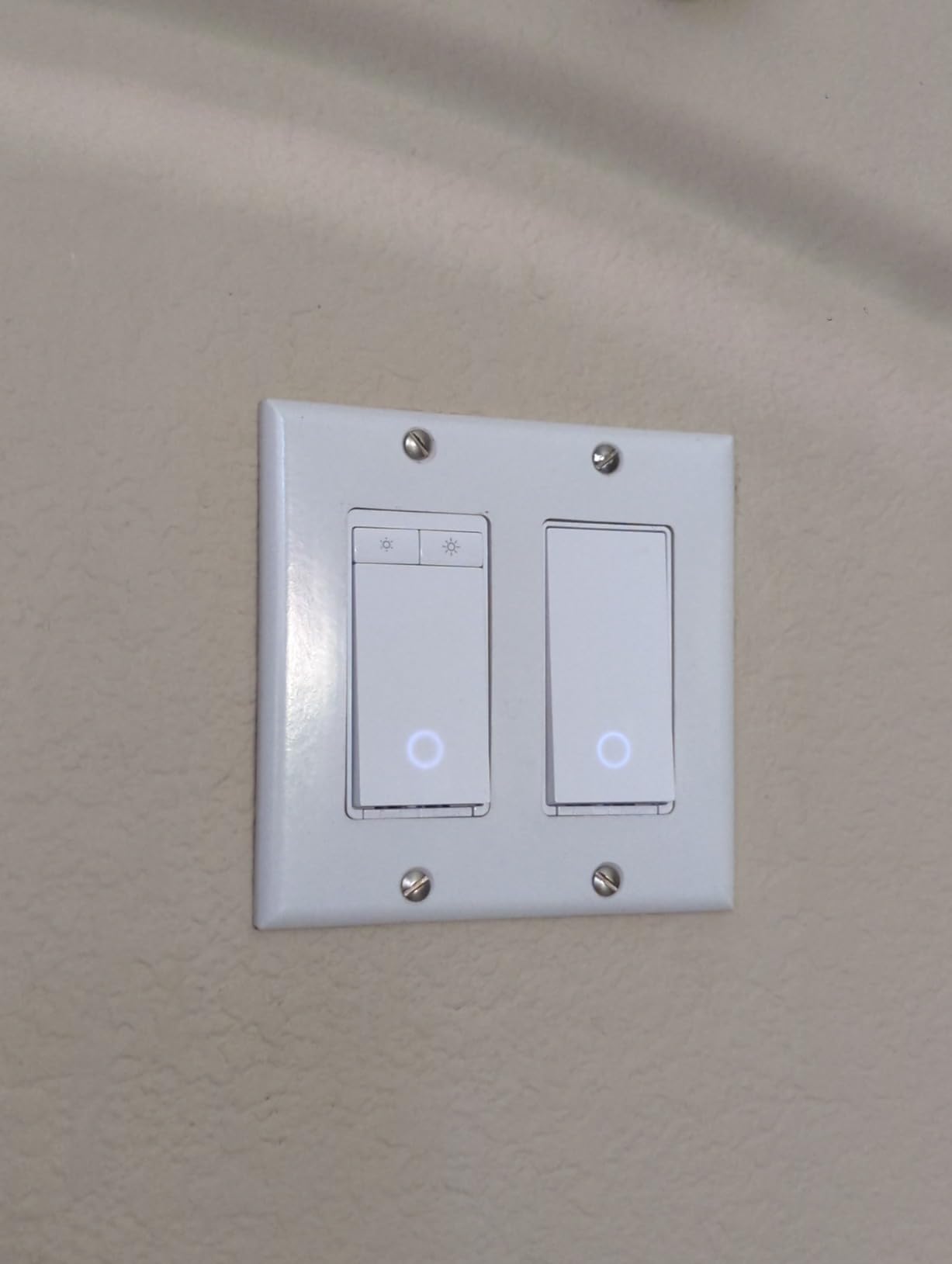
On the hardware side it is a 120-volt single-pole dimmer with screw terminals, a 150 watt ceiling, and a 2.4 GHz Wi-Fi requirement. The wall plate, wire nuts, screws, and a quick start guide come in the box, and the plastic body suits a standard 1-gang box.
Owners report smooth dimming and broad Matter compatibility without paying a premium, and they consistently describe the limitations as installation requirements rather than performance shortfalls. If you are already in the Apple or Google ecosystem and just want dimming that keeps working across platforms, this is the pick.
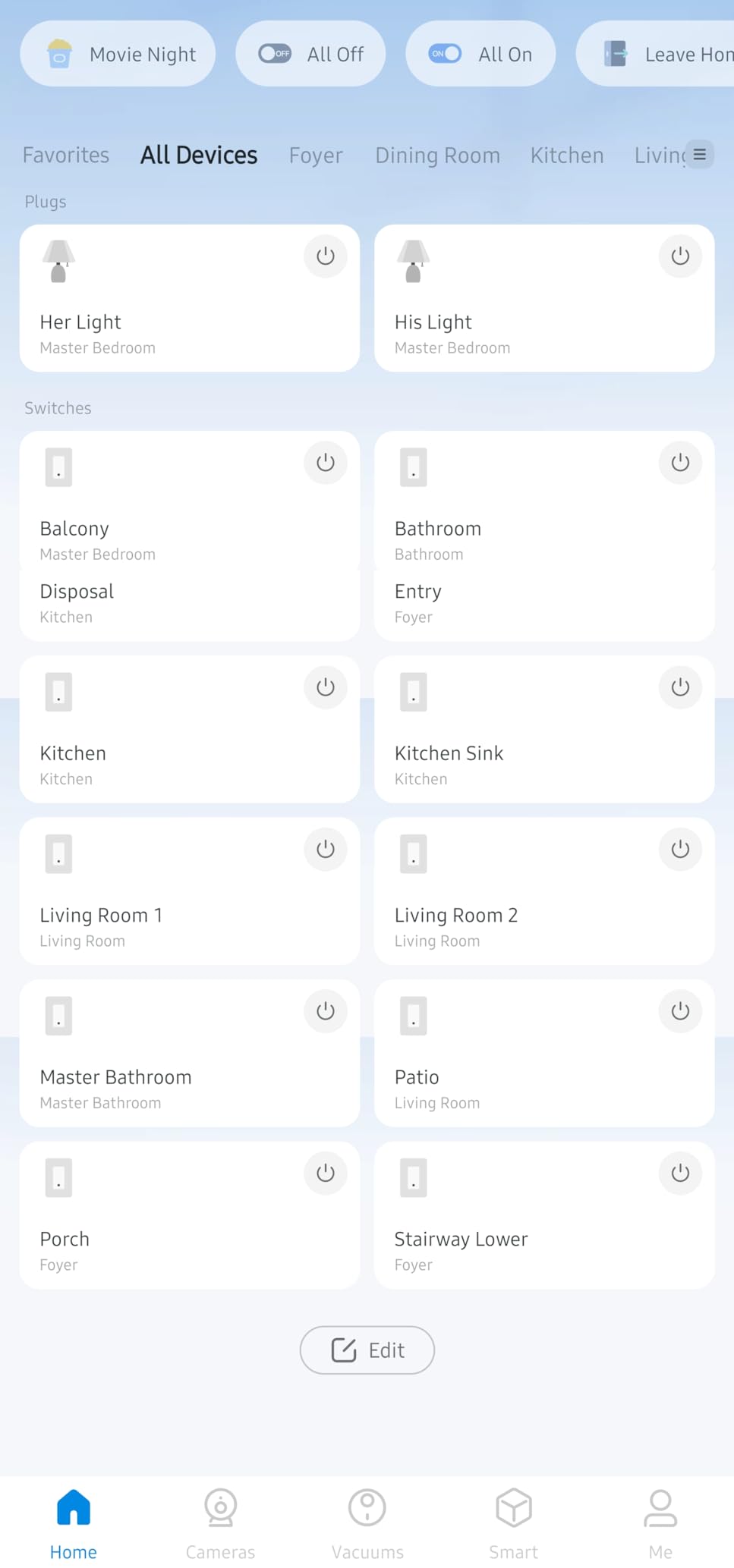
When the S505D is the right call
It fits any single-pole room with a neutral wire in a household that wants one dimmer for Apple Home, Alexa, and Google Home at once. It is a sensible default for a new build or a renovation where you want to avoid locking into one brand.
Choose it for a bedroom, a hallway with one switch, or a living room where fade on and off at set times is the behaviour you actually want.
Where it falls short
It is single-pole only, so a 3-way circuit needs a different kit, and 2.4 GHz Wi-Fi is required. The 150 watt ceiling is the smallest here alongside the Caseta, which matters for a chandelier or a multi-bulb fitting.
The neutral wire requirement remains, and while Matter makes the device itself portable, the Tapo app is still where schedules and Away Mode live.
7. Tapo Matter 3-Way Dimmer Kit S515D: Best 3-Way Kit with Energy Monitoring
Tapo Matter Smart 3-Way Dimmer Switch Kit, S515D KIT
Matter 3-way dimming kit
600 watt load
Energy monitoring built in
Fade on and fade off
Pros
- Matter certified 3-way dimming with a wired satellite
- Energy monitoring for connected lights
- 0-100% dimming plus fade on and fade off
- Works with Alexa HomeKit Google SmartThings and IFTTT
- Higher 600 watt capacity than the Kasa 3-way kit
Cons
- Neutral wire required at both switch locations
- 2.4 GHz Wi-Fi only
- Two wall plates and the satellite take more box space
- Newer kit with a smaller pool of owner feedback
The S515D kit is the S505D with a second location and a lot more headroom. You get a main Matter dimmer plus a satellite switch, so a stairway or hallway dims from both ends, and the 600 watt load rating covers fixtures the smaller kits cannot.
Energy monitoring is the feature that separates it. Instead of guessing where the electricity goes, the app reports usage for the connected lights, which turns a dimmer into a small piece of household metering. Owners who added it for the 3-way capability rarely mention it first, but it is the reason to keep it.
Everything else follows the Tapo pattern: 0% to 100% dimming, fade on and fade off, custom schedules that can dim as well as switch, and randomised Away Mode. It works with Alexa, Apple HomeKit, Google Home, SmartThings, and IFTTT.
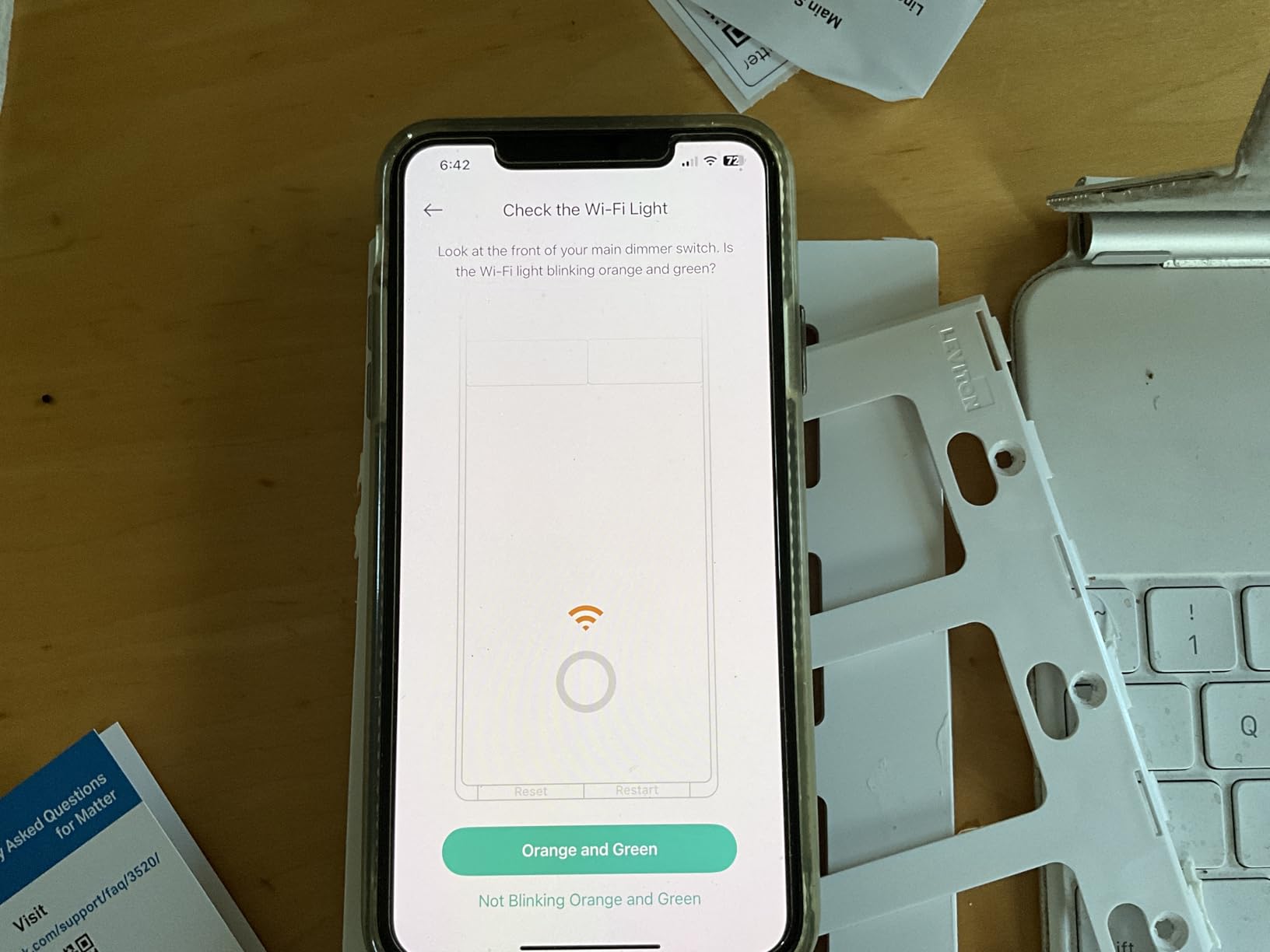
The package includes the main dimmer, the satellite, two wall plates, five wire nuts, and wire labels, which is enough to complete a 3-way install. Both boxes need a neutral wire, and both need 2.4 GHz Wi-Fi coverage to the same router.
Reviewers consistently single out Matter compatibility, working dimming at both locations, and the energy monitoring as the reasons they recommend it. The honest downside is the size of the kit and the fact that it is a newer product line, so long-term owner feedback is thinner than for the switches above.
When the S515D kit is the right call
It is for two-location dimming in a Matter household, and it suits larger fixtures where the 600 watt ceiling matters. Anyone who wants to see how much a room or a lighting circuit actually costs will get more from this than from a plain dimmer.
Pick it for a main hallway, a stairway, or a room with two doorways, and pair it with the S505D in other single-pole rooms for a consistent Matter setup.
Where it falls short
Neutral wires at both boxes, 2.4 GHz-only Wi-Fi, and the extra bulk of a satellite plus two plates. If your second box has no neutral, none of the 3-way kits here will install and you need a wireless companion approach or an electrician.
The smaller owner pool is worth weighing for a whole-home project, and the 600 watt figure is a maximum, not a recommendation for very low-draw LED circuits.
8. Leviton Decora Smart Dimmer D26HD-1RW: Best for Fine-Tuning Stubborn LED Bulbs
Leviton Decora Smart Dimmer Switch, Wi-Fi 2nd Gen, Neutral Wire Required, Works with Matter, Alexa, Google Assistant, Apple Home/Siri, Wired or Wireless 3-Way, D26HD-1RW, White
Tunable min dim and max bright
600 watt load
Wired or wireless 3-way
Matter via firmware update
Pros
- Adjustable max brightness min dim and bulb type settings
- Reported smooth dimming with no flicker or hum
- Matter support enabled by a firmware update
- Works with wired or wireless 3-way companions
- My Leviton Night Settings for automatic softer light
Cons
- App pairing can take several attempts
- Bright and dim use a separate side button
- Requires a neutral wire
- Low-draw loads below 25 watts can flicker
The Leviton is the switch we would trust with awkward LED bulbs. It exposes three tuning controls, minimum dim level, maximum brightness, and bulb type, and those settings are exactly what you adjust to kill the flicker and coil hum that ruin cheap dimmers.
On bulbs that behave, owners report smooth dimming with no flicker and no hum. The dimming also runs to 600 watts, matching the highest load ceiling in this group, and fade rates plus preset levels let you shape exactly how quickly the light changes.
Matter support arrives through a firmware update in the My Leviton app, which means the switch can join Apple Home, Alexa, Google Home, SmartThings, Sonos, and Resideo without new hardware. The app also shows two-way status, so you can see whether a light is on from anywhere.
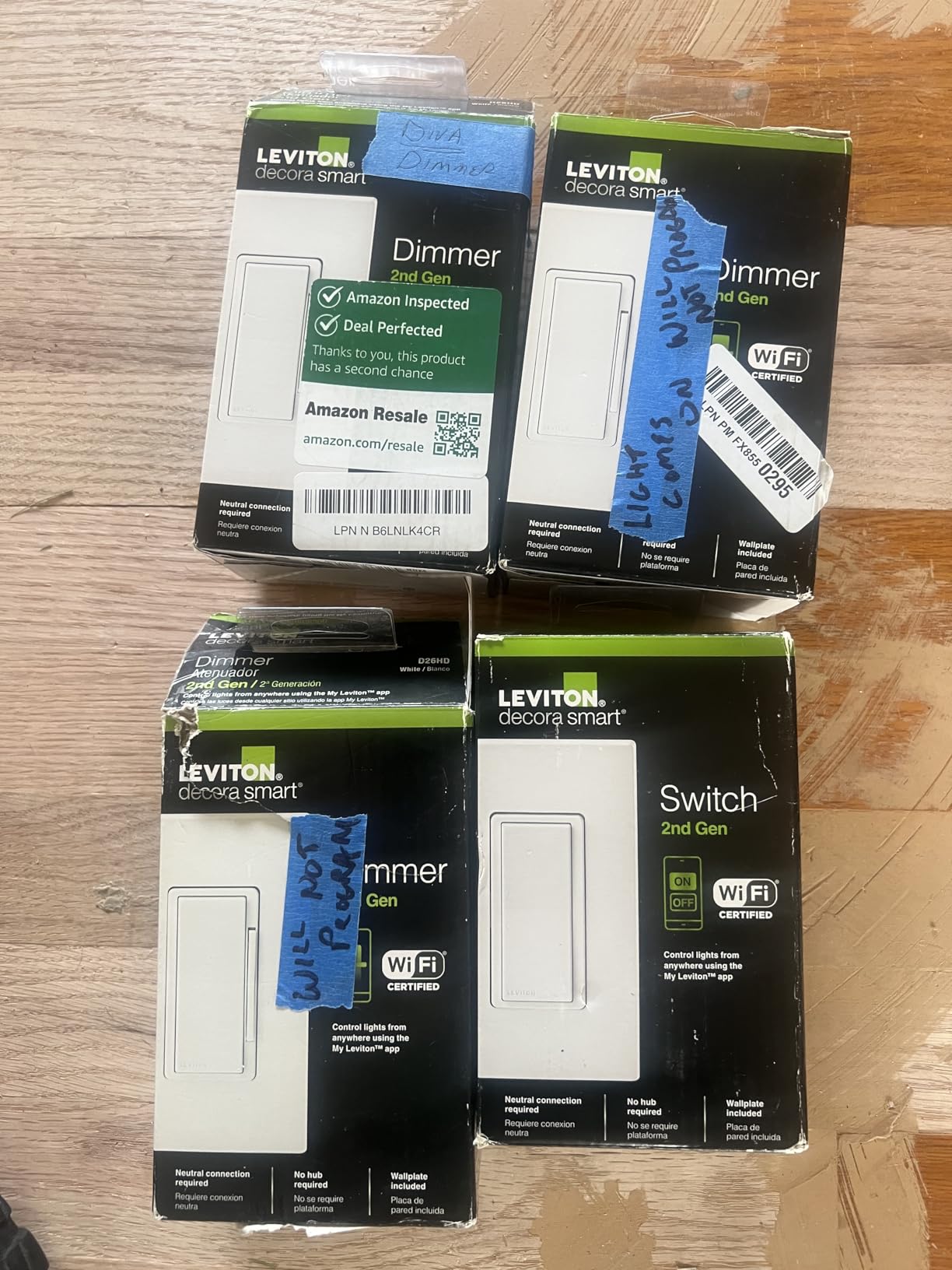
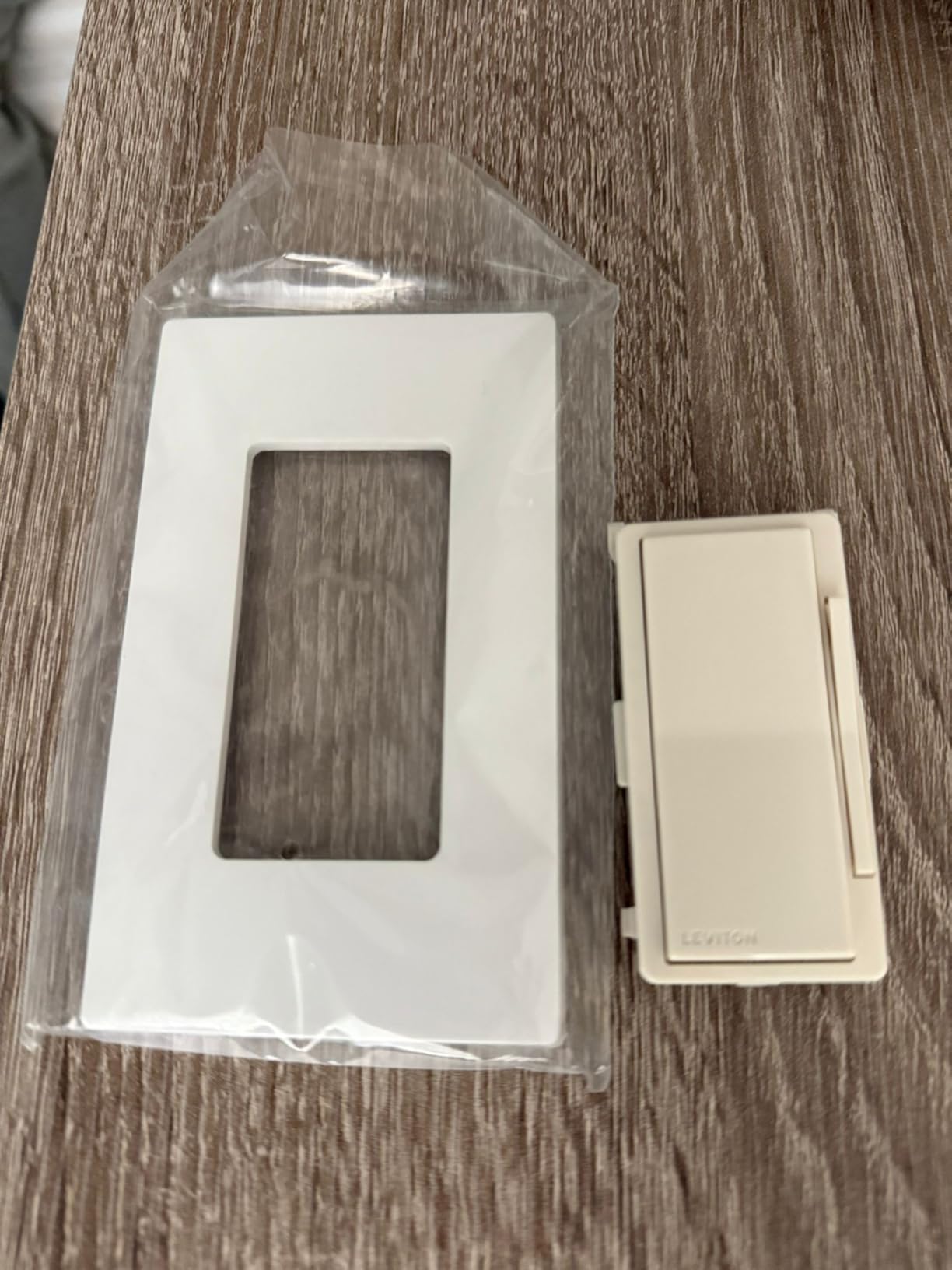
For 3-way setups you have options. It works with a wired companion, and with a wireless companion that behaves like the main switch, which is useful when one of the two boxes lacks room or a neutral. My Leviton Night Settings can drop kitchen and bathroom lighting to a softer level automatically.
Long-term owners report no failures across many installed switches, and the build feels closer to a commercial fit than a plastic consumer gadget. It is the switch a decorator chooses, not a hobbyist.
When the D26HD-1RW is the right call
It suits a household with a difficult LED mix, where you have tried dimming and got buzz, flicker, or a dead zone at the bottom. It is also the pick for anyone who wants Matter in a switch that already does wired or wireless 3-way control.
Choose it for a living room with a statement fixture, a high-load pendant, or a kitchen and bathroom pair where you want automatic softer light at night.
Where it falls short
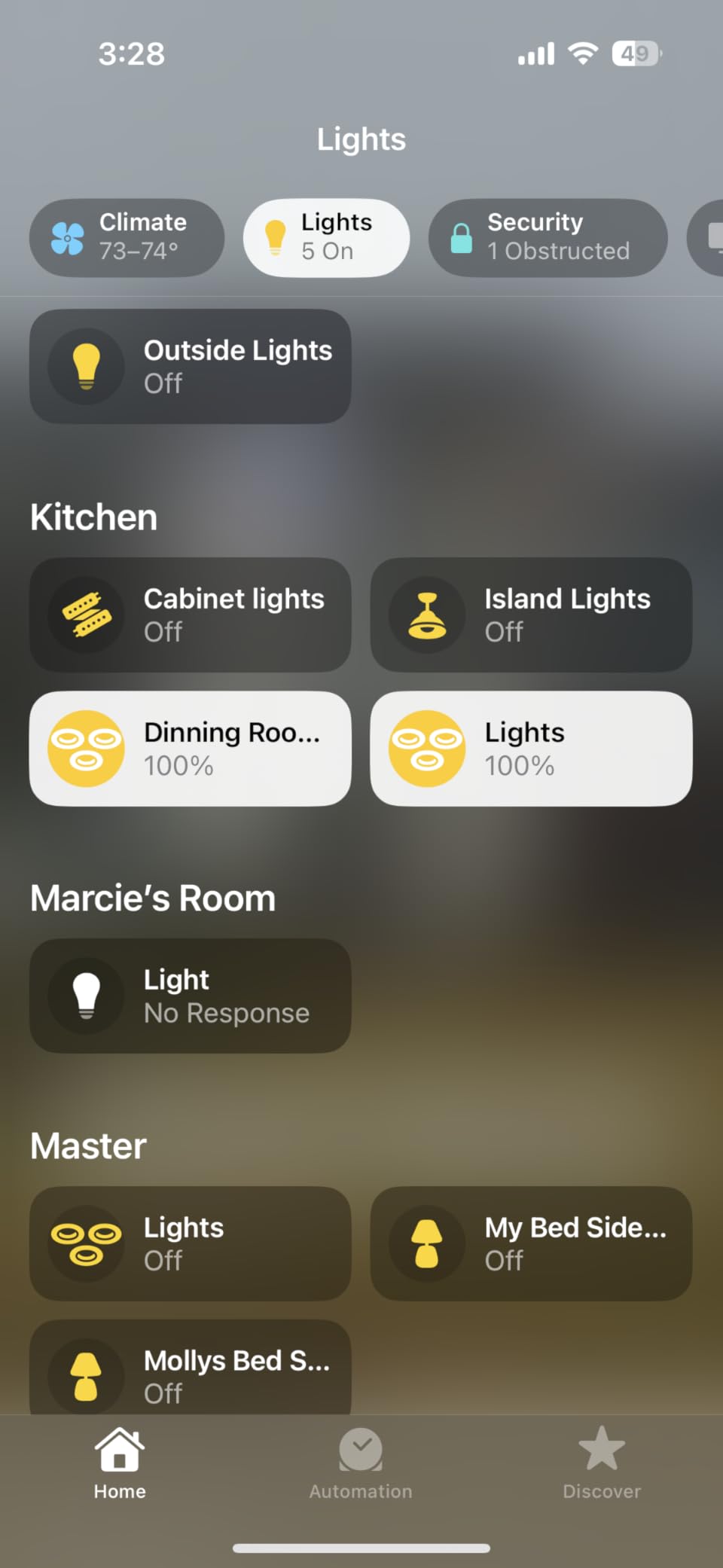
Pairing through the My Leviton app can take several attempts, and there is a specific trap worth knowing: adding the dimmer to a Home Assistant Matter server requires a long setup sequence, and re-adding it to the Leviton app removes the Matter pairing. Owners who run both platforms describe this as the most frustrating part of an otherwise strong switch.
It also requires a neutral wire, uses a separate side button for bright and dim rather than a press-and-hold, and some users see flicker with very low-draw loads under 25 watts.
9. Enbrighten Zigbee Paddle Dimmer 43080: Best for Shallow and Crowded Boxes
Enbrighten Zigbee In-Wall Smart Dimmer, Paddle, White or Light Almond
Zigbee 3.0 mesh
20 percent slimmer housing
600 watt incandescent
5-year limited warranty
Pros
- Housing up to 20 percent shallower with no heat tabs
- SimpleWire auto-detects line and load terminals
- Zigbee 3.0 mesh extends signal up to 150 feet
- Supports 3-way with up to four add-on switches
- 5-year limited warranty
Cons
- Most voice setups need a compatible Zigbee hub
- Neutral wire required
- Wallplate not included
- Lowest average rating in this group
Box depth is the quiet reason many dimmer installs fail, and the Enbrighten 43080 is built for it. The housing is up to 20 percent shallower than earlier Zigbee models and carries no heat tabs, which is what you want in an older-style box or a crowded multi-gang where the cover will not close otherwise.
It is a paddle dimmer rather than a rocker, matching the paddle switches that people often prefer in visible rooms. The face is a familiar size, so it looks at home next to standard wiring devices, and the paddle action feels conventional.
SimpleWire is the installation feature worth calling out. The terminals auto-detect which wire is line and which is load, and the dual offset ground ports let you daisy-chain grounds, so the wiring is quicker and there is less chance of a reversed connection.
On the protocol side it is Zigbee 3.0, which means it needs a Zigbee hub or a compatible bridge for most setups. It pairs directly with Echo Studio, Echo Show 10, and Echo Plus devices, and works with Alexa and Google Assistant products through a compatible hub. The mesh network extends signal by up to 150 feet, and each unit helps strengthen the network for the rest of the house.
Load capacity is 600 watts for incandescent and halogen, and it handles dimmable LEDs and CFLs. It supports 3-way and multi-switch configurations with up to four add-on switches, model 46199, which is unusually flexible for the wiring effort involved.
When the 43080 is the right call
It is the right pick when box depth is the deciding problem, in old houses, multi-gang kitchen and bathroom boxes, or anywhere a deeper smart dimmer physically will not fit. It is also a good choice for anyone already running a Zigbee mesh who wants paddle dimmers with 3-way support.
Choose it for a bathroom vanity, a kitchen with a crowded box, or a hallway in a pre-1970s house where the switch box is shallow.
Where it falls short
It needs a neutral wire, and most voice control setups need a compatible Zigbee hub, so it is not a hubless option. The wallplate is not included, and while the paddle comes in white and light almond, you have to source a plate separately.
It carries the lowest average rating in this group at 4.0 stars across a smaller pool of reviews, and the trade-off is clear: physical fit and mesh range for a thinner software feature set and one more piece of hardware to buy.
10. Zooz ZEN72 800LR Z-Wave Dimmer: Best for Z-Wave and Home Assistant Setups
Zooz 800 Series Z-Wave Long Range Dimmer Switch ZEN72 800LR, White | Direct 3-Way (No Add-On Switch Needed) | Z-Wave Hub Required
Z-Wave 800 series Long Range
1.16 inch slim depth
Direct 3-way, no add-on switch
500 watt load
Pros
- Dims from two locations using existing on and off switches
- Also works as a single-pole dimmer
- Each dimmer acts as a mesh signal extender
- Only 1.16 inches deep with no heat tabs
- S2 security SmartStart pairing and Z-Wave Plus
Cons
- Z-Wave hub required and sold separately
- Will not respond directly to a smart speaker
- Neutral wire required
- Alternate paddle colours sold separately
The Zooz ZEN72 800LR is the enthusiast pick, and its differentiator is direct 3-way dimming. It wires like a standard dimmer and then dims from both locations using the existing on and off switches you already have, with no add-on switch to buy and no extra wiring to run.
It also works as a single-pole dimmer, so one model covers both jobs across a house. At 1.16 inches deep with no heat tabs, it is among the thinnest units here, which makes it a strong answer for shallow boxes and tight multi-gang installations.
The Z-Wave 800 series Long Range radio gives it more range and faster signal speed, and every dimmer doubles as a mesh extender with a built-in range test tool. That is why whole-home Z-Wave installers like it: each switch strengthens the network instead of being a dead end.
Feature depth is where the Z-Wave crowd will look first. Double tap to full brightness, fully programmable single-tap last-level behaviour, multi-tap scene triggers, and a relay disable mode that lets the switch act as a remote for smart bulbs rather than controlling the load directly. It carries S2 authenticated security, SmartStart pairing, and Z-Wave Plus certification, plus lifetime technical support and an extended five-year warranty on registration.
It is ETL certified and rated to 500 watts. Voice control comes through a hub such as a Z-Box, an Aeotec Smart Home Hub, Hubitat, or Home Assistant, and the manufacturer is clear that it will not talk straight to a smart speaker.
When the ZEN72 is the right call
It suits a household already running Z-Wave through SmartThings, Hubitat, or Home Assistant, and it is a genuinely good answer for two-location dimming when you do not want to replace the second switch with a wired companion. It is also the pick for shallow boxes and whole-home installs where mesh strength matters.
Choose it for a long hallway, a stairway with an existing on and off switch at each end, or a whole-home project where every switch needs to strengthen the network.
Where it falls short
A Z-Wave hub is mandatory and sold separately, and the hub and its software need to support Z-Wave Long Range for the best results. Voice control will not work directly from a smart speaker, which rules it out for anyone who only wants Alexa or Google.
It needs a neutral wire, alternate paddle colours are sold separately, and the smaller review pool at 145 ratings means less long-term owner history than the picks above. For a non-automation household, none of that matters; for this one, it is the whole point.
Why Is Lutron Caseta So Expensive?
Four things drive the gap between a Caseta dimmer and a Wi-Fi switch from a budget brand, and none of them are arbitrary.
First, the build quality. Long-term owners describe the Caseta as by far the most reliable dimmer on the market, with the rocker style singled out as the nicest smart dimmer they have used. That kind of track record is what you are paying for at the end.
Second, the radio and the hub. Lutron runs its own proprietary 433 MHz Clear Connect protocol rather than Wi-Fi or Zigbee, which keeps it off your congested Wi-Fi and out of your mesh. The hub is a separate purchase, and it works without a Wi-Fi connection, which is why response stays fast when the internet drops.
Third, the engineering behind the dimming curve. Adjustable minimum and maximum levels, a dimming range that suits real LED bulbs without hum, and consistent behaviour over years. Homeowners who have used cheaper dimmers report the difference is obvious the first night.
Fourth, the no-neutral design plus the Pico remote. Being able to install in a box with no neutral wire, and add a wireless switch anywhere in the home, removes two constraints that no budget switch here can touch. That capability has to be paid for somewhere.
Our honest read: if you have a neutral wire and no strong need for local control, the Caseta is paying for reliability and ecosystem breadth you may not use. If you have no neutral wire, or you want dimming that survives an internet outage, it is the only serious answer on the list.
How to Choose the Right Smart Dimmer Switch
Work through these in order. The first three questions eliminate most of the list before you start comparing features.
Check for a Neutral Wire Before You Buy
Look behind the existing switch plate with the power off. A neutral wire is a loose white or bare wire that is not connected to anything. If your box has one, every dimmer on this list except the Caseta is available to you.
No neutral wire is the most common blocker in older homes, and it is the reason a wall full of smart switches suddenly becomes a rewiring project. Pull a switch plate and look before you buy anything, not after.
Hub or Hubless: What Still Works When the Internet Dies
Hubless Wi-Fi switches such as the Kasa HS220, TREATLIFE, Tapo, and Amazon Basics talk straight to your router. They need no extra hardware, but their automations depend on the cloud and the internet, so a dropped connection means a switch that still works by hand but stops responding to a voice command.
Hub-based systems behave differently. The Lutron Caseta hub processes commands locally and works without Wi-Fi, so dimming, scenes, and schedules keep functioning when the internet is out. The Zooz ZEN72 and the Enbrighten Zigbee dimmer also keep working locally once paired, as long as the hub is on the same network.
That difference is invisible in a feature comparison and very visible at 6am when the broadband is down.
Single-Pole vs 3-Way vs Multi-Way
A single-pole switch controls one light from one location, which is most rooms. A 3-way circuit has two switches on the same fixture, typical in stairways, hallways, and rooms with two doorways, and both switches need to control brightness rather than just on and off.
Two of the picks here are 3-way kits with a wired satellite, the Kasa KS230 and the Tapo S515D. The Lutron Caseta solves it with a Pico remote and no second wired dimmer, and the Zooz ZEN72 dims directly from existing on and off switches without an add-on. The Enbrighten supports up to four add-on switches. Everything else on the list is single-pole only.
Wi-Fi, Matter, Zigbee or Z-Wave: Which Protocol Should You Buy?
Wi-Fi and Matter switches such as the Kasa, Tapo, Leviton, TREATLIFE, and Amazon Basics need no hub, which is the simplest path. Matter adds something Wi-Fi-only devices lack: one standard that keeps working across Apple Home, Alexa, Google Home, and SmartThings.
Zigbee switches such as the Enbrighten need a Zigbee hub, and Z-Wave dimmers such as the Zooz need a Z-Wave hub, but in exchange they run on a low-power mesh that gets stronger with every switch you add and keeps working locally. If you run Home Assistant or Hubitat, that is the trade you want.
One practical note on Wi-Fi: these switches are 2.4 GHz only across the board. If your router combines 2.4 and 5 GHz under one name, separate them before pairing.
Leading-Edge vs Trailing-Edge Dimming and Why LEDs Flicker
A leading-edge dimmer chops the power at the start of each cycle, which is cheap and fine for incandescent bulbs. A trailing-edge dimmer chops at the end of the cycle, which is gentler on LED drivers and is why modern LED bulbs are designed around trailing-edge control.
Flicker at low brightness usually means one of three things: a bulb whose driver is not dimmable-compatible, a dimming floor set too high, or a switch with no way to tune the range. That is the whole argument for the Leviton, which exposes minimum dim, maximum bright, and bulb type settings, and for the Caseta, which has adjustable minimum and maximum levels.
If you are replacing bulbs as well as switches, start with our guide to smart light bulbs for the home so you know what your dimmer is being asked to drive.
Junction Box Depth, Box Fill and When to Call an Electrician
Smart dimmers are deeper than standard switches, and that is the most common reason an install stalls. Measure the box before you buy, and if a deep dimmer will not fit, look at the Enbrighten with its 20 percent slimmer housing or the Zooz with its 1.16 inch body.
Call an electrician rather than improvising if your box has no neutral wire and you do not want to open the wall, if the circuit is 3-way and you have never done it before, if the load is close to the dimmer ceiling, or if the box is crowded with splices. Convenience outlets and a fan-and-light combo sharing a box are also good reasons to stop and call someone.
How Many Lights Can One Smart Dimmer Handle?
Check two numbers: the incandescent-equivalent rating and the LED rating. Most bulbs in a modern fixture draw well under the limit, so one dimmer usually covers one room.
Two cases need care. A large chandelier with many dimmable LED bulbs can approach the LED ceiling even though each bulb is small, because the circuit adds up. And a load that is too large makes a dimmer buzz, run warm, or fail early, so a second dimmer is the correct answer rather than a higher setting.
Smart Bulb Mode: Using a Dimmer to Control Bulbs That Do Not Dim
Some smart bulbs dim internally and get confused by a wall dimmer, so the bulbs never dim and the fixture may flicker. Smart bulb mode solves that by telling the switch to cut the relay and send power straight to the bulb, letting the bulb’s own app handle brightness.
The Zooz ZEN72 covers this with its relay disable mode, where the switch becomes a remote for smart bulbs rather than a dimmer. It is worth checking the switch’s documentation before you fill a room with smart bulbs, because most in-wall dimmers here have no equivalent mode.
Frequently Asked Questions
Is there a Wi-Fi light switch that has a dimmer?
Yes. The Kasa HS220, the TREATLIFE DS01, the Tapo S505D, and the Amazon Basics SD29-01 all connect directly to 2.4 GHz Wi-Fi and dim without a hub. The Tapo S505D adds Matter certification so it also joins Apple Home and Google Home.
Can smart lights be dimmed?
Yes, in two ways. A smart dimmer switch cuts power to the fixture to change brightness, which works with ordinary dimmable bulbs. Smart bulbs dim through their own app instead, and some dimmers offer a smart bulb mode that disables the relay so the two do not fight each other.
Do smart dimmer switches need a neutral wire?
Most do, including every Wi-Fi and Zigbee dimmer on our list. The Lutron Caseta PD-6WCL is the exception here and installs without one, which makes it the go-to choice for older homes. Check behind the switch plate with the power off before you buy anything.
Is a Lutron or Leviton dimmer better?
Leviton is better if you have a neutral wire, want Matter across platforms, and need to tune minimum dim and maximum brightness to fix stubborn LED flicker. Lutron is better if you have no neutral wire, want dimming that works without the internet, or want a Pico remote for wireless control anywhere.
Which smart dimmer switch is better, Lutron or Kasa?
The Kasa HS220 wins on a hubless setup, a 300 watt ceiling, and a very large pool of owner reviews. The Lutron Caseta wins on build quality, adjustable dimming range, no-neutral installation, and local control through its hub. Buy Kasa for the best value, Lutron for the most reliable long-term install.
Why is Lutron so expensive?
Four reasons: better long-term build quality, a proprietary 433 MHz Clear Connect radio with a separate hub that works without Wi-Fi, dimming circuitry tuned for a wide range of LED bulbs, and the ability to install without a neutral wire and add a Pico remote anywhere. Owners across smart home forums consistently rate it the most reliable smart dimmer.
How many lights can one smart dimmer handle?
It depends on the rating. The Tapo S515D and Leviton D26HD-1RW handle 600 watts, the Zooz ZEN72 handles 500 watts, the TREATLIFE and Kasa dimmers 300 to 400 watts, and the Caseta, Tapo S505D, and Amazon Basics units 150 to 160 watts of LED. Stay well under the limit to avoid buzz and early failure.
Conclusion
If you have a neutral wire and want the best smart light switches for dimming without extra hardware, the Kasa HS220 remains the pick: smooth dimming across mixed LEDs, a 300 watt ceiling, and no hub to buy. Its 4.6 star average across more than 34,000 ratings backs that up.
Older home with no neutral wire? The Lutron Caseta PD-6WCL is the only unit here that installs without one, and its hub keeps everything working when the internet does not. Stairway or hallway that needs dimming at both ends? The Kasa KS230 kit, or the Tapo S515D if you want Matter and energy monitoring.
Stuck on a few hard questions: which ecosystem you already use, whether you have a neutral wire in the box, and whether you prioritise value or reliability. Answer those three and the right switch is obvious. Check the current listing before you commit, because pricing in this category moves constantly.