
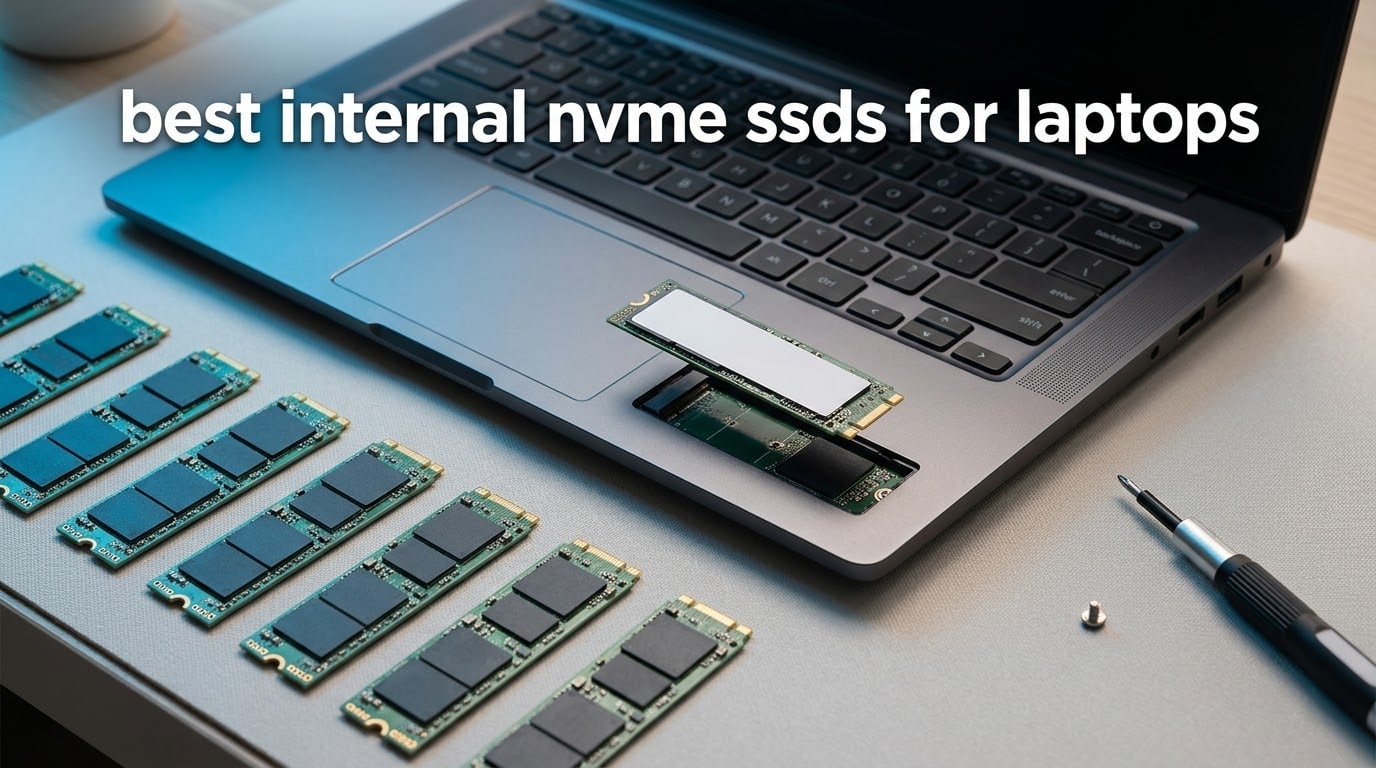
If you want one drive that fits almost any laptop and stays cool under load, the Kingston NV3 1TB is the pick we would install first. For everything else, the right answer depends on three things: the PCIe generation your laptop’s M.2 slot supports, how much room the bay has, and whether your battery matters more than raw speed. This guide covers the best internal NVMe SSDs for laptops across all three cases, from a plain PCIe 3.0 upgrade to a PCIe 5.0 flagship.
An internal NVMe SSD is a gumstick-shaped M.2 module that plugs straight into a laptop’s M.2 slot and talks to the system over the PCI Express bus using the NVMe protocol. That bus is why these drives reach thousands of megabytes per second while the SATA drives they replace sit near 550 MB/s. They also draw very little power, which matters more in a laptop than in a desktop.
We compared all ten drives below on the specs that actually change laptop experience: rated read and write speed, NAND type, whether the drive is single-sided, how thin the board is, endurance, warranty length and power efficiency. Ten drives means ten sections, each with the fit caveats and the reasons to skip it written plainly.
If your upgrade is really a question of which enclosure or adapter to reuse the old drive with, we covered M.2 enclosures separately. Desktop-focused builds are covered in our gaming PC SSD roundup, and console storage has its own list of PS5 expansion drives.
Table of Contents
Top 3 Picks for Laptop Storage (October 2026)
Best Internal NVMe SSDs for Laptops in 2026 at a Glance
| Product | Specifications | Action |
|---|---|---|
 Kingston NV3 1TB Kingston NV3 1TB |
|
Check Latest Price |
 Samsung SSD 990 PRO 1TB Samsung SSD 990 PRO 1TB |
|
Check Latest Price |
 Crucial P310 1TB Crucial P310 1TB |
|
Check Latest Price |
 WD Black SN7100 1TB WD Black SN7100 1TB |
|
Check Latest Price |
 Crucial T500 1TB Crucial T500 1TB |
|
Check Latest Price |
 Silicon Power 1TB Gen 3 Silicon Power 1TB Gen 3 |
|
Check Latest Price |
 WD Blue SN5000 2TB WD Blue SN5000 2TB |
|
Check Latest Price |
 Samsung SSD 9100 PRO 1TB Samsung SSD 9100 PRO 1TB |
|
Check Latest Price |
 Lexar NM790 1TB Lexar NM790 1TB |
|
Check Latest Price |
 Crucial P310 1TB 2230 Crucial P310 1TB 2230 |
|
Check Latest Price |
1. Kingston NV3 1TB – Best Overall for a Laptop Upgrade
Kingston NV3 1TB M.2 2280 NVMe SSD | PCIe 4.0 Gen 4×4 | Up to 6000 MB/s | SNV3S/1000G
6000 MB/s read
4000 MB/s write
Single-sided M.2 2280
4.54 g
Pros
- Cool running in tight laptop bays
- Single-sided 2280 fits low-profile heatsinks
- Acronis cloning software included
- 13k+ reviews from real laptop owners
Cons
- DRAM-less design slows very large transfers
- Write endurance lower than pro-grade drives
This is the drive we put in a laptop first when the client wants one purchase to cover everything. It is a single-sided M.2 2280 module at 4.54 g and 0.15 inches thick, so it slides under a low-profile laptop heatsink without any spacer work. That fit alone removes the most common reason a good drive gets returned.
Sequential figures are 6,000 MB/s read and 4,000 MB/s write, which is enough headroom for a PCIe 4.0 slot and far more than a PCIe 3.0 laptop will ever use. Owners report boot times that are effectively instant and large file transfers that stay smooth through the session.
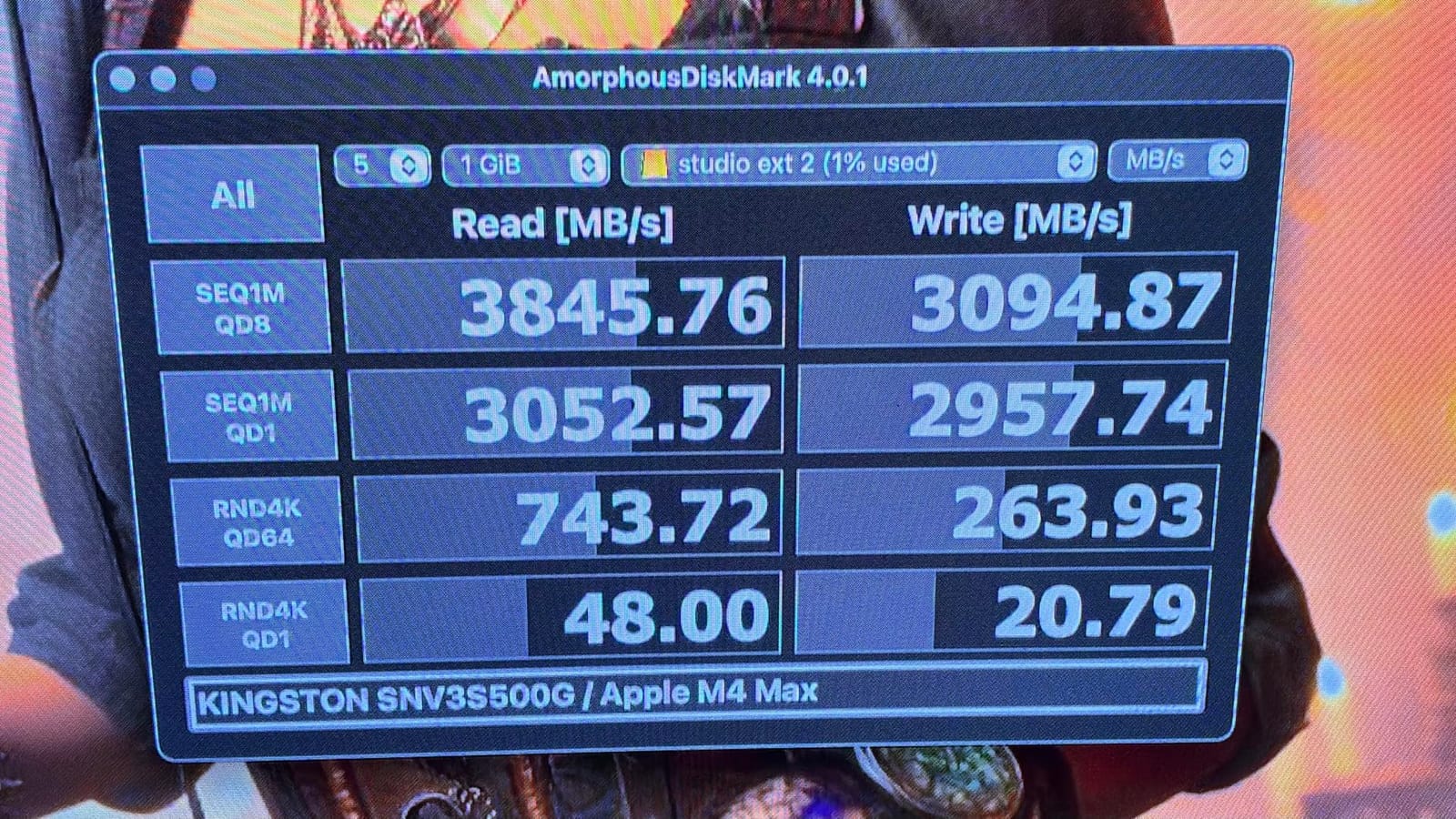
The reason this one wins for laptops is thermals rather than speed. Reviewers put it at roughly 42-48C under load, the coolest group in this roundup, and a laptop chassis with no airflow duct behind the drive will not push it into throttling. Installation is reported as immediate recognition with no BIOS changes and no driver step.
It uses a DRAM-less design with a Host Memory Buffer, so everyday and gaming load times stay near instant. That same architecture is the limitation: very large 40-50GB transfers and a nearly full drive can dip below rated speed. For a boot drive and game library it is hard to notice.
Check this fit before you order
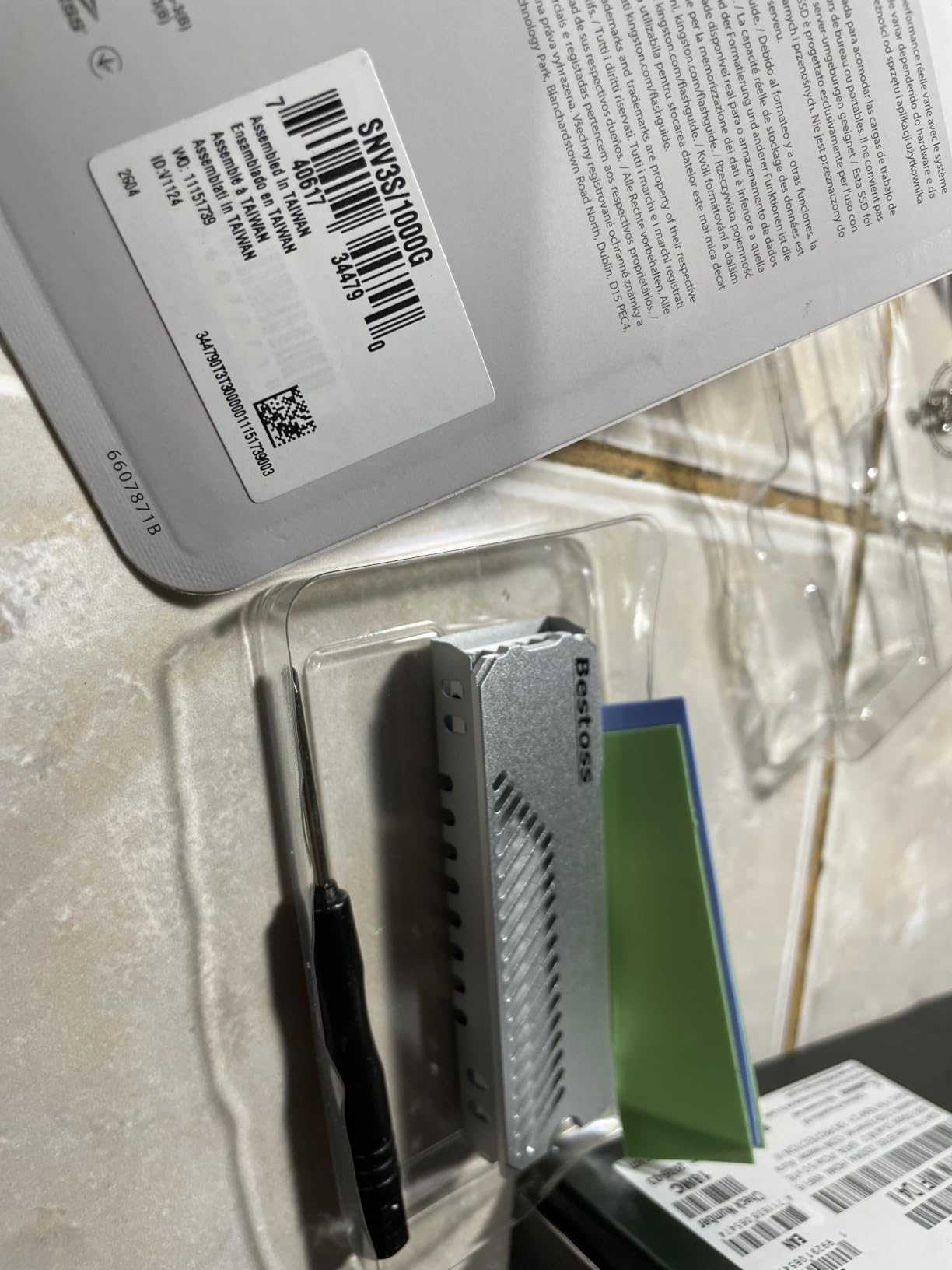
It needs an M-key M.2 2280 slot and works in both Gen 3 and Gen 4 machines, since the interface is backward compatible. If your laptop has a soldered drive or a 2242 bay, this module will not physically go in.
Acronis cloning software is included, which removes the usual extra step of moving Windows across. Owners report a clean install and recognition the first time in most machines.
When it is the wrong drive
Skip it if you write tens of gigabytes daily, such as a video editor rendering straight to the internal drive. Its endurance sits below premium TLC models, so sustained heavy writes are the case where paying up pays off.
Also skip it if your laptop bay is 2242 or 2230 only. It is a full-length 2280 board and will not fit those short slots.
2. Samsung SSD 990 PRO 1TB – Most Versatile for Speed and Endurance
Samsung SSD 990 PRO 1TB, PCIe 4.0 M.2 2280, Up to 7,450 MB/s
7450 MB/s read
6900 MB/s write
1.4M/1.55M IOPS
AES 256-bit encryption
Pros
- Sustained speeds hold through long transfers
- Single-sided body clears tight bays
- Samsung Magician for cloning and firmware
- 50% better performance per watt than 980 PRO
Cons
- Costs more than budget Gen 4 drives
- No heatsink included for heavy sustained writes
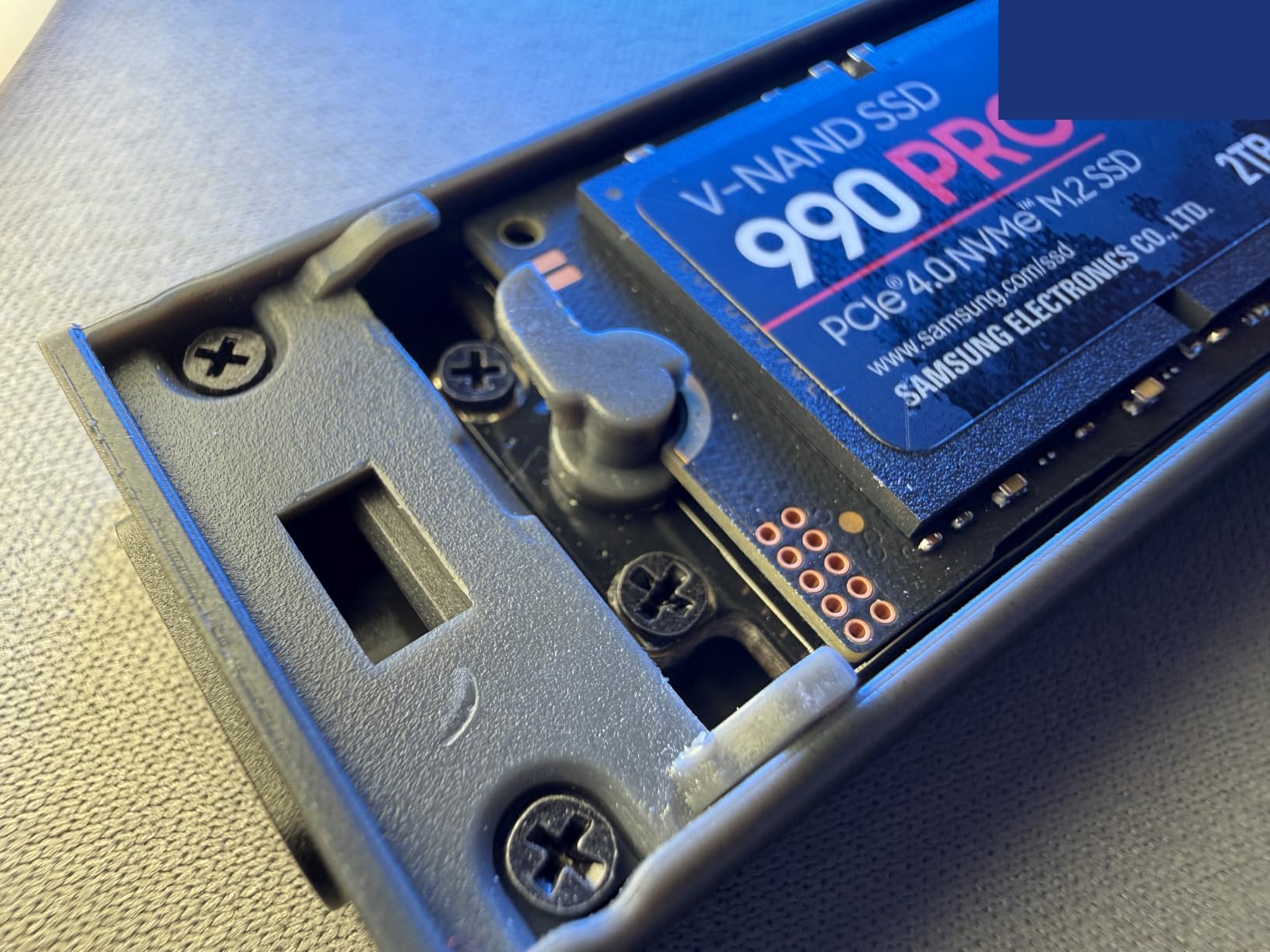
The 990 PRO is the drive to choose when the laptop does real work rather than browsing. It is rated at 7,450 MB/s sequential read and 6,900 MB/s write with 1.4M read and 1.55M write IOPS, and owners running it in multi-drive creator workstations report long-term reliability.
The board is single-sided and measures 0.09 inches thick, meeting the PCI-SIG D8 standard, so it clears the cramped compartments and low-profile heatsinks found in many thin laptops. A nickel-coated controller handles smart thermal control, which matters in a chassis with no moving air over the slot.
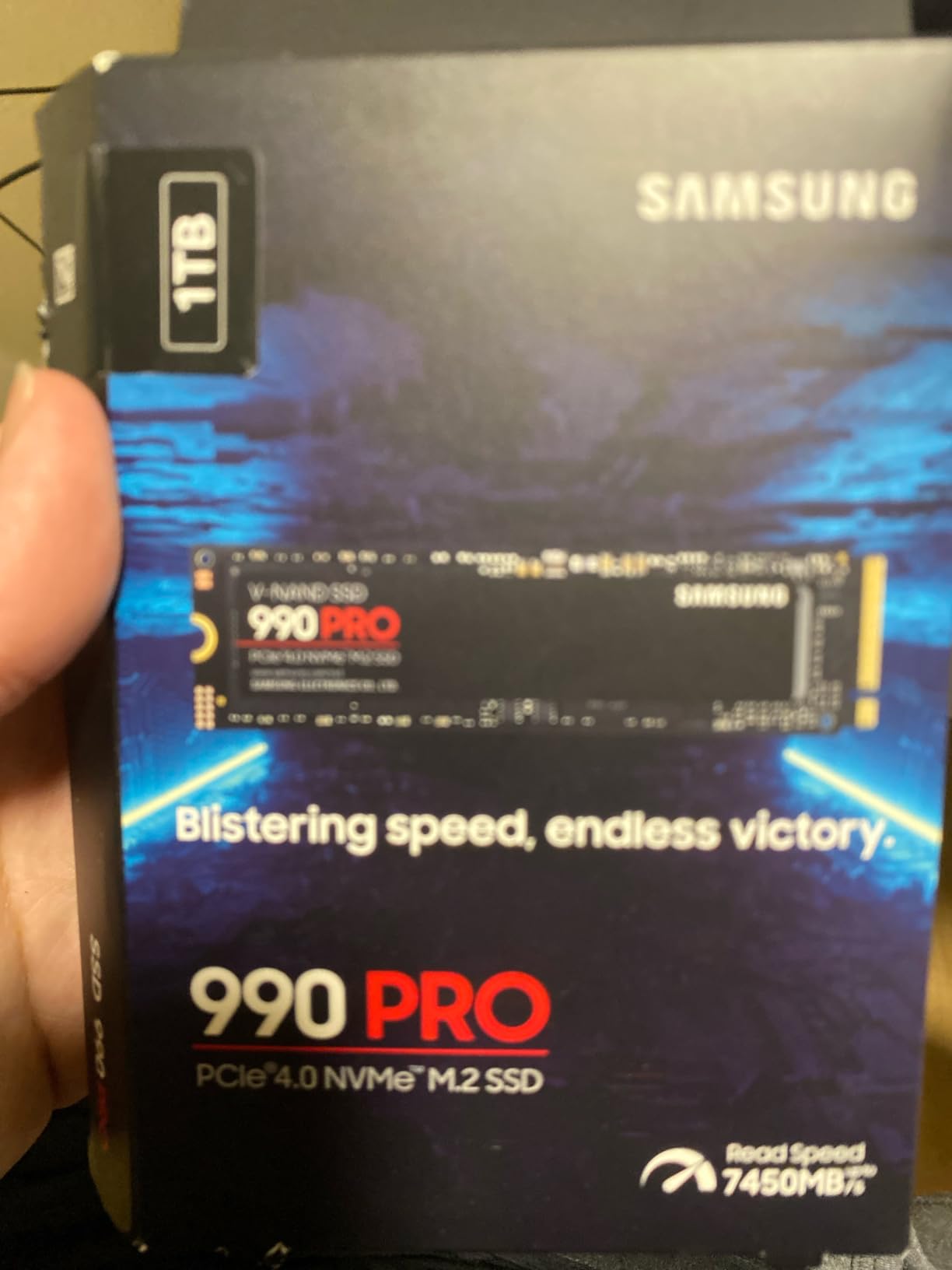
Samsung states up to 50% better performance per watt than the 980 PRO, and AES 256-bit hardware encryption is on board. Samsung Magician covers cloning, firmware updates and drive health, which is the software set most complete of any drive in this group.
DirectStorage titles load noticeably faster on it, and sustained sequential speeds hold steady through long transfer sessions rather than collapsing when the SLC cache fills. That behaviour is why creators pick it.
What to check before you order
Confirm your laptop has a full-length M.2 2280 M-key slot with room above the board. The single-sided design handles that, but a bay with a tight spring clip is where installs get frustrating.
If you run sustained write workloads, plan on airflow. No heatsink is included with the bare module, and a third-party pad or a laptop with a metal backplate over the slot helps.
When it is the wrong drive
Skip it for light everyday use. Reviewers repeatedly note that cheaper Gen 4 drives feel nearly as fast for ordinary browsing, documents and general office work, and the price premium is hard to justify there.
Forum discussions about laptop storage often mention that the 980 and 990 PRO family runs warm. With a firmware update applied through Magician and normal laptop airflow, that has not been an issue in practice.
3. Crucial P310 1TB – Best Value for an Older Laptop
Crucial P310 1TB SSD, PCIe Gen4 NVMe M.2 2280, Up to 7,100MB/s, for Laptop, Desktop (PC), & Handheld Gaming Consoles, Includes Acronis Data Recovery Software, Solid State Drive – CT1000P310SSD801
7100 MB/s read
6000 MB/s write
Micron G8 NAND
Backward compatible with Gen3
Pros
- Immediately recognised on install
- Noticeably faster boots on older laptops
- Stays cool under mixed workloads
- Acronis data recovery included
Cons
- Gen 3 slots cap its speed
- Sustained heavy writes trail premium TLC drives
The P310 is the pick for an aging laptop that still runs on a small drive. Owners call it the ideal budget upgrade for older laptops and prebuilt machines, citing faster boot times and app loading without any BIOS work.
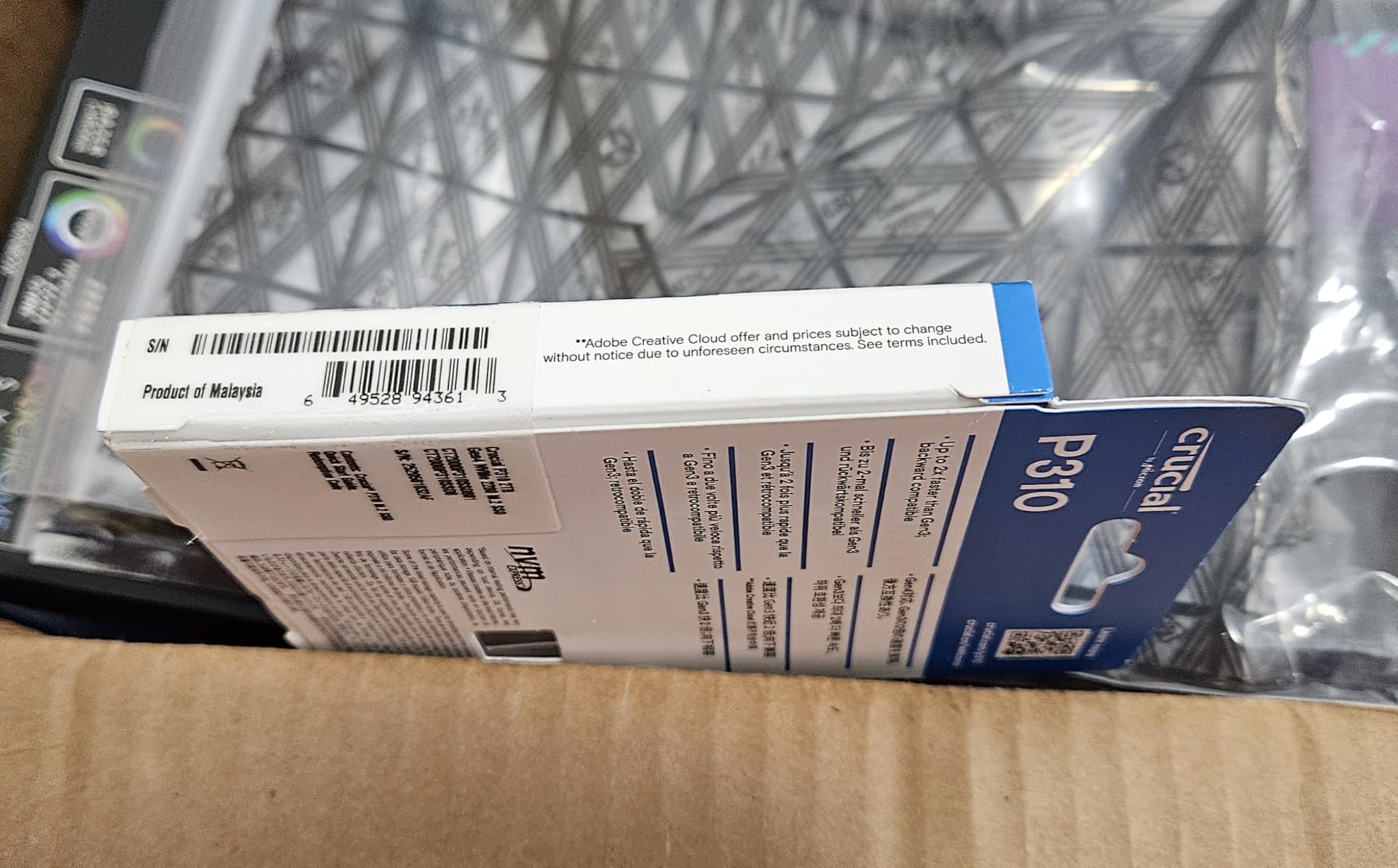
It is rated at 7,100 MB/s read and 6,000 MB/s write, up to twice the speed of the previous Gen 3 generation, and it is backward compatible with PCIe Gen 3 systems. That last point matters: put it in a Gen 3 slot and it simply runs at Gen 3 speed.
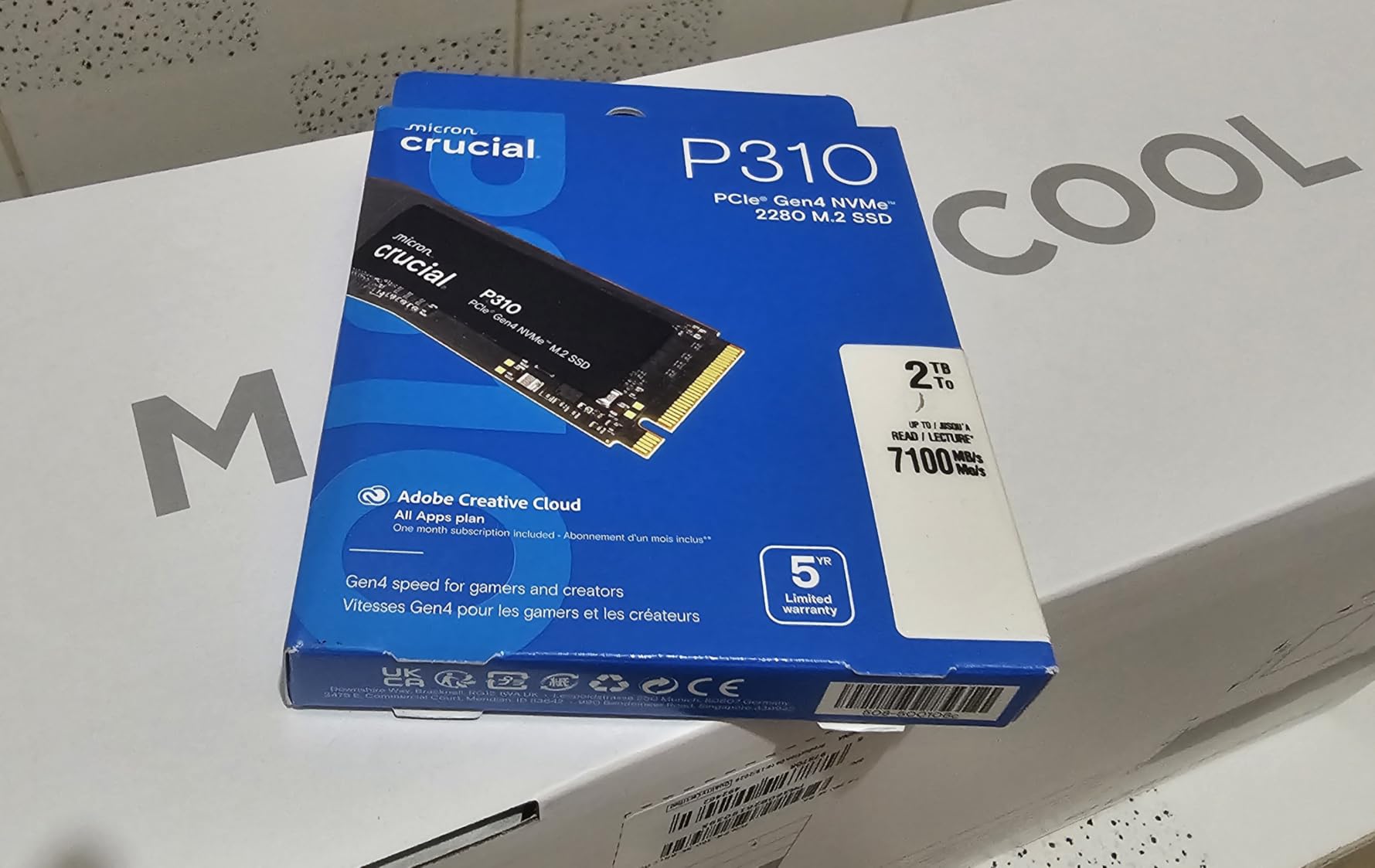
Thermals are a genuine strength. Reviewers report it stays cool while a video edit, a game and downloads all run at once, and low power draw suits older laptops that need battery headroom. It also lists handheld consoles among compatible devices.
The drive is built with Micron G8 NAND and includes thermal control. Cloning through a USB enclosure was reported as simple and reliable, which is the workflow most laptop owners will actually follow.
What to check before you order
Verify your slot takes a full-length 2280 M-key module. This is the standard size, but very thin ultrabooks sometimes use a shorter bay instead.
Check the boot situation. Some older laptops ship with storage mode set to Intel RST or RAID, and cloning software needs that handled before the new drive will boot.
When it is the wrong drive
Skip it if you need maximum sustained write throughput. Reviewers note it can fall behind premium TLC alternatives in long heavy write sessions, even though day-to-day use is smooth.
Skip it if your machine is a handheld or ultrabook with a 2230 slot. This is the 2280 version; the short-form P310 is a separate module further down this list.
4. WD Black SN7100 1TB – Best for Battery Life and Tight Bays
WD_Black SN7100 1TB NVMe SSD – Gen4 PCIe, M.2 2280, Up to 7,250 MB/s Read Speed, Up to 6,900 MB/s Write Speed, Next Gen TLC 3D NAND, for Laptops, Handheld Gaming Devices – WDS100T4X0E
7250 MB/s read
6900 MB/s write
0.04 inch profile
4.54 g
Pros
- Up to 100% more power efficient than the previous generation
- True TLC 3D NAND rather than QLC
- 0.04 inch body fits tight 2280 slots
- Closely matches rated sequential speeds
Cons
- Sustained 64GB writes throttle near 59C
- Dashboard software support lags behind
- No dedicated DRAM cache
If battery life is the deciding factor, this is the drive. Western Digital states up to 100% more power efficiency than the previous generation, and reviewers single it out as the best balance of speed, cool thermals and battery-friendly draw for laptops and handhelds.
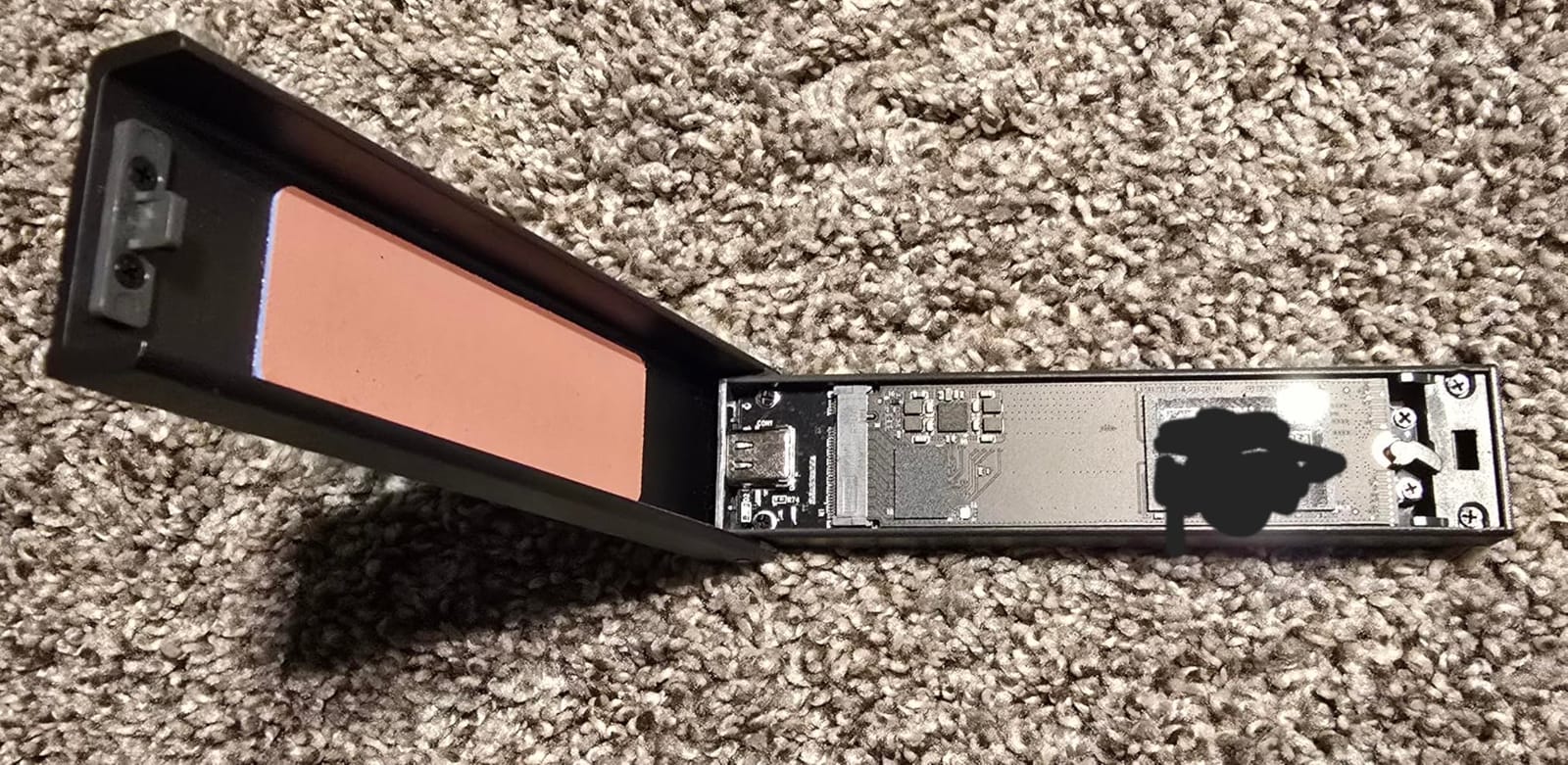
It is the thinnest module in this roundup at 0.04 inches and 4.54 g, rated at 7,250 MB/s read and 6,900 MB/s write on the 1-2TB models. At that thickness it clears slots that other full-height boards struggle in, including some handheld adapters.
Unlike many budget drives in its class, it uses next-generation TLC 3D NAND rather than QLC, which handles random 4K workloads far better. That matters for an OS drive and for anything with a lot of small files.
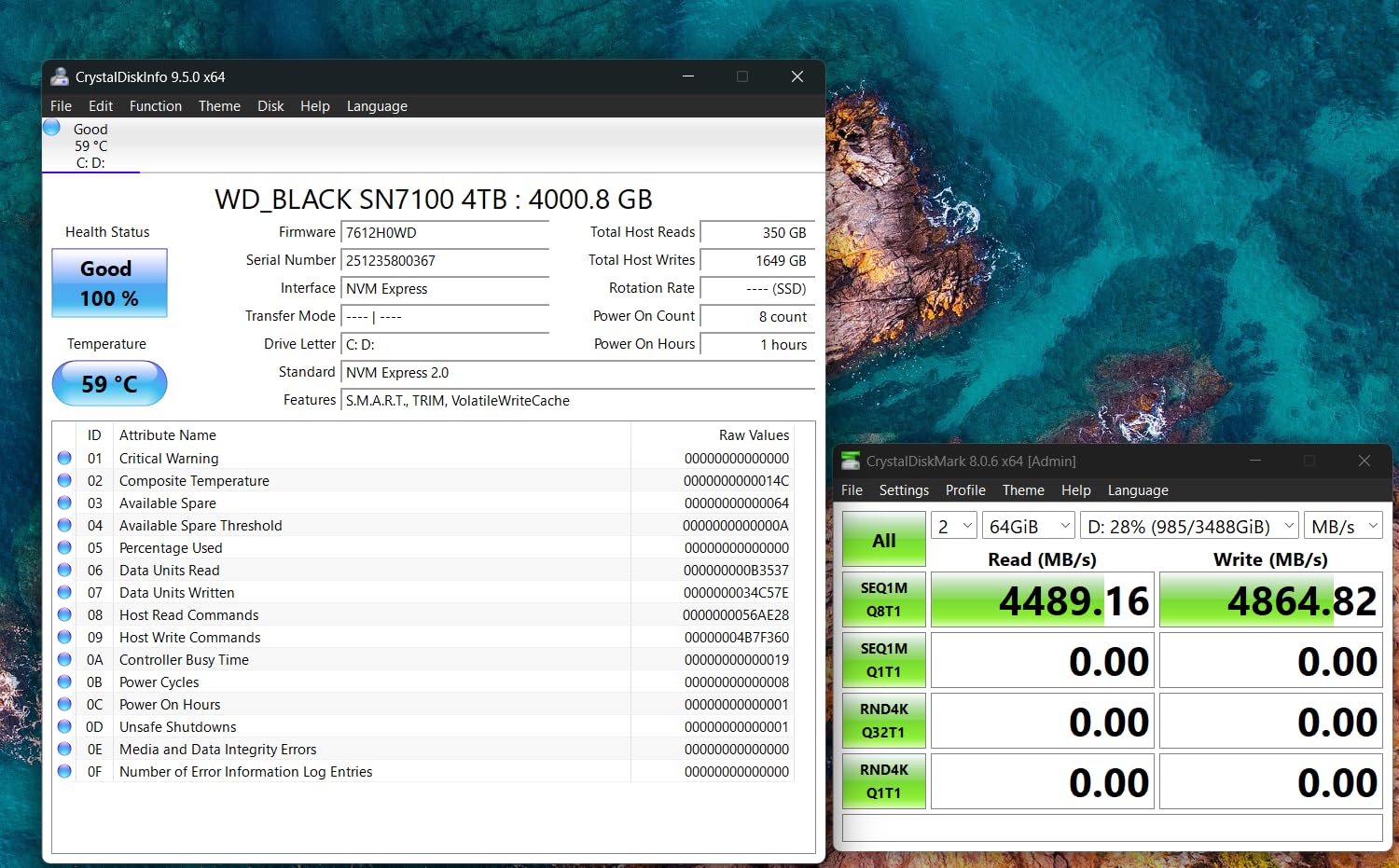
Owners report results close to the rated sequential speeds in CrystalDiskMark, up to 35% faster than the previous generation. No heatsink is needed in normal laptop use.
What to check before you order
Confirm a 2280 M-key bay. It is designed for laptops, desktops and handheld gaming devices, so the length is the only real constraint.
If you run long write jobs, check airflow. Sustained 64GB write tests throttle once the drive reaches around 59C, which is common in a closed laptop bay.
When it is the wrong drive
Skip it if you want Samsung Magician-class software support. Reviewers note WD/Sandisk management software has lagged behind the drive, with some capacities not fully recognised.
Skip it for benchmark-chasing. It has no dedicated DRAM cache, so it can trail premium TLC drives in comparisons that hammer the cache layer.
5. Crucial T500 1TB – Best for Creators and Editors
Crucial T500 PCIe Gen4 NVMe 1TB SSD, Up to 7,300MB/s, TLC NAND, Laptop & Desktop (PC) Compatible, for Creatives and Gamers, Solid State Drive, Includes 1Mo Adobe CC – CT1000T500SSD8
7300 MB/s read
6800 MB/s write
TLC NAND
1.15M/1.44M IOPS
Pros
- TLC NAND holds up under sustained creative work
- Compact 2280 fits laptops and workstations
- DirectStorage shortens game loads
- Acronis True Image included
Cons
- Costs a premium for its 1TB capacity
- Random I/O trails flagship Gen 4 drives
The T500 is aimed at people who open large project files for a living. It uses TLC NAND specifically for better sustained performance and endurance, and that is the specification that separates it from cheaper QLC alternatives once the cache runs out.
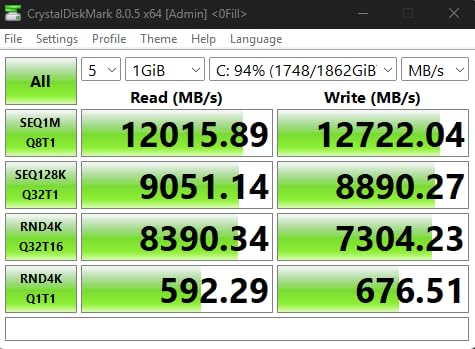
Rated figures are 7,300 MB/s read and 6,800 MB/s write with up to 1.15M random read and 1.44M write IOPS. Owners report it holds up under sustained creative workloads and installs easily in laptops, desktops and workstations.
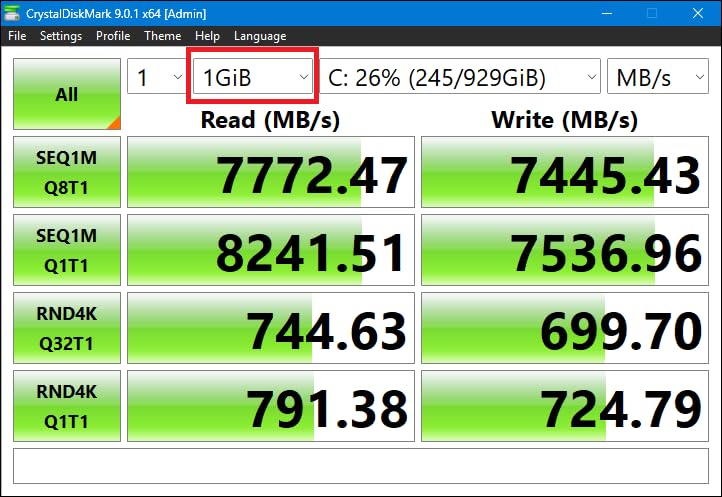
For gaming, Crucial states up to 16% faster game loads with Microsoft DirectStorage, and reviewers report measurably shorter load times. The drive also lists PlayStation 5 and Xbox Series compatibility alongside laptops.
Bundled software is the strongest part: Acronis True Image plus one month of Adobe Creative Cloud. The cloning step is painless, which removes the most common upgrade mistake.
What to check before you order
It needs a standard 2280 M-key slot and works in Gen 4 laptops and desktops. Backward compatibility into Gen 3 machines is fine, just slower.
Decide whether you want the bare module. In a laptop bay with a heatsink already fitted over the slot, that is the correct choice.
When it is the wrong drive
Skip it if capacity per unit of money matters more than sustained speed. It carries a premium over other Gen 4 1TB options, and a larger QLC drive may suit a game library better.
Skip it if you run random-heavy database workloads. Its random performance sits below top-end enthusiast Gen 4 drives despite the strong sequential numbers.
6. Silicon Power 1TB Gen 3 – Best for Older PCIe 3.0 Laptops
Silicon Power 1TB – NVMe M.2 PCIe Gen3x4 2280 SSD (SP001TBP34A60M28)
2200 MB/s read
1600 MB/s write
600 TBW
M.2 2280 M-key
Pros
- Inexpensive bulk storage for an older laptop
- Standard 2280 M-key fits most Gen3 and Gen4 slots
- Near the Gen3 ceiling for everyday responsiveness
Cons
- Roughly a third of current Gen 4 throughput
- Higher share of 1-star ratings than major brands
- Mounting screw not included
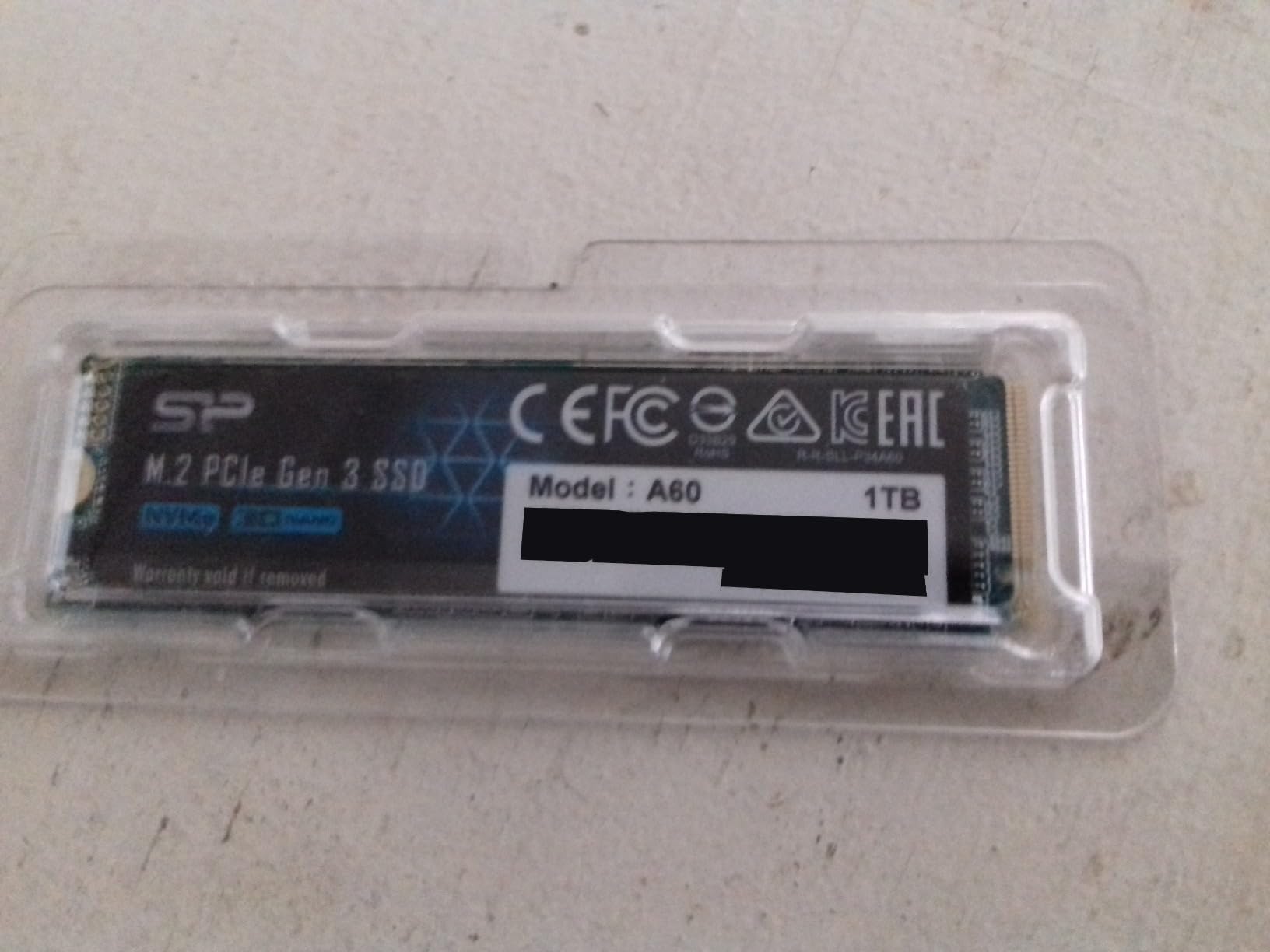
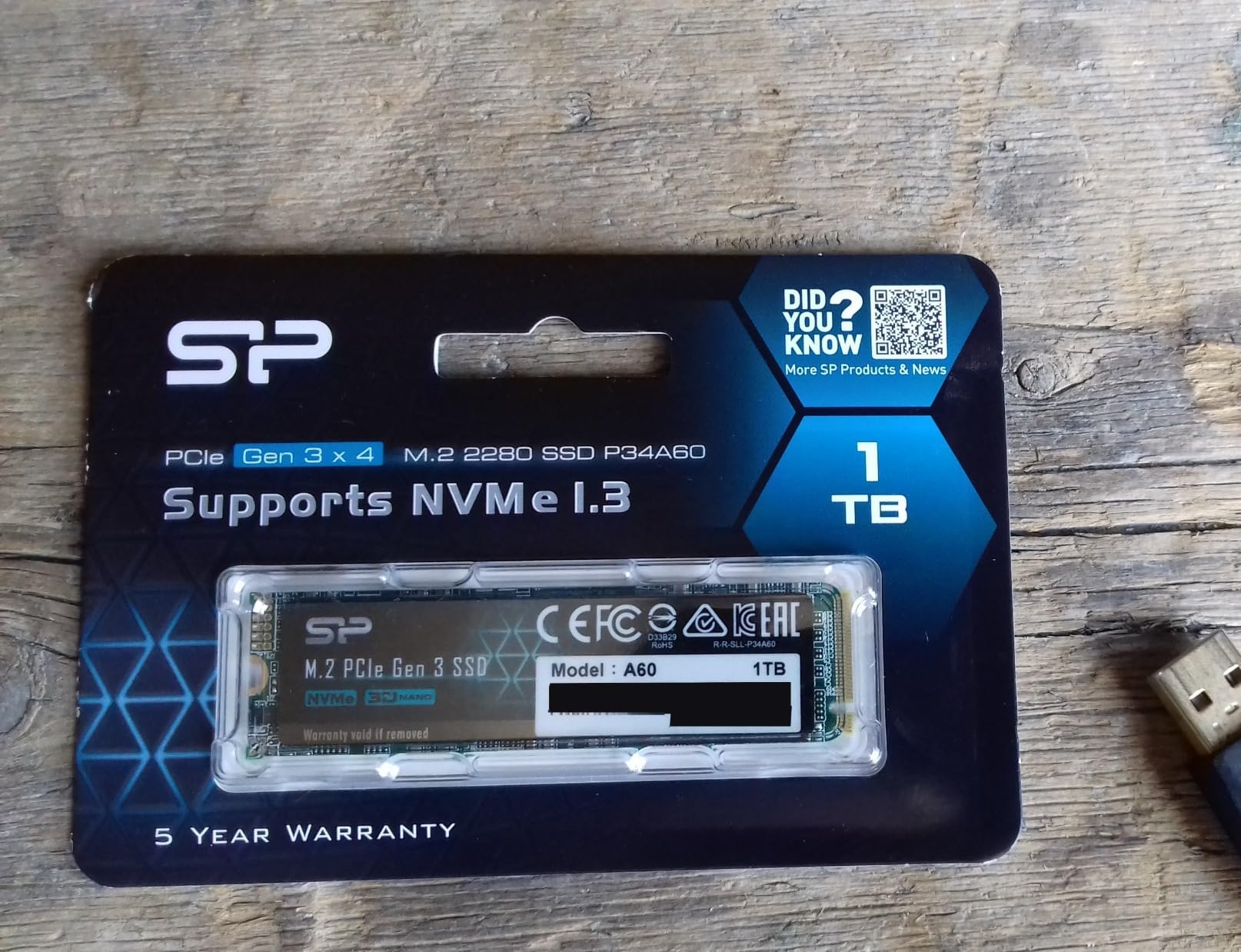
This is the value option for a laptop whose M.2 slot only runs PCIe 3.0. At 2,200 MB/s read and 1,600 MB/s write it sits near the Gen 3 ceiling, and for browsing, documents and media that is more than the bus can deliver anyway.
The board is a standard M.2 2280 M-key module, so it fits most Gen 3 and Gen 4 slots. Owners typically use it as budget bulk storage or as a secondary drive rather than as the primary system disk.
Endurance is listed at 600 TBW, with the warranty ending at whichever comes first, the warranty length or the write limit. For secondary storage in a laptop that is an acceptable trade.
Community consensus on r/laptops and similar forums is that any decent Gen 3 NVMe drive is good enough for most laptop upgrades, and this is one of the cheaper ones that stays reliable for that job.
What to check before you order
It needs an M-key connector with no B-key notch, which is the normal full-length slot. Check that your laptop bay accepts a 2280 module.
Bring your own mounting screw. It is not included with the drive and normally comes from the system maker or motherboard.
When it is the wrong drive
Skip it as a boot drive in a Gen 4 laptop. Gen 3 throughput is roughly a third of what a current Gen 4 drive delivers, and you would be leaving performance unused.
Skip it if reliability history matters to you. It carries a higher share of one-star ratings than the major NVMe brands in this list, which hints at occasional unit or longevity problems.
7. WD Blue SN5000 2TB – Best for Large Game Libraries
Western Digital 2TB WD Blue SN5000 NVMe Internal Solid State Drive SSD – PCIe Gen 4.0, M.2 2280, Up to 5,150 MB/s – WDS200T4B0E [New Generation]
5150 MB/s read
2TB capacity
nCache 4.0
5 year warranty
Pros
- Large capacity for a laptop that outgrew a small drive
- Works in laptops and desktops
- Free Acronis True Image for migration
- nCache 4.0 keeps everyday transfers smooth
Cons
- 5150 MB/s trails faster 1TB Gen4 rivals
- Endurance tuned for general use not heavy writes
- About 5% one-star ratings reported
Capacity is usually what stops people upgrading, not speed. If your laptop came with a small drive and the game library is what fills it, this 2TB module is the straightforward fix. Capacity options extend up to 4TB in the range.
It is PCIe Gen 4 rated at up to 5,150 MB/s read for this capacity, with Western Digital nCache 4.0 handling everyday transfers. Buyers choose it for capacity rather than peak speed, and the plug-and-play install works in both laptops and desktops.
![Western Digital 2TB WD Blue SN5000 NVMe Internal Solid State Drive SSD - PCIe Gen 4.0, M.2 2280, Up to 5,150 MB/s - WDS200T4B0E [New Generation] customer photo 1](https://zamd.net/wp-content/uploads/2026/10/B0D7MKYNLX_customer_1.jpg)
Migration is handled with a free Acronis True Image download, which matters when the drive replacing it holds your operating system. Endurance reaches 1,200 TBW on the 4TB model under a five-year limited warranty.
Buyers on forums consistently point out that for game libraries, capacity matters more than speed. At 5,150 MB/s you are already far past what most games can load.
![Western Digital 2TB WD Blue SN5000 NVMe Internal Solid State Drive SSD - PCIe Gen 4.0, M.2 2280, Up to 5,150 MB/s - WDS200T4B0E [New Generation] customer photo 2](https://zamd.net/wp-content/uploads/2026/10/B0D7MKYNLX_customer_2.jpg)
What to check before you order
Confirm your slot is a 2280 M-key bay and that your BIOS recognises a 2TB drive. Very old laptops may cap the addressable size.
Check the drive is single-sided if your bay is tight. Plan your migration software before you start, not during.
When it is the wrong drive
Skip it if you want the fastest load times available. Read speeds of about 5,150 MB/s trail faster 1TB Gen 4 rivals in direct comparison.
Skip it for NAS duties or heavy write cycles. Endurance and write consistency are tuned for general use, and around 5% one-star ratings suggest some drives disappoint out of the box.
8. Samsung SSD 9100 PRO 1TB – Best for PCIe 5.0 Slots
Samsung SSD 9100 PRO 1TB, PCIe 5.0×4 M.2 2280, Up to 14,700MB/s
14700 MB/s read
13300 MB/s write
1.85M/2.6M IOPS
5nm controller
Pros
- Highest sequential throughput in this roundup
- High random IOPS for AI and editing
- Up to 49% better power efficiency than the 990 PRO
- Advanced thermal control in tight chassis
Cons
- Needs a PCIe 5.0 x4 slot for rated speeds
- Runs hotter and throttles sooner in slim bodies
- Higher power draw than a Gen 4 equivalent
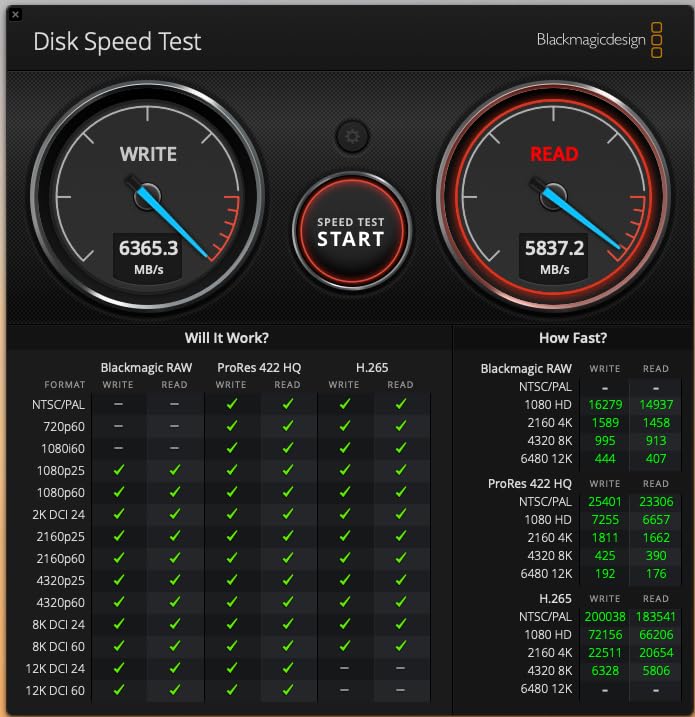
The 9100 PRO is the only PCIe 5.0 drive in this group, rated at 14,700 MB/s sequential read and 13,300 MB/s write. That roughly doubles flagship Gen 4 throughput, and it is available in capacities up to 8TB.
Random performance reaches 1.85M read and 2.6M write IOPS, which speeds up AI workloads, editing and heavy multitasking. A 5nm controller delivers up to 49% better power efficiency than the 990 PRO, and that figure matters in a laptop.
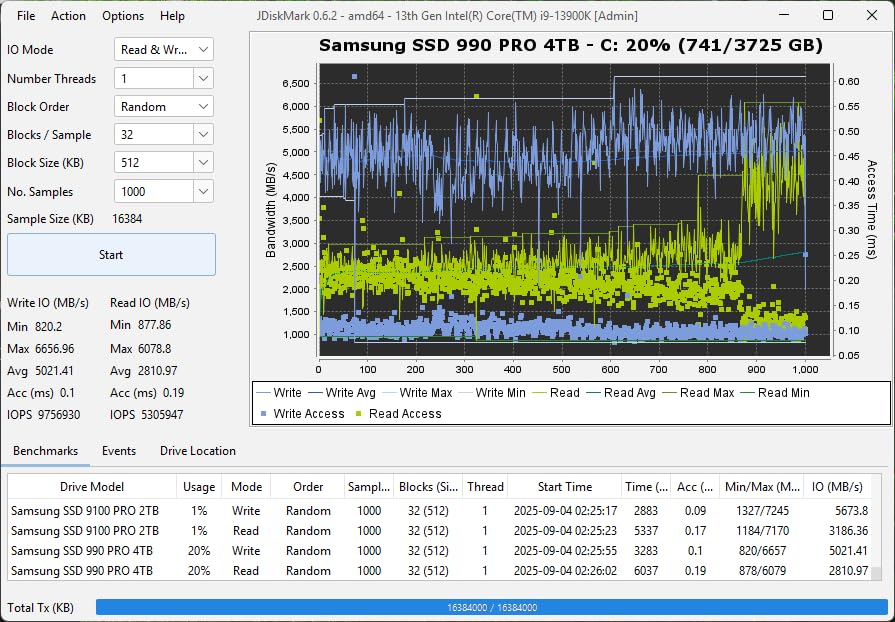
It is a single-sided M.2 2280 module at 0.09 inches thick, and Samsung Magician handles firmware updates, encryption and health monitoring. Reviewers highlight the massive sequential and random gains alongside improved efficiency.
Enthusiasts will see the full speed. Anyone else will not: on a Gen 4 port it runs at Gen 4 speeds, which is the entire reason most buyers should look elsewhere.
What to check before you order
Verify you actually have a PCIe 5.0 x4 M.2 slot. That means a recent high-end platform, and it is rare in laptops outside of flagship workstations and gaming machines.
Check thermal headroom. Gen 5 drives run hotter and can throttle faster in slim laptop bodies, so airflow over the bay matters.
When it is the wrong drive
Skip it in any laptop limited to Gen 4. You would pay for throughput you cannot access, and thermals would be worse for nothing.
Skip it for battery-sensitive ultraportables. Power draw is higher than a comparable Gen 4 drive even with the efficiency gains.
9. Lexar NM790 1TB – Best for Balanced Speed and Low Power
Lexar 1TB NM790 NVMe SSD w/Heatsink, 7400/6500 MB/s, M.2 2280, PCIe Gen 4×4
7400 MB/s read
6500 MB/s write
1000 TBW
HMB 3.0 with heatsink
Pros
- Up to 40% lower power than DRAM cache Gen 4 drives
- Bundled heatsink controls thermals
- HMB 3.0 smooths DRAM-less transfers
- PS5 compatible and five-year warranty
Cons
- Heatsink height will not fit every laptop bay
- Can lag premium TLC drives on long sustained writes
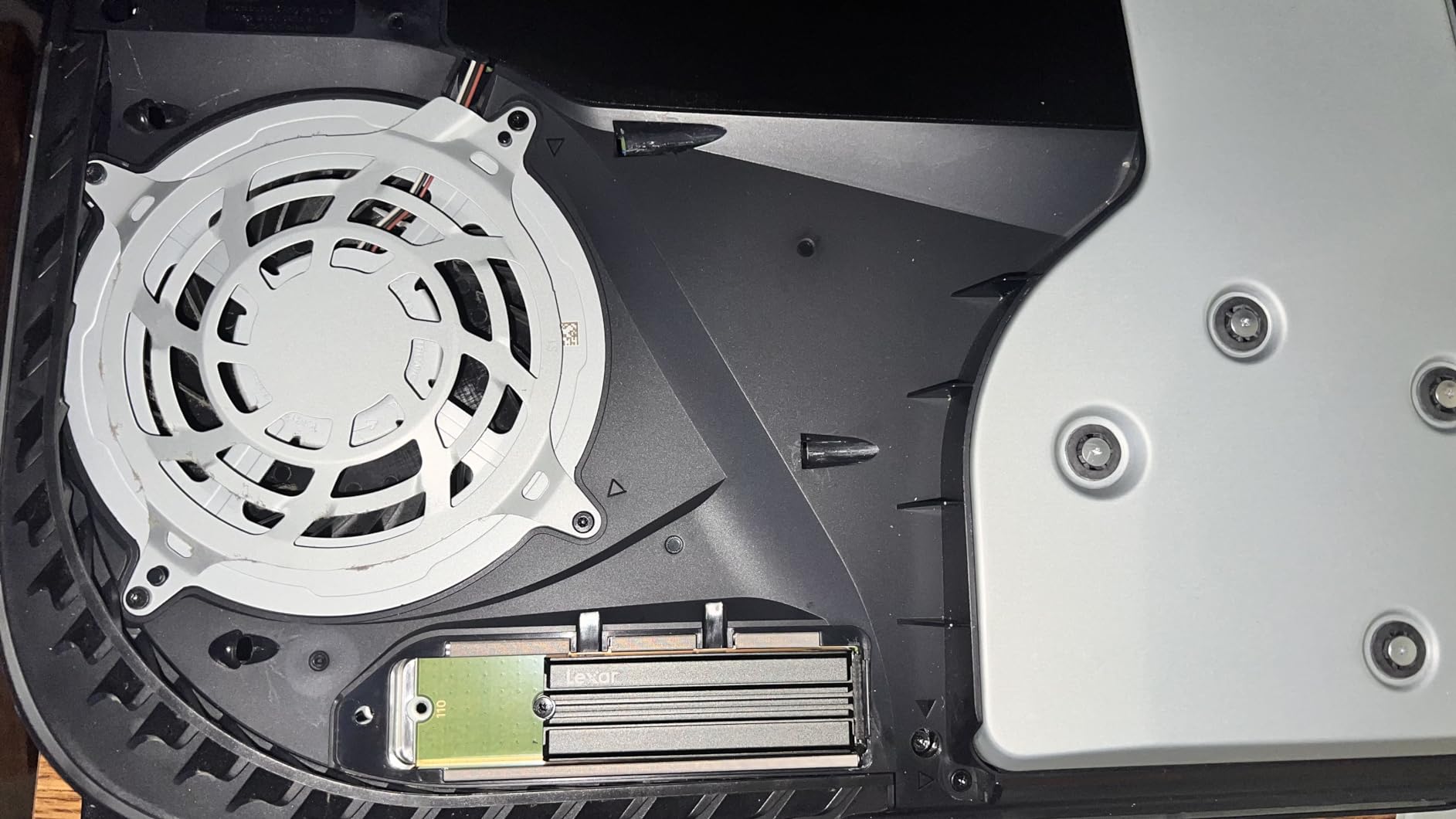
The NM790 is the only module in this group that comes with a heatsink attached, and that changes the thermal picture in a laptop with no moving air. Owners value the combination of near-flagship sequential speed, low power draw and bundled cooling.
It is rated at 7,400 MB/s read and 6,500 MB/s write, roughly twice the speed of PCIe Gen 3 drives, with a 1,000 TBW endurance rating and a five-year limited warranty.
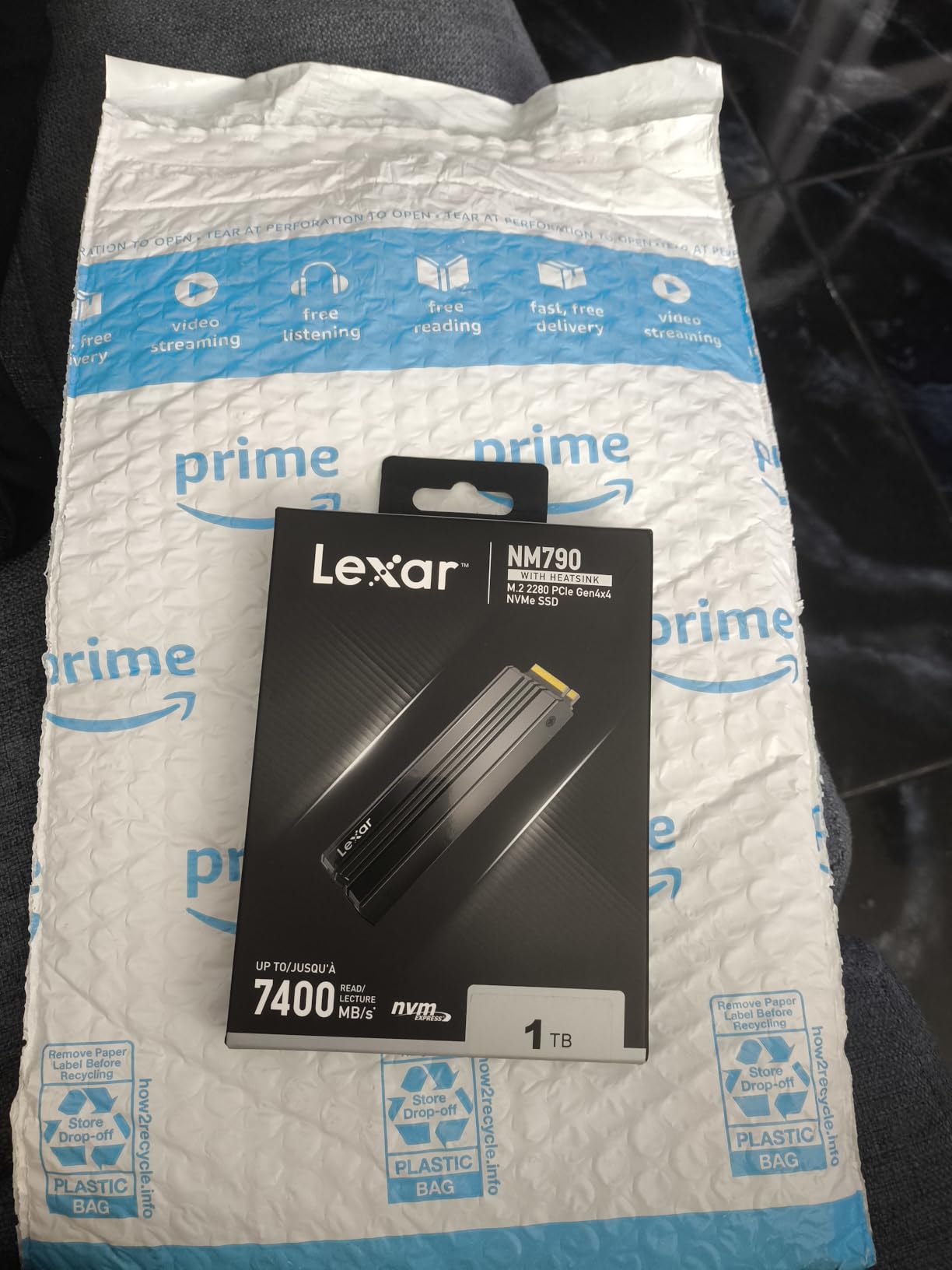
Power draw is up to 40% lower than DRAM cache-enabled Gen 4 SSDs, and Host Memory Buffer 3.0 activates the DRAM cache function of your device to keep transfers smooth on a DRAM-less design. For a laptop that runs on battery most of the day, that combination is the point of the drive.
It is also PS5 compatible, so the same module works as console expansion storage. Reviewers rate it highly for everyday and gaming loads.
What to check before you order
Measure the clearance above your M.2 slot. This is the heatsink version, and the added height is the single most common reason it does not fit a slim laptop bay.
If clearance is tight, check whether the bare NM790 suits your layout better before ruling out the model.
When it is the wrong drive
Skip it if your laptop bay is shallow. The heatsink height is the deciding factor, not the drive itself.
Skip it for long sustained write jobs. The DRAM-less design can lag premium TLC drives once the cache is exhausted.
10. Crucial P310 1TB 2230 – Best for Ultrabooks and Handhelds
Crucial P310 1TB M.2 2230 SSD, PCIe Gen4 NVMe, Up to 7,100MB/s, Internal Solid State Drive, Ideal for Steam Deck, ASUS ROG Ally, MSI Claw, Mini PCs & Ultrabooks – CT1000P310SSD2
M.2 2230 short form factor
7100 MB/s read
2.6 g
Power-efficient design
Pros
- 2230 size fits handhelds and ultrabooks
- Very light at 2.6 g
- Power-efficient for battery life
- Same Gen4 headline speeds as the 2280 P310
Cons
- Only fits devices with a dedicated 2230 slot
- Endurance and sustained writes trail the 2280 version
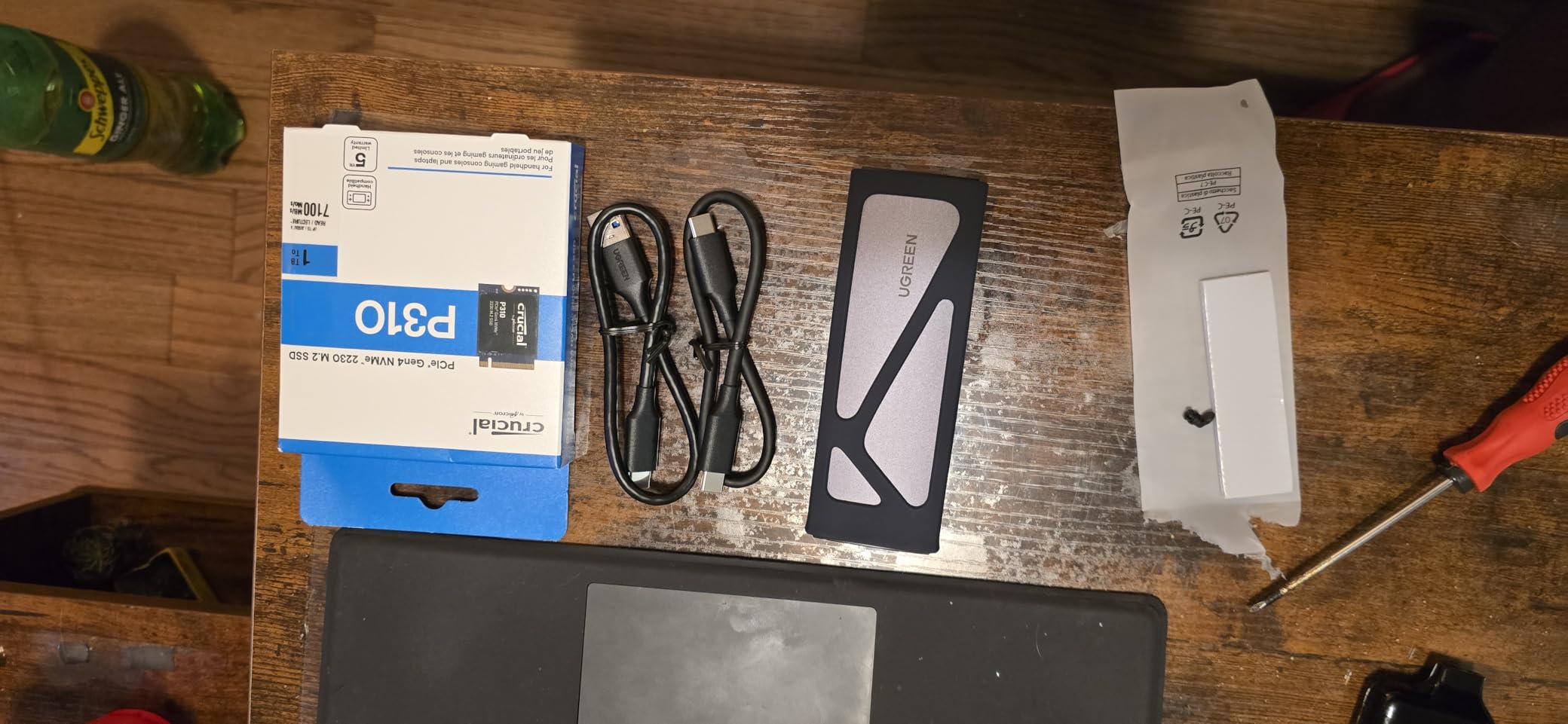
Some devices simply cannot take a full-length drive. The 2230 P310 is a 30mm short-form M.2 module, and it is the fix for Steam Deck class handhelds, the ROG Ally, Microsoft Surface models and select Dell laptops.
It weighs 2.6 g and carries the same headline Gen 4 speeds as the 2280 P310, at up to 7,100 MB/s read and 6,000 MB/s write, built on Micron G8 NAND with thermal control.
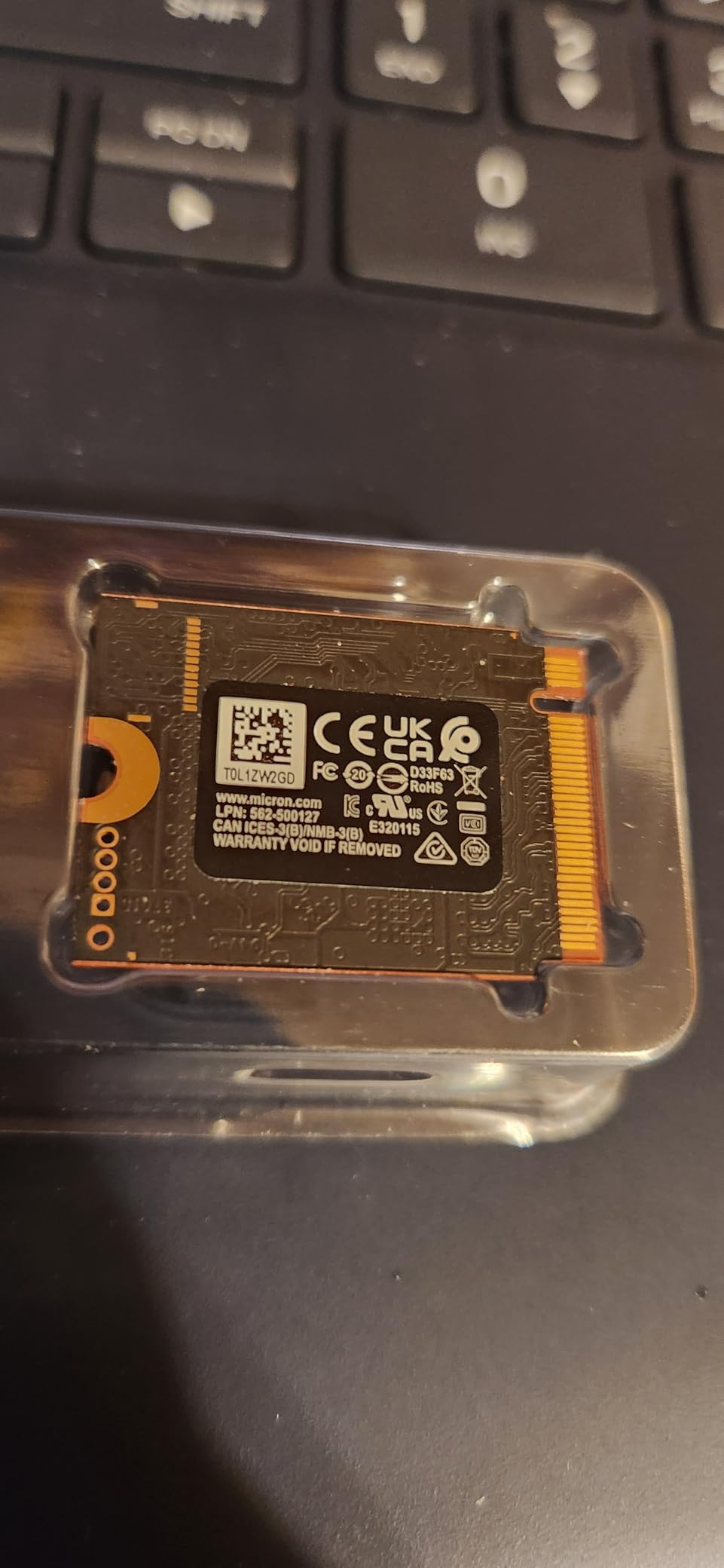
The power-efficient design is what makes it right for portable devices, helping extend battery life on handhelds and laptops. Reviewers highlight the compact size and low power draw as the reasons to pick it over a longer module.
Installation is a straightforward drop-in and it is recognised immediately, with a five-year limited warranty behind it.
What to check before you order
Confirm a dedicated 2230 M.2 slot exists. This module will not fit a 2280-only bay, and no adapter makes the mismatch work reliably in a thin chassis.
Check your device is on the compatibility list before buying, since slot layouts vary even within one product family.
When it is the wrong drive
Skip it in a standard laptop with a 2280 slot. The short board offers no advantage there and the 2280 P310 has better endurance.
Skip it for sustained heavy writes. Smaller NAND packages mean endurance and sustained writes trail the 2280 P310.
Check Your Laptop’s M.2 Slot Before You Buy
Yes, you can put an M.2 SSD in your laptop, provided the slot exists, is the right keying and takes the right length. Most laptops built from around 2018 onward with 11th-gen Intel or AMD Ryzen 5000-class processors or newer have a user-accessible M.2 2280 slot. Older machines may have SATA-only storage or a soldered drive.
Run through these five checks. First, the length: 2280 is 80mm and standard, 2242 is 42mm and appears in many thin ultraportables, 2230 is 30mm and common in handhelds. Second, the keying: you want an M-key slot, which is the full notch for four PCIe lanes.
Third, single-sided versus double-sided. Some slim laptops only have clearance for a single-sided board, and a double-sided module with NAND on the back will not go in or will sit proud under the heatsink. Fourth, the PCIe generation the slot supports. Fifth, whether the drive is removable at all, because soldered storage cannot be replaced with any drive on this list.
If you want to see the drive sizes side by side, our high-capacity NVMe guide covers the larger modules where dual-sided boards become more common.
PCIe Generations: What Runs Where
A Gen 4 SSD works perfectly well in a Gen 3 slot. It will run at Gen 3 speeds, and everything still functions. PCIe is backward compatible, so you lose throughput rather than compatibility.
Gen 3 x4 tops out around 3,500 MB/s in practice, Gen 4 x4 around 7,400 MB/s, and Gen 5 x4 above 12,000 MB/s. A laptop built on Gen 3 silicon cannot exceed its bus ceiling no matter which drive you fit, which is why forum discussions on r/laptops keep landing on the same point: any decent Gen 3 NVMe drive is good enough for most laptop upgrades.
Do you need a PCIe 5.0 SSD for gaming? Almost certainly not. Only a small number of recent laptops expose a Gen 5 x4 slot, and gaming performance is bound by the GPU rather than storage bandwidth. Gen 5 makes sense on a desktop workstation or a high-end creator machine with a matching slot.
M.2 vs NVMe vs SATA: The Terminology That Confuses Everyone
M.2 is the physical shape, NVMe is the protocol, and SATA is the older interface. They are not alternatives to each other, which is why the question comes up so often.
M.2 describes the gumstick module and its length. SATA describes the connection and a maximum of about 550 MB/s. NVMe is the command protocol that runs over PCI Express lanes and is what allows a single M.2 slot to reach several thousand megabytes per second by handling many queues in parallel.
So M.2 versus NVMe is a shape against a protocol, and SATA against NVMe is a bus against a protocol. Every drive in this roundup is an M.2 module using NVMe over PCI Express, which is why each one needs an M.2 slot rather than a 2.5-inch SATA bay.
TLC vs QLC NAND: Which Flash Actually Matters
TLC stores three bits per cell and QLC stores four. TLC is slower to write and lasts longer; QLC is cheaper per gigabyte and slows down noticeably once its cache is exhausted under sustained writes.
For a laptop boot drive, TLC is the safer choice because random 4K workloads hit the cells constantly. QLC is fine for secondary storage holding media and finished projects that you write once and read back.
Endurance is quoted as TBW, the terabytes you can write before the drive wears out. At 600 TBW, a drive handling 20GB of writes a day lasts comfortably over decades. Look for 1,200 TBW or more in a machine that runs a nightly backup or renders straight to disk.
DRAM cache versus Host Memory Buffer matters too. A drive with its own DRAM buffer handles its mapping table natively; a DRAM-less drive borrows system memory through HMB, which works well in normal use and slows under very large transfers. Several drives here, including the Kingston NV3 and the Lexar NM790, use that approach successfully.
Thermals, Fit and Battery Life in a Thin Laptop Chassis
In a laptop, the fastest drive on paper is often the wrong one. There is no airflow duct behind most M.2 bays, so heat builds against the back of the board until the controller throttles. Sequential numbers measured on an open bench rarely survive a closed chassis.
Thinner boards help. The WD Black SN7100 at 0.04 inches and the Kingston NV3 as a single-sided 2280 both clear tight bays, and the SN7100 is rated as up to 100% more power efficient than its predecessor, which is the single biggest lever on battery life. The Lexar NM790 goes further with up to 40% lower power consumption than DRAM cache-enabled Gen 4 drives, but its heatsink adds height you may not have.
Watch the throttle temperatures. The SN7100 is documented to throttle on sustained 64GB writes around 59C, which a sealed bay can reach in minutes. If your workload writes that much continuously, add a thermal pad or accept slower long writes.
Users routinely ask whether a faster SSD drains the laptop battery faster. It can, slightly, under sustained heavy load, but idle draw differences are small enough that drive choice matters far less than display brightness and sleep behaviour. Power-efficient models like the SN7100 shift the equation in the other direction.
How to Swap the Drive in Your Laptop Step by Step
Back up first, always. If BitLocker is enabled, suspend it before changing hardware or the new drive will ask for a recovery key that most owners no longer have saved.
Next, clone the old drive to the new one before removing anything. Several drives here bundle the software for this: the Kingston NV3 includes Acronis cloning software, the Crucial T500 includes Acronis True Image, the Crucial P310 includes Acronis data recovery, and the WD Blue SN5000 offers a free Acronis True Image download.
If you have no bundled tool, clone through a USB enclosure, which owners of the P310 report as simple and reliable. Clone to the larger drive rather than the same size, so the new disk is not filled edge to edge.
Install the module with the system powered off and unplugged, seated at roughly a 20-30 degree angle before you press it flat, then lock the retaining screw. Check the screw size, since a M.2 screw is not universal and some laptops use a different thread.
If the new drive does not appear, the usual cause is storage mode. Switch the BIOS from Intel RST or RAID to AHCI, or install the driver first. Finally, confirm boot order in the BIOS and clone again from inside Windows if you cloned outside it, because cloning while booted leaves Windows pointed at the old disk.
Frequently Asked Questions
Which is better, M2 or NVMe?
Neither, because they describe different things. M.2 is the physical module shape and its length, such as 2280 or 2230. NVMe is the storage protocol that runs over PCI Express lanes and allows thousands of megabytes per second. Every drive in this roundup is an M.2 module running NVMe, so you need both to be present in your laptop.
Can I put an M2 SSD in my laptop?
Yes, if the laptop has a user-accessible M.2 slot with matching keying and length. Most laptops with 11th-gen Intel or AMD Ryzen 5000-class processors or newer take a full-length M.2 2280 M-key module. Check the length, the M-key notch, and whether there is clearance above the board for a single-sided drive.
Which is better, a SATA SSD or an NVMe SSD?
NVMe, by a wide margin. A SATA SSD tops out near 550 MB/s on a 6 Gb/s link, while an NVMe drive over PCI Express reaches several thousand MB/s. NVMe also runs the command protocol with far less overhead, so random reads are dramatically faster. SATA only wins on cost for very small capacities and machines with no M.2 slot.
Can I use a Gen 4 SSD in a Gen 3 slot?
Yes. PCI Express is backward compatible, so a Gen 4 drive in a Gen 3 slot works normally and simply runs at Gen 3 speeds of around 3,500 MB/s. Nothing breaks, no setting needs changing, and you can move the same drive to a Gen 4 machine later to get its full speed.
Do I need a PCIe 5.0 SSD for gaming?
No. Very few laptops expose a PCIe 5.0 x4 M.2 slot, and frame rates are bound by the GPU rather than storage bandwidth. A Gen 4 drive such as the Crucial T500 supports DirectStorage and shortens load times measurably. Gen 5 makes sense on a desktop or workstation with a matching slot.
What is the difference between TLC and QLC NAND?
TLC stores three bits per memory cell and QLC stores four. QLC costs less per gigabyte but slows down once its write cache is exhausted under sustained workloads. TLC writes more consistently, lasts longer, and handles the random 4K traffic of an operating system drive better. Use QLC for media storage and TLC for a boot drive.
Do NVMe SSDs improve FPS in games?
Not directly. Frame rates come from the GPU and CPU, and storage speed changes how fast a game loads rather than how it runs once loaded. What you do get is faster boot times, faster level loading, and shorter waits with DirectStorage titles on a drive that supports it.
How much storage do I need in a laptop?
For general use, 1TB is the practical floor, since Windows and a handful of applications eat a surprising share of 256GB. Gamers with large modern titles are happier at 2TB or more. If you already dual-boot or keep large project files locally, match that usage rather than buying speed you will not notice.
Which Laptop SSD Should You Buy?
The best internal NVMe SSDs for laptops fall into clear groups once you match the drive to the slot. The Kingston NV3 1TB is the one to buy for most people: single-sided, cool, cheap to live with, and it fits the standard 2280 bay in any modern laptop. The WD Black SN7100 1TB is our pick when battery life and a tight bay decide it.
Go premium with the Samsung 990 PRO for sustained workloads and dependable endurance, and use the Crucial T500 for editing. Older PCIe 3.0 machines are well served by the Silicon Power module, while a large game library points to the WD Blue SN5000 2TB. Handhelds and short-slot ultraportables need the Crucial P310 2230, and Gen 5 machines alone justify the Samsung 9100 PRO.
Check your slot length and keying first, back up your data, and clone before you remove anything. Once you have confirmed the fit, compare the current listings for each drive and pick the one that matches your machine.