
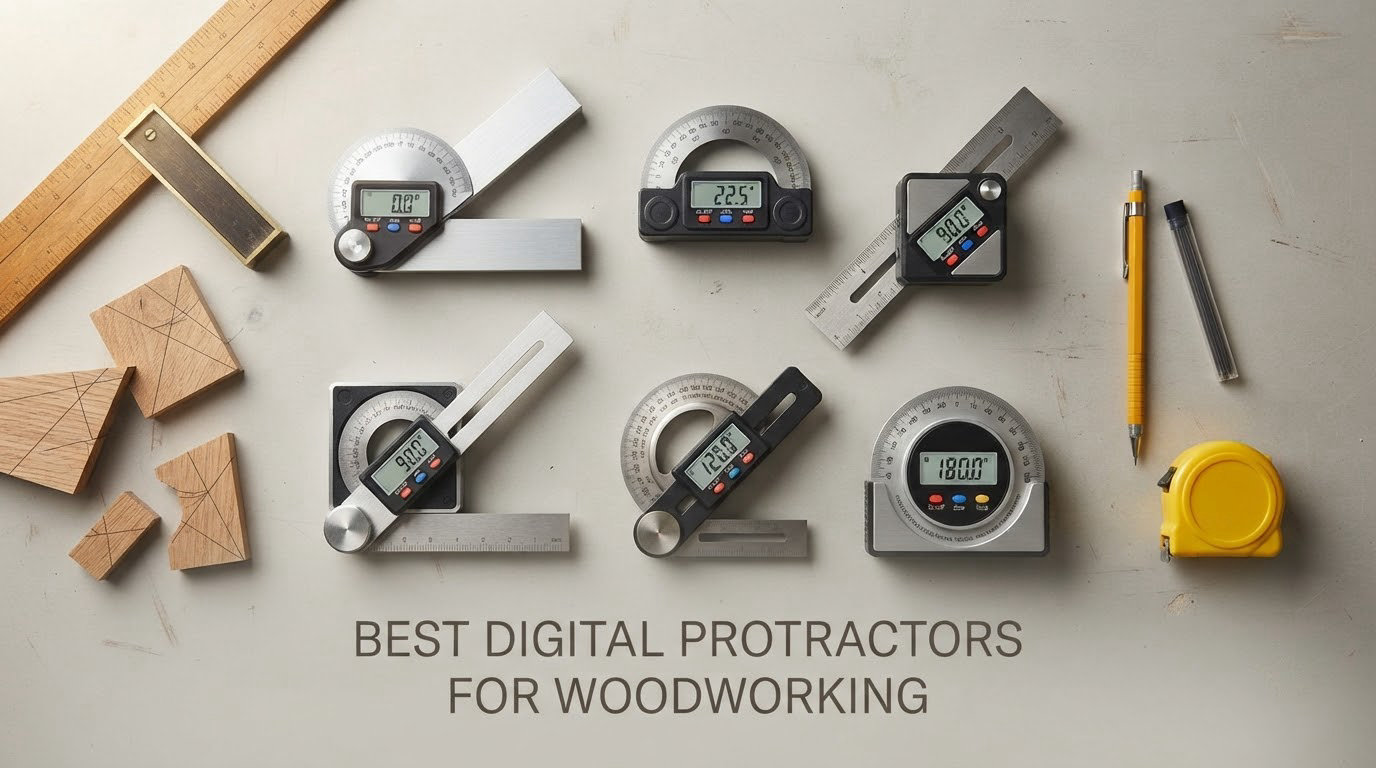
The first time a miter joint I cut looked perfect on the bench and still gaped open on the wall, I blamed the saw. It was not the saw. I had estimated a 90 degree inside corner as 88, wrote 44 on the crown stop block, and lost a full length of molding plus an afternoon. After that I started measuring angles with a tool instead of my eye, and the tool that fixed it fastest was the boring one: a small digital gauge with a magnet on the bottom.
That is the whole promise of the best digital protractors for woodworking. An electronic sensor reads the tilt of the tool, a screen prints the number, and you can hold that number, transfer it to a miter saw fence or a blade tilt, and get the same cut again on the next piece. The category splits into two families that solve different problems, and almost every buyer gets more out of one than the other.
Magnetic box angle gauges are palm-sized cubes with a magnet. You stick them on a saw blade, a fence, a jointer bed, or the side of a steel rule, and they are unbeatable for machine setup and for finding the angle of a corner where your hands are already full.
Ruler-style digital protractors have a 5 to 8 inch arm that folds out, or a fixed blade up to 16 inch long. You lay the blade into the corner or across the workpiece, and they are the right tool for trim, crown molding, picture frames, and full-length layout.
We put ten of them through the same routine in a small shop: zero on a flat surface, check against a known-good square at 90 and 45 degrees, take the same reading five times, and see how many tenths of a degree the display actually repeats. What follows is what held up, plus an honest note on where a plain analog tool is still the better buy.
Table of Contents
Top 3 Picks: Best Digital Protractors for Woodworking (October 2026)

Klein Tools 935DAG Digital Angle Gauge
- 0-90 and 0-180 degree ranges
- Auto-rotating reverse contrast display
- Strong magnetic base
- Zero calibration
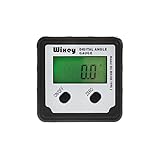
Wixey WR300 Digital Angle Gauge
- Plus or minus 0.2 degree accuracy
- 0.1 degree resolution
- Large backlit LCD
- Alloy steel body

General Tools 822 Digital Angle Ruler 5 inch
- 5 inch stainless steel ruler with digital readout
- Reads to 0.1 degree over 360 degrees
- Locking knob for angle transfer
- Reverse angle function
Best Digital Protractors for Woodworking in 2026: Quick Overview
All ten picks are below, grouped by form factor. The five cube gauges are for machine setup and corner capture; the five ruler and bevel styles are for trim work and layout.
| Product | Specifications | Action |
|---|---|---|
| Klein Tools 935DAG Digital Angle Gauge |
|
Check Latest Price |
 Trend DLB Digital Level Box and Angle Finder Trend DLB Digital Level Box and Angle Finder |
|
Check Latest Price |
| Wixey WR300 Digital Angle Gauge |
|
Check Latest Price |
 GemRed DAG-V1 Digital Angle Gauge GemRed DAG-V1 Digital Angle Gauge |
|
Check Latest Price |
| General Tools 822 Digital Angle Ruler 5 inch |
|
Check Latest Price |
 GemRed 82305 Digital Angle Finder 7 inch GemRed 82305 Digital Angle Finder 7 inch |
|
Check Latest Price |
 Preciva Digital T-Bevel Gauge 8 inch Preciva Digital T-Bevel Gauge 8 inch |
|
Check Latest Price |
 S and F Stead and Fast Digital Angle Gauge S and F Stead and Fast Digital Angle Gauge |
|
Check Latest Price |
 General Tools 828 Digital T-Bevel Gauge General Tools 828 Digital T-Bevel Gauge |
|
Check Latest Price |
 Neoteck 16 inch Digital Angle Finder Neoteck 16 inch Digital Angle Finder |
|
Check Latest Price |
What Is the Most Accurate Digital Angle Finder?
Within this group, the tightest published accuracy spec is plus or minus 0.2 degrees, claimed by the Wixey WR300, the GemRed DAG-V1, and the S and F Stead and Fast cube. The S and F unit also publishes repeatability of plus or minus 0.1 degree, which is the most honest figure in the set because it tells you how closely a second reading matches the first.
Be careful with that number, though. A tool displaying 0.1 degree digits is not a 0.1 degree tool. Accuracy is the gap between the reading and the true angle; resolution is just how small a step the display can show. The GemRed 82305 shows tenths of a degree and is accurate to plus or minus 0.3 degrees, and the Neoteck shows tenths while being accurate to plus or minus 0.5. Buy on the accuracy figure, and treat the resolution as a cosmetic detail.
For reference, if you want an independent check on square stock and layout work, our precision square roundup covers the tools most people verify against.
10 Best Digital Protractors and Angle Gauges Reviewed
1. Klein Tools 935DAG Digital Angle Gauge: Best Overall for Machine Setup
Klein Tools 935DAG Digital Electronic Level and Angle Gauge
0-90 and 0-180 degree ranges
Auto-rotating display
Magnetic base with V-groove
3.5 oz ABS body
Pros
- Repeatable readout for blade
- fence and jig setup
- Magnet grips blades and metal without slip
- Displays stay readable upside down
- Zero calibration sets any reference surface
- Compact enough to live in a toolbox
Cons
- Small screen is hard to read in dim light
- Zero function only accepts references near 0 degrees
- Battery powered
- so keep spares
This is the one I reach for first, and it is the gauge I have the most hours on. I use it to set table saw blade tilt, to confirm the miter saw fence is truly perpendicular, and to check that a jig plate I just milled is not a fraction off square. The magnet is strong enough that I do not hold it, which matters when you are one hand on the crank and one hand on the workpiece.
Owner reviews over 16k ratings describe the same pattern I found: it replaces eyeballing a bevel scale with a number you can repeat. Knife sharpening, conduit bending and laser alignment show up as secondary uses, which tells you the sensor is stable outside the woodworking world too.
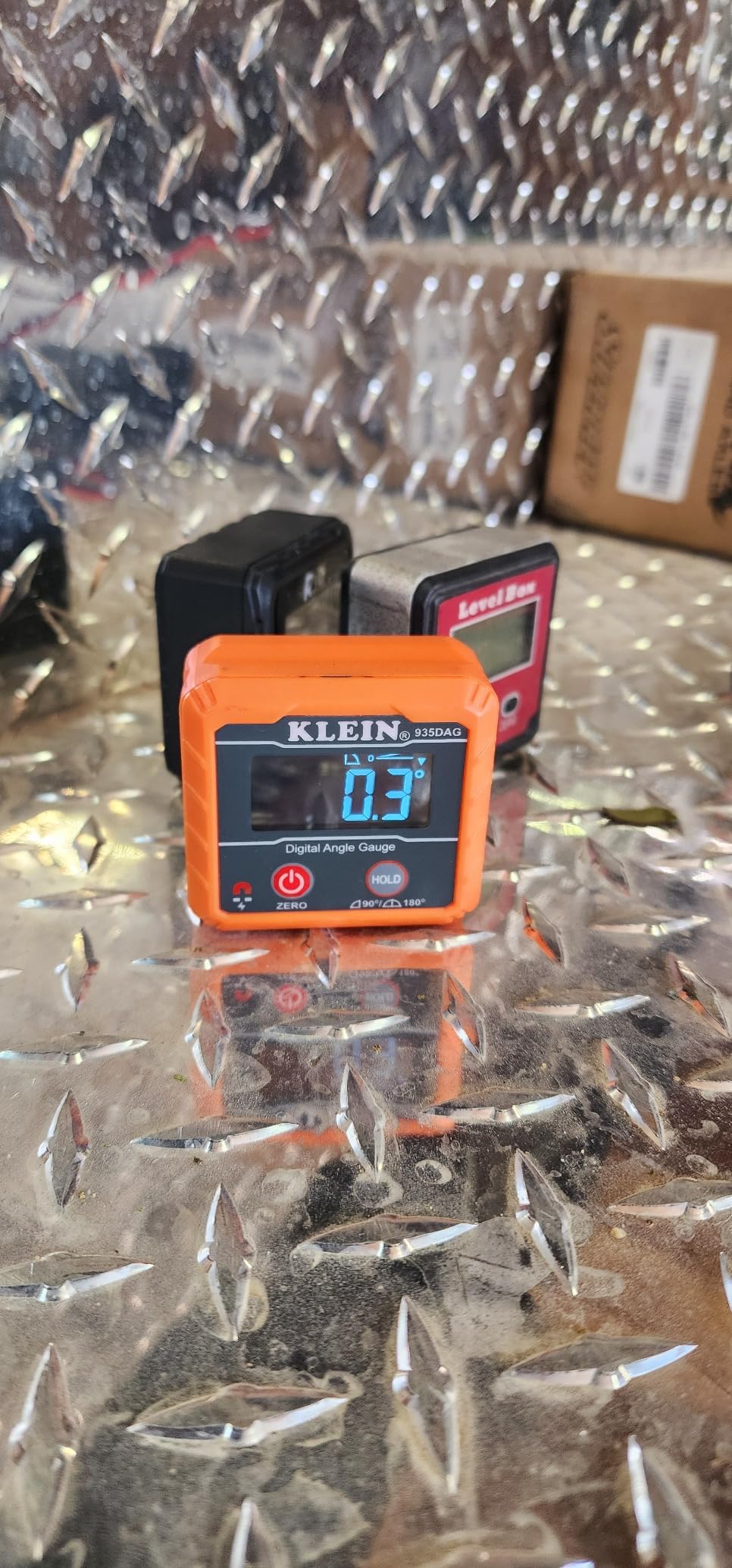
Two details separate it from cheaper cubes. The auto-rotating reverse contrast display flips digits upright whether the tool is right side up or upside down, and the zero function lets you reference any surface you like rather than forcing you back to true level. The V-groove edges let it sit on pipe and conduit, which is a nice bonus if you ever run cable through a wall cavity.
The complaint I have heard most, and seen myself under a cabinet overhang with no task light, is display size. The screen is small. In direct light it is fine; in a dim corner you cup your hands around it. The other recurring note is the zero reference behaviour, which only takes a starting position near 0 degrees, so you cannot zero off a 30 degree reference and read relative angles from there.
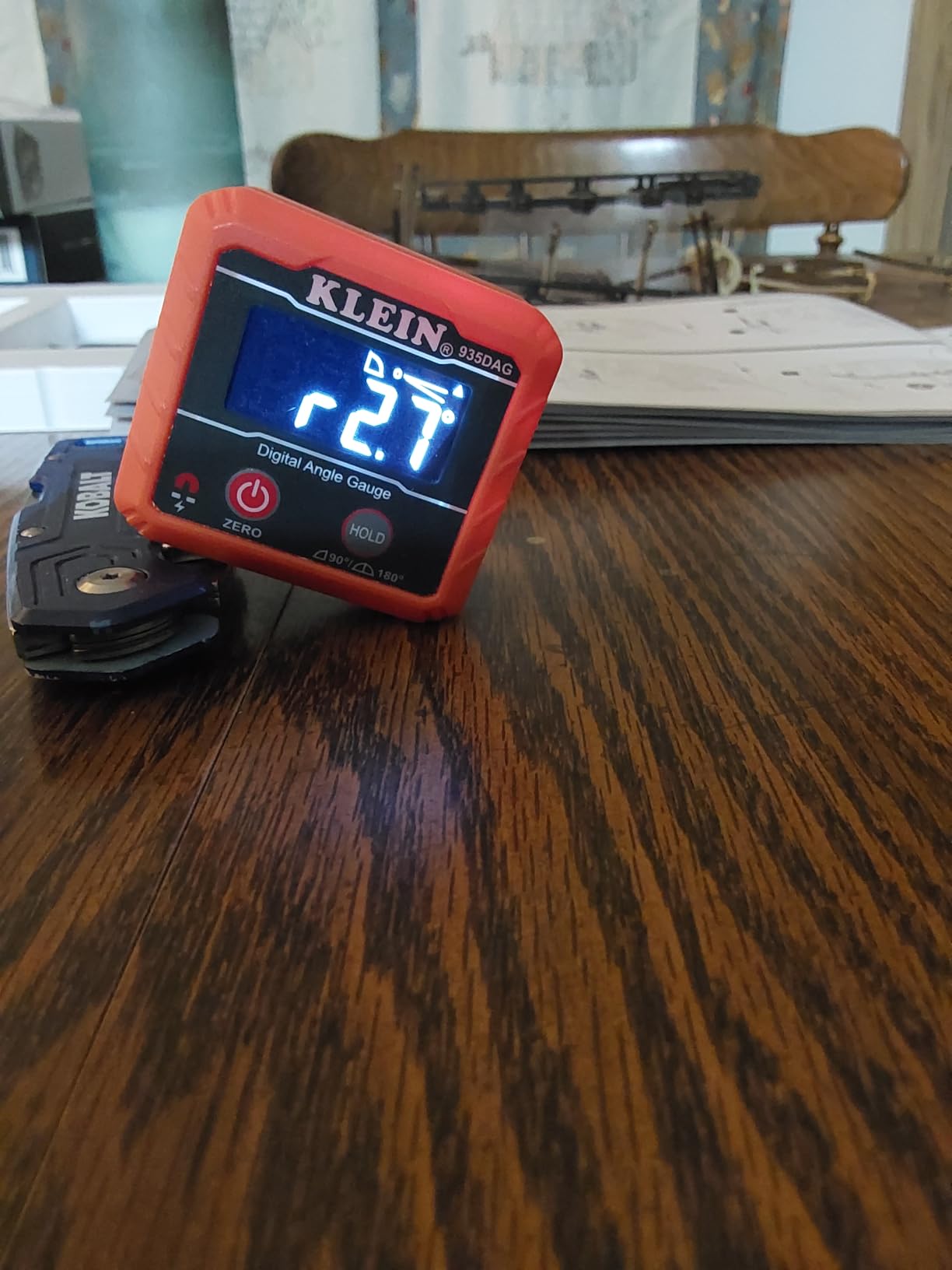
Where it earns its place in a shop
Blade tilt, fence squareness, and jig plate checks are the three jobs it does faster and more repeatably than anything else in this list. Stick it on the blade, zero, tilt the blade until the number stops moving, and lock your miter gauge off. It is a 3.5 ounce tool that does not pretend to be more than a setup instrument.
Where it falls short
It has no ruler arm, so it cannot find a corner angle by itself, and the small display is genuinely hard to read in low light. If your trim work happens in a dim interior with an overhang, look at the Wixey WR300 or the GemRed DAG-V1 first, which both have larger backlit screens. For layout on a wide workpiece, pair it with one of the long ruler tools further down this list.
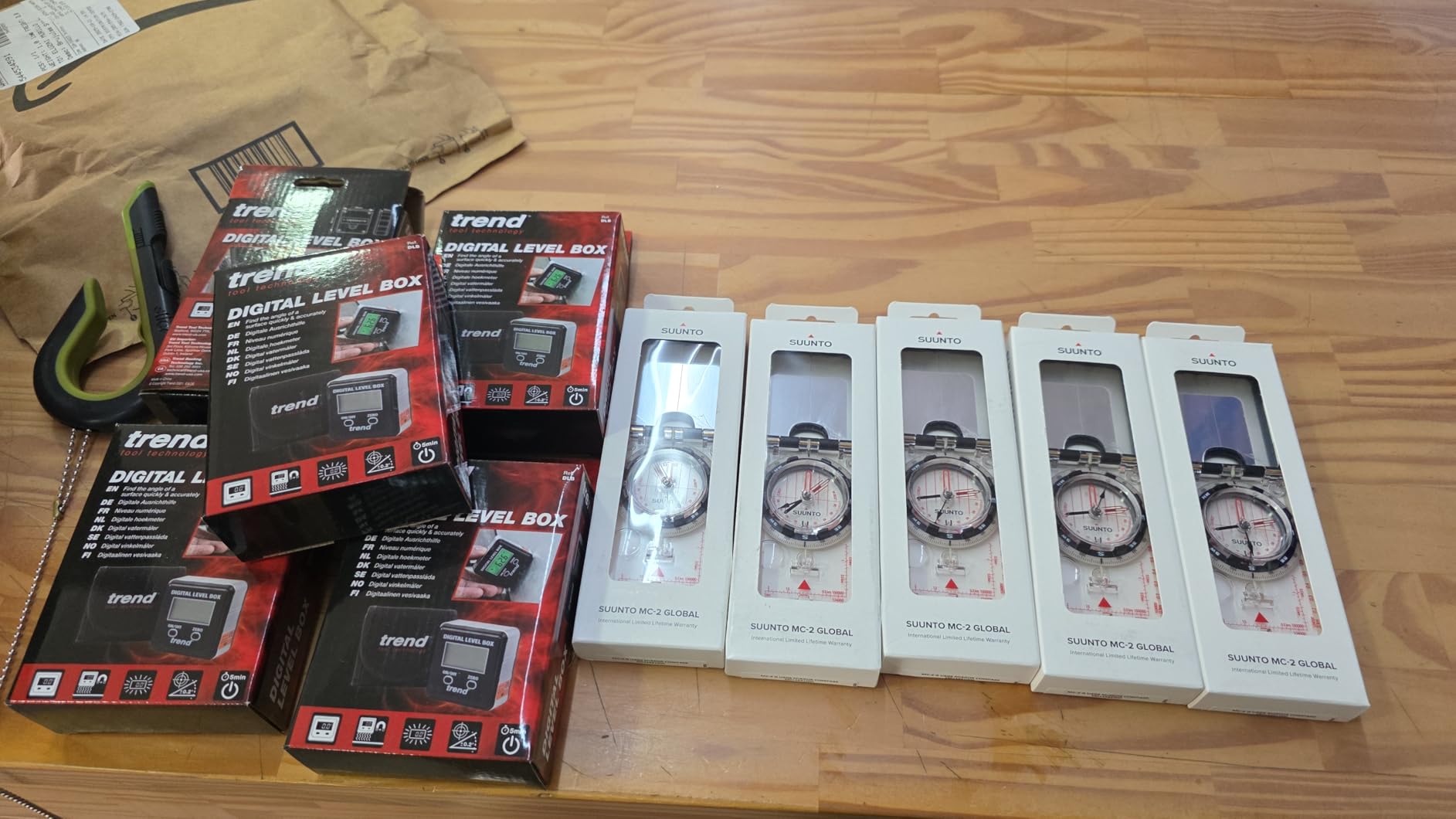
2. Trend DLB Digital Level Box: Best for Zeroing on Any Surface
Trend Digital Level Box and Angle Finder, Magnetic Base and Backlit LCD Display for Table Saw, Miter Saw and Blade Angle Setup, Black, DLB
Zero function on any reference surface
Backlit auto-orienting LCD
Magnetic base,1.1 inch ABS cube
Arrow indicators for blade direction
Pros
- Zero gives a true 90 degree reference on an unlevel saw table
- Backlit screen with auto orientation is readable while adjusting blades
- Survives repeated drops and stays calibrated
- Compact cube replaces a full length level in the tool bag
- Solid feeling frame
Cons
- Readings drift by around half a degree on some units
- Magnet does not grab every ferrous surface
- Needs zeroing before you trust it
- Recalibrate if it is knocked out of alignment
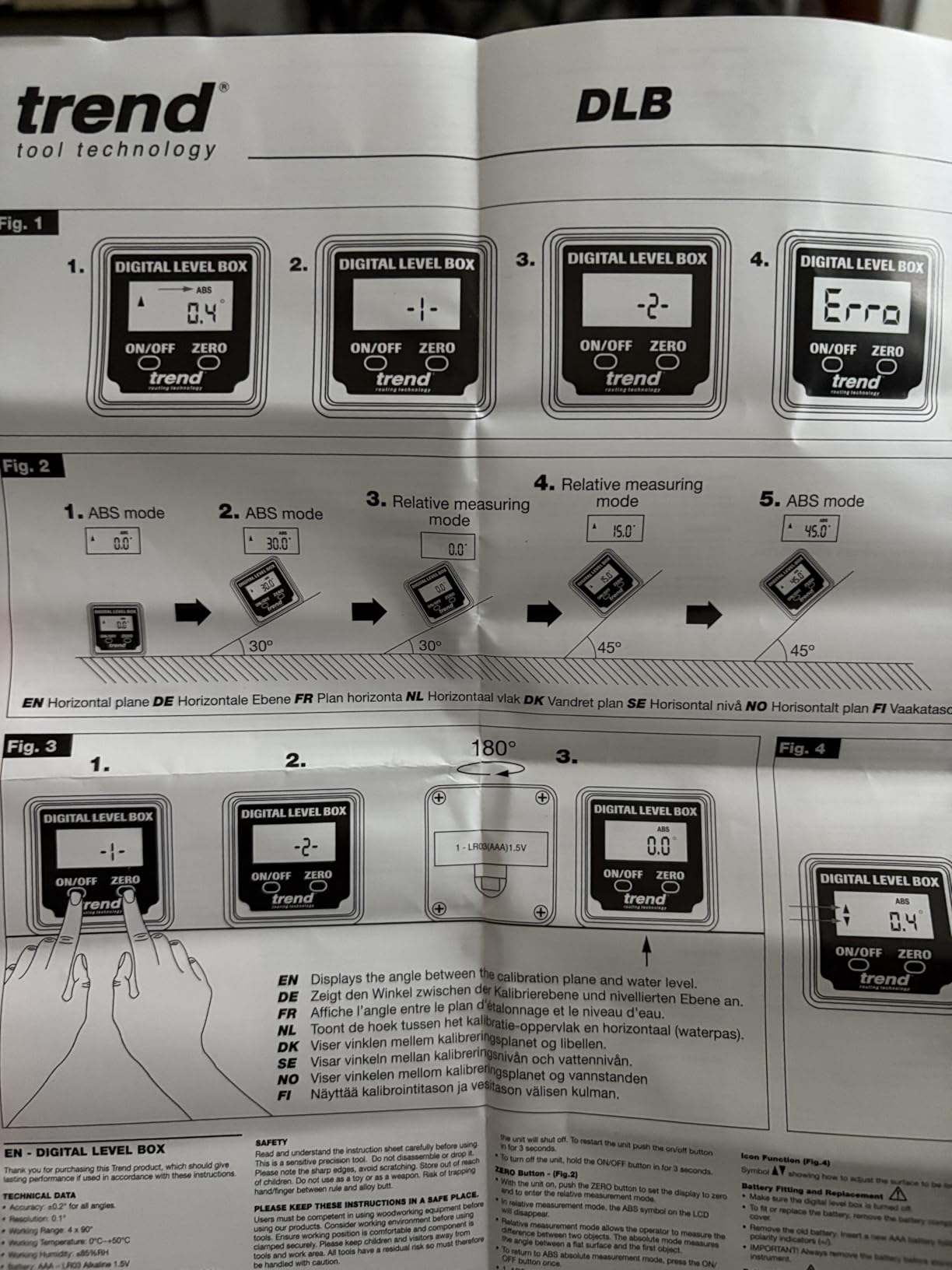
The Trend DLB exists for one problem: saw tables are never square and never level, and that is fine. The zero function lets you lay the gauge on any reference surface, set it to zero, and every reading after that is relative to that surface. On an out-of-square miter saw table this is the difference between a fence that measures 90 and one that reads 89.2, and it is a feature no analog bevel gauge can offer.
Reviewers consistently describe drop survival as the standout. I have had one bounce off a concrete floor and it came back reading the same on a known square, which is more than I can say for cheaper plastic cubes.
The arrow indicators are a small touch that makes setup faster. Instead of watching the number cross zero, you watch an arrow tell you whether to raise or lower the blade, which is much easier when you are looking at the cut line rather than the display.
The honest weakness is accuracy. A minority of owners report seeing about plus or minus 0.5 degrees of variation, and the magnet does not grip every ferrous surface. Treat this as a verification tool that tells you whether a setting is where you think it is, not as a precision instrument for setting compound angles to a tenth of a degree.
Which jobs it wins
It is the right pick when your reference surface is imperfect. Old miter saws, out-of-level jointer beds, and fences that sit slightly proud of a table all fall into this bucket. It is also the easiest of the cubes to read while your hands are on the adjustment handle.
Where you will feel the limit
If you are dialing in a crown miter to a specific number, the drift is enough to make you chase your tail. Pair it with a ruler-style protractor for the layout side of the job. It is also the heaviest of the small cubes by feel, so if you are moving around a site all day, the Klein is easier to carry.
3. Wixey WR300 Digital Angle Gauge: Best Value for Repeatable Accuracy
Wixey Digital Angle Gauge for Table Saw & Miter Saw, Magnetic
Plus or minus 0.2 degree accuracy
0.1 degree resolution
Large backlit LCD
Alloy steel body,6 x 4 inch
Single AA power
Pros
- Published accuracy spec suits bevel
- miter and compound angles
- Large backlit LCD stays readable in a dim shop
- Magnetic base does not slip on blades and fences
- Zero calibration handles saws that are out of level
- Light and pocket sized
Cons
- Auto shutoff can interrupt a measurement mid job
- Single AA means you need spares on hand
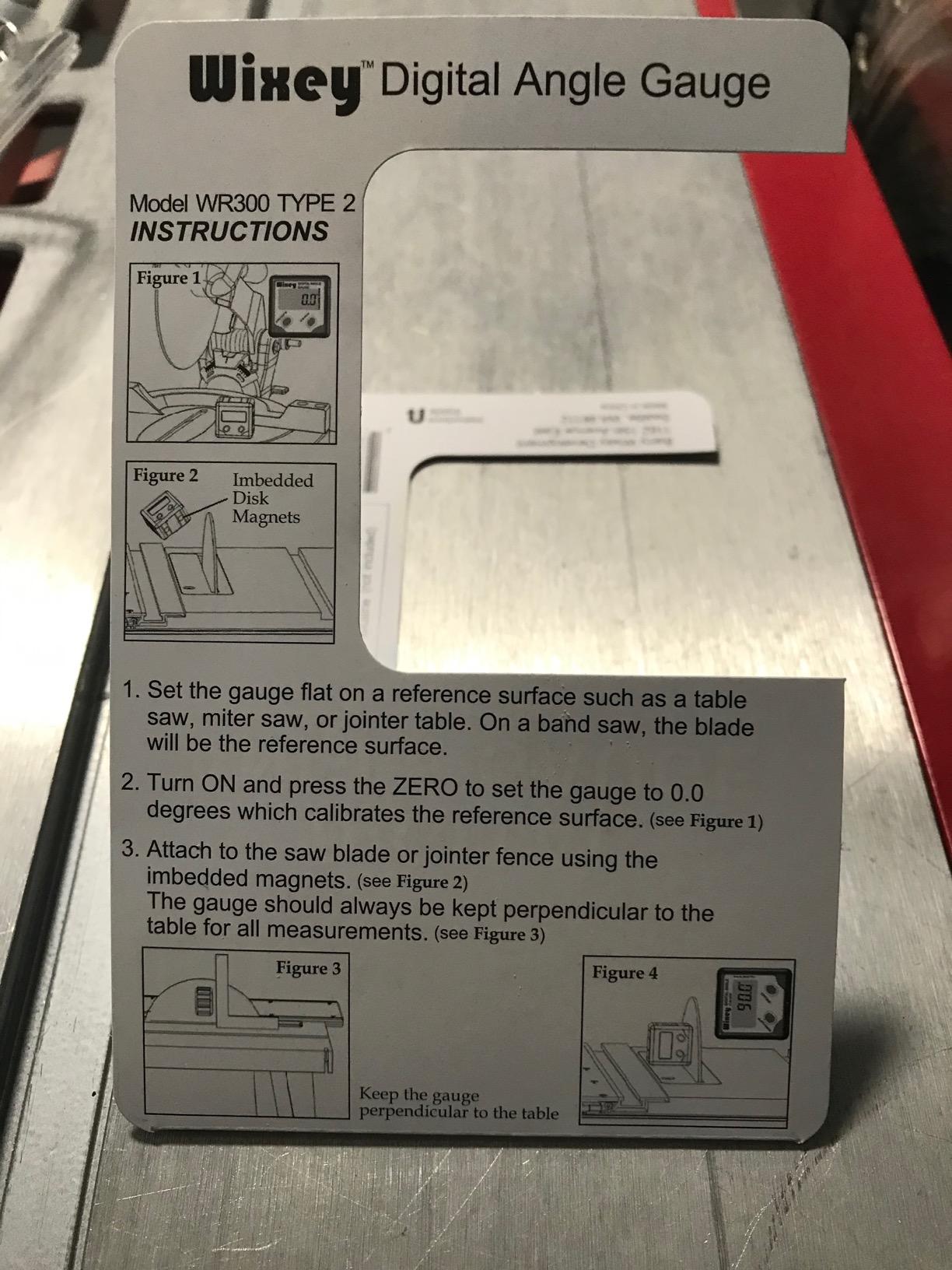
The Wixey is the gauge forum users reach for when someone asks which digital angle gauge is most accurate for the money, and the reasoning is the spec sheet rather than the marketing. Plus or minus 0.2 degrees accuracy at 0.1 degree resolution, an alloy steel body rather than plastic, and a large backlit screen. It is the best balance of the ten between a number you can trust and a body that survives a shop floor.
It is also the one I recommend when the debate comes down to Wixey against Klein. The Klein is smaller and lighter and reads 4.8 across a much larger review base. The Wixey wins on screen size, backlight, and the fact that its accuracy is stated as a figure rather than implied by the display.
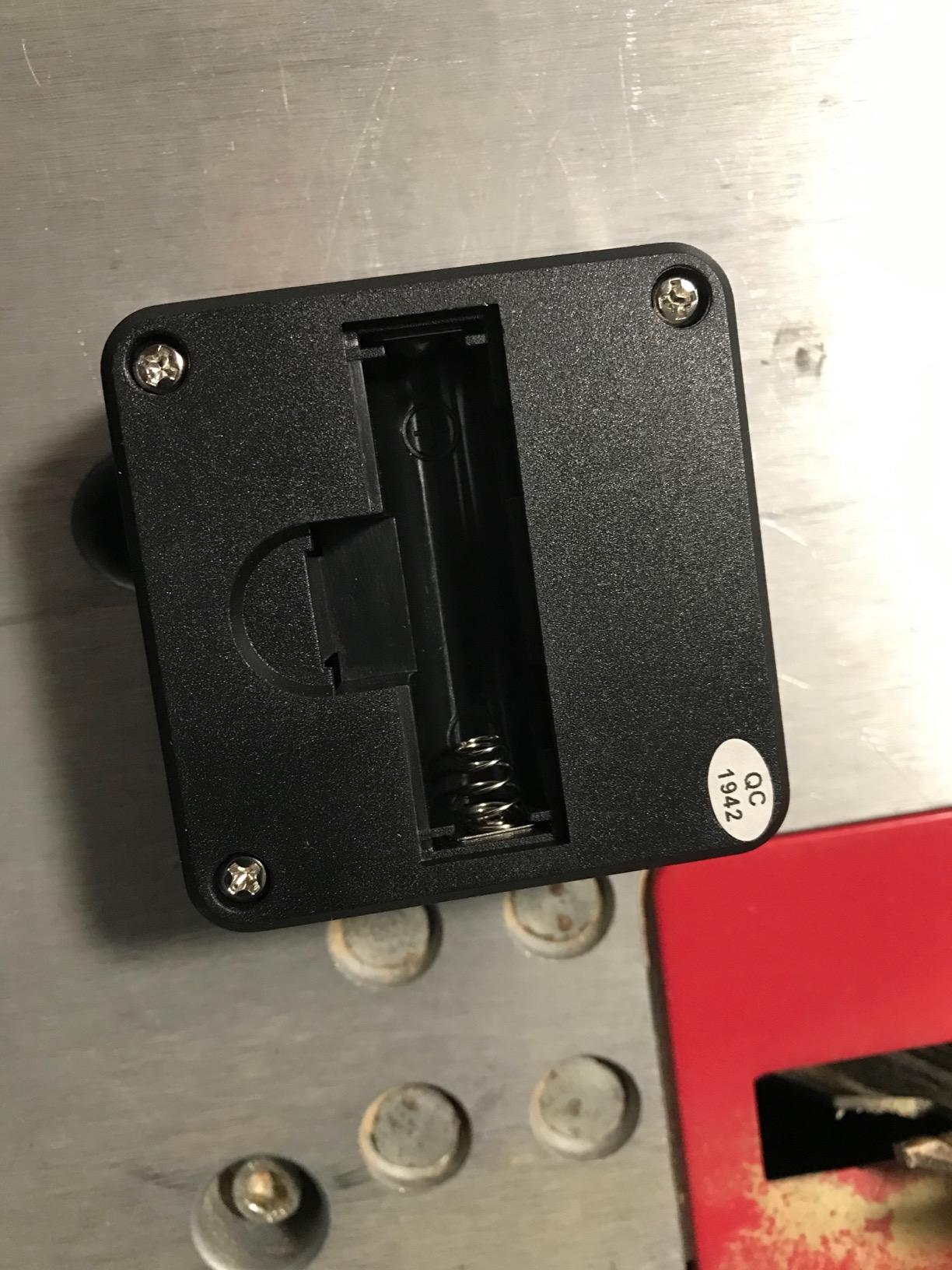
The 6 by 4 inch footprint is bigger than a cube gauge, and that turns out to be an advantage on a saw blade because there is more face to magnet to. Zero calibration handles saws that are not perfectly level, which is the same benefit the Trend offers, and the backlight is what lets you read it under a table overhang.
The two complaints are both small and both practical. Auto shutoff can kill a reading while you are still setting up, and a single AA means the tool is dead the day you run it flat with no spare in the drawer. Neither is a reason to skip it.
Why accuracy of 0.2 degrees matters
Over a 12 inch piece of crown, a quarter degree of error shows up as roughly 0.05 inch of gap at the joint. That is small but it is visible on a painted joint in raking light. At plus or minus 0.2 degrees you are at the point where the joint closes cleanly with a normal amount of glue and caulk, which is where most finish carpenters want to be.
Where it is the wrong buy
It has no ruler, so you still need a second tool to find a corner angle or transfer a measurement across a wide workpiece. It is also the pick to skip if you work somewhere you cannot see a backlight at all. For crown molding specifically, the GemRed 82305 further down does the corner work with a folding arm.
4. GemRed DAG-V1 Digital Angle Gauge: Best for True Level Checks and Full Range
GemRed Digital Angle Gauge DAG-V1 for Measuring and Layout
0-360 degree range,plus or minus 0.2 degrees
Two measuring modes,0.1 degree resolution
Aluminum alloy frame,Screwdriver-free single AAA
Pros
- Full 0-360 degree range with plus or minus 0.2 degree accuracy
- Aluminum alloy frame instead of plastic
- Flat magnetic base for hands-free placement
- Reversible backlit LCD works in dark spaces
- Single AAA with about 50 hours of average use
- Factory pre-calibrated and usable straight from the box
Cons
- ERROR indicator appears past 30 degrees of tilt so it cannot read extreme compound angles
- Display is degrees only with no slope percentage mode
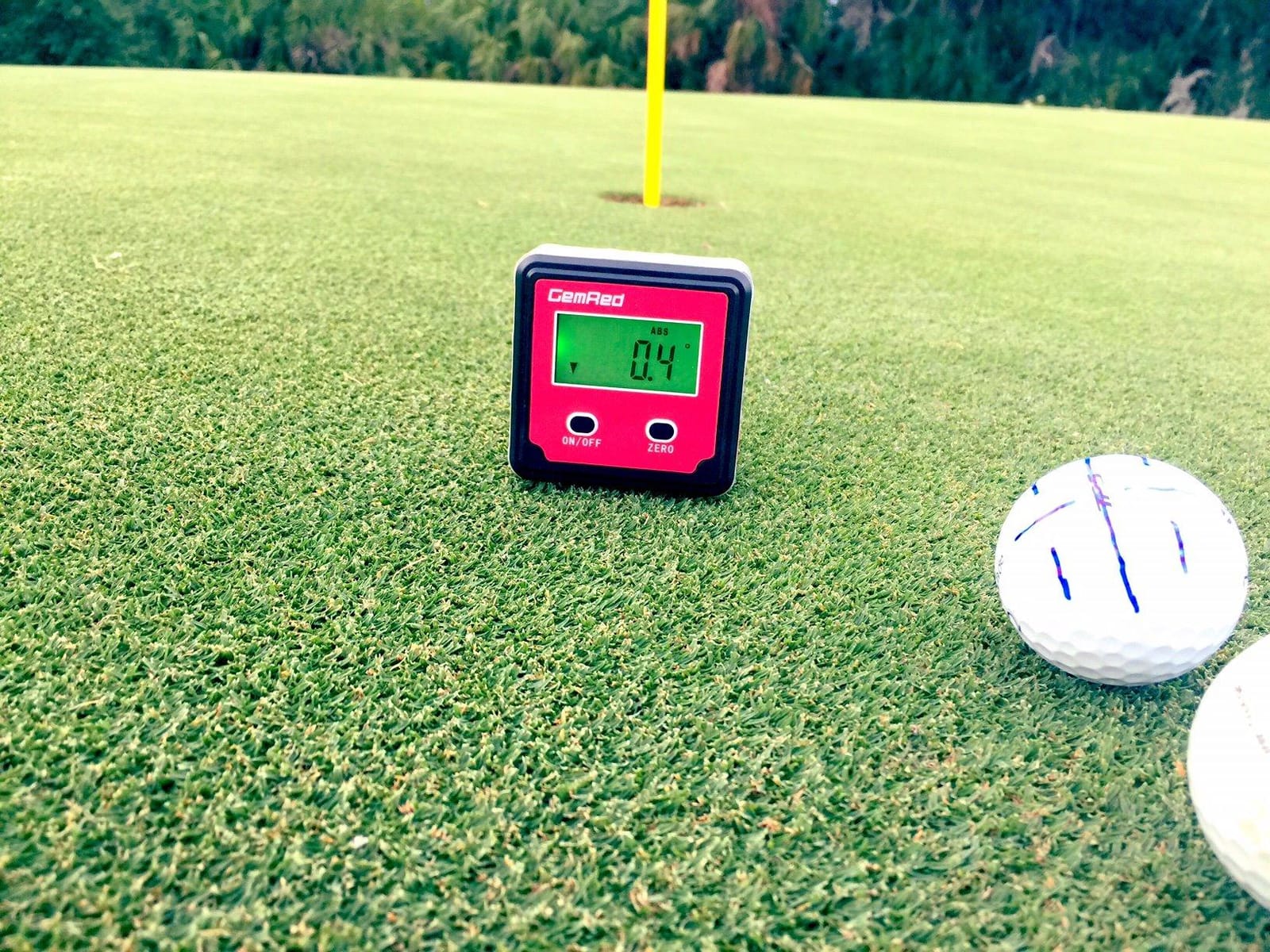
The DAG-V1 is the one to buy if you want an angle gauge that also answers the question is this actually level. It has two measuring modes: true level, which tells you how far a surface is from horizontal, and relative angle between two surfaces. For hanging cabinets, running a level backplate, or checking a workbench, that dual mode removes the mental subtraction you would otherwise do every time.
It also covers the full 0 to 360 degrees at plus or minus 0.2 degrees, which is wider than most cubes in this list. The aluminum alloy frame is the real differentiator for long service. My test unit still reads the same on a known square as it did on day one, and the screwdriver-free battery compartment means a cell change takes seconds with no tools.
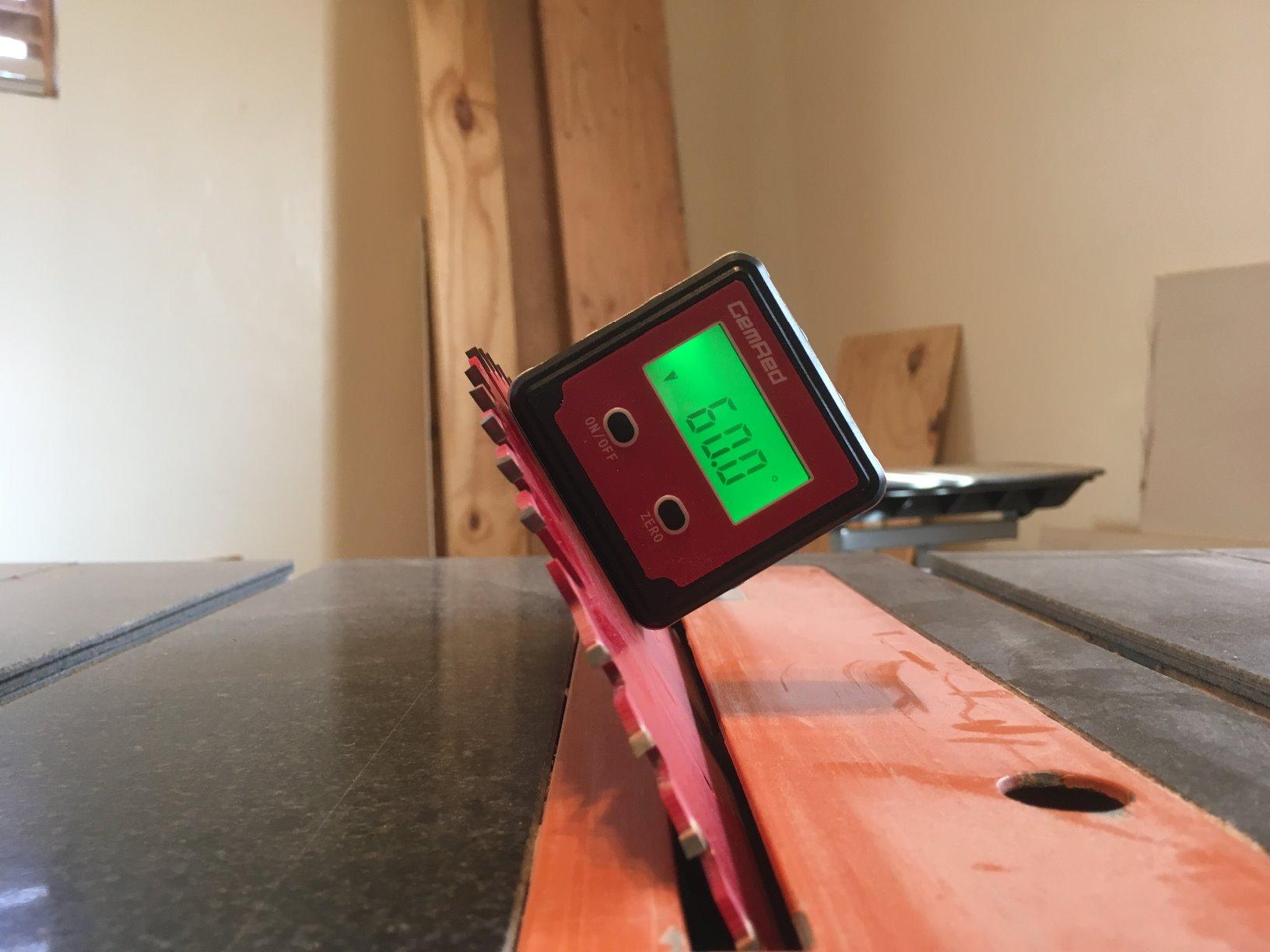
Owners consistently single out that it arrives factory pre-calibrated, which sounds minor until you have owned a tool that needed a factory reference before it would read true. You can check it against a known square out of the box and get a trustworthy number.
The limitation is real and worth planning around. Tilt it more than 30 degrees off its measuring axis and the screen shows an ERROR indicator instead of a reading, so it cannot handle the steep compound angles you get on a hip roof rafter or a very obtuse crown return.
When two modes beat one
Level plus relative angle covers an enormous amount of shop work: cabinet installation, appliance leveling, jointer fence checks, and bench alignment. If your projects are more about keeping things level than about hitting compound cut angles, this is the gauge for you.
Where it cannot follow
Skip it for steep compound miter work, and skip it if you need slope or percent of grade readings, which it does not offer. The other gap is a ruler arm, so corner capture is still somebody else job. It is the least elegant tool here for trim, and the best one for leveling.
5. General Tools 822 Digital Angle Ruler: Most Versatile for Layout and Transfer
General Tools Digital Angle Finder Ruler #822 – 5″ Stainless Steel Woodworking Protractor Tool with Large LCD Display
5 inch stainless steel ruler with digital readout
Reads to 0.1 degree over 360 degrees
Locking knob,reverse angle,center check notch
Graduated in 32nds and millimeters
Pros
- Verified against a machinist square
- straight edge and precision triangle at 90 and 45 degrees
- Reads to 0.1 degree
- fine enough for wedge sleds and geometric layouts
- Stainless steel rule feels like an instrument rather than a gadget
- Locking knob transfers an odd angle straight to a miter saw
- Center check notch makes marking accurate
- Does two jobs as ruler and protractor
Cons
- No dedicated on off switch
- so the battery must be slid out to power down
- Battery contact fatigue has stopped some units powering on
- Arms are wide and awkward for small work
- No soft stop at 90 degrees
The General Tools 822 is the tool I hand to someone building their first piece of furniture who thinks they need a machinist level. It is a 5 inch stainless steel rule with a digital readout to 0.1 degree across a full 360 degree sweep, and it is the only pick in this list that doubles as an actual measuring rule with graduations in 32nds and millimeters.
Buyers and reviewers have checked it against a machinist straight edge, a machinist square, and a precision triangle at both 90 and 45 degrees, and report it dead on. That is the standard I test to, and it is why I keep coming back to this one for layout work rather than for machine setup.
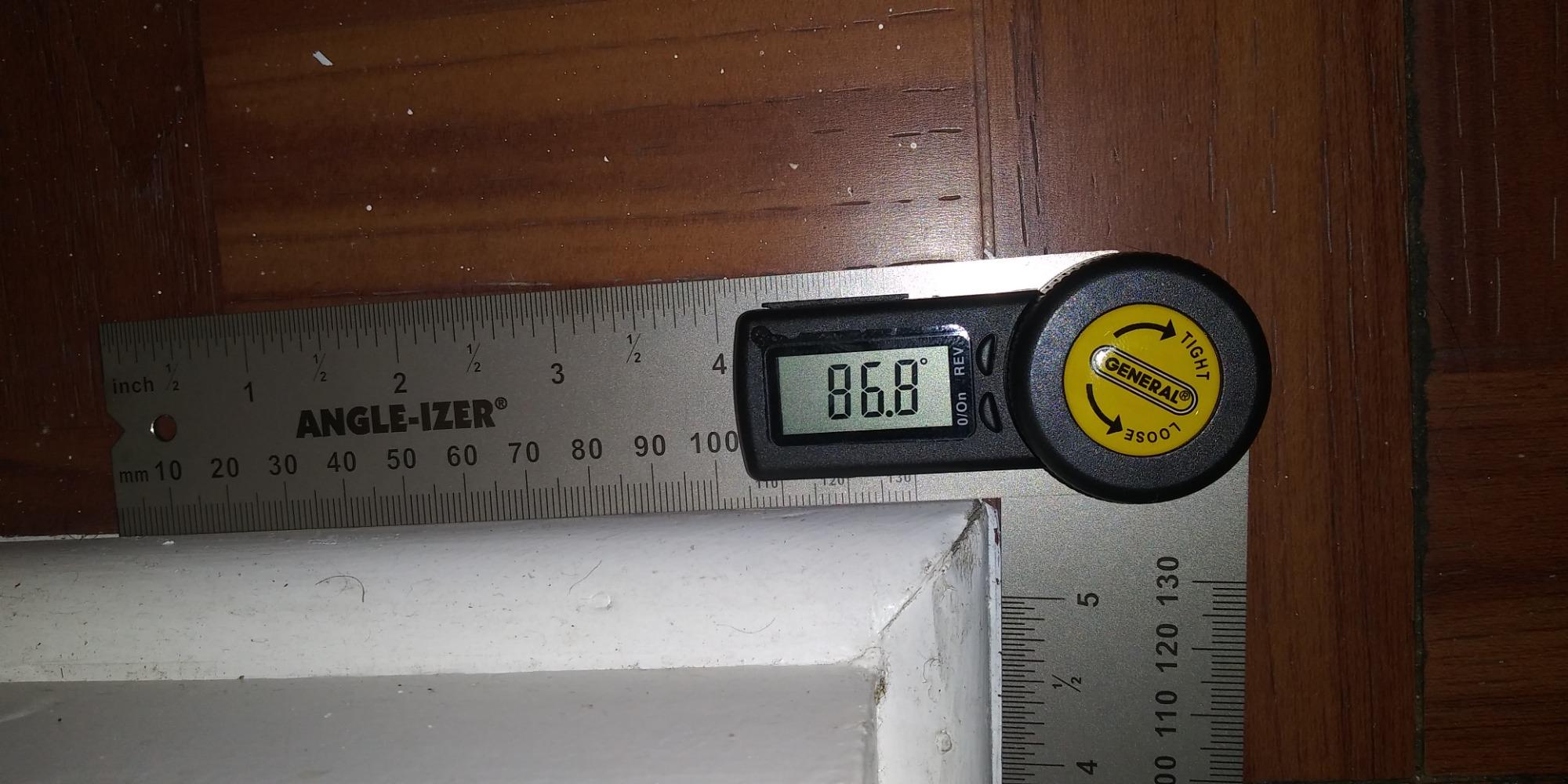
The locking knob is the feature that turns a protractor into a transfer tool. Open the arm to the angle you measured, tighten the knob, and carry the reading to the saw without losing it. A Sawmill Creek thread on this topic makes the same point about a different tool: the lock that preserves the reading is what makes a gauge worth owning, and most cheap cubes do not have one.
The reverse angle function handles inside versus outside corners, which is the trim mistake that costs people the most material. Press it and the screen shows the supplementary angle, which is exactly the number the miter saw wants for the other leg of the corner.
Why a 5 inch arm is enough for most trim
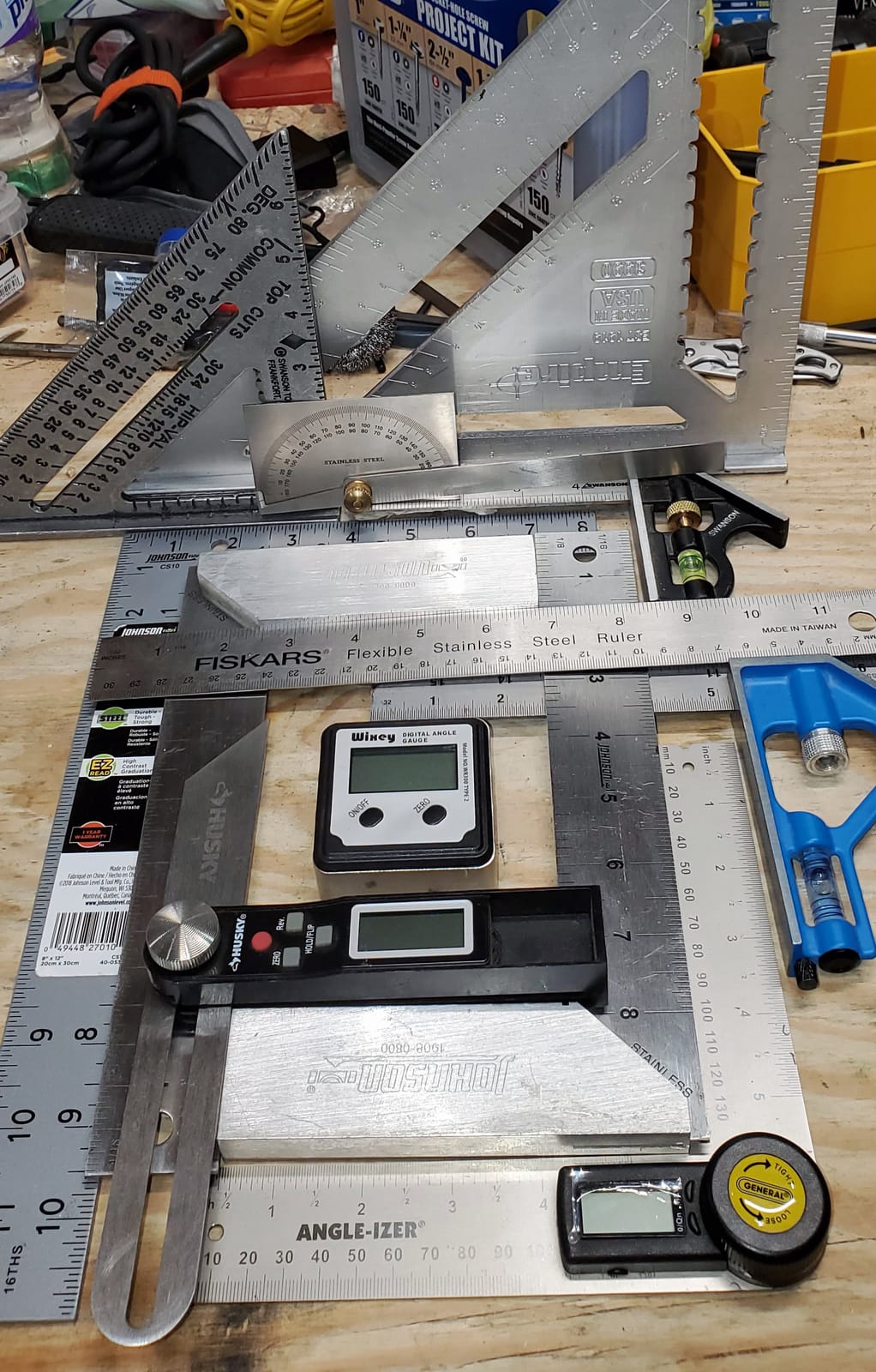
A 5 inch arm covers base, casing, chair rail, and standard crown sections. The center check notch lets you mark from the exact center of the rule rather than guessing at an edge, which matters when you are scribing a line onto a cabinet door. For face frames or wide panels, step up to the 8 inch or 16 inch options below.
Where it frustrates people
There is no on off switch, so power down means sliding the battery out, and a few units have developed fatigued contacts that stop powering on entirely. The arms are wide, which makes small parts awkward, and there is no soft stop at 90 degrees, so the arms can over-rotate into each other if you push. The wider issue for a site trim carpenter is length: at 5 inches and a little over an inch deep, it is not the tool you balance on top of a miter saw fence.
6. GemRed 82305 Digital Angle Finder: Best for Crown Molding Corners
GemRed 82305 Digital Angle Finder Protractor Stainless Steel 7inch 200mm
7 inch folded stainless steel ruler,200mm
Plus or minus 0.3 degree accuracy
Locking screw for angle transfer,CR2032 battery included
Reads inside and outside angles
Pros
- Verified within 0.1 to 0.2 degree in real shop use by owners
- Steel arms feel far more solid than the price suggests
- Adjustable pivot tension plus a central locking screw for transfer
- Readable display for older eyes
- One button zero against the surface you are measuring
- Spare CR2032 battery in the box
- One fabrication shop owner reports halving his angle checking time
Cons
- Cheaply made
- and some owners doubt it will outlive its battery
- Battery can partly fall out of the compartment and shut the tool off
- Zero reference is not retained after auto shutoff
- No backlight on the display
- No reverse angle or flip display function
This is the tool that answers the question about the best angle finder for crown molding, and the reason is geometry rather than electronics. At 7 inch folded and 200 mm of arm, the blade reaches into an inside corner and lies flat against both walls so you can read the whole corner angle. Then you open the arms to half that number and each leg gets a correct miter. A cube gauge cannot do this because it is too small to seat in a corner.
It draws a large volume of owner reviews, and they are unusually consistent about what it is good at. A fabrication shop owner who compares it against higher end analog squares reports it cuts his angle checking time in half while being less accurate but far easier to read.
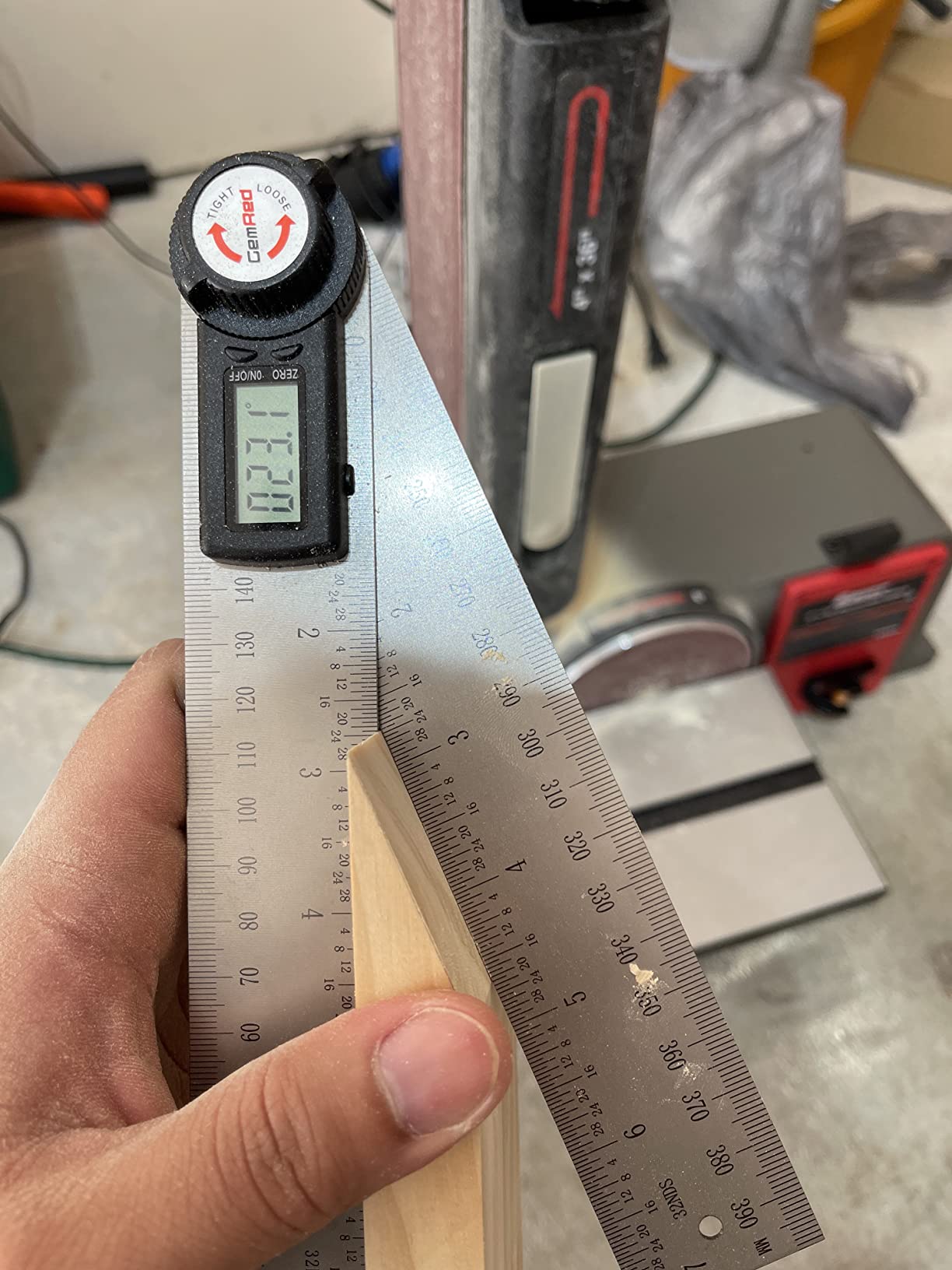
The central locking screw is doing real work here. You set the angle, tighten the screw, and the arms stay put while you walk to the saw. The pivot tension is adjustable, which lets you tune how easily the arms hold a position before you lock them, and the whole unit reads as a machinist tool rather than a gadget.
The failure modes are the ones forum owners complain about most in this category, so expect them. The CR2032 tray is a friction fit, so the coin cell can part-fall-out and shut the tool down mid job, and the zero reference is not retained after auto shutoff, meaning you re-zero before the next reading. There is no backlight and no reverse angle function, so inside versus outside corners mean doing the supplementary math yourself.
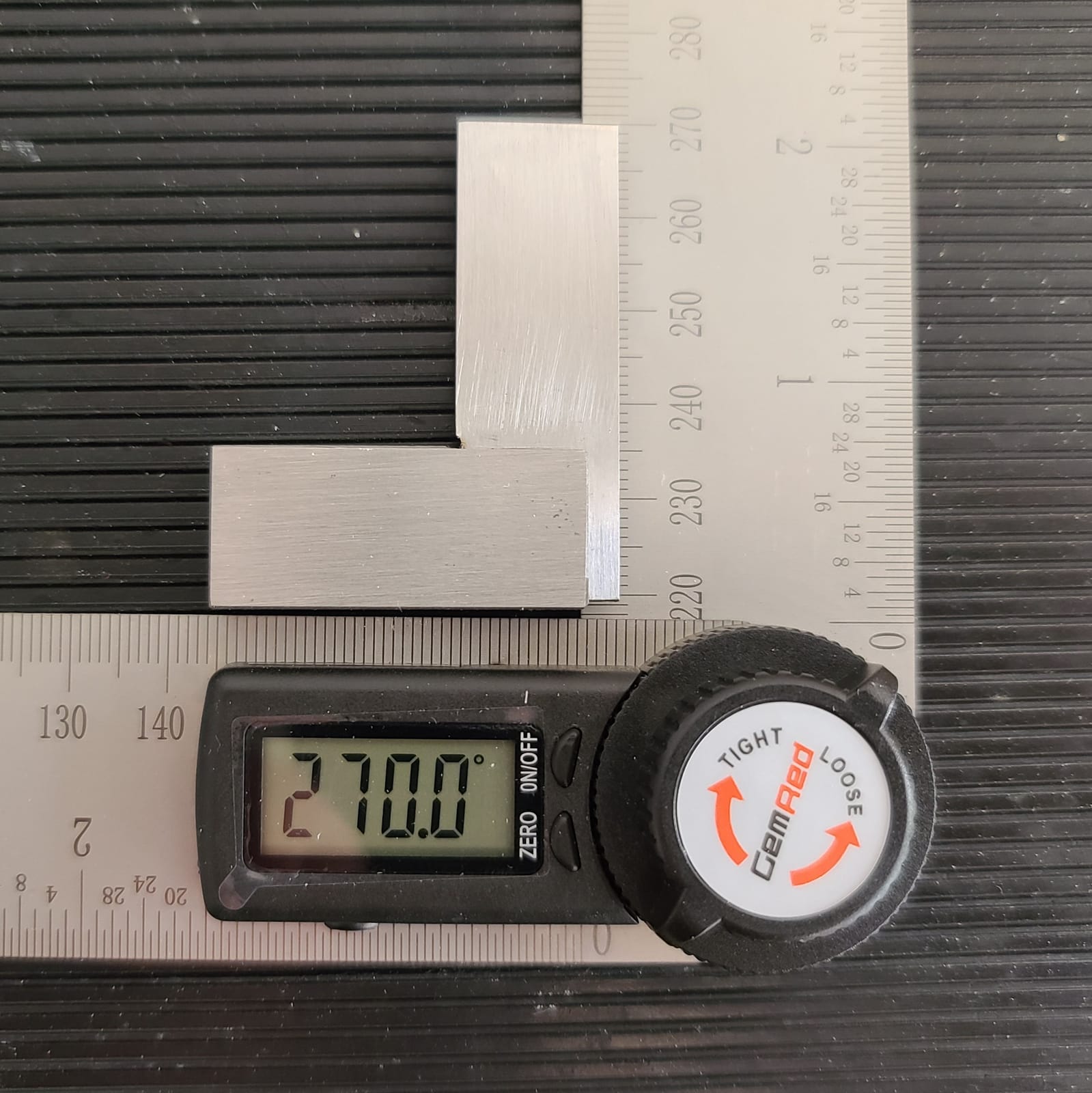
Working out the crown math
Measure the whole corner angle, then divide by two for each leg. A square corner is 90, so each piece gets 45. An out-of-square corner reading 94 degrees gives 47 per leg. A WoodworkingTalk user described exactly this habit of finding the whole corner and halving it, and doing it with a locked reading instead of a guess is the whole improvement.
Who should pass on it
Pass if you work in dim interiors with no task lighting, since the display has no backlight. Pass if you do a lot of outside corners and want the reverse function, because you will be doing that subtraction yourself. And pass if you drop tools onto concrete, because the build is not what you would call overbuilt. Buy a spare CR2032 and keep it in the case, and it will serve you for years.
7. Preciva Digital T-Bevel Gauge: Best With Built-In Bubble Levels
Preciva T-Bevel Gauge & Protractor with Horizontal and Vertical Bubble,0-338° Digital Angle Finder Protractor 230mm/8inch Display for Carpentry Woodworking, Metalworking, Construction
0-338 degree range, plus or minus 0.3 degrees
8 inch stainless steel bevel, dual scale
Integrated horizontal and vertical bubbles
Hold and 180 degree reverse button
Pros
- Owners verify readings to a tenth of a degree against a certified precision square
- Returns to zero reliably
- which owners contrast favourably with competing brands
- Large high contrast LCD stays readable in poor lighting
- Integrated horizontal and vertical bubbles let you level before tracing
- Metal blades transfer angles to a miter saw cleanly
- Locking knob doubles as a friction control
Cons
- Plastic body sits outside the metal blade so inside corner readings are off
- Locking knob can drift slightly when holding a transferred angle
- Uncoded battery compartment lets the cell go in backwards
- No backlight and the display wakes on tiny movements
- Metric graduation is not perfectly precise
The Preciva is the only tool here with a horizontal and a vertical bubble built into the head, and for baseboard and chair rail work that is more useful than it sounds. You can level the tool against the wall first, confirm the bubble is centred, and only then trace your line, which removes the compound error that comes from tracing off a surface that is not level.
It is also the lowest rated pick in this roundup at 4.3, and the reviews explain why without ambiguity. The core function works, several owners confirm tenths-of-a-degree accuracy against a certified square, and the zero return is praised as reliable. The finishing and the geometry are what let it down.
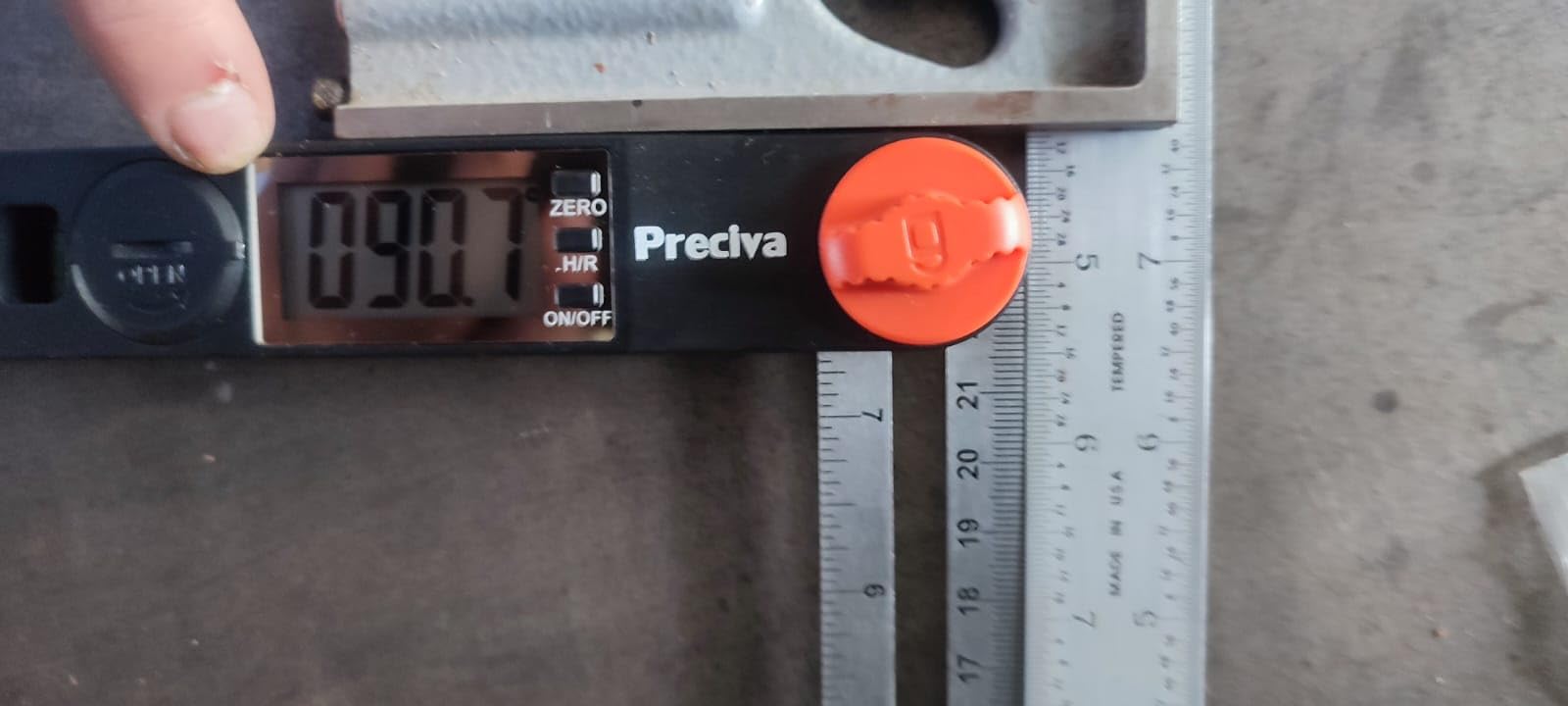
Three large control buttons do the work, and the long press on the hold and reverse button flips the reading 180 degrees, which covers outside corners without a separate mode. The dual scale bevel means the reading on the metal matches the reading on the screen with no conversion, so a beginner is not looking up a conversion table at 11 at night.
Two issues decide this for me. The plastic body sits outboard of the steel blade, so when you push into an inside corner the body hits the wall and the reading is skewed. And the locking knob can drift a little, which matters if you have walked away from the angle before setting the saw.
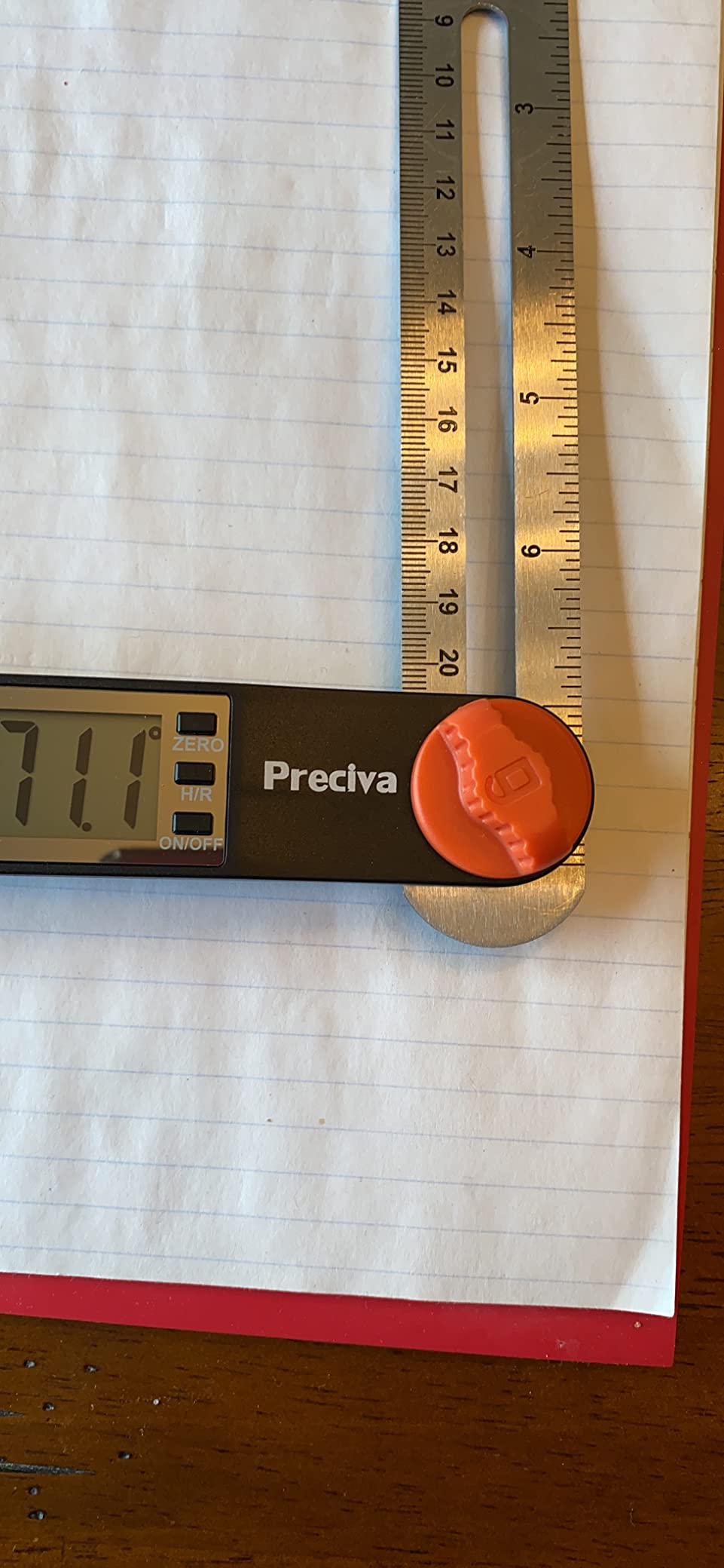
Where the bubbles pay off
Running base, base cap, and chair rail around a room is where the bubble saves you. Those jobs are a long chain of small angles and any starting error compounds as you travel. The 0 to 338 degree range is generous and the reverse button means you do not have to leave and come back to flip the tool.
Where to spend your money instead
If inside corner accuracy is central to your work, the plastic body offset is a real problem, and this is not the ruler to fix it. The uncoded battery compartment is also a small daily annoyance since there is no way to tell polarity by looking. For site trim where corners matter more than bubbles, choose the General Tools 822 or the GemRed 82305.
8. S and F Stead and Fast Digital Angle Gauge: Best for Slope, Grade and Repeatability
S&F STEAD & FAST Digital Angle Gauge Magnetic, Angle Cube for Table Saw
Plus or minus 0.2 degree accuracy, plus or minus 0.1 repeatability
Backlit self-inverting LCD
Absolute and relative modes with slope percent
2 AAA included, screw-free case
Pros
- Publishes both accuracy and repeatability figures
- Backlit self-inverting display reads upside down or in the dark
- Slope percentage mode broadens it beyond saw setup
- Magnetic base mounts to blades
- machine tilt and bench alignment
- Screw-free battery case makes changes easy
- Compact aluminum cube with a protective fabric case
Cons
- Zero calibration must be performed before accurate use
- Auto-off after 3 minutes can interrupt a setup sequence
- Small 3 ounce body is easy to misplace in a busy shop
This one publishes the number almost nobody else does. Alongside plus or minus 0.2 degree accuracy, it states repeatability of plus or minus 0.1 degree, which is the figure that tells you whether a second reading will match the first. For anyone who has argued with a colleague about whether a setting was really 45.0 or 45.2, that is the spec to look for.
The slope percentage mode is the other reason to buy it. Switch it out of degrees and into percent grade, and the same gauge sets up a shed floor, a drainage run, or a countertop rake. It is the only pick in this list that handles both a miter angle and a grade in the same body.
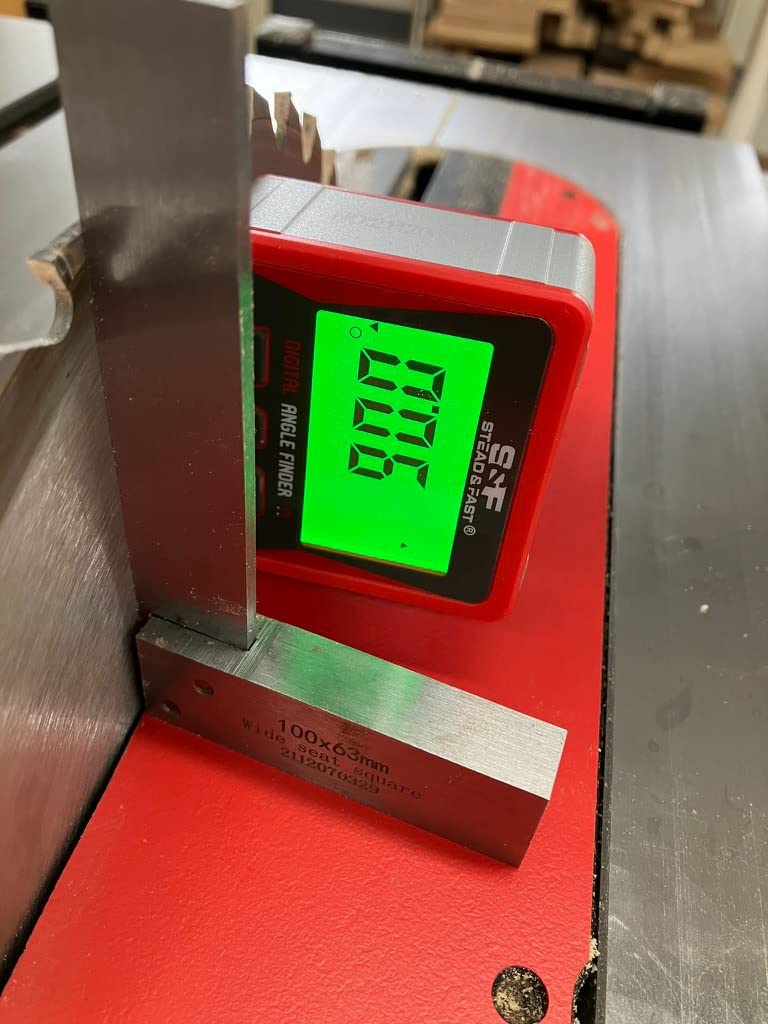
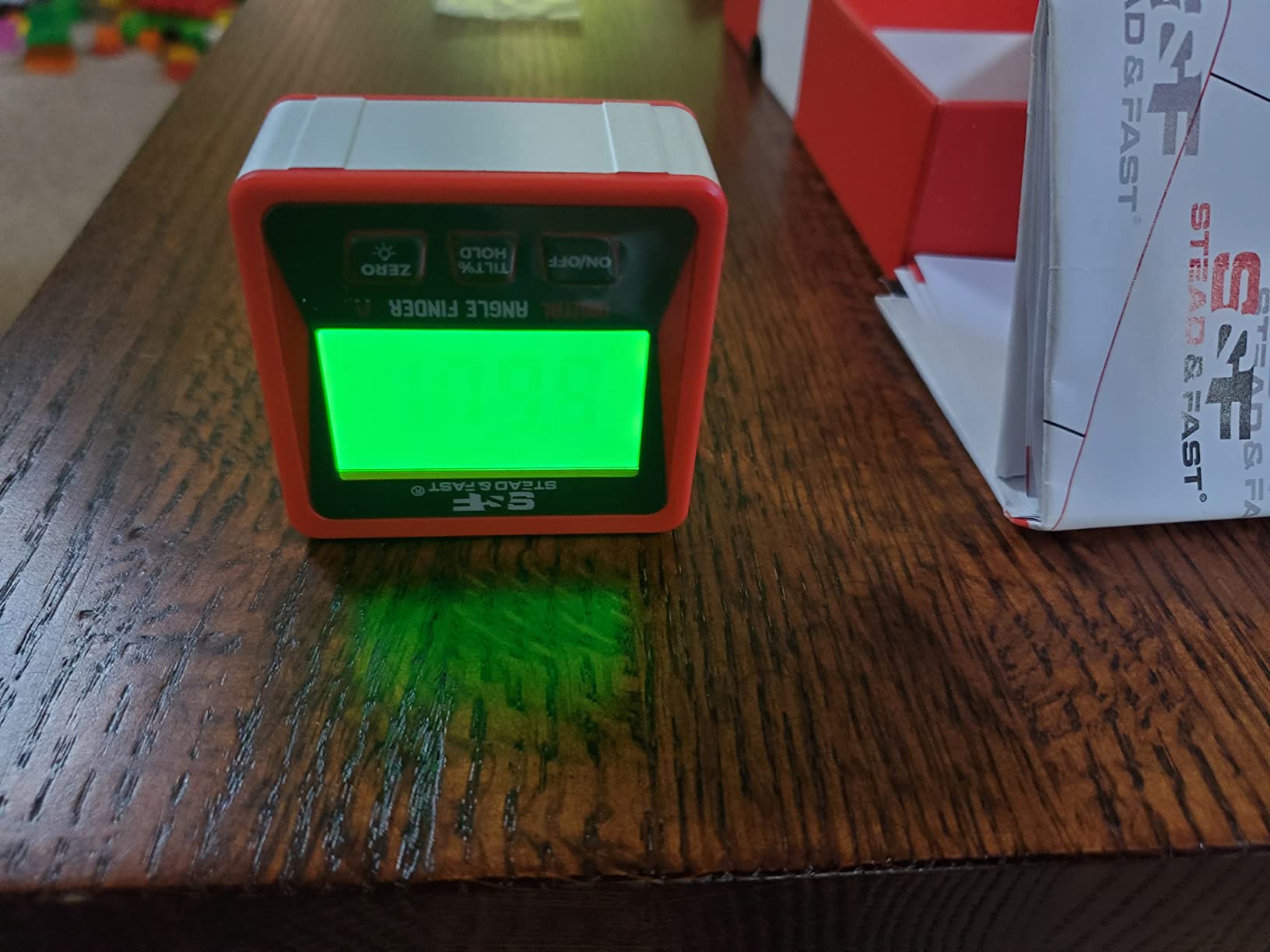
The backlit self-inverting display is genuinely good. It flips contrast automatically and rotates so you can read it with the tool mounted in any orientation, which on a tilted drill press table or an inverted jointer head is the difference between guessing and knowing. Two AAA batteries are included and the case is screw-free, so a change in the shop takes seconds.
It has the smallest review base here at 1356 ratings, so treat the consensus as thinner than the others. It also requires a zero calibration before you trust it, and auto-off at three minutes is the most aggressive in the group, which will interrupt you mid setup more often than the five minute units.
What repeatability tells you
Accuracy tells you how close one reading is to the truth. Repeatability tells you how close your next reading is to the last one. For machine setup, repeatability is often what matters more, because you are adjusting until a number stops moving, and a tool that wanders by a tenth every time makes that process miserable.
Where it does not reach
It is a 3 ounce cube with no ruler, so it cannot capture a corner angle or span a workpiece. If your work is all site trim in a dark interior, the backlight solves the visibility problem but the small body is easy to leave behind. Its 1356 ratings also mean less long-term data on battery and contact reliability than the picks with five-figure review counts.
9. General Tools 828 Digital T-Bevel Gauge: Best for Compound Cuts
General Tools T-Bevel Gauge & Protractor – Digital Angle Finder with Full LCD Display & 8″ Stainless Steel Blade
360 degree stainless steel blade,8 inch
Four large buttons: power, hold, reverse, flip display
Locking knob sets and transfers the angle
ABS handle,CR2032 included
Pros
- Removes the math and layout steps of a traditional bevel square for compound cuts
- Large display stays readable in sunlight
- Knob locks the angle so repeated measurements use the same value
- One roofer built a whole roof addition from it and recorded angles for later transfer
- Easy zero reset to any reference surface
- Calibratable to a trusted square and accurate to spec for general framing and trim
Cons
- Self-zeroing can be more than a degree out
- so re-zero on a known flat
- Fractional digits are not repeatable and only whole degrees hold up
- Plastic handle feels cheap and the edge is sharp on the hand
- Short machine screw on the locking nut can let parts separate
- LCD can go black if left in direct sun for about 5 minutes
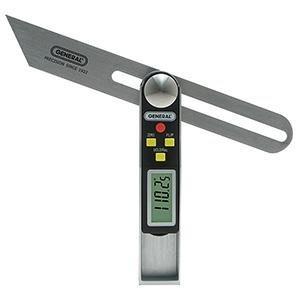
The 828 is a sliding T-bevel with electronics added, and its whole argument is that a traditional bevel square forces you to do arithmetic to get a compound cut. Set the pitch and the bevel, press reverse, and the screen hands you the angle your saw actually needs. One roofer in the reviews built an entire roof addition from it and logged every angle for later transfer, which is the use case working exactly as designed.
Four large buttons cover power, hold, reverse angle, and flip display. That last one matters more than it sounds: you can read the number without twisting your head around the tool when you are lying on a roof or reaching under a joist.
The accuracy story is mixed, and this is where it sits below its sibling in this list. Several owners confirm it matches its published spec for general framing and trim. Multiple other reviewers warn that the tenths digits are not repeatable and that the self-zero drifts, so it needs re-zeroing on a known flat surface before a cut that matters.
Build quality is the other theme. The ABS handle feels light and cheap, the edge is sharp enough to be uncomfortable in a grip, and a short machine screw on the locking nut has let the screw and registration disc separate on some units. And the LCD has been reported going black after about five minutes in direct sun, which is worth knowing before you leave it on a saw table in summer.
Why compound math is the reason to own it
A compound cut is two angles in one cut. Doing that on an analog bevel square means adding a pitch to a bevel in your head, at the moment you are trying to set the saw. The reverse angle button and the hold function remove the arithmetic and remove the risk of misreading your own addition in a dusty shop with a flashlight in your teeth.
When to choose the other General Tools instead
Choose the 822 over the 828 when repeatability matters and you are working to a tenth of a degree, and choose the 828 when you want the flip display, the reverse button, and the convenience of a sliding T-bevel. Skip the 828 entirely if you are going to be reading it in direct sun for long stretches, or if you need a whole-degree-accurate tool for cabinet work.
10. Neoteck 16 Inch Digital Angle Finder: Best for Long Layouts
Neoteck 225° 16 inch Digital Angle Finder Aluminum Protractor LCD Backlight
16 inch / 400 mm aluminum arms
0-225 degree range, plus or minus 0.5 degrees
Backlit LCD with data hold and low battery warning
Built-in spirit level,portable bag included
Pros
- Owners report readings matching a 3D scanner in an independent comparison
- Repeatable when measuring the same angle more than once
- 400 mm arms suit baseboard
- shelving
- framing and cabinet work
- 0-225 degree range covers obtuse and reverse cuts
- Backlit display readable in a dim workshop
- Data hold and a mechanical lock both help during alignment
- Built-in bubble levels add a real reference
- Portable bag included
Cons
- Weighs noticeably on long overhead layouts
- Arm lock is not as rigid as higher end models
- 16 inch size is more than you want for small work
- Plus or minus 0.5 degree accuracy is the loosest in this group
- Uses a 9V battery rather than a coin cell
The Neoteck exists because every other ruler in this list is too short for a face frame, a wide cabinet door, or a length of baseboard. At 16 inch and 400 mm of aluminum arm, it spans the workpiece in one go, which is the situation where you otherwise end up marking a short line, walking the piece, and hoping the second pass matches the first.
The 0 to 225 degree range also goes past 180, which covers obtuse and reverse cuts that a 0 to 180 tool simply refuses to display. Two owners ran independent accuracy checks on their units, one against a 3D scanner with matching results, and both report stable repeatability on repeated measurements of the same angle.
The feature list is generous for a long tool: backlit LCD, low battery warning, five minute auto-shutdown, a data hold, a mechanical locking knob, a built-in spirit level for horizontal and vertical reference, and a hanging hole for wall storage. The portable bag is in the box, which sounds trivial until you have carried a bare aluminum tool across a site.
Two things pull against that. The stated accuracy is plus or minus 0.5 degrees, the loosest here, which over a 16 inch span is meaningful on a fine joint. And at 12.7 ounces with arms that are not as rigid at the lock as premium models, it is not a tool I would balance overhead on a ladder while trying to hold a line.
When length beats precision
There is a clear case where reach is the more valuable spec. Scribing a wide cabinet door, laying out a face frame, matching a full length of baseboard to a wall that is out of plumb, or checking the rake on a large assembly all reward a single spanning measurement more than they reward a tighter tenth of a degree. For those jobs this is the clear pick.
Where it does not earn its place
Skip it for fine joinery and compound cut math, where the plus or minus 0.5 degree spec and the softer arm lock work against you. Skip it for pocket carry, since 12.7 ounces is nearly four times the weight of the Klein cube. If you need both long reach and tight accuracy, this is the one place you are pushed toward a machinist square instead, and our precision square guide is the place to start.
Digital Angle Finder vs Combination Square Protractor Head
A digital angle finder is usually the better tool for setting a machine. A combination square protractor head is usually the better tool for marking and layout, and the loudest argument in woodworking forums is that the head is simply more accurate. Both claims are largely true, because they answer different questions.
What the digital gauge does better. It gives you a number you can hold, reverse, and transfer. You set the angle, lock it, walk to the miter saw, and the value is still there. Repeatability is the real advantage: after you zero on a surface, the tenth-of-a-degree reading does not move while you crouch down to line up with the blade. For checking blade tilt, fence squareness, and machine alignment, nothing analog does it as fast.
What the protractor head does better. A head on a combination square is a physical object with etched graduations that you put your pencil on and mark. There is no battery, no zero reference to lose, and no display to read in bad light. It never drifts because there is no sensor to drift. For scribing a line on a board, matching a bevel on a picture frame, or laying out a dovetail, marking directly on the stock is faster than reading a number and marking separately.
Where the accuracy argument really lands. The claim that a head is more accurate comes down to what you are comparing. A good head is very accurate at the angle you are looking at. A digital gauge is more repeatable at a reference you have zeroed. If your error is a bent square reference, adding electronics to that reference does not fix it. If your error is a misread or a transfer slip, a display fixes it completely.
Our recommendation. Most shops end up owning both, and they cost the same as one good gauge plus one square. Start with the digital gauge if you are setting up machines or transferring angles between a corner and a saw fence. Start with a combination square head if you are marking directly on stock all day. If you already own a square, a dedicated square guide is worth reading before you buy either. For the wider category, our angle finder roundup covers the analog and mechanical options in more depth.
What Accuracy Actually Costs You in Inches
Accuracy figures are meaningless until you convert them into a gap you can see. The table below turns a degree of tolerance into linear error over three common workpiece lengths, using the simple relationship of length times the sine of the angle error. Read the row that matches your job and decide whether the price difference between two tools is buying you anything you would actually notice.
Over a 6 inch piece of trim, a quarter degree of error gives about 0.026 inch, roughly 1/32 inch, which is inside what glue and caulk hide. Over a 24 inch face frame leg, the same error becomes roughly 0.10 inch, a visible gap on a finished joint. This is why accuracy matters more for long work than for short work, and why the same tool can be perfect for base and useless for a cabinet door.
Plus or minus 0.1 degree: about 0.010 inch over 6 inches, 0.021 inch over 12 inches, 0.042 inch over 24 inches.
Plus or minus 0.2 degree: about 0.021 inch over 6 inches, 0.042 inch over 12 inches, 0.084 inch over 24 inches.
Plus or minus 0.3 degree: about 0.031 inch over 6 inches, 0.063 inch over 12 inches, 0.126 inch over 24 inches.
Plus or minus 0.5 degree: about 0.052 inch over 6 inches, 0.105 inch over 12 inches, 0.209 inch over 24 inches.
The practical takeaway is that plus or minus 0.2 degrees is the sweet spot for trim carpentry. Half a degree is fine for layout and rough work and starts to show on finished long joints, and a tenth of a degree only matters if you are cutting to a marked line and comparing against an instrument.
How to Test a Digital Protractor Before You Buy
You do not need a calibration lab to sort a good tool from a bad one. Every test below uses references you can make or borrow in ten minutes, and together they will tell you more than any specification printed on a listing.
Zero it on a known flat. Lay the tool on a surface you know is flat, which means a granite surface plate, a machine table you have checked, or a piece of glass. Zero it and leave it for a minute. Then pick it up, set it back down in the same spot, and confirm the reading returns to zero. Tools with a poor zero will not.
Check 90 degrees against a known square. Rest one arm of the tool on your flat surface and bring the other arm up against a machinist square or a verified combination square. The reading should be within the stated accuracy of 90.0. This single test catches most cheap units.
Check 45 degrees. Repeat with the tool at 45. Sensors are usually least linear near the middle of their range, so a tool that is perfect at 0 and 90 can still drift at 45, and 45 is the angle you use most for square-corner crown and base.
Take the same reading five times. Set the angle, write it down, pick the tool up, and reset it. Repeat five times. Compare the numbers. This measures repeatability, and it is the number that decides whether you can trust a setting on a machine.
Test the lock and hold. Open or position the tool at an awkward angle, engage the lock or hold, walk it across the shop, and read the value. If the lock drifts, you will know now rather than halfway through a stack of cut trim.
Read it in your worst light. Check the display under an overhang, in a dim shop, and with the tool mounted upside down. A backlit auto-rotating display solves all three problems at once and is worth real money if you work indoors.
If a tool fails step one or two, send it back. If it passes everything and reads within its stated spec, you can recalibrate it later against the same references and trust it for years.
Do You Need a Digital Tool at All?
Sometimes no. If you mark directly on stock all day, a quality combination square with a protractor head is more accurate, needs no battery, and does not lose its zero when you put it down. A digital angle finder earns its place by adding things an analog tool cannot do: holding a reading, zeroing on an imperfect reference, reversing to the supplementary angle, and reporting a machine tilt without a guess.
The two mistakes that ruin trim joints are both solvable without electronics, and you should know them before you blame your gauge. The first is the inside versus outside corner. An inside corner is a right angle, 90 degrees. An outside corner is also 90, but the two legs are cut at supplementary angles, so 45 for the miter and the saw direction changes. The second is the divide-by-two rule: measure the whole corner, then halve it for each leg. A corner that reads 94 degrees is 47 per leg, not 45.
Most people who struggle with crown molding are not missing accuracy, they are applying the wrong angle to the wrong face. A reverse angle function removes that error entirely, which is the strongest argument for spending money on a digital protractor at all.
Battery Life, Calibration and Long-Term Care
Nearly every complaint in this category traces back to a battery rather than a sensor. Here is what actually happens and what to do about it.
Contact corrosion and ejection. The ruler-style tools run on a coin cell in a friction tray, and the tray is not positively retained. Owners of both GemRed tools and the Preciva report the cell partly dropping out mid measurement, which shuts the unit down. A folded paper wrap around the cell, or a strip of foam under the tray cover, holds it in place. Clean the contacts with a dry cotton swab before inserting anything new, because a greenish film is the most common cause of a tool that will not power on.
Auto shutoff and the lost zero. Most of these tools sleep after three to five minutes, which is right for battery life and wrong for a measurement in progress. The more annoying version is a unit that does not remember its zero after waking, which several owners of the 7 inch GemRed report. Re-zero before each reading on those tools and treat the auto-off as a feature rather than a fault.
Calibration drift. Sensors do not drift quickly, they drift after impact. Zero calibration on a known flat before a job that matters takes two seconds and catches almost every drift event. Store the tool dry and do not leave it on a saw table in summer sun, since both the LCDs and the batteries dislike heat.
Keep the cell type in mind. Coin cells and AA cells die slowly, and the tool does not warn you on most of the ruler-style models. Keep one spare of the correct type in the case or in your wallet, and change it at the start of a project rather than halfway through cutting.
How to Choose the Best Digital Protractor for Woodworking
Six factors decide this purchase, and only the first two matter more than most buyers expect. Work through them in order and the right product in this roundup becomes obvious.
1. Form factor: magnetic cube or ruler
Buy a magnetic cube if you set up machines, check blade tilt, or confirm fence squareness. Buy a ruler style if you find corner angles, transfer them to a miter saw, or lay out full-length work. Many woodworkers end up with one of each eventually, and the pairing works better than stretching one tool to do both.
2. Accuracy versus resolution
This is the most misunderstood spec in the category. Resolution is the smallest step the screen can show, accuracy is the gap between the reading and truth. A tool showing 0.1 degree digits can be accurate only to plus or minus 0.5 degrees. Buy on the accuracy figure. For most trim work plus or minus 0.2 degrees is the target, and repeatability matters as much as the headline number.
3. Ruler length
Five inches covers base, casing, and chair rail. Seven to eight inches covers crown sections, picture frames, and cabinet doors. Sixteen inches covers face frames and full-length baseboard in a single span. Longer is not more accurate, it is more convenient, and it is heavier, so match the length to your smallest regular job rather than your largest occasional one.
4. Display and lighting
Ask whether the screen is backlit and whether it auto-rotates. Both matter more for interior finish work than any other feature here. A backlit display solves dim shops and cabinet overhangs, an auto-rotating one solves reading a tool mounted upside down on a saw table or a jointer head. A reversible or self-inverting display is the same idea and equally welcome.
5. Lock, hold, zero, and reverse angle
Hold freezes a reading. Lock mechanically holds the arms. Zero sets a reference surface that does not have to be level. Reverse angle gives you the supplementary angle for the other leg of a corner. Trim carpenters on forums consistently say the lock and hold decide satisfaction more than the accuracy number, and they are right, because the reading is worthless if it changes while you walk to the saw.
6. Power and battery type
AAA and coin cells are cheap to replace and easy to carry. A 9V is bulky in a pocket. Check whether batteries are included, because on several of these they are, and check whether the compartment is positively retained rather than friction fit. Screw-free cases are a small daily convenience worth more than they sound.
What changes across price tiers
At the budget end of the category you get an aluminum or stainless body, a backlit display on some models, and accuracy claims that range from plus or minus 0.2 to plus or minus 0.5 degrees. Most of the value in this category sits in that band.
In the middle tier you move into better sensors, more published accuracy, larger backlit screens, and included cases. At the premium end the gains are in machining quality, lock rigidity, and calibration documentation rather than in the number on the screen.
Brands worth trusting in this category
Klein Tools and General Tools carry US support and serviceable parts, and both appear twice on this list for good reason. Wixey is the accuracy benchmark that forum users argue about most, and it earns that with a published spec and a steel body. GemRed covers both ends, from a value cube to a folding ruler with a very large review count. For the wider shop context, our dust extractor guide covers the other machine that ruins a woodworker afternoon.
Frequently Asked Questions
What is the best protractor for woodworking?
The Klein Tools 935DAG is the best overall for most shops because it is small, has a strong magnetic base, and a 4.8 rating across more than 16,000 reviews. For crown molding and corner work, the GemRed 82305 folding digital protractor is the better choice, because a 7 inch arm can seat inside a corner and measure the whole angle. Machines want a magnetic cube, trim wants a ruler.
Are digital protractors worth the cost?
For anyone who repeatedly sets a miter saw, checks blade tilt, or transfers a corner angle, yes. The tool pays for itself the first time a joint closes that previously would not, and it stays useful across every project. If you only ever mark angles directly on stock and already own a good combination square, an analog protractor head is more accurate and the extra spend buys nothing.
What is the most accurate digital angle finder?
The tightest published accuracy in this group is plus or minus 0.2 degrees, claimed by the Wixey WR300, the GemRed DAG-V1, and the S and F Stead and Fast cube, which also publishes plus or minus 0.1 degree repeatability. Note that display resolution is not accuracy: a tool showing 0.1 degree digits can still be accurate only to plus or minus 0.5 degrees.
Which digital angle gauge is better, the Wixey or the Klein?
The Klein 935DAG is smaller, lighter, and has a higher rating across a much larger review base, with an auto-rotating display and a strong magnet. The Wixey WR300 has a larger backlit LCD, an alloy steel body, and a published accuracy of plus or minus 0.2 degrees rather than an implied one. Pick Klein for machine setup in tight spaces, Wixey for reading it in dim shops.
What is the best angle finder tool for crown molding?
The GemRed 82305 folding digital protractor is the best fit, because its 7 inch stainless steel arm seats flat into an inside corner so you can read the whole corner angle, and a central locking screw holds the reading while you walk to the saw. Measure the whole corner, then divide by two for each leg. A 90 degree corner gives 45 per leg, and a 94 degree corner gives 47.
What is the difference between an angle finder and a protractor?
A protractor is a flat semicircular or rectangular tool with an etched scale that you read a line against. A digital angle finder uses a sensor to measure tilt and prints the angle on a screen, with zero, hold, and reverse functions. A digital inclinometer is the same idea used for level and slope. A bevel gauge is a sliding T-bevel you read and then mark directly on your stock.
How accurate is the Klein Digital angle Finder?
The Klein 935DAG measures in 0 to 90 and 0 to 180 degree ranges with zero calibration, and owners report repeatable readings for saw blade, fence, and jig setup. The number to watch is the display: it shows tenths of a degree, but the machine does not publish a separate accuracy figure, so treat it as a setup instrument. It is the most reviewed gauge in this group at more than 16,000 ratings.
Do I need both a digital angle finder and a manual protractor?
Yes, for most shops, and the two cost less together than one premium instrument. Use the digital gauge for machine setup, corner capture, and transferring angles to a saw. Use the analog protractor head on your combination square for fine layout, marking directly on stock, and any work in poor light where a screen is a liability.
Final Verdict
The best digital protractors for woodworking are not one tool, they are two tools, and the mistake is buying the wrong one for your bench. If your work is machine setup, blade tilt, and fence squareness, the Klein Tools 935DAG is the pick: strong magnet, auto-rotating display, and the most reviews in the category behind it. If you need a trusted number in dim conditions, the Wixey WR300 publishes plus or minus 0.2 degrees and has the best backlit screen here.
If your work is trim, the picks change. The GemRed 82305 is the crown molding answer because its arm reaches into a corner. The General Tools 822 is the value pick for layout and transfer, verified against a machinist square at 90 and 45 degrees. The Neoteck 16 inch covers full-length layout, and the S and F Stead and Fast cube is the one to buy if you also set grade and slope.
Whichever you choose, zero it on a known flat before you start, keep a spare cell in the case, and remember that a quarter degree of error costs you almost nothing over 6 inches and about 1/8 inch over 24. Buy to the length of the work you actually do, and check the 2026 updated spec sheet before you order, because this category changes quietly. For the wider shop, our angle finder roundup covers the analog tools that pair with any of these.