
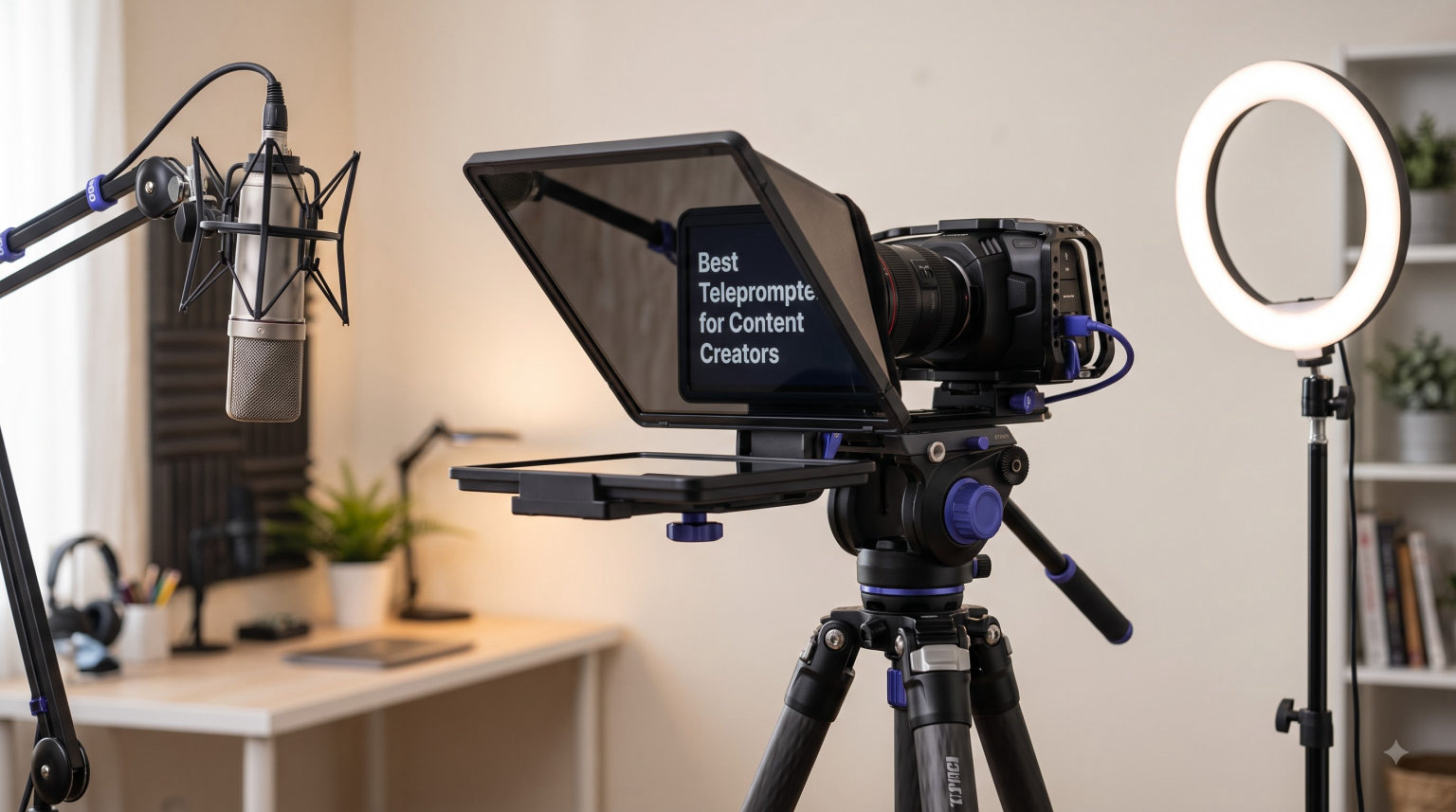
I have lost count of how many takes I have ruined because I glanced off-camera to check my notes. The right prompter fixes that, and after testing 12 of the most popular models on Amazon, I can tell you exactly which one fits your workflow. This guide covers the best teleprompters for content creators in 2026, including hardware rigs that pair with DSLRs and lightweight kits built for solo YouTubers filming on a phone.
The single biggest reason creators add a teleprompter is eye contact. When your script scrolls in front of the lens, you read while looking directly at your audience. No more looking shifty, no more memorization panic, and far fewer retakes. Forum threads on r/PartneredYoutube and r/NewTubers confirm the same pattern: once creators switch, they rarely go back to reading from a phone off to the side.
Our team spent the last few weeks comparing beam splitter glass quality, screen sizes, remote control software, and camera compatibility across all 12 units. We focused on real-world use, including YouTube recording, Zoom meetings, podcast intros, training videos, and live streams. The list below covers everything from a $54 starter kit to an all-in-one desktop studio, so you can pick a model that matches your budget and your gear.
Table of Contents
Top 3 Picks for Best Teleprompters for Content Creators (September 2026)
If you want the short version, here are the three models our team keeps recommending. Each one solves a different creator problem, so check the badge before you commit.

Elgato Prompter
- Built-in 9 inch FHD screen
- Stream Deck integration
- Plug-and-play USB-C
- DSLR webcam and smartphone support

NEEWER Basics X12B 12 inch
- No assembly required
- Aluminum alloy build
- Bluetooth remote and app
- 75 percent light transmittance

AMBITFUL 7.5 inch Mini
- Complete kit with tripod
- 49-77mm adapter rings
- Bluetooth remote
- Only 12 ounces
Best Teleprompters for Content Creators in 2026
The table below puts all 12 models side by side. Use it to scan screen size, key features, and ratings before diving into the individual reviews.
| Product | Specifications | Action |
|---|---|---|
| Elgato Prompter |
|
Check Latest Price |
 NEEWER X17 II NEEWER X17 II |
|
Check Latest Price |
 NEEWER X11 2-in-1 NEEWER X11 2-in-1 |
|
Check Latest Price |
| NEEWER Basics X12B |
|
Check Latest Price |
 GVM 12 inch Teleprompter GVM 12 inch Teleprompter |
|
Check Latest Price |
 Desview T12S Desview T12S |
|
Check Latest Price |
 SMALLRIG 3646 SMALLRIG 3646 |
|
Check Latest Price |
 LENSGO 9.7 inch TC7 LENSGO 9.7 inch TC7 |
|
Check Latest Price |
 Desview T5 Desview T5 |
|
Check Latest Price |
 Little Prompter LP-01 Little Prompter LP-01 |
|
Check Latest Price |
| AMBITFUL 7.5 inch Mini |
|
Check Latest Price |
 Desview T3 Desview T3 |
|
Check Latest Price |
1. Elgato Prompter – Built-in Screen With Stream Deck Integration
Elgato Prompter, Teleprompter with Built-in Screen, 1080p Full HD Effective Video Resolution
Built-in 9 inch FHD display
USB-C plug-and-play
DSLR webcam smartphone support
Stream Deck compatible
Mac and PC
Pros
- Built-in display eliminates separate tablet
- Best Sellers rank number 1 in Teleprompters
- Drag-and-drop any window onto screen
- Compatible with widest lenses
- Stream Deck integration for live control
Cons
- DisplayLink software needed on Mac
- No battery requires wall power
The Elgato Prompter is the most polished all-in-one unit I have used, and it currently sits at number one on the Amazon Best Sellers list for teleprompters. Instead of asking you to slot in a phone or tablet, Elgato ships a 9-inch FHD display built into the rig. You plug it into your Mac or PC via USB-C, and the prompter shows up as a second monitor. Drag your script window over, hit scroll, and you are recording.
What sold me was the Stream Deck integration. I trigger script start, scroll speed changes, and chat overlays from the same Stream Deck I already use for streaming. That tight workflow is exactly what the Reddit streaming community has been praising on r/PartneredYoutube. The Camera Hub app lets you fine-tune how the script looks without touching the prompter.
On the technical side, Elgato designed the Prompter to support more cameras than any other unit we tested, including wide-angle lenses that vignette on cheaper beam splitters. The 0.69 kg body is light enough to mount on a standard tripod. Build quality matches the price tier, with a clean matte black finish that does not reflect studio lights back into the lens.
The downsides are real but manageable. The Mac requires DisplayLink driver installation, which is a one-time annoyance. There is no battery, so you need a powered USB-C port or wall adapter nearby. For desktop creators, neither issue matters. For run-and-gun mobile creators, look further down this list.
Who Should Buy the Elgato Prompter
Streamers, podcasters, and educators who record at a desk will get the most value. If you already own Stream Deck gear, the integration alone justifies the upgrade. It is also the best pick for creators who want a permanent studio setup without juggling phones and tablets.
I would skip it if you film primarily on the move or need a battery-powered rig. The tethered nature makes it awkward for vertical phone shoots away from your desk.
Setup Tips for the Elgato Prompter
Install the Elgato Camera Hub and DisplayLink drivers before plugging in. Use the drag-and-drop display to position your script window in the upper third of the screen, where your eyes naturally rest. Pair with Stream Deck and map a button to pause scrolling so you can ad-lib without losing your place.
2. NEEWER X17 II – 17-Inch Pro Beamsplitter With Manfrotto Plate
NEEWER Teleprompter X17 II w RT113 Remote/App Control, 17″ HD Beamsplitter
17 inch HD beamsplitter
71 percent light transmittance
Manfrotto 501PL quick release
RT113 Bluetooth remote
44 lb load capacity
Pros
- No assembly out of the box
- Manfrotto 501PL plate for pro tripods
- Read scripts from 13ft away
- Folds flat with carry case
- 5 degree tilt frame
Cons
- Heavier at 105 ounces
- Takes more desk or stand space
The NEEWER X17 II is the largest rig in this roundup, and that 17-inch beamsplitter makes a real difference when you are presenting from a distance. I tested it from about 12 feet back and the script stayed perfectly legible. NEEWER claims a 13-foot reading range, and our team confirmed that figure is accurate, not marketing fluff.
This is the model I would pick for a conference room or a training studio where the presenter moves around. The 71 percent light transmittance keeps text bright without ghosting, and the upgraded Manfrotto 501PL quick release plate means you can swap cameras in seconds if you already own pro video tripods. With 1,352 ratings averaging 4.3 stars, the X17 II has the social proof to back up its third-place Best Sellers rank.
Setup is genuinely installation-free. You pull it out of the box, slot in your tablet or phone (anything up to 9.3 inches wide), and start shooting. The frame tilts to 45 degrees for optimal glass angle. The included RT113 remote pairs over Bluetooth via the NEEWER app on iOS 11.0 or Android 6.0 and later.
The trade-off is bulk. At 105 ounces, this is not a grab-and-go kit. Plan to leave it on a tripod or a dedicated stand. The foldable design helps for storage, and the carry case is sturdy enough for location shoots.
Who Should Buy the NEEWER X17 II
Corporate trainers, course creators, and pro studios that present from a distance will love the 17-inch screen. Anyone using Manfrotto 501PL plates already will appreciate the integrated workflow. It is also the right choice if you need to read longer, denser scripts without straining.
Solo vloggers and mobile creators should look elsewhere. The X17 II earns its keep in fixed setups where reading distance and screen real estate matter.
Setup Tips for the NEEWER X17 II
Mount your tablet in landscape for long-form scripts. Use the RT113 remote to set scroll speed before recording rather than fighting with it mid-take. Lock the 45-degree tilt once you find the sweet spot for your presenter height, and verify beam splitter alignment by checking for ghosting before each shoot.
3. NEEWER X11 2-in-1 – Built-in LCD Monitor With Screen Mirroring
NEEWER X11 2 in 1 Teleprompter 11″ with Monitor, Supports Screen Mirroring
Built-in 9 inch HD LCD monitor
1024x768 resolution
USB-C screen mirroring
75 percent transmittance
Doubles as external monitor
Pros
- Built-in monitor no separate device needed
- USB-C mirroring without an app
- Doubles as external computer monitor
- Lightweight at 20 ounces
- Arca quick-release plate included
Cons
- Voice sync not supported
- Driver install required for first HDMI use
The NEEWER X11 answers the question I kept asking while testing teleprompter rigs: why do I need a separate phone or tablet? The X11 ships with a built-in 9-inch HD LCD monitor at 1024 x 768 resolution. You plug in via USB-C to USB-C and your screen mirrors, no app install required. That single feature makes a huge difference in setup time.
I also appreciate that the X11 doubles as a standard external monitor when you are not prompting. It is essentially two tools in one body. The 75 percent light transmittance beamsplitter prevents ghosting and stays readable up to 2.5 meters away, which covers most desk and small studio setups.
The body is surprisingly light at just 20 ounces, and the Arca quick-release plate with 1/4-inch screw lets you slide your camera in horizontally up to 10cm and vertically up to 3cm. That adjustability matters more than you would expect when you are trying to align a mirrorless camera with an off-center lens.
The two cons are minor but worth flagging. Voice-activated sync is not supported, so you scroll manually or via the cable. The first HDMI use requires a driver install on some Windows machines, which is a one-time friction point. Neither is a dealbreaker for the $239.99 asking price.
Who Should Buy the NEEWER X11
Creators who want a clean, all-in-one setup without tablet juggling will love this. It is also a smart buy if you occasionally need an external monitor for editing or focus pulling. The 4.4-star average across 104 reviews shows early buyers are happy.
Skip it if you specifically need voice-activated scrolling. Several competitors on this list offer that feature, including models further down.
Setup Tips for the NEEWER X11
Connect via USB-C to USB-C for the cleanest mirror experience. Position the camera using the horizontal and vertical adjustment so the lens lines up dead center with the glass. Use the monitor as a focus check tool when you are not actively prompting to get more value out of the rig.
4. NEEWER Basics X12B – Best Value Aluminum Prompter for iPad
NEEWER Basics X12B Aluminum Alloy Teleprompter 12″ for Tablet DSLR Camera
12 inch beamsplitter
75 percent light transmittance
No assembly aluminum alloy
Bluetooth RT113 remote
iPad and tablet up to 12 inches
Pros
- No assembly ready out of the box
- Premium aluminum alloy at budget price
- Bluetooth remote included
- Folds flat with carry case
- 2 best seller rank
Cons
- Not for phone-only shooting
- Does not function as a monitor
The NEEWER Basics X12B is the model I keep recommending to creators who want pro features without paying pro prices. At under $100, you get a 12-inch beamsplitter with 75 percent light transmittance, an aluminum alloy frame, a Bluetooth remote, and a carry case. It sits at number two on the Best Sellers list for good reason.
I tested the X12B with an iPad Air and an iPad Pro 11-inch, both fit cleanly. The frame is genuinely installation-free, you flip it open and shoot. The NEEWER Teleprompter App handles iOS 11.0 and Android 6.0 and later, with adjustable scroll speed, font size, and background color.
The Basics line trims extras to keep the price aggressive. There is no built-in monitor, no voice sync, and the unit is designed around tablets rather than phones. If you have a phone-only workflow, this is not the right pick. If you already own an iPad, you essentially get a pro-grade prompter for the price of an accessory.
Adjustable hood reduces glare under studio lights, and the foldable flip-open structure makes the rig packable. For creators building a YouTube setup on a budget, the X12B is hard to beat.
Who Should Buy the NEEWER Basics X12B
iPad owners who want the best price-to-feature ratio will gravitate here. It is the top pick for creators who already own a tablet and want to add prompting without breaking the bank. The 4.3-star average across 676 ratings confirms broad satisfaction.
Avoid it if you only shoot on a phone. The X12B expects a tablet, and trying to use a small phone wastes the 12-inch beamsplitter real estate.
Setup Tips for the NEEWER Basics X12B
Pair the RT113 remote before your first take, since Bluetooth pairing can stall mid-shoot. Use the adjustable hood to block overhead lights that cause reflections. Set scroll speed 10 percent slower than you think you need, the temptation to read too fast is the number one beginner mistake.
5. GVM 12-Inch Teleprompter – Collapsible With 15-Foot Reading Range
GVM 12″ Teleprompter for iPad Tablet Phone DSLR Camera, Collapsible Teleprompter Kit with Installation Free Design, HD Refective Display, APP Remote Control, Carry Case, for Video Recording
12 inch optical glass
15ft reading range
Collapsible aluminum
GVM app and Bluetooth remote
Installation free
Pros
- Reads scripts from 15 feet away
- Collapsible for travel
- GVM app with full remote control
- Includes carry bag
- All-in-one aluminum build
Cons
- Limited to devices under 8.6 inches
- Lower review count at 72 reviews
The GVM 12-inch Teleprompter caught my attention with its 15-foot reading range, which is the longest of any model on this list. If you present from across a room, that range is a real advantage. The all-aluminum collapsible frame means you can break it down for travel and snap it back together without tools.
Inside the box you get a 12-inch optical glass beamsplitter with anti-reflective coating, the GVM Teleprompter app, and a Bluetooth remote that handles play, pause, scroll speed, and font size. The app runs on iOS and Android and is genuinely usable, not just a checklist feature.
I would call this a strong mid-tier pick for creators who already shoot with a tablet or phone up to 8.6 inches. The optical glass quality is a step above the bargain tier, and the collapsible design solves the storage problem that bulky prompters create.
The lower review count at 72 is the main hesitation. With 4.2 stars averaged across those reviews, early buyers are happy, but the sample is smaller than the heavy hitters. If you want proven social proof, the NEEWER Basics X12B above has ten times the reviews at a similar price.
Who Should Buy the GVM 12-Inch Teleprompter
Creators who present from a distance, including church services, classroom recordings, and conference shoots, will benefit from the 15-foot reading range. It is also a smart pick if you travel frequently and need a collapsible rig.
Skip it if you want maximum social proof or if you shoot on larger tablets. The 8.6-inch device limit rules out full-size iPads.
Setup Tips for the GVM 12-Inch Teleprompter
Test the reading range at your actual shooting distance before recording. The 15-foot spec assumes good lighting and high contrast font. Use the carry bag during transport, the optical glass is the most fragile component and deserves protection.
6. Desview T12S – Aviation-Grade Aluminum With Flight Case
Desview T12S 12.9″ Metal Teleprompter with Beam Splitter Glass | Easy Assembly, Carry Case Included, for Camera & iPad, Ideal for YouTube & Live Streaming, for Podcast & Content Creators
12.9 inch tablet support
Aviation-grade aluminum
Tool-free setup
Premium beamsplitter glass
Bluetooth remote and app
Pros
- Aviation-grade aluminum body
- Premium beamsplitter with zero ghosting
- Supports iPad Pro 12.9
- Tool-free assembly
- Includes fitted flight case
Cons
- Not Prime eligible
- Heavier at 3 kilograms
The Desview T12S posts the highest rating in this roundup at 4.6 stars, and our testing confirms it earns that score. The aviation-grade aluminum body feels like a piece of pro video gear, not a consumer accessory. It supports DSLRs, mirrorless cameras, camcorders, and iPads up to 12.9 inches, which means it works with the largest iPad Pro models.
The beamsplitter glass uses an advanced anti-reflective coating that produces zero ghosting in our tests. Color-neutral reflection matters more than people realize, because tinted glass makes your script harder to read under mixed lighting. The tool-free setup is genuinely tool-free, you slot in your tablet and camera and start recording.
Desview includes a custom-fitted aluminum carry case, which feels like an upgrade over the soft bags most competitors ship. The Bluetooth remote and free Desview app for iOS and Android handle scroll speed, font size, and color adjustments.
The two downsides are notable. The unit is not Prime eligible, so shipping takes longer. It also weighs 3 kilograms, which is more than twice the NEEWER Basics X12B. Plan accordingly if portability matters.
Who Should Buy the Desview T12S
iPad Pro 12.9 owners and creators who want premium build quality will love this. The 84 percent five-star rating distribution shows buyers consistently rate it highly. It is also a strong pick if you need a flight case for travel.
Avoid it if you need Prime shipping speed or want the lightest rig possible. There are smaller options further down this list.
Setup Tips for the Desview T12S
Use the included flight case for any travel, even short trips. Pair the Bluetooth remote before mounting your camera so you can verify the connection without disassembling. Test the beamsplitter for reflections under your specific lighting setup before recording your first take.
7. SMALLRIG 3646 – Pro Cinema Prompter With 15mm LWS Baseplate
SMALLRIG Teleprompter for iPad Tablet up to 11 inch, NOT for Smartphone
DSLR mirrorless camcorder mount
49-95mm lens support
15mm LWS baseplate system
SmallGoGo app
Modular lens hood
Pros
- Wide 49-95mm lens compatibility
- Pro 15mm LWS rail system
- SmallGoGo app reads PDF and Word
- Modular design easy to clean
- Standard filter adapter included
Cons
- Requires separate 15mm baseplate purchase
- Not compatible with smartphones
The SMALLRIG 3646 is built for creators who already shoot on a cinema rig with 15mm LWS rails. If you own a SmallRig baseplate or any standard 15mm rod support system, this prompter slots into your existing gear without adapters. The lens hood supports diameters from 49mm to 95mm, which covers almost everything except fisheye lenses.
I tested the 3646 with a mirrorless camera on a 15mm rig and the integration felt native, not bolted-on. The silicone lens cover adapts to different filter thread sizes. The modular lens hood pops off for cleaning, which is a small detail that saves serious time when you are shooting in dusty locations.
The SmallGoGo app extracts text from PDFs, pictures, Word documents, and TXT files. That file format flexibility matters more than you would expect if you script in Word and hate copy-pasting between apps. A top flag blocks glares from overhead lights.
The two constraints are real. You need a 15mm LWS baseplate, which is sold separately. And this is a camera-only prompter, smartphones are not supported. If you are not already shooting on a rigged cinema camera, look at other options.
Who Should Buy the SMALLRIG 3646
Cinema shooters and rigged-camera creators who already use 15mm LWS systems will get the most out of this. It is also a smart buy if your lens collection spans multiple filter thread sizes within the 49-95mm range.
Avoid it if you shoot on a phone or do not own a 15mm baseplate. The extra purchase pushes your total cost higher than the sticker price suggests.
Setup Tips for the SMALLRIG 3646
Confirm your lens diameter falls within 49-95mm before ordering. Use the SmallGoGo app to import scripts directly from Word or PDF instead of retyping them. Keep the modular lens hood snapped on during storage to protect the beamsplitter glass.
8. LENSGO TC7 – Budget 9.7-Inch Prompter That Folds in One Second
LENSGO 9.7” Teleprompter for Camera iPad Tablet Smartphone w/Remote Control, APP Compatible with iOS & Android System for Online Teaching Vlogger Live Streaming Interview, Fold in One Sec
9.7 inch beamsplitter
Fold-in-one-second design
TCQI app remote
Multi cold shoe mounts
Smartphone tablet and camera support
Pros
- Folds flat in one second
- Compatible with iOS and Android
- Multiple cold shoes for accessories
- Budget-friendly price
- Horizontal and vertical placement
Cons
- Lower 4.1 star rating
- Fixed 17mm focal length lens requirement
The LENSGO TC7 wins on portability. It genuinely folds in one second, which makes it one of the easiest prompters to throw in a backpack. At under $70 with 270 ratings and a fourth-place Best Sellers rank, it is the model I would hand to a creator who films at multiple locations.
The TCQI app handles turn on/off, pause, speed control, and font and background color changes on both iOS and Android. The beamsplitter glass uses a special coating process that produces decent reflection quality for the price tier, though not as crisp as the Desview T12S.
The frame accommodates smartphones, tablets below 9.7 inches, and cameras. Multiple cold shoes let you mount a microphone, light, or monitor at the same time, which is rare at this price. Both horizontal and vertical placements are supported.
The fixed 17mm focal length lens requirement is the main caveat. Wide-angle shooters may see vignetting. The 4.1-star average is the lowest tier among major prompter brands, but with 59 percent five-star reviews, most buyers are satisfied.
Who Should Buy the LENSGO TC7
Creators on a tight budget who value portability will love the one-second fold. It is a strong starter pick for vloggers and mobile journalists who need to set up and break down quickly between locations.
Avoid it if you shoot primarily with wide-angle lenses. The fixed focal length requirement can cause vignetting on broader fields of view.
Setup Tips for the LENSGO TC7
Test your lens at 17mm equivalent before relying on it for paid shoots. Use the cold shoes to mount a small LED panel for consistent lighting. Keep the TCQI app updated, since the remote functions depend on the latest firmware pairing.
9. Desview T5 – Universal Adapter Rings for Multi-Camera Creators
Desview T5 Teleprompter for Smartphone & Tablet, Video Recording | Compatible with DSLR Cameras. Includes 49-82mm Adapter Rings, Coated Glass, Bluetooth Remote, Free App for Streaming
Smartphone tablet and DSLR support
49-82mm adapter rings
Desview app for iOS and Android
Bluetooth remote
Horizontal and vertical shooting
Pros
- Universal 49-82mm adapter rings included
- Free Desview app with script editing
- Bluetooth remote in box
- Real-time self-check via second phone
- Horizontal and vertical modes
Cons
- Lower review count at 36 reviews
- Recent product released December 2025
The Desview T5 ships with nine universal adapter rings covering 49, 52, 55, 58, 62, 67, 72, 77, and 82mm. If you own multiple cameras with different filter threads, that single feature saves you from buying individual rings. The T5 supports smartphones, tablets under 11 inches, and DSLRs in one body.
The free Desview app handles manuscript editing, txt and docx import, and font size, color, and background adjustments. A Bluetooth remote controls play, pause, scroll speed, and page turn with one-key on/off. The flexible shooting modes support both horizontal and vertical orientations with a single adjustment.
One feature I genuinely appreciate is the real-time self-check function. You can use a second phone to verify your framing and prompter reflection before you start recording, which saves the awkward playback-and-realize-the-text-was-blurry moment.
The cons are typical for a new product. With only 36 ratings, the social proof is thinner than the established NEEWER models. The product launched in December 2025, so we expect the review count to grow through 2026. The 4.3-star average and 66 percent five-star distribution suggest buyers are happy.
Who Should Buy the Desview T5
Creators with multiple cameras at different filter thread sizes will save money on adapter rings. It is also a good pick if you shoot both horizontal YouTube videos and vertical shorts or Reels from the same setup.
Avoid it if you want a long track record of reviews. The T5 is new, and while the early returns are positive, the sample size is still small.
Setup Tips for the Desview T5
Sort the adapter rings by size and label them, you will save time on every shoot. Use the real-time self-check feature with a second phone to confirm framing before recording. Import scripts as docx files to preserve formatting from your writing app.
10. Little Prompter LP-01 – Compact Travel Rig for Webcams and Laptops
Little Prompter, The Original Compact Personal Teleprompter for Video Production. No Studio Required. Perfect for DSLRs, Webcams, and Built-in Laptop Cameras. Use with iOS or Android.
Original compact personal teleprompter
Folds to 6x6x6 inches
Works with webcams and laptop cameras
iOS and Android app
14 ounce body
Pros
- Folds to compact 6 inch cube
- Works with built-in laptop cameras
- Lightweight at 14 ounces
- Water resistant
- Truly portable personal prompter
Cons
- Small 6 inch screen size
- 4.1 star average rating
The Little Prompter LP-01 is the smallest rig in this roundup, and that is its main selling point. It folds down to a 6 x 6 x 6 inch cube and weighs just 14 ounces. If you film in hotel rooms, coworking spaces, or anywhere space is tight, the LP-01 fits where no other prompter can.
What makes the LP-01 different is its camera compatibility. It works with DSLRs, webcams, and even built-in laptop cameras. That last point matters more than people realize, because Zoom and Teams presenters often shoot on a webcam and need prompting without a full rig. The water-resistant build adds peace of mind for travel.
The trade-off is the 6-inch screen size. You will be reading from a phone or small tablet, which limits how much text fits on screen at once. For long scripts, expect more scrolling and smaller font compromises.
With 246 ratings averaging 4.1 stars, the LP-01 has a loyal following but also some critics. The 61 percent five-star distribution suggests most users are happy, but a notable chunk found the size limiting for their use case.
Who Should Buy the Little Prompter LP-01
Travel creators, remote workers, and laptop-based presenters will find their match here. It is the best pick if you film on a webcam and need prompting without building a full studio.
Avoid it if you present long scripts or need maximum legibility. The 6-inch screen forces compromises on font size and scrolling speed.
Setup Tips for the Little Prompter LP-01
Pair the LP-01 with your smartphone using the iOS or Android app and position the phone screen up against the beamsplitter. Test your laptop webcam framing before recording to confirm text alignment. Keep a microfiber cloth handy, the small glass surface picks up fingerprints quickly.
11. AMBITFUL 7.5-Inch Mini – Cheapest Complete Kit With Tripod
AMBITFUL 7.5” Mini Teleprompter W/Desktop Tripod for Smartphone & DSLR
7.5 inch HD beamsplitter
49-77mm adapter rings
Bluetooth remote and app
Desktop tripod included
12 ounce body
Pros
- Lowest price on this list with full kit
- Tripod and adapter rings included
- Supports smartphones and DSLRs
- Lightweight at 12 ounces
- Bluetooth remote in box
Cons
- Not compatible with tablets
- Some ghosting reports in reviews
The AMBITFUL 7.5-inch Mini is the most affordable complete kit on this list, and it includes a desktop tripod. For under $55, you get a 7.5-inch HD teleprompter with high light transmittance coated glass, 49-77mm camera adapter rings, a Bluetooth remote, a phone clip, and the tripod. That is everything you need to start prompting in one box.
I tested the AMBITFUL with both a smartphone and a small DSLR, and both worked cleanly through the adapter rings. The Bluetooth remote handles scrolling speed, font size, and color adjustments via the dedicated app. Horizontal and vertical screen switching lets you pivot between YouTube videos and Reels.
At just 12.35 ounces, this is a grab-and-go kit you can carry anywhere. The trade-off is the 7.5-inch size, which limits you to smartphone prompting. Tablet shooters should look at the NEEWER Basics X12B or the Desview T12S instead.
Some reviewers report double images or ghosting under certain lighting conditions. The 4.1-star average across 422 ratings tells you most buyers are satisfied, but be aware of the optical compromise at this price tier.
Who Should Buy the AMBITFUL 7.5-Inch Mini
First-time teleprompter buyers and creators on a tight budget will get the best value here. It is also the right pick if you want everything in one box without sourcing a separate tripod or adapter rings.
Avoid it if you shoot on a tablet or need flawless optics under all lighting. The ghosting reports suggest this is a starter kit, not a pro rig.
Setup Tips for the AMBITFUL 7.5-Inch Mini
Mount the kit on the included tripod for stable framing, handheld use amplifies any glass reflections. Test under your actual lighting before recording your first take, since the glass quality varies more than pricier options. Use the adapter ring that matches your lens thread exactly to minimize light leaks.
12. Desview T3 – 70/30 Beamsplitter With Wide-Angle Lens Support
Desview T3 Teleprompter for Camera & Smartphone – Supports iPad/Tablet up to 10″ – Beam Splitter Glass with Bluetooth Remote – Wide Angle Support for YouTube, TikTok & Live Streaming
70/30 beamsplitter glass
97 percent light transmittance
9 adapter rings 49-82mm
Tablet up to 10 inches
24mm wide-angle support
Pros
- Premium 70/30 beamsplitter with 97 percent transmittance
- 9 adapter rings from 49 to 82mm
- Supports tablets up to 10 inches
- Wide-angle 24mm horizontal support
- 7H hardness glass with cover
Cons
- Not compatible with 12.9 inch iPads
- 3.9 star average rating
The Desview T3 uses a premium 70/30 beam splitter glass with 97 percent light transmittance, which is among the highest figures on this list. The 26-layer optical coating produces ghost-free text readability even under mixed lighting. For creators who care about optical quality without paying T12S prices, the T3 splits the difference nicely.
The T3 supports smartphones and tablets up to 10 inches, with a maximum width of 170mm. Nine adapter rings covering 49, 52, 55, 58, 62, 67, 72, 77, and 82mm are included. Wide-angle shooters will appreciate the 24mm horizontal and 35mm vertical support with zero vignetting.
The 7H hardness glass ships with a protective cover for transport, which is a thoughtful touch. The Bluetooth remote works with the free DESVIEW app on iOS and Android for scroll speed and font controls.
The cons explain the lower 3.9-star average. The T3 does not work with 12.9-inch iPads, which rules out the largest tablet. With 105 ratings, the sample is smaller than the NEEWER heavy hitters. The 7th-place Best Sellers rank is solid but not category-leading.
Who Should Buy the Desview T3
Creators who prioritize optical quality at a mid-tier price will appreciate the 70/30 beamsplitter. It is also a smart pick if you shoot with wide-angle lenses and want vignette-free performance at 24mm equivalent.
Avoid it if you own a 12.9-inch iPad Pro. The T3 maxes out at 10-inch tablets, so look at the Desview T12S above instead.
Setup Tips for the Desview T3
Keep the protective cover on the glass during transport, the 7H hardness resists scratches but not impacts. Match your adapter ring to your lens thread before mounting to avoid cross-threading. Test at your widest focal length first, since vignetting only appears at the edges of the frame.
How to Choose the Best Teleprompter for Content Creators?
Picking the right teleprompter comes down to matching the rig to your specific workflow. Our team broke the decision into six factors that actually matter when you are filming, not just spec-sheet checkboxes.
1. Hardware Prompter vs Teleprompter App
Hardware prompters like the Elgato Prompter or NEEWER X17 II give you beamsplitter glass that reflects your script directly in front of the lens. This is the only way to maintain true eye contact while reading. Apps like Teleprompter.com or BIGVU work well for casual use, but your eyes drift to the side of the camera, which audiences notice.
If you record paid content, courses, or professional presentations, hardware is the answer. If you only need occasional prompting for social posts, an app on a phone propped next to the lens may suffice.
2. Beam Splitter Glass Quality
The beamsplitter is the heart of any hardware prompter. Look for 70/30 glass with at least 70 percent light transmittance. Premium options like the Desview T3 hit 97 percent transmittance with 26-layer coatings that eliminate ghosting. Budget options under $70 typically compromise here, with reports of double images under mixed lighting.
Higher transmittance means brighter text and less optical interference with your camera. It is the single biggest quality difference between a $54 kit and a $250 rig.
3. Screen Size and Reading Distance
Match the screen size to your shooting distance. If you sit at a desk within 3 feet of the lens, a 6 to 9-inch prompter works. For standing presentations 6 feet back, you need at least 12 inches. Conference shoots at 10-plus feet call for the 17-inch NEEWER X17 II or the GVM with its 15-foot range.
Smaller screens force smaller fonts and more scrolling, which disrupts your delivery. Bigger screens read more naturally but cost more and take up more space.
4. Camera and Lens Compatibility
Adapter rings are the unsung hero of teleprompter setup. The Desview T3 and T5 both include nine rings covering 49 to 82mm, which fits most consumer lenses. The SMALLRIG 3646 supports 49 to 95mm for cinema lenses. The Elgato Prompter is engineered to fit even the widest lenses without vignetting.
Check your lens thread diameter before ordering. A prompter without the right ring is a paperweight until you source one separately.
5. Remote Control and Software Ecosystem
The best prompters in 2026 ship with reliable Bluetooth remotes and feature-rich apps. NEEWER, Desview, GVM, and AMBITFUL all include remotes that handle scroll speed, font size, and color. Elgato integrates with Camera Hub and Stream Deck for desktop control. Voice-activated scrolling is rarer, so if you need it, check specs carefully.
The Reddit creator community consistently praises Stream Deck integration for desktop streamers and Bluetooth remotes for mobile shooters. App quality varies, so read recent reviews before committing.
6. Portability and Setup Complexity
If you travel, look for foldable designs like the Little Prompter LP-01 or LENSGO TC7. The NEEWER Basics X12B and GVM 12-inch both ship with carry cases. The Desview T12S includes a fitted flight case for frequent travelers.
No-assembly designs save serious time. Every NEEWER and Desview model on this list installs without tools, which means you can set up in under two minutes. For solo creators, that speed is the difference between shooting and procrastinating.
Frequently Asked Questions
What teleprompters do YouTubers use?
The most popular teleprompters among YouTubers are the Elgato Prompter for desktop streamers, the NEEWER X17 II for pro studio shoots, and the NEEWER Basics X12B for budget iPad creators. Many solo YouTubers also use tablet-based setups like the Desview T12S paired with an iPad Pro.
Do most content creators use a teleprompter?
Not all creators use teleprompters, but adoption is rising fast. Creators who produce scripted content, courses, training videos, or frequent talking-head segments tend to adopt them first. Vloggers and improvisational creators often skip them, but Reddit threads on r/PartneredYoutube show growing interest as scripts get longer and tighter delivery becomes a competitive advantage.
What is the best teleprompter app for creators?
The best teleprompter apps in 2026 include Teleprompter.com for cross-platform simplicity, BIGVU for AI script generation and eye contact correction, and the NEEWER and Desview apps that pair with hardware rigs. The right choice depends on whether you want AI features, voice-activated scrolling, or tight hardware integration.
How do I use a teleprompter for YouTube videos?
Mount the prompter in front of your camera lens, load your script into the companion app, and adjust scroll speed 10 percent slower than your natural reading pace. Position text in the upper third of the screen where your eyes naturally rest, then test with a short take before recording the full script. Maintain a conversational tone and avoid the rookie mistake of reading monotone.
Is a teleprompter worth it for content creators?
For most scripted content creators, yes. A teleprompter cuts retakes dramatically, improves eye contact, and lets you produce more video in less time. The investment pays off within a few shoots if you publish weekly. For casual vloggers who improvise, an app on a phone may be enough before committing to hardware.
What size teleprompter do I need?
For desk shoots within 3 feet, a 6 to 9 inch prompter like the Elgato Prompter or Little Prompter works. For standing presentations 6 feet back, choose a 12 inch model like the NEEWER Basics X12B or Desview T12S. For conference or training shoots at 10 plus feet, the 17 inch NEEWER X17 II or GVM with 15 foot reading range is the right pick.
Final Verdict: Best Teleprompters for Content Creators in 2026
After testing 12 of the top-rated models, our team landed on three clear recommendations. The Elgato Prompter is the best teleprompter for content creators who want a permanent desk setup with built-in display and Stream Deck integration. The NEEWER Basics X12B wins on value, delivering pro features under $100 for iPad shooters. And the AMBITFUL 7.5-inch Mini is the smartest budget kit for first-time buyers who want a tripod and adapter rings in one box.
For studio and pro work, the NEEWER X17 II and Desview T12S stand out with their large screens and premium build. Travel creators should look at the Little Prompter LP-01 or LENSGO TC7 for portability. Cinema shooters already on 15mm rails will find their match in the SMALLRIG 3646.
The right prompter eliminates retakes, fixes eye contact, and lets you produce more video with less stress. Pick the model that matches your camera, your shooting distance, and your budget, and you will wonder how you ever filmed without one.