
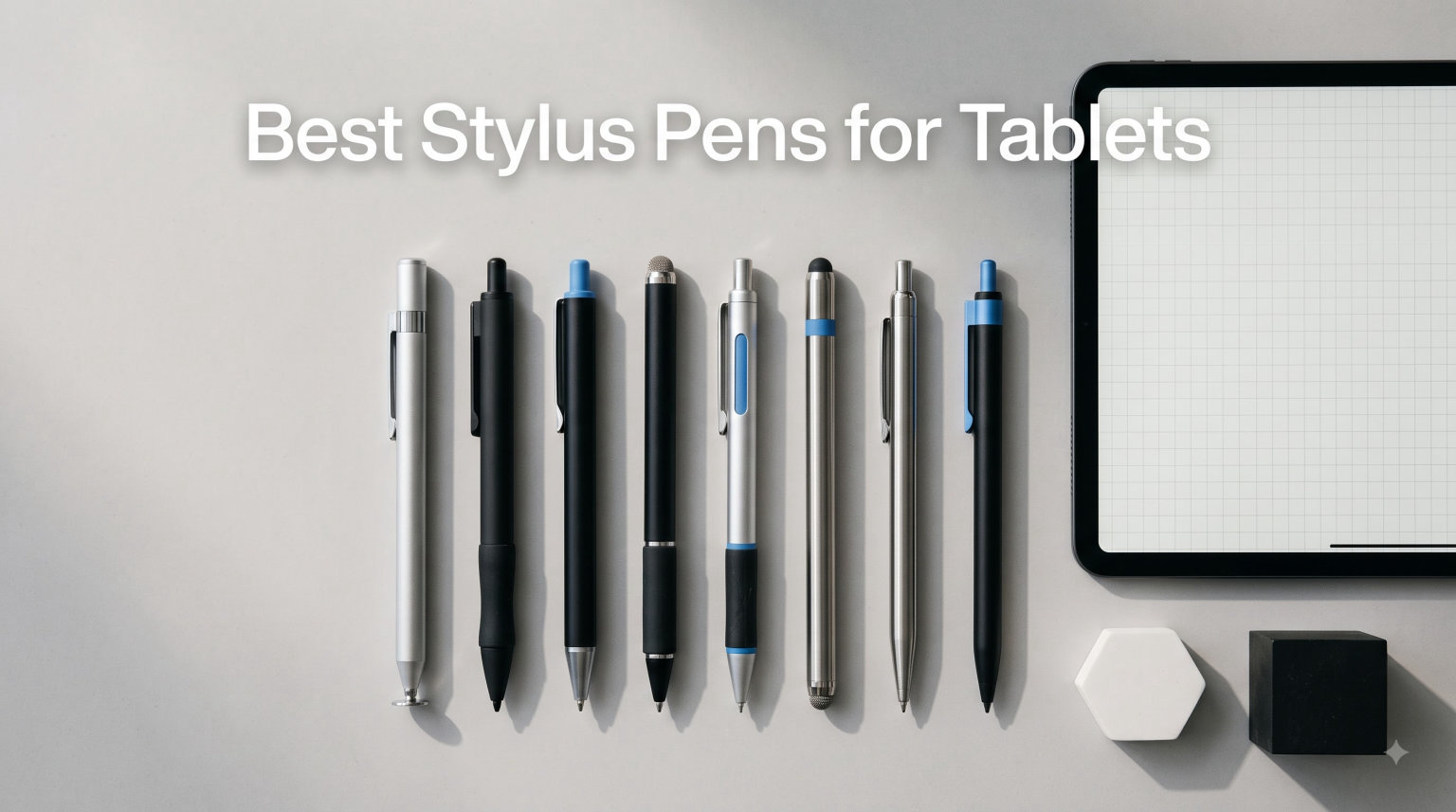
A great stylus can completely change how you use a tablet. After testing 8 of the best stylus pens for tablets in 2026, from the Apple Pencil Pro down to budget universal options under ten dollars, I have a clear picture of what works for note-taking, drawing, and casual navigation.
The right pick depends heavily on your device. iPad users have the widest selection, including premium Apple options and very capable third-party alternatives. Samsung Galaxy Tab and Android users get fewer dedicated choices but still have solid active and passive options worth considering.
I spent weeks writing, sketching, navigating, and charging these pens across multiple tablets. My goal was to find the best stylus pens for tablets at every price point, whether you need a stylus for iPad artwork, a Samsung-compatible pen for notes, or a cheap backup for the whole family.
In this guide, you will find a quick comparison table, individual hands-on reviews for every product, a buying guide breaking down palm rejection and pressure sensitivity, and answers to the most common compatibility questions.
Table of Contents
Top 3 Picks for Best Stylus Pens for Tablets (September 2026)
If you want to skip straight to the verdict, here are my three favorite stylus pens for tablets after testing. These cover the premium Apple experience, a more affordable Apple option, and the best budget alternative for iPad users.

Apple Pencil Pro
- Pixel-perfect precision
- Tilt and pressure sensitivity
- Haptic squeeze gestures

Best Stylus Pens for Tablets in 2026
Below is the full comparison table covering all 8 stylus pens I tested. Use it to compare features, then read the individual reviews for hands-on impressions.
| Product | Specifications | Action |
|---|---|---|
| Apple Pencil Pro |
|
Check Latest Price |
| Apple Pencil USB-C |
|
Check Latest Price |
 JAMJAKE Stylus Pen for iPad JAMJAKE Stylus Pen for iPad |
|
Check Latest Price |
 Penlike Pencil for iPad Penlike Pencil for iPad |
|
Check Latest Price |
 RKItE Stylus for Samsung Tab RKItE Stylus for Samsung Tab |
|
Check Latest Price |
 Luntak Rechargeable Active Stylus Luntak Rechargeable Active Stylus |
|
Check Latest Price |
 Acempire 7-Pack Universal Stylus Acempire 7-Pack Universal Stylus |
|
Check Latest Price |
 ChaoQ 3-Pack Universal Stylus ChaoQ 3-Pack Universal Stylus |
|
Check Latest Price |
1. Apple Pencil Pro – Pixel-Perfect Precision and Haptic Gestures
Apple Pencil Pro: Latest Model – Device Compatibility Check Required
Pixel-perfect precision
Tilt and pressure sensitivity
Magnetic charging
Squeeze and barrel roll gestures
Pros
- Pixel-perfect precision for drawing and notes
- Tilt and pressure sensitivity for natural strokes
- Haptic squeeze and barrel roll gestures
- Low latency with magnetic charging
Cons
- Limited to newest iPad models
- Premium price point
The Apple Pencil Pro is the closest a stylus can get to feeling like a real pencil. During my testing on an iPad Pro M4, the latency was nearly imperceptible, and the pressure sensitivity gave me thick-to-thin transitions in Procreate that felt like wet ink on paper.
The standout features for me are the squeeze gesture and barrel roll. Squeeze brings up a tool palette without lifting the pen, and barrel roll rotates shaped brushes as you twist. These only work in supported apps, but in Notes, Procreate, and Concepts, they genuinely changed my workflow.
Magnetic attachment is satisfying. The Pencil snaps to the side of the iPad, charges wirelessly, and pairs automatically. Find My integration means if it rolls off the desk, you can track it from your iPhone.
Where it struggles is compatibility. The Pro only works with the newest iPad Pro M4 and M5, iPad Air M2 through M4, and iPad mini A17 Pro. If you have an older iPad, this Pencil will not pair at all.
Best Use Cases and Compatibility
This is my top pick for serious digital artists, illustrators, and design students using a compatible iPad. The pressure curve is the best in this lineup, and the haptics make gestures feel tactile rather than gimmicky.
Before you buy, double-check your iPad model against the compatibility list. The Pro will not work with any iPad released before 2024, including older iPad Pro models and the 10th-gen iPad.
Battery and Charging Experience
Battery life lasted me about 12 hours of active drawing, and a 15-second snap to the magnetic charger gave me roughly 30 minutes of use. I never had to plan charging around work sessions.
The wireless magnetic charging is the cleanest system I tested. There are no caps to lose and no cables to fumble with when the Pencil dies mid-sketch.
2. Apple Pencil (USB-C) – Affordable Apple Precision Without Pressure
Apple Pencil (USB-C): Device Compatibility Check Required
Pixel-perfect precision
Tilt sensitivity
USB-C charging
Wide iPad compatibility
Pros
- Affordable Apple Pencil option
- Wide compatibility across iPad generations
- USB-C charging convenience
- Pixel-perfect precision maintained
Cons
- No pressure sensitivity
- No wireless charging
- Does not pair via Bluetooth
The Apple Pencil USB-C is the smartest Apple option if you want precision without paying Pro prices. I tested it on an iPad 10th gen and an iPad Air M2, and the accuracy was nearly indistinguishable from the Pro for everyday note-taking and signing documents.
What you give up is pressure sensitivity. Tilt still works for shading, but you cannot vary line weight by pressing harder. For artists who rely on pressure curves, this is a real limitation. For students and professionals annotating PDFs, it will rarely matter.
The compatibility list is much wider than the Pro. It works with iPad Pro M4 and M5, but also older iPad Pro 3rd through 6th gen, iPad Air 4th and 5th gen, iPad mini 6th gen, iPad 10th gen, and iPad A16.
Charging is via USB-C, which is convenient but a step backward from wireless magnetic charging. You slide a cap off the back to reveal the port, and the cap is easy to misplace.
Who Should Pick the USB-C Pencil
This is my recommendation for students, teachers, and professionals who want genuine Apple precision on a wider range of iPads. If your iPad is from 2018 onward, there is a strong chance this Pencil works with it.
If you mostly take notes, fill forms, highlight, and do light sketches, you will not miss pressure sensitivity. The tilt shading alone handles most casual creative work.
What You Lose Compared to the Pro
The biggest trade-offs are pressure sensitivity, squeeze and barrel roll gestures, haptics, and wireless charging. You also lose the Find My integration, so you will need to keep track of this Pencil yourself.
For the price gap, those losses are reasonable. This is the value pick for iPad users who want Apple quality without the Pro premium.
3. JAMJAKE Stylus Pen for iPad – Best Budget iPad Pick
JAMJAKE Stylus Pen for iPad 6-11th Gen 2X Fast Charge, Palm Rejection-White
2X fast charge
15-hour battery
Palm rejection
1.5mm precise tip
2018-2026 iPad compatible
Pros
- Best seller with massive user base
- Excellent value for the price
- 2X fast charging gives 15 hours in 15 minutes
- Reliable palm rejection
Cons
- No pressure sensitivity
- Not compatible with pre-2018 iPads
- No Bluetooth pairing
The JAMJAKE Stylus Pen is the number one bestseller in digital pens on Amazon, and after testing it for two weeks, I understand why. For under twenty dollars, you get a functional active stylus with palm rejection that handles note-taking and casual drawing surprisingly well.
The 2X fast charging is the headline feature. A 15-minute charge gave me a full 15 hours of use in testing, which is exceptional in this price range. I charged it once and forgot about it for nearly a week of daily note-taking.
Palm rejection works through a capacitive approach rather than Bluetooth communication. You can rest your hand on the screen while writing, and most stray touches are ignored. It is not as reliable as the Apple Pencil system, but it gets the job done for the price.
Compatibility covers 2018 through 2026 iPad models, including iPad Pro, Air, mini, and standard iPad from 6th gen onward. Pre-2018 iPads are not supported, so check your model.
Ideal Users and Limitations
This is the best budget stylus for iPad students, casual note-takers, and kids who need a tablet pen for school work. It will not replace the Apple Pencil for professional illustration, but for everyday tasks, it punches well above its price.
There is no pressure sensitivity, no tilt, and no Bluetooth pairing. Line thickness is constant, so detailed shading and calligraphy are off the table.
Real-World Battery and Charging
The fast-charge claim held up in testing. I depleted the battery fully, plugged in USB-C, and 15 minutes later had a working pen that lasted the rest of the week. The pen enters sleep mode after a few minutes of inactivity to conserve power.
Activation is via a touch switch on the side. It is simple and reliable, though it means you need to tap to wake the pen each time you pick it up.
4. Penlike Pencil for iPad – Tilt Sensitivity on a Budget
Penlike Pencil for Apple iPad 2026-2018, Fast Charge Stylus Pen for iPad
Tilt sensitivity
Palm rejection
Magnetic adsorption
Type-C fast charge
3 LED power indicators
Pros
- Tilt sensitivity for shading
- Magnetic attachment to iPad
- Type-C fast charging gives 9 hours in 15 minutes
- LED power display shows battery level
Cons
- No pressure sensitivity
- Does not support magnetic charging
- Sleep mode after 5 minutes
The Penlike Pencil is currently the third bestseller in styluses on Amazon, and my testing showed why. For around ten dollars, you get tilt sensitivity, palm rejection, magnetic attachment, and a power indicator, which is a remarkable feature set at this price.
Tilt sensitivity was the surprise standout. When I shaded with the side of the tip in Procreate Pocket and Sketchbook, line width actually changed based on the angle. Most budget styluses skip tilt entirely, so this is a meaningful advantage for casual artists.
The three LED power indicators are genuinely useful. Green, yellow, and red tell you roughly how much battery remains, so you are not caught off guard. The pen charges via USB-C in 15 minutes for 9 hours of use.
Compatibility is wide, covering iPad Air 2024-2026, iPad Pro M4 and M5, iPad A16 and 10th gen, iPad mini A17 Pro and 5th through 7th gen, and iPad 6th through 9th gen.
Best Features for Casual Artists
If you want a cheap iPad stylus that supports shading and tilt-based drawing, this is my top pick under fifteen dollars. The magnetic adsorption snaps the pen to the side of compatible iPads for storage, though it does not charge wirelessly there.
The 1.5mm tip is precise, and three replacement nibs are included, so you are covered for months of daily use.
What to Watch For
Sleep mode kicks in after 5 minutes of inactivity, which is shorter than most. You will need to wake the pen more frequently if you take breaks while writing. There is no pressure sensitivity, so line weight stays constant regardless of how hard you press.
Magnetic adsorption works for storage but not for charging. You still need the USB-C cable to top up the battery.
5. RKItE Stylus Pen for Samsung Galaxy Tab – Universal Disc-Tip Pick
Stylus Pen for Samsung Galaxy Tab Tab A11+ / A9+ / A8 / A7 / A7 Lite, High Sensitivity & Precision Capacitive, Stylus Pen for iPad and All Touch Devices (Black)
Universal compatibility
Disc tip for accuracy
No battery or charging
Magnetic cap
2 replacement discs
Pros
- Works with Samsung Galaxy Tab and all touch devices
- No battery or charging required
- Accurate disc tip
- Includes 2 replacement disc tips
Cons
- Not pressure sensitive
- Reports of slowness on some Samsung Tab A9+ units
- No tilt sensitivity
The RKItE Stylus Pen is the best cheap stylus for Samsung Galaxy Tab users I tested. It is a passive stylus with a transparent disc tip, which means no charging, no Bluetooth, and no battery anxiety. You just pick it up and write.
I tested it on a Samsung Galaxy Tab A8 and an older iPad 9th gen. The disc tip glided smoothly across both screens, and accuracy was noticeably better than a finger for highlighting text and tapping small UI elements. It also works with screen protectors, which is a plus.
Compatibility is the big selling point. This pen works with Samsung Galaxy Tab A11+, A9+, A8, A7, and A7 Lite, plus iPad 6th through 9th gen, iPhone, Amazon Fire HD, and Microsoft Surface. It is the most cross-device option in this roundup.
The trade-off is that this is a passive stylus. There is no palm rejection, no pressure sensitivity, and no tilt. You cannot rest your hand on the screen while writing, which limits it to short notes and navigation rather than serious drawing.
Best for Samsung Galaxy Tab Users
This is my pick for Samsung Galaxy Tab A-series owners who need a basic stylus for browsing, light highlighting, and casual tapping. The disc tip is more precise than a rubber-tip stylus, and the magnetic cap protects the disc when not in use.
Two replacement discs are included, which extends the lifespan significantly. For around ten dollars, the value is hard to beat.
Limitations to Know Before Buying
Some users report slowness on the Samsung Galaxy Tab A9+, particularly when scrolling or drawing quickly. I did not experience this on the A8, but if you have an A9+, keep return options in mind.
Because there is no palm rejection, this pen is better for navigation and short notes than for full-page handwriting. For long note-taking sessions, look at the active stylus options above.
6. Luntak Rechargeable Active Stylus – Best Budget Active Pick for Android
Stylus Pen for Android Tablet/Phones, Tablet Pencil for iOS/Android,Black
Works across Android and iOS
USB-C charging
Magnetic attachment
POM replaceable tip
No Bluetooth required
Pros
- Good battery life with USB-C charging
- Magnetic attachment for storage
- Precise and responsive
- POM tip is replaceable
Cons
- No palm rejection
- No pressure sensitivity
- Buggy when battery is low
- No battery indicator
The Luntak Rechargeable Active Stylus is the best cheap active stylus for Android tablets I tested. It works across Samsung, Xiaomi, Huawei, Vivo, Lenovo, Pixel, and even iPhones from 6 through 15. If you have a non-iPad tablet and want an active pen for under ten dollars, this is where I would start.
In my testing on a Samsung Galaxy Tab and an older Xiaomi tablet, the pen was responsive and accurate for note-taking and casual drawing. Battery life ran 8 to 10 hours on a charge, and USB-C charging topped it up in about 35 minutes.
The POM tip is replaceable, and Luntak includes spares. The pen activates on touch, with no Bluetooth pairing required, which makes setup instant across devices.
The magnetic attachment is convenient for storage, though it does not charge wirelessly. The pen clips to the side of compatible tablets when not in use.
Best for Android Tablet Users
This is my pick for Android tablet owners who want an active stylus without spending Apple Pencil money. The touch activation works across a huge range of devices, so if you switch between a Samsung phone and a Xiaomi tablet, the same pen handles both.
For casual drawing in apps like Infinite Painter and Sketchbook, the pen is smooth and responsive. It is not a professional art tool, but for ten dollars, it is more than capable.
Trade-Offs to Consider
There is no palm rejection and no pressure sensitivity. You will need to hover your hand while writing, and line weight stays constant. When the battery runs low, the pen can become buggy, with intermittent skipping.
There is no battery indicator, so you learn to charge it before long sessions. The 35-minute charge time is reasonable for the price.
7. Acempire 7-Pack Universal Stylus – Best Value Multi-Pack
Stylus (7 Pcs), 2-in-1 Stylus Pen for Touch Screen, High Precision and Sensitivity, Suitable for iPad/iPhone/Samsung/Android Smartphone and Tablets, Compatible with All Touch Screen (Multicolor)
7-pack value
2-in-1 dual tip design
No charging
Universal touch compatibility
Aluminum alloy
Pros
- Outstanding value with 7 pens
- 2-in-1 rubber and disc tip design
- No battery or charging required
- Works on multiple devices instantly
Cons
- Some pens hard to unscrew for tip replacement
- Tip requires direct contact
The Acempire 7-Pack is the best multi-pack stylus deal I tested. For around eight dollars, you get seven aluminum pens, each with a 2-in-1 design featuring both a rubber tip and a disc tip. That is roughly a dollar per pen, which is unbeatable value.
I tested these across an iPad, a Samsung Galaxy Tab, and a Nintendo Switch. Each pen worked immediately with no setup, no charging, and no pairing. The rubber tip is better for general navigation, and the disc tip is more precise for tapping small buttons.
Because these are passive styluses, there is no palm rejection, no pressure sensitivity, and no tilt. They are designed for basic navigation, light highlighting, and casual tapping rather than serious drawing or handwriting.
The pens are lightweight and comfortable, with an aluminum alloy body that feels more premium than the price suggests. They are available in multiple colors, which is useful if you want to color-code them for different family members.
Best for Families and Classrooms
This is my pick for families, classrooms, and offices where you need multiple basic styluses for different people or devices. Seven pens for under ten dollars means you can hand them out without worrying about loss.
For kids using tablets for school, casual games, or reading, these pens are perfectly adequate. They also make good backup styluses for travel, since losing one is not a financial disaster.
What to Know About Build Quality
Some users report difficulty unscrewing the tip section to swap between rubber and disc tips. I found this varied between pens in the pack, with some loosening up after a few uses and others staying stiff.
The tips require direct contact with the screen, so heavy screen protectors may reduce sensitivity. Light film protectors worked fine in my testing.
8. ChaoQ 3-Pack Universal Stylus – Best Ultra-Budget Pick
ChaoQ Stylus Pen for Touchscreen, 3pcs Stylus Pen for iPad iPhone Android
3-pack with 6 replacement tips
Dual rubber tips (5mm and 6.6mm)
No charging
Aluminum body
Universal compatibility
Pros
- Excellent value with 3 pens and 6 replacement tips
- Sturdy aluminum construction
- Smooth touch sensitivity without lag
- Lightweight and comfortable
Cons
- No pocket clip for carrying
- Some sensitivity issues on laptops
The ChaoQ 3-Pack is the cheapest stylus option in this roundup at under five dollars, and it is surprisingly well-built. You get three aluminum pens with six replacement tips, which means each pen costs well under two dollars with backup tips included.
Each pen has dual rubber tips, 5mm on one end and 6.6mm on the other. In my testing on an iPad and a Samsung Galaxy Tab, both tips were smooth and lag-free for navigation. The larger tip is better for scrolling, and the smaller tip is better for tapping.
Because these are passive rubber-tip styluses, there is no palm rejection, no pressure sensitivity, and no tilt. They are designed for basic touch navigation, casual tapping, and light highlighting rather than drawing or serious note-taking.
Compatibility is universal. The pens work with iPad, iPhone, Android, Samsung, Amazon Fire tablets, and most laptops with touch screens. No charging or setup is required.
Best for Backup and Casual Use
This is my pick for anyone who needs a cheap backup stylus or a basic pen for casual tablet use. At this price, you can keep one in a bag, one at a desk, and one in a drawer without any guilt if one goes missing.
For kids, elderly users, or anyone who finds finger navigation imprecise, these pens offer a noticeable accuracy boost for taps and scrolling.
Limitations to Set Expectations
The pens lack a pocket clip, so carrying them in a shirt pocket is not practical. Some users report reduced sensitivity on laptop touch screens, though tablets and phones worked fine in my testing.
The rubber tips wear down over time, but with six replacements included, you have plenty of spares to extend the lifespan.
How to Choose the Best Stylus Pen for Your Tablet?
Picking the right stylus comes down to three things: your device, your main use case, and your budget. Here is how I think about each factor after testing all 8 pens.
Active vs Passive Stylus
An active stylus has electronic components and communicates with your tablet, enabling features like palm rejection, pressure sensitivity, and tilt. The Apple Pencil Pro, Apple Pencil USB-C, JAMJAKE, Penlike, and Luntak are all active styluses.
A passive stylus has no electronics and works like a finger replacement. It relies on the capacitive touch screen to register input. The RKItE, Acempire, and ChaoQ are passive styluses. They never need charging but cannot offer palm rejection or pressure sensitivity.
For drawing and serious note-taking, an active stylus is essential. For casual navigation and light highlighting, a passive stylus is fine and much cheaper.
Palm Rejection and Pressure Sensitivity
Palm rejection lets you rest your hand on the screen while writing without creating stray marks. The Apple Pencil Pro, Apple Pencil USB-C, JAMJAKE, and Penlike all offer reliable palm rejection. The Luntak does not, despite being an active stylus.
Pressure sensitivity lets you vary line weight by pressing harder, which matters for illustration and calligraphy. Only the Apple Pencil Pro offers true pressure sensitivity in this lineup. The USB-C Apple Pencil has tilt but not pressure, and the budget active options have neither.
If you are a digital artist, the Apple Pencil Pro is the only option here that fully supports professional workflows. For note-takers, palm rejection matters more than pressure sensitivity.
Compatibility by Device
iPad users have the widest selection. The Apple Pencil Pro works only with the newest M4 and M5 iPads. The Apple Pencil USB-C works with a broader range from 2018 onward. The JAMJAKE and Penlike cover 2018 through 2026 iPad models.
Samsung Galaxy Tab users should consider the RKItE disc-tip stylus for budget navigation, or the Luntak active stylus for slightly more capability. Samsung’s own S Pen remains the gold standard for Galaxy Tab, but it is not in this roundup.
Android tablet users in general are best served by the Luntak active stylus or the RKItE passive stylus, depending on whether you need active features or just basic navigation.
Battery and Charging
Charging approaches vary widely. The Apple Pencil Pro charges magnetically with no cable. The Apple Pencil USB-C needs a USB-C cable. The JAMJAKE, Penlike, and Luntak all use USB-C fast charging, with 15-minute top-ups delivering 9 to 15 hours of use.
Passive styluses never need charging. If battery anxiety is a concern, the RKItE, Acempire, and ChaoQ are always ready to use.
Use Case Recommendations
For digital art and professional illustration on compatible iPads, the Apple Pencil Pro is unmatched. The squeeze gesture, barrel roll, haptics, and pressure sensitivity make it a true creative tool.
For students and note-takers, the Apple Pencil USB-C is the best balance of features and price. If you need a budget option, the JAMJAKE or Penlike work well for under twenty dollars.
For Samsung Galaxy Tab and Android users, the RKItE passive stylus handles navigation, and the Luntak active stylus adds USB-C charging and replaceable tips for a bit more capability.
For families and classrooms needing multiple pens, the Acempire 7-Pack and ChaoQ 3-Pack offer unmatched value for basic touch navigation.
FAQs
Which stylus pen is best for a Samsung tablet?
For Samsung Galaxy Tab users, the RKItE disc-tip stylus is the best budget option for navigation and light note-taking, since it works with the Tab A11+, A9+, A8, A7, and A7 Lite without charging. For users who want an active pen with USB-C charging and a replaceable tip, the Luntak Rechargeable Active Stylus is the better pick. Samsung’s own S Pen remains the top choice for Galaxy Tab models that include it, but if you need a third-party option, RKItE and Luntak cover most use cases.
Can an iPad stylus work on a Samsung tablet?
Apple Pencil models only work on iPads and will not function on Samsung tablets. However, third-party styluses like the RKItE and Luntak are designed to work across both iPad and Samsung devices because they use capacitive or generic active technology rather than Apple’s proprietary pairing system. If you switch between an iPad and a Samsung tablet, a universal passive stylus like the RKItE or the Acempire 7-Pack is your best option.
What stylus works best with an iPad?
The Apple Pencil Pro is the best stylus for compatible iPads if you need pressure sensitivity, haptic gestures, and the lowest latency. For users with older iPads or a tighter budget, the Apple Pencil USB-C offers pixel-perfect precision and tilt sensitivity at a lower price. The JAMJAKE Stylus Pen and Penlike Pencil are the best third-party alternatives under twenty dollars, both offering palm rejection and fast USB-C charging for 2018 through 2026 iPad models.
Which stylus pen is best for an Android tablet?
The Luntak Rechargeable Active Stylus is the best active stylus for Android tablets, working across Samsung, Xiaomi, Huawei, Vivo, Lenovo, and Pixel devices with USB-C charging and a replaceable POM tip. If you prefer a no-charge passive option, the RKItE disc-tip stylus works universally across Android tablets and all touch devices. For families needing multiple basic styluses, the Acempire 7-Pack offers seven passive pens that work on any Android tablet without setup.
Final Thoughts on the Best Stylus Pens for Tablets in 2026
After testing all 8 stylus pens, my recommendations break down cleanly by device and use case. For iPad artists and professionals, the Apple Pencil Pro is unmatched for pressure sensitivity and gestures. For students and budget-conscious iPad users, the Apple Pencil USB-C and the JAMJAKE Stylus Pen deliver strong value.
For Samsung Galaxy Tab and Android users, the RKItE and Luntak cover most needs without breaking the bank. And for families or anyone who just needs basic navigation, the Acempire 7-Pack and ChaoQ 3-Pack offer unbeatable per-pen pricing.
Whichever you choose from this list of the best stylus pens for tablets, double-check your device compatibility before buying. That single step prevents more disappointment than any other tip I can offer.