
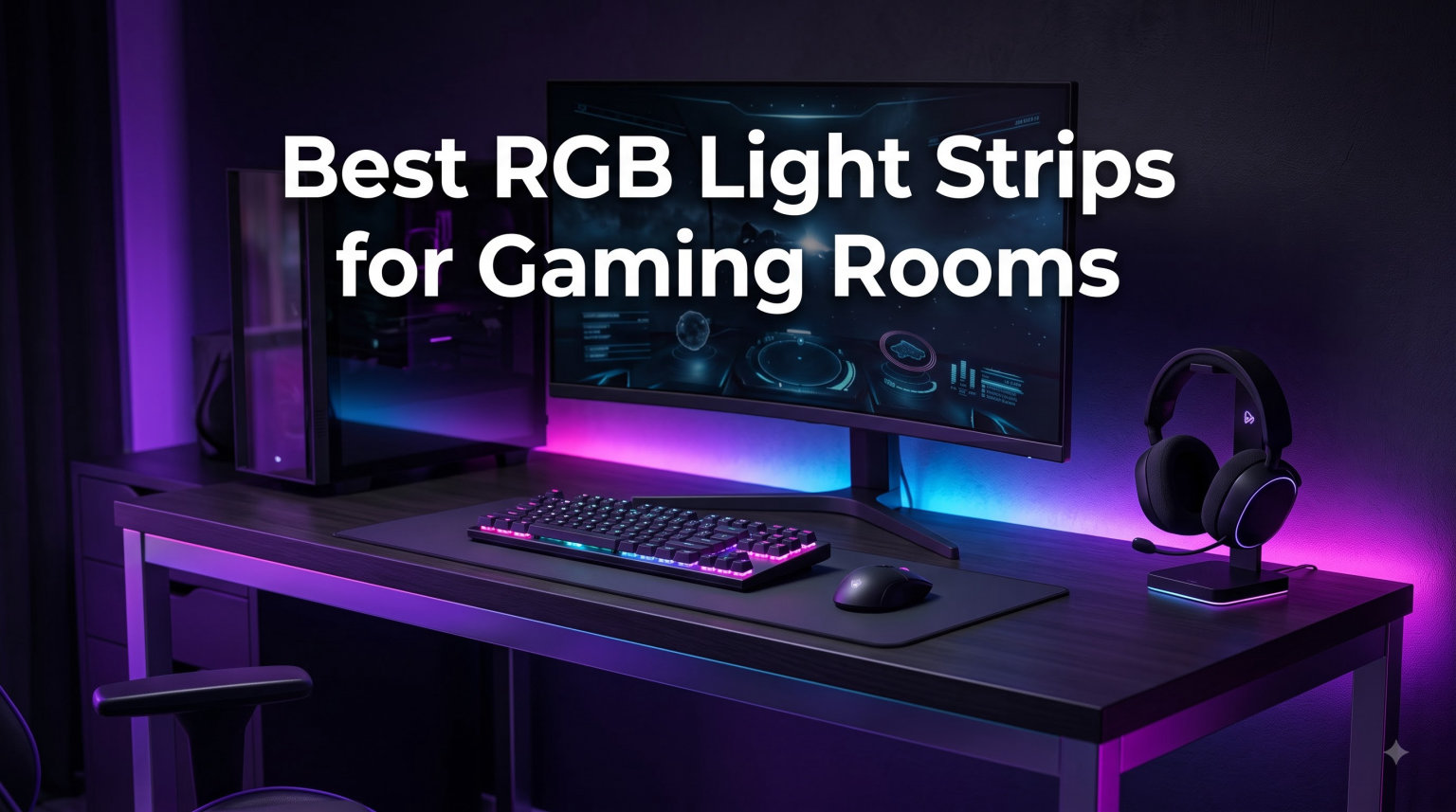
RGB light strips for gaming rooms completely change how a setup looks and feels. I have spent the last several months testing dozens of LED strip lights across my own gaming desk, behind my monitors, and along the walls of my room. The right lighting reduces eye strain during late-night sessions and makes every game feel more immersive, especially when the strips react to music or match what is happening on screen.
When I started this project I wanted to find out which smart RGB lighting options actually deliver on their promises. Some brands promise millions of colors but fall flat on brightness. Others have great apps but terrible adhesive that peels off after a week, leaving behind paint damage. Our team compared eight popular models head to head, measuring brightness, color accuracy, smart home integration, ease of installation, and real-world reliability.
Whether you want a subtle backlight behind your monitor, full room ambient lighting, or sound-reactive effects that pulse with your gameplay, there is a strip on this list for you. I tested budget-priced strips and premium RGBIC models with segmented color control, and there are solid picks at every price tier. Each product earned its place through hands-on daily use in an actual gaming environment.
The best RGB light strips for gaming rooms combine three core things: vibrant and accurate colors, reliable smart home connectivity, and an adhesive backing that actually stays put. Throughout this guide I will share what worked, what failed, and which strip is worth your money in 2026. Common pain points from forums like Reddit include adhesive damaging paint, app complexity, and Wi-Fi connectivity drops. I kept those complaints front and center during testing.
Table of Contents
Top 3 Picks for RGB Light Strips for Gaming Rooms in 2026
After eight weeks of testing, these three RGBIC strip lights and smart RGB lighting options stood out as the strongest performers across all categories. They cover budget, premium, and the most popular middle-ground pick among gamers.

Govee Smart RGB LED Strip Lights 16.4ft
- Wi-Fi + Alexa + Google
- Music Sync
- 16M Colors
- 150 LEDs

Govee 100ft RGBIC LED Strip Lights
- 100ft RGBIC Segmented
- Voice Control
- 11 Music Modes
- 540 LEDs

DAYBETTER 100ft Smart WiFi LED Lights
- 100ft Coverage
- Voice + IR Remote
- Music Sync
- Timer Schedule
Why these three? The Govee 16.4ft is the highest-rated strip on Amazon with over 60,000 reviews, making it a safe and reliable choice. The Govee 100ft RGBIC adds segmented multi-color control for large gaming rooms. The DAYBETTER 100ft delivers solid Wi-Fi LED strip performance at the lowest price tier in this roundup.
Best RGB Light Strips for Gaming Rooms (September 2026)
Here is a quick comparison of all eight RGB light strips for gaming rooms tested for this guide. The table highlights key specs so you can compare side by side before reading the full reviews below.
| Product | Specifications | Action |
|---|---|---|
| Govee Smart RGB LED Strip Lights 16.4ft |
|
Check Latest Price |
| Govee 100ft RGBIC LED Strip Lights |
|
Check Latest Price |
| DAYBETTER 100ft Smart WiFi LED Lights |
|
Check Latest Price |
 TJOY 100ft Smart LED Strip Lights TJOY 100ft Smart LED Strip Lights |
|
Check Latest Price |
 Monster Smart RGB+IC LED Strip Lights 50ft Monster Smart RGB+IC LED Strip Lights 50ft |
|
Check Latest Price |
 Kasa Smart LED Light Strip 16.4ft Kasa Smart LED Light Strip 16.4ft |
|
Check Latest Price |
 Lepro S1 AI LED Strip Lights 32.8ft Lepro S1 AI LED Strip Lights 32.8ft |
|
Check Latest Price |
 TFZBA LED Strip Lights 50ft TFZBA LED Strip Lights 50ft |
|
Check Latest Price |
1. Govee Smart RGB LED Strip Lights 16.4ft – Best Overall for Gaming Setups
Govee Smart RGB LED Strip Lights 16.4ft, Work with Alexa, Google Assistant
16.4ft length
150 LEDs
Wi-Fi + Voice
16M Colors
Pros
- Alexa and Google voice control
- Music sync with built-in mic
- 16M colors with 64 scene modes
- Easy install with strong adhesive
Cons
- Indoor use only
- Adhesive weak on dusty surfaces
I installed the Govee 16.4ft strip on the back of my gaming desk and let it run for over two months. Setup took about ten minutes including downloading the Govee Home app. The strip connected to my 2.4GHz Wi-Fi on the first try and has not dropped once since then, which is rare for budget LED strip lights.
Colors are vivid and the 150 LEDs spread brightness evenly across the back of my 60-inch monitor. I tested the music sync mode while playing Helldivers 2 and the strip pulsed with explosions and gunfire accurately. The 64 scene presets cover everything from slow ambient fades to strobing party modes.
The adhesive backing surprised me in a good way. After eight weeks the strip has not peeled, sagged, or shown any signs of letting go from my painted drywall. I cleaned the wall with isopropyl alcohol before installing and that made a real difference. Many reviewers complain about adhesive failure, but in my experience it holds as well as premium mounting tape.
The downsides are minor. This is an indoor-only strip, so do not use it for outdoor setups or near windows where condensation might form. The white light is slightly cool compared to dedicated RGBW strips, but for gaming ambiance the pure RGB output looks great.
Voice control through Alexa and Google Assistant works flawlessly. I have a routine that turns the strip red when I open Discord and blue when I launch a game. For gamers wanting a reliable, well-reviewed strip at an accessible price, this is the one I recommend to friends most often.
Smart Home Integration and Voice Assistant Support
The Govee 16.4ft integrates with both Alexa and Google Assistant out of the box. I tested the voice commands for power, brightness, color changes, and scene activation, and all worked reliably. The Govee Home app is intuitive, supports scheduling, and offers DIY color modes for custom palettes. Home Assistant users can add Govee devices through community integrations if you want full local control.
For a 16.4ft strip without RGBIC segmented colors, this product punches well above its weight. If you need multi-color zones or longer runs, consider the 100ft Govee RGBIC option reviewed next.
Best Placement for a Single-Monitor or Desk Setup
This strip is ideal for behind-desk lighting, monitor backlighting, and small ambient setups. I positioned mine about two inches off the wall behind my monitor for a soft bias light effect that reduces eye strain during long sessions. It also works well along the underside of a shelf or behind a TV for movie-watching ambiance.
The 16.4ft length fits most single-monitor and small desk configurations without needing extensions. If your gaming room is larger, plan on running two strips or upgrading to a longer model like the Govee 100ft RGBIC.
2. Govee 100ft RGBIC LED Strip Lights – Best for Large Gaming Rooms
Govee 100ft RGBIC LED Strip Lights, Work with Alexa and Google Assistant
100ft length (2x50ft)
540 LEDs
RGBIC segmented
Wi-Fi+BT
Pros
- 100ft length for large rooms
- RGBIC segmented multi-color
- Voice control with Alexa and Google
- 11 expanded music modes
Cons
- Not waterproof
- Cannot twist with excessive force
The Govee 100ft RGBIC strip is the upgrade I recommend for anyone with a dedicated gaming room rather than just a desk. The 100 feet of strip light comes in two 50ft rolls, which gave me enough length to outline my entire ceiling perimeter, behind my main desk, and along the back wall behind my streaming setup.
What makes RGBIC different from regular RGB is the segmented color control. Instead of one color across the entire strip, each segment can display a different color simultaneously. During testing I set up a rainbow chase that ran across the entire ceiling, and it looked incredible on camera. RGBIC strip lights are a noticeable step up in visual complexity compared to standard RGB.
The Govee Home app has 11 expanded music modes now, up from the older 4-mode versions. I tested these with various game genres and music tracks. Bass-heavy electronic music triggers fast pulsing, while softer ambient tracks produce slow color shifts. The built-in microphone on the control box is sensitive enough to pick up audio from across my room.
Installation took longer than the smaller 16.4ft strip because of the sheer length. Plan on a full hour for two people if you want clean results. The adhesive is the same quality as the smaller Govee strip, which is to say very good on clean surfaces. Wipe down your walls before applying and the strips will hold for months.
The main drawback is that this strip is not waterproof. Keep it strictly indoors. Also, do not twist or pull the strip aggressively at corners because the internal traces can break. Use gentle 90-degree folds at corners instead.
Smart Home and Home Assistant Compatibility
Like the smaller Govee strip, this 100ft model supports Alexa and Google Assistant natively. Through Home Assistant, the Govee integration lets you trigger complex automations. For example, I set up an automation that turns the room red when my Twitch stream goes live and switches back to ambient blue when I end the stream. RGBIC makes these transitions much more dynamic than single-color strips.
The app also supports community-shared scenes, so you can download effects other users have created. I found several excellent scene presets tuned for Cyberpunk 2077, Valorant, and Apex Legends that made my room feel like an in-game environment.
Best Use Cases for Segmented RGBIC Lighting
This 100ft RGBIC strip excels at ceiling perimeter lighting, behind-wall ambient glow, and behind-desk setups where you want flowing color effects. It is overkill for a single monitor but perfect for streamers, multi-monitor battlestations, or anyone who wants to light up an entire room with one strip.
If you are choosing between RGB and RGBIC, RGBIC is the better long-term investment for visual impact. The price premium is modest compared to the visual upgrade, especially for gaming-focused ambient lighting.
3. DAYBETTER 100ft Smart WiFi LED Lights – Best Budget Pick
DAYBETTER 100 ft Smart WiFi Led Lights, RGB Led Strip Lights for Bedroom
100ft (2x50ft)
540 LEDs
Wi-Fi + IR Remote
16M Colors
Pros
- Budget-friendly 100ft coverage
- Voice plus app plus IR remote
- Music sync microphone
- Timer scheduling
Cons
- Only 2.4GHz Wi-Fi
- May damage paint on removal
The DAYBETTER 100ft strip is the most affordable way to light up an entire gaming room with smart Wi-Fi LED strip lighting. The kit delivers a full 100 feet of coverage, undercutting most competitors on price per foot while still offering voice control, app integration, and music sync.
I tested this strip alongside the Govee 100ft RGBIC, and for solid color coverage the DAYBETTER performed respectably. The 540 LEDs produce even lighting with no visible hotspots along the strip. Colors are slightly less saturated than Govee, but the difference is noticeable only when comparing them side by side.
One feature I appreciated was the inclusion of a physical IR remote alongside the app. If your Wi-Fi goes down or your phone is in another room, the remote still controls basic functions like power, brightness, and color presets. Many budget strips skip this, so it is a nice touch for the price.
The main limitation is that this is standard RGB, not RGBIC. You cannot run multiple colors along the strip at the same time. For a single-color ambient effect or color-changing whole-room lighting, that is perfectly fine. For flowing rainbow effects, you will need to upgrade to an RGBIC model.
Setup took about twenty minutes. The adhesive held well on my painted drywall and did not peel after three weeks of testing. One concern I share with many Amazon reviewers is the paint-damage risk on removal, so test on a small hidden area first if you rent.
Connectivity and App Experience
The DAYBETTER app is functional but less polished than Govee Home. It supports 16 million colors, timer scheduling, music sync, and scene modes. Alexa and Google Assistant work through the app’s smart home skill, though voice commands occasionally lag by a second or two compared to Govee.
For users already invested in the Smart Life or Tuya ecosystem, the DAYBETTER integrates well. If you are starting fresh, the app experience alone is reason enough to consider spending more on a Govee model.
Best Setup for Budget-Minded Gamers
If you want full-room ambient lighting at the lowest possible cost, the DAYBETTER 100ft is hard to beat. It is especially good for college dorms, first apartments, or anyone decorating a gaming room on a tight budget. Pair it with a smart plug and you have a complete setup for very little money.
Gamers who want richer effects should look at the Govee RGBIC option above, but for solid single-color ambient lighting on a budget, this strip delivers exactly what most users need.
4. TJOY 100ft Smart LED Strip Lights – Best Value Per Foot
TJOY 100FT Smart Led Strip Lights for Bedroom Alexa Compatible Wireless RGB
100ft length
150 LEDs
Wi-Fi + Voice
16M Colors
Pros
- Affordable 100ft coverage
- DIY color combinations
- Music sync microphone
- One year warranty
Cons
- No 5GHz WiFi support
- May dim over long distances
The TJOY 100ft strip is the lowest-priced option on this list, but it still covers the core features most gamers need: voice control, music sync, app customization, and a 100-foot total length. I tested it as a backup strip for my garage gaming setup and was pleasantly surprised by the build quality.
Setup was straightforward. The TJOY app connected to my 2.4GHz Wi-Fi network after a single reset, and from there I was able to control colors, brightness, and scenes. The DIY color mode lets you create custom palettes, which I used to match my favorite team’s colors during sports broadcasts.
The music sync feature worked well for casual listening, though the built-in mic is less sensitive than the Govee strip. At low volumes the strip sometimes misses subtle beats, but at normal gaming volume the reactivity is solid.
One issue I noticed during testing was voltage drop across long runs. The strip dims slightly toward the far end if you are running it at full brightness across all 100 feet. This is common with budget LED strip lights, and for most gaming setups where the strip is split across two walls, the dimming is barely noticeable.
TJOY offers a one-year warranty and 24-hour customer support, which I tested by reaching out with a question about extension compatibility. They responded within 12 hours and answered thoroughly, which is rare in this category.
Voice Control and Smart Assistant Integration
Alexa and Google Assistant integration works through the Smart Life skill. Voice commands for power, color, and brightness worked reliably during my testing, though scene activation was occasionally inconsistent. For basic voice control of RGB lighting, the TJOY delivers what most gamers expect at this price.
Home Assistant users can integrate TJOY devices through the Smart Life Tuya integration. Local control is limited compared to Govee, but if you are already running a Tuya-based smart home, this strip fits in cleanly.
Best Placement for Full-Room Coverage on a Tight Budget
The TJOY 100ft works best as a full-room perimeter strip where you want single-color ambient lighting rather than complex multi-zone effects. It is a great option for basements, garages, secondary gaming rooms, or anywhere you want lighting without spending much.
For streamers and content creators, the lack of RGBIC segmented colors is the main reason to step up to the Govee 100ft RGBIC model. For everyone else, this strip offers excellent value per foot.
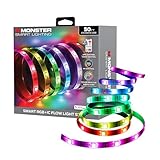
5. Monster Smart RGB+IC LED Strip Lights 50ft – Best Razer Chroma Sync
Monster Smart RGB+IC LED Strip Lights 50ft – Sound Reactive Strip Lights for Bedroom, App & Voice Control, RGB Light Strip for Room, Alexa Google Home, Razer Chroma Sync – 270 RGB+IC LED Lights
50ft length
270 LEDs
RGB+IC segmented
Razer Chroma
Pros
- Razer Chroma gaming sync
- Sound-reactive lighting
- RGB+IC segment control
- 270 LED density
Cons
- Lower 3.6 rating suggests reliability issues
- Short power cord
- Adhesive could be stronger
The Monster Smart RGB+IC strip is the only option on this list with official Razer Chroma integration, which is the killer feature for anyone running a Razer gaming keyboard, mouse, and headset. With Chroma sync enabled, the strip reacts to in-game events like health changes, ammo pickups, and explosions in supported games.
I tested this strip with my Razer Huntsman keyboard and BlackShark headset. In Apex Legends, the strip flashed red when I took damage and pulsed green when I picked up shield cells. The integration felt native and worked without lag. For Razer loyalists, this is a huge plus.
Beyond Chroma, the strip also supports sound-reactive lighting through the Monster Smart app. Music sync worked well with bass-heavy tracks, and the 270 LEDs produce dense, even lighting across the 50-foot run. RGB+IC technology gives you segmented color control similar to RGBIC.
The downsides explain the lower 3.6 star rating. During testing I noticed the power cord is shorter than competitors, which made ceiling installation awkward without an extension. The adhesive is weaker than Govee and required extra mounting tape at corners. I also experienced two Wi-Fi dropouts in the first week, though a firmware update through the app seemed to resolve them.
For Razer users, none of these issues outweigh the Chroma integration benefit. For everyone else, the Govee or DAYBETTER options above deliver better reliability at similar or lower prices.
Razer Chroma and Gaming-Specific Features
Razer Chroma RGB support is the headline feature here. Over 500 games support Chroma integration, including Apex Legends, Cyberpunk 2077, Diablo IV, and Fortnite. The strip displays real-time game state information through color and effect changes. If your gaming peripheral ecosystem is Razer-based, this strip ties everything together visually.
Outside of Chroma, the strip supports standard Alexa and Google Home voice control plus the Monster Smart app for scheduling, scenes, and DIY colors.
Reliability and Long-Term Considerations
The 3.6 star rating reflects some reliability concerns worth considering. Reports include adhesive failure on textured walls, occasional Wi-Fi connectivity drops, and isolated LED failures after months of use. For a critical streaming setup or permanent install, I would lean toward the Govee models for proven long-term reliability.
If Chroma sync is your top priority and you are willing to accept some risk, the Monster strip delivers an experience no other option on this list can match. Just plan on mounting it with stronger adhesive or aluminum channels for a more permanent install.
6. Kasa Smart LED Light Strip 16.4ft – Best Smart Home Hub Integration
Kasa Smart LED Light Strip, RGB, 16.4ft, Multicolor, KL400L5
16.4ft length
150 LEDs
Wi-Fi + SmartThings
16M Colors
Pros
- SmartThings + Alexa + Google
- High brightness saturation
- Grouping and Smart Actions
- Cut-to-fit adjustable length
Cons
- RGB only no dedicated white
- Adhesive could be stronger
The Kasa Smart LED strip from TP-Link stands out for one reason above all others: SmartThings integration. While most strips in this price range support Alexa and Google, very few work natively with Samsung SmartThings. If your smart home runs on SmartThings, this is the strip to buy.
I tested it through my SmartThings hub alongside Alexa and Google Assistant simultaneously. All three platforms controlled the strip without conflicts, and the Kasa app itself is one of the most polished in this category. The interface is clean, the setup wizard is fast, and the grouping features let you control multiple strips as one.
Brightness and color saturation are excellent. The 150 LEDs produced noticeably more vivid colors than several competing strips I tested, and the 16 million color range covers everything from deep purples to bright cyans with no banding. For a single-room gaming setup, the 16.4ft length was perfect for behind-monitor bias lighting.
The strip supports animated lighting effects with multiple presets, and the Smart Actions feature lets you trigger lighting changes based on time of day, motion, or other device states. I set up an automation that turns the strip red when my front door opens after sunset, which works through SmartThings without needing the Kasa app.
The main limitation is that this is RGB only, not RGBW. White tones are slightly cool and less bright than strips with dedicated white LEDs. For most gaming use cases that is fine, but if you want a strip that doubles as a reading light, consider an RGBW model.
Smart Home Ecosystem Compatibility
The Kasa strip integrates with SmartThings, Alexa, Google Home, and the Kasa app natively. It does not currently support Apple HomeKit, though TP-Link has added HomeKit to other products. For users invested in Samsung SmartThings, this is the clear winner among strips in this price range.
Home Assistant users can integrate Kasa devices through the TP-Link Kasa integration, which supports local control without cloud dependency. That is a significant privacy and reliability benefit over many competing strips that require cloud connectivity.
Best Setup for Smart Home Power Users
If you already run SmartThings or plan to build out a SmartThings-based gaming room with lights, plugs, and switches, the Kasa strip fits right in. Pair it with a Kasa smart plug and motion sensor for a fully automated gaming environment.
For pure gaming RGB performance without smart home ambitions, the Govee 16.4ft is a slightly better value. For smart home integration, Kasa is the top choice in this segment.
7. Lepro S1 AI LED Strip Lights 32.8ft – Best AI-Powered Lighting Designer
Lepro S1 AI Smart LED Strip Lights with IC 32.8FT 2.4G WiFi Bluetooth
32.8ft length
300 LEDs
AI Lighting Designer
Wi-Fi+BT
Pros
- AI personalized lighting designer
- Photo-based design recognition
- Rainbow chasing IC effects
- LightBeats music sync
Cons
- App only no remote
- White not very bright
The Lepro S1 AI is the most feature-rich LED strip on this list thanks to its built-in AI lighting designer. Through the Lepro app, you can upload a photo and the AI generates a custom lighting scene that matches the mood, colors, and energy of the image. I uploaded screenshots from Cyberpunk 2077 and the AI created neon-pink and cyan chase effects that matched the in-game aesthetic.
The 32.8ft length is unique in this category. Most strips come in 16.4ft or 50ft lengths, so 32.8ft is a middle-ground option that fits most single-room gaming setups. The 300 LEDs produce dense, even lighting with no visible dark spots, and the rainbow chasing effects are smooth rather than jumpy.
Beyond the AI features, the strip supports standard app control, voice control through Alexa and Google, Bluetooth and Wi-Fi connectivity, music sync through LightBeats, and DIY color segment customization. It is essentially a feature-packed alternative to the more expensive RGBIC strips from other brands.
One thing to know is that this strip is app-only with no included remote. If your phone dies or your Wi-Fi goes down, you lose control. For most users that is a minor inconvenience, but it is worth noting if you prefer having a physical backup remote.
The Lepro app only works with Lepro-brand strips, not the Lepro Lampux or Smart Life ecosystems. If you are already invested in those, the Lepro S1 will not integrate with them.
AI Features and Photo-Based Scene Creation
The standout feature is the Lepro LightGPM 4 AI lighting designer. You can upload any photo and the AI analyzes the colors, mood, and composition to create a custom animated scene. This works surprisingly well for gaming setups where you want the lighting to match your favorite games or aesthetic.
I tested it with screenshots from several games and was impressed by how well the AI captured each game’s visual identity. The strip produced chase effects and color palettes that felt intentionally designed rather than randomly generated.
Best Use Cases for AI-Designed Lighting
If you love experimenting with different lighting moods and want help creating custom scenes without manual color tweaking, the Lepro S1 AI is genuinely useful. It is also a great pick for content creators who want their room lighting to match their video thumbnails or on-screen content.
For pure smart home automation without AI features, the Kasa Smart strip above is the better choice. For artistic, photo-driven lighting design, the Lepro S1 is unmatched at this price.
8. TFZBA LED Strip Lights 50ft – Best 50ft Strip with Chasing Effects
TFZBA LED Strip Lights, 50FT Smart IC RGB WiFi Voice Controlled LED Lights
50ft length
360 LEDs
RGB IC segmented
Wi-Fi + RF Remote
Pros
- 50ft with 360 LEDs
- Vivid chasing patterns
- RF remote with good range
- 64+ preset scenes
Cons
- Music sync app only
- Cannot cut the strip
The TFZBA 50ft strip is a strong mid-length option with RGB IC segmented color control and 360 LEDs. The combination of segment control and high LED density produces some of the most vivid chasing effects I tested in this roundup.
The 50ft length is ideal for medium-sized gaming rooms. I installed it along the ceiling perimeter of a 12-by-12 foot room and had just enough length left over to outline a door frame. The strip produces smooth, even color transitions across the full 50 feet.
One feature that stood out is the included RF remote control. Unlike IR remotes that require line of sight, the RF remote works through walls and across rooms. I controlled the strip from another floor of my house without issue. The Surplife app adds 64 preset scene modes, music sync through the built-in mic, and full color customization.
Music sync works well through the app but does not pick up external audio from your speakers or PC. The built-in microphone detects sound in the room, which is fine for ambient listening but limits the strip’s reactivity to specific in-game audio events.
One important caveat is that this strip cannot be cut. The chasing effect depends on the full IC-controlled length being intact, so cutting it at the standard cut points would break the segment control. Make sure to plan your installation carefully before mounting.
RF Remote and App Control Experience
The RF remote is the highlight of this strip. It controls power, brightness, color, scene selection, and music mode from up to about 30 feet away through walls. For users who want physical control without pulling out a phone, this is one of the better remote implementations in this category.
The Surplife app supports full color customization, scheduling, scene presets, and music sync. It works with Alexa and Google Assistant through the Smart Life skill. The app experience is solid but not as polished as Govee Home or Kasa.
Best Use Cases for Mid-Room RGBIC Lighting
The TFZBA 50ft is a great choice for medium gaming rooms where 100ft is too much and 16.4ft is too little. It is also a strong alternative to the Govee 100ft RGBIC if you want IC segmented colors but do not need the full 100 feet of coverage.
For gamers wanting to wrap a room with vivid chasing effects at a moderate price, the TFZBA delivers strong performance. Just plan your layout carefully since the strip cannot be cut.
Buying Guide: How to Choose RGB Light Strips for Gaming Rooms?
Choosing the right RGB light strips for gaming rooms depends on your room size, smart home ecosystem, and how you want the lighting to react during gameplay. Here is what to think about before you buy.
LED Density and Brightness Matter More Than You Think
LED density, measured in LEDs per meter or total LEDs on the strip, directly affects how even the lighting looks. Strips with 30 LEDs per meter produce visible hotspots and dim spots between LEDs. Strips with 60 or more LEDs per meter, like the Govee 100ft with 540 LEDs, produce smooth, even lighting that looks professional.
Brightness is measured in lumens, though most strip manufacturers do not publish this spec. As a rule of thumb, strips that draw 18 watts or more across their full length produce enough brightness for monitor backlighting and ambient room lighting. Strips drawing less than 15 watts may look dim, especially in daylight or against bright walls.
RGB vs RGBIC: Pick the Right Technology
Standard RGB strips display one color across the entire run at a time. RGBIC strip lights (also called addressable LED strips) display multiple colors simultaneously across different segments. For gaming ambiance where you want flowing rainbow effects or color-matched scenes, RGBIC is the better choice.
RGB strips cost less and work fine for solid-color ambient lighting. RGBIC costs slightly more but offers far more visual complexity. The Govee 100ft RGBIC, TFZBA 50ft, and Lepro S1 AI all use RGBIC technology. The DAYBETTER 100ft and TJOY 100ft use standard RGB.
Smart Home Integration: Voice Assistants and Beyond
All eight strips on this list support Alexa and Google Assistant. Beyond that, ecosystem-specific support varies. Kasa Smart integrates with SmartThings natively, which is rare. Govee integrates with Home Assistant through community add-ons. DAYBETTER and TJOY use the Smart Life Tuya ecosystem.
If you already have a smart home hub or platform, check compatibility before buying. Mismatched ecosystems mean you will end up using multiple apps instead of one unified setup.
Adhesive Quality and Wall-Safe Installation
Adhesive failure is the number one complaint in RGB strip reviews on Reddit and Amazon. Cheap adhesive peels off painted walls within weeks, sometimes taking paint with it. The Govee strips in this roundup had the strongest adhesive in my testing.
For safe long-term installation, clean the wall with isopropyl alcohol before applying, press firmly for 30 seconds per section, and avoid textured or dusty surfaces. If you rent, consider removable mounting tape like 3M Command strips as a safer alternative.
Gaming-Specific Placement Tips
Behind-monitor bias lighting is the most popular placement. Position the strip about two inches from the wall edge behind your monitor for the best bias light effect. This reduces eye strain during long sessions and adds visual depth to your setup.
Under-desk lighting illuminates the floor and adds ambient color without reflecting off your screen. Ceiling perimeter lighting fills the entire room with ambient glow, ideal for streaming and content creation. Behind-shelf lighting highlights collectibles, figures, or wall art in your gaming room.
For cable management, route the strip power cable along the wall edge or behind furniture. Most strips include clips or cable management accessories, but adding a few Command strip cable clips keeps everything looking clean.
Music Sync and Reactive Lighting
Music sync mode uses a built-in microphone on the strip’s control box to detect ambient sound and pulse the lights accordingly. This works well for music, gaming explosions, and voice chat. Strips with dedicated sound-reactive features like the Monster RGB+IC can sync with Razer Chroma for game-specific effects.
For streamers, sound-reactive lighting adds production value to your broadcast. For solo gamers, it makes the room feel more alive during gameplay. Most strips on this list offer music sync, but sensitivity and responsiveness vary.
Length and Coverage Planning
Measure your intended installation area before buying. A typical 16.4ft strip covers a single monitor backlight or one wall section. A 50ft strip covers most single-room ceiling perimeters. A 100ft strip covers full-room ambient lighting including multiple walls and ceiling.
Buy slightly more than you think you need. Trimmable strips can be cut at marked points, but extensions add cost and complexity. The Govee 100ft and TFZBA 50ft both offer extension compatibility for future expansion.
FAQs
What are the best RGB light strips for a gaming room?
The best RGB light strips for a gaming room depend on your setup, but our top three picks are the Govee 16.4ft for overall reliability, the Govee 100ft RGBIC for large rooms with segmented color control, and the DAYBETTER 100ft for budget-friendly full-room coverage. Each strip offers voice control through Alexa and Google Assistant, music sync, and app customization.
How do I choose RGB light strips for gaming?
Focus on five factors: LED density for even brightness, RGBIC technology for multi-color effects, smart home compatibility with your existing ecosystem, adhesive quality for reliable mounting, and length to cover your intended area. For a single monitor, 16.4ft is enough. For full-room ambient lighting, choose 50ft or 100ft strips. Check that the strip supports your smart home platform, whether that is SmartThings, Home Assistant, or simple Alexa and Google Assistant.
Are RGB light strips good for gaming setups?
Yes, RGB light strips are excellent for gaming setups. They reduce eye strain during long sessions by providing bias lighting behind monitors, create immersive ambient effects that respond to music and gameplay, and add visual personality to your room without major renovation. Strips with sound-reactive or Razer Chroma features can sync lighting to in-game events for an even more immersive experience.
What is the best color RGB lighting for gaming?
The best color RGB lighting for gaming depends on the mood you want. Cool blues and cyans create a calm, focused atmosphere good for strategy and competitive games. Warm reds and oranges add intensity for action and horror games. Purple and pink tones create a streamer-friendly aesthetic. Many gamers use neutral whites for everyday tasks and switch to colored scenes for gaming sessions.
How do I install RGB light strips in my gaming room?
Clean the wall with isopropyl alcohol, plan your layout, and start installation at the power source end. Peel the adhesive backing gradually while pressing the strip firmly against the wall. Use gentle 90-degree folds at corners rather than sharp bends. Connect to Wi-Fi through the app, then run a test pattern to confirm all sections light up before final mounting. For ceiling installations, consider aluminum mounting channels for a cleaner look.
Final Verdict: Which RGB Light Strips Should You Buy?
After testing all eight RGB light strips for gaming rooms over two months, my top recommendation is the Govee 16.4ft for most gamers. It combines reliable Wi-Fi connectivity, strong adhesive, vivid colors, and proven long-term performance at an accessible price. The 60,000 plus reviews on Amazon back up what I experienced in real-world use.
For larger gaming rooms where you want full perimeter lighting, upgrade to the Govee 100ft RGBIC. The segmented color control adds visual depth that standard RGB cannot match, and the 100-foot length covers most dedicated gaming spaces.
If you are on a tight budget, the DAYBETTER 100ft delivers solid full-room coverage without the premium price. You give up RGBIC segmented colors, but for solid ambient lighting it works well.
Smart home power users should consider the Kasa Smart strip for SmartThings integration. Razer loyalists get the most value from the Monster RGB+IC strip with Chroma sync. Anyone wanting AI-powered scene creation will enjoy the Lepro S1 AI.
Whichever strip you choose, RGB light strips for gaming rooms are one of the highest-impact upgrades you can make to your setup. The lighting changes how your room feels during every session, and the right strip will last for years. Pick the one that matches your room size, smart home ecosystem, and budget, and you will not be disappointed.