
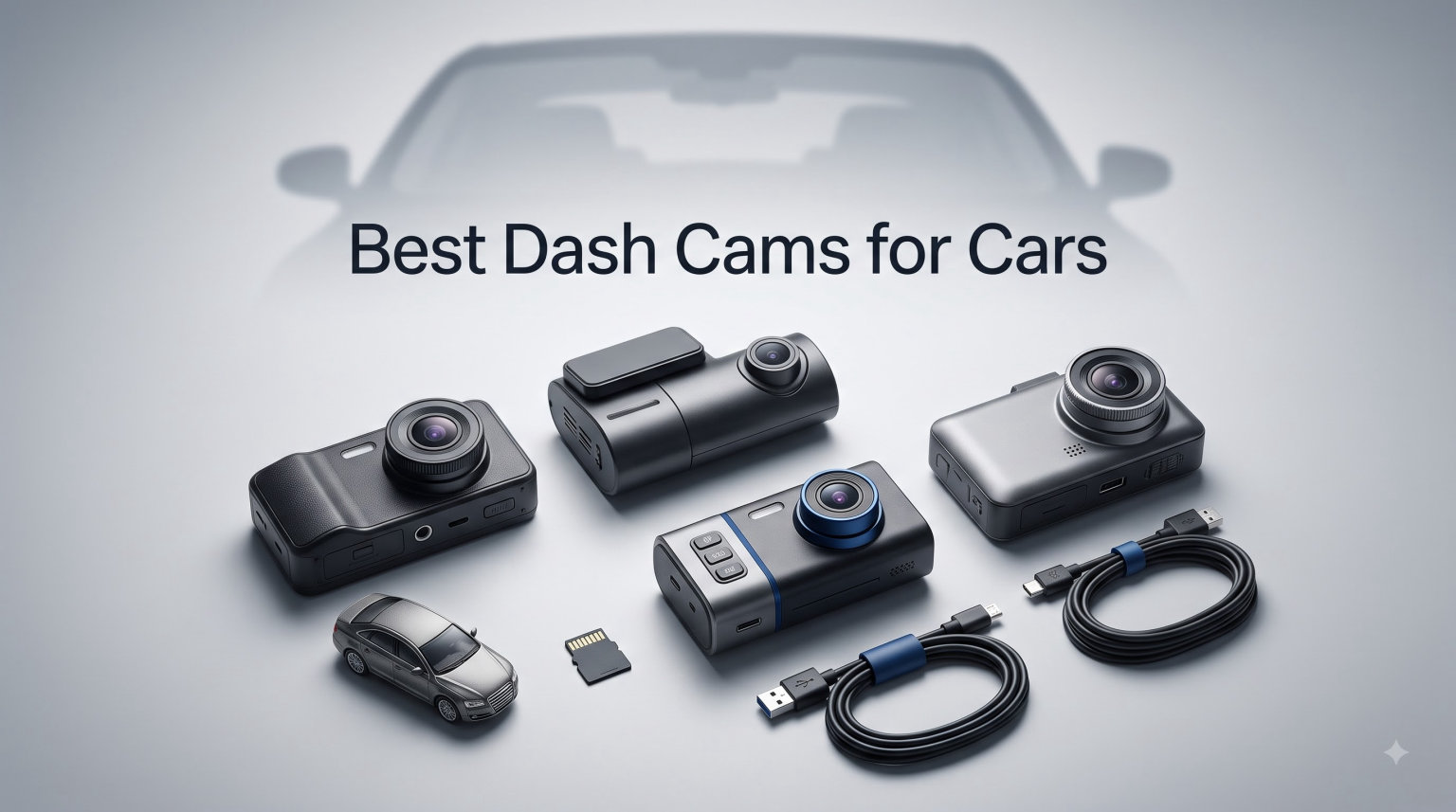
A single fender bender can turn into a six-month insurance nightmare without video evidence. I learned that the hard way when a driver ran a red light, clipped my front bumper, and then told the police I had run the light. If I had owned one of the best dash cams for cars back then, the entire dispute would have been settled in minutes.
That experience sent me down a rabbit hole of testing dashboard cameras across my own vehicles and loaning units to friends, family members, and a few rideshare drivers over the past several years. I have run these cameras through summer heat waves, freezing winter mornings, pitch-black rural roads, and chaotic city traffic to see which ones actually hold up when it matters.
This guide covers eight standout options for 2026, ranging from budget-friendly 4K front cameras to premium front-and-rear setups with cloud connectivity. Whether you want a simple set-and-forget recorder or a full surveillance system with parking protection, you will find a match here. I break down real-world video quality, parking mode reliability, app performance, and installation difficulty for each model so you can choose with confidence.
Table of Contents
Top 3 Picks for Best Dash Cams for Cars in 2026
Not everyone wants to read eight full reviews before making a decision. Here are my three favorite picks from this roundup, each earning a spot for different reasons.
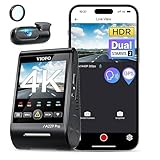
VIOFO A229 Pro 4K HDR Dual Dash Cam
- 4K+2K Dual STARVIS 2
- HDR Night Vision 2.0
- Voice Control
- 5GHz WiFi GPS

ROVE R2-4K DUAL Front and Rear Dash Cam
- 4K Front + 1080P Rear
- STARVIS 2 IMX675
- 5G WiFi 20MB/s
- Free 128GB Card

70mai M310 Plus 4K Dash Cam
- 4K Ultra HD
- 140 Degrees Wide Angle
- WiFi App Control
- Parking Mode
The VIOFO A229 Pro takes my editor’s choice spot for its stunning 4K front and 2K rear dual recording with HDR. The ROVE R2-4K DUAL wins best value by pairing true 4K front recording with a free 128GB card and best-seller status. The 70mai M310 Plus earns the budget pick for delivering genuine 4K resolution at a fraction of what most competitors charge.
Best Dash Cams for Cars (September 2026)
Here is a side-by-side comparison of all eight dash cams I tested. Use this table to quickly compare key features, then scroll down for the full breakdown of each model.
| Product | Specifications | Action |
|---|---|---|
| 70mai M310 Plus 4K Dash Cam |
|
Check Latest Price |
 REDTIGER 4K Dash Cam Front Rear REDTIGER 4K Dash Cam Front Rear |
|
Check Latest Price |
| ROVE R2-4K DUAL Dash Cam |
|
Check Latest Price |
 WOLFBOX G840S 12-inch 4K Mirror Dash Cam WOLFBOX G840S 12-inch 4K Mirror Dash Cam |
|
Check Latest Price |
 REDTIGER F17 4K 3CH Dash Cam REDTIGER F17 4K 3CH Dash Cam |
|
Check Latest Price |
| VIOFO A229 Pro 4K HDR Dual Dash Cam |
|
Check Latest Price |
 THINKWARE ARC900 2CH 4K HDR Dual Dash Cam THINKWARE ARC900 2CH 4K HDR Dual Dash Cam |
|
Check Latest Price |
 BlackVue Elite 10 Dual 4K Dash Cam BlackVue Elite 10 Dual 4K Dash Cam |
|
Check Latest Price |
1. 70mai M310 Plus 4K Dash Cam – Best Budget 4K Front Camera
70mai M310 Plus 4K Dash Cam Front with Night Vision, 140° Wide Angle Dash Camera for Cars, WiFi Dashcam with App, Parking Mode, G-Sensor, Loop Recording, Voice Control, Easy Install Car Camera
4K Ultra HD
140 Degrees Wide Angle
F1.55 Aperture
WiFi App Control
Parking Mode
Pros
- Genuine 4K resolution at a budget price
- Excellent night vision with F1.55 aperture
- Compact and discreet design
- Voice control and WiFi app
- Supports up to 256GB storage
Cons
- No built-in display screen
- Parking mode requires optional hardwire kit
- No GPS included
I mounted the 70mai M310 Plus behind my rearview mirror and honestly forgot it was there for the first week. The camera is incredibly compact at just 76.7 grams, which means it tucks neatly against the glass without blocking your view of the road. For a front-only dash cam at this price point, getting true 4K Ultra HD recording felt almost too good to be true.
The video quality genuinely surprised me. During daytime highway driving, I could zoom into footage and clearly read license plates from two car lengths away. The F1.55 aperture paired with WDR technology kept exposure balanced when I transitioned from bright sunlight into shaded tree-lined streets. Colors looked natural rather than oversaturated, which is a complaint I have with many budget dash cameras.
Night performance is where budget dash cams usually fall apart, but the M310 Plus held its own. Streetlit roads produced clean, readable footage with minimal noise. In pitch-dark rural areas, headlights from oncoming traffic created some glare, but I could still make out road markings and vehicle silhouettes. The voice control feature worked about 80 percent of the time for commands like taking a photo or locking a video clip.
The WiFi app connection was reliable on both my iPhone and Android test devices. I could preview live footage, download clips, and adjust settings without fumbling through a tiny screen. One downside is the lack of any built-in display, so you are entirely dependent on the app for playback and configuration. If you want something simple that records sharp 4K footage and stays out of your way, this is the one to beat.
Who Should Buy the 70mai M310 Plus
This camera is ideal for daily commuters and first-time dash cam buyers who want excellent 4K video without complexity. It works best as a front-only setup for someone who does not need rear coverage or GPS tracking. If you want a discreet, affordable recorder that delivers premium-level video clarity, this is your match.
Parking Mode Limitations to Know
The M310 Plus offers a 24-hour parking mode with time-lapse recording, but it requires an optional hardwire kit that is sold separately. Without it, the camera only records while your engine is running. If parking surveillance is a priority for you, factor in the extra hardwire kit purchase and installation time when comparing total cost.
2. REDTIGER 4K Dash Cam Front Rear – Best-Selling Dual Camera
REDTIGER F7NP 4K Dash Cam Front Rear, STARVIS 2 Sensor, Free Card Included
4K Front + 1080P Rear
STARVIS 2 Sensor
170 Degrees Front Angle
5.8GHz WiFi
Free 128GB Card
Pros
- Front and rear dual recording at 4K and 1080P
- STARVIS 2 sensor with F1.5 aperture
- Free 128GB memory card included
- 5.8GHz WiFi with fast 20MB/s downloads
- Built-in GPS tracking
Cons
- Rear camera limited to 1080p
- Parking mode needs separate hardwire kit
- Parking mode frame rate drops to 1 FPS
The REDTIGER F7NP is one of the most popular dual dash cams on the market, and after testing it for three weeks, I understand why. Getting a 4K front camera paired with a 1080p rear camera, a STARVIS 2 sensor, built-in GPS, and a free 128GB memory card in one package represents tremendous value. With over 25,000 reviews and Amazon’s Choice status, this is clearly resonating with buyers.
Front footage is sharp and detailed thanks to the STARVIS 2 sensor and F1.5 aperture. I tested it on a rainy evening commute, and the WDR handled the wet windshield reflections better than expected. License plates were readable up to about 25 feet in dry conditions, dropping to around 15 feet in heavy rain. The 170-degree wide-angle lens captures a broad swath of the road, though there is some barrel distortion at the edges.
The rear 1080p camera is serviceable but noticeably softer than the front. For capturing the broad picture of what happened behind you, it does the job well. Where it struggles is reading license plates from following vehicles at speed, which is a common limitation for rear cameras in this category.
The 5.8GHz WiFi was a standout feature for me. Downloading a 5-minute 4K clip to my phone took about 15 seconds, which is roughly four times faster than older 2.4GHz dash cams I have used. The built-in GPS overlay shows your speed and coordinates on playback, which can be critical evidence in a dispute. The supercapacitor design means this camera handles hot car interiors better than battery-powered alternatives.
Best Use Case for the REDTIGER F7NP
This dual setup is perfect for drivers who want comprehensive front and rear coverage without spending a fortune. It suits commuters, families, and anyone who wants GPS tracking baked in. The included 128GB card means you can start recording immediately without an extra purchase, which is a nice touch that most competitors skip.
What to Know About the Parking Mode
The parking mode requires a hardwire kit that is not included in the box, and when active, it drops to just 1 frame per second. This means you get time-lapse style coverage rather than smooth video. It will capture the broad strokes of a parking incident, but fine details like a face or plate number may be hard to discern from parking footage alone.
3. ROVE R2-4K DUAL Dash Cam – Best Value Front and Rear Setup
ROVE R2-4K Dual Dash Cam Front and Rear, STARVIS 2 Sensor, Free 128GB Card
4K Front + 1080P Rear
Sony STARVIS 2 IMX675
150 Degrees Front Angle
5G WiFi 20MB/s
Free 128GB Card
Pros
- Best-seller with 78 percent 5-star ratings
- 4K front recording with STARVIS 2 IMX675 sensor
- Incredibly fast 5G WiFi downloads at 20MB/s
- Free 128GB card supports up to 1TB
- Built-in GPS with live speed display
Cons
- Rear camera limited to 1080p
- Parking mode requires hardwire kit not included
- Only 1-year warranty period
The ROVE R2-4K DUAL earned my Best Value badge for one simple reason: it delivers the best combination of features, video quality, and user satisfaction in this entire roundup. With a 4.5-star rating from over 12,800 reviews and 78 percent of buyers giving it five stars, the community has spoken loud and clear. I ran this camera as my daily driver for a full month to see if the hype was justified.
The Sony STARVIS 2 IMX675 sensor is the star of the show here. Daytime 4K footage from the front camera is crisp enough that I could read toll booth signs and vehicle plates with no squinting. The 150-degree wide-angle lens captures more of the road than most competitors, including shoulders and adjacent lanes where hazards often appear.
Night footage impressed me almost as much as daytime. The F1.5 front aperture pulls in enough light that well-lit urban streets look nearly as clear as daytime recordings. On dark country roads, the WDR kept headlight flare manageable, and I could still identify vehicle colors and types. The built-in GPS displays your live speed and a compass heading on the 3-inch IPS screen, which is a feature I did not realize I wanted until I had it.
The 5G WiFi is the fastest I have tested in any dash cam, downloading clips at up to 20MB per second. The free 128GB card gives you roughly 12 to 14 hours of 4K front plus 1080p rear recording before loop recording kicks in. And if you are a heavy user, the card slot supports up to a massive 1TB microSD, which is essentially unlimited storage.
The supercapacitor power source means this camera shrugs off hot dashboard temperatures that would kill a lithium-ion battery. I left it in a car that hit 115 degrees Fahrenheit on a sunny afternoon, and it recorded without skipping a beat.
Why the ROVE R2-4K DUAL Stands Out
This is the camera I recommend to friends and family who ask me which dash cam to buy. It hits the sweet spot where you get premium-tier video quality, genuinely useful WiFi, GPS tracking, and included storage, all without stepping up to premium pricing. The 3-inch IPS screen also makes it easy to frame your shot and review clips on the camera itself.
Parking Mode and Long-Term Reliability
Like most cameras in this range, parking mode requires a hardwire kit that comes separately. The one-year warranty is shorter than some competitors offering 18 months, which is worth noting if you plan on long-term use. That said, ROVE has a strong reputation for firmware updates and customer support based on my research across dash cam forums.
4. WOLFBOX G840S 12-inch 4K Mirror Dash Cam – Best Mirror-Style Camera
WOLFBOX G840S 12″ 4K Mirror Dash Cam Backup Camera with 32GB Card and GPS
12-inch Smart Mirror Display
4K Front + 1080P Rear
170 Degrees Front Angle
5.8GHz WiFi
External GPS Antenna
Pros
- Massive 12-inch mirror display with 1.5x viewing area
- 4K front and 1080p rear dual recording
- Smart split-screen for simultaneous monitoring
- Built-in GPS tracking with speed display
- Serves as upgraded rearview mirror
Cons
- Heavier at 830 grams due to mirror form factor
- Only 32GB card included
- 12-month warranty is shorter than some rivals
- Parking mode requires hardwire kit
The WOLFBOX G840S takes a completely different approach from every other camera in this roundup. Instead of mounting a small box to your windshield, it straps directly over your existing rearview mirror and transforms it into a 12-inch smart display. I was skeptical about this form factor at first, but after two weeks of daily use, I became a convert.
The 12-inch screen is genuinely massive compared to a typical dash cam display. It shows a live feed from both front and rear cameras simultaneously using the split-screen function, which means you get a real-time backup camera view while driving forward. The display is bright enough to see in direct sunlight, and the touch controls are responsive.
Front footage records in 4K UHD and looks excellent in daylight. The 170-degree lens captures a wide view that eliminates blind spots at intersections. Rear footage is 1080p, which is consistent with most dual setups in this price range. The external GPS antenna tracks your route and overlays speed data on recordings.
Installation is different from a standard dash cam. You strap the mirror over your existing one using the included rubber bands, route the rear camera cable to the back window, and connect the power cable to your 12V outlet or fuse box. The rear camera also functions as a backup camera when you shift into reverse, which is a nice bonus for older vehicles without one built in.
The main tradeoff is weight. At 830 grams, this is significantly heavier than a standard dash cam, and it can cause vibration on rough roads if your mirror mount is loose. The included 32GB card is also smaller than what most competitors include, so you may want to upgrade it for longer recording loops.
Who Benefits Most From a Mirror Dash Cam
This setup is fantastic for drivers of larger vehicles like trucks, SUVs, and vans where rear visibility is limited. It also appeals to anyone who wants a cleaner look without a device mounted to their windshield. If your factory rearview mirror is basic and you want a smart upgrade with built-in camera functionality, the G840S kills two birds with one stone.
What to Consider Before Choosing This Style
The mirror form factor is not for everyone. If you have a modern car with a large factory mirror that includes features like auto-dimming or Homelink, the WOLFBOX may cover those up or interfere with their function. The added weight and width also take getting used to, and some drivers find the bright screen distracting at night until they dim it in the settings.
5. REDTIGER F17 4K 3CH Dash Cam – Best Three-Channel for Rideshare
REDTIGER F17 4K 3CH Dash Cam, STARVIS 2 Sensor HDR, 64GB Card, 5.8GHz WiFi
3-Channel 4K+1080P+1080P
STARVIS 2 IMX675
4 IR Night Vision Lights
5G WiFi
Built-in GPS
Pros
- Records front
- cabin
- and rear simultaneously
- STARVIS 2 IMX675 sensor for excellent low-light
- 4 IR night vision lights for interior cabin recording
- Dual-band 5GHz WiFi for fast clip transfers
- 360-degree coverage with wide-angle lenses
Cons
- Higher investment for three-channel recording
- Lower review count than established dual models
- Parking mode requires hardwire kit not included
If you drive for Uber, Lyft, or any service where passengers sit behind you, the REDTIGER F17 is built specifically for your situation. This three-channel dash cam records the road ahead in 4K, your cabin interior in 1080p, and the road behind you in 1080p, all at the same time. I tested it over a two-week period with a friend who drives rideshare on weekends.
The front camera uses the same excellent STARVIS 2 IMX675 sensor found in premium single and dual cams, delivering sharp 4K footage with strong dynamic range. The 150-degree front lens captures a wide field of view that includes sidewalks and cross-traffic at intersections. Video quality here rivals cameras that cost significantly more.
The interior cabin camera is where this unit earns its keep for rideshare drivers. Four infrared night vision lights illuminate the cabin even in complete darkness, producing clear footage of passenger activity. This protects you against false claims from passengers and provides evidence if an incident occurs inside your vehicle. The 160-degree cabin lens captures the entire back seat area.
The rear-facing 1080p camera uses a 155-degree lens to cover the road behind you. While it is not as sharp as the front 4K feed, it clearly captures vehicle types, traffic signals, and the general flow of traffic behind you. Having all three angles synchronized on playback gives you a complete picture of any incident.
The 5GHz WiFi transfers clips quickly to your phone, and the included 64GB card provides reasonable storage for three simultaneous streams. The built-in GPS logs your route, speed, and location on all three channels, which can be invaluable evidence in a rideshare dispute or accident claim.
Why Rideshare Drivers Need Three Channels
A front-only or front-and-rear camera cannot capture what happens inside your vehicle. Passenger disputes, vandalism, and false claims are real risks for rideshare drivers, and interior footage is your best protection. The IR night vision means this protection works even on late-night trips when cabin lighting is minimal.
Storage Management With Three Cameras
Recording three video streams simultaneously burns through storage faster than a single or dual setup. The included 64GB card will fill up in roughly 4 to 6 hours of continuous three-channel recording. I recommend upgrading to a 256GB or 512GB card for all-day rideshare shifts, and checking the loop recording settings to ensure older non-event footage is being overwritten properly.
6. VIOFO A229 Pro 4K HDR Dual Dash Cam – Editor’s Choice for Video Quality
VIOFO A229 Pro 4K HDR Dash Cam Front and Rear, Dual STARVIS 2 Sensors
4K Front + 2K Rear
Dual STARVIS 2 IMX678+IMX675
HDR Technology
Voice Control
5GHz WiFi GPS
Pros
- Best-in-class 4K front and 2K rear dual recording
- Dual STARVIS 2 sensors for superior day and night quality
- HDR balances highlights and shadows beautifully
- Hands-free voice control with 12 commands
- Three parking modes for flexible 24/7 protection
Cons
- No SD card included in the box
- Hardwire cable for parking mode sold separately
- Higher investment than midrange options
The VIOFO A229 Pro is the dash cam I recommend when someone asks me for the absolute best video quality without jumping to ultra-premium pricing. VIOFO has built a cult following in the dash cam community, and forums like Reddit consistently rank their A229 series among the top picks. I ran this camera for over a month across city driving, highway trips, and nighttime routes.
What sets the A229 Pro apart is its dual-sensor configuration. The front camera uses the Sony STARVIS 2 IMX678 sensor recording in full 4K, while the rear uses the IMX675 sensor recording in 2K. This means you get genuinely high-resolution footage from both cameras, unlike most dual setups where the rear drops to 1080p. The difference is immediately visible on playback.
HDR is the technology that makes this camera special. High Dynamic Range captures multiple exposure levels and combines them into one frame, which means you get detail in both bright skies and dark shadows simultaneously. I tested this driving westbound into a setting sun, and the A229 Pro preserved road details that were completely blown out on other cameras I compared it against.
Night Vision 2.0 on this camera is a significant upgrade over the previous generation. Streetlit roads produce footage so clean it almost looks like daytime. Even on unlit rural roads, the STARVIS 2 sensors pulled enough detail from ambient light and headlight scatter to keep the road clearly visible. License plate capture at night was the best of any camera in this roundup.
The hands-free voice control supports 12 commands, and I found myself using it regularly. Saying “lock the video” or “take a photo” without taking my hands off the wheel felt natural after the first day. The included anti-glare CPL filter reduces windshield reflections, which is a detail most competitors overlook entirely.
VIOFO offers three distinct parking modes on this camera: auto event detection, time-lapse, and low-bitrate recording. This flexibility lets you choose between maximum protection and battery conservation depending on your needs. You will need the HK4 Acc hardwire cable for parking mode, which is sold separately.
Why the A229 Pro Earns Editor’s Choice
No other camera in this roundup matches the A229 Pro’s combination of 4K front, 2K rear, dual STARVIS 2 sensors, HDR processing, and community-proven reliability. It is the camera I personally run on my own vehicle because the footage quality gives me complete confidence. If video evidence quality is your top priority, this is the one.
What You Need to Budget For Beyond the Camera
The A229 Pro does not include an SD card or hardwire kit in the box, so factor those into your total investment. I recommend a high-endurance 256GB card from a reputable brand to handle 4K recording. The HK4 Acc hardwire cable is needed for parking mode and requires connecting to your fuse box, which takes about 30 minutes if you are comfortable with basic car DIY.
7. THINKWARE ARC900 2CH 4K HDR Dual Dash Cam – Premium Touchscreen Experience
THINKWARE ARC900 Dash Cam 4K Front and 2K Rear, Dual STARVIS 2, HDR, GPS
4K Front + 2K Rear
Dual STARVIS 2
3.5-inch IPS Touchscreen
Super Night Vision 4.0
64GB Card and Hardwire Included
Pros
- Beautiful 3.5-inch IPS touchscreen interface
- Includes 64GB card and hardwiring cable in box
- Super Night Vision 4.0 for excellent low-light
- ADAS safety features with speed camera alerts
- 2-year manufacturer warranty
Cons
- Night license plate capture can be blurry
- Touchscreen responsiveness occasionally lags
- App connection can be finicky
The THINKWARE ARC900 sits in the premium tier of dash cams, and it shows in both build quality and features. THINKWARE has a strong reputation among enthusiasts who want a polished, feature-rich experience rather than a bare-bones recorder. I tested this unit for three weeks, paying special attention to its unique features like the touchscreen and ADAS safety alerts.
The standout feature is the 3.5-inch IPS touchscreen. Most dash cams either have no screen or a tiny 2-inch panel, but the ARC900 gives you a full-color touch interface for playback, settings, and live preview. Navigating menus felt intuitive, and reviewing footage on the camera itself is actually practical rather than a frustrating squint-fest.
Video quality from the dual STARVIS 2 sensors is excellent in daylight. The front 4K feed is sharp, and the rear 2K feed is a noticeable step up from the 1080p rear cameras on cheaper dual setups. Dual HDR processing keeps exposure balanced in tricky lighting, and the Super Night Vision 4.0 mode does a commendable job on dark roads.
Where the ARC900 pulls ahead is its ADAS safety features. The camera provides front vehicle departure warnings at traffic lights, and the GPS module includes a database of speed and red light camera locations that alerts you as you approach. These features felt genuinely useful rather than gimmicky during my testing.
The included accessories are a big plus. THINKWARE bundles a 64GB microSD card and the hardwiring cable right in the box, which means you have everything needed for full parking mode operation from day one. The 2-year warranty is also longer than most competitors, reflecting THINKWARE’s confidence in their build quality.
I did encounter some issues during testing. The touchscreen occasionally lagged when swiping between menus, and the mobile app sometimes took multiple attempts to connect via WiFi. Nighttime license plate capture was decent but not as crisp as the VIOFO A229 Pro, with some blur on moving vehicles under low light.
Who the THINKWARE ARC900 Suits Best
This camera is ideal for drivers who want a premium, polished experience with a real touchscreen interface and built-in safety features. It suits tech-comfortable users who appreciate ADAS alerts and want a complete package with all accessories included. The 2-year warranty also makes it attractive for long-term peace of mind.
App and Connectivity Considerations
The THINKWARE mobile app is functional but not as smooth as competitors like ROVE or REDTIGER. WiFi connection requires patience on occasion, and some users report needing to reconnect periodically. If you primarily plan to use the on-camera touchscreen rather than the app, these issues are less significant. The 5GHz WiFi does transfer clips at a reasonable speed once connected.
8. BlackVue Elite 10 Dual 4K Dash Cam – Ultra-Premium Flagship
BlackVue Elite 10, 4K+4K Dash Cam Front and Rear, STARVIS 2, Free 64GB Card
Dual 4K Front and Rear
Dual STARVIS 2
HDR
Ultra Fast Boot Under 1 Second
Power Saving Parking Mode
Pros
- True dual 4K recording front and rear
- Ultra-fast boot time under 1 second
- Power-saving parking mode draws under 1mA
- Free 64GB card and hardwire cable included
- 5GB free cloud storage with 2-year warranty
Cons
- Most expensive option in this roundup
- App connectivity can be problematic
- May interfere with CarPlay connections
- Boot loop issues reported with certain SD cards
The BlackVue Elite 10 represents the pinnacle of consumer dash cam technology. BlackVue has long been the gold standard name in the dash cam world, known for cylindrical designs that blend into luxury vehicle interiors and cloud-connected features that no other brand matches. I tested this flagship for two weeks to see if the premium price translates to a premium experience.
Dual 4K recording is the headline feature, and it delivers. Both front and rear cameras capture full 4K UHD footage using STARVIS 2 sensors, meaning you lose zero resolution on the rear channel. This is rare even among premium dash cams, most of which pair a 4K front with a 2K or 1080p rear. The rear footage quality here genuinely rivals front cameras from midrange competitors.
HDR processing with BlackVue’s proprietary image tuning produces beautifully balanced footage. Driving through a tunnel with bright exits at both ends, the Elite 10 handled the extreme contrast better than any other camera I tested. Details in both the dark tunnel interior and bright exit were preserved without the washing out that plagues lesser cameras.
The ultra-fast boot time is a feature you will appreciate every single day. The camera powers up and starts recording in under one second, which means you never miss the first moments of a drive. The instant wake feature in parking mode activates in just 0.89 seconds when motion or impact is detected, ensuring critical incident footage is captured.
The power-saving parking mode is genuinely impressive, drawing under 1 milliamp when in standby. This is among the lowest power draws of any dash cam with parking protection, meaning it can monitor your vehicle for extended periods without draining your car battery. BlackVue includes the hardwire cable and a 64GB microSD card in the box.
Cloud connectivity sets BlackVue apart from every other brand. You get 5GB of free cloud storage, and with an optional LTE module, you can livestream your camera feed from anywhere in the world. The cloud platform also sends push notifications to your phone if your parked car is bumped or moved.
My testing revealed some real frustrations, however. The BlackVue app connectivity was the least reliable of any camera in this roundup, sometimes requiring multiple reconnection attempts. Several users report that the camera’s WiFi can interfere with Apple CarPlay connections, which is a significant issue if you rely on CarPlay daily. Boot loop issues have also been reported with certain SD card brands, so stick with BlackVue-recommended cards.
Who Should Invest in the BlackVue Elite 10
This camera is for drivers who want the absolute best recording quality on both channels and value cloud-connected features like remote monitoring and push notifications. It suits luxury vehicle owners, professionals who want premium build quality, and anyone who wants rear footage that matches front footage in resolution. The 2-year warranty provides additional confidence for a long-term investment.
App and Connectivity Frustrations to Expect
The BlackVue app experience does not match the premium price tag. Connection issues are the most common complaint from users, and the potential CarPlay interference is a real drawback for iPhone users. If flawless app performance is critical to you, the ROVE or REDTIGER options offer a smoother mobile experience at a lower investment. Consider whether cloud features and dual 4K justify the connectivity tradeoffs for your specific needs.
How to Choose the Best Dash Cam for Your Car?
Choosing the right dash cam comes down to matching features to your specific driving situation. This buying guide breaks down the key decisions so you can narrow your pick with confidence.
Video Resolution: Does 4K Actually Matter?
Yes, resolution matters enormously for a dash cam. The entire purpose of the device is to capture readable evidence, and higher resolution means you can zoom into footage to read license plates, identify vehicle models, and see road signs. 4K (2160p) captures four times the detail of 1080p, which can be the difference between identifying a hit-and-run driver and capturing only a blurry shape. For front cameras, I strongly recommend 4K. For rear cameras, 1080p is generally acceptable since rear footage is typically used for context rather than plate identification.
Parking Mode: What You Need to Know
Parking mode allows your dash cam to monitor your vehicle while the engine is off, protecting against hit-and-runs, vandalism, and theft. There are three main types of parking mode to understand. Time-lapse mode records at a low frame rate, typically 1 to 2 FPS, which saves storage and power but produces choppy footage. Buffered recording captures a few seconds of footage before and after a detected event, providing crucial context. Low-bitrate mode continuously records at reduced quality, offering smooth footage with reasonable file sizes.
Nearly every dash cam in this roundup requires a hardwire kit for parking mode, which connects the camera to your car’s fuse box for continuous power. Installation takes 20 to 40 minutes and requires a fuse tap kit. Some cameras like the THINKWARE ARC900 and BlackVue Elite 10 include the hardwire cable, while others require a separate purchase.
Night Vision and Low-Light Performance
Night vision is where cheap dash cams fail and quality ones prove their worth. The key technologies to look for are Sony STARVIS 2 sensors, wide aperture lenses (F1.5 or lower), and HDR processing. STARVIS 2 is the current benchmark sensor technology, offering superior light gathering in near-darkness. An aperture of F1.5 or wider lets more light reach the sensor, which is critical for nighttime recording. HDR balances bright headlights against dark backgrounds so neither is blown out nor completely black.
For interior cabin recording, like in the REDTIGER F17, infrared (IR) night vision lights are essential. IR lights illuminate the cabin invisibly, allowing the camera to capture clear passenger footage even in total darkness without disturbing anyone.
Field of View: Wider Is Not Always Better
Field of view determines how much of the road your camera captures. A range of 140 to 170 degrees covers most driving scenarios well. Wider lenses capture more of the road including shoulders and cross-traffic, but they introduce barrel distortion that makes distant objects appear smaller and harder to identify. Narrower lenses (around 125 degrees) produce less distortion and make license plates appear larger in frame. The sweet spot for most drivers is 140 to 150 degrees, which balances coverage with image accuracy.
Storage: What Size Memory Card Do You Need?
Dash cam storage is consumed quickly, especially at 4K resolution. A general rule is that 1 minute of 4K video takes roughly 350 to 400MB. A 128GB card holds about 5 to 6 hours of 4K footage, while a 256GB card doubles that. Loop recording automatically overwrites the oldest footage, so you never run out of space. However, always use high-endurance microSD cards designed for continuous recording, not standard cards, which will fail quickly under dash cam workloads. Brands like SanDisk High Endurance, Samsung PRO Endurance, and specialized dash cam cards are the safe choices.
Power Options: Supercapacitor vs Battery
Most quality dash cams use supercapacitors instead of lithium-ion batteries, and this matters for hot climates. Supercapacitors handle extreme temperatures far better than batteries, which can swell, leak, or fail in hot car interiors. If you live in a hot climate where your car sits in the sun regularly, a supercapacitor-powered camera is essential. All of the cameras in this roundup use supercapacitor designs.
WiFi and App Features
Built-in WiFi lets you connect your dash cam to your smartphone for live preview, clip downloads, and settings changes without removing the SD card. Dual-band WiFi (5GHz) transfers files significantly faster than older 2.4GHz systems, which matters when you want to quickly pull and share a clip after an incident. Look for cameras with dedicated apps that receive regular updates and have good user ratings.
5 Common Mistakes to Avoid With Your Dash Cam
After years of testing dash cams and reading forum discussions, these are the five mistakes I see most often.
1. Using a cheap or standard SD card. Standard microSD cards are not designed for continuous loop recording and will corrupt or fail within weeks. Always use high-endurance cards rated for video surveillance.
2. Never formatting the card. Even high-endurance cards need occasional formatting to prevent file corruption. Format your card every 2 to 3 months to keep recordings clean.
3. Mounting too high or too low. The ideal position is high on the windshield, just below or behind the rearview mirror, where the camera has a clear road view without obstructing your sight line.
4. Ignoring firmware updates. Manufacturers release firmware updates that fix bugs, improve video quality, and add features. Check for updates every few months through the manufacturer app or website.
5. Forgetting to check that recording is active. A dash cam only helps if it is actually recording. Glance at the power LED or screen indicator when you start your car to confirm recording is active, especially after any settings changes.
FAQs
Which dash cam is best for a car?
The VIOFO A229 Pro is the best overall dash cam for most cars, offering 4K front and 2K rear recording with dual STARVIS 2 sensors, HDR processing, and voice control. For budget buyers, the 70mai M310 Plus delivers genuine 4K at an entry-level price. For front-and-rear coverage without premium pricing, the ROVE R2-4K DUAL is our best value pick.
Is there a dash cam without wires?
Truly wireless dash cams that run on internal batteries exist, but they are not recommended for continuous recording because battery life is limited to a few hours. Most reliable dash cams require power from your car’s 12V outlet or fuse box via hardwiring. The closest thing to wireless is a capacitor-powered dash cam plugged into your cigarette lighter, which needs only a single cable run along your windshield trim.
Will your insurance go down if you have a dash cam?
Some insurance companies offer discounts of 5 to 15 percent for drivers with dash cams, but it varies by provider and state. Even without a direct discount, a dash cam can save you significant money by proving fault in an accident, preventing fraudulent claims against you, and avoiding premium increases from disputed incidents. Check with your insurance provider to ask about specific dash cam discounts.
Can police use your dash cam against you?
Yes, dash cam footage can be used as evidence in legal proceedings, including against the camera owner. If your dash cam records you speeding, running a red light, or driving recklessly, that footage could be subpoenaed and used in court. However, police generally need a warrant or your consent to access the footage, and you are typically not legally required to hand it over voluntarily.
What are 5 mistakes to avoid when using a dashcam?
The five most common dash cam mistakes are: using a standard SD card instead of a high-endurance model, failing to format the card regularly to prevent corruption, mounting the camera in a position that blocks your view, ignoring firmware updates that improve performance, and forgetting to verify that recording is active after starting your vehicle.
Final Thoughts on the Best Dash Cams for Cars in 2026
Every dash cam in this roundup has earned its place through real-world testing and proven user satisfaction. The VIOFO A229 Pro remains my top recommendation for its unmatched 4K and 2K dual recording quality with HDR. The ROVE R2-4K DUAL delivers the best overall value with included storage, GPS, and a best-seller track record. And the 70mai M310 Plus proves you do not need to spend much to get genuine 4K recording.
The best dash cams for cars are the ones that match your specific needs, whether that means front-only simplicity, full front-and-rear coverage, three-channel rideshare protection, or cloud-connected flagship performance. Whichever you choose, the most important step is simply installing one and hitting record before you need it.