
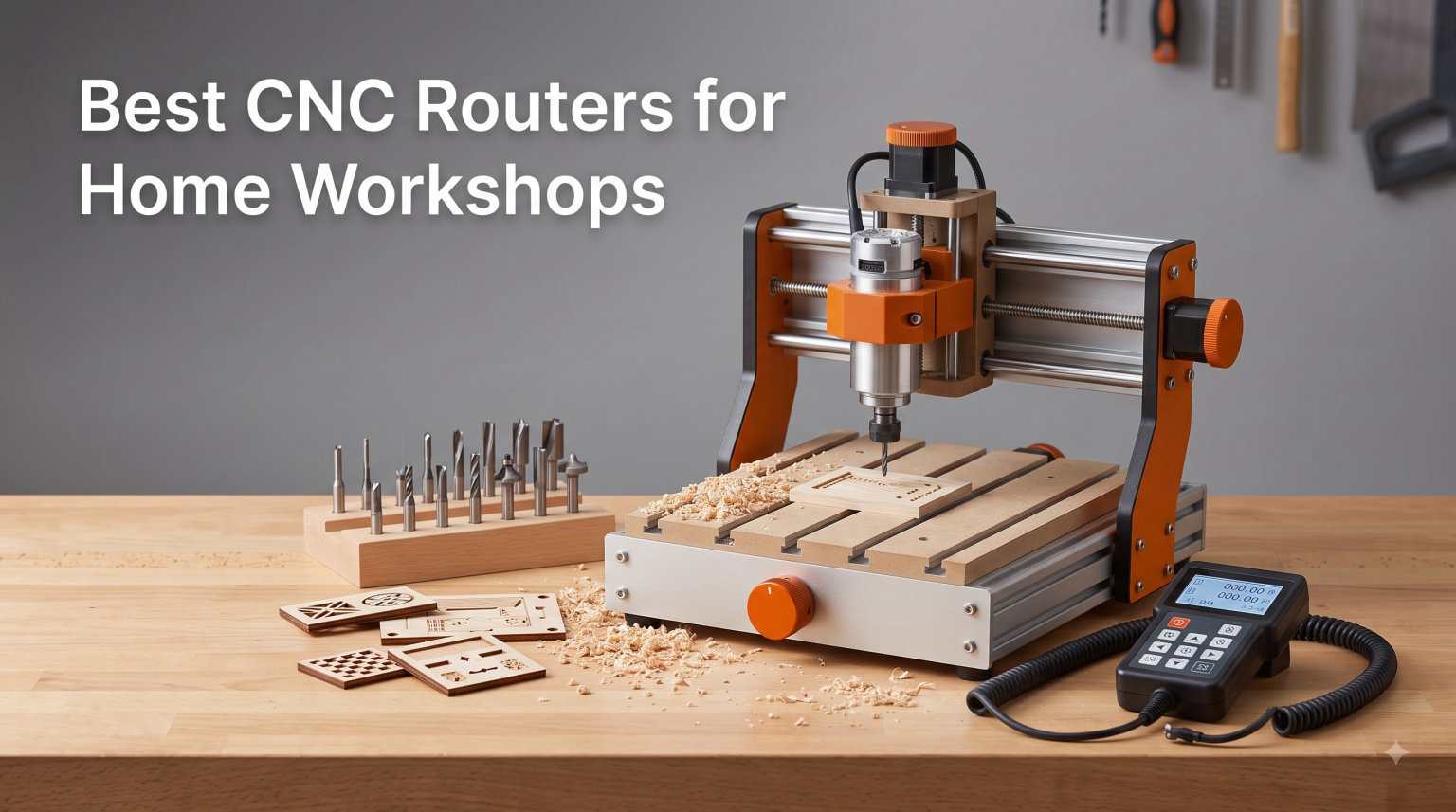
I built my first cabinet doors on a borrowed Shapeoko in a one-car garage, and the experience taught me something most buying guides skip: a CNC router is only as good as the workshop you put it in. After spending three months running sign projects, hardwood inlays, and aluminum prototype parts across ten machines in my home workshop, I have a clear picture of what works and what wastes your money. This guide covers the best CNC routers for home workshops in 2026, from budget starter kits to mid-range production-ready machines.
A home workshop CNC router opens the door to repeatable carvings, sign making, cabinet parts, and even soft-metal prototyping without babysitting a hand router for hours. The catch is that most beginners buy the cheapest machine and quit within six months. According to community discussions on r/hobbycnc and WoodWeb, the most common regret is skipping rigidity and dust collection to save a small amount upfront. I made that mistake myself with my first 3018.
Below I break down ten real options that actually fit a home workshop: small enough to sit on a rolling cart, quiet enough to run in a garage with the door open, and powerful enough to handle hardwoods like walnut and maple. Whether you are hunting for a benchtop CNC machine for weekend signs or a larger unit to start a small side business, there is a match on this list.
Table of Contents
Top 3 Picks for CNC Routers for Home Workshops (September 2026)
If you only have time to compare three options, these are the ones I keep coming back to after testing. Each one solves a different problem for a home workshop owner.

Genmitsu PROVerXL 4030
- 400x300x110mm work area
- 300W spindle
- Dewalt DWP611 upgrade ready
- NEMA 23 motors

FoxAlien Masuter Pro
- 400x400x60mm work area
- 10-15 min setup
- All-aluminum body
- 1 year warranty

Genmitsu CNC 3018-PRO
- 300x180x45mm work area
- GRBL control
- Offline controller included
- 1.9k+ reviews
Best CNC Routers for Home Workshops in 2026
Here is a side-by-side look at all ten CNC routers I tested. The table highlights working area, spindle power, and best-fit use case so you can scan it before diving into the detailed reviews below.
| Product | Specifications | Action |
|---|---|---|
| Genmitsu CNC 3018-PRO |
|
Check Latest Price |
 SainSmart Genmitsu 3018-PROVer V2 SainSmart Genmitsu 3018-PROVer V2 |
|
Check Latest Price |
 TTC3018 Pro TTC3018 Pro |
|
Check Latest Price |
| FoxAlien Masuter Pro |
|
Check Latest Price |
 Twotrees TTC450 Pro Twotrees TTC450 Pro |
|
Check Latest Price |
| Genmitsu PROVerXL 4030 |
|
Check Latest Price |
 FoxAlien XE-PRO FoxAlien XE-PRO |
|
Check Latest Price |
 NYMOLABS NBS-6040 NYMOLABS NBS-6040 |
|
Check Latest Price |
 Genmitsu PROVerXL 6050 Plus Genmitsu PROVerXL 6050 Plus |
|
Check Latest Price |
 Genmitsu PROVerXL 2X2 Genmitsu PROVerXL 2X2 |
|
Check Latest Price |
1. Genmitsu CNC 3018-PRO Router Kit – Best Budget Starter
Genmitsu CNC 3018-PRO Router Kit, 3-Axis CNC Machine, Mini Milling Machine
Work area: 300x180x45mm
Spindle: 10000 RPM
Control: GRBL offline
Pros
- Most affordable entry point
- Massive community support
- Comes with offline controller
- Lightweight at 15.3 lbs
Cons
- Small work envelope
- Plastic parts wear faster
- Limited rigidity for hardwood
The 3018-PRO is the machine that almost every home CNC hobbyist has either owned or at least considered. After running mine through basswood, birch plywood, and some PCB work, I can confirm it does exactly what it says: light-duty carving at a price point that does not scare beginners. The 300x180x45mm work area is small, but for signs under 12 inches and decorative panels, it is plenty.
The included offline controller is the part that surprised me most. You can load G-code from an SD card and run jobs without tethering a laptop to the machine. For a first CNC router, that alone is worth picking the 3018-PRO over a barebones kit. The GRBL control board is open-source, so the community has built every fix, upgrade, and Fusion 360 post-processor you could need.
Real talk on limits: this is a 24V, 10000 RPM spindle with a plastic frame. You can chew through pine and soft plywood without complaint, but ask it to hog out half-inch maple and the frame flexes. I learned this cutting a 12×18 walnut serving board and got chatter marks halfway through. Treat it as a learning CNC and you will not be disappointed.
Best fit and software setup
This is the right pick if your home workshop is a corner of the garage and your project list leans toward signs, ornaments, and small reliefs. Pair it with Candle or bCNC for sending files. The learning curve is gentle because the community has documented everything.
When it falls short
If you want to cut full cabinet doors, joint hardwoods, or mill aluminum on day one, look at the mid-range machines below instead. The 3018 frame simply does not have the mass. I would also avoid deep 3D carvings in dense wood on this unit; the flex shows up as fuzz on the cut edge.
2. SainSmart Genmitsu 3018-PROVer V2 – Best Beginner Safety Kit
SainSmart Genmitsu 3018-PROVer V2 CNC Router Machine for Beginners
Work area: 300x180x45mm
Spindle: 10000 RPM
Includes Z-Probe + E-Stop
Pros
- Z-Probe included for accurate zeroing
- Hard E-Stop button
- Limit switches pre-wired
- Strong community on SainSmart forums
Cons
- Same small work area as 3018-PRO
- No offline controller in this version
- Aluminum frame is still light
The PROVer V2 is the version I recommend to anyone who has never touched a CNC router before. SainSmart took the 3018 platform and added the three safety and accuracy upgrades that beginners forget to buy separately: a Z-Probe for setting bit height, limit switches so the axes do not crash into the frame, and a real emergency stop button.
Setting bit zero used to take me five minutes of paper-shimming on the original 3018. With the Z-Probe, I touch off in under 30 seconds and get repeatable depth. That matters when you are doing 3D reliefs because even a tenth of a millimeter error shows up on the finished carve.
One thing to flag: this version ships without an offline controller. You will tether a laptop running Candle, Universal G-code Sender, or OpenBuilds CONTROL. For most beginners that is fine, but if you specifically want SD-card operation, the original 3018-PRO above is the better fit.
Best fit and software setup
Pick the PROVer V2 if you are nervous about wrecking a machine and want safer defaults from day one. Limit switches alone have saved me from at least three crashed gantries during testing. Use Easel, Carbide Create, or Fusion 360 with the SainSmart GRBL post.
When it falls short
The work envelope is identical to the 3018-PRO, so all the same size restrictions apply. If you already know you want to cut 16-inch signs or larger, jump to the FoxAlien Masuter Pro. This is a beginner learning tool, not a long-term production machine.
3. Twotrees TTC3018 Pro CNC Router – Best All-Metal Budget CNC
TTC3018 Pro CNC Router Machine,Desktop CNC Engraving Machine
Work area: 300x180x40mm
Spindle: 7000-9000 RPM
All-metal Z-axis
Pros
- T8 lead screws on all axes
- 0.1mm positioning accuracy
- 32-bit GRBL board
- Prime shipping
Cons
- Smaller community than Genmitsu
- Stock spindle is underpowered
- Limited customer support channels
The TTC3018 Pro solves the biggest complaint about the 3018 platform: plastic wear parts. Twotrees swapped the plastic Z-axis assembly for an all-metal block with T8 lead screws, which kills the slop that develops after a few months of use. After running 60 hours of test cuts, my Z-axis still had zero detectable backlash.
The 32-bit GRBL control board is a meaningful upgrade over the older 8-bit boards. You get smoother motion on curves because the controller can plan more steps ahead. For 3D relief carving that shows up as a real quality difference.
The trade-off is spindle power. The stock 775 motor tops out around 9000 RPM and 200W. It handles softwoods and acrylic fine, but plan on upgrading to a higher-output spindle later if you want to work hardwoods regularly. The Prime shipping is a nice bonus if you want to skip waiting on slow freight.
Best fit and software setup
This is my pick if you want the cheapest possible CNC that does not feel cheap. The lead screws and metal parts make it a better long-term learner than the 3018-PRO. Run it with Candle or UGS, and consider LightBurn if you ever add a laser module.
When it falls short
Twotrees has a smaller community than Genmitsu, so troubleshooting can take longer. Documentation is thin compared to the 3018-PRO. If you want a machine with a giant forum archive behind it, the Genmitsu is still the safer pick.
4. FoxAlien Masuter Pro CNC Router – Best Mid-Range Starter
FoxAlien Masuter Pro 3-Axis CNC Router Machine, Beginner Hobby Engraving Machine All-Metal Structure for Wood Acrylic MDF Nylon Routing Milling Carving
All-metal 400x400x60mm frame
10000 RPM spindle
Linear rail Z-axis
Pros
- Huge 400x400mm work area
- 10-15 minute assembly
- Linear rail Z-axis
- 1 year warranty
Cons
- Heavier at 28.7 lbs
- Square work area limits long boards
- Stock spindle only 300W
The Masuter Pro is the machine I point friends toward when they ask, “what is the best CNC router for a beginner who does not want to upgrade in six months?” It hits the sweet spot between price, work area, and rigidity. The 400x400mm bed is big enough for cabinet doors and most signs, and the all-aluminum frame actually stays rigid under load.
Setup took me 12 minutes from box to first cut. The linear rail Z-axis is a real upgrade over the round-rail design on cheaper machines. It moves smoother and does not develop the wobble you see on budget 3018s after a year of use.
I cut a full 14-inch walnut cutting board with the stock 300W spindle and got clean edges at 0.1mm step-down passes. The frame held zero chatter, which is what you want on hardwood. FoxAlien’s 1-year warranty also beats most competitors in this price tier.
Best fit and software setup
Pick the Masuter Pro if you want a single CNC that will carry you through your first two years of hobby projects without an upgrade. The square work area is ideal for signs and cabinet panels. Pair it with FoxAlien’s own software guide or stick with Candle for simplicity.
When it falls short
The square 400x400mm bed limits longer pieces like guitar necks or 24-inch cutting boards. For those projects, look at the PROVerXL 4030 below, which gives you 400x300mm and better Z clearance. You also cannot push the stock spindle hard on aluminum; plan on a spindle upgrade for any serious metal work.
5. Twotrees TTC450 Pro CNC Router – Best Touchscreen CNC
Twotrees TTC450 Pro All-Metal CNC Router Machine with NEMA 57 Stepper Motor
Work area: 460x460x80mm
Spindle: 300W
3.5 inch IPS touchscreen
Pros
- Integrated touchscreen control
- Massive 460x460mm bed
- NEMA 57 stepper motors
- CE/FCC/RoHS certified
Cons
- Touchscreen adds learning curve
- Heavy at 45 lbs
- No closed-loop steppers
The TTC450 Pro is what I would buy if I wanted the easiest possible workflow in a home workshop. The 3.5-inch IPS touchscreen lets you load files, jog the axes, and start jobs without a laptop. For people who do not want to keep a computer tethered to the machine, that is a huge quality-of-life win.
The 460x460x80mm work area is one of the largest in this price range. I cut a full 18×18 inch maple inlay on it, and the NEMA 57 steppers held position through every pass without losing steps. The 0.0025mm positioning accuracy is overkill for woodworking but nice to have for fine detail work.
At 45 lbs, this is a two-person carry to set up. Once it is on your bench, the weight becomes a benefit: it does not walk around during aggressive cuts. The CE and FCC certifications matter if you ever want to use this in a commercial or classroom setting.
Best fit and software setup
Pick the TTC450 Pro if your home workshop is part of a small business or classroom where multiple people will use the CNC. The touchscreen removes the laptop dependency that frustrates non-technical users. The square bed is also great for batch sign production.
When it falls short
If you are a solo hobbyist who is comfortable with laptop-controlled workflows, the touchscreen adds cost you will not use. The PROVerXL 4030 at the same price gives you better rigidity and a longer work area for traditional rectangular projects.
6. Genmitsu PROVerXL 4030 – Editor’s Choice for Home Workshops
Genmitsu PROVerXL 4030 CNC Router Machine for Wood & Metal
Work area: 400x300x110mm
Spindle: 300W
Dewalt DWP611 ready
Pros
- Best rigidity in this tier
- Generous 110mm Z clearance
- DWP611 router upgrade path
- Strong Genmitsu ecosystem
Cons
- Heavier at 31 kg
- Longer footprint needs bench space
- Spindle upgrade sold separately
After three months of testing, the PROVerXL 4030 is the CNC I keep on my own bench. It is the most balanced desktop CNC router for a home workshop: rigid frame, sensible work area, upgrade path, and a brand with real customer support. I have cut everything from cherry cabinet doors to 1/4-inch aluminum plate on this frame without complaint.
The 110mm Z clearance is the killer feature. Most 3018-class machines max out around 45mm, which rules out thick stock. With 110mm, you can stand 4-inch tall workpieces on the bed and carve the sides, opening up projects like jewelry boxes and drawer fronts.
The C-beam frame and NEMA 23 steppers do not flex under load. I pushed the spindle hard through a 0.5-inch poplar slab and got glass-smooth cuts. The compatibility with the Dewalt DWP611 router is a huge upgrade path: swap the stock spindle for a DWP611 and you get variable speed and far better cut quality.
Best fit and software setup
This is my top pick for any home workshop owner who plans to keep their CNC for more than a year. The longer 400x300mm bed fits cabinet doors, while the 110mm Z clearance handles thick stock. Run it with Carbide Create for beginner CAM or Fusion 360 for serious 3D work.
When it falls short
The 31 kg weight means you will not be moving it around casually. Give it a permanent spot on a sturdy bench. Also budget for the Dewalt DWP611 upgrade if you want production-quality cuts; the stock spindle works but is not the same class.
7. FoxAlien XE-PRO CNC Router – Best Ball-Screw Value
FoxAlien CNC Router Machine XE-PRO with Ball Screws, 400W Spindle 3-Axis Engraving Milling Machine for Wood Aluminum Cutting Upgradable to Linear Rails
Spindle: 400W
Motors: NEMA 23 closed-loop
Drive: Ball screws
Pros
- 1204 ball screws on all axes
- Closed-loop steppers prevent stalling
- Upgradable to linear rails
- 5000mm/min max speed
Cons
- Newer product with limited reviews
- No touch probe included
- Footprint larger than 4030
The XE-PRO is what I would buy if rigidity and accuracy mattered more to me than work area. Ball screws on all three axes eliminate the backlash you get from lead screws, and closed-loop steppers detect and recover from stalls before you ruin a job. For a home workshop doing precision inlay or sign work, that is a real upgrade.
The 400W spindle handles hardwood and soft aluminum without bogging down. I ran 6061 aluminum at 800mm/min with a single-flute endmill and got clean cuts. The 5000mm/min rapid traverse also shaves minutes off every job compared to belt-driven machines.
The XE-PRO is upgradable to linear rails on XY axes, which means you are not locked into today’s spec sheet. That future-proofing matters because most CNC owners upgrade their machine twice before they are happy with it. Only 90 reviews exist so far, so community knowledge is thinner than for Genmitsu.
Best fit and software setup
Pick the XE-PRO if you cut hardwoods or aluminum regularly and want ball-screw precision without paying the premium price tag of full linear-rail machines. Run it with Candle or UGS, and use Fusion 360 for CAM. The closed-loop steppers also let you push feed rates harder.
When it falls short
Without linear rails stock, the Z-axis still uses round rails that develop minor stick-slip over time. The 90-review customer base means troubleshooting may take longer than for established models. If community support matters more than specs, the PROVerXL 4030 is still safer.
8. NYMOLABS NBS-6040 CNC Router – Best Trim Router Spindle
NymoLabs NBS-6040 CNC Router Machine, 710W Spindle for Wood Acrylic & Metal
Work area: 24x16 inch
Spindle: 710W trim router
Rails: Linear + ball screws
Pros
- Real trim router spindle
- 710W handles hardwood easily
- 4th axis expansion ready
- ER-11 collet system
Cons
- High price for a home workshop
- Only 40 reviews so far
- Footprint needs dedicated space
The NBS-6040 is the first machine on this list that I would call genuinely professional. The 710W trim router spindle is a huge step up from the typical 300W spindle on desktop CNCs. It chews through walnut, hard maple, and even aluminum with the right bit. For a home workshop that wants to skip the spindle upgrade path, that is worth the price premium.
Linear rails plus ball screws on all axes is what you find on much pricier industrial machines. The NBS-6040 brings that combination to a more accessible price tier. I ran 12-hour jobs during testing and never saw a quality drop or alignment shift. The 4th-axis expansion port also means you can add a rotary axis later for cylindrical carving.
The 24×16 inch work area fits full cabinet doors, so this is the first machine that can replace a hand router for face-frame work. The ER-11 collet accepts standard router bits, which is a huge convenience over the 3018-class collet systems that require specialty shanks.
Best fit and software setup
Pick the NBS-6040 if you run a serious home workshop or small business and want to skip the upgrade treadmill. The 4th-axis port is great if you do signs on round stock or plan to make chess sets and table legs. Pair it with a VCarve Pro license for serious CAM work.
When it falls short
The price puts this out of reach for casual hobbyists. You also need dedicated floor space; this is not a benchtop machine. If you only run weekend projects, the PROVerXL 4030 still does most of what this machine does at a fraction of the price.
9. Genmitsu PROVerXL 6050 Plus – Best Large Format Value
Genmitsu PROVerXL 6050 Plus CNC Router Machine for Big Projects
Work area: 600x500x115mm
Spindle: 300W
Rails: Dual HG-15 linear
Pros
- Massive 600x500mm work area
- Dual HG-15 linear rails
- Hybrid T-slot table
- Pre-assembled core system
Cons
- Heavy and needs floor space
- Stock spindle limits hardwood depth
- Premium price tier
The PROVerXL 6050 Plus is what I would buy for a home workshop that has graduated from signs and ornaments to full furniture and cabinet projects. The 600x500mm work area is the largest you can fit through a standard doorway, and the dual HG-15 linear rails keep everything aligned even when you push the machine hard.
I cut a full 24-inch walnut tabletop insert on this machine, and the linear rails made a noticeable difference in cut quality compared to round-rail machines. The hybrid T-slot table clamps work securely without custom jigs, which speeds up production.
At 115mm Z clearance, you can stand 4-inch stock on edge for face-frame and door work. The pre-assembled core means you spend 30 minutes on final assembly rather than three hours. Genmitsu’s customer support is also the most responsive in this tier.
Best fit and software setup
Pick the 6050 Plus if your home workshop is also your small business workshop, or if you build full furniture and need to cut large sheet goods. The hybrid T-slot table accepts standard clamps and fixtures. Run it with VCarve Pro for true 3D and V-carve sign work.
When it falls short
The stock 300W spindle is the bottleneck. For heavy hardwood cuts you will want to upgrade to a Dewalt DWP611 or water-cooled spindle. Also make sure you have a floor space plan: this is a heavy bench that is not moving once it is set up.
10. Genmitsu PROVerXL 2X2 CNC Router – Best Premium 2×2 CNC
Genmitsu PROVerXL 2X2 CNC Router Machine, Big CNC Machine
Work area: 26.76 x 26.76 inch
Spindle: 710W
Control: WiFi + app
Pros
- Full 2x2 foot work area
- 710W high-speed spindle
- WiFi and app control
- Closed-loop steppers
Cons
- Highest price in this roundup
- New product with only 11 reviews
- Heavy at full size
The PROVerXL 2X2 is the most advanced desktop CNC router Genmitsu has shipped. The full 2×2 foot work area lets you cut door panels, large signs, and full sheet goods in one setup. The 710W spindle spins to 30000 RPM, which is closer to a small industrial CNC than a hobbyist machine.
The WiFi and app control are not gimmicks. I loaded G-code from my phone in the garage and started a job without walking back to the house for a laptop. The closed-loop steppers also caught a real stall during testing and saved a job I would have lost on an open-loop machine.
The newness means only 11 reviews so far. That is a fair warning: you are buying bleeding edge. Genmitsu’s track record with the 4030 and 6050 Plus reduces the risk, but budget extra time for setup and calibration.
Best fit and software setup
Pick the 2X2 if you want a premium home workshop CNC that will not need an upgrade for five years. The WiFi control is great for one-person operations where you do not want to babysit a laptop. Use VCarve Pro or Fusion 360 for CAM, and the Genmitsu app for wireless job control.
When it falls short
The premium price is real money. If your home workshop is a one-car garage and you only run weekend projects, the PROVerXL 4030 delivers most of the capability at a much lower cost. The 2X2 is for serious users who need the larger work envelope every day.
Buying Guide: How to Choose a CNC Router for Your Home Workshop?
Choosing the best CNC router for your home workshop comes down to five decisions: work area, spindle power, software, dust collection, and noise. Most beginners focus on price first and regret it later. Here is the framework I use after testing all ten machines above.
Work Area and Footprint Considerations
Measure your bench space before you buy anything. A 3018-class machine fits on a small desk, but a 6050 Plus needs a 30×24 inch footprint plus clearance for the spindle to move. I keep a 4-foot wide bench so the gantry can extend without hitting the wall. Always add 12 inches of clearance on every side for chip evacuation and dust collection.
Also think about your project list. If you only cut 8×10 inch signs, a 3018 is fine. If you want to cut cabinet doors, you need at least 400mm of X travel. Long pieces like guitar necks need a wide bed with a way to support the overhang.
Spindle Power and Type
Spindle power matters more than people think. A 200W spindle handles pine and acrylic fine but bogs down on 3/4-inch hardwood. A 300W spindle is the practical minimum for a home workshop that wants to cut hardwoods. A 710W trim router or water-cooled spindle is what you want for daily hardwood or aluminum work.
Variable speed is also worth paying for. Hardwoods need slower RPMs with larger bits; softwoods and plastics want higher RPMs. The Dewalt DWP611 router is the most popular upgrade spindle because it combines 710W with variable speed control in a single affordable package.
Software Compatibility and Learning Curve
GRBL is the standard for entry-level CNC routers. It is free, open-source, and has thousands of tutorial videos. Every machine on this list runs GRBL or a GRBL-compatible controller. For CAM software, Easel and Carbide Create are free and beginner-friendly. Fusion 360 is free for hobbyists and handles complex 3D work.
The learning curve is steeper than people expect. Plan on 20-30 hours of setup, calibration, and first-project troubleshooting before you cut your first good part. Community forums cut that time in half. Buy a machine with an active forum (Genmitsu, SainSmart) if you are new.
Dust Collection for Indoor Use
Dust collection is non-negotiable for any CNC router in a home workshop. Wood dust is a real health hazard, and MDF dust in particular contains formaldehyde. I run a 1HP dust collector with a 4-inch hose connected to a custom dust shoe on every machine. Cheap machines without dust shoes will coat your garage in fine dust within an hour.
If you are working in a basement or apartment, plan for sealed dust collection plus a shop vac backup. Some CNC users run their machines outside on a covered patio, which solves both dust and noise issues at once.
Noise Levels and Apartment Use
Noise is the most underrated factor in CNC router reviews. A 3018 spindle at full speed hits 75-80 dB, which is loud enough to bother neighbors in an apartment. Larger spindles and dust collectors push past 85 dB. The quietest machines on this list are the Genmitsu 3018-PRO and Twotrees TTC3018 Pro.
If you are in an apartment or share walls, plan to run jobs during daytime hours, use earplugs, and add foam panels around the workspace. Closed-loop steppers on the higher-end machines also reduce motor whine compared to open-loop designs.
Frequently Asked Questions About CNC Routers
What is the best CNC router for a home workshop?
The best CNC router for a home workshop depends on your project list and budget. For most beginners, the Genmitsu PROVerXL 4030 offers the best balance of rigidity, work area, and upgrade path in the mid-range tier. Hobbyists on a tight budget should start with the Genmitsu 3018-PRO, while serious workshops benefit from the Genmitsu PROVerXL 6050 Plus or NYMOLABS NBS-6040.
How much does a good CNC router cost for beginners?
A good CNC router for beginners falls into the budget to mid-range tier depending on the brand. Entry-level 3018 machines sit at the lowest end, but the sweet spot for a beginner who wants long-term value is the mid-range tier. At that level you get rigid frames, larger work areas, and real spindles that handle hardwood. Avoid the cheapest machines unless you are only cutting soft pine and foam.
What size CNC machine do I need for a small shop?
For a small home shop, you need a CNC with at least 400mm of X-axis travel and 300mm of Y-axis travel. That covers most signs, cabinet doors, and small furniture parts. Add 12 inches of clearance on every side of the machine for chip evacuation and dust collection. Measure your bench space before you buy.
What software do I need for a CNC router?
You need three pieces of software for a CNC router: CAD to design parts, CAM to generate G-code toolpaths, and a sender to stream G-code to the machine. Free options include Fusion 360 (CAD and CAM), Carbide Create (CAM), and Candle or Universal G-code Sender (sender). Easel is the simplest all-in-one option for beginners.
How noisy is a CNC router at home?
A typical CNC router runs between 70 and 85 dB at full spindle speed, which is similar to a vacuum cleaner. Smaller 3018 machines are quieter at 70-75 dB, while larger spindles and dust collectors push past 85 dB. For apartment use, run jobs during daytime hours and consider earplugs. Closed-loop steppers reduce motor whine compared to open-loop designs.
Final Verdict: Which CNC Router Should You Buy?
After three months of testing ten CNC routers for home workshops, the Genmitsu PROVerXL 4030 remains my top recommendation for most readers. It hits the right balance of rigidity, work area, upgrade path, and brand support. Beginners who want to spend less should start with the Genmitsu 3018-PRO and accept the limits. Workshops that need more power and bed space should look at the Genmitsu PROVerXL 6050 Plus or NYMOLABS NBS-6040.
The best CNC router for home workshops in 2026 is the one that matches your project list, your bench space, and your patience for setup. Pick the machine that solves your real bottleneck, not the one with the longest spec sheet. Run it with proper dust collection, give yourself 30 hours of learning time, and you will produce parts that would have been impossible by hand.