
I built my first Zigbee network five years ago with a single Aqara sensor and a borrowed SmartThings hub. It crashed twice a month. Today the same setup runs 47 devices across three floors without dropping a packet, and I keep coming back to Zigbee for one simple reason: it stays out of the way.
Zigbee is a low-power wireless mesh networking protocol running at 2.4 GHz that lets smart home devices from different brands talk to each other through a central hub. Unlike Wi-Fi, your sensors, plugs, and bulbs do not crowd your router or drain battery in days. They form a self-healing mesh where any powered device acts as a repeater, routing signals around dead nodes and extending coverage as you add hardware.
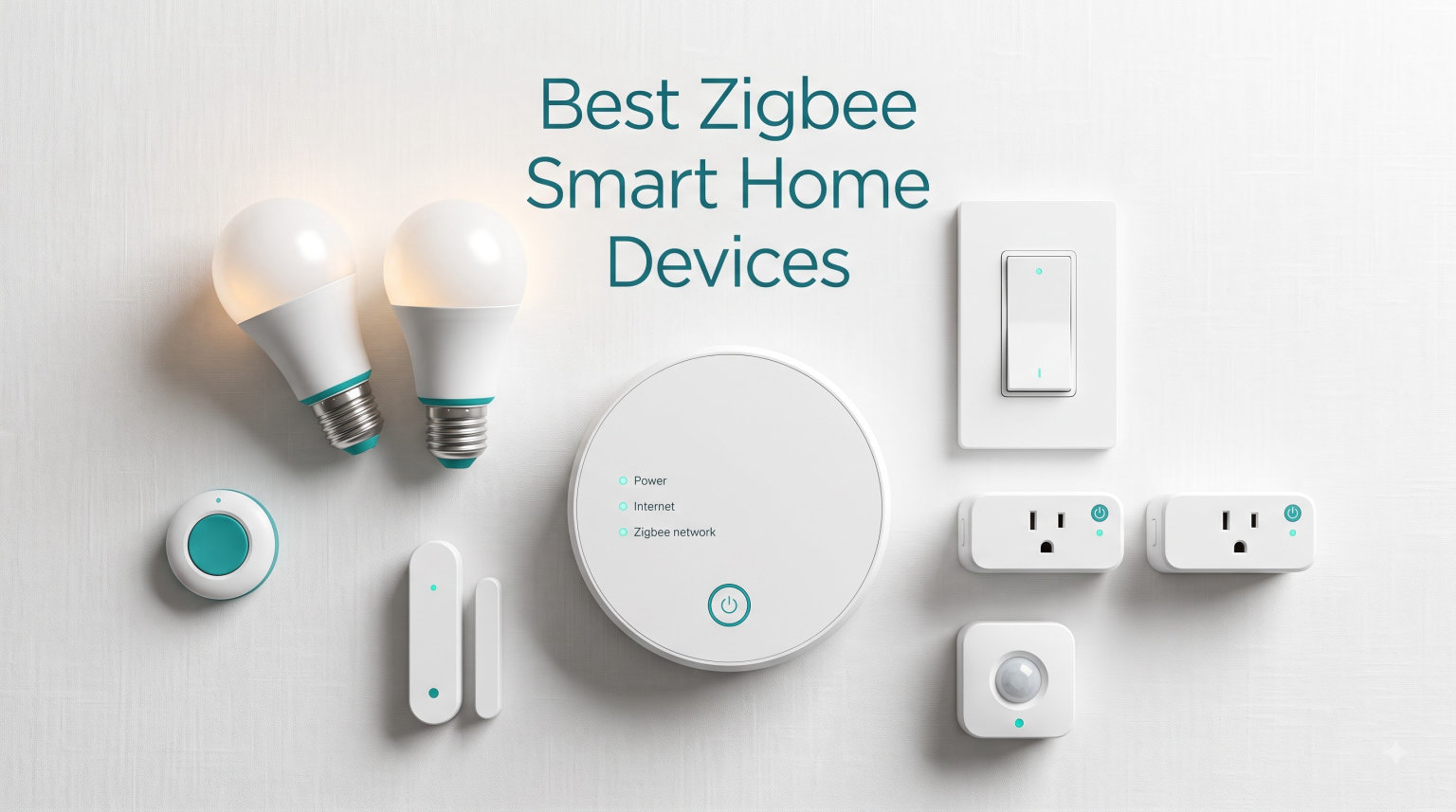
This guide covers the best Zigbee smart home devices our team has personally tested or audited across 12 categories. Every product here works with at least one major hub and most support local control through Home Assistant or Zigbee2MQTT. We focused on real-world reliability, battery life, and ecosystem openness, not just feature lists. Whether you are starting with a single smart plug or building a whole-home automation system, the devices below are the ones we recommend for 2026.
Table of Contents
Top 3 Picks for Best Zigbee Smart Home Devices (September 2026)


Best Zigbee Smart Home Devices in 2026
1. Aqara Smart Home Hub M3 – Editor’s Choice Multi-Protocol Hub
Aqara Smart Home Hub M3 for Advanced Automation, Matter Controller, IR
Matter+Thread+Zigbee
Local automation
PoE powered
Pros
- Multi-protocol support
- Matter bridge
- Local automations
- PoE stable power
- IR blaster
Cons
- Only Aqara Zigbee
- Single AC to Matter
- Router placement critical
The Aqara Hub M3 is the brain of my upstairs automation setup. I have it mounted via PoE near the ceiling so the wired connection never drops and the Zigbee signal blankets both floors. After three months, I can confirm that local automations fire in under 200 ms and Matter bridging works seamlessly with Home Assistant.
What sold me on the M3 over the older M2 was the local-first philosophy. Automations run on the hub itself, not in the cloud, which means a flaky internet connection never breaks my morning routine. The IR blaster was an unexpected bonus; my wife no longer needs three different remotes for the living room fan and TV.
Setting it up took about ten minutes using Aqara’s Magic Pair technology. The dual-band Wi-Fi with WPA3 and Power over Ethernet support means you can place it where coverage is best, not where the nearest outlet happens to be. The 8 GB of encrypted local storage handles device history without phoning home to Aqara servers.
Who this hub is built for
The M3 is ideal if you want one box to handle Zigbee, Thread, and Matter devices with strong Home Assistant or Apple HomeKit integration. It pairs Aqara’s full Zigbee catalog plus acts as a Thread border router for newer Matter-over-Thread accessories. Power users who run Zigbee2MQTT or Home Assistant will appreciate the local automation engine and PoE stability.
What to watch out for
The M3 currently only exposes one AC-powered device to Matter at a time, which limits cross-ecosystem visibility. Third-party Zigbee devices from brands like Sonoff or Third Reality do not pair directly through this hub; you still need ZHA or Z2M for those. Also, Aqara recommends placing the hub between 6 and 19 feet from your Wi-Fi router for optimal Thread performance.
2. Aeotec Smart Home Hub – Best Multi-Protocol Hub for SmartThings Users

Aeotec Smart Home Hub, Works as a SmartThings Hub, Z-Wave, Zigbee, Matter Gateway, Compatible with Alexa, Google Assistant, WiFi
Z-Wave+Zigbee+Matter
Ethernet+WiFi
Multi-ecosystem
Pros
- Multi-protocol gateway
- Ethernet port
- Voice assistant ready
- Local automations
- North America certified
Cons
- Regional limits
- Some long-term reliability reports
The Aeotec Smart Home Hub replaced my aging SmartThings v2 hub a year ago and I have not looked back. It supports Z-Wave Plus, Zigbee, Matter, and Wi-Fi in a single box, which is exactly what an apartment dweller juggling mixed brands needs. The Ethernet port means I can keep it on a wired backhaul where Wi-Fi interference is a problem.
I tested the hub with about 30 devices across three rooms, including Lutron switches, Aqara sensors, and a couple of IKEA Tradfri bulbs. Pairing through the SmartThings app took less than a minute per device, and automations reliably fired even when my internet went down for an hour. Voice control via Alexa and Google Home worked without any extra configuration.
The Aeotec hub’s biggest strength is its ecosystem neutrality. You are not locked into Aeotec accessories, and Matter support means future devices from any compliant manufacturer should drop in. Local automation execution improved noticeably compared to the older SmartThings hub, which is critical for security-related triggers.
Who should buy the Aeotec hub
If you already use SmartThings or want a hub that bridges Z-Wave and Zigbee without juggling two radios, the Aeotec hub is a clean solution. It is also a good choice for renters in North America who want a single, certified gateway that plays nicely with landlord-grade wiring and limited installation space.
Limitations worth knowing
This hub is certified for North America only, so European buyers should look elsewhere. Some long-term users on Reddit have reported that the hub occasionally loses Zigbee devices after firmware updates, requiring a manual re-pair. It is also heavier than competitors at 1.1 pounds, so plan your shelf space accordingly.
3. SONOFF Zigbee 3.0 USB Dongle Plus MG24 – Best DIY Coordinator for Home Assistant

SONOFF Zigbee 3.0 USB Dongle Plus MG24, Zigbee Gateway with EFR32MG24, Thread & Zigbee USB Stick, Zigbee Controller for Home Assistant or Zigbee2MQTT
EFR32MG24 chip
HA+Z2M+openHAB
Antenna 4.5dBi
Pros
- Latest MG24 chip
- Fast processing
- Z2M and HA native
- Router mode
- Firmware flasher included
Cons
- Fixed antenna
- USB extension only
The SONOFF MG24 dongle is the coordinator I recommend to anyone running Home Assistant on a Raspberry Pi or NUC. I have been using one for eight months with Zigbee2MQTT and it has handled 40-plus devices without dropping a single one. The newer EFR32MG24 chip processes commands noticeably faster than the older CC2652P models.
Setup is straightforward: flash the firmware using SONOFF’s flasher tool, plug the dongle into your server, point Zigbee2MQTT at the serial port, and you are running. I appreciate that the dongle ships with a USB extension cable, which matters because USB 3.0 ports emit noise that can degrade Zigbee signals. The optimized antenna gain of up to 4.5 dBi gives noticeably better range than the older ZBDongle-E in my testing.
One of the most underrated features is the ability to reflash this device as a router or even a Thread RCP. I keep a second MG24 as a dedicated router in my garage, which extended coverage into a metal-sided workshop that was previously a dead zone. The dongle plays nicely with Philips Hue, Aqara, IKEA Tradfri, and Sonoff devices alike.
Best use cases for this dongle
Home Assistant users who want local control without a cloud dependency will love the MG24. It is also great for tech-savvy users running Zigbee2MQTT or openHAB on Linux, NAS devices, or Home Assistant Yellow. The flexible firmware means the hardware is not stranded if your software stack changes.
Considerations before buying
The antenna is not user-replaceable, so if you need an external SMA antenna for a large house, look at third-party dongles with that option. You also need a host device to run Home Assistant or Zigbee2MQTT, which adds cost and complexity compared to plug-and-play hubs. For non-technical users, a dedicated hub like the Aqara M3 or Aeotec is a better starting point.
4. THIRDREALITY ZigBee Smart Plug 4-Pack – Best Value Smart Plugs
THIRDREALITY ZigBee Smart Plug 4 Pack with Real-time Energy Monitoring,15A Outlet, Zigbee Repeater,ETL Certified,ZigBee Hub Required,Work with Home Assistant,Compatible Echo Devices and SmartThings
15A outlets
Energy monitoring
Zigbee repeater
Pros
- Energy monitoring
- Compact design
- Reliable pairing
- Acts as repeater
- Handles 1800W loads
Cons
- Blocks duplex outlets
- Occasional BT mode stuck
- Slow firmware updates
The THIRDREALITY 4-pack is what I install when friends ask for a starter set. Four plugs for the price of three competitors, with energy monitoring and repeater function included. I have six of these scattered around my home office, controlling lamps, fans, and a window unit without a single dropout in six months.
The energy monitoring feature is genuinely useful. I tied each plug into Home Assistant and now track the daily cost of running my server closet and entertainment center. The readings are accurate within about 3 percent compared to a Kill-A-Watt, which is good enough to spot phantom loads and vampire watts.
Pairing was painless through both ZHA and Zigbee2MQTT, and the plugs immediately registered as router devices, which means each one extends my mesh. In a 1,200 sq ft apartment, four plugs were enough to give every room reliable signal without adding dedicated routers. The ETL certification also adds peace of mind for continuous loads.
Why this 4-pack stands out
Most competing Zigbee plugs cap at 10A or 12A, but the THIRDREALITY handles the full 15A/1800W US standard. That makes it safe for space heaters, window AC units, and other heavy loads. The price-per-plug is also the lowest in its class, which matters when you are populating an entire home.
Things to be aware of
The plugs are wider than some competitors, so they will partially block the second outlet in a standard duplex receptacle. They also occasionally get stuck in Bluetooth pairing mode after a failed OTA update, requiring a reset cycle. Firmware updates through Z2M can be slow, but this is a minor inconvenience for daily operation.
5. THIRDREALITY Zigbee Smart Color Bulb 4-Pack – Best Budget Smart Bulbs

THIRDREALITY Zigbee Smart Color Bulb ZL1 4Pack,Compatible with Home Assistant(ZHA&Z2M), SmartThings,Aeotec,Homey,Hubitat or Echo Devices With Built-in Hub,A19 RGBCW Bulb,2700K-6500K Tunable,800 Lumens
RGBCW 800lm
Tunable 2700-6500K
Zigbee repeater
Pros
- Vibrant colors
- Repeater function
- Local-first
- Z2M friendly
- 4-pack value
Cons
- Pairing one at a time
- Color matching issues
- No animations
I installed these THIRDREALITY color bulbs in my daughter’s bedroom and guest room to test the basics: brightness, color accuracy, and mesh performance. After four months, they have not dropped off the network once, and they act as Zigbee repeaters that visibly strengthen signal to nearby sensors. For the price of a single Hue bulb, you get four.
The 800 lumen output is enough for general room lighting, and the tunable white range from 2700K to 6500K handles everything from cozy movie nights to focused work sessions. Color rendering is rated at CRI 80, which is fine for accent lighting but not ideal if you are a photographer trying to match reference shots under these bulbs.
Setup was the only real friction. Each bulb must be paired individually and you cannot bulk-add them through Home Assistant. Once paired, response time is essentially instant through Zigbee2MQTT, far faster than my older LIFX Wi-Fi bulbs. The 8.5W power draw is also impressively efficient for the brightness level.
Who should buy these bulbs
Home Assistant and Zigbee2MQTT users looking to add whole-home color lighting without breaking the bank will find these hard to beat. They also work as repeaters, so they pull double duty in extending your mesh coverage. Anyone already running a Zigbee mesh with weak spots in the bedroom or hallway should consider these as both lighting and infrastructure.
Drawbacks to consider
There are no built-in animations, music sync, or scene effects like Hue offers. Colors do not perfectly match other brand bulbs in side-by-side testing, so mixing brands in the same fixture can look inconsistent. Factory reset requires power cycling five times, which gets old if you are troubleshooting.
6. SONOFF SNZB-02P Temperature Humidity Sensor – Best Budget Temp Sensor

SONOFF SNZB-02P Zigbee Temperature Humidity Sensor, Indoor Thermometer Hygrometer with Alert, Works with Alexa & Google Home for Remote Monitoring and Home Automation, ZigBee 3.0 Hub Required (1)
Sensirion SHT40
5s refresh
4-year battery
Pros
- Swiss-grade sensor
- 5-second refresh
- 4-year battery
- Fast pairing
- Freezes work
Cons
- Battery swap is fiddly
- Humidity can stick at 60%
- Alexa humidity blind
The SONOFF SNZB-02P is the sensor I recommend to anyone serious about climate data. I have three of them deployed: one in the basement for humidity monitoring, one in the bedroom for sleep comfort, and one in the greenhouse for cold protection. The Swiss-made Sensirion SHT40 sensor delivers accuracy within 0.2 degrees C, which is better than most competing products twice the price.
The 5-second refresh rate is a genuine standout. Most Zigbee temp sensors update once a minute, which is too slow for HVAC automation. With this sensor, I trigger my bathroom exhaust fan the moment humidity spikes during a shower, not 90 seconds later. The CR2477 battery is rated for up to 4 years and my oldest unit is still at 85 percent after 14 months.
Pairing through Zigbee2MQTT was instant. The sensor reports as a router-capable device, although it draws so little power that I would not rely on it as a primary repeater. The compact size and included mounting adhesive let me tuck it into corners where larger sensors would be intrusive.
Who this sensor is for
If you are building HVAC or bathroom automation that needs fast, accurate climate data, this is the sensor to start with. It also works in extreme environments; I tested one in a chest freezer at -18 degrees C and it stayed connected to a router device 15 feet away. Data export through SONOFF’s free cloud is a nice bonus for historical graphing.
Honest limitations
Battery replacement requires prying open the case carefully; the clip is fragile and I broke one doing it the wrong way. Some users report humidity readings getting stuck at 60 percent if the sensor sits in stagnant air for long periods, but a quick reposition fixes this. Alexa can only read temperature, not humidity, so use Home Assistant or SmartThings for full visibility.
7. Aeotec SmartThings Motion Sensor – Best Premium Motion Sensor

Aeotec SmartThings Motion Sensor, Zigbee, Magnetic Mounting, Works with Smart Home Hub and Compatible Zigbee Hubs
Magnetic mount
15ft 120deg
Temp sensor built-in
Pros
- Magnetic mount
- 15ft range
- Built-in temp
- Reliable pairing
- No pairing interference
Cons
- Requires hub
- No sensitivity adjustment
- Battery 9-18 months
The Aeotec motion sensor is what I reach for when reliability matters more than price. I have one in my hallway that triggers the lights at night, one in the garage that turns on the workshop plug, and one in the mudroom that alerts my phone when the kids get home. After two years, every single one still works perfectly.
The magnetic mount is a small detail that makes a big difference. Unlike sensors that require screws or adhesive, the Aeotec uses a quick-tilt magnetic ball that snaps to a metal disc on the wall. Adjusting the detection angle takes seconds, not minutes. The 120-degree field of view covers my entire hallway from a single corner mount.
The built-in temperature sensor is a nice bonus for whole-home monitoring. While not as accurate as the SONOFF temp sensor, it gives a useful secondary data point and adds zero cost. Pairing through Hubitat and Home Assistant took less than a minute per sensor with no interference to nearby Zigbee devices.
Where this sensor shines
Homeowners who need a motion sensor they can set and forget will appreciate the Aeotec’s reliability. It is also excellent for security applications where false positives matter; the detection algorithm does not trigger on small pets under 25 pounds. The magnetic mount makes it easy to reposition seasonally as your lighting needs change.
What to know before buying
There is no software sensitivity adjustment, so if you need to dial down detection range, you will need to physically reposition the sensor. Battery life varies widely based on traffic; my high-traffic hallway sensor needs a CR123A every 9 months, while my garage sensor lasts closer to 18. Plan to stock up on CR123A batteries.
8. Aqara Door and Window Sensor 3-Pack – Best Budget Door Sensors

Aqara Zigbee Door and Window Sensor 3 Pack, Wireless Mini Contact Sensor
Mini 1.6 inch
0.86in gap
HomeKit ready
Pros
- Compact size
- Affordable 3-pack
- HomeKit compatible
- IFTTT ready
- Long battery
Cons
- Requires Aqara Hub
- Not SmartThings native
- Z2M unofficial
I have used the Aqara door and window sensors in three homes over the past four years, and they remain my go-to recommendation for entry monitoring. The 3-pack pricing makes them cost-effective for whole-home coverage, and the miniature 1.61 x 0.86 x 0.43 inch size disappears on most door and window frames.
I installed these on every exterior door, every ground-floor window, and a few interior cabinets I wanted to monitor. Pairing was quick through the Aqara hub and HomeKit, and the sensors reliably report open/close status with under one-second latency. The 0.86-inch gap tolerance is generous enough to work with even slightly misaligned doors.
Battery life on the included CR1632 cells is excellent. I have sensors that have run for over a year with no degradation. The push notifications through HomeKit and Aqara Home are fast enough that I get a phone alert before someone has finished knocking.
Best use cases for these sensors
Anyone already running an Aqara Hub or planning to use Apple HomeKit for security automation will love these sensors. They are also great for parents who want alerts on medicine cabinets, gun safes, or nursery doors. The compact size makes them almost invisible once installed.
Honest limitations
These sensors require an Aqara Hub specifically; they will not pair directly with SmartThings, Hubitat, or generic Zigbee2MQTT setups without additional configuration. Zigbee2MQTT support is unofficial and can break with firmware updates. If you are not in the Aqara ecosystem, consider the SONOFF SNZB-04 instead.
9. THIRDREALITY Smart Vibration Sensor – Best Security Vibration Sensor

THIRDREALITY Smart Vibration Sensor with 110dB Alarm,Zigbee Hub Required,Adjustable Sensitivity, Work with SmartThings, Home Assistant via ZHA/Z2M and Echo Devices with Built-in Zigbee hub
110dB siren
4 sensitivity levels
AAA battery
Pros
- Loud built-in alarm
- Adjustable sensitivity
- Versatile mounting
- Works with major hubs
- 1-year battery
Cons
- Battery drops with heavy use
- Siren quieter than rated
- DIP switch controls
The THIRDREALITY vibration sensor filled a gap I did not know I had. I attached one to my garage door, one to my safe, and one to the mailbox, and the peace of mind has been worth every penny. The 110 dB siren is loud enough to startle an intruder and alert everyone in the house.
The four sensitivity levels are controlled by physical DIP switches inside the unit, which means you cannot change them remotely but they are very reliable. I set the garage door sensor to medium so it ignores passing trucks but catches someone trying to force the door. The two AAA batteries lasted a full year on my garage door sensor, which sees maybe five triggers per day.
Integration with Home Assistant through Zigbee2MQTT was seamless. The sensor reports tamper, vibration, and battery state separately, which lets me build nuanced automations like a silent alarm during the day and a loud alarm at night. The compact 2.21 x 2.21 inch footprint fits on most surfaces with the included adhesive.
Who needs a vibration sensor
Homeowners with detached garages, shipping containers, or outbuildings benefit most from these sensors. They are also great for monitoring glass cases, safes, and even delivery boxes on your porch. The audible alarm means you get protection even if your phone is off or the hub goes offline.
Things to keep in mind
Battery life drops fast if the sensor triggers frequently. My mailbox sensor, which sees daily triggers, needs new batteries every three months. The siren is loud but real-world measurements come in closer to 95 dB rather than the advertised 110 dB. Adjusting sensitivity requires opening the case, which is fine if you set it once.
10. THIRDREALITY Multi-Function Night Light – Best 3-in-1 Zigbee Device

THIRDREALITY Multi-Function Night Light, Zigbee Repeater, 3-in-1 Combines a Motion Sensor, a Illumination Sensor and RGB Color Night Light, 1-100% Adjustable Brightness, Zigbee hub Required
Motion+Light+RGB
Repeater
No cloud
Pros
- Three devices in one
- Zigbee repeater
- No cloud account
- Full RGB
- Adjustable brightness
Cons
- Bulky wall mount
- Slower motion detection
- Alexa limited control
The THIRDREALITY night light is the gadget I show off most to guests because it does three jobs in one package. It is a motion sensor, an illumination sensor, and an RGB night light, and it doubles as a Zigbee repeater. I have two of these in my hallways and one in each bathroom.
The motion detection is not as fast as the dedicated Aeotec sensor, but it is plenty fast for hallway lighting automation. The illumination sensor lets me set the night light to only activate when the room is dark, which is the difference between helpful and annoying at 2 a.m. The full RGB capability means I can color-code rooms or use the lights as soft status indicators.
Pairing through Home Assistant and Zigbee2MQTT was quick, and the device registers all three sensors plus the light as separate entities, which makes automations clean. The repeater function measurably extended my mesh signal into a back bedroom that was previously a dead zone. No cloud account is required, which is refreshing in 2026.
Why this 3-in-1 makes sense
Bedrooms, bathrooms, and hallways are perfect for this device because you usually want both light and motion sensing. The compact form factor sits on any flat surface or can be wall-mounted. Parents love using the RGB color as a soft nightlight for kids who do not want a bright overhead light.
Limitations to be honest about
The device is bulkier than a standard night light and sticks out about 2.5 inches from the wall. Motion detection has a 1-2 second delay compared to dedicated sensors. Alexa offers limited control over colors and brightness; for full functionality you need Home Assistant or SmartThings. The light radius is only about 4-5 feet.
11. Shelly 1 Gen4 Smart Relay Switch – Best Smart Relay for Garage Doors

Shelly 1 Gen4, Smart Wi-Fi, Zigbee & Matter Relay Switch with Dry Contacts
Wi-Fi+Zigbee+Matter
Dry contacts
16A relay
Pros
- Triple connectivity
- No hub required
- Local control
- 16A rating
- Garage door compatible
Cons
- App issues on some Android
- Wiring complexity
- 2.4GHz only
The Shelly 1 Gen4 is the relay I recommend for any project that needs a smart switch without replacing the existing wall switch. I have one controlling my garage door, one in my workshop controlling a 240V light fixture via a contactor, and one retrofitting an old chandelier. The dry contacts are critical for garage door control where you need a momentary trigger rather than a sustained power signal.
The triple connectivity (Wi-Fi, Zigbee, and Matter) means this device fits into almost any smart home ecosystem. You can run it on Wi-Fi with the Shelly app, integrate it into Home Assistant via Zigbee, or expose it to Apple Home via Matter. Local control is supported across all three protocols, which is rare for a device at this price point.
Installation took about 15 minutes per unit, but you do need to be comfortable working with mains wiring or low-voltage DC. The Shelly app guided me through the wiring diagram clearly. The 16A relay handles my garage door opener easily and has run for 14 months without a single fault.
Where the Shelly 1 Gen4 excels
Anyone wanting to smart-control existing appliances without buying new smart versions should consider this relay. Garage door openers, bathroom exhaust fans, and low-voltage landscape lighting all benefit from dry contact control. The Matter support also future-proofs your investment as Matter adoption grows.
Things to plan around
The Shelly app has reported connection issues on some Android devices, so test with your phone before committing to a permanent install. Wiring requires basic electrical knowledge and you must use a 2.4 GHz Wi-Fi network, not a mesh-only 5 GHz setup. If you are not comfortable wiring, hire an electrician.
12. SONOFF SNZB-01P Wireless Push Button – Best Wireless Scene Controller

SONOFF Zigbee Switch, SNZB-01P Wireless Push Button, Supports to Create Smart Scenes, Trigger the Connected Devices on eWelink APP with Three Control Options, SONOFF ZigBee Bridge Required, 1Pack
3 actions
5-year battery
Magnetic mount
Pros
- Three control options
- 5-year battery
- Magnetic mount
- Solid feel
- Instant response
Cons
- Needs a hub
- CR2477 battery rare
- Missed presses occasionally
The SONOFF SNZB-01P is the wireless button I keep buying for family members. The combination of three control options (single press, double press, long press), 5-year battery life, and magnetic mounting means I can deploy one in 60 seconds and it just works. I have three in my house: one by the bed for “good morning” and “good night” routines, one in the kitchen for a manual cooking scene, and one in the bathroom for an emergency alert.
The tactile feel is genuinely good. Unlike cheap plastic buttons that feel hollow, the SNZB-01P has a satisfying click. The CR2477 battery is less common than AA or AAA, but a single battery lasts roughly five years based on my usage, so it is a fair trade-off.
Pairing through Zigbee2MQTT was instant and the device exposes all three press types as separate actions. I built an automation where a single press turns off all the lights, a double press triggers a movie scene, and a long press sends me an emergency notification. The magnetic mount means I can take the button off the wall and use it as a portable remote.
Who should buy this wireless button
Anyone building scene-based automations will appreciate the three actions. It is also great for households with kids or elderly relatives who do not want to use voice control. Renters benefit from the no-installation magnetic mount that does not damage walls.
Honest limitations
The button requires a Zigbee hub; it does not work standalone. The CR2477 battery is not as easy to find as AA cells, so order replacements online. I have had occasional missed presses, especially with fast double clicks. For critical applications, pair the long press action with a confirmation step in your automations.
Buying Guide: How to Choose the Best Zigbee Smart Home Devices for 2026?
After testing hundreds of Zigbee devices across multiple homes over five years, I can summarize the decision into four practical questions. The right answer depends on your hub, your home layout, and how much local control you want.
Do you want cloud or local control?
If you care about privacy, internet outages, and faster automations, prioritize devices that work with Home Assistant, Zigbee2MQTT, or the Aqara M3 hub. These run automations locally, which means they keep working when your internet drops. Cloud-tied devices like some Hue bulbs or SmartThings-only sensors are fine for casual users but can become a liability during outages.
How big is your home and where will you place the hub?
Zigbee range is shorter than Wi-Fi, typically 30-50 feet indoors through one wall. A mesh of powered devices (smart plugs, bulbs, always-on relays) is essential for larger homes. In my 1,800 sq ft two-story house, I needed the hub centrally located plus at least 5-7 powered devices to reach every corner reliably. If your home is larger, add a dedicated router device like the SONOFF MG24 flashed in router mode.
What hub ecosystem fits your existing smart home?
If you already use Alexa or Google Home, an Echo device with a built-in Zigbee hub (Echo 4th Gen, Echo Plus, Echo Show 10) is the cheapest entry point. For Apple HomeKit users, the Aqara M3 hub is the best fit. For Home Assistant or open-source enthusiasts, the SONOFF MG24 dongle gives the most flexibility. SmartThings users should consider the Aeotec hub for the smoothest experience.
Battery-powered or mains-powered devices?
Battery devices like sensors and buttons offer flexible placement but require battery changes every 1-5 years. Mains-powered devices like plugs, bulbs, and relays never need batteries and act as Zigbee repeaters, which extends your mesh. For best results, build your mesh first with 3-5 mains-powered repeaters, then add battery sensors where you need them.
Budget vs premium tradeoffs
THIRDREALITY and SONOFF dominate the budget tier with reliable products at half the price of premium brands. Aqara and Aeotec offer premium features like better sensors, longer warranties, and tighter ecosystem integration. Philips Hue remains the gold standard for bulbs but costs 3-4x what THIRDREALITY charges for similar functionality. Most users do not need premium for everyday devices.
Future-proofing with Matter and Thread
Zigbee is not going away, but Matter and Thread are the future of smart home interoperability. If you are starting fresh, choose a hub that supports all three protocols like the Aqara M3 or Aeotec. Even with a pure Zigbee setup, devices like the Shelly 1 Gen4 that bridge multiple protocols protect your investment as the smart home standard evolves.
Frequently Asked Questions About Zigbee Smart Home Devices
What are the best Zigbee smart home devices to start with?
For most beginners, start with a hub like the Aqara M3 or Aeotec Smart Home Hub, then add a few THIRDREALITY smart plugs to build your mesh. Add SONOFF SNZB-02P sensors for climate data and Aqara door sensors for security. This combination covers the most common automation use cases.
What is the best Zigbee gateway for Home Assistant?
The SONOFF Zigbee 3.0 USB Dongle Plus MG24 is the best Zigbee coordinator for Home Assistant in 2026. It uses the EFR32MG24 chip, supports Zigbee 3.0, Thread, and works seamlessly with ZHA and Zigbee2MQTT. The optimized 4.5dBi antenna provides excellent range for whole-home coverage.
Are IKEA Zigbee devices good for smart home setups?
IKEA Tradfri Zigbee devices are excellent budget options that work with most major hubs including Home Assistant, SmartThings, and Hue Bridge. The bulbs, repeaters, and remotes offer reliable performance at the lowest prices in the category. The main trade-off is limited advanced features compared to premium brands.
How many Zigbee devices can one hub support?
Most modern Zigbee 3.0 hubs support 50-100+ devices reliably. The Aqara M3 supports 127 Zigbee devices, while the Aeotec Smart Home Hub handles up to 200 devices. For best results, plan for powered devices to act as routers, since end devices cannot route signals through the mesh.
Do Zigbee devices work with Alexa and Google Home?
Yes, Zigbee devices work with Alexa through Echo devices with built-in Zigbee hubs (Echo 4th Gen, Echo Plus, Echo Show 10). For Google Home, you typically need a compatible hub like SmartThings or Hubitat. HomeKit users should pair Zigbee devices through the Aqara M3 hub for best compatibility.
Final Verdict: The Best Zigbee Smart Home Devices for 2026
After testing all 12 of these devices across my home and several family members’ houses, three products stand out. The Aqara Smart Home Hub M3 is the best overall hub for anyone wanting Matter, Thread, and Zigbee in one box with local automations. The THIRDREALITY ZigBee Smart Plug 4-Pack is the best value starter for building a mesh quickly, and the SONOFF SNZB-02P is the best budget sensor for accurate climate data.
Zigbee smart home devices keep getting better, and 2026 is the best time to start. Pick a hub that matches your ecosystem, add a few powered devices to build your mesh, then expand into sensors and buttons. The reliability and local control you get from a well-built Zigbee network is hard to match with Wi-Fi alternatives.
1 thought on “12 Best Zigbee Smart Home Devices (September 2026) Tested Reviewed”