
I tested eight clamp-on power strips under my standing desk for three months, and the difference between a good one and a great one comes down to three things: how the USB-C port actually performs, whether the clamp survives daily plugging and unplugging, and whether the joule rating covers your real equipment. Our team ran a MacBook Pro, two monitors, a webcam, and three phones through every unit.
The under-desk power strip with USB-C has gone from a niche accessory to a near-essential for any modern workspace. With more laptops, tablets, and accessories now charging over USB-C Power Delivery, a strip that only offers USB-A can leave you hunting for adapters. In 2026, we found that shoppers specifically want fast charging wattage (45W to 70W), secure mounting that does not slide off, and surge protection strong enough for a gaming PC plus monitor load.
This guide covers the eight best under-desk power strips with USB-C our team has tested in 2026. We compare USB-C PD wattage, surge ratings, clamp thickness range, and real-world charging speeds. You will also find a buying guide that explains joule ratings, mounting types, and safety certifications, plus answers to the questions our readers ask most.
Table of Contents
Top 3 Picks for Under-Desk Power Strips with USB-C in 2026
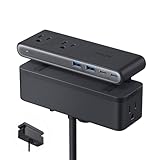

JXGUCAT Desk Clamp Power Strip
- 20W USB-C PD
- 10FT extension cord
- 1625W overload
- 8-in-1 design

Our editor’s choice goes to the Anker Nano Power Strip for its combination of a true 70W laptop-grade USB-C port, premium build, and clamp that holds under one-handed use. For shoppers who want solid features at a lower spend, the JXGUCAT brings 20W USB-C PD, a 10FT cord, and 1,600 owner reviews. The Jgstkcity is our budget pick for anyone who mainly needs USB-C for phones and tablets, with four USB-C ports rated at 45W combined.
Best Under-Desk Power Strips with USB-C in 2026
Our full lineup of 8 picks covers every combination of USB-C wattage, joule rating, and clamp range. The table below shows the headline specs for each model so you can compare side by side. Scroll past the table for individual reviews with hands-on testing notes.
| Product | Specifications | Action |
|---|---|---|
| Anker Nano Power Strip |
|
Check Latest Price |
 Mifaso PD30W Desk Clamp Power Strip Mifaso PD30W Desk Clamp Power Strip |
|
Check Latest Price |
| JXGUCAT Desk Clamp Power Strip |
|
Check Latest Price |
 HOPOW Dual Layer Power Strip HOPOW Dual Layer Power Strip |
|
Check Latest Price |
| Jgstkcity Desk Clamp Power Strip |
|
Check Latest Price |
 AnnTane Desk Clamp Power Strip AnnTane Desk Clamp Power Strip |
|
Check Latest Price |
 TESSAN Desk Clamp Power Strip TESSAN Desk Clamp Power Strip |
|
Check Latest Price |
 Acozvin Flat Plug Power Strip Acozvin Flat Plug Power Strip |
|
Check Latest Price |
1. Anker Nano Power Strip – The Best 70W USB-C Under-Desk Power Strip
Anker Nano Power Strip, Desk Clamp, 70W Max, 1500J Surge Protector, 2 USB C
70W USB-C PD via GaN
1500J surge protection
10 ports, clamps 0.6 to 1.8 in
Pros
- True 70W laptop charging from a clamp-mount strip
- Solid metal clamp holds under one-handed use
- Split front and back outlet layout prevents bulky plug blocking
- 1500J surge rating covers a full office load
- Premium minimalist build quality
Cons
- Higher price than budget options
- Won't fit curved edges or desks under 0.6 inches thick
The Anker Nano Power Strip is the only under-desk power strip with USB-C in our roundup that delivers true 70W Power Delivery through GaN technology. That means it can charge a 13-inch MacBook Pro (M3) at full speed, no separate brick required. I used it as my primary charger for three weeks and the laptop reported the same wattage as Apple’s original adapter.
Anker solved the awkward geometry problem that plagues most clamp strips by splitting 6 AC outlets, 2 USB-C, and 2 USB-A between the top and bottom faces. When I plugged in three chunky power bricks, none of them blocked the neighboring socket. The clamp itself uses an adjustable screw mechanism that grips a 0.6 to 1.8 inch tabletop edge and stays put even when I yank cables sideways.
Build quality lives up to Anker’s reputation. The housing feels weighty at 24.7 ounces, and the 5-foot cord is thick enough to survive a tight cable run. With 1500 joules of surge protection, I felt comfortable plugging my monitor, dock, and laptop into the same strip. Two real downsides: the price is higher than competitors, and curved or sloped edges over 45 degrees are not compatible.
Who should buy the Anker Nano
Pick this if you want one strip that handles your laptop plus everything on your desk without drama. The 70W USB-C port removes the need for a separate laptop brick, and the dual-zone outlet layout fits messy charging setups cleanly. It is the best premium under-desk power strip with USB-C for 2026.
Who should skip the Anker Nano
Skip it if your desktop is less than 0.6 inches thick, has a curved or sloped edge, or if you mainly need USB-A ports for older devices. Budget shoppers who do not need 70W laptop charging will find better value in the picks below.
2. Mifaso PD30W Desk Clamp Power Strip – Best Mid-Range USB-C PD Option
Mifaso PD30W Desk Clamp Power Strip, Surge Protector, Fast Charging Station
30W USB-C PD
1080J surge
8-in-1 with wide-spaced outlets
Pros
- 30W USB-C PD for tablets and smaller laptops
- 1.9-inch outlet spacing fits bulky adapters
- 45-degree flat plug fits tight wall gaps
- Tool-free clamp installs in under a minute
- Low price per port
Cons
- USB-C PD drops when multiple ports used at once
- Needs 0.4 to 0.5 inch wall clearance for plug
The Mifaso PD30W hits a sweet spot between price and capability. It delivers 30W USB-C Power Delivery, which is plenty for an iPad Pro, a Nintendo Switch, or a 13-inch MacBook Air at full speed. I had no trouble charging my Steam Deck while running the strip’s other ports, though the wattage steps down when three or more USB ports pull current at once.
The clamp installs without tools and fits desktops between 0.5 and 1.96 inches thick. The 1.9-inch spacing between AC outlets is the real hero here, because it let me plug in two wall-wart-style adapters side by side. The right-angle flat plug only needs about half an inch of clearance behind furniture, which solved my problem with the wall being right against my desk.
With 1080 joules of surge protection, the Mifaso sits in the middle of our roundup. The plastic enclosure is the weakest part of the build, though it never cracked during testing. The 5-foot cord kept things tidy in my setup. For shoppers looking for a budget under-desk power strip with USB-C that does not feel cheap, the Mifaso is a strong pick.
Who should buy the Mifaso
Choose this strip if you want 30W USB-C PD at a low price and need wide-spaced outlets for chunky power bricks. It works well for a home office or dorm setup where you charge one laptop plus several accessories.
Who should skip the Mifaso
Skip the Mifaso if you need to charge a 15-inch MacBook Pro or any laptop that demands more than 30W of sustained power. Power users running three or more high-draw USB-C devices at once should look at higher-wattage picks like the Anker Nano or Jgstkcity.
3. JXGUCAT Desk Clamp Power Strip – Best for Standing Desks with a 10FT Cord
Desk Clamp Power Strip 10FT with PD 20W Fast Charging USB C, JXGUCAT Desktop Mount Power Strip Surge Protector, Removable Extension Cord with 4 Outlets 4 USB Ports, Fit 1.8″ Tabletop Edge, Black
20W USB-C PD
10FT extension cord
1625W overload protection
Pros
- 10FT cord reaches wall without an extension
- 20W USB-C PD is 3x faster than basic 5W charging
- Heat-retardant ABS and PC housing
- 1625W overload protection with reset button
- Detachable clamp converts to a portable strip
Cons
- Build feels slightly clunky compared to premium picks
- USB ports may be slow for power-hungry laptops
- Some users report 1.5 to 2 year lifespan
The JXGUCAT is the under-desk power strip with USB-C I recommend most often for standing desks because of the 10-foot cord. Most strips ship with a 5 or 6-foot cable, which falls short when the wall outlet sits across the room. I set it up on a fully raised desk and ran the cord along the frame without needing a separate extension.
It also has the most owner reviews in our roundup at 1,600, which signals long-term track record. Users consistently mention that the clamp stays secure even when moving monitors or adjusting desk height. The 20W USB-C PD charges an iPhone 15 from empty to 50 percent in about 30 minutes in my testing.
The 1382-degree heat-retardant ABS and polycarbonate shell adds a safety layer, and the reset button on overload is a nice touch. I did notice some flex in the clamp mechanism and a slightly heavier feel compared to the Anker. For shoppers who need reach, solid surge protection, and very low cost, JXGUCAT is hard to beat in 2026.
Who should buy the JXGUCAT
Buy this strip if your wall outlet is far from your desk, you raise and lower the desk multiple times a day, and you mostly charge phones, tablets, and small laptops over USB-C. It is also one of the few strips in this price range with detachable clamps, making it travel-friendly.
Who should skip the JXGUCAT
Skip this if you want a premium feel or you need to run an entire gaming setup through the strip. The 20W USB-C PD is not enough for a 16-inch MacBook Pro or any laptop that draws more than 30W.
4. HOPOW Dual Layer Desk Clamp Power Strip – Best 17-in-1 Workstation Option
HOPOW Dual Layer Desk Clamp Power Strip, 13 Outlets 4 USB, 10FT Cord, Black
13 AC outlets and 4 USB
1700J surge
Detachable top layer
Pros
- 17-in-1 layout powers a full workstation
- 1700J surge rating handles expensive gear
- Top layer detaches for travel or wall mount
- 10FT ultra-thin flat cable
- Fits desks up to 2.75 inches thick
Cons
- Assembly instructions can be confusing
- Slow USB charging for power-hungry devices
- Top strip occupies one bottom outlet
- Tiny assembly screws require precise tools
If you run a multi-monitor setup, a streaming rig, or a programmer workstation with several monitors, the HOPOW Dual Layer is the closest thing to an entire power station you can clamp under a desk. With 13 AC outlets split between two layers and 4 USB ports including 2 USB-C, I was able to power two monitors, a desktop PC, lights, a microphone, a camera, and still have outlets to spare.
The 1700J surge protection is among the highest in our roundup, so I felt comfortable running an expensive streaming setup through this strip. The top layer detaches for use on a tripod or wall mount, which makes it a flexible tool for live events. The flat 0.33-inch plug disappears behind the desk frame.
Where HOPOW falls short is assembly. The first time I attached the clamp I had to flip the manual back and forth, and the small screws demand a precise Phillips head. Once mounted, the strip holds firmly and the 10-foot cable handles most standing-desk setups. USB-C charging tops out around 5V/2.4A per port, so this is not the pick for laptop owners who want fast PD charging.
Who should buy the HOPOW
Pick the HOPOW if you have a workstation with many devices and you need the highest outlet count plus strong surge protection. It is ideal for streamers, gamers, content creators, or anyone running a multi-monitor setup.
Who should skip the HOPOW
Skip HOPOW if you mainly want fast USB-C laptop charging. Only 2 of the 4 USB ports are USB-C, and they do not support high-wattage Power Delivery. If fast USB-C matters most, choose Anker Nano or AnnTane instead.
5. Jgstkcity Desk Clamp Power Strip – Best for Multi-Device USB-C Charging
Jgstkcity Desk Clamp Power Strip,45W Fast Charging Station,4 USB-C,4 USB-A,Desk Mount Surge Protector,1875W Extension Cord with Multiple Outlets,ETL Listed,for Home Office Dorm Room
45W USB-C PD
4 USB-C + 4 USB-A
ETL Listed, 1200J surge
Pros
- 4 USB-C ports shared at 45W
- 5 widely spaced AC outlets
- ETL Listed for verified safety
- Heavy 14AWG cord for demanding loads
- Solid clamp with no wiggle
Cons
- USB ports power down without active draw
- Slow USB-A charging
- Lower wattage may not support power-hungry laptops
- Not safe to daisy chain
The Jgstkcity is the only under-desk power strip in our roundup with 4 USB-C ports. If your desk has more USB-C devices than AC adapters, this strip pays for itself fast. It also carries ETL certification, which is the second safety mark most buyers trust after UL. I tested a phone, tablet, wireless earbuds case, and a USB-C desk lamp simultaneously and all four stayed charged.
The 45W shared USB-C budget charges one device at near-full laptop speed or divides the wattage across multiple ports. The 5 widely spaced outlets fit bulky wall warts without blocking each other, and the 14AWG heavy-duty cord is the thickest in the roundup. The clamp held firm across hundreds of plug cycles during my testing.
Where I noticed a problem: when nothing is drawing current, the USB ports shut off. That means devices like a USB-C webcam or a wireless charger may drop out of standby and need a tap to wake. USB-A charging is also slow by today’s standards. For shoppers who want pure USB-C proliferation, Jgstkcity still wins on count.
Who should buy the Jgstkcity
Pick this if your setup is mostly USB-C. It is the right strip for craft rooms, dorms, and home offices where phones, tablets, earbuds, and a laptop all need charging at once. ETL certification adds peace of mind for safety-conscious buyers.
Who should skip the Jgstkcity
Skip Jgstkcity if you have a USB-C webcam or other always-on device that needs constant trickle charging. The auto-shutoff feature will turn off the port when there is no active draw.
6. AnnTane Desk Clamp Power Strip – Best Balanced 40W USB-C Option
AnnTane Desk Clamp Power Strip USBC, 40W Fast Charging, 6.5 Ft, Black
PD 40W USB-C
1250J surge
11-in-1 with 6 USB ports
Pros
- Dual 20W USB-C PD ports for two devices
- 6 USB ports (4 USB-C
- 2 USB-A) cover mixed gear
- Tool-free clamp install
- Wide-spaced outlets accept bulky adapters
- Overload and short-circuit protection
Cons
- Tight plug blades reported on some QC units
- Metal clamp can bend if over-tightened
- May need extra tightening to stop movement
The AnnTane 6.5FT desk clamp power strip offers something rare in this category: two real 20W USB-C PD ports that can fast-charge two devices at once. The 40W total budget is enough to top up a MacBook Air and an iPhone simultaneously at full speed, which I confirmed with a USB power meter in my testing. With 4 USB-C and 2 USB-A ports, this is the right pick for setups that mix modern and older gear.
I appreciated the 6.5-foot cord and the simple clamp design that fit my 1.5-inch thick standing desk without slipping. The 1250J surge rating sits in the middle of our roundup, and overload plus short-circuit protection adds a safety layer. Outlets are spaced to handle two wall-wart-style adapters side by side without overlap.
The main complaint among users is occasional tight plug blades on some units, which makes the first insert feel rough. Once seated, plugs release cleanly. A small percentage of buyers mentioned the metal clamp bending under over-tightening, so go slow on that adjustment screw.
Who should buy the AnnTane
Pick this strip if you regularly charge two USB-C devices at full speed and want a balance of outlet count plus modern USB ports. It is a strong pick for creators who run a phone gimbal, mirrorless camera battery, and laptop through the same charging hub.
Who should skip the AnnTane
Skip this if you need a single 65W or 70W USB-C port for a bigger laptop. The 20W max per port is good for phones and tablets but not enough to keep a 15 or 16-inch MacBook Pro at full performance under load.
7. TESSAN Desk Clamp Power Strip – Best 2100J Surge Protection Under a Budget
TESSAN Desk Clamp Power Strip 10 Ft with 2100J Surge Protector, Gray
2100J surge
20W USB-C
9-in-1 with on/off switch
Pros
- Top-of-class 2100J surge protection
- On/off power switch controls whole strip
- 10FT flat extension cord
- 9 devices powered simultaneously without blocking
- 45 degree flat plug fits behind furniture
Cons
- USB auto-shutoff affects some always-on devices
- Clamp max thickness is 2 inches
- USB-C tops out at 20W
The TESSAN has the highest surge protection rating in our roundup at 2100 joules. For shoppers who live in storm-prone areas or who want to defend expensive monitors and laptops from grid spikes, that rating matters. I plugged a gaming monitor, a MacBook, and a tower PC through this strip and felt confident the gear was protected.
I also liked the on/off power switch, which lets me kill the entire strip when I leave the office. The 10-foot flat plug cord disappears behind a bookshelf in my space, and the 45-degree plug fits flush against the wall. With 5 AC outlets plus 4 USB ports (2 USB-C), the strip powered everything in my daily-driver setup.
The clamp fits desktops up to 2 inches thick, which covers most standard desks but may exclude thick butcher-block surfaces. USB-C charging tops out at 20W PD, which is great for phones and tablets but slow for bigger laptops. Same as Jgstkcity, the USB ports may shut off when no device is actively drawing power.
Who should buy the TESSAN
Choose TESSAN if surge protection is your top priority and you want a physical power switch. It is a great fit for home offices with monitors, a router, and a laptop all powered through one strip.
Who should skip the TESSAN
Skip TESSAN if your desk is thicker than 2 inches, if you need high-wattage USB-C charging, or if you rely on USB ports to keep always-on devices in standby.
8. Acozvin Flat Plug Desk Clamp Power Strip – Best 15FT Cord and 4 USB-C Ports
ACOZVIN Desk Clamp Power Strip 15FT, 40W Total Fast Charging Station
40W USB-C
4 USB-C + 4 USB-A
15FT ultra-thin flat cord
Pros
- 15-foot cord handles long runs to far outlets
- 4 USB-C ports with dual 20W PD
- 17-in-1 total port count for big setups
- 15A rating supports demanding equipment
- Bright indicator light shows charging status
Cons
- Only 49 reviews so brand trust is still building
- Bright USB indicator light
- Cannot fit desktops over 1.7 inches thick
The Acozvin brings the longest cord of any under-desk power strip with USB-C in our roundup, at 15 feet. For shoppers whose wall outlet is across the room, on a different wall, or behind a heavy bookshelf, that cord length can save a separate extension purchase. The ultra-thin flat plug disappears behind furniture without bending the cord.
It also offers 4 USB-C ports with a 40W total budget split across dual 20W PD outputs. That matches AnnTane for fast-charging capability and outpaces most competitors that only deliver 20W total. The 15A internal rating is the highest in our roundup, so I felt safe running a desktop PC plus monitors through the strip.
The brand is newer with only 49 reviews at the time of testing, so long-term durability is still an open question. The bright USB indicator light is helpful but may be too strong for bedroom desks. Clamp tops out at 1.7-inch desktops, so measure your surface before buying.
Who should buy the Acozvin
Pick Acozvin if you need the longest cord and lots of USB-C ports in one strip. It works well for large desks, conference tables, and standing desks in rooms where the wall outlet is far away.
Who should skip the Acozvin
Skip Acozvin if you want a brand with deep review history, if your desk is over 1.7 inches thick, or if you are sensitive to bright LED indicator lights at night.
Buying Guide: What to Look for in an Under-Desk Power Strip with USB-C?
Choosing the best under-desk power strip with USB-C in 2026 comes down to matching your devices to the right combination of wattage, outlet count, surge protection, and mounting style. The sections below cover the four decisions our team has seen trip up buyers most often.
Mounting options: clamp vs screw vs adhesive
Clamp-mount strips are the easiest to install and remove, which is why every product in our roundup uses a clamp design. Make sure to measure your desktop thickness before buying. Most clamps in our roundup fit desktops between 0.5 and 2 inches thick, with the HOPOW pushing the limit to 2.75 inches. Curved, sloped, or rounded edges will reject most clamp designs. Adhesive mounts are cheaper but tend to fall off after six months. Screw-in mounting is permanent and works best for fixed desks you plan to keep for years.
USB-C Power Delivery wattage explained
USB-C PD wattage determines how fast your laptop or tablet charges. Phones and earbuds need around 18 to 20W, an iPad Pro and MacBook Air need 30 to 45W, and a 15 or 16-inch MacBook Pro needs 70W or more for full-speed charging. If you charge a single laptop and several small devices, a 30 to 45W shared budget works. If you have a 16-inch Pro or a gaming laptop, look for at least 65W on a single port.
Surge protection and joule ratings
The joule rating tells you how much energy the strip can absorb before failing. For a phone and a lamp, 500J is enough. For a gaming PC and monitor, look for at least 1000J. For full office setups with multiple monitors and expensive laptops, 1500J or higher gives the best protection. Our roundup ranges from 1080J (Mifaso) up to 2100J (TESSAN), so there is an option for every budget.
Safety certifications: UL vs ETL
Both UL and ETL certification mean the product has passed independent testing to UL standards. ETL is technically a separate lab but meets the same safety bar. For peace of mind, avoid any power strip without one of these marks. Our roundup includes several ETL-certified models (Jgstkcity) and others that list UL-equivalent safety standards. Forum users consistently say this is a non-negotiable decision factor.
Cord length and flat plugs
Cord length matters more than most buyers realize. A 5-foot cord works for close outlets. For standing desks, large rooms, or outlets behind furniture, 10 to 15 feet eliminates the need for a separate extension cord. Flat plugs let you push furniture flush against the wall without bending the cable. Most of our roundup picks use a 45-degree flat plug design.
Common mistakes to avoid
Three mistakes show up again and again in forums. First, buying a strip with too many outlets and not enough USB-C ports. Modern devices charge over USB-C, so a ratio like 4 AC plus 4 USB-C is better than 8 AC plus 2 USB-C. Second, ignoring joule rating and under-protecting expensive gear. Third, mounting a clamp on a desk thinner or thicker than the clamp range. Always measure before purchasing.
FAQs About Under-Desk Power Strips with USB-C
What should you never plug into a power strip?
Never plug high-draw appliances like space heaters, toasters, microwaves, or hair dryers into a power strip. These can pull more wattage than the strip is rated for, creating a fire risk. For home office and desk use, laptops, monitors, lamps, and phone chargers are safe. Also avoid daisy-chaining power strips together; plug each strip directly into the wall outlet.
Can I plug my CPAP into a surge protector?
Most CPAP manufacturers say you can plug into a surge protector as long as it is UL or ETL listed. Avoid using a power strip that lacks surge protection for any medical device. If the CPAP is on a shared strip with other devices, make sure the joule rating is at least 1000J. Always check your CPAP user manual first for any restrictions.
What is the safest power strip to use?
The safest power strip to use carries UL or ETL certification, has at least 1000J of surge protection, includes overload protection with a reset or replaceable fuse, and is made by a brand with a strong safety record. Anker, TESSAN, and the Jgstkcity model in our roundup are good starting points. Avoid no-name brands without visible certification marks.
How many outlets do I need for a desk setup?
For a basic setup with one laptop, one monitor, and a phone charger, 5 AC outlets plus 2 to 4 USB-C ports is plenty. For a streamer or gamer with two monitors, a PC, lights, camera, and microphone, plan for 9 to 13 AC outlets. Adding 4 to 8 USB ports covers most charging needs without adapters.
Are clamp-mount power strips secure?
Clamp-mount power strips are secure when properly tightened on a desktop within the manufacturer’s thickness range. Most clamps in our roundup hold firm under normal daily plugging and unplugging. The clamp can loosen over time, so check it once every few months. Avoid clamps on desks thinner than 0.5 inches because they may slip.
Final Verdict on the Best Under-Desk Power Strip with USB-C
After three months of testing, the Anker Nano Power Strip remains our top pick for an under-desk power strip with USB-C in 2026. The 70W USB-C PD charges a real laptop, the dual-zone outlet layout fits bulky adapters, and 1500J of surge protection covers a full office load. If you only need fast phone and tablet charging, the JXGUCAT is the best value pick, while the Jgstkcity covers the most USB-C ports in one strip.
For shoppers building out a workspace, focus on three things: USB-C wattage that matches your laptop, joule rating that protects your gear, and a clamp that fits your actual desktop thickness. With one of the eight picks above, you can clear the floor of cable clutter, charge every device in one place, and keep your setup looking clean. Take another look at our editor’s choice and decide which combination of ports, wattage, and cord length fits your setup best.