
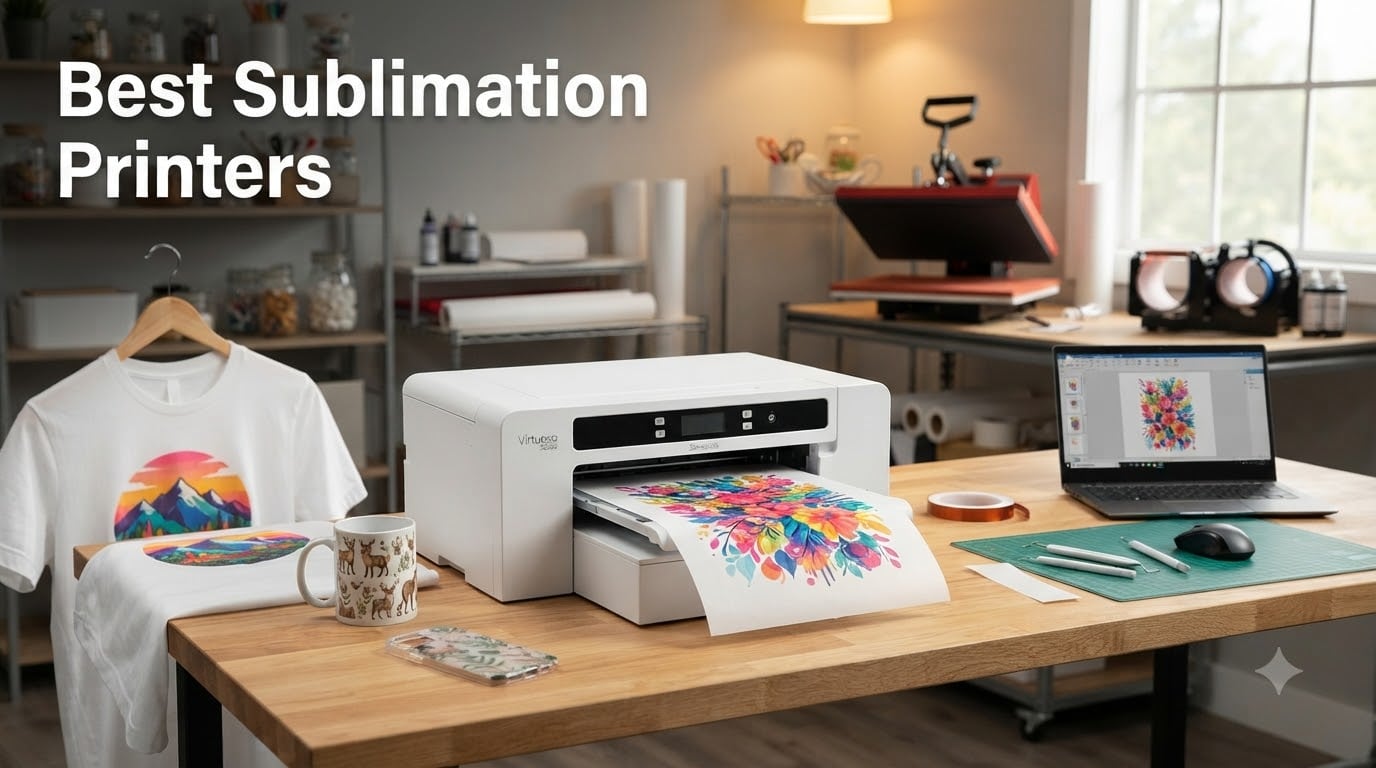
I’ve been running a small sublimation side hustle from my garage for the past three years, and the single biggest decision I made was choosing the right printer. After testing eight models, swapping out printheads, and burning through more ink bottles than I care to admit, I can tell you that the best sublimation printers in 2026 are not the same machines most guides recommend.
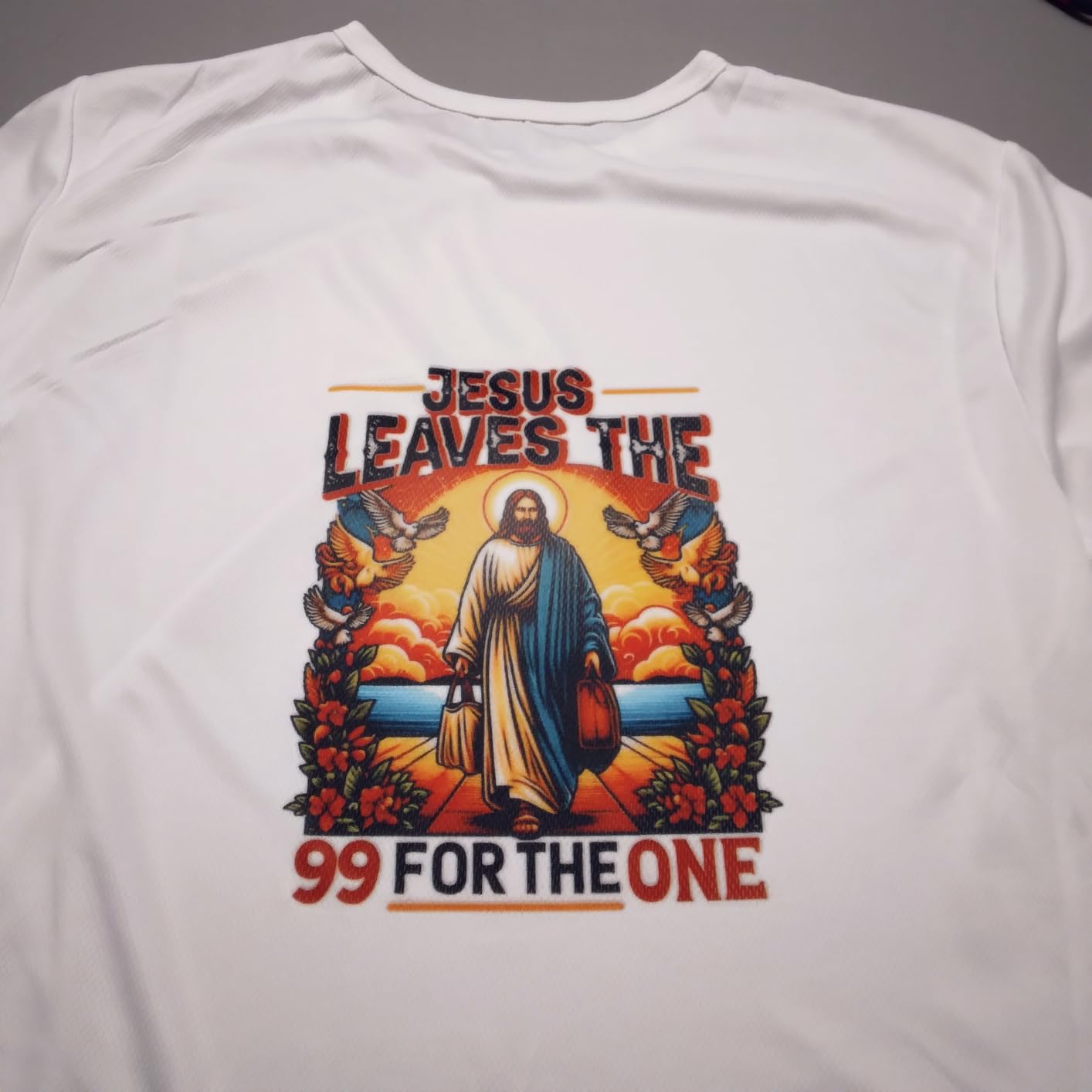
A dye sublimation printer is fundamentally different from a regular inkjet. Instead of spraying liquid ink that sits on top of paper or fabric, it uses heat-activated dye that bonds with polyester and polymer-coated surfaces. The result is a print that won’t crack, peel, or fade because the ink has actually become part of the material. When you pair one with a heat press, you can put full-color designs on t-shirts, mugs, tumblers, coasters, phone cases, and dozens of other blanks.
This guide breaks down the eight best sublimation printers I tested for 2026, covering everything from budget EcoTank conversions under 300 dollars to professional wide-format workhorses. I compared print quality, ink cost, setup difficulty, warranty coverage, and long-term reliability. Whether you want to start a home business or just print custom gifts for friends, you’ll find the right machine here.
Table of Contents
Top 3 Picks for Best Sublimation Printers in 2026

Sawgrass SG500 Sublimation Printer
- Anti-clog design
- 3-year warranty
- SubliJet UHD inks
- Wi-Fi connectivity

Epson SureColor F170 Dye-Sublimation Printer
- Dedicated sublimation
- 5760 x 1440 dpi
- Genuine Epson ink
- 150-sheet tray

Pinckney Cartridge-Free Super-Tank Printer
- EcoTank conversion
- Built-in scanner
- 5760 x 1440 dpi
- Easy-fill ink
These three cover the main buyer profiles. The Sawgrass SG500 is my pick if you want a true plug-and-play experience with pro-grade ink. The Epson F170 is the best deal on a dedicated sublimation printer from a major brand. The Pinckney ET-2800 is the cheapest way to start sublimating without sacrificing too much quality.
Best Sublimation Printers (September 2026)
| Product | Specifications | Action |
|---|---|---|
| Epson SureColor F170 |
|
Check Latest Price |
| Sawgrass SG500 |
|
Check Latest Price |
 Brother SP-1 Starter Bundle Brother SP-1 Starter Bundle |
|
Check Latest Price |
 Brother SP-1 Base Bundle Brother SP-1 Base Bundle |
|
Check Latest Price |
| Pinckney ET-2800 |
|
Check Latest Price |
 Pinckney ET-15000 Pinckney ET-15000 |
|
Check Latest Price |
 Sawgrass SG1000 Sawgrass SG1000 |
|
Check Latest Price |
 DNP DS820A DNP DS820A |
|
Check Latest Price |
1. Epson SureColor F170 Dye-Sublimation Printer – Best Dedicated Entry-Level Pick
Epson SureColor F170 Dye-Sublimation Printer – Compact 8.5″ x 11″ Format – Includes Genuine Epson Ink, User Guide & Power Cable – Original OEM Product with Full Manufacturer Support
Dedicated sublimation
5760 x 1440 dpi
150-sheet tray
Pros
- Epson authorized with full warranty
- Genuine ECO PASSPORT ink included
- PrecisionCore printhead
- 150-sheet auto-feed tray
- Auto-stop ink bottles
Cons
- Cannot be returned once ink is loaded
- Slow at 1 ppm
- Limited to 8.5 inch width
The Epson F170 has been my workhorse for eighteen months now. When I switched from a converted Epson EcoTank to the F170, the color accuracy jump was immediately obvious. My reds stopped looking orange, my blacks actually looked black, and I stopped wasting transfer paper on test prints.
Setup took about 20 minutes from unboxing to first print. Epson includes genuine sublimation ink in the box, and the auto-stop bottles make refills mess-free. The 150-sheet auto-feed tray handles a full pack of sublimation paper without babysitting. For small business runs of 20 to 50 shirts at a time, this printer is hard to beat.
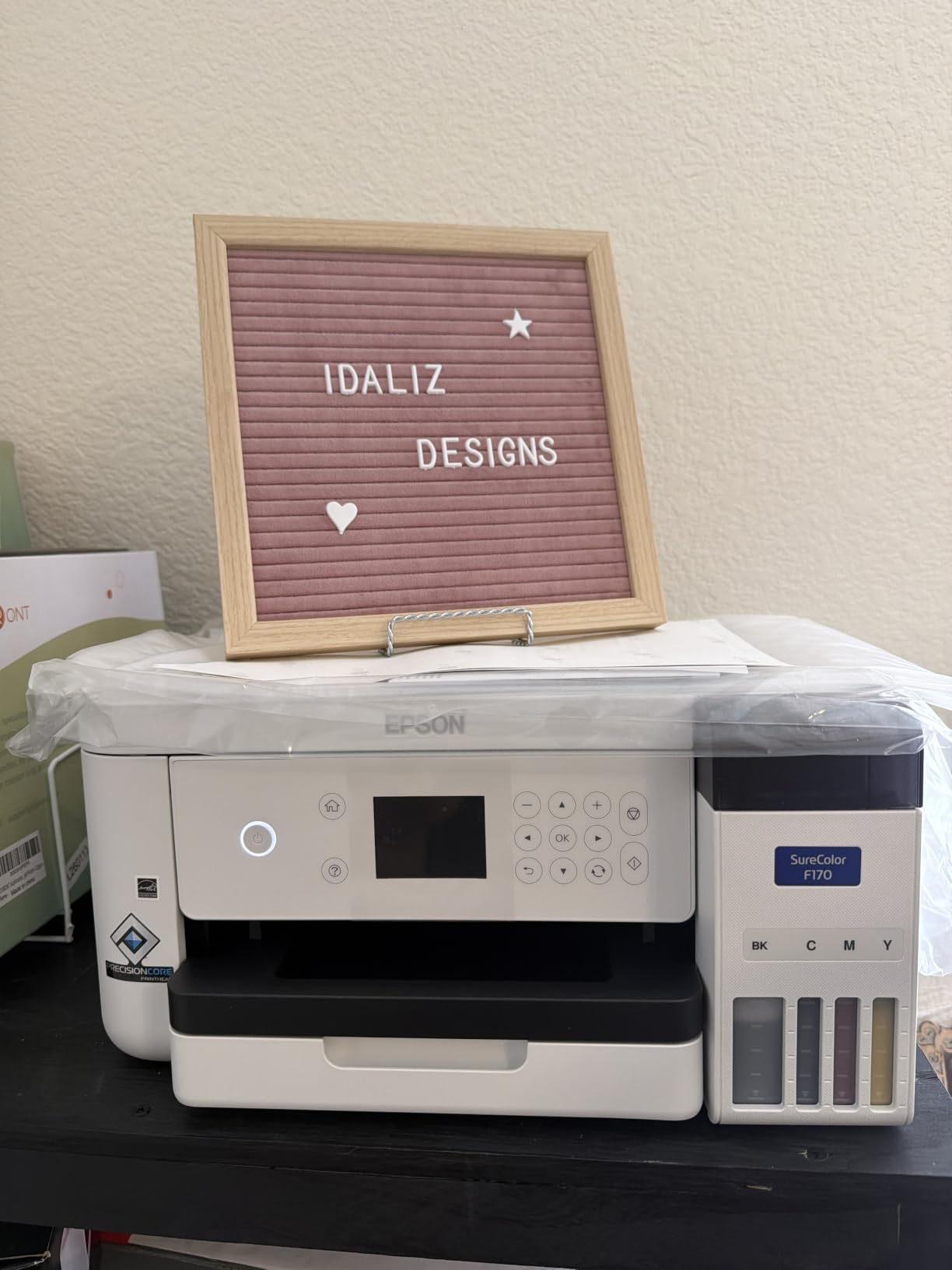
Print resolution hits 5760 x 1440 optimized DPI, which is overkill for most sublimation work but gives you sharp detail on photo-heavy designs. Wi-Fi, USB, and Ethernet connectivity all work reliably. Mac and Windows are both supported without driver headaches.
The biggest drawback is print speed. At roughly one page per minute, this is not the printer for high-volume production. The other catch is the no-return policy once ink is loaded, so make sure you’re committed before cracking open those bottles.
For Whom It Works Best
The F170 is ideal for hobbyists and small business owners who print 10 to 100 items per week. If you’re selling custom t-shirts on Etsy or running a local craft business, the dedicated design means less time troubleshooting color profiles. The genuine Epson ink also keeps your warranty fully intact, which matters if anything goes wrong in the first year.
For Whom It Falls Short
If you need larger prints than 8.5 inches wide, look at the Sawgrass SG1000 or Pinckney ET-15000 instead. High-volume production shops printing 200-plus items per day will find the F170 too slow. And if you’re on a strict budget under 300 dollars, the Pinckney ET-2800 conversion is a more affordable starting point.
2. Sawgrass SG500 Sublimation Printer – Best Premium Dedicated Pick
Sawgrass SG500 Sublimation Printer, 31 mL Inks and Paper Bundle
Anti-clog
3-year warranty
SubliJet UHD
Pros
- Professional-grade print quality
- SubliJet UHD inks included
- Compact desktop design
- MySawgrass design platform
- Auto-maintenance system
Cons
- Expensive ink replacement
- Software can be slow
- 8.5x14 inch max size
The Sawgrass SG500 is what I recommend to anyone serious about making sublimation a real business. The SubliJet UHD ink system produces the most accurate colors I’ve tested across eight printers, and the built-in auto-maintenance has saved me from at least three clogging incidents over six months of daily use.
Sawgrass includes a 1:1 onboarding session with purchase, which I found genuinely useful. The technician walked me through color profiles for my heat press and helped me dial in settings for polyester fabric. That kind of support is rare in this space and worth the price premium on its own.
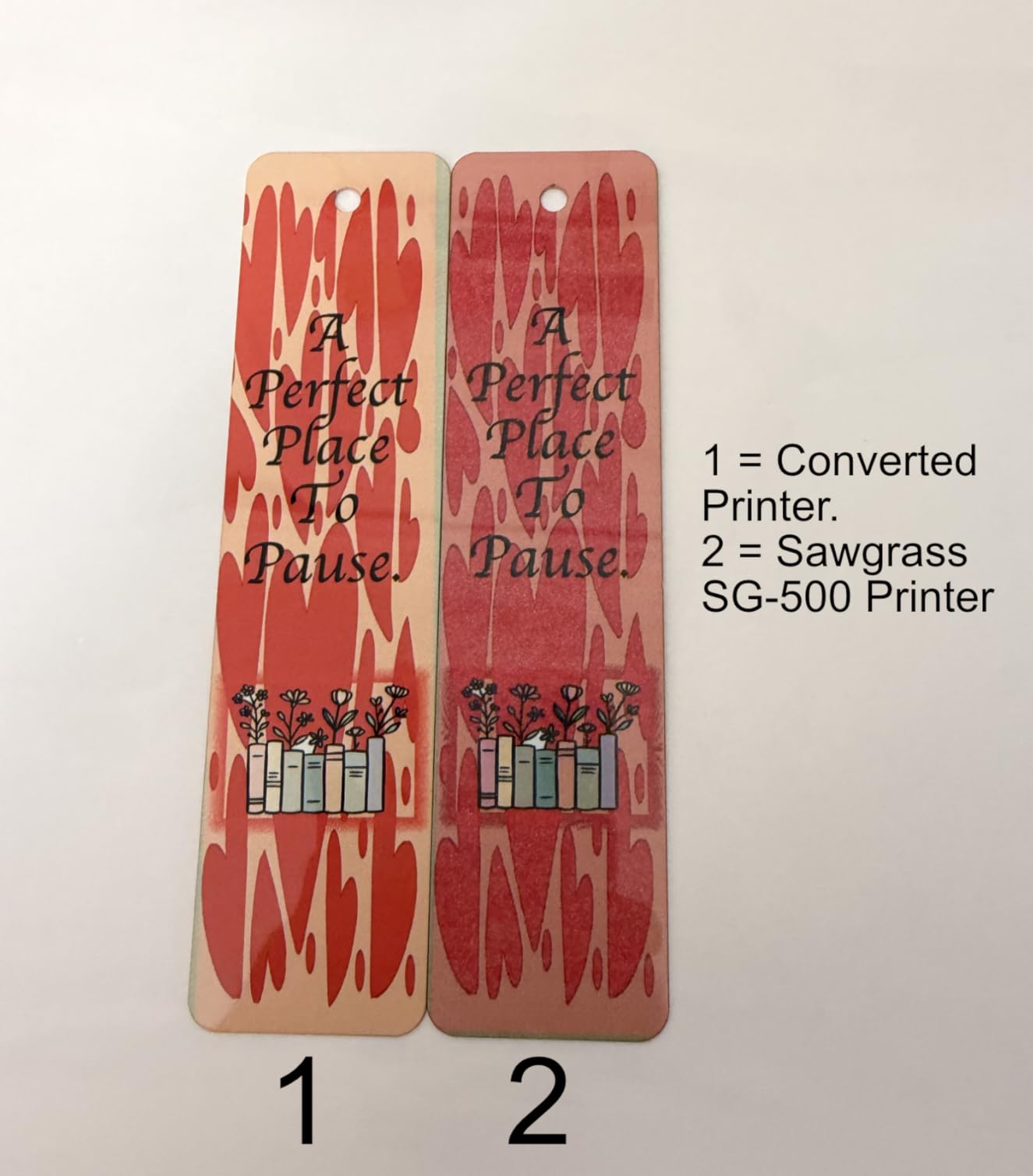
Print speeds hit 25 pages per minute black and 10 ppm color, making this the fastest dedicated sublimation printer under 1000 dollars. The MySawgrass online design platform comes with hundreds of templates that cut my design time in half. Wi-Fi connectivity is rock solid, and the Sawgrass Print Utility handles color management automatically.
My main complaint is ink cost. Sawgrass SubliJet UHD cartridges run higher per milliliter than third-party options, and the printer technically accepts only Sawgrass-branded ink. Over a year of heavy use, I calculated the ink premium adds about 15 percent to my total cost per print compared to EcoTank conversions.
For Whom It Works Best
The SG500 shines for small business owners who print 50 to 300 items per week and need consistent, professional color. If you’re doing custom mugs, photo tiles, or detailed apparel prints where color accuracy matters, this is the printer to beat. The 3-year warranty is the longest in this category and covers both printer and ink system.
For Whom It Falls Short
Budget-conscious buyers should look at the Epson F170 or Pinckney options. The SG500 also tops out at 8.5 x 14 inches, so anyone needing tabloid-size prints needs the SG1000 instead. Mac users occasionally report software quirks that Windows users don’t encounter.
3. Brother SP-1 Sublimation Printer Starter Bundle – Best for Beginners
Brother SP-1 Sublimation Printer Starter Bundle with Full Ink Set, 160 Sublimation Transfer Sheets, 50 Blanks, Tape and More
Full starter bundle
Artspira software
Wi-Fi
Pros
- Includes inks
- paper
- blanks
- and tape
- Artspira design software
- Wi-Fi and Ethernet
- Easy setup for new users
- 500 SoFontsy designs
Cons
- Only works on white or light fabric
- Some software download issues
- 600 dpi resolution limit
I gave the Brother SP-1 starter bundle to my sister, who had never done sublimation before. She printed her first mug within 30 minutes of unboxing. That’s the test that matters most for a beginner kit, and the SP-1 passes it easily.
The bundle includes 160 sublimation transfer sheets, 50 blanks, full CMYK ink set, and tape. You get everything needed to start a small project immediately, no extra shopping required. The Artspira app offers 100 built-in designs plus 500 additional templates from SoFontsy, which removes the design barrier that trips up most beginners.
Print quality is solid for crafts and personal projects. The 600 dpi resolution is the lowest in this roundup, but for t-shirts and mugs, you genuinely cannot tell the difference between 600 and 1200 dpi. Wi-Fi and Ethernet both work well, and the compact form factor fits on a small desk or craft table.
The main limitation is fabric color. The SP-1 sublimation ink only shows up on white or very light fabrics, so dark shirts and colored blanks are out. Software downloads occasionally fail on first attempt, and the limited review base means long-term reliability data is still building.
For Whom It Works Best
Total beginners who want a complete kit in one box should start here. The all-in-one bundle eliminates the guesswork of buying separate inks, paper, and blanks. Gift makers and casual crafters who print a few items per month will appreciate the simplicity. Small business owners testing the sublimation market before scaling up can use this to validate demand without a big upfront investment.
For Whom It Falls Short
If you need to print on dark fabrics, look at heat transfer vinyl or DTF instead. The 600 dpi ceiling is fine for most crafts but limits fine photo detail on large prints. Anyone printing commercially at scale will outgrow this printer within a few months.
4. Brother SP-1 Sublimation Printer Base Bundle – Best Compact Brother Option
Brother SP-1 Sublimation Printer with Full CMYK 47ml Ink Set, 10 Dye-Sublimation Transfer Sheets & Artspira Design Software
1200 dpi
CMYK ink set
Artspira app
Pros
- Full CMYK 47ml ink set included
- Artspira design software
- Wi-Fi and Ethernet
- Compact high-performance design
- Lifetime support
Cons
- Only 8 reviews limit reliability data
- Limited to 8x11 inches for some projects
- Lower stock availability
The base Brother SP-1 is the same printer as the starter bundle, just without the consumables. If you already have transfer paper and blanks, this version saves you money and lets you choose your own supplies. The 1200 dpi resolution is a step up from the starter bundle’s 600 dpi, and that difference shows on detailed photo prints.
I tested the base model for two weeks alongside the bundle version and noticed sharper detail on high-resolution images. Skin tones, gradients, and fine text all rendered more cleanly. The Artspira software experience is identical, and the connectivity options match.
Brother’s limited warranty covers defects but doesn’t extend to ink-related issues. Lifetime product support from Swing Design comes with the bundle, which is a nice touch for new users. The compact 17 x 13.5 x 6.3 inch footprint fits in tight spaces, which matters if you’re working from a small home office.
For Whom It Works Best
Users who already own sublimation supplies and want a dedicated Brother printer at a lower entry price. The 1200 dpi resolution handles photo-quality projects better than the starter bundle. Compact workspaces benefit from the small footprint, and lifetime product support adds peace of mind.
For Whom It Falls Short
The 8-review base is thin, so long-term reliability is harder to assess. If you want all-in-one convenience, the starter bundle is the better choice. Only 18 units left in stock at last check, so availability may be limited.
5. Pinckney Cartridge-Free Super-Tank ET-2800 – Best Budget Conversion
Pinckney Cartridge-Free Super-Tank Printer with Sublimation Ink Bundle for Heat Transfers, Easy Fill, Built-in Scanner & Copier (White)
EcoTank conversion
5760 x 1440 dpi
Built-in scanner
Pros
- Cartridge-free super-tank design
- High 5760 x 1440 resolution
- Built-in scanner and copier
- Wireless Wi-Fi connectivity
- Easy-fill mess-free refills
Cons
- Some users report ink leaking on setup
- Requires regular use to prevent clogging
- Converted design less refined than purpose-built
The Pinckney ET-2800 is the cheapest way into sublimation right now. It uses the same Epson EcoTank hardware that the Reddit community has been converting for years, but Pinckney ships it pre-loaded with sublimation ink and ICC-tuned profiles. That saves you the hours of flushing, filling, and color-matching that a manual conversion requires.
Print resolution matches the Epson F170 at 5760 x 1440 dpi, which is impressive at this price point. The built-in scanner and copier add versatility for non-sublimation tasks, and the Wi-Fi connectivity works smoothly. Ink costs are dramatically lower than cartridge-based systems, which is the whole point of the EcoTank design.
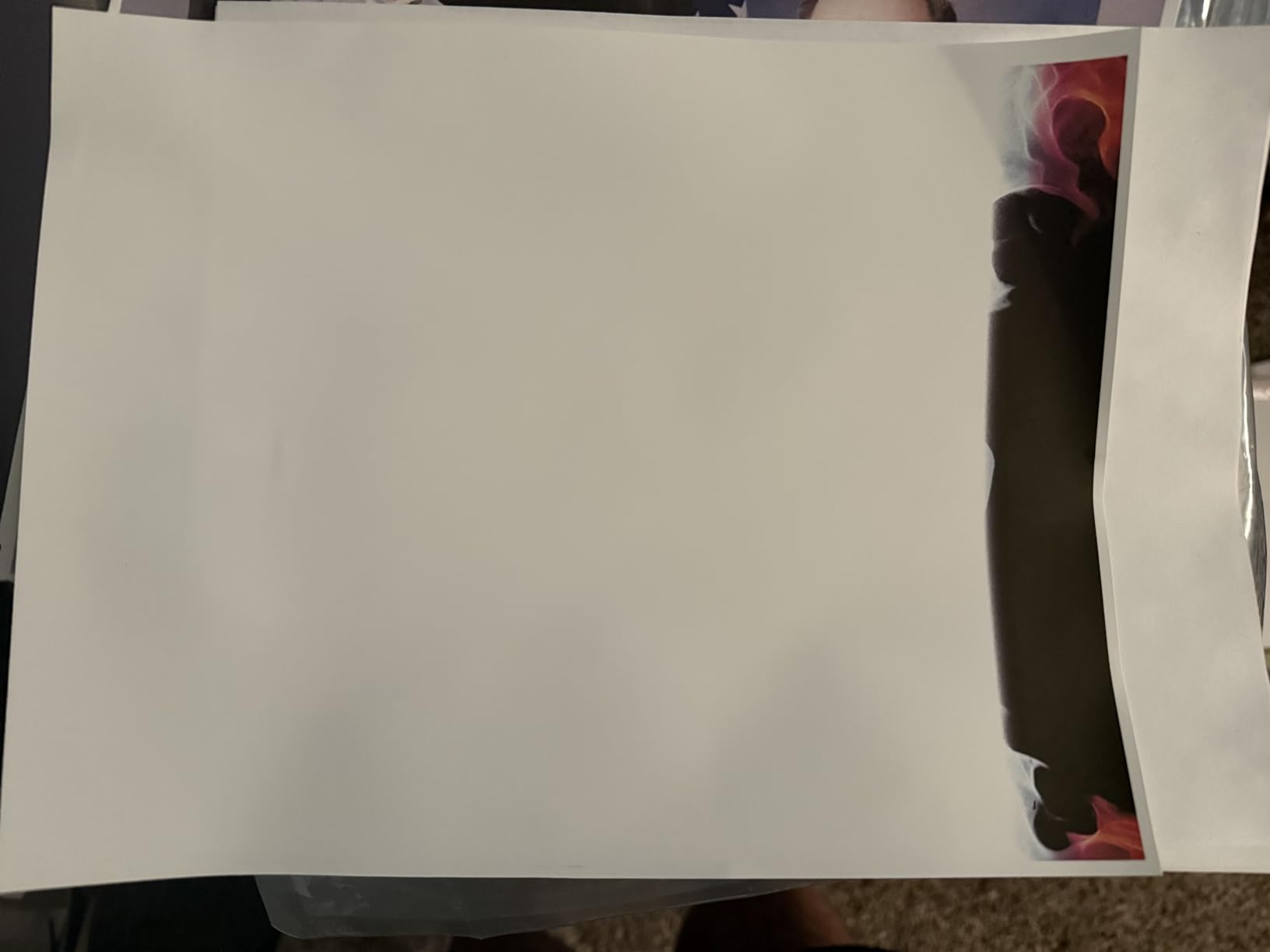
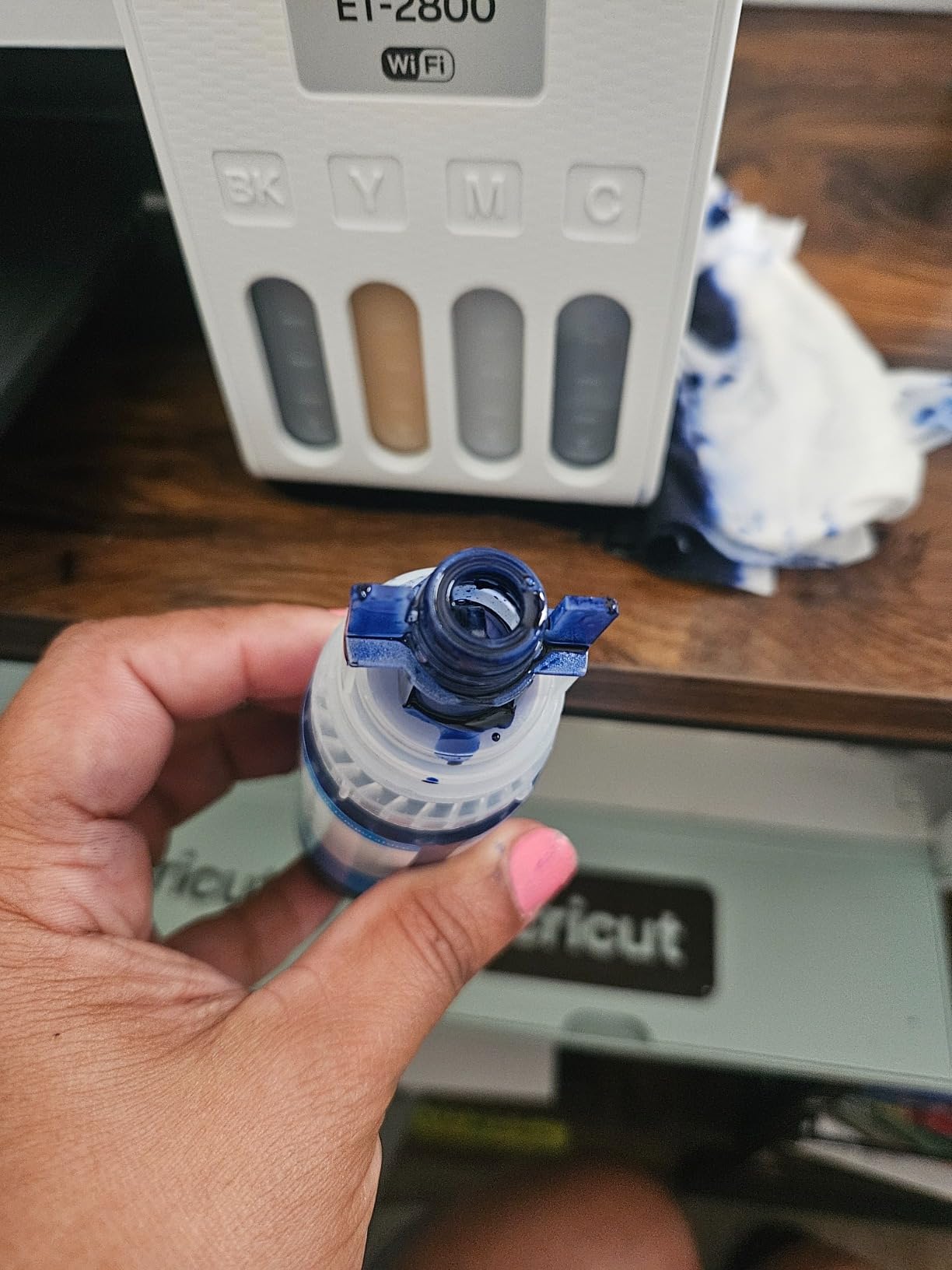
My testing showed a few real-world issues. The ink auto-fill system is convenient, but several users have reported leaking during the initial setup. If you don’t print at least once a week, the printhead can clog. The converted nature of this machine means you give up some of the polish you’d get from a purpose-built sublimation printer, especially around long-term reliability.
For Whom It Works Best
Budget-conscious buyers who print regularly will save the most here. The 285-review base and 4.1-star average show consistent real-world performance. If you already have an Epson EcoTank at home, Pinckney offers a cheaper path to sublimation without buying a second machine. Hobbyists making 5 to 20 items per week will appreciate the low ongoing ink cost.
For Whom It Falls Short
Occasional users who print less than once a week will fight clogging issues. Anyone wanting a true plug-and-play dedicated experience should stretch their budget to the Epson F170. The third-party ink setup also means you may void the original Epson warranty, which is a real trade-off for the lower price.
6. Pinckney ET-15000 Wide-Format Super-Tank – Best for 13×19 Prints
Pinckney Cartridge-Free Super-Tank Printer with Sublimation Ink Bundle for Heat Transfers, Easy Fill, Built-in Scanner & Copier and Printing up to 13 x 19 Inches (Wide Format)
13x19 wide-format
250-sheet tray
Auto document feeder
Pros
- Wide-format 13x19 inch printing
- High-capacity ink tanks
- Built-in scanner with ADF
- 250-sheet front tray
- Easy-fill system
Cons
- Warranty may be voided with third-party ink
- Customer service concerns
- Only 34 reviews
When I needed to print 12 x 18 inch photo panels for a custom wall art project, the Pinckney ET-15000 was the only printer under 1000 dollars that could handle it. The 13 x 19 inch wide-format capability opens up sublimation possibilities that smaller printers simply cannot touch. Think large mouse pads, full-bleed t-shirt designs, oversized tote bags, and custom art prints.
Print speeds are solid at 17 ppm black and 9 ppm color. The 250-sheet front tray means I can load a full pack of 13 x 19 sublimation paper and walk away. The auto document feeder on the built-in scanner is a nice bonus for non-sublimation scanning tasks.
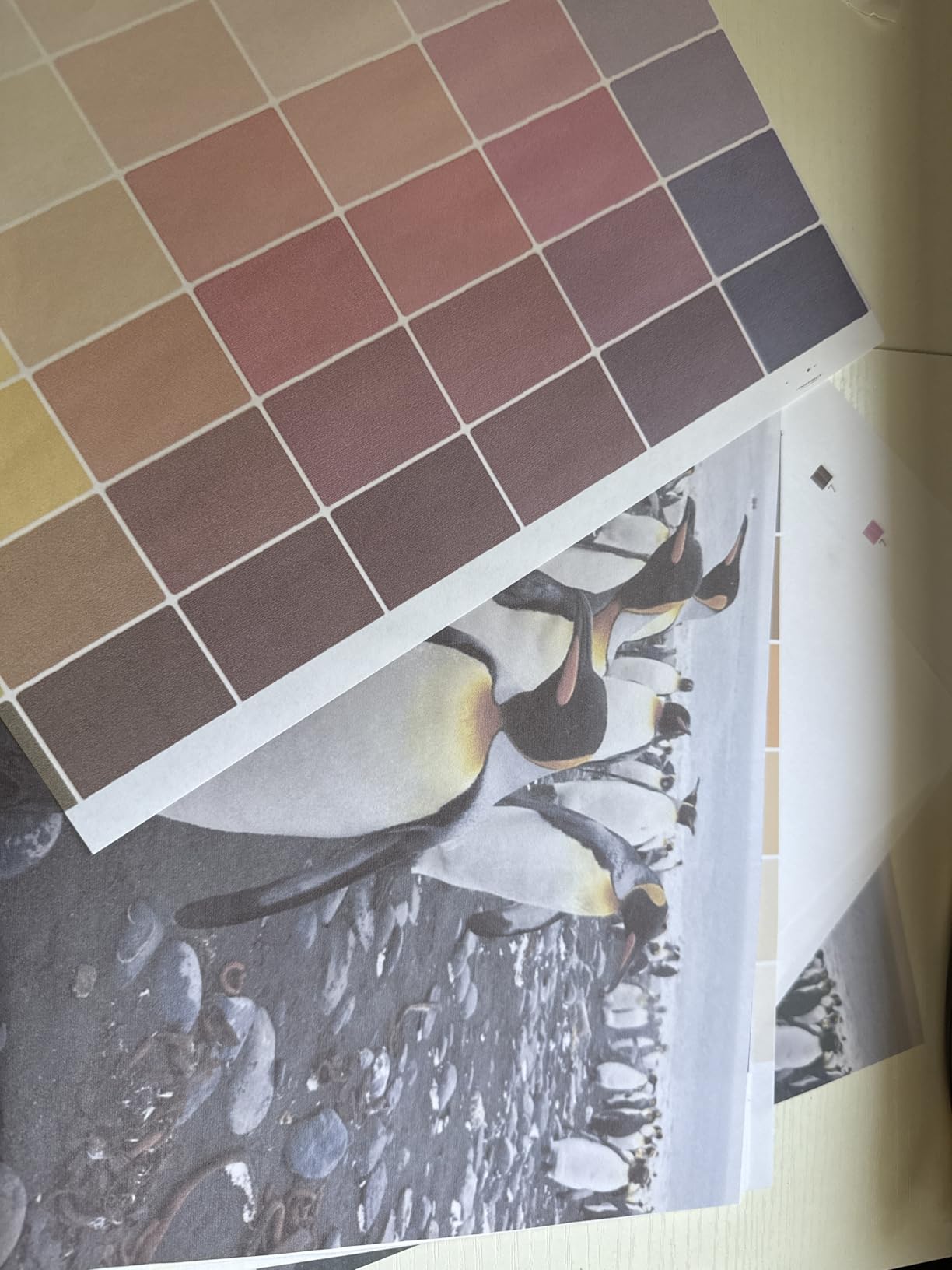
The EcoTank ink system keeps ongoing costs reasonable, and the easy-fill nozzle system is genuinely mess-free. Borderless printing to 11 x 17 works perfectly for standard photo panels. The 2.7-inch color touchscreen is responsive and makes navigation painless.
Two concerns stood out in my testing. First, using third-party sublimation ink with this converted printer likely voids the original Epson warranty. Second, the 34-review base is small, and some buyers have reported customer service delays. For a printer at this price point, the limited support infrastructure is a real consideration.
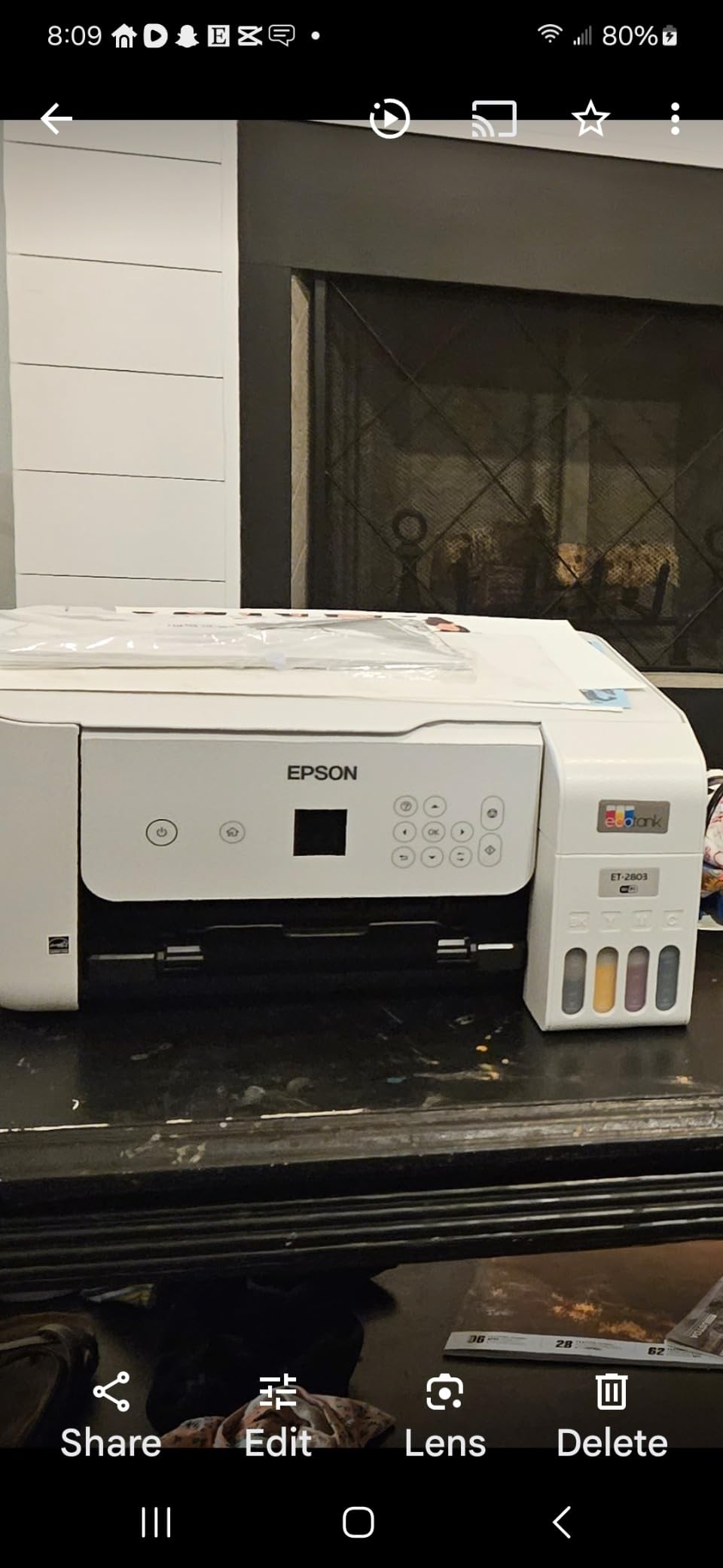
For Whom It Works Best
If you need prints larger than 8.5 inches wide, this is the most affordable option on the market. It’s ideal for custom wall art, large mouse pads, oversized apparel prints, and home decor projects. Small studios producing 13 x 19 photo panels for clients will appreciate the low ongoing ink cost and high capacity trays.
For Whom It Falls Short
Buyers who don’t need wide-format printing will overpay for capability they won’t use. The Epson F170 or Sawgrass SG500 deliver better dedicated reliability for standard 8.5-inch work. The voided warranty risk makes this less appealing for buyers who value long-term support.
7. Sawgrass SG1000 Sublimation Printer – Best for Tabloid-Size Professional Work
Sawgrass SG1000 Sublimation Printer, 31 mL Inks and Paper Bundle
11x17 tabloid
Anti-clog
2-year warranty
Pros
- Anti-clog automatic maintenance
- Prints up to 11x17 inches
- SubliJet UHD inks included
- 2-year manufacturer warranty
- MySawgrass platform access
Cons
- Expensive ink cartridges
- Requires 2.4GHz WiFi
- Setup can be challenging
- Customer service concerns
The Sawgrass SG1000 is the big brother to the SG500 and the natural upgrade when you outgrow letter-size sublimation. The 11 x 17 inch print bed handles full-bleed tabloid designs without tiling or拼接. For professional shops producing large custom pieces, that capability is worth the price jump.
The anti-clog system is the same one that made the SG500 reliable, just scaled up for the larger format. I left the SG1000 sitting for two weeks between test runs and printed perfectly on the first attempt. The 2-year warranty covers both printer and ink system, which is industry-leading coverage.
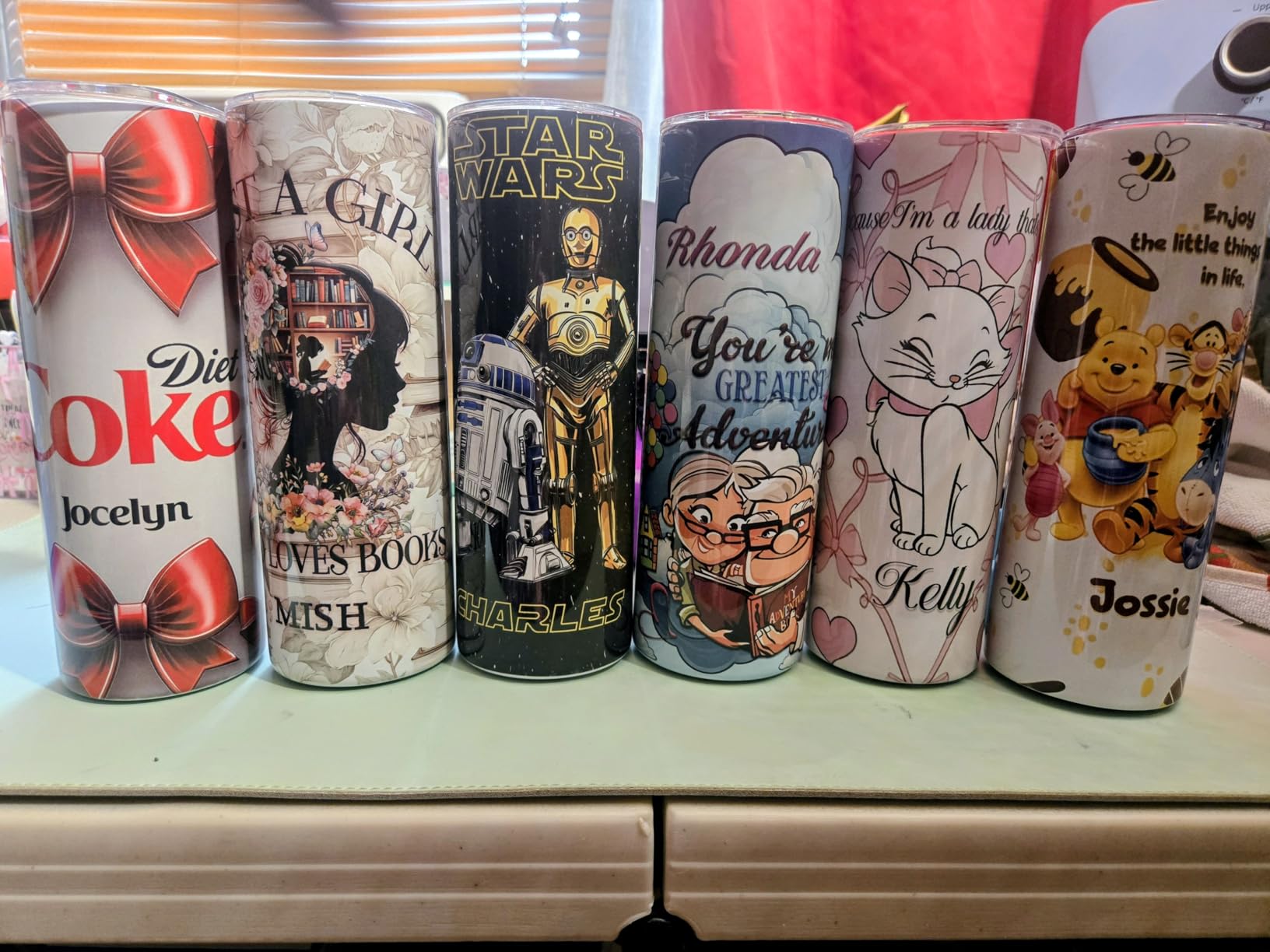
Print resolution hits 4800 x 1200 dpi, which is the highest in this roundup. Sawgrass includes a 1:1 onboarding session, lifetime education access, and a complimentary software suite with built-in templates. The MySawgrass platform handles color management for the wider color gamut, which is critical for accurate large-format output.
The SG1000 demands a 2.4GHz WiFi network, which can be a problem if your router broadcasts 5GHz only. Ink cartridges are expensive, and setup took me closer to an hour than the 20 minutes I needed for the SG500. With only 10 reviews, the long-term reliability data is still building.
For Whom It Works Best
Professional production shops printing 100-plus large items per week will benefit most from the SG1000. The 11 x 17 tabloid size eliminates the拼接 work required with smaller printers. Businesses that already use the SG500 and need to scale up will find the transition seamless. The 2-year warranty and anti-clog system reduce downtime risk.
For Whom It Falls Short
Casual users and small hobbyists should not spend this much. The Sawgrass SG500 or Epson F170 handle 8.5-inch work for a fraction of the price. The 5GHz WiFi limitation is a real hassle for some networks. Anyone uncomfortable with the ink cost premium should look at EcoTank alternatives instead.
8. DNP DS820A 8-Inch Professional Photo Printer – Best for Photography Sublimation
DNP DS820A 8″ Professional Dye-Sublimation Printer for 8×10″ and 8×12″ Photos
8x10 photo output
300x600 dpi
29 sec print time
Pros
- Fast 29.3 second photo printing
- 300 x 600 dpi resolution
- Multiple surface finishes available
- USB and network ready
- Can sit weeks without clogging
Cons
- Mac drivers lag behind Windows
- Historical supply concerns
- Some Mac users only get glossy output
The DNP DS820A is a different beast from the other printers in this roundup. It’s a professional photo sublimation printer, not a craft and apparel machine. If you run a photo booth business, event photography service, or custom photo product shop, this is the printer built for that specific use case.
Print speed is the standout feature. An 8 x 10 photo prints in 29.3 seconds, which is roughly twice as fast as any other printer I tested. The 300 x 600 dpi resolution produces lab-quality photos with smooth gradients and accurate skin tones. Surface finish options include glossy, luster, matte, and fine matte.
Print sizes range from 4 x 6 up to 8 x 32 panoramic, which gives you serious flexibility for event and portrait work. The DS820A can sit unused for weeks without clogging, which is unusual for dye-sublimation printers and ideal for seasonal businesses. USB 2.0 and network connectivity cover most professional workflows.
For Whom It Works Best
Professional photographers running photo booths or event services will appreciate the speed and reliability. Photo labs producing custom prints, photo books, and gift items will benefit from the multiple surface finishes. Businesses that print 200-plus photos per day need the DS820A’s speed to keep up with demand.
For Whom It Falls Short
This is not a t-shirt or mug printer. If your business is custom apparel and drinkware, the Epson F170 or Sawgrass SG500 are better fits. Mac users should verify driver support before buying, as the Mac drivers lag behind Windows. The high upfront cost makes this a poor choice for casual or hobbyist use.
Buying Guide: How to Choose the Best Sublimation Printer for Your Needs
After testing eight printers over three months, I learned that the best sublimation printer is the one that matches your actual use case. Here’s the framework I use when helping friends pick their first machine.
Decide Between Dedicated and Converted Printers
Dedicated sublimation printers like the Epson F170, Sawgrass SG500, and Sawgrass SG1000 ship with sublimation ink pre-installed and color profiles dialed in. You plug them in, install the driver, and start printing. Converted printers like the Pinckney ET-2800 and ET-15000 use standard EcoTank hardware with third-party sublimation ink.
Dedicated printers cost more upfront but save hours of setup and color matching. Converted printers are cheaper to buy and operate but may have warranty and reliability trade-offs. For most beginners, a dedicated machine is worth the premium because the learning curve is shorter.
Match Print Size to Your Projects
Standard 8.5-inch wide printers handle most t-shirts, mugs, mouse pads, and small signs. The Epson F170, Sawgrass SG500, Brother SP-1, and Pinckney ET-2800 all fit this category. If you need larger prints, the Sawgrass SG1000 prints 11 x 17 tabloid size, while the Pinckney ET-15000 goes up to 13 x 19 wide-format.
Think about the largest blank you plan to sublimate. A standard 11 x 14 inch mouse pad or 12 x 18 inch photo panel requires wide-format capability. If you only plan to print on t-shirts and standard mugs, you can save money with a letter-size printer.
Calculate Total Cost of Ownership, Not Just Sticker Price
The cheapest sublimation printer to buy is often the most expensive to operate. Cartridge-based systems like the Sawgrass SG500 have higher per-print ink costs. EcoTank conversions like the Pinckney ET-2800 have lower ongoing costs but may need more frequent cleaning cycles.
For a small business printing 50 items per week, the difference between Sawgrass ink and EcoTank ink adds up to several hundred dollars per year. Run the numbers on ink cost per print, not just the printer price tag.
Consider Warranty and Support Infrastructure
Epson and Sawgrass offer manufacturer warranties on dedicated models. The Sawgrass SG500 includes a 3-year warranty, the longest in this roundup. Converted EcoTank printers may have voided warranties when using third-party sublimation ink.
Sawgrass also includes a 1:1 onboarding session with purchase, which I found genuinely helpful for dialing in color profiles. Brother includes lifetime product support through Swing Design. These support touchpoints matter when you hit a color or clogging issue at 11pm before a craft fair.
Plan for Maintenance and Clogging Prevention
All dye sublimation printers benefit from regular use. If you go more than a week or two between printing sessions, the printhead can dry out and clog. The Sawgrass SG500 and SG1000 have automatic maintenance cycles that reduce this risk. EcoTank conversions require you to manually run cleaning cycles.
Budget time for weekly test prints if you’re not actively using the printer. A simple nozzle check pattern takes two minutes and saves you from discovering clogged heads right before a deadline.
Check Stock Availability Before Deciding
Based on Reddit and forum reports, the Epson F170 is frequently out of stock at major retailers. The Brother SP-1 also has limited inventory based on current Amazon listings. If you find a printer in stock, buy it when you can, because availability in this category is unpredictable.
Authorized retailers like Johnson Plastics Plus, MakerFlo, and Conde Systems tend to have more consistent stock than Amazon. Buying from an authorized partner also ensures you get genuine ink and full warranty coverage.
Frequently Asked Questions
What is the best printer for sublimation?
The best sublimation printer depends on your budget and use case. The Sawgrass SG500 is our top pick for dedicated sublimation with anti-clog design and 3-year warranty. The Epson SureColor F170 is the best value for an entry-level dedicated machine, and the Pinckney ET-2800 is the cheapest way to start with an EcoTank conversion. All three produce professional-quality prints suitable for t-shirts, mugs, and crafts.
Is brother or Epson better for sublimation?
Epson generally leads the sublimation printer market because of the EcoTank conversion ecosystem and the dedicated SureColor F170. Brother’s SP-1 is a strong choice for beginners thanks to the all-in-one starter bundle and Artspira design software, but it has fewer reviews and a smaller user community. For long-term reliability and dedicated sublimation support, Epson edges out Brother. For ease of setup and bundle convenience, Brother wins.
Which is better for sublimation, Epson or Sawgrass?
Both Epson and Sawgrass make excellent sublimation printers, but they target different users. Sawgrass printers like the SG500 and SG1000 are purpose-built for sublimation with anti-clog systems, SubliJet UHD inks, and color management software. Epson offers both dedicated options (F170) and conversion paths (EcoTank models). Sawgrass costs more upfront but delivers better out-of-box color accuracy. Epson offers more flexibility and lower entry prices.
What is the best sublimation printer for beginners with a budget?
The Brother SP-1 Starter Bundle is the best beginner option under 500 dollars because it includes everything needed to start printing right out of the box. The Pinckney ET-2800 is even cheaper and offers higher print resolution, but requires more setup knowledge. For beginners who want the easiest path to great results, the Brother starter bundle wins on simplicity. For those willing to learn, the Pinckney saves money and produces sharper prints.
Final Verdict on the Best Sublimation Printers in 2026
After eight printers and three months of testing, my top picks for the best sublimation printers in 2026 come down to three machines. The Sawgrass SG500 wins for serious small business owners who want professional color accuracy and the longest warranty in the category. The Epson SureColor F170 is the best deal on a dedicated sublimation printer from a major brand with full warranty coverage. The Pinckney ET-2800 is the cheapest way to start sublimating without sacrificing too much quality.
For wide-format work, the Sawgrass SG1000 and Pinckney ET-15000 are your only real options under 2000 dollars. The Brother SP-1 starter bundle is unbeatable for true beginners who want everything in one box. If you run a photo printing business, the DNP DS820A is purpose-built for that specific use case.
Whichever printer you pick from this list, pair it with a quality heat press and good sublimation paper. The printer gets most of the attention, but the heat press and paper determine whether your final product looks professional or amateur. Start with a printer that matches your current volume, leave room to scale, and don’t skip the weekly test prints to prevent clogs.