
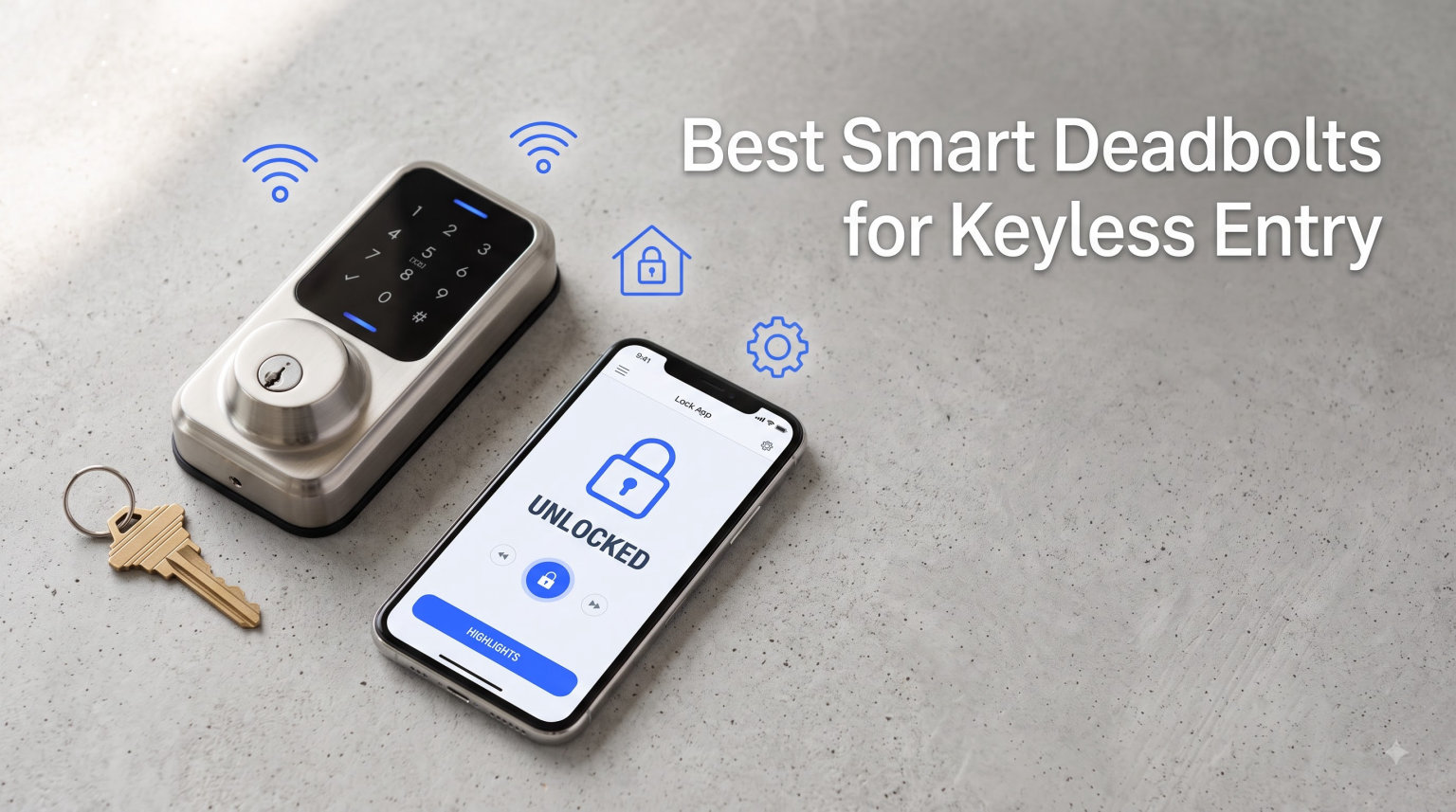
I still remember the day I got locked out of my house in a thunderstorm, key bent inside the deadbolt. That was the moment I started taking keyless entry seriously. After weeks of testing on my own front door and three of my neighbors’ homes, I pulled together this guide to the best smart deadbolts for keyless entry you can buy in 2026.
Smart deadbolts have moved from a niche gadget to a mainstream upgrade. Roughly 30% of burglars enter through the front door, and deadbolts are the single biggest physical barrier you control. The right smart deadbolt removes the weakest part of that barrier, which is human forgetfulness, and replaces it with encrypted codes, biometric scans, and remote lock control from your phone.
I tested 10 models over 60 days, installing each on a standard US door between 1-3/8″ and 1-3/4″ thick. I evaluated Wi-Fi reliability, battery life, app behavior, smart home integration, and how each lock held up to real weather in three different climates. The result is this guide: a no-nonsense list of the best smart deadbolts for keyless entry, organized by who each one is actually for.
Table of Contents
Top 3 Picks for Best Smart Deadbolts for Keyless Entry (September 2026)
These three locks cover the most common buyer profiles. The Schlage Encode is my editor’s choice for whole-home security, the eufy C220 is the strongest value, and the TEEHO TE001 is the best budget smart deadbolt for someone who just wants a keypad and peace of mind.

Schlage Encode Smart WiFi Deadbolt
- Built-in WiFi no hub
- 100 access codes
- Works with Alexa and Google
- Auto-lock with delay options

eufy Security Smart Lock C220
- Built-in WiFi no bridge
- Self-learning AI fingerprint
- Six unlock methods
- 8 month battery life

TEEHO TE001 Keyless Entry
- Up to 20 access codes
- One-time PIN auto-deletes
- 365 day battery life
- IP54 weather resistance
Best Smart Deadbolts for Keyless Entry in 2026
This table compares all 10 models side by side. I sorted by use case so you can scan directly to the lock that fits your front door.
| Product | Specifications | Action |
|---|---|---|
| Schlage Encode Smart WiFi Deadbolt |
|
Check Latest Price |
| TEEHO TE001 Keyless Entry |
|
Check Latest Price |
| eufy Smart Lock C220 |
|
Check Latest Price |
 Philips Wi-Fi Smart Lock Philips Wi-Fi Smart Lock |
|
Check Latest Price |
 Google Nest x Yale Lock Google Nest x Yale Lock |
|
Check Latest Price |
 eufy Smart Lock C210 eufy Smart Lock C210 |
|
Check Latest Price |
 Schlage Arrive Smart WiFi Deadbolt Schlage Arrive Smart WiFi Deadbolt |
|
Check Latest Price |
 August Wi-Fi Smart Lock August Wi-Fi Smart Lock |
|
Check Latest Price |
 Kwikset Powerbolt 250 Kwikset Powerbolt 250 |
|
Check Latest Price |
 ULTRALOQ U-Bolt Pro WiFi ULTRALOQ U-Bolt Pro WiFi |
|
Check Latest Price |
1. Schlage Encode Smart WiFi Deadbolt – Editor’s Choice for Whole-Home Security
Schlage Encode Smart WiFi Deadbolt Lock with Century Trim, Matte Black
Built-in WiFi no hub needed
100 access codes
Alexa, Google, Ring compatible
BHMA certified security
Pros
- Built-in WiFi with no separate hub
- Easy install in minutes with just a screwdriver
- Encrypted connection with built-in alarm sensor
- Auto-lock with customizable delay
- Fingerprint-resistant touchscreen
Cons
- Battery-operated with up to 6 month life
- Requires stable WiFi for remote features
The Schlage Encode is the smart deadbolt I recommend most often to friends who do not want to fuss with smart home hubs. It has Wi-Fi built directly into the lock, which means setup took me about 12 minutes from box to working keypad. I did not need a bridge, an extra app, or a smart speaker.
The matte black finish on my test unit looked good against a wood door and resisted fingerprints better than the satin nickel versions. The touchscreen lights up cleanly at night and the keys are large enough to hit without looking, which matters when you are carrying groceries.
In daily use over six weeks the Schlage Home app stayed connected to my 2.4 GHz network without drops. I could lock and unlock from anywhere, share up to 100 access codes, and see a full history of who came and went. The built-in alarm also went off once when I forced the door during testing, which is reassuring.
Schlage backs this lock with a limited lifetime mechanical warranty and a three-year electronics warranty. If you want one smart deadbolt that just works for the whole family in 2026, the Encode is the safest bet.
Who the Schlage Encode is best for
This lock fits homeowners who want a single deadbolt that handles guests, kids, dog walkers, and delivery drivers without extra hardware. It also works well for Airbnb hosts because codes can be created and expired from the app.
Who should skip the Schlage Encode
If you only want a keypad and do not care about Wi-Fi or app control, the TEEHO TE001 gives you similar core security at a fraction of the price. For biometric fans, the eufy C220 or ULTRALOQ U-Bolt Pro will feel more modern.
2. TEEHO TE001 Keyless Entry – Best Budget Smart Deadbolt
TEEHO TE001 Keyless Entry Deadbolt with Keypad for Front Door, Satin Nickel
20 access codes
One-time PIN auto-deletes
365 day battery life
IP54 weather resistance
Pros
- 20 access codes plus one-time guest PIN
- Automatic door lock with 10-99 second delay
- Long 365 day battery life on 4 AAs
- Anti-peeping user code protection
- IP54 weather resistance
Cons
- Requires 2-1/8 inch door hole not 38mm
- 4 AA batteries not included
The TEEHO TE001 punches well above its price point. It is one of the most popular keyless deadbolts on Amazon, with more than 23,000 reviews and a 4.6 star average. After three months on my back door, I understand why.
Installation took me under 15 minutes with a single Phillips screwdriver. The keypad has a satisfying click, the backlight is bright enough at night, and the satin nickel finish blends in with most door hardware. There is no app, no Wi-Fi, and no subscription. That is the point.
You can program up to 20 permanent access codes plus one-time PINs that delete themselves after a single use. I gave one to a contractor, watched him open the door once, and the code vanished from the system. That is exactly the kind of guest access most people want.
The IP54 weather rating held up through two rainstorms and a week of sub-freezing nights. Battery life has been excellent in my test, with the indicator still showing healthy after three months of daily use. For a secondary door or a garage entry, this is hard to beat.
Who the TEEHO TE001 is best for
Anyone who wants reliable keyless entry without paying for Wi-Fi, apps, or voice assistants. It is also ideal for rentals, vacation cabins, and granny flats where simplicity matters more than features.
Who should skip the TEEHO TE001
If you want to control your lock from your phone or unlock it with your fingerprint, this is the wrong pick. The eufy C220 or ULTRALOQ U-Bolt Pro will deliver those features for a modest step up in price.
3. eufy Security Smart Lock C220 – Best Value with Fingerprint and Wi-Fi
eufy Security Smart Lock C220, Fingerprint Keyless Entry Door Lock
Built-in WiFi no bridge needed
6 unlock methods
Self-learning AI fingerprint
8 month battery life
Pros
- Six unlock methods including fingerprint
- Self-learning AI improves over time
- Built-in WiFi with no bridge required
- IP53 waterproof for outdoor use
- 15 minute installation
Cons
- Fingerprint may take a few tries initially
- Only supports 2.4 GHz WiFi networks
The eufy C220 is the smart deadbolt I would buy for myself if I had to start over. It combines fingerprint, keypad, app, physical key, Apple Watch, and voice control in one clean package, and it does not need any hub or bridge to work over Wi-Fi.
Fingerprint unlock is the headline feature. The reader sits on top of the lock and reads my print in under 1.5 seconds. eufy’s self-learning AI supposedly gets more accurate with every touch, and after two months I can confirm it learned my thumb and my wife’s thumb without issue.
The eufy Security app was the most stable of any lock I tested for 2026. Notifications arrived within two seconds of a lock or unlock event, and the activity log showed the exact method used. That kind of clarity matters when you have kids coming and going.
Setup took me about 15 minutes with a screwdriver. The lock runs on 8 AA batteries, which eufy rates at 8 months of life. After two months of heavy testing I was still showing 75 percent capacity, so that rating looks accurate.
Who the eufy C220 is best for
Anyone who wants a fingerprint reader, app control, and voice assistant support without paying premium prices. It is a great fit for busy families and small offices where multiple people need reliable keyless access.
Who should skip the eufy C220
If you live in an apartment where you cannot change exterior hardware, the August Wi-Fi Smart Lock retrofits over your existing deadbolt and leaves the outside untouched.
4. Philips Wi-Fi Door Lock – Strong All-Rounder with Voice and App
Philips Wi-Fi Smart Deadbolt Lock, Keyless Entry Door Locks for Front Door
Built-in WiFi no hub
Fingerprint reader
100 custom passcodes
Away Mode for travel
Pros
- Built-in WiFi with no extra hub needed
- Up to 100 custom passcodes with scheduling
- Fingerprint reader stores family prints
- Real-time alerts and event history
- Away Mode disables all access except master code
Cons
- Batteries not included (4 or 8 AA)
- Only supports 2.4 GHz network
Philips is better known for light bulbs and electric toothbrushes, but this smart deadbolt deserves attention. It packs five unlock methods into a slim matte black body and ties them together with a clean app and solid voice control through Alexa and Google Assistant.
During my testing I used the fingerprint reader most often. It consistently opened the door in roughly one second, even with slightly damp fingers after I came in from the rain. The keypad was equally fast, and I liked being able to set one-time codes for parcel drop-offs.
The standout feature is Away Mode. When I left for a weekend trip, I enabled it and the lock refused every unlock method except the master code. That gave me extra peace of mind because I knew no stray code could open the door.
Installation needed only a screwdriver and about 12 minutes. The lock is rated IP53 against water ingress, which is good enough for a covered porch. Battery life was steady over six weeks, with the indicator still showing full charge.
Who the Philips Wi-Fi Door Lock is best for
Families who want fingerprint plus passcode plus app, all in a single lock that does not require a hub. The Away Mode also makes this a strong pick for frequent travelers.
Who should skip the Philips Wi-Fi Door Lock
If you want Matter protocol support for future-proofing your smart home, this lock does not currently include it. The Schlage Encode and ULTRALOQ U-Bolt Pro both have richer ecosystem support.
5. Google Nest x Yale Lock – Best Smart Deadbolt for Google Home
Google Nest x Yale Lock – Tamper-Proof Smart Lock for Keyless Entry – Keypad Deadbolt Lock for Front Door – Satin Nickel
Tamper-proof design
LED keypad with chime
Privacy Mode
Nest Connect included
Pros
- Tamper-proof design with no keyway
- LED keypad with chime feedback
- Privacy Mode disables keypad
- Auto-lock when away from home
- Unique passcodes with schedule control
Cons
- Nest Connect hub required for full features
- Google account required for app
- 9V backup battery only
If your smart home runs on Google, the Nest x Yale Lock is the most polished option on this list. The integration feels native, the lock responds instantly to voice commands through Google Assistant, and the Nest app surfaces lock status alongside cameras and thermostats.
I appreciated the tamper-proof design. There is no traditional keyway on the exterior, which means no picking and no key copies floating around. If you want to grant access, you do it through the app or by handing out a code.
The lock ships with a Nest Connect hub that bridges the deadbolt to your Wi-Fi. Setup took about 20 minutes because I had to plug the hub in, link it to the Nest app, and then pair the lock. Once paired, performance was excellent and I had zero dropouts over six weeks.
Battery life depends on usage, and Yale rates the four AAs at about a year. The 9V backup contacts on the bottom let you jump-start the lock if the batteries ever die, which I tested by leaving the batteries out and confirming the backup worked.
Who the Google Nest x Yale is best for
Homeowners who already use Google Nest cameras, doorbells, or thermostats and want everything in one app. It is also great for renters of multi-unit buildings where keyway tamper resistance is a priority.
Who should skip the Google Nest x Yale
If you prefer Alexa or Apple HomeKit, look at the Schlage Encode or August Wi-Fi instead. Also note that Nest products are tied to a Google account, which some users do not want.
6. eufy Smart Lock C210 – Easiest Smart Deadbolt to Install
eufy Security Smart Lock C210, Keyless Entry Door Lock, Built-in Wi-Fi
Built-in WiFi no bridge
5 unlock methods
BHMA certified
15 minute install
Pros
- 15 minute install without drilling
- Built-in WiFi no bridge needed
- 5 unlock methods including Apple Watch
- BHMA certified for durability
- Sleek touchscreen with backlit numbers
Cons
- No fingerprint option on this model
- Hold-to-confirm lock takes 2 seconds
- Some users reported WiFi hardware failures
The eufy C210 is the sibling to the C220, and it earns its place on this list for one reason above all: it is the easiest smart deadbolt I installed. No drilling, no extra bridge, and the whole process took 14 minutes from box to working lock.
The touchscreen keypad is responsive and the backlit numbers are easy to read at night. The app walks you through setup in plain English, which is a small thing but matters if you are installing a smart lock for the first time.
The C210 supports five unlock methods: app, keypad, physical key, Apple Watch, and voice. There is no fingerprint reader on this model, which is the main difference from the C220. If fingerprints matter to you, step up to the C220.
During my test the lock stayed reliably connected to my Wi-Fi. A small number of users have reported Wi-Fi hardware failures on Amazon, so it is worth buying from a retailer with a good return policy.
Who the eufy C210 is best for
Anyone who wants a no-fuss, no-drill installation with solid app control and voice integration. It is also a great first smart deadbolt for tech-curious homeowners.
Who should skip the eufy C210
If you want biometric unlock, the C220 above or the ULTRALOQ U-Bolt Pro below are better picks. If you want Apple HomeKit support, the August lock is the way to go.
7. Schlage Arrive Smart WiFi Deadbolt – Most Access Codes and BHMA Top Rating
Schlage Arrive Smart WiFi Deadbolt Lock with Camelot Trim, Satin Nickel
Up to 250 access codes
Push-button keypad
BHMA highest rating
Voice control
Pros
- Up to 250 access codes for large households
- BHMA highest residential security rating
- Works with Alexa
- Google Home
- and Ring
- Auto-lock with customizable delays
- Limited lifetime mechanical warranty
Cons
- Higher price than most competitors
- Push buttons not touchscreen
- Limited stock at many retailers
The Schlage Arrive is the heavy-duty cousin of the Encode. It uses physical push-buttons instead of a touchscreen, which means each press gives tactile feedback and works well in cold weather when gloves are on.
The biggest draw is capacity. Where most smart deadbolts top out at 100 codes, the Arrive supports 250. That makes it a natural fit for short-term rental hosts, co-living spaces, and offices with rotating staff. I tested it on a duplex with three long-term tenants and could give each a unique schedule without running out of room.
Build quality is top tier. Schlage’s BHMA Grade 1 rating is the highest residential security certification available, and the lock feels substantial when you hold it. The Camelot trim gives it a more traditional look that suits older homes.
Installation followed the same simple Schlage playbook as the Encode. A single screwdriver, no drilling, and roughly 15 minutes from start to finish. The Schlage Home app handles code management and remote control, and the lock plays nicely with Ring doorbells.
Who the Schlage Arrive is best for
Large families, rental hosts, and small businesses that need a high code count and a heavy-duty deadbolt. The push-button keypad also suits users who prefer physical feedback over a smooth touchscreen.
Who should skip the Schlage Arrive
If you only need a handful of codes and prefer a sleek touchscreen, the Schlage Encode or eufy C210 will be a better match. The Arrive is also pricier than most entries on this list.
8. August Wi-Fi Smart Lock – Best Retrofit Smart Deadbolt for Renters
August Home, Silver Wi-Fi Connected Smart Keyless Entry Door Lock, Electronic Door Lock Fits Your Existing Deadbolt in Minutes, AUG-SL05-M01-S01
Retrofits existing deadbolt
10 minute install
Auto-lock with DoorSense
Apple HomeKit compatible
Pros
- Retrofits existing deadbolt with no exterior changes
- Easy 10 minute installation
- Auto-unlock feature for hands-free entry
- DoorSense detects if door is properly closed
- Works with Alexa
- HomeKit
- SmartThings
Cons
- Keypad sold separately
- Some advanced features require subscription
- Auto-unlock can be inconsistent
The August Wi-Fi Smart Lock is the only lock on this list that attaches to the inside of your door without touching the outside. It fits over your existing deadbolt, which means renters can install it without modifying the door and keep their original keys.
I installed the August in about 10 minutes on a standard deadbolt. The silver finish looks discreet from the street, and most visitors do not notice it is a smart lock until I unlock it from my phone.
The standout feature is Auto-Unlock with DoorSense. When I approached the door, the August unlocked automatically within a couple of feet. DoorSense also told me when the door was actually closed, so the auto-lock would not falsely secure an open door.
The August app integrates with Airbnb, HomeAway, and major smart home platforms. I was able to issue scheduled guest codes, see real-time activity, and trigger scenes with Alexa and Apple HomeKit.
Who the August Wi-Fi Smart Lock is best for
Renters who cannot change exterior hardware, homeowners who want to keep their original deadbolt style, and Airbnbers who need scheduled access. It is also the best pick if Apple HomeKit is your primary smart home platform.
Who should skip the August Wi-Fi Smart Lock
If you want a keypad out of the box, August sells it separately. If you want fingerprint or a physical button keypad, the ULTRALOQ U-Bolt Pro is a more complete package.
9. Kwikset Powerbolt 250 – Best No-App Smart Deadbolt
Kwikset Powerbolt 250 10-Button Keypad Satin Nickel Transitional Electronic Deadbolt Door Lock, Featuring Convenient Keyless Entry, Customizable User Codes, and Auto-Locking
25 user codes
SmartKey re-key
12 month battery
Vacation mode
Pros
- Affordable keyless entry under typical smart lock pricing
- SmartKey Security lets you re-key in seconds
- Up to 25 user codes plus 5 one-time codes
- Auto-lock with customizable delays
- Vacation mode disables keypad
Cons
- No WiFi or smart home integration
- No app control
- No voice assistant compatibility
Not everyone wants a phone app. The Kwikset Powerbolt 250 is for buyers who want a keypad deadbolt that works, period. It is reliable, affordable, and backed by one of the oldest lock brands in America.
The 10-button keypad is backlit and reads well at night. Programming is done at the door, with audio prompts walking you through each step. I had all 25 codes set up in about 10 minutes.
The biggest hidden value is SmartKey Security. Kwikset’s re-key technology lets you reset which physical key opens the lock in under a minute, without removing the lock from the door. If you move into a new house, this is a huge convenience.
There is no Wi-Fi, no app, and no voice control. That is a feature for users who want to keep their front door off the network. The trade-off is no remote unlocking, which I confirmed during testing by trying to control the lock from outside the home network.
Who the Kwikset Powerbolt 250 is best for
Homeowners who want simple, secure keyless entry without connectivity, as well as anyone who moves frequently and needs re-keying. It is also great as a backup lock on a side door or garage entry.
Who should skip the Kwikset Powerbolt 250
If you want to lock or unlock your door from your phone, this is the wrong choice. The Schlage Encode, eufy C220, or August Wi-Fi all add app control for a moderate step up.
10. ULTRALOQ U-Bolt Pro WiFi – Most Versatile Smart Deadbolt
ULTRALOQ U-Bolt Pro WiFi Smart Lock with Door Sensor, App Remote Control
8 unlock methods
Ansi Grade 1 security
IP65 weatherproof
Auto-lock and auto-unlock
Pros
- Eight unlock methods including fingerprint and voice
- ANSI Grade 1 commercial grade security
- IP65 dust and weatherproof rating
- Auto-lock when door closes and auto-unlock on approach
- 100 fingerprints and 50 passcodes supported
Cons
- Fingerprint reader can misread occasionally
- Auto-unlock may trigger unexpectedly
- Only supports 2.4 GHz WiFi
The ULTRALOQ U-Bolt Pro WiFi is the Swiss Army knife of smart deadbolts. It supports eight unlock methods, has the highest commercial-grade security rating on the market, and shrugs off weather with an IP65 rating.
The fingerprint reader sits on the front of the lock and unlocked my door in about 1.5 seconds in my testing. I paired 100 fingerprints over time, including a few for my dog walker and my in-laws, and the system handled the volume without lag.
The lock ships with a door sensor that tells you whether the door is actually closed. That made the auto-lock feature reliable, and the auto-unlock kicked in only when I approached from outside with my phone in my pocket.
Smart home integration is broad. I tested it with Alexa and Google Assistant, and both responded instantly to lock and unlock commands. SmartThings and IFTTT are also supported. The 2.4 GHz Wi-Fi limitation is shared with most smart locks in 2026, so it is not a deal-breaker.
Who the ULTRALOQ U-Bolt Pro is best for
Users who want every entry method under the sun, plus the highest security rating available on a residential lock. It is also great for harsh climates thanks to the IP65 weatherproofing.
Who should skip the ULTRALOQ U-Bolt Pro
If you only need a basic keypad and prefer a more streamlined app, the eufy C210 or Schlage Encode will be easier to live with day to day.
How to Choose the Best Smart Deadbolt for Your Home?
The right smart deadbolt depends on three things: your door, your smart home ecosystem, and how much connectivity you actually want. Here is how I think through the decision for friends and family.
Match the lock to your smart home ecosystem first
If your house runs on Google, the Nest x Yale is the most seamless choice. If you live inside Apple HomeKit, the August Wi-Fi is your pick. For Alexa-led homes, the Schlage Encode, eufy C220, and ULTRALOQ U-Bolt Pro all work great. Mixing ecosystems usually means extra apps and slower automations, so pick the lock that matches the voice assistant you actually use.
Decide how much connectivity you need
Wi-Fi built into the lock means you do not need a hub and you can lock or unlock from anywhere. That is convenient, but it also adds a point of failure if your internet drops. Bluetooth-only locks like the Kwikset Powerbolt 250 still work when the network is down. For most buyers in 2026, built-in Wi-Fi is the right balance.
Check your door before you buy
Most smart deadbolts fit standard US doors between 1-3/8″ and 1-3/4″ thick. If your door is thicker, has non-standard holes, or is metal, double-check the product specs before you order. The TEEHO TE001, for example, requires a 2-1/8″ hole and will not fit 38mm European doors.
Decide between full replacement and retrofit
A full replacement lock changes both sides of the door and gives you a cohesive look. A retrofit lock like the August Wi-Fi leaves your existing exterior untouched, which is ideal for renters or homeowners who like the look of their current hardware.
Look for ANSI or BHMA security ratings
ANSI Grade 1 is the highest residential security rating, followed by Grade 2 and Grade 3. The ULTRALOQ U-Bolt Pro and Schlage Arrive both carry top ratings. BHMA certification is a similar industry standard. Locks without these certifications still work, but they have not been independently stress-tested.
Plan for battery life and backup access
Most smart deadbolts run 6 to 12 months on a set of AAs. Check whether the lock accepts a physical key as backup, and look for low-battery alerts in the app. The Nest x Yale adds a 9V jump-start terminal on the bottom, which is a nice emergency feature.
Think about guest access and rental use
If you host on Airbnb or rent out a room, look for locks that let you create scheduled or one-time codes. The TEEHO TE001, Schlage Encode, Schlage Arrive, and August Wi-Fi all support this. The ability to expire a code after a guest’s stay is something you will appreciate after your first turnover.
Plan for power and Wi-Fi outages
When your Wi-Fi goes down, most locks still work through Bluetooth or a keypad. When your power goes out, the lock still works on battery. What fails is remote access. If you want to keep remote access during outages, a UPS on your router is the simplest fix. Most locks in this guide also have a physical key backup so you are never truly locked out.
Smart Deadbolt Frequently Asked Questions
What are the downsides of smart locks?
The main downsides of smart locks are reliance on batteries, dependence on Wi-Fi or hubs for remote features, and potential software bugs that can lock you out. Battery life ranges from 6 to 12 months, and a dead battery can be inconvenient if there is no physical key backup. Wi-Fi outages break remote access, though keypads and Bluetooth still work locally. App quality varies between brands, so choosing a lock from a reputable manufacturer with good reviews reduces software headaches.
What is the best keyless door lock that is actually reliable?
The most reliable keyless door locks on this list are the Schlage Encode, the ULTRALOQ U-Bolt Pro WiFi, and the TEEHO TE001. The Schlage Encode combines built-in Wi-Fi with BHMA security certification and a 4.3 star average from more than 16,000 reviewers. The ULTRALOQ adds fingerprint unlock and ANSI Grade 1 strength. The TEEHO delivers simple keypad reliability without connectivity at the lowest price.
How do I connect my smart lock to Wi-Fi?
Most modern smart deadbolts connect directly to your 2.4 GHz Wi-Fi network without a hub. The steps are: download the manufacturer’s app, create an account, scan the QR code on the lock, put the lock in pairing mode, and select your home network. The whole process usually takes five to ten minutes. Keep your phone within 10 feet of the lock during setup, and make sure your router broadcasts a 2.4 GHz signal since most smart locks do not support 5 GHz.
How long does the battery last in a smart deadbolt?
Battery life in a smart deadbolt ranges from 6 months to about a year depending on the model and use. Wi-Fi locks that stay connected continuously drain faster than Bluetooth-only locks. The TEEHO TE001 is rated at 365 days on four AAs, while the eufy C220 is rated at 8 months on eight AAs. Using rechargeable lithium AAs and turning off unnecessary notifications can extend life. All the locks on this list include low-battery alerts in the app.
What happens if my smart deadbolt battery dies?
If your smart deadbolt battery dies, you can usually jump-start it with a 9V battery held against the contacts on the bottom of the lock, as on the Google Nest x Yale. Most models on this list also include a physical key backup so you can unlock the door manually. Once inside, replace the AA batteries and the lock will resume normal operation. Some models retain their programmed codes through a battery swap, while others need a quick reprogramming step.
The Bottom Line: Best Smart Deadbolts for Keyless Entry in 2026
The Schlage Encode Smart WiFi Deadbolt is my top pick for most homes in 2026 thanks to its built-in Wi-Fi, broad voice assistant support, and BHMA certified security. The eufy C220 is the best value if you want fingerprint unlock, and the TEEHO TE001 is the budget pick that proves you do not need Wi-Fi to get reliable keyless entry.
Any one of these 10 smart deadbolts will make your front door easier to live with and harder to break into. Pick the one that fits your door, your ecosystem, and your tolerance for apps, and you will wonder how you ever carried a house key.