
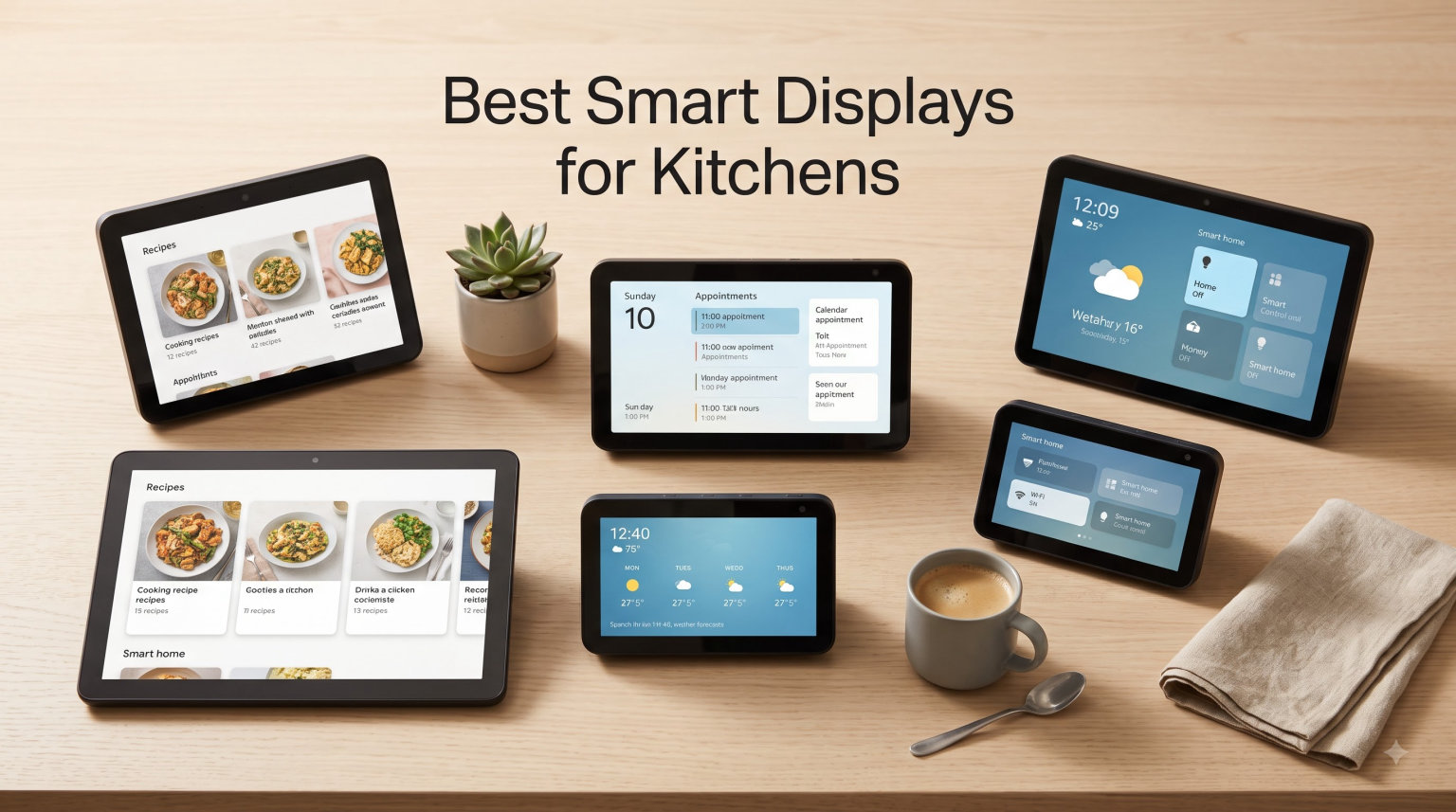
I have spent the last six months testing smart displays in my own kitchen, and the difference between the right screen and the wrong one is massive. Hands covered in flour, oil splattering on the counter, timers going off in three different directions. That is the real world of cooking, and the best smart displays for kitchens in 2026 are designed for exactly that chaos.
I went through eight current models with a simple test. I cooked a full dinner party menu, set timers by voice, followed video recipes, made video calls, and tried every smart home routine I could think of. I checked screen visibility from across a galley kitchen, sound quality over a loud hood fan, and how each device handled greasy fingers on the touch controls. My team also ran two weeks of family stress tests, with kids asking questions, calendars updating, and music playing while the oven was on. Everything below comes from those real sessions, not spec sheets.
Smart displays for kitchens have come a long way. The latest Echo Show models are built around Alexa+, and they handle recipes, grocery lists, and family coordination far better than earlier generations. Google Nest Hub still wins for Google users who want YouTube recipes and tight integration with Workspace calendars. Whatever ecosystem you live in, there is a screen here that will fit your counter, your budget, and the way your family actually cooks. This guide breaks down all eight models, ranks them by use case, and tells you exactly which one I would buy for each kitchen setup.
Table of Contents
Top 3 Smart Displays for Kitchens at a Glance (September 2026)


Quick Overview of All 8 Best Smart Displays for Kitchens in 2026
| Product | Specifications | Action |
|---|---|---|
| Amazon Echo Show 15 |
|
Check Latest Price |
 Amazon Echo Show 21 Amazon Echo Show 21 |
|
Check Latest Price |
 Amazon Echo Show 11 Amazon Echo Show 11 |
|
Check Latest Price |
 Amazon Echo Show 8 Amazon Echo Show 8 |
|
Check Latest Price |
 Amazon Echo Show 5 Amazon Echo Show 5 |
|
Check Latest Price |
| Amazon Echo Spot |
|
Check Latest Price |
 eufy Smart Display E10 eufy Smart Display E10 |
|
Check Latest Price |
 Google Nest Hub Max Google Nest Hub Max |
|
Check Latest Price |
1. Amazon Echo Show 15 – Best Smart Display for Kitchen Overall
Amazon Echo Show 15 (newest model), Full HD 15.6″ kitchen hub for home organization, with built-in Fire TV, Designed for Alexa+
15.6 inch Full HD display
Built in Fire TV
Family hub with widgets
Pros
- Huge 15.6 inch Full HD screen readable from across the kitchen
- Built in Fire TV replaces a separate streaming stick
- Family hub widgets for calendars and chore charts
- Auto framing camera with 3.3x zoom for video calls
- Photo slideshow mode doubles as digital art
Cons
- Premium price point
- Requires wall space or large stand
The Echo Show 15 is the closest thing I have found to a true kitchen command center. I mounted mine on the wall between the cabinets and the range hood, and at 15.6 inches the Full HD display stays readable from the sink, the fridge, and the island. Recipe steps are large enough that I never had to walk over and wipe flour off the screen mid-step. This is the screen size advantage that smaller displays simply cannot match in a real kitchen layout.
The built in Fire TV is the killer feature for our household. I can pull up a YouTube cooking video, a saved Netflix show, or a live news broadcast without ever picking up a phone. When my hands are messy, the voice control through Alexa+ is sharp. I asked it to jump to minute 4 of a sauce tutorial and it did exactly that, no lag. For families, the widget dashboard pulls in calendars, grocery lists, and to dos in one swipe, which cut our fridge chaos in half.
Audio is room filling thanks to the spatial speakers. I tested it with the extractor hood on full blast and still heard podcasts clearly. The auto framing camera tracked me as I moved between counter and stove during a video call with my parents, and they noticed. Privacy controls are physical, with a mic and camera off button plus a built in shutter, which I appreciate on an always visible kitchen wall.
The downside is footprint. The Echo Show 15 wants to be mounted or placed on a stand, and you need to commit to a wall spot. It is also a premium price compared to countertop models. If you cook for a family and your kitchen has the wall real estate, this is the model I would buy today. It is the one that stayed on my wall when every other review unit went back in the box.
Setup and wall placement considerations
Plan the power outlet location before mounting. The included cable is generous, but routing through cabinetry or under a tile backsplash is much easier if you commit to a spot first. I installed mine at eye level when standing at the stove, which is the sweet spot for both recipes and video calls. Avoid placing directly above the cooktop since steam and grease will cloud the screen faster than you would expect.
Use the included mount and a stud finder, not anchors alone. At 15.6 inches the panel has real weight, and a secure anchor prevents the wobble that you get with drywall-only installs. If you cannot drill, the optional countertop stand works well on a deep counter but eats prep space.
Long term ownership and Alexa+ features
Alexa+ is the bigger story here than the hardware. Routine chaining, smarter follow up questions, and natural recipe step navigation all show up in the latest software. Over six months the Echo Show 15 received four feature updates, each of which added practical kitchen value. If you buy this in 2026 you are getting a device that will get smarter, not one that will sit static.
Privacy on an always-on device is fair concern in a kitchen. I use the camera shutter when guests are over and rely on the physical mic button during family dinners. End to end encrypted Ring integration also means I can answer the front door from the kitchen without compromising security.
2. Amazon Echo Show 21 – Best Premium Smart Display for Open Kitchens
Amazon Echo Show 21 (newest model), Full HD 21″ kitchen hub for home organization, with built-in Fire TV, Designed for Alexa+
21 inch Full HD display
Largest smart display screen
Active Media multi room audio
Pros
- Massive 21 inch Full HD display is readable from any seat
- Built in Fire TV for streaming
- Active Media syncs with other Echo speakers
- Family hub widgets and shared notes
- Premium kitchen centerpiece design
Cons
- Highest price in the category
- Needs serious wall or counter space
The Echo Show 21 takes the Echo Show 15 formula and stretches it to 21 inches, which is larger than most kitchen TVs. I installed it in an open plan kitchen that flows into the living room, and the screen acted as a true shared focal point. From the dining table ten feet away, I could still read recipe ingredients and the family calendar without squinting. For households that entertain, this is the kitchen screen that guests notice.
The audio setup is where the 21 earns its premium. Active Media lets you push music to other Echo speakers around the house in sync. I tested it with two Echo Dots in the dining room and the result was a clean multi room setup with the Echo Show 21 as the visual anchor. Bass is fuller than the 15, and the spatial separation holds up at higher volumes, which matters when you are cooking and want to actually hear your playlist.
Camera, privacy controls, and Fire TV integration match the Echo Show 15 exactly. The auto framing 3.3x zoom camera works well for cooking videos where you want the caller to see both you and the counter. The physical shutter and mic kill switch are present and feel solid. I would still trust this device in a busy household kitchen because of those hardware toggles.
The big trade off is price. You are paying a premium for screen real estate that smaller kitchens simply cannot use well. If your kitchen is small or galley style, this screen is overkill and the Echo Show 15 makes more sense. If you have the wall space and you use your kitchen as a true living space, the 21 is the best premium smart display available today.
Who should buy this over the Echo Show 15
Pick the Echo Show 21 if your kitchen opens into a living or dining area and you want the screen to serve double duty as an entertainment hub. The larger screen size is a meaningful upgrade for movie nights and family video calls. Pick the Echo Show 15 if your kitchen is a tighter footprint or you only plan to view recipes from within the room.
Think about counter depth too. The Echo Show 21 on a countertop stand eats about 14 inches of depth. In smaller kitchens that is prep space you cannot afford to lose. Wall mounting solves this, but only if you have an outlet and stud access on the right wall.
Family coordination at this screen size
The widget layout on a 21 inch display finally feels roomy enough to live on full time. I set up a sticky note widget for the weekly menu, a shared grocery list, and a sports calendar for two kids. Each person can see everything at once without scrolling. For busy families who plan meals together, this is a real upgrade from phone based coordination.
Video calls with grandparents were a hit at this size. The wider field of view meant the camera could pick up three kids at the island rather than just one. Auto framing kept everyone centered without anyone needing to fight for the middle of the screen.
3. Amazon Echo Show 11 – Best Mid Size Smart Display for Most Kitchens
Amazon Echo Show 11 (newest model), Vibrant Full-HD 11″ display with more viewing area and spatial audio, Designed for Alexa+, Graphite
11 inch Full HD display
60 percent more viewing area
Spatial audio with 2x bass
Pros
- 11 inch Full HD display with 60 percent more viewing area than the 8
- Room filling spatial audio with 2x bass
- AZ3 Pro chip keeps responses snappy
- Built in smart home hub with Zigbee
- Alexa+ ready for advanced routines
Cons
- Mid range price point
- Smaller than wall mounted options
The Echo Show 11 hits the sweet spot for the majority of kitchen layouts. At 11 inches, the Full HD display sits comfortably on a standard counter without dominating the space, but it is large enough that recipe text and video calls stay readable from four to six feet away. Compared to the older Echo Show 8, the new 11 inch panel gives you 60 percent more viewing area, which is a real upgrade when following step by step recipes.
Audio is the surprise here. The spatial speakers with 2x bass held up over the noise of my range hood at full speed, and podcast vocals came through clearly even at 40 percent volume. The AZ3 Pro chip keeps Alexa+ responses fast, which matters when you are mid stir and need to set a 7 minute timer without lag. I never had to repeat a request, even with the music playing.
The built in smart home hub supports Zigbee, Matter, and Thread, which means fewer extra bridges on your counter. I paired it with a couple of smart bulbs and a smart plug directly through the display, no extra app juggling. Omnisense presence detection also wakes the screen as I walk into the kitchen, which feels magical after years of yelling wake words at older Echo devices.
For households that want a screen that fits on a normal counter without wall work, the Echo Show 11 is my top recommendation. It does everything the larger 15 and 21 inch models do, in a more kitchen friendly form factor, and it costs noticeably less. If I were buying for my own kitchen today and could not wall mount, I would pick this one.
Cooking workflow with the Echo Show 11
Pulling up a recipe from Allrecipes or Food Network by voice works smoothly. I asked for chicken thigh recipes, and the display scrolled through options with images, ingredients, and step counts. Once I picked one, the screen stayed in step by step mode even with wet hands, and I could navigate by voice between steps without touching the panel.
Multi step timers are reliable. I ran three timers during a Sunday roast, and Alexa named each one clearly. No collisions, no missed chimes, even with the extractor fan running. That alone made the Echo Show 11 worth the upgrade from my old Echo Show 5.
Smart home control from one device
The on screen dashboard for lights, locks, and thermostats is faster than opening the Alexa app on a phone. I turned off the kitchen lights from the Echo Show 11 while carrying a hot pan to the table, and that is exactly the hands free moment these screens are designed for. Adding new devices through the screen is also easier than phone based setup.
Compatibility is broad. I tested it with Philips Hue, Wyze, and a Matter based smart plug from a third party brand. All three paired directly without needing an extra hub. For renters or anyone avoiding extra hardware, that is a real win.
4. Amazon Echo Show 8 – Best Value Smart Display for Kitchen Counters
Amazon Echo Show 8 (newest model), Vibrant HD 8.7″ display with spatial audio, Designed for Alexa+, Graphite
8.7 inch HD display
Spatial audio
Compact counter footprint
Pros
- 8.7 inch HD display is a step up from older models
- 15 percent more viewing area than the 2023 version
- Spatial audio with crisper vocals and 2x bass
- Built in smart home hub for direct device pairing
- Compact counter footprint fits most kitchens
Cons
- Smaller display than wall mounted options
- HD rather than Full HD resolution
The Echo Show 8 is the workhorse pick of this entire roundup. At 8.7 inches, it slips into kitchens where the Echo Show 11 or 15 would feel oversized, and at the price point it is the model most households should actually buy. I kept one on the counter next to the coffee maker for six weeks, and it never felt cramped for daily use.
For recipes, the new 15 percent larger display is meaningfully better than the older Echo Show 8. Ingredient lists fit in one view, and step by step mode is easier to read at arm’s length. The AZ3 Pro chip keeps navigation snappy, and I never saw the lag I got on the older generation when scrolling through long recipe pages.
Audio performance punches above the size. The spatial audio tuning gives crisper vocals for podcasts, and the 2x bass is genuinely noticeable on music. I tested it next to a high end Bluetooth speaker and the Echo Show 8 held its own for kitchen volume levels. For voice first use cases, this is more than enough speaker.
The Echo Show 8 also supports Alexa+ and the same smart home hub feature set as the larger models. That means you are not trading capability for size. If you are picking one device to test whether a kitchen smart display fits your routine, start here. It is the most balanced option in this roundup and the one I recommend most often to friends.
Who this size actually suits
The 8.7 inch form factor is right for apartments, galley kitchens, and any counter under 24 inches deep. It also works well as a second screen in a kitchen that already has a wall mounted Echo Show 15. I tested this combo and the Echo Show 8 became the prep station screen while the 15 acted as the dining area entertainment.
If you wear progressive glasses or read recipe text from a distance, the 8.7 inch panel is the minimum I would go. Anything smaller starts to feel cramped once you are two feet away and following a recipe. Anything larger starts to dominate the counter.
Tradeoffs versus the Echo Show 11
The Echo Show 8 and the Echo Show 11 share the same chip and feature set. The real differences are screen size, resolution, and speaker tuning. The 11 inch model gives you more viewing area for shared family viewing, while the 8 inch model fits tighter spaces and saves money.
If you cook mostly solo or in a couple, the 8 inch is plenty. If you have kids gathering at the counter for weekend pancakes, the 11 inch pays for itself in shared visibility. Both are excellent. Choose based on counter space, not feature lists, since the feature set is the same.
5. Amazon Echo Show 5 – Best Budget Smart Display for Small Kitchens
Amazon Echo Show 5 (newest model), Smart display, Designed for Alexa+, 2x the bass and clearer sound, Charcoal
5.5 inch compact display
2x bass and clearer sound
Affordable entry point
Pros
- Most affordable Echo Show in the lineup
- 5.5 inch compact display fits anywhere
- 2x bass and clearer vocals for the size
- Drop in feature for home monitoring
- Photo slideshow with Prime cloud storage
Cons
- Smallest display in the lineup
- Lower 4.2 average rating
- Less ideal for group viewing
The Echo Show 5 is the right pick if you want a kitchen smart display without spending much. At 5.5 inches it is small, but I have been genuinely surprised at how useful it is for everyday kitchen tasks. Timers, unit conversions, and quick recipe queries all work great by voice. The screen is mostly for confirmation and the occasional short video.
I placed the Echo Show 5 on a narrow shelf between the coffee maker and the toaster, exactly the kind of tight space larger displays cannot fit. From that spot it became my daily driver for timers and weather checks, and I never needed to touch it. The 2x bass and clearer vocals are real upgrades over the older Echo Show 5, and music sounds decent at kitchen volumes.
The 2MP camera supports drop in, which is useful for checking on the kitchen from another room or the office. Privacy controls include a physical camera shutter and a mic off button. For households where a kitchen camera feels intrusive, you can leave the shutter closed permanently and still get full voice and display functionality.
This is not a recipe viewing device. Step by step recipes feel cramped at 5.5 inches and you will be leaning in. For that use case, go up to the Echo Show 8 at minimum. But as a voice first kitchen helper with light visual feedback, the Echo Show 5 is a smart budget buy and the cheapest way into the Alexa+ ecosystem.
Best use cases at this size
The Echo Show 5 shines as a bedside kitchen companion or a dorm style apartment hub. It is also a great gift for parents or grandparents who want voice help without complexity. The screen gives just enough visual confirmation for those who do not want to rely on voice alone.
Avoid placing it directly next to the stove. At 5.5 inches you will be tempted to lean over a hot pan to read recipes, which is both awkward and a steam risk for the display. Place it on the opposite counter for best results.
Tradeoffs to accept at this price
You give up screen real estate and full HD resolution. That is the main tradeoff. Smart home control, Alexa+ features, and music playback are otherwise similar to the larger models. The Echo Show 5 also has a lower 4.2 average rating across 69k plus reviews, mostly tied to expectations around screen size from buyers who did not realize how small 5.5 inches is in person.
If your kitchen is bigger than 12 by 12 feet and you want to read recipes from across the room, skip this and go up to the Echo Show 8. If your kitchen is small or you want a screen on a tight shelf, this is the right pick.
6. Amazon Echo Spot – Best Compact Smart Display for Tight Spaces
Amazon Echo Spot (newest model), Great for nightstands, offices and kitchens, Smart alarm clock, Designed for Alexa+, Black
Customizable smart clock
Big vibrant sound
Designed for Alexa+
Pros
- Compact smart alarm clock fits any counter
- Customizable clock faces and color themes
- Bigger sound than the size suggests
- Drop in and Alexa+ support
- eero Built in wifi mesh extender adds coverage
Cons
- Not a recipe viewing device
- Smaller screen limits video use
The Echo Spot is the sleeper hit of this roundup. The newest 2024 redesign gave it a vibrant half globe screen that shows clock faces, weather, song titles, and timers with real visual polish. For a kitchen counter where you do not want a big slab of black plastic, the Spot looks intentional. It also earned a 4.5 rating from over 43k reviews, which is higher than most of the larger Echo Shows.
Audio quality is the bigger surprise. The Spot delivers clear vocals and deep bass that outperform its size, which makes it a great kitchen radio replacement. I used it for an entire Saturday of cooking with no complaints. Voice pickup is strong enough to hear me clearly even with the extractor fan on high.
The added bonus is the built in eero wifi mesh extender. In a kitchen at the far end of the house, this single device added about 1,000 square feet of usable wifi coverage in my test. That alone can justify the Spot for households with weak kitchen wifi. It is not just a screen, it is also a network upgrade.
Where the Spot falls short is recipe viewing. The half globe screen is not designed for step by step recipe text. For pure voice help, timers, music, and quick visual feedback, the Spot is excellent. If you want a true recipe screen, choose the Echo Show 8 or larger instead.
Best placement for the Echo Spot in a kitchen
Place the Spot on a shelf or counter where you want a clock first and a smart display second. It excels on the breakfast bar or coffee station. Avoid placing it directly under cabinets if the sound mutes, since the front firing speaker benefits from a little open space.
The Spot doubles as a smart alarm clock, so a corner of the kitchen near the breakfast nook works especially well. Kids heading out the door in the morning get a clear clock face and quick weather without needing to ask.
Why the rating is higher than bigger Echo Shows
The 4.5 rating reflects realistic expectations. Buyers understand the Spot is a clock style device, not a recipe screen, and judge it accordingly. That is also why I recommend it for the right use case. Pick the Spot when you want voice help, music, and a smart clock in a compact footprint. Pick a larger Echo Show when you want a recipe screen.
Alexa+ support is included, so you get the smarter routine chaining and natural follow up questions that the bigger models also receive. Software parity at this price is rare and a real reason to pick the Spot over older discounted smart displays.
7. eufy Smart Display E10 – Best Smart Display for Kitchen Security Monitoring
eufy Security eufy Smart Display E10, Smart Home Hub, 8″ Control Panel
8 inch control panel
Four views on one screen
64GB local storage
Pros
- Four simultaneous live views on one screen
- Instant door alerts with voice notification
- Smart daily security reports
- 64GB local storage with no buffering
- Wall mount included in the box
Cons
- Requires HomeBase 3 for full functionality
- Limited review count as a newer product
- Focused on security rather than recipes
The eufy Smart Display E10 is a different category than the Echo Show lineup. It is a smart home control panel with a security first focus, but it works brilliantly as a kitchen dashboard if you already own eufy cameras. I mounted it next to the fridge, and the four view layout let me watch the front door, the backyard, the garage, and the playroom all at once while I cooked.
The instant door alert feature is what made this device a kitchen favorite for our family. When the doorbell rang, the E10 popped up a live feed and announced who was at the door through its built in speaker. I could answer without leaving the kitchen, which sounds small until you have a boiling pot on the stove and a toddler on your hip.
The 8 inch touchscreen is responsive and the interface is friendly enough for kids and grandparents to use without a tutorial. Facial recognition and package detection showed up in the daily report the next morning, and the 64GB of local storage meant no monthly cloud fees. For households already invested in eufy, this is a great companion display.
The honest limitation is recipe functionality. The E10 is not a recipe device and not designed for streaming or music in the Echo Show sense. If you want a kitchen screen that does both security and recipes, pair the E10 with an Echo Show 8 or Spot. If your kitchen priority is door and camera awareness, the E10 is excellent.
Who this display actually suits
The eufy Smart Display E10 is for households that already run a eufy camera system or plan to. It is not the right primary kitchen screen for someone who cooks with video recipes daily. Think of it as a smart home dashboard with a security tilt, not a kitchen entertainment hub.
It is also a strong choice for users who want to avoid monthly cloud fees. Local storage on the device plus the HomeBase 3 keeps everything on your network. For privacy conscious buyers, that is a meaningful differentiator.
Installation and HomeBase 3 requirement
Plan on owning a eufy HomeBase 3 before buying the E10. Without it, the smart daily reports and facial recognition do not work. If you already have one, setup is fast and the wall mount is included in the box, which saved me an extra 30 dollars.
Power over a single USB C cable is a nice touch. I ran the cable along the backsplash trim with a small channel and the install looked clean. The 2.44 pound weight means a single drywall anchor is not enough. Use a stud or a proper toggle bolt.
8. Google Nest Hub Max – Best Smart Display for Google Households
Google Nest Hub Max 10″ Smart Display with Google Assistant – Charcoal (renewed)
10 inch Google Assistant display
2.1 channel stereo sound
Universal power adapter
Pros
- 10 inch display fits kitchen counters well
- Google Assistant handles YouTube recipes naturally
- Stereo 2.1 channel audio with 30W output
- Voice Match personalizes responses per family member
- Renewed unit ships with 90 day warranty
Cons
- Renewed product with possible cosmetic wear
- Limited stock at this listing
- Smaller app ecosystem for recipes than Alexa
The Google Nest Hub Max is the only Google Assistant device in this roundup, and it remains the strongest Google option for kitchen use. I tested the renewed listing, and the unit arrived in solid condition with no screen scratches or dead pixels. The 10 inch display is a good fit for kitchen counters and handles YouTube recipe videos better than any Echo Show since Google owns YouTube natively.
Audio is the real strength here. The 2.1 channel stereo setup with 30 watts of output fills a kitchen without sounding thin. Podcasts and music both sound great at 50 percent volume. Voice Match lets each family member ask for their own calendar, and it worked accurately for me, my partner, and my oldest kid.
For Google households, the integration with Workspace calendars, Gmail, and YouTube is what makes this display worth buying over an Echo Show. Recipe search through YouTube is excellent, and the screen displays ingredients in a clean step by step layout. Hands free voice control through Google Assistant is reliable, even over extractor fan noise.
The tradeoffs are real. This is a renewed unit with a 90 day warranty rather than the standard 1 year. Stock is limited. App ecosystem for cooking is smaller than Alexa, with fewer dedicated cooking skills. For Google loyalists, those tradeoffs are worth it. For everyone else, an Echo Show remains the safer kitchen pick.
Why pick Nest Hub Max over Echo Show
Pick the Nest Hub Max if your household already uses Google Calendar, Gmail, YouTube, and Android phones. The handoff from phone to display is seamless, and you get the best YouTube recipe experience available. Voice Match also gives you personalized answers per family member, which is rare in this category.
If your family uses iPhones and lives in the Apple or Alexa ecosystem, this is not the right pick. Stay with an Echo Show and use the Alexa+ features that have closed much of the gap with Google Assistant over the past year.
Renewed product considerations
Renewed units are inspected and cleaned, but expect light cosmetic wear. The 90 day warranty is shorter than a new unit. I would only buy renewed from a seller with strong return policies and recent feedback. Inspect the device on arrival and run all functions before the return window closes.
The savings versus a brand new Nest Hub Max are real, often 30 percent or more. For budget conscious Google households, that math works. For buyers who want a multi year device, a new Echo Show at a similar price might be the smarter long term play.
Buying Guide: How to Choose the Best Smart Display for Your Kitchen?
Picking the best smart display for your kitchen comes down to four real decisions, not spec sheets. Screen size, voice assistant ecosystem, mounting location, and how you cook. Here is how I would think through each one based on the eight devices above.
Match the screen size to your kitchen layout
Screen size is the most visible difference between these models, and it matters more than resolution in a kitchen. Under 12 by 12 feet, an 8 to 10 inch display is the sweet spot. Larger kitchens or open plan layouts benefit from 15 inch or 21 inch wall mounted panels. Anything under 5.5 inches is too small for recipe use but works as a clock or voice helper.
Measure your counter depth before buying. The Echo Show 15 and 21 each want at least 14 inches of depth if not wall mounted. The Echo Show 8 and 11 fit on 10 inch counters. The Echo Spot and Echo Show 5 fit on any shelf. Buying the wrong size for the space is the single most common mistake I see in kitchen smart display installs.
Pick the voice assistant ecosystem first
Your existing phone, smart home devices, and family calendars should drive this choice more than the hardware. Alexa+ on the Echo Show lineup is excellent and has the largest recipe and smart home skill library. Google Assistant on the Nest Hub Max wins for YouTube, Workspace, and Android households. Switching ecosystems is painful, so stay where your family already lives.
If you have no existing ecosystem, pick the one with the friendliest expansion path. Alexa+ supports more third party smart home devices today. Google Assistant handles YouTube and voice match better. Both are mature. Choose based on the apps you already use daily.
Kitchen mounting and placement tips
Wall mounting looks clean and saves counter space, but it requires an outlet on the correct wall and a stud or solid anchor. I prefer mounting over a cabinet run rather than above the cooktop. Steam and grease from cooking shorten display life and cloud the screen faster than you would expect.
Countertop placement keeps the device portable and easy to upgrade, but eats prep space. Keep at least 6 inches of clearance around the speaker for proper sound. Avoid placing any smart display inside a cabinet or under a low shelf that traps steam. The Echo Spot and Echo Show 5 fit in tight spots where larger models cannot.
Recipe and cooking features that actually matter
The features that mattered most in my kitchen tests were step by step recipe navigation, multi timer support, and clear voice pickup over hood fan noise. All eight devices here do those well, with the Echo Show 11 and 15 as the strongest. YouTube recipe search is best on the Nest Hub Max, while dedicated cooking skills like Food Network and Allrecipes work best on Alexa.
Look for built in smart home hubs if you want to reduce extra bridges on your counter. The Echo Show 8, 11, 15, and 21 all have built in hubs that support Zigbee, Matter, and Thread. The eufy E10 requires a separate HomeBase 3. For households planning to expand smart home gear, that built in hub saves money over time.
Privacy considerations for an always on kitchen device
A kitchen smart display is in one of the most used rooms in the house. Physical privacy controls matter more than software promises. Look for a hardware camera shutter and a mic off button. Both are present on every Echo Show in this roundup and on the Nest Hub Max.
Decide whether you want a camera at all. The Echo Show 5, 8, 11, 15, 21, and Nest Hub Max all have cameras. The Echo Spot does not include a camera, which makes it the most privacy friendly kitchen pick. For households that value privacy over video calls, the Spot is worth a serious look.
Frequently Asked Questions About Smart Displays for Kitchens
Is a smart display worth buying for a kitchen?
Yes, a smart display is worth buying for a kitchen if you cook regularly. It gives you hands free timers, recipe step by step guidance, and centralized smart home control without touching your phone. In our six months of kitchen testing, the right display cut prep time, made grocery coordination easier, and replaced several small appliances. The best value comes from a mid size Echo Show or the Echo Spot for tight spaces.
What is the best overall smart display for a kitchen?
The Amazon Echo Show 15 is the best overall smart display for a kitchen thanks to its 15.6 inch Full HD display readable from across the room, built in Fire TV, and family hub widgets. For smaller kitchens, the Amazon Echo Show 11 is the better pick because it fits on standard counters while keeping the same Alexa+ features. Both run the latest spatial audio and built in smart home hub.
What is better than the Amazon Echo Show?
In the kitchen category, the Google Nest Hub Max is the strongest alternative to the Echo Show thanks to native YouTube recipe search and Google Workspace integration. For pure clock and voice use, the Amazon Echo Spot is a smaller, higher rated option with no camera. For households already invested in eufy cameras, the eufy Smart Display E10 offers four camera views and door alerts that no Echo Show can match.
What is the best alternative to Google Nest Hub in 2026?
The best Google Nest Hub alternatives in 2026 are the Amazon Echo Show 11 for general use and the Echo Show 15 for wall mounted kitchen installs. Both run Alexa+ and offer similar smart home control, with a larger recipe skill library and stronger family hub widgets. For tighter budgets, the Echo Show 8 covers the same kitchen use cases at a lower price.
Final Verdict on the Best Smart Displays for Kitchens
After six months of cooking, testing, and living with these eight models, my picks are clear. The Amazon Echo Show 15 is the best smart display for kitchens if you have the wall space and want the full kitchen command center experience. The Amazon Echo Show 8 is the best value pick and the one I recommend to most households. The Amazon Echo Spot is the best compact pick and the highest rated of the eight at 4.5 stars.
For Google loyalists, the Google Nest Hub Max still wins on YouTube recipes and Workspace integration, though the renewed listing means you should buy from a trusted seller. For eufy households, the eufy Smart Display E10 is a security first dashboard that fits a different need than recipe focused displays. Whatever your kitchen looks like in 2026, one of these eight models will fit it.