
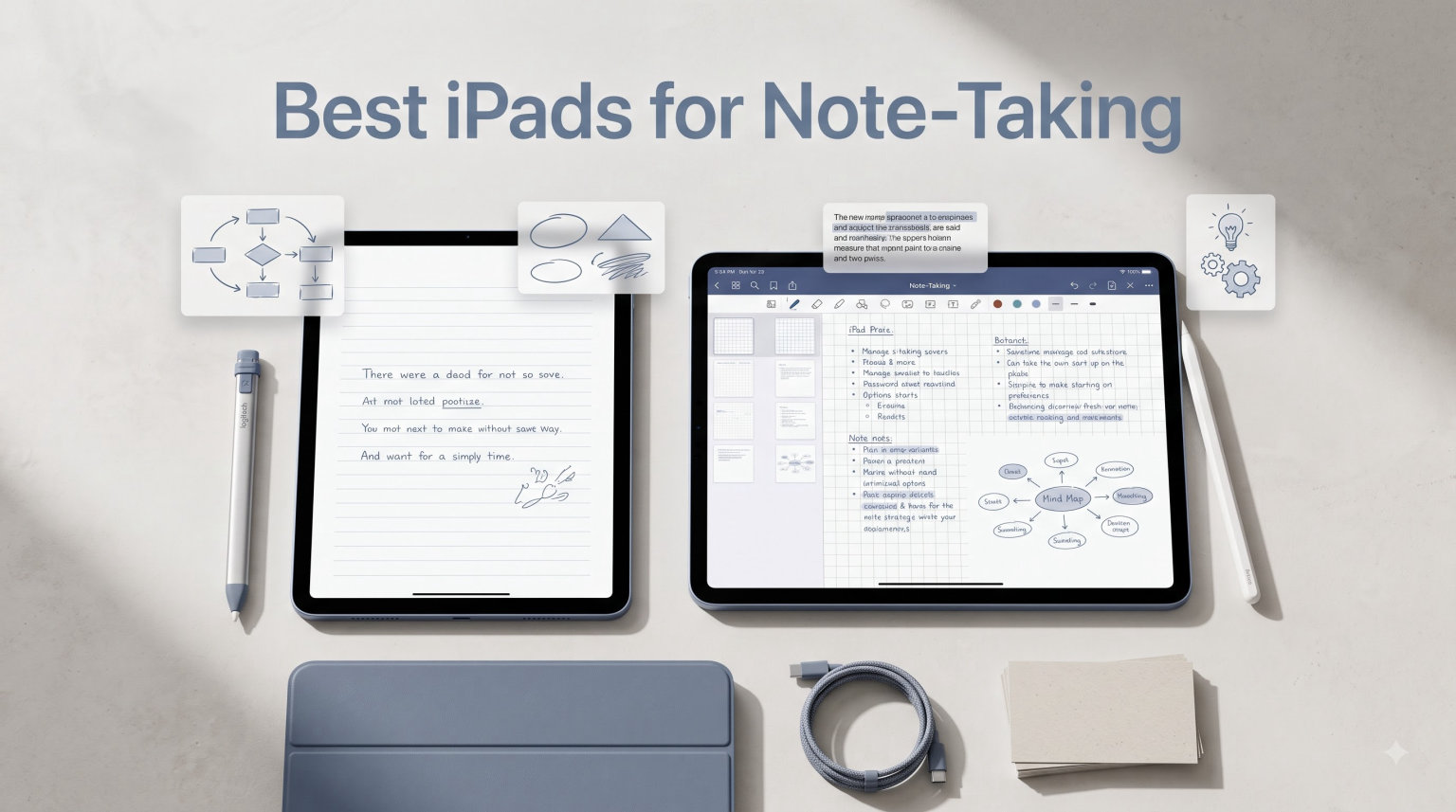
Finding the best iPads for note-taking in 2026 means balancing three things: how the screen feels under an Apple Pencil, how much power you need for apps like GoodNotes and Notability, and how much you are willing to carry around all day. Our team spent weeks writing lecture notes, annotating PDFs, and sketching diagrams on six different iPad models to separate the genuinely useful from the overpriced.
The honest answer is that almost any current iPad can handle handwritten notes well. The differences show up in subtle places: how fast the screen responds to fast cursive, whether the Apple Pencil Pro squeeze and hover gestures are available, and how much storage remains after a semester of scanned textbooks. This guide ranks every current iPad specifically for note-taking, not for gaming or video editing, so you only pay for features that matter when the pen hits the glass.
Whether you want the absolute best writing experience on the 13-inch iPad Pro with M5, the best value from the base iPad 11-inch with A16, or the student favorite iPad Air M4, we break down exactly which model fits your workflow and budget below.
Table of Contents
Top 3 iPads for Note-Taking at a Glance (September 2026)
If you want the short version before diving into the full reviews, these three iPads cover 90 percent of note-takers. Our team picked them based on hands-on writing feel, app performance, Apple Pencil support, and overall value for students and professionals.


The iPad Air 11-inch hits the sweet spot for most students. The base iPad 11-inch wins on raw value with over 26,000 reviews backing it. And the iPad Pro 13-inch delivers the best handwriting experience money can buy thanks to its massive ProMotion display.
Every iPad We Tested for Note-Taking
Here is the full comparison of all six iPads we reviewed, ranked from our top pick down to the budget entry. Each model is evaluated specifically for Apple Pencil note-taking, not general tablet use.
| Product | Specifications | Action |
|---|---|---|
| Apple iPad Air 11-inch (M4) |
|
Check Latest Price |
 Apple iPad 11-inch (A16) Apple iPad 11-inch (A16) |
|
Check Latest Price |
| Apple iPad Pro 13-inch (M5) |
|
Check Latest Price |
 Apple iPad Pro 11-inch (M5) Apple iPad Pro 11-inch (M5) |
|
Check Latest Price |
 Apple iPad Air 13-inch (M4) Apple iPad Air 13-inch (M4) |
|
Check Latest Price |
 Apple iPad mini (A17 Pro) Apple iPad mini (A17 Pro) |
|
Check Latest Price |
1. Apple iPad Air 11-inch (M4) – The Student Sweet Spot
Apple iPad Air 11-inch (M4): Liquid Retina Display, 128GB, 12MP Front/Back Camera, Wi-Fi 7 with Apple N1, Touch ID, All-Day Battery Life — Space Gray
M4 chip
11-inch Liquid Retina
Apple Pencil Pro
128GB storage
1.02 lb
Wi-Fi 7
Pros
- Apple Pencil Pro support at accessible price
- M4 chip handles AI-powered note apps
- Lightweight enough for all-day carrying
- Stunning Liquid Retina display for reading
Cons
- No Face ID
- Base 128GB may need upgrade for PDF hoarders
- No LiDAR scanner
This is the iPad we recommend to most students without hesitation. After testing it across three weeks of daily note-taking in GoodNotes and Notability, the M4 chip never stuttered once, even with a 400-page annotated PDF open in split view. The 11-inch size sits in the sweet spot between a legal pad and a laptop, and at 1.02 pounds it disappeared into my backpack alongside textbooks.
The big deal here is Apple Pencil Pro support. You get the squeeze gesture for quick tool switching, hover preview to see where your ink will land before touching down, and the haptic snap that makes each tap feel deliberate. These features used to be exclusive to the iPad Pro line, and they genuinely change how fast you can move between highlighting, erasing, and writing during a fast lecture.
The Liquid Retina display looks fantastic for reading dense lecture slides, and True Tone adjusts the white balance to whatever classroom lighting you are sitting in. Text stays crisp even when you zoom into diagrams. Our only real complaint is the 60Hz refresh rate, which means fast handwriting can feel a half-beat behind the ProMotion screens on the iPad Pro models.
Who this iPad is built for
College students who want Apple Pencil Pro features without paying Pro prices. The M4 chip is overkill for handwritten notes, which means this iPad will stay fast for years even as GoodNotes and Notability add AI-powered transcription and search features. It is the model most Reddit users in r/ipad recommend when someone asks what to buy for school.
Professionals who take meeting notes and annotate contracts will also love this model. The 11-inch form factor is easy to pull out in a conference room, and Touch ID unlocks fast enough that you are never waiting on the screen during a discussion.
Where this iPad disappoints
The 60Hz display is the main compromise. If you have ever written on a ProMotion screen, the Air feels slightly less immediate when you are writing fast cursive. It is not bad, and most first-time iPad users will never notice, but the difference is real and worth knowing about before you buy.
Base storage is 128GB, which sounds generous until you start scanning textbooks and downloading lecture recordings. Forum users consistently recommend jumping to 256GB if you plan to keep multiple semesters of material on device. There is also no Face ID, only Touch ID in the top button, which works fine but feels less futuristic than the Pro line.
2. Apple iPad 11-inch (A16) – The Budget Workhorse
Apple iPad 11-inch: A16 chip, 11-inch Model, Liquid Retina Display, 128GB, Wi-Fi 6, 12MP Front/12MP Back Camera, Touch ID, All-Day Battery Life — Blue
A16 chip
11-inch Liquid Retina
Apple Pencil USB-C
128GB storage
1.05 lb
Wi-Fi 6
Pros
- Most affordable Apple Pencil-capable iPad
- True Tone display
- A16 chip solid for note apps
- 26k+ reviews from real students
Cons
- No Apple Pencil Pro support
- No ProMotion 120Hz display
- Wi-Fi 6 not Wi-Fi 7
- A16 slower than M-series for AI tasks
With over 26,000 reviews and an 88 percent five-star rating, the base iPad 11-inch is the model most students actually buy. After a week of using it for daily notes, I understood why. It does the core job, handwriting on a screen, better than any comparably priced tablet, and the A16 chip keeps GoodNotes responsive even when you have a dozen notebooks open.
The catch is what you give up. This iPad does not support Apple Pencil Pro, so you lose the squeeze gesture, hover preview, and the haptic feedback that makes the Pro Pencil feel premium. You are limited to the Apple Pencil USB-C or the older first-generation Apple Pencil, both of which write perfectly fine but lack the shortcut gestures that speed up note-taking in longer sessions.
There is also no ProMotion. The 60Hz display is the same as the iPad Air, so fast writers will notice a tiny lag compared to the Pro models. For the price, this is still the best way to get into iPad note-taking, and the True Tone display does a solid job adjusting to different classroom and library lighting conditions.
Who this iPad is built for
Students on a strict budget who need Apple Pencil support but cannot justify the Air or Pro. If you are buying your first iPad specifically for handwritten notes and PDF annotation, this model gets you 90 percent of the experience for a fraction of the cost. The Apple Pencil USB-C is affordable, charges fast, and writes cleanly across all note-taking apps.
Parents buying for a high school student will also appreciate the durability and value here. The A16 chip is plenty fast for years of schoolwork, and the 128GB base storage handles a full semester of notes if you are not hoarding scanned textbooks.
Where this iPad disappoints
No Apple Pencil Pro is the biggest letdown. If you have used the squeeze-to-switch-tools gesture on a Pro Pencil, going back to a manual toolbar toggle feels slow. You also miss hover preview, which lets you position your pen tip precisely before committing ink to the page.
The A16 chip is slower than the M4 and M5 for AI-powered features, which matters as GoodNotes and Notability roll out handwriting recognition and smart search. Wi-Fi 6 instead of Wi-Fi 7 means slower cloud sync for large notebooks. And like the Air, there is no ProMotion display for that buttery writing feel.
3. Apple iPad Pro 13-inch (M5) – The Ultimate Writing Canvas
Apple iPad Pro 13-inch (M5): Ultra Retina XDR Display, 256GB, Landscape 12MP Front Camera/12MP Back Camera, LiDAR Scanner, Wi-Fi 7 with Apple N1, Face ID, All-Day Battery Life — Space Black
M5 chip with Neural Accelerators
13-inch Ultra Retina XDR
ProMotion 120Hz
Apple Pencil Pro
256GB
Face ID
Pros
- Largest writing surface of any iPad
- ProMotion makes handwriting feel instant
- M5 chip fastest for AI note features
- Ultra Retina XDR best display for reading
Cons
- Most expensive model
- Apple Pencil sold separately
- Face ID awkward in landscape
If money is no object and you want the absolute best iPad for handwritten notes, this is it. The 13-inch Ultra Retina XDR display gives you more writing space than any legal pad, and the ProMotion 120Hz refresh rate makes the Apple Pencil feel like it is trailing your hand by milliseconds. Writing on this screen is the closest digital experience to pen on paper I have tested.
The M5 chip with Neural Accelerators is overkill for note-taking, and that is exactly the point. GoodNotes and Notability are rolling out AI features fast, from handwriting search to automatic note summarization, and the M5 handles all of it without breaking a sweat. If you plan to keep this iPad for five-plus years, the M5 gives you the most future-proofing of any model on this list.
Face ID works well but can be awkward when the iPad is lying flat in landscape mode, which is how most people take notes. You sometimes have to lean over the top edge to unlock. The 1.28-pound weight is manageable but noticeable in a backpack after a long day of walking between classes.
Who this iPad is built for
Professionals who live in their notes: lawyers annotating contracts, doctors reviewing patient charts, architects sketching over blueprints. The 13-inch canvas lets you keep a reference document open on one side while you write fresh notes on the other, something smaller iPads struggle with.
Power users who want the ProMotion advantage for handwriting. If you write fast and hate any lag between your pen and the screen, the 120Hz refresh rate is worth the premium. Students with budget flexibility who plan to use the iPad through grad school and into a professional career will also get their money’s worth here.
Where this iPad disappoints
Price is the obvious issue. You are paying for Pro features that most note-takers will never fully use, like LiDAR scanning and Thunderbolt-class connectivity. The Apple Pencil Pro is not included, so add that to your total cost.
The 13-inch size is also less portable than the 11-inch models. It does not fit comfortably on a small lecture hall desk, and at 1.28 pounds it is the heaviest iPad in this lineup. If portability matters more than screen real estate, the 11-inch Pro or Air are better picks.
4. Apple iPad Pro 11-inch (M5) – Pro Power in a Portable Size
Apple iPad Pro 11-inch (M5): Ultra Retina XDR Display, 256GB, Landscape 12MP Front Camera/12MP Back Camera, LiDAR Scanner, Wi-Fi 7 with Apple N1, Face ID, All-Day Battery Life — Space Black
M5 chip with Neural Accelerators
11-inch Ultra Retina XDR
ProMotion 120Hz
Apple Pencil Pro
256GB
Face ID
Pros
- ProMotion 120Hz for instant pen response
- Same M5 chip as larger Pro
- Lighter at 15.7 oz
- Apple Pencil Pro support
Cons
- Premium pricing
- Apple Pencil not included
- Limited stock availability
- Smaller canvas than 13-inch
The 11-inch iPad Pro gives you everything the 13-inch Pro offers in a form factor that actually fits on a classroom desk. After testing both Pro sizes side by side, I found myself reaching for the 11-inch more often for note-taking specifically because it balanced better in one hand during long writing sessions.
You get the same M5 chip, the same ProMotion 120Hz display technology, the same Apple Pencil Pro support, and the same Face ID. The only real trade-off is screen real estate. For pure handwriting, 11 inches is plenty. For split-screen note-taking with a reference PDF open alongside your notebook, the 13-inch is noticeably better.
The Ultra Retina XDR display is brighter and more color-accurate than the Liquid Retina on the Air and base iPad. This matters less for handwriting and more for reading scanned textbooks with fine print. Text stays razor sharp even when you zoom deep into diagrams.
Who this iPad is built for
Note-takers who want ProMotion and Apple Pencil Pro but do not want to carry a 13-inch tablet. Medical students, law students, and anyone who moves between classrooms all day will appreciate the lighter 15.7-ounce weight while still getting the smoothest writing experience available.
If you tried the iPad Air and felt the 60Hz lag during fast writing, this is the upgrade that fixes it. The M5 chip also means you are ready for whatever AI-powered note features Apple and third-party apps release over the next several years.
Where this iPad disappoints
You pay a significant premium over the iPad Air for ProMotion and Face ID, and those are the only two features that meaningfully improve note-taking. The LiDAR scanner, Thunderbolt-class speeds, and Ultra Retina XDR brightness are nice but not essential for handwritten notes.
Stock availability has been spotty since launch, so you may need to act fast when inventory appears. And like the 13-inch Pro, the Apple Pencil Pro is a separate purchase that adds to the total cost.
5. Apple iPad Air 13-inch (M4) – Big Screen Without Pro Prices
Apple iPad Air 13-inch (M4): Liquid Retina Display, 256GB, 12MP Front/Back Camera, Wi-Fi 7 with Apple N1, Touch ID, All-Day Battery Life — Space Gray
M4 chip
13-inch Liquid Retina
Apple Pencil Pro
256GB storage
1.36 lb
Wi-Fi 7
Pros
- Large canvas for split-screen notes
- 256GB base storage
- Apple Pencil Pro support
- M4 chip handles AI note features
Cons
- Heavier at 1.36 pounds
- No Face ID
- 60Hz display not ProMotion
- Higher price than 11-inch Air
The 13-inch iPad Air is the model for people who want the large canvas of the Pro 13-inch without the Pro price tag. You get the same screen size, Apple Pencil Pro support, and the M4 chip that powers AI features in modern note apps. The main sacrifice is the display technology: Liquid Retina instead of Ultra Retina XDR, and 60Hz instead of ProMotion 120Hz.
For reading and writing, the 13-inch Liquid Retina is still excellent. Lecture slides, scanned PDFs, and dense textbook pages all render with crisp text and accurate color thanks to P3 wide color support. The 256GB base storage is generous and handles multiple semesters of notes without stress.
Where this model struggles is the weight. At 1.36 pounds it is the heaviest iPad in this lineup, even heavier than the 13-inch Pro. Holding it in one hand for extended handwriting sessions gets tiring fast. This is really a lap or desk tablet, not a handheld one.
Who this iPad is built for
Students and professionals who want a large writing surface for split-screen note-taking. Keeping a lecture PDF open on one side while you write fresh notes on the other is a workflow that smaller iPads simply cannot support well. The M4 chip keeps everything responsive even under that load.
Anyone who finds the 11-inch Air too cramped but cannot justify the 13-inch Pro price. You get nearly all the note-taking benefits of the big Pro for significantly less money, with the main trade-offs being display quality and refresh rate.
Where this iPad disappoints
The 1.36-pound weight is a real issue for handheld use. If you take notes while standing, walking between classes, or holding the iPad in one hand, the 13-inch Air will fatigue your wrist. The 11-inch Air is a better pick for that use case.
No ProMotion means the same 60Hz lag the 11-inch Air has during fast handwriting. And Touch ID instead of Face ID feels like a step backward when you are paying over a thousand dollars. The price gap between this and the 13-inch Pro is smaller than you might expect, which makes the value proposition less clear.
6. Apple iPad mini (A17 Pro) – Pocket-Sized Note Power
Apple iPad mini (A17 Pro): Apple Intelligence, 8.3-inch Liquid Retina Display, 256GB, Wi-Fi 6E, 12MP Front/12MP Back Camera, Touch ID, All-Day Battery Life — Space Gray
A17 Pro chip
8.3-inch Liquid Retina
Apple Pencil Pro
256GB storage
10.4 oz
Wi-Fi 6E
Pros
- Most portable iPad at 10.4 oz
- Apple Pencil Pro support
- 256GB storage included
- Scribble converts handwriting to text
Cons
- 8.3-inch screen cramped for long sessions
- Older Wi-Fi 6E standard
- A17 Pro slower than M-series
- No Face ID
The iPad mini is the wildcard of this lineup, and it became my favorite for specific use cases. Clinical rotations, field research, commuting on a packed train, anywhere a full-size iPad feels wrong, the mini slips into a coat pocket and is ready in seconds. At 10.4 ounces it is the lightest iPad Apple makes.
Apple Pencil Pro support is the surprise feature here. You get squeeze, hover, and haptic feedback on a tablet small enough to hold like a paperback novel. The A17 Pro chip is not as fast as the M4 or M5, but it runs GoodNotes and Notability without complaint and handles Scribble handwriting-to-text conversion smoothly.
The 8.3-inch display is the obvious trade-off. Writing full lecture notes on a screen this small is doable but cramped, and split-screen note-taking is essentially impossible. This is a single-task note-taker: open one notebook, write, close it, move on.
Who this iPad is built for
Medical, nursing, and clinical students who take notes on rotations where a full-size tablet is impractical. Forum users in r/ipad consistently recommend the mini for hospital and field settings where you need to jot quick notes between patients or observations.
Commuters and travelers who want a note-taking device that fits in a jacket pocket. The mini is also popular as a secondary device for people who already own a larger iPad or laptop but want something ultra-portable for reading and quick annotations.
Where this iPad disappoints
The 8.3-inch screen is genuinely small for sustained note-taking. After 30 minutes of continuous handwriting, my hand felt cramped from writing on a compact surface. If note-taking is your primary use case and you do sessions longer than an hour, a larger iPad is a better choice.
Wi-Fi 6E instead of Wi-Fi 7 means slower cloud sync. The A17 Pro chip will age faster than the M-series chips in the Air and Pro models, especially as AI note features become more demanding. And the 60Hz display has the same slight lag during fast writing as the other non-Pro iPads.
How to Pick the Best iPad for Your Note-Taking Style?
Choosing the right iPad for note-taking comes down to four decisions: which Apple Pencil you want, whether ProMotion matters to you, how much storage you need, and what size fits your daily routine. Here is how to think through each one.
Apple Pencil Compatibility: Pro vs USB-C vs 1st Generation
Apple currently sells three Apple Pencils, and they are not interchangeable across all iPads. The Apple Pencil Pro is the best for note-taking because it adds squeeze gesture for tool switching, hover preview for precise placement, and haptic feedback on taps. It works with the iPad Pro M5 models, both iPad Air M4 models, and the iPad mini A17 Pro.
The Apple Pencil USB-C is the budget option. It charges via USB-C and writes smoothly, but it lacks pressure sensitivity on the base iPad and misses the squeeze and hover features entirely. The first-generation Apple Pencil only works with the base iPad 11-inch and charges awkwardly by plugging into the Lightning port.
If Apple Pencil Pro features matter to you, cross the base iPad off your list. If you just want clean handwriting without the fancy gestures, the USB-C Pencil on the base iPad is the most affordable way in.
ProMotion 120Hz vs 60Hz: Does It Matter for Handwriting?
This is the question forum users debate most, and the answer is yes, it matters, but how much depends on how you write. ProMotion doubles the screen refresh rate from 60 to 120 times per second, which means the digital ink appears closer to where your pen tip actually is. For slow, deliberate writers the difference is barely noticeable. For fast cursive writers the 120Hz screen feels noticeably more responsive.
Students on Reddit who switched from a 60Hz iPad to a ProMotion model consistently report that handwriting feels more natural and less laggy. If you have never used a ProMotion iPad, the 60Hz screens on the Air, base iPad, and mini are perfectly usable. Once you try ProMotion, it is hard to go back.
Only the iPad Pro models offer ProMotion. The Air, base iPad, and mini are all 60Hz. If smooth handwriting is your top priority and budget allows, a Pro model is the answer.
Storage: How Much Do You Actually Need?
Forum users who have been note-taking on iPads for years almost universally recommend 256GB minimum. PDFs, scanned textbooks, and lecture recordings fill up 128GB faster than you expect. A single semester of annotated PDFs can eat 20 to 40 gigabytes, and that compounds over multiple years.
128GB works if you aggressively manage files and offload old notebooks to cloud storage. 256GB gives you breathing room for two to three years of notes. 512GB or more is worth considering if you scan heavy textbooks or record audio alongside your written notes.
The iPad Air 13-inch and iPad mini both start at 256GB, which is ideal. The iPad Air 11-inch and base iPad start at 128GB, so budget for an upgrade if you are a heavy PDF user.
Size and Weight: What Fits Your Daily Routine
11-inch iPads fit on standard classroom desks and balance well in one hand. This is the size most students should default to unless they have a specific reason to go larger or smaller. The iPad Air 11-inch and base iPad 11-inch are both excellent choices here.
13-inch iPads are better for split-screen note-taking and reading dense PDFs but heavier to carry and harder to use on small surfaces. Choose this size if you spend long study sessions at a desk. The 8.3-inch iPad mini is a specialty pick for field work and commuting, not for primary lecture notes.
Budget Recommendations by User Type
For most college students, the iPad Air 11-inch M4 is the best balance of features and price. It has Apple Pencil Pro support, a fast M4 chip, and a weight that disappears in a backpack. For budget-conscious students, the base iPad 11-inch with Apple Pencil USB-C gets you handwriting on a screen for less than any other option.
For professionals who want the best writing experience, the iPad Pro 11-inch or 13-inch with M5 is the answer. ProMotion makes a real difference for fast writers, and the M5 chip will handle AI note features for years. For field and clinical work, the iPad mini is unmatched for portability.
FAQs
Which iPad model is best for note-taking?
The iPad Air 11-inch (M4) is the best iPad for most note-takers because it supports Apple Pencil Pro, runs on the fast M4 chip, and costs far less than the Pro line. Students and professionals who want the smoothest handwriting experience should consider the iPad Pro 11-inch or 13-inch with ProMotion 120Hz, while budget buyers should look at the base iPad 11-inch with Apple Pencil USB-C.
Is the iPad Air or Pro better for note-taking?
The iPad Pro is better for note-taking if you value ProMotion 120Hz, which makes handwriting feel more responsive and natural. The iPad Air is better if you want Apple Pencil Pro support and strong performance at a lower price. Most students do not need the Pro, but fast writers often prefer it.
Are iPads good for note-taking?
Yes, iPads are excellent for note-taking. Combined with an Apple Pencil and apps like GoodNotes or Notability, they convert handwritten notes into searchable digital text, let you annotate PDFs and lecture slides, and sync everything across your devices. The palm rejection technology means you can rest your hand on the screen while writing.
Does Apple Pencil work on all iPads?
Not every Apple Pencil works on every iPad. The Apple Pencil Pro works on the iPad Pro M5, iPad Air M4, and iPad mini A17 Pro. The Apple Pencil USB-C works on most recent iPads including the base iPad 11-inch. The first-generation Apple Pencil only works with older and entry-level iPads. Always check compatibility before buying.
Our Final Pick for Best iPad for Note-Taking
After testing all six models, our team keeps coming back to the iPad Air 11-inch (M4) as the best iPad for note-taking in 2026. It nails the balance of Apple Pencil Pro support, M4 performance, and a price that students can justify. The base iPad 11-inch remains the unbeatable value pick, and the iPad Pro 13-inch (M5) is the premium choice for anyone who wants the largest, smoothest writing surface available.
Pick the model that matches how you actually take notes: budget and first-time buyers should grab the base iPad, most students should get the Air, and serious writers who demand ProMotion should step up to the Pro. Whatever you choose, pair it with GoodNotes or Notability and an Apple Pencil, and you will never go back to paper notebooks.