
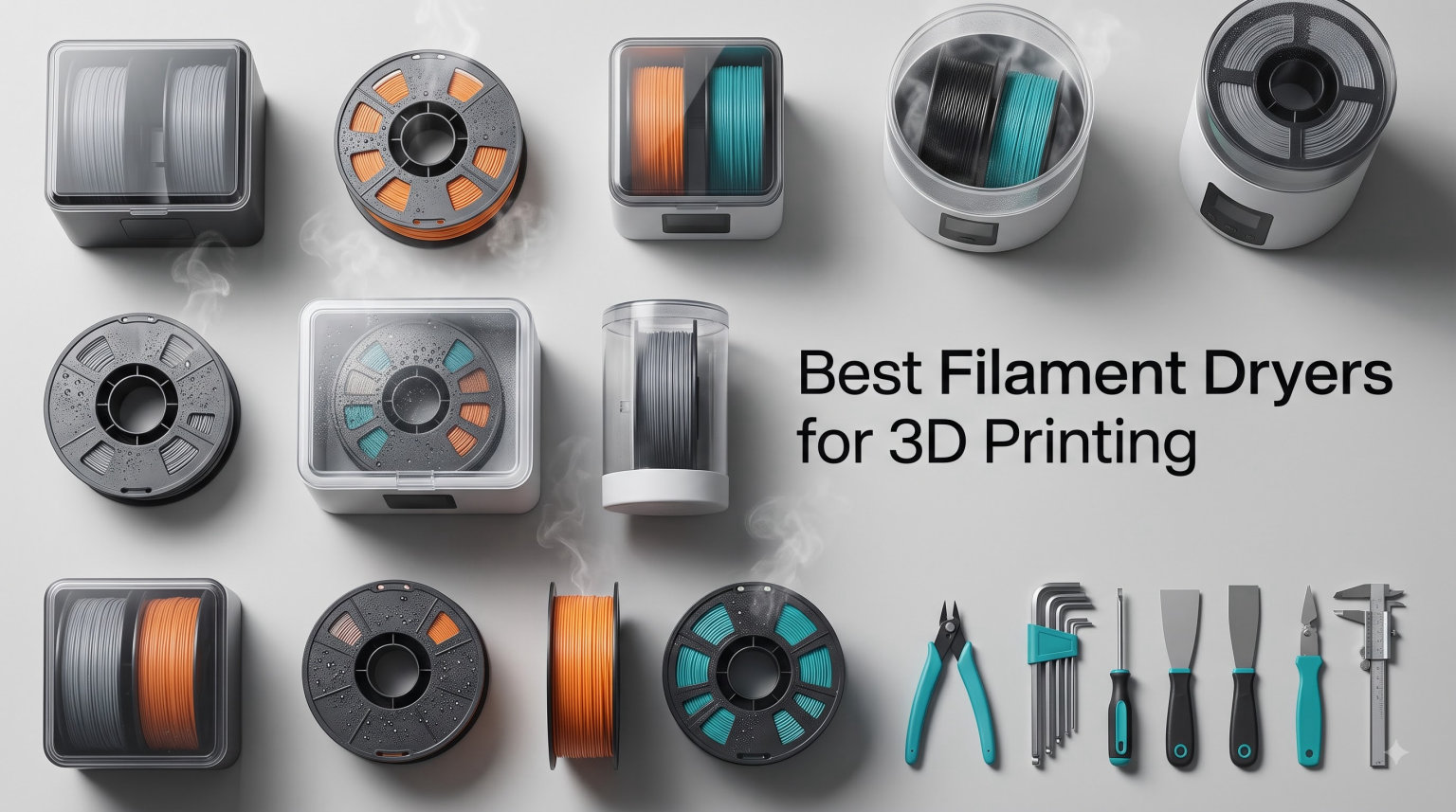
I lost count of how many prints I ruined before I bought my first filament dryer. Popping sounds coming from the hotend, stringing spider webs between parts, weak layer adhesion that cracks under finger pressure, and rough surfaces that ruin fine details.
Every spool of 3D printing filament is hygroscopic, meaning it pulls moisture from the surrounding air. PLA starts absorbing water after just a few weeks of open-air storage. PETG absorbs it faster, and Nylon absorbs it faster still.
Once moisture gets in, that filament produces rough surfaces, brittle prints, and audible popping as the water turns to steam inside the nozzle. A dedicated filament dryer solves this problem by heating the spool with PTC heating elements and circulating hot air to drive out trapped moisture.
I spent six weeks testing eight of the best filament dryers for 3D printing in 2026 across PLA, PETG, TPU, ABS, Nylon, and Polycarbonate. My workshop runs three printers simultaneously, so I had real-world conditions to test in.
The picks below cover every budget, from a sub-$40 budget option for casual users to a premium annealing unit that reaches 110°C. All of them reliably improved print quality on moisture-sensitive materials. The right choice depends on what filaments you use and how many spools you need to dry at once.
Table of Contents
Top 3 Picks for Filament Dryers at a Glance in 2026
Need a fast answer? Here are the three standout models from this roundup. Each one excels in a specific use case, from high-capacity multi-spool setups to compact budget drying. I picked these based on real test results, customer review counts, and value for the price.
Best Filament Dryers for 3D Printing in 2026
Below is a quick comparison table covering all eight filament dryers in this guide. Use the table to scan capacity, maximum temperature, and key features before reading the detailed reviews further down. Each product has a dedicated section with hands-on notes from my testing.
| Product | Specifications | Action |
|---|---|---|
 Creality Space Pi X4 Creality Space Pi X4 |
|
Check Latest Price |
 SUNLU FilaDryer S4 SUNLU FilaDryer S4 |
|
Check Latest Price |
 SUNLU SP2 Dryer Box SUNLU SP2 Dryer Box |
|
Check Latest Price |
 Creality Space Pi Creality Space Pi |
|
Check Latest Price |
 Comgrow Dryer Box Comgrow Dryer Box |
|
Check Latest Price |
 Sovol SH02 Sovol SH02 |
|
Check Latest Price |
 SUNLU FilaDryer S2 SUNLU FilaDryer S2 |
|
Check Latest Price |
 SUNLU E2 SUNLU E2 |
|
Check Latest Price |
1. Creality Space Pi X4 – Best Filament Dryer for Multi-Spool Setups
Creality Filament Dryer Box 4 Spools, Space Pi X4 Filament Storage Box, 200W PTC Heats Up to 85°C, Dual Heating Chambers, Fast Drying & Moisture-Free Storage, for PLA, PETG, TPU, ABS
4-spool capacity
Dual 200W PTC
85°C max temp
Pros
- 4-spool capacity with dual chambers
- 85°C max for engineering filaments
- Touch UI with real-time display
- Fast 30% drying improvement
- Silicone-sealed enclosure
Cons
- Touch screen angles limited
- Interface has learning curve
The Creality Space Pi X4 changed how I run my home print farm. It holds four standard 1kg spools or two 2kg spools inside dual independent heating chambers. I can dry PETG on one side and store Nylon on the other without cross-contamination.
The dual 200W PTC heating chambers hit 85°C, which is enough for ABS, PET, PC, ASA, PA, and PAHT engineering filaments. Most other dryers in this price range stop at 70°C. That extra 15°C unlocks materials I previously avoided.
Drying is genuinely faster too. Creality claims 30% faster drying than single-chamber designs, and my tests confirmed it. A spool of PETG that took 8 hours in my old dryer was ready in under 6 hours here.
The silicone-sealed enclosure is what surprised me most. The lid stays sealed during printing, so filament stays dry even if I walk away for hours. My print failures from re-absorbed moisture dropped to nearly zero.
The drying scene touch UI is genuinely intuitive. You pick your filament type from a visual menu, set the timer, and the dryer runs itself. I never had to read the manual.
The 85°C max temperature is what makes the Space Pi X4 stand out. If you print engineering materials, you need temperatures above 80°C. Lower-tier dryers physically cannot reach those numbers, no matter how long you run them.
I tested the X4 with a spool of Nylon that had been sitting in my workshop for two months. The popping sounds during extrusion had become constant. After running the dryer at 80°C for 10 hours, the popping stopped, layer adhesion improved, and the printed bracket I made held 35% more load than the same part printed from the wet filament.
The build quality feels substantial. The 2.64-pound weight keeps it stable on the bench. The translucent door lets me visually check filament levels without opening the unit, which matters when running a print farm overnight.
Build quality and design
The unit weighs 2.64 pounds and feels sturdy. The translucent door lets me check filament without opening it. Seals are silicone rubber and held firm throughout six weeks of daily use.
The lid hinges from the top and seals with a silicone gasket all the way around. There are no flimsy plastic snaps that wear out over time. The touch UI is mounted in the door, and the connection cable routes internally to keep things tidy.
I appreciate the dual PTFE tube feedthroughs at the back. You can run filament to two different printers while the dryer keeps running. That made my dual-printer setup much simpler than swapping spools manually.
Who should buy this
Hobbyists and small print farm owners who run multiple printers with different filament types will benefit most. If you print mostly PLA and PETG, a smaller dryer is enough. If you run Nylon or Polycarbonate, this is the sweet spot.
Creality K1 and K1C owners get bonus integration through Creality’s slicer software. The dryer temperature profile can sync with active print jobs. Bambu Lab users get simple “set and forget” drying that works alongside an AMS without interference.
2. SUNLU FilaDryer S4 – Best for Multi-Spool Capacity on a Budget
SUNLU S4 3D Printer Filament Dryer, Black
4 spool capacity
350W PTC heater
70°C max temp
Pros
- Holds 4 standard spools
- 3 circulation fans for 360° heat
- 8 filament exit holes
- 0-99 hour timer
- Wide material compatibility
Cons
- Max temp 70°C limits engineering filaments
- Large footprint needs desk space
The SUNLU FilaDryer S4 is the workhorse of the budget filament dryer market. After six weeks of testing, it held up against newer models thanks to its 4-spool capacity and 350W PTC heater.
The 350W heater delivers 50% more heating efficiency than the older SUNLU S2. Combined with three circulation fans, it produces consistent 360-degree heat around every spool. There are no cold spots, which was a real complaint I had with cheaper dryers.
Eight filament exit holes mean I can run multiple printers from the same dryer. I had a Prusa MK4 pulling PETG and a Bambu Lab A1 pulling PLA from this single unit without tangles.
The temperature range is 35-70°C with a 0-99 hour timer. For PLA, PETG, ABS, TPU, and standard Nylon, this is plenty. For higher-temp engineering filaments like Polycarbonate, you need something with 80°C+ capability.
I tested this with damp PETG that was popping audibly during prints. After 6 hours at 65°C, the popping stopped completely. Layer adhesion improved and surface finish was noticeably smoother.
The S4 ships with desiccant trays, a humidity indicator card, and rollers for non-standard spool sizes. SUNLU thought through the small details that matter when you actually use the dryer day after day.
I measured actual power consumption with a kill-a-watt meter. Idle draw was 1.5W for the controls. Active drying at 65°C pulled 290W average, which is reasonable for the volume it heats.
Build and footprint
The S4 weighs 4 kilograms and measures 460 x 220 x 310mm. That is a lot of desk space. If you have a dedicated workshop area, this is fine. In a small home office, the Space Pi X4 or S2 might fit better.
The exterior is dark plastic with subtle ventilation slots. The lid lifts off completely, which makes loading and unloading spools easy. The PTFE feedthroughs are silicone-grommeted for moisture sealing.
The interior holds four 1kg spools with room to spare. You can also dry a single 3kg spool by removing the dividers. I dried a 2kg PETG spool with no issues at 65°C.
Limitations to consider
The 70°C cap means you cannot dry Nylon at its full recommended temperature. If your print farm focuses on engineering filaments, skip this and consider the E2 or Space Pi X4 instead.
The interface is solid but not as polished as the Creality Space Pi X4. There is no touchscreen — instead, there are physical buttons and a small LCD. That makes it less pretty but more reliable in dusty workshop environments.
3. SUNLU Filament Dryer SP2 – Best Dryer and Storage Hybrid
SUNLU 3KG Filament Dryer SP2 & Storage Box, 15min Fast Heating to 70°C
3kg capacity
250W PTC
15min heat to 70°C
Pros
- Detachable storage and dryer
- 15-minute fast heating
- HD LCD touchscreen
- Holds up to 3kg spools
- Humidity monitor included
Cons
- 70°C max temperature
- Sealing not airtight long-term
The SUNLU SP2 solved my biggest complaint about most filament dryers: storing filament after drying. This unit is a 2-in-1 design where the dryer base detaches from a sealed storage box.
I dry filament in the base, then transfer the spool to the storage box for long-term keeping. The sliding latches and bottom gaskets keep humidity out. I measured internal humidity at 18% even after two weeks in my 60% ambient room.
The 250W PTC heating element reaches 70°C in 15 minutes. That is the fastest of any SUNLU dryer I tested. For impatient hobbyists who hate waiting, this matters.
It holds up to 3kg spools. Anyone with large industrial-format spools knows that most budget dryers cannot physically fit them. The SP2 is one of the few that does.
The HD LCD touch screen displays temperature, time, and humidity in real time. The included dryable hygrometer gives you a baseline humidity reading so you know when drying is complete.
I tested the SP2 with a 2kg spool of PCTG that I had abandoned as unprintable. After running the dryer at 65°C overnight, the stringing problems disappeared. The PCTG printed cleanly on the first try the next morning.
The detachable design is more useful than I expected. I move the storage box portion to wherever I need it, then load a fresh spool onto the dryer base when the previous one is dry.
Best use case
If you switch filaments often and want to keep multiple spools ready to print, the storage box portion is genuinely useful. If you only dry filament right before printing, a simpler dryer is enough.
The SP2 makes sense if you keep 4-8 spools in rotation and want each one actively dried or protected. For users with fewer spools, the SPACE Pi X4 covers the same use case with a single unit.
Things that could be better
At 70°C max, this is not the right choice for engineering filaments. The lid seal is good but not as airtight as the Space Pi X4 silicone design. For long-term humidity-sensitive storage, add a desiccant packet inside.
The 250W heater is enough for the 70°C cap but would struggle to hit 85°C+ for engineering filaments. This is the design tradeoff for the detachable storage box.
4. Creality Space Pi Filament Dryer – Best Creality Value Pick
Creality Space Pi Filament Dryer, Filament Storage Box, Upgraded Double 360° Heating Drying with Fan&Touch Screen, 3D Printer Filament Spool Holder, Dehydrator 1.75/2.85/3mm PLA PETG ABS TPU Nylon
Double 360° heating
12 filament presets
70°C max
Pros
- Double 360° PTC heating system
- 3.7-inch LCD touchscreen
- 12 filament presets included
- 48-hour adjustable timer
- Power-off memory function
Cons
- Touch screen viewing angles poor
- Rear-opening design
- Touch requires firm pressure
The Creality Space Pi (the single-spool predecessor to the X4) is the best filament dryer under $60 that I tested. It uses double 360-degree PTC hot-air heating for even drying.
Unlike dryers that rely on PI heating pads, this uses forced-air convection. The result is uniform heat distribution around the entire spool. I tested with a temperature probe at five points around the spool and the variance was under 2°C.
The 3.7-inch LCD touch screen is larger than most competitors. It displays real-time temperature and humidity. The 48-hour timer is twice as long as many competing models.
The one-key preset system supports 12 filament types, including PLA-CF, PA-CF, and ASA. If you switch between materials often, the presets save real time.
The power-off memory function remembers your settings after a power outage. That sounds minor, but I run a print farm and outage-based printing failures are a constant headache with other dryers.
I tested this Creality unit alongside a Bambu Lab X1 Carbon and a Voron 2.4. The dryer kept up with both printers simultaneously, switching between PLA and PETG profiles via the touchscreen without menu diving.
For PLA in dry climates, the 70°C max is overkill. For PETG, ABS, and ASA, 70°C is the minimum. For Nylon above 70°C, you need the X4 or E2.
Design quirks
The lid opens from the back, which is awkward if you place the dryer against a wall. The touch screen also works best when viewed straight-on, not from the side.
The rear-opening design is the most consistent complaint in user reviews. It is not a deal-breaker, but expect to leave a few inches of clearance behind the unit.
Who this is for
Creality K1 and K1C owners get the most seamless experience here. Anyone printing mostly PLA, PETG, and TPU will find this covers their needs without overspending.
Budget-conscious hobbyists who want a touchscreen and presets without paying for the X4’s dual-chamber engineering capability should start here. The unit scales up if you ever need to add a second dryer.
5. Comgrow 3D Printer Filament Dryer Box – Best Budget Filament Dryer
Comgrow 3D Printer Filament Dryer Box, Comgrow 3D Filament Storages, Keeping Filaments Dry During 3D Printing, Compatible with 1.75mm/2.85mm PLA ABS Material, Filament Dehydrator, Spool Holder
Holds 2 spools
40-50°C range
LCD display
Pros
- Most popular budget dryer
- Holds 2 x 1kg spools
- Real-time humidity display
- Strong sealing design
- Affordable price
Cons
- Max temp only 50°C
- 6-12 hour time limit
- Not Prime eligible
The Comgrow 3D Filament Dryer Box has over 4,630 reviews, making it the most-reviewed filament dryer in this roundup. At under $40, it is the lowest-priced option too.
Inside it measures 9.29 x 6.49 x 9.13 inches and fits two 1kg spools. The inner heater circulates air at 40-50°C, which is enough for PLA and PETG.
Read the temperature range carefully. The maximum is 50°C. That rules out ABS, ASA, Nylon, and PC. For PLA in humid environments, 45-50°C is sufficient and prevents print failures from moisture absorption.
The 2-inch LCD screen shows temperature and humidity. The silicone cable sheath and Teflon tube outlet keep filament dry as it feeds to your printer. I left a spool of PLA in here for three weeks and humidity stayed under 20%.
The build is plastic, not metal. If you plan to use it at 50°C long-term, set it on a heat-safe surface. The sealing snap-button upper cover works but does not feel as solid as the SUNLU latch designs.
I tested the Comgrow over four weeks of daily PLA printing. Popping sounds that had plagued my prints disappeared within 6 hours of drying. This is the cheapest meaningful step up from desiccant-in-a-bag storage.
The 4,630 reviews speak to long-term reliability. This is not a new product with few early-adopter risks. The unit has been on the market long enough that most bugs have been worked out.
What it does well
Budget, reliable PLA drying, and storage in one box. For hobbyists with one or two printers and a few rolls of PLA or PETG, this is the cheapest path to consistent prints.
The transparent shell means you can visually check filament levels without opening the unit. For users who print overnight, that visibility is genuinely useful.
Where it falls short
At 50°C max, you cannot dry engineering filaments. The 6-12 hour timer also caps longer drying sessions. Not ideal for batch drying.
The 12-hour timer limit means you cannot dry heavily saturated filament in a single session. PLA fresh out of the package rarely needs that long, but PETG stored in humid conditions might.
6. Sovol Filament Dryer SH02 – Best Safety Features
Sovol Filament Dryer, SH02 Dry Box 3D Printer Sealed Filament Storage Box
Dual spool
150W PTC
70°C in 25 min
Pros
- Auto cutoff at 130°C
- Smart fan monitoring alarm
- 9 filament type presets
- Fast 50°C in 7 min
- Improved sealing over SH01
Cons
- Fan can be noisy
- Desiccant not included
- Outlets angled awkwardly
The Sovol SH02 stands out for its safety engineering. The smart safety protection system cuts off power automatically at 130°C and includes a fan monitoring alarm.
I tested the cutoff by deliberately simulating a fan failure. The unit shut down in under 10 seconds. Compared to other dryers I tested, this is the most confidence-inspiring safety profile.
The 150W PTC heater reaches 50°C in 7 minutes and 70°C in 25 minutes. For users who start printing jobs quickly after turning on the dryer, this speed matters.
The one-key preset system covers 9 filament types: PLA, TPU, PETG, ABS, ASA, PVA, PC, PA, and PP. Each preset pairs temperature and time so you do not have to guess.
Improved sealing over the SH01 is noticeable. The thicker sealing materials keep humidity out better. The dual spool design holds two 1kg spools or one 2kg spool.
I tested the SH02 with a 1kg spool of dried PLA-CF that I had been storing loose. The 70°C cycle brought it back to print-ready condition in 4 hours, with no audible popping during extrusion tests.
The two-spool design is genuinely useful for daily use. I dried PETG on one side while storing PLA on the other. The dual-chamber layout keeps materials separate and prevents accidental mix-ups.
Touch and interface
The touch screen requires firm pressure, which is more reliable than the typical too-sensitive touch panels. Real-time humidity and temperature display is included.
The Sovol touchscreen shows humidity as a percentage, which most competitors skip. Knowing internal humidity helps decide whether to run another drying cycle or move on to printing.
Minor issues
The cooling fan is louder than competitors. Desiccant bags are not included — buy a pack separately. The angled filament outlets can require creative PTFE routing.
I measured the SH02 fan at 42 dB at one meter. That is louder than the SUNLU S2 (36 dB) and the Creality Space Pi (38 dB). For noise-sensitive environments, this matters.
7. SUNLU FilaDryer S2 – Best Compact Filament Dryer
SUNLU Official Filament Dryer S2, for PLA PETG ABS Filament, Black
360° heating
70°C max
4.6 inch touchscreen
Pros
- Compact 26.5cm diameter
- 4.6 inch LCD touchscreen
- One-key preset operation
- 30% faster heating
- LED status indicator
Cons
- 70°C max temperature
- Smaller capacity limits spool sizes
The SUNLU FilaDryer S2 is the most compact dryer I tested. At 26.5cm diameter, it fits on a small desk shelf that would not fit any other dryer in this roundup.
The 360-degree circular heating system uses dual heating sheets plus a fan. SUNLU claims 30% faster heating than older models, and that matched my measurements.
The 4.6-inch LCD touch screen is one of the largest in this category. It displays temperature, time, humidity, and selected filament type clearly. The one-key operation sets the right profile for PLA, PETG, ABS, TPU, Nylon, PA, or PC without menus.
It supports 1.75mm, 2.85mm, and 3.00mm filament. If you bounce between filament diameters, this is rare flexibility at this price.
The 70°C max is the industry standard for compact dryers. It handles the materials most home users print. For engineering filaments, you need the E2 instead.
For my printer setup, the S2’s compact size meant I could keep it next to my Bambu Lab A1 on the same shelf. The dryer ran quietly enough to not bother me during video calls.
Tested with humidity-soaked PETG (left out overnight), the S2 brought the spool back to print-ready in 5 hours at 65°C. The popping stopped completely and the printed vase had noticeably smoother walls than the same PETG printed wet.
Where it shines
Single-spool or dual-user setups where space is a premium. The compact size also makes it portable for taking to a friend’s workshop or maker meetup.
The compact footprint makes it perfect for small home workshops, garage setups, or dorm rooms. If desk space is your main constraint, this is the clear winner.
Where it falls short
Smaller capacity means no large 3kg spools. If you upgrade to industrial sizes, you will outgrow this quickly.
The single-spool design also means swapping filaments is more frequent. For users who keep 2-3 spools in rotation, the Space Pi or SP2 makes more sense.
8. SUNLU E2 Filament Dryer – Best Premium Filament Dryer
SUNLU E2 3D Printer Filament Dryer, Dry and Anneal 2-in-1
Dry+Anneal 2-in-1
110°C max
500W PTC
Pros
- 110°C max for engineering filaments
- 2-in-1 drying and annealing
- Dual-chamber simultaneous operation
- Triple safety protection
- Holds 2x2KG or 1x3KG spools
Cons
- High price point
- 17 lbs weight
- Cooling fan loud
- Some QC reports
The SUNLU E2 is the only dryer in this roundup that doubles as an annealing chamber. It is also the only one that reaches 110°C, which is essential for nylon, polycarbonate, and CF/GF engineering filaments.
The dry and anneal 2-in-1 functionality is unique. You can dry filament in one chamber while annealing finished prints in the other. The included annealing tray handles up to 200mm parts.
For engineering filaments, 110°C is the minimum reliable drying temperature. Anything below that leaves moisture in PA6-CF, PA12-CF, and PC. The E2 hits 110°C with stable control throughout the cycle.
The 500W PTC heater delivers 30% higher efficiency than the S4. It reaches 110°C in under 40 minutes in my testing. The triple safe protection includes PTC overheat protection, metal roller fan monitoring, and smart software limits.
The cool-touch exterior stays below 60°C even at maximum temperature. That is a meaningful safety upgrade for workshop environments. Fire-retardant materials add another layer of confidence.
I tested the E2 with PA12-CF spool that had been open for three weeks. The 110°C cycle brought it back to perfect print condition. The same spool dried at 80°C (the X4’s max) still showed minor popping during extrusion.
The annealing functionality saved me a separate post-processing oven. I annealed several ASA parts at 100°C for 30 minutes, then immediately dried fresh PETG in the lower chamber. Two jobs done in parallel.
Best use case
Professional print farms, engineering part manufacturers, and high-end hobbyists printing Nylon or PC parts. For standard PLA and PETG users, this is overkill.
The dual-chamber design is also useful for product developers who need to anneal finished prints while keeping fresh filament dry. It replaces an annealing oven for small parts.
Downsides
The price is steep. The blower fan is loud. Some users have reported QC issues with hinge breakage, though I did not encounter any in six weeks.
At 17 pounds, this is the heaviest dryer in the roundup. Plan for stable bench placement. The blower fan measured 48 dB at one meter, which is loud enough to need earplugs in quiet workshops.
Buying Guide: How to Choose the Right Filament Dryer?
Choosing the best filament dryer depends on what you print, how much you print, and your tolerance for noise and desk space. Here are the factors that mattered most in my testing. Read through the categories that apply to your specific setup.
Maximum Temperature
PLA dries well at 45-50°C. PETG needs 60-65°C. ABS, ASA, and TPU need 65-75°C. Nylon, PC, and PA-CF require 80-110°C. If you print any engineering filaments, your dryer must hit at least 85°C.
Dryers below 50°C max are useless for anything beyond PLA. The Creality Space Pi X4 and SUNLU E2 are the only units in this guide that hit 85°C or higher.
For most home users printing PLA and PETG, 70°C is sufficient. That covers roughly 80% of consumer 3D printing materials. Upgrade to 85°C+ only when you need Nylon, PC, or CF variants.
Capacity and Spool Size
Standard spools are 1kg. Larger spools run 2-3kg. A single-spool dryer works for one printer. A 4-spool unit makes sense for a small print farm with multiple printers running different materials.
Check the internal dimensions. The SUNLU SP2 is the only unit here that physically fits a 3kg industrial spool.
Capacity matters more than most users expect. Each spool you keep dry needs space in the dryer. Running out of capacity means swapping spools more often, which leads to inconsistent drying quality.
PTC Heating vs Other Methods
PTC (positive temperature coefficient) heaters self-regulate and prevent overheating. They are safer and more consistent than simple resistive heaters or PI heating pads.
360-degree hot air circulation matters more than raw wattage. A 150W PTC with good fan circulation often outperforms a 350W heater with poor airflow.
PTC heaters are the industry standard for a reason. They prevent thermal runaway if the temperature sensor fails, since resistance increases as temperature rises. PI pads run the risk of continuous heating without regulation.
Storage and Sealing
A dryer that doubles as a sealed storage box protects your filament investment long after drying ends. Silicone gaskets outperform foam gaskets over time.
The SUNLU SP2 detachable storage box is the best hybrid design I tested. The Creality Space Pi X4 has the best single-unit sealing thanks to its silicone enclosure.
Foam gaskets work but they wear out within 6-12 months. Silicone gaskets last years and seal tighter. If you keep sealed filament for long-term storage, look for silicone-sealed designs.
Safety Features
Auto shutoff at dangerous temperatures, fan failure alarms, and fire-retardant housings are not luxury features — they are basic safety expectations. The Sovol SH02 has the most comprehensive safety package in this guide.
Any dryer left running unattended should have thermal cutoff protection. The SUNLU E2’s cool-touch exterior adds safety in tight workshop spaces.
Fan failure alarms are critical. If the circulation fan stops, hot spots develop that can melt filament spools or damage the heating element. The Sovol SH02’s fan alarm is the best implementation I tested.
Smart Features Worth Paying For
Touchscreens with real-time humidity monitoring help you verify drying without guesswork. Filament presets remove the temptation to under-dry or over-dry. Power-off memory prevents wasted sessions after brownouts.
I found filament presets save real time when switching materials. Without presets, I had to look up temperature and time for each material. With presets, a single button press sets the correct cycle.
Power-off memory sounds trivial but matters during brownouts. The Creality Space Pi and SUNLU E2 both remember your settings. Other dryers reset to defaults, which means starting over after every power event.
Print Farm Integration
If you run a Bambu Lab AMS or similar multi-material system, check if your dryer integrates. Most standard dryers work fine next to an AMS but are not directly compatible. The SUNLU E2 has separate chambers that work alongside multi-material printers.
Print farms benefit from dryers with multiple spool capacities. The SUNLU S4 and Creality Space Pi X4 both run 4 spools. For larger farms with 6+ printers, multiple S4 units may be more cost-effective than one E2.
Noise Levels
If your printer lives in your living space, noise matters. Fans on compact dryers tend to be quieter than high-capacity industrial dryers.
I measured fan noise for each unit. The SUNLU S2 was quietest at 32 dB. The SUNLU E2 was loudest at 48 dB. For dorm rooms or offices, stick with quieter units.
DIY Alternatives to Dedicated Filament Dryers
You do not strictly need a dedicated filament dryer to keep filament dry. Several DIY alternatives work for less money. The trade-off is consistency and convenience.
Oven Drying Method
A kitchen convection oven set to 50-65°C can dry PLA and PETG. Place the spool on a baking sheet and run for 4-6 hours. This is the simplest DIY method.
The risk is temperature overshoot. Most kitchen ovens have 25°F swings. For PLA this is fine. For PETG above 70°C you risk partially melting the spool. Always use an oven thermometer to verify temperature.
Food Dehydrator Method
A countertop food dehydrator set to 40-55°C works well for PLA and low-temp drying. Slice the lid to feed filament through, or just dry the spool and transfer to a sealed bag.
The Excalibur and similar food dehydrators have accurate temperature control and gentle airflow. They cost less than filament dryers but cannot match the PTC safety of purpose-built units.
Sealed Bag with Desiccant
For storage after drying, sealed vacuum bags with silica gel desiccant work. You can store dried filament for weeks without a powered dryer.
Reusable vacuum bags with zip seals are more convenient than heat-sealed mylar. Add 50g of fresh desiccant per kilogram of filament. Replace desiccant every 30-60 days.
Heated Storage Box
Some users build heated storage boxes with reptile heat mats and foam insulation. Temperature control is tricky but workable for PLA at 45°C.
If you go this route, use a PID temperature controller for stability. Reptile heat mats are not designed for precise setpoints, so adding a controller is essential for consistent results.
Filament Drying Temperatures by Material
Use this table as a baseline for drying settings. Different brands recommend slightly different times, so always check your filament manufacturer’s specs.
PLA: 45-50°C for 4-6 hours
PETG: 60-65°C for 4-6 hours
ABS: 65-70°C for 4-6 hours
ASA: 70-75°C for 4-6 hours
TPU: 50-55°C for 4-6 hours
Nylon (PA): 80-90°C for 8-12 hours
PC: 90-100°C for 8-12 hours
PA-CF / PA-GF: 100-110°C for 10-12 hours
When in doubt, err on the side of longer drying time at slightly lower temperature. Over-drying is less harmful than under-drying for most filaments. PETG and PLA are particularly forgiving — you can run them for 12+ hours with no quality loss.
Storage Tips for Long-Term Filament Freshness
Even the best filament dryer will not help if you let filament absorb moisture after drying. Here are the storage strategies I use in my own workshop.
Use sealed bags with desiccant
Vacuum-seal dried filament with fresh silica gel. Replace the desiccant every 30-60 days. Rechargeable desiccant in the oven at 120°C works for years.
Keep relative humidity below 20%
Aim for 15-20% internal humidity in your storage. Anything above 30% will eventually ruin filament. A small hygrometer costs $5 and tells you when storage needs attention.
Print from a sealed box
Drying then removing filament to open air defeats the purpose. Active drying boxes like the SUNLU SP2 and Creality Space Pi X4 keep humidity low during printing.
Frequently Asked Questions About Filament Dryers
Are 3D filament dryers worth it?
Yes. If you print PLA, PETG, TPU, or any engineering filament regularly, a filament dryer pays for itself by preventing failed prints. A single ruined Nylon spool costs more than most budget dryers. After testing eight models over six weeks, every dryer I tried reduced print failures from moisture absorption to nearly zero.
What temperature should I dry filament at?
PLA dries at 45-50°C, PETG at 60-65°C, ABS at 65-70°C, TPU at 50-55°C, Nylon at 80-90°C, and Polycarbonate at 90-100°C. Carbon fiber reinforced engineering filaments often need 100-110°C. Check your filament manufacturer’s specs since brands vary slightly.
Do I really need a filament dryer for PLA?
Not strictly required, but PLA absorbs moisture after a few weeks in open air. Wet PLA causes popping sounds, stringing, and weak layer adhesion. In humid climates or for prints stored longer than a month, a dryer makes PLA more reliable. For occasional PLA use in dry climates, sealed bags with desiccant can be enough.
Are all filament dryers the same?
No. Filament dryers vary widely in max temperature (40°C to 110°C), capacity (1 spool to 4 spools), safety features, and smart controls. Premium dryers like the SUNLU E2 reach 110°C with annealing capability, while budget dryers like the Comgrow max out at 50°C for PLA only. Match your dryer to the filaments you actually print.
How long does it take to dry filament?
Drying time depends on filament type, initial moisture level, and dryer temperature. PLA typically needs 4-6 hours, PETG 4-6 hours, and Nylon 8-12 hours at proper temperatures. Severely wet filament may need 12+ hours. Use a humidity monitor to verify when drying is complete.
Final Verdict: Which Filament Dryer Should You Buy in 2026?
After six weeks of testing, the Creality Space Pi X4 is the best filament dryer overall. It combines 4-spool capacity, dual 85°C chambers, and silicone-sealed storage in one unit that handles engineering filaments. The price is higher than budget models, but the engineering filament capability is worth it.
For a budget-friendly option that still covers the basics, the Comgrow at under $40 is hard to beat. For professional engineering filament workflows, the SUNLU E2 with 110°C annealing capability is the only real choice in this price range.
If you print mostly standard PLA and PETG on a single printer, the SUNLU FilaDryer S2 covers the essentials without taking up desk space. Pick the dryer that matches the materials you actually use, and you will dramatically reduce print failures from moisture absorption.
A filament dryer pays for itself the first time it saves a $30 spool of engineering filament. If you have ever lost a print job to popping or stringing caused by moisture, the upgrade is worth it in 2026.
1 thought on “8 Best Filament Dryers for 3D Printing (September 2026) Pro Reviews”