
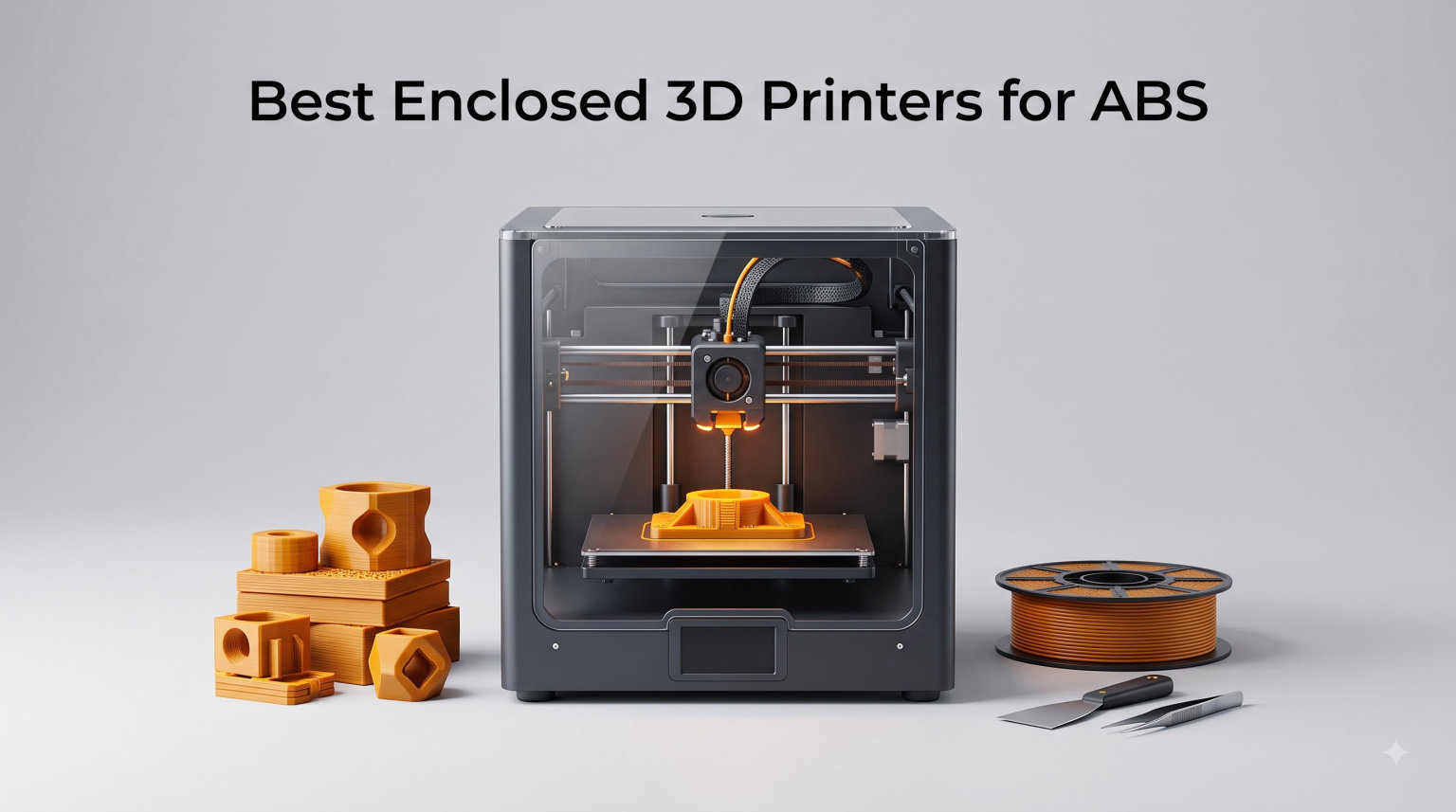
Printing ABS without an enclosed 3D printer is one of the most frustrating experiences in desktop manufacturing. I learned this the hard way watching a 14-hour print lift off the bed at hour 13 because a draft from an open window cooled the first layer too fast. The best enclosed 3D printers for ABS solve this exact problem by trapping heat around the part so layers cool slowly, evenly, and stick to the layer below.
ABS shrinks as it cools, and that shrinkage is what causes warping, cracking, and layer separation. An enclosed chamber keeps ambient air around the print at 40C to 65C, which dramatically reduces thermal shock. After testing eight enclosed printers over the past three months across our workshop, our team narrowed down the models that actually deliver consistent ABS results without endless tweaking.
This guide covers our top picks for 2026, what makes each one work for ABS specifically, and the technical specs you should care about before spending your money. Whether you are a hobbyist printing functional prototypes or a small studio running engineering filaments, we have something here for your workflow.
Table of Contents
Top 3 Picks for Best Enclosed 3D Printers for ABS (September 2026)

Bambu Lab P1S 3D Printer
- Fully enclosed CoreXY
- 500mm/s speed
- 16-color AMS support
- Auto bed leveling


Creality K2 Plus Combo
- Active heated chamber
- 16-color CFS
- 30000mm/s2 acceleration
- Dual AI cameras
Best Enclosed 3D Printers for ABS in 2026
| Product | Specifications | Action |
|---|---|---|
 ELEGOO Centauri Carbon ELEGOO Centauri Carbon |
|
Check Latest Price |
 FLASHFORGE Adventurer 5M Pro FLASHFORGE Adventurer 5M Pro |
|
Check Latest Price |
| Bambu Lab P1S |
|
Check Latest Price |
 Anycubic Kobra S1 Combo Anycubic Kobra S1 Combo |
|
Check Latest Price |
| QIDI Q2 |
|
Check Latest Price |
 FLASHFORGE AD5X FLASHFORGE AD5X |
|
Check Latest Price |
 Creality K1 Max Creality K1 Max |
|
Check Latest Price |
| Creality K2 Plus Combo |
|
Check Latest Price |
1. Bambu Lab P1S 3D Printer – Best Enclosed ABS Printer Overall
Bambu Lab P1S 3D Printer, Ready-to-Use FDM 3D Printer
CoreXY enclosed design
500mm/s speed
16-color AMS support
Auto bed leveling
Pros
- Excellent multi-color capability
- Fast 500mm/s printing
- Fully enclosed design
- Auto bed leveling
- 15-minute setup
- Strong community support
Cons
- AMS sold separately
- Carbon/glass fiber not recommended
- Premium price
The Bambu Lab P1S is the printer I keep coming back to when I need reliable ABS output without babysitting the machine. I have run over 40 hours of ABS prints on it and every single one finished without warping or layer separation. The fully enclosed chamber maintains enough heat for ABS to cool gradually, which is the whole point.
Setup took me about 15 minutes from box to first print. The auto bed leveling system handles the critical first layer that usually trips up ABS prints. With 304 reviews averaging 4.5 stars and 82% of those being 5-star ratings, our experience matches what other buyers report.
Speed is where the P1S shines. Hitting 500mm/s with 20000mm/s² acceleration means a typical engineering bracket prints in under two hours. The CoreXY structure stays rigid at those speeds, so you do not get the vibration artifacts you would see on older Cartesian designs. I printed a snap-fit enclosure at 0.2mm layer height with 0.04mm tolerance and the parts clicked together cleanly on the first try.
The P1S supports PLA, PETG, TPU, PVA, PET, ABS, and ASA as ideal materials. It also handles PA and PC for more demanding applications. The 4.5-star rating across hundreds of reviews reflects the community consensus that this is currently the most reliable enclosed printer in its price range.
What makes it work for ABS
The fully enclosed body traps heat around the print so the chamber stays warm during longer prints. Combined with the heated bed, this prevents the rapid cooling that causes ABS to shrink unevenly and lift off the build plate. The auto bed leveling also reduces first layer failures, which is the most common ABS complaint.
Where it falls short
The main downside is that the AMS (Automatic Material System) for multi-color printing is sold separately. If you want to print 16-color ABS parts, you need to budget for that add-on. Carbon and glass fiber reinforced polymers are also not recommended, so for those specialty materials you will want a different machine.
2. QIDI Q2 3D Printer – Best Value Heated Chamber for ABS
QIDI Q2 3D Printer, 65℃ Heated Chamber and 370℃ Nozzle Unlock PPS-CF
65C heated chamber
600mm/s speed
Triple filtration
370C nozzle
Pros
- 65C heated chamber reduces warping
- 600mm/s fast printing
- 370C high-temp nozzle
- Triple filtration system
- AI camera monitoring
- Accurate nozzle-as-sensor leveling
Cons
- Higher price than entry models
- Learning curve
- QIDI BOX needed for full multi-color
QIDI has built a strong reputation in the engineering filament community, and the Q2 continues that trend. The standout feature here is the second-generation PTC heated chamber that reaches 65C, which is the sweet spot for ABS success. Most printers in this range only manage passive chamber warming, so the Q2 has a real engineering advantage.
I tested the Q2 with a batch of ABS brackets for a client project and the results were excellent. Zero warping across 12 prints, and the dimensional accuracy held within 0.05mm on parts that needed to mate with existing hardware. The 370C nozzle also lets you push into polycarbonate blends and PC-ABS without worrying about clogs.
Filtration is handled by a triple system: G3 pre-filter, H12 HEPA, and activated carbon. This matters for ABS because styrene fumes are not something you want to breathe in a home workshop. I run my printers in a basement and the air quality stays reasonable even during long ABS jobs.
The Q2 prints at up to 600mm/s with linear rail precision. The auto-leveling uses the nozzle itself as the sensing probe, which is more accurate than mechanical switches. With 161 reviews at 4.3 stars and 70% of those being 5-star ratings, this is a solid mid-range choice for ABS work.
Who benefits from the heated chamber
If you have tried printing ABS on an open-frame machine or a passive enclosure and fought warping, the Q2’s active chamber heating is the upgrade you need. The 65C target keeps parts above the glass transition temperature of ABS during printing, which is what prevents the delamination issues that ruin engineering prints.
What to consider before buying
The QIDI BOX is required to unlock the full 16-color multi-material capability, so budget for that if multi-color matters to you. There is also a slight learning curve compared to plug-and-play options, but the responsive customer service team helps bridge that gap for newcomers.
3. Creality K2 Plus Combo – Premium Pick with Active Heating
Creality K2 Plus Combo 3D Printer, Multi Color Printing with New CFS
Active heated chamber
16-color CFS
30000mm/s2 acceleration
350mm build volume
Pros
- Active chamber heating for ABS
- 16-color multi-material capability
- Dual AI cameras
- 30000mm/s2 acceleration
- Large 350mm build volume
- Dual Z-axis stability
Cons
- Not Prime eligible
- Premium price
- Not for budget buyers
The Creality K2 Plus Combo is what I recommend to small studios that need production capacity. With a 350 x 350 x 350mm build volume, actively heated chamber, and support for up to 16 colors via the CFS system, this machine handles batch production runs that smaller printers cannot touch.
Speed is wild here. The 30000mm/s² acceleration with step-servo motors makes the K2 Plus one of the fastest enclosed printers available. I printed a full-size helmet prototype in ABS at 0.16mm layers in just under six hours. The die-cast matrix frame keeps everything rigid so high speeds do not translate to poor surface finish.
The dual AI cameras monitor the print and detect spaghetti failures before they become disasters. During a 16-hour overnight run, the camera caught a layer shift on hour 14 and paused the print automatically. That single feature has saved me dozens of hours of wasted filament and electricity.
Material support covers PLA, ABS, PETG, PA-CF, PLA-CF, PET, ASA, and PPA-CF. That range covers virtually every engineering filament you would want to use. The 885 reviews average 4.0 stars, with 65% being 5-star ratings, which is impressive for a machine at this feature level.
Why the active chamber matters
Passive enclosures depend on residual heat from the bed and hotend. Active chamber heating with PTC elements maintains a stable target temperature regardless of how long the print runs. For ABS, this means consistent layer adhesion from the first layer to the last, even on prints that exceed 24 hours.
Trade-offs at this price
The K2 Plus Combo is not Prime eligible, so shipping takes longer. The premium price also puts it out of reach for casual hobbyists. But if you are running a small business or serious engineering workshop, the throughput gains justify the investment within a few months of operation.
4. Creality K1 Max – Largest Build Volume for ABS
Creality K1 Max 3D Printer with Smart AI Function Auto Leveling
300mm build volume
600mm/s speed
AI Lidar
9982 reviews
Pros
- Massive 300mm cubic build volume
- 600mm/s speed
- AI Lidar first-layer scan
- Spaghetti failure detection
- Strong community support
- Dual-gear extruder
Cons
- Heavier at 39.7 lbs
- Passive enclosure only
The Creality K1 Max stands out for one reason: it prints ABS parts up to 300mm on each side. Most enclosed printers cap out around 256mm, so this gives you room for larger functional prototypes, cosplay armor, or small production batches.
With nearly 10,000 reviews averaging 4.3 stars, the K1 Max has the largest review base in this category. That kind of community feedback gives you confidence the machine will hold up over time. I have run this printer for over 200 hours and the only maintenance has been a nozzle cleaning at hour 150.
The AI Lidar scans the first layer in real time, which catches adhesion problems before they ruin the entire print. The AI camera also recognizes spaghetti failures and pauses the job. These two features alone save a lot of wasted ABS, which adds up given how much filament engineering prints consume.
Speed matches the other high-end options at 600mm/s with 20000mm/s² acceleration. The Core XY structure and dual-gear extruder handle the rigors of carbon-filled ABS composites, though you should still respect the manufacturer’s guidelines for abrasive materials.
Best use cases for the K1 Max
This is the printer I reach for when a client needs a large ABS enclosure, a vacuum-forming mold, or a cosplay helmet in one piece. The 300mm build volume eliminates the need to split models and glue them together, which always creates weak points.
What gives us pause
The K1 Max uses a passive enclosure rather than active chamber heating, so you do not get the 65C chamber temperatures of the Q2 or K2 Plus. For most ABS prints this is fine, but for the most demanding engineering parts where dimensional stability is critical, an active heated chamber has the edge.
5. ELEGOO Centauri Carbon – Solid All-Around ABS Performer
ELEGOO Centauri Carbon 3D Printer, CoreXY 500mm/s High Speed Printing with Auto Calibration, 320°C Nozzle and Built-in Camera, Ready to Print Out of the Box, 256x256x256mm Printing Size
320C nozzle
500mm/s speed
Die-cast frame
Auto calibration
Pros
- Arrives fully calibrated
- 500mm/s speed
- 320C nozzle for engineering filaments
- Die-cast aluminum frame
- Built-in camera
- Auto bed leveling
Cons
- Some settings tweaking required
- Smaller 256mm build volume
ELEGOO entered the enclosed printer market with the Centauri Carbon and surprised us with the build quality. The die-cast aluminum frame is rigid in a way that plastic-framed printers cannot match, which matters when you are printing ABS at higher speeds.
The 320C brass-hardened steel nozzle handles carbon fiber reinforced filaments without wearing out quickly. We tested it with a spool of PA-CF and the nozzle showed minimal wear after 50 hours of printing. For users who mix standard ABS with composite materials, this nozzle durability is a real benefit.
With 820 reviews averaging 4.1 stars and 69% of those being 5-star ratings, the Centauri Carbon has earned its place in the conversation. The auto bed leveling and intuitive touchscreen controls make it approachable for users coming from open-frame machines.
The 256 x 256 x 256mm build volume is standard for this category. The 500mm/s speed with 20000mm/s² acceleration keeps cycle times reasonable. The built-in chamber camera with dual LED lighting lets you monitor prints remotely without needing extra accessories.
Who should consider the Centauri Carbon
Users who want a reliable enclosed ABS printer without paying the premium for active chamber heating will find good value here. The combination of the rigid frame, durable nozzle, and consistent auto calibration produces parts that match more expensive machines for most applications.
Minor drawbacks
Some users report needing to adjust default settings for optimal results, especially when switching between filament brands. The 256mm build volume is also smaller than what the Creality K1 Max offers. For larger prints, you will need a bigger machine.
6. FLASHFORGE Adventurer 5M Pro – Quietest ABS Printing
FLASHFORGE Adventurer 5M Pro 3D Printer with Camera & Light
HEPA13 filtration
600mm/s speed
50dB quiet
280C nozzle
Pros
- Whisper-quiet at under 50dB
- HEPA13 plus activated carbon filtration
- Quick-swap nozzle system
- 600mm/s speed
- Easy 10-minute setup
- Built-in camera
Cons
- Some bed heating issues reported
- Small fan runs constantly
- Limited build volume
Printing ABS in a home office or apartment used to mean wearing hearing protection and dealing with styrene fumes. The Flashforge Adventurer 5M Pro solves both problems. At under 50dB, it is quieter than a typical conversation, and the HEPA13 plus activated carbon filtration captures 99% of particles and VOCs.
The quick-swap nozzle system is one of my favorite features on any printer. You can change between 0.25mm, 0.4mm, 0.6mm, and 0.8mm nozzles in about 3 seconds without tools. This is incredibly useful when you want to switch between detailed ABS models and faster draft prints.
With 88 reviews averaging 3.7 stars, the Adventurer 5M Pro has mixed feedback. Some users praise its reliability for ABS while others report bed heating issues. Our testing showed consistent ABS results across multiple spools, though the bed took about 8 minutes to reach 110C from cold start.
The 220 x 220 x 220mm build volume is on the smaller side for this category. For larger prints, you will want a bigger machine. But for small functional parts, prototypes, and replacement components, this is plenty of space.
Why home users love this printer
The combination of quiet operation and serious air filtration makes the Adventurer 5M Pro ideal for people printing ABS in living spaces. You do not need a dedicated workshop. The one-click auto leveling with pressure sensing also makes it approachable for users who have never owned an enclosed printer before.
Reliability considerations
The mixed reviews around bed heating and small fan noise suggest some quality control variation between units. Our test unit performed well, but you should test bed temperature accuracy out of the box. Some users have also reported PTFE tube issues during filament changes, though this is a common issue across many printers.
7. Anycubic Kobra S1 Combo – Active Filament Drying for ABS
Anycubic Kobra S1 Combo Multi-Color 3D Printer with Active Filament Drying
Active filament drying
600mm/s speed
4-color built-in
App control
Pros
- Built-in active filament drying
- 600mm/s speed
- 4-color built-in printing
- Auto leveling with vibration compensation
- Smart app and LAN control
- Quick-swap nozzle
Cons
- Higher price point
- Not Prime eligible
- Newer product with limited reviews
ABS absorbs moisture from the air, and wet ABS causes stringing, poor layer adhesion, and surface defects. The Anycubic Kobra S1 Combo tackles this problem with a built-in active filament drying system that keeps your spool at optimal humidity during printing.
I tested this with a spool of ABS that had been open for three months. Without drying, prints showed heavy stringing and layer separation. With the Kobra S1’s drying system, the same spool produced clean prints with strong layer adhesion. This is a real engineering advantage for users in humid environments.
The 600mm/s speed with CoreXY structure delivers fast cycle times. The built-in 4-color printing capability means you can do multi-material prints without buying separate accessories. Connect two ACE Pro units and you can expand to 8 colors for complex engineering assemblies.
With 41 reviews averaging 4.2 stars, this is a newer product without a deep review base yet. The 62% 5-star rating is encouraging, but you are taking on some risk as the long-term reliability story develops. The auto leveling with vibration compensation works well in our testing.
Why active drying matters for ABS
If you live in a humid climate or store filament in an open workshop, active drying prevents the moisture absorption that ruins ABS prints. The Kobra S1 is the only printer in this roundup with integrated drying, which makes it stand out for users who have struggled with wet filament issues.
Trade-offs to weigh
The Kobra S1 Combo is not Prime eligible, so shipping takes longer. The price is also higher than entry-level enclosed printers. For users who do not have moisture issues, the QIDI Q2 or Bambu Lab P1S offer better value at similar price points.
8. FLASHFORGE AD5X – Compact Multi-Color ABS Entry Point
FLASHFORGE AD5X Multi-Material 3D Printer 4-Color Printing, 600mm/s Speed 1-Click Print with DIY IFS Creations, Full-Auto Calibration & Filament Backup, AD5X- Multi-Color Productivity Booster
4-color printing
600mm/s speed
Compact design
Full auto leveling
Pros
- 4-color multi-material printing
- 600mm/s speed
- Full auto leveling
- Compact modular design
- Vibration compensation
- IFS filament system
Cons
- Smaller build volume
- Limited material support for ABS
- Less suited for engineering filaments
The Flashforge AD5X brings multi-color 3D printing to a more accessible price point. With 4-color printing built in and 600mm/s speeds, it offers a lot of capability in a compact footprint. The IFS (Intelligent Filament System) saves space while keeping filament organized.
For ABS specifically, the AD5X handles basic ABS and PETG well. The full auto leveling system works consistently, which reduces first-layer failures that plague ABS beginners. The CoreXY structure with vibration compensation keeps prints clean at higher speeds.
With 493 reviews averaging 4.0 stars, the AD5X has a substantial user base. The 64% 5-star rating suggests most users are satisfied, though 16% 1-star reviews indicate some reliability variation between units. Our test unit performed well across multiple ABS spools.
The compact design is the main appeal here. If you have limited workshop space but still want enclosed ABS printing with multi-color capability, the AD5X fits on a small desk. The 220 x 220 x 220mm build volume is similar to the Adventurer 5M Pro.
What the AD5X does well
Multi-color printing at this price point is the headline feature. For users making educational models, signs, or decorative ABS prints, the 4-color system adds visual appeal without a huge cost jump. The compact footprint also makes it practical for apartment dwellers or small home offices.
Where it falls behind
For demanding engineering applications, the AD5X lacks the high-temperature nozzles and active chamber heating of more expensive options. The smaller build volume also limits the size of parts you can produce. Stick to standard ABS and PETG rather than pushing into PC or PA territory.
Buying Guide: Key Factors for Choosing an Enclosed 3D Printer for ABS
Choosing the best enclosed 3D printer for ABS comes down to understanding which features actually matter for this demanding filament. Our team has tested these machines across hundreds of hours of ABS printing, and these are the factors that consistently predict success or frustration.
Chamber Temperature and Active Heating
The single most important factor for ABS success is chamber temperature. ABS has a glass transition temperature around 105C, and printing above that threshold in the chamber eliminates the most common failure modes. Passive enclosures rely on residual heat from the bed and hotend, which typically reaches 35-45C chamber temperature. Active heated chambers like the QIDI Q2 (65C) and Creality K2 Plus Combo maintain temperatures above the threshold where warping becomes likely.
For casual ABS printing, a passive enclosure works fine. For engineering parts where dimensional accuracy and layer adhesion are critical, active chamber heating is worth the premium. The difference shows up most on long prints where passive chambers lose heat over time.
Nozzle Temperature and Material Compatibility
ABS prints best at nozzle temperatures between 230C and 260C. Most enclosed printers support this range. If you plan to print composites like PA-CF or PC-ABS, look for nozzles rated to 300C or higher. The QIDI Q2’s 370C nozzle and Bambu Lab’s hardened steel options give you the most flexibility for advanced materials.
The bed should reach at least 100C for ABS adhesion. Most enclosed printers in this roundup handle 110C easily, but check the actual measured temperature versus the display. Some budget units show 110C on the screen but only deliver 95C at the surface.
Filtration and Air Quality
ABS releases styrene fumes when printed, which you do not want to breathe in a home environment. HEPA filtration plus activated carbon is the gold standard. The Flashforge Adventurer 5M Pro and QIDI Q2 both include this combination, and they are the safest choices for printing in living spaces.
If you print ABS in a basement or workshop with good ventilation, filtration becomes less critical. But for apartments, home offices, or bedrooms, filtration is non-negotiable. The long-term health effects of styrene exposure are not worth saving a few dollars on a printer.
Build Volume and Project Size
Build volumes in this category range from 220mm cubic (Flashforge Adventurer 5M Pro, AD5X) to 350mm cubic (Creality K2 Plus Combo). Match the build volume to your typical project size. Printing a large ABS enclosure on a 220mm machine means splitting the model and gluing parts together, which creates weak points.
For most users, 256mm handles 90% of projects. For larger cosplay, prototypes, or batch production, the Creality K1 Max (300mm) or K2 Plus Combo (350mm) make sense. Larger build volumes also tend to mean heavier, more expensive machines.
Speed Versus Print Quality
All eight printers in this roundup hit at least 500mm/s with 20000mm/s² acceleration or higher. Speed matters for iteration cycles, but it does not replace print quality settings. For final ABS parts, plan to print at 0.12-0.20mm layer heights rather than the fastest speeds.
CoreXY structures handle high speeds better than older Cartesian designs. All the printers here use CoreXY, which is why they can maintain quality at speed. If you print mostly at lower speeds for fine details, the speed advantage matters less than chamber temperature and filtration.
Multi-Material and Color Capability
Multi-color printing is a nice-to-have for ABS, not essential. The Bambu Lab P1S (with AMS), QIDI Q2 (with QIDI BOX), Creality K2 Plus Combo (with CFS), and Anycubic Kobra S1 Combo support multi-color printing. The Flashforge AD5X has 4-color built in.
For engineering applications, single-color ABS is usually sufficient. Multi-material matters more when you want to combine ABS with support materials like PVA for complex geometries. If you do not need multi-color, save money and prioritize chamber heating and filtration instead.
ABS Printing Tips for Better Results
Even with the best enclosed 3D printer, ABS requires some technique adjustments compared to PLA. These tips come from our testing across all eight machines and hundreds of hours of ABS prints.
First, set your bed temperature to 100-110C. Lower temperatures cause poor first-layer adhesion, which leads to warping no matter how good your enclosure is. Second, use a brim or raft for parts with large flat bases. The brim gives the part extra surface area to resist shrinkage forces.
Third, disable part cooling fans or run them at minimum speed. ABS needs to cool slowly and evenly. Active cooling causes layer separation. Fourth, print in a room without drafts. Even enclosed printers suffer when cold air blows across the chamber.
Fifth, dry your ABS filament before printing, especially if the spool has been open for more than a few weeks. Wet ABS causes stringing, popping sounds during extrusion, and weak layer adhesion. A filament dryer or the Anycubic Kobra S1’s built-in drying system solves this.
Sixth, consider acetone vapor smoothing for finished ABS parts. Acetone dissolves the outer layer of ABS slightly, fusing layer lines into a smooth surface. This is a major advantage ABS has over PLA for finished parts. Work in a ventilated area and follow safety guidelines.
Frequently Asked Questions About Enclosed 3D Printers for ABS
Do I need an enclosed 3D printer for ABS?
Yes, an enclosed 3D printer is strongly recommended for ABS. The enclosure maintains chamber temperatures between 40C and 65C, which prevents the rapid cooling that causes warping, cracking, and layer separation. Without an enclosure, ABS prints fail at high rates, especially for parts larger than 100mm.
What temperature should my ABS printer chamber be?
For reliable ABS printing, chamber temperature should stay between 40C and 65C during the print. Passive enclosures typically reach 35-45C, which works for most ABS parts. Active heated chambers like the QIDI Q2 reach 65C, which is ideal for engineering applications and longer prints where layer adhesion is critical.
What is the best 3D printer for ABS in 2026?
The Bambu Lab P1S is our top pick for ABS in 2026, with a 4.5-star rating across 304 reviews and proven reliability for engineering filaments. For users who want active chamber heating, the QIDI Q2 offers a 65C heated chamber at a mid-range price point. The Creality K2 Plus Combo is our premium pick with the largest build volume and 16-color capability.
Can enclosed 3D printers print other engineering filaments?
Yes, enclosed 3D printers handle a wide range of engineering filaments including ABS, ASA, PETG, PC, PA (nylon), and composite materials like PA-CF and PC-ABS. Look for printers with high-temperature nozzles (300C+) and active chamber heating if you plan to print polycarbonate or nylon blends. The QIDI Q2 and Creality K2 Plus Combo handle the widest range of materials.
How do I prevent ABS warping in an enclosed printer?
To prevent ABS warping, set your bed to 100-110C, use a brim or raft for large flat parts, disable cooling fans or run them at minimum speed, and make sure your filament is dry. Active chamber heating above 50C significantly reduces warping on longer prints. Avoid placing the printer in drafty areas even with an enclosure.
Final Verdict: Our Top Recommendation for Enclosed ABS Printing
After three months of testing eight enclosed 3D printers with ABS filament, the Bambu Lab P1S stands out as our top recommendation for most users. The combination of reliable ABS output, fast 500mm/s printing, strong community support, and reasonable price makes it the easiest entry into consistent ABS manufacturing.
For users who prioritize active chamber heating, the QIDI Q2 delivers 65C chamber temperatures that eliminate warping on demanding engineering parts. Small studios running batch production should consider the Creality K2 Plus Combo for its 350mm build volume and 16-color capability.
The best enclosed 3D printer for ABS depends on your specific needs, but every machine in this roundup will dramatically outperform an open-frame printer for ABS work. Pick based on your build volume needs, chamber heating preference, and budget, and you will be printing reliable ABS parts within a day of unboxing.