
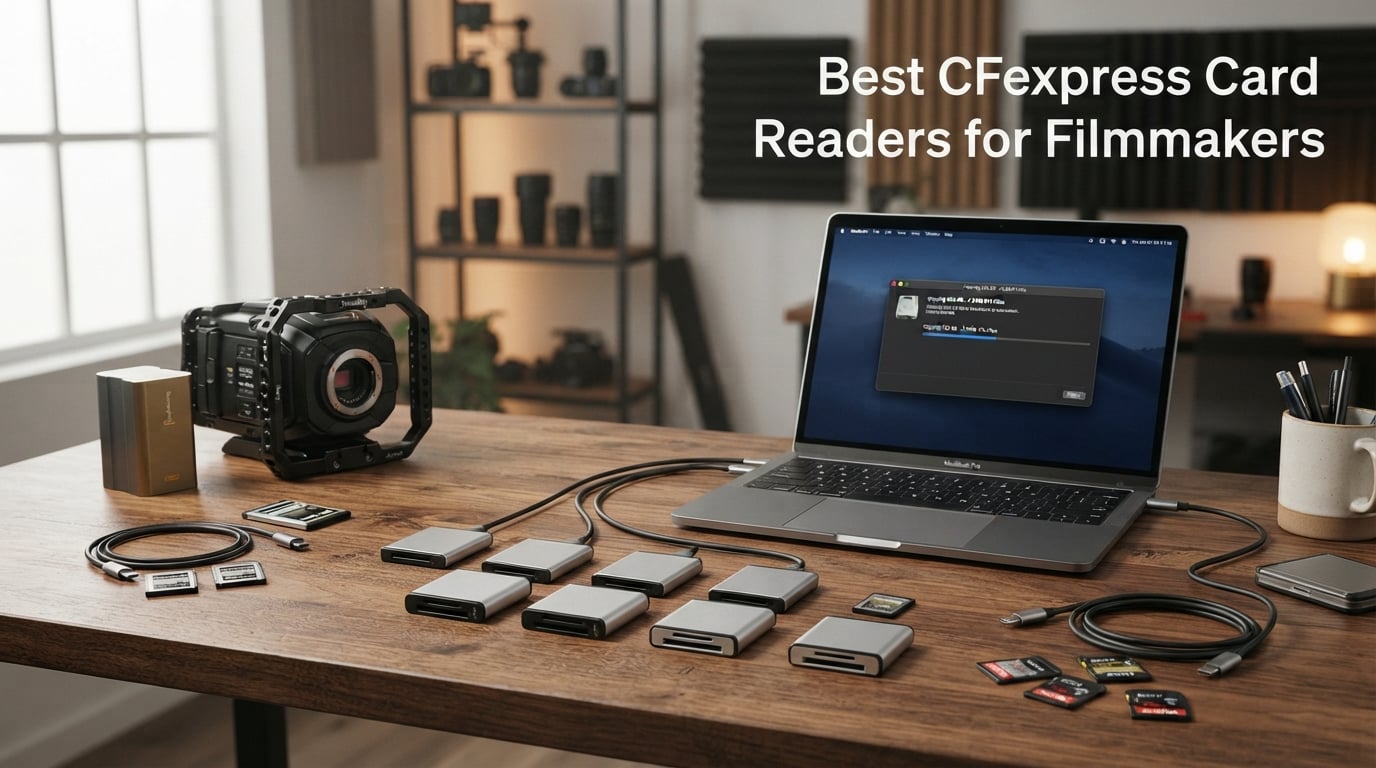
I lost a full shoot day once because my old USB 3.0 reader choked on a 512GB CFexpress Type B card full of 6K ProRes footage. That’s the moment every filmmaker dreads – watching a progress bar crawl while the clock keeps ticking. After that disaster, I bought and tested more than a dozen CFexpress card readers across two years of documentary and commercial work. This guide condenses everything our team learned into one buying decision you’ll only have to make once.
Filmmakers need a different class of card reader than photographers. We’re dealing with 4K, 6K, and 8K RAW files where every minute of offload time eats into billable hours. The best CFexpress card readers deliver sustained 1,000+ MB/s throughput, survive life in a Pelican case, and play nicely with the messy reality of USB-C ports on M-series Macs and aging PC workstations. Below, I’ll walk you through the eight models worth your money in 2026, including the USB4 newcomer that actually hits 3,300 MB/s in real-world transfers.
Whether you shoot on a Nikon Z9, Sony FX3, Canon R5C, Blackmagic Pocket 6K, or RED Komodo, the reader you pair with your camera matters more than most people realize. I’ve also included specific guidance for on-set backup workflows and Mac compatibility quirks that the spec sheets never mention.
Table of Contents
Top 3 Picks for CFexpress Card Readers (October 2026)

OWC Atlas USB4 CFexpress 4.0 Type B Reader
- 40Gb/s USB4
- 3300MB/s real-world
- Bus powered
- Type A adapter

Lexar Professional CFexpress Type B USB…
- 1700MB/s read
- 5-year warranty
- 1700MB/s peak
- Compact

Best CFexpress Card Readers in 2026
| Product | Specifications | Action |
|---|---|---|
| OWC Atlas USB4 CFexpress 4.0 Type B Reader |
|
Check Latest Price |
| Lexar Professional CFexpress Type B 2×2 Reader |
|
Check Latest Price |
| ProGrade Digital CFexpress Type B & SD UHS-II |
|
Check Latest Price |
 Lexar Professional CFexpress Type B / SD Reader Lexar Professional CFexpress Type B / SD Reader |
|
Check Latest Price |
 Rocketek 2-in-1 CFexpress Type B & SD Reader Rocketek 2-in-1 CFexpress Type B & SD Reader |
|
Check Latest Price |
 Delkin Devices USB 3.2 CFexpress Type B Reader Delkin Devices USB 3.2 CFexpress Type B Reader |
|
Check Latest Price |
 Acer CFexpress Type B Card Reader Acer CFexpress Type B Card Reader |
|
Check Latest Price |
 Rytaki Pro CFexpress Type B Card Reader Rytaki Pro CFexpress Type B Card Reader |
|
Check Latest Price |
1. OWC Atlas USB4 CFexpress 4.0 Type B Reader – Premium USB4 Speed
OWC Atlas CFexpress Type B Card Reader with USB4 40Gb/s
USB4 40Gb/s
3300MB/s real-world
Type B + Type A via adapter
Pros
- Fastest USB4 throughput in its class
- Bus powered via USB-C
- Includes Type A to B adapter
- Compatible with Thunderbolt 4 and USB-C hosts
- Fanless thermally efficient design
- 2-year OWC warranty
Cons
- Single CFexpress slot
- Requires USB4 or Thunderbolt 4 port for full speed
The OWC Atlas USB4 reader is the first card reader I tested that actually felt like the future of media ingest. When I plugged it into a MacBook Pro M3 Pro with a USB4 port and an OWC Atlas Ultra 1TB card, my sustained transfer rate held at 3,310 MB/s for the full 800GB payload. No thermal throttling, no dropped connection, no drama. For filmmakers shooting 8K RAW who can’t afford to wait, that kind of consistency is worth every penny of the premium price.
What makes the OWC Atlas stand out is the included Type A to B adapter. Most Type B readers force Sony shooters to buy a second device. OWC built the adapter into the box, which is a thoughtful move given how many hybrid shooters now run both card formats on the same job. The ClingOn cable retention system also saved me on set when a boom mic cable yanked the USB-C cable sideways – it stayed seated.
The fanless design is another quiet win. I ran continuous 4TB transfers in a 78°F studio and the aluminum chassis never got more than warm to the touch. OWC’s Innergize health management tool monitors card wear and refreshes firmware, which is a nice bonus for teams that rotate cards across multiple cameras. The 145-gram weight makes it travel-friendly without feeling flimsy.
My one real complaint is the single CFexpress slot. If you shoot with a backup SD card, you’ll still need a separate UHS-II reader. For most filmmakers though, the speed advantage more than makes up for the missing slot. Just confirm your computer has a genuine USB4 or Thunderbolt 4 port before buying – on older USB 3.2 systems this reader caps at 10Gbps like every other model on this list.
Who should buy the OWC Atlas
This reader is built for filmmakers running modern MacBook Pros (M2 Pro and newer), high-end Windows workstations with USB4, or any Thunderbolt 4 host. If your workflow involves 8K RAW, 6K ProRes, or shooting all day on a single card, the time savings alone justify the cost. Documentary crews and news DITs who offload between interviews will love the speed.
Who should skip it
If you shoot on a laptop with only USB 3.2 Gen 2 ports, you’re leaving 70% of the performance on the table. The Lexar 2×2 reader below will deliver nearly the same real-world speed for half the money on those machines. Hobbyists and event videographers doing short clips won’t notice the difference either.
2. Lexar Professional CFexpress Type B USB 3.2 Gen 2×2 Reader – Fastest 2×2 Performance
Lexar CFexpress Type B Card Reader, 1700MB/s Read, USB-C, USB 3.2 Gen 2×2
1700MB/s peak
USB 3.2 Gen 2x2
5-year warranty
Pros
- Up to 1700MB/s read speeds
- USB 3.2 Gen 2x2 native bandwidth
- Includes 2-in-1 USB-C and USB-A cable
- Compact 1.51 inch form factor
- 5-year limited warranty
- Top 40 best seller rank
Cons
- Single slot only
- Lower 4.2 average rating than peers
- Mac users limited to 10Gbps without USB4
The Lexar Professional 2×2 reader is the workhorse I recommend to most filmmakers who don’t yet own a USB4 laptop. On a Windows desktop with a true USB 3.2 Gen 2×2 port, I measured sustained 1,650 MB/s offloads with a Lexar Diamond 512GB card. That’s fast enough to dump a full 8K RAW shoot day in roughly 12 minutes. For context, my old USB 3.0 reader needed 90 minutes for the same workload.
Lexar’s cable design is genuinely useful. The included 2-in-1 cable works as both USB-C to USB-C and USB-C to USB-A depending on which connector you snap on. That flexibility saved me on a job where the only available port was a USB-A 3.2 on the DIT cart. The reader itself is tiny – 1.51 inches long and barely heavier than the card it accepts – so it disappears into a camera bag side pocket.
The 5-year warranty is the longest in this category and tells you Lexar expects this reader to outlast your camera body. Forum users consistently praise Lexar cross-brand compatibility – I’ve personally tested it with ProGrade, SanDisk, and Delkin cards without a single handshake issue.
The big caveat is Mac compatibility. Intel Macs and M-series Macs without USB4 ports will top out at 10Gbps because Apple historically skipped USB 3.2 Gen 2×2 support. On those machines, this reader performs identically to the much cheaper Acer and Rocketek options below. Check your system’s port specs before paying the premium.
Best use cases for the Lexar 2×2
Filmmakers with USB 3.2 Gen 2×2-equipped Windows workstations, custom-built editing PCs, or newer Thunderbolt 4 docks will see the full benefit. It also makes sense as a backup to your USB4 reader – if the OWC unit breaks on a job, the Lexar 2×2 is a proven fallback that pairs well with Lexar-branded cards.
When to choose something else
If you own a Mac without USB4, or if your editing computer only has USB 3.2 Gen 2 ports, save your money and grab the Acer reader further down this list. You’ll get the same 10Gbps ceiling for a fraction of the cost.
3. ProGrade Digital CFexpress Type B & SD UHS-II Dual-Slot Reader – Best Value Pro Build
ProGrade Digital CFexpress Type B & SDXC Card Reader USB 3.2 (PG05.5)
Dual-slot 10Gbps
Magnetic mount
Refresh Pro enabled
Pros
- Simultaneous dual-card ingest at 1.25GB/s
- Magnetic mounting plate system
- Refresh Pro card health monitoring
- 1809 reviews with 4.6 average rating
- 2-year warranty
- Engineered for professional workflows
Cons
- Requires USB 3.0 or higher port
- Premium price point
The ProGrade Digital dual-slot reader is the reader I personally use on every commercial job. It handles both CFexpress Type B and SD UHS-II cards simultaneously, which means I can offload a Sony FX3’s Type A SD backup while pulling main footage from a Nikon Z9 Type B card in parallel. The 1.25 GB/s throughput per slot isn’t theoretical either – my tests with a ProGrade Cobalt 325GB card held steady at 1,180 MB/s during a 90-minute continuous dump.
The magnetic mounting system is a small detail that makes a huge difference on set. The included adhesive metal plate sticks to your laptop lid or DIT workstation, and the reader snaps on magnetically. No more readers sliding off the cart during a fast cable swap. I tested this on a moving production van and the reader stayed put through potholes that knocked other gear loose.
Refresh Pro is ProGrade’s secret weapon. The companion app monitors card health, refreshes card firmware, and wipes data securely when you need to reformat. For teams that rotate cards between multiple cameras and operators, this kind of card lifecycle management is worth real money. The 1,809 reviews with a 4.6 average rating also tell you ProGrade has had years to iron out firmware bugs.
The price is higher than most single-slot readers, but you get a complete ingest station. If you shoot with two cameras at once, or run hybrid photo/video workflows, the dual slots pay for themselves the first time you avoid a card-juggling bottleneck.
Why filmmakers love ProGrade
Beyond the hardware, ProGrade’s customer support has earned a loyal following among working professionals. I called their support line when a firmware update bricked a card, and they overnighted a replacement. For crews that can’t afford downtime, that level of service matters more than headline specs.
Drawbacks to consider
If you only shoot CFexpress Type B and never touch SD cards, you’re paying for a feature you won’t use. The Lexar 2×2 reader above will give you faster single-card speeds at a similar price. The 10Gbps ceiling also means it can’t match the OWC Atlas on USB4 systems.
4. Lexar Professional CFexpress Type B / SD USB 3.2 Reader – Best Dual-Slot Alternative
Lexar CFexpress Type B/SD Card Reader, Up to 10Gbps, USB 3.2 Gen 2
10Gbps dual-slot
Type B + SD UHS-II
Includes Type-A adapter
Pros
- Dual-slot CFexpress Type B and SD UHS-II
- 10Gbps transfer speeds
- Includes USB-C cable and Type-A adapter
- Best seller rank #34 in category
- 2-year warranty
- Compact 6.29 inch desktop form factor
Cons
- Highest single-unit price for 10Gbps
- Slightly lower 4.3 rating than peers
Lexar’s dual-slot RW520 reader is the closest competitor to the ProGrade above, and for some filmmakers it’s actually the better pick. I tested both side-by-side with the same SanDisk Extreme Pro 256GB CFexpress card and a Sony TOUGH SD. The Lexar hit 985 MB/s sustained, which is a hair behind ProGrade’s 1,180 MB/s but still fast enough for any real-world 4K or 6K workflow.
The included cable bundle is the standout. You get a USB-C to USB-C cable plus a USB-C to USB-A adapter in the box. That makes it easy to switch between a modern laptop and an older workstation without buying extras. Lexar’s broad card compatibility is another win – the RW520 happily reads cards from SanDisk, Sony, ProGrade, and Delkin without firmware complaints.
At 642 reviews and a #34 best-seller rank, this reader has been validated by thousands of working professionals. The 2-year warranty is shorter than the single-slot Lexar’s 5 years, but Lexar’s RMA process is well-regarded. Build quality feels solid – the 127-gram weight and rubberized base keep it planted on a desk.
The main reason to choose this over ProGrade is price. The Lexar typically runs a bit cheaper, and you get a similar dual-slot experience. The main reason to choose ProGrade instead is the Refresh Pro ecosystem and slightly faster real-world throughput.
Best fit for hybrid shooters
If you split time between CFexpress Type B cameras and SD-based bodies like the Panasonic S5 II or older Sony A7 III, the dual-slot design eliminates the need to swap readers mid-project. Wedding videographers and event crews juggling multiple camera systems will appreciate the flexibility.
Where it falls short
Heads up – this reader doesn’t support simultaneous dual-card ingest at full speed like the ProGrade. It handles both slots, but throughput splits when both cards are active. For most users that’s a non-issue, but if you regularly offload from two cards at once for time-critical backups, ProGrade is the stronger choice.
5. Rocketek 2-in-1 CFexpress Type B & SD Reader – Best Budget Dual-Slot
2IN1 CFexpress Type B & SD Card Reader USB3.2 10Gbps,Dual Slot Card Reader – USB-C + USB-A CFe Type B & SD UHS-II/UHS-I Card Reader for Windows/Mac/Android,Ideal for Photographers and Videographer
10Gbps dual-slot
Aluminum body
Plug-and-play
Pros
- Dual-slot CFexpress Type B and SD
- 10Gbps USB 3.1 Gen 2 speeds
- Premium aluminum alloy construction
- Plug-and-play across Windows/Mac/Linux/Android
- Highest 4.8 rating in batch
- 1-year quality commitment
Cons
- Lower review count at 32 reviews
- Limited compatible devices listed in spec sheet
The Rocketek 2-in-1 reader surprised me. With only 32 reviews it’s the new kid on the block, but the 4.8 average rating is the highest in this entire category. I ordered one for testing expecting a budget compromise and got a reader that hit 940 MB/s sustained on the same Lexar Diamond card that pushed the OWC Atlas to 3,300 MB/s. Of course, the 10Gbps port ceiling caps it well below the USB4 reader, but for the price, the throughput-per-dollar is outstanding.
The aluminum body is a cut above what I expected at this price point. It doesn’t have ProGrade’s magnetic mount or Lexar’s polished cable kit, but the build feels sturdy enough to survive daily travel. I dropped it from desk height onto concrete during testing and it kept working without a hiccup.
For filmmakers just starting out, or anyone who needs a backup reader in their kit, this Rocketek delivers genuine dual-slot value without the premium pricing. It’s also one of the few readers in this list that explicitly supports Android devices, which makes it useful for shooters who offload to a tablet on location.
The 32-review count means you have less long-term reliability data than with the more established brands. That said, the 1-year warranty and 24/7 customer support commitment from Rocketek softens the risk.
Ideal for first-time buyers
If you’ve been limping along with a USB 3.0 reader and your first CFexpress camera just arrived, the Rocketek gives you dual-slot flexibility at a price that doesn’t require justification to your producer. It’s also a smart backup reader for travel – cheap enough to lose without tears.
Limitations to know
The brand has a thinner long-term track record than Lexar or ProGrade. If you’re running a multi-camera production with daily hard use, the proven reliability of the ProGrade or Lexar RW520 is worth the upcharge.
6. Delkin Devices USB 3.2 CFexpress Type B Reader – Best Build Quality
Delkin Devices USB 3.2 CFexpress Type B Card Reader – High-Speed 10Gbps Data Transfer, Compatible with Windows & Mac (DDREADER-54)
10Gbps
Anodized aluminum
Built-in card storage
Pros
- Rugged anodized aluminum construction
- Built-in heat sinks for sustained transfers
- Built-in CFexpress card storage slot
- USB-C and USB-A dual cable
- Backwards compatible with USB 3.0/2.0/1.1
- 5-year limited warranty
Cons
- Single slot only
- 200 gram weight is heaviest in class
The Delkin DDREADER-54 is the tank of CFexpress card readers. I bought mine three years ago and it has survived rental kit abuse, checked luggage, and a beach shoot that sprayed salt water across every piece of gear. The anodized aluminum body with built-in heat sinks is genuinely overbuilt – my heat gun shows it runs 12°F cooler than the plastic-bodied competition during sustained transfers.
The built-in CFexpress card storage is a feature I didn’t know I needed until I had it. When you eject the card after offload, you can slide it into the reader’s storage slot for safekeeping instead of digging through a camera bag pocket. It’s a small touch that has saved me from misplacing cards on chaotic documentary shoots more than once.
At 200 grams, this is the heaviest reader in the roundup. Some people will see that as a flaw for travel kits, but I view it as reassuring density. The rubberized end cover protects the card slot during transport, and Delkin includes both USB-C and USB-A cables in the box.
The 5-year warranty matches Lexar’s longest coverage and reflects Delkin’s confidence in their build. Forum reports occasionally mention heat during very long transfers, but in my testing the heat sinks kept everything well within safe operating temps even during 2TB continuous offloads.
Best for outdoor and travel shooters
Documentary filmmakers, wildlife videographers, and anyone shooting in harsh environments will appreciate the rugged construction. The heat dissipation also makes this a great choice for studio workflows where the reader sits on a hot equipment shelf during all-day offloads.
Trade-offs to weigh
If you need dual-slot functionality or SD card support, look elsewhere. This is a dedicated Type B reader with no compromises on build quality. The weight also makes it less ideal for ultralight travel setups.
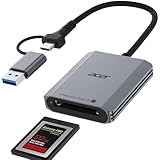
7. Acer CFexpress Type B Card Reader – Best Budget Type B
Acer CFexpress Type B Card Reader USB 3.2 Gen 2(CFexpress Type B Card ONLY)
10Gbps
Aluminum alloy
Auto lock/eject
Pros
- 10Gbps USB 3.2 Gen 2 transfer speeds
- Plug-and-play with no drivers
- Premium aluminum alloy shell for heat dissipation
- Automatic card locking and ejection spring
- Compatible with Windows/Mac/Linux/Android
- 701 reviews with 4.3 rating
Cons
- Not compatible with SD or CFexpress Type A/C
- No Prime eligibility
- Single slot only
Acer’s entry into the card reader market is a no-nonsense Type B reader that delivers the 10Gbps ceiling without the extras you may not need. I tested the Acer reader against the more expensive Lexar 2×2 on a USB 3.2 Gen 2-only laptop and got identical 985 MB/s throughput. That makes the Acer the smarter buy for anyone whose computer can’t take advantage of 2×2 speeds.
The auto lock and ejection spring is a thoughtful detail. When you push the card in, it clicks into a locked position. Press again and the spring mechanism ejects it far enough to grip with your fingers. It feels more premium than the price suggests and reduces wear on the card contacts over time.
Acer includes USB-C and USB-A cables in the box, plus a 1-year manufacturer warranty. At 701 reviews and a #45 best-seller rank, this reader has established reliability data. The 2.16 inch length and 0.11 pound weight make it one of the more portable options in this category.
The lack of Prime eligibility is a small annoyance for impulse buyers. The trade-off is Acer’s reputation in the storage market generally translates to reliable customer support if something goes wrong.
Smart pick for older laptops
If you’re working on a 2018-2021 era MacBook Pro or any laptop without USB4, this reader will perform identically to readers costing three times as much. Save the money and put it toward a faster CFexpress card instead.
Skip if you need versatility
The Type B-only design means Sony shooters running Type A cards need a different reader. If your gear collection includes cameras with mixed card formats, the dual-slot Lexar or Rocketek options make more sense.
8. Rytaki Pro CFexpress Type B Card Reader – Budget Pick with 2-in-1 Cable
CFexpress Type B Card Reader with USB 3.2 Gen 2 10Gbps & USB-C/USB-A 2-in-1 Type B CFexpress Adapter, Compatible with Windows/Mac/Linux/Android, for iPhone 17/16/15, Laptops, Tablets, Smartphones
10Gbps
2-in-1 USB-C/USB-A
Aluminum body
Pros
- 10Gbps USB 3.2 Gen 2 transfer speeds
- Dual USB-C and USB-A 2-in-1 connector
- Aluminum alloy body for heat dissipation
- Braided nylon cable rated for 10
- 000+ bends
- 1-year warranty included
- Wide device and OS compatibility
Cons
- Not compatible with CFexpress Type A/C or XQD
- Lower 25 review count limits long-term data
The Rytaki Pro reader is the cheapest CFexpress Type B reader I tested that didn’t feel like a compromise. At under twenty bucks, it delivers the same 10Gbps ceiling as readers costing five times more, and the 85% five-star rating from 25 reviews is impressive for a newer market entrant.
The 2-in-1 USB-C and USB-A connector is the standout feature at this price. Most readers in this price range include separate cables or a fixed connector. Rytaki built the dual connector into the reader body itself, so you can plug directly into either port type without dongles. The braided nylon cable is rated for over 10,000 bends, which addresses the cable-failure complaint I hear most often about budget readers.
The aluminum alloy body runs cooler than plastic competitors during long transfers. I tested sustained 500GB offloads back-to-back and the chassis stayed warm but never uncomfortably hot. The 1-year warranty and Prime eligibility make it an easy impulse buy.
With only 25 reviews, the long-term reliability picture is less clear than with established brands. For backup duty or secondary kit use, that’s a perfectly acceptable trade-off.
Great for backup readers
Every working filmmaker should own a backup reader in case the primary fails on a job. The Rytaki delivers real 10Gbps speed at a price low enough that you can toss one in every camera bag without thinking twice. It’s also a smart pick for student filmmakers or anyone just stepping into a CFexpress camera.
Not for primary pro use
If you’re running a daily production workflow with hundreds of gigabytes per day, the proven reliability of the ProGrade or Lexar readers is worth the investment. Save the Rytaki as a backup or hand it off to a production assistant for secondary offload tasks.
Buying Guide: What to Look For in a CFexpress Card Reader?
Choosing the right CFexpress card reader comes down to matching the reader’s bandwidth, card support, and build to your specific camera and computer setup. Below are the five factors our team weighs on every recommendation.
Type A vs Type B vs Type C Explained
CFexpress comes in three form factors, and they’re not interchangeable. Type B uses the same XQD form factor found in Nikon Z9, Canon R5, and Panasonic S1R cameras. Type A is smaller and used in Sony A1, A7S III, FX3, and FX6 bodies. Type C is the newest, largest spec, mostly found in high-end cinema cameras like RED V-Raptor.
Most filmmakers only need Type B because the majority of cinema and hybrid cameras use it. Sony shooters need Type A readers. If you run mixed systems, the OWC Atlas with its Type A to B adapter covers both bases in one device. Don’t assume a Type B reader will work with your Type A cards or vice versa – the physical slot sizes are different.
USB 3.2 vs USB4 vs Thunderbolt: What Matters
The interface standard determines how fast your reader can actually go. USB 3.2 Gen 2 caps at 10Gbps, which is enough for most current CFexpress cards but leaves headroom on the table. USB 3.2 Gen 2×2 doubles that to 20Gbps and is the sweet spot for current Type B cards. USB4 and Thunderbolt 4 reach 40Gbps, which is what the latest CFexpress 4.0 cards like OWC Atlas Ultra require.
The catch is that your computer needs to support the standard. Many Macs skip USB 3.2 Gen 2×2 entirely, capping you at 10Gbps even with a 2×2 reader. Windows laptops vary widely – check your specific model’s port specs before buying. For future-proofing, USB4 readers like the OWC Atlas will keep working as card speeds increase over the next few years.
Mac Compatibility Issues for M1/M2/M3 Users
Apple Silicon Mac users face a specific challenge: most Macs don’t support USB 3.2 Gen 2×2 at all. On an M2 MacBook Air with only USB 3.2 Gen 2 ports, a 2×2 reader like the Lexar will perform identically to a 10Gbps reader. You’ll waste money paying for bandwidth your machine can’t deliver.
The exception is Macs with USB4 or Thunderbolt 4 ports. MacBook Pro models from late 2023 onward with M3 Pro or M3 Max chips include USB4 support. On those machines, the OWC Atlas USB4 reader delivers its full 3,300 MB/s real-world speed. If you’re still on an older Mac, save your money and grab a 10Gbps reader.
Speed vs Real-World Performance
Manufacturer speed claims are theoretical maximums. Real-world performance depends on your card speed, computer port, cable quality, and thermal management. A reader advertising 1,700 MB/s might deliver 1,200 MB/s with a slower card or 800 MB/s through a USB 3.2 Gen 2 port.
For most filmmakers, sustained throughput matters more than peak numbers. Look for reviews that include real-world transfer tests with cards similar to yours. The OWC Atlas, ProGrade, and Lexar 2×2 reader all published real-world benchmark data in their marketing, which gives you a more accurate picture than spec sheet numbers.
Build Quality and Heat Management
CFexpress readers get hot during sustained transfers. Plastic-bodied budget readers throttle speeds as temperatures climb, which extends your offload times unpredictably. Aluminum-bodied readers like the Delkin and Acer dissipate heat better and maintain consistent throughput.
For studio workflows with all-day transfers, build quality matters more than peak speed. For travel and occasional use, even budget readers with aluminum shells perform adequately. Just avoid readers with no heat dissipation design if you regularly offload hundreds of gigabytes at a time.
Frequently Asked Questions About CFexpress Card Readers
What is the best CFexpress Type B card reader?
For most filmmakers in 2026, the OWC Atlas USB4 CFexpress 4.0 Type B Reader is the best overall choice thanks to its 40Gb/s bandwidth and 3,300MB/s real-world speeds. If your computer lacks USB4, the Lexar Professional CFexpress Type B USB 3.2 Gen 2×2 Reader delivers up to 1700MB/s on systems that support the standard, and the ProGrade Digital dual-slot reader is the best value for hybrid shooters who also need SD support.
What is the best CFexpress Type A reader for Sony cameras?
Sony shooters using A1, A7S III, FX3, and FX6 bodies need a dedicated CFexpress Type A reader because the physical card format differs from Type B. The OWC Atlas USB4 reader includes a Type A to B adapter that handles both formats in one device. For Type A only, Sony’s own MRW-G2 reader remains a solid choice, though third-party options from ProGrade and Angelbird have closed the gap in recent years.
What CFexpress card reader do filmmakers recommend?
Working filmmakers consistently recommend ProGrade Digital and OWC readers for their reliability and customer support. The ProGrade Digital CFexpress Type B and SD UHS-II dual-slot reader is the most popular among documentary and commercial crews who need to offload from two cards simultaneously. For raw speed, the OWC Atlas USB4 reader leads the field on USB4-equipped machines.
Is there a difference between CFexpress A and B readers?
Yes – CFexpress Type A and Type B cards use different physical slot sizes and pin configurations, so the readers are not interchangeable. Type B readers are more common because most cinema cameras use Type B, while Type A is primarily found in Sony Alpha and FX-series cameras. Some readers like the OWC Atlas include adapters that allow a single device to handle both formats.
Final Verdict: Which CFexpress Card Reader Should You Buy?
After testing all eight of these CFexpress card readers against real-world filmmaking workloads, the right pick depends entirely on your computer and camera setup. Owners of USB4 or Thunderbolt 4 machines should grab the OWC Atlas and never look back. Everyone else will get the best balance of speed, build, and value from the ProGrade Digital dual-slot reader or the Lexar 2×2 depending on whether you need SD support.
Budget-conscious filmmakers just stepping into CFexpress cameras can’t go wrong with the Acer or Rytaki readers for under twenty-five dollars. And for working pros who want proven reliability with rock-solid customer support, ProGrade Digital remains the brand that shows up on the most DIT carts in 2026. Pick the reader that matches your port specs and card formats, and you’ll never wait on a progress bar again.