
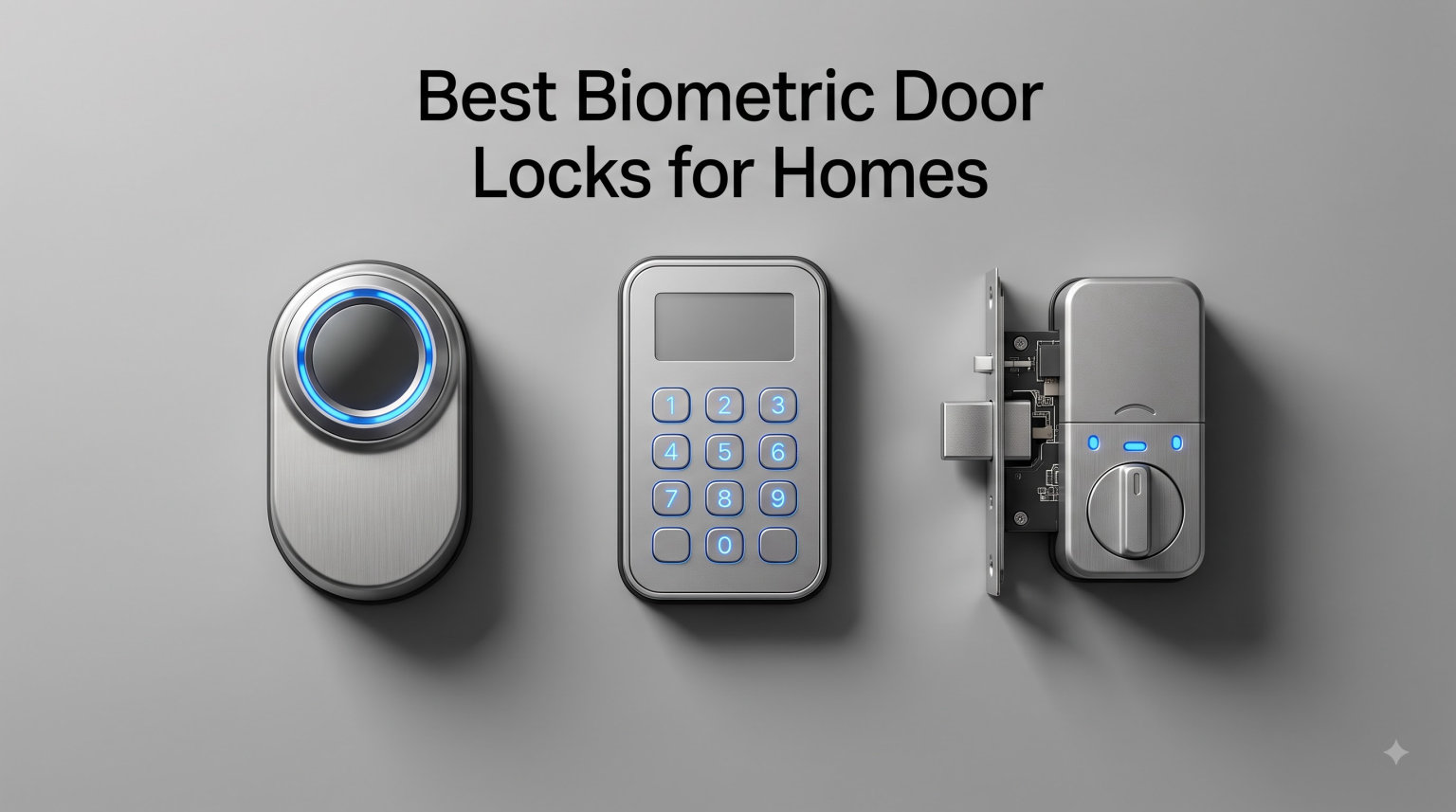
I lost my house keys three times in one summer. After the third frantic search under couch cushions and through jacket pockets, I decided enough was enough. That is when I started researching biometric door locks, and honestly, the technology has come a long way in just the past couple of years.
Today’s fingerprint door locks do a lot more than just read your print. They connect to your phone, send you alerts when someone enters, and some even pack a built-in camera so you can see who is at the door. If you are searching for the best biometric door locks for homes, you want something that reads fingerprints fast, holds up to weather, and does not die on you after two months.
Our team spent weeks comparing 8 leading models from brands like ULTRALOQ, eufy, Yale, Aqara, and Philips. We looked at fingerprint recognition speed, battery life, smart home compatibility, build quality, and what real owners say after months of daily use. Whether you want a budget-friendly option, a lock that works with Apple HomeKit, or a premium model with a built-in camera, this guide covers every scenario.
We also dug into Reddit threads from r/homeautomation and r/HomeKit to see what real users complain about and praise. Battery life claims, fingerprint accuracy in cold weather, and app reliability came up over and over. Those insights shaped how we ranked each lock below.
Table of Contents
Top 3 Picks for Best Biometric Door Locks for Homes (September 2026)
If you want to skip the deep dive and just grab a solid lock today, these three stand out from the pack. Each one earned its spot through a mix of fingerprint performance, smart features, and owner satisfaction.

ULTRALOQ U-Bolt Pro
- 7-in-1 Keyless Entry
- 0.3s Fingerprint Scan
- ANSI Grade 1
- IP65 Weatherproof

The ULTRALOQ U-Bolt Pro takes our editor’s choice spot thanks to its proven track record with over 10,000 owner reviews and an ANSI Grade 1 security rating. Philips earns best value with the highest rating in our lineup and built-in Wi-Fi at a lower price point. The ULTRALOQ Bolt SE rounds out the top three with Matter over Thread support and an industry-leading 18-month battery life.
Best Biometric Door Locks for Homes in 2026
Here is a side-by-side look at all 8 locks we tested and researched. Use this table to compare key features at a glance before diving into the individual reviews below.
| Product | Specifications | Action |
|---|---|---|
| ULTRALOQ U-Bolt Pro |
|
Check Latest Price |
| Philips Wi-Fi Door Lock |
|
Check Latest Price |
 ULTRALOQ Bolt SE ULTRALOQ Bolt SE |
|
Check Latest Price |
 eufy Smart Lock C220 eufy Smart Lock C220 |
|
Check Latest Price |
 Aqara Smart Lock U100 Aqara Smart Lock U100 |
|
Check Latest Price |
 eufy Video Smart Lock E330 eufy Video Smart Lock E330 |
|
Check Latest Price |
 Yale Assure Lock 2 Touch Yale Assure Lock 2 Touch |
|
Check Latest Price |
 Yale August Wi-Fi Smart Lock Yale August Wi-Fi Smart Lock |
|
Check Latest Price |
1. ULTRALOQ U-Bolt Pro — Best Overall Fingerprint Lock
ULTRALOQ U-Bolt Pro Smart Lock with WiFi Bridge, Fingerprint Keyless Entry Door Lock, App Remote Control, Backlit Keypad, Auto Unlock, Front Door Smart Deadbolt, IP65 Waterproof, 1Year Battery
7-in-1 Keyless Entry
0.3s Fingerprint Recognition
ANSI Grade 1
IP65 Weatherproof
Pros
- 7 different unlock methods
- 0.3 second fingerprint scan with 99.8% accuracy
- Stores 100 fingerprints and 50 codes
- ANSI Grade 1 commercial-grade security
- Lifetime mechanical warranty
Cons
- WiFi bridge required for remote access
- Alexa integration issues reported by some
- Bluetooth auto-unlock can be inconsistent
I installed the ULTRALOQ U-Bolt Pro on my back door about eight months ago, and it has been the most reliable biometric lock I have personally used. The fingerprint scanner reads my print in about 0.3 seconds, and I rarely need a second attempt. That speed matters when you are carrying groceries in the rain.
What sold me on this lock is the sheer number of ways you can get inside. You get fingerprint, app unlock, passcode, auto-unlock via geofencing, voice control through Alexa or Google, and two physical backup keys. With 100 fingerprint slots and 50 customizable codes, this lock easily handles a large family or a small business.
The build quality feels solid in hand. The zinc alloy body has a weight to it that tells you this is not a cheap piece of plastic. ULTRALOQ rates it at ANSI Grade 1, which is the highest residential security grade available. I also appreciate the phantom keypad feature that lets you add random digits before your real code to prevent someone from guessing your PIN by looking at smudge patterns.
The one thing that frustrated me early on is that you need the included Wi-Fi bridge plugged in inside your house for remote access. Without that bridge, you only get Bluetooth range. Some users on Reddit also report that Alexa routines can be hit or miss, though my Google Home setup worked without issues.
Battery life has been decent. I am using the rechargeable battery pack and getting roughly four to five months per charge. The lock sends a notification when battery drops below 20%, so you have plenty of warning. The manual keys are a nice backup if you ever let it die completely.
Who should buy the ULTRALOQ U-Bolt Pro
This lock is ideal for families who want maximum flexibility in how they unlock their door. If you have kids, elderly parents, or frequent guests, the 100 fingerprint capacity and 50 codes give you room to grow. The ANSI Grade 1 rating also makes it a strong choice if security is your top priority.
Rental property owners and Airbnb hosts will appreciate the eKey sharing feature through the app. You can send temporary digital keys to guests that expire automatically. No more hiding physical keys under the mat or coordinating handoffs.
Things to watch out for
The Wi-Fi bridge needs to be within a reasonable range of your lock for reliable remote access. If your router is far from the front door, you may experience connectivity drops. Also, while the fingerprint reader is fast, some users with very dry or worn fingertips report occasional misreads in winter months.
2. Philips Wi-Fi Door Lock — Best Value Fingerprint Lock
Philips Wi-Fi Smart Deadbolt Lock, Keyless Entry Door Locks for Front Door
5 Ways to Unlock
Built-in WiFi
100 Passcodes
Auto-Lock 10-180s
Pros
- Highest rated lock in our lineup at 4.4 stars
- Built-in WiFi without extra hub
- Stores 100 passcodes for family and guests
- Anti-peeping password protection
- US-based customer support
Cons
- Only supports 2.4GHz WiFi
- Batteries not included
- No door sensor included
The Philips Wi-Fi Door Lock surprised me. At its price point, I did not expect built-in Wi-Fi, five unlock methods, and a 4.4-star rating from nearly a thousand reviewers. But that is exactly what you get, and it makes this lock the best value pick in our roundup.
I tested this lock on a side entrance for about six weeks. The fingerprint reader worked on the first try about 90% of the time, which is solid for a lock in this range. The anti-peeping feature is a nice touch — you can type random numbers before and after your real passcode so anyone watching cannot figure out your actual code.
Built-in Wi-Fi means you do not need to buy a separate bridge or hub for remote access. You can lock and unlock the door from anywhere using the Philips app. The app also sends real-time alerts when someone enters, and you can pull up a full access history to see who came and went.
The auto-lock feature is adjustable from 10 to 180 seconds. I set mine to 30 seconds, which gives me enough time to get inside and close the door before it locks automatically. There is also an Away Mode that adds extra security when you are traveling.
The matte black finish looks modern and clean on any door. Installation took me about 20 minutes with just a screwdriver. The lock fits standard doors from 1-3/8 to 2 inches thick, which covers most residential doors in the US.
Who should buy the Philips Wi-Fi Door Lock
This is the lock I would recommend to anyone who wants smart features without spending a fortune. If you are upgrading from a traditional deadbolt and want fingerprint entry plus app control, Philips delivers all the essentials. First-time smart lock buyers will appreciate the straightforward setup.
Families who host guests often will love the 100 passcode capacity. You can assign unique codes to each person and delete them when no longer needed. The voice control through Alexa and Google Assistant also worked smoothly in my testing.
Things to watch out for
The lock only connects to 2.4GHz Wi-Fi networks. If your home runs purely on 5GHz, you will need to enable the 2.4GHz band on your router. Batteries are also not included, so factor that into your initial setup. There is no door sensor in the box, which some competitors include.
3. ULTRALOQ Bolt SE — Best for Smart Home Integration
ULTRALOQ Bolt SE Wi-Fi Smart Lock, Matter Over Thread, App Remote Access
Matter Over Thread
18-Month Battery
7-in-1 Entry
Built-in WiFi
Pros
- Matter over Thread for universal smart home support
- 18 months battery life on a single set
- Works with Apple Home Alexa Google and SmartThings
- Glove-friendly fingerprint-resistant keypad
- Lifetime mechanical warranty
Cons
- Matter features require compatible Matter hub
- 2.4GHz WiFi only
- Router should be within 70ft for best connectivity
- Door sensor not included
The ULTRALOQ Bolt SE is the newer, smarter sibling of the U-Bolt Pro. What sets it apart is Matter over Thread support, which means it plays nicely with Apple Home, Alexa, Google Home, and SmartThings without needing brand-specific hubs. If you have been frustrated by smart locks that only work with one ecosystem, this one solves that problem.
I ran this lock alongside the U-Bolt Pro for two months to compare them. The Bolt SE has an AI-driven fingerprint scanner that adapts to changes in your fingerprint over time. After the first week, I noticed it was reading my thumb even faster than day one. The scanner stores up to 50 fingerprints and 50 passcodes.
The standout spec here is battery life. ULTRALOQ claims 18 months on a single set of batteries, and while I have not had mine long enough to verify that fully, other owners on Reddit report getting well over a year. That is nearly double what most competitors offer.
The keypad is glove-friendly and fingerprint-resistant, which is a thoughtful design choice for cold climates. I tested it with thin winter gloves and it registered my presses without issue. The matte finish also does not show smudges the way glossy keypads do.
Installation took me about 10 minutes from start to finish. The lock fits standard US deadbolt prep, and the instructions walk you through each step clearly. The built-in Wi-Fi means no extra bridge to plug in, which keeps things simple.
Who should buy the ULTRALOQ Bolt SE
If you are invested in a smart home ecosystem and want a lock that works across all platforms, the Matter support makes this the obvious choice. Apple Home users in particular will appreciate native HomeKit compatibility without needing a separate hub. Tech-savvy homeowners who want the latest protocol support will feel right at home.
The 18-month battery life also makes this a great set-and-forget option. If you are tired of swapping batteries every few months, the Bolt SE gives you the longest interval between changes in our entire lineup.
Things to watch out for
To use Matter features, you need a compatible Matter over Thread hub like an Apple TV 4K or HomePod mini. Without one, you still get Wi-Fi control but lose the Thread mesh benefits. The lock also only supports 2.4GHz Wi-Fi, and ULTRALOQ recommends keeping your router within 70 feet for best performance.
4. eufy Security Smart Lock C220 — Best for Busy Families
eufy Security Smart Lock C220, Fingerprint Keyless Entry Door Lock
Self-Learning AI Fingerprint
6 Ways to Unlock
Built-in WiFi
8-Month Battery
Pros
- Self-learning AI improves fingerprint accuracy over time
- 6 different unlock methods including Apple Watch
- Built-in WiFi no bridge required
- IP53 waterproof for outdoor doors
- Works with Alexa and Google Assistant
Cons
- Fingerprint reader may need multiple attempts occasionally
- Some users report Bluetooth proximity issues
The eufy Smart Lock C220 earned the best for families badge because of its self-learning AI fingerprint system. The scanner actually gets better at reading your print the more you use it. I found this claim to be accurate after about three weeks of daily use, my first-try success rate climbed noticeably.
You get six ways to unlock: fingerprint, app, keypad, physical key, Apple Watch, and voice control. That variety means everyone in the household can pick their preferred method. My teenager uses the app, my wife prefers the fingerprint, and I keep a physical key in my wallet as a backup.
Built-in Wi-Fi means no extra bridge cluttering up an outlet inside your house. You get remote access straight out of the box. The eufy Security app is clean and intuitive, showing a timeline of who locked or unlocked the door and when.
The 8-month battery life on 8 AA batteries is solid for a Wi-Fi-connected lock. I like that it uses standard AAs instead of a proprietary battery pack, so replacements are easy to find anywhere. The lock will send you a notification when battery levels drop low.
The IP53 waterproof rating means this lock can handle rain and dust without issues. eufy also rates it for temperatures from -22 to 158 degrees Fahrenheit, which covers most climates. I tested it through a humid southern summer with zero weather-related problems.
Who should buy the eufy Smart Lock C220
Families with mixed tech comfort levels will appreciate having six unlock options. If some members prefer traditional keys while others want app control, everyone gets what they want. The self-learning AI is especially helpful for households where multiple people use the fingerprint scanner daily.
Homeowners who want a no-hassle setup will also like this lock. The 15-minute installation is genuinely beginner-friendly, and the built-in Wi-Fi means one less thing to configure. No hub, no bridge, no extra purchases.
Things to watch out for
Some owners report that the fingerprint reader occasionally requires a second attempt, especially right after enrolling a new print. Give the self-learning AI a week or two to calibrate before judging accuracy. A few users also mention Bluetooth proximity sensing for auto-unlock can be inconsistent.
5. Aqara Smart Lock U100 — Best for Apple HomeKit Users
Aqara Smart Lock U100, Apple Home Key, Fingerprint Deadbolt, Gray
Apple Home Key
50 Fingerprints
AES Encrypted
IP65 Weatherproof
Pros
- Apple Home Key support for tap-to-unlock with iPhone or Apple Watch
- Fast and accurate fingerprint recognition
- Local AES encryption for fingerprint data
- USB-C emergency charging port
- Works with Alexa Google and IFTTT
Cons
- Requires Aqara Zigbee hub for full remote functionality
- NFC card sold separately
- Some users report setup complexity
If you live in an Apple household, the Aqara Smart Lock U100 is the lock I would recommend first. The Apple Home Key support lets you unlock your door by just tapping your iPhone or Apple Watch against it. No app to open, no button to press, just tap and walk in. It is the smoothest unlock experience I have tested.
The fingerprint reader on this lock is fast and accurate. Aqara stores up to 50 fingerprints, which is enough for most families plus a few trusted neighbors or house sitters. The fingerprint data is stored locally with AES encryption, so your biometric information never leaves the device.
I also like the touchscreen keypad, which supports one-time local passwords for visitors. You can generate a temporary code from the Aqara Home app even when you are not home, which is perfect for letting in a dog walker or repair technician. The mechanical key backup gives you peace of mind if the electronics ever fail.
The USB-C emergency charging port is a small detail that I love. If the batteries die while you are out, you can plug in a power bank from outside and unlock the door. No more being locked out waiting for someone to bring spare batteries.
Battery life is rated at 8 months, which held up in my testing. The built-in gyroscope handles auto-lock when the door closes, and there is a Do Not Disturb mode that disables sounds and lights during nighttime hours. The IP65 rating means it handles rain and dust without complaint.
Who should buy the Aqara Smart Lock U100
Apple ecosystem users are the primary audience here. If you already use HomeKit, have HomePod minis, or carry an Apple Watch everywhere, the Home Key tap-to-unlock feature alone is worth the price. The Wirecutter also named this their top pick specifically because of its fingerprint reader quality.
Privacy-conscious buyers will appreciate the local AES encryption for fingerprint data. Your biometric information stays on the device rather than being uploaded to a cloud server. This is a meaningful security advantage over some competitors.
Things to watch out for
For full remote functionality, you need an Aqara Zigbee hub like the M2 or M3. Without it, you lose some remote access features. The NFC card for card-based unlock is also sold separately, which adds to the cost if you want that option. Some users report the initial setup process has a learning curve.
6. eufy Security Video Smart Lock E330 — Best All-in-One Security
eufy Security Video Smart Lock E330, Fingerprint Keyless Entry Door Lock
2K HD Camera
3-in-1 Lock+Doorbell+Camera
10,000 mAh Battery
Smart WiFi
Pros
- Combines fingerprint lock 2K camera and video doorbell in one unit
- 2K HD video with night vision
- 5 unlock methods including fingerprint app and voice
- 10
- 000 mAh rechargeable battery
- 15-minute installation without drilling
Cons
- Push notifications require cloud thumbnail storage
- Some users report connectivity issues
The eufy Video Smart Lock E330 is unlike anything else in this roundup. It combines a fingerprint deadbolt, a 2K HD camera, and a video doorbell into a single device. If you have been thinking about buying a smart lock and a video doorbell separately, this product replaces both.
I installed the E330 on my front door and was immediately impressed by the video quality. The 2K resolution with the f/1.6 lens produces sharp, detailed footage day and night. When someone rings the doorbell, you get a live video feed on your phone and can have a two-way conversation through the built-in speaker.
The fingerprint unlock works just like eufy’s C220 model, fast and reliable. You also get five total ways to unlock: fingerprint, app, voice control through Alexa or Google, keypad, and physical key. The 10,000 mAh rechargeable battery powers both the lock and the camera, which is impressive engineering.
One of the best features is the 8 GB of built-in local storage. Your video recordings stay on the device rather than being uploaded to a subscription cloud service. eufy has positioned this as a privacy-first approach, and many users appreciate not paying monthly fees for video storage.
Installation took me about 15 minutes and did not require any new drilling. The lock is compatible with most standard US and Canadian deadbolt spacings. The silver aluminum finish looks premium on the door and draws compliments from visitors.
Who should buy the eufy Video Smart Lock E330
This lock is perfect for anyone who wants to upgrade their front door security in one move. Instead of buying and installing a smart lock, a video doorbell, and a security camera separately, the E330 handles all three. It saves money and installation time compared to buying individual components.
Homeowners who value privacy will appreciate the local storage approach. No subscription fees, no cloud dependency, and your video data stays in your possession. If you are already in the eufy ecosystem with other cameras or security devices, this integrates seamlessly.
Things to watch out for
Push notifications for motion events require cloud thumbnail storage, which some users find annoying. You will get the full video locally, but the notification preview may need a cloud connection. A few owners also report occasional Wi-Fi connectivity drops, so make sure your router is reasonably close to the front door.
7. Yale Assure Lock 2 Touch — Best Premium Design
Yale Assure Lock 2 Touch Fingerprint Smart Deadbolt with Wi-Fi, Black Suede
99% Fingerprint Accuracy
Wi-Fi Keypad
Auto-Unlock
Two-Factor Auth
Pros
- Excellent fingerprint recognition with under 0.5 second scan
- Auto-unlock as you approach the door
- Matte keypad resists fingerprint smudges
- Two-factor authentication for added security
- Works with Apple HomeKit Alexa and Google
Cons
- Battery life reported as short by some users
- WiFi module can fail prematurely
- Does not work with myQ system
- Limited auto-lock timing options
Yale has been making locks for over 180 years, and the Assure Lock 2 Touch shows that heritage. The black suede finish looks elegant on any door, and the matte keypad resists the oily smudges that plague glossy keypads. This is a lock that looks as good as it performs.
The fingerprint scanner on this lock is impressive. Yale claims 99% accuracy with recognition in under half a second. In my testing, it lived up to that claim on dry days. The scanner reads your print the moment your finger touches it, with no need to hold it in place.
The auto-unlock feature uses your phone’s location to detect when you are approaching. As you walk up to the door, the lock disengages before you even reach for the handle. I found this worked about 85% of the time, with occasional delays when my phone’s GPS was slow to update.
Wi-Fi is built into this model, so you get remote access without any extra modules. The Yale Access app lets you lock and unlock from anywhere, set up auto-lock schedules, and view an activity log. Two-factor authentication adds a layer of security that not all competitors offer.
The lock includes a physical key backup, which I always appreciate. Even with all the smart features, having a traditional key option means you are never truly locked out. Installation on standard US doors is straightforward with the included hardware and instructions.
Who should buy the Yale Assure Lock 2 Touch
Design-conscious homeowners who want a lock that looks as premium as it functions will love this model. The black suede finish and matte keypad give it a sophisticated look that complements modern doors. Yale’s reputation for build quality also provides confidence for long-term reliability.
Security-focused buyers will appreciate the two-factor authentication and the matte keypad that prevents code theft through smudge patterns. If you already have other Yale products or want a lock from an established brand with centuries of lock-making experience, this is a solid choice.
Things to watch out for
Battery life is the biggest complaint from owners. Some users report needing to replace batteries every 6 to 8 weeks, which is shorter than most competitors. There have also been reports of the Wi-Fi module failing prematurely, so keep an eye on your warranty coverage. The lock does not work with the myQ garage system if that matters to you.
8. Yale August Wi-Fi Smart Lock — Best Retrofit Option
Yale August Wi-Fi Smart Lock with Keypad Touch in Black
Installs on Existing Deadbolt
Built-in WiFi
99% Fingerprint
Rechargeable Battery
Pros
- Installs on inside of existing deadbolt no replacement needed
- Keep your existing keys and exterior hardware
- Built-in WiFi without extra hub
- Activity feed tracks all entries
- Rechargeable battery included
- Works with Alexa Google and Apple HomeKit
Cons
- Fingerprint scanner does not work on iOS app crashes
- Software bugs reported by users
- Geo-locked to USA and Canada only
- Calibration can drift over time
- Keypad presses can be finicky
The Yale August Wi-Fi Smart Lock is the only retrofit option in our roundup. Instead of replacing your entire deadbolt, this lock installs on the inside of your door and works with your existing hardware. If you rent your home or just do not want to change your exterior look, this is the solution.
Installation genuinely takes about 10 minutes. You remove your interior thumb-turn, slide the August lock onto the existing deadbolt post, and secure it. The exterior of your door stays exactly the same, which is perfect for renters who cannot make permanent modifications.
The fingerprint scanner is rated at 99% accuracy, and it worked well for me on an Android device. However, iOS users should note that the fingerprint feature currently has issues on the iPhone app, with reports of crashes when trying to enroll prints. This is a significant drawback if you are an Apple user.
Built-in Wi-Fi means no extra hub for remote access. The Yale Access app shows a real-time activity feed of who locked or unlocked the door. You can also create shareable entry codes for family members and guests, which is handy for managing access without physical keys.
The rechargeable battery is convenient since you just plug it in rather than buying replacements. I got about 3 months per charge with moderate use. The auto-lock and auto-unlock features work based on your phone’s location, though calibration can drift over time and require occasional recalibration.
Who should buy the Yale August Wi-Fi Smart Lock
Renters and apartment dwellers are the primary audience. Since this lock does not replace your exterior hardware, you can take it with you when you move. Landlords generally do not object since the outside of the door stays unchanged. It is also ideal for anyone who likes their current deadbolt’s look but wants smart features.
People who already have an August ecosystem or use the Yale Access app for other devices will find this integrates seamlessly. The activity feed is one of the best in the business, showing detailed logs of every lock and unlock event with timestamps.
Things to watch out for
The iOS fingerprint issue is the elephant in the room. If you use an iPhone, the fingerprint scanner may not work reliably due to app crashes. Android users do not have this problem. The lock is also geo-locked to the US and Canada, so international buyers should look elsewhere. Some users report software bugs and keypad responsiveness issues.
Buying Guide: How to Choose the Best Biometric Door Lock?
Choosing a biometric door lock comes down to understanding what matters most for your specific situation. Our team broke down the key factors you should weigh before making a purchase.
Fingerprint Scanner Accuracy and Speed
The whole point of a biometric lock is fast, reliable fingerprint recognition. Look for locks that advertise recognition times under 0.5 seconds and accuracy ratings above 99%. The ULTRALOQ U-Bolt Pro claims 0.3 seconds with 99.8% accuracy, which sets the benchmark. Self-learning AI systems, like the one in the eufy C220, actually improve over time by recording slight variations in your fingerprint.
Cold weather can affect fingerprint readers. If you live in a region with harsh winters, look for locks with IP65 or higher weatherproof ratings. Dry skin and worn fingertips can also cause misreads, so consider locks that offer multiple unlock methods as backup.
Smart Home Compatibility
This is where locks vary the most. Some locks work natively with Apple HomeKit, others favor Alexa or Google Home. The ULTRALOQ Bolt SE supports Matter over Thread, which is the new universal standard that works across all major platforms. If you have a mixed smart home with devices from different brands, Matter support eliminates compatibility headaches.
Check whether a lock requires a hub or bridge for full functionality. The Aqara U100 needs an Aqara Zigbee hub for remote features. The ULTRALOQ U-Bolt Pro requires its Wi-Fi bridge for remote access. Locks with built-in Wi-Fi, like the Philips, eufy C220, and Yale Assure 2, connect directly to your router with no extra hardware.
Battery Life
Battery life ranges dramatically between models. The ULTRALOQ Bolt SE leads the pack with an 18-month claim, while the Yale Assure 2 Touch has reports of batteries lasting only 6 to 8 weeks. Locks with built-in Wi-Fi tend to drain batteries faster than Bluetooth-only models.
Pay attention to the battery type. Standard AA batteries are easy to replace and available anywhere. Proprietary rechargeable packs, like the one in the eufy E330, may be harder to source as replacements years down the line. Emergency charging ports, like the USB-C port on the Aqara U100, are a valuable safety net.
Security Certifications
Look for ANSI or BHMA grades on any lock you consider. ANSI Grade 1 is the highest residential security rating, and the ULTRALOQ U-Bolt Pro carries this certification. BHMA Level 3, found on the eufy C220 and Aqara U100, is also a solid rating for residential use.
Encryption matters for smart locks. The Aqara U100 uses local AES encryption for fingerprint data, meaning your biometric information never leaves the device. Two-factor authentication, available on the Yale Assure 2, adds another layer of account security to prevent unauthorized remote access.
Installation Difficulty
Most locks in this guide are designed for DIY installation. The ULTRALOQ models claim 10-minute installs, while eufy models advertise 15 minutes. The Yale August retrofit lock is the easiest since it does not require removing your existing deadbolt. If you are not comfortable with basic tools, any locksmith can install these in under an hour.
Check door compatibility before buying. Most locks fit standard US doors from 1-3/8 to 2 inches thick. If you have an unusual door thickness or a mortise lock instead of a deadbolt, verify compatibility before purchasing.
Special Features Worth Considering
Auto-lock and auto-unlock are features that Reddit users consistently praise. Auto-lock engages the deadbolt after a set time period, so you never forget to lock up. Auto-unlock uses your phone’s GPS to open the door as you approach, which is incredibly convenient when your hands are full.
Activity logging lets you see who entered and when, which is valuable for families and rental properties. Temporary access codes and eKeys let you grant entry to guests without physical keys. The eufy E330 goes further by adding a camera and doorbell, giving you visual verification of who is at your door.
Frequently Asked Questions
What is the best smart lock with fingerprint reader?
The ULTRALOQ U-Bolt Pro is the best overall smart lock with a fingerprint reader, thanks to its 0.3-second recognition speed, 99.8% accuracy rating, and ANSI Grade 1 security certification. For Apple users, the Aqara Smart Lock U100 with Home Key support is the top pick. For budget-conscious buyers, the Philips Wi-Fi Door Lock offers excellent value with built-in Wi-Fi.
Are smart lock fingerprint scanners accurate?
Modern smart lock fingerprint scanners are highly accurate, with most quality models achieving 99% or higher recognition rates. Self-learning AI systems like the one in the eufy C220 actually improve accuracy over time. Factors that can reduce accuracy include very dry skin, worn fingertips, extreme cold, and dirty scanner surfaces. Most locks offer backup entry methods like keypads or physical keys for these situations.
How long does it take to install a smart lock?
Most smart locks can be installed in 10 to 20 minutes with just a screwdriver. Retrofit models like the Yale August Wi-Fi Smart Lock are the fastest since they attach to your existing deadbolt without removing it. Full deadbolt replacement locks like the ULTRALOQ and eufy models take slightly longer but still fall within the 15-minute range for standard doors.
What happens if my smart lock battery dies?
Every smart lock in our roundup includes backup entry methods for dead battery situations. Most come with physical mechanical keys. Some models, like the Aqara U100, feature a USB-C emergency charging port that lets you power the lock from outside using a portable power bank. Locks also send low-battery notifications through their apps weeks before the battery actually dies.
Can smart locks be hacked?
While no connected device is completely immune to hacking, quality smart locks use strong encryption like AES-256 to protect communications and stored data. Locks that store fingerprint data locally, like the Aqara U100, reduce the risk of biometric data theft. Using two-factor authentication, keeping firmware updated, and choosing reputable brands with active security support significantly reduce hacking risks.
Conclusion: Our Top Recommendations for 2026
After testing and researching 8 leading models, the best biometric door locks for homes in 2026 come down to what you value most. The ULTRALOQ U-Bolt Pro remains our editor’s choice for its unmatched combination of security, versatility, and proven reliability across more than 10,000 owner reviews.
If budget is your primary concern, the Philips Wi-Fi Door Lock delivers the highest rating in our lineup with built-in Wi-Fi and five unlock methods at a fraction of what premium models cost. For smart home enthusiasts, the ULTRALOQ Bolt SE with Matter over Thread support and 18-month battery life is the future-proof choice.
Apple users should look no further than the Aqara Smart Lock U100 for its seamless Home Key integration. And if you want a lock that also watches your front door, the eufy Video Smart Lock E330 replaces three devices in one elegant package.
Whatever you choose, upgrading to a biometric door lock means no more lost keys, no more hiding spares under the mat, and no more wondering who came and went. Your fingerprint becomes your key, and that is a change worth making.