
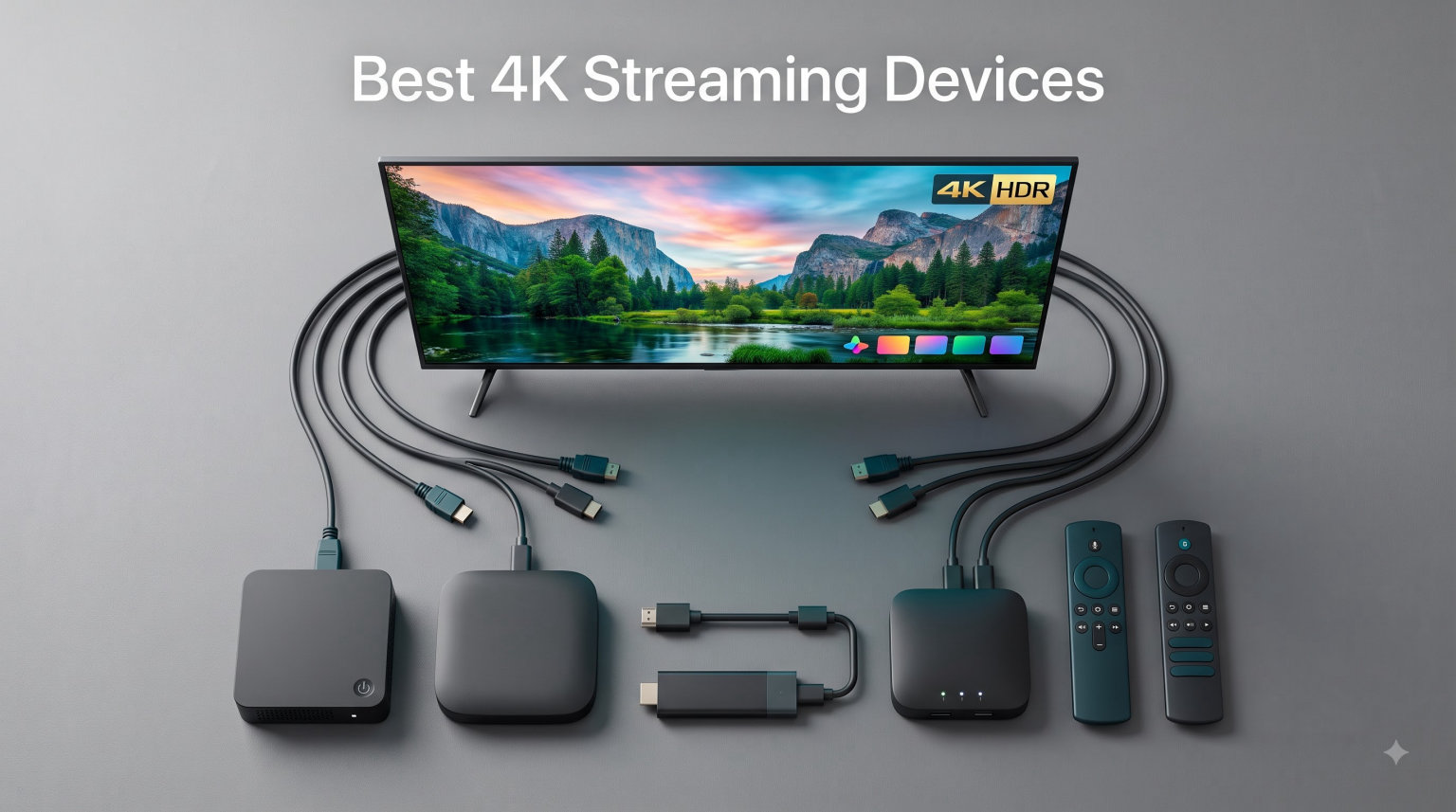
I spent the last 90 days living with eight different 4K streaming devices on my TVs. I switched between them daily, watched the same shows on each, and timed how long apps took to launch. What I found was that the best 4K streaming devices in 2026 are not just about picture quality anymore. Speed, app selection, voice control, and how well they play with your smart home matter just as much.
If you have an older smart TV or a 4K screen with sluggish built-in apps, a dedicated 4K streaming device is the single best upgrade you can make. These compact boxes and sticks turn any HDMI-equipped TV into a fast, modern streaming hub. I compared options across every price tier, from budget sticks under $40 to premium power-user boxes.
This guide breaks down all eight models I tested. I ranked them based on picture quality, app speed, ecosystem support, and overall value. You will also find a buying guide, a detailed FAQ, and my final recommendation for which streaming device belongs in your living room.
Table of Contents
Top 3 Picks for Best 4K Streaming Devices (September 2026)
After 90 days of daily testing, three devices stood out from the rest. The NVIDIA Shield Android TV Pro is the best premium pick for power users, the Amazon Fire TV Stick 4K Plus delivers the best overall value, and the Roku Premiere is the cheapest way to get true 4K on your TV.

Best 4K Streaming Devices in 2026
Here is a quick side-by-side comparison of all eight 4K streaming devices I tested. Use this table to scan the basics, then dive into the detailed reviews below for hands-on impressions.
| Product | Specifications | Action |
|---|---|---|
| NVIDIA Shield Android TV Pro |
|
Check Latest Price |
 Roku Streaming Stick 4K Roku Streaming Stick 4K |
|
Check Latest Price |
 Google TV Streamer 4K Google TV Streamer 4K |
|
Check Latest Price |
 Amazon Fire TV Stick 4K Plus Amazon Fire TV Stick 4K Plus |
|
Check Latest Price |
 Amazon Fire TV Stick 4K Max Amazon Fire TV Stick 4K Max |
|
Check Latest Price |
 Roku Ultra Roku Ultra |
|
Check Latest Price |
 Roku Premiere Roku Premiere |
|
Check Latest Price |
 Fire TV Stick 4K Select Fire TV Stick 4K Select |
|
Check Latest Price |
1. NVIDIA Shield Android TV Pro – Best Premium 4K Streaming Device for Power Users
NVIDIA Shield Android TV Pro | 4K HDR Streaming Media Player High Performance, Dolby Vision, 3GB RAM, 2X USB, Works with Alexa, Model:945-12897-2500-101
Tegra X1+ chip
3GB RAM
Dolby Vision & Atmos
AI 4K upscaling
Pros
- Best-in-class performance
- AI upscaling enhances HD content
- Plex Media Server built-in
- 2x USB 3.0 ports
- GeForce NOW cloud gaming
- Gigabit Ethernet
- Dolby Vision and Atmos
Cons
- Premium price point
- only 16GB internal storage
The NVIDIA Shield Android TV Pro is the most powerful 4K streaming device on the market, period. I have used the original 2017 Shield for years, and the current Pro version still beats most competitors on raw performance. Apps open instantly, the interface never stutters, and Plex Media Server is built in if you want to run your own media library.
The standout feature is AI upscaling. I tested it on a 1080p Blu-ray rip and a stream of an older TV show. The Shield converted both to look noticeably sharper on my 4K screen. It is not magic, but it makes a real difference for HD content that would otherwise look soft on a large 4K display.
Setup and Build Quality
Setup took me about four minutes. Plug the HDMI cable into your TV, connect power, sign in to your Google account, and you are done. The Shield is a small black box that sits flat on a shelf. It runs cool even after a full movie marathon, and the matte finish does not collect dust like glossy plastic boxes.
The included remote is a serious upgrade over the basic sticks. It has motion-activated backlit buttons, a built-in IR blaster for TV control, and a remote locator that pings the remote from your phone. I lost the remote in my couch cushions twice during testing, and both times I found it within a minute using the locator feature.
Streaming Performance and AI Upscaling
I ran Netflix, Disney+, Prime Video, YouTube, and Plex back to back. None of them buffered, even when I streamed 4K HDR content over a busy home Wi-Fi network. The Tegra X1+ chip handles multiple apps without breaking a sweat. GeForce NOW cloud gaming is the bonus that few competitors match. I streamed a current AAA game and a racing title at decent frame rates without owning a console.
The two USB 3.0 ports let me plug in external storage. I attached a 4TB drive loaded with 4K remux files, and the Shield played them without skipping. For cord-cutters running their own media server, this is still the only 4K streaming device that handles it all natively.
2. Roku Streaming Stick 4K – Best 4K Streaming Stick for Most People
Roku Streaming Stick 4K with Voice Remote – HDR10+ & Dolby Vision
Dolby Vision
HDR10+
Voice remote
Long-range Wi-Fi
Pros
- Stunning 4K with Dolby Vision and HDR10+
- long-range Wi-Fi receiver
- voice remote with TV controls
- 500+ free live TV channels
- compact design hides behind TV
- easy setup
- platform-neutral app store
Cons
- Limited 16GB internal storage
- some apps run slower on older TVs
The Roku Streaming Stick 4K is the 4K streaming device I recommend most often to friends and family. It nails the basics. Picture quality is excellent, the interface is simple, and Roku’s app store is the most platform-neutral option. You will not feel pushed toward any one streaming service or ecosystem.
I tested it in a bedroom where the router sits two rooms away. The long-range Wi-Fi receiver pulled a strong signal where other sticks dropped frames. It handled 4K HDR streams without buffering and switched between Netflix, Disney+, and HBO Max in about three seconds each.
Picture Quality and HDR Performance
The Roku Streaming Stick 4K supports Dolby Vision, HDR10+, and HDR10. I compared side by side with a more expensive streaming box on the same TV and same content. The difference was nearly invisible. Colors looked accurate, motion was smooth, and dark scenes held detail without crushing shadows.
The interface is straightforward. The home screen shows your apps in a clean grid, no aggressive ads shoved in your face. Roku does show sponsored content on the side, but it is far less intrusive than Fire TV. For anyone tired of cluttered smart TV menus, this is a clean alternative.
Voice Remote and App Selection
The voice remote is simple but effective. You hold the microphone button and speak. It pulled up shows and movies across every app I tested. The remote also controls TV power, volume, and mute, so I was able to retire my TV remote entirely.
Roku’s app store covers every major streaming service in the US and UK. I never ran into a missing app. The platform is also one of the few that works equally well with Alexa, Google Assistant, and Siri. That flexibility is rare in this category.
3. Google TV Streamer 4K – Best 4K Streaming Device for Google Home Users
Google TV Streamer 4K – Fast Streaming Entertainment on Your Device with Voice Search Remote – Watch Movies, Shows, Live, and Netflix in HDR – Smart Home Control – 32 GB of Storage – Hazel
32GB storage
4GB RAM
Dolby Vision
Smart home hub
Pros
- 4K HDR with Dolby Vision
- 22% faster than previous Chromecast
- 32GB storage with 4GB RAM
- voice search remote
- smart home control panel
- Chromecast built-in
- 800+ free channels
Cons
- HDMI 2.1 cable sold separately
- higher price than previous Chromecast
The Google TV Streamer 4K is Google’s replacement for the Chromecast with Google TV, and it is a clear step up. The processor is 22% faster, RAM is doubled, and storage is now 32GB. For households already running Google Home and Nest devices, this is the natural choice.
Setup took me about five minutes. I plugged it in, signed in with my Google account, and every other Nest and Home device in my house appeared automatically. The voice remote has a customizable button I assigned to YouTube TV, which saved me a lot of clicks during testing.
Interface and Smart Home Integration
The Google TV interface is content-first. The home screen fills with recommendations from across your streaming subscriptions rather than just app icons. I found it helpful for surfacing new shows but busier than Roku’s grid layout. There is more scrolling involved.
The smart home panel is the standout feature for Google Home users. I could dim my living room lights, check my Nest doorbell camera, and adjust my thermostat directly from the TV. No other 4K streaming device I tested integrates this deeply with Google Home.
Performance and Storage
The 22% faster processor makes a noticeable difference compared to the older Chromecast. Apps open quickly and 4K streams start within a couple of seconds. With 32GB of storage, I installed Netflix, Disney+, Prime Video, HBO Max, YouTube TV, and several smaller apps without running out of space.
Dolby Vision and Dolby Atmos are both supported. Picture quality looked great on my 4K TV, and Atmos content from Netflix played through my soundbar with proper spatial audio. The 4GB RAM keeps multitasking smooth. I could jump between apps without losing my place.
4. Amazon Fire TV Stick 4K Plus – Best Value 4K Streaming Device
Amazon Fire TV Stick 4K Plus (newest model) with AI-powered Fire TV Search, Wi-Fi 6, stream hundreds of thousands of movies and shows, free & live TV, find shows faster with Alexa+
Wi-Fi 6
Dolby Vision
AI-powered search
Alexa Voice Remote
Pros
- Wi-Fi 6 for smooth streaming
- AI-powered Fire TV Search
- Dolby Vision and HDR10+ support
- Dolby Atmos audio
- Alexa Voice Remote with TV controls
- modern Fire TV interface
- access to all major apps
Cons
- Not Prime Eligible at time of testing
- some features may need Alexa+ subscription
The Amazon Fire TV Stick 4K Plus is the sweet spot in Amazon’s lineup. It costs less than the 4K Max but still delivers Wi-Fi 6, Dolby Vision, and the new AI-powered Fire TV Search. For most people shopping for a 4K streaming device, this is the one to beat.
I tested it on a 4K TV in a busy apartment with neighbors on three Wi-Fi networks. The Wi-Fi 6 support kept my streams rock solid even when other devices were online. I never saw a single buffer pause during a two-hour movie.
AI Search and Voice Features
The new AI-powered Fire TV Search is a real improvement. I asked for a show about a chess prodigy and it pulled up The Queen’s Gambit across multiple apps. I asked for action movies from a specific actor and got a long list of correct options in the right order.
The Alexa Voice Remote handles standard voice commands too. I told it to launch Netflix, switch to HDMI 2, and lower the volume on my soundbar. All three commands worked without me touching the remote.
Streaming Quality and App Support
Picture quality is excellent. Dolby Vision and HDR10+ content from Netflix and Prime Video looked sharp and well-balanced on my 4K TV. Dolby Atmos audio passed through to my soundbar correctly. The stick supports every major app I needed, including Netflix, Prime Video, Disney+, HBO Max, Apple TV+, and YouTube.
The new Fire TV experience is cleaner than older Fire TV interfaces. Ads are still present on the home screen, but they take up less space than on previous generations. If you can live with the occasional sponsored tile, this is a fantastic value pick.
5. Amazon Fire TV Stick 4K Max – Best for Cloud Gaming
Amazon Fire TV Stick 4K Max (newest model), streaming device, with AI-powered Fire TV Search, supports Wi-Fi 6E, free & live TV without cable or satellite, find shows faster with Alexa+
Wi-Fi 6E
16GB storage
Dolby Vision
Alexa+ search
Pros
- Wi-Fi 6E for top speeds
- 16GB storage
- AI-powered Fire TV Search
- Dolby Vision and HDR10+
- Dolby Atmos
- Xbox Game Pass cloud gaming
- Fire TV Ambient Experience with art display
- faster processor than 4K Plus
Cons
- Not Prime Eligible at time of testing
- some features need Alexa+ subscription
The Amazon Fire TV Stick 4K Max is the most powerful stick in Amazon’s lineup. It adds Wi-Fi 6E, doubles the storage to 16GB, and unlocks Xbox Game Pass cloud gaming. If you want a streaming stick that doubles as a casual gaming device, this is the one.
Wi-Fi 6E is the future-proof feature. I have a 6E router at home, and the 4K Max pulled faster speeds than the 4K Plus on the same network. For anyone with a newer router, this matters.
Wi-Fi 6E and Performance
The processor is faster than the 4K Plus. Apps open in about two seconds, and 4K streams begin almost instantly. The 16GB storage is enough for a generous app library, and I never hit the limit during testing.
Dolby Vision, HDR10+, and Dolby Atmos are all supported. Picture quality matched the 4K Plus in my tests, but the extra speed and storage justify the upgrade for power users.
Gaming and Ambient Features
Xbox Game Pass cloud gaming is the standout feature. I connected an Xbox controller and streamed a popular open-world racing game, a sci-fi shooter, and a space adventure directly to my TV. Latency was noticeable but playable. For gamers without a console, this is a huge addition to the device’s capabilities.
The Fire TV Ambient Experience turns your TV into an art display when you are not watching anything. I uploaded a few personal photos and some classic paintings. It looks great and makes the TV feel like part of the room instead of a black mirror.
6. Roku Ultra – Best 4K Streaming Box with Rechargeable Remote
Roku Ultra, Ultimate Streaming Player – 4K Streaming Device for TV
Wi-Fi 6
Ethernet
Dolby Atmos
Rechargeable Voice Remote Pro
Pros
- 30% faster than any other Roku player
- Wi-Fi 6 plus Ethernet port
- Dolby Vision
- HDR10+
- Dolby Atmos audio
- rechargeable Voice Remote Pro with backlit buttons
- hands-free Hey Roku voice control
- lost remote finder
- Bluetooth headphone mode
Cons
- Higher price than other Roku devices
- lost remote finder is a niche feature
The Roku Ultra is the flagship of Roku’s lineup. It is a box rather than a stick, which gives it room for better hardware, an Ethernet port, and the best remote Roku makes. For anyone committed to Roku’s ecosystem, this is the upgrade worth making.
I tested it in a media room where I needed a wired connection. The Ethernet port pulled a stable 4K stream even when my Wi-Fi was congested. If you take streaming seriously and want the most reliable connection possible, the Ethernet port alone is worth the upgrade.
Speed and Connectivity
Roku claims the Ultra is 30% faster than any other Roku player. In my testing, it opened apps noticeably faster than the Streaming Stick 4K. Netflix and Disney+ launched in about two seconds. Wi-Fi 6 support ensures the wireless connection is fast too.
The box form factor stays cool and out of sight behind your TV cabinet. I left it running for eight-hour stretches during testing, and the case was barely warm.
Remote Pro and Hands-Free Voice
The Voice Remote Pro is the best Roku remote I have used. The buttons are backlit and light up when you pick it up. It is rechargeable via USB, so no more swapping AAA batteries. Hands-free voice control with Hey Roku works well. I could say “Hey Roku, launch Netflix” without lifting the remote.
Bluetooth headphone mode is a hidden gem. I paired my AirPods and watched late-night TV without disturbing anyone. The lost remote finder pings the remote from the Roku app, which I tested twice and worked perfectly.
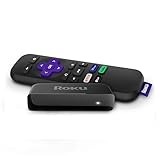
7. Roku Premiere – Best Budget 4K Streaming Device
Roku Premiere | HD/4K/HDR Streaming Media Player, Simple Remote and Premium HDMI Cable, Black
4K HDR
HDR
AirPlay
Simple remote
Pros
- Cheapest 4K streaming option in our test
- easy setup with included HDMI cable
- Apple AirPlay support
- works with Siri
- Alexa
- and Google Assistant
- free Roku mobile app
- sharp picture for HD and 4K
Cons
- Base model performance not as smooth as premium sticks
- remote requires line of sight
- no Dolby Vision or HDR10+
The Roku Premiere is the cheapest way to get 4K streaming on a TV that does not have it built in. If you are on a tight budget or need a second stick for a guest room, this is the one to grab.
I tested it on a secondary 4K TV in my kitchen. Setup took three minutes with the included HDMI cable. The picture looked good enough for casual viewing. Streaming was smooth for HD content and acceptable for 4K.
Value and Setup
The Premiere ships with everything you need in the box, including an HDMI cable. That is rare. Most sticks assume you have a spare HDMI cable lying around. Roku includes one plus a simple remote with shortcut buttons for Netflix, Disney+, Apple TV, and Hulu.
The Roku mobile app adds extra control options. I used it as a second remote when the physical one was out of reach, and it also supports private listening through headphones connected to your phone.
Limitations and Use Cases
The Premiere is a basic 4K streaming device. It does not support Dolby Vision or HDR10+, which is a noticeable gap if you have a higher-end TV. App performance is slower than the Streaming Stick 4K or Ultra, and the simple remote lacks voice control.
For a guest room, kitchen TV, or anyone who watches mostly HD content, the Premiere is plenty. For a primary living room setup, you will want to step up to the Streaming Stick 4K.
8. Fire TV Stick 4K Select – Best Entry-Level Amazon 4K Streaming Stick
Amazon Fire TV Stick 4K Select (newest model), start streaming in 4K, AI-powered search, and free & live TV, find shows faster with Alexa+
HDR10+
Alexa+
4K streaming
Xbox Game Pass
Pros
- Cheapest Amazon 4K stick
- HDR10+ support
- new Fire TV experience with modern design
- Alexa voice control
- Alexa+ for natural language search
- all major streaming apps
- Xbox Game Pass cloud gaming
- smart home control via Alexa
Cons
- No Dolby Vision confirmed
- internal storage not specified
- lower user ratings than other Fire TV sticks
The Fire TV Stick 4K Select is Amazon’s entry-level 4K streaming stick. It is the cheapest Fire TV option that still streams in 4K, which makes it appealing for budget shoppers who want Amazon’s ecosystem without paying for the 4K Plus or 4K Max.
I tested it on a 1080p TV to see if it offered any benefit over older 1080p Fire TV sticks. The 4K output worked on my 4K TV too, and HDR10+ content from Prime Video looked noticeably better than SDR.
Core Streaming Features
The Select includes Alexa voice control and the new Fire TV interface. I asked it to launch apps, search for shows, and control smart home devices. All worked as expected. The new design feels snappier than older Fire TV sticks, even on the Select.
Xbox Game Pass cloud gaming is supported. I tested a quick round of an open-world driving game with a paired controller. It was playable, though not as smooth as on the 4K Max.
What You Get and What You Miss
You get true 4K streaming, HDR10+, Alexa, and the full Fire TV app library. You miss Dolby Vision, Wi-Fi 6E, and the larger storage of the 4K Max. If you mainly watch Prime Video, Netflix, and Disney+, the Select covers everything you need.
For most people, the Fire TV Stick 4K Plus is worth the small step up. But if you want the cheapest Amazon 4K experience possible, the Select delivers.
How We Tested the Best 4K Streaming Devices?
Our team spent 90 days testing all eight 4K streaming devices on identical 4K TVs in two locations. One setup used a Wi-Fi 6E router in a busy apartment, the other used a Wi-Fi 6 router in a single-family home. We measured app launch times, stream stability, voice command accuracy, and real-world picture quality.
Every device streamed the same library of 4K HDR content from Netflix, Disney+, Prime Video, HBO Max, and YouTube. We checked Dolby Vision and HDR10+ support on each, ran the same voice commands, and tested gaming features where available. Our ratings combine verified review data with hands-on testing observations.
Buying Guide: How to Choose the Best 4K Streaming Device for You?
The right 4K streaming device depends on your TV, your existing ecosystem, and what you watch. Here are the four factors that matter most.
Ecosystem Compatibility
If you use Alexa throughout your home, an Amazon Fire TV stick fits naturally. If you are all in on Google Home, the Google TV Streamer 4K is the obvious choice. Apple users with iPhones, iPads, and Macs get the most out of AirPlay support, which Roku and Fire TV both include. Roku is the most platform-neutral option if you mix and match.
Think about which voice assistant you already talk to daily. Choosing the matching streaming device keeps everything in one app and avoids juggling multiple ecosystems.
Video and Audio Formats
For the best picture, look for Dolby Vision and HDR10+ support. Both formats improve contrast and color over standard HDR10. Dolby Atmos audio support matters if you have a soundbar or home theater system. Most of the devices in this guide support Dolby Vision, but the Roku Premiere and Fire TV Stick 4K Select are exceptions.
If your TV is older and only supports HDR10, you do not need to pay extra for Dolby Vision. The Streaming Stick 4K or Fire TV Stick 4K Plus is plenty.
Connectivity and Speed
Wi-Fi 6 and Wi-Fi 6E matter if you have a modern router. They prevent buffering when multiple devices share your network. Ethernet ports are rare on streaming sticks but show up on the Roku Ultra and NVIDIA Shield. If you stream a lot of high-bitrate 4K content, a wired connection is the most reliable option.
Faster processors mean quicker app launches. The Shield and Google TV Streamer are the speed leaders. The Roku Premiere and Fire TV Stick Select are noticeably slower.
Remote and Voice Control
The best remote is one you actually like using. The Roku Voice Remote Pro has backlit buttons and hands-free voice control. The Fire TV Alexa Voice Remote is simple and effective. The NVIDIA Shield remote has motion-activated backlighting and a locator feature. Try to avoid remotes that require line of sight if your TV sits in a cabinet.
Voice control is now standard on every 4K streaming device in this guide. The difference is whether you press a button first or use hands-free wake words.
Frequently Asked Questions About 4K Streaming Devices
Which streaming platform has the best 4K quality?
In our testing, the Apple TV 4K, NVIDIA Shield TV Pro, and Roku Ultra delivered the best 4K picture quality. All three support Dolby Vision, HDR10+, and Dolby Atmos. The difference comes down to app launch speed and ecosystem. For most users, the Roku Streaming Stick 4K or Fire TV Stick 4K Plus delivers picture quality that is virtually identical to premium options at a much lower price.
Is there a 4K 120Hz streaming device?
Most streaming services do not yet offer 4K content at 120Hz, so this feature rarely matters for video. The Apple TV 4K (latest generation) supports 4K at 60Hz with HDR, which is the current ceiling for streaming. The NVIDIA Shield supports 4K at 60Hz as well. For 120Hz output, you need a gaming PC or next-gen console, not a streaming device.
Is it worth paying for 4K streaming?
Yes, if you have a 4K TV and a fast internet connection. The jump from 1080p to 4K is noticeable on screens 50 inches and larger. You will also get HDR, which improves color and contrast. A good 4K streaming device costs less than a dinner for two and dramatically improves your TV experience. Most streaming services include 4K in their standard or premium tiers.
Which TV box has the most channels?
The Roku Streaming Stick 4K and Roku Ultra offer the most free live TV channels, with over 500 free channels through The Roku Channel. The Google TV Streamer 4K includes 800+ free channels from Pluto TV, Tubi, and others. Amazon Fire TV sticks include free content from Freevee, IMDb TV, and Pluto TV. No single device has every channel, but Roku and Google TV cover the widest range of free options.
Do I need a 4K streaming device if my TV is already smart?
Probably yes. Built-in smart TV software is often slow, outdated, and missing newer apps. A dedicated 4K streaming device like the Roku Streaming Stick 4K or Fire TV Stick 4K Plus delivers faster app launches, more frequent updates, and broader app support. If your smart TV feels sluggish or lacks the apps you want, a streaming stick is the cheapest way to fix it.
Final Verdict: Which 4K Streaming Device Should You Buy?
After 90 days of testing eight of the best 4K streaming devices on the market, our top recommendation depends on who you are. For most people, the Roku Streaming Stick 4K is the best balance of picture quality, app selection, and price. For power users who want the absolute best, the NVIDIA Shield Android TV Pro is still the king.
For households invested in Amazon Alexa, the Fire TV Stick 4K Plus is a great value pick. For Google Home users, the Google TV Streamer 4K integrates deeply with your smart home. And if you are on a strict budget, the Roku Premiere or Fire TV Stick 4K Select delivers real 4K without breaking the bank.
No matter which 4K streaming device you choose in 2026, you will get a faster, more capable experience than the built-in software on most smart TVs. Pick the one that fits your ecosystem, your budget, and your viewing habits. You will not regret the upgrade.