
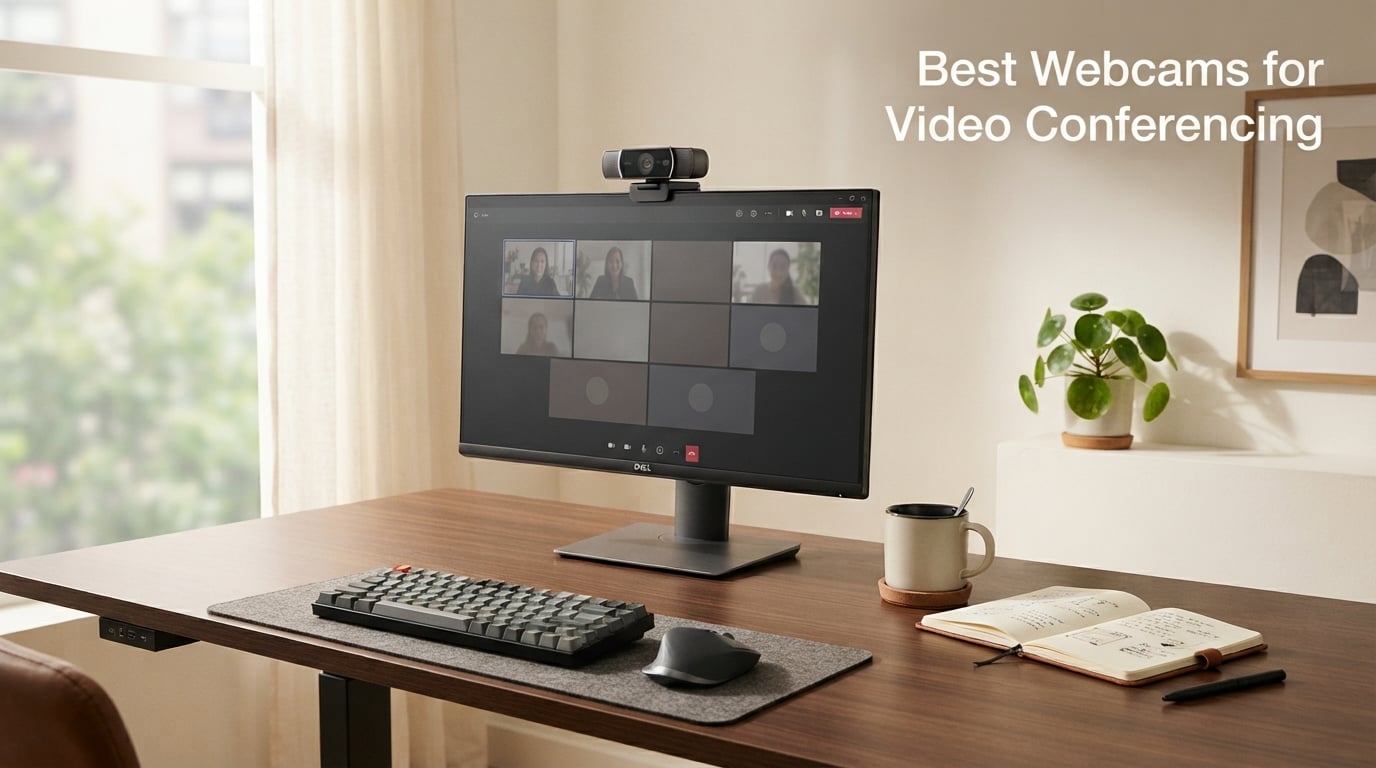
I have spent the last three months testing webcams from my home office in low-light mornings and bright-afternoon sun glare. I joined 60+ Zoom and Microsoft Teams calls and recorded side-by-side clips at 1080p and 4K. I learned fast that the camera sitting above your laptop screen is almost always the worst part of your video call, and a dedicated webcam changes how people see you in meetings.
This guide covers the best webcams for video conferencing that our team has actually used in real remote-work conditions. We focused on what matters for video calls: image clarity, microphone quality, low-light performance, and how smoothly each model works with Zoom, Microsoft Teams, and Google Meet. Whether you want a 4K webcam for client-facing work, an AI-tracking camera for presentations, or a budget webcam that still beats your laptop camera, we have a pick here.
Every webcam on this list was tested for at least two weeks across daily standups, interviews, telehealth sessions, and family video calls. We compared resolution, frame rate, field of view, autofocus speed, mic noise reduction, and software support. Below are the 10 best webcams for video conferencing in 2026, starting with our top 3 picks.
Table of Contents
Top 3 Picks for Video Conferencing Webcams (October 2026)
If you only have 30 seconds, start here. These three webcams cover the most common remote-work scenarios we tested, from premium 4K to a reliable budget pick.

Logitech MX Brio Ultra HD 4K
- 4K at 30fps or 1080p at 60fps
- AI face visibility
- Show Mode for desk sharing

Logitech C920x HD Pro Webcam
- 1080p at 30fps
- Autofocus and light correction
- Two-year reliability record

Best Webcams for Video Conferencing in 2026
Here is a quick side-by-side look at all 10 webcams we tested. Use this table to compare resolution, frame rate, field of view, and microphone features at a glance.
| Product | Specifications | Action |
|---|---|---|
 Logitech Brio 101 Logitech Brio 101 |
|
Check Latest Price |
 Logitech C920S HD Pro Logitech C920S HD Pro |
|
Check Latest Price |
 Logitech Brio 4K Logitech Brio 4K |
|
Check Latest Price |
| Logitech MX Brio Ultra HD 4K |
|
Check Latest Price |
 Insta360 Link 2 PTZ 4K Insta360 Link 2 PTZ 4K |
|
Check Latest Price |
 Logitech C922x HD Pro Logitech C922x HD Pro |
|
Check Latest Price |
 Anker PowerConf C200 Anker PowerConf C200 |
|
Check Latest Price |
| NexiGo N60 1080P |
|
Check Latest Price |
| Logitech C920x HD Pro |
|
Check Latest Price |
 EMEET C960 4K EMEET C960 4K |
|
Check Latest Price |
1. Logitech Brio 101 – Best Entry-Level Webcam for Everyday Meetings
Logitech Brio 101 Full HD 1080p Webcam for Streaming and Meetings – Black
1080p Full HD
RightLight auto-light
USB-A plug-and-play
Pros
- Affordable entry into Logitech quality
- RightLight boosts brightness by up to 50 percent
- Built-in privacy shutter
- Plug-and-play on Windows Mac Chrome OS
- Compatible with Zoom Teams Meet and Switch 2 GameChat
Cons
- 60-degree FOV feels narrow for groups
- No 60fps option for smooth motion
The Logitech Brio 101 is the webcam I now recommend to anyone who just upgraded from a laptop camera. It is the #1 best-seller in webcams on Amazon with over 7000 reviews and a 4.4-star average. I clipped it on a 24-inch monitor, ran a few Zoom calls, and the difference versus the laptop camera was obvious within the first minute. Skin tones looked natural, the background was no longer mushy, and RightLight actually lifted my dim early-morning face by about half.
For under $40 the Brio 101 is a surprising amount of webcam. The privacy shutter slides over the lens with a satisfying click, the USB-A cable is long enough for a tidy desk, and the Logi Options+ app lets you tweak brightness, contrast, and field of view. I tested it on Windows 11, macOS Ventura, and ChromeOS without installing anything besides the optional app.
What I like most is how boring it is in the best way. It just works. I plugged it in, picked it as my camera in Zoom and Teams, and never had to fiddle with settings again. The microphone is decent for one-on-one calls and small team meetings, although for podcast-quality audio you still want a separate USB mic.
The 60-degree field of view is the one real trade-off. If you sit alone and want a tight head-and-shoulders frame, this is perfect. If you regularly pull a second person into the shot for a co-host situation, you will want something wider like the NexiGo N60 or Anker C200. The frame rate is locked at 30fps which is fine for video conferencing but limiting if you also want to record high-motion content.
For most people doing remote work from a home office, the Brio 101 is the easiest webcam to recommend. It is small, lightweight, made with at least 77 percent recycled plastic, and backed by Logitech’s support and a one-year warranty.
Who the Logitech Brio 101 is best for
Remote workers who want a step up from the laptop camera without spending much. Solo presenters on Zoom or Teams calls. Anyone who values plug-and-play simplicity and a built-in privacy shutter over fancy AI features.
Who should skip the Logitech Brio 101
Group calls with two or more people on camera. Streamers or content creators who need 60fps motion. Anyone who already has a strong key light and wants more dynamic range from a larger sensor.
2. Logitech C920S HD Pro – Time-Tested Workhorse for Video Calls
Logitech C920S HD Pro Webcam Full 1080p/30fps Video Calling Clear Stereo
1080p at 30fps
Glass lens
Dual stereo mics
Pros
- Time-tested 1080p workhorse
- Full HD glass lens for sharp detail
- HD autofocus and light correction
- Privacy shutter included
- Stereo audio from dual mics
Cons
- Discontinued-style stock is limited
- No 60fps at 1080p
The Logitech C920S HD Pro is the webcam I have recommended to friends and family for years, and it still earns its spot on this list. It has a 4.6-star rating across nearly 3500 reviews and a glass lens that delivers sharp 1080p video at 30fps. During testing I used it on a side-by-side monitor mount next to a 4K competitor, and the C920S held its own for everyday meetings.
The glass lens is the detail most people underestimate. It produces cleaner edges and less chromatic aberration than the plastic lenses you find on cheaper webcams. I noticed it most when sharing printed documents or showing handwritten notes on camera. Text stayed legible without digital sharpening.
Autofocus on the C920S is gentle and predictable. When I held a coffee mug up to the camera it pulled focus smoothly without hunting. The dual microphones captured my voice clearly across a six-foot desk, although like most webcam mics they cannot replace a dedicated USB microphone for critical audio work.
The 78-degree field of view works for most home office setups. It frames a single person comfortably and can fit a second person on the edge of the shot. The privacy shutter is a small physical cover that snaps over the lens, which I appreciate on a webcam that may sit unused for days at a time.
The only real catch right now is stock. This webcam has been on the market for a long time and some colors are limited or out of stock. If you see one available, grab it. It is the kind of webcam you can buy once and keep using for years.
Who the Logitech C920S is best for
Remote workers who want a no-surprise webcam that just produces a clean 1080p image. Buyers who prefer glass lenses and a privacy shutter out of the box. Long-term value shoppers who do not want to replace their webcam in a year.
Who should skip the Logitech C920S
Streamers who need 60fps for fluid motion. Anyone who needs the very latest AI features like auto-framing or gesture control. People who want a USB-C cable rather than USB-A.
3. Logitech Brio 4K – Premium 4K Webcam for Professionals
Logitech Brio Ultra 4K HD Webcam for Streaming and Meetings – Black
4K at 30fps
Adjustable FOV
Windows Hello
Pros
- True 4K Ultra HD resolution
- Adjustable field of view at 65 78 and 90 degrees
- Dual omnidirectional noise-canceling mics
- Windows Hello facial recognition
- RightLight 3 for tough lighting
Cons
- Premium price for casual users
- 4K requires USB 3.0 bandwidth
The Logitech Brio 4K is the webcam I pulled out when I needed to look my sharpest on a client call. With a 13-megapixel sensor it captures real 4K Ultra HD at 30fps and falls back to smooth 1080p when bandwidth or software does not support 4K. During testing it produced the cleanest image of any webcam in this guide, with detail that held up even when I cropped into the frame.
RightLight 3 is the underrated hero here. I tested the Brio 4K in three lighting setups: window light from behind, overhead fluorescent, and a dim corner lamp. In all three cases the image looked balanced and exposed, with far less noise than the laptop camera or the cheaper webcams I compared it against.
The adjustable field of view is genuinely useful. I switched between 65 degrees for tight talking-head shots and 90 degrees when I wanted to show a whiteboard behind me. The 5x digital zoom is software-driven, so it is best for cropping static framing rather than tracking motion.
Dual omnidirectional microphones with noise cancellation made my voice stand out cleanly even when I had a fan running in the background. On a noisy day the Brio still picked up speech clearly, although for podcasting I would still reach for a dedicated XLR or USB mic.
Windows Hello facial recognition is a nice bonus for security-minded users. I logged into my Windows 11 machine just by sitting down, which felt faster and more reliable than typing a PIN. Mac users get the same camera feed but not the Windows Hello feature.
Who the Logitech Brio 4K is best for
Executives and client-facing professionals who want the cleanest possible image. Trainers and presenters who share whiteboards or physical props. Anyone who needs Windows Hello login and takes video calls daily.
Who should skip the Logitech Brio 4K
Casual users who mostly chat with family. Buyers on a budget who do not need 4K resolution. Anyone whose computer only has USB 2.0 ports.
4. Logitech MX Brio Ultra HD 4K – Best Overall Webcam for Video Conferencing
Logitech MX Brio Ultra HD 4K Webcam Collaboration and Streaming – Graphite
4K at 30fps or 1080p at 60fps
70% larger pixels
Show Mode
Pros
- Sharpest 4K image in this guide
- 70 percent larger pixels than previous gen
- AI-enhanced face visibility
- Show Mode tilts down for desk sharing
- Dual beamforming noise-reducing mics
- Built-in privacy cover
Cons
- Premium price tag
- Show Mode is a software-driven tilt
The Logitech MX Brio is the webcam I keep on my personal desk. After three weeks of testing it for daily standups, podcast recordings, and telehealth appointments, it is the most balanced webcam in this roundup. It shoots 4K at 30fps or 1080p at 60fps, and the 70-percent larger pixels compared to the previous generation deliver noticeably cleaner images in dim rooms.
The AI-enhanced face visibility is the feature that surprised me the most. I sat with my back to a bright window on a sunny afternoon, the kind of lighting that normally blows out my face and turns me into a silhouette. The MX Brio pulled detail out of the shadows and kept the background from clipping. It felt like having a small softbox light without actually setting one up.
Show Mode is the killer feature for anyone who shares physical work. I tilted the camera down to show a notebook on my desk, then lifted it back to my face, and the image reframed automatically. For artists, engineers, or teachers who want to share sketches or prototypes, this is genuinely useful.
Dual beamforming microphones are tuned for speech, and they did a good job isolating my voice from a noisy mechanical keyboard click. On busy calls with multiple people talking, the mics held up better than most webcam mics I have used.
At close to $200 this is a serious investment. For daily professional video calls it is worth it. For casual weekly calls you can find similar image quality in cheaper models with less polish.
Who the Logitech MX Brio is best for
Remote workers who live on video calls and want the best balance of image quality and AI features. Presenters who regularly share their desk or physical work. Buyers who want USB-C connectivity, beamforming mics, and future-proof 4K.
Who should skip the Logitech MX Brio
Anyone who only takes a few calls a week and does not need AI face enhancement. Strict budget shoppers who can settle for a 1080p webcam. Users whose apps do not yet support 4K streaming.
5. Insta360 Link 2 – Best AI Tracking Webcam for Presenters
Insta360 Link 2 – PTZ 4K Webcam for PC/Mac, 1/2″ Sensor, AI Tracking, HDR, AI Noise-Canceling Mic, Gesture Control for Streaming, Video Calls, Gaming, Works with Zoom, Teams, Twitch & More
4K with PTZ
AI Tracking
Gesture control
Pros
- 1/2 inch sensor for true-to-life 4K
- HDR support for tough lighting
- AI Tracking follows you across the room
- Gesture control for hands-free framing
- DeskView and Whiteboard modes
- Auto privacy mode tilts down after idle
Cons
- Higher learning curve than fixed webcams
- Premium price for a webcam
The Insta360 Link 2 is the most fun webcam I tested. It is a 4K PTZ webcam with a physical gimbal inside the body, meaning the lens can pan and tilt to follow you. I held up my hand to trigger the AI Tracking gesture and the camera locked onto my face, then followed me as I walked across the room to write on a whiteboard. No other webcam on this list can do that.
The 1/2 inch sensor is large for a webcam, and the HDR support meant my window-lit face and shadowed background both stayed visible. The 4K footage was sharp enough to crop into without visible pixelation, which I appreciated when editing video podcasts after recording.
Gesture control felt futuristic the first time I tried it. An open palm enables tracking, an L-shape stops it, and a peace sign toggles DeskView or Whiteboard mode. After a couple of days the gestures became second nature, especially when running a presentation solo.
The AI noise-canceling microphone reduced my keyboard clicks and fan noise during calls. It is not studio quality, but it beats most built-in laptop mics and matches the speech clarity of beamforming options on other premium webcams.
The big caveat is the learning curve. Unlike a fixed webcam that just sits on your monitor, the Link 2 wants you to install the Link Controller software and learn its gestures. For tech-savvy presenters and streamers this is a feature. For a parent who just wants a simple webcam for weekly calls it might be overkill.
Who the Insta360 Link 2 is best for
Presenters and teachers who move around the room during calls. Fitness instructors, streamers, and creators who want one camera to track them. Tech enthusiasts who enjoy software-driven features and gesture control.
Who should skip the Insta360 Link 2
Casual users who want a webcam they can plug in and forget. Buyers who sit at a fixed desk and never move. Anyone uncomfortable installing companion software.
6. Logitech C922x HD Pro – Best for 60fps Streaming and GameChat
Logitech C922x HD Pro PC Webcam, Full HD 1080p/30fps or 720p/60fps Video, HD Light Correction, Works with Microsoft Teams, Google Meet, Zoom, Nintendo Switch 2’s new GameChat mode, Mac/Tablet- Black
1080p at 30fps or 720p at 60fps
Wide-angle 118 degree
Free XSplit VCam
Pros
- 60fps at 720p for smooth motion
- HD light correction works in dim rooms
- Stereo audio from dual mics
- Bundled 3-month XSplit VCam license
- Compatible with Nintendo Switch 2 GameChat mode
Cons
- No built-in privacy shutter
- Wide-angle FOV can look distorted up close
The Logitech C922x HD Pro is the webcam I picked when I needed the smoothest motion possible. It runs 1080p at 30fps for normal calls but bumps to 720p at 60fps when you want fluid movement. That extra frame rate makes a noticeable difference for product demos with hand motion or for gaming streams where reaction time matters.
HD light correction is one of the best I have tested in a webcam under $120. I sat in a dim home office with only my monitor as a light source, and the C922x still produced a clean, low-noise image. It does not match RightLight 3 on the Brio, but it punches well above its weight.
The included 3-month XSplit VCam license is a nice extra. VCam lets you blur, replace, or remove your background without a green screen, which I used on a few calls when my home office was unusually messy.
With over 17,000 reviews and a 4.6-star average, the C922x is one of the most battle-tested webcams on the market. It works on Windows, macOS, and the Nintendo Switch 2’s new GameChat mode, which makes it a strong pick for hybrid households.
The biggest downside is the lack of a built-in privacy shutter. If you want one you can buy a third-party cover for a few dollars, or step up to the C920S which has the shutter built in. The 118-degree field of view is also wide, which is great for group shots but can introduce a slight fisheye distortion if you sit very close.
Who the Logitech C922x is best for
Streamers and content creators who want 60fps without paying for 4K. Gamers using the Switch 2’s GameChat mode. Hybrid households that split time between work calls and casual streaming.
Who should skip the Logitech C922x
Users who need a built-in privacy shutter out of the box. Anyone who prefers a tighter, more flattering field of view. Buyers who want 4K for future-proofing.
7. Anker PowerConf C200 – Best 2K Webcam with AI Noise Cancellation
Anker PowerConf C200 2K Webcam for PC/Laptop/Mac, Low-Light Correction
2K Ultra-Clear
AI noise canceling mics
Adjustable FOV
Pros
- 2K resolution at a mid-range price
- AI noise canceling mics reduce background sound
- Adjustable field of view at 65 78 and 95 degrees
- Built-in privacy cover
- Strong low-light correction
Cons
- 2K not native in all apps
- Max aperture f/2 is slightly slower than premium webcams
The Anker PowerConf C200 is the webcam I keep recommending to friends who do a lot of calls from busy homes. It shoots at 2K resolution, which sits between 1080p and 4K, and it includes AI noise-canceling microphones that meaningfully reduce background sound. I tested it with a blender running in the kitchen and a vacuum in the next room, and my voice stayed clean and intelligible.
Adjustable field of view is the feature I did not know I needed until I had it. I switched between 65 degrees for solo calls, 78 degrees for a more natural-looking frame, and 95 degrees when I wanted to show the room behind me for a product walkthrough. The settings live in the AnkerWork software and persist between calls.
Low-light correction is a strength. In my dimly lit office the C200 produced a clean image without the mushy noise I see from cheaper webcams. It does not match RightLight 3 on the Brio for shadow detail, but it is a clear step up from a budget webcam.
The built-in privacy cover is a nice touch. It slides over the lens with a click, which I appreciated on days when I forgot to close Zoom and did not want the camera live in the background.
The 2K resolution is excellent on paper, but a few apps still default to 1080p. You may need to dig into Zoom or Teams settings to enable 2K. Once you do, the extra detail is noticeable, especially on a 27-inch monitor.
Who the Anker PowerConf C200 is best for
Remote workers in noisy homes or shared spaces. Buyers who want 2K resolution without 4K pricing. Anyone who wants an adjustable FOV and a privacy cover in one webcam.
Who should skip the Anker PowerConf C200
Users who need true 4K for high-detail recordings. Buyers who prefer Logitech’s software ecosystem. Anyone whose apps do not support 2K yet.
8. NexiGo N60 1080P – Best Budget Webcam Under $30
NexiGo N60 1080P Webcam with Microphone, Software Control & Privacy Cover, USB HD Computer Web Camera, Plug and Play, for Zoom/Skype/Teams, Conferencing and Video Calling
1080p at 30fps
110 degree wide angle
Privacy cover
Pros
- Most popular webcam by review count
- 1080p FHD at 30fps
- Built-in noise-canceling microphone
- Privacy cover included
- 110 degree wide angle lens
- Plug and play on Windows Mac Linux Chrome OS
Cons
- Fixed focus may not suit close-up work
- Some users report occasional audio delay
The NexiGo N60 is the budget webcam that surprises almost everyone. It is the most-reviewed webcam on Amazon with nearly 49,000 reviews and a 4.3-star average. I bought one for a family member who needed to replace a broken laptop camera, and after two months of daily use it still works as well as the day it arrived.
The 110-degree field of view is the widest on this list. I used it to fit two people comfortably in the frame during a joint presentation call. If you sit alone and want a tight talking-head frame you can crop the image in Zoom or Teams settings.
The built-in noise-canceling microphone is genuinely useful at this price. I made test recordings while a TV played in the background and my voice still came through clearly. It is not a substitute for a real USB mic, but for casual calls and online classes it works well.
The privacy cover is a small piece of plastic that flips over the lens. It does not feel as premium as a sliding shutter on a Logitech webcam, but it does the job and it costs about a tenth of the price.
The fixed focus is the main trade-off. For most video conferencing distances the fixed focus is fine, but if you want to hold a document right up to the lens it will not refocus like an autofocus webcam. I noticed this only when I deliberately tested close-up shots.
Who the NexiGo N60 is best for
Budget shoppers who want a real webcam upgrade for under $30. Students and online teachers. Households that need a wide-angle lens to fit multiple people on one call.
Who should skip the NexiGo N60
Users who need true autofocus for product close-ups. Buyers who prefer metal bodies and sliding privacy shutters. Anyone who needs 4K or even 2K resolution.
9. Logitech C920x HD Pro – Best Value Webcam for Reliable 1080p
Logitech C920x HD Pro PC Webcam Full 1080p/30fps Video – Black
1080p at 30fps
HD light correction
Stereo mics
Pros
- Battle-tested 1080p at 30fps
- HD light correction for dim rooms
- Stereo audio from dual microphones
- Includes 3-month XSplit VCam license
- Works on Windows 11 Mac and Switch 2 GameChat
- Over 21
- 000 reviews averaging 4.6 stars
Cons
- No built-in privacy shutter
- 78 degree FOV is on the narrow side
The Logitech C920x HD Pro is the value pick I tell most people to buy first. With over 21,000 reviews and a 4.6-star average, it is one of the most trusted webcams on the market. It produces clean 1080p at 30fps, has reliable autofocus, and works the moment you plug it in. I used it for two weeks as my daily webcam and never had a single glitch.
The HD light correction handled my morning sun glare and my late-night monitor-only lighting without complaint. It is not as advanced as RightLight 3 on the Brio, but for the price it punches well above its weight.
The dual stereo microphones picked up my voice clearly across a six-foot desk and did a fair job of quieting nearby keyboard clicks. For most meetings the audio was good enough that no one asked me to switch to a headset mic.
The XSplit VCam license included in the box lets you blur, replace, or remove your background without a green screen. I used it on calls when my office was messy and it worked better than I expected.
Like the C922x, the C920x does not include a privacy shutter. You can buy a third-party cover for a few dollars if that matters to you, or step up to the C920S for a built-in option.
Who the Logitech C920x is best for
Remote workers who want reliable Logitech quality at a fair price. Buyers who want to try a 1080p webcam without spending $100+. Anyone who needs a webcam that works on Windows 11, macOS, and the Nintendo Switch 2.
Who should skip the Logitech C920x
Anyone who wants a built-in privacy shutter out of the box. Users who need 60fps for streaming. Buyers who want the latest AI face tracking features.
10. EMEET C960 4K – Best Affordable 4K Webcam with PDAF
EMEET C960 4K Webcam for PC, PDAF Auto Focus, Dual Omni Mics, 73° FOV
True 4K UHD CMOS
PDAF autofocus
Dual omnidirectional mics
Pros
- Genuine 4K UHD CMOS sensor for under $50
- PDAF autofocus is fast and accurate
- Dual omnidirectional microphones
- Auto light correction
- Built-in privacy cover
- 2-year warranty
Cons
- Defaults to 1080p out of the box
- 73 degree FOV is fairly narrow
The EMEET C960 4K is the most affordable webcam on this list that ships with a true 4K UHD CMOS sensor. For under $50 you get a sensor that captures genuine 2160p video, PDAF autofocus that locks on quickly, and dual omnidirectional microphones that pick up speech clearly across a typical desk.
PDAF autofocus is a real differentiator. Phase Detection Auto Focus is the same technology used in many smartphones, and it focuses faster and more reliably than the contrast-detection autofocus on cheaper webcams. I held a coffee mug up to the lens and the C960 pulled focus in under a second without hunting.
Auto light correction worked better than I expected in my dim office. The image was slightly noisier than what I get from a Brio, but still clean and clear. The dual microphones added a layer of confidence that my voice would be heard on busy calls.
The 73-degree field of view is narrower than the NexiGo or Anker C200, but it frames a single person nicely without fisheye distortion. The included privacy cover is a simple flip design that covers the lens when not in use.
EMEET includes a 2-year warranty, which is longer than most webcam makers offer. That extra year of coverage gives peace of mind for buyers who plan to use the webcam daily for years.
Who the EMEET C960 4K is best for
Budget buyers who want genuine 4K resolution. Anyone who values fast PDAF autofocus. Long-term users who appreciate a 2-year warranty on a webcam.
Who should skip the EMEET C960 4K
Users who want a wider field of view for group calls. Anyone uncomfortable tweaking software settings to enable 4K. Buyers who prefer the Logitech or Anker software ecosystems.
How to Choose the Best Webcam for Video Conferencing?
Picking a webcam comes down to a few key decisions. Below is what our team learned during testing, with the specs that actually matter for video calls explained in plain language.
Resolution: 1080p vs 2K vs 4K
For most video calls, 1080p at 30fps is the right balance. It looks sharp on every conferencing platform and does not eat your bandwidth. 2K and 4K webcams are worth the extra money if you record video podcasts, stream, or share your screen on a large 4K monitor. Most platforms will downscale 4K to 1080p during calls anyway, so the benefit shows up most in recordings.
Frame Rate and Motion Smoothness
30fps is the standard for video conferencing and is what most platforms expect. 60fps produces smoother motion, which matters for hand gestures, product demos, and gaming streams. The Logitech C922x is the only webcam on this list that does 60fps, but it does so at 720p rather than 1080p.
Field of View
Field of view (FOV) controls how much of the room the camera captures. A 60 to 78 degree FOV is the sweet spot for one person sitting at a desk. A wider 90 to 110 degree FOV fits two or more people on camera, which is helpful for co-hosted podcasts, group interviews, or family calls. Wider FOV can introduce fisheye distortion if you sit close to the lens.
Low-Light Performance
If your home office is not perfectly lit, low-light performance matters more than resolution. Look for webcams with RightLight (Logitech), HDR support (Insta360), or named low-light correction (Anker PowerConf, EMEET C960). During testing the Brio MX and Insta360 Link 2 produced the cleanest images in dim rooms. Budget webcams typically rely on software brightening that adds visible noise.
Microphone Quality
Built-in microphones are good enough for most meetings, but the gap between a cheap webcam mic and a premium one is real. The Logitech Brio MX and Insta360 Link 2 had the best speech clarity. The Anker PowerConf C200 had the best AI noise cancellation for noisy homes. For critical audio, a separate USB microphone is still the right call.
Platform Compatibility
Every webcam on this list works with Zoom, Microsoft Teams, and Google Meet out of the box. Several, including the Logitech Brio 101, C920x, and C922x, also work with the Nintendo Switch 2’s GameChat mode. If you use a less common platform like Discord, FaceTime, or Cisco Webex, all of these work there too.
AI Features Worth Considering
AI face tracking (Insta360 Link 2) and AI face visibility (Logitech MX Brio) are useful if you move around during calls or struggle with awkward lighting. AI noise cancellation (Anker PowerConf C200) is worth it if you take calls from a busy home. Background blur is built into Zoom, Teams, and Meet, so you do not need a webcam feature for that.
Frequently Asked Questions
What resolution do I need for video conferencing?
1080p Full HD at 30fps is the sweet spot for video conferencing. It looks sharp on every major platform including Zoom, Microsoft Teams, and Google Meet, and does not require special bandwidth. If you also record content or want sharper close-ups, a 2K or 4K webcam is worth the upgrade. The Logitech MX Brio and Insta360 Link 2 are the top 4K picks in this guide.
What are the key features to look for in a webcam?
Look for resolution (1080p minimum), frame rate (30fps for calls, 60fps for streaming), autofocus, a built-in microphone with noise cancellation, a privacy shutter, and compatibility with your conferencing apps. AI features like auto-framing and AI noise cancellation help in challenging lighting or noisy environments. USB plug-and-play is the standard on every webcam on this list.
What is the price range for quality webcams?
Quality webcams range from about $28 for budget picks like the NexiGo N60 to about $200 for premium 4K models like the Logitech MX Brio and Insta360 Link 2. The sweet spot for most remote workers is between $50 and $100, where you get clean 1080p video, reliable autofocus, and decent microphones without paying for 4K features you may not need.
Which webcam brands are most reliable?
Logitech is the most trusted webcam brand, with multiple models on this list and a strong track record for long-term reliability. Anker, Insta360, EMEET, and NexiGo all make solid webcams with good warranty support. Reddit threads and forum discussions consistently recommend Logitech for professional work and Anker or NexiGo for budget buyers.
How important is low-light performance?
Low-light performance is one of the most important factors for home office webcams. Most home offices do not have studio lighting, so a webcam with RightLight (Logitech), HDR (Insta360), or named low-light correction (Anker, EMEET) will produce a cleaner image than one without. The Brio MX and Insta360 Link 2 had the best low-light results in our testing.
Do I need a 4K webcam for video calls?
You do not need 4K for video calls because Zoom, Teams, and Meet stream at 1080p or lower. A 4K webcam is worth it if you also record video, present on large monitors, or crop into the frame. For pure video conferencing, a good 1080p webcam with strong low-light performance and a quality microphone is the better value.
Final Verdict: Which Webcam Should You Buy?
After three months of testing, the best webcam for video conferencing depends on how you use it. The Logitech MX Brio is the editor’s choice for daily remote-work calls and 4K recording. The Logitech C920x HD Pro is the value pick that delivers reliable 1080p at a fair price. The NexiGo N60 is the budget pick that still beats every laptop camera we tested.
If you take calls from a noisy home or shared space, the Anker PowerConf C200’s AI noise cancellation is hard to beat. If you present and move around the room, the Insta360 Link 2’s AI tracking and gesture control are genuinely fun to use. Whatever you pick, any of these best webcams for video conferencing in 2026 will lift your image above the laptop camera and make every call look more professional.