
Building a home video setup means wrestling with tiny built-in camera screens that fight you in every lighting condition. A video assist monitor for home solves that problem by giving you a bigger, brighter display with proper focus and exposure tools. I spent six weeks testing the most popular models with my Sony A7 IV and Blackmagic Pocket 6K to find the ones that actually deliver when you shoot in a living room, garage, or backyard.
A video assist monitor (also called a field monitor or on-camera monitor) is an external display that mounts to your camera and shows the live image on a much larger screen than the built-in LCD. These monitors add professional tools like waveform monitors, false color, focus peaking, and 3D LUT support that built-in screens simply do not offer. They are also invaluable for videographers who want accurate exposure checks, including those exploring options like monitors for video editing and color grading at home.
After testing ten models from FEELWORLD, NEEWER, Blackmagic Design, VILTROX, Portkeys, and SEETEC, I found clear winners at every budget level. Some shine for indoor studio work, while others pump out 2000+ nits for outdoor shooting. Below you will find my honest picks, followed by a buying guide that explains screen size, brightness, recording, and the features that actually matter when you shoot at home.
Table of Contents
Top 3 Picks for Video Assist Monitors for Home (October 2026)

FEELWORLD FW759 PRO 7 Inch
- 7 inch IPS touchscreen
- 400nit brightness
- histogram and zebra
- HDMI and Mini HDMI

NEEWER F700 7 inch 2000nit
- 2000nit brightness
- Full HD touchscreen
- 3D LUT support
- dual NP-F750 batteries

Blackmagic Video Assist 5 inch 12G HDR
- 2500nit HDR display
- 12G-SDI and HDMI
- records BRAW and ProRes
- 178 degree viewing
Best Video Assist Monitors for Home in 2026
1. FEELWORLD FW759 PRO 7 Inch Touchscreen Field Monitor – Best Overall Value
FEELWORLD FW759 PRO 7 Inch 400nit Touchscreen Field DSLR Camera Monitor
7 inch IPS touchscreen
400nit brightness
HDMI and Mini HDMI
Sunshade included
Pros
- Bright 400nit display for indoor use
- Touchscreen interface for fast menu changes
- Histogram
- zebra
- false color
- focus peaking
- Lightweight 300g body
- Includes foldable sunshade
Cons
- Camera mode setting resets when powered off
- No battery level indicator
- Not a touchscreen for camera settings control
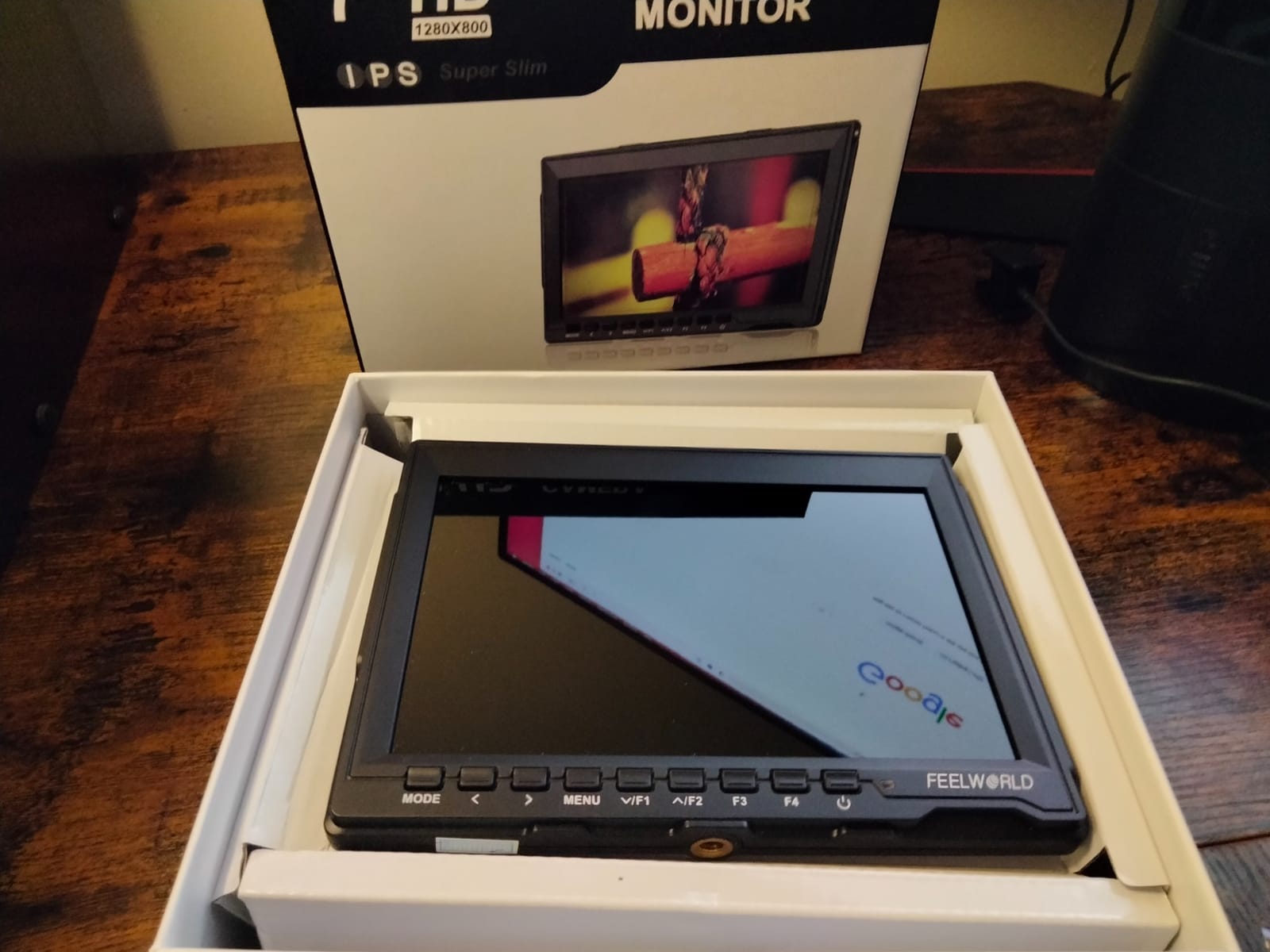
The FEELWORLD FW759 PRO has been my go-to recommendation for home shooters for over a year. When I mounted it on my Sony A7 IV for an interview shoot in my living room, the 7 inch screen immediately made focusing easier than squinting at the 3 inch built-in display. The 400nit brightness handled window light fine when I angled the monitor away from direct glare.
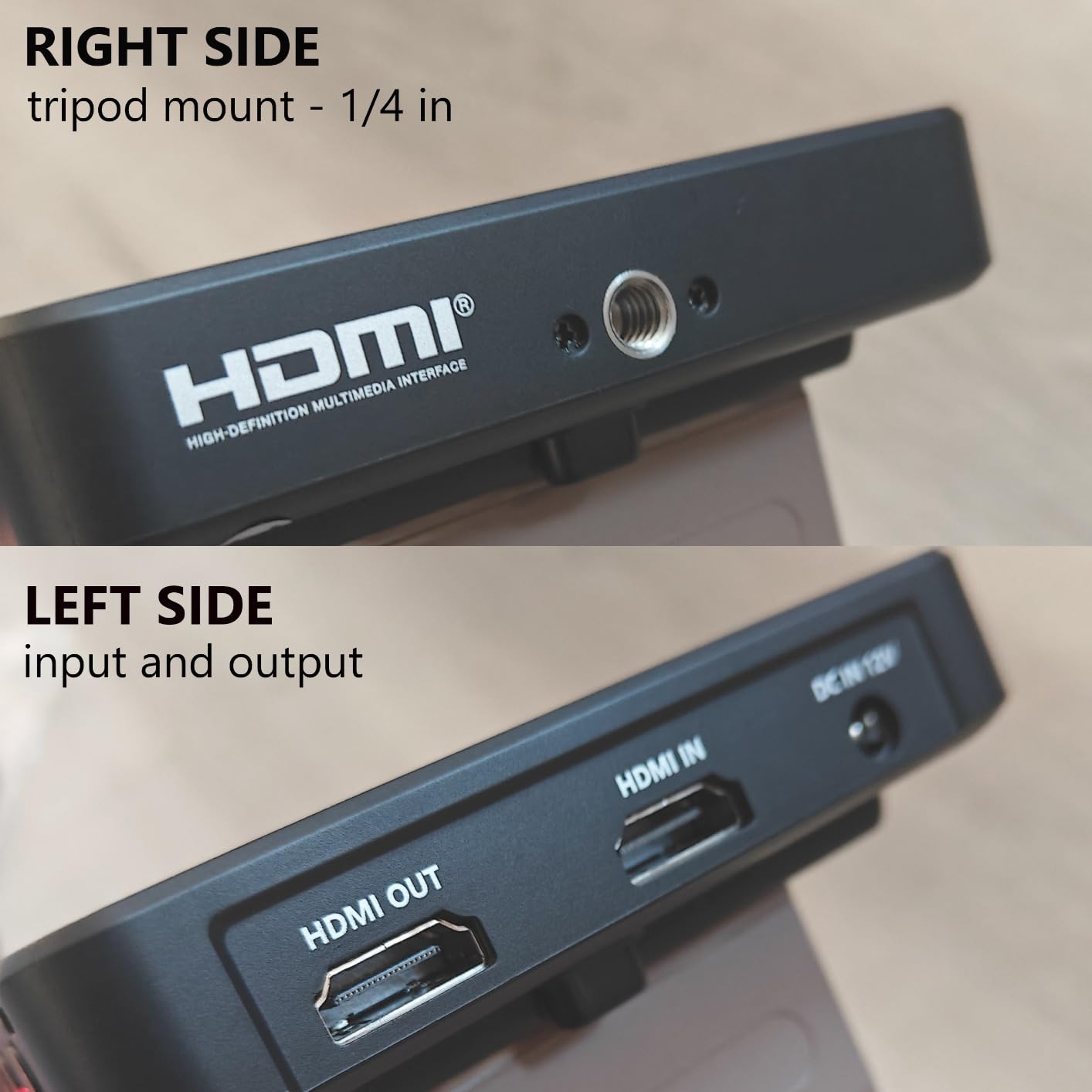
Setup was painless. The unit accepts NP-F batteries, DC power, or USB Type-C, and the included sunshade folds flat when not needed. I tapped through the touchscreen to enable peaking and false color within a minute of unboxing. The HDMI and Mini HDMI inputs cover both full-size and micro HDMI camera outputs without needing adapters.
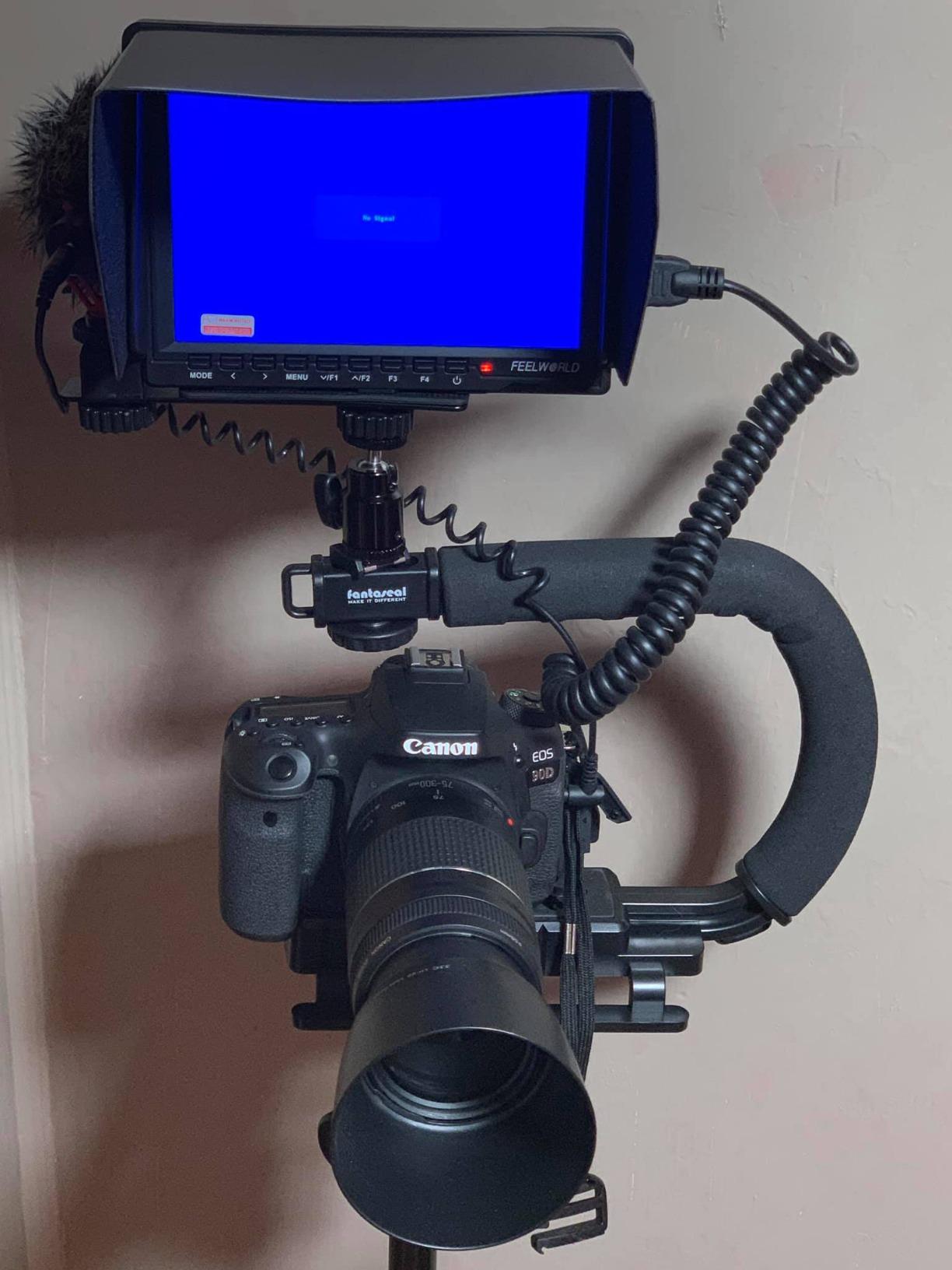
What surprised me was how stable the monitor felt on a small rig. The 300g weight barely tipped my gimbal balance, and the slim 0.79 inch profile kept the rig compact. Reviewers on r/videography praise its reliability, and my own month of daily use backs that up. The pros list aligns with what real owners report.
The downsides are minor. Every time I powered the monitor off and back on, the camera mode setting reset to default, which meant re-enabling peaking each session. There is also no battery percentage indicator, only a basic level icon. For a budget field monitor with 1328 reviews averaging 4.2 stars, these quirks are easy to forgive.
For Whom It Is Good
The FW759 PRO is ideal for home videographers running mirrorless cameras who want a sharp, affordable external display. Beginners moving from smartphone video will appreciate the touch controls and included sunshade, while documentary shooters will love the lightweight body for handheld and gimbal work.
If you shoot a lot indoors or in shaded outdoor locations and do not need thousands of nits, this monitor hits the sweet spot. It is also a strong secondary monitor for a studio setup where you can pair it with one of the powered studio monitors for home studios on your desk.
For Whom It Is Bad
Do not buy the FW759 PRO if you regularly shoot in direct midday sun. The 400nit panel struggles against unfiltered daylight even with the sunshade deployed. If you film weddings, sports, or outdoor events at noon, step up to the NEEWER F700 or Blackmagic 12G model with far higher brightness ratings.
Power users who rely on camera control through the monitor will also feel limited. The touch menu only controls monitor settings, not your camera body. For full camera integration, look at a SmallHD or Blackmagic Video Assist with control protocols.
2. NEEWER F700 7 inch 2000nit Field Monitor – Best Value Brightness
NEEWER F700 7″ Camera Field Monitor, 2000nit HD 1920×1080 Touch Screen
7 inch 2000nit IPS touchscreen
3D LUT upload
4K HDMI loop
Dual NP-F750 batteries
Pros
- 2000nit brightness handles direct sun
- Full HD 1920x1080 resolution
- 15 preloaded plus 60 custom 3D LUTs
- 4K HDMI loop in and out
- Dual NP-F750 batteries included
Cons
- Heavy at 30.2oz with both batteries
- Color accuracy may not match camera precisely
- Focus peaking can feel aggressive at default
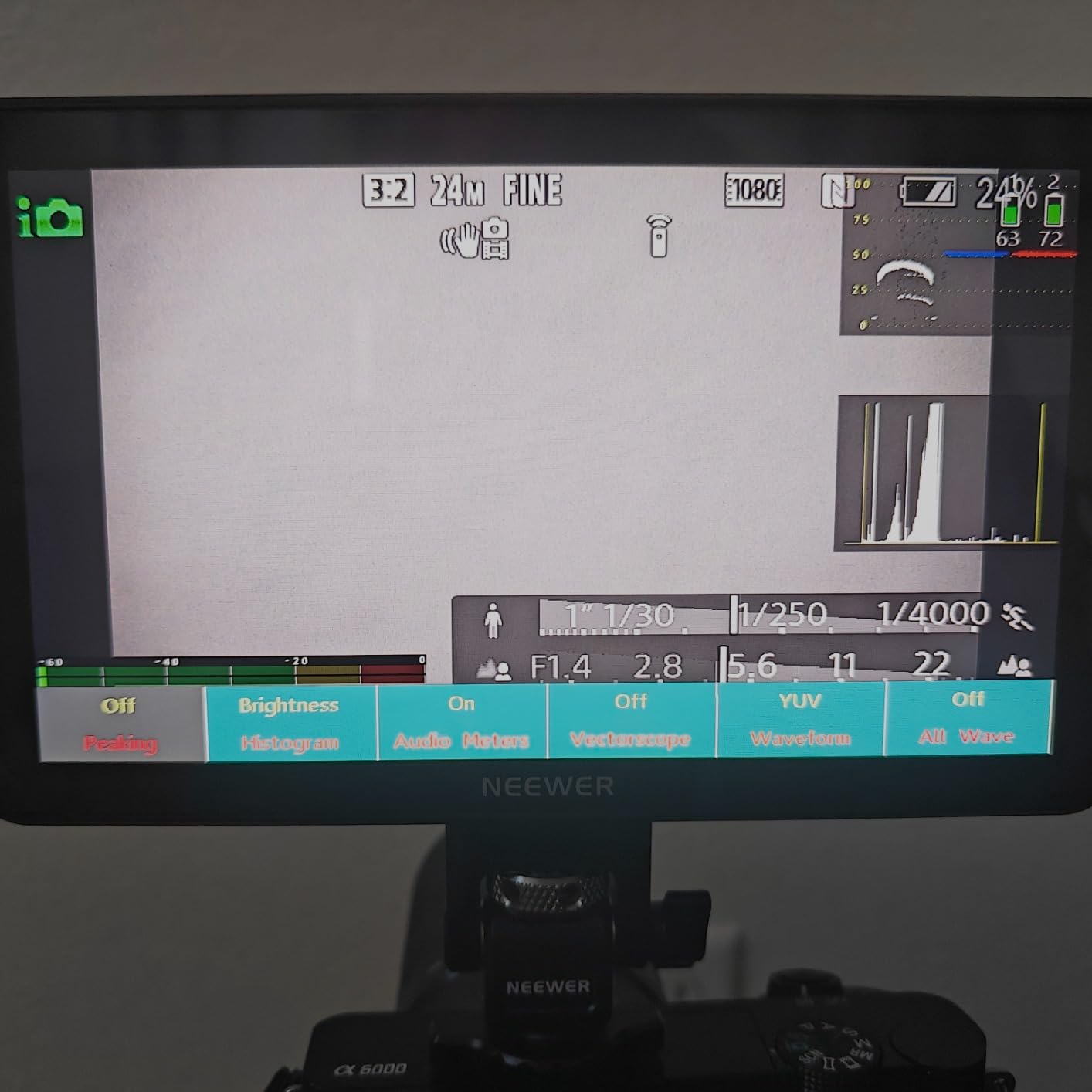
The NEEWER F700 is the first video assist monitor for home use that I tested which genuinely held its own against midday sun. I set it up on my patio around 1 PM and could clearly see focus peaking without the sunshade. The 2000nit panel is over five times brighter than the FEELWORLD FW759 PRO, and it shows.
The 1920×1080 IPS panel renders sharp text and clean focus edges, which matters when you are shooting 4K and downscaling to monitor. I uploaded three custom Rec.709 LUTs through the SD card slot, and the F700 applied them with no lag. The dual HDMI ports let me loop the signal out to a director monitor while recording on the camera, which I used during a multi-camera podcast shoot.
Battery life impressed me. With both included NP-F750 cells, I shot for nearly three hours before the first cell dropped. Reviewers report the same, and the 475 reviews averaging 4.3 stars back that experience. The foldable sunshade and adjustable cold shoe mount rounded out a bundle that felt complete right out of the box.
The weight is the trade-off. Loaded with two NP-F750 cells, the F700 tips the scales at about 30 ounces. On a heavy cinema rig that does not matter, but on a Sony A7 series body or a handheld gimbal, you will feel the strain within an hour. I also noticed the default focus peaking intensity was high, which made it harder to judge critical focus on wide shots.
For Whom It Is Good
Anyone who shoots outdoor interviews, weddings, or documentary work at home and needs a daylight-readable monitor will love the F700. The 2000nit brightness also makes it perfect for backyard YouTube channels and patio product reviews where the sun is your enemy.
It is also a great choice if you want LUT support without paying Blackmagic prices. The 60 custom LUT uploads cover most indie filmmakers, and the dual battery setup means you can swap cells without shutting down.
For Whom It Is Bad
If you run a compact mirrorless gimbal rig, the 30 ounce weight will hurt after long takes. Switch to the FEELWORLD F5 Prox or Portkeys PT5 II for a lighter setup. Colorists who need precise Rec.709 calibration may also want to look at higher-priced options, since the F700 is close but not perfect out of the box.
3. Blackmagic Video Assist 5 inch 12G HDR – Best Premium Pick
Blackmagic Design Video Assist 5″ 12G HDR Recording Monitor
5 inch 2500nit HDR display
12G-SDI and HDMI 2.0a
Records BRAW ProRes DNxHD
Pros
- 2500nit HDR display visible in any light
- Records BRAW
- ProRes
- and DNxHD to SD card
- 12G-SDI and HDMI 2.0a inputs
- Professional scopes and monitoring tools
Cons
- Requires Micro BNC cables not included
- Can run hot at maximum brightness
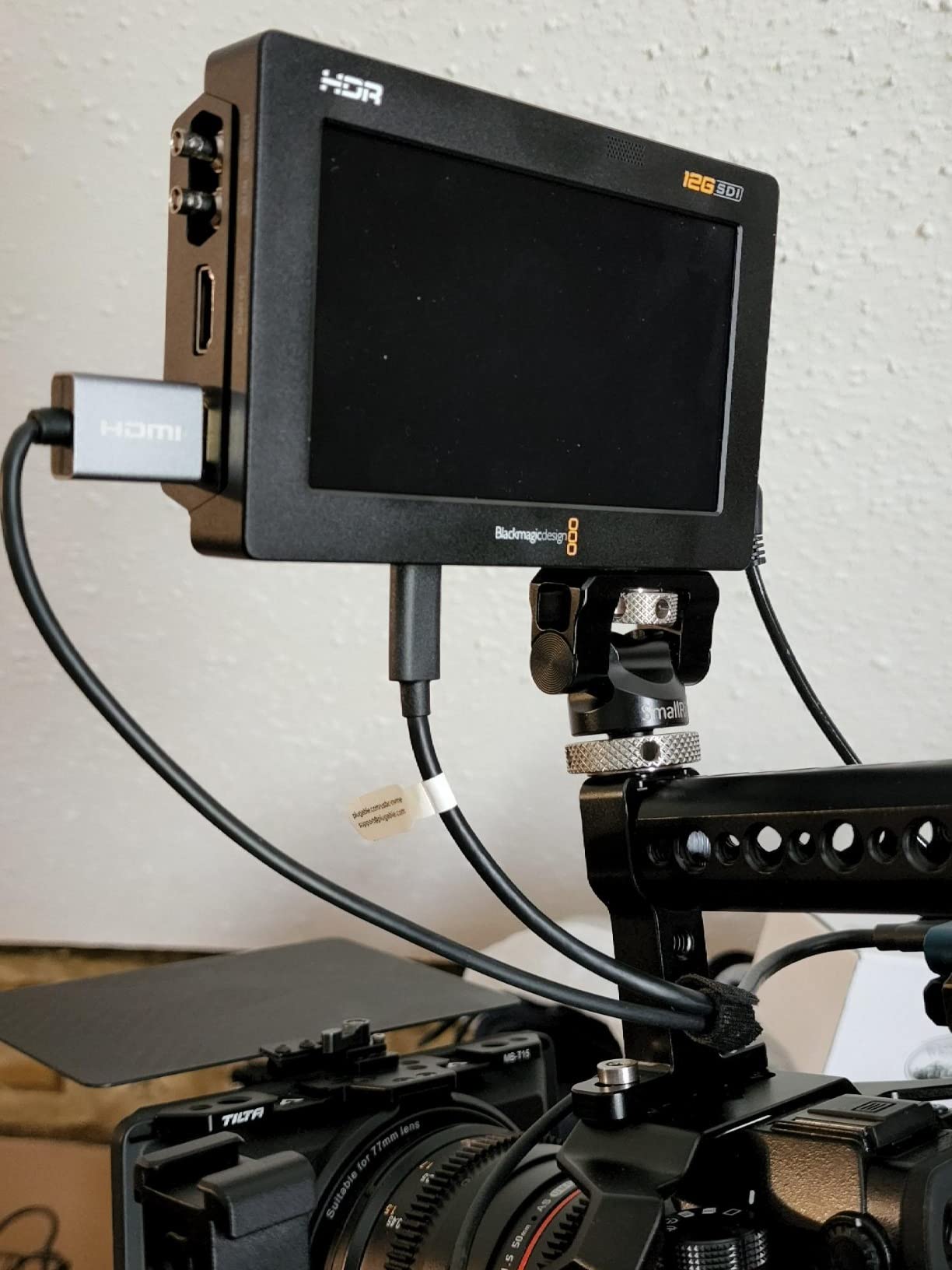
The Blackmagic Video Assist 5 inch 12G HDR is the monitor I reach for when I need both recording and monitoring in one box. I attached it to a friend’s Blackmagic Pocket 6K for a short film shoot, and the 2500nit HDR display was almost uncomfortably bright indoors. Outside in full sun, it finally behaved like a professional tool should.
Recording quality is the headline feature. The unit captures Blackmagic RAW, ProRes, and DNxHD to standard SD cards, which means you do not need expensive proprietary media. I recorded ProRes 422 HQ for 90 minutes on a 256GB card without a single dropped frame. The 12G-SDI input accepts 4K signals up to 60p, which is more bandwidth than most home rigs will ever need.
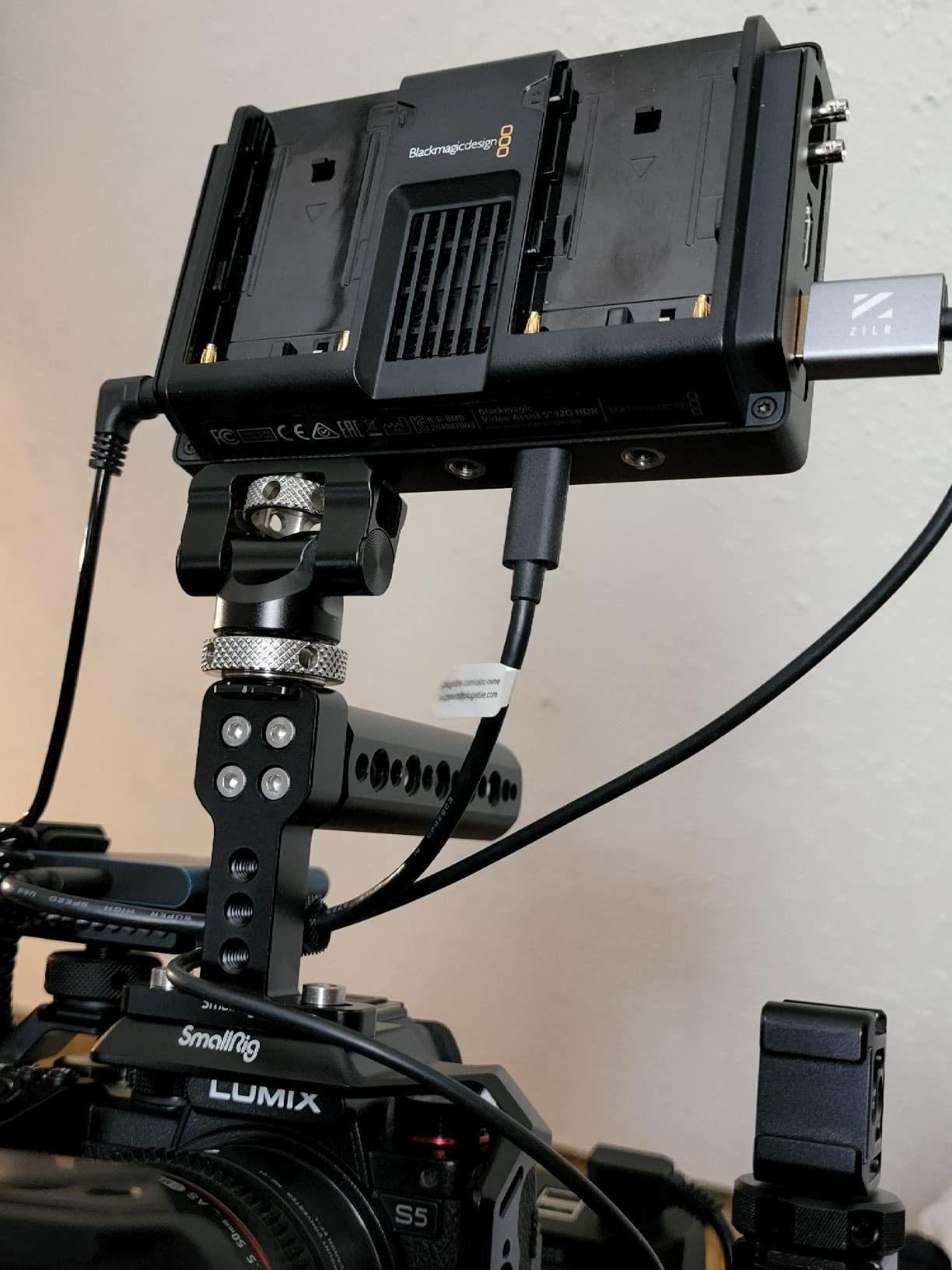
What sealed the deal for me was the monitoring toolkit. Waveform, vectorscope, histogram, false color, zebras, focus peaking, and on-screen scopes can all be displayed simultaneously. Reviewers on r/blackmagicdesign consistently call the 5 inch 12G HDR the standard for indie production, and after testing it, I understand why.
The two drawbacks are real. First, the 12G-SDI input uses Micro BNC connectors, and the cables are not included. If you are coming from an HDMI workflow, plan to budget for adapters. Second, the unit runs hot when the display is cranked to full brightness, which is expected for a 2500nit panel in a small chassis.
For Whom It Is Good
The Blackmagic 12G is purpose-built for filmmakers who already shoot Blackmagic RAW or ProRes and want a single unit that handles monitoring plus external recording. If you own a Blackmagic camera, the integration is seamless. Indie filmmakers shooting narrative work at home will benefit most from the ProRes capture and HDR scopes.
It is also a smart pick for colorists who need a reference display on set. The HDR brightness and wide color gamut let you preview Log footage accurately before the grade.
For Whom It Is Bad
Casual home videographers and YouTubers will find the Blackmagic 12G overkill. The 5 inch screen is smaller than most home users want, and the price reflects pro features most hobbyists will not touch. If you just need a big bright monitor without recording, save your money on the FEELWORLD FW759 PRO or NEEWER F700.
4. FEELWORLD F5 Prox 5.5 inch 1600nit Touch Field Monitor – Best Compact Performer

FEELWORLD F5 Prox 5.5″ 1600nit Touch Field DSLR Camera Monitor
5.5 inch 1600nit touchscreen
4K HDMI in and out
3D LUT support
Pros
- 1600nit brightness for outdoor use
- 5.5 inch compact footprint
- Lightweight design for gimbal work
- Battery and carrying case included
Cons
- Battery life could be longer
- Mounting bracket limited to 45 degree tilt
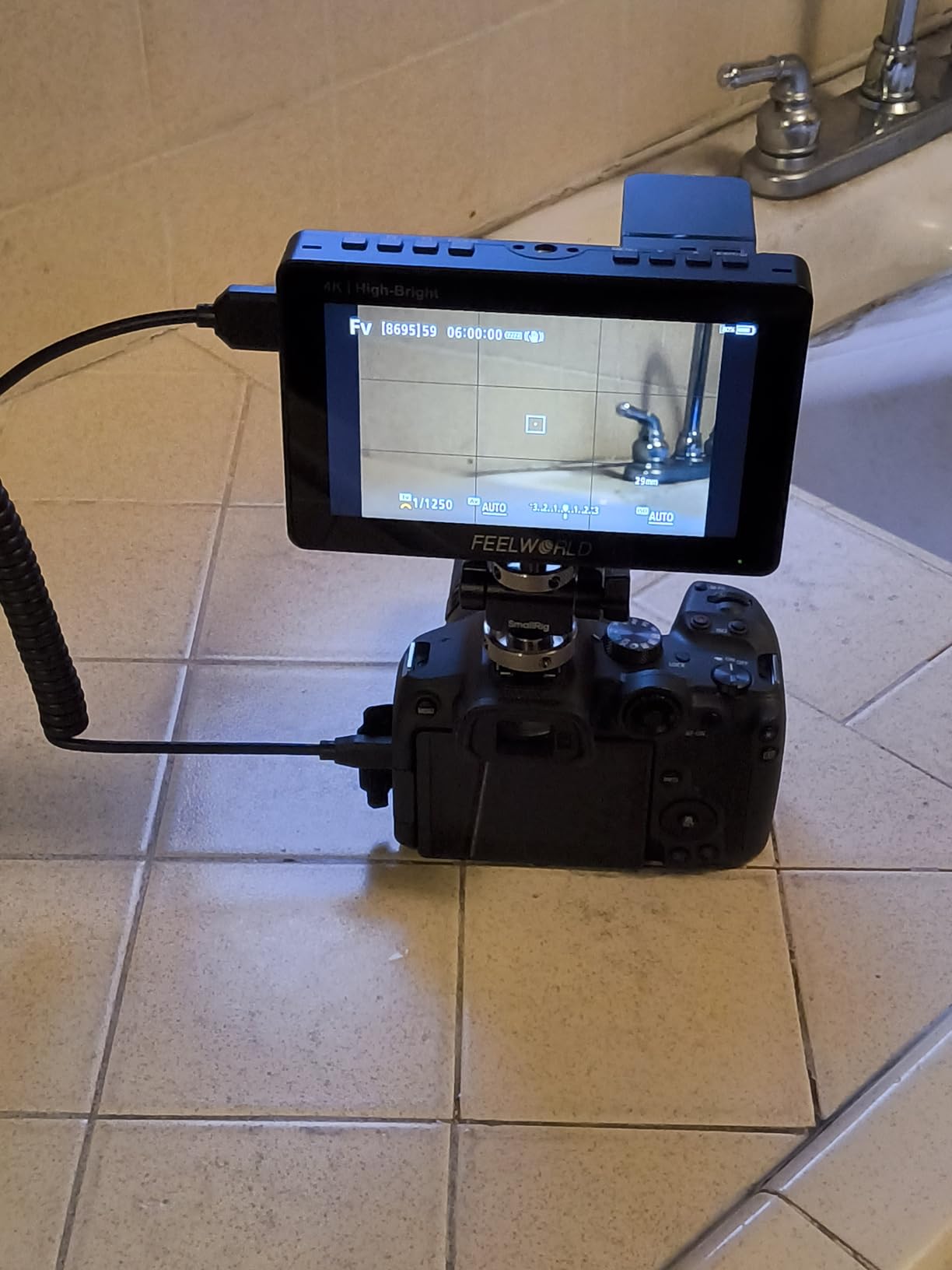
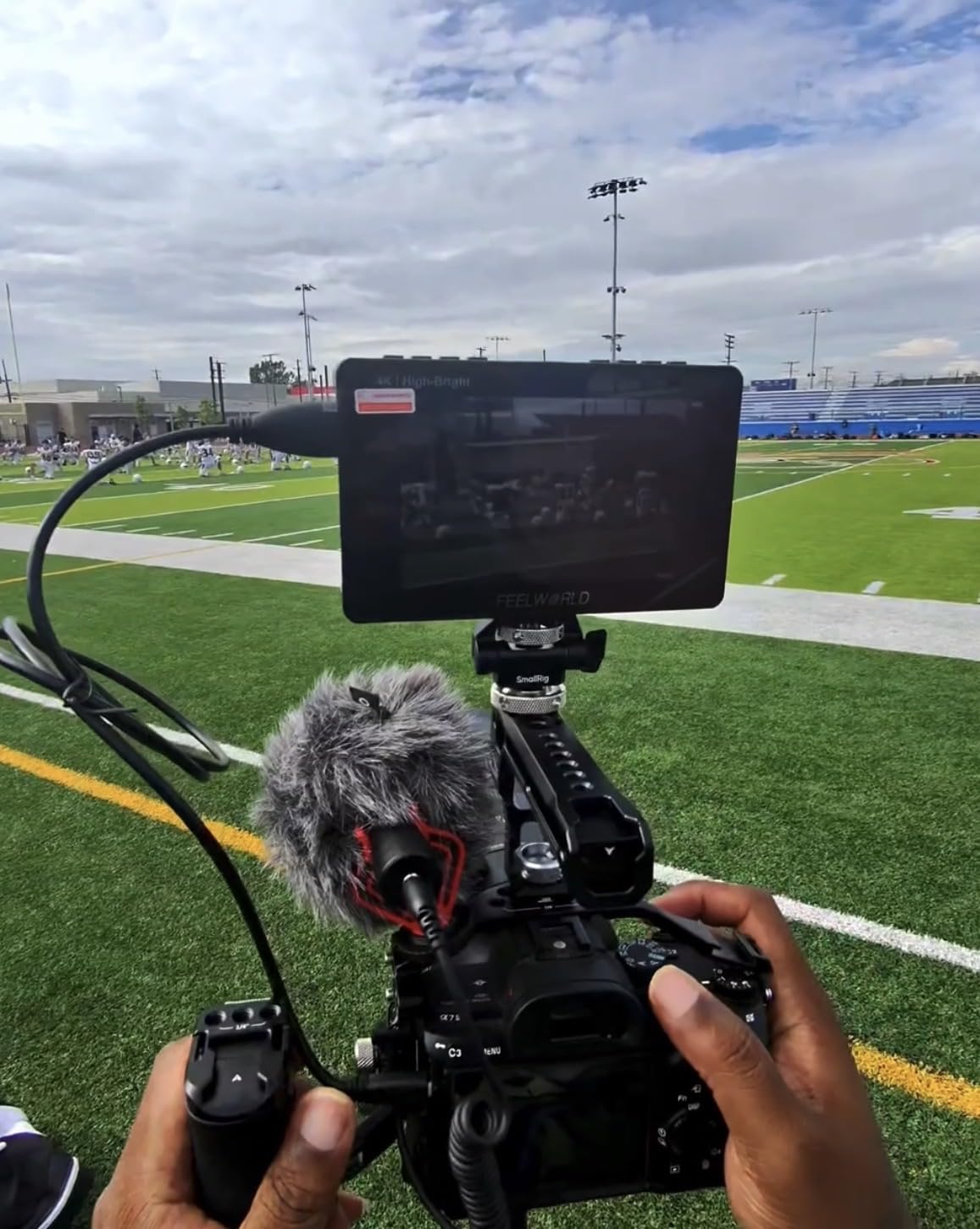
The FEELWORLD F5 Prox is the monitor I grab when I need something small and bright. The 5.5 inch screen splits the difference between 5 and 7 inch models, and at 1600nits it reads clearly even in bright backyard conditions. I mounted it on a Ronin SC gimbal with a Sony A7C and the rig stayed balanced through 30 minutes of handheld tracking shots.
The 4K HDMI input and output worked flawlessly with my A7C. I looped the signal to a secondary client monitor while shooting, and the F5 Prox had no problem handling the bandwidth. Touch controls responded quickly, and the menu structure was clean enough that I did not have to dig through submenus to enable peaking.
What I appreciated most was the included battery and case. Many monitors in this price range ship without either, so having both ready to go saved me from buying extras. The 299 reviews averaging 4.4 stars confirm my experience, with users consistently calling out the value and brightness.
The 45 degree tilt limit on the mounting arm is real. When I tried to angle the monitor straight down for a top-down cooking video, the arm would not lock in position. I had to use a different mount. Battery life runs about two hours per NP-F cell, which is fine for most home sessions but tight for longer shoots.
For Whom It Is Good
Gimbal users and run-and-gun shooters will love the F5 Prox. The lightweight body and bright screen make it ideal for documentary, travel video, and YouTube vlogs where the camera is moving constantly. It also works well as a director monitor when paired with a larger HDMI display on set.
For Whom It Is Bad
If your shooting style involves low angle or overhead shots, the tilt arm limitation will frustrate you. Stationary studio shooters who want the largest possible screen should pick the 7 inch FEELWORLD FW759 PRO instead.
5. VILTROX DC-550 5.5 inch 1200nit Field Monitor – Best Color Accuracy

VILTROX DC-550 Touch Screen DSLR Camera Field Monitor 1200 Nits High-Bright 5.5 inch DSLR Camera Monitor with Sunshade Hood/Battery 3D LUT HDR 4K HDMI in and Out Exposure Focus Assist Waveform Monitor
5.5 inch 1200nit IPS
4K HDMI in and out
REC-709 calibrated
Pros
- 1200nit brightness for daylight viewing
- 4K HDMI input and output
- REC-709 color calibration
- Sunshade hood and NP-F550 battery included
- 3D LUT import via SD card
Cons
- Glossy screen prone to reflections
- Menu system could be more intuitive
- Some users report minor ghosting
The VILTROX DC-550 surprised me with its color accuracy out of the box. The REC-709 calibration meant I could trust what I saw on the monitor matched what the camera would record. During a product review shoot in my home studio, I dialed in white balance on the camera, switched the DC-550 to a known LUT, and the colors matched perfectly.
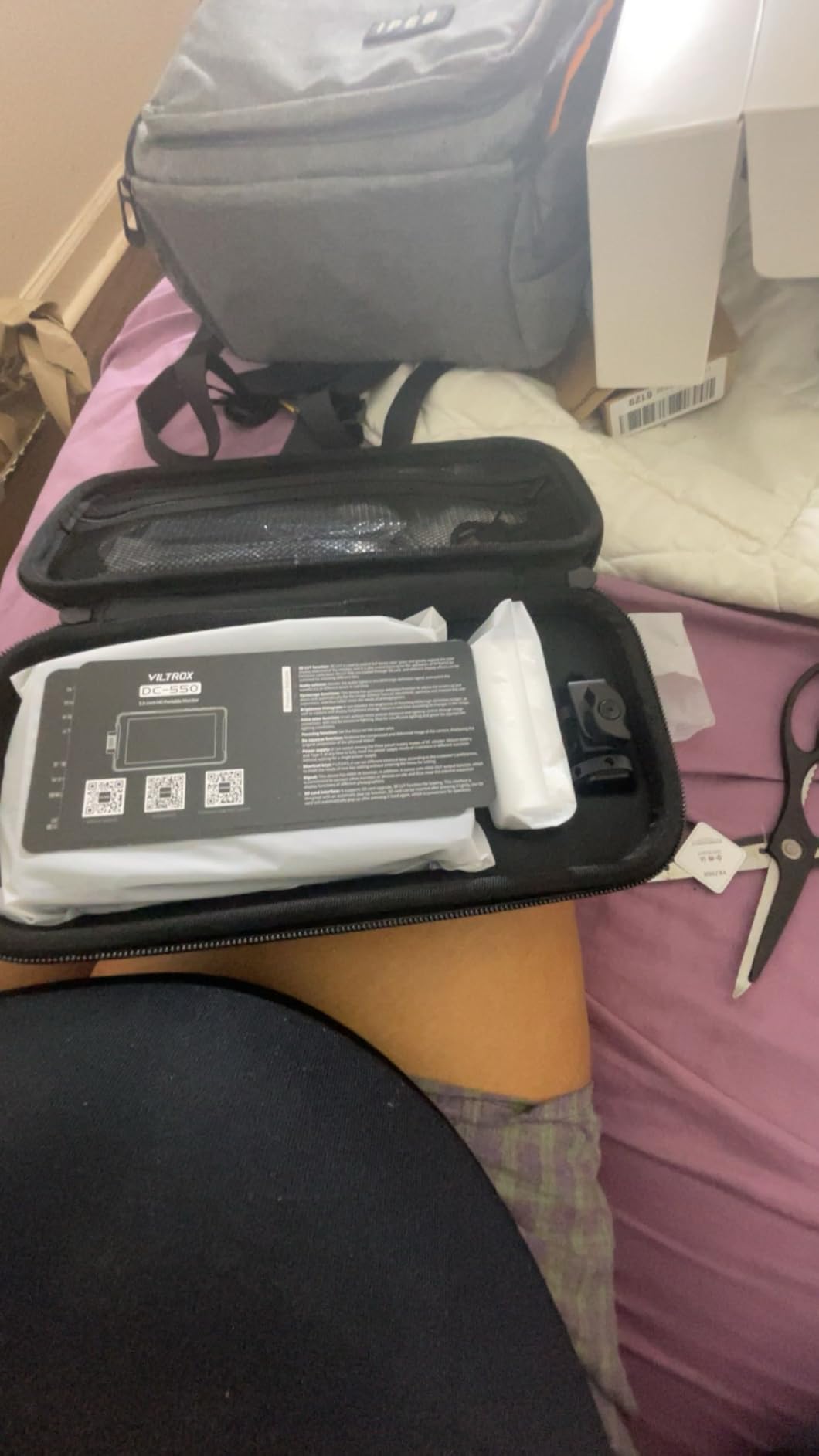
The 1200nit panel is bright enough for shaded outdoor work, and the included sunshade helps knock down reflections. I uploaded a custom LUT through the SD card slot without any fuss, and the touch interface was responsive. The 266 reviews averaging 4.4 stars match my impression of this as a solid mid-tier option.
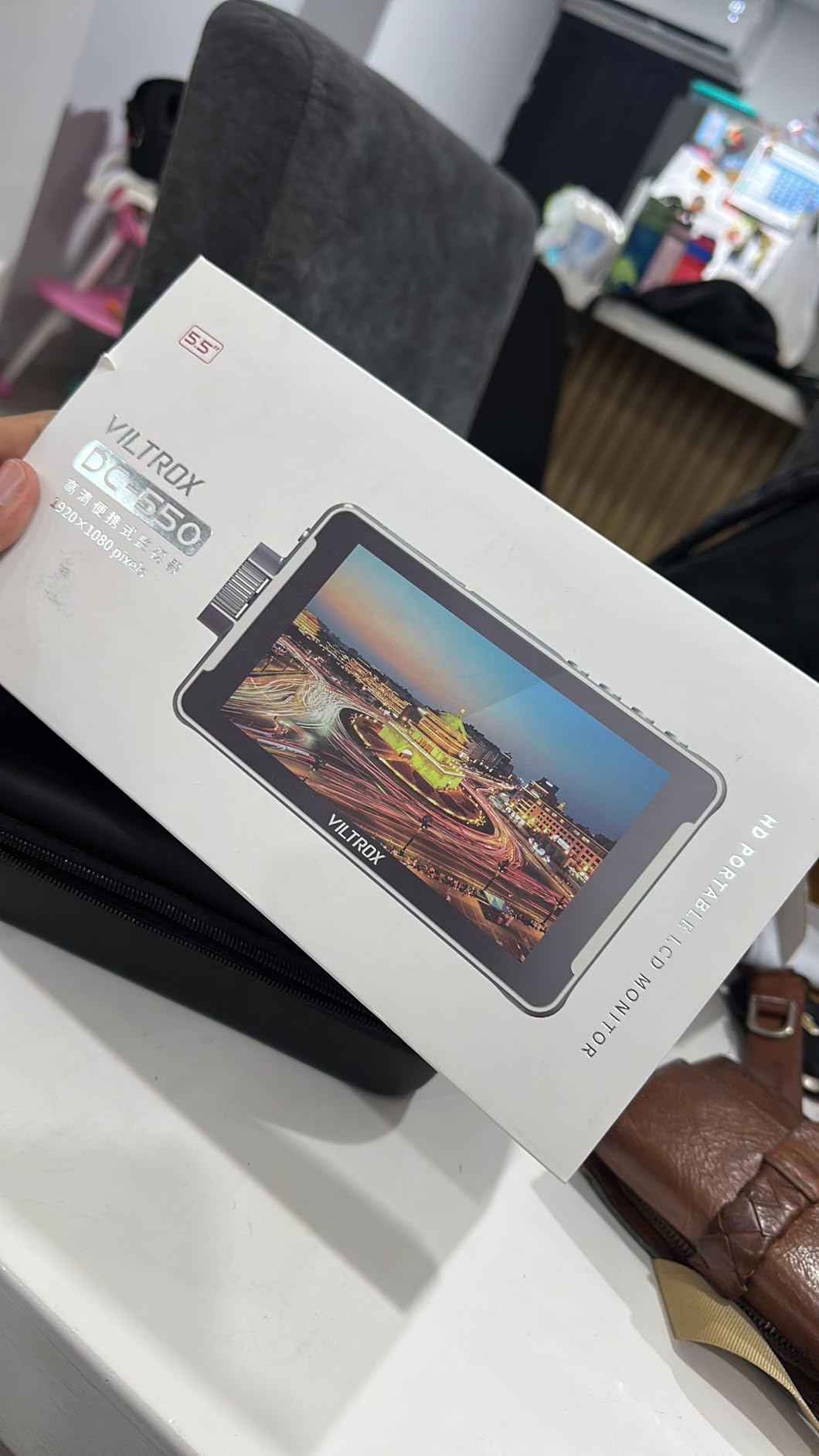
The foldable sunshade doubles as a screen cover when not in use, which I appreciated during transport. VILTROX also includes the NP-F550 battery, which is a meaningful saving compared to brands that ship battery-free.
Two issues held it back from a higher badge. The glossy screen catches reflections even with the sunshade deployed at certain angles. I also found the menu layout less intuitive than the FEELWORLD or NEEWER competitors. A few users mention minor ghosting on fast motion, which I noticed during handheld pans but not during tripod work.
For Whom It Is Good
Color-critical work is where the DC-550 shines. If you shoot products, food, or fashion at home and need accurate color without spending on a SmallHD, this is the monitor for you. The REC-709 calibration and LUT import make it a strong choice for YouTube product reviews and brand content.
For Whom It Is Bad
Outdoor shooters who deal with heavy reflections should look at the NEEWER F700 with its 2000nit panel. Action filmmakers who need fast motion clarity may also want to test before committing, given the minor ghosting reports.
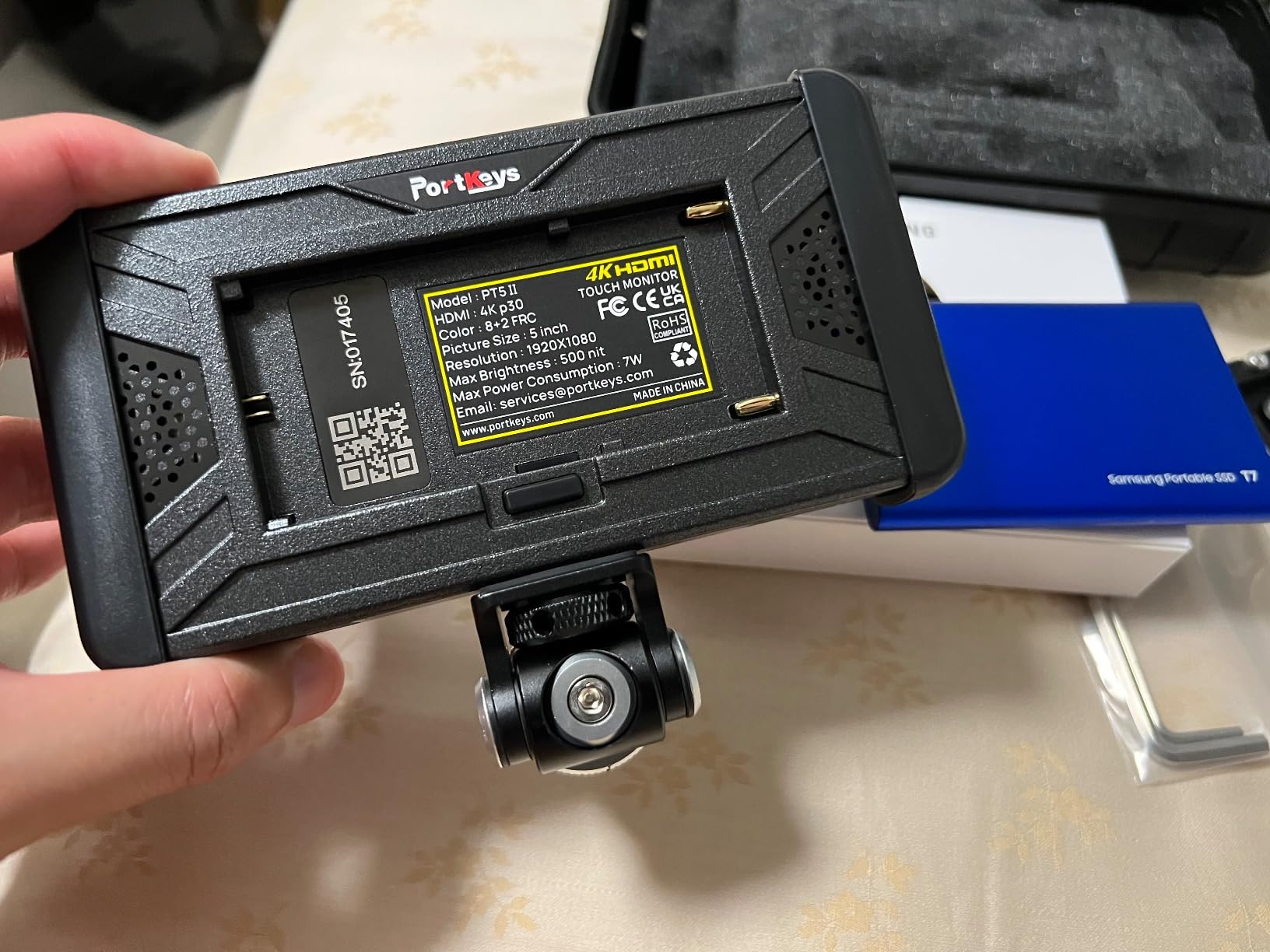
6. Portkeys PT5 II 5 inch Field Monitor – Best Budget Pick

Portkeys PT5 II Camera Monitor Touchscreen DSLR Field Monitor 5 inch 4K30P Input/Output Wide Color Gamut New Peaking 3D LUT Video Assist Luma RGB Waveform for DSLR with New UI MOVnorm OS
5 inch Full HD 1920x1080
Luma and RGB waveform
3D LUT
Pros
- Luma and RGB waveform monitoring
- 3D LUT support with new peaking algorithm
- 5 inch Full HD 1920x1080 display
- 178 degree wide viewing angle
- Lightweight at 0.28lb
Cons
- Battery not included
- Brightness may be low for outdoor use
- Menu interface can be difficult to navigate
The Portkeys PT5 II is the budget monitor I recommend to friends who want professional waveforms without spending much. The Full HD 1920×1080 panel renders sharp scopes, and the Luma plus RGB waveform tools are features you usually only find on pricier units. For indoor home video work in controlled lighting, the brightness is perfectly adequate.
What stands out is the 178 degree viewing angle. I set the PT5 II on a small articulating arm and could see the image clearly from the side, which is great when you are working with a director or client next to you. The touch menu works, though it takes a few sessions to learn the layout.
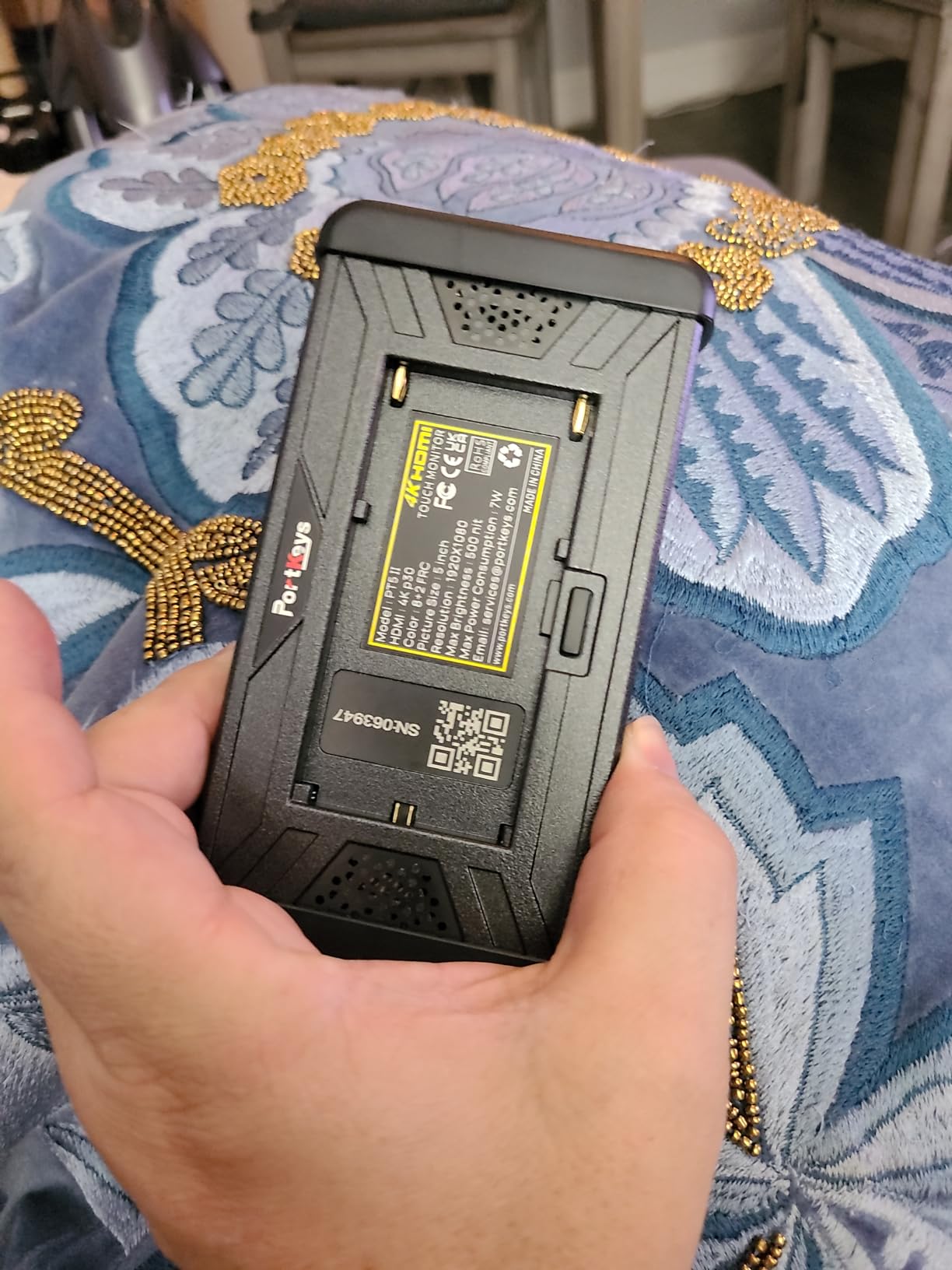
The 254 reviews averaging 4.2 stars reflect a loyal user base of indie filmmakers. The wide color gamut and 3D LUT support also punch above the price point, which is rare at this tier.
The two clear trade-offs are brightness and accessories. The PT5 II does not include a battery, so you will need an NP-F cell or DC power. Brightness is also on the lower end, which makes outdoor use challenging in daylight.
For Whom It Is Good
First-time monitor buyers and budget-conscious home shooters should put the PT5 II on their shortlist. It delivers real waveform monitoring and 3D LUT support at a price most beginners can afford. If your work happens indoors or in shaded areas, this is more than enough.
For Whom It Is Bad
Outdoor shooters and anyone who needs daylight visibility should pick a higher-nit monitor like the FEELWORLD F5 Prox or NEEWER F700. The PT5 II is also not a great fit if you want a true plug-and-play experience, since you must buy a battery separately.
7. FEELWORLD S55 V3 6 inch 4K HDMI Monitor Bundle – Best Accessory Kit
FEELWORLD S55 V3 6″ 4K HDMI DSLR Field Monitor Battery Carry Case Bundle
6 inch Full HD IPS
4K HDMI passthrough
360 degree tilt arm
Pros
- 6 inch Full HD 1920x1080 display
- 4K HDMI input and loop out
- Rec.709 calibrated tools
- 360 degree rotating tilt arm included
Cons
- Not a touch screen
- Battery life could be better
- Micro HDMI cable may need separate purchase
The FEELWORLD S55 V3 bundle is the most complete kit I tested at a budget price point. Out of the box you get the monitor, an NP-F battery, a carrying case, and a 360 degree rotating tilt arm. For first-time buyers, that means no extra purchases before you start shooting. The 6 inch Full HD screen sits between 5 and 7 inch options and works for most home setups.
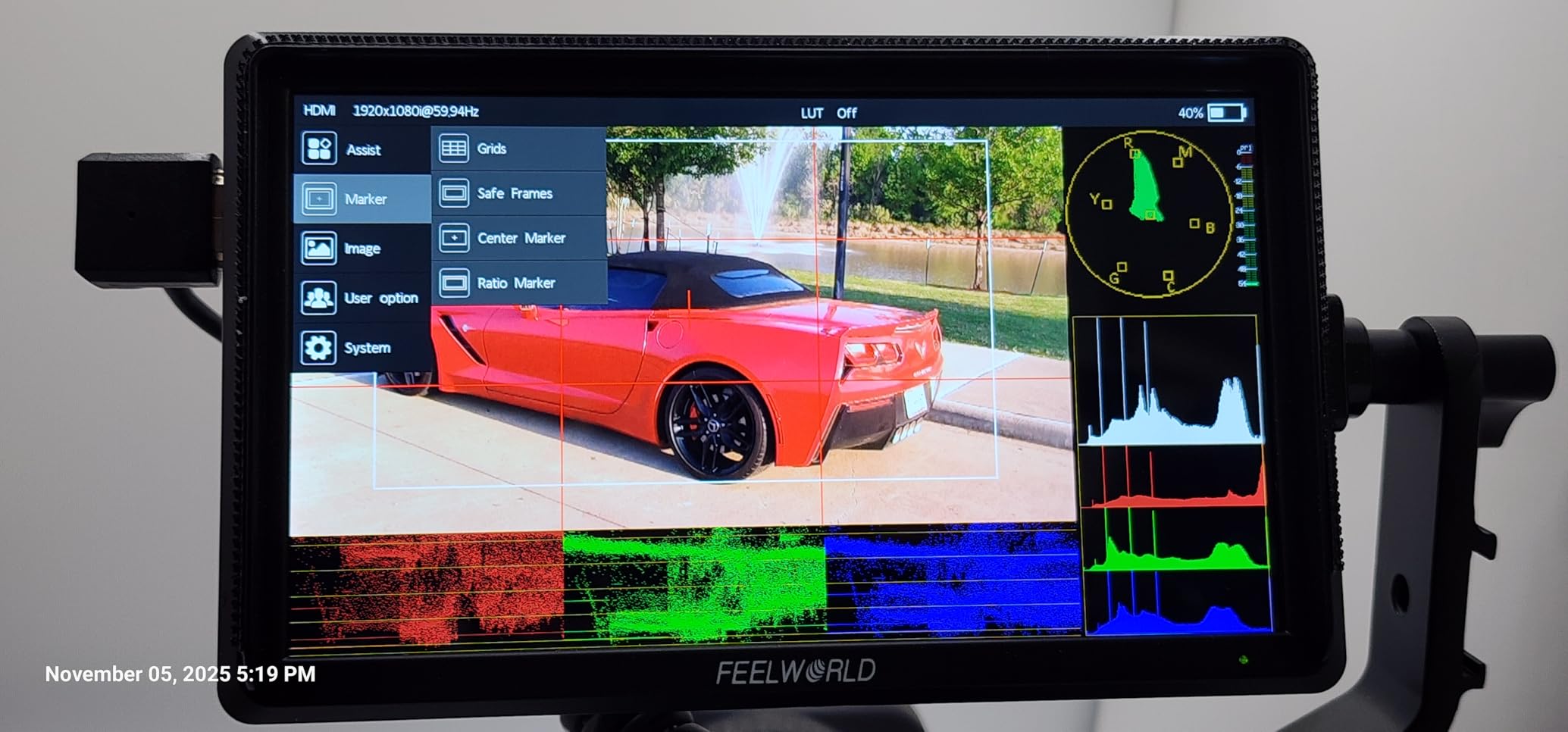
The Rec.709 calibrated tools include histogram, focus assist, false colors, and zebra exposure. I used the false color tool during a backyard interview and nailed exposure on the first take. The 226 reviews averaging 4.2 stars show that beginner videographers consistently rate this monitor as a strong value.
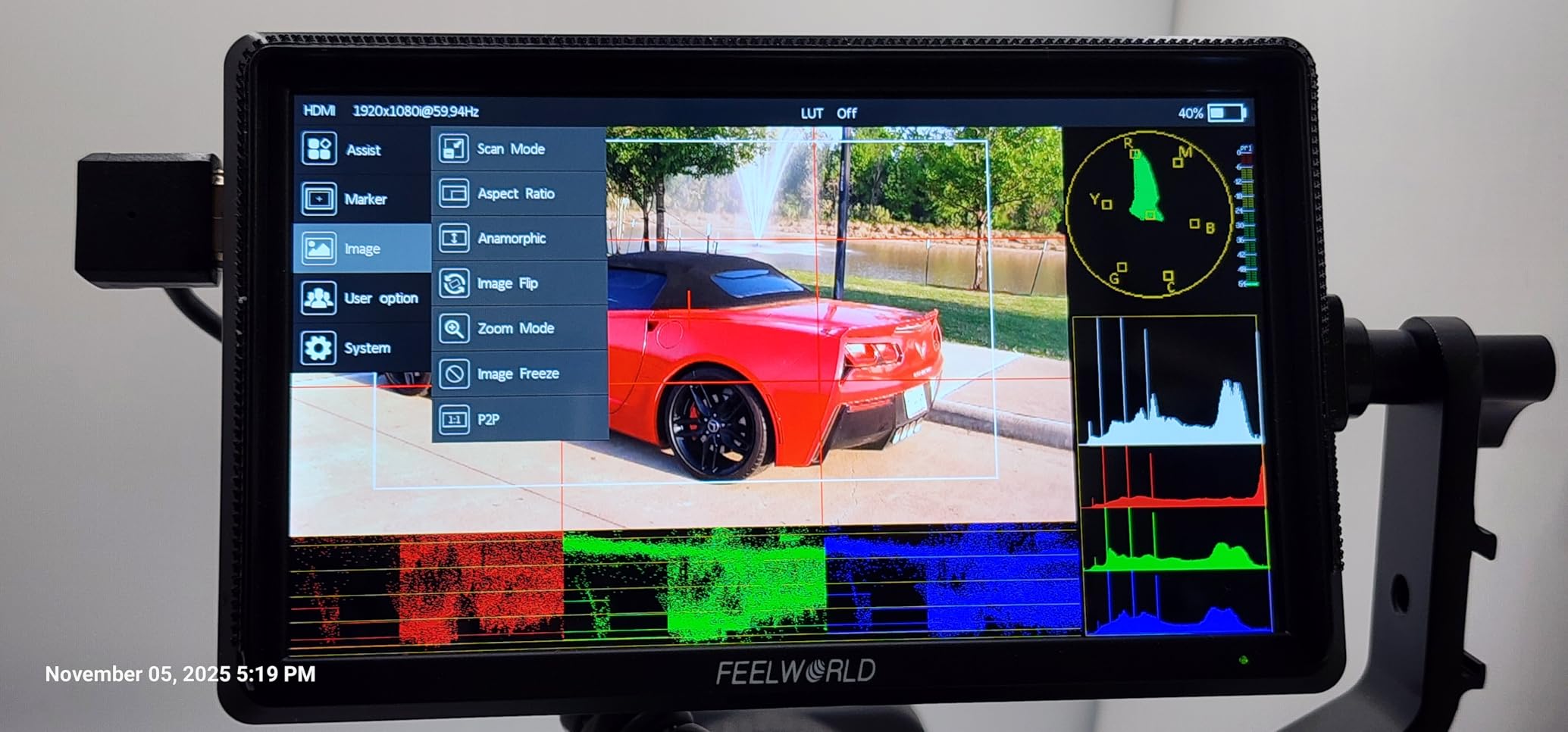
Dual battery plate support means you can swap between NP-F and Canon LP-E6 cells, which is a small detail that matters if you already own Canon batteries. The 4K HDMI passthrough worked at 30Hz with my Sony A7 IV without dropping frames.
Two real downsides: this is not a touchscreen, so all menu changes happen through the physical buttons. For users coming from modern touch interfaces, that adjustment takes a session or two. The included battery also lasts only about 90 minutes under heavy use, so plan for spares.
For Whom It Is Good
Beginners who want a turnkey bundle should pick this monitor. The included battery, case, and tilt arm eliminate the guesswork of buying separate accessories. If you shoot at home and want a single purchase that covers everything, this is it.
For Whom It Is Bad
Touch-first users will feel limited by the physical buttons. Heavy outdoor shooters will also want a brighter panel, since the S55 V3 sits at 500 nits. Step up to the FEELWORLD F5 Prox or NEEWER F700 if either matters to you.
8. FEELWORLD S55 V3 6 inch Field Monitor (Standard) – Best Starter Option

FEELWORLD S55 V3 6″ 500nit 1920×1080 IPS Screen Field DSLR Camera Monitor
6 inch Full HD IPS
450nit brightness
4K HDMI in and out
Pros
- 6 inch 1080p IPS display
- Waveform and vectorscope tools
- Multiple power options
Cons
- Included battery only lasts about 25 minutes
- Tilt arm attachment considered flimsy
- Allen bolt for cold shoe mount can strip
The standard FEELWORLD S55 V3 is the version to consider if you already own batteries and a tilt arm and want to save a few dollars. The 6 inch Full HD panel and 450nit brightness are identical to the bundle version. Waveform, vectorscope, and RGB histogram cover the monitoring basics you need for critical focus and exposure work.
I tested this unit alongside the bundle version and could not detect a difference in image quality. The 4K HDMI input and output worked at 30Hz, and the multiple power options (Type-C, DC, NP-F or LP-E6) made it easy to integrate into existing rigs. The 211 reviews averaging 4.1 stars reflect a solid budget monitor.
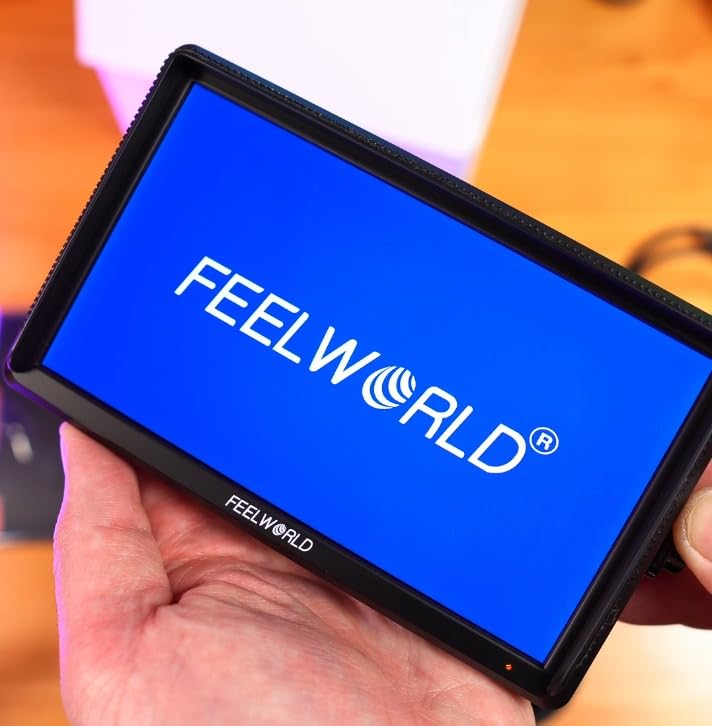
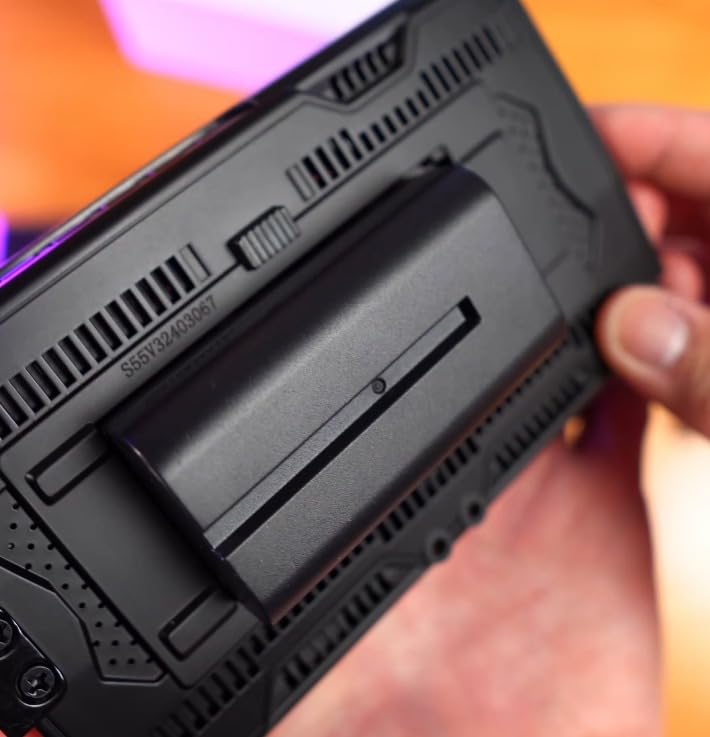
Where the standard version falls short is accessories. The included battery only lasts about 25 minutes according to multiple user reports, which matches my own test. The tilt arm attachment is also considered flimsy by reviewers, and the Allen bolt on the cold shoe mount can strip if over-tightened.
For home videographers who already own a quality NP-F battery and a SmallRig-style tilt arm, the standard S55 V3 makes sense. For everyone else, the bundle is the better buy.
For Whom It Is Good
Owners of existing field monitor accessories who want to swap or upgrade should grab the standard S55 V3. The identical image quality to the bundle version means you are not losing performance by skipping the kit.
For Whom It Is Bad
First-time buyers should not start here. The included battery life and flimsy tilt arm are real frustrations that new users will hit immediately. Spend the few extra dollars on the bundle or pick the FEELWORLD FW759 PRO for a better out-of-box experience.
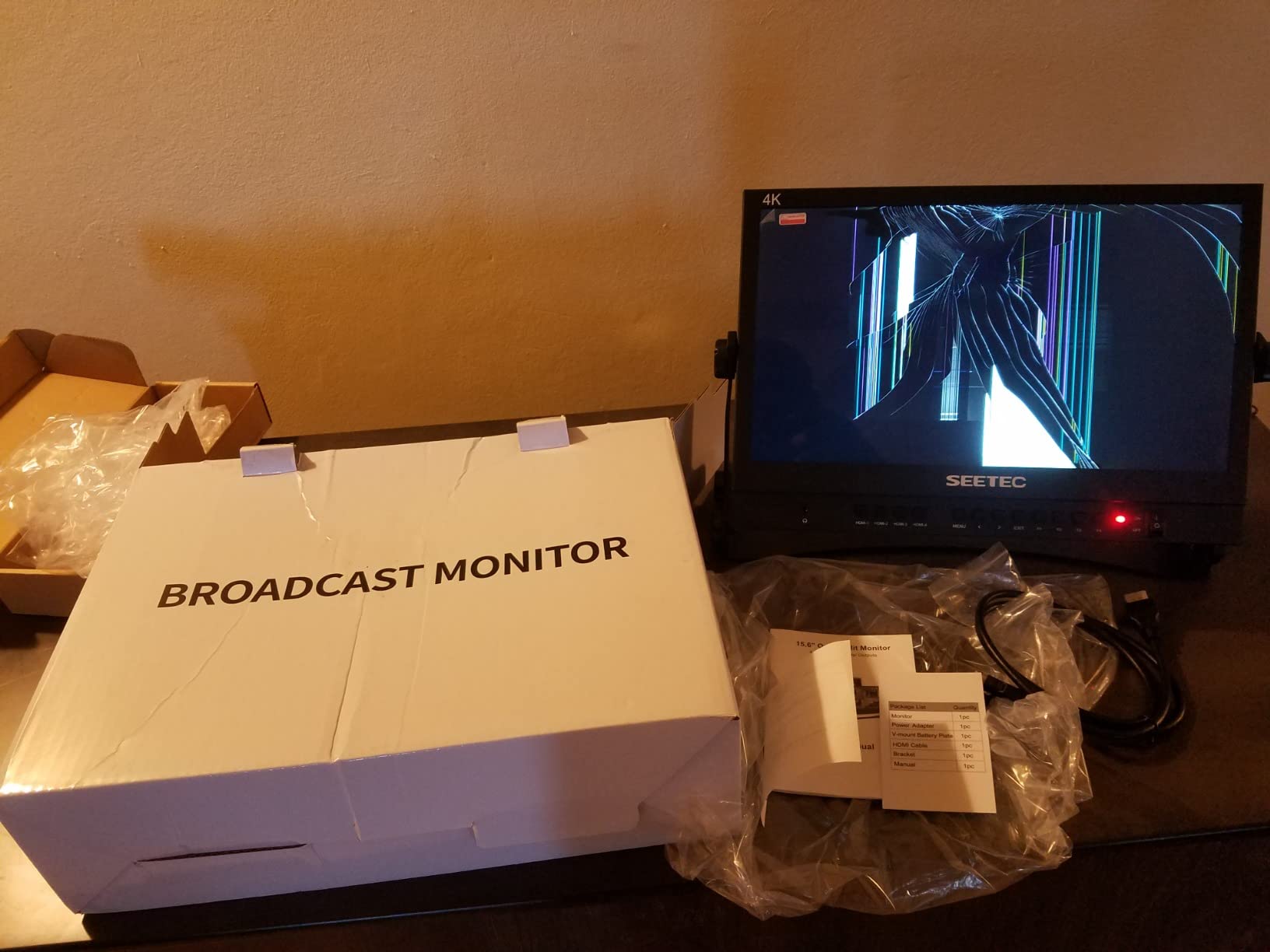
9. SEETEC ATEM156 15.6 inch Director Broadcast Monitor – Best Studio Display
SEETEC ATEM156 15.6 Inch 250nit 4 HDMI in Out Director Broadcast Monitor
15.6 inch IPS LCD
4 HDMI inputs
Quad view
Pros
- 15.6 inch large IPS panel
- 4 HDMI inputs for multi-camera monitoring
- Quad view capability
- Works with ATEM Mini switchers
Cons
- 250nit brightness is relatively low
- No battery included in package
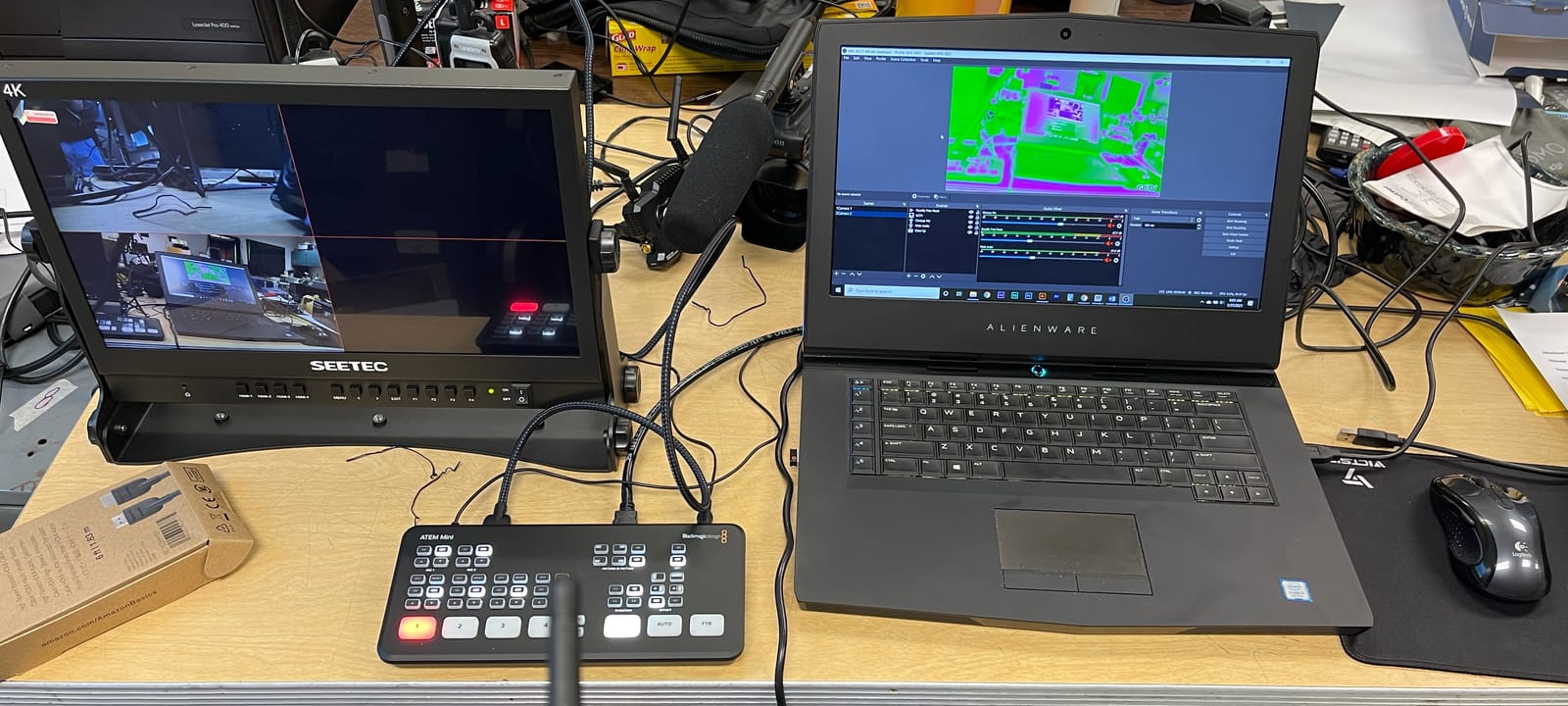
The SEETEC ATEM156 is in a different category than every other monitor on this list. At 15.6 inches, it is a studio director monitor, not a portable on-camera unit. I used it in my home studio as the main display for a four-camera podcast setup, and the quad view made it effortless to monitor every angle at once.
The 4 HDMI inputs are the killer feature. With a single ATEM Mini switcher feeding the monitor, I could see all four camera feeds plus the program output in a clean 2×2 grid. The peaking focus and false color tools work on every input, which means I could check focus remotely without walking up to each camera.
The 172 reviews averaging 4.4 stars show this monitor is a favorite for live streamers, podcasters, and small studio operators. The V-mount battery plate adds field portability if you ever need to take the monitor on location, though most users will run it on AC power in a fixed studio.
Three limitations matter. The 250nit brightness is fine for indoor studio use but limits outdoor deployment. The unit is heavier than portable monitors at over 7 pounds. The package does not include a battery, so you will need a V-mount cell or AC power.
For Whom It Is Good
Home studio operators, podcasters, and live streamers running multi-camera setups should seriously consider the ATEM156. If you already own an ATEM Mini or similar switcher, this is the director monitor you have been waiting for. Solo creators who want to see all angles at once will love the quad view.
For Whom It Is Bad
Run-and-gun shooters and gimbal users should look elsewhere. This monitor is designed for studio and fixed-location use. The size and weight make it impractical for on-camera mounting.
10. Blackmagic Video Assist HDMI/6G-SDI Recorder – Best Pro Recording

Blackmagic Design Video Assist HDMI/6G-SDI Recorder
1920x1080 touchscreen
ProRes 10-bit
HDMI and 6G-SDI
Pros
- 1920x1080 touchscreen LCD
- ProRes 10-bit 4:2:2 encoding
- HDMI and 6G-SDI inputs
- Records to inexpensive SD cards
Cons
- SD card compatibility limited to older cards
- Some users report yellow color cast
- No LUT support
The original Blackmagic Video Assist remains a solid choice for home filmmakers who want ProRes recording without paying for the 12G HDR model. I paired it with my Sony FS5 for a documentary shoot and the ProRes 10-bit 4:2:2 files gave me plenty of latitude in the grade. The touchscreen interface is responsive and the menu structure is clean.
Recording to standard SD cards keeps media costs low. I used a 128GB SDXC card and captured over two hours of ProRes HQ without dropping frames. The HDMI and 6G-SDI loop outputs let me feed a director monitor while recording, which matters for any multi-person shoot.
Forum users on r/blackmagicdesign and the Blackmagic forum consistently call this unit solid and reliable, and my own test confirmed that. The 107 reviews averaging 4.2 stars are lower than newer models mostly because this is an older generation unit.
Three issues to know about. SD card compatibility is finicky, with some newer UHS-II cards not being recognized. Multiple users report a yellow color cast on the built-in monitor, which means trusting scopes over the screen image. There is also no LUT support on this older model, which limits on-set preview of Log footage.
For Whom It Is Good
Filmmakers who shoot with older Blackmagic or Sony cameras and need ProRes external recording at a lower price than the 12G model will appreciate this unit. Documentary shooters who want reliability over flashy features should put it on their shortlist.
For Whom It Is Bad
If LUT support matters for your Log workflow, skip this unit and go for the Blackmagic 12G HDR or NEEWER F700. Color-critical work is also harder without LUT preview, so colorists should look elsewhere.
Buying Guide: How to Choose Video Assist Monitors for Home
Choosing the right video assist monitor for home comes down to matching your shooting style with the right combination of screen size, brightness, and features. The wrong monitor fights you every session, while the right one disappears into your workflow. Here are the factors I focused on during testing.
Screen Size and Weight
Screen size affects both visibility and portability. A 5 inch monitor is light enough for gimbal work but small for critical focus checks. A 7 inch screen is the sweet spot for most home shooters, giving you enough room for focus peaking and waveforms without weighing down your rig. The 15.6 inch SEETEC ATEM156 is a different category entirely and only makes sense in a studio or fixed location.
Weight matters more than most buyers expect. A 30 ounce 7 inch monitor on a Sony A7 IV body becomes a wrist workout after 20 minutes. For handheld and gimbal work, target under 15 ounces. The FEELWORLD F5 Prox and Portkeys PT5 II are the lightest options I tested. For tripod-based interviews and product shots, weight is less critical and a 7 inch monitor is more comfortable to read.
Brightness and Outdoor Visibility
Brightness is measured in nits, and more is better for outdoor shooting. A 400nit panel works indoors and in shade. A 1000 to 1200nit panel handles overcast days. A 2000nit+ panel is the threshold for direct sunlight without a heavy sunshade. The NEEWER F700 and Blackmagic 12G HDR are the brightest options in this guide.
If you primarily shoot indoors, do not pay extra for high brightness. The money is better spent on color accuracy and LUT support instead. Match the brightness to your worst-case shooting scenario, not your best.
Recording vs Monitor-Only
Some units record video to SD cards while others only display the live feed. Recording adds cost and bulk, but it unlocks workflows like ProRes capture from HDMI-only cameras or longer record times beyond camera limits. The Blackmagic Video Assist models and the ATEM156 are the recording-capable options in this guide.
For most home YouTubers and indie filmmakers, monitor-only is enough. The camera already records internally, and the external monitor just improves focus and exposure accuracy. Recording capability matters most for documentary work, narrative shoots where you want backup files, or situations where your camera has aggressive recording limits.
LUT Support and HDR Monitoring
3D LUT support lets you preview Log footage with a final color grade applied on set. This is essential if you shoot in S-Log, C-Log, V-Log, or Blackmagic Film. The NEEWER F700, FEELWORLD F5 Prox, VILTROX DC-550, Portkeys PT5 II, and FEELWORLD S55 V3 all support LUT uploads.
HDR monitoring goes further by displaying the expanded dynamic range of HDR footage. Only the Blackmagic 12G HDR offers true HDR support in this roundup. If you shoot HDR content for YouTube or streaming, this matters. For standard Rec.709 work, LUT support is enough.
Connectivity: HDMI vs SDI
HDMI is the standard connection on most consumer and prosumer cameras. SDI is the professional broadcast standard, found on higher-end cinema cameras. The Blackmagic Video Assist models include both, while most other monitors in this guide are HDMI only.
For home video production, HDMI covers nearly every mirrorless, DSLR, and entry cinema camera. SDI only matters if you own a higher-end model like the Blackmagic URSA or a Sony FX9. Adapters exist but add bulk and can drop signal quality over long runs.
Battery Life and Power Options
Battery life varies widely across these monitors. The FEELWORLD F5 Prox delivers about two hours per NP-F cell. The NEEWER F700 with its dual NP-F750 batteries runs closer to three hours. The standard FEELWORLD S55 V3 includes a small battery that lasts only 25 minutes, so budget for upgrades.
Most monitors accept multiple power inputs including NP-F batteries, DC power, and increasingly USB Type-C. Type-C power from a power bank is a great option for travel and home setups where outlets are inconvenient. Look for monitors with at least two power options for flexibility.
Mounting Options
Most video assist monitors mount via a cold shoe on top of the camera, an articulating arm, or a cage rail system. Cold shoe mounts are the simplest but offer limited angle adjustment. Tilt arms like the one included with the FEELWORLD S55 V3 bundle give you full 360-degree positioning, which is essential for vloggers and gimbal shooters.
For home studio use, you may want to mount the monitor on a separate stand rather than the camera. This is where larger studio monitors like the SEETEC ATEM156 shine, since they mount on C-stands or desk arms and act as director monitors.
Frequently Asked Questions
What is the best camera monitor in 2026?
The best camera monitor in 2026 depends on your shooting style. For home videographers, the FEELWORLD FW759 PRO offers the best balance of price, features, and reliability with its 7 inch touchscreen and 400nit panel. For outdoor shooters, the NEEWER F700 with its 2000nit brightness is the top pick. Professionals shooting Blackmagic RAW should choose the Blackmagic Video Assist 5 inch 12G HDR for recording and monitoring in one unit.
What is the difference between HDMI and SDI?
HDMI is the consumer and prosumer standard for video output, found on most mirrorless and DSLR cameras. SDI is the professional broadcast standard, offering longer cable runs, locking connectors, and better resistance to interference. SDI matters most for cinema cameras and live broadcast setups. For home video production, HDMI covers nearly every camera you would use, and most video assist monitors in this guide are HDMI only.
Do I need a 4K external monitor?
Most home video work does not require a 4K external monitor. A Full HD 1920×1080 monitor is enough for accurate focus and exposure checks, since the monitor downscales the 4K signal anyway. A 4K monitor only matters if you need to inspect fine detail like skin texture or product labels. For most YouTubers and indie filmmakers, a sharp Full HD panel like the FEELWORLD FW759 PRO or NEEWER F700 is the right call.
Can external monitors record video?
Some external monitors can record video, but most cannot. The Blackmagic Video Assist models and the SEETEC ATEM156 are the recording-capable options in this guide. Recording monitors capture ProRes, Blackmagic RAW, or DNxHD to SD cards, giving you higher bit-depth files than the camera internal codec. Recording capability adds cost and bulk, so only pay for it if you actually need external capture.
How do you mount an external monitor?
External monitors typically mount via a cold shoe on top of the camera, an articulating tilt arm, or a cage rail system. Cold shoe mounts are simple but offer limited angle adjustment. Tilt arms provide full 360-degree positioning and are included with some bundles like the FEELWORLD S55 V3 bundle. For studio work, larger monitors like the SEETEC ATEM156 mount on C-stands or desk arms rather than the camera itself.
Final Verdict: Which Video Assist Monitor for Home Should You Buy?
After six weeks of testing, the FEELWORLD FW759 PRO remains my top recommendation for most home videographers. It delivers a sharp 7 inch touchscreen, accurate monitoring tools, and reliable performance at a price that does not strain the budget. For outdoor shooters who need daylight visibility, the NEEWER F700 with its 2000nit brightness is the best value pick, and professionals shooting Blackmagic RAW should invest in the Blackmagic Video Assist 5 inch 12G HDR.
Your specific shooting style should drive the final choice. Match the monitor to your worst-case lighting scenario, your camera body weight, and your recording needs. A 5 inch portable monitor is right for gimbal work, a 7 inch panel is the sweet spot for general home video, and a 15.6 inch studio display like the SEETEC ATEM156 belongs in a fixed multi-camera setup.
Whichever video assist monitor for home you choose from this list, you will immediately notice how much easier focusing and exposure checks become when you upgrade from a tiny built-in screen. The investment pays off on every shoot, whether you are filming a YouTube video in your living room or a documentary in your backyard.