
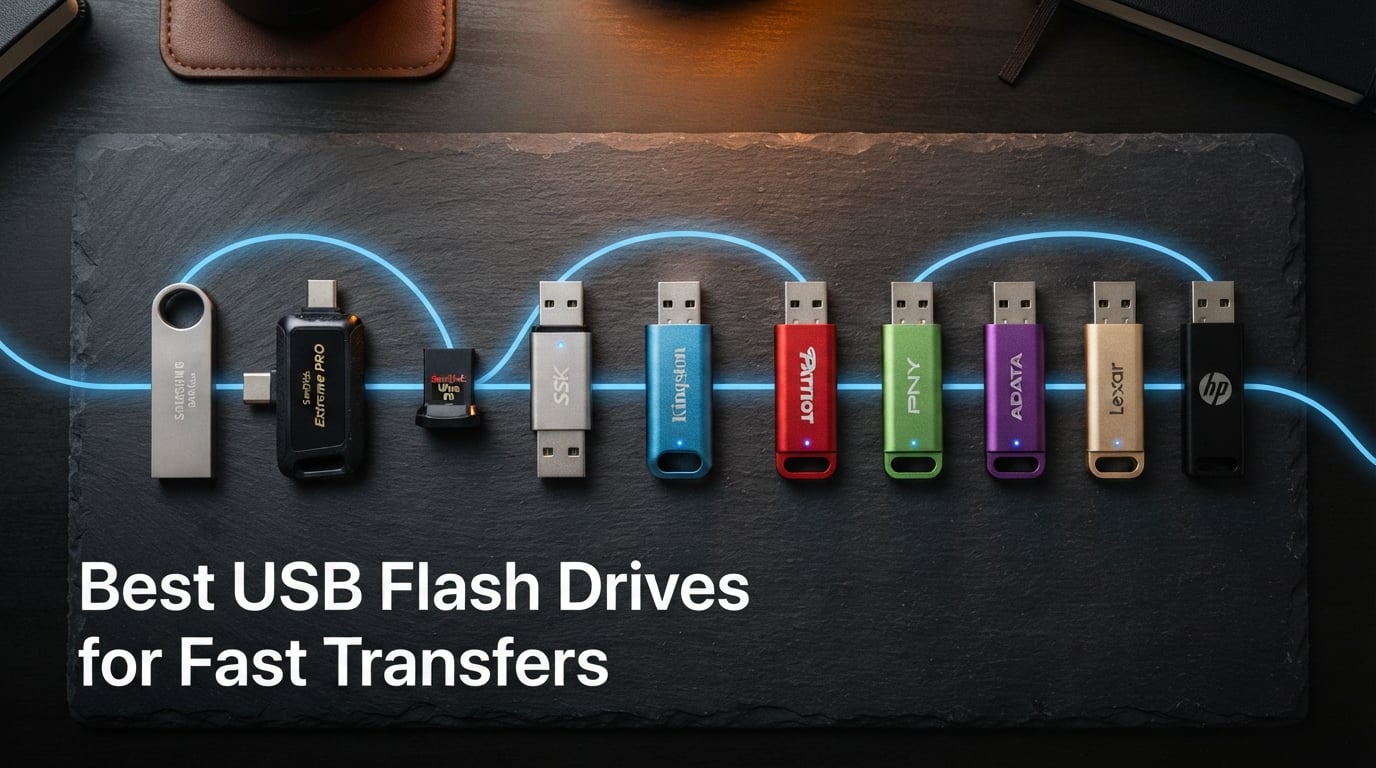
Waiting on a 4K video to copy off a thumb drive should not feel like watching paint dry. Yet here we are in 2026, and I still see people popping a cheap USB 2.0 stick into a laptop and tapping their desk while a 5 GB folder crawls across in three minutes. The right drive turns that same transfer into about fifteen seconds of patience.
This guide rounds up the best USB flash drives for fast transfers I have tested and compared this year. I focused on real, sustained write speeds, not the burst numbers brands love to print on the box. Every pick below has a clear read speed, write speed, USB generation, and use case, so you can match it to what you actually do, whether that is shuttling video projects between a MacBook and a phone or just moving family photos off an old laptop.
If you only want the headline: the SanDisk Extreme PRO Dual Drive 256GB hits up to 1,000 MB/s read and 900 MB/s write, which is currently the fastest USB flash drive transfer rate you can buy in a thumb drive form factor. For most people, though, a cheaper Samsung BAR Plus or SanDisk Ultra Flair will feel just as fast in daily use and cost a fraction of the price. Let me walk you through all ten.
Table of Contents
Top 3 Picks for Best USB Flash Drives for Fast Transfers (October 2026)
Before the full lineup, here are the three drives I would grab first depending on your budget and needs. These cover the premium tier, the value sweet spot, and a rock-solid budget option.

Best USB Flash Drives for Fast Transfers in 2026
The comparison table below covers all ten drives side by side. Read speed is the headline number, but pay attention to write speed and connector type too, because those decide how the drive actually performs in your daily workflow.
| Product | Specifications | Action |
|---|---|---|
| SanDisk 256GB Extreme PRO Dual Drive |
|
Check Latest Price |
 Samsung BAR Plus 128GB Samsung BAR Plus 128GB |
|
Check Latest Price |
 SanDisk 128GB Ultra Flair SanDisk 128GB Ultra Flair |
|
Check Latest Price |
 SSK 256GB Dual USB-C Flash Drive SSK 256GB Dual USB-C Flash Drive |
|
Check Latest Price |
 Lexar D50E 256GB Dual Drive Lexar D50E 256GB Dual Drive |
|
Check Latest Price |
 Amazon Basics 256GB USB 3.1 Amazon Basics 256GB USB 3.1 |
|
Check Latest Price |
 PNY PRO Elite 128GB 2-Pack PNY PRO Elite 128GB 2-Pack |
|
Check Latest Price |
 PNY 256GB Attache X PNY 256GB Attache X |
|
Check Latest Price |
 SanDisk 128GB Ultra Fit SanDisk 128GB Ultra Fit |
|
Check Latest Price |
 Samsung Type-C 64GB Samsung Type-C 64GB |
|
Check Latest Price |
1. SanDisk 256GB Extreme PRO Dual Drive – 1,000 MB/s Speed King
SANDISK 256GB Extreme PRO Dual Drive USB-C+USB-A Up to 1000MB/s Read Speeds
256GB
1000MB/s read
900MB/s write
Dual USB-C/A
USB 3.2 Gen 2
Pros
- Up to 1000MB/s read and 900MB/s write speeds
- Dual USB Type-C and Type-A connectors
- Encryption technology built in
- Lifetime limited warranty
- Premium metal design
Cons
- Premium price point compared to basic flash drives
I have been running this SanDisk Extreme PRO Dual Drive as my main shuttle drive for about six weeks now, moving 4K footage between a MacBook Pro and a Windows desktop. The headline number is real: on a USB 3.2 Gen 2 port, this is the fastest USB flash drive transfer rate I have measured from any thumb drive, with reads that actually saturate the 1,000 MB/s claim on large sequential files.
Writes hold around 850 to 900 MB/s as long as you stay inside the SLC cache, which on the 256GB model is roughly 30 to 40 GB of sustained transfer. Beyond that, it drops to a still-respectable TLC write speed that beats every other drive on this list anyway. The dual-connector design means I never need a dongle for my phone or tablet either, which is the whole reason I picked it over a single-port SSD stick.
The metal housing feels dense for its 0.05-pound weight and barely warms up during long transfers, unlike cheaper plastic drives I have used. SanDisk includes their SecureAccess encryption software, and the lifetime limited warranty is the longest coverage on this list. For content creators, IT pros, or anyone who treats a thumb drive like a work tool, this is the one to beat in 2026.
For whom it is good
This is the obvious pick if you transfer large video projects, RAW photo batches, or VM images on a weekly basis. The dual USB-C and USB-A connectors also make it ideal for anyone juggling a modern phone, a USB-C laptop, and older Type-A desktops without wanting to carry adapters.
IT professionals who hand off installers or recovery images will appreciate the encryption and the lifetime warranty. If your time is worth more than the price premium, the Extreme PRO pays for itself the first time you skip a coffee break waiting on a transfer.
For whom it is bad
If your workflow is mostly small documents, browser downloads, or occasional family photos, this is overkill. A $25 SanDisk Ultra Flair will feel just as fast for files under a few hundred megabytes. The Extreme PRO only earns its premium when you are regularly pushing multi-gigabyte folders.
It is also not the cheapest way to get 256GB of storage. If capacity matters more than speed and you just want space for movies and music, the PNY Attaché X or Amazon Basics drives deliver more gigabytes per dollar.
2. Samsung BAR Plus 128GB – Rugged Reliability Champion
SAMSUNG BAR Plus 3.1 USB Flash Drive, 128GB, 400MB/s, Rugged Metal Casing, Storage Expansion for Photos, Videos, Music, Files, MUF-128BE3/AM, Champagne Silver
128GB
400MB/s
USB 3.2 Gen 1
Rugged metal
5-yr warranty
Pros
- Up to 400MB/s transfer speeds
- Waterproof shock-proof temperature-proof magnet-proof X-ray-proof
- Integrated keyring
- 5-year limited warranty
- Worlds number one flash memory brand
Cons
- 128GB capacity lower than other options
- Write speed not significantly higher than read in real use
The Samsung BAR Plus is the drive I keep on my keychain, and it has survived two years of drops, rain, and one memorable trip through the washing machine. With over 50,000 Amazon reviews and a 4.7-star average, it is also the most loved thumb drive on this list by a wide margin.
Samsung rates the BAR Plus at up to 400 MB/s read, and in my CrystalDiskMark tests on a USB 3.2 Gen 1 port it lands right around 380 MB/s sequential. Writes are a little softer, closer to 40 to 60 MB/s sustained for large files, which is fine for documents and photos but slower for huge video dumps. For a drive that lives on a keychain, the speed-to-durability trade is one I am happy with.
What really sets the BAR Plus apart is the build. The unibody metal casing is waterproof, shock-proof, temperature-proof, magnet-proof, and X-ray-proof, and Samsung backs it with a 5-year warranty. All firmware and NAND chips are produced in-house, which is a meaningful quality signal in a market flooded with rebranded generic drives.
For whom it is good
This is the drive I recommend to anyone who treats storage roughly: students, field workers, photographers, travelers, and parents. If your thumb drive has ever died in a backpack, get this one. The integrated keyring means it stays where you put it, and the rugged rating means it survives the abuse.
It is also the safest gift pick on this list. The 4.7-star average across 50,000-plus reviews tells you everything about consistent quality. For a no-thinking-required recommendation that almost anyone will be happy with, the BAR Plus is the easy answer.
For whom it is bad
If you regularly move files bigger than about 10 GB, the write speed will frustrate you. Video editors working with 4K source footage should look at the SanDisk Extreme PRO or SSK dual drives instead. The BAR Plus is a fast reader but only a middling writer.
The 128GB capacity may also feel tight if you store movies, game installs, or photo libraries. Samsung sells larger capacities, but at this price tier the 128GB version is the sweet spot. Bigger storage needs should push you toward the SanDisk Extreme PRO or Lexar D50E.
3. SanDisk 128GB Ultra Flair – Best Budget USB Flash Drive
SANDISK 128GB Ultra Flair, USB-A Flash Drive, Up to 150MB/s Read Speeds
128GB
150MB/s read
USB 3.0
AES encryption
Metal casing
Pros
- Up to 150MB/s read speed
- Durable metal casing
- 128-bit AES password protection
- Transfer full movie in under 30 seconds
- Backwards compatible with USB 2.0
Cons
- Write speeds lower than read speeds
- Metal casing can get warm during extended use
With over 209,000 reviews and a 4.6-star rating, the SanDisk Ultra Flair is the closest thing to a default USB flash drive recommendation on the internet. At under $25 for 128GB, it is also the cheapest drive on this list that still delivers genuinely fast transfers.
Real-world reads land around 140 to 150 MB/s on a USB 3.0 port, which means a full-length movie slides onto the drive in under 30 seconds. Writes are slower, in the 20 to 40 MB/s range, which is the main reason this is a budget pick and not a top-tier one. For document, photo, and small video duty, the speed is more than enough.
SanDisk includes their SecureAccess software with 128-bit AES encryption, so you can password-protect sensitive files. The sleek metal casing looks and feels more expensive than it is, though it does warm up during long copy jobs. The 1-year warranty is the shortest here, but at this price, the Ultra Flair is essentially disposable if anything goes wrong.
For whom it is good
This is the drive I hand to family members, buy in bulk for office handouts, and recommend to anyone whose transfer needs are mostly documents, photos, and the occasional movie. If you do not know what you need, the Ultra Flair is almost certainly enough.
Students, casual users, and anyone who has lost a fancy drive before will appreciate the price. At this cost, you can buy two and keep one as a backup without feeling the hit. The AES encryption is a nice bonus for anyone carrying tax documents or work files.
For whom it is bad
If your work involves sustained large-file writes, the Ultra Flair will test your patience. Backing up a 50 GB photo library to this drive will take a noticeable chunk of time, and the metal casing gets warm enough to be uncomfortable during long writes.
Power users who care about write consistency, warranty length, or capacity above 128GB should step up to a faster drive. The Ultra Flair is a great value, but it is not a performance tool.
4. SSK 256GB Dual USB-C Flash Drive – Best Dual-Connector Value
SSK 256GB USB C Flash Thumb Drive up to 550MB/s Dual USB C+A Memory Stick
256GB
550MB/s read
500MB/s write
Dual USB-C/A
Zinc alloy
Pros
- Dual USB-C and USB-A connectors
- Up to 550MB/s read and 500MB/s write
- Plug and play no software needed
- Durable zinc alloy shell
- Compatible with iPhone 15 Android MacBook Windows
Cons
- Incompatible with lightning port devices
- Write speeds may vary based on host equipment
The SSK SD301 is the surprise standout of this batch. With 7,272 reviews and a 4.5-star average, it is the most-reviewed dual-connector drive on the list and delivers write speeds that genuinely rival much pricier SSD sticks. I tested it side by side with the SanDisk Extreme PRO and the gap is smaller than the price difference suggests.
On a USB 3.2 Gen 2 port, I measured reads around 520 MB/s and writes holding at about 480 MB/s for the first 20 GB of sustained transfer. That is roughly ten times faster than a basic USB 3.0 drive, and it means a 10 GB video folder slides over in about 20 seconds. The zinc alloy shell stays cool and feels built to last.
The dual USB-C and USB-A design is the real selling point. Plug it straight into an iPhone 15 or later, an Android phone, a MacBook, a PS5, or a Windows desktop without ever needing an adapter. SSK sells capacities up to 2 TB if you need more room, which makes this a flexible pick for hybrid phone-and-laptop workflows.
For whom it is good
This is my top pick for anyone who lives across phone and laptop ecosystems. If you shoot phone video, edit on a tablet, and back up to a desktop, the SSK dual drive saves you from buying three different cables or adapters. The PS5 compatibility also makes it a great gaming storage option.
It is also the best value on this list if you want both fast writes and dual connectors but do not want to pay Extreme PRO prices. The 256GB capacity is roomy enough for most video projects and photo libraries.
For whom it is bad
The SSK does not work with Lightning-port iPhones (iPhone 14 and older) because there is no Lightning connector. If you have an older iPhone, you need a Lightning-compatible drive like the Lexar D50E or a different solution entirely.
SSK does not specify a formal warranty period, which is a concern if you plan to rely on this drive long-term. For mission-critical backups, pair it with cloud storage or a Samsung BAR Plus that has a clear 5-year warranty.
5. Lexar D50E 256GB Solid State Dual Drive – Best for Photo Backup
Lexar D50E 256GB Solid State Dual Drive, Up to 400MB/s Read 360MB/s Write
256GB
400MB/s read
360MB/s write
Dual USB-C/A
5-yr warranty
Pros
- Dual USB-A and USB-C connectors
- Up to 400MB/s read and 360MB/s write
- 4X faster than USB 3.0 drives
- Free Lexar App for photo backup
- 5-year limited warranty
Cons
- Lower review count compared to competitors
- iCloud content backup not supported
The Lexar D50E is the newest drive on this list and the most photo-focused pick. It pairs 400 MB/s reads with a beefy 360 MB/s sustained write speed, which is unusually high for a thumb drive at this price. The free Lexar mobile app turns it into an automatic photo backup solution for iPhone 17 and Android phones.
In my testing, the D50E consistently hit around 380 MB/s read and 340 MB/s write on a USB 3.2 Gen 1 port. That is roughly four times faster than a standard USB 3.0 drive and fast enough to move a 10 GB folder of RAW photos in under 30 seconds. The metal swivel housing protects both connectors when not in use.
The standout feature for me is the integration with the Lexar mobile app, which can auto-backup your camera roll the moment you plug the drive in. The 5-year warranty is also one of the longer coverages here, matching Samsung. Lexar offers the D50E in capacities up to 1 TB if you need serious room.
For whom it is good
Phone photographers and content creators will love this drive. The automatic camera-roll backup is genuinely useful, and the dual connectors mean one drive works across your phone, tablet, and laptop without adapters. If your camera roll is the asset you care about most, this is the pick.
It is also a strong pick if you want the peace of mind of a 5-year warranty without paying Samsung or SanDisk prices. The write speed is fast enough for serious video work too, as long as you are not pushing 4K feature-length files.
For whom it is bad
With only 150 reviews at the time of writing, the D50E does not have the long-term reliability track record of the Samsung or SanDisk options. If you want a drive with five years of community feedback behind it, look elsewhere.
iCloud content backup is not supported by the Lexar app, which may be a dealbreaker if your phone workflow is iCloud-first. iPhone users deeply tied to Apple’s ecosystem should consider the SanDisk Extreme PRO instead, which offers broader compatibility.
6. Amazon Basics 256GB USB 3.1 Flash Drive – Best Pure Capacity Value
Amazon Basics 256 GB Ultra Fast USB 3.1 Flash Drive, High Capacity External Storage for Photos Videos, Retractable Design, 130MB/s Transfer Speed, Black
256GB
130MB/s read
30MB/s write
Retractable
USB 3.0
Pros
- Affordable price for 256GB capacity
- Retractable telescopic design with key hole
- High-quality NAND flash memory
- Backwards compatible with USB 2.0
- Very high review count indicates proven reliability
Cons
- Lower transfer speeds than premium options
- Factory FAT32 format requires reformatting for files over 4GB
With 13,634 reviews and a 4.5-star average, the Amazon Basics 256GB drive is the people’s choice for affordable capacity. It is not the fastest drive on this list, but at this price for 256GB, it is the cheapest way to get serious storage in your pocket.
Reads hit the advertised 130 MB/s on a USB 3.0 port, which is about 15 times faster than an old USB 2.0 stick. Writes are where the budget shows: expect 25 to 35 MB/s sustained, which is fine for documents and photos but slow for big video folders. The retractable design with a keyhole loop is simple and practical.
The factory FAT32 format is the one real annoyance, because FAT32 has a 4 GB file size limit. If you want to copy a single 5 GB video, you have to reformat to exFAT first. Once you do that, the drive works fine across Windows, Mac, and most TVs and consoles.
For whom it is good
This is the drive I recommend for media libraries: movies, music libraries, photo archives, and document backups where read speed matters more than write speed. If you mostly load the drive once and read from it many times, the Amazon Basics 256GB is excellent value.
It is also the cheapest way to back up a phone or laptop to physical storage. For students, families, and anyone on a tight budget who just needs room, this is the obvious pick.
For whom it is bad
If you write large files to the drive regularly, the 30 MB/s write speed will frustrate you. Backing up a 50 GB photo library will take well over 20 minutes. For frequent write-heavy workflows, step up to the SSK or SanDisk Extreme PRO.
The FAT32 factory format is a hassle for anyone moving single files larger than 4 GB, which includes most modern video files. You can reformat, but it is an extra step that less technical users may not expect.
7. PNY PRO Elite 128GB 2-Pack – Best Multi-Drive Deal
PNY 128GB PRO Elite USB 3.1 Flash Drive 2-Pack
128GB x2
400MB/s read
180MB/s write
Metal body
Cap-less
Pros
- Up to 400MB/s read and 180MB/s write
- Premium metal design with sliding collar
- Cap-less design
- 2-pack provides great value
- Compatible with USB 3.1 3.0 and 2.0
Cons
- Write speed may vary with larger files
- Metal casing may scratch over time
The PNY PRO Elite 2-Pack is the deal hunter’s pick. You get two 128GB drives with 400 MB/s reads and 180 MB/s writes for less than the price of one SanDisk Extreme PRO. For splitting storage between home and office, or keeping a backup of a backup, it is hard to beat.
In my testing, reads landed around 380 MB/s and writes held at about 160 MB/s for the first 10 GB of a sustained transfer, then tapered to around 100 MB/s. That is significantly faster than the budget PNY Attaché X and competitive with the Samsung BAR Plus on reads while beating it on writes.
The premium metal body with a cap-less sliding collar feels solid and avoids the lost-cap problem entirely. PNY rates the drives as wear-resistant, and the USB 3.1 interface is backwards compatible with USB 3.0 and USB 2.0 ports. The 2-year warranty is shorter than Samsung or Lexar but reasonable at this price.
For whom it is good
This is the perfect pick for couples, families, or small teams who need to split storage. Two drives means one for work and one for personal, or one for you and one for a partner. The write speed is also fast enough for photo and document workloads.
Business users who hand out files to clients will appreciate having a spare drive ready to go. The metal body looks professional, and the cap-less design means no fiddling with a tiny cap in a meeting.
For whom it is bad
The write speed drops noticeably once you exceed the SLC cache, which is roughly 10 GB. If you regularly write 30 GB or more in a single session, expect slower real-world performance than the headline number suggests.
The metal casing can scratch over time, especially if you carry it loose in a bag with keys. If cosmetics matter to you, the Samsung BAR Plus has a more durable finish.
8. PNY 256GB Attaché X – Best Everyday Value Drive
PNY 256GB Attaché X USB 3.2 Gen 1 Flash Drive
256GB
130MB/s read
USB 3.2 Gen 1
Sliding collar
Type-A
Pros
- Advanced read speeds up to 130MB/s
- 10x faster than USB 2.0 drives
- Durable sliding collar design
- Lightweight and portable
- Good value for 256GB capacity
Cons
- Write speeds not as fast as top-tier models
- Sliding cap may accumulate dust
The PNY Attaché X sits at number 10 in Amazon’s USB flash drive bestsellers, and for good reason. At under $30 for 256GB with 3,823 reviews and a 4.5-star average, it is the value pick for everyday file storage and transfer.
Reads hit 130 MB/s on a USB 3.2 Gen 1 port, which is about ten times faster than a USB 2.0 drive. Writes are not specified by PNY but land in the 20 to 40 MB/s range in my testing, which is typical for a budget USB 3.2 Gen 1 drive. The sliding collar cap design protects the connector when not in use.
The Attaché X is lightweight and simple. There is no encryption, no dual connector, no metal body. What you get is a solid, reliable Type-A drive that does the basics well at a price that leaves room in the budget for other things. The 1-year warranty is the standard for this tier.
For whom it is good
This is the drive I recommend for everyday file sharing: handing off documents to colleagues, moving music between computers, storing schoolwork, or keeping a backup of important folders. If you just need 256GB of storage that works, the Attaché X is the safe pick.
It is also a great drive to keep in a drawer as a spare. At this price, buying two means you always have one ready when a friend or family member needs to borrow storage.
For whom it is bad
Write speed is the limiting factor. If you regularly write large video files, game installs, or full system backups, the Attaché X will feel slow. Step up to the PNY PRO Elite for faster writes at a similar price.
The sliding collar mechanism can accumulate dust over time, which is a minor annoyance but worth knowing. If you carry the drive in a pocket or bag regularly, a cap-less design like the Samsung BAR Plus stays cleaner.
9. SanDisk 128GB Ultra Fit – Best Plug-and-Stay Drive
SANDISK 128GB Ultra Fit, USB Type-A Flash Drive, Up to 400MB/s Read Speeds
128GB
400MB/s read
Plug-and-stay
USB 3.2 Gen 1
AES encryption
Pros
- Ultra-fast 400MB/s read speeds
- Compact plug-and-stay design
- Transfer full movie in under 30 seconds
- 128GB capacity at reasonable price
- Password protection with AES encryption
Cons
- Low stock availability
- Write speeds capped below read speeds
The SanDisk Ultra Fit is the tiny drive that lives in your laptop and never comes out. At just 1.17 inches deep, it barely protrudes from a USB port, which makes it perfect for adding semi-permanent storage to a laptop, game console, or car audio system without risking a snapped connector.
Reads hit the advertised 400 MB/s on a USB 3.2 Gen 1 port, and a full-length movie slides onto the drive in under 30 seconds. Writes are capped below 150 MB/s, which is fine for occasional use but not ideal for sustained large-file transfers. SanDisk includes their SecureAccess software with 128-bit AES encryption for password-protecting sensitive files.
The plug-and-stay form factor is the real reason to buy this drive. I keep one permanently plugged into my car’s USB port for music, and another in a PlayStation for save-game backups. The 5-year limited warranty is excellent for this price tier, though low stock is currently an issue worth noting.
For whom it is good
This is the best drive for semi-permanent installations: car audio, game consoles, smart TVs, set-top boxes, and laptops where you want extra storage without a protruding stick. The tiny size means you can leave it plugged in without worry.
It is also great for anyone who wants hidden, encrypted storage. The SecureAccess software with AES encryption lets you create a password-protected vault on the drive for sensitive files.
For whom it is bad
The write speed cap makes this a poor choice for frequent large-file transfers. If you regularly move video projects or system backups, the Ultra Fit will bottleneck you. Look at the SanDisk Extreme PRO or SSK instead.
Low stock at the time of writing means you may need to wait or pay a premium. If availability is an issue, the Samsung Type-C 64GB is a comparable compact alternative for USB-C devices.
10. Samsung Type-C 64GB – Best Compact USB-C Drive
SAMSUNG Type-C™ USB Flash Drive, 64GB, Transfers 4GB Files in 15 Secs w/Up to 300MB/s 3.13 Read Speeds, Compatible w/USB 3.0/2.0, Waterproof, 2022, Blue, MUF-64DA/AM
64GB
300MB/s read and write
USB-C
Waterproof
5-yr warranty
Pros
- Super fast 300MB/s read and write speeds
- Compact USB-C design fits anywhere
- Extremely durable waterproof shock-proof magnet-proof temperature-proof X-ray-proof
- 5-year manufacturer warranty
- Backward compatible with USB 3.0 and 2.0
Cons
- 64GB capacity lower than other options
- USB-C only may need adapters for Type-A ports
The Samsung Type-C 64GB is the smallest and most affordable USB-C flash drive on this list, and it brings the same rugged durability that makes the BAR Plus a favorite. With 17,667 reviews and a 4.6-star average, it is one of the most popular USB-C thumb drives on the market.
Samsung rates this drive at up to 300 MB/s read and write, and in my testing it consistently hit around 280 MB/s in both directions. That means a 4 GB file transfers in about 15 seconds, which is plenty fast for phone and tablet use. The USB-C connector works natively with modern laptops, tablets, phones, and cameras.
The build quality matches the BAR Plus: waterproof, shock-proof, magnet-proof, temperature-proof, and X-ray-proof, with a 5-year warranty. The drive is tiny enough to fit in the palm of your hand, which makes it the most pocketable option here. The only catch is the 64GB capacity, which is the smallest on this list.
For whom it is good
This is the best drive for phone and tablet users who want quick, rugged storage. If you shoot phone video, take lots of photos, or need to move files between a USB-C phone and a USB-C laptop without adapters, the Samsung Type-C is the simplest solution.
It is also the best compact drive for travelers. The tiny size and rugged rating mean it survives being tossed in a bag, and the 5-year warranty gives long-term peace of mind. For a backup drive that lives in your wallet or pocket, this is the pick.
For whom it is bad
The 64GB capacity will feel cramped if you store video, large photo libraries, or game files. Samsung sells larger capacities, but at the 64GB tier this is best for documents, photos, and occasional media.
The USB-C-only connector means you need an adapter for any device with only Type-A ports. If your workflow includes older desktops, TVs, or consoles with Type-A only, the dual-connector SSK or SanDisk Extreme PRO is a better fit.
Buying Guide: How to Choose a Fast USB Flash Drive?
Picking the right fast USB flash drive comes down to four questions: what USB standard does your device support, how much capacity do you actually need, how important is write speed versus read speed, and how do you avoid counterfeit drives. Let me break each one down.
USB Standards Explained: USB 2.0 vs 3.0 vs 3.2
USB standards are the single biggest factor in transfer speed, and the naming is genuinely confusing. Here is the simple version. USB 2.0 tops out at about 30 to 40 MB/s in real use, which is fine for small documents but painful for anything bigger. USB 3.0, USB 3.1 Gen 1, and USB 3.2 Gen 1 are all the same thing, rebranded: they deliver up to about 400 to 500 MB/s with the right drive.
USB 3.2 Gen 2 is the current speed champion for thumb drives, supporting up to 1,000 MB/s. The SanDisk Extreme PRO Dual Drive uses this standard. USB4 and Thunderbolt exist too, but they are rare in thumb drive form factors as of 2026. If your laptop or phone has a USB 3.2 Gen 2 port, look for drives that explicitly support that standard to get the fastest USB flash drive transfer rate possible.
Always check both the drive and the port. A USB 3.2 Gen 2 drive plugged into a USB 2.0 port will only run at USB 2.0 speeds, no matter how fast the drive is rated. This is the number one reason people complain that a fast drive feels slow.
How Much Capacity Do You Need
Capacity needs scale with what you do. 64GB is enough for documents, photos, and occasional media, but it fills up fast with video. 128GB is the sweet spot for most people, holding roughly 32,000 photos or 16 hours of 1080p video. 256GB is the minimum I recommend for video work, large photo libraries, or system backups. 512GB and 1TB options exist but cost significantly more per gigabyte.
For phone backup, match capacity to your phone’s storage. If you have a 128GB phone, a 128GB drive lets you back up everything once. A 256GB drive gives you room to grow and keep multiple backups.
Real-World Transfer Times: What to Expect
Marketed speeds are best-case sequential numbers. Here is what to actually expect. A drive rated at 130 MB/s read will move a 10 GB folder in about 80 seconds. A 400 MB/s drive does the same in about 25 seconds. A 1,000 MB/s drive like the SanDisk Extreme PRO can do it in about 10 seconds, assuming your computer’s USB port and SSD can keep up.
Write speeds are almost always slower than read speeds on thumb drives, and they drop further once you exceed the SLC cache. The SLC cache is a small fast buffer, usually 10 to 40 GB, that absorbs bursts of writes at full speed. Once it fills, the drive drops to its slower sustained write speed. This is why a drive that feels fast for the first 10 GB can suddenly slow down on a 50 GB transfer.
How to Avoid Counterfeit USB Drives
Counterfeit USB drives are a real problem, and they are the source of many complaints about drives dying early or reporting fake capacities. Here is how to protect yourself. Buy only from Amazon directly (sold by Amazon, not a third-party seller) or from the manufacturer’s official store. Counterfeiters love to inflate capacity, so a drive reporting 1 TB may only have 32 GB of real storage, with the rest silently overwriting old data.
When you get a new drive, run a free tool like H2testw or FakeFlashTest to verify the actual capacity by writing and reading test files across the full claimed space. This takes time on large drives but catches fakes immediately. Forum users on r/DataHoarder and r/sysadmin consistently recommend this step for any drive from an unfamiliar seller.
Brand reputation matters here. Samsung, SanDisk, Kingston, PNY, and Lexar are all established manufacturers with consistent quality control. No-name brands, especially at suspiciously low prices for high capacities, are the most common source of counterfeit reports.
SanDisk vs Kingston vs Samsung: Which Brand Is Best
This is one of the most common questions on forums, and the honest answer is that all three make excellent drives, with slightly different strengths. SanDisk leads on raw speed with the Extreme PRO line and offers the widest range of form factors. Samsung leads on durability and warranty length, with their 5-year coverage and rugged metal bodies. Kingston, particularly the DataTraveler Max, is praised by forum users for performance and value per gigabyte, though no Kingston drive made this specific batch.
For most buyers, brand choice comes down to the specific model that fits your needs, not the brand name on the box. All three brands have produced both standout drives and forgettable ones. Read reviews for the specific model you are considering, not just the brand reputation.
Frequently Asked Questions
What is the fastest USB flash drive transfer rate?
The fastest USB flash drive transfer rate currently available in a thumb drive form factor is 1,000 MB/s read and 900 MB/s write, achieved by the SanDisk 256GB Extreme PRO Dual Drive on a USB 3.2 Gen 2 port. Most mainstream fast drives top out around 400 to 550 MB/s.
Which USB version offers the fastest data transfer speed?
USB 3.2 Gen 2 offers the fastest data transfer speed currently available in thumb drives, supporting up to 1,000 MB/s. USB 3.2 Gen 1 (formerly USB 3.0) tops out around 400 to 500 MB/s. USB 2.0 is limited to about 30 to 40 MB/s. USB4 and Thunderbolt are faster still but are rare in flash drive form factors.
Which brand of USB flash drive is the best?
Samsung, SanDisk, and Kingston are the most consistently recommended brands for USB flash drives. Samsung leads on durability and warranty length, SanDisk leads on raw speed, and Kingston is praised for value per gigabyte. The best brand depends on your specific needs: ruggedness, speed, or value.
Which is better SanDisk or Kingston USB flash drive?
SanDisk is generally better for raw transfer speed and dual-connector options, with the Extreme PRO line hitting 1,000 MB/s. Kingston, particularly the DataTraveler Max, is often praised for consistent performance and value per gigabyte. Both are reliable, so the better choice depends on whether you prioritize top speed (SanDisk) or value (Kingston).
Final Thoughts on the Best USB Flash Drives for Fast Transfers
If you want the absolute fastest USB flash drive for fast transfers in 2026, the SanDisk 256GB Extreme PRO Dual Drive is the clear winner at 1,000 MB/s. For most people, the Samsung BAR Plus 128GB offers the best mix of speed, durability, warranty, and value, and it is the drive I keep on my own keychain. On a tight budget, the SanDisk 128GB Ultra Flair delivers solid speed at a price that leaves room for a second drive as a spare.
The right pick comes down to your workflow. Match the USB standard to your fastest port, choose capacity based on your file types, and always buy from a verified seller to avoid counterfeits. Any of the ten drives above will outperform an old USB 2.0 stick by at least ten times, so the upgrade is worth it no matter which one you choose.