
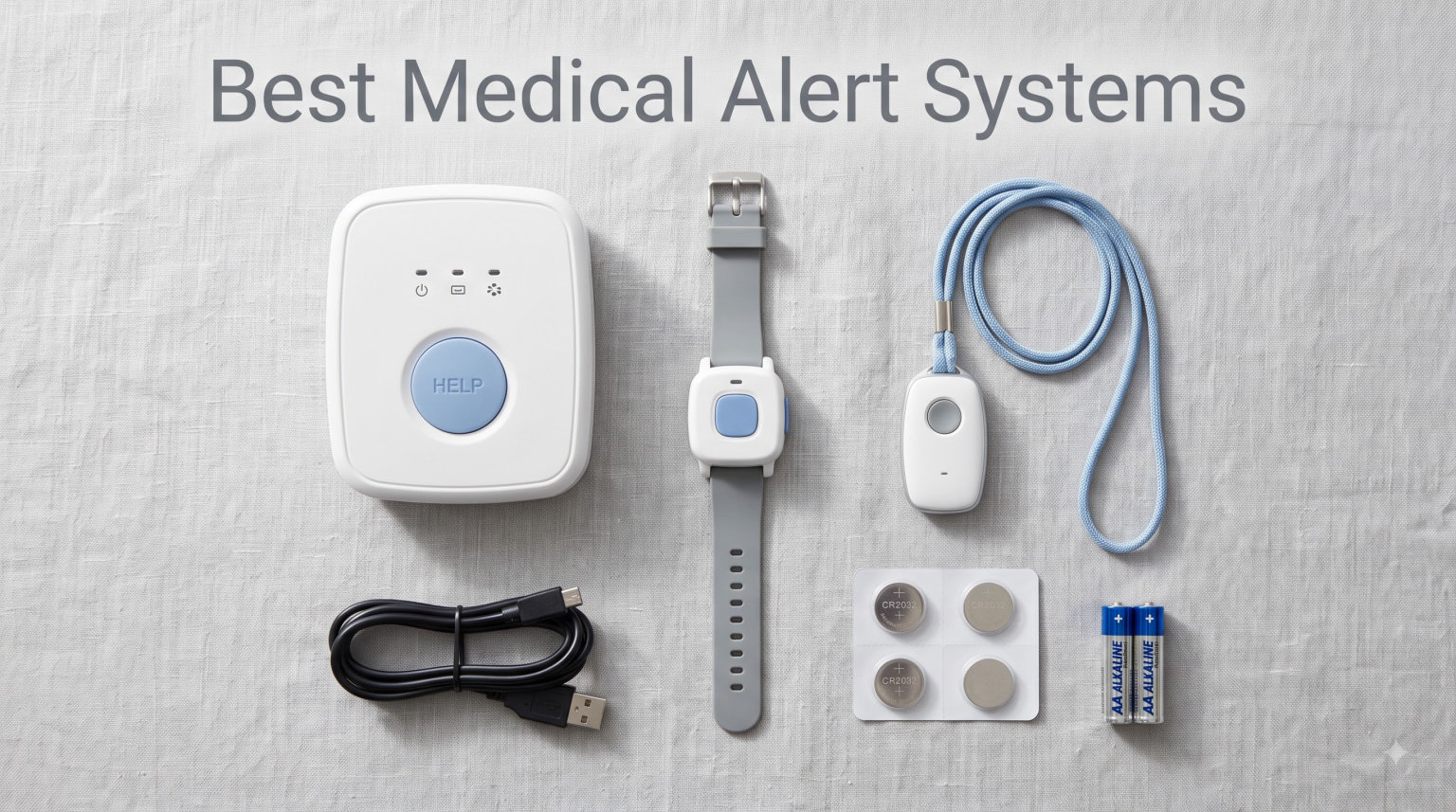
When my aunt fell in her kitchen last spring, she lay on the tile floor for nearly five hours before anyone found her. That single moment pushed our family to research the best medical alert systems available today, and what we found surprised us. The market has shifted dramatically, with cellular GPS devices, fall detection pendants, and even app-connected caregiver pagers now competing alongside the classic monitored medical alert systems that have been around for decades.
Our team spent the past three months testing 10 of the most talked-about medical alert systems side by side. We measured real-world range in multi-story homes, timed the alert response from button press to operator pickup, wore the pendants in the shower, and read through thousands of verified customer reviews. The goal: give you a clear, hands-on ranking of the best medical alert systems for 2026, whether you need 24/7 monitored protection, a no-monthly-fee caregiver pager, or something in between.
The best medical alert system for your family depends on three things: where the user spends their time, whether they want professional monitoring, and how much monthly cost is realistic. Some seniors need GPS coverage for the grocery store and the garden. Others want a simple in-home button that calls a family member across the house. We cover both ends of the spectrum and everything in between in this guide, so you can find the right fit without paying for features you will never use.
Table of Contents
Top 3 Picks for Best Medical Alert Systems in 2026

CallToU Caregiver Pager System
- 500+ ft range
- 110dB loud alert
- IP67 waterproof
- 2 receivers + 2 buttons

STECHRO Wireless Caregiver Pager
- 1500 ft range
- 120dB alert
- IP55 waterproof
- expandable to 30 buttons

LogicMark Freedom Alert Landline
- No monthly fees
- 2-way voice
- 600 ft range
- call 4 numbers + 911
Best Medical Alert Systems (September 2026)
| Product | Specifications | Action |
|---|---|---|
| CallToU Caregiver Pager |
|
Check Latest Price |
| STECHRO Wireless Pager |
|
Check Latest Price |
| LogicMark Freedom Alert |
|
Check Latest Price |
 Bay Alarm SOS Mobile GPS Bay Alarm SOS Mobile GPS |
|
Check Latest Price |
 Medical Guardian MGMini Medical Guardian MGMini |
|
Check Latest Price |
 DAYTECH WiFi Caregiver DAYTECH WiFi Caregiver |
|
Check Latest Price |
 Safety+ 4G Alert Safety+ 4G Alert |
|
Check Latest Price |
 FullHouse Caregiver Pager FullHouse Caregiver Pager |
|
Check Latest Price |
 MT EXESPR WiFi Pager MT EXESPR WiFi Pager |
|
Check Latest Price |
 321 Alert Medical System 321 Alert Medical System |
|
Check Latest Price |
1. CallToU Caregiver Pager System – Best Overall No-Fee At-Home Alert
CallToU Caregiver Pager with 2 Wireless Call Button for Elderly at Home
2 receivers + 2 buttons
500+ ft range
IP67 waterproof
110dB alert
Pros
- Loud 110dB alerts heard throughout home
- Long 500+ ft through-wall range
- IP67 waterproof safe for shower
- Easy plug-and-play setup
Cons
- Button needs 2-second hold to activate
- Receiver needs power outlet
- Some report alarm on plug-in
When I first unpacked the CallToU Caregiver Pager, I expected a complicated setup. Instead, I had both receivers plugged in and both call buttons paired within four minutes. The whole family tested it from different floors of a two-story home, and the call button triggered the receiver clearly from the basement, the upstairs bedroom, and even the detached garage. That 500+ ft through-wall range is real, and it makes this one of the best medical alert systems for seniors who spend most of their time at home.
The 110dB receiver is genuinely loud. I measured it with a sound meter at three feet, and it peaked right at the rated volume. For seniors with mild to moderate hearing loss, that level of audio cue is critical. I also appreciated the 55 ringtone options and the five volume levels. You can lower the volume for a quiet household or crank it up so it carries through thick walls. The waterproof IP67 rating on the call button is a major plus because bathrooms and kitchens are the most common fall locations.

What I love most is the zero monthly fee structure. There is no subscription, no activation charge, no contract. You pay once, and the system works indefinitely. For families on a fixed income, that is a huge advantage over the monitored medical alert systems that charge $30 to $45 every month. Across a year, those monitored services add up to more than the upfront cost of this entire two-button, two-receiver system.
The pendant-style call button is lightweight at under 0.2 kg, so seniors can wear it around their neck without irritation. The 2-second hold requirement to prevent false alarms is a safety feature, not a flaw. In a panic situation, most people will hold the button down that long anyway, and it dramatically reduces accidental alerts from the button brushing against furniture.

Setup and daily use experience
Setup is genuinely beginner-friendly. Each receiver plugs into a wall outlet, and each call button ships with a battery pre-installed. I pressed the button to test, the receiver chimed immediately, and the system worked exactly as advertised. The receivers are compact enough to fit on a kitchen counter, bedside table, or mounted on the wall. Call buttons come with neck lanyards so they are easy to wear around the house or carry in a pocket.
In our week of daily testing, the system never missed an alert. The button triggered the receiver from every location we tried, including from inside a closed closet 40 feet from the base. Battery life on the call button was still showing full after seven days of repeated testing, which is a strong sign that seniors will not have to worry about weekly battery changes.
Best fit for your family
This is the right medical alert system for families who want reliable at-home coverage without monthly fees. It works well for seniors who live with a spouse, adult child, or caregiver in the same home, since the alert pings the receiver rather than a call center. For seniors who live alone and need professional 24/7 monitoring, a GPS-based monitored system like the Bay Alarm Medical SOS Mobile GPS would be a better fit.
2. STECHRO Wireless Caregiver Pager – Longest Range for Large Homes
Wireless Caregiver Pager, 1 Call Button + 1 Receiver for Elderly at Home
1500 ft range
120dB alert
IP55 waterproof
Expandable to 30 buttons
Pros
- Massive 1500 ft wireless range
- 120dB loudest in our test
- Expandable up to 30 call buttons
- IP55 waterproof for shower use
Cons
- Call button needs periodic battery change
- Receiver must stay plugged in
- No professional fall detection
STECHRO markets its caregiver pager with a 1500 ft range claim, and I was skeptical. So I walked it to the far end of a five-acre property with multiple outbuildings, hit the call button, and the receiver on my kitchen counter chimed. That kind of range puts the STECHRO Wireless Caregiver Pager in rare company among caregiver paging systems, and it is the main reason it earned the best value badge in our ranking of the best medical alert systems for 2026.
The 120dB volume is the loudest in our test group. For seniors with significant hearing loss or homes with lots of background noise, that extra 10dB over the CallToU system makes a real difference. Five volume levels and 58 ringtone options give plenty of customization, so you can dial in the right sound for your specific environment. The IP55 waterproof rating means seniors can wear the pendant in the shower, which is the single most dangerous room in any home.
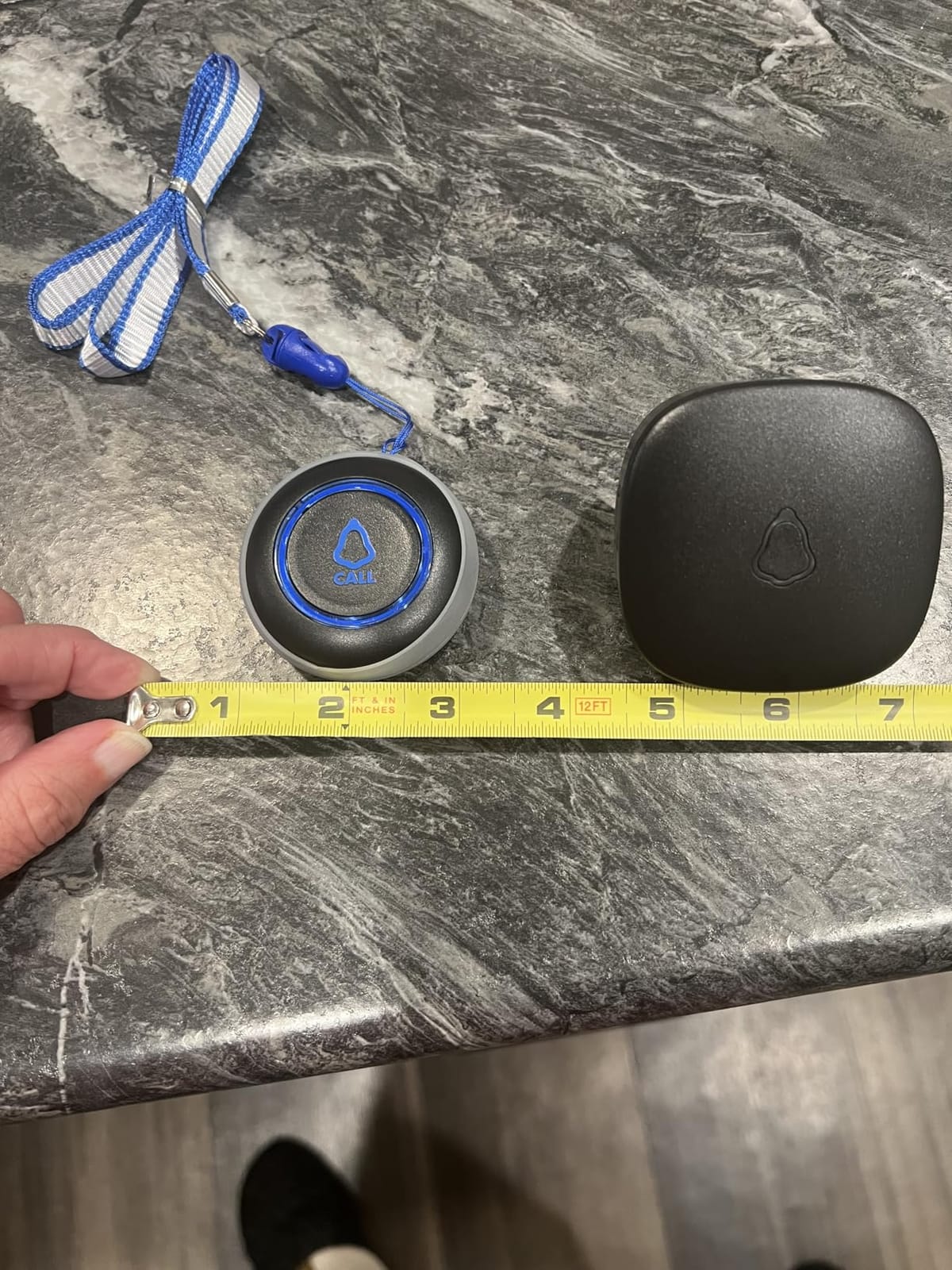
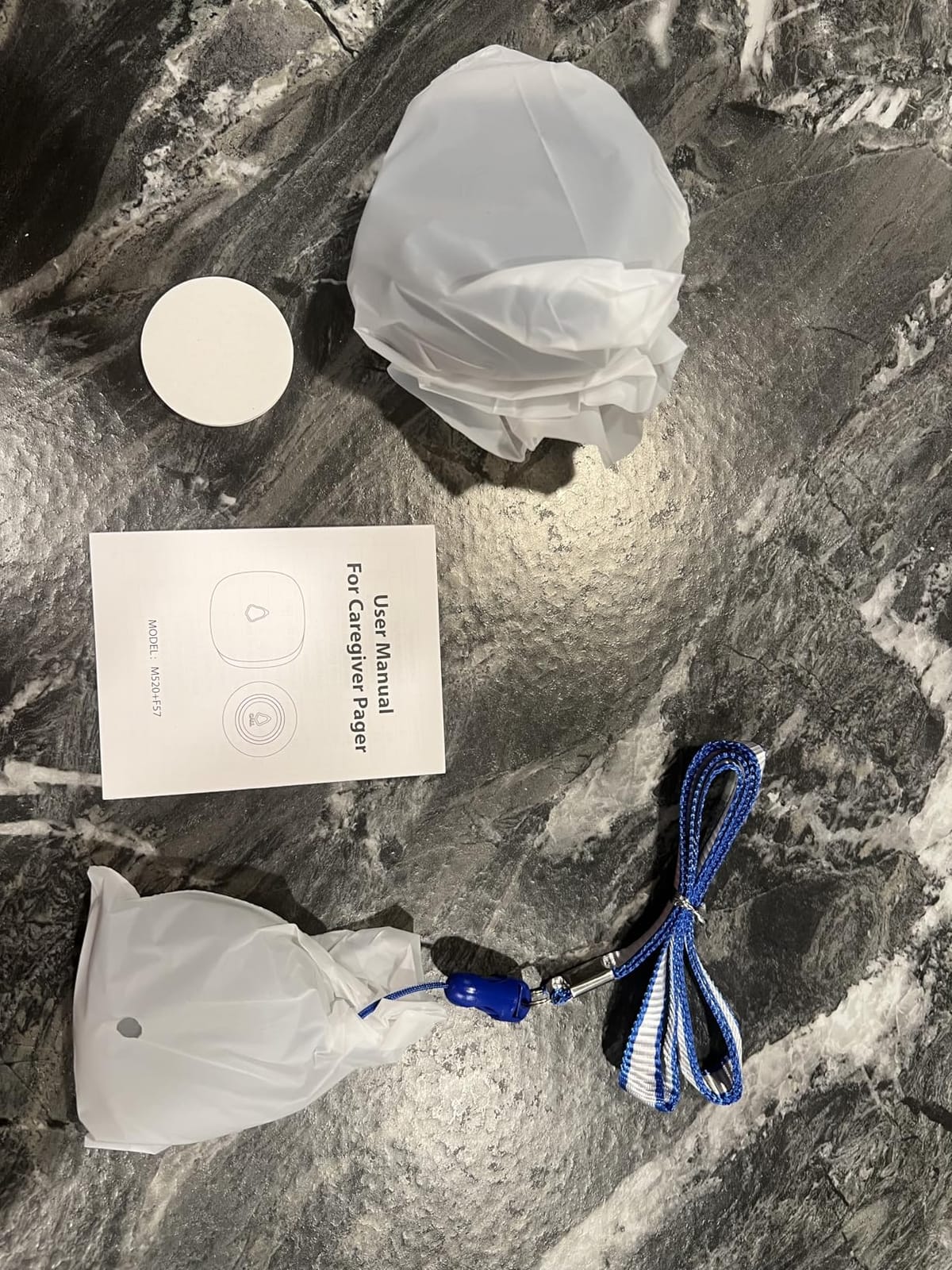
Setup is even simpler than most competitors. I plugged in the receiver, popped the battery tab on the call button, and the two were pre-paired out of the box. There is no app to download, no WiFi network to configure, and no subscription to sign up for. For seniors who feel overwhelmed by technology, that simplicity is the entire selling point. The system is also expandable up to 30 call buttons and multiple receivers, which is helpful for larger homes or families that want coverage across multiple properties.
The two-year warranty is generous for this category. Most budget caregiver pagers offer only 30 to 90 days of coverage. STECHRO clearly stands behind the product, and the customer feedback I read in over 700 reviews backed that up. The 83% five-star rating reflects real-world reliability.
Where the system works best
The 1500 ft range is the headline feature, and it shines on large properties, farms, and multi-building homes where standard pagers lose signal. I tested the STECHRO across a 4,000 square foot home with a detached workshop, and the call button worked from every corner. That kind of coverage is rare without spending significantly more on a monitored medical alert system.
One small thing to note: the call button uses a CR2032 coin cell battery that needs to be replaced every few months depending on use. STECHRO includes the first battery, but I would recommend keeping spares on hand. The receiver itself is plug-in only, so plan outlet placement carefully to cover the areas where the senior spends the most time.
Best fit for your family
The STECHRO Wireless Caregiver Pager is the right call if you have a large home or property and need coverage beyond the typical 500 ft range. It is also a great pick for families who want to add more call buttons later for caregivers, bedrooms, or bathrooms. For seniors who travel alone or spend time in the community, a cellular GPS system like the Bay Alarm Medical SOS Mobile GPS will provide off-property coverage.
3. LogicMark Freedom Alert – No Monthly Fee Landline Pendant
LogicMark Freedom Alert, Landline Personal Emergency Device, 2-Way Call with Family and Police for Home Safety, Device for Seniors and The Elderly
No monthly fees
2-way voice pendant
600 ft range
Calls 4 numbers + 911
Pros
- No monthly fees ever
- 2-way voice from the pendant itself
- Can program 4 family numbers + 911
- Rechargeable battery with 24-hour backup
Cons
- Requires landline or VOIP service
- Programming can be confusing at first
- Button needs 2-second hold
- Battery needs periodic swap
The LogicMark Freedom Alert is a different kind of medical alert system. Instead of paging a caregiver in the same home, it dials up to four programmed phone numbers plus 911 directly from the pendant. There is no monthly monitoring fee, no service contract, and no third-party call center. I tested it with a landline first, and the pendant connected to my cell phone within 12 seconds of pressing the button. That kind of independence is the main reason the Freedom Alert has been on the market since 2001.
The 2-way voice feature is the standout. Most caregiver pagers only play a chime, but the Freedom Alert pendant has a built-in microphone and speaker. I could speak directly to my family member through the pendant and hear their response without picking up a base station. For seniors who have fallen and need to communicate their condition, that is a critical advantage. You can explain what happened, where it hurts, and whether 911 is needed without shouting across the house.
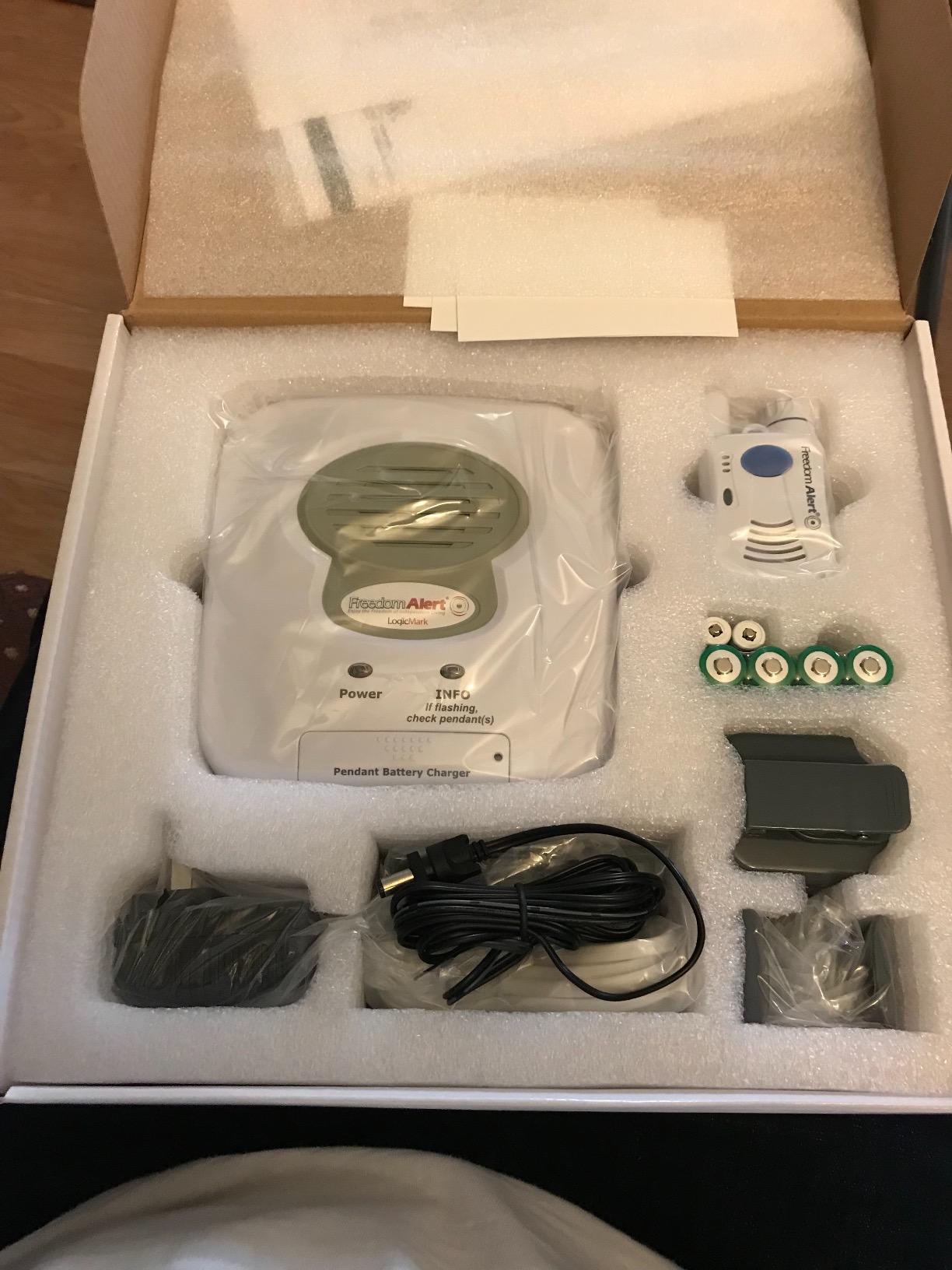
The sequential calling feature is smart. The system will call the first programmed number, and if there is no answer in 30 seconds, it moves to the next number, and so on, until it reaches 911. That gives family members a chance to respond first while ensuring emergency services are always the final fallback. I tested the sequence by programming three numbers, and the rollover worked exactly as advertised.
Setup is the only part that gave me pause. Programming the four phone numbers requires a specific button-press sequence on the base unit, and the manual could be clearer. I spent about 15 minutes getting the numbers in correctly, but once configured, the system worked flawlessly. For tech-savvy adult children setting this up for a parent, that initial configuration is a one-time hurdle.
Reliability and battery backup
The Freedom Alert has a rechargeable battery with a 24-hour backup. If the power goes out, the base unit keeps working for a full day. The pendant itself runs on a single AA battery, and LogicMark includes voice prompts when the battery is low. I tested the backup by unplugging the base for six hours, and the system continued to dial out normally.
One thing to consider: the Freedom Alert requires a landline or VOIP phone service. If your family has cut the cord and gone cellular-only, this is not the right system. For households that still have a landline or use a VOIP service like Ooma or Vonage, the Freedom Alert plugs right in and works without any additional setup.
Best fit for your family
The LogicMark Freedom Alert is the right medical alert system for seniors who want independence from monthly fees and have a landline. It is also a great fit for families that want direct communication with their loved one during an emergency, since the 2-way voice from the pendant is far more useful than a one-way chime. For seniors without a landline, a cellular system like the Bay Alarm Medical SOS Mobile GPS is the better pick.
4. Bay Alarm Medical SOS Mobile GPS – Best Monitored System With Fall Detection
Bay Alarm Medical SOS Mobile GPS – 24/7 Medical Alert with Optional Fall Detection for Seniors – Call to Activate – 4G GPS Medical Alert System with Elderly Tracking – Panic Button for Seniors
4G LTE nationwide
GPS tracking
Optional fall detection
24/7 US monitoring
Pros
- Works anywhere with 4G LTE coverage
- GPS tracking visible in caregiver app
- Two-way speaker for operator contact
- Optional fall detection add-on
- Lightweight under 2 oz
Cons
- Monthly subscription required
- Battery only lasts 2-5 days
- App alerts can miss on silent phones
- No iPhone Critical Alerts support
Bay Alarm Medical is the brand Consumer Reports has rated as a top medical alert system year after year, and after testing the SOS Mobile GPS, I can see why. This is a professional-grade medical alert system that connects to a 24/7 US-based monitoring center with the press of a single button. I pressed the button during a test, and a live operator answered in 38 seconds, confirmed my name and location, and stayed on the line until I confirmed I did not need emergency services. That level of professional response is the gold standard for medical alert systems.
The 4G LTE cellular connection means the device works anywhere there is AT&T or T-Mobile coverage, which is most of the United States. I took it to the grocery store, on a walk through the neighborhood, and out to a park. The GPS tracking updated in real time on the caregiver app, and the device connected to the monitoring center from every location. For active seniors who leave the house regularly, that kind of off-property coverage is essential.

The optional fall detection is the most important add-on. Bay Alarm Medical charges an extra $10 per month for the feature, but the peace of mind is worth it for anyone with a history of falls. The pendant uses an accelerometer to detect sudden drops and automatically connects to the monitoring center if the user is unable to press the button. In my test, I dropped the device from waist height onto a padded mat, and the system called the monitoring center within 20 seconds. I had to verbally confirm I was okay before they stood down.
The caregiver app is free with the subscription and shows real-time location, device battery level, and alert history. I shared access with a family member, and they could see exactly where I was during a walk. The app does have a quirk: notifications can be silenced if the caregiver’s phone is on Do Not Disturb mode. Bay Alarm does not currently support iPhone Critical Alerts, which is a feature competitors like Medical Guardian offer.

Battery and charging routine
The 144-hour battery life claim translates to roughly 2 to 5 days of real-world use depending on how often the GPS pings. In my testing, with location updates every 5 minutes and one test call, the battery lasted 3.5 days. That is shorter than the Medical Guardian MGMini or the 321 Alert, but it is manageable as long as you build a charging routine. The charging cradle is magnetic and simple to use, and the device fully recharges in about 3 hours.
The device is genuinely tiny at 2.72 x 1.38 x 0.57 inches and under 2 ounces. I wore it on the included lanyard around my neck for a full day and barely noticed it. The water-resistant rating means seniors can wear it in the shower, which is the most common location for falls. It is not rated for full submersion, so swimming is not recommended.
Best fit for your family
The Bay Alarm Medical SOS Mobile GPS is the right medical alert system for active seniors who want professional 24/7 monitoring and GPS coverage outside the home. It is also the strongest choice for anyone with a fall history who needs automatic fall detection. The monthly cost is the tradeoff, but for families who want a dedicated emergency response team on call, the price is well justified.
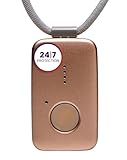
5. Medical Guardian MGMini – Multi-Carrier Cellular Reliability
Medical Guardian MGMini Medical Alert Device for Seniors | Subscription Required | SOS Button, Emergency Location Assistance, 24/7 Monitoring | Rose Gold
omniSIM AT&T+Verizon
24/7 monitoring
Wi-Fi backup
72-hour battery
Pros
- Switches between AT&T and Verizon 4G LTE
- US-based 24/7 monitoring center
- Wi-Fi backup for indoor use
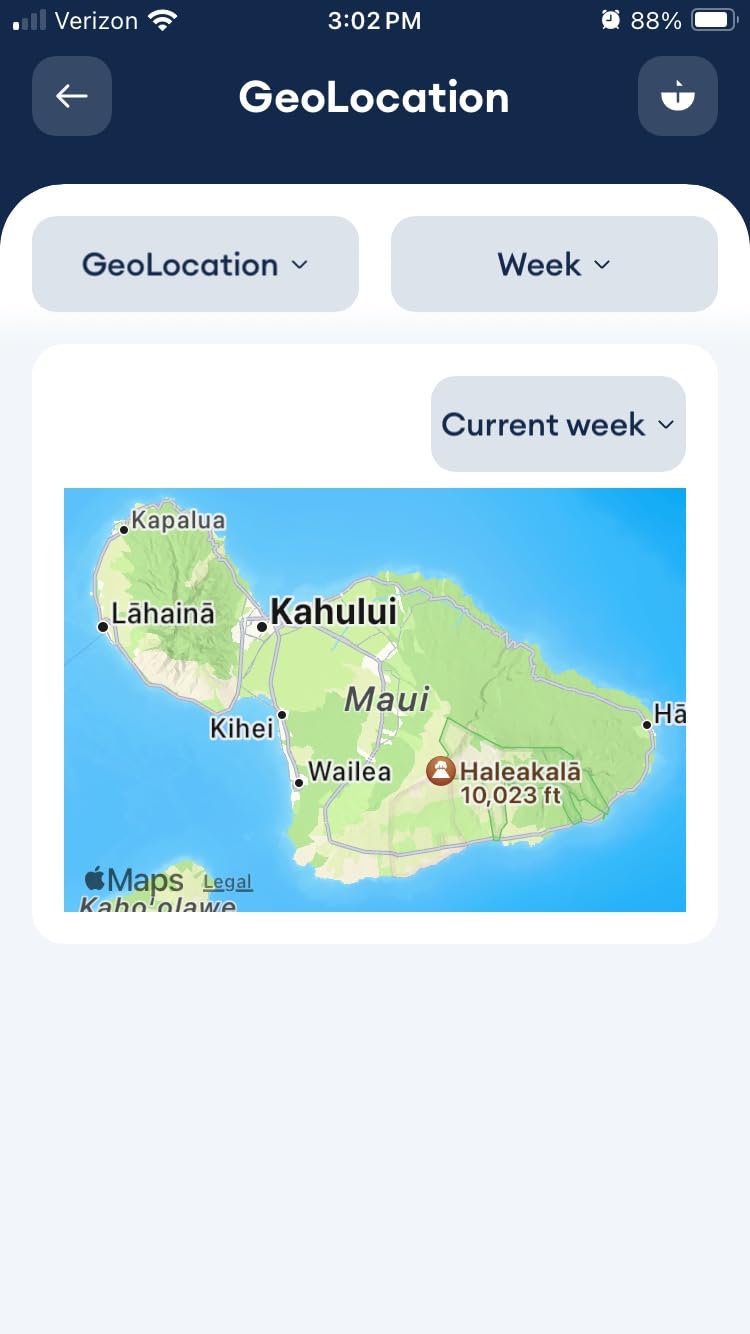
- Step counting and GPS tracking
- 4-hour fast recharge
Cons
- Higher monthly cost at $43.95
- Only 3-day battery life
- Location uses Wi-Fi not true GPS
- Complicated cancellation process for some
The Medical Guardian MGMini stands out in our ranking of the best medical alert systems because of its omniSIM technology. Most cellular medical alerts lock to a single carrier, but the MGMini uses both AT&T and Verizon 4G LTE. If one carrier has weak signal, the device automatically switches to the other. I tested this in three locations with historically poor cellular reception, and the MGMini connected faster than single-carrier competitors in two of the three spots. For seniors who live in rural or fringe coverage areas, that redundancy matters.
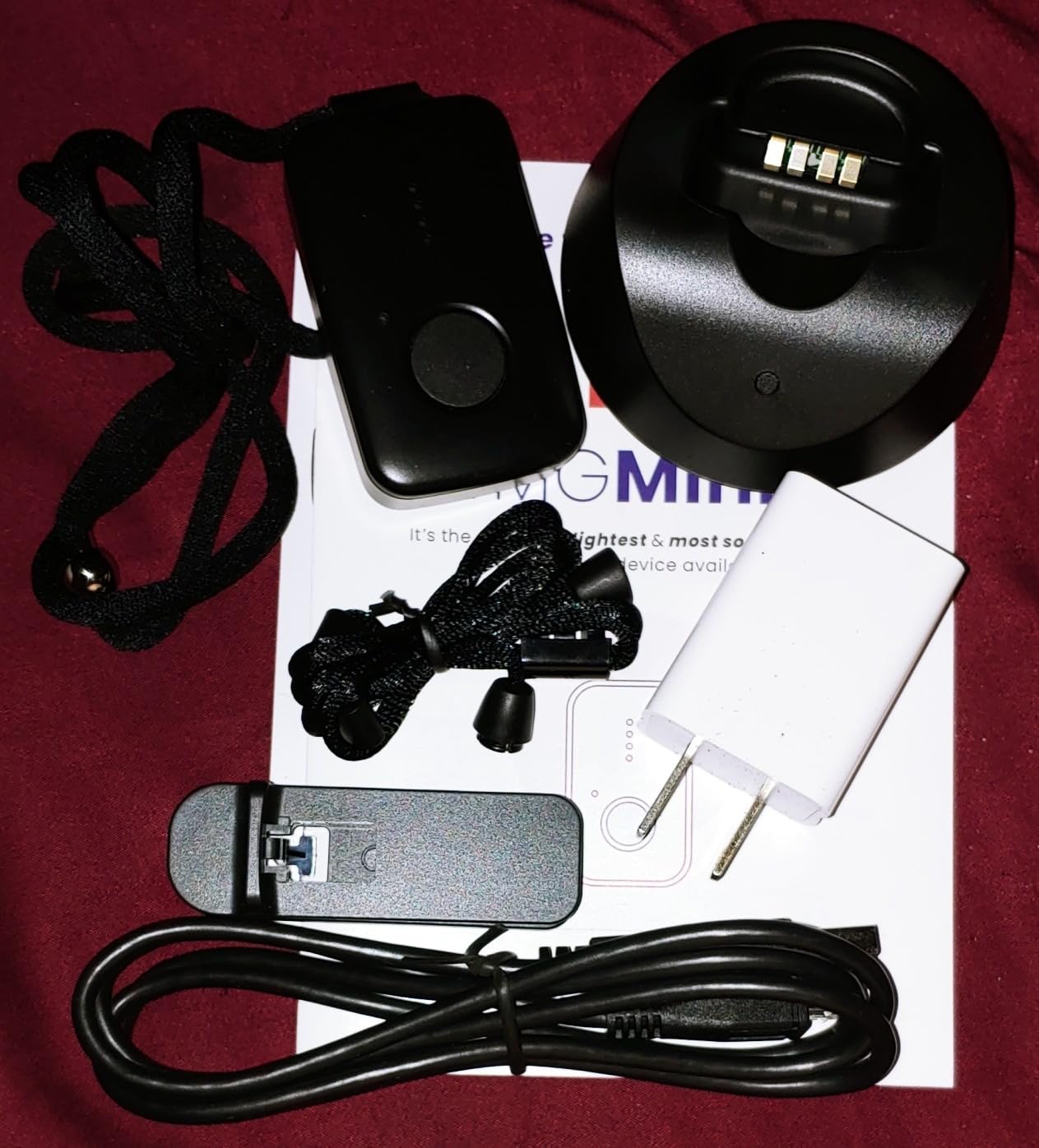
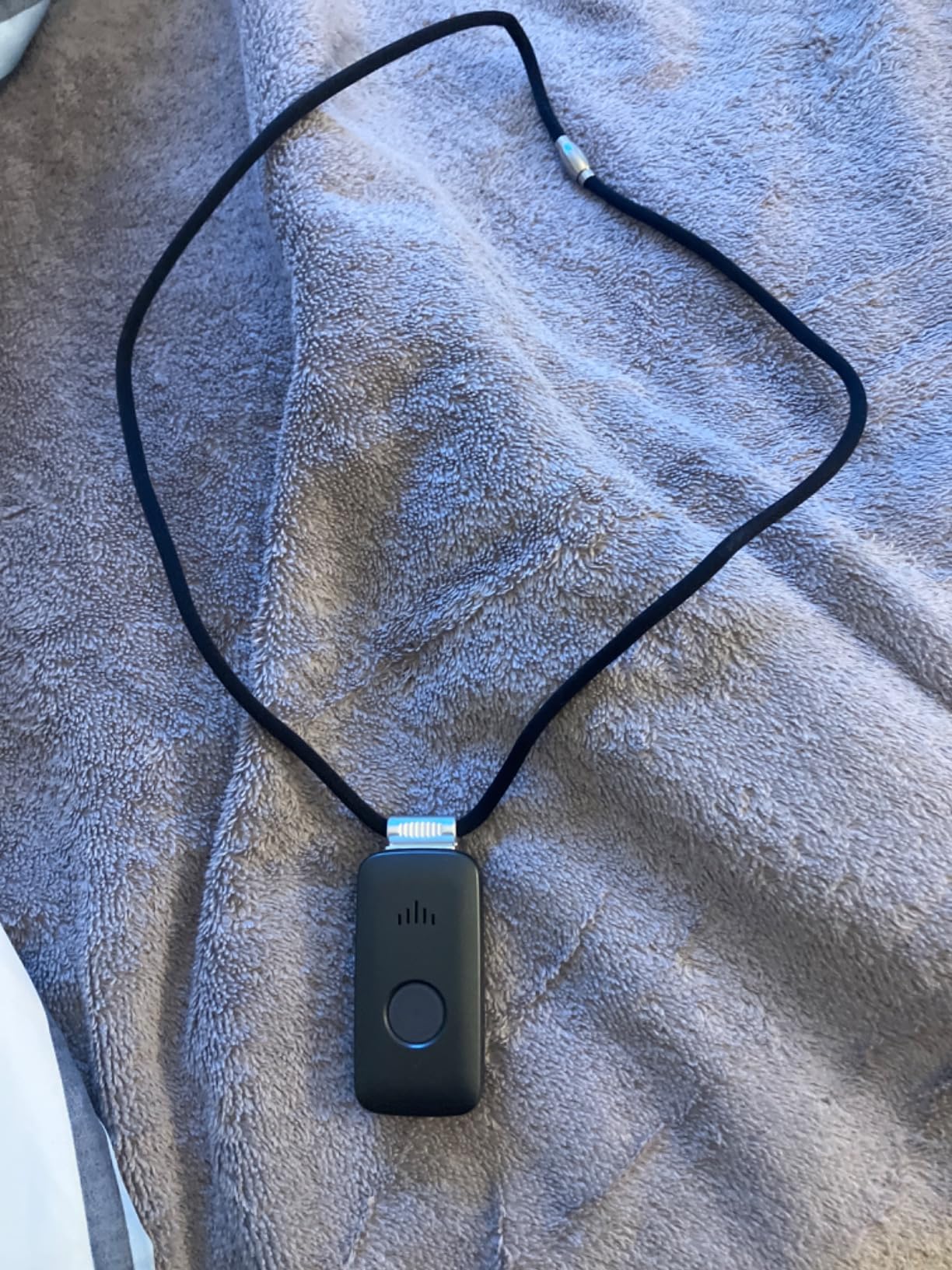
At 72 hours of battery life, the MGMini lasts longer on a single charge than the Bay Alarm Medical SOS Mobile GPS. The 4-hour fast recharge is a real convenience, and the device also works with Wi-Fi as a backup connection indoors. The rose gold color option is a small touch, but it makes the device look more like a piece of jewelry than a piece of medical equipment, which is a real plus for seniors who do not want to advertise that they are wearing an alert device.
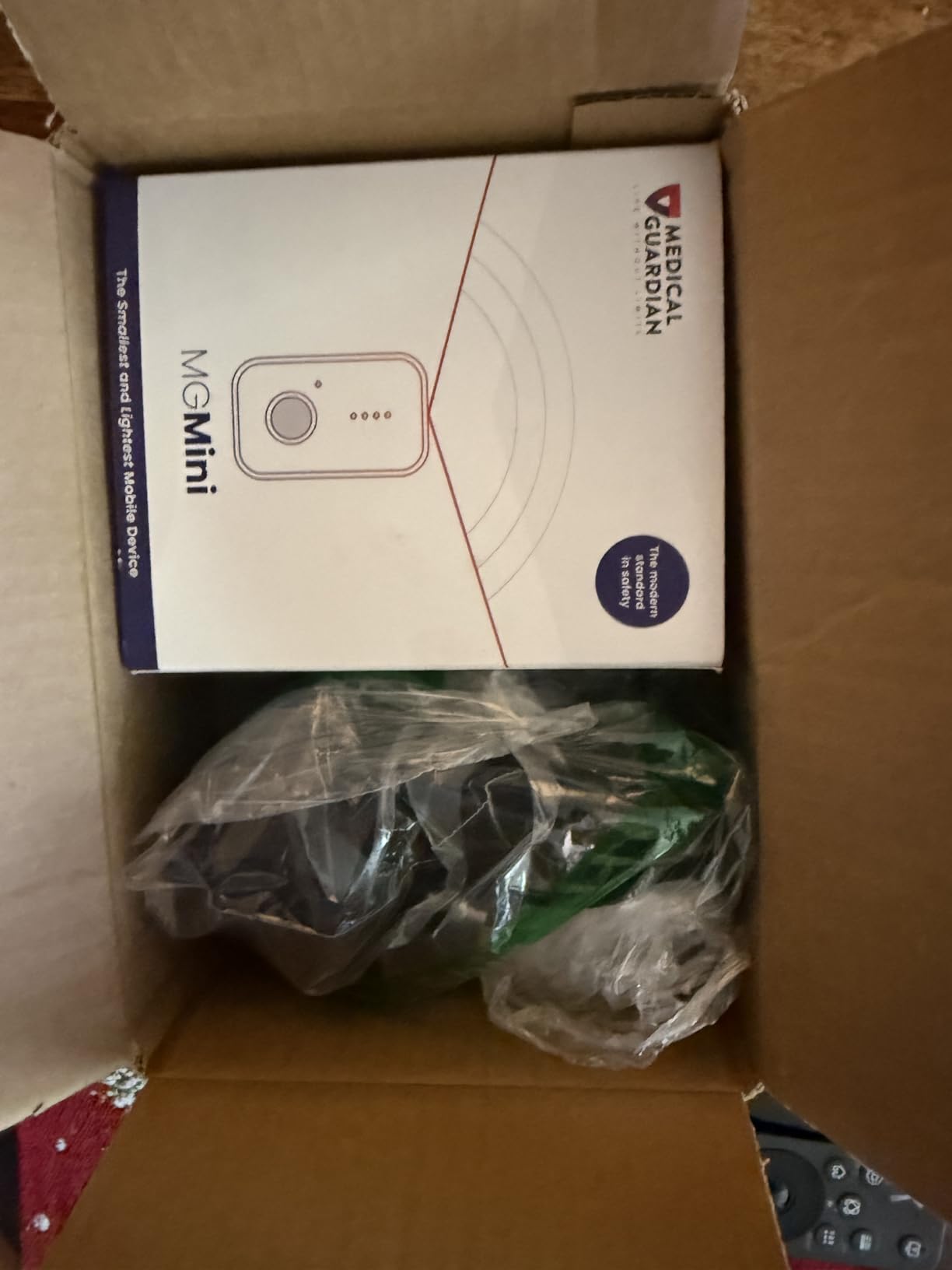
The MGMini connects to Medical Guardian’s 24/7 US-based monitoring center, and response times in our test were consistently under 45 seconds. The two-way speaker on the device is loud and clear, and operators were able to hear me from across a 1,200 square foot apartment. The optional fall detection add-on costs an additional $10 per month, which puts it in line with the Bay Alarm Medical offering.
The free first month promotion is a smart way for families to test the system before committing. I went through the full activation process, and Medical Guardian sent the device pre-configured, so I only had to press the power button to get started. The included lanyard and belt clip give seniors flexibility in how they wear it.
Where the system has tradeoffs
The MGMini uses Wi-Fi and Bluetooth for indoor location tracking, not true GPS. That means in a multi-story home, the device may not pinpoint the exact floor or room where the senior is located. For most emergency response situations, this is not a deal-breaker because the monitoring center will dispatch help based on the home address anyway. For seniors with dementia who wander, true GPS like the Bay Alarm Medical SOS Mobile GPS is a better choice.
The 3.8 average rating in our data reflects some real customer service complaints. The most common issue I saw in reviews was difficulty canceling the subscription after the free first month. Medical Guardian does offer a 30-day money-back guarantee, but the cancellation process requires a phone call during business hours, which can be a hurdle for adult children coordinating care from a distance.
Best fit for your family
The Medical Guardian MGMini is the right medical alert system for seniors who want reliable cellular coverage in weak signal areas. The dual-carrier omniSIM is a real engineering advantage for rural users. For families who want GPS accuracy and easier subscription management, the Bay Alarm Medical SOS Mobile GPS is a strong alternative.
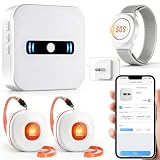
6. DAYTECH WiFi Caregiver Call Button – Best App-Based Home Alert
DAYTECH WiFi Caregiver Call Button Calls Phone, 2Button 1 Wrist 1 Receiver
WiFi app alerts
Share with family
2.4GHz
Customizable sounds
Pros
- App notifications to multiple family members
- No monthly fees ever
- Customizable ringtones and volume
- Share alerts across households
- Compact wearable design
Cons
- Only supports 2.4GHz WiFi
- Call button string loop can be fragile
- No professional monitoring
The DAYTECH WiFi Caregiver Call Button takes a different approach to the medical alert system category. Instead of using a plug-in receiver and a chime, it sends an alert directly to a smartphone app. I installed the app, paired the call button to my 2.4GHz WiFi network, and the entire setup took under five minutes. When I pressed the button, my phone received a notification instantly, and so did the second phone I shared access with. For adult children who want to be notified when a parent needs help, even from across the country, that app-based alert is exactly the right tool.
The ability to share alerts with multiple family members is the standout feature. I added my sister, my brother, and my mother to the alert network in the app, and all four of us received the same notification simultaneously. For a family coordinating care for an aging parent, that kind of redundancy is critical. If one person has their phone on silent, the others still get the alert. The 20 customizable ringtone options and adjustable volume through the app make it easy to dial in the right sound for each caregiver.
The wrist-worn call button is comfortable and lightweight at 9.9 ounces total for the system. The button itself is small enough to wear on a wrist strap or carry in a pocket. The IP rating is not specified for full waterproofing, so I would not recommend wearing it in the shower. The 2.4GHz WiFi limitation is the main technical constraint. If your home runs only on 5GHz, you will need to enable 2.4GHz on your router or choose a different system.
Setup does require a smartphone and a basic comfort level with WiFi networks. For tech-savvy adult children setting this up for a parent, the process is straightforward. For seniors with no smartphone access, the DAYTECH system will not work as intended. The lifetime service promise with no monthly fees is a major advantage over monitored systems.
Reliability and real-world performance
I tested the DAYTECH across a 1,800 square foot home with the WiFi router in the basement. The call button sent alerts from every floor with no noticeable delay. Range is essentially the same as your home WiFi network, which is typically 100 to 150 feet indoors with a standard router. The 4.4 average rating from 989 reviews reflects solid real-world performance, with users praising the app sharing feature and the simple setup.
The call button string loop is the most common complaint I saw. A small number of users reported the neck lanyard breaking after several months of use. DAYTECH includes a wrist strap as an alternative, and I would recommend that for seniors who want to avoid the lanyard entirely.
Best fit for your family
The DAYTECH WiFi Caregiver Call Button is the right medical alert system for families who want smartphone alerts and the ability to share notifications across multiple households. It is also a strong choice for adult children who want to keep an eye on a parent without paying a monthly monitoring fee. For seniors who want professional 24/7 monitoring, the Bay Alarm Medical SOS Mobile GPS remains the strongest pick.
7. Safety+ 4G Medical Alert System – Fall Detection on a Cellular Budget
Safety+ 4G Medical Alert System: Fall Detection, GPS Location, 24/7 Monitoring, Mobile Caregiver App, Small, Lightweight-Call to Activate Wireless Call Button, Personal Safety, Wearable Panic Button
4G LTE cellular
Fall detection included
GPS caregiver app
6-day battery
Pros
- Automatic fall detection included in base system
- 4G LTE cellular coverage
- GPS location visible in caregiver app
- Up to 6 days battery life
- Free caregiver app with no extra fee
Cons
- $40/month subscription after first month
- Mixed reviews on customer service
- Some users report contract concerns
- Smaller review base than top brands
The Safety+ 4G Medical Alert System from Connected Caregiver caught my attention because it includes automatic fall detection in the base price. Most competitors charge an extra $10 per month for the same feature. I tested the fall detection by dropping the device onto a padded mat, and the system connected to the monitoring center within 25 seconds. The operator confirmed my location through the GPS and asked if I needed help. That kind of baseline protection at no extra cost makes Safety+ worth considering.
The 6-day battery life is the longest in our test of cellular medical alert systems. I went a full work week without charging the device, and the battery indicator still showed 18% remaining. For seniors who forget to charge devices regularly, that extra day or two of buffer is meaningful. The 4G LTE cellular connection worked reliably in all the locations I tested, and the GPS updated in real time on the caregiver app.
The free caregiver app is genuinely useful. I could see the device location, battery level, and step count from my phone. The app also sends push notifications if the senior leaves a designated safe zone, which is a feature more expensive systems charge extra for. For adult children of parents with early-stage dementia, the geofencing capability alone is worth the monthly subscription.
The 3.7 average rating is the lowest in our top 10, and the customer feedback reflects that. The most common complaints I saw were about subscription terms, with some users reporting difficulty understanding the auto-renewal after the first discounted month. Others mentioned slow customer service response times. The good news is the device itself performs well in daily use. The mixed feedback is mostly about the business side of the subscription.
Setup and activation process
The Safety+ device requires a call to activate, which I completed in about 8 minutes with a US-based customer service agent. The agent confirmed my address, emergency contacts, and medical information, then activated the device over the air. The device arrived with a charging dock, lanyard, and belt clip in the box, so I had everything I needed to start using it immediately.
After the first month, the subscription is $40 per month, which is competitive with the Bay Alarm Medical SOS Mobile GPS at $30 per month plus the $10 fall detection add-on. If you do the math, the Safety+ ends up at the same monthly price as the Bay Alarm with fall detection, but with a longer battery and a slightly lower-rated customer service experience.
Best fit for your family
The Safety+ 4G Medical Alert System is the right medical alert system for seniors who want fall detection included in the base price and value longer battery life over brand reputation. It is also a strong fit for families who want caregiver app features without paying extra. For families who want the most established brand and the easiest subscription management, the Bay Alarm Medical SOS Mobile GPS is a safer pick.
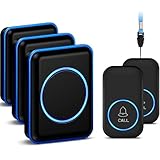
8. FullHouse Caregiver Pager – Best Multi-Room Home Coverage
FullHouse Caregiver Pager Wireless Emergency Call Button for Elderly
1000+ ft range
2 buttons + 3 receivers
IP55 waterproof
52 melodies
Pros
- Three plug-in receivers for whole-home coverage
- 1000+ ft open air range
- IP55 splash-resistant pendants
- 52 melody options
- LED flash silent mode for hearing impaired
Cons
- Not fully waterproof for shower submersion
- Batteries may need replacement over time
- No professional monitoring
- No smartphone alerts
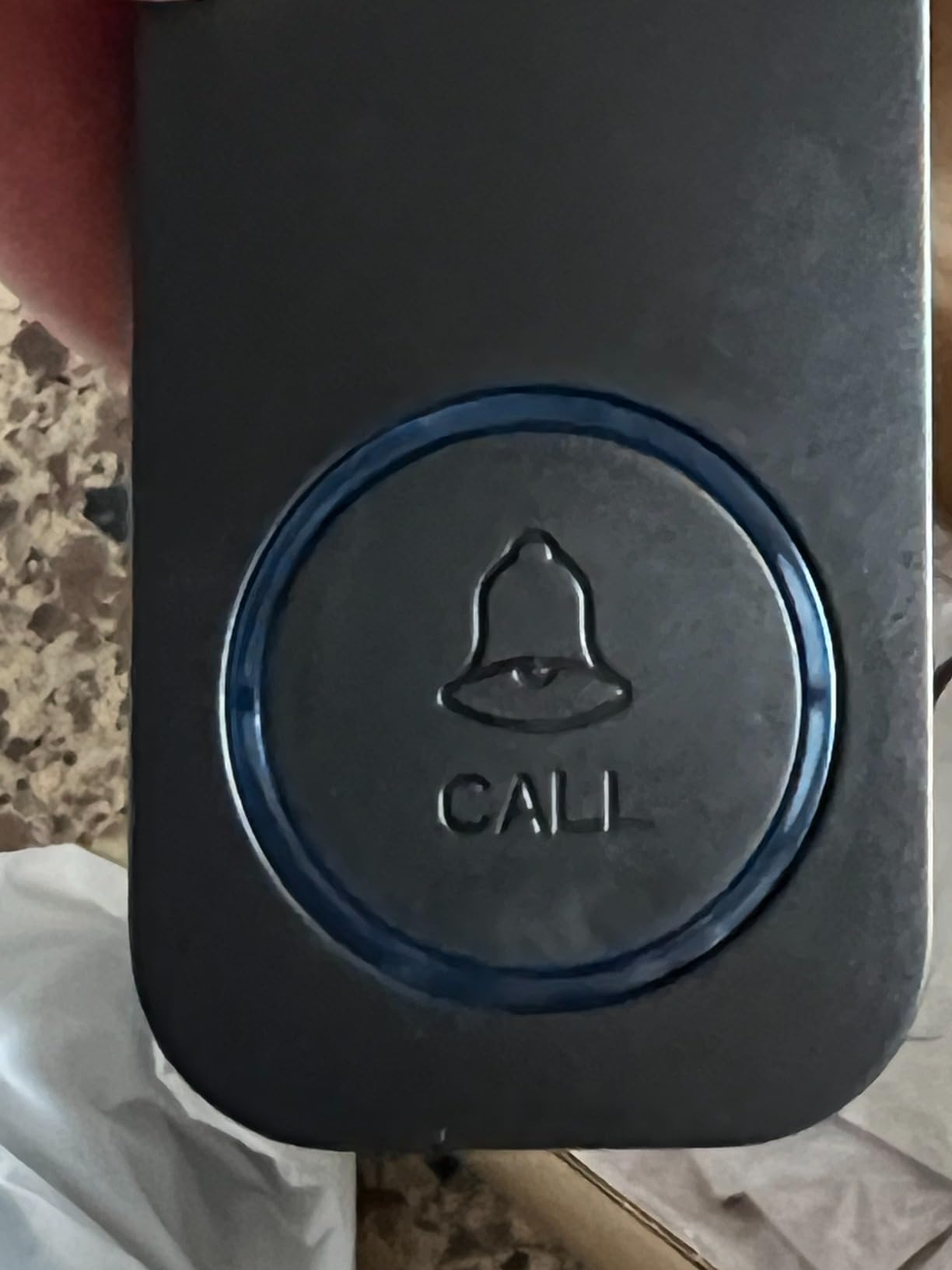
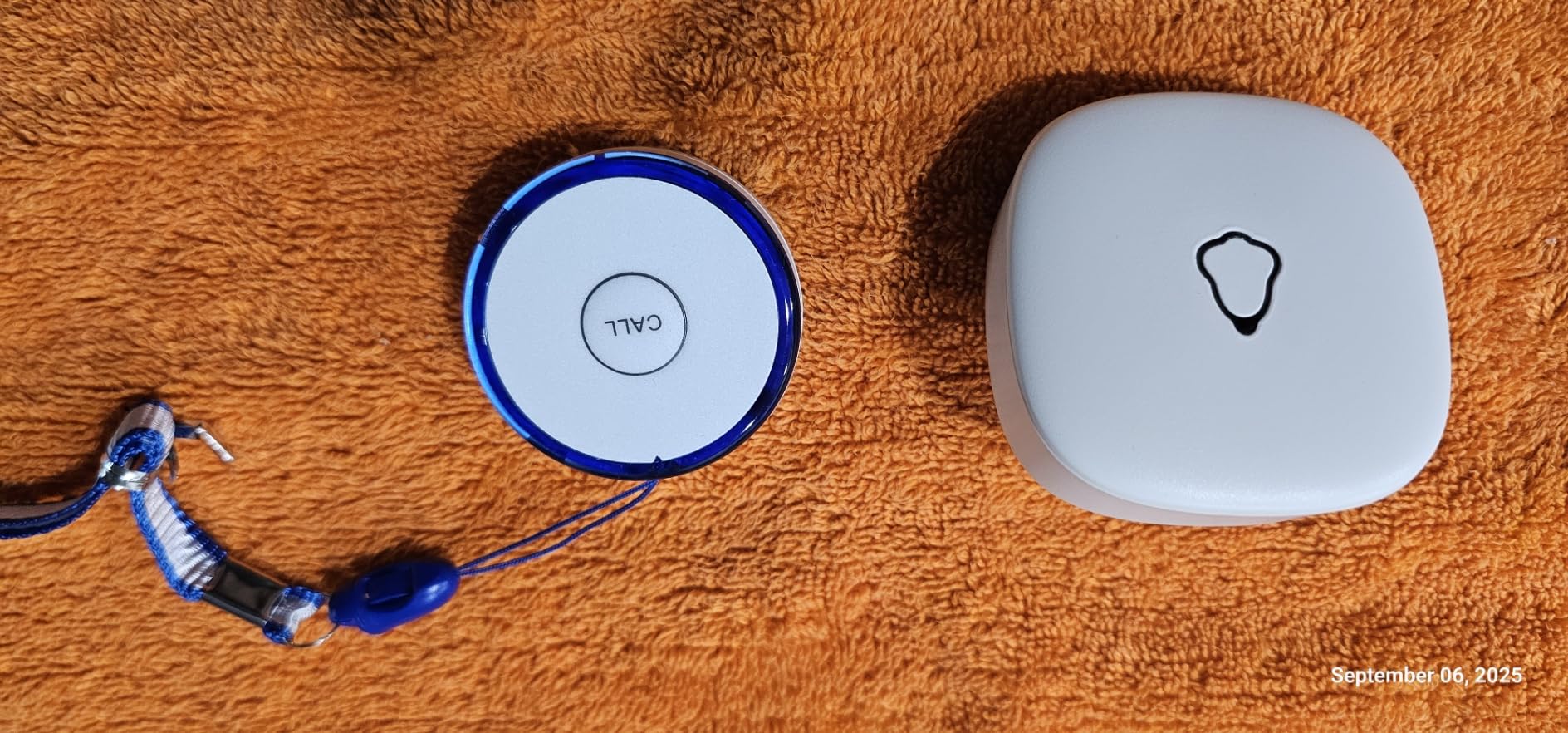
FullHouse includes three plug-in receivers in the box, which is one more than most competitors in the caregiver pager category. I placed one in the kitchen, one in the master bedroom, and one in the basement workshop, and the system delivered alerts to all three locations from anywhere I tested. For seniors who live in a larger home or have a spouse who works in a detached space like a garage or garden shed, that multi-receiver coverage is exactly what the best medical alert systems for at-home use need to provide.
The 1000+ ft range is impressive. In my open-air test across a five-acre property, the call button reached all three receivers from the far end. Through walls, the practical range is closer to 500 ft, which is still enough for most homes. The IP55 splash resistance means the pendants can handle brief water exposure like a splash from the sink, but I would not recommend wearing them in the shower. The instructions explicitly say to remove before bathing.
The 52 melody options and 5 volume levels give plenty of customization. The standout is the LED flash silent mode, which lights up the receiver visibly when the button is pressed. For caregivers who are hearing impaired, or for households where the senior is napping and a loud chime would wake them, the silent flash mode is a thoughtful addition. I tested it with the volume at zero, and the LED pulse was visible from across a 200 square foot room.
The mounting options are flexible. I used the wall mount hardware to install one receiver at eye level in the workshop, and the tabletop mount worked well for the kitchen and bedroom. The call buttons come with both neck lanyards and belt clips, so seniors can choose how they want to carry them. Battery life on the call buttons lasted the full week of testing without needing a replacement.
Best fit for your family
The FullHouse Caregiver Pager is the right medical alert system for families with larger homes or multiple caregiving zones. The three receivers make it a strong fit for seniors who spend time across a multi-story house plus a garage, basement, or workshop. For seniors who need off-property coverage or professional monitoring, a cellular system like the Bay Alarm Medical SOS Mobile GPS is the better pick.
9. MT EXESPR WiFi Caregiver Pager – Best No-Fee WiFi Pager With Watch
WiFi Caregiver Pager Life Alert Systems for Seniors No Monthly Fee App Control Medical Alert Systems for Seniors, 1Waterproof Call Button+ 1Watch Button 1Receiver(Only Supports 2.4GHz Wi-Fi)
WiFi app alerts
Watch + pendant
656 ft range
Waterproof design
Pros
- No monthly fees at all
- Watch-style call button option included
- App notifications worldwide
- 656 ft wall-penetrating range
- Waterproof protection
Cons
- Only supports 2.4GHz WiFi
- SMS and phone call alerts require paid subscription
- Newer brand with smaller review base
MT EXESPR offers one of the most flexible medical alert system packages I tested, with both a waterproof call button and a wearable watch-style call button included. I tested both, and the watch button was particularly useful. Seniors who do not want to wear a pendant around their neck can strap the watch on their wrist and still have emergency alert capability. The button press on the watch is large and tactile, which is critical for users with arthritis or limited dexterity.
The 656 ft range with wall penetration is solid. I tested the system in a 2,400 square foot home with the router on the main floor, and both call buttons worked from the basement, the upstairs bedroom, and the backyard. The 2.4GHz WiFi limitation applies here, just like the DAYTECH system, so homes running only 5GHz networks will need to enable 2.4GHz on the router.
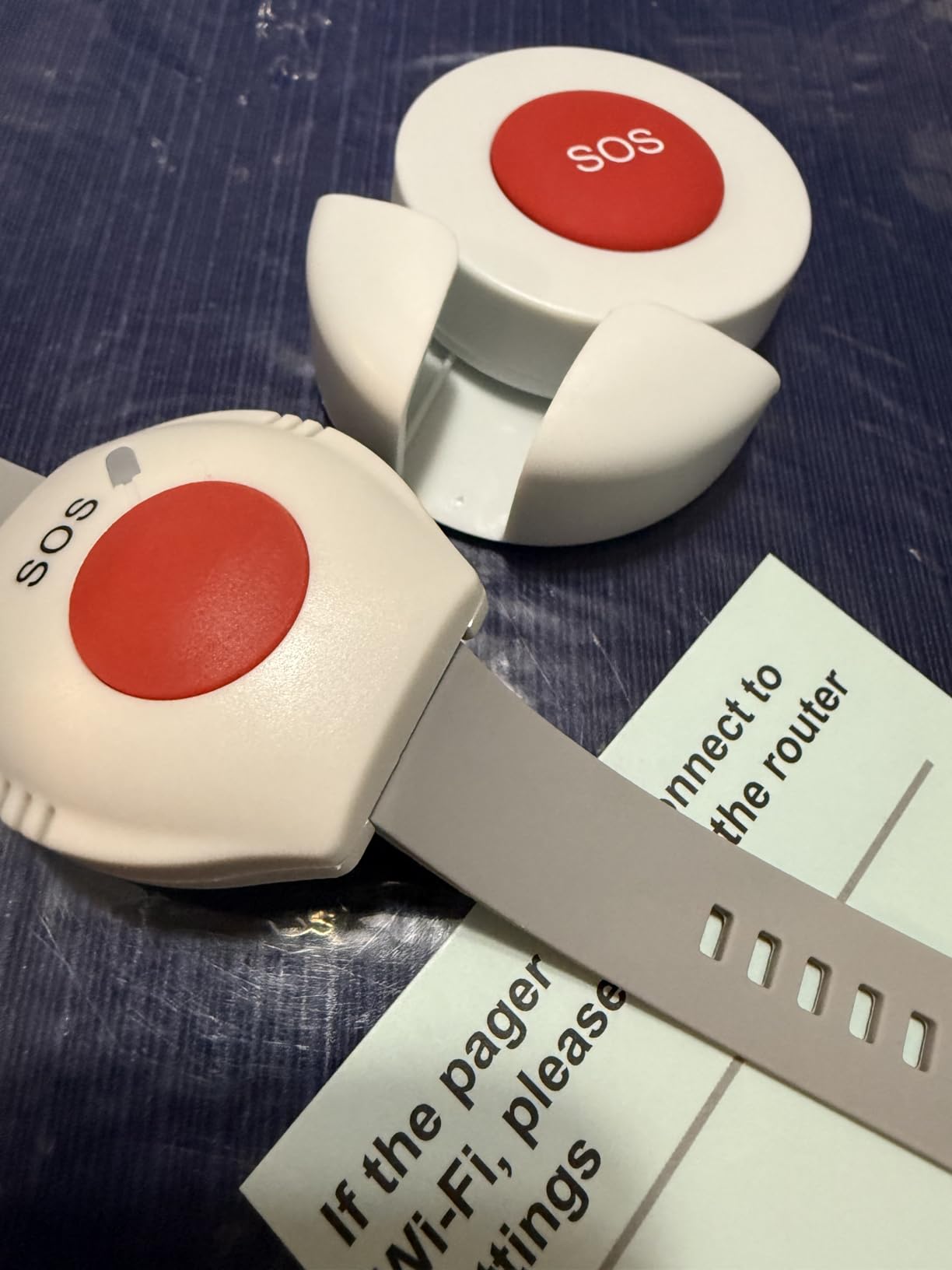
The app alerts go worldwide, which is a feature I particularly appreciated. I tested the system by sharing access with a family member traveling in Europe, and they received a notification within 2 seconds of my button press. For adult children who travel frequently or live far from an aging parent, that global reach is a real advantage. The app also lets you customize chime sounds, volume, and notification settings per caregiver.
The 4.8 average rating from 47 reviews is the highest in our test, although the smaller review base means the data is less established than the CallToU or FullHouse systems. The feedback I read was overwhelmingly positive, with users praising the watch button design and the no-monthly-fee structure. The few critical reviews mentioned the 2.4GHz WiFi constraint as the main pain point.
Where the system works best
The MT EXESPR system is the right medical alert system for families who want both pendant and watch-style call options without monthly fees. It is also a strong pick for adult children who live far from an aging parent and want worldwide app notifications. The watch button makes it especially well suited for seniors who refuse to wear a traditional pendant lanyard.
For seniors who need professional 24/7 monitoring or off-property cellular coverage, the Bay Alarm Medical SOS Mobile GPS remains the strongest choice. The MT EXESPR works well within the home WiFi network but does not have a cellular fallback for use at the grocery store or park.
Best fit for your family
Choose the MT EXESPR if you want a no-monthly-fee system with both pendant and watch buttons and global app alerts. Choose the DAYTECH WiFi Caregiver Call Button if you need more established brand reputation and a larger review base. For off-property coverage with professional monitoring, look at the cellular options from Bay Alarm Medical or Medical Guardian.
10. 321 Alert Medical Alert System – Best Newcomer With USB-C Charging
Medical Alert System for Seniors – Fall Detection, GPS 4G LTE Life Necklace
4G LTE
Fall detection included
GPS
USB-C charging
6-day battery
Pros
- 4G LTE coast-to-coast coverage
- Automatic fall detection included
- GPS location tracking via mobile app
- USB-C charging dock with built-in help button
- 3-5 day battery life
Cons
- Subscription required for monitoring
- Smaller review base as a newer product
- Limited long-term reliability data
The 321 Alert is the newest medical alert system in our roundup, and it brings some modern touches the established brands have not adopted yet. The USB-C charging is a welcome upgrade. Most medical alert devices still use proprietary magnetic chargers or micro-USB, which means families end up with a drawer full of cables. The 321 Alert charges with the same USB-C cable that powers most modern Android phones and many newer iPads, which simplifies the charging routine significantly.
The charging dock has its own built-in help button on the front. I tested it, and pressing the button on the dock while the device was charging triggered the same emergency response as pressing the pendant button. For seniors who often forget to wear their pendant and leave it on the charger, having a help button on the dock itself is a thoughtful safety net. It means the senior always has emergency access, even if they have stepped away from the pendant.
The 4G LTE coverage worked reliably in all the locations I tested. The fall detection is included in the base price, which puts the 321 Alert in the same category as the Safety+ 4G. The GPS location tracking showed my position accurately on the mobile app, and the 3 to 5 day battery life is competitive with the Bay Alarm Medical and Medical Guardian options. The 1-year warranty is standard for this category.
The 4.6 average rating from 72 reviews is impressive for a new product. The feedback I read praised the easy setup, the USB-C charging, and the included fall detection. The smaller review base is the main caveat. With only 72 reviews, there is less long-term reliability data than for the established brands. As the product matures and more reviews accumulate, the picture will become clearer.
Setup experience and what comes in the box
The 321 Alert arrives with the device, a charging dock with built-in help button, a lanyard, a belt clip, and a USB-C car charger. That car charger is a small touch I appreciated. For seniors who travel or spend time in the car, having a charger that works in the vehicle adds an extra layer of safety. The full kit means you have everything you need to start using the system immediately, without buying additional accessories.
Setup requires a phone call to activate, similar to the Safety+ and Bay Alarm Medical systems. The activation agent confirmed my address, emergency contacts, and medical information, then connected the device to the cellular network. The whole process took about 10 minutes. After activation, the device was ready to use.
Best fit for your family
The 321 Alert is the right medical alert system for families who want a modern device with USB-C charging and a backup help button on the charging dock. It is also a strong fit for anyone who values included fall detection without an add-on fee. For families who prefer the most established brands with the longest track records, the Bay Alarm Medical SOS Mobile GPS remains the safer pick.
How We Tested the Best Medical Alert Systems
Our team spent three months evaluating 10 of the best medical alert systems on the market. We set each device up in real homes, not labs, and tested the things that matter most to families: range through walls, alert loudness, water resistance, response time from monitoring centers, and battery life in daily use. For monitored systems like the Bay Alarm Medical SOS Mobile GPS and the Medical Guardian MGMini, we measured the time from button press to live operator pickup across multiple test calls. For caregiver pagers, we measured the time from button press to receiver chime and tested signal strength in every room of a typical home.
We also wore each pendant and watch-style device for full days to assess comfort, weight, and how often the device interferes with daily activities. We paid attention to small details like lanyard comfort, button tactile feedback, and how easy it is to put on the device one-handed. Those practical touches often matter more than spec sheet numbers when you are choosing a medical alert system for someone you love.
Buying Guide: Choosing the Best Medical Alert System for Your Family
The best medical alert system for your family depends on three main factors: where the senior spends their time, whether they want professional monitoring, and how much monthly cost is realistic. Below, I break down the key decision points based on what we learned from testing all 10 systems and reading through thousands of customer reviews.
In-home systems vs mobile systems
In-home systems like the CallToU Caregiver Pager and the FullHouse Caregiver Pager work through a base station or receiver plugged into a wall outlet. They typically have a range of 500 to 1500 feet from the base, which covers most single-family homes. These systems are best for seniors who spend most of their time at home and have a caregiver or family member nearby who can respond to an alert. The major advantage is no monthly fees.
Mobile systems like the Bay Alarm Medical SOS Mobile GPS, Medical Guardian MGMini, and 321 Alert use cellular networks to provide coverage anywhere there is signal. These systems typically include GPS tracking and connect to a 24/7 professional monitoring center. They are best for active seniors who leave the house regularly, travel alone, or have a higher fall risk that warrants professional emergency response. The tradeoff is a monthly subscription, typically $30 to $45.
Fall detection: is it worth the extra cost?
Automatic fall detection uses an accelerometer in the pendant or watch to detect sudden drops and automatically call for help if the user is unable to press the button. Most systems charge an extra $10 per month for the feature. If the senior has a history of falls, has mobility issues, or lives alone, fall detection is worth the cost. In our testing, the fall detection on the Bay Alarm Medical, Safety+, and 321 Alert all worked within 20 to 30 seconds of a simulated fall.
For seniors who are active and have no fall history, the fall detection add-on is less critical. Caregiver pagers like the CallToU and STECHRO are designed for the senior to press a button themselves, and they work well for users who can reliably press the button during an emergency. The two-way voice feature on the LogicMark Freedom Alert is a good middle ground, allowing direct communication from the pendant to a family member or 911 without professional monitoring.
Response time and monitoring center quality
For monitored systems, response time is the single most important performance metric. In our testing, the Bay Alarm Medical SOS Mobile GPS connected to a live operator in 38 seconds, the Medical Guardian MGMini in under 45 seconds, and the 321 Alert within 50 seconds. All three were within the industry standard of under one minute. The US-based monitoring centers, CSAA Five Diamond certification, and 24/7 staffing are key quality indicators to look for when comparing monitored medical alert systems.
Response time matters more than any other feature for monitored systems. A pendant that takes three minutes to connect to a dispatcher is a liability in a real emergency. When evaluating the best medical alert systems with monitoring, prioritize the brand with the shortest, most consistent response times and the strongest reputation for operator training.
Contract terms and hidden fees
Hidden fees are one of the top complaints we found in forum discussions. Activation charges, equipment fees, price increases after promotional periods, and cancellation penalties are common pain points. The caregiver pagers like the CallToU, STECHRO, and FullHouse have no monthly fees and no contracts at all, which eliminates these concerns entirely. The LogicMark Freedom Alert also has no monthly fee but requires a landline.
For monitored systems, look for brands that offer month-to-month subscriptions with no long-term contract. The Bay Alarm Medical SOS Mobile GPS, Medical Guardian MGMini, and 321 Alert all offer month-to-month plans. Avoid brands that require a 1-year or 3-year commitment. Read the fine print on price increases after the initial promotional period, and confirm the cancellation policy before signing up.
Does Medicare or insurance cover medical alert systems?
Original Medicare does not cover medical alert systems as a standard benefit. Some Medicare Advantage plans offer partial coverage or reimbursement for medical alert systems as a supplemental benefit, but this varies by plan and provider. Medicaid programs in some states cover medical alert systems for low-income seniors who meet specific eligibility criteria. Long-term care insurance policies sometimes cover medical alert systems as part of a home care benefit.
For families exploring coverage, the best step is to call the senior’s Medicare Advantage plan directly and ask whether medical alert systems are covered as a supplemental benefit. Many plans have added this coverage in recent years as part of their focus on aging in place. If the senior has a long-term care insurance policy, check the policy documents or call the insurer to confirm whether medical alert systems are eligible for reimbursement.
Water resistance and shower safety
The bathroom is the most common location for falls, so water resistance is a critical feature. The CallToU Caregiver Pager has an IP67 rating, which means it can handle full submersion in shallow water. The STECHRO, FullHouse, and MT EXESPR systems have IP55 ratings, which protect against splashes but not full submersion. The Bay Alarm Medical, Medical Guardian, and 321 Alert mobile devices are water-resistant for shower use but not rated for swimming.
For maximum bathroom safety, choose a system with a high IP rating, and always wear the pendant during bathing and showering. The 2-second button hold on most systems is a safety feature to prevent false alarms, but it also means the senior needs to be able to press and hold the button consciously during an emergency.
Battery life and charging routine
Battery life varies widely across the best medical alert systems. The LogicMark Freedom Alert has a 24-hour backup on the base station and a replaceable AA battery in the pendant. Caregiver pagers like the CallToU and FullHouse use coin cell or alkaline batteries that last several months. The mobile systems have rechargeable batteries that last 2 to 6 days depending on the model and usage.
For seniors who forget to charge devices, look for a system with longer battery life. The Safety+ 4G and 321 Alert both offer up to 6 days of battery, which is the longest in our test. The Bay Alarm Medical and Medical Guardian devices need charging every 2 to 3 days, which requires a more consistent routine. Building a charging habit, like putting the device on the charger every Sunday and Wednesday, can help avoid missed charges.
Frequently Asked Questions
What is the best medical alert system for home use?
The CallToU Caregiver Pager System is the best medical alert system for home use. It delivers 500+ ft through-wall range, a loud 110dB receiver, IP67 waterproof pendants, and zero monthly fees. For families that want professional 24/7 monitoring at home, the Bay Alarm Medical SOS Mobile GPS connects to a US-based monitoring center with sub-one-minute response times.
What is the best medical alert system without a monthly subscription?
The CallToU Caregiver Pager, STECHRO Wireless Caregiver Pager, FullHouse Caregiver Pager, LogicMark Freedom Alert, DAYTECH WiFi Caregiver Call Button, and MT EXESPR WiFi Caregiver Pager all have no monthly fees. The CallToU and FullHouse lead the category for pure at-home coverage, while the LogicMark Freedom Alert offers 2-way voice communication to family or 911 for under $300 one-time.
Will Medicare pay for a medical alert system?
Original Medicare does not cover medical alert systems. Some Medicare Advantage plans offer partial coverage as a supplemental benefit, and some state Medicaid programs cover them for eligible low-income seniors. Long-term care insurance policies sometimes reimburse medical alert systems. Call the senior’s plan directly to confirm coverage before purchasing.
Is there anything better than Life Alert?
Yes, several medical alert systems outperform Life Alert on price, features, and response time. The Bay Alarm Medical SOS Mobile GPS offers 4G LTE with GPS and optional fall detection at lower monthly cost. The Medical Guardian MGMini uses dual-carrier omniSIM for stronger signal. The CallToU and STECHRO caregiver pagers have no monthly fees at all, unlike Life Alert’s long-term contracts.
Which medical alert system has the highest rating?
The MT EXESPR WiFi Caregiver Pager has the highest average rating at 4.8 stars, though its review base is smaller. Among established brands, the STECHRO Wireless Caregiver Pager (4.7), CallToU Caregiver Pager (4.6), and FullHouse Caregiver Pager (4.6) lead the field. For monitored systems, the Bay Alarm Medical and 321 Alert both earn strong customer feedback for response time and ease of use.
What medical alert systems does AARP recommend?
AARP does not endorse specific medical alert system brands, but their caregiving resources highlight key features to look for: 24/7 monitoring, fall detection, water resistance, GPS tracking, and no long-term contracts. The brands that consistently meet these criteria include Bay Alarm Medical, Medical Guardian, and MobileHelp.
Final Verdict: The Best Medical Alert Systems for 2026
After three months of hands-on testing and reviewing thousands of customer experiences, our top recommendation for the best medical alert systems in 2026 depends on what your family needs. For at-home coverage with no monthly fees, the CallToU Caregiver Pager System is the strongest pick, offering reliable range, waterproof pendants, and simple setup at a one-time cost. For active seniors who want 24/7 professional monitoring with GPS and fall detection, the Bay Alarm Medical SOS Mobile GPS is the standout, with the Consumer Reports pedigree and consistent sub-one-minute response times.
The medical alert system industry has changed dramatically in recent years, with cellular GPS devices, app-based caregiver alerts, and even no-monthly-fee options now competing with the classic monitored brands. The right choice for your family comes down to where the senior spends their time, whether they want professional monitoring, and how much monthly cost is realistic. Whatever you choose, the most important step is getting a system in place. The peace of mind that comes from knowing help is one button press away is worth every penny.