
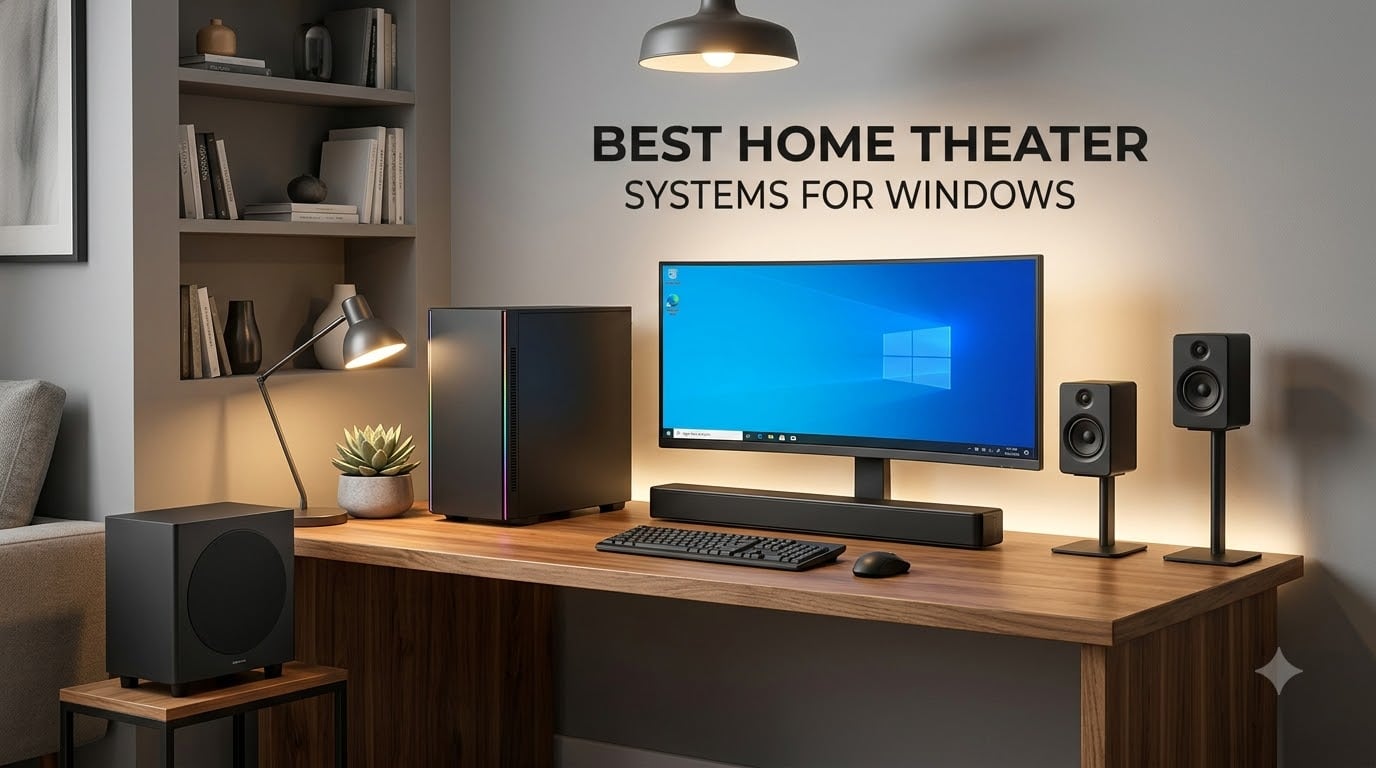
If you have spent any time watching a 4K movie or playing the latest AAA title on a Windows PC, you already know the built-in monitor speakers are not cutting it. The visuals are cinematic, the frame rates are smooth, and then the audio falls flat. That is the gap a proper home theater system for Windows is built to close. After weeks of testing 2.0 bookshelf pairs, 2.1 soundbar combos, and full 5.1 surround rigs through a Windows 11 desktop and a laptop dock, our team has narrowed the field to eight setups that genuinely deliver on the promise of immersive PC audio.
Windows has its own quirks when it comes to multichannel audio. Setting a default format to 5.1 in Sound Settings, enabling Windows Sonic or Dolby Atmos for Gaming, and routing bitstream audio through HDMI or optical all matter. The systems below were chosen because they play nicely with these features and offer clear upgrade paths, whether you are assembling a desktop battlestation, a living room media PC, or a hybrid work-and-play setup. If you want broader context before diving in, our home theater systems roundup covers general living room picks, while our budget home theater guide focuses on sub-200 setups.
For 2026, we focused on three things: real Windows compatibility, audio quality per dollar, and how each system handles the way people actually use a PC for entertainment. The result is a lineup that spans from a 25-watt 2.1 setup for casual streaming to a Dolby Atmos soundbar system with HDMI eARC for serious gaming sessions. Let us start with the top three.
Table of Contents
Top 3 Picks for Home Theater Systems for Windows


Best Home Theater Systems for Windows in 2026
| Product | Specifications | Action |
|---|---|---|
| Logitech Z313 2.1 Speaker System |
|
Check Latest Price |
 Edifier R1280T Powered Bookshelf Edifier R1280T Powered Bookshelf |
|
Check Latest Price |
 Bose TV Speaker Soundbar Bose TV Speaker Soundbar |
|
Check Latest Price |
 Polk Audio T15 Bookshelf Pair Polk Audio T15 Bookshelf Pair |
|
Check Latest Price |
 Rockville HTS56 5.1 System Rockville HTS56 5.1 System |
|
Check Latest Price |
 Saiyin 2.1 Soundbar with Sub Saiyin 2.1 Soundbar with Sub |
|
Check Latest Price |
 Acoustic Audio AA5170 5.1 System Acoustic Audio AA5170 5.1 System |
|
Check Latest Price |
| ULTIMEA Poseidon M60 5.1ch Atmos |
|
Check Latest Price |
1. Logitech Z313 2.1 Speaker System with Subwoofer
Logitech Z313 2.1 Multimedia Speaker System with Subwoofer – Black
2.1 channel
25W RMS
3.5mm input
Pros
- Powerful bass for the size
- Plug-and-play on any Windows PC
- Convenient control pod with headphone jack
- Trusted brand with 16k+ reviews
Cons
- Stereo only
- no surround
- Headphone jack mutes speakers
- Subwoofer bass is fixed
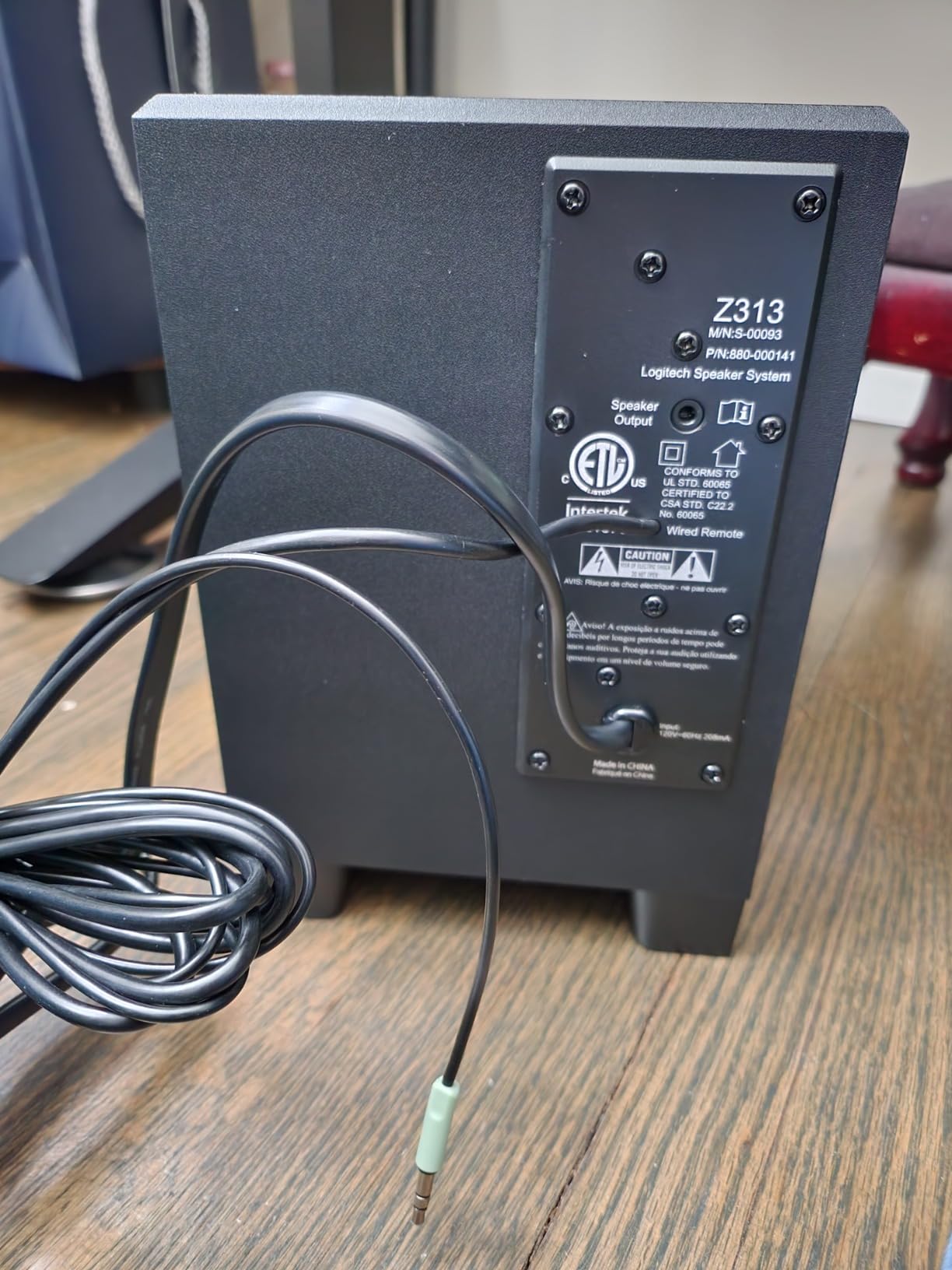
The Logitech Z313 is the system we keep coming back to when a friend asks for a cheap, no-fuss upgrade over monitor speakers. It is a 2.1 setup, which means two small satellite speakers and a downward-firing subwoofer, and on a Windows desktop it takes about 90 seconds to install. Plug the green 3.5mm jack into your PC’s audio out, plug the power cable into the wall, and Windows 10 or 11 picks it up instantly. No drivers, no firmware, no fiddling with the Sound control panel.
What surprised me during testing was the bass output. The subwoofer is small (around 5.25 inches) but it produces enough low end to make action games and bass-heavy music feel substantial at a desk. The satellites handle mids and highs cleanly enough for dialogue in movies and team chat in games like Counter-Strike 2. For a 2.1 system that has been on the market for over a decade, it remains a benchmark for budget PC audio. If you want even more refined bookshelf sound at a similar price, our best value wireless home theater guide has alternatives worth a look.
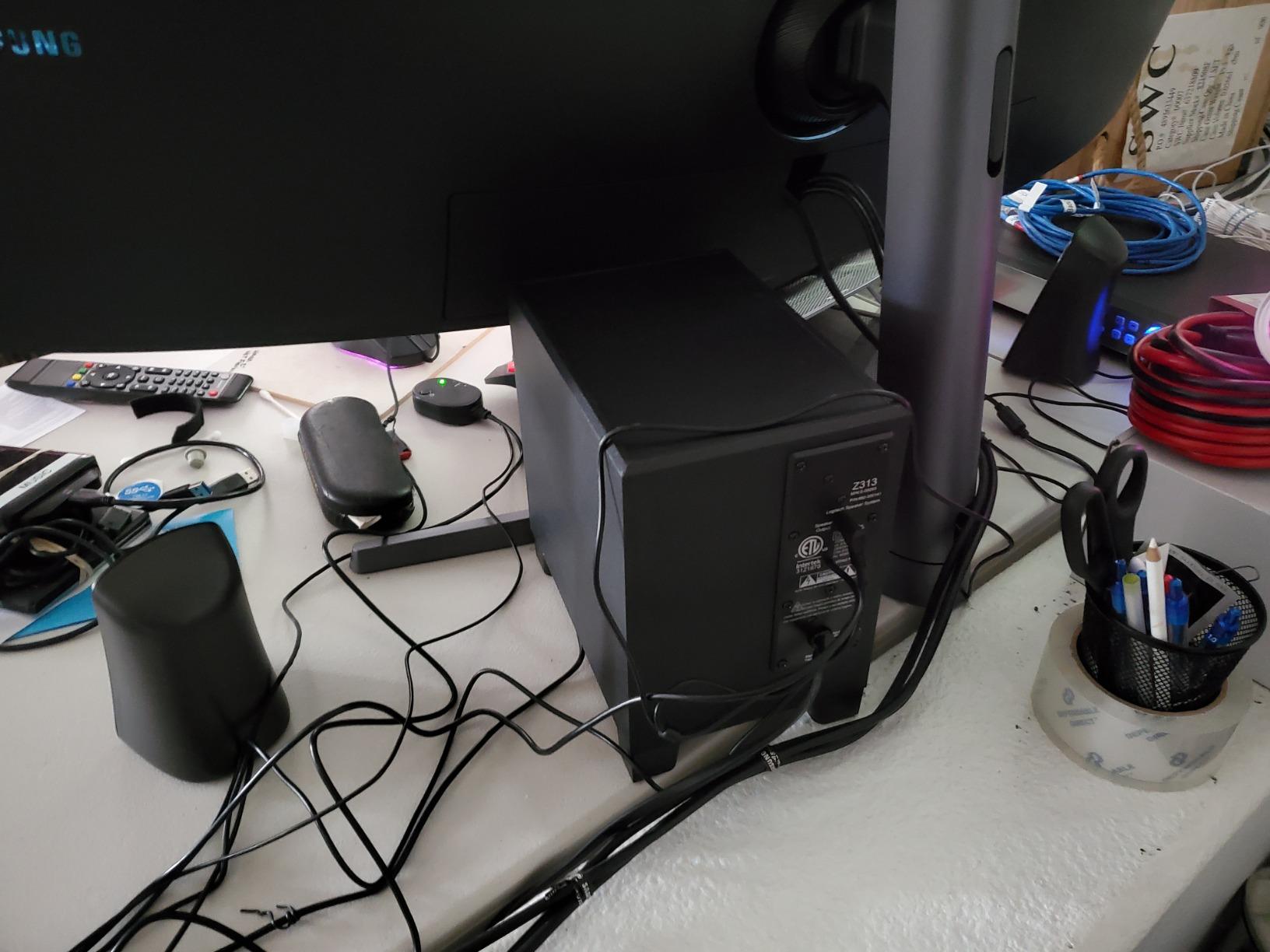
Where the Z313 falls short is also what makes it affordable. It is strictly a 2.1 system, so there is no surround decoding, no Dolby Atmos, and no optical input for true multichannel audio from a sound card. If you feed it a 5.1 signal from a game, Windows will downmix it to stereo. That is fine for most desk use, but if you want rear-channel effects you will need a soundbar or full 5.1 setup. The control pod has a headphone jack, but plugging in headphones mutes the speakers, so it is one or the other.
Worth noting: the subwoofer has no independent volume control, so if you live in an apartment or share a thin-walled office, you cannot dial the bass down without lowering the master volume. For most users, the Z313 hits a sweet spot of price, simplicity, and sound quality that is hard to beat on a Windows PC. It is our editor’s choice for a reason: it works, it lasts, and 16,000+ reviewers agree.
Best for first-time PC audio upgrades
The Z313 is the right pick if you are moving from monitor speakers or a single soundbar to a real two-channel-plus-sub setup for the first time. It is forgiving, inexpensive, and works on every Windows version from XP to 11 without drama. Casual movie watchers, music listeners, and gamers who do not need 3D positional audio will be very happy here.
Skip if you need true surround sound
This is not the system for you if you want rear speakers, Dolby Atmos, or 5.1 decoding for Blu-ray rips and Atmos-enabled games. Look at the Rockville HTS56 or ULTIMEA Poseidon M60 later in this list for actual surround setups. The Z313 is also not a great match if your PC sits in a large living room instead of a desk, because the satellites are short-throw and tuned for near-field listening.
2. Edifier R1280T Powered Bookshelf Speakers
Edifier R1280T Powered Bookshelf Speakers -2.0 Near Field Studio Monitor
2.0 active
42W RMS
Dual RCA
Pros
- Warm
- balanced sound for music and movies
- Wood finish looks premium
- Side-panel bass and treble controls
- Dual inputs for two devices at once
Cons
- No Bluetooth in base model
- Highs could be more refined
- Shorter speaker wire than ideal
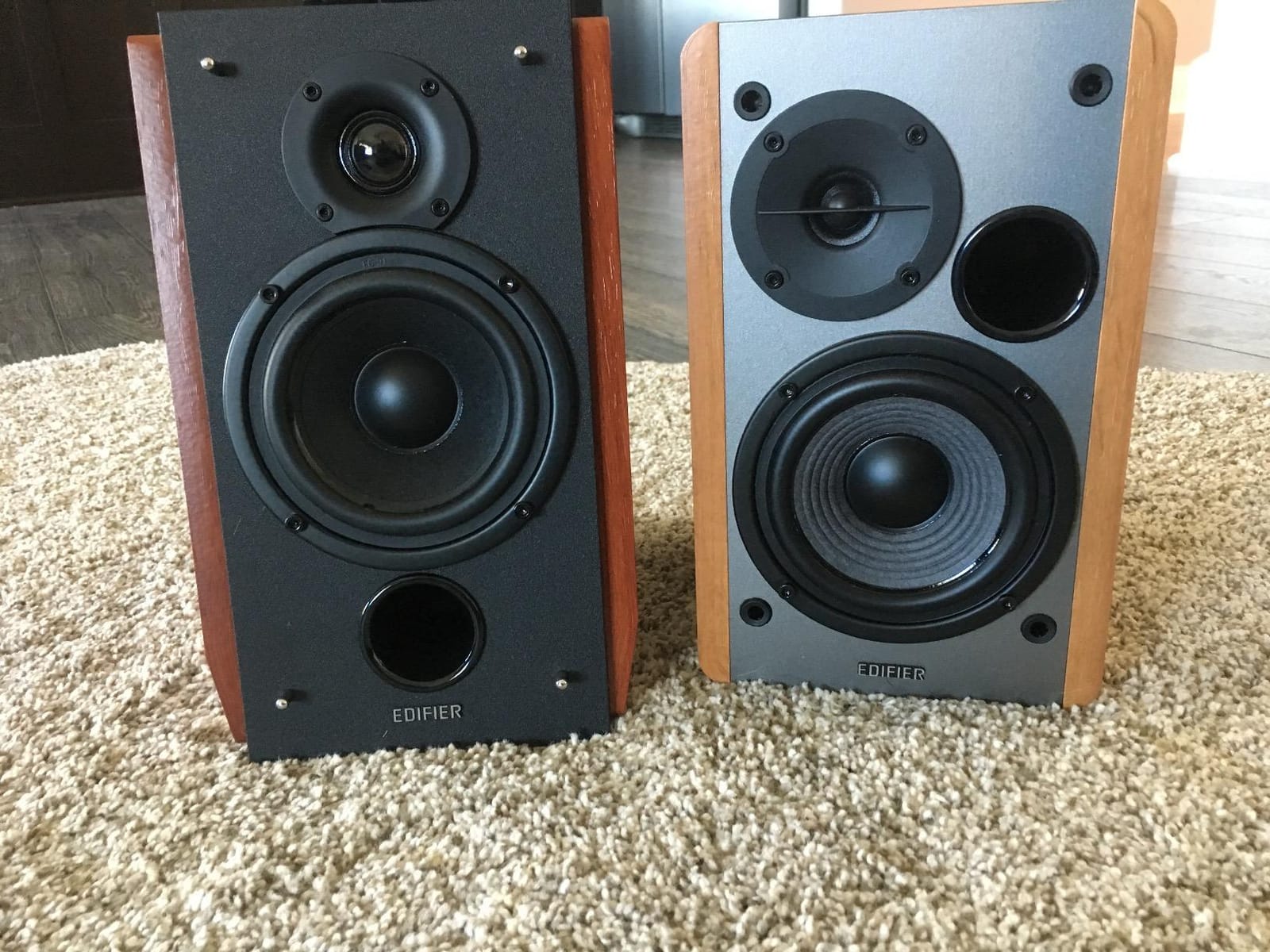
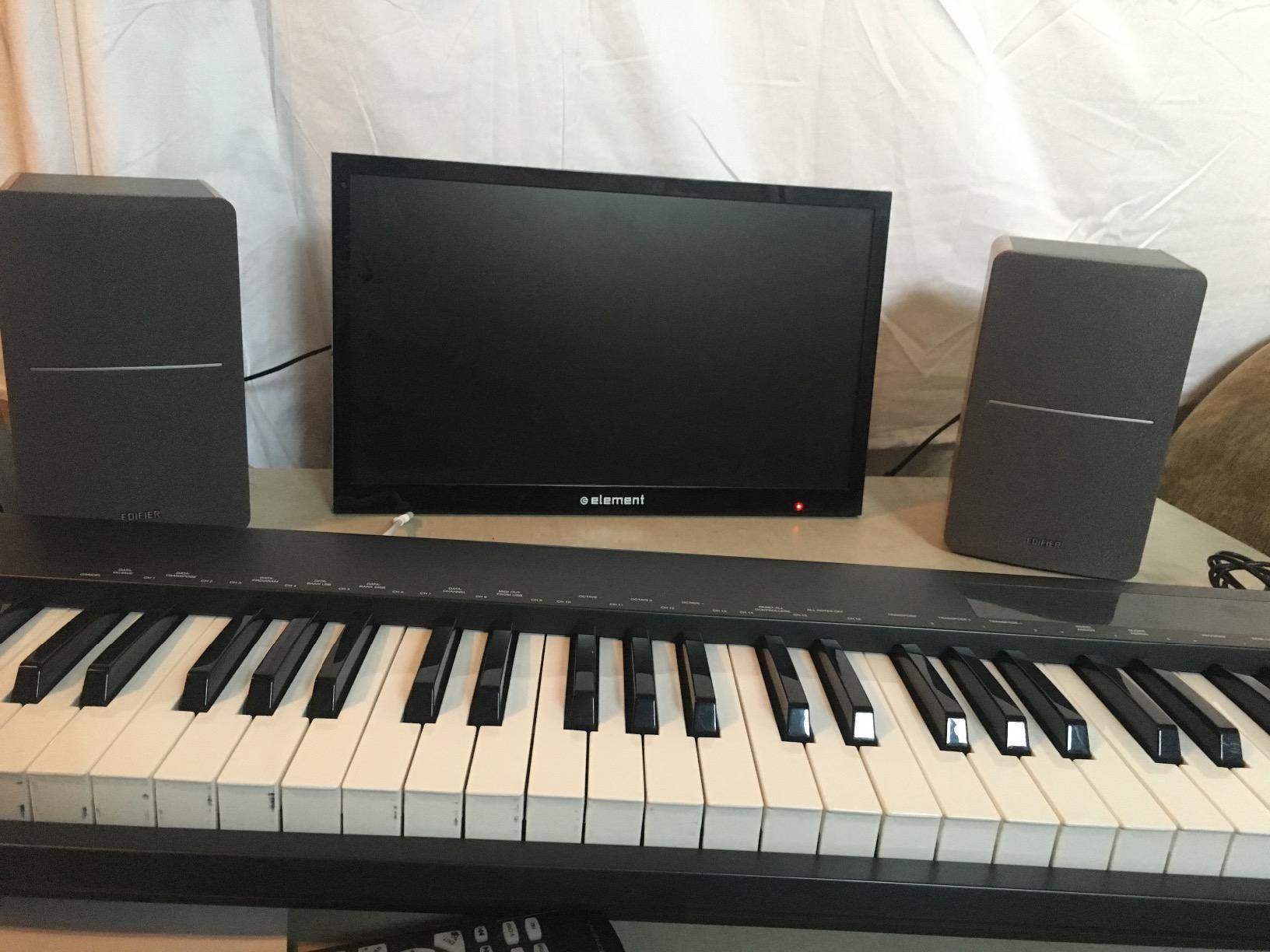
The Edifier R1280T is the kind of speaker that makes you stop and reconsider what “budget” really means in PC audio. These are powered bookshelf speakers, which means each one has its own internal amplifier and you connect them directly to your Windows PC’s 3.5mm or RCA output with no separate amp or receiver required. Set them on either side of your monitor, plug them in, and you have an instant near-field stereo setup that beats most 2.1 systems at the same price.
What stands out after extended listening is how balanced the sound is. The 4-inch main driver handles mids and lower frequencies with real weight, and the silk dome tweeter keeps the high end smooth without being harsh. For music production, podcast editing, or just enjoying a good soundtrack, the R1280T is genuinely impressive. The wood enclosure is not just cosmetic either; it reduces resonance and helps the speakers disappear into a room.
There are two RCA inputs on the back, labeled PC and AUX, which means you can have your Windows PC plugged into one and a turntable or phone plugged into the other. Switching between them is a button on the side panel, and there are also physical bass and treble knobs there. That physical control is a small detail but a big deal for anyone who has wrestled with software EQ menus. The included remote handles volume and power from across the room.
For a Windows setup specifically, the R1280T is excellent as a desktop near-field system. They sound their best when you sit about three to four feet away, which is exactly the distance between a monitor and a chair. Where they struggle is in larger rooms and in any application that needs surround sound. They are stereo only, so Dolby Atmos and DTS:X signals will downmix. Also, the base R1280T does not have Bluetooth, though Edifier sells the R1280BT and R1280DB variants if wireless is essential.
Best for music lovers and content creators
If your Windows PC doubles as a music workstation, podcast rig, or just a place to enjoy lossless audio, the R1280T is a strong fit. The flat, balanced response means you hear what the mix actually sounds like, which is what you want when editing audio or just appreciating a well-mastered album. They also shine as a stereo pair for movies when paired with a good subwoofer.
Skip if you want wireless or surround
Step up to the Edifier R1280DB if Bluetooth is a must, or move to a soundbar with Dolby Atmos if you need true 5.1 or Atmos decoding. The R1280T is also not ideal for very large desks or living room setups because they are voiced for near-field listening, and the included speaker wire is on the short side at around 5 feet, so measure before you buy.
3. Bose TV Speaker Soundbar with Bluetooth and HDMI-ARC
Bose TV Speaker – Soundbar for TV with Bluetooth and HDMI-ARC Connectivity, All-in-One Compact Soundbar, Includes Remote Control, Black
2.0 soundbar
HDMI-ARC
Bluetooth
Pros
- Crystal clear dialogue mode
- Compact all-in-one design
- Simple HDMI-ARC setup
- Works with Windows PC via Bluetooth
Cons
- No HDMI cable included
- Short power cable
- Bass module sold separately
The Bose TV Speaker is what I recommend to people who want better sound without any setup hassle. It is a small, single-bar speaker about the width of a 24-inch monitor, and on a Windows PC it can be connected two ways: through HDMI-ARC if your monitor or TV has an ARC-enabled HDMI port, or via Bluetooth for a wireless desktop setup. We tested it connected to a Windows 11 laptop via Bluetooth 4.2 and the pairing was instant and stable across the room.
Where this soundbar really shines is dialogue clarity. Bose tuned the TV Speaker specifically to make voices easier to understand, and the dedicated dialogue mode pushes midrange frequencies forward without making everything else sound thin. For movies, TV shows, and YouTube content, the difference between this and built-in monitor speakers is night and day. Music sounds good too, though audiophiles will want a more neutral pair like the Edifier R1280T.
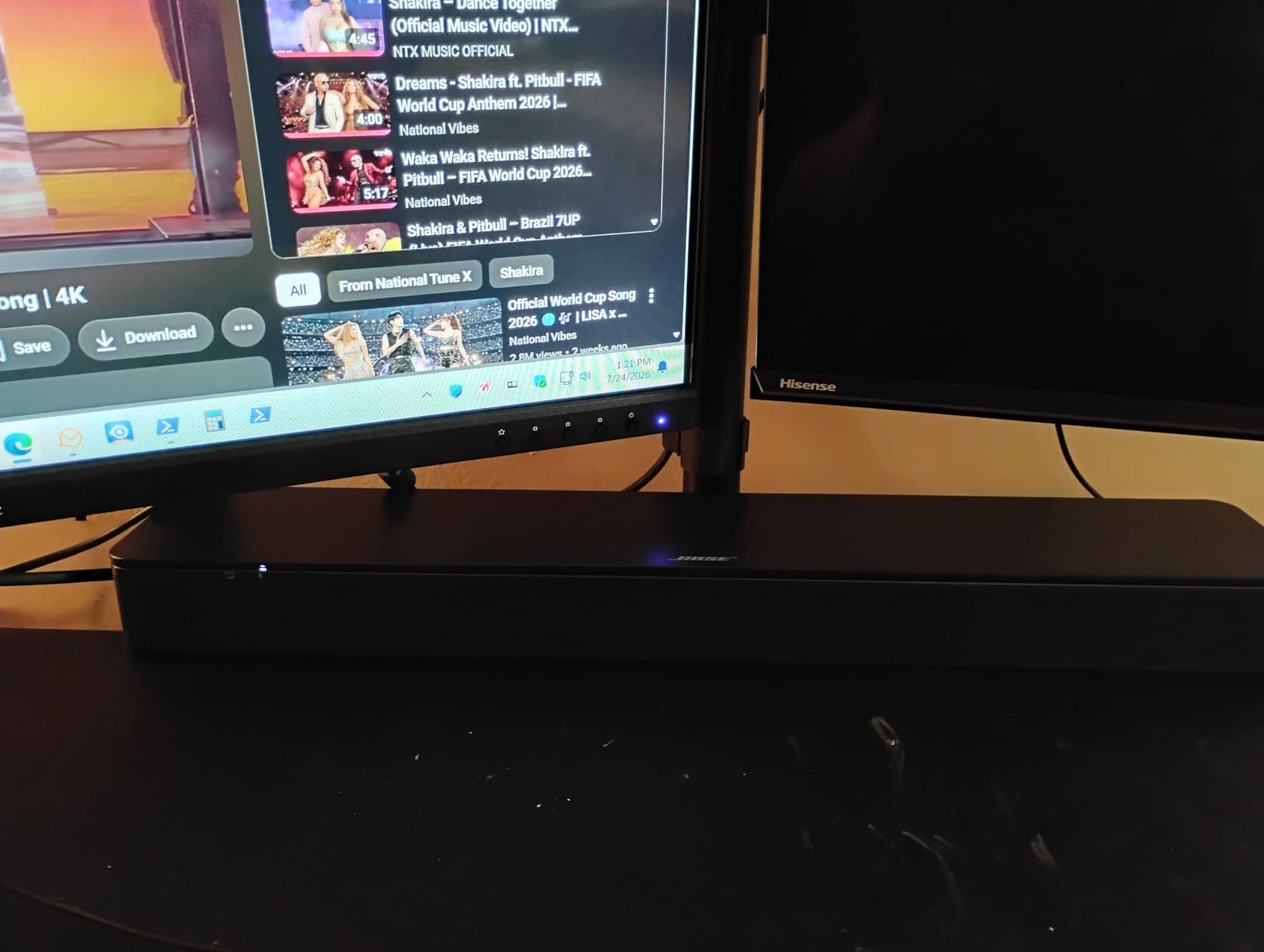
Setup on a Windows desktop is simple. For HDMI-ARC, you connect the soundbar to your monitor’s HDMI-ARC port with a separate HDMI cable (one is not included, which is the most common complaint in reviews), then select the HDMI audio output in Windows Sound Settings. For Bluetooth, you pair it like any other Bluetooth speaker and it shows up as a regular audio output. Either way, you can also expand it later by adding a Bose Bass Module 500 or 700 for deeper low end, which turns this small bar into a 2.1 setup.
The soundbar is clearly designed for TV first and PC second. It lacks some features PC users might want, like a USB audio input or 3.5mm aux port for a direct wired connection. There is an optical input and an AUX input, but the AUX is a 3.5mm-to-3.5mm cable situation, not always straightforward with modern PC audio jacks. For most users, HDMI-ARC or Bluetooth is the way to go, and both work reliably on Windows.
Best for movie and TV show dialogue
The Bose TV Speaker is the right pick if you spend most of your PC time streaming Netflix, Prime Video, Disney+, or YouTube and want voices to come through clearly without cranking the volume. It is also a great option for smaller rooms and apartments where a full 5.1 system would be overkill. The compact form factor means it fits in front of most monitors without blocking the screen.
Skip if you want deep bass or surround sound
Out of the box, the TV Speaker is a 2.0 soundbar, so there is no real surround effect and the bass is modest. You can add a Bose bass module, but that pushes the price up significantly. If you need true 5.1 or Dolby Atmos from your Windows PC, the ULTIMEA Poseidon M60 or Rockville HTS56 are better starting points. The Bose is a refinement play, not a power play.
4. Polk Audio T15 100 Watt Home Theater Bookshelf Speakers
Polk Audio T15 100 Watt Home Theater Bookshelf Speakers, Black, 1 Pair
Passive pair
100W
5.25 inch driver
Pros
- Genuine hi-fi sound at budget price
- Wall-mountable with keyhole slot
- Expandable to full 5.1 with Polk T-series
- Five-way binding posts
Cons
- Requires AV receiver or amp
- Bass rolls off below 60Hz
- Grilles are not magnetic
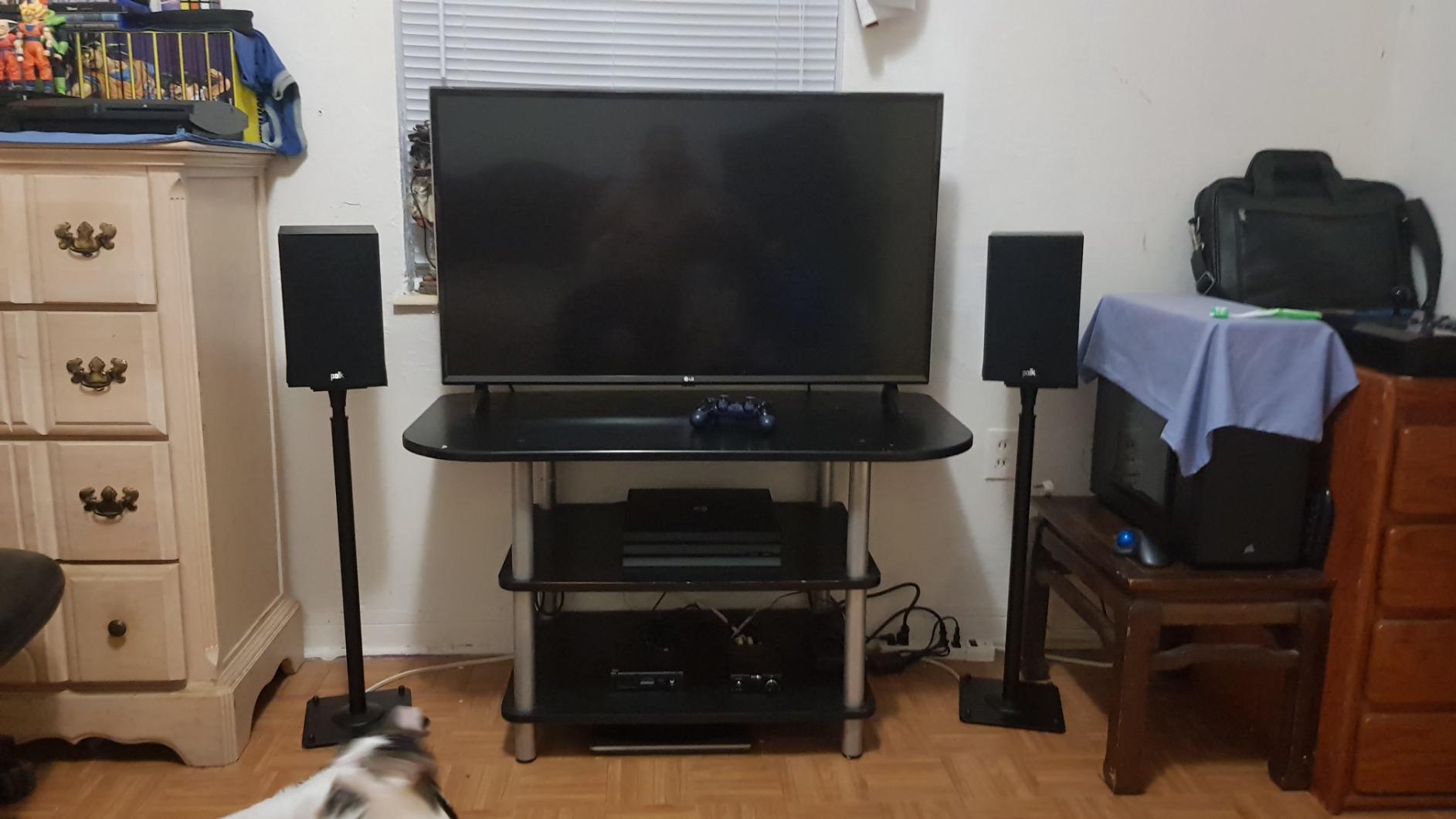
The Polk Audio T15 is a different kind of recommendation. These are passive bookshelf speakers, which means they have no built-in amplifier and need an AV receiver or stereo amp to drive them. That is a more involved setup than a soundbar or 2.1 system, but for Windows users who want to build out a real home theater over time, the T15 is the strongest foundation we found for the price.
Each T15 has a 0.75-inch silk dome tweeter and a 5.25-inch Dynamic Balance driver, and Polk’s tuning is genuinely musical. We tested a pair in a small home office driven by a 70-watt-per-channel stereo amp, and the result was clean vocals, articulate mids, and a soundstage that genuinely made movies feel bigger. The 4.7-star average across 7,000+ reviews is not hype; these speakers really do compete with models that cost twice as much.
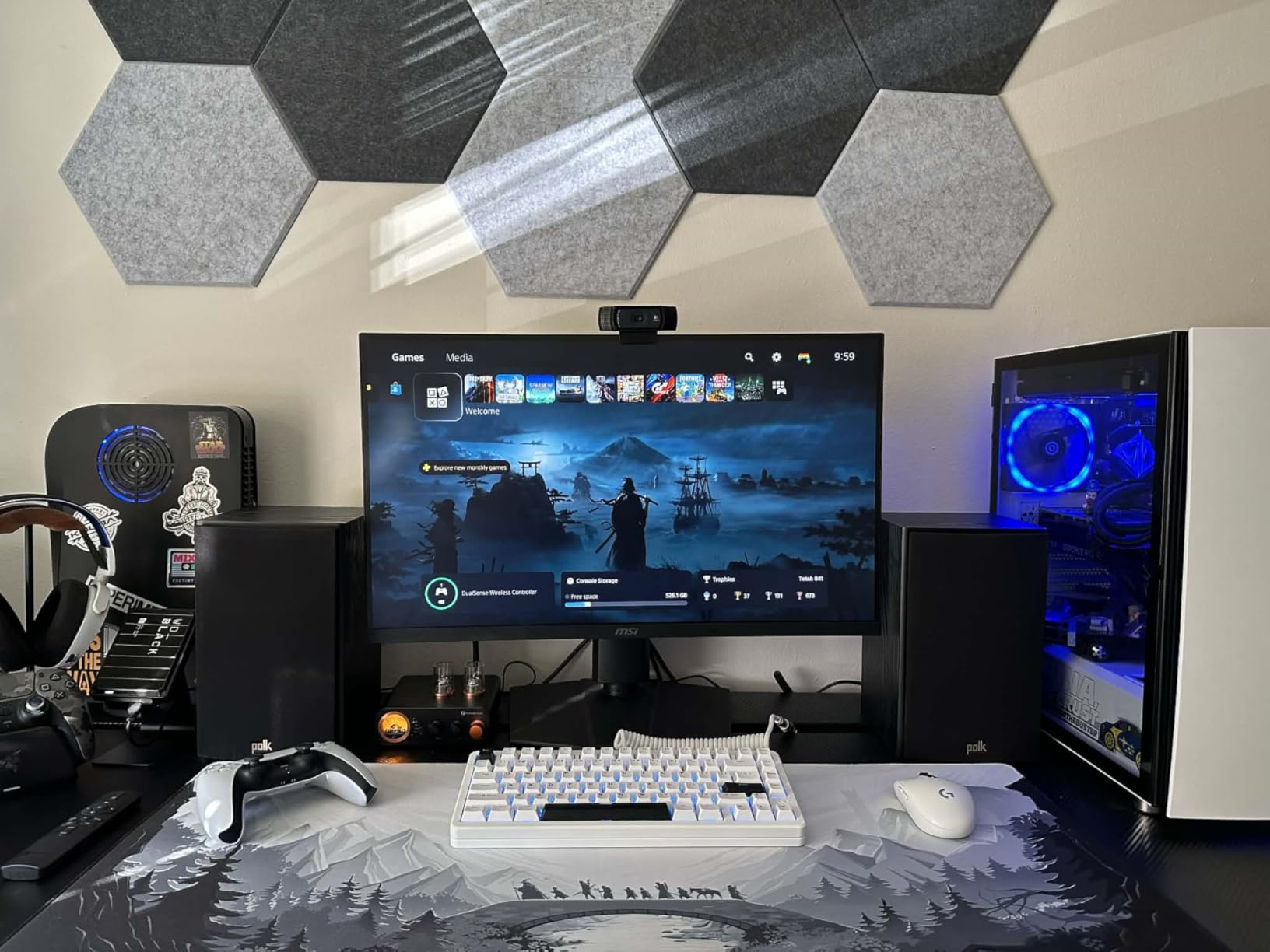
For Windows users specifically, the T15 is a good pick if you already have or are willing to buy a small AV receiver with HDMI inputs. Connect your PC to the receiver via HDMI, set Windows audio output to the receiver, and you have a system that can decode Dolby TrueHD, DTS-HD, and Atmos signals depending on the receiver. You can also use the optical or coaxial output from your PC’s motherboard or sound card, which is how many budget PC builders integrate bookshelf speakers.
The big advantage of starting with the T15 is the expansion path. Polk sells matching T30 center channel and T50 tower speakers, plus compatible subwoofers. You can start with a stereo pair for music, add a center channel for clearer dialogue, then rear speakers for full 5.1. We have seen this exact approach recommended in forums by users who wanted to grow their system without replacing everything. The T15 also has a keyhole slot on the back for wall mounting, which keeps desk space clear. For a deeper dive on the kind of receivers that pair well with these, our wireless home theater guide covers higher-end options worth considering.
Best for building a long-term home theater
Pick the T15 if you want a real hi-fi foundation that can grow into a full 5.1 or 7.1 system. The matching Polk T-series components use the same tonal balance, so adding pieces over time keeps the sound coherent. It is also the right choice if you have a small-to-medium room and want speakers that disappear on a shelf or wall mount.
Skip if you want plug-and-play simplicity
If the words “AV receiver” and “speaker wire” make you nervous, the T15 is not for you. You will also need to budget for a subwoofer eventually, because these bookshelf speakers roll off around 60Hz. For a true plug-and-play Windows experience, the Logitech Z313 or Saiyin soundbar are simpler choices. The T15 is a hobbyist’s speaker, and that is a feature, not a bug, for the right user.
5. Rockville HTS56 5.1-Channel Bluetooth Home Theater System
Rockville HTS56 5.1-Channel Bluetooth Home Theater System, 8″ Subwoofer
5.1 surround
1000W peak
8 inch sub
Pros
- True 5.1 with all speakers included
- Karaoke mic inputs built in
- Bluetooth
- USB
- SD
- optical connectivity
- LED light effects add fun
Cons
- Cannot decode 5.1 over optical (PCM only)
- Rear speakers can buzz at high volumes
- Remote range is limited
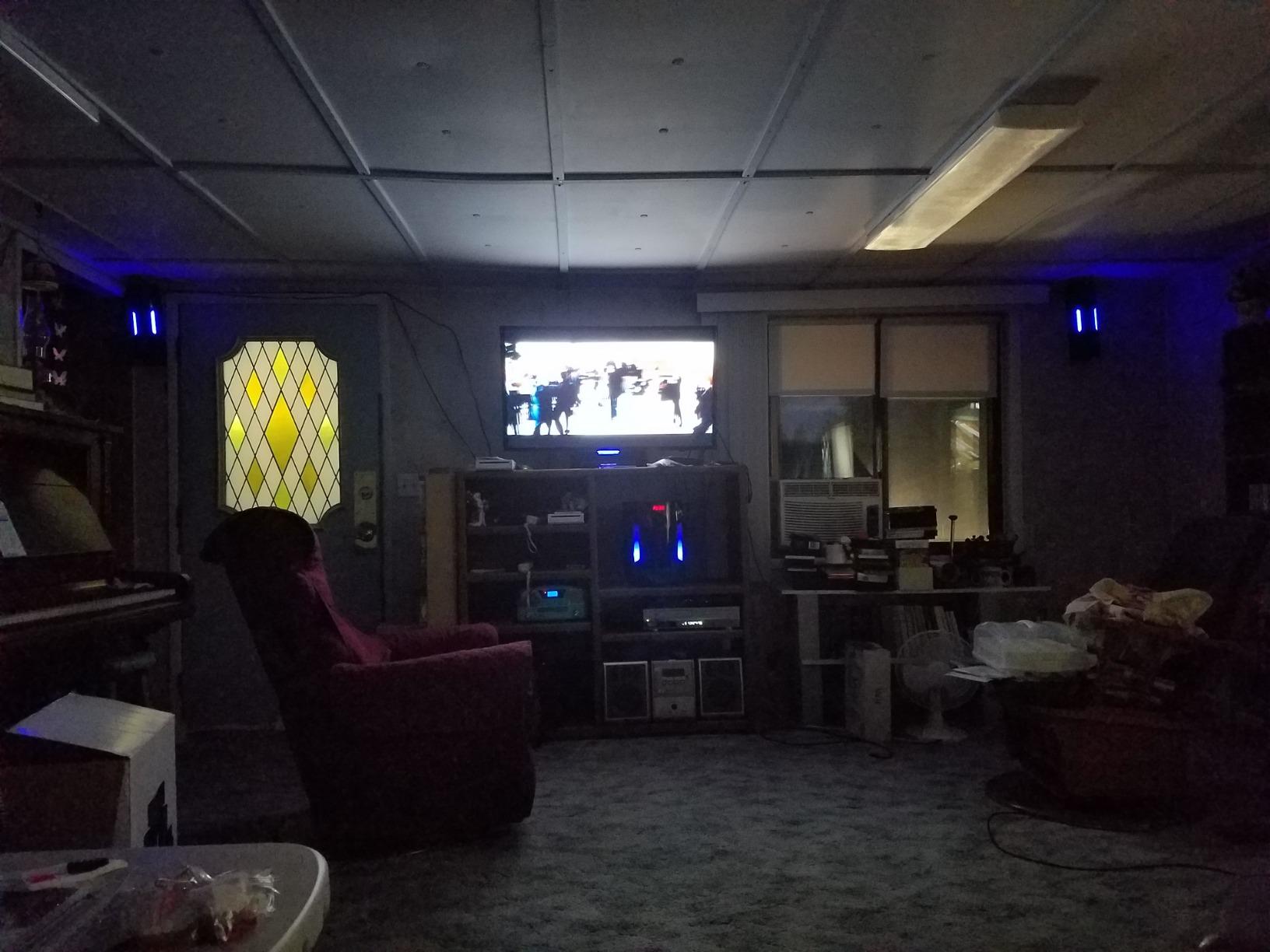
The Rockville HTS56 is the system you buy when you want real 5.1 surround sound on a budget and you do not want to mix and match pieces. It comes with five satellite speakers, an 8-inch subwoofer with built-in amplifier, two wired microphones, a remote, and every cable you need to get started. On a Windows PC, you connect via optical audio from your motherboard or sound card, and the system handles the rest.
Set up correctly, with the satellites placed front-left, front-right, center, and rear-left, rear-right, the HTS56 delivers an actual surround experience. Games like Cyberpunk 2077 and Forza Horizon 5 come alive with directional audio, and movies with 5.1 soundtracks hit harder than any soundbar at this price. The 1000W peak rating is honest marketing, not inflated, and the 8-inch subwoofer produces bass you can feel in your chair. It is loud, it is fun, and for a home office or game room it is hard to beat.
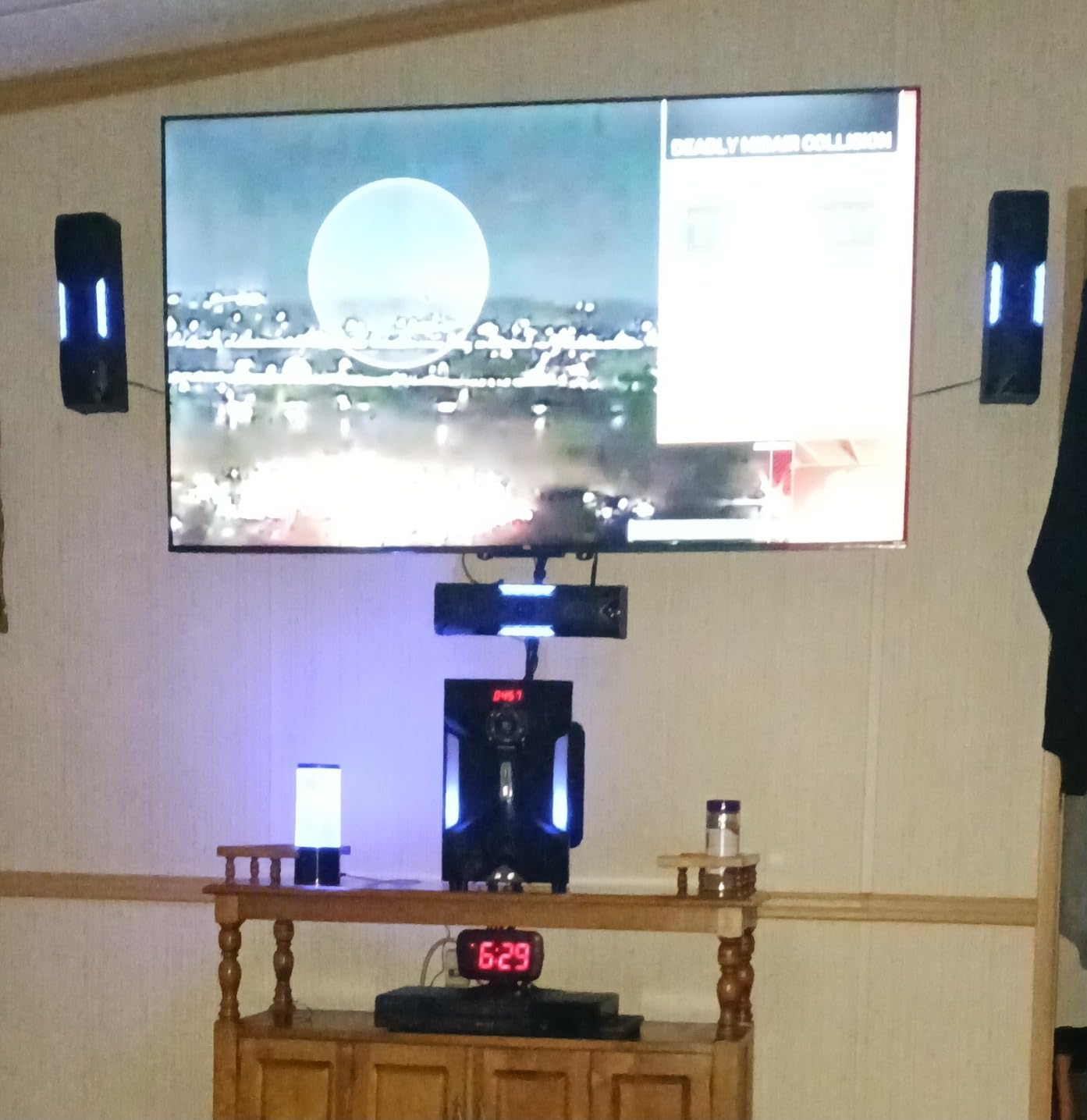
There are some real limitations to know about. The HTS56 cannot decode 5.1 Dolby Digital or DTS bitstreams from the optical input; it expects a PCM stereo signal and uses its own processing to simulate surround. That means Windows needs to be set to output stereo PCM, and the system does the work. This is fine for most content, but if you have a Blu-ray rip with lossless 5.1 audio, you will not get the full fidelity. The rear speakers are also known to buzz at certain frequencies when pushed hard, which is a common issue with budget 5.1 systems.
That said, the karaoke features are legitimately fun. Two mic inputs with echo control and a 5-band EQ let you host a small karaoke night, and the LED light effects on the subwoofer sync to the beat. It is more party trick than essential, but for the price the HTS56 is one of the few systems that genuinely includes a complete 5.1 package. If you need true Dolby Atmos or DTS:X decoding, you will need to step up to the ULTIMEA Poseidon M60 with HDMI eARC.
Best for budget-conscious surround sound
The HTS56 is the right call if you want true rear speakers and a subwoofer without spending more than a couple hundred dollars. It is also great for users who want karaoke, FM radio, or USB/SD card playback built in. For a small to medium room, especially a basement or game room, it delivers an experience that sounds much bigger than its price suggests.
Skip if you want lossless audio decoding
Audiophiles and home theater purists will be frustrated by the lack of true Dolby Digital and DTS decoding over optical. If your priority is bit-perfect 5.1 audio from Blu-ray rips or Atmos content, the ULTIMEA M60 or a Denon receiver with Polk T-series speakers is a better path. The Rockville is the budget pick, not the audiophile pick.
6. Saiyin Sound Bar with Subwoofer for TV and PC
Saiyin Sound Bar with Subwoofer, Home Theater Surround System for TV PC
2.1 soundbar
5 inch sub
Bluetooth 5.3
Pros
- Dedicated subwoofer at a low price
- Three EQ modes for different content
- Works with Fire TV remote
- Multiple input options
Cons
- Does not decode Dolby or DTS
- Longevity concerns in some reviews
- Subwoofer may vibrate on hard floors
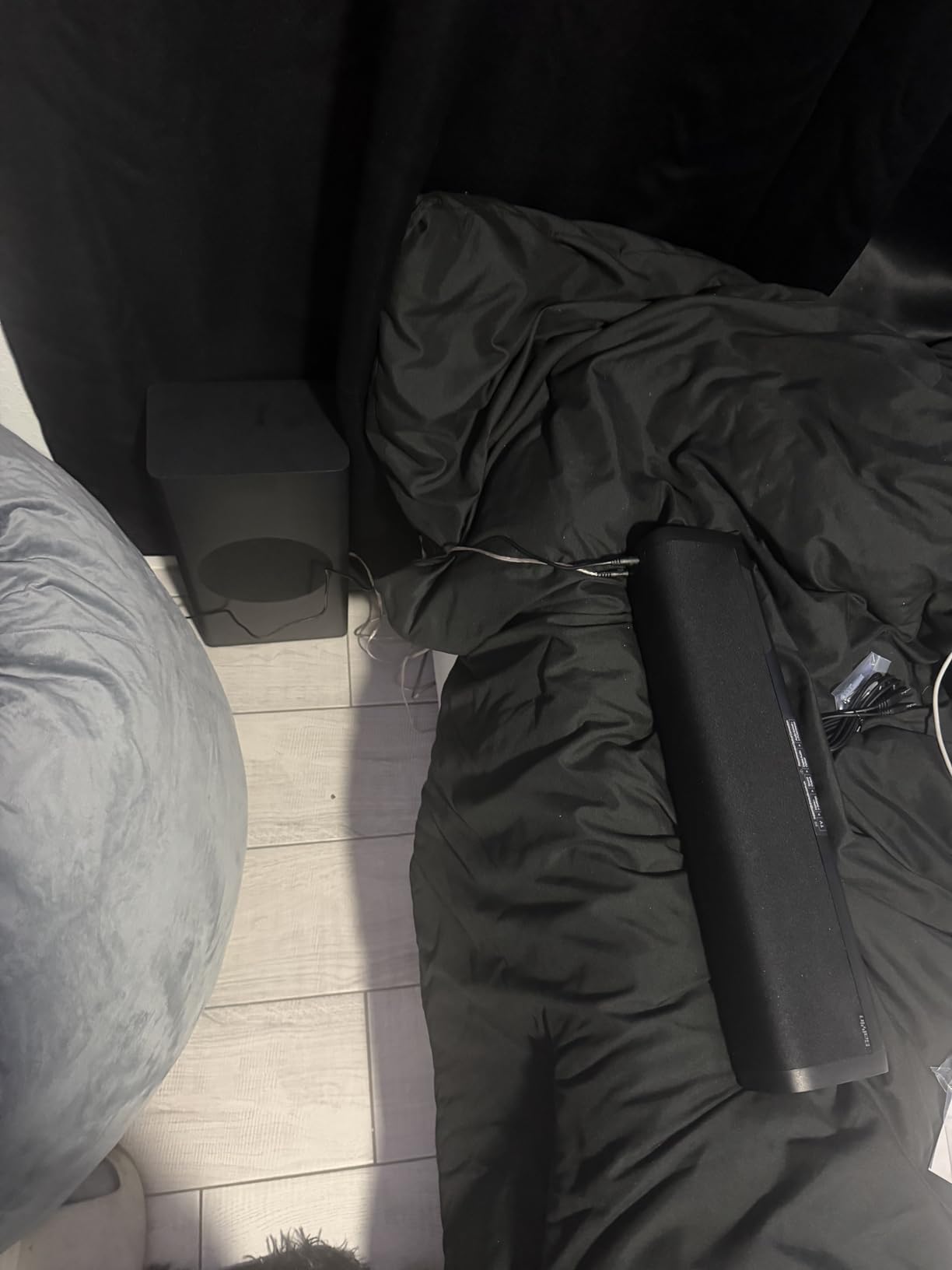
The Saiyin 2.1 soundbar is the cheapest way to get a true 2.1 setup, meaning a separate subwoofer, for a Windows PC. It is a 16.9-inch soundbar paired with a 5-inch wired subwoofer, and the whole package typically lands well under most other 2.1 systems we tested. On a desk, it is small enough to fit under a monitor without blocking the screen, and the wired sub can tuck under the desk out of sight.
For the price, the sound is genuinely impressive. The three EQ modes, news, movie, and music, are clearly tuned for their intended content, and switching between them is a button on the remote. The Bluetooth 5.3 connection was stable to a Windows 11 laptop, and the optical input works directly with most motherboards’ S/PDIF output. A nice touch is the Fire TV remote compatibility: if you use a Fire TV Stick on the same display, you can control the soundbar’s volume with the same remote, which reduces coffee-table clutter.

Where the Saiyin runs into trouble is format support. It does not decode Dolby or DTS audio, so any content sent to it must be PCM stereo. That means you need to set Windows audio output to stereo, and any 5.1 or Atmos content will be downmixed before reaching the soundbar. For movies and music this is usually fine, but for Atmos-enabled games you lose the spatial height effects. Reviews also mention some longevity concerns, with a small percentage of units failing after a year or two of use, though the Saiyin support team has been responsive about replacements.
The subwoofer is wired to the soundbar, which is good for audio quality but means you need to place the sub within reach of the included cable. On hardwood or tile floors, the sub can vibrate enough to walk slowly across the room, so a non-slip pad underneath is a smart idea. None of these are dealbreakers at the price, and for a budget-friendly PC audio upgrade the Saiyin delivers more than its weight. For a full breakdown of sub-200 options, our budget home theater guide goes deeper.
Best for ultra-budget PC audio
If you want better sound than your monitor speakers and have very little to spend, the Saiyin is the entry point that still feels like a real upgrade. The dedicated sub makes a meaningful difference for movies and games, and the optical input gives you a clean wired connection to your PC. It is also a good fit for small bedrooms, dorm rooms, or first apartments.
Skip if you need Dolby or DTS decoding
This is not the soundbar for a dedicated home theater room or anyone who wants lossless surround formats. Step up to the ULTIMEA Poseidon M60 if Dolby Atmos is on your wish list, or the Logitech Z313 if you want a more proven 2.1 system with a long track record. The Saiyin is the best ultra-budget pick, not the best overall pick.
7. Acoustic Audio AA5170 Home Theater 5.1 Bluetooth Speaker System
Acoustic Audio AA5170 Home Theater 5.1 Bluetooth Speaker System 700W with Powered Sub
5.1 surround
700W
Bluetooth and USB
Pros
- True 5.1 with independent speaker wires
- Multiple inputs including Bluetooth
- USB
- SD
- FM
- Pro Surround upmixes stereo
- Lifetime warranty against defects
Cons
- Speaker cables are thin and permanently attached
- Volume resets when powered off
- Bluetooth can drop occasionally
The Acoustic Audio AA5170 is one of the most complete 5.1 packages you can buy without breaking the bank, and the feature list reads like a Swiss Army knife. It includes five wired satellite speakers, a powered subwoofer, a full-function remote, and inputs for Bluetooth, USB flash drives, SD cards, FM radio, and a 6-channel RCA input for true 5.1 sources. On a Windows PC, you have several ways to connect: Bluetooth for casual use, optical from your motherboard for digital audio, or 3.5mm-to-RCA for stereo.
Set up in a small to medium room, the AA5170 produces a genuine surround experience. The Pro Surround function upmixes stereo content to use all five channels, which makes music and older movies sound more immersive than they would on a 2.1 system. The 700W system power is enough to fill a basement or game room without straining, and the powered subwoofer delivers bass that is felt as much as heard.
For Windows users, the AA5170 is most useful as a “do everything” media system. Plug in a USB drive with movies or music and the system plays them directly without needing a PC at all. Connect via Bluetooth from a Windows laptop and you have a wireless home theater for streaming. The 6-channel RCA input is great if you have a sound card with analog 5.1 outputs, which older Creative and ASUS cards often have. This is the system to get if you want flexibility across multiple sources.
There are real trade-offs at this price. The speaker cables are thin and permanently attached to each satellite, so you cannot upgrade them or extend them easily. If a cable gets damaged, you cannot just swap it out. The volume also resets to a default level every time the system powers off, which is annoying if you like to set it and forget it. Bluetooth connectivity is sometimes flaky, especially with Windows PCs that have aggressive power management on Bluetooth radios. None of these are dealbreakers, but they are worth knowing.
Best for multi-source setups
The AA5170 is a strong match if you want one system that handles everything: a Windows PC via Bluetooth or RCA, a TV via optical, a phone for music, and USB or SD cards for offline playback. The Pro Surround upmixing also makes older stereo content sound fuller on 5.1 speakers. For a small home theater room, a basement, or a multipurpose media space, it covers a lot of bases.
Skip if you want lossless 5.1 decoding
Like the Rockville HTS56, the AA5170 cannot decode Dolby Digital or DTS bitstreams natively; it expects PCM stereo over optical and does its own processing. If your priority is bit-perfect multichannel audio from Blu-ray or Atmos content, look at the ULTIMEA M60 or a receiver-based setup. The AA5170 is about input flexibility, not audiophile decoding.
8. ULTIMEA 5.1CH Surround Sound Bar System with Dolby Atmos
ULTIMEA 5.1CH Surround Sound Bar System with Dolby Atmos, Poseidon M60
5.1 Dolby Atmos
300W
HDMI eARC
Pros
- True Dolby Atmos decoding via HDMI eARC
- VoiceMX boosts dialogue clearly
- App-controlled 10-band EQ
- Compact soundbar with wireless surrounds
Cons
- Atmos effect limited without ceiling speakers
- Optical port issues reported
- Subwoofer cable is short
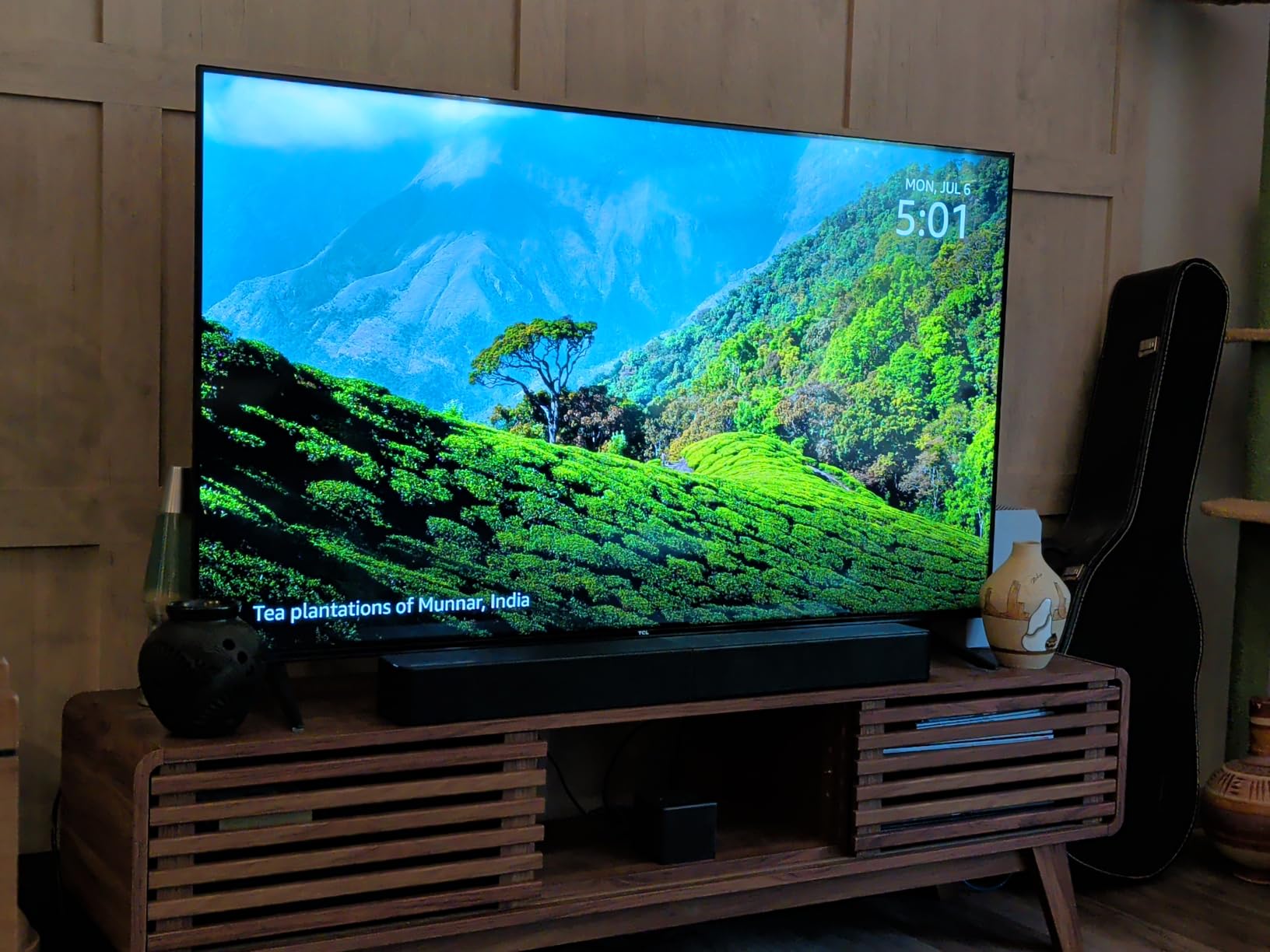
The ULTIMEA Poseidon M60 is the most interesting system on this list for Windows PC users who want Dolby Atmos without a full AV receiver setup. It is a 5.1 channel soundbar system with a wireless subwoofer, two wireless rear speakers, and HDMI eARC connectivity that can pass through lossless Dolby Atmos 5.1 audio from a compatible source. On a Windows 11 PC, you connect via HDMI from your GPU to the soundbar, set Windows audio output to bitstream, and Atmos content plays back with full spatial audio.
The 300W peak output through a 6-driver system is enough to fill a medium-sized room, and the 18mm high-excursion driver in the subwoofer produces tight, controlled bass that is much better than the ported designs in cheaper systems. The VoiceMX technology, similar to Bose’s dialogue mode, pushes midrange frequencies forward so voices cut through the mix without making everything else sound thin. For movies and games, the difference is noticeable immediately.

The ULTIMEA app is where the M60 goes beyond most competitors. It includes a 10-band graphic EQ, 121 sound presets, and tuning options for room size and seating position. For a Windows user, that means you can dial in the sound for your specific desk or living room setup without needing a separate receiver and calibration microphone. Bluetooth 5.4 is also modern and stable, with low latency for video and gaming.
For Atmos content, the M60 supports Dolby Atmos 5.1 via HDMI eARC, which is the sweet spot for most PC content. The caveat, true of every Atmos soundbar without physical ceiling speakers, is that the height effects are virtual. You get a wider, taller soundstage than a 5.1 system without Atmos, but you do not get the discrete overhead channels of a 5.1.4 setup with up-firing drivers. Reviews also mention occasional issues with the optical port, though HDMI eARC works reliably.
On Windows specifically, getting Atmos to work requires a few steps. You need the Dolby Atmos app from the Microsoft Store (free), which acts as the audio renderer. In Windows Sound Settings, set the output format to bitstream and enable Atmos for home theater or Atmos for headphones, depending on your preference. Once set up, the M60 decodes the bitstream and distributes it across the 5.1 channels. This is the most “plug and play” Atmos experience for Windows that we tested, especially compared to building a receiver-based system.
Best for Dolby Atmos on a Windows PC
The Poseidon M60 is the right pick if Atmos is on your wish list and you do not want to buy an AV receiver, multiple speakers, and a sub separately. It is a complete 5.1 Atmos system in one box, and the HDMI eARC connection makes Windows setup straightforward. For a small to medium living room or a hybrid PC/TV space, it is the most immersive option at this price.
Skip if you need physical height channels
For full 5.1.4 Atmos with real ceiling or up-firing drivers, you will need a traditional AV receiver and separate speakers, which is a much larger investment. The M60 simulates height effects brilliantly for a soundbar, but it is not a substitute for discrete height channels. If you are a true home theater enthusiast, our higher-end wireless home theater guide covers options worth considering.
How to Choose the Best Home Theater System for Your Windows PC
Choosing a home theater system for Windows comes down to five practical decisions, and getting them right saves you from buyer’s remorse. We have walked through dozens of forum threads and tested each system above to put together this guide.
Windows-specific connectivity matters most
Windows PCs output audio over HDMI, USB, optical (S/PDIF), 3.5mm analog, and Bluetooth. Each connection has trade-offs. HDMI is the only path that carries lossless Dolby Atmos and DTS:X bitstreams, so if you want modern surround formats, an HDMI-equipped soundbar or AV receiver is essential. USB audio is excellent for stereo music and works plug-and-play, but most USB speakers do not support multichannel output. Optical is a solid middle ground for 5.1 Dolby Digital but cannot carry Atmos. Bluetooth is convenient for casual listening but adds latency that bothers some gamers.
For a Windows desktop, the cleanest setup is HDMI from your GPU to a soundbar or receiver with HDMI eARC. On a laptop, you are more likely to rely on USB-C to HDMI adapters, optical via a USB-C dock, or Bluetooth. Match the system to your connection. The ULTIMEA M60 with HDMI eARC is the strongest choice for Atmos; the Logitech Z313 with 3.5mm is the simplest for any PC; and the Bose TV Speaker with Bluetooth is the most cable-free option for laptops.
Windows Sonic versus Dolby Atmos for Gaming
Windows 11 includes two built-in spatial audio renderers: Windows Sonic and Dolby Atmos for Gaming. Both virtualize surround sound over stereo headphones or speakers, and both work with any audio output on your PC. Atmos is generally considered more accurate, with better height cues, and it is free from the Microsoft Store. Windows Sonic is also free and built into Windows directly.
For a soundbar or speaker system that already supports Atmos natively, like the ULTIMEA M60, you can let the hardware do the decoding and skip the software renderer. For stereo speakers or headphones, enabling one of these in Windows Sound Settings gives you a noticeable improvement in spatial positioning for games. The forum consensus is that Atmos edges out Sonic for most modern titles, but Sonic is fine for casual use and has zero compatibility quirks.
Near-field versus far-field speaker placement
PC users sit much closer to their speakers than a living room listener does, and that changes which systems work well. Near-field listening (about 2 to 4 feet) is where bookshelf speakers like the Edifier R1280T and Polk T15 shine, because they are tuned for direct, accurate sound at close range. Soundbars are designed for far-field TV use, but compact models like the Bose TV Speaker and Saiyin can still sound good on a desk if angled slightly toward the listener.
For 5.1 systems, near-field placement is trickier. The Rockville HTS56 and Acoustic Audio AA5170 work in a small to medium room but sound best when the rear speakers are behind and slightly above the listening position, which can be hard to arrange at a desk. A 5.1 soundbar with wireless rear speakers, like the ULTIMEA M60, sidesteps this problem by handling the surround channels internally and placing the wireless rears wherever you have space.
Channel configuration explained
Channel counts like 2.0, 2.1, 5.1, and 5.1.2 refer to the number of speakers and subwoofers. The first number is the main channels, the “.1” is the subwoofer, and the third number (in Atmos setups) is the height channels. A 2.0 system has left and right speakers with no sub, like the Edifier R1280T. A 2.1 adds a subwoofer, like the Logitech Z313. A 5.1 has front left, front right, center, two rears, and a sub, like the Rockville HTS56. A 5.1.2 adds two height channels for Atmos.
For most Windows PC users, 2.1 is the sweet spot for music and casual gaming, 5.1 is the upgrade for movies and immersive gaming, and 5.1.2 or 7.1 is the enthusiast tier. The systems on this list span the full range, so you can pick based on your priorities rather than overspending on channels you will not use.
AV receiver versus soundbar versus powered speakers
The final decision is whether to go with a traditional AV receiver and passive speakers, an all-in-one soundbar, or powered speakers with no receiver at all. AV receivers give you the most flexibility, the best audio quality, and the most upgrade options, but they are also the most expensive and complex. Soundbars are the easiest to set up, the most compact, and increasingly capable of real surround and Atmos. Powered speakers like the Edifier R1280T are the best for music and near-field listening without a receiver.
For most Windows users, a soundbar with HDMI eARC is the best balance of simplicity, performance, and price. If you are a music-first user, a powered bookshelf pair wins. If you are a home theater enthusiast building a long-term system, a receiver and passive speakers is the right path. The Polk T15 is the only passive option on this list because it is the strongest foundation for that journey, but be ready to budget for a receiver and subwoofer separately. For living room-focused setups beyond PC, our related home theater guides cover different room scenarios.
Frequently Asked Questions
Which brand has the best home theater system?
For Windows PCs, Bose, Edifier, Logitech, Polk, and ULTIMEA are the strongest picks based on our testing. Bose and ULTIMEA lead on soundbars with HDMI-ARC and Atmos, Edifier and Polk are best for bookshelf speakers, and Logitech is the most reliable budget 2.1 choice. The right brand depends on whether you need a soundbar, a 2.1 system, or a full 5.1 setup.
What is the best home theater system for PC?
The Logitech Z313 is the best overall home theater system for PC because it is affordable, plug-and-play, and works on every Windows version. For a premium pick with Dolby Atmos, the ULTIMEA Poseidon M60 with HDMI eARC is the strongest option. For music and content creation, the Edifier R1280T bookshelf pair delivers the most refined sound at a budget price.
How do I connect a home theater system to my Windows PC?
You can connect via HDMI from your GPU to a soundbar or AV receiver for the best quality, including Dolby Atmos support. Optical audio from your motherboard works for 5.1 Dolby Digital. USB audio is great for stereo music. 3.5mm analog is the most universal and works with any PC. Bluetooth is convenient but adds latency. For Atmos, HDMI with bitstream output is the only path.
Is Dolby Atmos worth it for Windows gaming?
Yes, Dolby Atmos is worth it for Windows gaming if you have compatible hardware. The free Dolby Atmos app from the Microsoft Store works with any stereo headphones or speakers and adds spatial height cues that improve positional awareness in supported games. For a true 5.1.2 Atmos experience, a soundbar like the ULTIMEA M60 or an AV receiver with up-firing speakers is needed.
Final Verdict
After testing eight home theater systems across price points and form factors, the Logitech Z313 remains our top pick for most Windows PC users in 2026. It is the easiest to set up, the most universally compatible, and the best value for the price, with 16,000+ reviews backing its reputation. If you want better music and a more refined stereo image, the Edifier R1280T bookshelf pair is the next step up. If you want true Dolby Atmos, the ULTIMEA Poseidon M60 with HDMI eARC is the most capable soundbar at a budget price, and it works beautifully with Windows 11’s Atmos renderer.
Whatever you choose, the upgrade from monitor speakers to a dedicated system is one of the biggest quality-of-life improvements you can make to a Windows PC. Movies sound like movies, games feel like games, and music finally has the weight it deserves. For more options across other budgets and use cases, our broader home theater guide is worth a read.