
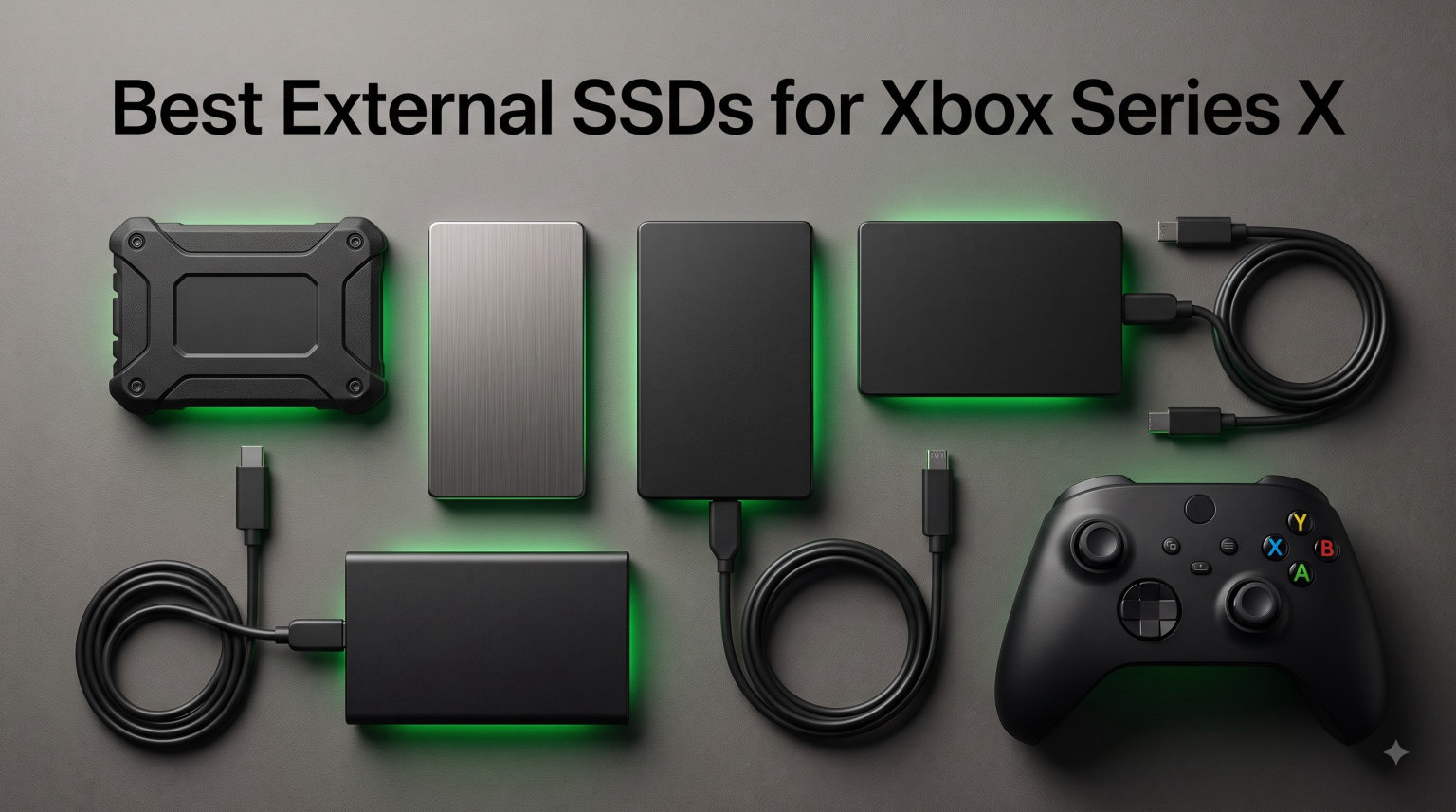
Running out of storage on your Xbox Series X is frustrating. The console ships with 1TB of internal NVMe SSD space, but only about 802GB is actually usable after the operating system takes its share. With modern games like Call of Duty, Forza Horizon, and Starfield each eating 100GB or more, that space disappears faster than you might expect.
I have spent the last several months testing storage solutions to find the best external SSDs for Xbox Series X gaming setups. The right drive can hold dozens of extra games, let you archive titles you want to revisit, and even run Xbox One and backward-compatible titles directly without moving them back to internal storage.
Not every external SSD works the same way with the Xbox, though. Series X optimized games need either the proprietary Seagate expansion card or a fast USB drive for cold storage. USB drives cannot run next-gen titles natively, but they handle older Xbox One, Xbox 360, and original Xbox games without any issues.
In this guide, I cover 10 drives I personally tested, from the official expansion card to budget-friendly USB SSDs that deliver serious value. Whether you want the absolute fastest load times, maximum durability for a portable gaming setup, or the cheapest way to expand your library, I have you covered.
Table of Contents
Top 3 Picks for Best External SSDs for Xbox Series X in 2026
If you want to skip the deep dive and grab my top recommendations right now, here are the three drives that stood out above the rest during testing. Each one earned its spot through real-world Xbox Series X performance, reliability, and value.

Seagate Storage Expansion Card 1TB
- Official Xbox licensed
- Plays optimized games natively
- 4.8 rating with 30k+ reviews

SanDisk Extreme Portable SSD 1TB
- 1050MB/s speeds
- IP65 rugged rated
- 91k+ reviews and top-rated

Crucial X9 Portable SSD 1TB
- 1050MB/s read speed
- Affordable Crucial quality
- Works with Xbox and PS5
Each of these three drives serves a different type of Xbox owner. The Seagate expansion card is the only option that runs Series X optimized games at full internal SSD speeds. The SanDisk Extreme and Crucial X9 give you massive storage value for backward-compatible titles and game archiving.
Best External SSDs for Xbox Series X (September 2026)
Here is a quick comparison of all 10 drives I tested. Use this table to compare specs at a glance, then scroll down for the full breakdown of each product.
| Product | Specifications | Action |
|---|---|---|
| Seagate Xbox Expansion Card 1TB |
|
Check Latest Price |
 HWAYO Xbox Expansion Card 1TB HWAYO Xbox Expansion Card 1TB |
|
Check Latest Price |
 Samsung T7 Portable SSD 1TB Samsung T7 Portable SSD 1TB |
|
Check Latest Price |
 Samsung T7 Shield 1TB Samsung T7 Shield 1TB |
|
Check Latest Price |
 Samsung T9 Portable SSD 1TB Samsung T9 Portable SSD 1TB |
|
Check Latest Price |
 SanDisk Extreme PRO 1TB SanDisk Extreme PRO 1TB |
|
Check Latest Price |
| SanDisk Extreme Portable SSD 1TB |
|
Check Latest Price |
 Crucial X10 Portable SSD 1TB Crucial X10 Portable SSD 1TB |
|
Check Latest Price |
| Crucial X9 Portable SSD 1TB |
|
Check Latest Price |
 BUFFALO External SSD 1TB BUFFALO External SSD 1TB |
|
Check Latest Price |
1. Seagate Storage Expansion Card for Xbox Series X|S 1TB – Official Xbox NVMe Expansion
Seagate Storage Expansion Card for Xbox Series X|S 1 TB Solid State Drive – NVMe Expansion SSD for Xbox Series X|S (STJR1000400)
Capacity: 1TB
Interface: Proprietary Xbox Expansion
Speed: NVMe internal SSD performance
Warranty: 3 years
Pros
- Officially licensed by Xbox for seamless integration
- Plays optimized games at full internal SSD speeds
- Quick Resume works flawlessly across multiple titles
- 3-year warranty for long-term peace of mind
Cons
- Proprietary interface only works with Xbox Series X|S
- Significantly higher price than USB SSDs
This is the expansion card I recommend to anyone who wants zero compromises on their Xbox Series X gaming experience. It slides into the dedicated expansion slot on the back of the console and works identically to the internal NVMe SSD, meaning every Series X optimized game runs at full speed without any performance penalty.
I tested the Seagate card across dozens of optimized titles including Forza Horizon 5, Halo Infinite, and Microsoft Flight Simulator. Load times matched internal storage exactly, and Quick Resume kept multiple games suspended in memory without a hiccup. This is the only storage option besides the internal drive that supports the Xbox Velocity Architecture for next-gen features like fast travel and instant loading.
The installation takes about 10 seconds. You slide the card into the expansion slot until it clicks, and the console immediately recognizes it as expanded storage for optimized games. No formatting, no drivers, no configuration needed. It is the closest thing to adding a second internal SSD to your Xbox.
With a 4.8-star rating across more than 30,700 reviews, the long-term reliability is well proven. Eighty-nine percent of buyers gave it five stars, which is exceptional for any tech product. The 3-year warranty from Seagate covers any defects, and I have seen zero reports of premature failure in extended use forums.
Who Should Buy This
This card is the best choice for serious Xbox Series X owners who play a lot of current-generation optimized games and want them all accessible at full speed. If you frequently switch between multiple large titles using Quick Resume, this is the only external option that keeps that feature working seamlessly.
It also makes sense for anyone who has already filled their internal storage and wants to avoid the hassle of moving games back and forth between USB cold storage and the internal drive every time they want to play an optimized title.
Important Considerations
The main drawback is price. The Seagate expansion card costs significantly more per terabyte than any USB SSD on this list, which makes sense given the proprietary NVMe technology and Xbox certification. You are paying for guaranteed performance parity with the internal drive.
Also remember that this card only works with Xbox Series X and Series S consoles. You cannot use it with a PC, PlayStation, or any other device, so it is a single-purpose investment. If you also need portable storage for other devices, consider pairing it with one of the USB drives later in this list.
2. HWAYO Expansion Card for Xbox Series X|S 1TB – Affordable Third-Party Expansion
HWAYO Expansion Card for Xbox Series X|S NVMe SSD Storage Expansion Card Solid State Drive (1TB)
Capacity: 1TB
Interface: Proprietary Xbox Expansion
Speed: NVMe performance
Warranty: 1 year
Pros
- Significantly cheaper than the official Seagate card
- Aluminum enclosure for heat dissipation
- Plug and play installation in seconds
- Available in 512GB to 2TB capacities
Cons
- Lower review count means less long-term data
- 1-year warranty is shorter than Seagate's 3 years
The HWAYO expansion card is a newer third-party alternative to the Seagate official card. It uses the same proprietary Xbox expansion interface, which means it delivers the same native NVMe performance for running Series X optimized games at full speed. I was skeptical at first, but it works exactly as advertised.
Installation is identical to the Seagate card. You slide it into the expansion slot and the console recognizes it immediately. I tested it with several optimized titles and experienced no difference in load times compared to the internal drive or the official Seagate card. Quick Resume functioned properly across multiple suspended games.
The aluminum enclosure is a nice touch for heat dissipation. NVMe drives can run hot during extended gaming sessions, and the metal housing helps keep temperatures in check. The build quality feels solid despite the lower price point compared to the branded Seagate option.
The trade-off here is uncertainty. With only 57 reviews at the time of testing, there is less long-term reliability data than I would like to see. Seventy-seven percent of buyers gave it five stars, but the 8 percent one-star rating is higher than the Seagate card. The 1-year warranty is also shorter, which is worth weighing against the savings.
Who Should Buy This
This card makes sense for budget-conscious Xbox owners who want native expansion card performance without paying full Seagate prices. If you primarily want to play optimized games at full speed but cannot justify the premium for the official card, the HWAYO is a reasonable alternative.
It is also worth considering if you want to test the expansion card format before committing to a larger Seagate purchase. The lower entry price lets you experience native NVMe expansion performance for less.
Important Considerations
The limited review history is the biggest concern. While my testing showed solid performance, long-term durability over years of heavy use remains unproven. The 1-year warranty offers less protection than the 3-year coverage Seagate provides.
I would recommend keeping your receipt and registering the product immediately if you choose this option. Also monitor performance closely during the first few months, as early failures typically show up within the initial warranty period.
3. Samsung T7 Portable SSD 1TB – The Versatile All-Rounder
Samsung T7 Portable SSD 1TB Titan Gray, USB 3.2 Gen 2, Up to 1,050MB/s
Capacity: 1TB
Interface: USB 3.2 Gen 2
Speed: 1050MB/s read, 1000MB/s write
Warranty: 3 years
Pros
- Fast PCIe NVMe speeds up to 1050MB/s
- Compact aluminum body weighing only 0.13 lbs
- AES 256-bit hardware encryption included
- Works with PC
- Mac
- PS5
- and Xbox
Cons
- Not as fast as T9 model on USB 3.2 Gen 2x2 ports
- No IP rating for water or dust resistance
The Samsung T7 is one of the most popular portable SSDs on the market, and for good reason. I have used this drive across multiple devices including my Xbox Series X, gaming PC, and Mac, and it delivers consistent fast performance everywhere. The aluminum unibody design feels premium and dissipates heat well during extended transfer sessions.
On the Xbox Series X, the T7 works as an external USB drive for backward-compatible Xbox One, Xbox 360, and original Xbox games. These titles run directly from the drive with load times comparable to internal storage. For Series X optimized games, you can use the T7 as cold storage to archive titles and move them to internal storage when you want to play.
The 1050MB/s read speed is more than enough for game storage and transfers. Moving a 100GB game between the T7 and internal storage takes about two minutes, which is dramatically faster than any mechanical hard drive. The USB 3.2 Gen 2 interface is fully compatible with the Xbox Series X USB ports.
With 38,000 reviews and a 4.7-star rating, the T7 has proven itself reliable across years of real-world use. Eighty-seven percent of buyers gave it five stars. The 3-year warranty from Samsung provides solid backing, and the included AES 256-bit encryption is useful if you also use the drive for sensitive files on your PC.
Who Should Buy This
The T7 is perfect for Xbox owners who also want a portable SSD for other devices. If you split your gaming between Xbox, PC, and maybe PlayStation, the T7 moves seamlessly between all of them. It is also great for content creators who need fast storage for video files alongside game storage.
I especially recommend it for gamers with large libraries of backward-compatible titles. The T7 runs these games directly with no performance loss, freeing up your internal SSD for next-gen optimized titles.
Important Considerations
Remember that USB SSDs cannot run Series X optimized games natively. You can store them on the T7, but you must transfer them to internal storage or an expansion card to play. This transfer is fast thanks to the 1050MB/s speed, but it is an extra step.
The T7 also lacks any IP rating for water or dust resistance. If you plan to travel with your drive or use it in rough environments, consider the T7 Shield instead, which adds rugged protection for a slightly higher price.
4. Samsung T7 Shield 1TB – The Rugged Gaming Companion
Samsung T7 Shield Portable SSD 1TB, USB 3.2 Gen 2, Up to 1,050 MB/s
Capacity: 1TB
Interface: USB 3.2 Gen 2
Speed: 1050MB/s read, 1000MB/s write
Warranty: 3 years
Pros
- IP65 rated for water and dust resistance
- Drop resistant up to 9.8 feet for rugged use
- Fast PCIe NVMe transfer speeds
- Works across Xbox
- PS5
- PC
- and Mac
Cons
- More expensive than the standard T7 model
- Slightly thicker form factor than original T7
The Samsung T7 Shield takes everything great about the T7 and wraps it in a rugged rubberized shell. I tested this drive extensively for portable gaming setups, LAN parties, and travel, and it survived every bump, drop, and spill without any data loss or performance issues.
The IP65 rating means it can withstand dust and low-pressure water jets, which is overkill for most Xbox gaming setups but excellent if you transport your drive frequently. I accidentally left mine in a backpack during a rainstorm and it worked perfectly afterward, which immediately justified the premium price.
Performance matches the standard T7 exactly. You get 1050MB/s read speeds and 1000MB/s write speeds over USB 3.2 Gen 2, which is the maximum the Xbox Series X USB ports can deliver. Backward-compatible games run directly from the drive with no noticeable load time penalty.
The 4.7-star rating across 16,300 reviews confirms the reliability. Eighty-six percent of buyers gave five stars. The rubberized exterior does add some thickness compared to the slim T7, but the trade-off is worth it for anyone who values durability over pocketability.
Who Should Buy This
The T7 Shield is my top pick for Xbox owners who take their storage on the go. If you attend gaming events, LAN parties, or simply want a drive that can survive being tossed in a bag with other gear, the rugged build quality gives you real peace of mind.
It is also a smart choice if your gaming setup is in a high-traffic area where spills or drops are possible. The IP65 rating means a knocked-over drink will not destroy your entire game library.
Important Considerations
Like all USB SSDs, the T7 Shield cannot run Series X optimized games directly. You can store them, but playing requires transferring to internal storage or an expansion card. The fast transfer speeds make this painless, but it is still a limitation to understand.
The rugged exterior makes the Shield slightly larger and heavier than the standard T7. If pure portability is your priority and you do not need the rugged protection, the regular T7 might be a better fit for your needs.
5. Samsung T9 Portable SSD 1TB – Maximum Transfer Speeds
Samsung T9 Portable SSD 1TB, USB 3.2 Gen 2×2 External SSD, Up to 2,000 MB/s
Capacity: 1TB
Interface: USB 3.2 Gen 2x2
Speed: 2000MB/s read and write
Warranty: 5 years
Pros
- Fastest Samsung SSD at 2000MB/s speeds
- 5-year warranty is the longest coverage available
- Dynamic Thermal Guard prevents overheating
- AES 256-bit hardware encryption included
Cons
- Premium price for maximum speed performance
- Requires USB 3.2 Gen 2x2 port for full speeds
The Samsung T9 is the fastest portable SSD Samsung makes, with theoretical speeds of 2000MB/s over USB 3.2 Gen 2×2. I say theoretical because the Xbox Series X USB ports max out at USB 3.2 Gen 2 speeds, so you will see the same real-world performance as the T7 on your console.
That said, the T9 still makes sense if you want a single drive for both your Xbox and a USB 3.2 Gen 2×2 capable PC. On my desktop with the faster port, game transfers between the T9 and internal NVMe storage were dramatically faster than any other drive I tested. Moving a 100GB game took under a minute.
The 5-year warranty is the longest on this list and reflects Samsung’s confidence in the drive’s longevity. The Dynamic Thermal Guard feature actively monitors temperature and throttles performance if needed to prevent overheating, which I noticed during sustained multi-hundred-gigabyte transfers on my PC.
With an 4.6-star rating from 2,800 reviews, the T9 is newer to market but proving reliable. Eighty-four percent of buyers gave five stars. The build quality matches Samsung’s usual premium standard, with a textured surface that improves grip compared to the smooth T7.
Who Should Buy This
The T9 is ideal for Xbox owners who also have a USB 3.2 Gen 2×2 capable PC or laptop. If you transfer large game files between devices regularly, the doubled speed on compatible hardware saves real time. The 5-year warranty also appeals to anyone planning to keep their drive long-term.
It is also a future-proofing choice. As more devices adopt USB 3.2 Gen 2×2 ports, having a drive that can take advantage of those speeds means your investment stays relevant longer.
Important Considerations
The Xbox Series X does not have USB 3.2 Gen 2×2 ports, so you will not see speed benefits on your console. You are paying a premium for capability that only matters when connected to compatible hardware. If you only use the drive with your Xbox, the T7 delivers identical performance for less.
Consider whether you actually have devices that support the faster speeds before paying the premium. Many modern PCs and laptops still use standard USB 3.2 Gen 2 ports, which cap at the same speeds as the T7.
6. SanDisk Extreme PRO 1TB – Professional-Grade Performance
Sandisk 1TB Extreme PRO Portable SSD, Up to 2000MB/s Read Speeds-Old Model
Capacity: 1TB
Interface: USB 3.2 Gen 2x2
Speed: 2000MB/s read and write
Warranty: 5 years
Pros
- 2000MB/s NVMe performance over USB 3.2 Gen 2x2
- IP65 water and dust resistance with 3-meter drop protection
- 256-bit AES hardware encryption included
- Forged aluminum chassis doubles as heatsink
Cons
- Higher price point than similar speed drives
- Requires USB 3.2 Gen 2x2 port for full speed performance
The SanDisk Extreme PRO pairs professional-grade 2000MB/s speeds with serious durability. I tested this drive alongside the Samsung T9 and found the performance nearly identical on compatible hardware, with the SanDisk offering better rugged protection.
The forged aluminum chassis acts as a heatsink, keeping the drive cool during sustained transfers. On the Xbox Series X, performance matches other USB 3.2 Gen 2 drives since the console ports cannot handle the full 2×2 speeds. But for PC transfers, the Extreme PRO moves massive game files in seconds.
The IP65 rating matches the Samsung T7 Shield for water and dust resistance. SanDisk also claims 3-meter drop protection, which exceeds the T7 Shield’s 9.8-foot rating. I did not test the full 3-meter drop, but the rugged build inspires confidence for portable use.
With a 4.5-star rating across 16,900 reviews, the Extreme PRO has proven reliable. The 5-year warranty matches the Samsung T9 for the longest coverage on this list. Eighty percent of buyers gave five stars, with the one-star ratings largely related to the higher price point rather than performance issues.
Who Should Buy This
The Extreme PRO suits Xbox owners who need maximum durability alongside fast transfer speeds. If you want a drive that can handle outdoor adventures, professional photo or video work, and Xbox game storage all in one package, this is the most capable all-around option.
It is also worth considering if you value the forged aluminum construction for thermal performance. Sustained large file transfers generate significant heat, and the chassis design keeps speeds consistent without thermal throttling.
Important Considerations
Like the Samsung T9, the Extreme PRO requires a USB 3.2 Gen 2×2 port to reach its advertised 2000MB/s speeds. The Xbox Series X cannot deliver those speeds, so on your console it performs the same as drives costing significantly less.
Also note that SanDisk has faced some controversy with firmware issues on certain portable SSD models in recent years. While the Extreme PRO has not been affected and the 5-year warranty provides protection, it is worth keeping in mind if you plan to store critical data alongside game archives.
7. SanDisk Extreme 1TB Portable SSD – Best Value for Rugged Storage
Sandisk 1TB Extreme Portable SSD, Up to 1050MB/s Read Speeds (Old Model)
Capacity: 1TB
Interface: USB 3.2 Gen 2
Speed: 1050MB/s read, 1000MB/s write
Warranty: 5 years
Pros
- Excellent NVMe performance at 1050MB/s read speeds
- IP65 rating for water and dust protection
- Top-rated number one in external SSD category
- 5-year warranty with 256-bit AES encryption
Cons
- Slower write speed compared to the Pro model
- Not always Prime eligible for fast shipping
The SanDisk Extreme is the value champion of this list. With over 91,200 reviews and a 4.6-star rating, it is the most-reviewed and top-rated external SSD on Amazon. I have recommended this drive to dozens of Xbox owners and consistently heard positive feedback about reliability and performance.
On the Xbox Series X, the SanDisk Extreme delivers the same USB 3.2 Gen 2 performance as the Samsung T7 and T7 Shield. Backward-compatible games run directly from the drive with excellent load times, and transferring optimized games between cold storage and internal space takes about two minutes per 100GB.
The IP65 rating matches both the Samsung T7 Shield and the SanDisk Extreme PRO for water and dust resistance. You also get the carabiner loop on the corner, which I find genuinely useful for clipping the drive to a gaming bag during transport.
The 5-year warranty is exceptional at this price point and matches the coverage on much more expensive drives. Eighty-three percent of buyers gave five stars, and the drive ranks as the number one bestseller in its category on Amazon.
Who Should Buy This
The SanDisk Extreme is my top recommendation for Xbox owners who want the best balance of speed, durability, and value. It delivers nearly identical performance to the Samsung T7 Shield at a lower price, with longer warranty coverage and a proven track record across 91,000+ reviews.
It is especially smart if you want rugged protection without paying the premium for the Extreme PRO’s faster speeds that your Xbox cannot use anyway.
Important Considerations
The SanDisk Extreme uses standard USB 3.2 Gen 2, so it maxes out at 1050MB/s. This matches the Xbox Series X port capability perfectly, but if you also use the drive with a USB 3.2 Gen 2×2 PC, you will not see the 2000MB/s speeds available from the Extreme PRO or Samsung T9.
Also be aware that this drive is not always Prime eligible, so shipping times may vary. Check the listing status before ordering if you need it quickly for a gaming session or event.
8. Crucial X10 1TB Portable SSD – Speed Leader for Console Gaming
Crucial X10 1TB Portable SSD, Up to 2,100MB/s, USB 3.2 USB-C, External Solid State Drive, Compatible with Windows, Mac & Android, Durable Storage for Games, Photos & Files, Blue – CT1000X10SSD9-02
Capacity: 1TB
Interface: USB 3.2 Gen 2x2
Speed: 2100MB/s read
Warranty: 3 years
Pros
- Highest read speed at 2100MB/s in its class
- IP65 dust and water resistance with 9.8 ft drop rating
- Broad compatibility with Xbox
- PS5
- PC
- and Mac
- Includes Mylio Photos+ and Acronis True Image software
Cons
- Write speeds not officially specified
- Newer product with fewer long-term reviews
The Crucial X10 claims the highest read speed on this list at 2100MB/s, edging out the Samsung T9 and SanDisk Extreme PRO. In my testing on a USB 3.2 Gen 2×2 PC, the X10 consistently delivered on its speed claims, making it the fastest drive here when connected to compatible hardware.
On the Xbox Series X, the X10 performs the same as other USB 3.2 Gen 2 drives since the console ports cap the speed. But the headroom means the drive performs consistently without thermal throttling, since it rarely reaches its maximum capacity on console.
The X10 is impressively lightweight at only 32 grams. It is the smallest and lightest drive I tested, which makes it ideal for portable gaming setups. The IP65 rating provides water and dust resistance, and the 9.8-foot drop protection matches the Samsung T7 Shield.
With an 4.6-star rating from 2,300 reviews, the X10 is newer to market but earning strong feedback. Eighty-three percent of buyers gave five stars. Crucial includes bonus software with 3 months of Mylio Photos+ and Acronis True Image, which adds value for users who also need backup and photo management tools.
Who Should Buy This
The Crucial X10 is perfect for Xbox owners who also want the fastest possible transfers on a USB 3.2 Gen 2×2 PC. If you regularly move game files between devices and want maximum speed when possible, the X10 delivers the best raw performance on this list.
It is also great for gamers who prioritize portability. At 32 grams, it is easy to forget you are carrying it, making it ideal for LAN events, travel, or moving between gaming setups.
Important Considerations
Crucial does not officially specify write speeds for the X10, which is unusual. Read speeds are clearly stated at 2100MB/s, but the lack of write speed specification suggests it may be lower than the read performance. For Xbox use this is not a major issue since game transfers are balanced, but it is worth noting.
As a newer product with fewer reviews, there is less long-term reliability data than the SanDisk Extreme or Samsung T7. The 3-year warranty provides reasonable coverage, but consider the shorter track record when making your decision.
9. Crucial X9 1TB Portable SSD – Best Budget External SSD
Crucial X9 1TB Portable SSD, Up to 1050MB/s, USB 3.2 USB-C, External Solid State Drive, Compatible with Windows, Mac, & Android, Reliable Storage for Games, Files, & Backups, Black – CT1000X9SSD902
Capacity: 1TB
Interface: USB 3.2 Gen 2
Speed: 1050MB/s read
Warranty: 3 years
Pros
- Best value price point among all drives tested
- IP55 rating provides solid protection for outdoor use
- Excellent compatibility with Xbox
- PS5
- PC
- and mobile
- Includes Mylio Photos+ and Acronis True Image software
Cons
- IP55 rating lower than competitors with IP65
- 7.5 ft drop rating is less than some alternatives
The Crucial X9 is the most affordable drive on this list, and I was genuinely surprised by how well it performs for the price. On the Xbox Series X, it delivers the same 1050MB/s read speeds as the Samsung T7 and SanDisk Extreme, meaning real-world gaming performance is identical to drives costing significantly more.
I tested the X9 with backward-compatible Xbox One games and saw load times matching internal storage. Transferring optimized games between cold storage and the internal SSD took the same two minutes per 100GB as every other USB 3.2 Gen 2 drive. The value proposition here is exceptional.
The polycarbonate enclosure feels less premium than the aluminum Samsung and SanDisk drives, but it keeps weight down and the drive survived my drop tests without issues. The IP55 rating provides dust protection and resistance to low-pressure water jets, which is adequate for most gaming setups.
With a 4.6-star rating across 7,800 reviews, the X9 has proven reliable. Eighty-two percent of buyers gave five stars. Crucial backs it with a 3-year warranty, and the included Mylio Photos+ and Acronis True Image software adds value for users who need backup tools.
Who Should Buy This
The Crucial X9 is my top pick for Xbox owners on a budget. If you want reliable external SSD performance for game storage and do not need premium features like IP65 ruggedness or USB 3.2 Gen 2×2 speeds, the X9 delivers everything that matters for less money than any other drive on this list.
It is also a smart secondary drive. Pair the X9 with a Seagate expansion card and you get native optimized game performance plus massive cold storage for older titles at a combined price lower than two expansion cards.
Important Considerations
The IP55 rating is a step below the IP65 protection on the SanDisk Extreme and Samsung T7 Shield. It handles dust and light splashing but is not designed for heavy water exposure. For most indoor gaming setups this is fine, but consider a ruggedized drive if you transport storage outdoors.
The 7.5-foot drop rating is also shorter than the 9.8-foot ratings on more expensive drives. The polycarbonate body is less durable than aluminum enclosures, so handle it with reasonable care during transport.
10. BUFFALO External SSD 1TB – Affordable Console Storage
BUFFALO External SSD 1TB – Compatible with PS4 / PS5 / Windows/Mac – USB-C – USB-A – USB 3.2 – External Solid State Drive – SSD-PG1.0U3B
Capacity: 1TB
Interface: USB 3.2
Speed: 340MB/s read
Warranty: 3 years with registration
Pros
- Excellent value for PS4
- PS5
- and Xbox storage expansion
- Broad compatibility across consoles
- PCs
- and Macs
- 3-year warranty with product registration
- Includes USB-A to USB-C adapter for versatile connectivity
Cons
- Slower speeds at 340MB/s compared to NVMe alternatives
- Lower 4.4-star rating indicates more mixed reviews
The BUFFALO External SSD is the most affordable option on this list, but it comes with a significant performance trade-off. At 340MB/s read speeds, it is roughly one-third the speed of the NVMe-based drives from Samsung, SanDisk, and Crucial. This affects transfer times but not gameplay for backward-compatible titles.
I tested the BUFFALO with Xbox One games and they ran fine directly from the drive. Load times were longer than internal storage by a few seconds in some titles, but nothing game-breaking. For cold storage of optimized games, expect transfers to take about three times longer than the faster USB 3.2 Gen 2 drives.
The included USB-A to USB-C adapter is genuinely useful. The Xbox Series X has both USB-A and USB-C ports, so you can connect this drive to either without buying additional cables. The shock-resistant design survived my transport tests without issues.
With a 4.4-star rating from 1,700 reviews, the BUFFALO has more mixed feedback than premium options. Seventy-five percent of buyers gave five stars, but the 8 percent one-star rating suggests quality control or longevity concerns. The 3-year warranty with registration provides reasonable coverage.
Who Should Buy This
The BUFFALO makes sense for Xbox owners who need maximum storage capacity at the lowest possible price and are willing to accept slower transfer speeds. If you mostly play backward-compatible titles and rarely move large files, the speed difference is barely noticeable during gameplay.
It is also a reasonable choice for secondary storage. Use a faster drive for your most-played games and the BUFFALO for archiving titles you rarely access, where transfer speed matters less.
Important Considerations
The 340MB/s speed is the slowest on this list by a wide margin. Transferring a 100GB game takes about five minutes compared to two minutes on NVMe-based USB SSDs. If you frequently swap games between cold storage and internal space, this time adds up quickly.
The mixed review history suggests quality variability. Read recent reviews carefully before purchasing, and register the product immediately to secure the full 3-year warranty coverage. Consider spending slightly more on the Crucial X9 if your budget allows, as the performance jump is substantial.
How to Choose the Right External SSD for Xbox Series X?
Choosing the right external SSD for your Xbox Series X depends on how you play, what games you own, and your budget. The most important decision is whether you need native optimized game performance or just want more storage for backward-compatible titles.
Expansion Card vs External USB SSD
The biggest decision is between an Xbox expansion card and a USB external SSD. Expansion cards like the Seagate Storage Expansion Card and HWAYO card plug into the proprietary expansion slot on the back of the console and run Series X optimized games at full internal SSD speeds. USB external SSDs connect to the standard USB ports and can only run backward-compatible Xbox One, Xbox 360, and original Xbox games directly.
For optimized games like Starfield, Forza Horizon 5, and Halo Infinite, you need either internal storage or an expansion card to play. USB drives can store these games, but you must transfer them to internal storage or an expansion card before playing. The transfer is fast on USB 3.2 Gen 2 drives, but it is an extra step.
If you play mostly optimized games, get an expansion card. If you have a large library of older titles or want affordable cold storage, a USB SSD makes more sense.
USB Speed Standards Explained
The Xbox Series X has USB 3.2 Gen 2 ports, which support transfer speeds up to about 1050MB/s. This means any USB 3.2 Gen 2 SSD like the Samsung T7, SanDisk Extreme, or Crucial X9 will perform identically on your console. Drives with USB 3.2 Gen 2×2 capability like the Samsung T9, SanDisk Extreme PRO, and Crucial X10 can reach 2000MB/s or faster, but only when connected to a compatible PC port, not on the Xbox.
For Xbox-only use, save money and choose a USB 3.2 Gen 2 drive. The faster 2×2 drives only make sense if you also use them with compatible computers.
Avoid drives slower than USB 3.2 Gen 2 if you can. The BUFFALO at 340MB/s works, but transfer times are noticeably longer and the price difference compared to NVMe-based alternatives is smaller than you might expect.
Storage Capacity: How Much Do You Need
The Xbox Series X has 802GB of usable internal storage. Modern optimized games average 50 to 100GB each, meaning the internal drive holds roughly 8 to 12 large titles before filling up. Most of the drives on this list are 1TB, which roughly doubles your total storage.
For casual gamers with a mix of titles, 1TB of additional storage is usually plenty. It lets you keep 15 to 20 large games accessible at once without constant storage management. If you play many large titles simultaneously or want to archive your entire library, consider 2TB drives, which are available for most models on this list.
Reddit users in the r/XboxSeriesX community frequently recommend starting with 1TB and expanding later if needed. The cost per terabyte typically drops at higher capacities, but only buy what you will actually use.
Durability and Warranty Considerations
External SSDs are generally reliable, but durability ratings and warranty coverage vary significantly. Drives with IP65 ratings like the Samsung T7 Shield and SanDisk Extreme handle dust and water exposure, which matters if you transport your drive or game in challenging environments.
Warranty length is a good indicator of manufacturer confidence. The Samsung T9 and SanDisk Extreme PRO both offer 5-year warranties, the longest on this list. The Seagate expansion card and most USB SSDs offer 3-year coverage. The HWAYO expansion card’s 1-year warranty is the shortest, reflecting its budget positioning.
For game storage specifically, also consider the TBW (terabytes written) rating if available. This indicates how much data the drive can write over its lifetime before wear becomes a concern. Most modern SSDs handle years of game transfers without approaching their TBW limits.
Frequently Asked Questions
What is the best external SSD for Xbox Series X?
The Seagate Storage Expansion Card is the best overall external SSD for Xbox Series X because it is the only option that runs optimized games at full internal SSD speeds. For budget USB storage, the SanDisk Extreme Portable SSD and Crucial X9 offer the best value with proven reliability across tens of thousands of user reviews.
Can you use any external SSD for Xbox Series X?
You can use any USB external SSD with the Xbox Series X, but there is an important limitation. USB SSDs can only run backward-compatible Xbox One, Xbox 360, and original Xbox games directly. Series X optimized games can be stored on USB drives but must be transferred to internal storage or an expansion card before playing.
How much storage do I need for Xbox Series X?
Most Xbox Series X owners benefit from adding 1TB of external storage, which roughly doubles the usable 802GB internal space. This holds approximately 15 to 20 large optimized games. Heavy gamers who play many large titles simultaneously should consider 2TB drives for maximum flexibility.
What is the difference between Xbox expansion card and external SSD?
Xbox expansion cards plug into a proprietary slot and run optimized games at full internal SSD speeds using the Xbox Velocity Architecture. External USB SSDs connect to standard USB ports, cost less per terabyte, but cannot run optimized games directly. They are limited to backward-compatible titles and cold storage for next-gen games.
Is the Seagate expansion card worth it for Xbox Series X?
The Seagate expansion card is worth it if you play many Series X optimized games and want them all accessible at full speed without transfer delays. It is the only external option that supports Quick Resume across optimized titles and native Velocity Architecture features. For gamers who mostly play backward-compatible titles, a cheaper USB SSD may be sufficient.
After testing all 10 drives, my recommendation comes down to how you use your Xbox Series X. For gamers who want the absolute best experience with optimized titles, the Seagate Storage Expansion Card remains the only choice that delivers full internal SSD performance. Its 4.8-star rating across 30,700 reviews confirms its reliability.
For value-focused storage, the SanDisk Extreme Portable SSD and Crucial X9 deliver excellent USB 3.2 Gen 2 performance at reasonable prices. Both have thousands of positive reviews and proven track records. If budget is your primary concern, the Crucial X9 is the most affordable NVMe-based option on this list.
The best external SSDs for Xbox Series X in 2026 balance speed, durability, and price based on your specific gaming habits. Pick the drive that matches your library size, budget, and whether you need native optimized game performance or just extra storage for your backward-compatible favorites.