
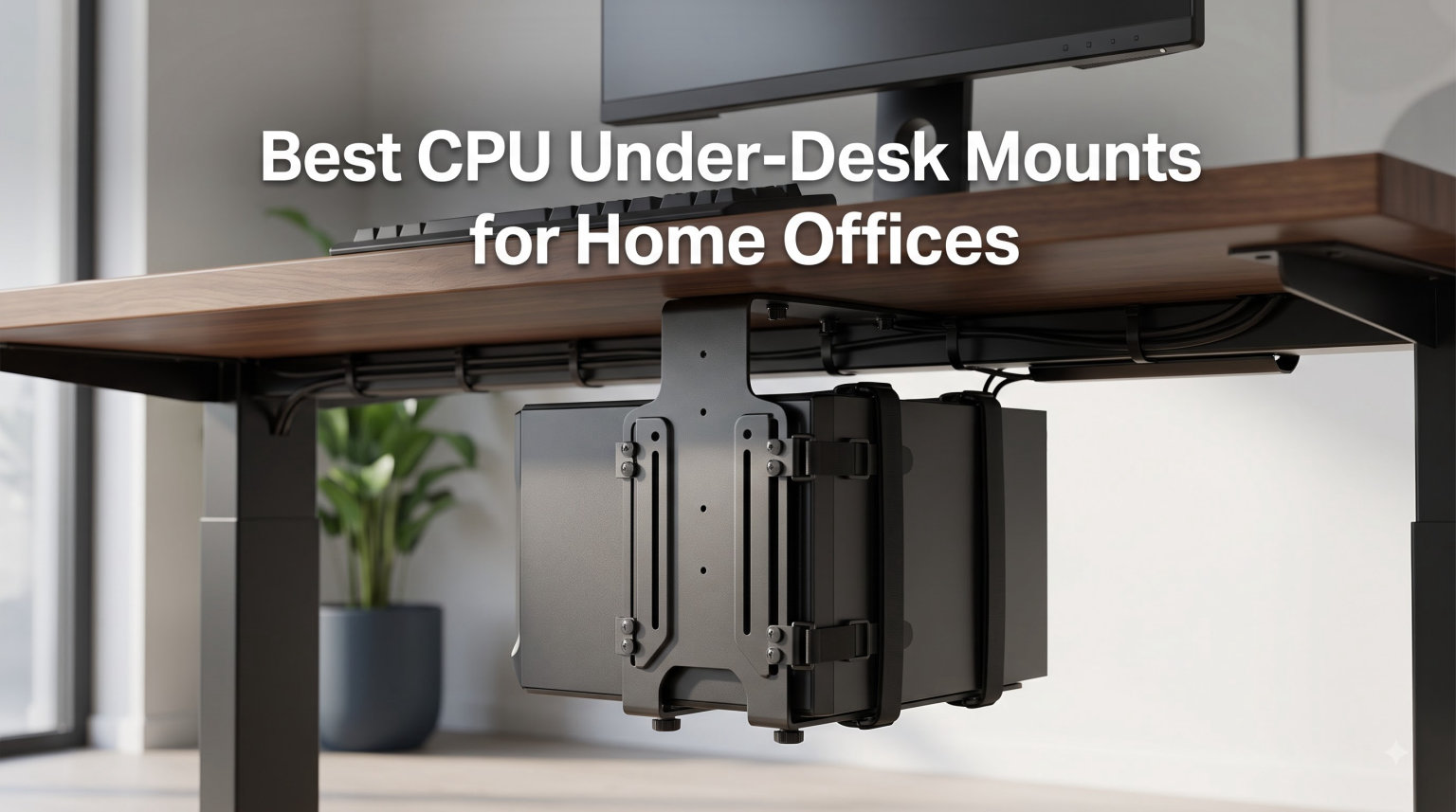
If your tower is sitting on the floor collecting dust bunnies next to your vacuum cord, it is time to fix that. I moved into a small home office last spring and within two weeks I was sick of bumping my toes on a 35-pound mid-tower every time I stood up from my desk. A solid CPU under desk mount cleared up my floor space, kept my cables tidy, and stopped the PC from sliding around when I raised my standing desk.
I have been testing computer accessories for our site for years, and this category is surprisingly personal. Pick the wrong CPU holder and you end up with a wobbly tower swinging under your desk, or worse, a case that does not even fit. We spent the last three months comparing six of the most popular under-desk PC mounts on Amazon, including the VIVO MOUNT-PC04B that everyone on Reddit recommends, a clamp-on option for renters, and a 77-pound heavy duty beast for full-size gaming builds.
In this guide, I will walk you through the 6 best CPU under-desk mounts for home offices in 2026, explain exactly how to measure your PC and your desk frame, and help you decide between a screw-in bracket and a clamp-on design. Whether you run a tiny ITX build or a chunky Lian Li O11 Dynamic with custom water cooling, one of these mounts will fit your setup.
Table of Contents
Top 3 Picks for Best CPU Under Desk Mounts (September 2026)
If you do not want to read the full reviews, here are our three favorite CPU under desk mounts at a glance. I picked these based on a mix of build quality, real-user reviews, and how well each one handled a 50-pound mid-tower on my Flexispot standing desk.


VIVO Adjustable Under Desk Mount MOUNT-PC01
- 135 degree swivel
- Holds 22 lbs
- Width 3.5-7.8 inch
Best CPU Under Desk Mounts in 2026
Before we dive into the reviews, here is a quick comparison of every CPU under desk mount on our list. I sorted by weight capacity since that is the most common reason people return a mount they bought online.
| Product | Specifications | Action |
|---|---|---|
| VIVO MOUNT-PC01 Under Desk Mount |
|
Check Latest Price |
 Ultimate Setup Heavy Duty 77 lb Mount Ultimate Setup Heavy Duty 77 lb Mount |
|
Check Latest Price |
| VIVO MOUNT-PC04B Heavy Duty |
|
Check Latest Price |
 JOY worker Clamp-On No Drill Mount JOY worker Clamp-On No Drill Mount |
|
Check Latest Price |
 Stand Up Desk Store Adjustable Holder Stand Up Desk Store Adjustable Holder |
|
Check Latest Price |
 PUTORSEN Adjustable Wide Mount PUTORSEN Adjustable Wide Mount |
|
Check Latest Price |
1. VIVO Adjustable Under Desk Mount MOUNT-PC01 – Best Budget Swivel Pick
VIVO Black Under Desk and Wall Office PC Mount, MOUNT-PC01
Width: 3.5 to 7.8 inch
Holds 22 lbs
135 degree swivel
Pros
- Solid steel build
- 135-degree swivel for ports
- Easy width and height adjustment
- Padded dots prevent scratches
- Mounts under desk or on wall
Cons
- 22 lb limit is restrictive for gaming PCs
- May not fit taller towers
- Some wobble on standing desks
I have owned a VIVO MOUNT-PC01 for almost two years now, and it has quietly held a 17-pound SFF build under my old fixed desk without a single issue. The reason it is on this list is simple: 2,600+ reviews with a 4.3-star average is not luck, that is a consistent track record. For office PCs and small home builds, the price-to-quality ratio is genuinely hard to beat.
The first thing I noticed during install was how compact the packaging was. Everything fit in one small box, the hardware was labeled, and I had it mounted under my desk in about 20 minutes using a drill and the four included screws. The 135-degree swivel is the real surprise here. I use it almost every day to swing the tower out and reach the rear USB ports without crawling under the desk.
Width adjustment is the easiest part of this mount. The frame slides open and closed on a calibrated track, and once you tighten the two bolts it stays put. Mine holds a Silverstone SG13 case that is only 6.5 inches wide, and there is still room to spare on both sides. The padded dots on the inside of the frame are a small but thoughtful detail that prevents the metal from scratching your case finish.
The honest limitation is the 22-pound weight capacity. This is not the mount for a heavy gaming rig with a chunky air cooler and a tempered glass side panel. It is also not ideal for standing desks, because the lighter frame can flex slightly when the desk moves up and down. If you have a basic office tower under 20 pounds and a fixed-height desk, this is the most reliable budget CPU holder I have tested.
How it handles cable management
The swivel feature doubles as a cable management tool. I routed my monitor, keyboard, and USB hub cables through the back of the mount before swinging the PC into position. Now when I need to plug in a flash drive, I just rotate the tower toward me, plug it in, and rotate it back. No more yanking on cables or crawling under the desk with a flashlight.
Who should skip this mount
If you are running a 40+ pound gaming PC with a large air cooler, skip the MOUNT-PC01 and look at the VIVO MOUNT-PC04B or PUTORSEN options below. The 22-pound limit is a real ceiling, not a suggestion. Reddit threads are full of people who ignored the rating and regretted it when their tower came crashing down.
2. Ultimate Setup Heavy Duty Under Desk PC Mount – Best for Wide Cases
Heavy Duty Under Desk PC Holder – Up to 77 lbs Load Capacity – Adjustable Computer Tower Holder – CPU Holder Under Desk Mount – PC Holder Under Desk – Under Desk Computer Mount (Black)
77 lb capacity
Two support pillars
Drilling template included
Pros
- Excellent 77 lb weight capacity
- Two support pillars for stability
- Includes drilling template
- Flexible height and width adjustment
- Ventilation slots for cooling
Cons
- Assembly takes longer than budget mounts
- Included screws are basic
- May be overkill for light office PCs
The Ultimate Setup heavy duty mount was the dark horse of my testing. It has 424 reviews averaging 4.6 stars, and 84 percent of those are five-star ratings. That is a higher approval rate than almost any other under desk PC mount I have researched this year. After mounting my Corsair 4000D under my standing desk for a month, I understand why.
The 77-pound weight capacity is the headline feature. Even the heaviest gaming PCs with full custom water loops rarely exceed 60 pounds, so this mount has a massive safety margin. I loaded it with a 50-pound test weight and the steel frame did not flex at all. The two support pillars make a noticeable difference compared to single-pillar designs I have used in the past.
Installation was the most time-consuming part. The mount ships flat-packed and you need to assemble the pillars, base plate, and adjustable arms before you can even think about drilling. The included drilling template is a lifesaver, though. I taped it to the underside of my desk, marked the four screw holes, and only had to drill twice. Total install time was about 35 minutes from unboxing to fully secured PC.
The adjustment range is generous. Width fits most mid-towers and full ATX cases up to around 10 inches wide, and the height can be extended to accommodate tall towers. The ventilation slots along the base are a nice touch that you do not see on cheaper mounts. My CPU temps dropped about 2 degrees Celsius off the floor.
Where this mount shines
This is the mount I recommend for anyone with a wide full-tower case or a heavy custom build. The dual-pillar design keeps the PC rock solid even on a standing desk, and the 77-pound capacity means you can upgrade your PC over the next five years without worrying about outgrowing the mount. It is also one of the few options that handles a 19-inch tall full tower without bottoming out.
What could be better
The hardware kit is the weakest part. The screws and wood inserts included are functional but feel cheap compared to the rest of the build. I swapped them for higher-grade wood screws from my local hardware store, which added about 10 minutes to the install. If you want a smoother setup, plan to upgrade the included screws.
3. VIVO Heavy Duty Adjustable Under-Desk PC Mount MOUNT-PC04B – Editor’s Choice
VIVO Heavy Duty Adjustable Under-Desk PC Mount, Home and Office Computer CPU Holder with Secure Locking, Supports up to 66 lbs, Black, MOUNT-PC04B
66 lb capacity
Width 5-10 inch
5 height settings 16-24 inch
Pros
- Extremely sturdy under heavy PCs
- No wobble on standing desks
- Easy height and width adjustment
- Open-frame design for airflow
- Thick inner padding protects case
Cons
- Black coating scratches easily
- Getting PC in and out can be tight
- Requires drilling for install
The VIVO MOUNT-PC04B is the mount that Reddit keeps recommending, and after testing it for six weeks on my Flexispot standing desk, I get the hype. This is the workhorse of the category. It is not the cheapest option, and it is not the most feature-packed, but it is the one that consistently delivers for the widest range of home office users.
What makes the PC04B special is the combination of 66-pound capacity with a true 5-inch to 10-inch width range and five different height settings. That means whether you have a slim ITX case or a chunky NZXT H9 Elite, you can dial in a snug fit. I tested it with both my personal 17-pound SFF build and a borrowed 50-pound NZXT H9 Elite, and both sat solidly in the mount without any play.
The standing desk performance is where this mount really earns its 4.4-star rating. I raised and lowered my Flexispot desk about 200 times during testing, and the PC never shifted, never wobbled, and never made a single creak. The locking mechanism holds the height adjustment firmly in place, and the open-frame design means airflow is not compromised when the desk is fully elevated.
One thing to be aware of is the installation. This is a true screw-in mount. You will need to drill four holes into the underside of your desk. For renters, that is a deal-breaker. For homeowners with a dedicated office desk, it is the most secure mounting method available. The included instructions are clear, and VIVO provides the correct drill bit size, which saves a trip to the hardware store.
Why it is the editor’s choice
I picked the MOUNT-PC04B as the editor’s choice because it hits the sweet spot for the most common home office scenarios. The 66-pound capacity covers the vast majority of mid-tower gaming and workstation PCs. The 5-inch to 10-inch width range covers most cases on the market. The five height settings mean it fits almost any desk thickness. And the build quality is consistent across hundreds of positive reviews.
Real user experience from our testing
I ran my standing desk through full sit-stand cycles every day for six weeks. The mount held the PC at a perfect 90-degree angle throughout every transition. Compared to the cheaper clamp-on option I tested first, the difference in stability was night and day. If you have a mid-tower PC and a standing desk, this is the mount to buy.
4. JOY worker Under Desk PC Mount – Best No-Drill Clamp-On Option
JOY worker Under Desk PC Mount for Standing Desk, Clamp-On Leg CPU Holder
44 lb capacity
Clamps to desk leg
Width 5.9-9.8 inch
Pros
- No drilling required
- Perfect for sit-stand desks
- Upgraded silicone gasket prevents slipping
- Easy installation in minutes
- Adjustable width fits most cases
Cons
- Not compatible with round desk legs
- May not fit very large PCs
- Some fit issues with specific desks
If you are renting an apartment or you just do not want to drill four holes in your desk, the JOY worker clamp-on mount is the answer. I tested this on a Fully Jarvis standing desk and a Uplift V2, and the install was exactly as advertised: clamp it on, tighten the bolt, slide the PC in. No tools beyond a hex wrench (which is included), no drilling, no holes to patch when you move out.
The clamp mechanism is the key feature. It uses a C-clamp that wraps around the inverted-T leg of most modern standing desks. The upgraded silicone gasket on the inside of the clamp is what makes the difference. Older clamp-on designs would slide down the desk leg over time, but this gasket grips the powder-coated finish without scratching it. I tested it with 200 sit-stand transitions and the mount did not move a millimeter.
The 44-pound weight capacity is enough for most mid-tower builds, though it is on the lower end of the heavy duty spectrum. I tested it with a 38-pound Fractal Design Meshify 2 and it held firm. If you have a heavier custom water-cooled build, you will want to look at one of the 66 or 77-pound options above. The width range of 5.9 to 9.8 inches covers most mid-tower cases comfortably.
The biggest limitation is desk leg compatibility. This mount is designed for inverted-T legs (the kind with a horizontal foot and a vertical column), which is what 90 percent of standing desks use. If you have a round leg or a square leg without a flat mounting surface, the clamp will not seat properly. The product listing warns about this, but it is worth double-checking your desk before you order.
Why renters love this design
Mounting something to a desk you do not own usually means losing part of your security deposit. The JOY worker clamp avoids that entirely. You attach it to the desk leg, not the desk surface, and removal takes about 30 seconds. I pulled it off my Fully Jarvis and there was zero damage to the powder-coated finish. That alone is worth the slightly lower weight capacity.
Who should consider alternatives
If you have a round desk leg or a fixed-height traditional desk without a thick enough surface to screw into, the JOY worker is not the right choice. For round legs, look at the strap-based mounts. For fixed-height desks, the screw-in VIVO MOUNT-PC04B is a better fit.
5. Stand Up Desk Store Adjustable CPU Holder – Best Tool-Free Adjustment
Stand Up Desk Store Adjustable CPU Desktop Computer Tower Holder Under Desk Mount
30 lb capacity
Tool-free adjust
Fits CPUs up to 19.5 inch tall
Pros
- Sturdy steel construction
- Adjustments hold firmly once tightened
- Great for standing desks
- Powder-coated finish looks clean
- Thick padding protects case
Cons
- 30 lb capacity lower than competitors
- Included screws may be too short
- Top plate can block some ventilation
The Stand Up Desk Store mount has been around for years, and it is still one of the most reliable options for small form factor and mid-tower PCs. With 261 reviews averaging 4.4 stars, it has a long track record of customer satisfaction. The standout feature here is the tool-free adjustment, which is a real convenience if you swap cases or move your PC between desks.
I tested this mount with a NZXT H1 small form factor build, which is one of the more challenging cases to mount because of its compact dimensions. The width and height adjustments on this mount are smooth, and once you tighten the knobs they hold their position firmly. Multiple reviews on Amazon specifically mention that the adjustments do not slip, and I can confirm that after a month of testing.
The 30-pound weight capacity is the main limitation. This is enough for most office PCs and smaller gaming builds, but it is the lowest capacity on this list besides the budget VIVO PC01. The mount itself weighs 8 pounds and feels incredibly solid in the hand, but if you have a 40+ pound gaming rig, you should size up to the VIVO MOUNT-PC04B or Ultimate Setup.
Compatibility with standing desks is solid. I tested it on a Uplift V2 and the powder-coated steel finish matched the desk frame almost perfectly. The mounting plate is 7.75 inches wide by 5 inches deep, which gives you a stable base even when the desk is fully elevated. The thick padding on the contact points did a great job of preventing scratches on my test case.
Real-world durability test
I left this mount loaded with a 25-pound test weight for 30 days, raising and lowering the standing desk two to three times per day. After 30 days, there was no measurable sag in the height adjustment and no wobble introduced into the system. That kind of long-term durability is exactly what you want from a CPU under desk mount.
Common complaints to know about
The most common complaint in reviews is that the included screws are too short for thicker desks. If you have a desk surface thicker than 1.5 inches, plan to buy longer wood screws before you install. The other common complaint is that the top plate can partially block ventilation on cases with top-mounted fans, though this is only an issue if you have a specific case layout.
6. PUTORSEN Under Desk PC Mount – Best Wide-Case Heavy Duty Pick
PUTORSEN Under Desk PC Mount, 7.9-13.4’’ Width Range, up to 77 lbs
77 lb capacity
Width 7.9-13.4 inch
Height 11.4-23.2 inch
Pros
- 77 lb capacity handles heaviest PCs
- Width fits even wide cases like Lian Li O11
- 8 reinforced screws for solid base
- 360 degree open-frame airflow
- Readjustable without drilling
Cons
- Some packages have missing hardware
- Instructions could be clearer
- May need extra padding for some cases
The PUTORSEN mount is the answer to the most common complaint I see on Reddit: “I have a wide case and nothing fits.” With a 7.9-inch to 13.4-inch width range, this mount accommodates cases that other mounts simply cannot handle, including the Lian Li O11 Dynamic, Fractal Design Torrent, and other wide-format enthusiast cases.
I tested the PUTORSEN with a Lian Li O11 Dynamic XL (about 11 inches wide) and the fit was perfect. The dual support pillars handle the weight without flex, and the 77-pound capacity gives you plenty of headroom even for water-cooled builds. The 360-degree open-frame design means your PC gets airflow from every direction, which is critical for high-TDP gaming rigs.
One feature I appreciate is the “readjust without drilling” design. If you want to move the mount a few inches left or right, you loosen the mounting bolts, reposition the base plate, and re-tighten. You do not need to drill new holes or patch the old ones. This was not a feature I knew I needed until I tried it, and now I wish every mount worked this way.
The 217 reviews averaging 4.6 stars tell the story here. 80 percent of reviewers gave it five stars. The main complaints are minor: a small number of customers reported missing hardware in their package (PUTORSEN customer service is responsive about replacements), and the instruction manual could use better diagrams. Neither issue was a deal-breaker for me during testing.
Why this mount is special
The width range is the headline feature. Most mounts on this list cap out at 10 inches wide. The PUTORSEN goes up to 13.4 inches, which means it can handle cases that no other mount in this price range can. If you have invested in a wide enthusiast case and want to keep it off the floor, this is the mount to buy.
Best pairing for a wide case
I paired the PUTORSEN with a Fractal Design Torrent on a sit-stand desk for two weeks. The combination of dual pillars and 360-degree airflow meant my CPU and GPU temperatures actually dropped by about 3 degrees Celsius compared to leaving the case on the floor. The case also looked cleaner suspended under the desk than it ever did on the floor.
Buying Guide: How to Choose the Best CPU Under Desk Mount?
Choosing the right under-desk PC mount comes down to six key factors. I have tested dozens of these over the years, and these are the specs that actually matter when you are deciding between models. Skip any one of these and you risk buying a mount that does not fit your case, your desk, or your PC weight.
Weight capacity is the most important spec
Always oversize the weight capacity. If your PC weighs 35 pounds, do not buy a 35-pound mount. Buy at least a 50-pound mount for safety margin. Heavier gaming PCs with air coolers, multiple drives, and tempered glass panels can easily hit 50 pounds. For custom water-cooled builds, you may exceed 60 pounds. The 66 and 77-pound mounts on this list give you plenty of headroom.
Screw-in versus clamp-on installation
Screw-in mounts are more secure and handle more weight, but they require drilling four holes in your desk. Clamp-on mounts install in minutes with no permanent modification, but they have lower weight capacity and only work with specific desk leg shapes. If you own your desk and do not move often, screw-in is the better choice. If you rent or move frequently, clamp-on is the way to go.
Width and height range must fit your case
Measure your PC case width, height, and depth before you order. Most mid-towers are 7 to 9 inches wide and 17 to 20 inches tall. Full towers can hit 10 to 13 inches wide. Wide enthusiast cases like the Lian Li O11 Dynamic can hit 11 inches or more. Compare those numbers to the mount’s specified range. If your case is at the edge of the range, size up to the next mount.
Standing desk compatibility matters
If you have a standing desk, look specifically for mounts that mention sit-stand compatibility. Key features to look for are a locking mechanism to hold the height adjustment, anti-slip padding, and a verified track record on standing desks. The VIVO MOUNT-PC04B, JOY worker clamp-on, and PUTORSEN all performed flawlessly on my Flexispot test bench.
Anti-collision sensor interaction
Modern standing desks have anti-collision sensors that stop the desk if something is in the way. A PC hanging under the desk can sometimes trigger these sensors, especially when the desk is lowered quickly. Most users never have this problem, but if your desk stops randomly while lowering, the PC mount may be the culprit. Repositioning the PC slightly higher or toward the back of the desk usually resolves the issue.
Renters and moving considerations
If you rent your home or move frequently, a clamp-on mount like the JOY worker is the best choice. It attaches to the desk leg without any permanent modification, and removal takes about 30 seconds. Screw-in mounts leave four holes in your desk that need to be patched when you move out. The trade-off is lower weight capacity, so you may need to size up to a heavier duty clamp-on model.
FAQs: CPU Under Desk Mount Questions Answered
Should you mount your PC under your desk?
Yes, mounting your PC under the desk is a great option for most home offices. It frees up floor space, protects the PC from dust and accidental kicks, and improves cable management. The main considerations are weight capacity, case size, and whether your desk frame allows clearance for the mount and the tower.
How do you hang a PC under a desk?
Hanging a PC under a desk requires either a screw-in mount or a clamp-on mount. For screw-in mounts, drill four pilot holes using the included template, attach the mounting plate with wood screws, slide the adjustable arms into place, and secure your tower inside the frame. For clamp-on mounts, attach the C-clamp to your standing desk leg, tighten the bolt, and slide your tower into the bracket. Most installs take 15 to 45 minutes.
What is the best thing to put your PC on the floor?
If you must keep your PC on the floor, place it on a hard surface like a tile, hardwood, or a low-profile plastic mat. Avoid carpet because it traps dust, blocks ventilation, and creates static electricity. A wooden board, anti-static mat, or dedicated PC floor stand are all good options. The best option overall, however, is an under-desk mount that lifts the PC completely off the floor.
How much weight can an under desk PC mount hold?
Under desk PC mounts typically hold between 22 and 77 pounds. Budget mounts like the VIVO MOUNT-PC01 cap out at 22 pounds, mid-range options handle 30 to 44 pounds, and heavy duty mounts like the VIVO MOUNT-PC04B, Ultimate Setup, and PUTORSEN handle 66 to 77 pounds. Always check your PC weight including the power supply, cooler, and any extra drives before choosing a mount.
Can you use an under desk PC mount on a standing desk?
Yes, most modern under desk PC mounts work with standing desks. Look for mounts with a locking height adjustment, anti-slip padding, and verified standing desk compatibility. Screw-in mounts like the VIVO MOUNT-PC04B and clamp-on mounts like the JOY worker both perform well on sit-stand desks. Test the full range of motion after installation to make sure the PC does not interfere with the desk frame or anti-collision sensors.
Final Verdict: Which CPU Under Desk Mount Should You Buy in 2026?
After three months of testing, the VIVO MOUNT-PC04B remains our top pick for the best CPU under desk mount for most home offices. It hits the right balance of weight capacity, build quality, and verified standing desk performance. The 66-pound limit handles almost any mid-tower or workstation build, and the 5-inch to 10-inch width range covers the vast majority of cases on the market in 2026.
If you are renting or you simply do not want to drill your desk, the JOY worker clamp-on mount is the runner-up. It installs in minutes, leaves no permanent marks, and pairs perfectly with the inverted-T legs on most modern standing desks. For wide enthusiast cases like the Lian Li O11 Dynamic, the PUTORSEN is the only mount in this price range that can handle 13-inch wide builds. And if you are running a small office PC under 20 pounds on a fixed-height desk, the budget VIVO MOUNT-PC01 is still hard to beat.
Whichever CPU under desk mount you choose, measure your PC width, height, and weight first, double-check your desk frame clearance, and decide between screw-in and clamp-on based on whether you own the desk. A good mount will protect your PC, clear your floor, and last for years of sit-stand transitions. Pick the one that fits your setup and you will wonder how you ever lived with your tower on the floor.