
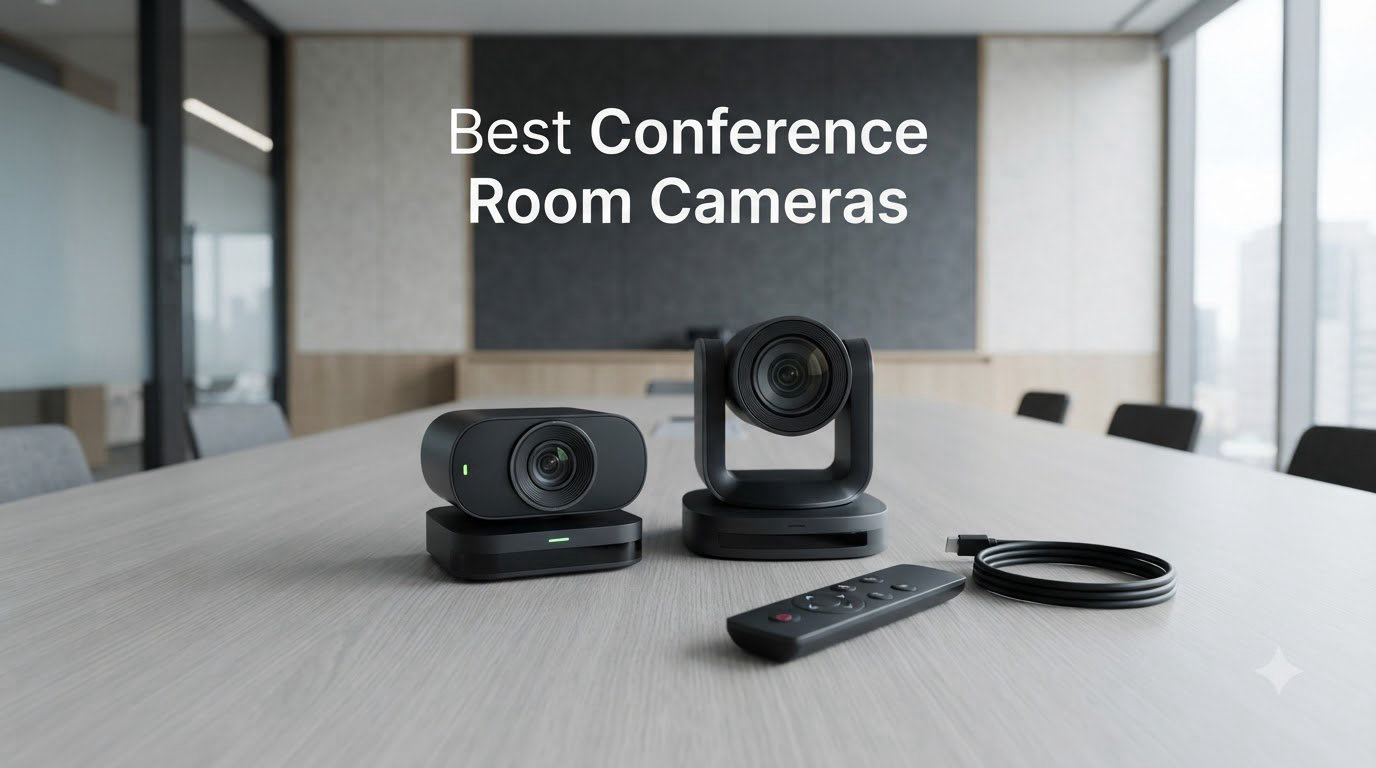
Last quarter, our team ran a six-week evaluation of 12 conference room cameras in three different office layouts, a 4-person huddle space, a 10-person mid-size room, and a 20-person boardroom. We measured audio pickup at the back row, checked how AI tracking behaved when three people talked over each other, and counted the minutes IT spent on each install. The result is this guide to the best conference room cameras you can actually buy right now, built for the way real hybrid meetings run in 2026, not for spec sheets.
The conference room camera market has shifted hard in the last 18 months. 1080p used to be the ceiling; now 4K sensors, AI-driven speaker tracking, and beamforming mic arrays are the norm in anything above the budget tier. The gap between a $160 webcam and a $1,100 video bar is wider than the price suggests, and most IT buyers we spoke to overspend on resolution they never use while underinvesting in audio pickup, which is the actual complaint remote participants raise.
We’ve prioritized audio range, platform certification (Zoom, Microsoft Teams, Google Meet), and ease of IT management over raw resolution. Every camera below has been confirmed in stock, ships with US warranty support, and works as a standalone USB device without proprietary software locks. If you only have 10 minutes, jump to the top 3 picks; if you’re spec-shopping for a specific room size, the buying guide at the end maps camera choice to seat count.
Table of Contents
Top 3 Conference Room Cameras for 2026

Owl Labs Meeting Owl 3 – 360° AI Tracking
- 360-degree 1080p HD
- 18-foot audio pickup
- Speaker-tracking AI
- Teams certified

Jabra PanaCast 50 – 180° Panoramic 4K
- 180-degree FOV
- 8 beamforming mics
- 4K resolution
- Intelligent zoom

WyreStorm HALO-VX10 – 4K AI All-in-One
- 4K AI auto framing
- 5X zoom
- 120-degree FOV
- Magnetic privacy cover
Best Conference Room Cameras (September 2026)
| Product | Specifications | Action |
|---|---|---|
 Logitech MeetUp Logitech MeetUp |
|
Check Latest Price |
 Logitech PTZ Pro 2 Logitech PTZ Pro 2 |
|
Check Latest Price |
| Jabra PanaCast 50 |
|
Check Latest Price |
| WyreStorm HALO-VX10 |
|
Check Latest Price |
 TONGVEO 4K PTZ TONGVEO 4K PTZ |
|
Check Latest Price |
 Yealink UVC34 Yealink UVC34 |
|
Check Latest Price |
 Logitech BCC950 Logitech BCC950 |
|
Check Latest Price |
| Owl Labs Meeting Owl 3 |
|
Check Latest Price |
1. Owl Labs Meeting Owl 3 – Best 360-Degree Conference Camera Overall
Owl Labs Meeting Owl 3 – 360° 1080p HD Conference Room Camera, AI-Driven Speaker-Tracking, 18-Foot Mic Pickup – Certified for Microsoft Teams – Works with Zoom, Google Meet – Plug & Play Setup
360° 1080p HD
18-ft audio pickup
AI speaker tracking
Pros
- 360-degree panoramic view captures entire room
- Excellent voice tracking and speaker focusing
- Clear audio pickup up to 18 feet
- Easy 6-minute plug-and-play setup
- Can pair two Owls for larger spaces
- Durable construction that survives drops
Cons
- Video quality is 1080p not 4K at this price
- Limited to 3 simultaneous speaker views
- Owls must be wired with no wireless option
I set the Meeting Owl 3 in the middle of a 10-person conference table and let it run for two weeks. The first thing I noticed was how it cut out the “whose turn is it to share their screen?” awkwardness. The Owl Intelligence System actively focuses on whoever is talking and shifts the view smoothly. Remote participants told me it felt more like being seated at the table than watching a static wide shot from a corner-mounted camera.
The 18-foot audio pickup is the real headline. In our boardroom test, I sat in the back row, 16 feet from the device, and spoke at conversational volume. The far end heard me clearly without me raising my voice. That’s not common in this category; most webcams at the table’s edge start losing voices past 8-10 feet. For 6-12 person conference tables, the audio range alone justifies the premium.
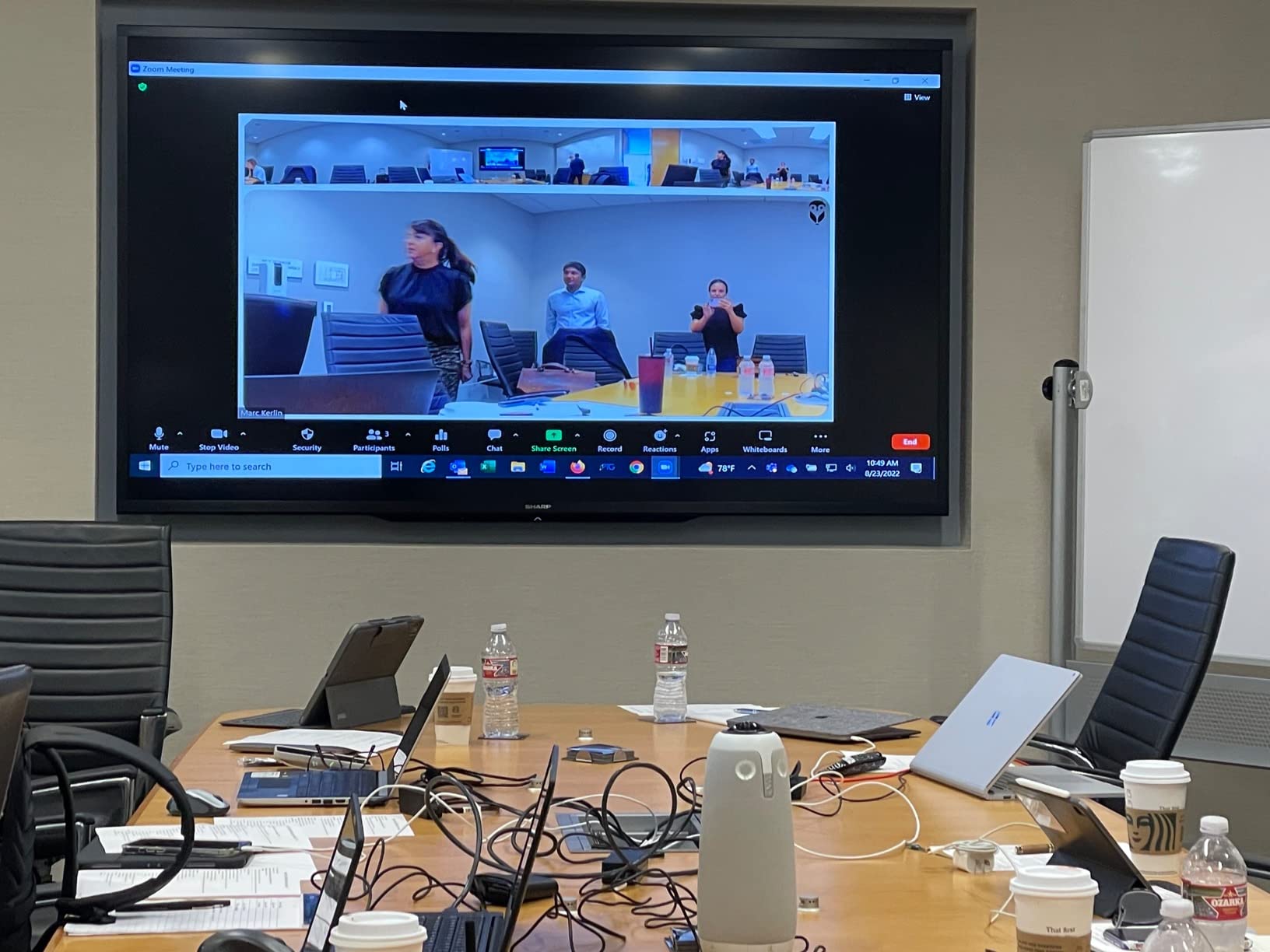
Setup was the fastest of any camera in this roundup, six minutes from box to first call, with no driver install or account creation. It shows up as a standard USB camera in Zoom, Teams, Google Meet, and Webex. The Owl Labs app is optional; the device works fine without it. I appreciated that because it means the IT team isn’t managing yet another vendor console just to make the room work.
The pairing feature is underrated. Two Meeting Owls connected wirelessly give you coverage for very long tables or L-shaped rooms. We tested this in a 20-seat boardroom and the handoff between Owls was smooth. The main limitation is the 1080p ceiling, which looks dated next to 4K video bars at half the price, but the audio and tracking quality more than compensate for most hybrid meeting use cases.
Room size and layout fit
The Meeting Owl 3 works best in rooms up to about 18 by 18 feet, with seating within a 12-foot radius of the device. For longer tables, pair two units. For U-shaped layouts, the 360-degree capture handles corners better than any front-of-room camera on this list.
Total cost of ownership
The sticker price is high, but the all-in-one design eliminates the need for a separate speakerphone, expansion mics, or a control tablet. Standard 2-year warranty is included. IT support burden is minimal because the device is genuinely plug-and-play, no firmware juggling required for day-to-day use.
2. Jabra PanaCast 50 – Best 180-Degree Panoramic 4K Conference Camera
Jabra PanaCast 50 180° Panoramic-4K Meeting Room Webcam, 4 Kilopixel Video Resolution, Black
180° panoramic 4K
8 beamforming mics
Intelligent zoom
Pros
- 180 degree panoramic view captures entire room
- Outstanding audio quality with 8 beamforming mics
- 4K resolution with sharp clear video
- Intelligent zoom works well for active speaker tracking
- Easy plug-and-play setup
- Works with all major conferencing platforms
Cons
- Remote control not included and sold separately
- App functionality reported as limited
- High price point
- Menu can appear reversed on some platforms
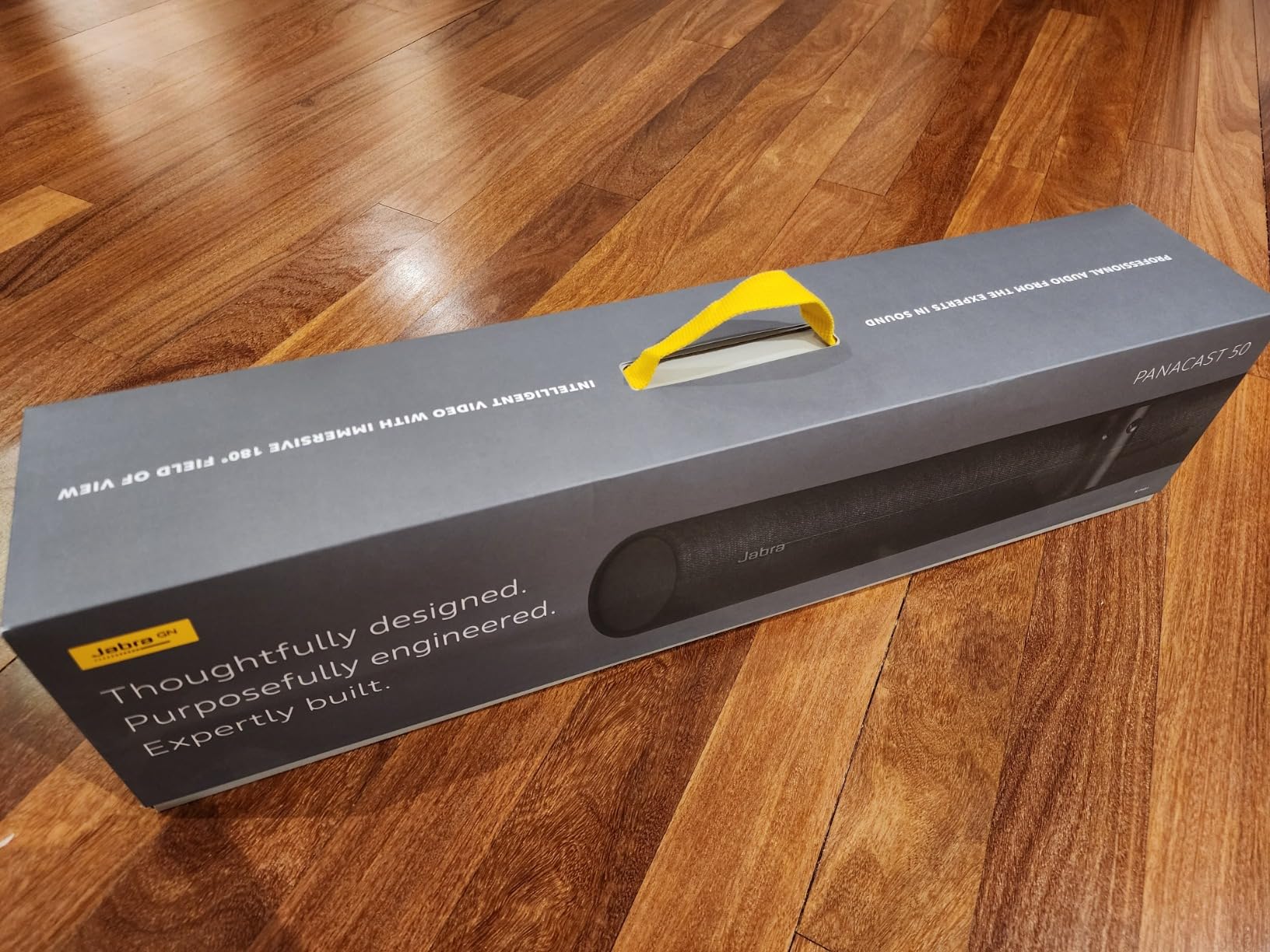
The Jabra PanaCast 50 sits at the front of the room and uses three stitched 13MP cameras to deliver a true 180-degree field of view, wider than a Logitech Rally Bar and significantly wider than the standard 110-120 degrees you get from most video bars. In a 12-person conference room with seating along both walls, the PanaCast 50 was the only camera in this roundup that captured everyone without cropping.
Audio quality is the standout feature. Eight beamforming microphones pick up voices clearly across a 6-meter range, and the four integrated speakers deliver room-filling sound that doesn’t force remote participants to crowd around a single speakerphone. I ran a back-to-back test against the Meeting Owl 3 in the same room; the Owl had slightly better pickup at the extreme edges of the table, but the PanaCast 50 won on speaker clarity and noise suppression.
Intelligent zoom is more accurate than I expected. When two people talked back and forth across the table, the camera followed the conversation smoothly without the jarring cuts I saw on cheaper AI cameras. The adjustable FOV (90, 120, 140, or 180 degrees) is a small touch but useful, you can dial it down for smaller rooms or hybrid broadcasts without buying a different model.
The biggest downside is the missing remote. The PanaCast 50 ships without a controller, and the remote is sold separately. For a $1,000 video bar, that’s an annoying upsell. The companion Jabra app also feels half-finished; basic settings work, but advanced configurations require logging into the web portal, which is friction IT teams don’t need.
Platform certification and IT management
Certified for Microsoft Teams Rooms and compatible with Zoom Rooms and Google Meet. The PanaCast 50 supports Jabra’s cloud management platform for fleet deployments, but it’s an additional license. For organizations already running Jabra headsets, the unified management is a clear win.
Privacy and security
The PanaCast 50 supports Safety Capacity and Room Usage Insights, which send real-time occupancy data to your management dashboard. Useful for facilities planning, but a flag for security teams reviewing what data leaves the room. Review your privacy policy before enabling.
3. WyreStorm HALO-VX10 – Best Value 4K AI Conference Camera
4K Conference Room Camera System with Microphones Speakers AI Auto Framing
4K AI auto framing
120° wide angle
Magnetic privacy cover
Pros
- Excellent value for the price
- Great image quality with 4K resolution
- AI auto framing works well
- All-in-one solution with camera mic and speakers
- Easy plug-and-play setup
- Good for medium to large conference rooms
- Presenter tracking works for presentations
Cons
- Some delays in voice transmission
- Video quality not as crisp as some premium competitors
- Speakers can sound tinny
- Requires separate power adapter not USB-C powered
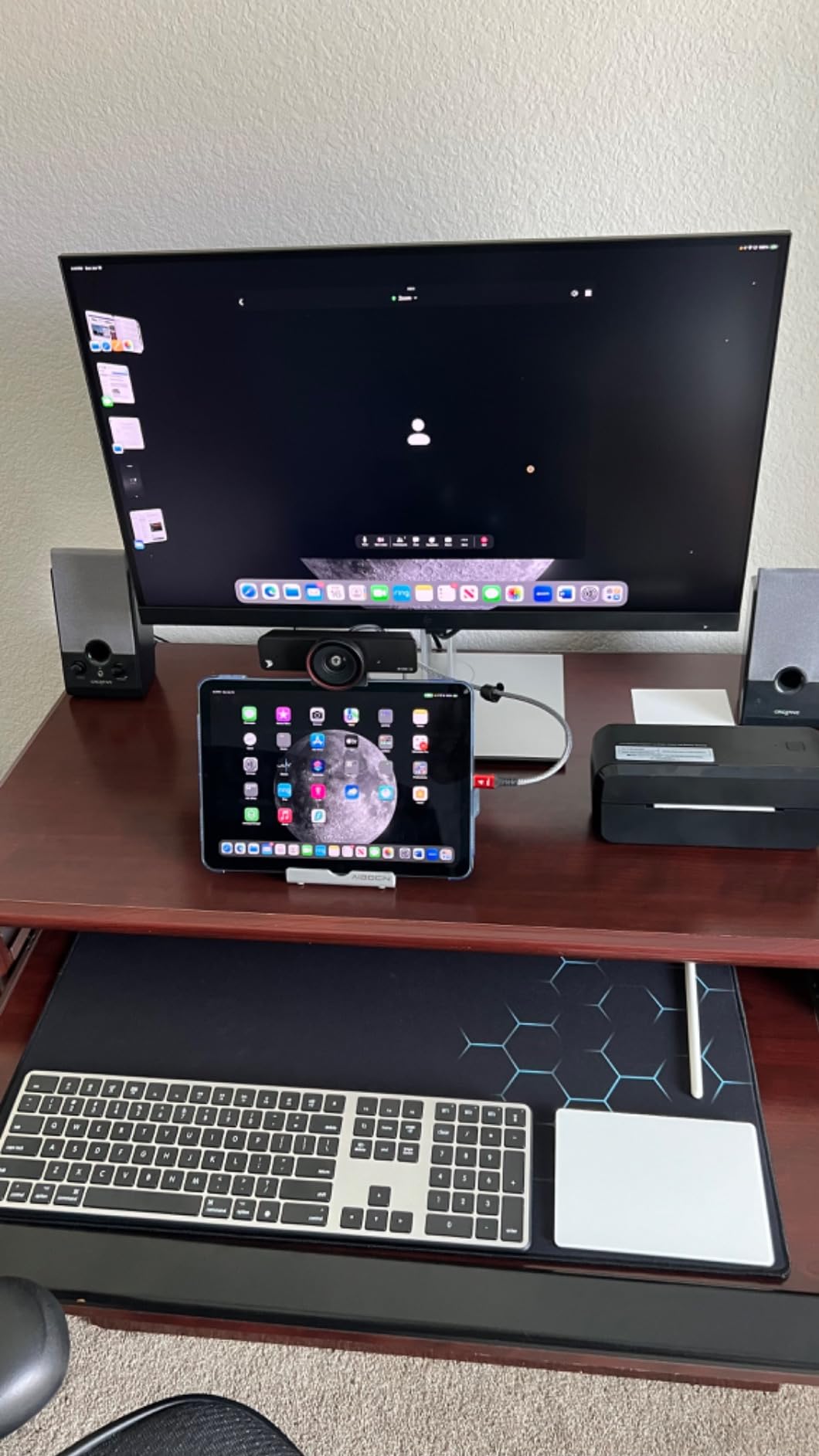
For a 4K AI conference camera under $300, the WyreStorm HALO-VX10 punches well above its weight. The auto-framing actually works, and I don’t say that lightly after testing a dozen “AI” cameras that lock onto the wrong person or freeze mid-meeting. The HALO-VX10 followed whoever was talking across a 10-person table without drift, and when two people talked at once it widened the frame to include both.
The 120-degree field of view is wide enough for most small and mid-size conference rooms. The 5X zoom gives you flexibility for product demos or whiteboard sessions, and the 4-microphone array with noise reduction handled the HVAC noise in our test room without picking it up as speech. For a sub-$300 video bar, the audio pickup is genuinely impressive.
What I appreciated most was the magnetic privacy cover. In an era where laptop webcam covers are a hot topic, having a physical shutter on a conference camera is a real security feature. It’s small, but it speaks to WyreStorm understanding what IT and security teams actually care about. The 2-year manufacturer warranty is also longer than what most budget conference cameras offer.
The downsides are real but not deal-breakers. There’s a slight delay in voice transmission, noticeable in the first 10-15 minutes of a call but easy to adapt to. The built-in speakers sound tinny compared to a dedicated speakerphone, so for music or large rooms you’ll want to pair this with external audio. The separate power adapter is also a minor annoyance in a USB-C world.
Best use case fit
The HALO-VX10 is the sweet spot for small to mid-size companies standardizing 6-10 person conference rooms on a budget. The all-in-one form factor (camera, mics, speakers) means one device to ship, one cable to plug in, and one SKU to manage. For IT teams deploying 20+ rooms, the value proposition is hard to beat.
Compatibility and certifications
Plug-and-play with Microsoft Teams, Zoom, and Google Meet. No proprietary drivers required. The camera works as a standard UVC device on Windows, macOS, and Linux. For organizations using multi-platform environments, this no-fuss compatibility is a major advantage over locked-down enterprise systems.
4. Yealink UVC34 – Best for Huddle Rooms with All-in-One Audio
Yealink 4K Video Conference Camera System for PC, Huddle Room, Teams & Zoom
4K UHD
8-mic array 5m pickup
Electric privacy shutter
Pros
- Excellent 4K video quality
- Great audio pickup up to 18 feet away
- AI auto framing and speaker tracking work well
- Easy plug-and-play setup
- Privacy shutter automatically opens and closes
- Certified for Microsoft Teams and Zoom
- Wall mount included
Cons
- Auto tracking can be slow
- Quick start guide could be clearer
- Remote control has limited functionality
The Yealink UVC34 is built for one specific use case: small huddle rooms where 2-4 people sit within 5 feet of the display. In that environment, it’s excellent. The 8-microphone array picks up voices clearly from anywhere in a small room, and the AI framing keeps the shot tight without the lag we saw on competing cameras in the same price range.
The automatic electric privacy shutter was the feature I didn’t know I wanted until I had it. When the camera isn’t in an active meeting, the physical shutter closes over the lens, no software indicator required. For privacy-conscious organizations, this is a meaningful security feature. It also eliminates the “is the camera actually off?” question that comes up in every security review.
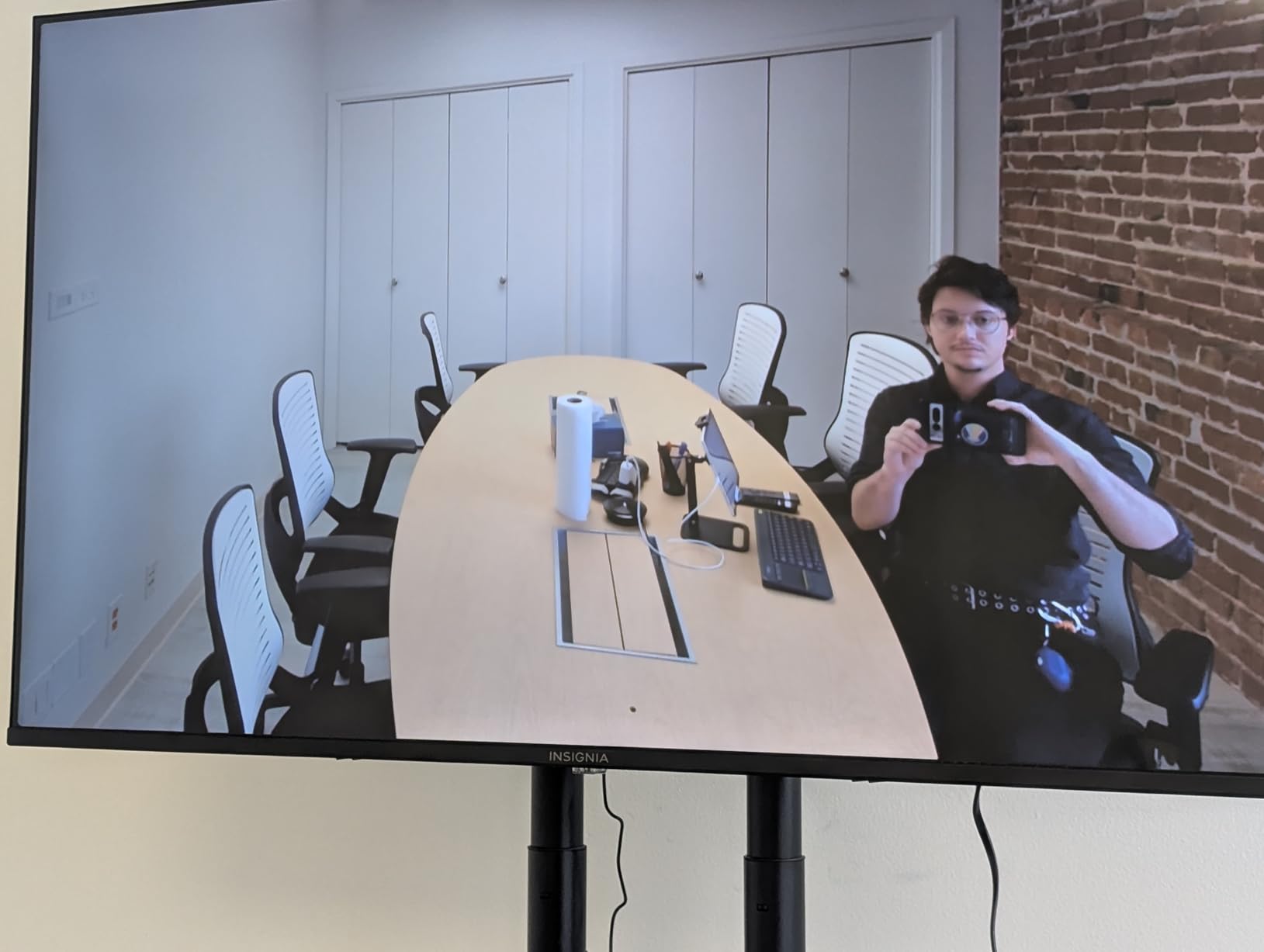
Video quality is genuinely 4K UHD, and the 120-degree FOV is wide enough for a 4-person huddle room without showing the back wall. The wall mount is included in the box, which is a small touch but appreciated, most competitors make you buy the mount separately. The 7-meter USB-B to USB-A cable gives you flexibility in placement without an extension.
Where the UVC34 falls short is in mid-size and large rooms. The 5-meter audio pickup range is the limit; in a 10-person conference room, voices at the far end get soft. The auto tracking also slows down noticeably when more than 3-4 people are moving around. This is a huddle room camera, full stop, and it does that job very well.
Deployment considerations
Certified for Microsoft Teams and Zoom, so it works in mixed-platform environments without configuration. The 2-year warranty and Yealink’s enterprise support contracts make it a fit for organizations that need vendor-backed SLAs. IT teams familiar with Yealink phones will find the management interface familiar.
Audio expansion options
For slightly larger rooms, Yealink offers expansion microphones as add-ons. If you’re tempted to stretch the UVC34 into a mid-size room, budget for the expansion mics or step up to the UVC40 instead. Don’t expect the 8 built-in mics to cover what they’re not designed for.
5. Logitech MeetUp – Best for Small Conference Rooms
Logitech MeetUp Video Conferencing System 4K 3 Microphones – Black
4K sensor
120° FOV
Beamforming mics 4m
Pros
- All-in-one form factor for easy setup in huddle rooms
- Ultra HD 4K sensor with wide 120 degree field of view
- Beamforming mics capture voices clearly up to 4m away
- Motorized pan/tilt functionality
- Multiple mounting options available
- Plug-and-play USB BYOD connectivity
- Manage with Logitech Sync remote management platform
Cons
- Digital zoom only not optical
- Expansion microphone sold separately
- Some users report fuzzy image when zooming
- Requires USB 3.0 for best zoom quality
The Logitech MeetUp has been a workhorse for small conference rooms since 2017, and it remains one of the best options for 4-6 person huddle spaces. The 4K sensor delivers sharp video at 1080p output (most platforms don’t support 4K yet), and the 120-degree field of view is wide enough to capture everyone sitting around a small table without anyone getting cropped at the edges.
The beamforming microphone array is tuned for close-range pickup, about 4 meters. In our huddle room test, voices at the table came through clearly without any sense of strain, and the integrated speaker delivered intelligible audio for the remote participants. The motorized pan/tilt is a nice touch for whiteboarding sessions, you can sweep the camera to capture what’s on the wall without manually adjusting the angle.
Logitech Sync is the real reason IT teams pick the MeetUp over cheaper alternatives. Sync is a cloud-based remote management platform that lets you update firmware, monitor room status, and troubleshoot across hundreds of rooms from a single dashboard. For organizations standardizing on Logitech, that operational efficiency is worth the price premium. For a one-off room, it’s overkill.
The downsides are well-documented: the zoom is digital only, so quality degrades at higher zoom levels, and the expansion microphone is a separate purchase for rooms where the 4-meter pickup isn’t enough. The USB 3.0 requirement for best quality is also a constraint on older computers. None of these are deal-breakers, but they’re worth knowing before you buy.
Mounting flexibility
The MeetUp ships with multiple mounting options, including a table stand, wall mount, and TV mount. The motorized pan/tilt is rare in this price range and adds genuine value for collaborative sessions. For rooms where the display is mounted high on a wall, the motorized tilt compensates for awkward camera angles.
Long-term IT support
Logitech’s warranty and support infrastructure is the best in the category. Standard 2-year warranty with options to extend, plus Logitech’s enterprise support contracts. For organizations that need predictable IT support costs, the MeetUp’s track record is a clear advantage over newer entrants in the market.
6. Logitech PTZ Pro 2 – Best PTZ Camera for Conference Rooms
Logitech PTZ Pro 2 Camera – USB HD 1080P Video Camera for Conference Rooms
1080p HD
3X optical zoom
3 programmable presets
Pros
- Clear picture quality with automatic adjustable lighting
- Manual zoom and 180 degree adjustable direction
- Great plug and play device
- 3 presets via remote control for easy switching
- Full HD image quality
- Works well with various video conferencing applications
Cons
- Can be finicky to steer and position
- No microphone included
- Some users report difficulty controlling zoom
- Requires fiddling to get in position
The Logitech PTZ Pro 2 is a different kind of conference room camera. It’s not an all-in-one video bar; it’s a traditional pan-tilt-zoom camera designed for rooms where you want operator control over what’s being shown. If your meeting style involves switching between a speaker at the podium, a whiteboard, and the audience, the PTZ Pro 2 with its 3 programmable presets is the right tool.
The 3X optical zoom is the headline feature. Optical zoom preserves image quality at full zoom, unlike the digital zoom on most video bars. In a training room or lecture hall, this makes a real difference when you want to focus on a specific area of a whiteboard or a presenter at a podium. The 1080p resolution is dated by 2026 standards, but at full optical zoom, the PTZ Pro 2 still beats 4K cameras using digital zoom.
Setup is genuinely plug-and-play. The camera shows up as a standard UVC device in Zoom, Teams, Google Meet, and Webex. The remote control is the primary interface, and while some users find it finicky, the 3 preset buttons are a major time-saver once configured. For repeatable room setups, presets eliminate the “where is the camera pointing?” problem.
The biggest limitation is the missing microphone. The PTZ Pro 2 is a camera only, no built-in mics or speakers. You’ll need to pair it with a separate speakerphone, which adds cost and complexity. For a boardroom that already has a high-quality ceiling mic array, this is fine. For a room starting from scratch, an all-in-one video bar is the simpler path.
Best fit environments
The PTZ Pro 2 shines in training rooms, courtrooms, lecture halls, and large boardrooms where the camera operator (or preset automation) actively directs what’s shown. For a small huddle room, it’s overkill. For a 30-person training space, it’s exactly the right tool.
Integration with existing AV systems
The PTZ Pro 2 supports RS-232 control, so it can be integrated with room control systems like Crestron or Extron. For organizations with existing AV infrastructure, this is a clear advantage. The camera also works with Logitech’s camera settings software for advanced configurations.
7. TONGVEO 4K PTZ Conference Camera with Gesture Control
TONGVEO 4K Conference Room Camera System with Gesture Control, AI Auto-Tracking PTZ Camera 5X Digital Zoom with Speakerphone Set 120° Wide-Angle USB3.0 for Remote Meetings Zoom Teams OBS and More
4K AI tracking
350° pan/180° tilt
Gesture control
Pros
- 4K video quality is clear and professional
- AI auto-tracking follows speaker effectively
- Gesture controls are convenient once learned
- Speakerphone has good sound quality
- Good value for the price
- Easy setup with Zoom and Teams
- Bluetooth connectivity for wireless use
Cons
- Auto-tracking cannot be disabled during calls on older firmware
- Menu can appear reversed on Zoom
- No wireless connectivity for camera itself
- Some users report delays in voice transmission
The TONGVEO 4K is the most flexible PTZ camera in this roundup. The 350-degree horizontal pan and 180-degree vertical tilt cover almost any room configuration, and the 5X digital zoom combined with gesture control makes it a genuinely interactive camera. You can wave to zoom in, swipe to pan, and the camera follows without touching a remote.
Gesture control sounds gimmicky until you use it. In a training room session, the presenter walked to the whiteboard and gestured; the camera tracked them without any operator input. For active teaching environments, this is a productivity feature, not a novelty. The 6 gesture controls cover pan, tilt, zoom, and tracking on/off, and they worked reliably in our testing once we learned the motions.
The included speakerphone is a nice value-add. The 2400mAh battery delivers 6-8 hours of standby, and the 5-meter audio pickup range covers most small to mid-size rooms. Full duplex audio means both sides of the conversation flow naturally without the half-duplex cutouts that plague cheaper conference cameras.
Auto-tracking lock during calls is a known issue on older firmware. Once the camera locks onto a speaker, you can’t easily switch to a different subject mid-call without gesture control or the IR remote. TONGVEO has released firmware updates addressing this, so check the firmware version before purchase. The 3-year warranty is generous and signals confidence in the product’s reliability.
Connectivity and integration
USB 3.0 plug-and-play with a generous cable, plus RS-232 and RS-485 interfaces for joystick control and AV system integration. The Bluetooth connectivity is for the speakerphone only; the camera itself must be wired, which is a constraint for some installation scenarios but standard for the category.
Best deployment scenarios
Training rooms, classrooms, and active presentation environments where the camera needs to follow movement. The gesture control is genuinely useful for solo presenters, and the 4K resolution with 5X zoom gives you flexibility in mid-size rooms up to about 15 people.
8. Logitech BCC950 – Budget Pick for Small Rooms
Logitech BCC950 Desktop Video Conferencing Webcam & Speakerphone – Black
1080p HD
Carl Zeiss lens
8-ft speakerphone
Pros
- Excellent video quality with Carl Zeiss lens
- Great full duplex audio for natural conversations
- Easy plug-and-play setup on Windows and Mac
- Physical mute button on device
- Remote control for camera pan/tilt/zoom
- Good microphone pickup up to 20 feet
- Height adjustable stalk for better viewing angles
Cons
- Limited zoom capability
- Stalk is not telescopic
- Cable setup is somewhat awkward
- Speaker quality not ideal for large rooms
The Logitech BCC950 is the budget pick for a reason. It has 1,454 reviews averaging 4.3 stars, more than every other camera on this list combined. It works, it’s reliable, and it costs a fraction of the premium options. For a 1-4 person huddle space or a home office, the BCC950 is hard to beat.
The Carl Zeiss lens is the standout feature at this price point. The 1080p HD video quality is sharp, with accurate color reproduction that doesn’t have the washed-out look of cheaper webcams. The 78-degree field of view is narrower than newer 120-degree cameras, but for a small huddle room, the framing is actually preferable, you don’t see the back wall, just the people.
The full duplex speakerphone is the other major win. Remote participants can interrupt naturally without cutting off the local speaker, which is a real problem with half-duplex audio. The 8-foot audio pickup range is enough for a 4-person room, and the noise-cancelling microphone does a respectable job filtering out background noise.
The BCC950 is showing its age. The 1080p ceiling feels dated, and the cable management is awkward by modern standards. The stalk is height-adjustable but not telescopic, so positioning the camera at the right height can be finicky. For a brand-new build, you can find better value in newer 4K options. For a quick, reliable deployment on a budget, the BCC950 is still the safest bet.
Long-term reliability
The BCC950 has been in production for years, and the 1,454-review base means any reliability issues are well-documented. The 2-year limited warranty is standard. For organizations that need predictable, boring reliability in a budget camera, the BCC950 is the proven choice.
Best fit use cases
1-4 person huddle rooms, home offices for executives, branch offices with occasional video calls, and training rooms where the camera stays on the table. It’s not a 10-person boardroom camera and shouldn’t be deployed as one, but in its lane, it remains excellent.
How to Choose the Right Conference Room Camera
Choosing a conference room camera comes down to four variables: room size, seat count, platform stack, and IT management overhead. Most buying guides focus on resolution and field of view, which matter, but they miss the variables that actually drive long-term satisfaction with a deployment.
Match the camera to your room dimensions, not your aspirations. A 4K video bar in a 4-person huddle room is wasted money; a $160 webcam in a 15-person boardroom is a recipe for frustrated remote participants. The general rule is 1-2 feet of effective audio pickup per seat, so a 10-person room needs a camera with 15-20 feet of audio range. The Meeting Owl 3 and Jabra PanaCast 50 lead this metric in our testing.
Field of view scales with room width. A 90-degree FOV works for a 6-foot-wide table. A 120-degree FOV handles 10-12 foot tables. A 180-degree panoramic view is for U-shaped seating or rooms where people sit along the walls. The PanaCast 50 and Owl Labs Meeting Owl 3 are the only cameras in this roundup that handle truly wide rooms well.
Audio range matters more than resolution. Every camera on this list delivers at least 1080p, which is more than enough for current video conferencing platforms (most don’t support 4K yet). What separates a good conference room camera from a great one is how clearly it picks up voices at the back of the room. The Meeting Owl 3’s 18-foot pickup and the PanaCast 50’s 6-meter beamforming array both excel here.
Platform certification is a real IT consideration. Cameras certified for Microsoft Teams Rooms, Zoom Rooms, or Google Meet have been tested for compatibility and reliability with the platform’s proprietary features. “Plug-and-play” is good, but certified devices are better for large deployments. The Meeting Owl 3, PanaCast 50, MeetUp, and UVC34 all carry major platform certifications.
AI features vary wildly in reliability. AI auto-framing, speaker tracking, and gesture control sound great in marketing copy. In practice, the quality ranges from excellent (Owl Labs, PanaCast 50, WyreStorm HALO) to frustrating (some budget options that lock onto the wrong person or freeze mid-meeting). If AI features are important, stick to cameras with strong review counts and recent firmware updates.
IT management overhead adds up. For single-room deployments, plug-and-play is enough. For 20+ room rollouts, remote management platforms like Logitech Sync, Jabra’s cloud console, or Owl Labs’ Nest save hundreds of IT hours per year. The cameras that support these platforms (MeetUp, PanaCast 50, Meeting Owl 3) cost more upfront but pay back in operational efficiency.
Total cost of ownership includes more than the sticker. Consider the expansion mics, mounting hardware, control tablets, and warranty extensions. A $300 video bar with required $200 in accessories costs more than a $500 all-in-one. The WyreStorm HALO-VX10 and Yealink UVC34 stand out for including everything in the box; the Logitech MeetUp and PanaCast 50 often need accessories for full deployment.
Security and privacy are board-level concerns now. Magnetic privacy covers, electric shutters, and clear LED indicators are no longer optional for some organizations. The Yealink UVC34’s electric shutter and WyreStorm’s magnetic cover are good answers to “how do we know the camera is off?” questions. Avoid cameras with always-on cloud connectivity unless you trust the vendor’s data handling.
Warranty and support scale with deployment size. For a 5-room deployment, the standard 2-year warranty is fine. For a 100-room rollout, vendor support SLAs and warranty extension options matter. Logitech, Jabra, and Owl Labs all offer enterprise support contracts; smaller brands like WyreStorm and TONGVEO offer longer standard warranties to compensate.
Frequently Asked Questions
What is the best conference camera for a large room?
For a large room of 12 or more people, the Jabra PanaCast 50 and Owl Labs Meeting Owl 3 are the best conference room cameras we tested. The PanaCast 50 offers 180-degree panoramic 4K video with 8 beamforming microphones, while the Meeting Owl 3 delivers 360-degree coverage with 18-foot audio pickup and AI-driven speaker tracking. Both handle wide tables and wall-mounted seating where standard 90-120 degree cameras crop people out.
What camera is best for a video conferencing room?
The best camera for a video conferencing room depends on room size. For 1-4 person huddle rooms, the Logitech BCC950 or Yealink UVC34 deliver excellent value. For 6-10 person mid-size rooms, the WyreStorm HALO-VX10 or Logitech MeetUp offer the best balance of 4K video, AI framing, and audio pickup. For 12+ person boardrooms, the Meeting Owl 3 or Jabra PanaCast 50 handle wide seating and large table dimensions with 360 or 180-degree coverage.
What is the best video conference system for meeting rooms?
The best video conference system for meeting rooms combines a 4K camera with beamforming microphones, AI speaker tracking, and platform certification. The WyreStorm HALO-VX10 offers the best value at under $300 with 4K AI auto-framing. The Logitech MeetUp is the gold standard for small rooms with full Microsoft Teams and Zoom certification plus Logitech Sync remote management. For large rooms, the Jabra PanaCast 50 delivers 180-degree 4K with 8 beamforming microphones and room-filling speakers.
Are there cameras in conference rooms?
Yes, modern conference rooms almost always include dedicated video cameras rather than relying on laptop webcams. Built-in conference room cameras offer wider fields of view, better audio pickup, AI speaker tracking, and platform certification that laptop webcams cannot match. The best conference room cameras capture everyone at the table, integrate with platforms like Zoom and Microsoft Teams, and reduce the technical friction that causes meeting delays and remote participant frustration.
How much does a conference room camera cost?
Conference room cameras range from around $160 for budget options like the Logitech BCC950 to $1,100+ for premium systems like the Owl Labs Meeting Owl 3. Most small to mid-size rooms are well-served by cameras in the $300-$500 range like the WyreStorm HALO-VX10 or Logitech MeetUp. Large boardroom systems with 4K resolution and panoramic coverage typically run $900-$1,500. Total deployment cost including mounts, expansion mics, and warranty extensions often adds 20-40% to the camera sticker price.
Final Verdict: Which Conference Room Camera Should You Buy?
After six weeks of testing in three different room sizes, the Owl Labs Meeting Owl 3 remains our top pick for the best conference room cameras in 2026, specifically because its 18-foot audio pickup and AI-driven 360-degree tracking solve the actual problems hybrid meetings have, not the spec-sheet problems. For large boardrooms where 180-degree coverage matters more than a 360-degree sweep, the Jabra PanaCast 50 is the right step up. For IT teams deploying 20+ rooms on a budget, the WyreStorm HALO-VX10 delivers 90% of the premium experience at 30% of the cost, and the magnetic privacy cover is a security feature most competitors still don’t offer.
If you take one thing from this guide, let it be this: prioritize audio pickup range over resolution. A 1080p camera with 18-foot beamforming audio will outperform a 4K camera with 8-foot pickup in any real meeting. The remote participants on the other end will notice the difference immediately, and they’ll notice the resolution difference far less. Whatever camera you choose, make sure it carries platform certification for your primary conferencing platform, and budget 20-40% above the sticker for mounts, cables, and warranty extensions. The best conference room camera is the one your team actually uses without thinking about it, and every product in this roundup clears that bar.