
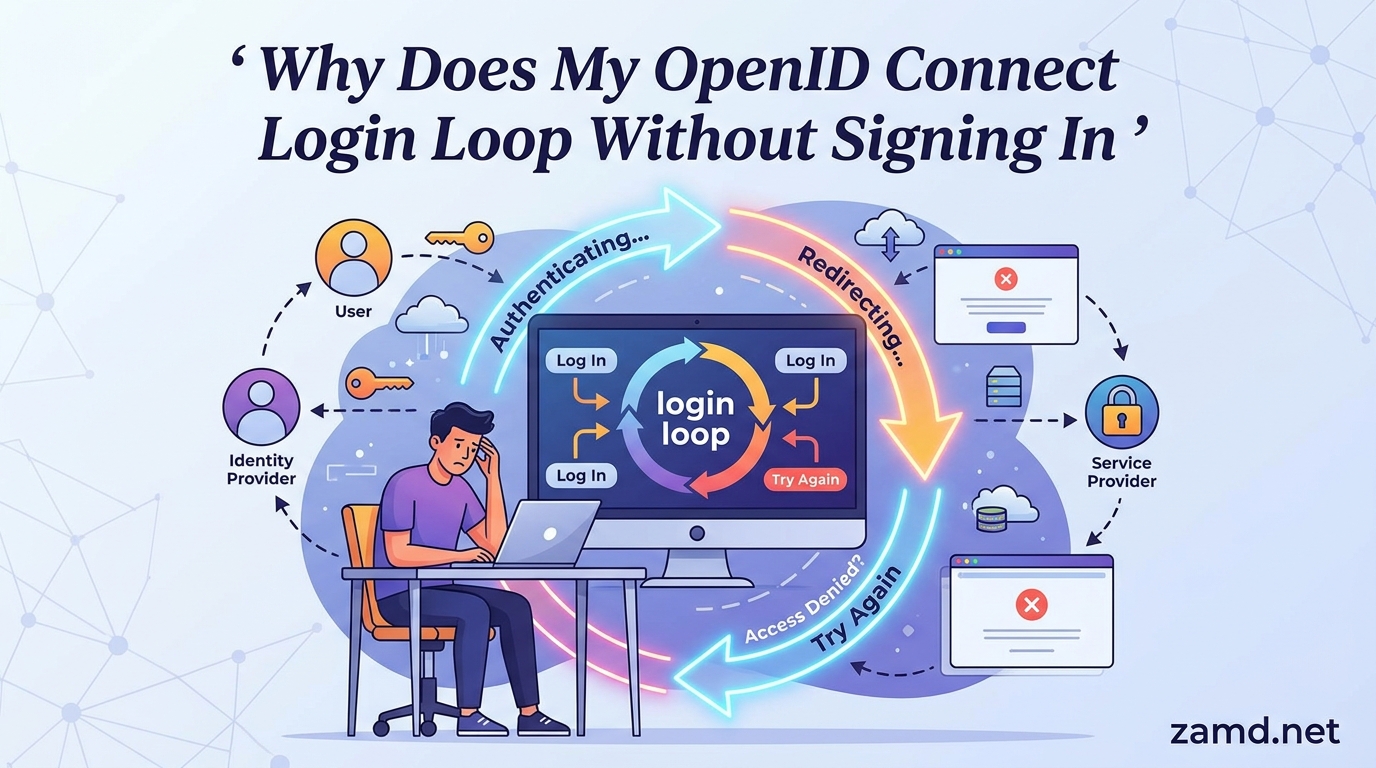
You click sign-in, the identity provider authenticates you, then the page redirects back to your app and immediately bounces you to the login screen again. Sound familiar? An OpenID Connect login loop is one of the most frustrating integration issues a developer or IT admin can face, and our team has debugged dozens of them across ASP.NET, Keycloak, Entra ID, Auth0, and IdentityServer deployments.
An OpenID Connect login loop without signing in is caused by the client application failing to establish or persist a session after the identity provider has already authenticated the user. The app sees no valid session, decides the user is unauthenticated, and re-triggers the OIDC redirect to the IdP. The IdP finds an existing session and immediately redirects back. This cycle repeats until the browser throws an ERR_TOO_MANY_REDIRECTS error or the tab crashes.
In this guide, we break down exactly why your OIDC redirect loop is happening, walk through every common root cause across major identity providers, and give you a step-by-step troubleshooting methodology you can follow right now. Whether you are working with ASP.NET Core, IdentityServer4, Keycloak behind a reverse proxy, or an SPA using oidc-client-js, you will find the specific fix you need.
By the end, you will understand the normal OIDC authentication flow, recognize which root cause matches your symptoms, and have a clear path to resolution. Let us start with a quick diagnostic so you can jump straight to the section that matches your situation.
Table of Contents
Quick Diagnosis: Which Type of Loop Are You Seeing?
Before diving into root causes, identify which symptom matches your situation. Different error messages point to different underlying problems, and narrowing it down saves hours of debugging.
Here are the most common symptoms developers report when troubleshooting an OIDC login loop, along with the likely category each one points to:
- ERR_TOO_MANY_REDIRECTS in the browser: The browser stops the redirect chain. This almost always means the session cookie is not being set or not being sent back, so the app never recognizes the authenticated state. Look at cookie configuration first.
- 400 Bad Request or “Request headers too long”: You have a cookie buildup problem. Multiple
OpenIdConnect.noncecookies are accumulating in the browser, inflating request headers beyond the server limit. This is the classic OWIN/Katana bug. - “Correlation failed” error: The correlation cookie that ties the outbound auth request to the inbound token response is missing or has expired. This points to SameSite policy issues, HTTPS mismatches, or clock skew.
- AADSTS50011 (Reply URL mismatch): Entra ID is rejecting your redirect URI because it does not exactly match a registered reply URL. Check for trailing slashes, HTTP vs HTTPS, or case sensitivity.
- “Login required” message from IdentityServer: The IdP says it needs user interaction even though the user just authenticated. This usually means the client configuration, scopes, or PKCE settings are rejecting the silent renewal.
- Loop only in production, works locally: Almost certainly a reverse proxy, load balancer, or SSL termination issue. The app sees HTTP internally while the browser uses HTTPS, breaking the Secure cookie.
Use this diagnosis to jump to the relevant root cause section below. If you are not sure where to start, the step-by-step troubleshooting guide near the end of this article will walk you through a systematic debugging process.
How OIDC Authentication Works (The Normal Flow)
To understand why OIDC login loops happen, you need to understand the normal authentication flow. OpenID Connect extends OAuth 2.0 by adding an identity layer, and most web applications use the authorization code flow (often with PKCE for public clients) to authenticate users.
Here is the step-by-step OIDC login flow that should happen in a healthy integration:
- Sign-in trigger: The user clicks a login button or tries to access a protected resource. The client application (called the Relying Party, or RP) detects that no valid session exists and initiates the OIDC flow.
- Authorization request: The RP redirects the user’s browser to the OpenID Provider’s (IdP) authorization endpoint. This request includes parameters like
client_id,redirect_uri,scope,response_type,state, andnonce. If using PKCE, it also includes acode_challenge. - User authentication: The IdP prompts the user for credentials (or finds an existing session and skips the prompt). The user authenticates, and the IdP may also ask for consent depending on the configuration.
- Authorization code returned: The IdP redirects the browser back to the RP’s
redirect_uriwith an authorization code in the query string. Thestateandnoncevalues come back for validation. - Token exchange: The RP sends the authorization code to the IdP’s token endpoint (along with
client_secretfor confidential clients, orcode_verifierfor PKCE). The IdP responds with an ID token, access token, and optionally a refresh token. - ID token validation: The RP validates the ID token by checking the signature against the IdP’s published keys (from the JWKS endpoint), verifying the
iss(issuer),aud(audience),exp(expiry), andnonceclaims. - Session creation: The RP creates its own session for the user, typically by setting an authentication cookie in the browser. Subsequent requests include this cookie, and the app recognizes the user as authenticated.
The critical point is step 7. If anything goes wrong with session creation or cookie persistence, the app will see the next request as unauthenticated and start the entire flow over again from step 1. That is the OIDC login loop.
Two security parameters deserve special attention. The state parameter prevents CSRF attacks by tying the callback to the original request. The nonce prevents replay attacks by linking the ID token to the request that initiated it. Both are typically stored in short-lived cookies, and if those cookies are missing or corrupted, the flow breaks. When developers ask why their OIDC redirect loop happens, the answer almost always traces back to one of these steps failing silently.
Why Does My OpenID Connect Login Loop Without Signing In: Root Causes
Now that you understand the normal flow, let us examine every common reason the flow breaks and produces an authentication loop. We have organized these into seven root cause categories, ordered roughly by how frequently we encounter them in the field.
Root Cause 1: Cookie Misconfiguration
Cookie misconfiguration is the single most common cause of OIDC login loops, accounting for the majority of cases we debug. Cookies are how the client application persists the authenticated session between requests. If the authentication cookie is not set correctly, or is set but never sent back by the browser, the app has no way to know the user is signed in.
Here are the specific cookie issues that cause loops:
- SameSite policy mismatch: Modern browsers default to
SameSite=Lax. If your OIDC callback is a cross-site redirect (which it always is, since the IdP is on a different domain), the browser may drop the authentication cookie. SettingSameSite=Nonerequires theSecureflag, which means it only works over HTTPS. If you are running locally on HTTP withSameSite=None, the cookie is silently discarded and you get a loop. - Secure flag on HTTP: If the authentication cookie has the
Secureattribute set but the app is served over HTTP (common behind a reverse proxy that terminates SSL), the browser will never send the cookie. The classic example is the.AspNet.Cookiescookie in ASP.NET OWIN middleware when accessed over HTTP. - Domain or path mismatch: If the cookie domain does not match the redirect URI domain, or the cookie path excludes the callback endpoint, the cookie exists but is never sent for the relevant requests.
- Cookie size limits: Browsers enforce a per-cookie size limit (typically 4096 bytes). If claims or tokens are stuffed directly into the cookie, it may be truncated or rejected. This is the root of the OWIN/Katana nonce cookie buildup problem.
- HttpOnly and JavaScript interference: While
HttpOnlycookies should not cause loops by themselves, SPAs that try to manage cookies via JavaScript can interfere with the middleware-set authentication cookie, leading to inconsistent state.
The fix depends on your framework, but the general principle is to ensure your authentication cookie uses SameSite=None; Secure for cross-site OIDC flows over HTTPS, or SameSite=Lax if the IdP and client are on the same site. For ASP.NET OWIN, use CookieSecureOption.Always in production and consider SystemWebChunkingCookieManager to avoid cookie truncation.
Root Cause 2: Redirect URI Mismatch
The redirect_uri (also called reply URL or callback URL) must match exactly between what the client sends in the authorization request and what is registered with the IdP. OpenID Connect providers perform exact string matching on redirect URIs for security reasons, and even a single character difference will cause the flow to fail or loop.
Here are the redirect URI mismatches we see most often:
- Trailing slash: The client sends
https://app.example.com/signin-oidc/but the IdP hashttps://app.example.com/signin-oidcregistered (or vice versa). This is the most common single-character mismatch and it accounts for a large share of AADSTS50011 errors in Entra ID. - HTTP vs HTTPS: The client sends an HTTP redirect URI but the IdP only allows HTTPS (or the reverse). Some frameworks default to HTTP when behind a reverse proxy that does not forward the original scheme.
- Case sensitivity: Redirect URI matching is case-sensitive in most IdPs.
https://App.Example.com/callbackis not the same ashttps://app.example.com/callback. - localhost vs 127.0.0.1: These are different hostnames. If your IdP has
http://localhost:5000/callbackregistered but your app redirects tohttp://127.0.0.1:5000/callback, it will fail. - Virtual directory or application path: ASP.NET apps running in a virtual directory (e.g.,
/myapp) may generate redirect URIs with or without the path prefix inconsistently. The classic case is the OWIN middleware producing a redirect URI that includes the application path when the IdP registration does not. - Port mismatch: Common when switching between development (port 5000, 3000, etc.) and production (443). Forgetting to update the registered redirect URI after a port change will break the flow.
The fix is to compare the exact redirect URI being sent in the authorization request (visible in the browser URL bar during the redirect) against the registered URIs in your IdP configuration. They must match character-for-character, including scheme, case, path, trailing slashes, and port numbers.
Root Cause 3: Token Validation Failures
Even when the authentication flow completes and the IdP returns tokens, the client application must validate the ID token before establishing a session. If validation fails, the app rejects the token and treats the user as unauthenticated, starting the loop again.
Token validation failures that cause loops typically fall into these categories:
- Issuer mismatch: The
issclaim in the ID token must exactly match the expected issuer configured in the client. This is common when the IdP’s issuer URL includes or excludes a trailing slash, or when the discovery document URL differs slightly from the token’s issuer claim. - Audience mismatch: The
audclaim must contain the client’sclient_id. Multi-audience tokens or misconfigured client registrations can cause this check to fail. - Clock skew: If the server running the client application has a clock that differs from the IdP by more than the allowed skew (typically 5 minutes), token expiry and not-before checks will fail. This is surprisingly common in Docker containers and VMs where NTP is not configured.
- Signature validation failure: The client must validate the ID token signature against the IdP’s public keys (published at the JWKS endpoint). If the JWKS URI is unreachable, the keys have rotated and the client has cached old keys, or the signing algorithm does not match, validation fails.
- Nonce mismatch: The
nonceclaim in the ID token must match the nonce sent in the original request. If the nonce cookie was lost (due to SameSite issues), the middleware cannot verify it and rejects the token.
To diagnose token validation failures, enable detailed logging in your OIDC middleware. Look for messages about issuer, audience, or signature validation. If you suspect clock skew, check the system time on both the client and IdP servers and ensure NTP synchronization.
Root Cause 4: 401 vs 403 Misconfiguration
This is a subtle but important cause that Scott Brady’s influential article on redirect loops highlighted. When a user is authenticated but not authorized to access a resource, the server should return 403 Forbidden. If the server incorrectly returns 401 Unauthorized instead, the OIDC middleware interprets it as “the user is not authenticated” and triggers a new authentication flow.
The result is a loop: the user authenticates successfully, the app sets a session, but then a 401 response from an authorization check sends them right back to the IdP. The IdP sees an existing session and redirects back immediately.
This happens most often when:
- Custom authorization middleware or filters return
401for authorization failures instead of403. - API controllers return
Unauthorized()when they meanForbidden(), and the OIDC challenge is wired to respond to 401s. - The authentication middleware is configured to automatically challenge on any 401, even those caused by role or policy checks.
The fix is to audit your authorization logic and ensure that authenticated-but-unauthorized users receive 403 Forbidden, not 401 Unauthorized. The 401 status should be reserved for genuinely unauthenticated requests. If you are using ASP.NET Core, check your Authorize attribute usage and custom authorization handlers to confirm they return the correct status codes.
Root Cause 5: HTTP vs HTTPS Scheme Inconsistency
Scheme inconsistency between what the browser sees and what the application server sees is a prolific cause of OIDC loops, especially in production environments behind reverse proxies or load balancers. When SSL termination happens at the proxy level, the application server receives requests over HTTP internally, even though the browser connected via HTTPS.
This causes several problems that lead to loops:
- Secure cookies not sent: The authentication cookie has
Secure=true, but the app thinks it is on HTTP (because the internal connection is HTTP). The browser does send the cookie over HTTPS, but the app generates redirect URIs withhttp://, which the IdP rejects or which cause further mismatches. - Incorrect redirect URI generation: The middleware constructs the redirect URI from the request scheme, producing
http://app.example.com/callbackinstead ofhttps://app.example.com/callback. The IdP rejects this if only HTTPS URIs are registered. - Set-Cookie with wrong scheme: Some middleware sets the cookie path or domain based on the perceived scheme, causing the browser to reject or misroute the cookie.
The fix is to ensure your application knows it is behind a proxy that terminates SSL. In ASP.NET Core, enable UseForwardedHeaders middleware and configure it to trust the X-Forwarded-Proto header. In nginx, add proxy_set_header X-Forwarded-Proto $scheme; to your proxy configuration. For Keycloak behind a reverse proxy, set PROXY_ADDRESS_FORWARDING=true and configure the proxy headers correctly.
Root Cause 6: Missing or Incorrect PKCE
PKCE (Proof Key for Code Exchange) was originally designed for mobile and SPA clients that cannot securely store a client secret. However, it is now recommended for all OIDC clients, including server-side web applications. When PKCE is required by the IdP but not implemented by the client, or implemented incorrectly, the token exchange fails and the flow restarts.
Common PKCE-related loop causes include:
- IdP requires PKCE but client does not send code_challenge: IdentityServer4 and other modern IdPs can be configured to require PKCE for specific clients. If the client omits the
code_challengeparameter, the authorization request is rejected or the token exchange fails. - Code verifier does not match code challenge: The
code_verifiersent to the token endpoint must hash to thecode_challengesent in the authorization request. If the verifier is lost (e.g., stored in a cookie that gets dropped), the exchange fails. - Wrong PKCE method: If the client sends
code_challenge_method=S256but the IdP expects plain (or vice versa), the exchange fails. - SPA library misconfiguration: Libraries like oidc-client-js, AppAuth, or next-auth need explicit PKCE configuration. Using a library that defaults to PKCE with an IdP that does not support it (or the reverse) causes silent failures.
If you are building a SPA or mobile app, ensure PKCE is enabled and that the code_verifier is stored reliably (typically in session storage or a secure cookie). For server-side apps, verify that your OIDC middleware version supports PKCE and that it is enabled in the options.
Root Cause 7: Reverse Proxy and Load Balancer Issues
We saved one of the most frustrating causes for last. Reverse proxies, load balancers, and SSL termination layers introduce a layer between the browser and the application server that can silently break OIDC flows. This is the root cause behind the classic “it works on localhost but fails in production” scenario.
Key infrastructure-related loop causes include:
- Missing X-Forwarded-Proto header: The proxy terminates SSL and forwards the request over HTTP to the app. Without the
X-Forwarded-Proto: httpsheader, the app generates HTTP redirect URIs and Secure cookies fail. This is the number one cause of Keycloak login loops behind nginx. - Missing X-Forwarded-Host header: If the proxy changes the Host header (common when proxying to a container on a different port or hostname), the app generates redirect URIs with the internal hostname instead of the public one.
- SSL termination at load balancer: Multiple layers of SSL termination (e.g., CDN to load balancer to nginx to app) can strip or mangle headers, producing inconsistent scheme detection.
- Cookie domain mismatch in containers: Docker and Kubernetes deployments often expose the app on an internal hostname or port. If the cookie domain is set to the internal hostname, the browser (using the external hostname) will not send it back.
- Sticky sessions not configured: If the OIDC state or nonce is stored in server-side session (not in a cookie), requests hitting different servers behind a load balancer will not find the stored state, causing correlation failures.
For nginx reverse proxies, the minimum configuration to avoid these issues includes forwarding the scheme, host, and client IP. For Keycloak specifically, enable PROXY_ADDRESS_FORWARDING=true and set the KC_HTTP_ENABLED and proxy environment variables according to your Keycloak version. In Kubernetes, ensure your ingress controller forwards the correct headers and that TLS passthrough or termination is configured consistently.
Step-by-Step Troubleshooting Guide
Now that you understand the root causes, here is a systematic debugging process you can follow. We recommend going through these steps in order, as each one builds on the previous and helps you eliminate possibilities quickly.
Step 1: Open Browser Developer Tools and Watch the Network Tab
Open your browser’s developer tools (F12 in Chrome or Firefox), switch to the Network tab, and check the “Preserve log” checkbox. This ensures redirects are captured even as the page reloads. Now attempt to log in and watch the redirect chain unfold.
Look for the following in the network requests:
- How many redirects happen before the browser gives up?
- Is there a
Set-Cookieheader in the response from your callback endpoint? - Does the next request include a
Cookieheader with the authentication cookie? - What is the HTTP status code that triggers each redirect (401, 302, etc.)?
- Does the authorization request URL to the IdP contain the correct
redirect_uri?
If the Set-Cookie header is present but the cookie is not sent on the next request, you have a cookie configuration problem (SameSite, Secure, or domain). If the Set-Cookie header is missing entirely, the middleware is failing to create the session, which points to token validation or middleware configuration issues.
Step 2: Inspect Cookies in the Application Tab
Switch to the Application tab (Chrome) or Storage tab (Firefox) and look at the Cookies for your domain. Check for the following:
- Is the authentication cookie present? (Look for names like
.AspNet.Cookies,idsrv.session, or your custom auth cookie name.) - What are the cookie attributes? Check SameSite, Secure, HttpOnly, Domain, and Path.
- Are there multiple
OpenIdConnect.noncecookies accumulating? If you see dozens of them, you have the OWIN/Katana cookie buildup bug. - Is the correlation cookie present? (Look for names containing “correlation” or “.AspNetCore.Correlation”.)
Clear all cookies for your domain and try logging in again while watching the Application tab in real time. This will show you exactly which cookies are being set and whether they persist across the redirect.
Step 3: Verify the Redirect URI Character by Character
Copy the exact redirect_uri parameter from the authorization request URL in your network tab. Compare it character-by-character against the registered redirect URI in your IdP configuration. Check for trailing slashes, capitalization, port numbers, and HTTP vs HTTPS.
If you are using Entra ID (Azure AD), find the redirect URI in the App Registration under Authentication. For IdentityServer4, check the RedirectUris in your client configuration. For Keycloak, look at the Valid Redirect URIs in the client settings. For Auth0, check the Allowed Callback URLs in the application settings.
Step 4: Enable Detailed OIDC Logging
Turn on verbose logging for your OIDC middleware. In ASP.NET Core, set the logging level for Microsoft.AspNetCore.Authentication to Debug or Trace. In other frameworks, look for equivalent debug logging options.
Look for log messages that indicate:
- Token validation failures (issuer, audience, signature, nonce)
- Cookie authentication events (cookie received, cookie rejected, session expired)
- Redirect URI construction (what URI the middleware is generating)
- Correlation cookie validation results
The logs will often tell you exactly which validation check is failing, which maps directly to one of the root causes above.
Step 5: Check for Scheme and Proxy Issues
If the loop only happens in production but works locally, focus on infrastructure. Check whether your application server is receiving requests as HTTP even though the browser connects via HTTPS. Look at the request headers received by your app, specifically X-Forwarded-Proto and X-Forwarded-Host.
Verify that:
- Your reverse proxy sends
X-Forwarded-Proto: httpsfor HTTPS requests - Your application is configured to trust and use forwarded headers
- The generated redirect URIs use HTTPS in production
- Secure cookies are being set and received correctly
Step 6: Test with Fiddler or a Proxy Debugger
For stubborn loops, use Fiddler, Charles Proxy, or Wireshark to capture the full HTTP traffic. This gives you complete visibility into every request and response, including headers that browsers may summarize or hide.
In Fiddler, look for:
- The complete redirect chain (Inspector > Raw)
- All
Set-Cookieheaders and their full attributes - The exact redirect URI sent to the IdP
- Any 400 or 401 responses that trigger re-authentication
- Cookie header sizes (if you suspect the request-headers-too-long issue)
Fiddler is especially useful for diagnosing the OWIN nonce cookie buildup problem. If you see the request headers growing with each redirect, you have confirmed the issue.
Step 7: Isolate the Problem by Platform
If you have worked through steps 1 through 6 and still cannot identify the issue, isolate it by platform. Try the same OIDC configuration with a minimal test application on the same framework. If the minimal app works, the problem is in your application’s specific configuration or middleware pipeline.
If you have access to multiple browsers or devices, test there as well. Cookie policies can differ between Chrome, Firefox, and Safari, and a loop that appears in Safari (which has stricter ITP policies) but not Chrome often points to SameSite or third-party cookie issues.
Platform-Specific Fixes
Here are quick fixes for the platforms we see most often in OIDC login loop support requests.
ASP.NET OWIN / Katana
The OWIN/Katana middleware has a well-known bug where OpenIdConnect.nonce cookies accumulate in the browser, eventually causing 400 Bad Request errors due to oversized headers. The fix is to replace the default SystemWebCookieManager with SystemWebChunkingCookieManager, which chunks large cookies into multiple smaller ones. Alternatively, upgrade to ASP.NET Core, which handles cookies properly out of the box.
For the .AspNet.Cookies Secure flag issue over HTTP, set CookieSecureOption.Never as a temporary workaround (not recommended for production) or enforce HTTPS navigation.
ASP.NET Core
ASP.NET Core handles cookies correctly by default, but you can still hit loops from forwarded headers behind a proxy. Add app.UseForwardedHeaders(new ForwardedHeadersOptions { ForwardedHeaders = ForwardedHeaders.XForwardedProto | ForwardedHeaders.XForwardedHost }) early in your pipeline. Ensure the CookieAuthenticationOptions use Cookie.SecurePolicy = CookieSecurePolicy.Always for production HTTPS deployments.
IdentityServer4 / Duende
For IdentityServer4, check the client configuration: verify AllowedGrantTypes, AllowedScopes, RedirectUris, and RequirePkce match what the client is sending. If RequireConsent is true and the consent screen is misconfigured, the flow can loop. For SPA and mobile clients, ensure PKCE is required and properly implemented.
Keycloak
The most common Keycloak loop happens behind a reverse proxy. Set PROXY_ADDRESS_FORWARDING=true in your Keycloak environment, configure the KC_PROXY setting appropriately for your version, and ensure your nginx or Apache config forwards X-Forwarded-Proto, X-Forwarded-Host, and X-Forwarded-Port. Also verify the hostname setting in Keycloak matches your public-facing URL.
Entra ID (Azure AD)
For Entra ID loops, the redirect URI registration in the App Registration portal must match exactly. Check for trailing slashes and HTTP vs HTTPS. If using OWIN middleware, apply the chunking cookie manager fix. For ASP.NET Core apps, verify the UseForwardedHeaders configuration when deployed behind Application Gateway or Front Door.
Auth0
Auth0 SSO loops often occur when tokens for different domains overwrite each other. Ensure each application uses a distinct cookie name and that the callback URLs in the Auth0 application settings match exactly. For SPAs, verify that sameSite and secure cookie settings are configured for your domain structure.
FAQ’s
How to fix infinite login loop?
To fix an infinite OIDC login loop, open browser dev tools and check the Application > Cookies tab to verify the session cookie is being set and returned. Check that the redirect URI matches exactly (including trailing slashes) in your IdP configuration. Ensure HTTPS is used consistently, especially behind reverse proxies. Validate identity token claims like issuer, audience, and expiry. Most loops are caused by cookie misconfiguration or redirect URI mismatches.
Why does my website keep looping login?
Login redirect loops happen when the authentication state cannot be persisted between requests. The most common causes are cookie misconfiguration (SameSite policy, Secure flag, domain or path mismatches), redirect URI mismatches, incorrect token validation, returning 401 instead of 403 for authenticated users, and HTTP to HTTPS scheme inconsistencies behind reverse proxies.
Why does my Microsoft login keep looping?
Microsoft login loops with OpenID Connect are commonly caused by the Katana OWIN cookie bug that produces OpenIdConnect.nonce cookie buildup, redirect URI mismatches (especially with virtual directories and trailing slashes), the .AspNet.Cookies cookie not being sent over HTTP due to the Secure attribute, and 401 responses triggering re-authentication instead of the correct 403 status.
How does OIDC login work?
OIDC login works in these steps: the client app sends an authorization request to the OpenID Provider, the IdP authenticates the user by prompting for credentials if needed, the IdP issues an ID token and redirects back to the client with an authorization code, the client exchanges the code for tokens at the token endpoint, and the client validates the ID token and creates its own session for the user.
Conclusion
An OpenID Connect login loop without signing in almost always traces back to one of seven root causes: cookie misconfiguration, redirect URI mismatch, token validation failure, 401 vs 403 confusion, HTTP to HTTPS scheme issues, missing PKCE, or reverse proxy header forwarding problems. Start with the browser dev tools, trace the redirect chain, and use the seven-step troubleshooting guide to isolate the specific failure point for your stack.
Once you identify whether your loop is cookie-related, URI-related, or infrastructure-related, apply the platform-specific fix for your framework. Most OIDC login loops are fixable in under an hour once you know where to look.